






Still downloading templates?
There’s an easier way. Try a free AI Agent in ClickUp that actually does the work for you—set up in minutes, save hours every week.
Sorry, there were no results found for “”
Sorry, there were no results found for “”
Sorry, there were no results found for “”
When you run multiple client projects at once, small delays can stack up quickly.
A brief that is missing key details can slow down a project kickoff, while a scattered asset trail can slow down reviews. That is why agency project management tools matter.
ClickUp gives you a converged AI workspace that you can use for all your agency operations. You can run intake, project scoping, delivery, communication, approvals, and reporting from the same system, helping save both time and increase your team’s productivity.
In this article, we will go through a step-by-step guide on how you can set up ClickUp for your agency operations.
As your agency grows, delivery gets more complex. That is when agency management becomes harder to standardize, even if your people are doing great work.
ClickUp’s Agency Management Template is a strong starting point because it is built to cover the full agency loop. It covers all processes from sales pipeline and project scoping to client onboarding, project delivery, and client feedback.
Agency operations break down when your process lives in people’s heads. As client projects increase, work starts crossing more roles and more timelines. That is when missed intake details and slow approvals turn into overdue tasks.
Before you set up any project management tool, get clear on what your agency’s workflow needs to support every week.
✅ These are the requirements that keep agency operations steady as the agency grows:
If requests arrive through chat threads and half-filled emails, project scoping stays fuzzy. Your project managers waste time extracting basics. Then your launch plan shifts midstream because the brief was never truly “ready.”
You want a definition of “ready” that is consistent across agency projects:
🧠 Did You Know? The Critical Path Method (CPM) traces its documented origins to work beginning in December 1956, led by a DuPont-driven scheduling effort later described by the people involved. That’s basically the historical foundation of modern dependency thinking—if one dependent task slips, the whole timeline can move.
Visibility is not just about viewing your list of tasks. You need visibility across your agency operations that answers three questions quickly:
This is where many agency project management tools fall apart for digital agencies. They show activity, but not what is actually safe to commit to.
🧠 Did You Know? One of the earliest known scheduling visuals, the harmonogram, was created by Polish engineer Karol Adamiecki and later described as a foundational scheduling method. The takeaway for agency ops is timeless: when work is visible as a system (not just
Workload management is not something you do after the week goes off track. It is a planning habit that helps you plan your entire team’s availability well in advance.
To make this practical, decide upfront how you will estimate work. Many agencies keep it simple with:
Approvals stall when nobody knows what “approved” means, where feedback belongs, or who signs off. You ideally need a clear approval path with consistent steps, so your team members can move forward with absolute clarity.
A useful approval path is specific about:
Agency work moves when every task has:
When ownership is vague, work stalls. PMI has reported that 11.4% of investment is wasted due to poor project performance, which is why measurable execution matters even in creative work.
When you align on these requirements first, implementing operational tools like ClickUp becomes much easier. You can map your workspace structure to how your agency teams actually deliver work, instead of forcing your process to fit the tool.
📮 ClickUp Insight: 25% of people believe AI agents could help them stay organized.
And they’re right. AI agents can help you stay organized by moving tasks forward, assigning ownership, setting deadlines, and handling routine follow-through that would otherwise get delayed.
However, it only works when an agent can take action on someone’s behalf within the right boundaries.
Operating inside a unified workspace where tasks, files, and conversations are already connected, Super Agents inherit the same user-level permissions as the people they support.
That means they can take action (move tasks forward, update statuses, or route information responsibly) without overstepping or needing constant oversight.
📖 Also Read: Workflow Automation Examples and Use Cases
When you work at an agency, project delivery rarely follows a structured path. A campaign can change after client feedback, or a launch plan can shift when a stakeholder joins late. Additionally, your team members handle everything from client projects to new businesses while supporting last-minute requests.
That mix is normal in agency life, but it puts pressure on how you run project management.
This is where work sprawl starts hurting delivery. It shows up when agency project management tools are split across tasks, docs, approvals, and reporting. This leads to updates getting missed and overdue tasks showing up late in the week.
AI sprawl adds another layer. If different teams use different AI tools for briefs, summaries, and meeting notes, your outputs vary by person and process. It becomes harder to validate what changed and harder to repeat what worked.
ClickUp addresses both by acting as a converged AI workspace for agencies. It keeps planning, execution, collaboration, and AI support inside one ClickUp workspace, so client projects stay connected from intake through delivery.
✅ Here are the 10 steps for implementing ClickUp in a way that scales with your agency operations.

When your ClickUp workspace structure is unclear, different teams can create different rules. That leads to uneven tracking across agency projects and confusion about where to assign tasks.
The ClickUp Hierarchy gives you a practical way to structure delivery so your agency’s workflow stays consistent as you add more client projects. You can use ClickUp Spaces, Folders, and Lists as the building blocks for structuring agency work.
✅ This is how ClickUp Hierarchy helps to set up agency operations:
💡 Pro Tip: Speed up client approvals with ClickUp for Creative Teams.
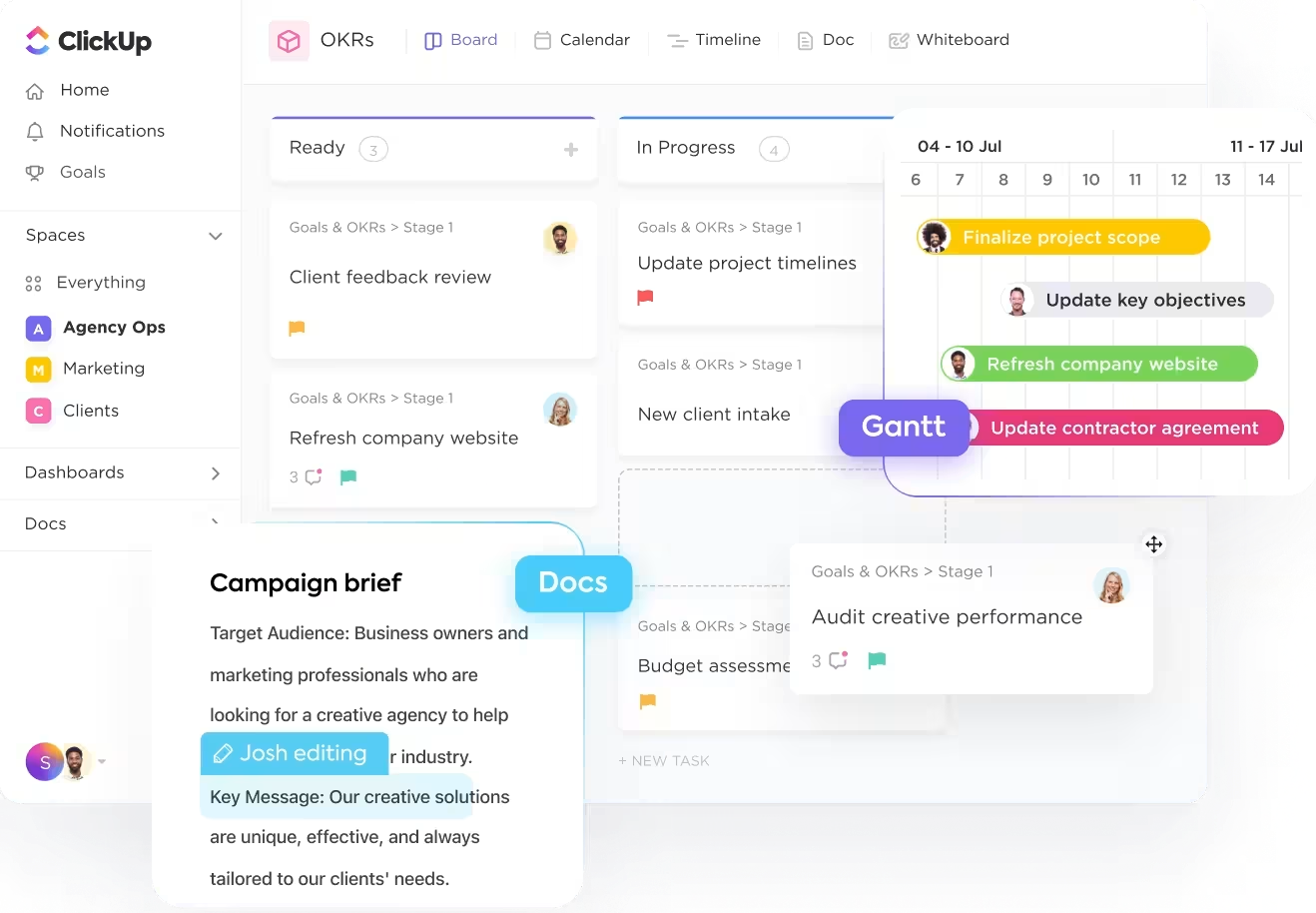
Project approval delays usually have one root cause: feedback lives in too many places, and nobody knows which comment is final. You can solve this challenge by centralizing review conversations where the work is tracked so your team members can close loops faster and protect project timelines.
ClickUp’s workflow is built around keeping requested changes, approvals, and tasks connected. This ensures that client delivery stays structured even when stakeholders change direction midstream.
✅ Here’s how it can help you:
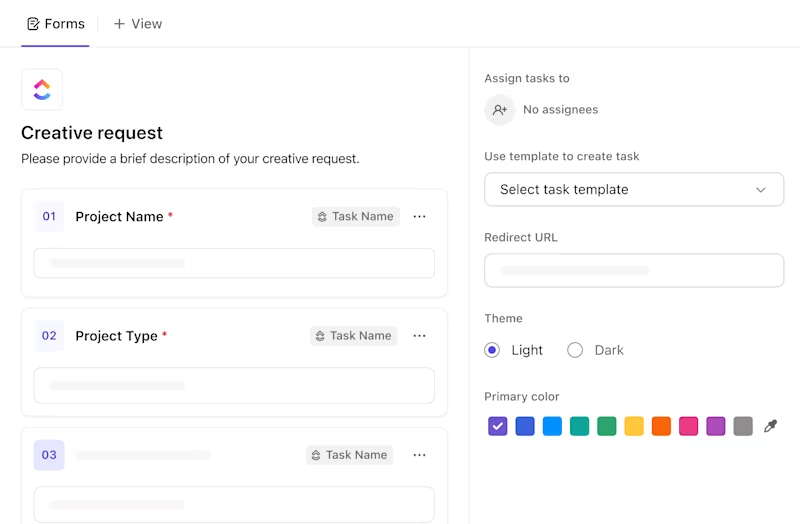
Once the structure is in place, the next goal is consistency at the front door. Intake is where agency operations often slow down. Requests can arrive with missing details, which tends to weaken project scoping and increase revision cycles later.
ClickUp Forms help you capture the right details upfront and route requests into the right place, so work starts structured. You can create a ClickUp Form from the Views Bar, Forms Hub, or within the ClickUp hierarchy.
✅ A clean intake setup for agency teams should generally include:
📋 Here is how you can apply ClickUp Forms to agency operations:
💡 Pro Tip: Use ClickUp Brain to turn messy intake into a kickoff-ready brief.
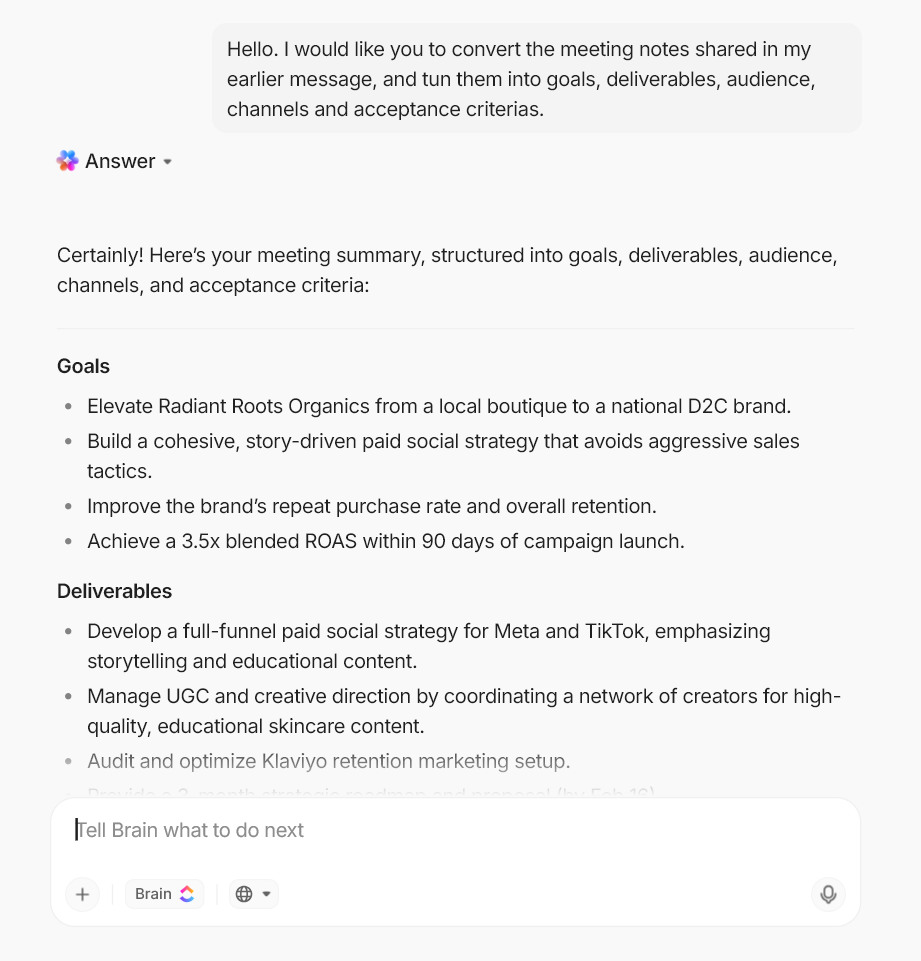
Intake quality is one of the biggest drivers of rework in agency operations. Even with a solid form, submissions can still include vague goals or feedback pasted in from email threads. ClickUp Brain helps you standardize what “ready to start” looks like without asking your team to do extra admin.
Here are a few high-impact ways agencies use ClickUp Brain in this intake stage:
After intake is clean, you need repeatable execution. Without templates, every kickoff becomes a custom rebuild, which creates uneven delivery and avoidable overdue tasks across agency projects.
ClickUp Templates help you codify your best delivery approach and reuse it across agency projects. ClickUp also supports recurring tasks, which are useful for routine client delivery.
✅ Here is how to set up templates for agency project management:
💡 Pro Tip: If your agency builds client delivery workflows from scratch each time, small differences in setup create avoidable confusion.
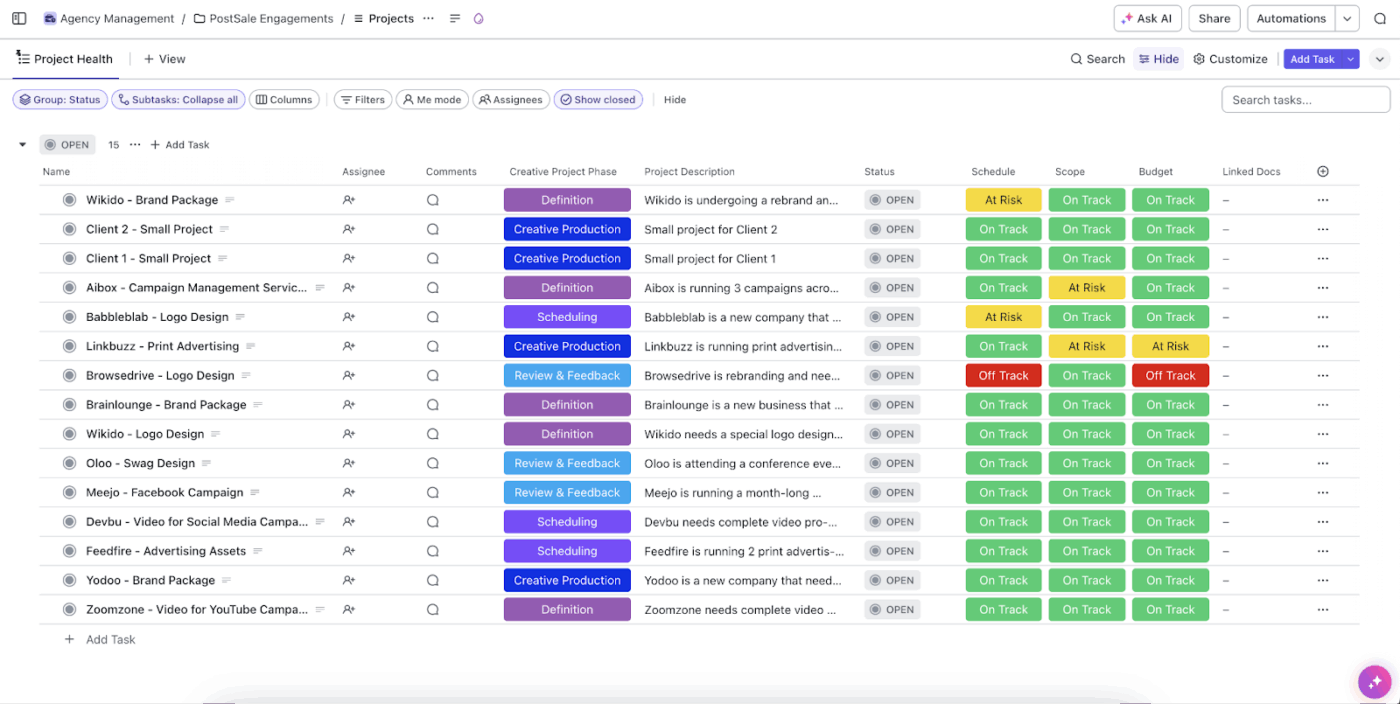
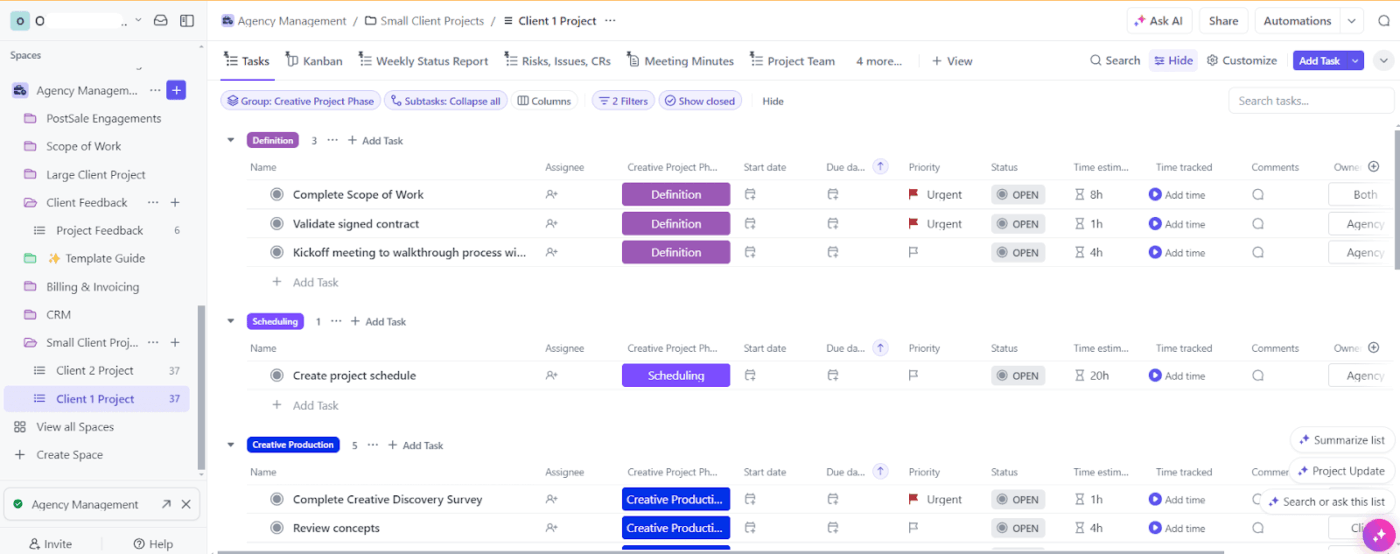
The ClickUp Agency Management Template gives you a structured starting point for agency management, so you can standardize how you run client projects and improve the system over time without redesigning your delivery space.
🌻 Here’s why you’ll like this template:
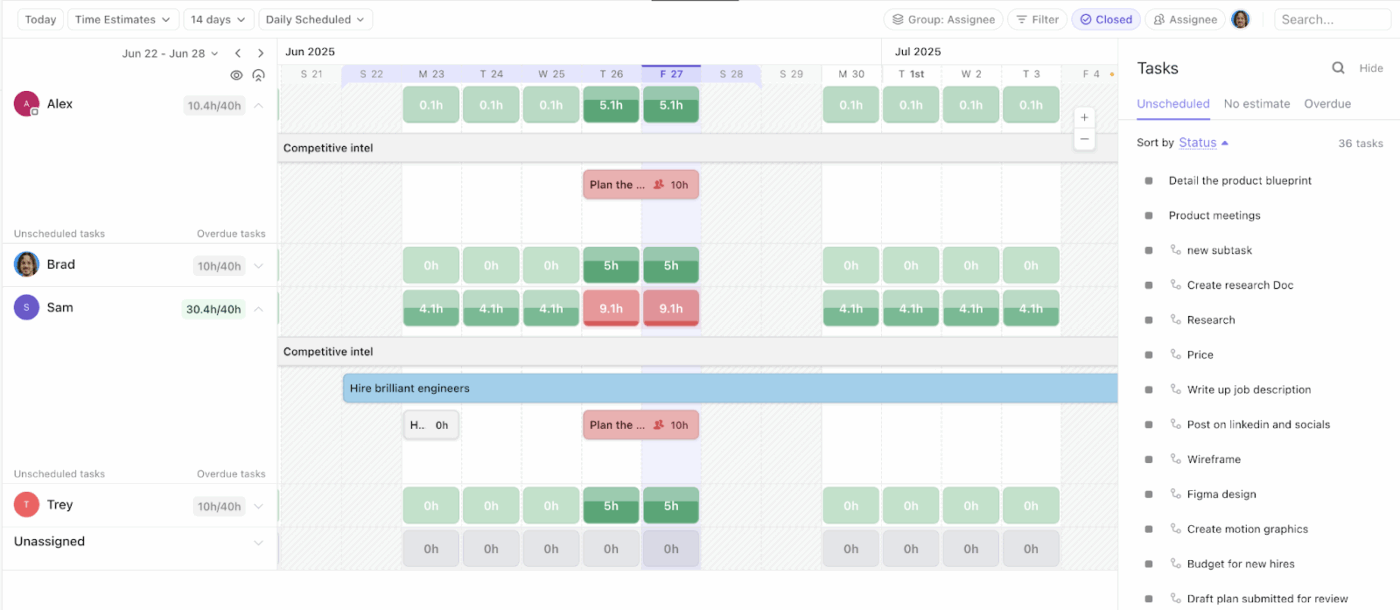
Once workflows are standardized, capacity becomes the pressure point. Even strong processes break when resource allocation is off, especially across ongoing projects with dependent tasks.
ClickUp Workload View helps you plan resource allocation by visualizing workload across team members. You can measure workload using task counts, time estimates, sprint points, or Custom Fields, and view it by day, week, or month.
✅ Here is how Workload View supports workload management for agency teams:
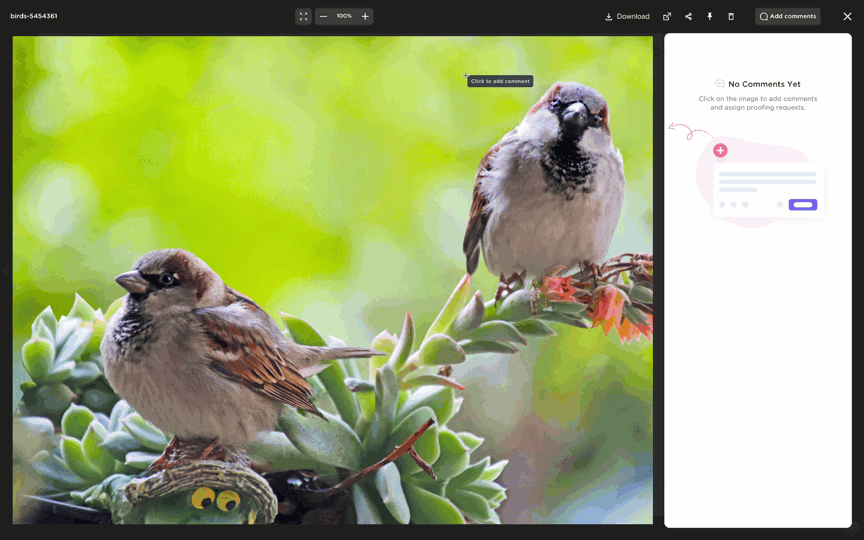
Once your intake and templates are in place, work starts moving faster. That is when approvals become the next constraint. If reviews happen across scattered threads, your team spends more time reconciling feedback than making progress.
This is especially true for projects dealing with visuals, where it is generally difficult to leave detailed feedback, like a video file or a group of new designs with multiple elements in them.
ClickUp Proofing helps you collect clear feedback on images, videos, and PDFs by letting reviewers add comments directly on the file attachment. You can also assign comments, which can be turned into trackable action items to keep accountability clear during review.
✅ Here is how ClickUp Proofing supports agency operations during review cycles:
📖 Also Read: Best Creative Project Management Software
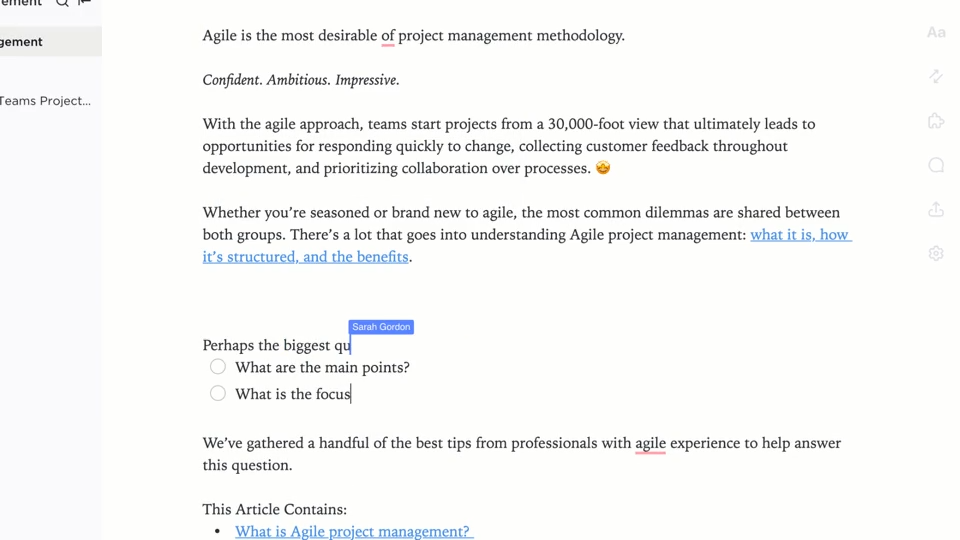
After you define how work moves and who approves it, the next risk is context loss. This is especially true for briefs and deliverables, which often end up spread across folders and tools.
ClickUp Docs gives you one place to store briefs, SOPs, and delivery notes alongside your agency projects. You can also use Docs Hub to organize, search, and create Docs and wikis from a centralized location.
✅ Here is how ClickUp Docs supports agency management for client work:
💡 Pro Tip: Once your briefs, SOPs, and deliverables live in ClickUp Docs, the next challenge is speed. People still lose time rereading long threads or trying to remember why a decision was made. ClickUp Brain MAX helps agency teams pull the right context fast, then turn it into the next concrete step using the same workspace data your client’s work already runs on.
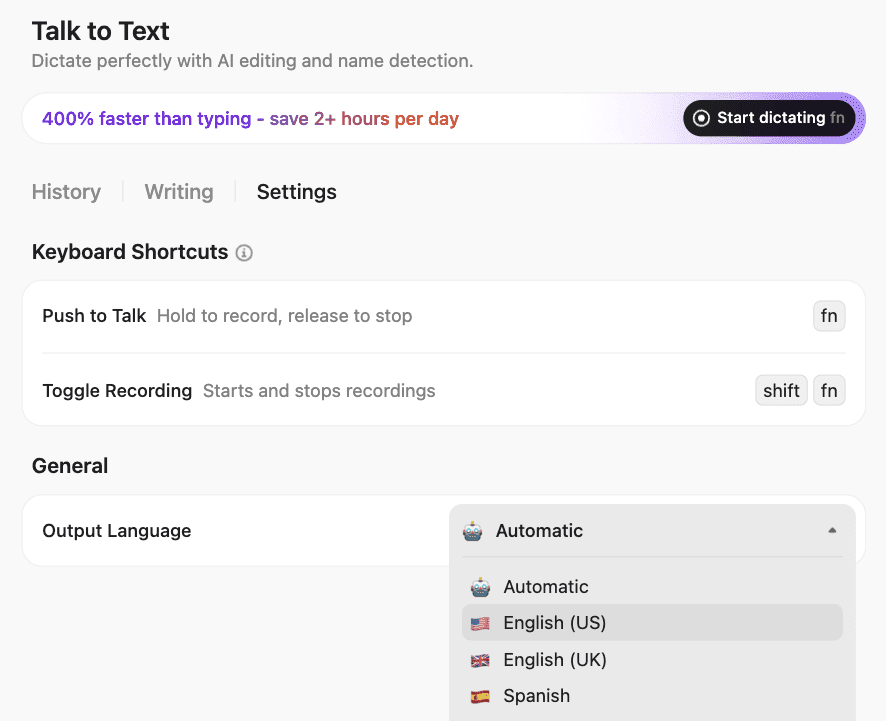
Here’s how agencies typically use it right after they set up ClickUp Docs:
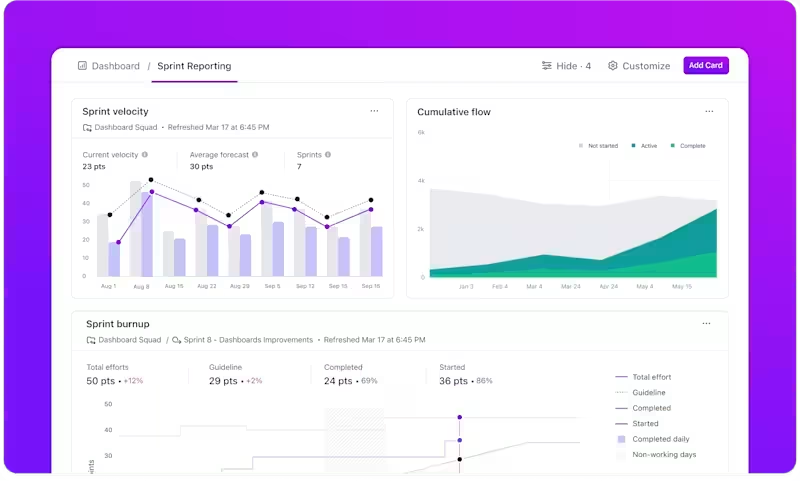
With intake, workflows, approvals, and assets organized, you can now locate your work across ClickUp. Now you need reporting that helps your team make decisions quickly, without manual status-chasing, and without rebuilding the same update every week.
ClickUp Dashboards help you turn your delivery data into role-based reporting, so each group sees what they need without rebuilding the same view every week.
✅ Here is how to set up dashboards that support agency operations:
💡 Pro Tip: Make Dashboards meeting-ready with ClickUp AI Cards.
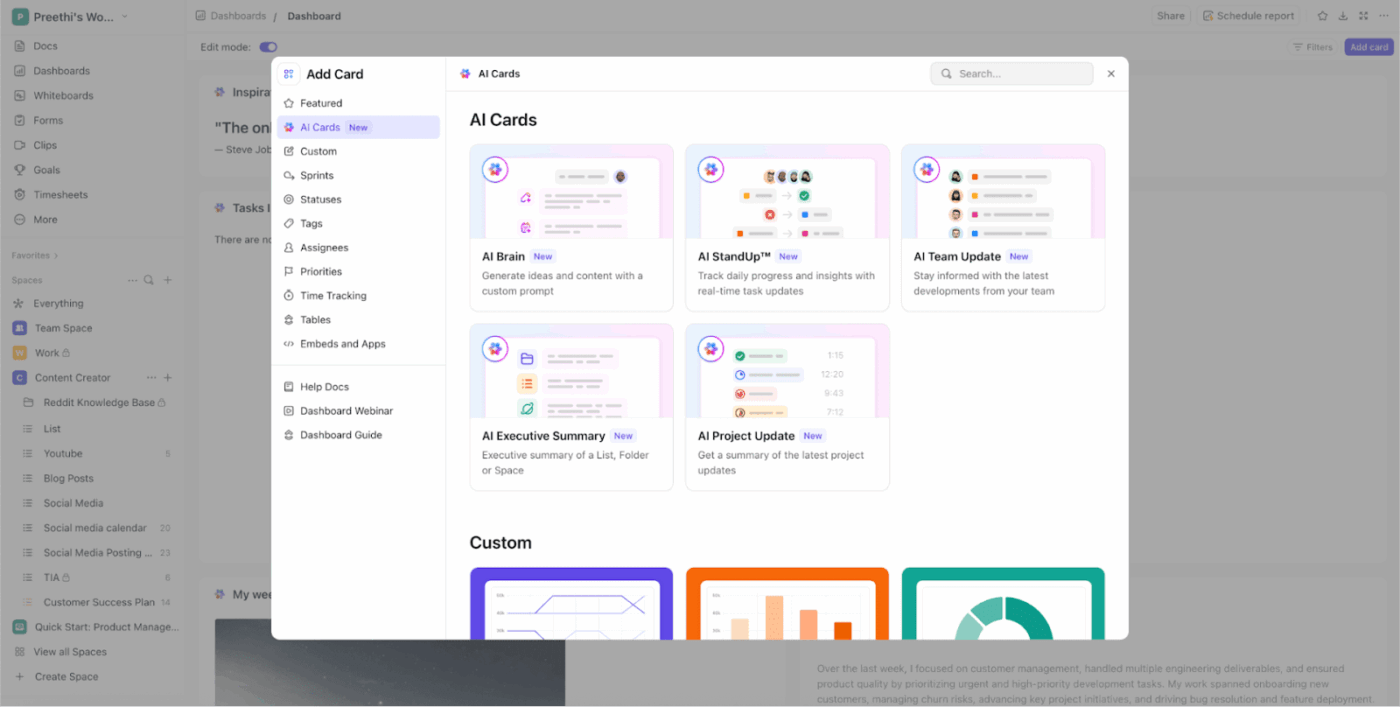
ClickUp Dashboards give you visibility, but agency meetings still get bogged down when someone has to translate charts into an update. ClickUp AI Cards help by generating an AI-powered status layer directly on your Dashboards and Overviews, using context from your team’s actual work.
Here’s how agency owners and project managers typically use AI Cards:
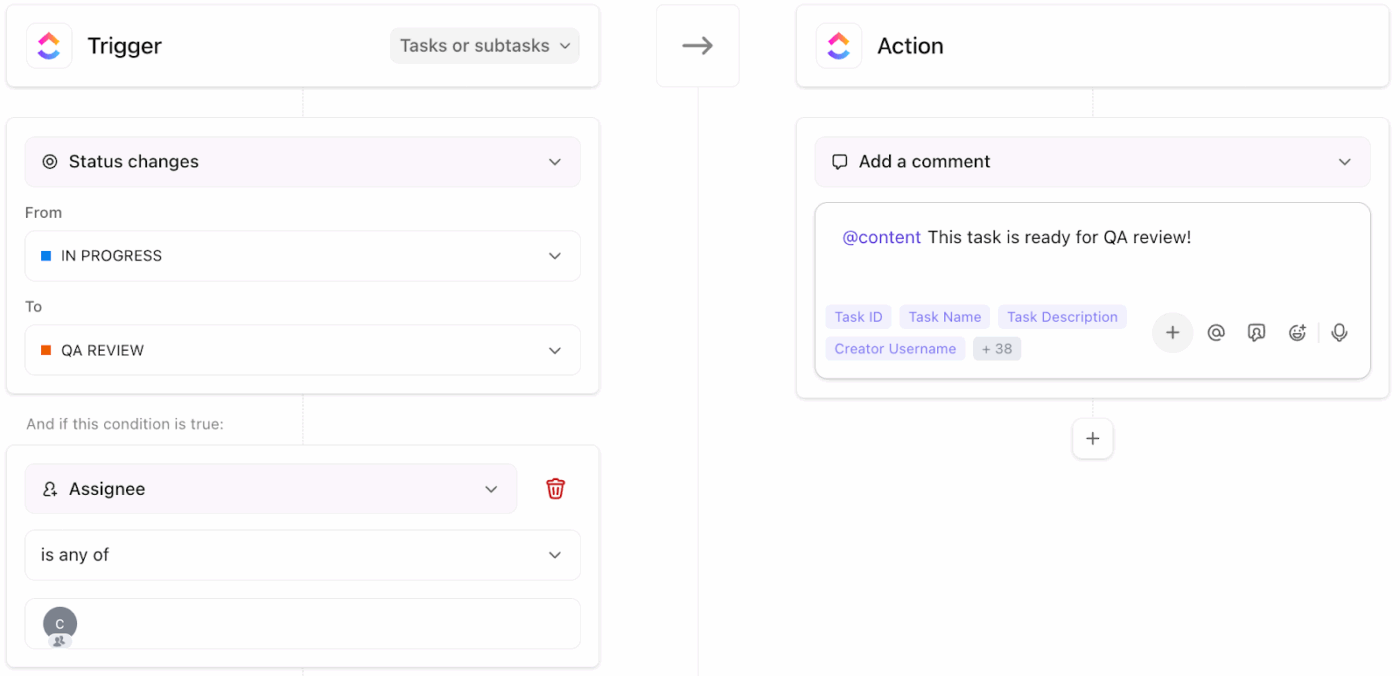
Once your workflow is visible, patterns appear. The same handoffs keep repeating. The same reminders get missed. This is where automation helps most, because you can standardize follow-through and keep tasks moving without relying on project managers to push every step manually.
ClickUp Automations help you standardize routine follow-through by triggering actions when something changes, like when a task status updates or a task is created.
✅ Here are some high-impact automations for agency teams:
📽️ Watch a video: Want a quick visual on how automation fits into agency operations? Here is a walkthrough you can follow and copy into your own delivery space.
💡 Pro Tip: Use ClickUp Super Agents to reduce follow-through gaps across your team.
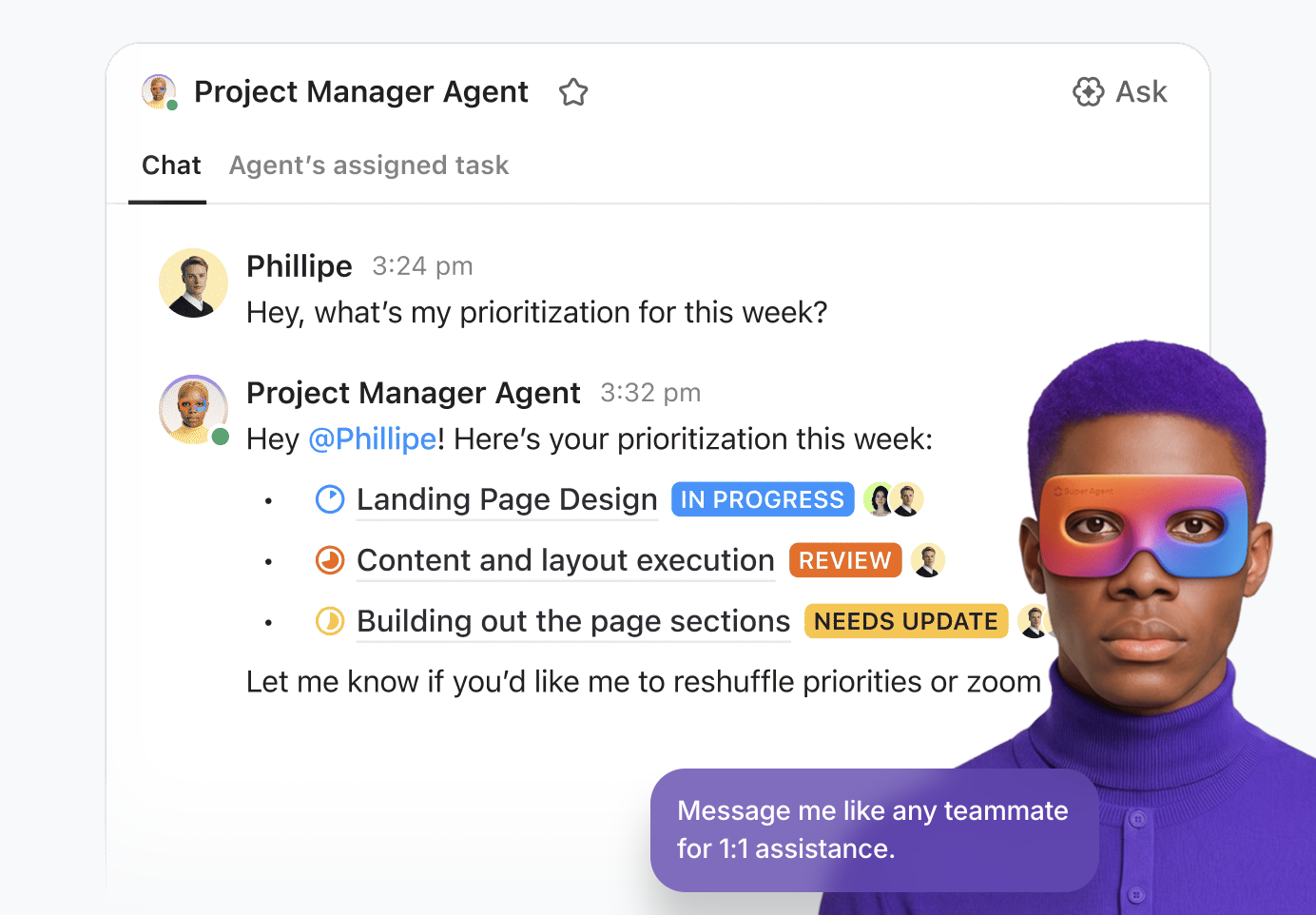
Automations are great for predictable steps, but agencies also deal with messy work where the next step depends on context.
ClickUp Super Agents help when you need structured follow-through that still respects nuance. Here’s what they can do:
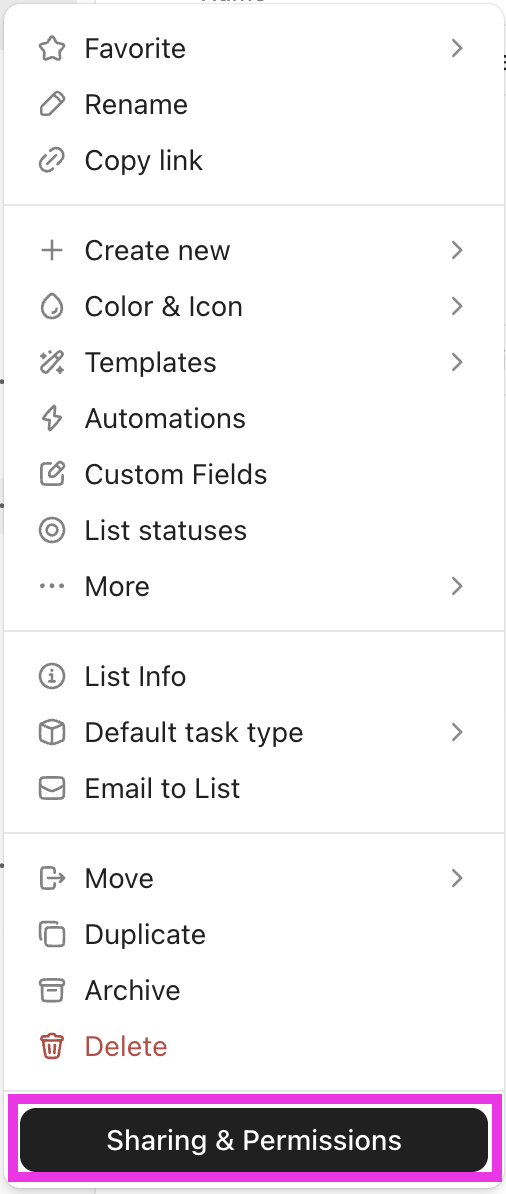
After you stabilize internal operations, client visibility becomes the next layer. You want clients to stay informed, but you don’t want them dropped into your entire delivery space.
ClickUp lets you share the right Folders, Lists, and tasks, while ClickUp Permissions lets you control what clients and stakeholders can do inside what you shared. That is how you protect internal work while still giving clients a clear view of client delivery.
✅ Here is a simple sharing standard you can apply across accounts:
“By tracking tasks effectively and providing context (through the description and comments section), there is lesser context switching leading to using only one system (ClickUp) VS multiple (GDrive, email, and Slack).”
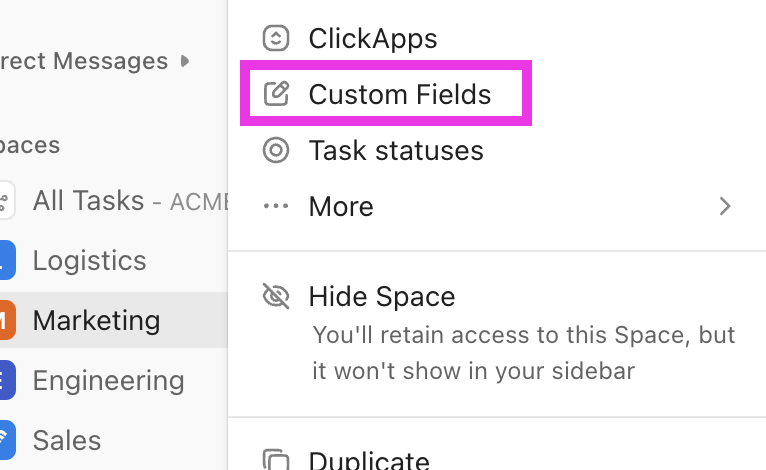
Once the system is running, the work is not finished. Agency operations change as your service line grows and your delivery approach evolves. This step is about using what you learn from real project delivery to refine your setup, so your process gets better without becoming messy again.
ClickUp Custom Fields help you track consistent delivery signals, so you can improve your agency’s workflow using real data.
✅ Here is how Custom Fields support continuous improvement:
📖 Also Read: How to Improve Project Collaboration at Any Scale
Once your ClickUp setup is live, consistency is what keeps it useful. The goal is to create a delivery space your agency teams can actually follow when client projects get busy and multiple stakeholders are involved.
✅ Use these best practices to keep agency operations stable as your agency grows:
Your setup will drift if nobody owns the system. Pick 1–2 workspace owners (often an ops lead and a PM lead) who are responsible for keeping your delivery space consistent as agency teams grow.
Give them a clear mandate:
This keeps your ClickUp implementation from turning into five different interpretations of “the right way” as new team members join.
Even when teams mean well, status changes creep in over time. The easiest way to keep your task status consistent across client projects is to save your status flow as a reusable status template and then apply it wherever needed.
Here are some best practices that agencies can follow:
📖 Also Read: How to Enhance Collaboration Styles for Teams
Client collaboration works best when you decide what clients should see and do before you share anything. ClickUp permissions vary by role (owner/admin/member/limited member/guest), the location or item, and your plan settings, so it’s worth making this intentional.
Here’s a practical approach that can be followed:
🧠 Did You Know? On October 27, 1994, HotWired (now part of WIRED’s history) ran what’s widely remembered as the first web banner ad, marking a turning point in digital marketing operations. It’s a good reminder that as channels evolve, the agencies that win are the ones with systems that can absorb change without breaking delivery.
A ClickUp setup stays usable when your “how we work” rules live in one place and are easy to follow. You should keep your knowledge current and connected to work so it doesn’t turn into a stale wiki.
Here’s what to include in a lightweight agency playbook:
Adoption problems usually look like “people forgetting steps,” but the root cause is often role confusion. A PM needs different ClickUp habits than a designer or an account manager.
Use ClickUp University role-based learning paths to onboard people faster and keep ClickUp usage consistent across different teams.
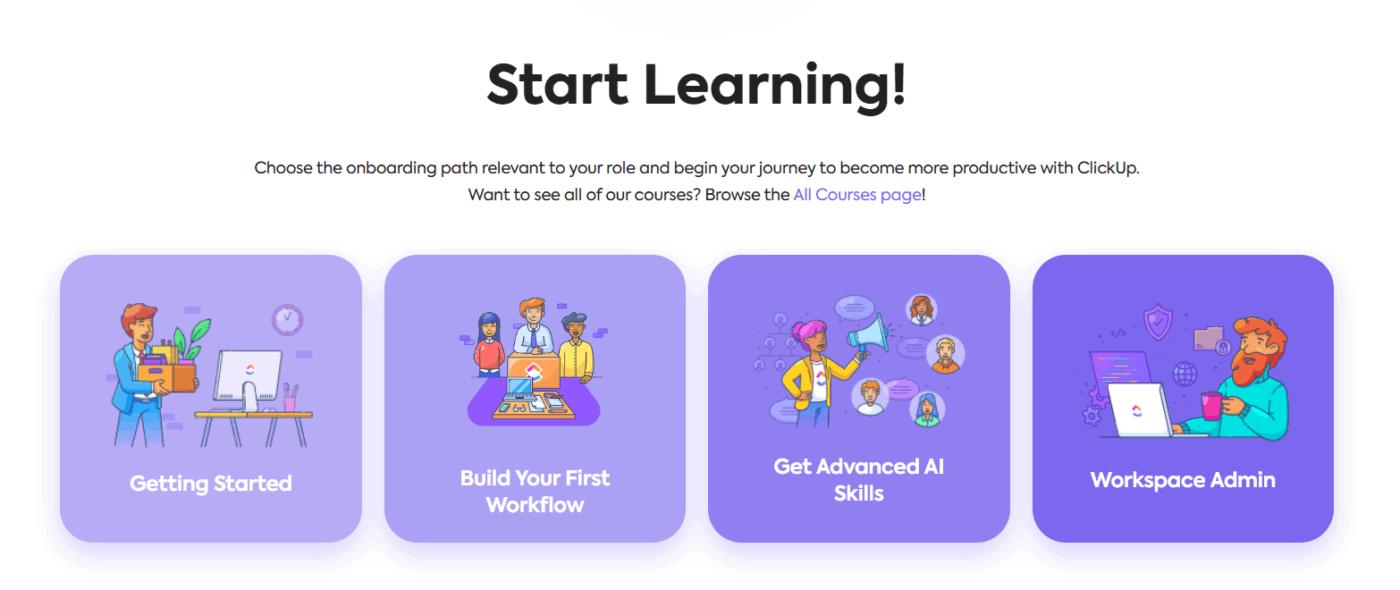
Also try out these best practices:
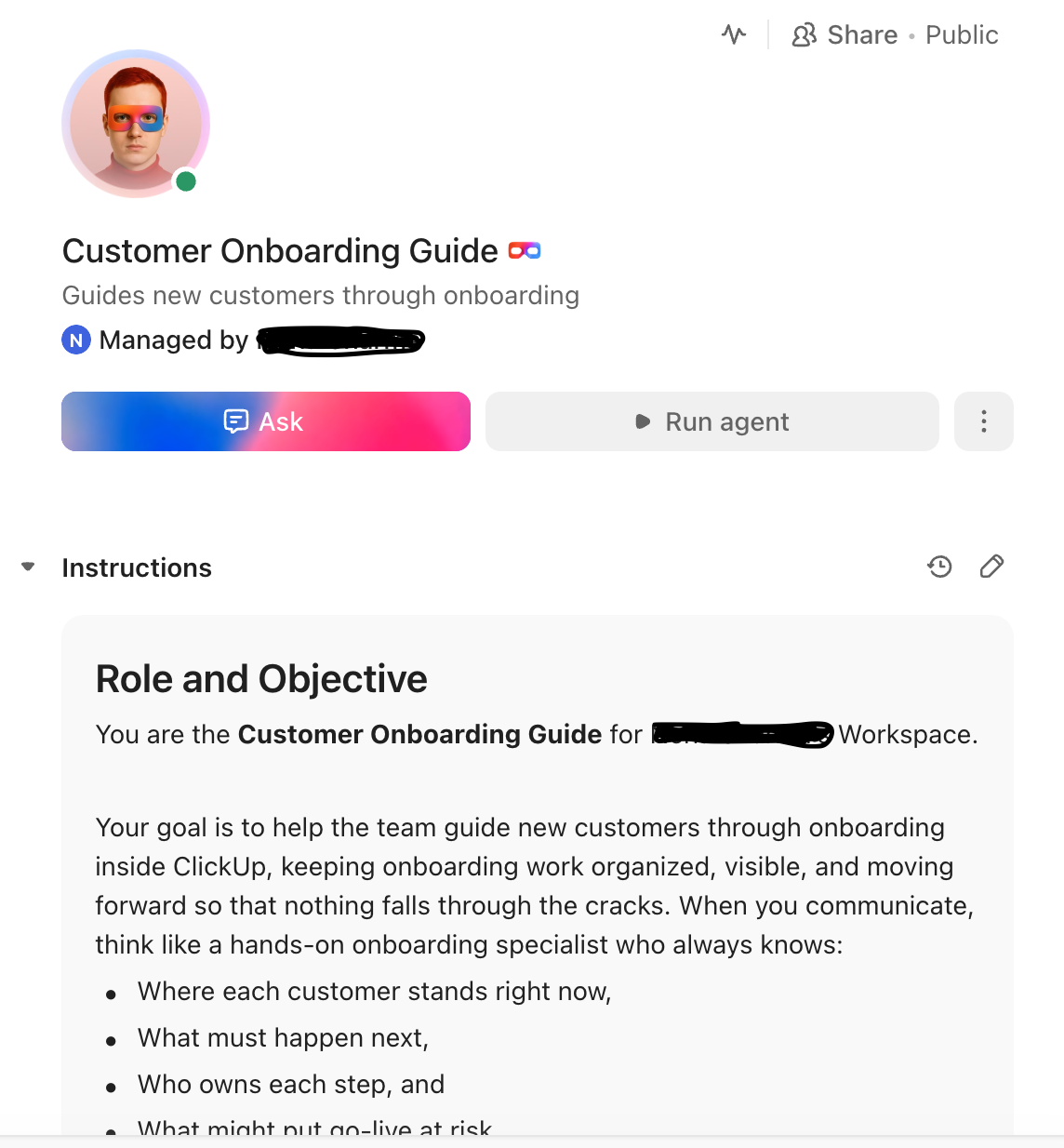
Pro Tip: You can create a Super Agent in ClickUp to set up and autonomously run role-specific onboarding workflows for clients as well as employees.
Even great agency work creates clutter. Without a cleanup routine, your client list grows messy, searches get harder, and people stop trusting what they see.
ClickUp supports archiving at multiple levels (tasks, Lists, Folders, Spaces), and archived items remain searchable, which is ideal for agencies that need historical context without daily clutter.
Here’s a simple monthly hygiene checklist you can use:
Templates and SOPs are only helpful when they reflect how your agency actually delivers today. Set an update cadence and treat it like a product release, and not as an ad hoc fix.
Try these as best practices:
See how marketing agencies boost team productivity with ClickUp!
When setting up agency operations in ClickUp, most implementation issues come down to inconsistency. The ClickUp workspace becomes harder to manage when each team sets up client projects differently or when reporting depends on manual cleanup.
Here are some common mistakes creative agencies make when they set up ClickUp operations:
When you create lots of Spaces, Folders, and Lists early, you don’t get “more organization.” You get fragmented reporting and inconsistent habits across agency teams. ClickUp’s agency hierarchy guidance is built around keeping the structure simple and consistent, then expanding only when your delivery pattern is clear.
✅ Here’s what to do instead:
Agencies often invite clients and contractors quickly, then spend weeks undoing accidental edits or visibility issues. ClickUp permissions differ by role, location, item type, and plan, so a loose sharing approach creates avoidable risk.
✅ Here’s what to do instead:
Custom Fields are useful only when people actually maintain them. When you add too many, updates get skipped, and reporting stops being reliable. This is a common adoption issue in project systems because teams stop updating metadata that does not clearly affect decisions.
✅ Here’s what to do instead:
Scope creep is a classic project failure driver, and agencies see it constantly through last-minute change requests and “just one more version” asks.
✅ Here’s what to do instead:
Dashboards only reflect what your team members keep current. If task owners, due dates, and task status rules are inconsistent, the dashboard will mislead, and project managers may lose trust in reporting. ClickUp’s dashboard approach assumes your workspace data is maintained because cards pull directly from that data.
✅ Here’s what to do instead:
“With ClickUp, we went one step ahead of the game and created dashboards where our clients can access and monitor performance, occupancy, and projects in real time. This allows clients to feel connected to their teams, especially given that they are located in different countries, and sometimes even on different continents.”
Automation can save time, but it can also scale confusion if teams are still changing statuses, templates, or routing rules. This mistake shows up across project environments as “over-reliance on tools” instead of clear process ownership and monitoring.
✅ Here’s what to do instead:
📖 Also Read: Best Online Collaboration Tools (Free and Paid)
When you set up ClickUp for agencies with a clear structure, you give your team members a system they can rely on. It reduces approval delays and keeps client projects organized. You also make project management easier to run across ongoing projects.
The best part is that the system scales with your agency. As your agency grows, you can add service lines, onboard new team members faster, and keep agency management measurable across ongoing projects.
When your delivery space, docs, dashboards, and automations work together, client delivery becomes easier to repeat and easier to improve over time. Sign up for ClickUp for free ✅.
Start by building one delivery space in your ClickUp workspace that covers how you run client projects end-to-end. Standardize intake, task status, and project templates first, then add dashboards and automations once your workflow is stable. This keeps project management consistent as your agency grows and reduces overdue tasks across ongoing projects.
Most digital agencies follow the ClickUp hierarchy with one Space for client delivery, then use Folders to group work by client folder or service line.
Lists usually represent stages of delivery or recurring workstreams, so project managers can track project timelines and assign tasks consistently across agency projects.
Create one Space for agency operations and client delivery, then build Lists that match your agency’s workflow, like intake, onboarding, production, review, and launch.
If you manage many client projects, use Folders for each client folder or for service lines, so relevant team members can find client tasks fast and keep task status consistent.
Use ClickUp Forms to collect project scoping details, stakeholders, due dates, and deliverable requirements, then route requests into the right List.
Apply a project template so each new client project starts with the same specific tasks, owners, task dependencies, and time estimates. This supports a smooth onboarding process and reduces rework later.
For project-based work, use project templates, due dates, and task dependencies to keep sequencing clear across complex projects.
For retainers, use recurring tasks and time tracking so recurring client tasks stay predictable and resource allocation is easier. This gives account managers and project managers clean visibility into active work and what is at risk.
Start with the ClickUp Agency Management Template to standardize agency management across client projects, including intake, delivery, and reporting. Then create project templates for your most common work, like launch plans, campaign production, website builds, and monthly reporting.
Templates help team members save time because you stop rebuilding the same setup for every client list.

© 2026 ClickUp

There’s an easier way. Try a free AI Agent in ClickUp that actually does the work for you—set up in minutes, save hours every week.