
What Is SaaS Consolidation? Learn How to Reduce Cost and Improve Efficiency

Sorry, there were no results found for “”
Sorry, there were no results found for “”
Sorry, there were no results found for “”
How do you end up relying on countless software tools?
It starts small—an app for analytics, another for collaboration, something for project tracking. Before you know it, you’re juggling dozens of SaaS tools, switching tabs constantly, and paying for overlapping features you barely use.
Your team spends more time navigating software than actually working, IT struggles with security risks, and costs keep climbing.
That’s SaaS sprawl. Left unchecked, it can drain productivity, slow decision-making, and eat into your budget.
The fix: SaaS consolidation, a smarter, streamlined approach that brings your essential tools under one roof, cuts unnecessary costs, and helps your team work faster and more efficiently.
Let’s dive into why consolidation is the future and how your business can make the shift.
SaaS consolidation is the process of reducing the number of standalone software-as-a-service (SaaS) applications a business uses by integrating or replacing them with fewer, more comprehensive platforms.
Instead of managing dozens of specialized tools, each with its own subscription, login, and learning curve, you consolidate the tech stack into centralized solutions that cover multiple functions.
Within an organization, SaaS consolidation means:
🔍 Did you know?
According to Harvard Business Review, the average knowledge worker toggles between different apps and websites 1,200 times daily, accumulating a shocking four hours of lost productivity weekly.
That’s a month of work wasted every year just from clicking between tabs, leading to:
📮ClickUp Insight: Context-switching is silently eating away at your team’s productivity. Our research shows that 42% of disruptions at work come from juggling platforms, managing emails, and jumping between meetings. What if you could eliminate these costly interruptions?
ClickUp unites your workflows (and chat) under a single, streamlined platform. Launch and manage your tasks from across chat, docs, whiteboards, and more—while AI-powered features keep the context connected, searchable, and manageable!
Too many tools can slow teams down instead of making them more efficient. To avoid that, here are some strategies to consolidate SaaS without disrupting workflows:
💡 Pro Tip: Create a ‘SaaS Value Score’ matrix before making consolidation decisions. For each tool, calculate a simple score: (% of the team using it weekly × business impact rating [1-5]) ÷ monthly cost. This metric helps identify which tools deliver the most value relative to cost.
Consolidating your SaaS stack is all about reducing redundancy and improving efficiency.
Here’s a step-by-step guide to help you out 👇
Before making any changes, you need a clear picture of what’s in your tech stack. The last thing you want is unknowingly accumulating redundant or underutilized SaaS apps, leading to unnecessary costs and inefficient technology investments.
Key actions:
✅ Create a comprehensive inventory: This is for all SaaS tools used across every department—IT, sales, marketing, HR, finance, etc. (Most teams don’t realize how many tools they actually have)
✅ Analyze usage data: How often are these tools used? Who uses them? Are key features actually leveraged, or are teams using them for basic functions that another tool already covers?
✅ Review security, compliance, and governance risks: Are all tools meeting regulatory and security requirements? Are shadow IT purchases creating security gaps? SaaS providers should align with your compliance standards to avoid risks
📌 Example: If your marketing team uses Slack for team communication, Google Drive for document storage, and Notion for campaign planning, consolidating into a single platform (like ClickUp) with built-in chat, docs, and project management can streamline collaboration, reduce tool switching, and cut SaaS expenses.
Bloated SaaS products are enough to slow teams down. Instead of patching together multiple tools, businesses are turning to all-in-one software that consolidates workflows without sacrificing functionality.
Questions to ask before you make the switch:
✅ Can it replace multiple tools without losing critical features? A true all-in-one platform should handle project management, document collaboration, automation, and reporting—without the need for add-ons
✅ Does it integrate smoothly with your existing systems? Swapping tools shouldn’t disrupt operational efficiency. A strong platform should connect seamlessly with your CRM, ERP, and communication tools to maintain workflow continuity
✅ Does it enhance security and governance? Managing access across fragmented SaaS solutions increases risk. Role-based permissions, audit trails, and enterprise-grade security should become standard for better data security
✅ Will it scale as your business grows? If the platform can’t support increasing users, workflows, and automation needs, a short-term fix becomes a long-term problem. Future-proofing your stack avoids expensive migrations later
The battle of losing track of conversations and dealing with disconnected data has long been a problem in the SaaS industry.
The concept of bundling evolved from this need. However, bundling is primarily a pricing strategy where multiple products or services are packaged and sold at a combined price. The focus is on monetary value rather than creating a unified user experience. Bundling does not necessarily mean that the products are deeply integrated or designed to work together as a cohesive system.
📌 Example: Microsoft Office offers Word, Excel, and PowerPoint as a suite, but each tool operates independently.
Claims of being “all-in-one” are often inaccurate for bundled products because they lack the deep integration and seamless experience that define true convergence.
This is where a super app can be a game changer. It is not just a collection of tools; it is about product design and is the result of convergence. It combines multiple functionalities into a single, integrated platform.
📌 Example: ClickUp (which combines tasks, docs, chat, goals, and more into one platform).
Choosing the right platform is only half the battle. A smooth migration determines whether the transition improves efficiency or disrupts operations.
To ensure this:
✅ Prioritize high-impact tools first: Start with the most frequently used applications, typically project management, communication, and document storage, since they have the biggest impact on daily workflows
✅ Map out data dependencies before migration: Identify which tools rely on shared data sources (e.g., CRMs, analytics platforms) and ensure these connections are preserved or improved post-migration
✅ Export, clean, and import data strategically: Remove outdated files, duplicate records, and unused workflows. Gradually transition department by department instead of switching everything at once
✅ Set up integrations with existing systems: Identify must-have integrations and configure them properly to maintain workflow continuity
📌 Example: Back in 2008, Netflix hit a major roadblock—a database meltdown that took their service offline for three days. Instead of patching things up and hoping for the best, they made a bold move: migrating to the cloud. But they didn’t rush it.
They planned it out, scaled gradually, and by 2015? They were handling 1000x more streaming hours and had 8x more subscribers.
💡 The takeaway? Migrations can either break your business or set you up for massive growth.
Read More: Best Free Project Management Software
Adoption isn’t automatic, and inefficiencies don’t fix themselves. The real work starts now.
Things to track:
✅ Are teams actually using it? Track adoption rates. If people are clinging to old tools, figure out why—lack of training, missing features, or just habit?
✅ Listen to your team. Ask what’s working and what’s frustrating. Small tweaks, like a new integration or better automation, can make adoption seamless
✅ Make sure it scales with you. What works for a 50-person team might break at 500. Check if your platform can handle growth—whether that’s more users, more workflows, or deeper integrations
📌 Example: If your new system includes workflow automation features, optimize processes like task assignments, approvals, and reporting to eliminate repetitive manual tasks.
Your SaaS stack probably looks like a messy closet. You started with one tool, then added another because it had a ‘missing feature,’ then another for collaboration, and before you knew it, you had five tools just to manage one project.
It’s messy. It’s expensive. And worst of all, it’s slowing you down.
But there’s a solution to these gigantic problems. Enter ClickUp, the everything app for work. Instead of juggling multiple projects and tools, imagine having one platform combining task and knowledge management, chat, docs, goals, and automation in a seamless workspace–all powered by AI.
ClickUp helps you:
Great project management starts when you have everything you need settled in one place. ClickUp’s Project Management Solution is designed for teams who want full visibility, seamless collaboration, and a single source of truth for all their work.
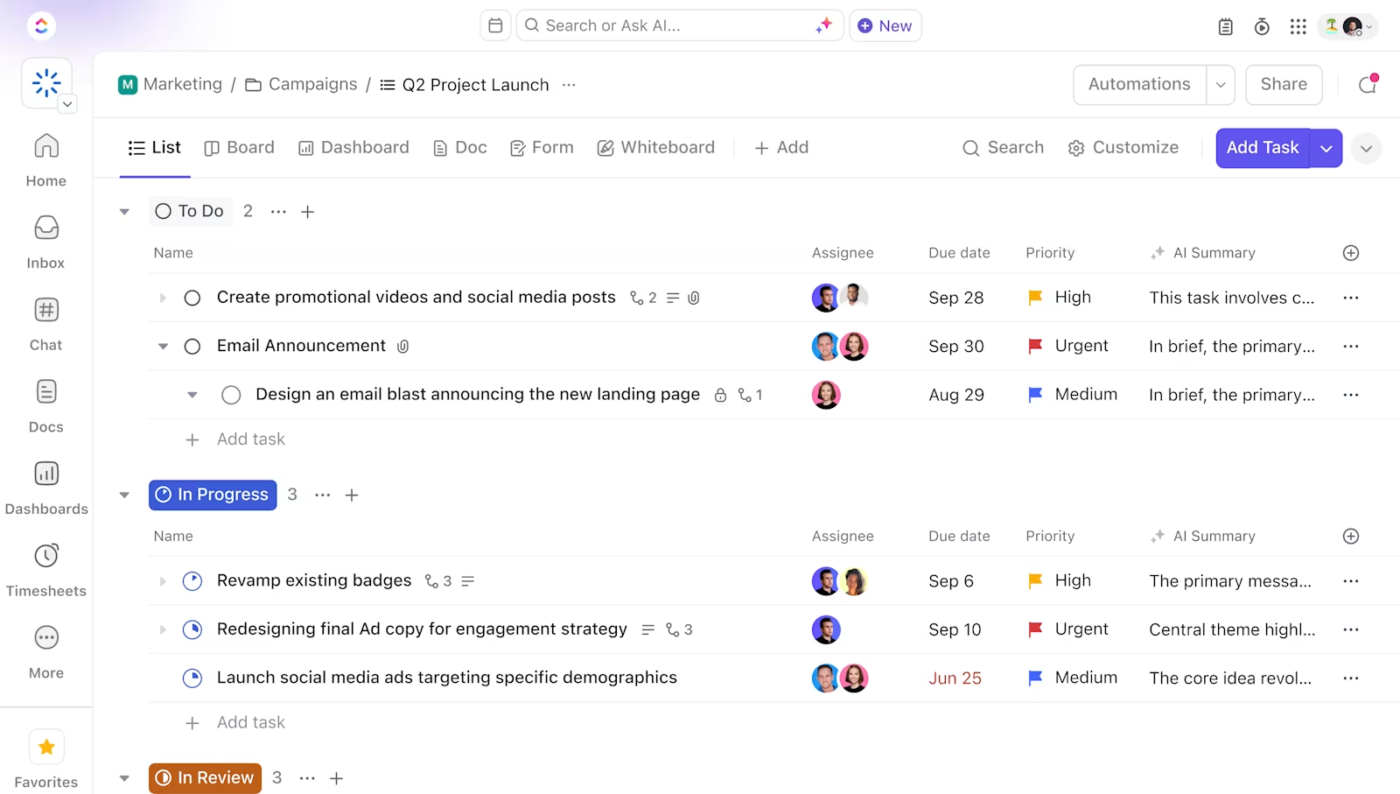
You get:
Want to streamline project management with the help of AI? Use ClickUp Brain:
Now, with the team solution in place, you’d want to shift to defining success. What are we working toward? How do we measure progress?
We turn to ClickUp Goals.
✅ Define high-level goals and break them into measurable targets. Instead of vague ambitions like ‘improve customer experience,’ create specific targets—e.g., ‘Increase NPS score from 40 to 60 within 6 months.’ ClickUp allows you to define Number, Currency, True/False, and Task-based targets, making progress actionable
✅ Connect daily work directly to goals. Goals lets you attach tasks to specific goals, automatically updating progress as work gets done. This means team members always know why their work matters and how their contributions drive company objectives

✅ Organize goals in structured folders for different teams and initiatives. Keep marketing, sales, product, and operations goals neatly categorized, ensuring each department knows what success looks like for them
But without a central place for documentation, teams waste time searching for details, repeating questions, and losing essential insights.
ClickUp Docs solves this by keeping knowledge of where work happens.
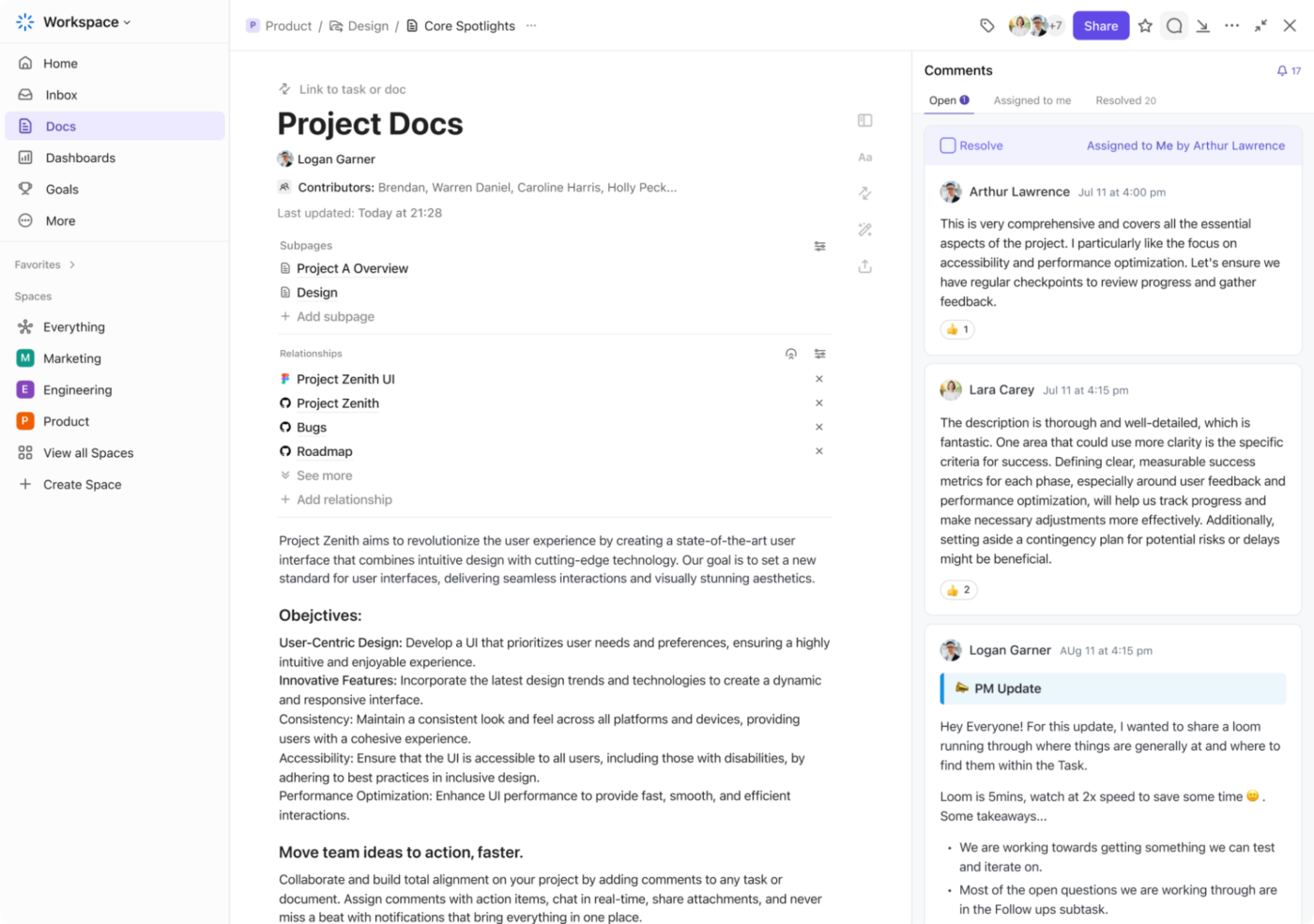
Going above and beyond static documents, ClickUp Docs is built for action. You can link them directly to tasks so everything from project plans and strategy docs to process guidelines stays connected to execution.
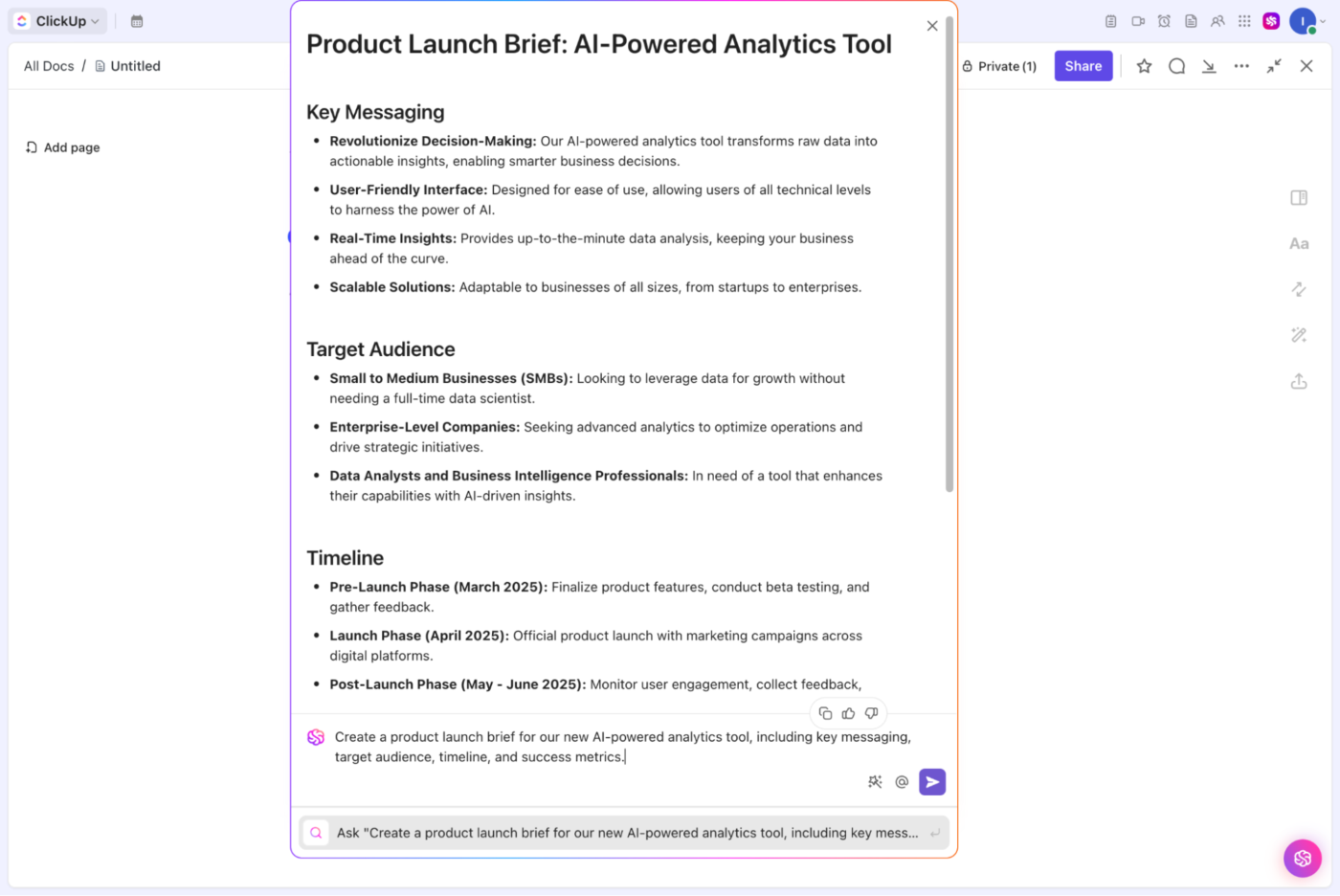
This central documentation hub, like everything inside ClickUp, is powered by ClickUp Brain. It simplifies work by creating, organizing, summarizing, and updating information in no time. You can ask Brain to generate a project brief, summarize a meeting, create subtasks, assign Tasks, or refine a strategy doc.
ClickUp Brain also lets you choose from multiple LLMs such as ChatGPT and Claude to get work done. In moments, you’ll have a ready-to-ship document to link directly to your project dashboard so key insights stay visible and actionable.
Now that your projects and goals are structured inside ClickUp, the next step is to transfer your existing work without breaking workflows.
ClickUp makes it easy to transition from other tools without losing essential customer data or momentum.
With native imports, you can import projects, tasks, and workflows from platforms like Asana, Trello, Monday.com, Jira, and more with just a few clicks.
You can also import data from documents within Google Workspace and Microsoft ecosystem.
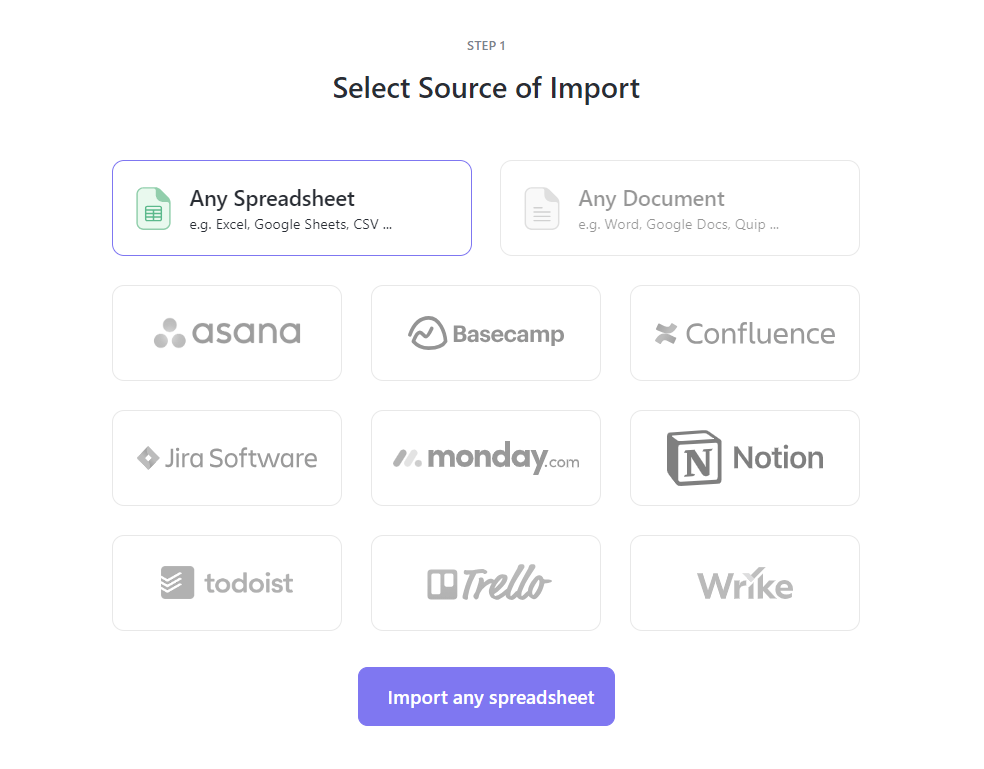
Moreover, ClickUp’s 1000+ Integrations ensure information flows seamlessly across platforms.

With your projects, goals, and integrations in place, the final step is eliminating manual work and removing extra tools you don’t need anymore.
With ClickUp Automations, you can:
Even with everything consolidated, most teams still rely on separate chat apps to discuss work. That’s one more app to switch between, another place where information gets lost, and yet another SaaS bill stacking up.
ClickUp solved this with ClickUp Chat.
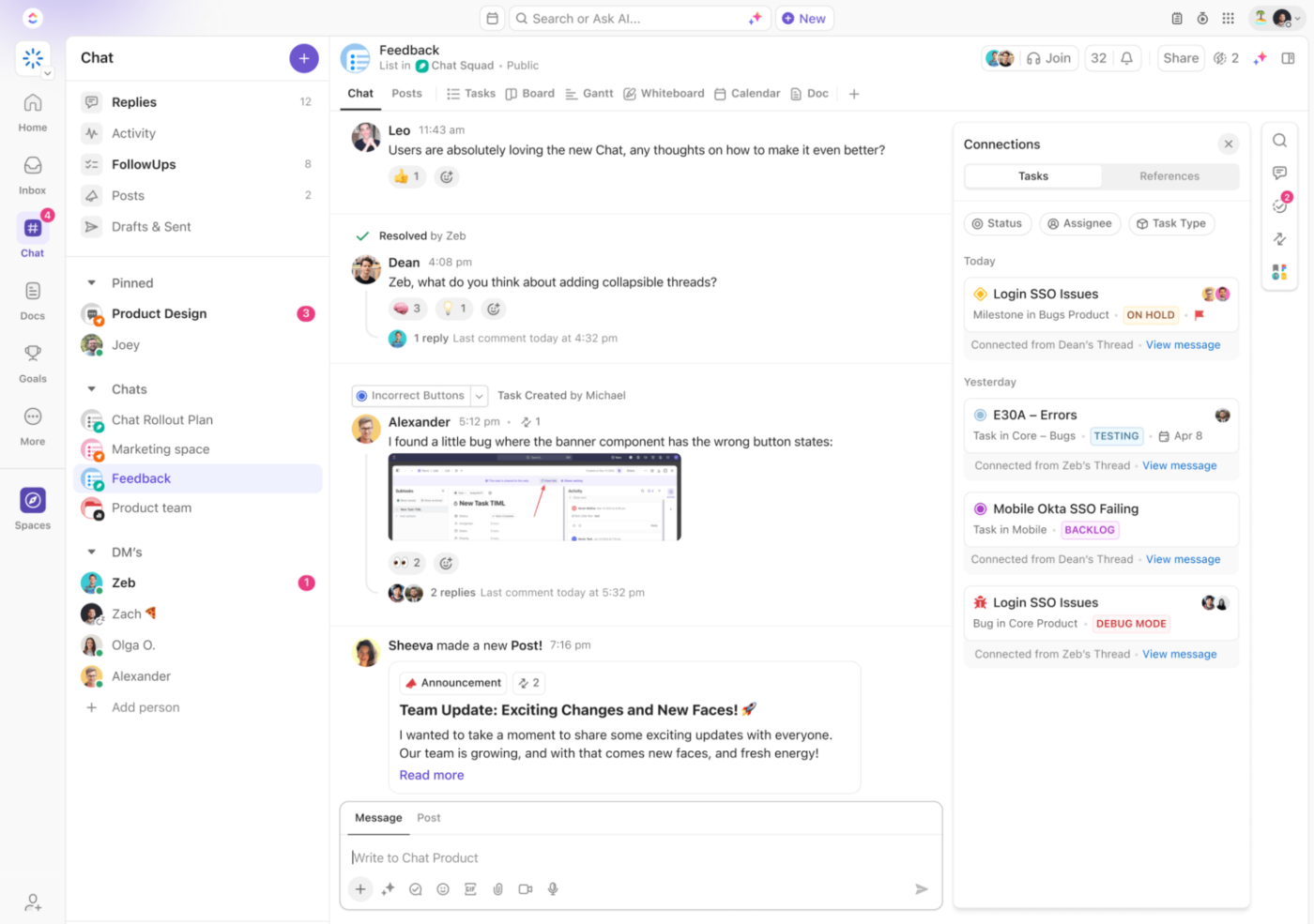
Now, instead of jumping between tools, you can:
SaaS consolidation is about creating a smarter, more efficient way to work.
With ClickUp, you can cut costs, eliminate app fatigue, and bring everything (tasks, docs, goals, automation, and AI) into one powerful platform. No more switching between apps or disconnected workflows—just a seamless, all-in-one workspace built for speed and efficiency.
Why manage a bloated SaaS stack when ClickUp does it all?
Sign up to ClickUp today and experience the difference yourself.

Manasi Nair
Max 20min read

Sudarshan Somanathan
Max 22min read
Sudarshan Somanathan
Max 23min read

© 2026 ClickUp




