11 Best Qatalog Alternatives for Knowledge Management in 2025

Sorry, there were no results found for “”

Tired of sifting through tools to locate a single piece of information? Dispersed company knowledge can slow down work and lead to mounting frustration.
Qatalog helps centralize things, but it’s not perfect.
Maybe it’s missing key features, doesn’t integrate well with your workflow, or just isn’t the right fit. Whatever the reason, you need a Qatalog alternative that actually works for your team.
Here are the best options to keep everything in one place, automate the busywork, and make collaboration effortless. 📝
Here’s a quick comparison table to help you explore the best options. Take a look and see which one fits your needs.
| Tool name | Use case | Best for |
| ClickUp | Project and knowledge management with AI and collaboration tools | Teams needing a single platform for project tracking, documentation, and AI-powered insights |
| Guru | AI-powered knowledge sharing embedded in daily workflows | Organizations looking for a seamless, AI-driven knowledge-sharing system across teams |
| Notion | Highly customizable workspace for notes, wikis, and databases | Users who want deep customization in organizing and linking information intuitively |
| Confluence | Technical documentation and team collaboration for software teams | Software development teams managing complex documentation and workflows |
| Document360 | Customer-facing and internal knowledge bases with version control | Companies that require structured, secure, and SEO-friendly knowledge bases |
| Slite | Centralized documentation hub for remote and distributed teams | Remote teams needing a distraction-free knowledge hub with strong async collaboration |
| Bloomfire | AI-driven enterprise knowledge management and search | Large businesses optimizing knowledge discovery through AI and predictive analytics |
| Coda | Interactive document workflows that function like mini-applications | Teams looking for automation and workflow integration within document creation |
| Algolia | Fast, customizable search implementation for large content archives | Companies that need high-speed, accurate search for large databases and content repositories |
| Stack Overflow for Teams | Private Q&A knowledge repository for technical teams | Engineering and IT teams requiring validated technical documentation and Q&A functionality |
| Elastic Enterprise Search | Unified enterprise search across multiple internal and external data sources | Enterprises managing vast, multi-source knowledge repositories with advanced search capabilities |
Qatalog is an AI-powered work assistant that helps teams organize information, automate tasks, and collaborate across different tools. It connects with platforms like Google Drive, Slack, Asana, and GitHub, keeping everything in one place.
The tool’s Work Graph feature links data to the right people, teams, and projects, making information easier to find. AI-powered automation manages repetitive tasks, reducing manual effort.
Qatalog also focuses on privacy, keeping data secure and ensuring user information isn’t used for AI training.
🧠 Fun Fact: The first-ever search engine, Archie, was created in 1990 to index FTP sites. It paved the way for today’s search engines, including enterprise search tools.
Qatalog works well for some teams but is not the perfect fit for everyone. If you need a platform that’s easier to use, more flexible, or better suited to complex workflows, exploring other options could be worth it. Here’s why:
📮 ClickUp Insight: Every day, knowledge workers send around 25 messages just trying to track down information, and nearly 1 in 5 send over 50. With notes, documents, and key decisions scattered across different tools, 92% of them risk losing important information, yet only 8% use a project management platform to track action items.
ClickUp helps cut through the chaos. Its internal search, task linking, and centralized workspace keep everything in one place, making it easier to find what you need without wasting time digging through endless messages and apps.
Here are some solid Qatalog alternatives to consider. 🤔

Work today is broken.
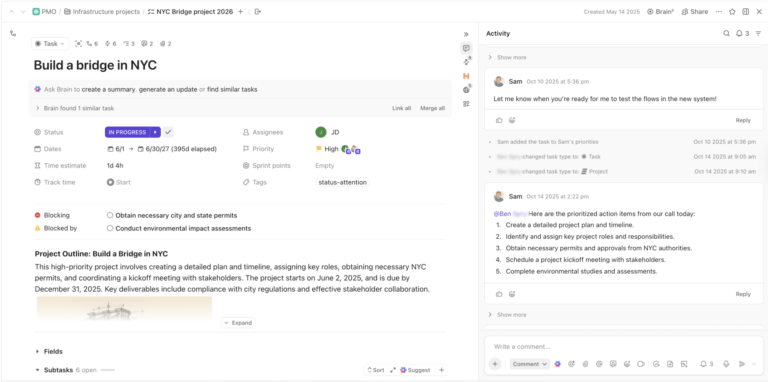
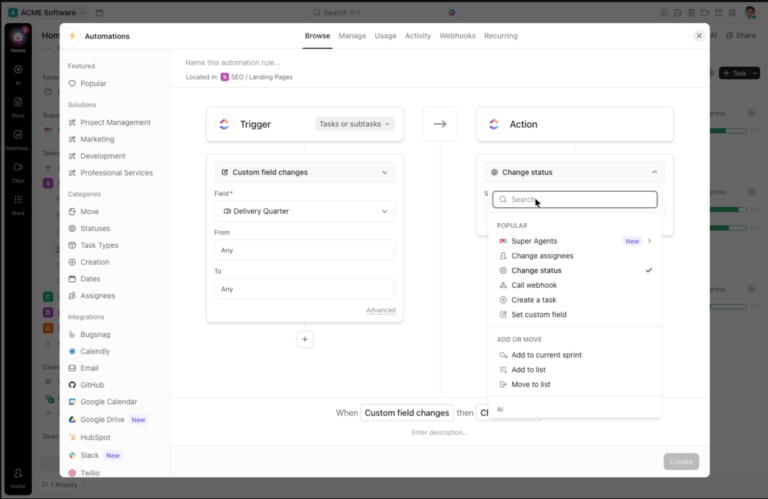
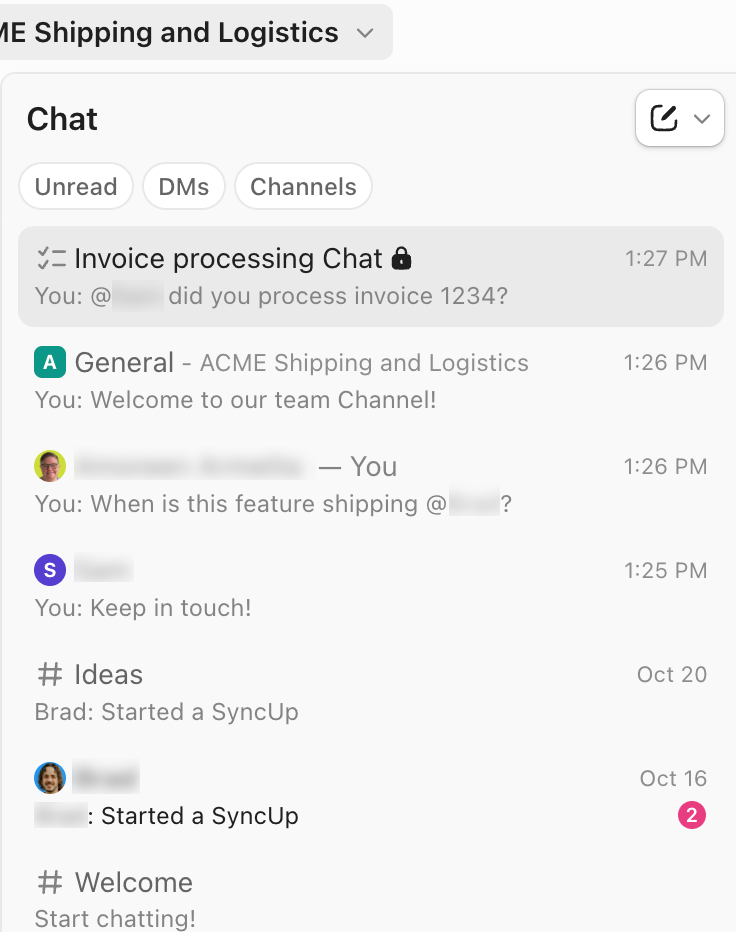
Our projects, knowledge, and communication are scattered across disconnected tools that slow us down. ClickUp fixes this as the everything app for work that combines project, knowledge, and chat in one place—all powered by AI that helps you work faster and smarter.

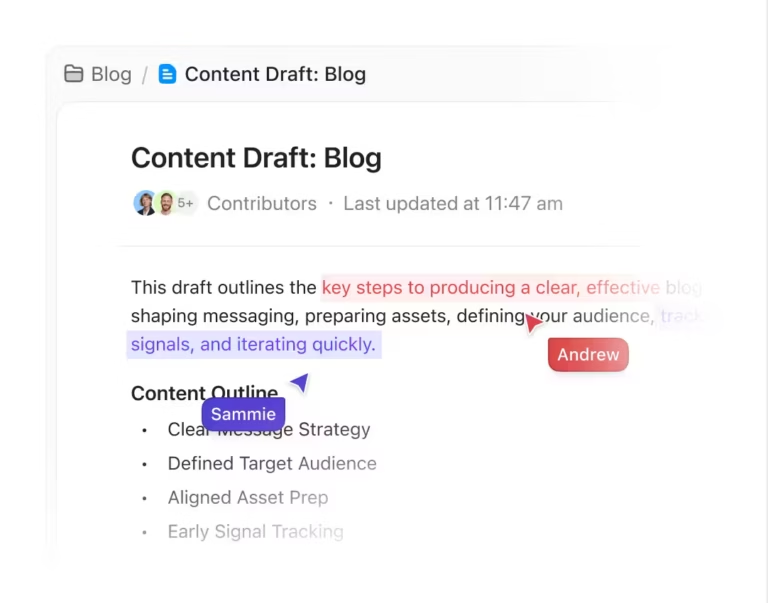
ClickUp Docs serves as the foundation for storing and managing company knowledge.
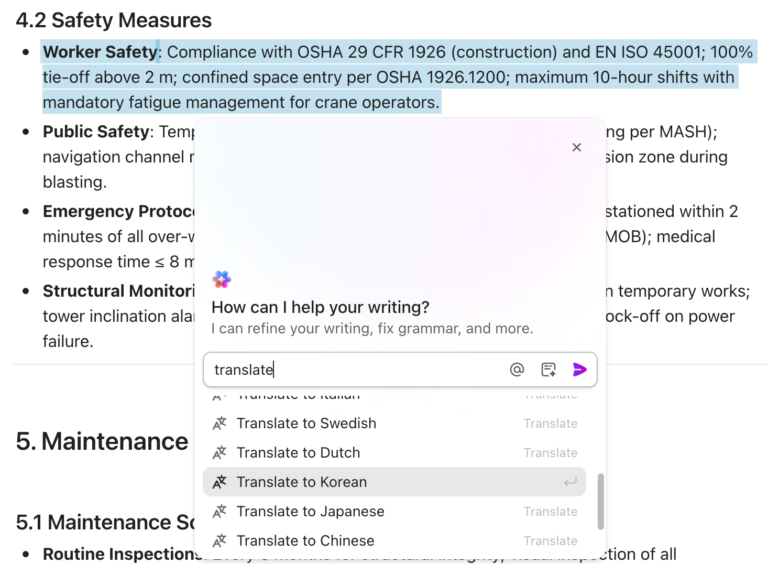
Any document can be turned into a verified wiki, making it easy to create an official internal knowledge base. Rich text formatting, embedded media, banners, and code blocks help structure information clearly.
A startup documenting its onboarding process can use these tools to build a centralized, easy-to-navigate resource that employees can reference anytime.

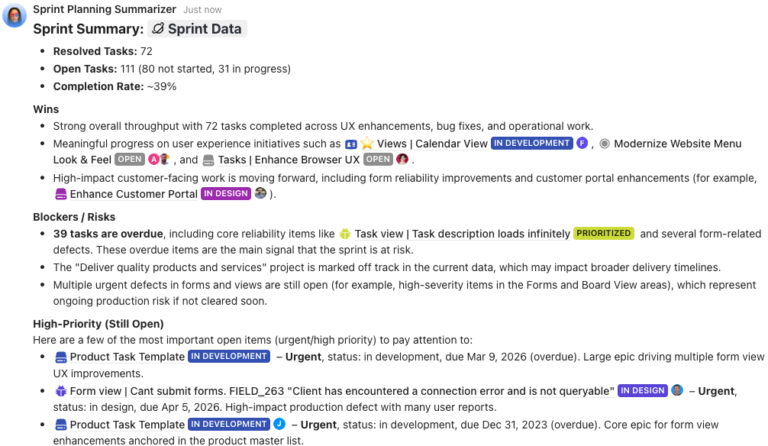
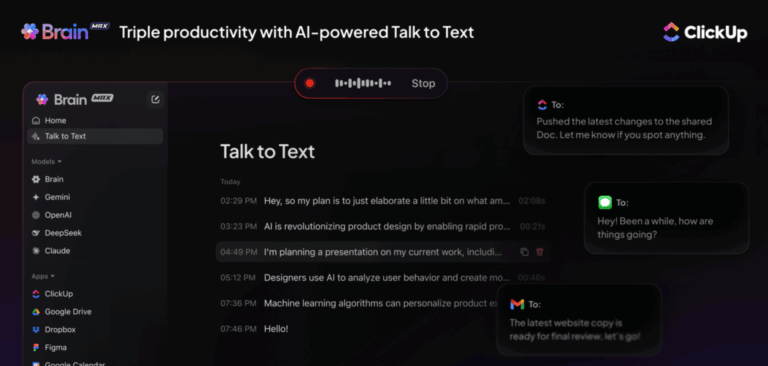
Once knowledge is centralized, retrieving it quickly becomes just as important as organizing it. ClickUp Brain makes that effortless by providing instant responses based on tasks, documents, and conversations.
Searching through endless files, messages, and wikis for a single answer takes up valuable time.
Suppose a sales rep needs details on a past client interaction. Asking ClickUp Brain pulls up the relevant information immediately, skipping the back-and-forth and keeping work moving.
But not everything lives inside ClickUp.

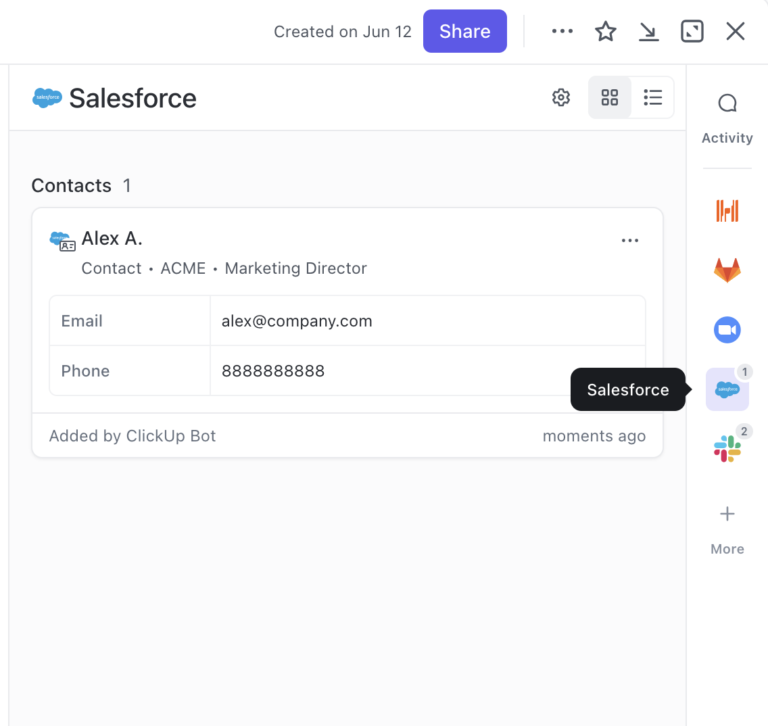
ClickUp Connected Search solves this by unifying data across ClickUp and third-party tools like Jira and Salesforce. A project manager trying to track updates across different platforms can search for a client name, and ClickUp will pull up tasks, docs, and conversations from every connected tool.
Keeping knowledge up to date is just as crucial as organizing it.
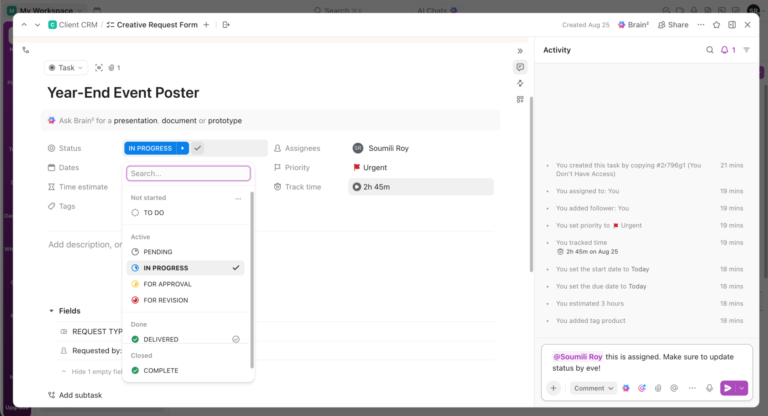
ClickUp Knowledge Management automatically tracks every version of a document, allowing teams to roll back changes if needed. Advanced permissions provide control over who can view or edit specific resources, ensuring sensitive company information remains secure.
To enhance accessibility, try the ClickUp Knowledge Base Template. It’s designed for organizing FAQs, internal documentation, and key company insights.
Modeled on a help center experience, this knowledge base template makes it simple for employees to find answers to common questions. Structured categories, the built-in search function, and customizable pages help teams efficiently store and update critical information, ensuring everyone stays aligned.
I love ClickUp! I’ve used many tools to manage my project workflows and whatnot, but nothing has quite covered my needs as well as ClickUp. It has everything you need (with it being the everything app for work) and caters to all your personal and professional needs. My favourites are the templates (what’s not to love!) and Docs. Man oh man, do I enjoy formatting there.
🧠 Fun Fact: The ancient Library of Alexandria (built in the 3rd century BCE) was one of the earliest large-scale attempts at knowledge management, aiming to store all human knowledge. It was said to contain over 400,000 scrolls before it was destroyed.

Guru transforms how teams capture and share institutional knowledge. The platform integrates directly into daily workflows through browser extensions and app integrations, making information accessible where work happens.
You’ll benefit from Guru’s verification system which ensures content stays fresh with regular review prompts. Its AI-powered suggestions surface relevant information based on what you’re working on, eliminating the need to switch contexts or interrupt colleagues for answers.
I love that all the things I need are right there in Guru. I am able to access it so easily and know that it is a source of truth where all things can live. It has been really easy to show employees where to look for things and use the search feature! Being able to hop on and access the information consistently is so helpful to achieve all tasks.
🔍 Did You Know? Google once launched an actual physical ‘Google Search Appliance’—a bright yellow box that companies could install in their data centers to power enterprise search. It was discontinued in 2018.

Notion delivers a highly adaptable workspace where teams build their own knowledge systems, bringing notes, docs, wikis, and databases together in one interface.
Its block-based architecture gives users the flexibility to mix text, images, embeds, and databases however they need, making it easy to structure information in a way that makes sense for them.
Slack integrates with Notion, allowing teams to quickly share pages, update documents, and link discussions to relevant knowledge. This keeps conversations and resources aligned, making it easier to find, update, and expand on ideas without dealing with scattered or disjointed documents.
I’ve been using Notion for about a few days, and I love its versatility and features. However, there’s one thing that really bothers me: the search function. It seems to be very inconsistent and inaccurate, often failing to find what I’m looking for or showing irrelevant results. This is very frustrating and time consuming, as I have to manually browse through my pages or use external tools like Google to find what I need.
🧠 Fun Fact: NASA has a dedicated Chief Knowledge Officer (CKO) to ensure that lessons from past missions aren’t lost. They even have a ‘Lessons Learned’ database to help prevent repeating mistakes.

Confluence serves as a collaborative workspace where teams create, organize, and discuss work in one place. The platform works well in technical environments, particularly for development teams using other Atlassian products.
Pages support rich formatting, attachments, and macros that extend functionality. The structured space hierarchy helps organize documentation logically by team, project, or topic, making it easier for large organizations to manage information.
Confluence’s search functionality often falls short, even with simple searches. For instance, searching for a page named “Fantasia Framework modules” may yield irrelevant results due to the presence of the word “module” on another page. This problem becomes even more pronounced when dealing with a large number of pages, making it challenging to locate the desired information effectively.
🔍 Did You Know? Intelligence agencies have their own private search engines, like Intelink, which helps analysts search through classified reports and security briefings.

Document360 focuses on creating knowledge bases for both internal teams and customers. The document collaboration software offers a clean authoring experience with category management and version control.
Users appreciate the dual-editor approach, which allows writers to choose between a What You See Is What You Get (WYSIWYG) editor for a more visual writing experience or Markdown for those who prefer a more technical and structured format.
Document360 also includes built-in search engine optimization (SEO) tools and analytics, helping teams optimize customer-facing knowledge bases for better visibility.
Having the front-end read-only portal and the back-end editing portal makes navigating for internal and external users extremely simple. Being able to export branded documents is extremely useful. The Doc360 team is constantly developing and adding features to the platform. […] We have encountered issues where the document export encounters problems and we can’t use it for a period of time. Additionally, formatting issues have occurred from time to time.
📖 Also Read: Glean Alternatives and Competitors

Slite creates a central hub for team knowledge with a focus on clean, distraction-free documentation. The platform works well for remote and distributed teams who need asynchronous collaboration.
Content organizes into channels and notes, making navigation intuitive. The writing experience removes distractions and helps teams focus on creating quality documentation with AI. Slite also offers threaded comments that turn static documents into spaces for meaningful discussion.
I like how it’s actively trying to put an end to knowledge base problems that plague so many professionals and companies. Their new features are always spot on, feedback is quickly taken into account and acted upon, and the team behind the product is amazing. Performance for longer documents has been a problem of mine that I haven’t seen completely solved. However, I have seen numerous attempts to do so, all of which resulted in significant improvements to the problem.
💡 Pro Tip: Set up a standardized file naming system across teams so documents are easier to locate. For example, use ‘[Project Name][Date][Version]” instead of random names like “Final_v2.’

Bloomfire delivers a knowledge engagement platform designed for large organizations needing to connect people with information.
The platform’s AI-powered search helps surface relevant content from various sources. Bloomfire focuses on making knowledge accessible through customizable communities, rich media support, and interactive features.
Its strength lies in handling diverse content types including documents, videos, and Q&A, all searchable from a unified interface.
I think it’s a great tool overall and it can be even better with some different layout for the articles on the screen so people can find what they need even faster. […] The other thing that was hard is how to let it work with the bank’s IT security. It was a bit of a hard integration.
🧠 Fun Fact: The concept of ‘knowledge workers’ was first introduced by Peter Drucker in 1959—long before the digital age took off. Today, knowledge workers make up a massive portion of the global workforce.

Coda reimagines documents as tools that combine text, tables, buttons, and automations.
The platform blurs the line between documents and applications, allowing teams to build interactive workspaces. Its documents function like mini-applications where teams track projects, manage processes, and document knowledge. You can create living documents that evolve with your team’s needs rather than static information repositories.
Some features and possibilities are not very clear and intuitive. Although the interface is very user-friendly, you have to figure out how to use certain functions. Like when you ‘mention’ data from a table on another table and then you cannot edit it because it is from a different table, and then you have to look for that table on every page and subpage until you find it and edit the content you want.
🔍 Did You Know? The enterprise search market is experiencing significant expansion. Valued at approximately $4.21 billion in 2022, it’s projected to reach $8.85 billion by 2030, growing at a compound annual growth rate (CAGR) of 8.9%.

Algolia provides a search API that organizations implement across websites, documentation, and internal knowledge bases. Rather than a complete knowledge management system, Algolia excels at making existing information more discoverable.
Developers can create tailored search experiences with features like typo tolerance, filtering, and personalization, allowing for more intuitive and user-friendly navigation. The platform delivers fast and relevant results, even for massive content libraries.
Additionally, Algolia’s analytics tools help teams understand search patterns and optimize content based on user behavior.
Well suited for web applications and mobile apps that need an on demand search function. If you rely on larger datasets within a database, utilizing Algolia for indexing is a time saver and ensure quick and accurate search results. It is not suited for some different areas such as stream logging or complex aggregations on large document sets.
🧠 Fun Fact: The first-ever Wikipedia edit happened in 2001, and today, it’s one of the largest knowledge repositories in the world, with over 6.8 million English articles and counting.
Stack Overflow for Teams brings the familiar Stack Overflow experience into private environments for technical teams. The platform excels at structured question and answer formats where technical knowledge gets validated by peer review.
Teams benefit from the reputation system that highlights expert contributors and encourages quality responses. The solution works particularly well for engineering organizations with complex technical questions.
For me, the problem with SO is that most answers are from like 2013 at this point. If someone comes along and asks the same question, it’ll get immediately closed as duplicate, which means we will never get to see the 2023 answer, which is likely to be quite different from the 2013 answer.
💡 Pro Tip: Schedule a quarterly cleanup to archive or delete outdated files and redundant documents. A clutter-free system ensures search results stay relevant and easy to navigate.
Elastic Enterprise Search unifies search across various content sources, connecting teams with information regardless of where it lives. This platform might have you looking for an Elastic Search alternative if you need a complete knowledge management system rather than just search.
It helps organizations make sense of information stores across disparate systems. The solution offers relevance tuning and security controls while maintaining performance even at massive scale.
I like the user-friendly interface and its ability to set up search solutions quickly—a definite advantage when you have multiple data sources. I also love the integration capabilities. It had a steeper learning curve according to me. When I started using it, it was a bit difficult for me as a beginner. But as I got used to it, it became much better. Also the configuration part is a bit tricky.
💡 Pro Tip: Monitor search analytics to spot gaps. If employees frequently search for terms that return no results, it’s a sign that critical knowledge is missing or hard to find.
Keeping information organized is essential for smooth workflows and efficient collaboration.
Without a clear system, teams waste time searching for documents, switching between tools, and struggling to stay aligned. A structured knowledge management platform eliminates these issues and keeps everything accessible.
ClickUp centralizes project management, documentation, and collaboration in one platform. AI-powered search retrieves information instantly, knowledge bases structure essential documents, and integrated tools keep teams connected. Everything is organized, searchable, and easy to manage, so work moves forward without delays.
Give your team a smarter way to manage knowledge. Sign up for ClickUp today! ✅
© 2025 ClickUp