






Still downloading templates?
There’s an easier way. Try a free AI Agent in ClickUp that actually does the work for you—set up in minutes, save hours every week.
Sorry, there were no results found for “”
Sorry, there were no results found for “”
Sorry, there were no results found for “”
Proton Calendar is a good choice for users who value privacy. It’s end-to-end encrypted, free from ads, and doesn’t track data. It handles essentials like event scheduling, recurring meetings, and mobile access with ease.
However, its features can feel a bit limited if you’re looking for deeper integrations, task linking, or robust collaboration tools. If your workflow demands more flexibility and seamless coordination, Proton Calendar might not meet every need.
That’s where Proton Calendar alternatives come in. In this article, we’ll explore the top options that offer more dynamic features, stronger integrations, and better support for real-time collaboration so you can find the one that fits your productivity style best.
| Tool | Best features | Best for | Pricing |
|---|---|---|---|
| ClickUp | Drag-and-drop task scheduling, recurring events, shared team views | All-in-one project management with calendar integration for teams of all sizes | Free forever plan; Customizations available for enterprises |
| Google Calendar | Google Meet integration, drive file attachments, shared calendars | Scheduling within the Google Workspace ecosystem for individuals and freelancers | Free Paid plans start at $8.40 per/month per user |
| Microsoft Outlook Calendar | Centralized event scheduling, shared team calendars, color-coded categories | Enterprises and professionals using Microsoft 365 | Free Paid plans start at $9.99/month/user |
| Fantastical | Natural language input, in-app weather forecasts, smart calendar sets | Apple-focused individuals who prefer natural language input and smart design | Free Paid plans start at $4.75/month/user billed annually |
| Apple Calendar | iCloud sync across Apple devices, shared calendars, location-based alerts | Built-in calendar with native Apple integration for individuals and solopreneurs | Free |
| Zoho Calendar | Public/private sharing, multiple calendar views, Zoom/Zoho Meeting integration | Managing events for Zoho app users at small and midsized companies | Free |
| Amie | Side-by-side calendar and tasks, recurring habits, AI task scheduling | Minimalist planning that combines tasks, email, and scheduling for small teams | Paid plans start at $20/month/user billed annually |
| Any.do | Drag-and-drop task planning, voice input, AI-powered schedule suggestions | Daily task planning and cross-platform syncing for individuals and small teams | Personal: Free Paid plans start at $7.99/month/user |
| Teamup Calendar | 11 calendar views, color-coded sub-calendars, 9 user permission levels, built-in resource booking | Managing shared team schedules and resources for small to mid-sized teams | Free Paid plans start at $12/month |
| Business Calendar 2 | Flexible month view, advanced recurring events, file/photo attachments | Deep calendar customization and task control for individuals and small teams | Free Paid plans start at $4.99 |
Our editorial team follows a transparent, research-backed, and vendor-neutral process, so you can trust that our recommendations are based on real product value.
Here’s a detailed rundown of how we review software at ClickUp.
Examining features that improve personal and professional scheduling is critical when comparing alternatives to Proton Calendar. Key factors to focus on are:
📮 ClickUp Insight: Only 7% of professionals depend on AI primarily for task management and organization. This could be because the tools are restricted to calendars, to-do lists, or email apps.
With ClickUp, the same AI powers your email or other communication workflows, calendar, tasks, and documentation. Simply ask, “What are my priorities today?” ClickUp Brain will search across your workspace and tell you exactly what’s on your plate based on urgency and importance. Just like that, ClickUp consolidates 5+ apps for you within a single super app!
Although Proton Calendar has strong privacy features, users looking for improved efficiency and integration may want to consider alternatives. The best Proton Calendar alternatives fit various project management tools and scheduling needs.
ClickUp, the everything app for work, is a complete project management platform with intuitive calendar integration. It is a perfect alternative for individuals and teams looking to optimize their work.
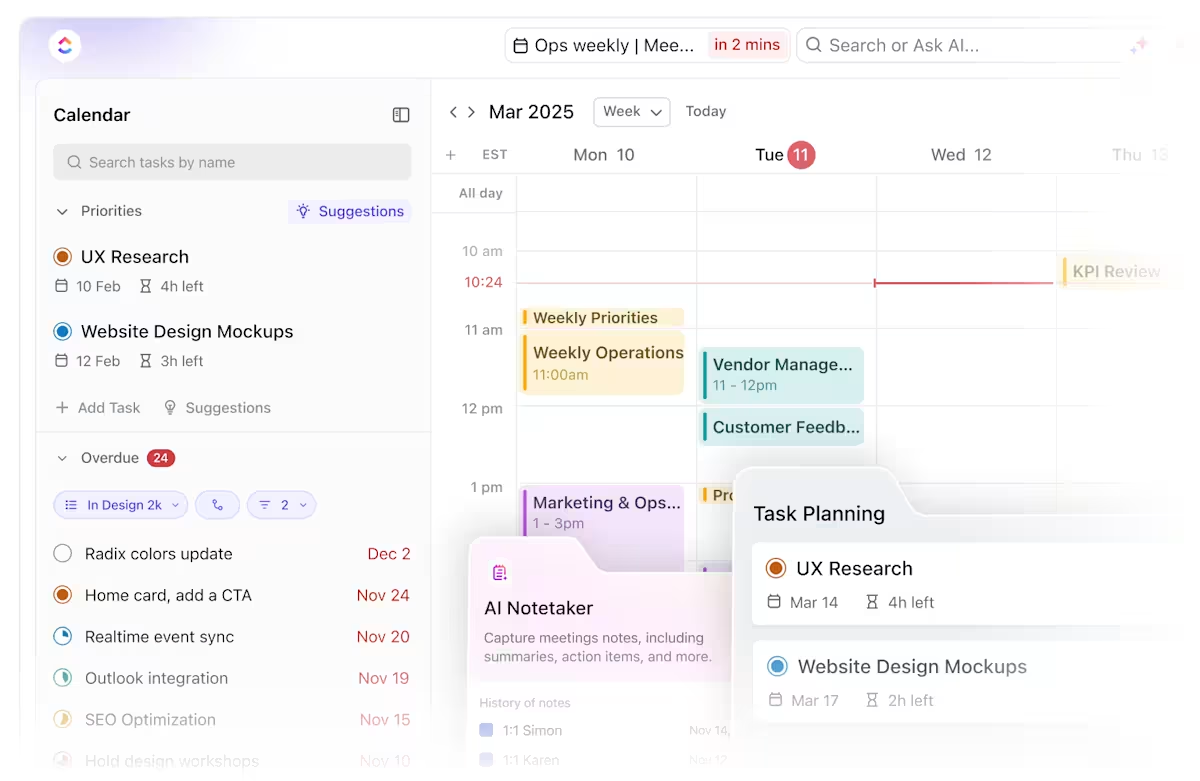
ClickUp Calendar is an AI-powered tool that simplifies scheduling and task management.
ClickUp’s AI-powered calendar is more than just a scheduling tool—it’s a smart, integrated workspace that combines advanced automation, meeting management, and productivity features to help you and your team stay organized and efficient.
It combines tasks and events into a single view and offers automatic time blocking and meeting reminders. The integrated ClickUp AI plans your perfect schedule based on your tasks, events, and goals.
From auto-scheduling tasks to setting new appointments, ClickUp Calendar powers prioritization. It also syncs with external calendars such as Google Calendar and Outlook.
Watch this video to know more about ClickUp Calendar:
The ClickUp Calendar View makes it easy to visualize your workload, seamlessly integrating tasks, reminders, and recurring meetings into one centralized hub.
Whether organizing your calendar or blocking time for deep work, it beautifully organizes everything with color-coded options and real-time collaboration, ensuring your entire calendar works for you, not against you.
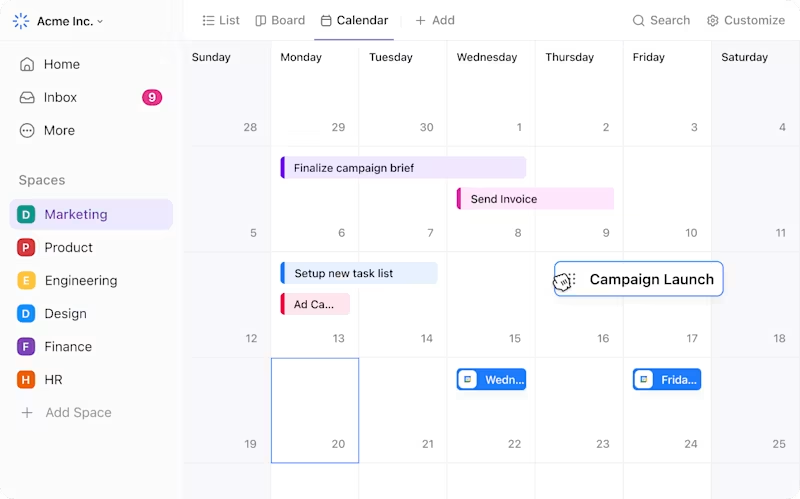
ClickUp’s task management capabilities combine scheduling with action. Everything you need, from quick wins to long-term projects, is housed within a single app.
Unlike traditional calendar tools, ClickUp Tasks allows you to link events directly to tasks, assign owners, add subtasks, set dependencies, and track progress—all from the same page. That means no switching between apps or missing deadlines due to disjointed tools.
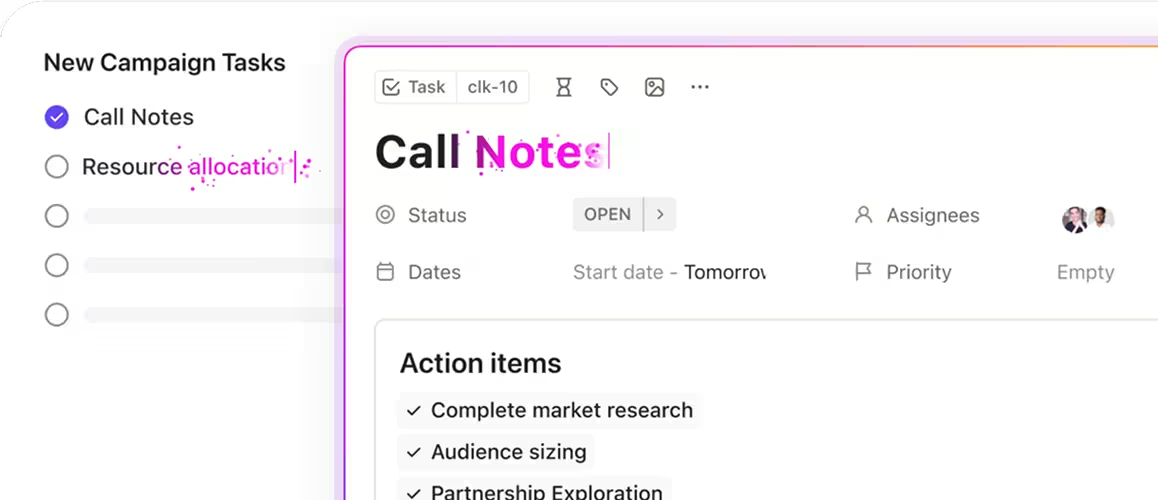
ClickUp’s pre-built scheduling templates help you get started quickly. These calendar and schedule templates have standardized formats that save time and minimize uncertainty. Plus, you can customize them according to your team’s specific processes, making recurring events much easier to manage.
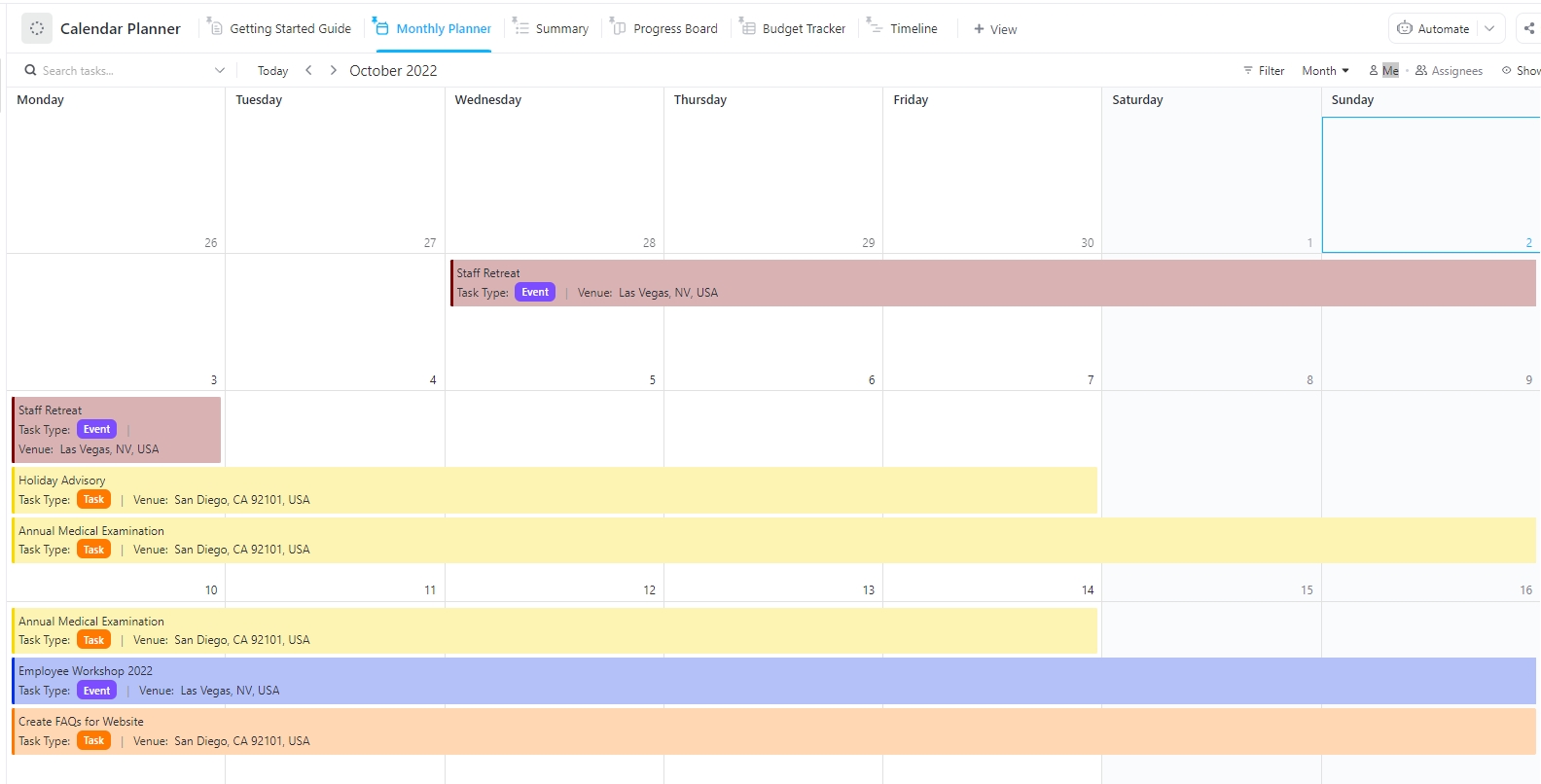
For example, the ClickUp Calendar Planner Template helps individuals and teams manage and monitor events, activities, and tasks in a unified platform.
It allows you to customize the calendar’s statuses, fields, and views to meet your needs, improving organization and productivity.
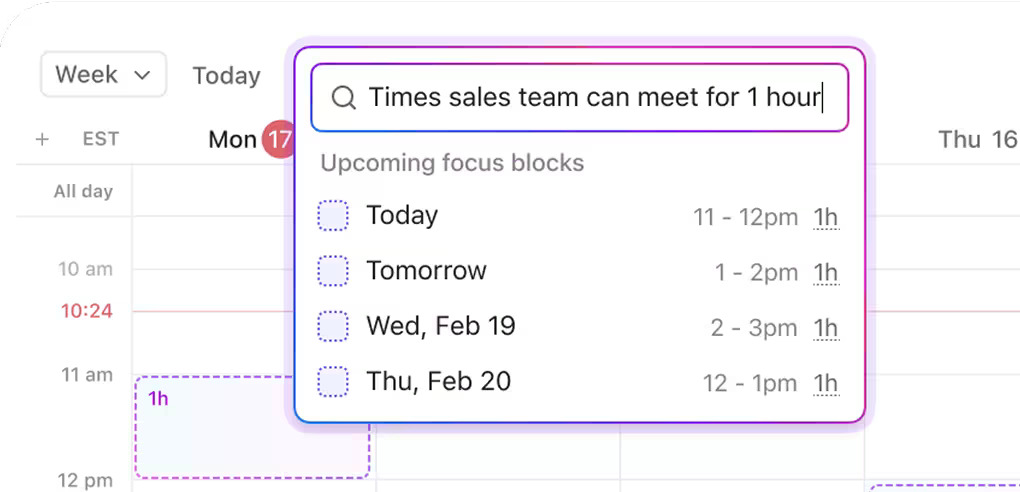
ClickUp Brain adds sophisticated functionality to daily tasks. It produces task descriptions, summarizes meeting notes, automates reminders, and forecasts deadlines based on current workload and project complexity.
Its AI calendar functionalities are especially useful for fast-paced teams. You can search and ask questions about your schedule, send scheduling links, and join calls, all from within the Calendar.
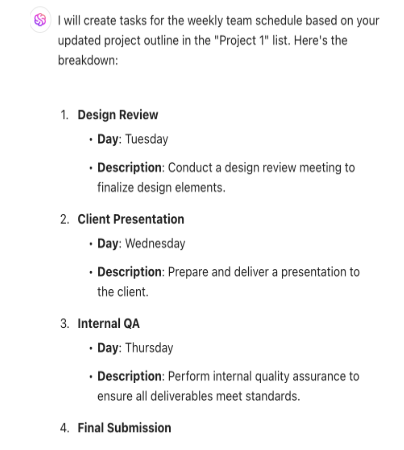
You can also use ClickUp Brain to create weekly schedules based on your tasks. Here’s one example:
I have been able to collaborate with other members of my team by using the calendar function to show the line up and plan for a major event. We were all able to drag and drop events on the calendar based on the needs of the leadership team. It is incredibly easy to use from one team member to another.
🌟 Bonus: Automate scheduling and calendar management with ClickUp’s AI Agents. These handy aides can automate routine updates, reminders, and reporting—freeing you from manual tracking and status checks.
Here’s how you can leverage both Prebuilt and Custom Agents:
Learn how to build your first agent today:
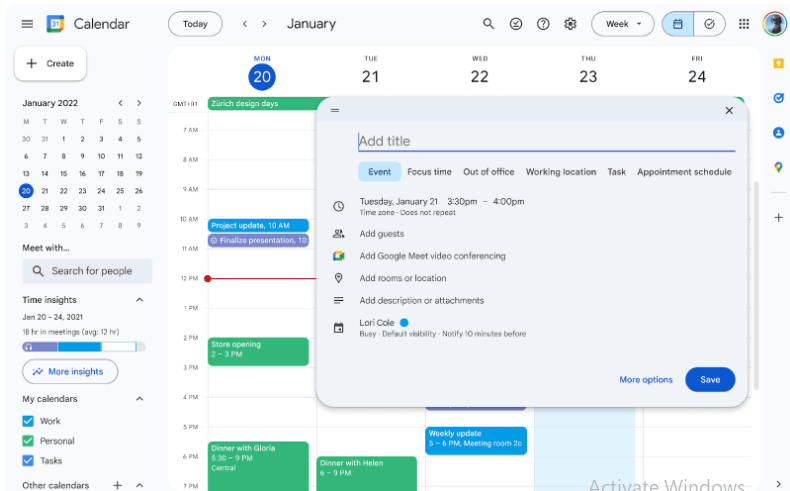
Google Calendar is a widely adopted scheduling tool, renowned for its effortless synchronization with other Google products.
Users swiftly create new Google Calendar events, ensuring that all their calendars remain up-to-date across devices. The calendar view itself is highly flexible, allowing users to consolidate personal and professional events from multiple integrated calendars, including those from other platforms.
Beyond basic scheduling, Google Calendar offers features like automatically adding events from Gmail, such as flight bookings and hotel reservations, directly into your calendar. It’s a logical, no-friction solution for anyone using Google’s services.
A Capterra review says:
The colour coding for Google Calendar is the bomb! By using different colours for tasks, appointments, and events, I can see at a glance how my day is prioritised. I also have separate calendars for personal and professional needs. It’s easy to separate them out when I need to isolate information.
📚 Also Read: How to Use Google Calendar for Time Blocking?
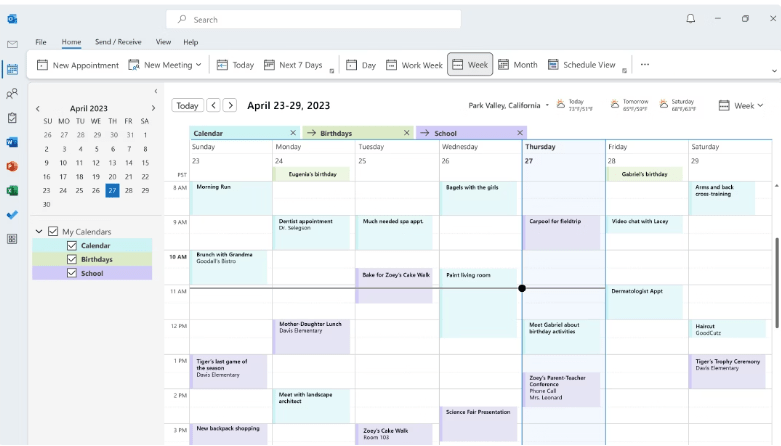
Microsoft Outlook Calendar is a reliable, enterprise-ready scheduling tool for Microsoft Outlook and Microsoft 365. It lets users schedule meetings, appointments, and activities systematically while syncing everything across devices.
Its close integration with Microsoft Teams, Word, Excel, and OneDrive makes it extremely valuable for Microsoft ecosystem professionals. You can send invites, check team availability, and start online meetings directly from your calendar view.
For task management, it integrates with Microsoft To Do, allowing users to create, manage, and even drag tasks directly onto their calendar to block out time for completion.
🔎 Did You Know? The idea of adding a leap day every four years goes back to circa 300 B.C. This method synchronizes our calendar with Earth’s orbit around the Sun, which accounts for the additional 0.2422 days in each solar year.
📚 Also Read: Most Useful Outlook Integrations
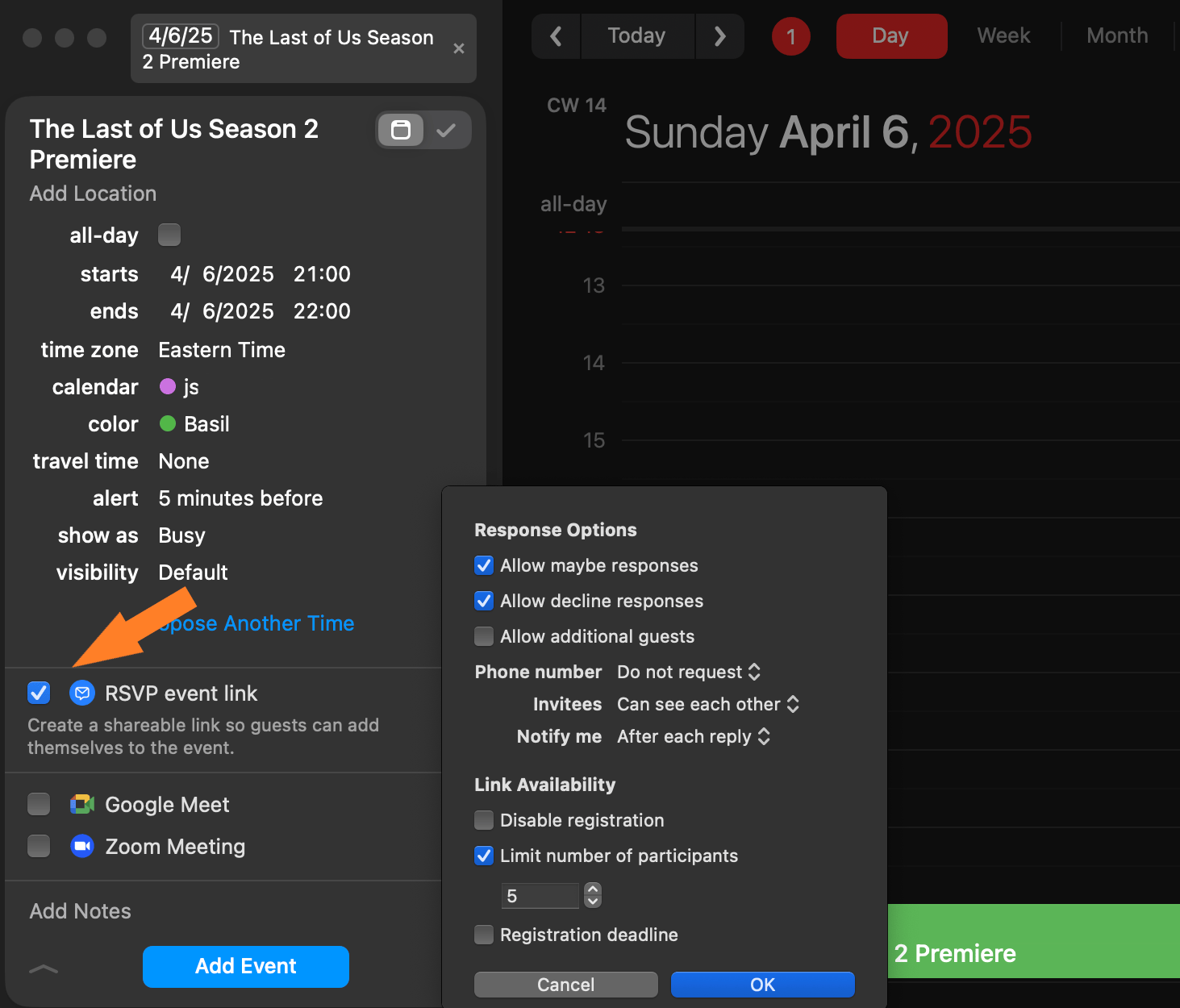
Integrated with the Apple ecosystem, Fantastical is known for its intuitive design and natural language processing, which allow users to create events effortlessly and provide a cohesive experience across devices.
It supports multiple calendar accounts, including iCloud, Google, and Microsoft Exchange, consolidating all your calendars in one place. Tools like “Openings” and “Meeting Proposals” facilitate finding mutually agreeable times with external contacts.
The application’s features include a detailed month calendar view, the ability to attach files to events, and integration with other apps like Todoist for task management.
The best part is that while it was initially only available for Apple, it now has a Windows desktop version too.
➡️ Read More: Best Daily Planner Apps (Features, Pricing)
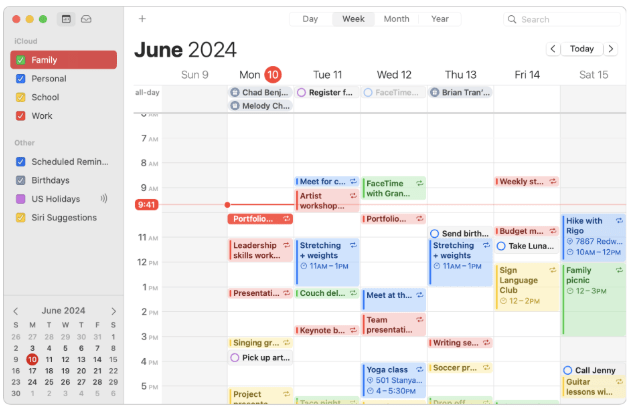
Apple Calendar offers a straightforward and efficient way to manage your schedule, tightly integrated with macOS and iOS devices. Its simplicity and seamless synchronization make it a reliable choice for Apple enthusiasts.
The application allows users to create separate calendars for work, personal, and other categories, enabling organized scheduling. Moreover, it integrates with other services like Siri for voice-controlled scheduling and provides notifications for upcoming events, ensuring you stay informed about important dates.
A G2 review says:
It natively interacts with my Mac when needing to save appointments from emails or messages. The notifications on my Mac with options to interact without opening the app also is a great feature.
📚 Also Read: How to Sync Google Calendar with Apple Calendar
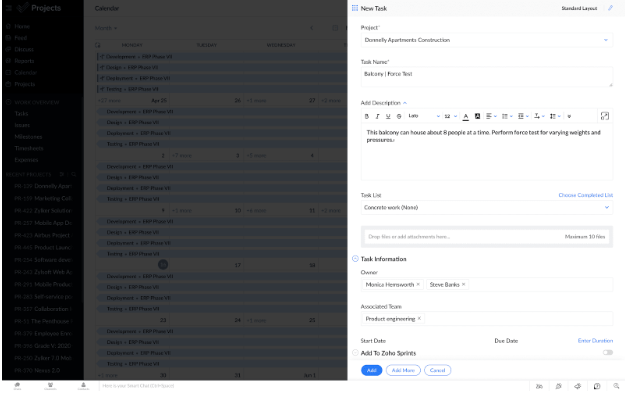
Zoho Calendar is a simple, business-friendly scheduling application that allows teams to arrange events, share calendars, and collaborate across departments. As part of the Zoho productivity ecosystem, it works especially effectively for businesses using tools like Zoho Mail, CRM, or Project.
From managing team calendars to arranging meeting rooms, Zoho Calendar offers a professional scheduling experience free of clutter. It supports two-way syncing with external calendars and offers strong admin controls for managing user access and permissions.
Additionally, you can use a custom domain and attach files through Zoho WorkDrive—features that make it feel more like a full productivity suite than just a calendar.
🧠 Fun Fact: A notable 70% of adults use digital calendars to manage their everyday lives, demonstrating how important these tools are in modern time management.
📚 Also Read: Best Calendar Management Tools to Stay Organized
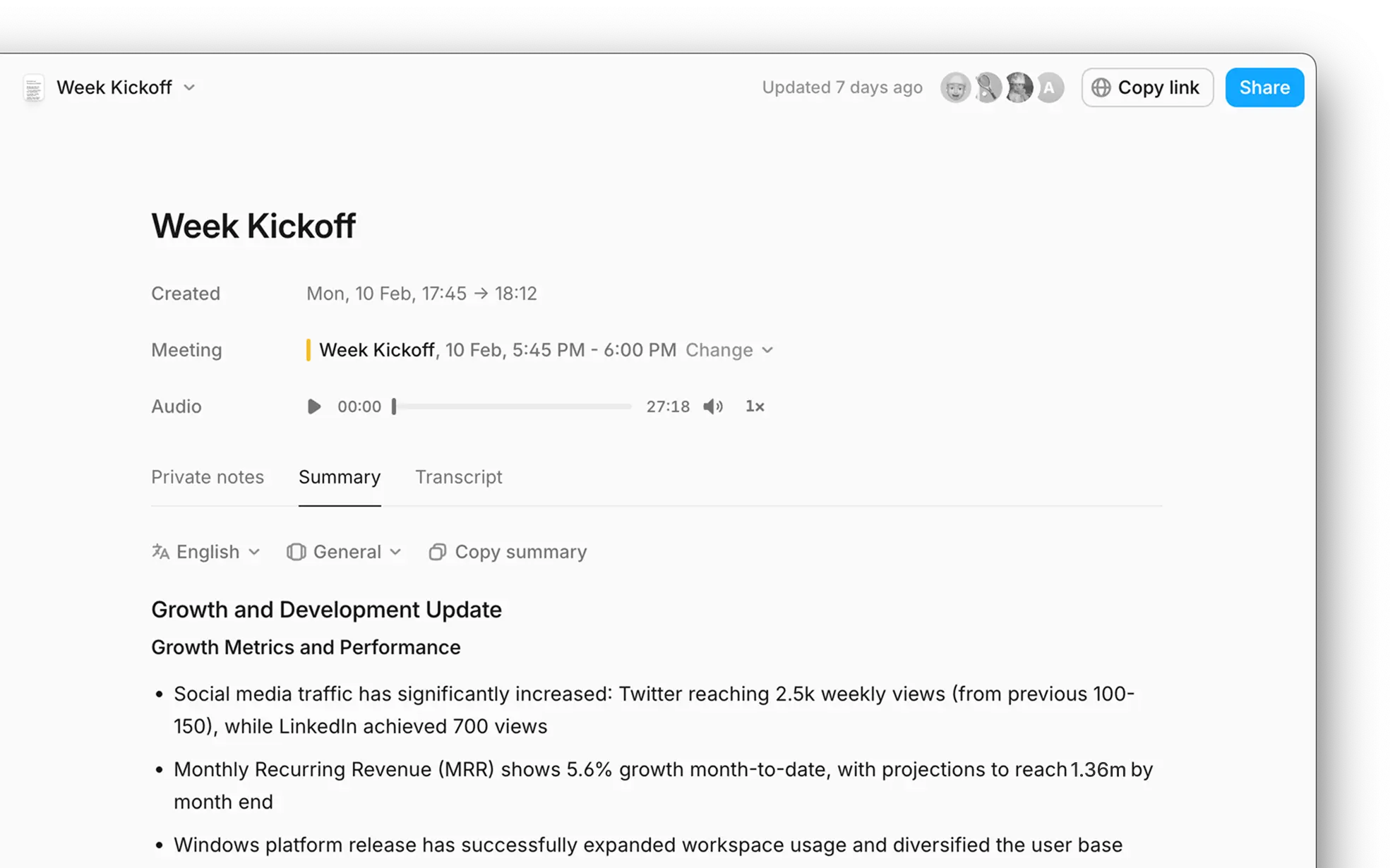
Amie takes a different approach to productivity by blending calendars, tasks, music, and emails into a single app. Designed for folks who want more than just a calendar, its minimalist interface offers a clean canvas for handling your schedule without distraction.
Manage personal and work events in the same view, with support for both shared and private calendars. Amie also allows you to attach files, block time automatically, and even add Spotify playlists to events for a personal touch.
Amie’s time management is also supported by integrated tools like a Pomodoro timer and AI-assisted meeting note-taking, which immediately converts discussion points into scheduled to-dos
💡 Pro Tip: Implementing strategic productivity hacks helps conquer procrastination, sharpens your focus, and optimizes project timelines. Incorporating these methods into your daily workflow allows for enhanced planning and a more efficient path to achieving your objectives.
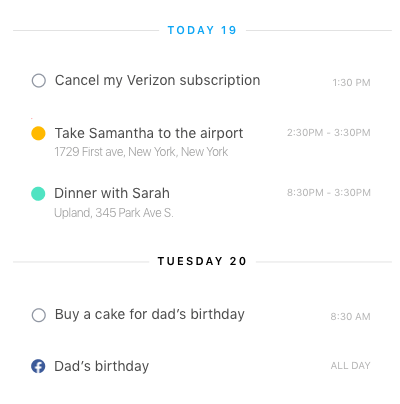
Any.do is a versatile task management program that integrates to-do lists, calendar scheduling, and collaboration capabilities into a single, easy-to-use platform.
Made for both personal and business use, it assists people and teams in efficiently organizing activities, setting reminders, and managing projects. The “My Day” feature encourages a daily review of events and tasks, prompting users to prioritize and schedule their day proactively.
Any.do is compatible with various platforms, including iOS, Android, macOS, Windows, and web browsers, allowing seamless task and event synchronization. Built-in reminders and recurring tasks help turn your calendar into a powerful planning tool.
A Capterra review says:
“Any.Do has had quite a run, and in that run, they have added a slew of new features to make your experience of task management easier and more pleasant. What I like most about this software is the simple layout and UI. I also appreciate the premium features such as WhatsApp integration for reminders, calendar integration, color coding, and more.”
📚 Also Read: Any.do Alternatives and Competitors
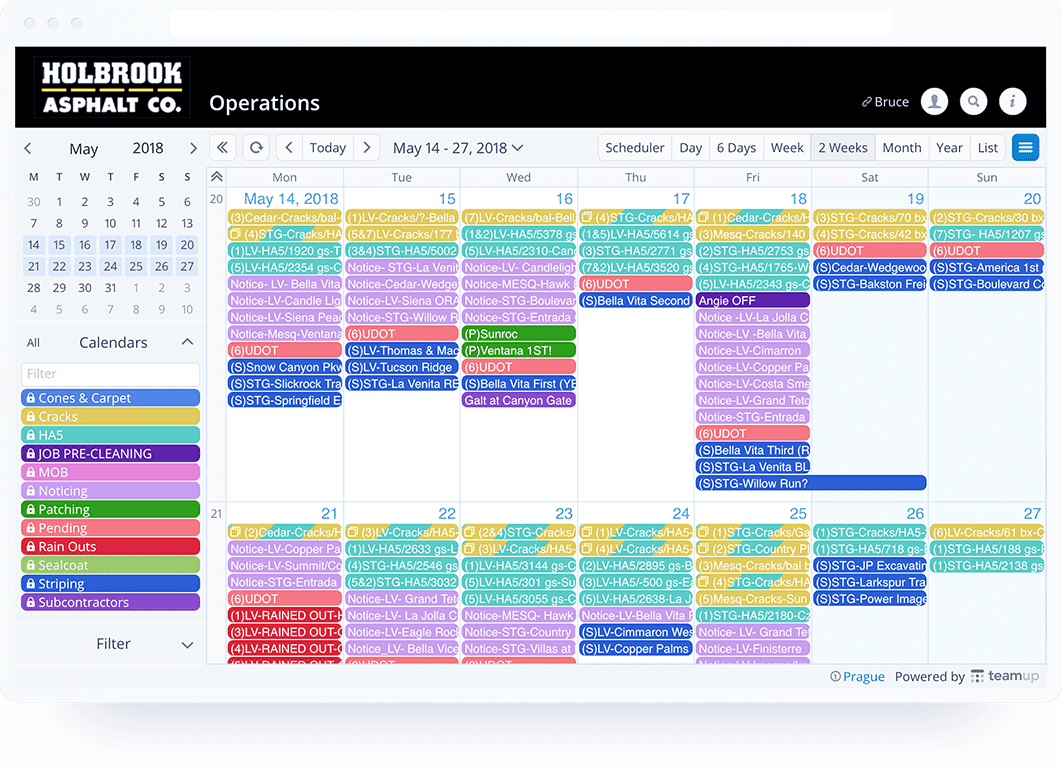
The Teamup Calendar has been developed to organize team and group schedules without requiring user logins for every participant. It offers customizable access links so only you—or your entire team—can view or edit specific calendars.
The tool is an excellent fit for clubs, volunteer groups, or project-based teams needing multiple calendars under one umbrella. Embed Teamup calendars into websites, set color-coded sub-calendars, and even automate email digests to keep stakeholders informed.
A G2 review says:
I use it for everything. My personal daily tasks, teaching schedule and room booking. I love the sharing capabilities as well as the permission levels on each calendar. And to top it all off, it integrated with my notion pages as well.
📚 Also Read: Shared Calendar Apps to Streamline Your Schedule
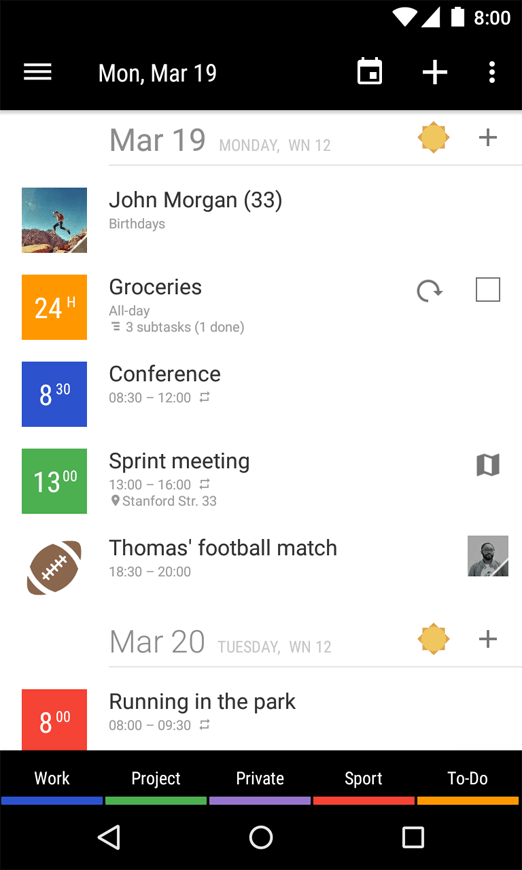
Business Calendar 2 is a calendar and task management app for Android users. It provides extensive customization, intelligent scheduling features, and smooth integration with Google Calendar, Outlook, and Exchange.
Its core strength in scheduling lies in its wide range of views (month, week, day, year, agenda, tasks) and its flexible widget options, which provide quick, glanceable access to a user’s schedule. For time management, the application offers a “heat map” in the year view to quickly identify busy and free days, aiding in long-term planning.
Whether managing your agenda or juggling professional meetings, Business Calendar 2 gives you the flexibility and control to plan your day precisely.
➡️ Read More: Best Task Scheduling Software for Task Managers
Juggling several calendars? This video shows you how to do it efficiently.
Finding a great Proton Calendar alternative depends on your workflow, preferences, and platform requirements. If privacy is your priority, tools like Fantastical and Apple Calendar make things safe and straightforward, but you may want to explore options with more features. Google Calendar, Outlook, and Zoho Calendar have robust scheduling tools that allow greater flexibility, collaboration, and cross-platform access.
However, if you’re searching for an all-in-one solution that combines calendar management, task tracking, and team collaboration, ClickUp is the clear pick. With its sophisticated AI-powered calendar, integrations, and task management, ClickUp allows you to manage your time more effectively without switching between tools.
Sign up for free today to transform your calendar into a productivity powerhouse!

© 2026 ClickUp

There’s an easier way. Try a free AI Agent in ClickUp that actually does the work for you—set up in minutes, save hours every week.