






Still downloading templates?
There’s an easier way. Try a free AI Agent in ClickUp that actually does the work for you—set up in minutes, save hours every week.
Sorry, there were no results found for “”
Sorry, there were no results found for “”
Sorry, there were no results found for “”
Big movie premieres or new game launches often look effortless from the outside.
Teasers drop, the date is everywhere, and when launch day arrives, everyone knows exactly what is supposed to happen. Behind that smooth moment is a very detailed playbook.
Most B2B product launches are the opposite. Teams juggle decks, spreadsheets, and chat threads, and hope it all comes together. It is no surprise that around 95% of new products miss the mark each year, based on research shared by Clayton Christensen, a Harvard Business School professor.
A product launch playbook is how you beat those odds. ✅
It turns a fuzzy plan into a clear, reusable system for taking products to market. Your team can see who you’re targeting, what you’re saying, which channels you’re using, and how you’ll know if the launch worked.
In this article, you’ll learn how to build a clear product launch playbook from first idea to post-launch review.
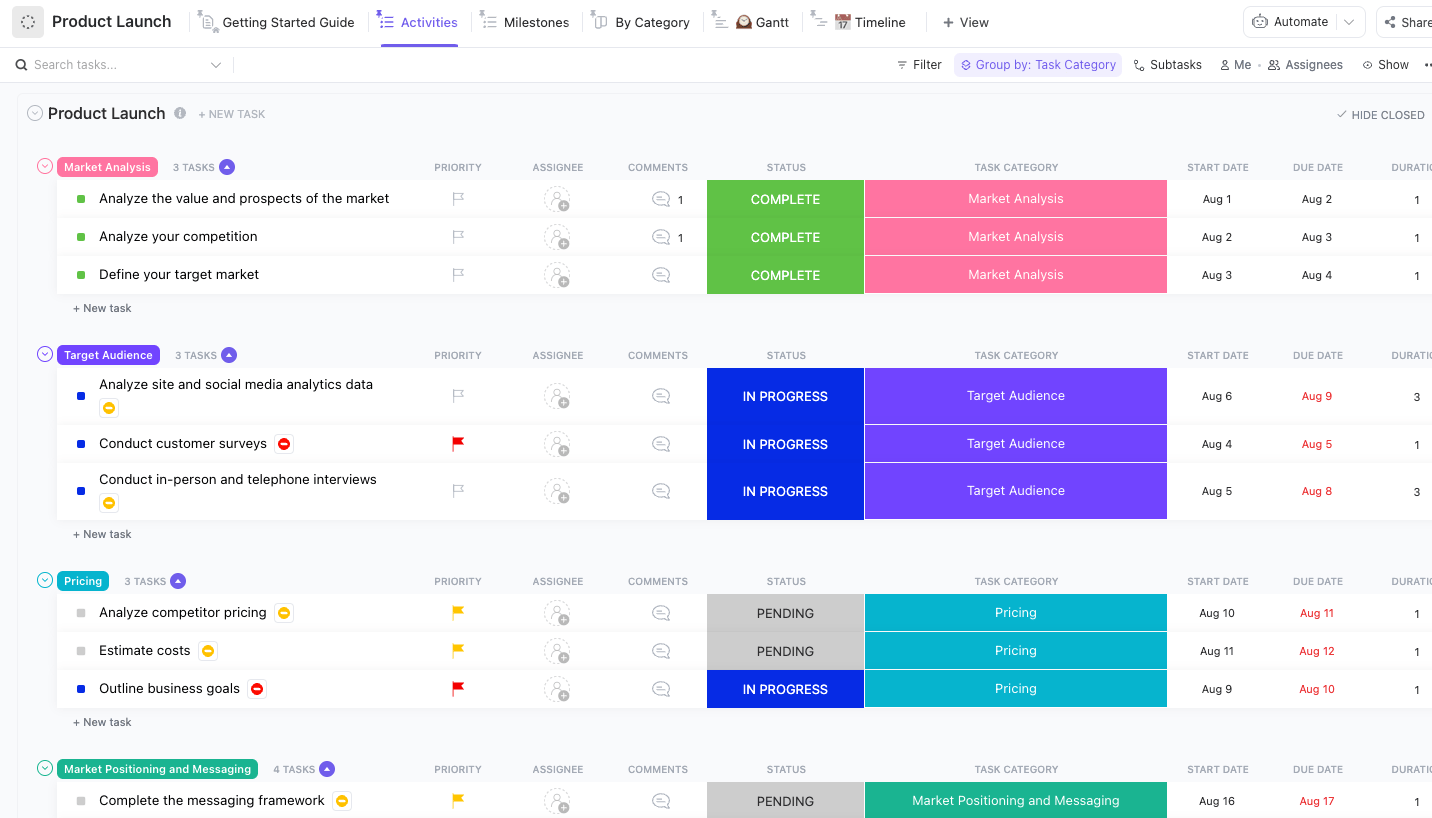
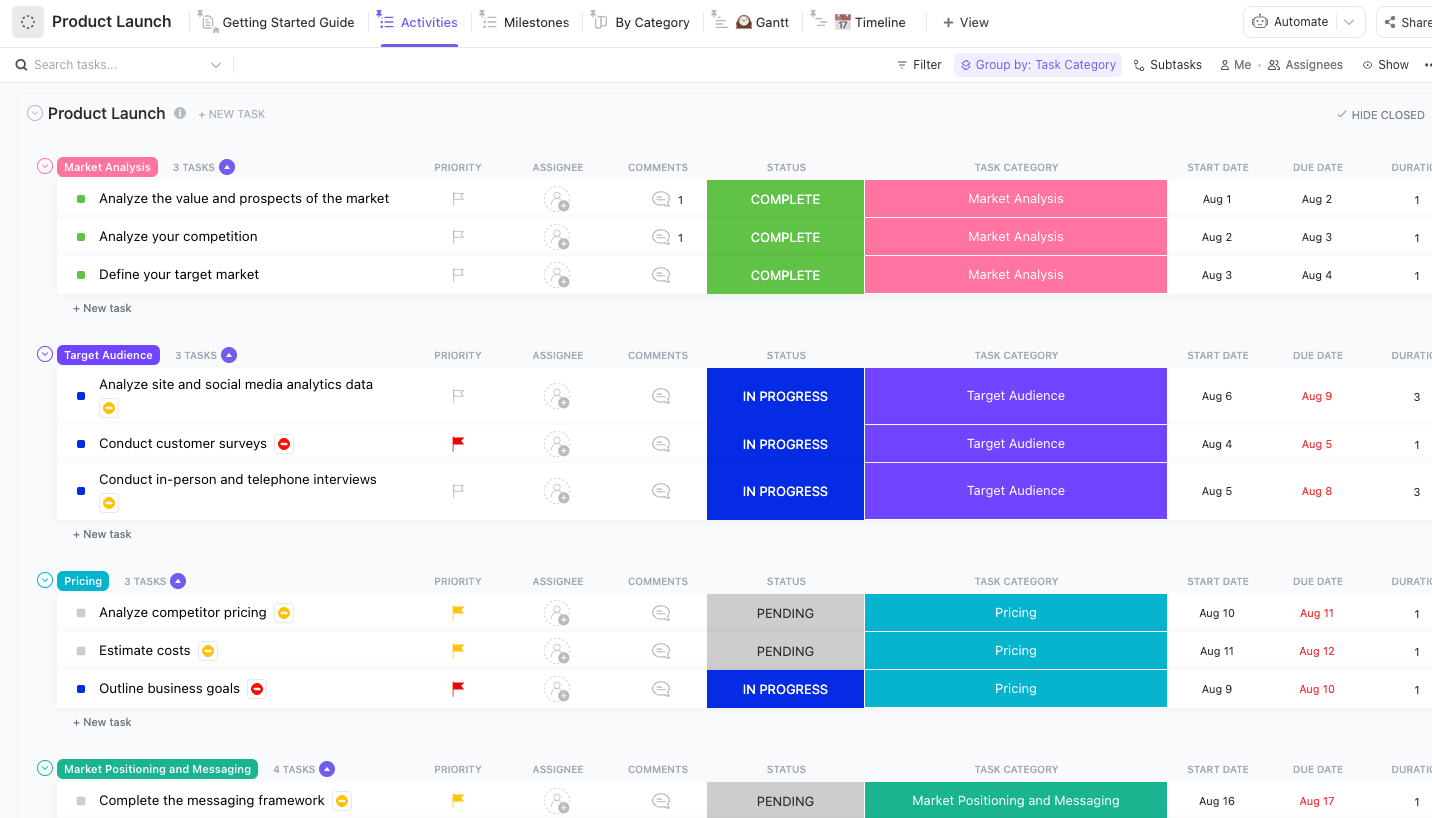
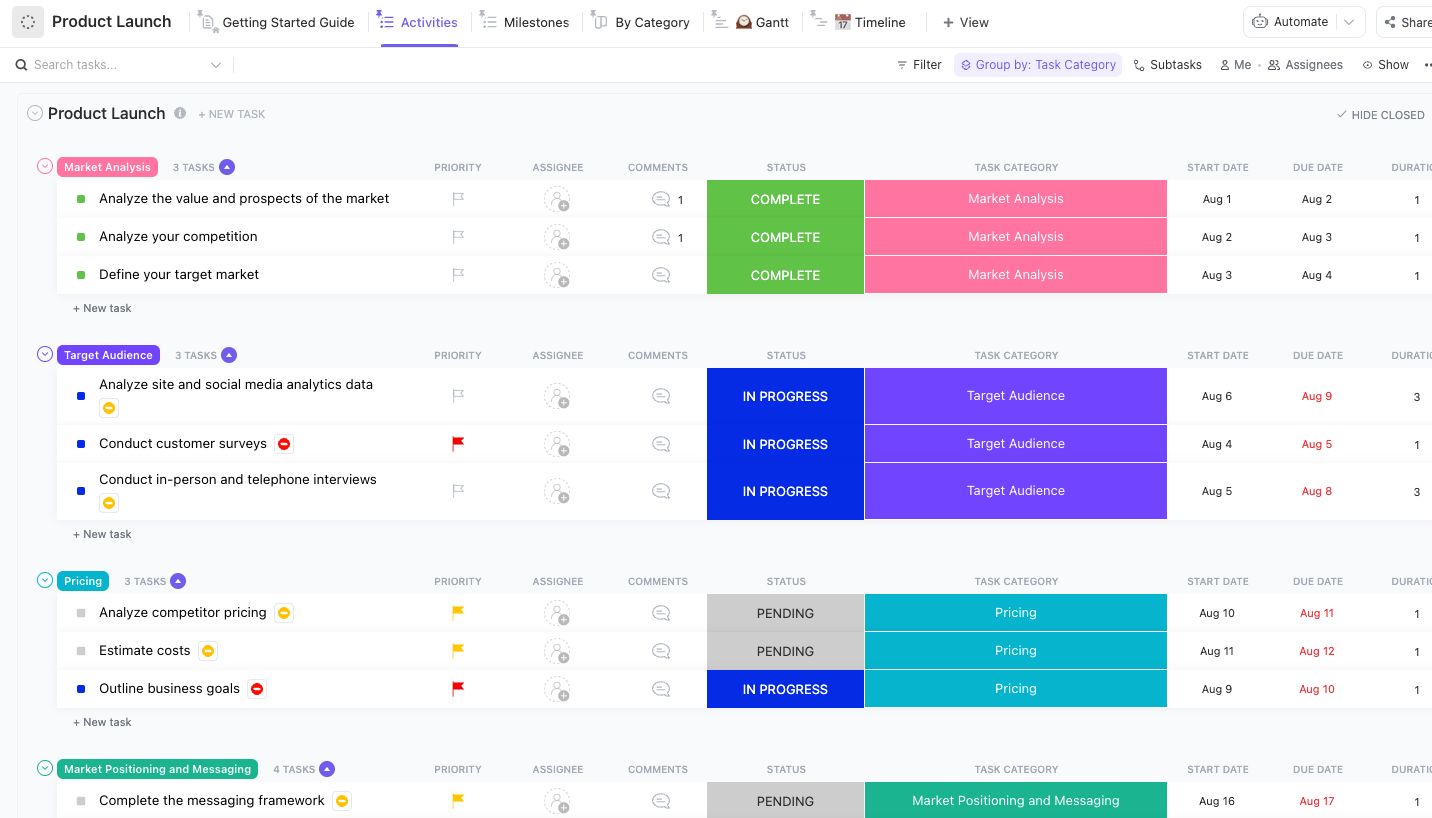
Plan every step of your next release with the ClickUp Product Launch Checklist Template. It gives you a ready-made home for your product launch playbook, with timelines, owners, and key milestones laid out in one place. You can break your product launch checklist into simple stages, group tasks by category, and see how everything lines up against your launch date using Gantt and Timeline views. As teams update their work, you can track progress in real time and keep product, marketing, and sales on the same page instead of chasing scattered updates.
A product launch playbook is a reusable guide for taking a product to market. It pulls your product launch plan, go-to-market strategy, launch checklist, timelines, and owners into one place.
Rather than serving as a one-time document for a single launch, it transforms into a comprehensive system that guides your team’s planning, execution, and learning from each launch.
You can think of it like this:
Most product launches fail silently due to scattered work, not because the idea is flawed. The product, marketing, and sales teams often keep their own documents, dates, and versions of the story.
A product launch playbook helps you avoid that split by:
When teams have a clear launch playbook, they can eliminate the need to reinvent every product launch and instead focus on enhancing the existing process.
👀 Fun Fact: Only about 5% of B2B buyers are in-market at any given time, which means most of your launch communication should build memory and preference for when buyers enter that 5%. This advice is based on the “95-5 rule” from the LinkedIn B2B Institute in collaboration with the Ehrenberg-Bass Institute.
Imagine a SaaS company preparing to introduce a new analytics feature.
The product team writes the feature narrative and release notes, marketing builds the campaign, and sales needs talking points for demos.
With a product launch playbook in place:
Everyone works from the same page, customers hear a clear and consistent story, and the team has a structure they can reuse for the next successful launch.
Work Sprawl makes even the best launch ideas feel chaotic.
Research lives in one document, the product launch plan sits in a separate tool, campaign tasks are in another app, and customer feedback hides in chat.
The thread between decision and delivery snaps, and your product launch playbook turns into a patchwork of links instead of a real system.
ClickUp brings that work into one place so your launch playbook stays clear, owned, and repeatable. You can keep positioning, release notes, launch checklist items, timelines, and post-launch activities in a single workspace.
That means product, marketing, and the sales team can move through the same launch process together instead of juggling their versions.
How ClickUp supports your product launch playbook:
See a workflow in action below.👇🏼
Where to begin:
You can set up your product launch playbook in minutes by starting with a focused space for product work and a central place for questions and knowledge:
Let’s get into the details. Here we go!
Every successful product launch playbook begins with a straightforward question: who is this intended for, and why should they be interested at this moment? Before you think about channels or launch day, you need a clear picture of your target audience, their pain points, and the specific outcome your product promises.
This is where product positioning does the heavy lifting. You define the market segment you are entering, the alternatives customers use today, and the value proposition that sets your launch apart.
When your team shares one simple positioning story, it becomes much easier to align messaging, marketing campaigns, and sales conversations around a successful product launch strategy instead of a list of disconnected features.
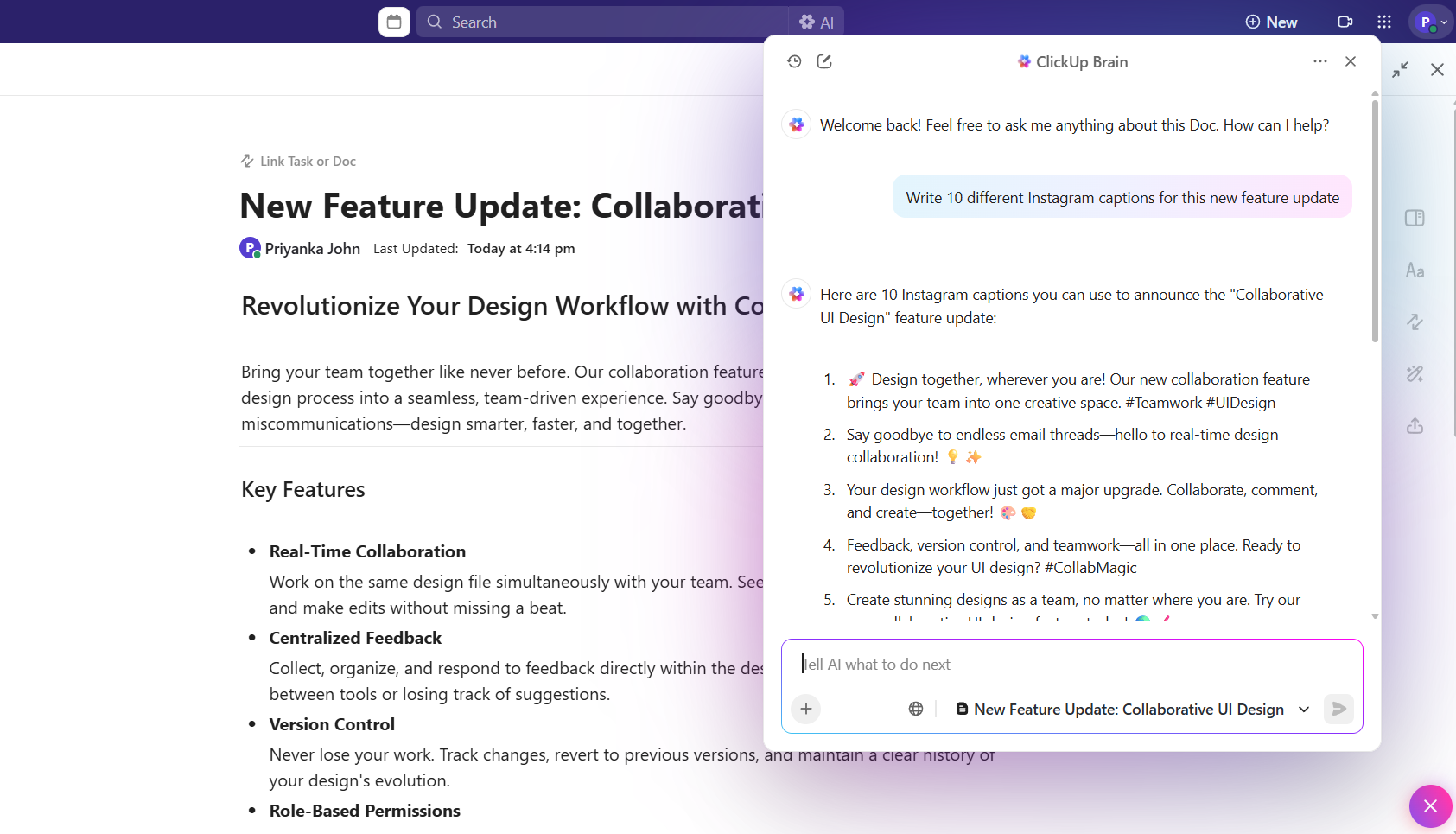
You can keep this entire narrative in ClickUp Docs so it stays close to your product launch plan. In one place, you can outline your target audience, core problem, value proposition, and key messages for launch.
You can also add sections for competitive notes and customer quotes, then link that doc to tasks across product, marketing, and sales.
As your understanding of the market evolves, you can update the document to keep everyone working on the same story. That way, when you move into timelines, assets, and launch goals, your product launch playbook is already grounded in a shared, simple definition of who you serve and what your product stands for.
Once your positioning and target audience are clear, the next piece of your product launch playbook is deciding what “good” looks like. Launch goals turn a vague “let’s make this big” into specific outcomes you can measure.
You might care about initial sales, new signups, qualified opportunities, or adoption of a new feature in an existing product. From there, you can pick a small set of KPIs that help you track performance across the launch and post-launch phases.
That could include trial-to-paid conversion, activation rate, product usage in the first 14 days, or simple awareness signals like social media mentions and landing page visits.
In ClickUp, you can bring these launch goals into your Workspace so they stay visible. You can set up Custom Fields on ClickUp Tasks for KPI tags, add a field for “Launch impact,” and use Dashboards to track progress in real time.
Over time, your product launch playbook becomes a record of which goals you hit, which you missed, and what you want to adjust for future launches.
You can:
A successful product launch is always a cross-functional effort. Product shapes the release, marketing plans the campaign rollout, the sales team prepares outreach, and customer success is ready to address questions and feedback.
Without a shared playbook, each group ends up working from its plan, and the launch story feels different in every channel.
Your product launch playbook gives these teams one shared view of all the tasks, owners, and dependencies. It helps you keep stakeholders informed, avoid duplicate work, and make sure decisions are visible instead of buried in separate threads.
When every team can see what is happening and when, your launch process feels calmer and more predictable.
In most launches, the real tension does not stem from the work itself. It comes from not knowing who is supposed to approve messaging, who owns the landing page, or who has the final say on pricing and offer structure.
That fog around responsibilities slows decisions and turns a tight launch plan into last-minute fire drills.
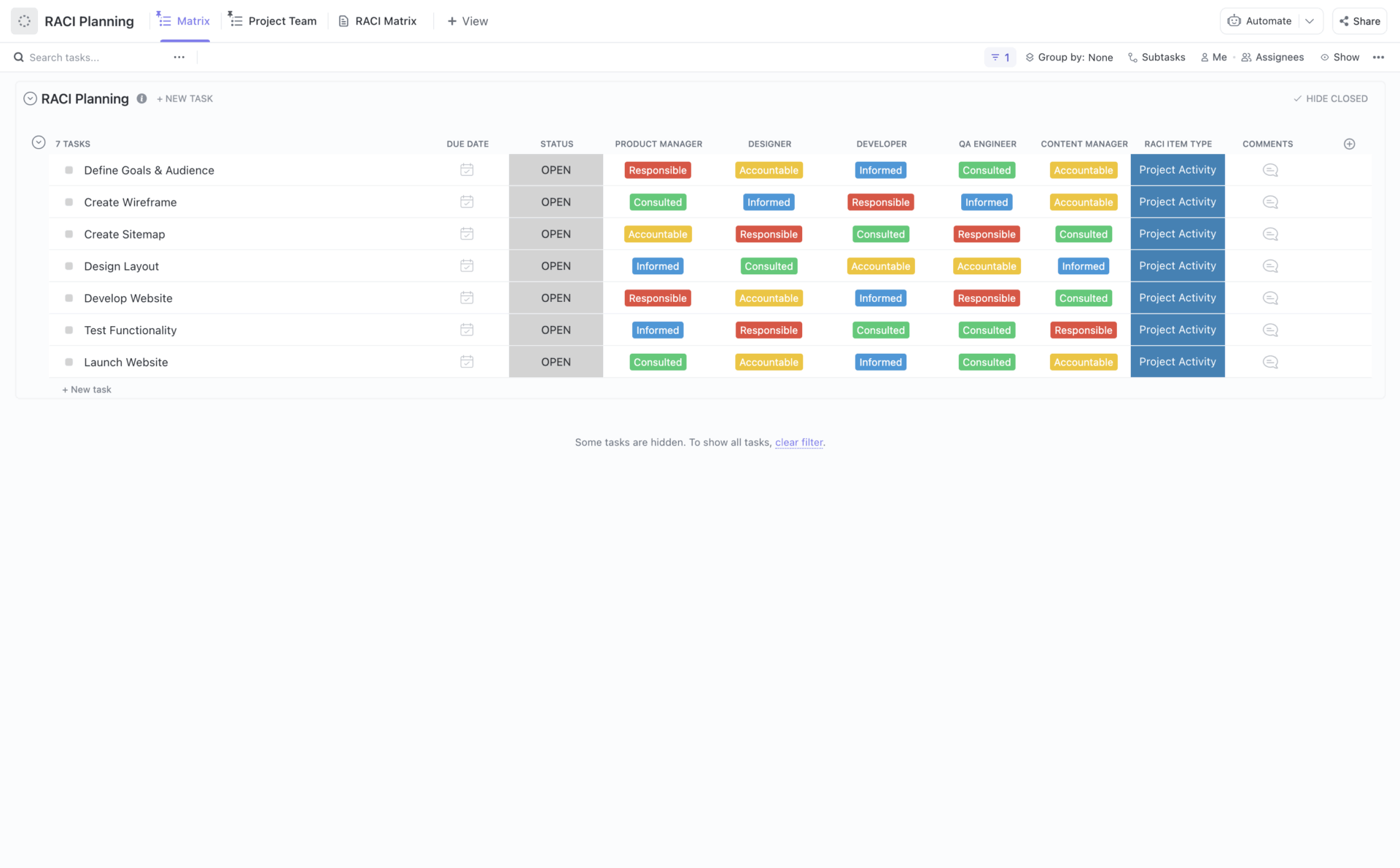
The ClickUp RACI Matrix Template gives you a simple way to make those roles explicit before the work starts. It lays out who is Responsible, Accountable, Consulted, and Informed for each launch activity, so every team member can see their part in the product launch playbook without digging through old threads.
The template features flexible statuses, Custom Fields, and multiple views, making it easy to view ownership from various angles. You get spaces for project leadership, project team, and external partners, plus a getting-started guide that keeps everyone aligned on how to use the matrix.
You can:
Even with clear roles, launches can slip if the timing is fuzzy. A strong product launch playbook turns your ideas into a simple, shared timeline. You start from the product launch date and work backward, mapping what needs to be ready in research, build, marketing, and sales before launch day arrives.
Your timeline should show more than just a single event. It should outline key milestones across the launch process, like “beta ready,” “messaging approved,” “landing page live,” “internal training done,” and “campaigns scheduled.”
When these checkpoints are visible, it is easier to see whether you are on track or whether you need to adjust the scope to protect the launch date.
Many launches slip for boring reasons. One review takes longer than expected, a dependency is not obvious, and suddenly your “small” delay pushes the product launch date without anyone noticing until it is too late.
When your work sits in flat lists, it is difficult to see how one late task quietly pulls others out of place.
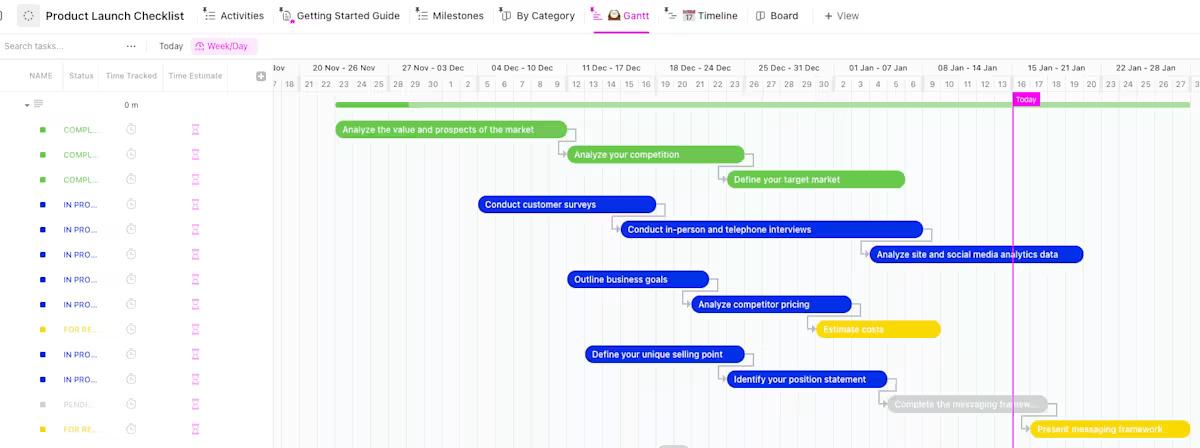
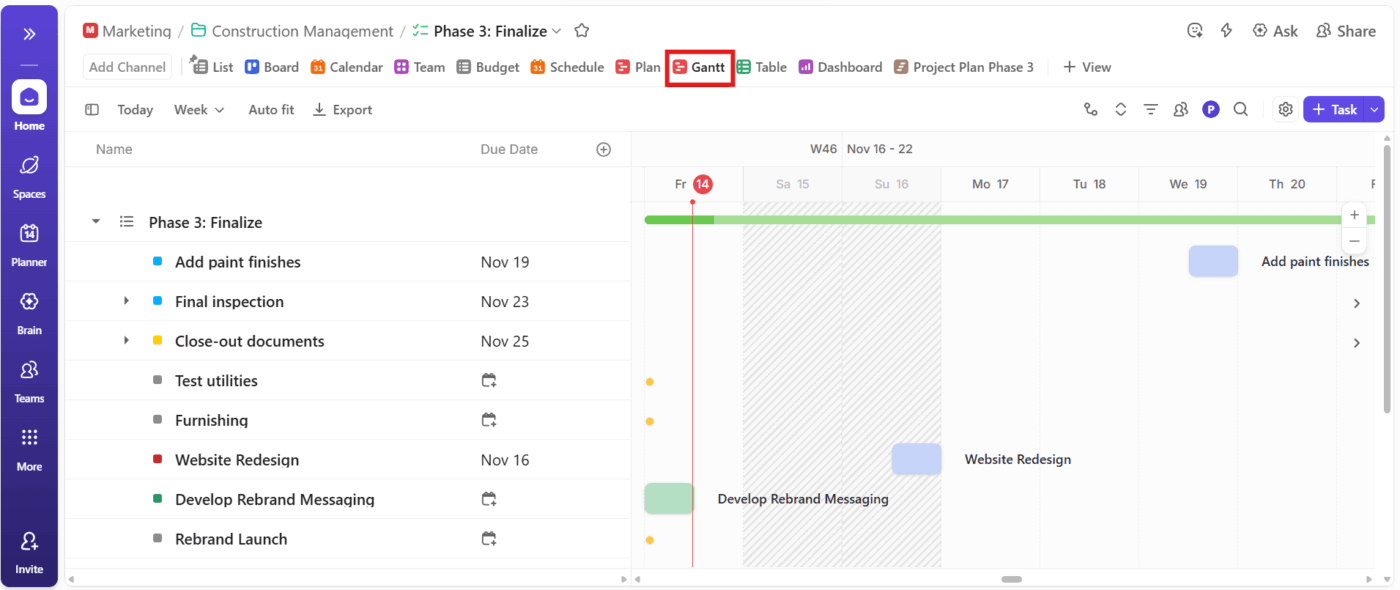
ClickUp’s Gantt View turns that clutter into a connected timeline. Instead of guessing how tasks relate to each other, you see your product rollout steps laid out from first brief to launch day, with clear links between them.
This simplifies the process of safeguarding crucial routes, modifying the scope as necessary, and maintaining consensus on the next steps.
The view supports start and end dates, drag-and-drop scheduling, and task dependencies, so you can keep a realistic picture of your launch process as it changes. Color-coded bars and progress indicators also give you a quick sense of which pieces are moving and which ones need attention.
You can:
Once you know who you are serving and what you want to achieve, your go-to-market strategy turns that thinking into concrete moves in the market.
This part of your product launch playbook connects your value proposition, target audience, and product positioning to the channels, messages, and offers you will use to reach real customers.
A simple GTM section in your launch playbook can cover:
You can outline key marketing activities, such as content, email, social media campaigns, in-product announcements, and promotional activities, alongside the role of your sales team. That way, your launch strategy is not just a list of ideas; it’s a cohesive plan.
It is a clear plan that shows how you will generate buzz, create excitement, and drive initial sales in the first weeks after launch.
In your product launch playbook, you can keep all of this in one place so the product team, marketing leader, and sales team see how their pieces connect. Over time, you can compare different GTM approaches across launches and refine what works best for your market.
📖 Also Read: How to Create an Effective Product Launch Strategy
Even a strong GTM strategy can fall short if people inside and outside the company hear different versions of the same story. Your communication plan makes sure everyone hears the same clear message, whether they are teammates or customers.
Internally, your product launch playbook can outline how you will help teams become ready. This might include internal training sessions, brief explanations for support, and concise talking points for the sales team.
👀 Fun Fact: 61% of B2B buyers prefer a “rep-free” purchase experience, so clear self-serve assets (pricing, FAQs, demos, release notes) are just as critical as your sales motions on launch week.
The goal is to keep everyone informed and confident so they can answer questions and provide feedback during and after launch.
Externally, your plan can outline how you will communicate the launch to the market. You can include high-level timelines for press releases, landing page updates, social media posts, email sequences, and customer webinars.
When information is written down ahead of time, it becomes easier to align tone, timing, and expectations across all channels.
A lot of launch miscommunication starts in chat threads. People share decisions in one tool and plan work in another, and by the time launch day comes around, no one is fully sure which message was final. Important context is buried, and teams end up asking the same questions again.
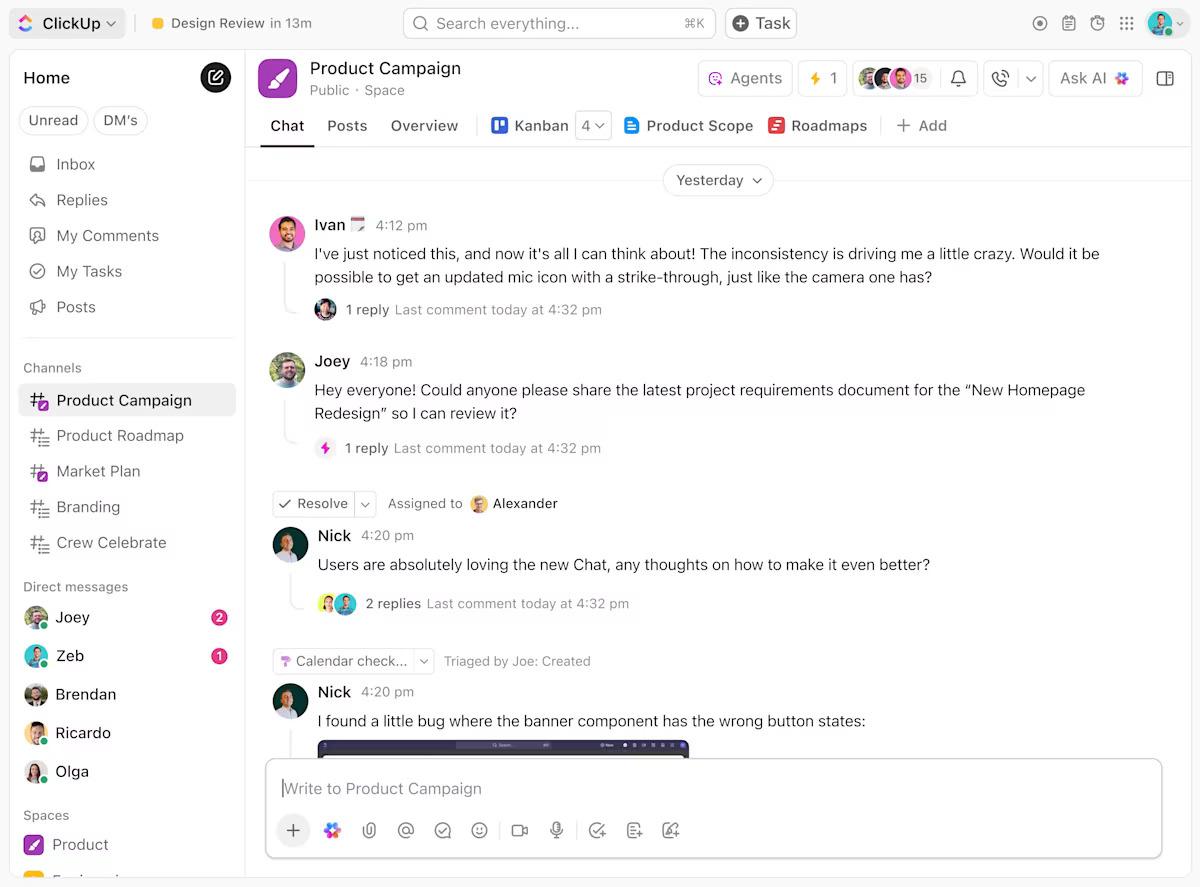
ClickUp Chat helps by keeping those conversations inside the same workspace where your product launch playbook lives. Instead of bouncing between apps, your teams can talk about work right next to the tasks, docs, and timelines that need attention.
That means fewer lost messages and fewer surprises when you get close to launch day.
ClickUp Chat sits alongside your other views, supports threads, and lets you share links to tasks and docs without breaking the flow. Everyone sees the same live context, which makes it easier to stay aligned on messaging, launch goals, and last-minute changes.
You can:
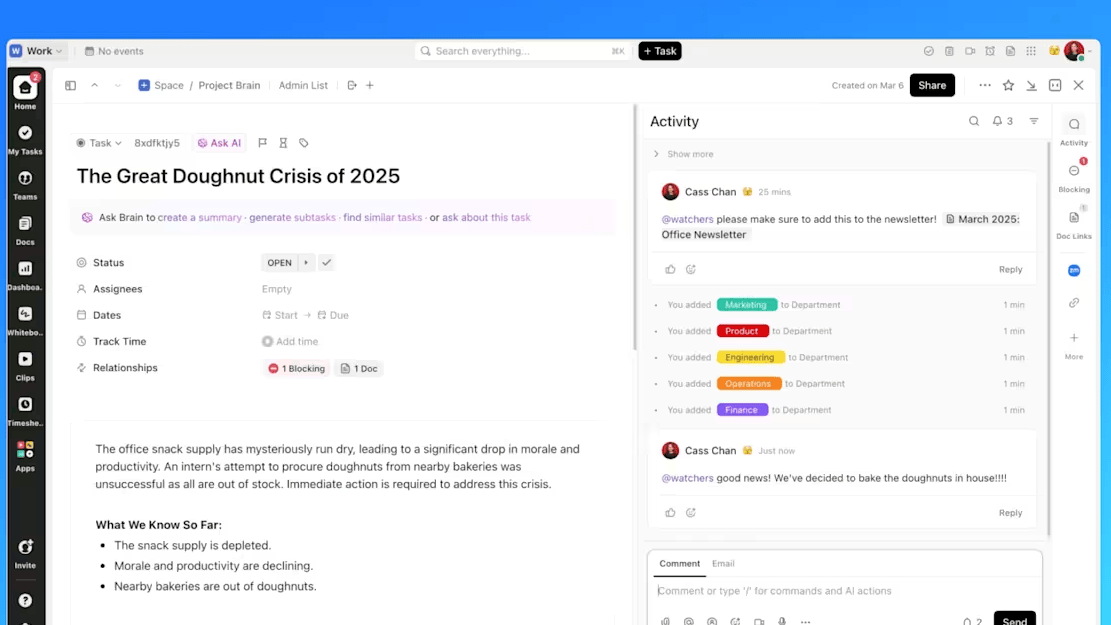
Another common launch problem is that decisions made in chat never turn into clear next steps. Someone agrees to update the landing page or refine messaging for a market segment, but without a task, owner, and date, it quietly slips away.
Over time, these small misses add up and put your successful launch at risk.
ClickUp Tasks gives you a simple way to turn those conversations into visible work. Each task can carry a description, assignee, due date, attachments, Custom Fields, and comments, so the whole launch process becomes easier to follow.
Instead of hoping someone remembers, you can see exactly what needs to happen and when.
ClickUp Tasks are displayed in views such as List, Board, Calendar, and Gantt, which means that every launch activity is included in your broader product launch plan and timeline. Comments keep context attached to the work itself, not scattered across tools.
You can:
Once launch day is over, the real learning starts. This is the post-launch phase, where you observe how early adopters utilize the product, how customers respond, and whether your launch goals are met in real-world scenarios.
A strong product launch playbook treats this aspect as a core step, not an optional extra.
You want a simple way to collect customer feedback, capture customer success notes, and link user feedback back to your product team. When this loop works, you can spot patterns, fix rough edges quickly, and plan future launches with more confidence instead of guessing.
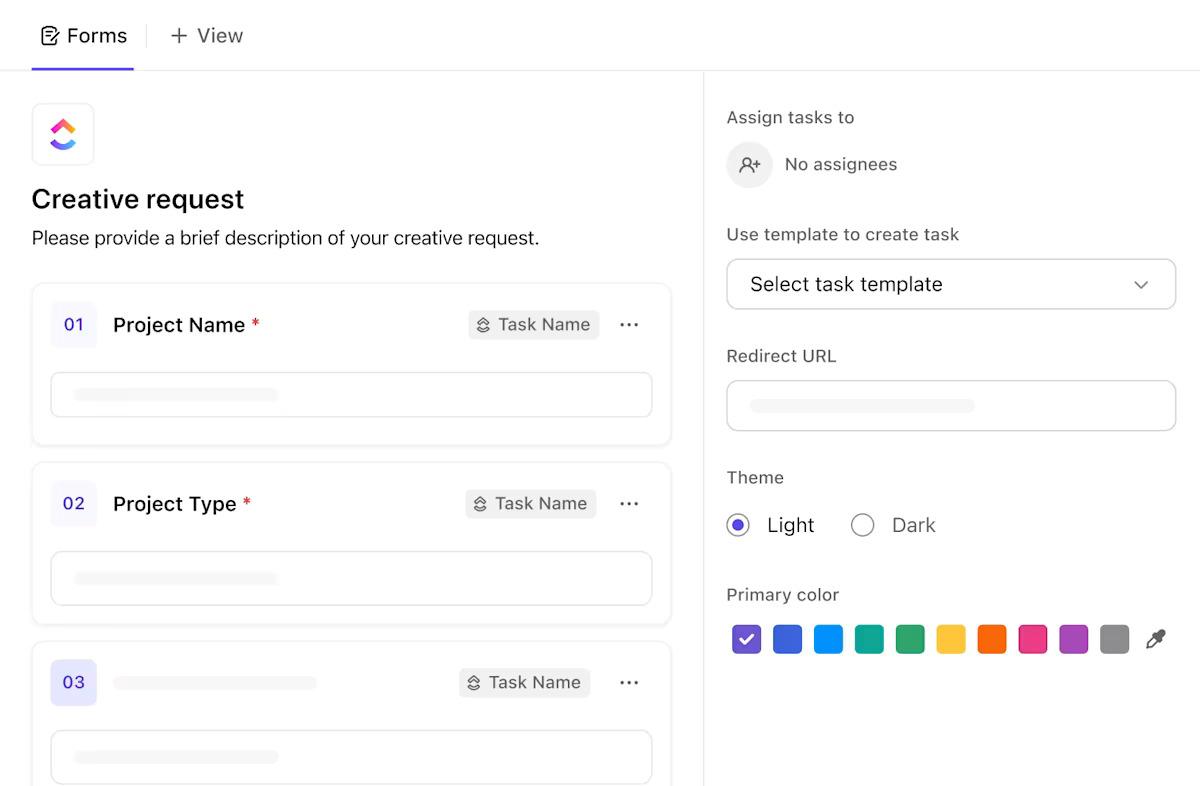
A common problem after launch is that feedback arrives from everywhere. Support tickets, customer calls, sales notes, social media, and internal threads all carry useful signals, but they are scattered.
It becomes challenging to see what is noise and what is a real theme that affects launch performance and product growth.
ClickUp Forms help by giving you a structured way to collect feedback in one place. You can share a simple form with customer-facing teams or even select customers, then turn each response into a task that your product team can review and prioritize.
Instead of losing notes in email or chat, you have a consistent way to track progress on follow-ups.
Forms support Custom Fields, attachments, and automatic routing into specific lists, so you can organize feedback by product area, severity, or customer segment. That makes it easier to see which pain points keep coming up and where post-launch activities should focus first.
You can:
Customer success teams can also keep short notes in ClickUp Tasks or Docs after calls. When those notes live in the same Workspace as your product launch playbook, it is much easier to connect what customers say to what you change next.
Measuring launch success starts with the goals you set earlier in your product launch plan. A helpful way to frame it is across three simple buckets:
You can then track performance across these metrics over the first few weeks and months. Look for where the launch is strong and where customers struggle to reach the promised outcome.
In ClickUp, you can bring these signals together with ClickUp Dashboards and views connected to your launch tasks. You can maintain a small set of cards for launch performance and review them regularly with the product, marketing, and sales teams.
Over time, this becomes a repeatable post-launch evaluation step in your product launch playbook, guiding continuous improvement instead of one-off fixes.
Start by grounding the product launch plan in a real context. You can clarify the target audience, the core pain points, and the value proposition you want to prove. Map competitors, identify your market segment, and write a simple positioning statement your team can repeat.
You should keep your research tidy from day one. You can store interviews, notes, and decisions in ClickUp Docs so everyone sees the same source material. A whiteboard helps you cluster insights, sketch user journeys, and outline the first product rollout steps without losing the thread.
Set an initial launch window and note early risks. If uncertainty is high, you can run a soft launch with early adopters before locking the launch date. For a quick sense of exposure, you can try the ClickUp Risk Assessment Calculator to size up the biggest variables.
📖 Also Read: How to Use AI for Smarter Product Launch Campaigns
This stage is where the product launch playbook turns into day-to-day work. You can finalize messaging, write release notes, and prepare assets like the landing page, email sequences, and social media campaigns. The sales team can receive a short enablement kit with use cases and simple objection handling.
Turn the product launch checklist into ClickUp Tasks with owners, due dates, and dependencies so nothing floats. Gantt makes it easy to see if milestones like messaging approved, assets ready, and internal training complete fit the timeline. You can group tasks by phase to keep pre-launch work visible to every team.
Set up tracking before you announce anything. You can add UTMs, build a small dashboard for signups and visits, and create a form for field feedback. This gives you clean data on day one and a clear path for routing early issues to the right owners.
📖 Also Read: How to Ace Your Product Launch with This Checklist
On launch day, clarity beats speed. You can run a live checklist, so owners mark releases, website updates, emails, and in-app announcements as they go. A dedicated chat channel in your launch space keeps rapid updates in one place and reduces “who is doing what” confusion.
Watch a few core signals to see how things land. A simple dashboard can surface signups, traffic to the landing page, and campaign status at a glance. The sales team can start planned outreach with a script that mirrors the launch message, while support and customer success log common questions through the same ClickUp Forms.
If something slips, you can adjust the scope and reorder tasks in Gantt without losing sight of the timeline. Post a short status so everyone stays aligned and move immediate fixes to the top of the queue. Here, we initiate the initial post-launch activities, capturing user feedback and scheduling the fastest improvements immediately.
📮 ClickUp Insight: 32% of employees say their work gets delayed while waiting on decisions.
While the reasons for this range from a lack of visibility to unclear ownership, the result is always the same: a slow leak in productivity.💧
With ClickUp’s Custom Statuses, you can track decision points in your workflow and flag bottlenecks before they cause delays. Set clear next steps, assign decision-makers, and keep work moving without the guesswork.
After launch, momentum comes from tight loops.
You can look at adoption, revenue signals, and sentiment, then correct the friction you see first. Small improvements shipped quickly often beat one big patch later.
You can set a simple weekly rhythm. You can review a shared view of ClickUp Dashboards, read customer feedback, and test one or two changes. Update the playbook as you learn so future launches move faster with fewer surprises.
Just keep the loop visible. You can route feedback into ClickUp Tasks, tag by feature area, and track progress in one place. The goal is to move from scattered notes to clear follow-ups your team can act on right away.
Following the launch, teams become overwhelmed with a multitude of notes, tickets, and requests. Feedback sits in different tools. Owners are not clear. Status reports lag. Small issues stack up and slow the next release. There is a lot of information to monitor!
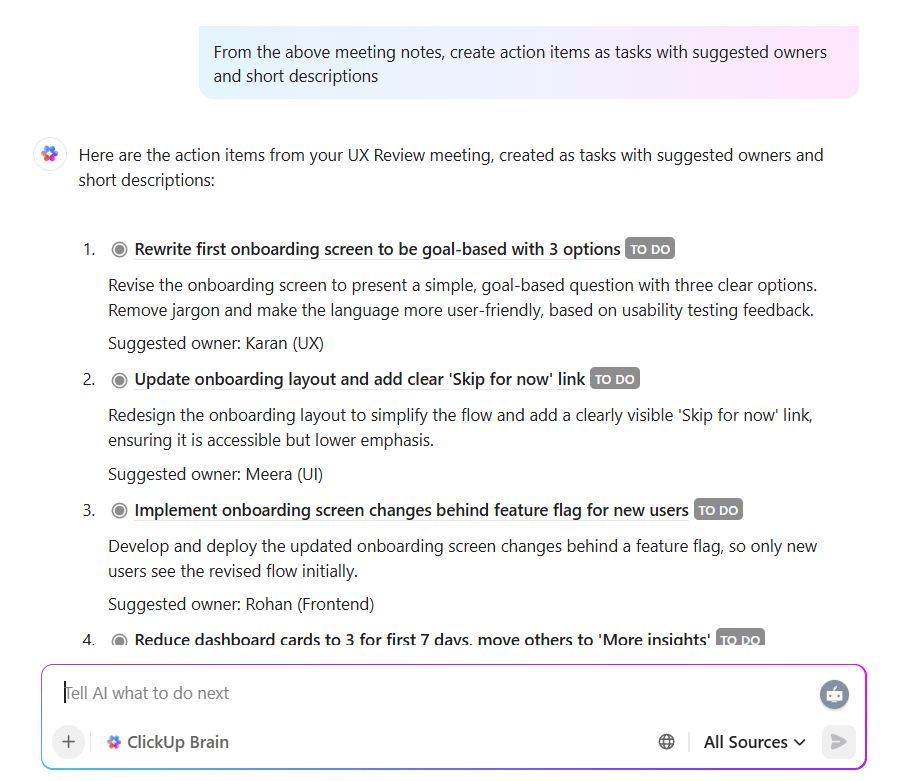
ClickUp Brain + ClickUp’s AI Agents help you turn that noise into a clean loop.
The AI reads workspace context across docs, tasks, and comments, while agents turn signals into tasks, assign owners, and post short updates in chats. Your post-launch work stays connected to dashboards instead of drifting into chat logs.
What it includes:
Pre-built ClickUp templates help you skip setup and start executing. You get ready layouts for GTM planning, launch tracking, and retrospectives, so your team works from the same playbook on day one, and you can compare results across releases.
Most launches start scattered. Tasks live in different apps, owners are unclear, and handoffs stall. The ClickUp Product Launch Checklist Template brings tasks, owners, and timelines into one place so the team moves in sync from prep to post-launch.
You get structured stages for pre-launch, launch day, and post-launch activities, plus views that show timing, dependencies, and real progress. As teammates update their work, you can see what is due, what is blocked, and what needs attention next.
✨️ Ideal for: Product marketers, product managers, and founders leading cross-functional launches.
When dates live in spreadsheets and dependencies are invisible, small slips ripple into bigger delays. The ClickUp Product Launch Gantt Chart Template provides a ready-made timeline for planning backward from your launch date, mapping handoffs, and identifying risks early, ensuring the schedule remains accurate.
You get prebuilt phases for pre-launch, launch day, and post-launch, plus fields for owners and effort. Dependencies, milestones, and drag-and-drop scheduling help you adjust the plan in seconds while keeping every connected task in sync.
Progress bars and grouping options make it easy to scan the status for a team or workstream.
✨️ Ideal for: Product marketers, product managers, and operations leads coordinating multi-team launches.
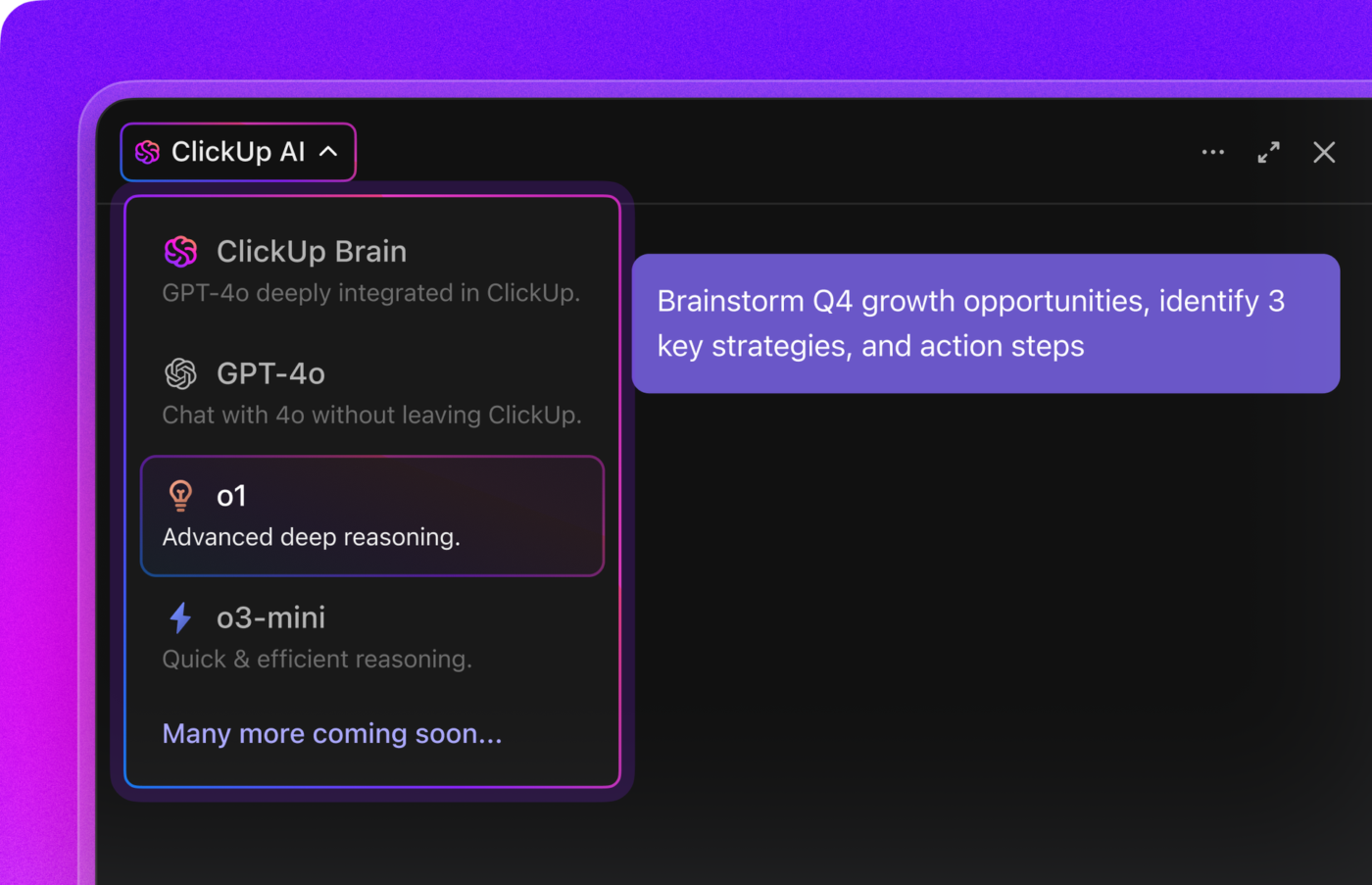
💟 Bonus: BrainGPT is your AI-powered desktop companion that streamlines every stage of a product launch. With deep integration across your project management, marketing, and communication tools, this AI super app brings all your launch plans, timelines, and assets into one unified workspace. You can use talk-to-text to quickly capture ideas, assign tasks, or update your launch checklist hands-free.
Leveraging multiple leading AI models, BrainGPT helps you generate compelling launch copy, analyze market feedback, and flag potential risks or bottlenecks. It can automate reminders for key milestones, organize cross-functional collaboration, and provide real-time summaries or progress reports.
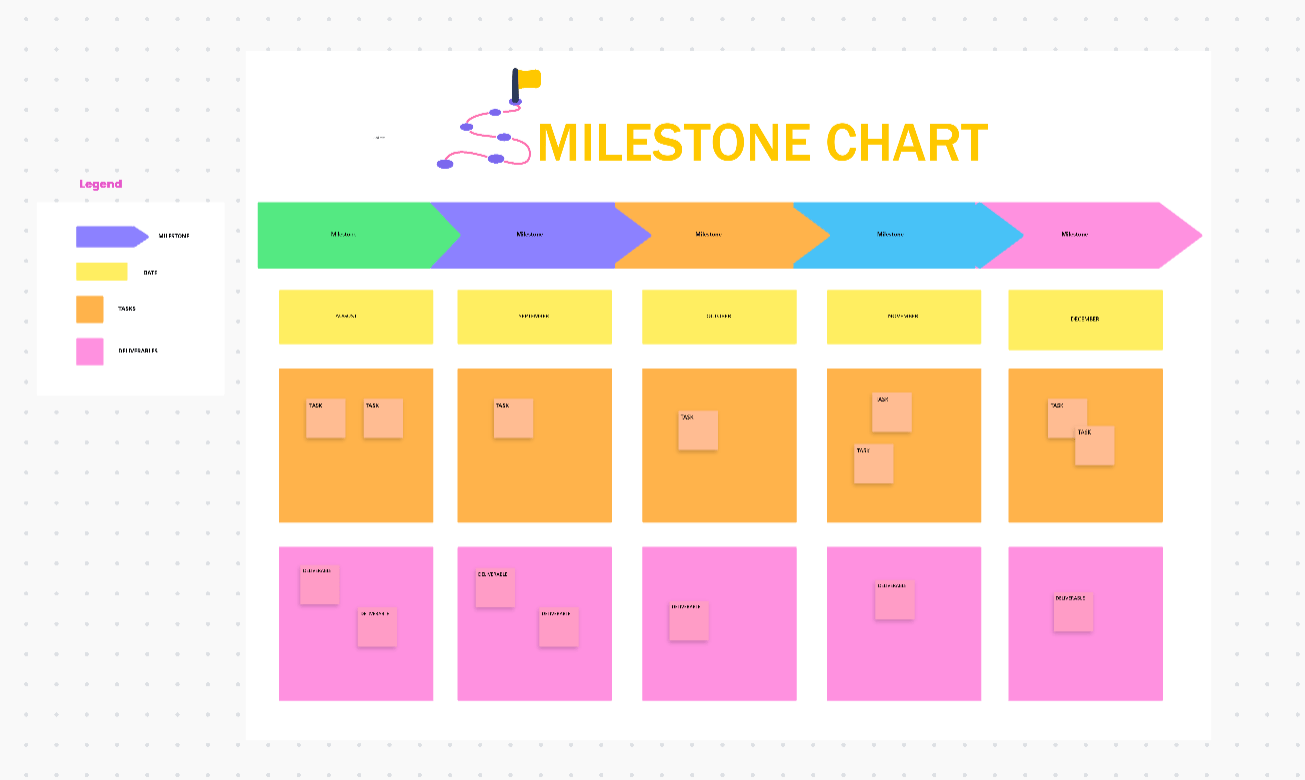
Milestones often hide in long docs or spreadsheets. Stakeholders cannot see what is next, small delays go unnoticed, and budgets slip without warning.
The ClickUp Milestone Chart Template puts every key checkpoint on one shared board. Each milestone sits as a clear card with owner, date, and status, so teams know what is coming, what is done, and what needs help now.
The whiteboard layout lets you break complex work into milestone chunks, drag to reorder, and update status in seconds. It is quick to set up, easy to share for leadership reviews or team standups, and keeps progress visible in real time.
✨️ Ideal for: Product marketers, product managers, and operations leads who want a one-glance milestone map for planning and reviews.
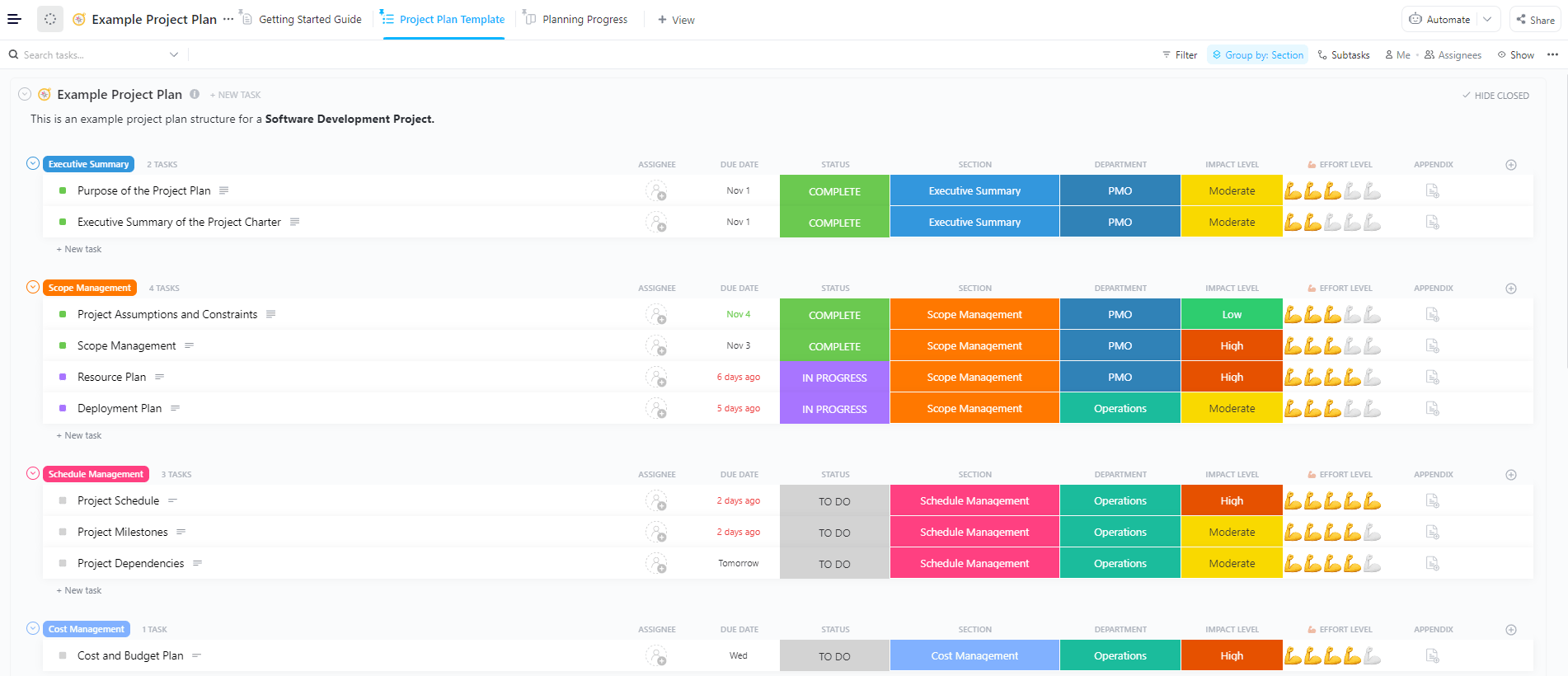
Project plans often scatter across docs and sheets, which makes the scope fuzzy and dates easy to miss.
The ClickUp Product Launch Project Plan Template brings everything into one structured plan, so teams know what is in scope, who owns what, and how work moves from build to rollout. It is simple to scan, easy to update, and ready for cross-functional reviews.
You get phased sections for discovery, build, marketing, enablement, and rollout, along with clear task statuses and lightweight dependencies. Custom fields help you mark workstream, priority, effort, and channel, while built-in views make it easy to see the same plan from different angles without rebuilding it elsewhere.
✨️ Ideal for: Product marketers, product managers, and founders who want a single, shareable plan for the entire launch.
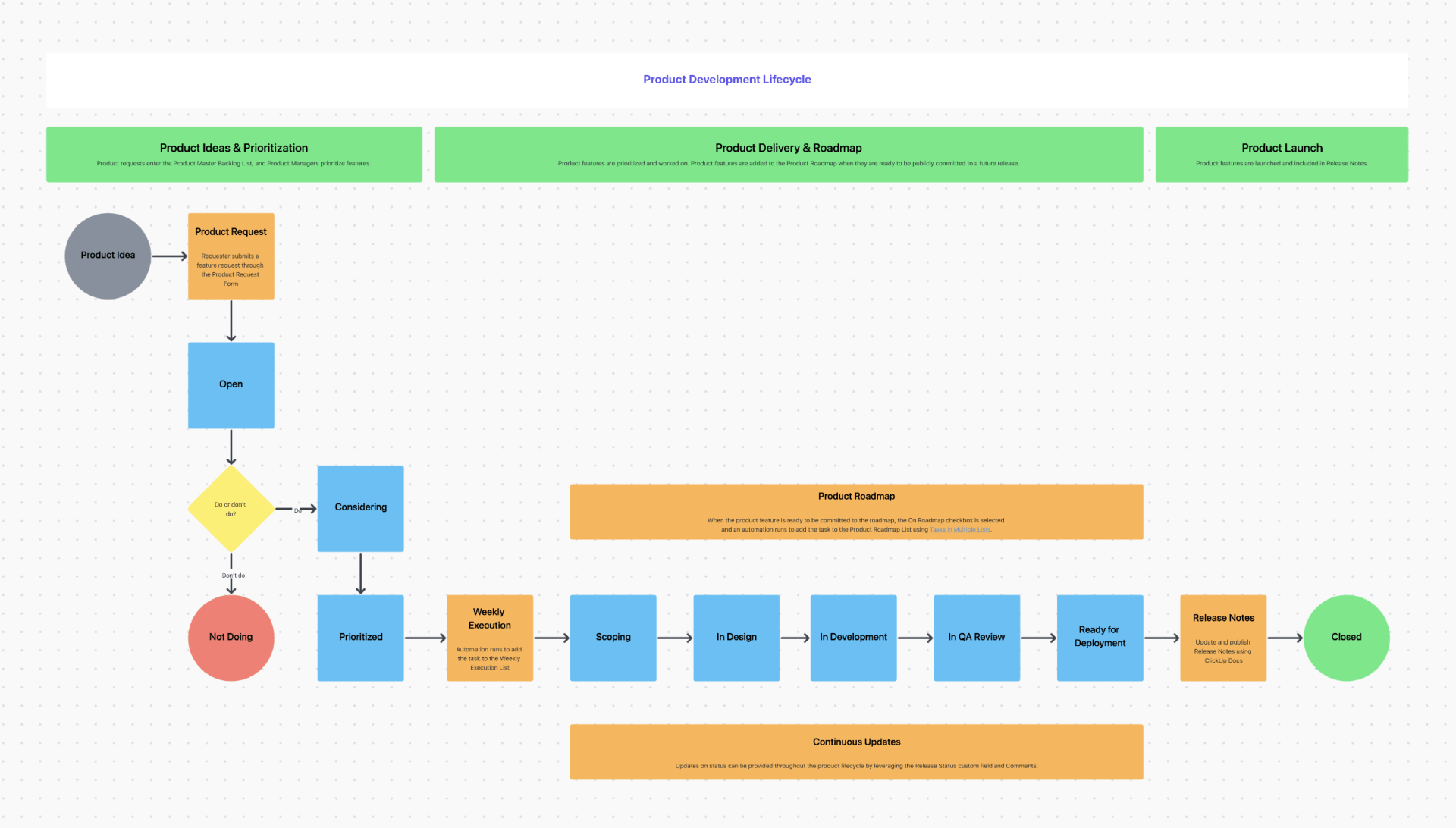
Roadmaps often live in slides and spreadsheets that fall out of date fast. Teams lose track of what ships when, why it matters, and who owns the next step. The ClickUp Product Roadmap Template consolidates themes, epics, and releases into a single, living view, ensuring that product, marketing, and sales teams stay aligned without rebuilding decks every week.
This template gives you structured lanes for goals or themes by quarter, with clear statuses for work in flight. Simple fields for priority, impact, and effort make trade-offs easier to see and discuss. Everyone can tell what is planned, what is active, and what has moved.
Views switch from high-level timelines to granular boards with a click. You can zoom out for planning, then zoom in for execution without losing context. Reviews feel faster because the roadmap and the work tell the same story.
✨️ Ideal for: Product managers, product marketers, and founders who need a roadmap that guides planning and execution, not just a slide for meetings.
📖 Also Read: Product Roadmap: Examples & How to Create One
Even strong teams trip on avoidable issues. Use these quick fixes to keep your product launch playbook tight and your launch plan moving.
🚩 Starting without a crisp problem and target audience
Teams jump into execution with a fuzzy idea of who they are serving and why it matters. Messages drift, demos feel generic, and the launch plan balloons without clear trade-offs.
✅️ What to do instead: Write a one-paragraph positioning statement in your product launch playbook, review it with product, marketing, and sales, then lock scope against it.
🚩 Fuzzy launch goals and KPIs
Success means different things to different people, so progress updates feel subjective. Decisions stagnate due to the inability to identify what truly drives progress.
✅️ What to do instead: Choose three measurable signals in the playbook and mirror them at the top of your tracking view, so every task and campaign ties to a goal.
Most teams struggle with two types of disorganization. Work sprawl scatters plans and updates. AI Sprawl scatters prompts, drafts, and summaries across different tools with no shared memory. You end up with multiple “final” versions, conflicting messages, and no clear link back to the source.
What “good” looks like with less AI sprawl:
🚩 Siloed ownership and slow approvals
Tasks bounce between teams, and no one knows who gives the final yes. Small questions turn into long threads, and timelines slip quietly.
✅️ What to do instead: Map critical activities to R, A, C, and I using a simple RACI matrix (or the ClickUp RACI Matrix Template) and link it to your launch tasks for day-to-day clarity.
🚩 Hidden dependencies behind static dates
Everyone sees due dates, but not the sequence. One late review cascades into missed handoffs and a pushed launch date.
✅️ What to do instead: Translate your checklist into a timeline with dependencies using a Gantt view or the ClickUp Product Launch Gantt Chart Template, then protect the critical path in weekly reviews.
🚩 Spreading GTM across too many channels
Effort scatters, and nothing gets enough focus to win. Results are hard to read because each channel gets only a fraction of the plan.
✅️ What to do instead: Pick two or three channels that match your target audience, sequence them in the playbook, and attach one clear metric to each campaign.
🚩 Skipping a soft launch with early adopters
You are expanding your reach without receiving meaningful feedback from the field. Onboarding friction and unclear messaging become apparent at the most challenging times to respond.
✅️ What to do instead: Add a limited release milestone to your plan, route insights into a single feedback list, and adjust copy and flows before the full rollout.
🚩 Weak sales enablement at launch
Sales hears about the launch but lacks crisp use cases and objection handling. Early calls feel tentative, and momentum dips.
✅️ What to do instead: Include a small enablement workstream in the playbook with one concise deck, a one-pager of use cases, and a short talk track aligned to the launch message.
🚩 Treating the checklist as a static document
The plan lives in a doc that no one updates, so it drifts from reality. Status meetings become manual reconciliations.
✅️ What to do instead: Run the plan from a live checklist (for example, the ClickUp Product Launch Checklist Template), so owners, dates, and changes update the source of truth you actually use.
🚩 Letting milestones hide in spreadsheets
Stakeholders cannot see what is next or what is late, and budget surprises arrive at the end. Course corrections come too late to help.
✅️ What to do instead: Put big checkpoints on a shared milestone board (or the ClickUp Milestone Chart Template) and review it with leads twice a week to surface slips early.
🚩 Confusing features with a value proposition
You list capabilities, but customers do not see the outcome. Campaigns feel busy and unfocused.
✅️ What to do instead: Begin your GTM section by outlining the problem you address and the outcome you provide, followed by supporting it with three proof points that are important to your segment.
🚩 Ignoring pricing and packaging until the end
The product is ready, but the offer is not, which creates friction during the purchase process. Sales and support field preventable questions.
✅️ What to do instead: Add a dated pricing sign-off milestone with a single owner and a quick validation plan if you need it, then reflect final pricing in the launch playbook and site copy.
🚩 Measuring outputs instead of outcomes
You celebrate task completion while adoption and revenue lag. Post-launch choices are guesswork.
✅️ What to do instead: Track adoption, initial sales, and simple sentiment alongside delivery metrics in the same review, and compare them weekly to the launch goals in your playbook.
🚩 No single roadmap view after launch
Fixes, follow-ups, and next bets live in different places. Teams re-plan the same work each week.
✅️ What to do instead: Keep near-term fixes and future releases in one roadmap (for example, the ClickUp Product Roadmap Template) so post-launch work flows into the next slice without rebuilding the plan.
🚩 Work sprawl and AI sprawl after day one
Prompts, drafts, and summaries sit in separate tools with no link to the source. People reuse stale content, and decisions get repeated.
✅️ What to do instead: Keep AI outputs next to the plan, link each draft to its task or doc, and retire superseded versions during a weekly review so the playbook stays current.
🚩 Delayed release notes and landing page updates
Customers see changes but not the “why,” which slows adoption and support readiness. Marketing loses the chance to capture early interest.
✅️ What to do instead: Schedule the release notes and landing page update in your timeline, assign clear owners for each task, and publish them on launch day to ensure customers understand what has changed and how to get started.
A good product launch playbook does three simple things. It aligns people, it sets a clear launch plan, and it turns post-launch feedback into the next move. Everything else is noise.
With ClickUp, the plan, the work, and AI outputs stay in one place, so you are not chasing versions or guessing what changed. 🌟
You can start small and make it repeatable. You can pick a template, set a few launch goals, map the timeline, and open a short feedback loop for early adopters. Next time, you can reuse the same playbook, compare results, and tune your launch strategy for future launches.
If you want a calm and organized workspace for launching your product, Try ClickUp now!

© 2026 ClickUp

There’s an easier way. Try a free AI Agent in ClickUp that actually does the work for you—set up in minutes, save hours every week.