






Still downloading templates?
There’s an easier way. Try a free AI Agent in ClickUp that actually does the work for you—set up in minutes, save hours every week.
Sorry, there were no results found for “”
Sorry, there were no results found for “”
Sorry, there were no results found for “”
A deadline slips by. A client follow-up gets buried under messages. A teammate misses a status update because the reminder was sitting in the wrong inbox.
These small misses pile up into delays, lost trust, and unnecessary stress.
Project Management Software that sends reminders and alerts keeps the whole team accountable, realigning priorities when plans change and preventing tasks from getting missed.
In this blog post, we’ll walk through the top three tools that deliver on this promise. 🎯
Here’s a glimpse of the three best Project Management Software tools that send reminders and alerts you can use for your project plan:
| Tool | Best for | Key features | Pros & cons | Pricing* |
| ClickUp | AI-powered project management and collaboration for individuals, startups, and enterprises | Reminders, ClickUp Brain (AI task assignment, updates, and alerts), AI Autopilot Agents, Automations, Calendar (smart scheduling and rescheduling) | Pros: 🌟 Converged AI Workspace for all your work 🌟 Lets you snooze, reschedule, delegate, or convert reminders into tasks 🌟 Includes AI tools for writing, planning, and task automation 🌟 Offers flexible project views, including List, Board, Calendar, Gantt, and Timeline Cons: 🧐 Steep learning curve for new users due to its wide feature set 🧐 The mobile app doesn’t yet have all the features of the desktop app | Free forever; Customizations available for enterprises |
| Asana | Flexible, cross-functional project management for startups and mid-sized project teams | Task reminders and notifications (via email, push, or desktop), dependencies and subtasks, automations for task updates and alerts, timeline and calendar views, Slack/Google Calendar integrations | Pros: 🌟 Reminds teams of routine tasks and check-ins 🌟 Helps managers reduce follow-ups 🌟 Keeps everyone updated regardless of time zones Cons: 🧐 Limited external access for collaborators 🧐 Advanced features are locked behind paywalls 🧐 Difficult for small teams to set up | Free; Paid plans start at $13.49/month per user |
| Trello | Visual task management and prioritization for individuals and small teams | Due date alerts, card assignment reminders, activity updates, Kanban boards, Butler automation (rule-based reminders), 200+ integrations via Power-Ups | Pros: 🌟 Supports mobile and desktop access for work on the go 🌟 Sets reminders on Google Calendar and other tools through integrations via Power-Ups Cons: 🧐 Limited reporting and dashboard features without Power-Ups 🧐 Restrictions on how many projects you can track at a time 🧐 Not suitable for large teams or complex projects | Free; Paid plans start at $6/month per user |
The best project management software ensures reminders are timely, contextual, and adaptive to your workflow. Here’s what to look for when picking one:
🧠 Fun Fact: The oldest ‘reminder system’ humans used was tying knots in strings. Ancient cultures, including the Incas with their Khipu system, used knotted cords to track tasks, numbers, and obligations.
Our editorial team follows a transparent, research-backed, and vendor-neutral process, so you can trust that our recommendations are based on real product value.
Here’s a detailed rundown of how we review software at ClickUp.
Let’s look at the top three Project Management Software that send reminders and alerts.
ClickUp for Project Management is the everything app for work that combines PM, documentation, and team communication, all in one platform—accelerated by next-generation AI automation and search.
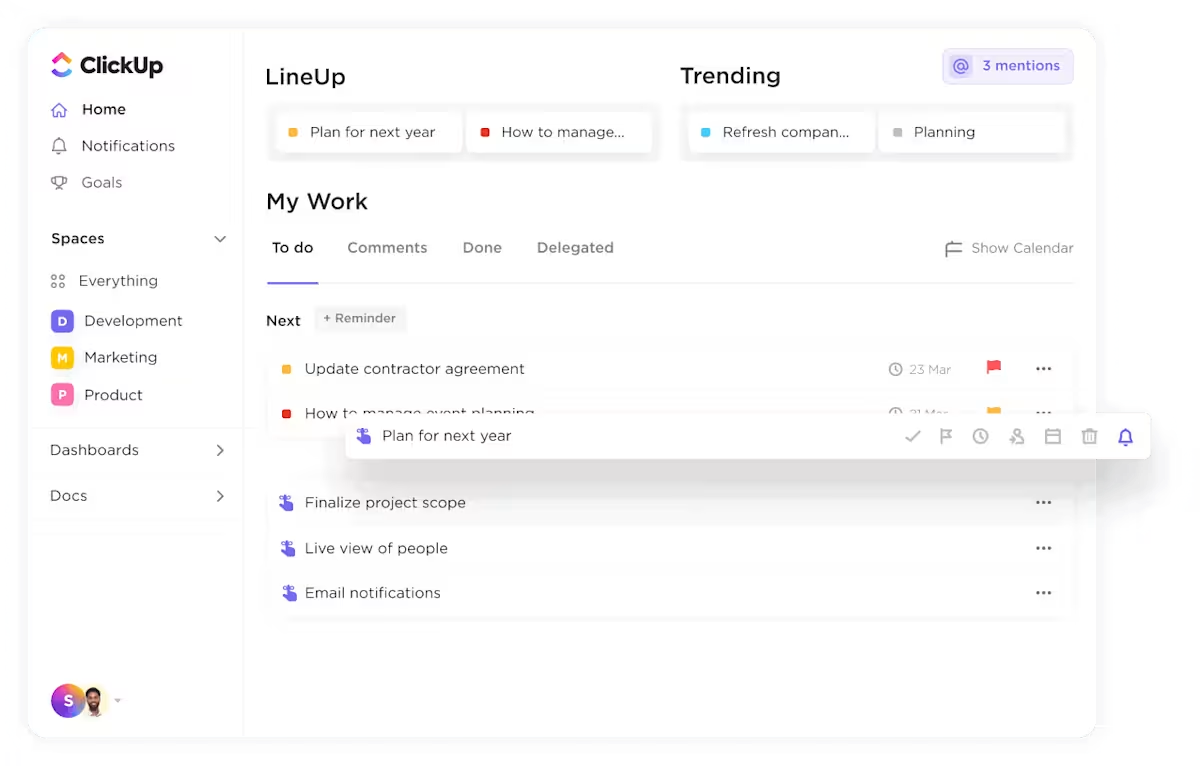
ClickUp Reminders centralize all follow-ups and task alerts in one place via ClickUp Home. It doesn’t matter if you’re working from a browser, desktop, or mobile device; your reminders are always visible and actionable.
Suppose a startup founder is coordinating product launches across multiple teams. They can create a reminder for a critical client call, attach relevant documents, and even assign it to a team member.
Comments in ClickUp Tasks or notifications can also be turned into Reminders. Plus, with options to snooze, reschedule, or delegate, Reminders keep everyone accountable.
ClickUp Brain adds an AI-powered layer to project management, saving you roughly a day per week by automating routine tasks and meetings. When prompted, it automatically assigns tasks based on availability, tracks progress, and adjusts priorities dynamically.
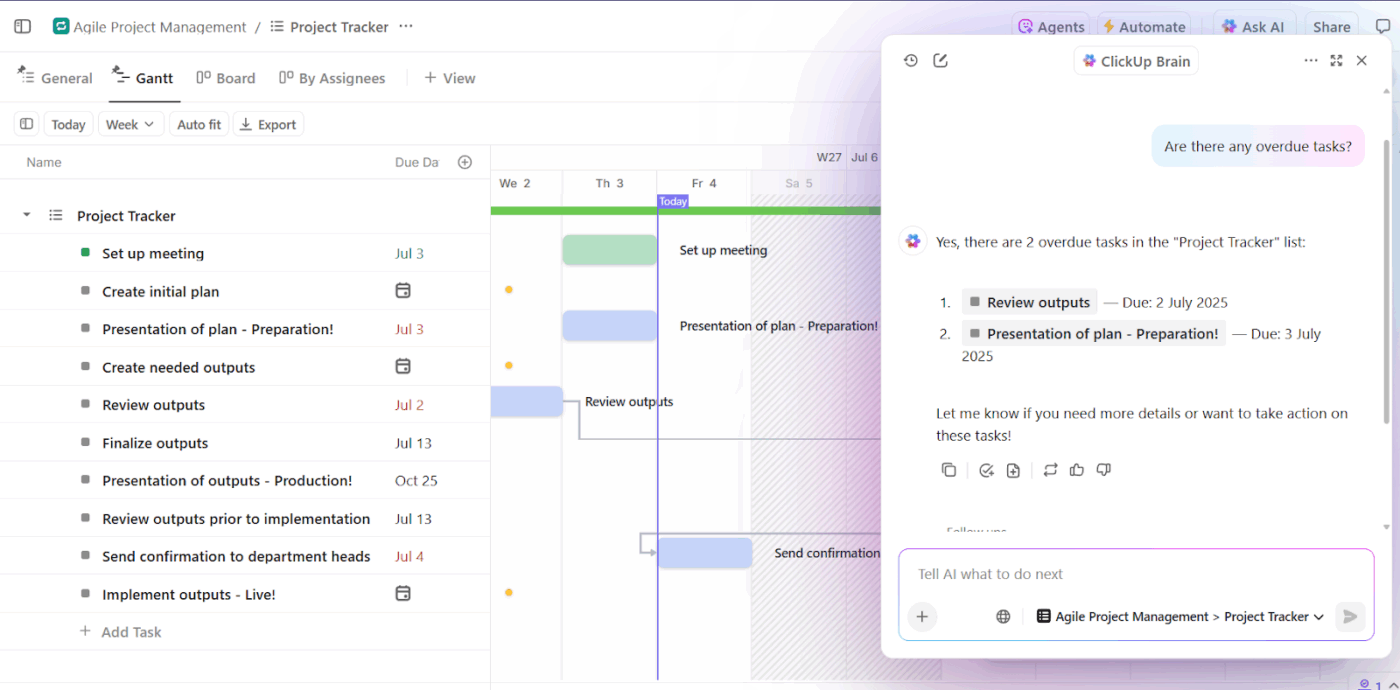
For instance, a project manager coordinating a new app release prompts ClickUp Brain to: ‘Plan the release tasks for the next two weeks, assign them to developers, QA, and marketing, and flag any delays automatically.’
AI instantly creates tasks for each team, assigns owners based on expertise, sets deadlines, and monitors progress. If a QA task falls behind, Brain updates priorities and sends alerts to the relevant team members.
📌 Try these prompts:
ClickUp Automations, powered by AI, let you describe a workflow in plain English to set up instantly.
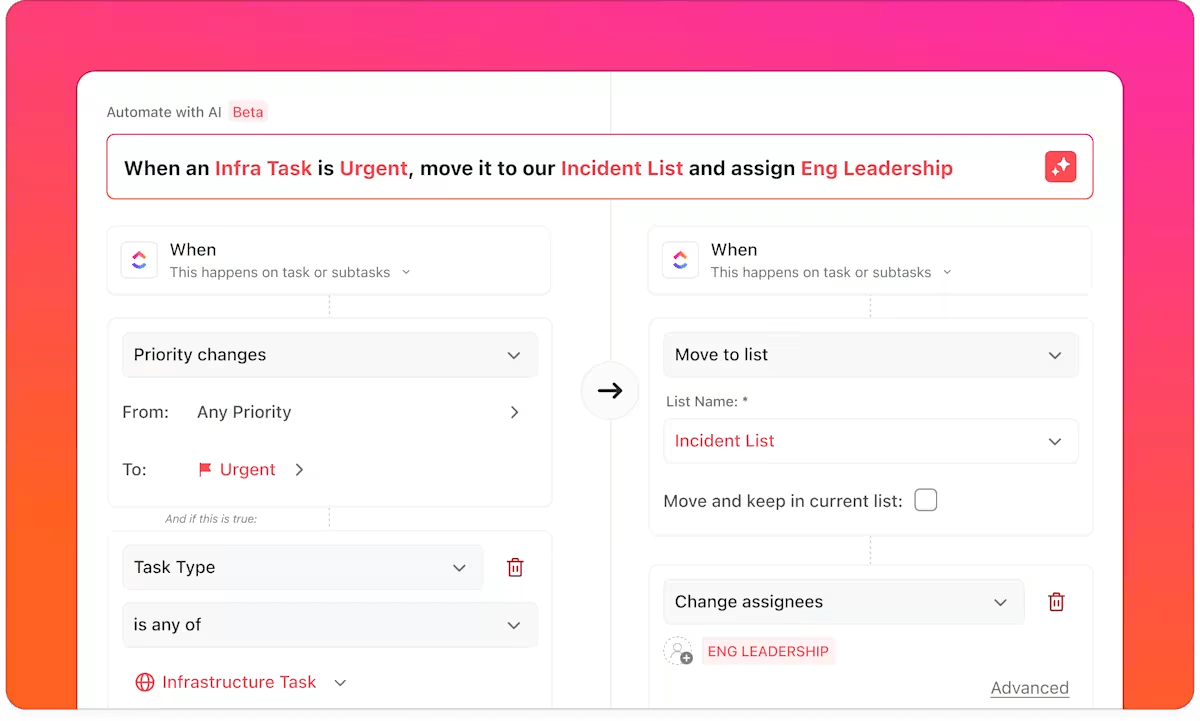
For instance, when a designer marks a task as ‘Done,’ an automation can move it into the ‘Review’ list. It also notifies the project manager and assigns it to QA.
ClickUp Calendar centralizes all tasks, events, and deadlines into one smart, dynamic view to actively manage your schedule.
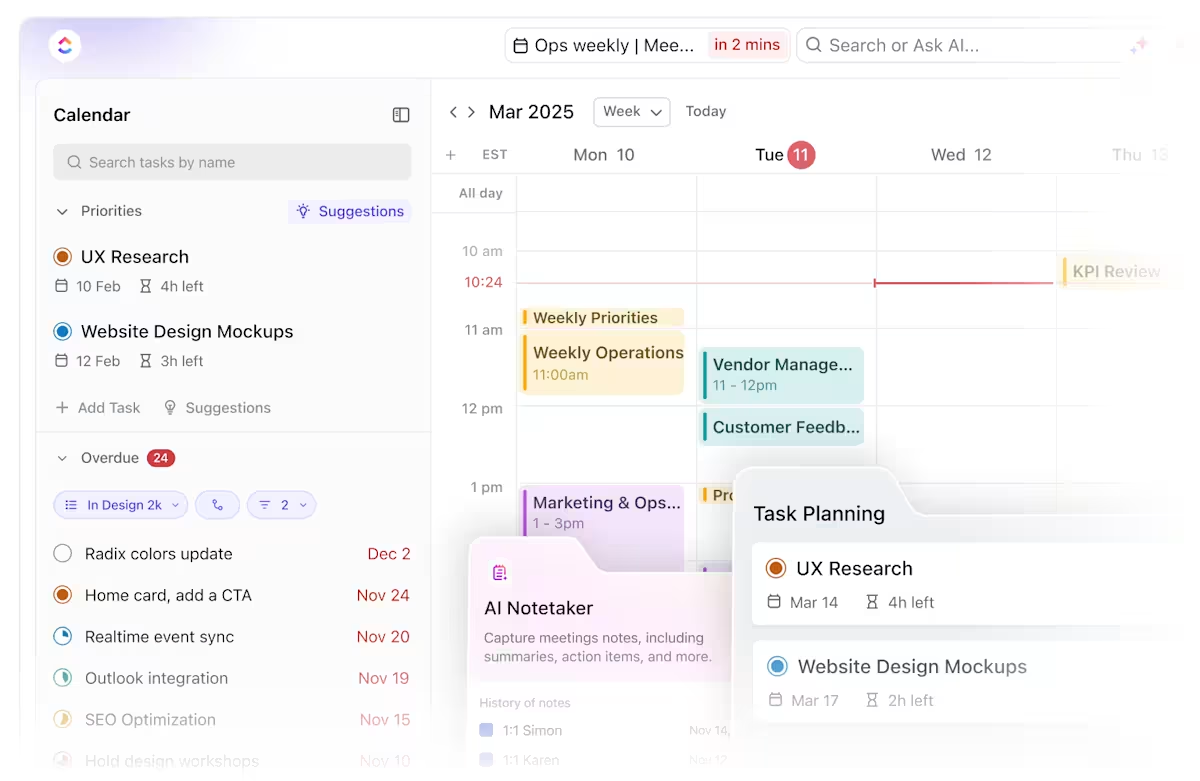
Unlike static calendars, ClickUp Calendar auto-blocks focus time, reprioritizes tasks when plans change, and syncs with Google Calendar or Outlook to avoid double-booking.
Paired with ClickUp Brain, it can even find meeting times, send invites, and generate searchable transcripts with assigned action items.
Here’s how to use it for optimized scheduling:
ClickUp’s comprehensive suite of features helps individuals and teams organize, visualize, and prioritize tasks efficiently.
It provides four clear priority flags, including Urgent, High, Normal, and Low. This way, everyone on the team instantly knows which tasks require immediate attention and which can be scheduled for later.
From a G2 review:
What I love most is the constant stream of new features and improvements. ClickUp is not just a project management tool, it’s a complete productivity platform. I use it daily as a ticketing system, for client communication, and to organize complex workflows. The AI features are a real highlight – they help me find content faster, prioritize tasks, and keep context across projects. The flexibility to customize everything, from views to automations, makes it fit perfectly to the way I work.
📮 ClickUp Insight: 50% of people structure their time by dedicating certain days to admin vs. focused work, but only 22% say they automate or delegate tasks.
Manual time management helps, but it doesn’t eliminate the repetitive tasks that still eat into deep work. ✔️
ClickUp’s Calendar, Time Blocking, and AI Agents work together to protect your time. Automatically schedule repetitive work, move tasks based on priority, and trigger reminders—so your week runs itself.
💫 Real Results: Lulu Press saves 1 hour per day, per employee using ClickUp Automations—leading to a 12% increase in work efficiency.
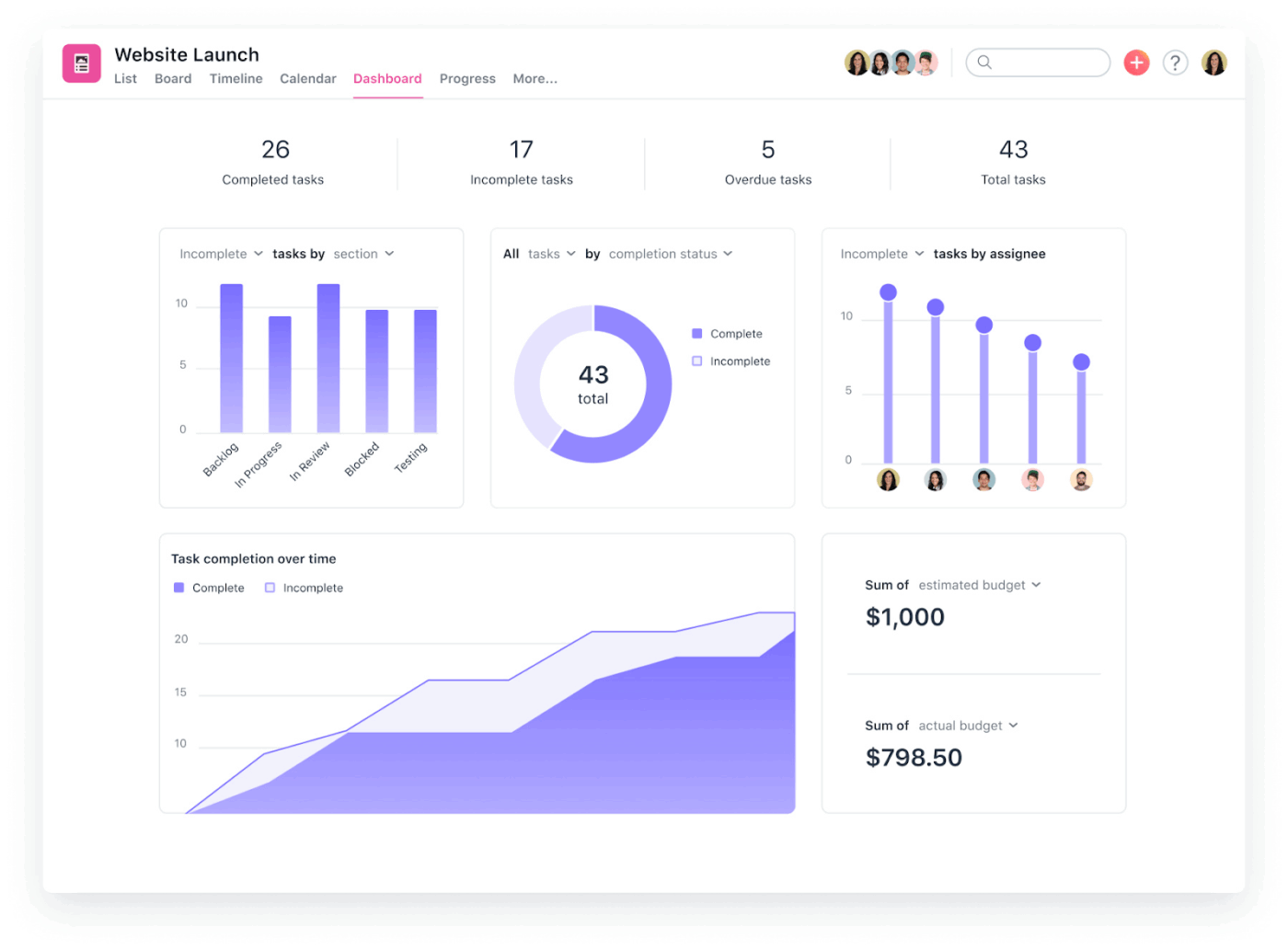
Asana is a task management software that lets you set up notifications through email, mobile push, or desktop alerts. Customize when and how often these fire, whether that’s a one-time deadline reminder or recurring pings for regular tasks.
You can inform specific team members, set reminders based on project phases, or trigger notifications when dependencies change. The system integrates with your existing workflow through visual project boards, timelines, and calendar views.
Its automation features streamline this further with custom rules that can assign tasks, update statuses, or send alerts. It connects with tools like Microsoft Teams and Google Calendar, so notifications can flow into your workspace without context switching.
Asana is reliable for managing multiple projects. It provides you with a workspace to organize and prioritize tasks by urgency, importance, and due dates. Additionally, its customizable priority matrices and automated reminders help you balance workloads and avoid missing deadlines.
A G2 review shares:
The most beneficial parts of Asana are its collaborative features, its use of AI, its free training services, its user interface, its support team, its simplicity, and its ease of use…The worst parts of Asana are its speed of implementing meaningful updates and features, its extremely limited automation features, and its impracticality when it comes to sharing work across companies.
🔍 Did You Know? Studies show that people are more likely to follow through on goals when they set time-based reminders (‘remind me at 7 a.m.’) rather than vague ones (‘remind me tomorrow’). The specificity tricks the brain into treating it like a deadline.
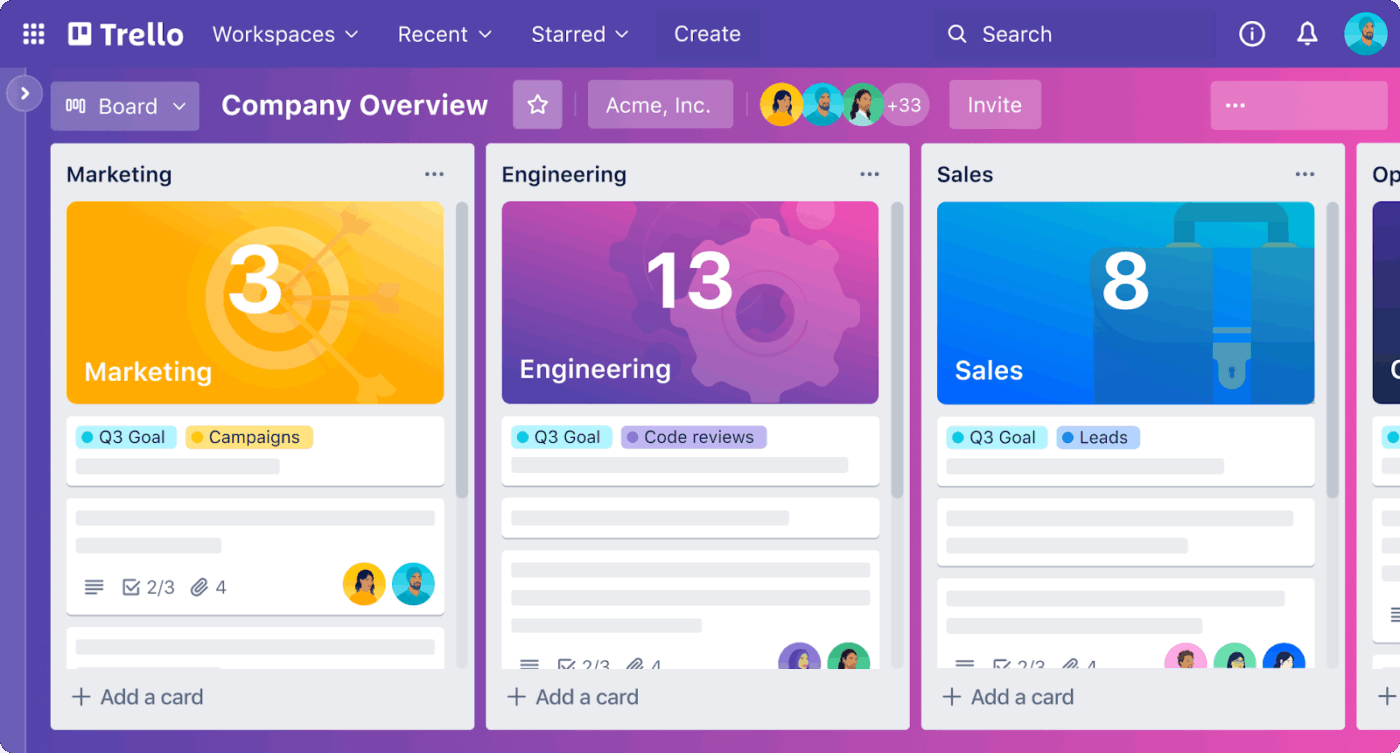
Trello is a free project management software built around visual Kanban boards to make task tracking straightforward. You can create cards for tasks, move them through customizable lists (To Do, In Progress, Done), and get a view of where everything stands.
The platform handles notifications through due date alerts, card assignments, and activity updates, so team members stay informed.
For teams that need more, Trello offers Calendar and Timeline views in paid plans. It also gives an extensive Power-Up library that integrates with tools like Slack, Google Drive, and various time-tracking apps.
Butler, Trello’s automation tool, can set up rule-based actions to reduce manual work. For instance, it can automatically move cards when certain conditions are met or send reminders based on project prioritization.
Trello provides a clear visual overview of tasks using customizable Kanban boards, allowing you to reorder and prioritize work based on urgency and importance.
Plus, Butler and integrations facilitate AI-powered project execution, helping teams stay focused on the most critical tasks.
Here’s what a Capterra user had to say:
Simplicity and flexibility. It’s easy to get started, and can support a number of different scenarios from project management to knowledge bases to calendars…The user account management can be a challenge. I often find client users forgetting how they signed-up and so being unable to log in or receive notifications.
🔍 Did You Know? The very first digital reminders appeared in the late 1980s with early personal digital assistants (PDAs) like the Psion Organizer and later the PalmPilot. People were amazed that a handheld device could remember appointments for them.
While these tools didn’t make it to the top three reminder apps, you can use them to improve project management:
💡 Pro Tip: Why do the mundane day-to-day stuff yourself when you can program an AI Autopilot Agent in ClickUp to do it for you?
Switch on a Prebuilt Autopilot Agent, such as the Weekly Report Agent or the Team Standup Agent, or build your own Custom Autopilot Agents with our no-code builder.
This video will show you how to get started!
When everything feels urgent, it’s tough to know what deserves your attention first. Here are some best practices to get you there.
🧠 Fun Fact: Digital reminders have even been tested in medicine. In clinical trials, patients who received daily SMS reminders to take their medication were up to twice as likely to adhere to their treatment plans.
At the end of the day, reminders and alerts are about staying in control of your workflow without feeling overwhelmed. While Asana and Trello bring solid features to the table, ClickUp goes a step further.
ClickUp gives you AI-powered reminders, automations, and customizable alerts that adapt to the way you work. Sync alerts across desktop, mobile, and browser so nothing gets missed. Plus, it pings you while also adjusting priorities, auto-assigning tasks, and keeping everyone on the same page.
With project tasks, documentation, reports, and team communication all managed in a single AI-powered platform, ClickUp cuts Work Sprawl to become the one and only Converged AI Workspace you need!
Sign up to ClickUp for free today! ✅

© 2026 ClickUp

There’s an easier way. Try a free AI Agent in ClickUp that actually does the work for you—set up in minutes, save hours every week.