






Still downloading templates?
There’s an easier way. Try a free AI Agent in ClickUp that actually does the work for you—set up in minutes, save hours every week.
Sorry, there were no results found for “”
Sorry, there were no results found for “”
Sorry, there were no results found for “”
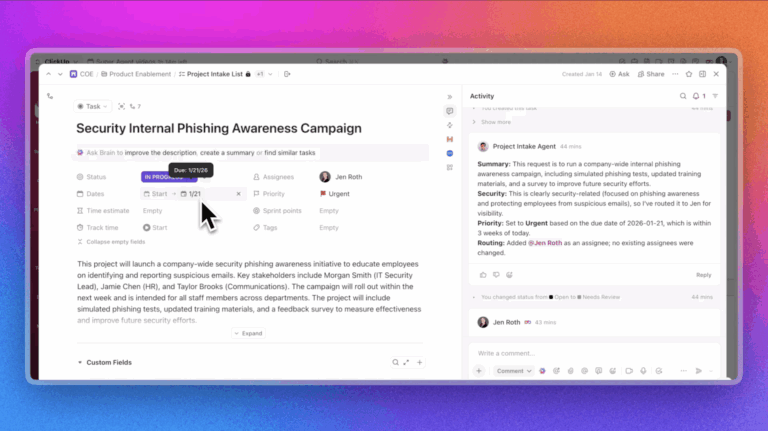
When software is built for technical users rather than everyday teams, even simple task assignments can start to feel complicated.
Many project management tools assume a higher level of technical knowledge from users, leaving non-technical professionals overwhelmed by unnecessary complexity.
The best project management tools for non-technical users change that experience. They prioritize clarity over configuration and reduce friction at every step.
In this blog post, let’s discuss the project management tools that make it easy for non-technical users to meet deadlines and stay productive.
👀 Did You Know? What began as informal conversations between Jim Snyder and a small group of peers gradually evolved into a bigger idea: creating a space where project managers could connect, exchange practical insights, and work through shared challenges together.
That idea took shape after a dinner discussion in Philadelphia and became reality at a formal meeting held on October 3, 1969, at the Georgia Institute of Technology, marking the founding of the Project Management Institute.
To summarize the landscape, the table below provides a quick at-a-glance view of the best project management tools designed for non-technical users.
| Tool name | Key features | Best for | Pricing* |
| ClickUp | All-in-one project management with tasks, Docs, chat, dashboards, automations, AI summaries, enterprise search, and AI agents to reduce manual coordination | Managing all work in one place with minimal friction, especially for non-technical users who want clarity without juggling multiple tools | Free forever; Customizations available for enterprises |
| Asana | Goal tracking, task dependencies, portfolios, workload management, and AI-powered project summaries | Structured project planning and goal-driven execution that stays approachable as work scales | Free plan available; Paid plans start at $13.49 per user per month |
| Monday.com | Visual boards, Gantt charts, dashboards, templates, time tracking, and no-code automations | Visual project tracking for teams that want to see status, ownership, and progress at a glance | Free plan available (up to 2 seats); Paid plans start at $12 per seat per month |
| Trello | Card-based Kanban boards, checklists, Power-Ups, email-to-task capture, and simple automations | Lightweight project tracking and personal or small-team task organization | Free plan available; Paid plans start at $6 per user per month |
| Notion | Database-driven projects, flexible views, linked docs, AI agents, meeting notes, and enterprise search | Custom project organization for teams that want flexibility over rigid workflows | Free plan available; Paid plans start at $12 per member per month |
| Basecamp | Simple project dashboards, built-in messaging, to-dos, schedules, Hill Charts, and optional time tracking add-on | Teams that want straightforward project visibility and communication without complex workflows or reporting | Free plan available; Paid plans start at $15 per user per month |
| Smartsheet | Spreadsheet-style project management, formulas, forms, dashboards, workflow automation, and AI-powered insights | Teams comfortable with spreadsheets who want structured project tracking without learning a new interface | Paid plans start at $12 per member per month |
| Airtable | Structured databases with flexible views, linked records, no-code automations, AI summaries, and app-like interfaces | Teams that want customizable workflows and structured data without technical or database expertise | Free plan available; Paid plans start at $20 per seat per month |
| Teamwork | Client-facing projects, task-based time tracking, workload views, milestones, and billing-friendly reporting | Service-based teams that need team collaboration and time tracking tied directly to project work | Free plan available; Paid plans start at $13.99 per user per month |
| Wrike | Visual workload charts, in-task collaboration, document approvals, whiteboards, and AI-assisted summaries | Teams that need creative collaboration without heavy technical setup | Free plan available; Paid plans start at $10 per user per month |
Our editorial team follows a transparent, research-backed, and vendor-neutral process, so you can trust that our recommendations are based on real product value.
Here’s a detailed rundown of how we review software at ClickUp.
Here are some capabilities to prioritize in the best project management software for non-technical users:
Let’s now review each project management system in detail, covering its best features, limitations, pricing, and user reviews.
Feeling overwhelmed by project management tools that force you to learn unfamiliar terminology and rigid workflows just to complete basic tasks is common. Instead of simplifying work, they add friction and slow down progress.
ClickUp addresses this by acting as a converged AI workspace that brings tasks, documents, chat, goals, and AI into one connected system. You do not have to stitch together multiple tools or understand complex frameworks to manage projects.
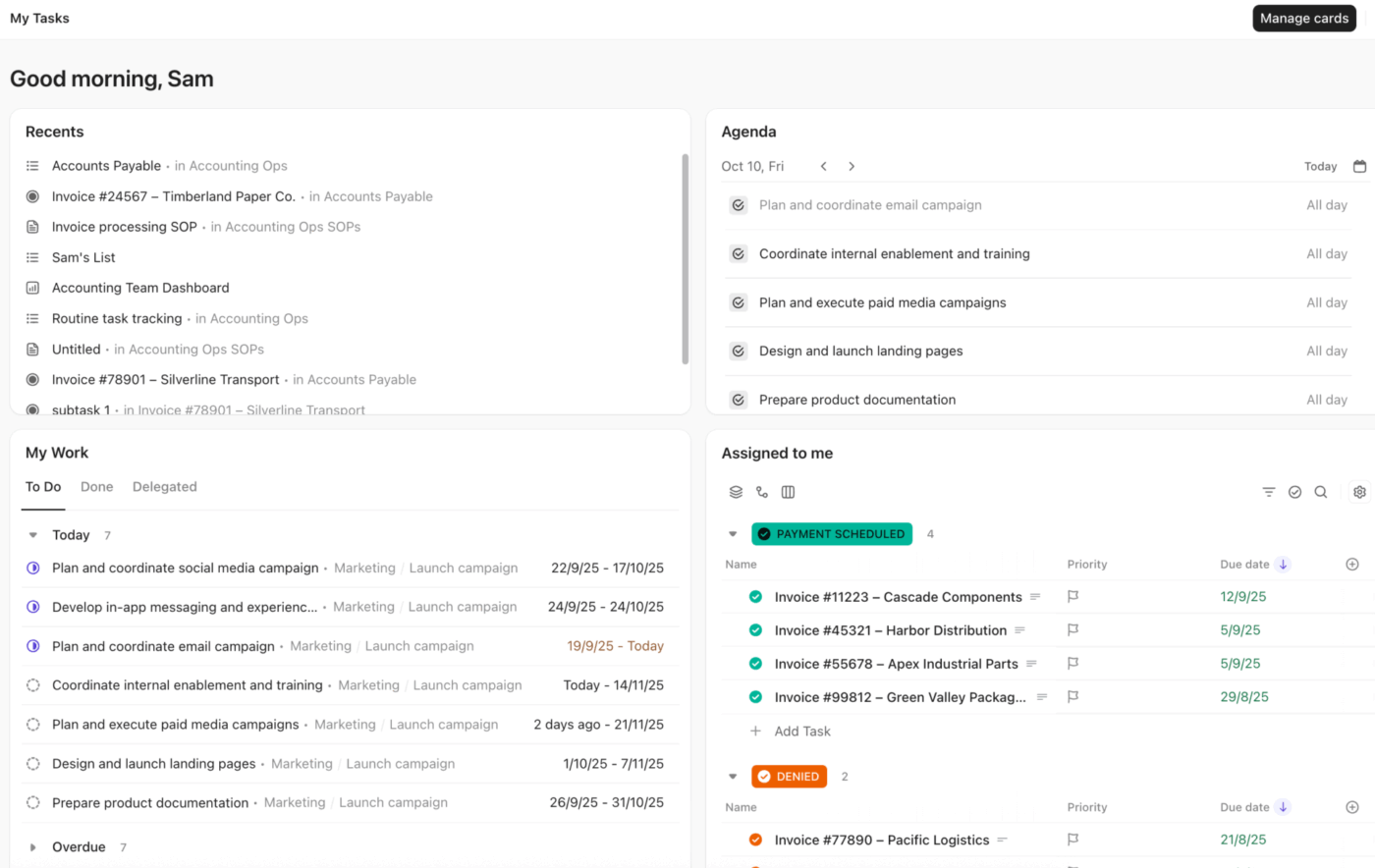
Let’s see how ClickUp Project Management Software removes complexity and makes everyday work easier to manage for non-technical users. Here’s a quick overview.👇🏼
Work often starts as scattered ideas across chats and meeting notes, and turning that into a structured plan can feel difficult. ClickUp Tasks let you capture each idea the moment it surfaces, add subtasks, assign owners, set due dates, attach relevant documents, and apply tags under a single project for clear execution.
Project information often gets lost across files and shared folders, making it hard to know what is current or what to act on next. ClickUp Docs keeps project knowledge directly connected to your tasks, so documents like SOWs, project plans, and requirements are easy to find and easy to use.
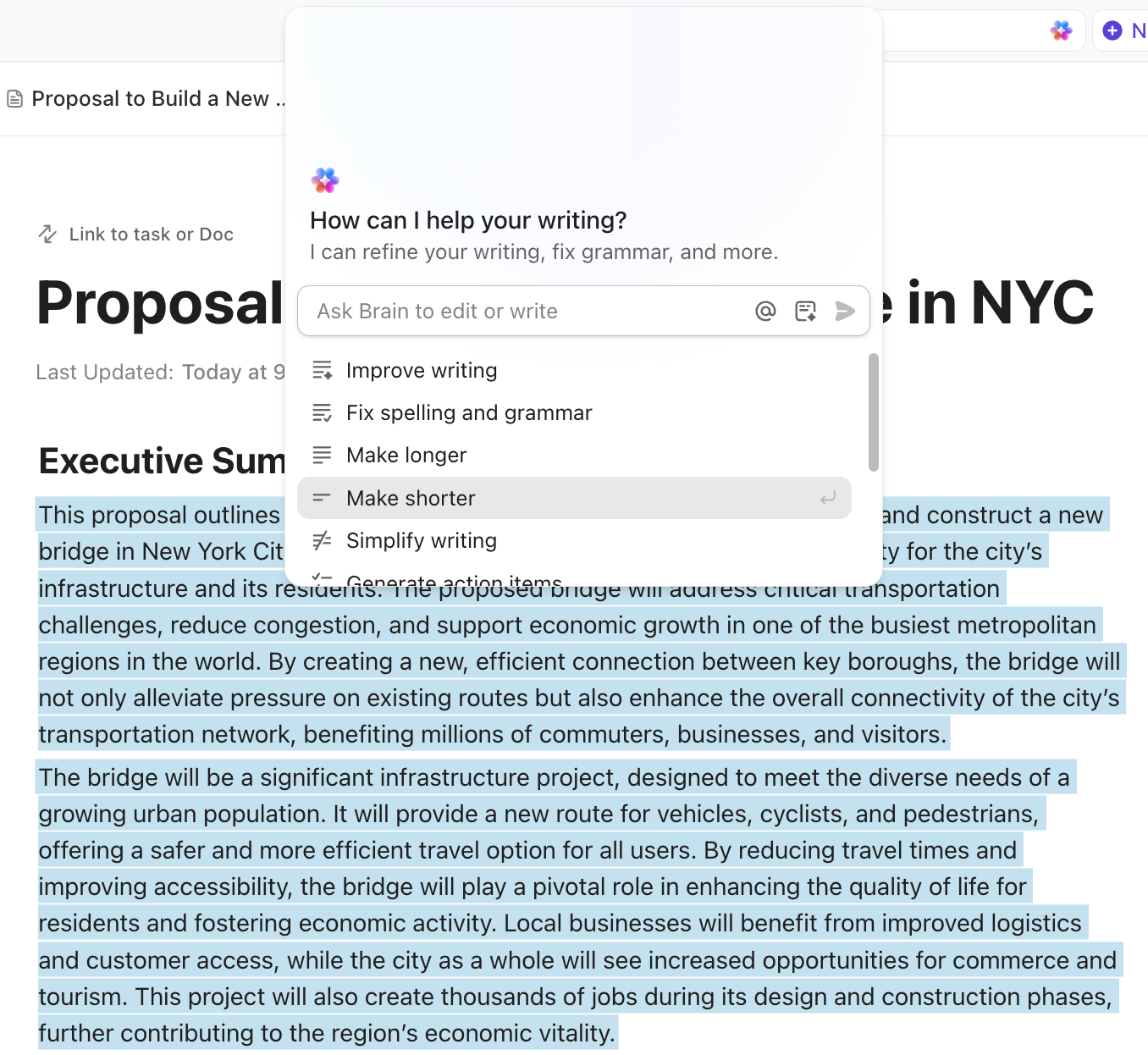
You can build Docs for any type of work with nested pages, templates, bookmarks, and formatting elements for effective knowledge management. And then your team can edit together in real time, leave comments, tag teammates, and turn text into tasks when ideas need action.
Next, ClickUp Brain acts as an intelligent layer across your workspace, bringing context together so you can get answers without digging through complex projects or switching tools.
Rather than generic AI that only writes text from prompts, ClickUp Brain understands your workspace data and delivers actionable insights and recommendations directly where you work.
This AI in project management helps you by:
Because Brain understands your actual work, it simplifies the process of staying informed and helps non-technical users stay focused without relying on complex reports.
💟 Bonus: ClickUp Brain MAX builds on ClickUp Brain by ending AI sprawl and bringing contextual AI into your everyday work tools. It unifies search, automation, and creation so work does not break when information lives outside a single app.
You can search across ClickUp, connected tools, and the web, and automate actions without switching tools or learning how different AI systems work. Also, switch between different AI models such as GPT, Claude, and Gemini based on what you need to get specific results.
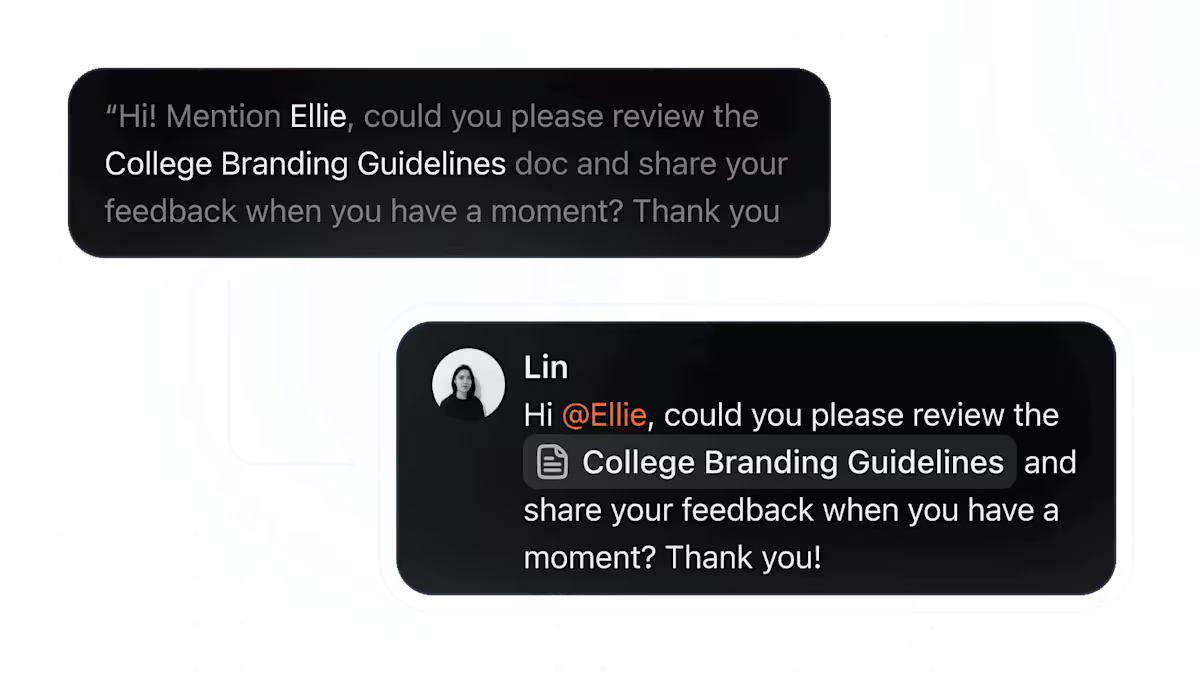
With Talk to Text, you can speak ideas, draft messages, or summarize endless meetings using AI-polished dictation, making it easier to work quickly without typing or complex prompts.
ClickUp Enterprise Search extends AI search capabilities across your entire workspace, so answers are not limited to a single project, Doc, or tool.
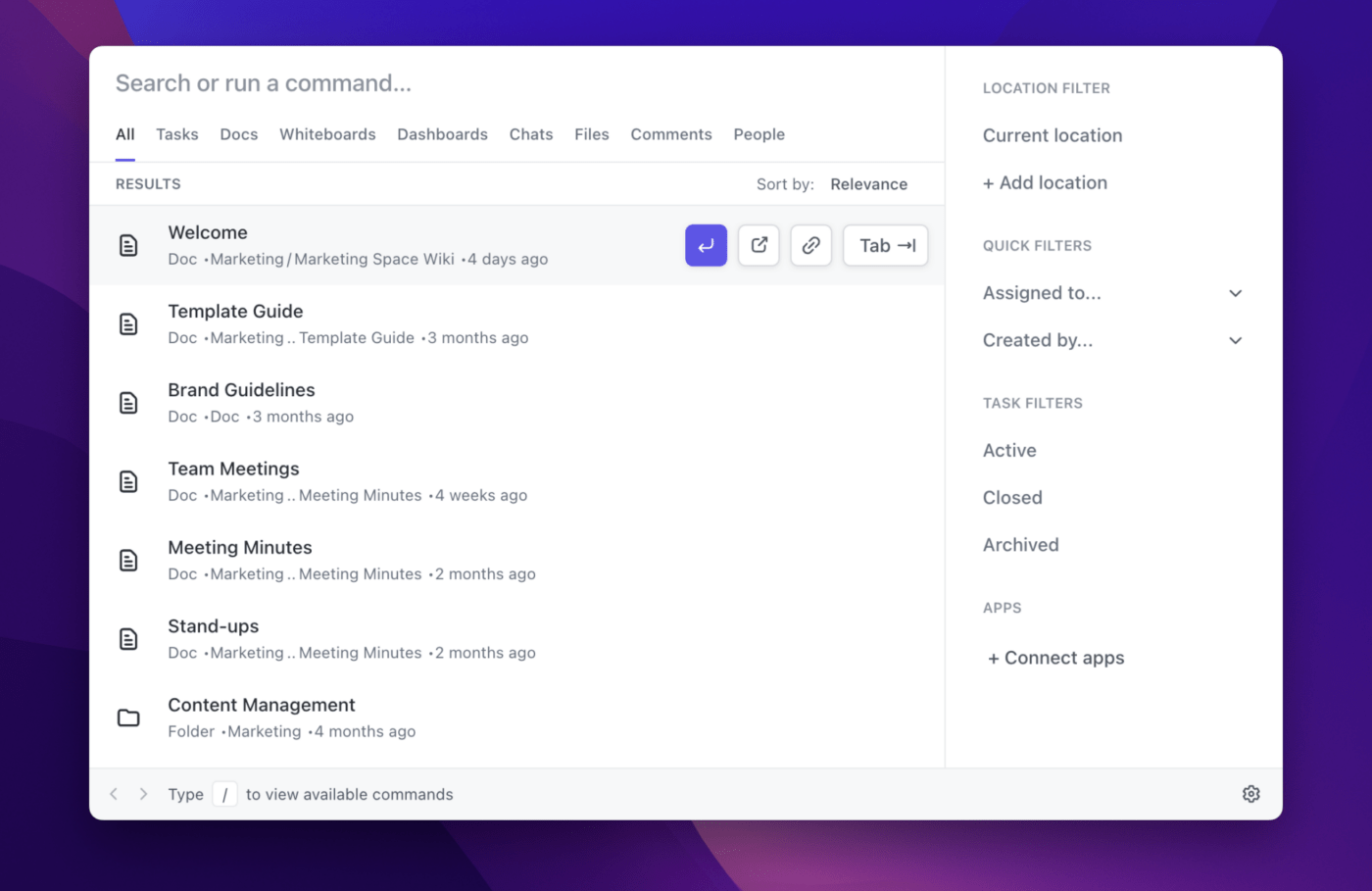
Enterprise Search lets you search across tasks, Docs, comments, and connected apps like Google Drive, Notion, Slack, and Gmail from one place. You can type a simple keyword or question and immediately surface the right file, update, or conversation without remembering where it was stored or switching between apps.
Once work is organized, friction often comes from repetitive follow-ups and manual updates. ClickUp Automations removes this busywork by handling repetitive tasks in the background.
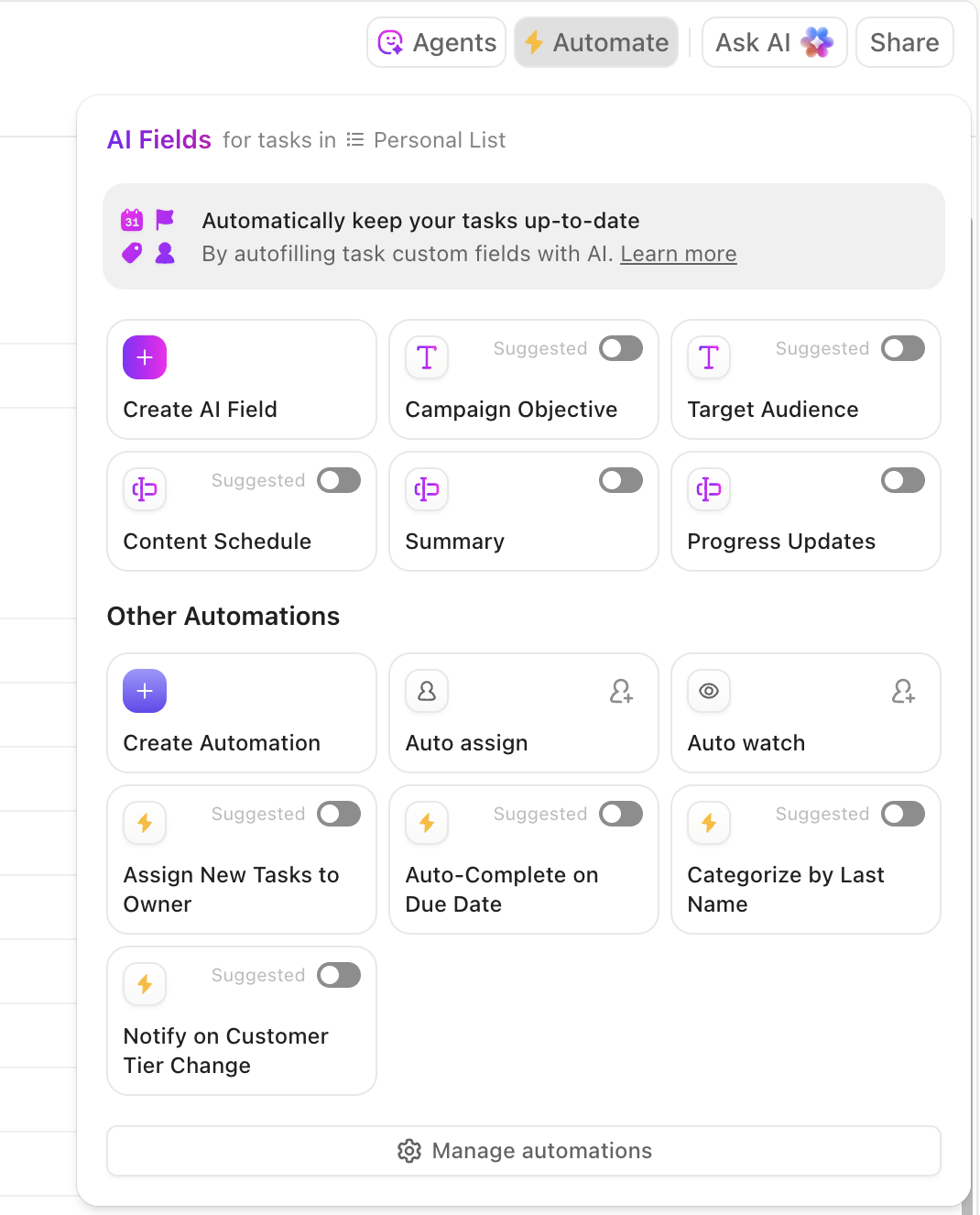
It lets you automatically assign tasks, update statuses, move work between stages, or notify the right people when something changes. These rules are set up using simple conditions (not technical logic), which means everyday project workflows stay consistent without relying on reminders or manual intervention.
ClickUp Super Agents take this a step further by acting on context, not just rules. Agents can monitor work, identify risks, summarize changes, or suggest next steps based on what is happening across your workspace.
For example, a Super Agent can watch a project timeline, notice when tasks are falling behind, flag potential risks, and automatically prompt the right person to take action.
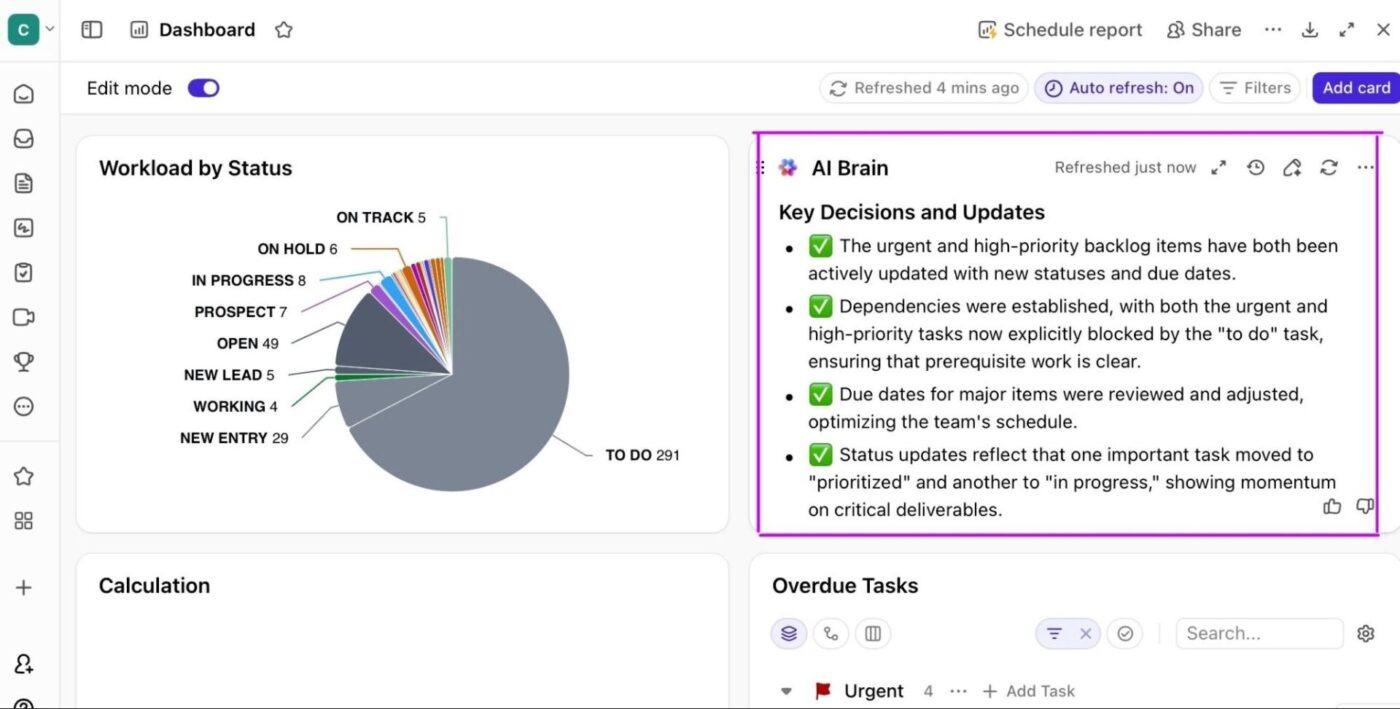
Finally, ClickUp Dashboards give you a clear, real-time view of how projects are performing without needing to interpret complex reports or spreadsheets. It pulls live data directly from the tasks your team updates every day, so progress, workload, approvals, and timelines sit alongside the metrics you care about.
According to a G2 user:
For anyone juggling a lot like work, school, family, and personal goals, ClickUp isn’t just an app. It becomes your second brain. It helped me build structure during one of the busiest and most overwhelming seasons of my life, and I genuinely don’t know how I would have stayed on track without it. If you’re on the fence, just start. The free plan alone is more powerful than most paid tools out there.
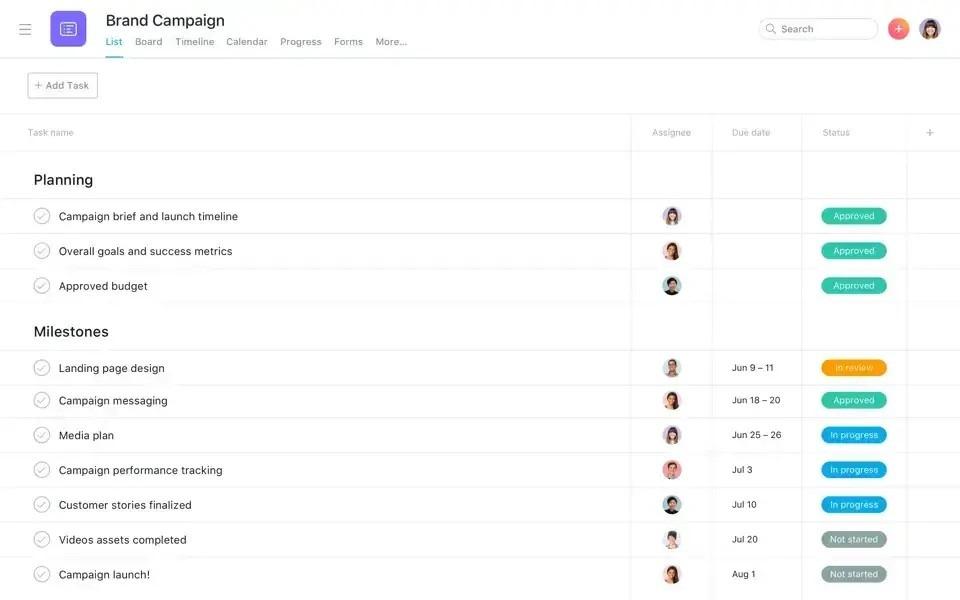
Traditional project management tools tend to either oversimplify work or become complex as projects grow. But Asana provides structure that scales while staying approachable for non-technical users.
You can start with Asana’s goal management capabilities to define clear project objectives with measurable targets and timelines. Then track progress manually or automatically and share goals with the right people to keep internal teams aligned.
This task management app also supports capacity planning across work. You can see where people are staffed and share high-level resourcing plans to help your team assign and balance work more accurately.
Further, built-in AI helps you stay informed without having to dig through reports. Which means you can generate concise progress summaries and get suggested logical next steps directly from project data.
A Capterra review says:
It is easy to use and helps smaller teams keep track of their work. Asana task boards and lists keep everything in order and make it easier to meet targets. I like how simple it is for people who are new to managing projects.
👀 Did You Know? 42% of respondents spend one or more full days manually collating project reports. Meanwhile, 72% believe the scope and responsibilities of their PMO will continue to expand, according to The State of Project Management Report 2025 by Wellingtone
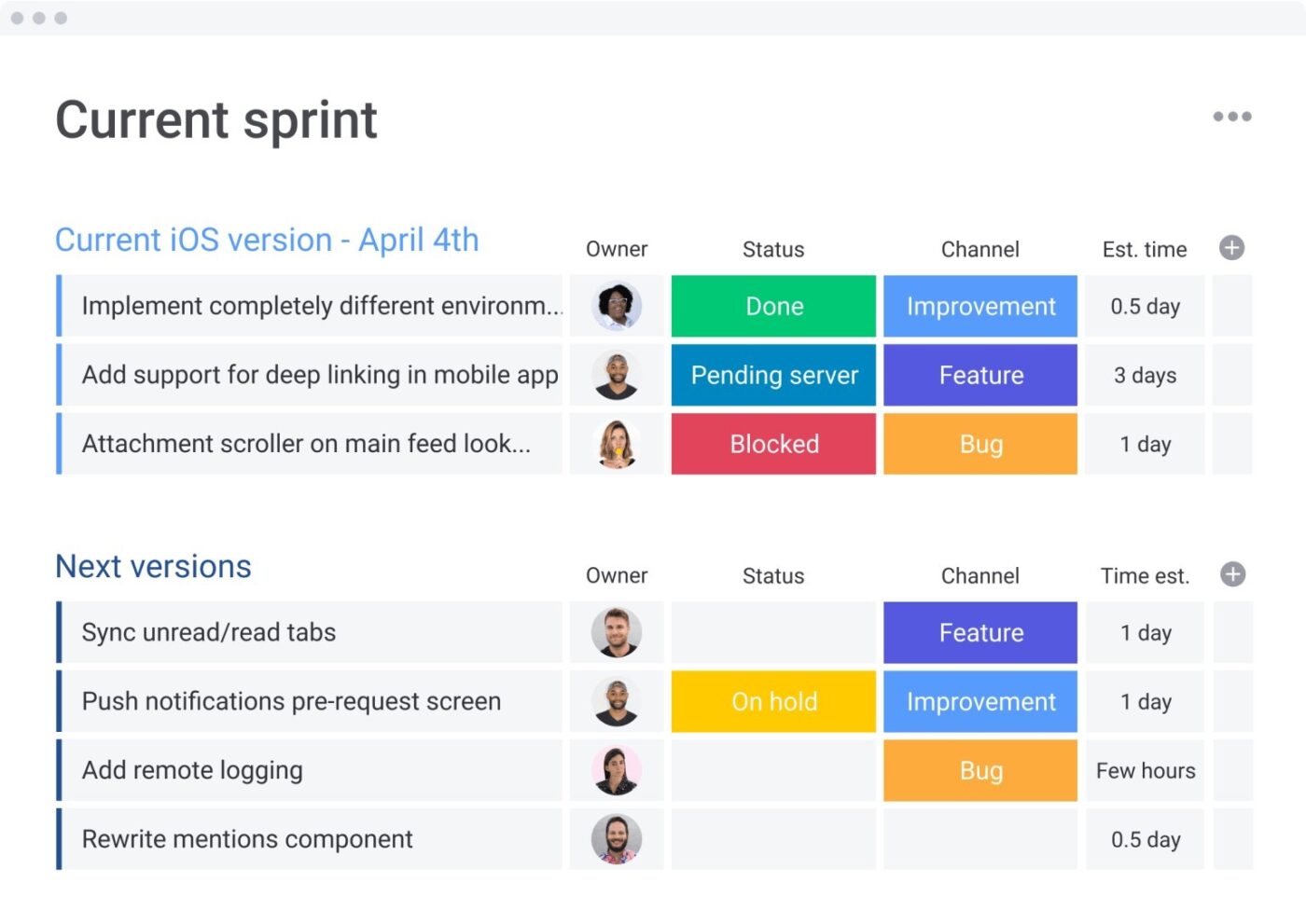
monday.com is built around visual, spreadsheet-like boards that make it easy for you to see work status at a glance. Color-coded columns clearly show ownership, statuses, progress, and deadlines, so you do not need technical knowledge to understand where attention is needed.
For planning and scheduling, the tool helps you define a clear baseline and compare planned timelines with actual progress. With features like Gantt charts and critical path overlays, you spot dependencies and adjust schedules early to keep projects on track.
The platform also offers automation capabilities and ready-to-use templates to keep work moving smoothly. You can automate updates and assignments using pre-built options, while ready-made templates help you launch multiple projects quickly.
Here’s a G2 review:
I’m truly pleased with monday.com and the value and clarity of its management system. The interface is clean, intuitive, and easy to set up, allowing us to create highly impactful well-organized boards and simple workflows with barely a learning curve; making it simple for new users to get started immediately, as I add them.
📮 ClickUp Insight: 1 in 5 professionals spends 3+ hours daily just looking for files, messages, or additional context on their tasks. That’s nearly 40% of a full workweek wasted on something that should only take seconds!
ClickUp’s AI-powered Enterprise Search and ClickUp Brain unify all your work—across tasks, docs, emails, and chats—so you can find exactly what you need when you need it without jumping between tools.
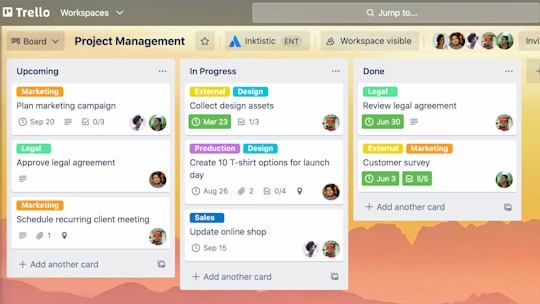
Trello, by Atlassian, is a simple, card-based task management tool built on the Kanban method. Each card holds everything related to a piece of work, including descriptions, checklists, due dates, and attachments in one place.
When work spans multiple projects, card mirroring helps you stay organized. It allows the same card to appear on multiple boards, letting you track related work across contexts without duplicating tasks or losing visibility.
Power-Ups extend what a Trello board can do by adding features like calendars, custom fields, reporting, or integrations only when you need them. Butler complements this with simple, rule-based automation that reduces repetitive actions and keeps work moving with minimal manual effort.
A Reddit review says:
I find Trello useful for having a way to view the big picture across projects, tasks, etc that I am working on. I think the strength of Trello is that it is very simple (boards, lists, cards) and easy to use so it can be applied to just about anything where you need to organize information.
📕 Also Read: Learn how modern teams approach project management with ClickUp’s in-depth articles and practical guidance.
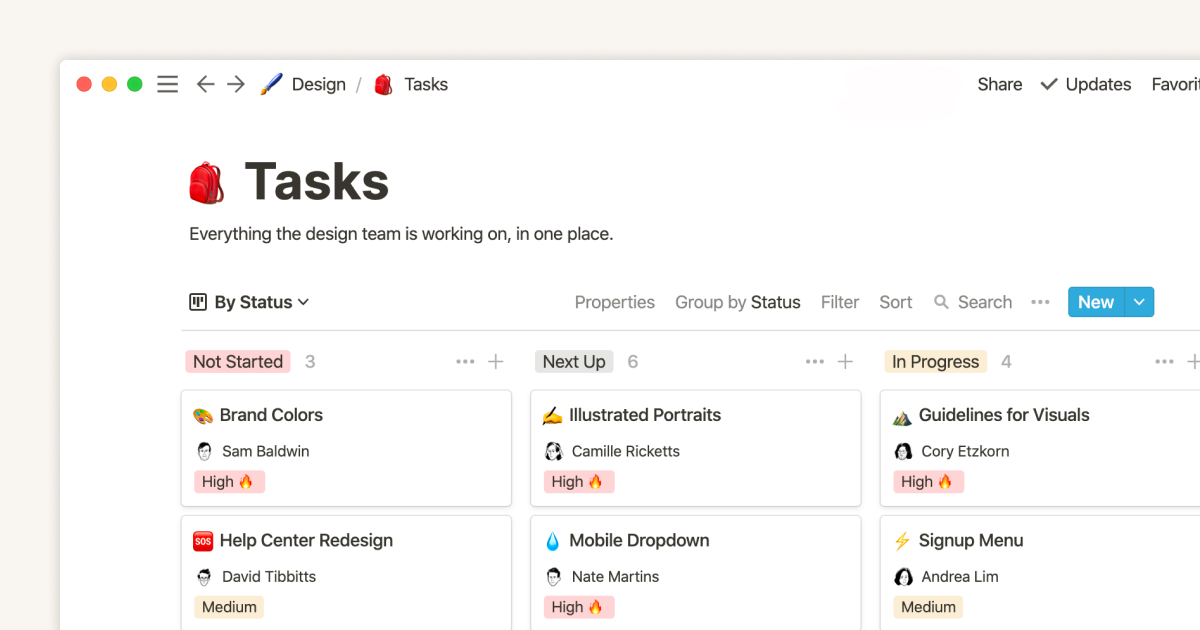
Notion organizes projects as structured databases, which means you are not limited to basic task lists. You can capture details such as tasks, owners, statuses, due dates, tags, and supporting details in one place, while linking related data to avoid silos.
Run daily work through simple checklists and then switch to a timeline when you need to understand how projects line up. This makes it easier to spot dependencies and adjust deadlines without duplicating plans or rebuilding views.
The platform also provides AI agents to handle repetitive project maintenance. Once configured, they can answer common questions or handle routine follow-ups, allowing work to continue without constant manual input.
Enterprise Search gives you a single place to look for answers. It searches across Notion and connected tools, returning results from approved sources with context and citations, helping you find reliable information without switching apps.
According to a Capterra reviewer:
The interface is clean, modern, and intuitive. Even users who are not tech-savvy can quickly understand how to create pages and organize information. Drag-and-drop blocks, templates, and shortcuts make work faster and more structured.
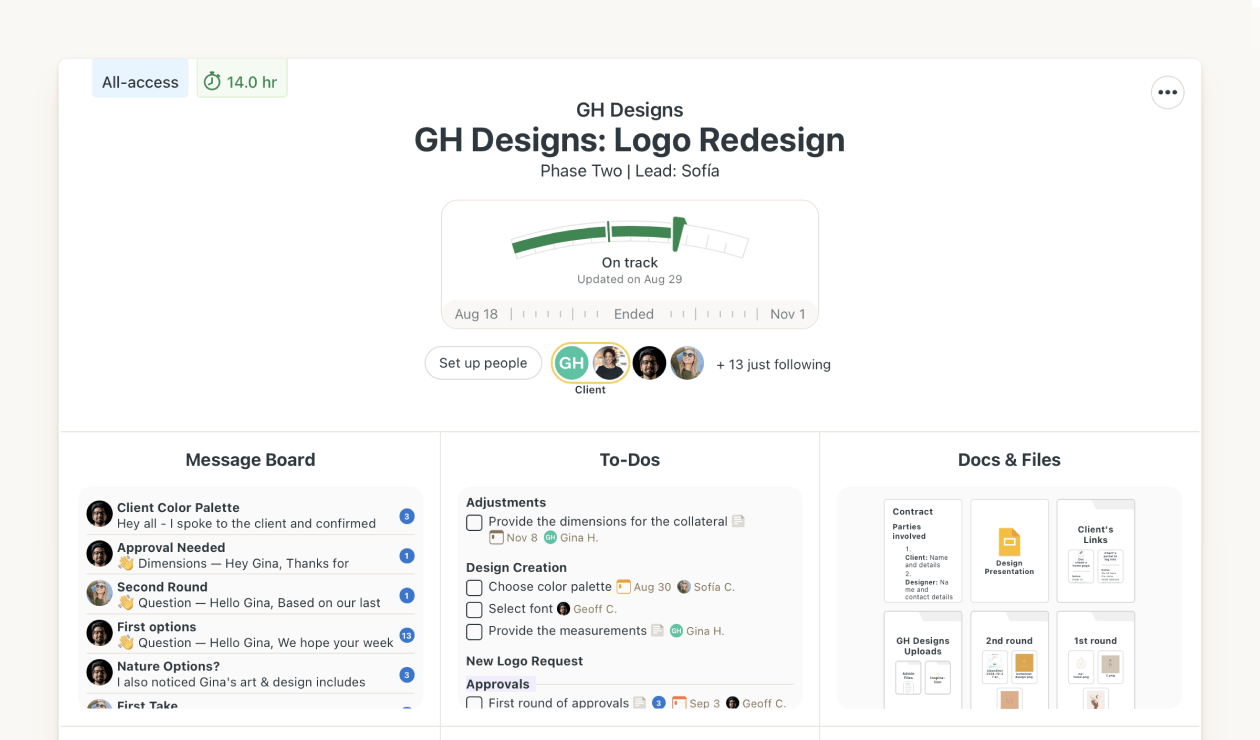
For mid-sized teams that want work to feel simple and manageable, Basecamp is a good choice. When you open the app, the home screen shows your projects, schedule, assignments, and upcoming events in one clear view.
If you need to track time for billing or understand how effort is distributed, the tool offers Timesheet as an add-on. It lets you record time spent on to-dos and documents to improve time management.
You also do not need complex reports to know where things stand. Lineup, Mission Control, and Hill Charts give you a clear sense of progress without overwhelming you with data. The Hey menu gathers what needs your attention, and Pings offer a clean space for quick back-and-forth when something needs to be addressed.
A G2 user shares their experience:
The simplicity of basecamp becomes my major advantage. Its project dashboards offer clear visibility into priorities, blockers and ownership which minimizes the kind of noise that often slows decision making. I like how each project has built in tools like message board, to-dos, docs and files so i dont have to chase for updates across multiple other platforms.
🚀 ClickUp Advantage: With over 1,000 free, prebuilt templates, ClickUp removes the hardest part of project management: getting started. You don’t need to design workflows or configure complex systems from scratch. Simply add a ClickUp template to your workspace and begin working immediately.
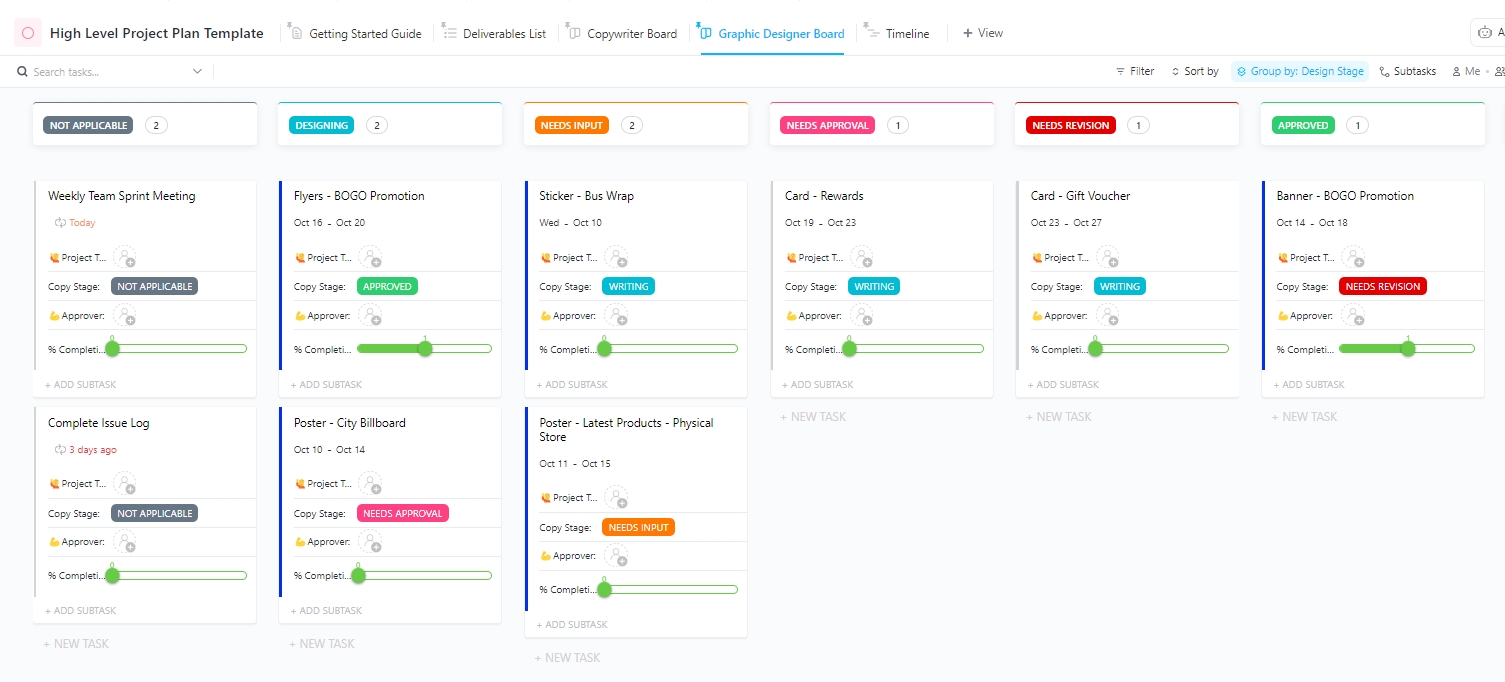
For instance, the ClickUp High-Level Project Management Plan Template helps you define long-term goals, track KPIs, and monitor final deliverables from a clear, bird’s-eye view.
Everything works together to give you a comprehensive, at-a-glance pulse check of project health. You can track time, add tags, manage dependencies, and even connect emails without needing advanced setup or technical expertise.
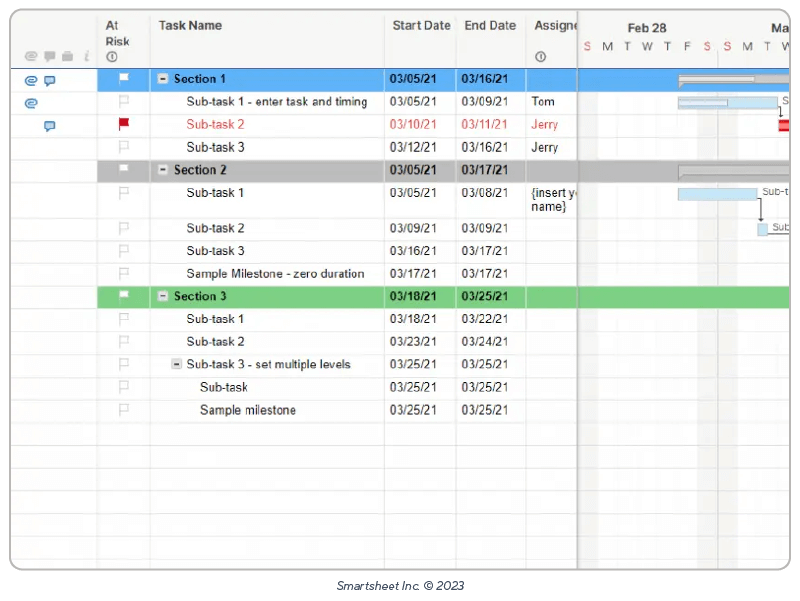
Smartsheet is a cloud-based project management platform that combines the familiarity of spreadsheets with structured work management. You get a central place to plan and manage work without having to learn a completely new interface.
The platform gives you powerful formulas to automate calculations and link data across projects, with updates reflected in real time. It also makes data collection easy through branded, customizable forms that help you capture consistent information for requests or feedback.
Smartsheet AI adds intelligence across your work by surfacing insights and helping you make sense of complex data without advanced skills. This reduces manual effort and supports better decision-making as your projects grow.
A Capterra review says:
It has a user-friendly interface that combines the familiar look of spreadsheets with powerful project management features. Additionally, its robust collaboration tools, such as real-time updates, commenting, and file sharing, make it easy for teams to work together efficiently.
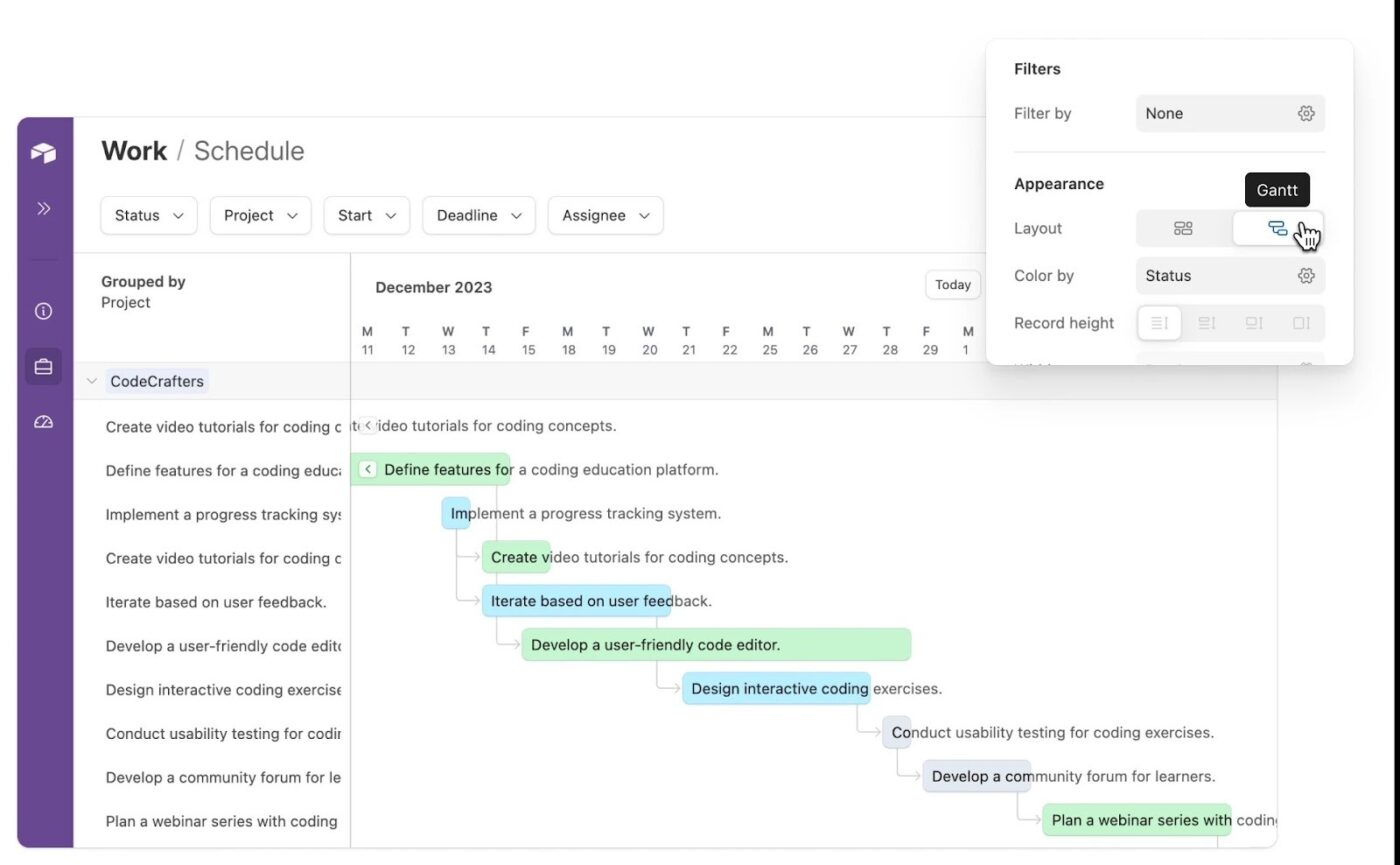
Work in Airtable is built around structured fields such as dropdowns, attachments, dates, and linked records. You can connect tables so projects and assets remain related, helping you manage custom workflows without relying on code or separate files.
How you view and use that data is flexible. Switch between grid, kanban, calendar, and timeline views so creative teams can work from the same data in formats that suit them. The platform’s built-in AI and no-code automations then run workflows automatically, turning project data into clear summaries and structured insights.
Here’s a Reddit review:
I love the fact that I can add almost any feature I want the moment after I realize I want it. It’s perfect for someone who wants a fully custom, tailored solution and finds enjoyment in executing it themselves.
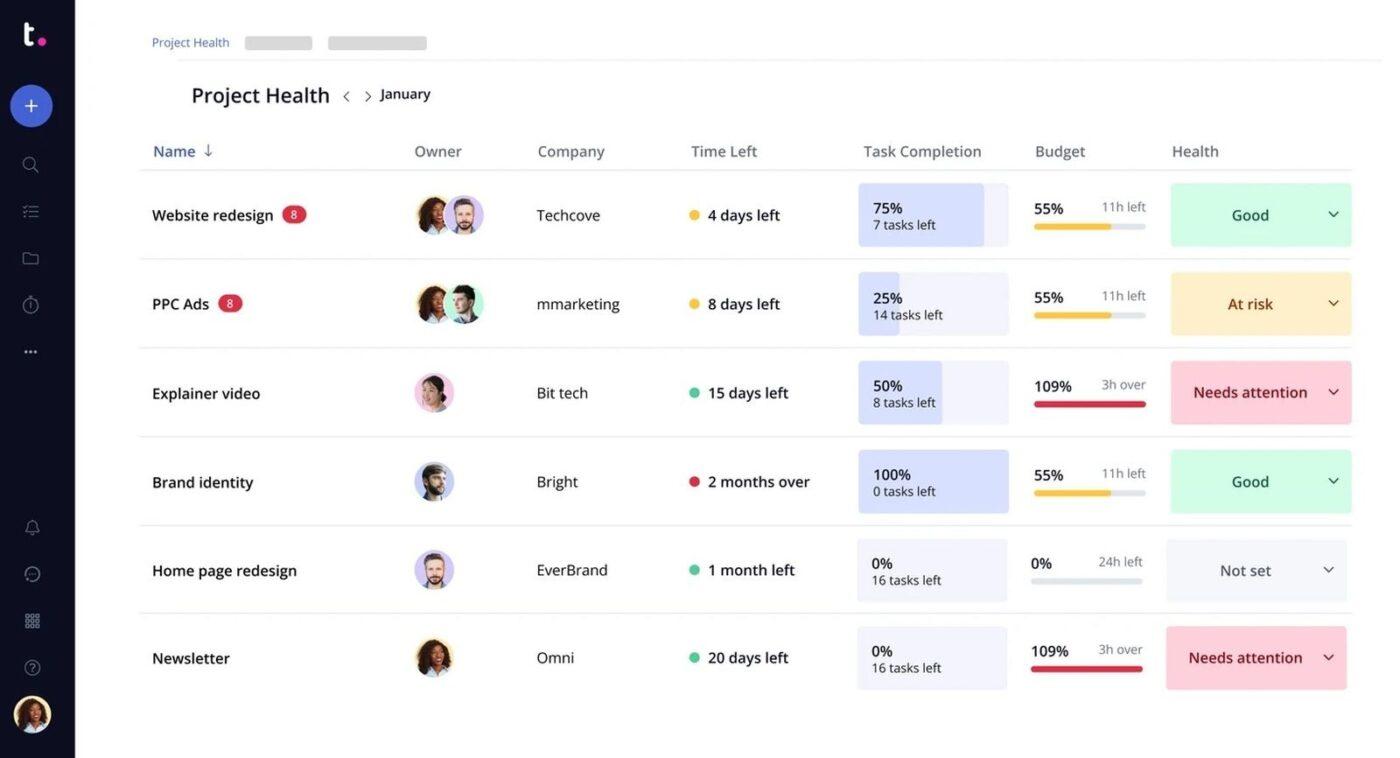
Having a simple way to check progress and time usage is often difficult for non-technical users, as they must rely on multiple tools and learn different workflows to stay informed.
Teamwork addresses this by keeping collaboration and time tracking directly tied to day-to-day work. You can give clients access to specific projects so they can view status updates and completed deliverables in one place.
At the same time, your team logs time directly on tasks, keeping time data accurate and tied to real work rather than separate tools or manual reports.
It also makes workload and project health easier to understand without introducing complex planning concepts. Quickly see team availability to spot overload and compare estimated versus actual time to check whether projects are staying within scope.
Here’s what a G2 user says about the tool:
I love how Teamwork.com helps in reviewing all of the tasks, tracking them down one by one, and assigning them to specific developers or team members. I also like that it’s totally easy to set up. You just log in and start working right away. Plus, its integration with Slack is really beneficial for us, making collaboration smoother.
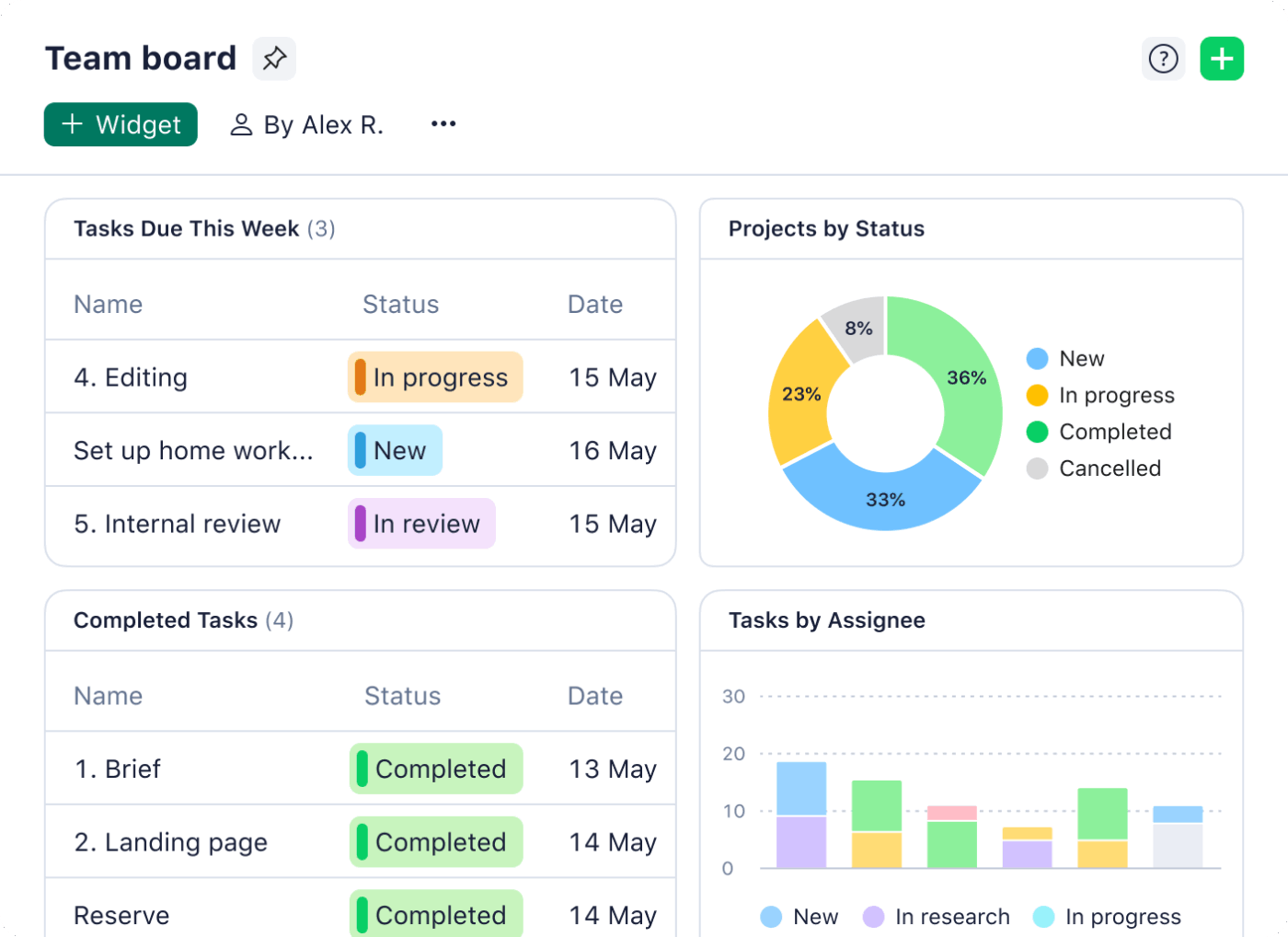
If you’re managing creative or operational work, Wrike supports project management and contextual collaboration without requiring technical expertise.
It provides visual workload views that show team capacity in clear, easy-to-read charts, making it easier to understand who is overloaded and where adjustments are needed.
The platform also offers enhanced collaboration capabilities directly connected to the work itself. You can review images and other files inside tasks and leave comments or annotations on specific sections that need attention.
With Wrike Whiteboard supporting visual planning and Wrike Copilot assisting with descriptions and summaries, you can brainstorm ideas and manage routine updates without relying on additional tools.
A Capterra review says:
I like the layout and overall feel of the product and UX. I think the integrations with Microsoft Teams and notifications systems work really well. I enjoy the various views, I think the Gannt chart is one of the better versions of this view from Wrike. Calendar works really well and is better integrated than other PJM tools.
The best project management software for non-technical users should bring clarity to everyday work. But most tools either lack enough structure to stay reliable or become overwhelming as projects grow.
ClickUp solves this by keeping complexity out of the way while still giving you the structure needed to manage real work. Tasks, Docs, Chat, Dashboards, Forms, and Whiteboards all live in one connected workspace, so plans and execution never drift apart.
On top of that, ClickUp Brain adds contextual AI that answers questions and surfaces next steps based on your actual work.
Try ClickUp for free and see how simple project management can be!

© 2026 ClickUp

There’s an easier way. Try a free AI Agent in ClickUp that actually does the work for you—set up in minutes, save hours every week.