


Sorry, there were no results found for “”
Sorry, there were no results found for “”
Sorry, there were no results found for “”
Every team has its way of getting things done. Some stick to structured workflows, while others need room to tweak and customize as they go.
If Orangescrum feels a bit limiting, or if you’re after a more tailored, cost-effective solution, you’re not out of options.
Open-source project management tools let you shape your workspace how you want, whether that means deeper customization, better integrations, or complete setup control.
If that sounds like what you need, here are Orangescrum alternatives worth exploring. 📝
Here are our recommendations for the best alternatives to Orangescrum:
The right tool should streamline workflows, enhance collaboration, and support scalability.
Here are the project management software features to prioritize:
📮 ClickUp Insight: Teams spend more than half their workday switching between tools and searching for information, making communication scattered and inefficient. Messages spread across emails, chats, and calls slow down progress, create silos, and hinder innovation.
ClickUp brings everything into one place—tasks, documents, chats, and goals—so teams can communicate, collaborate, and stay organized. These unique benefits of ClickUp keep work flowing smoothly, allowing teams to focus on execution without wasting time searching for what they need.
Sometimes, a different project management platform can make work feel more organized and effortless. If you’re considering other options, there are plenty of great alternatives that offer a fresh way to plan and collaborate. Here are some worth exploring. 👀
Work today is broken. Our projects, knowledge, and communication are scattered across disconnected tools that slow us down.
ClickUp fixes this with the everything app for work, which combines projects, knowledge, and chat in one place—all powered by AI that helps you work faster and smarter.
Most project management tools stop at tracking tasks. ClickUp’s Project Management Solution goes further, creating a fully connected workspace where teams can manage projects, collaborate in real time, and automate repetitive work.
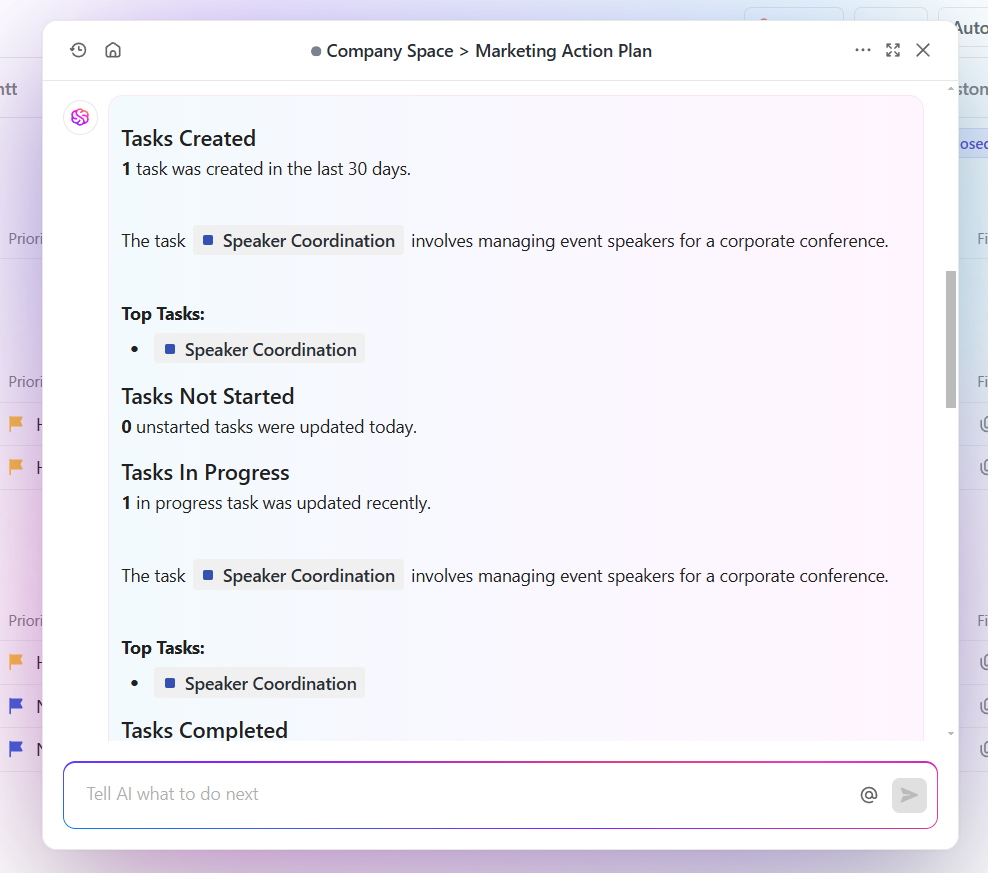
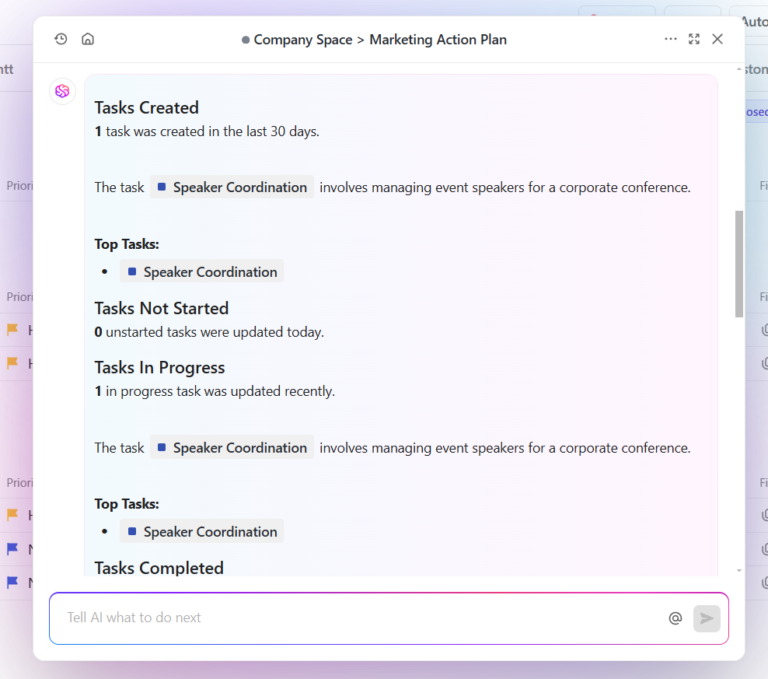
At the heart of this experience is ClickUp Brain, the integrated AI assistant that turns scattered information into instant insights. Tracking project updates, answering questions, and automating repetitive work happen in seconds.
Suppose a product development team is managing a software release. ClickUp Brain scans tasks, comments, and documents to generate a structured update highlighting completed features, pending approvals, and upcoming deadlines. Stakeholders get a clear snapshot of progress without waiting for a meeting.
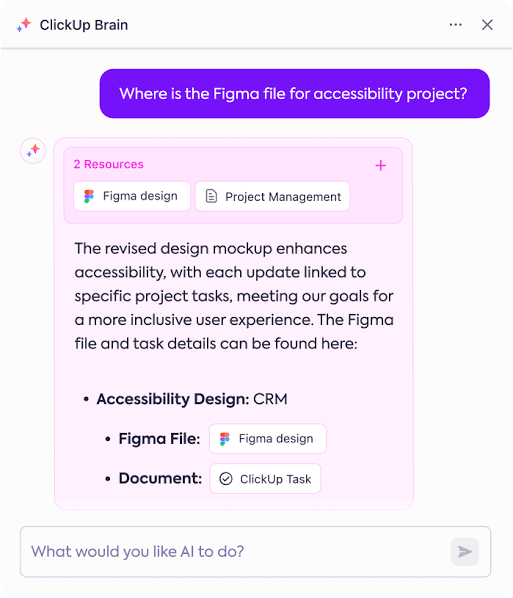
A project manager reviewing a client request might need to check if similar feedback has been addressed before. ClickUp Brain searches across the entire workspace, including chat conversations, past tasks, and shared files, to surface relevant discussions. No back-and-forth, no wasted time.
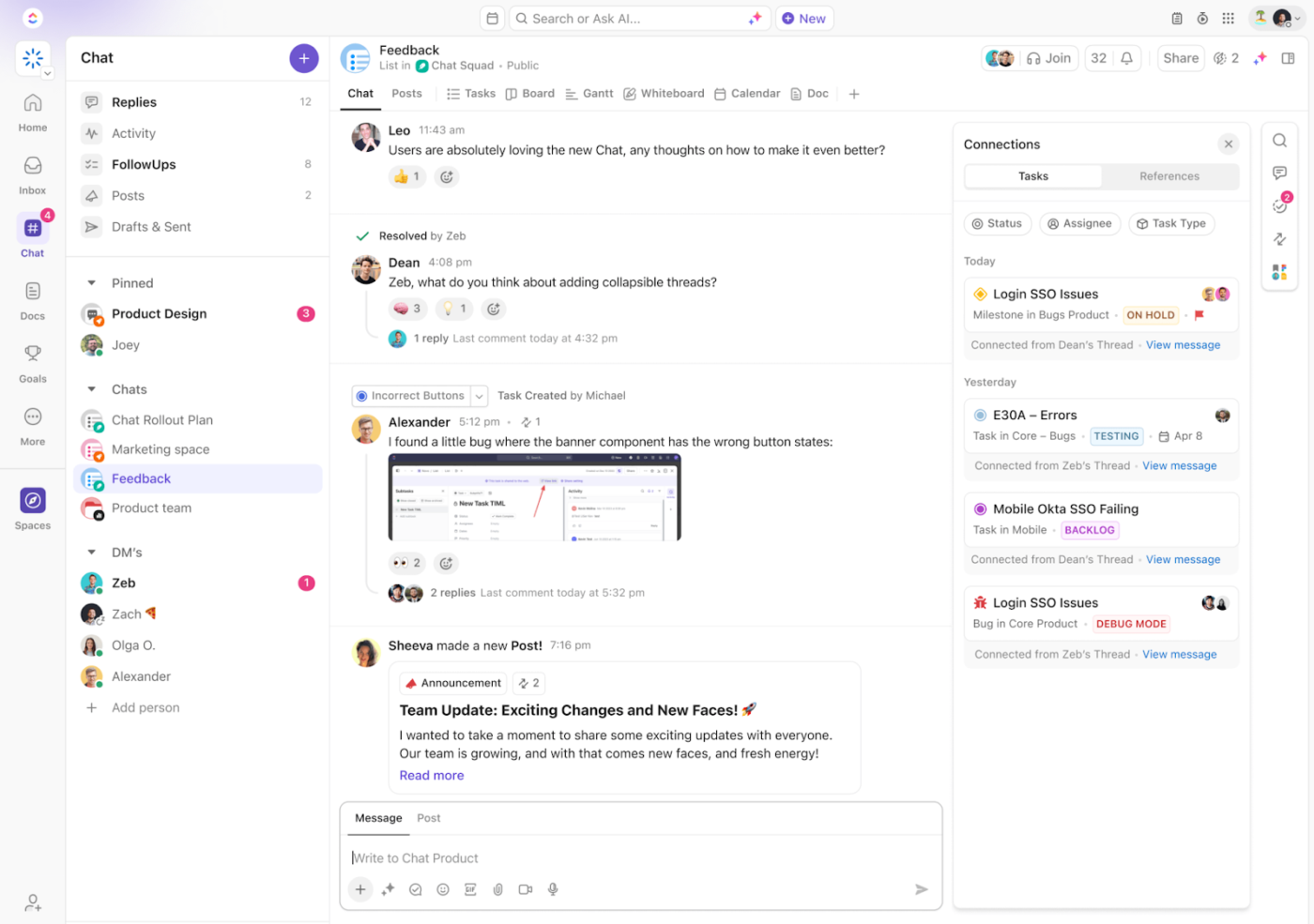
ClickUp Chat brings conversations into the workspace, keeping communication and tasks in one place. Every Space, Folder, and List has its own chat, so work stays organized.
Missed updates aren’t a problem, either. AI-powered Catch Me Up summarizes key conversations, so a team member returning from vacation can see important decisions at a glance. This makes ClickUp different from other Orangescrum alternatives.
Beyond seamless communication, organizing work efficiently is just as important. ClickUp Tasks help teams stay on top of projects with priorities, dependencies, and custom statuses that adapt to any workflow.
But keeping track of tasks is only half the battle—having the right perspective makes all the difference. ClickUp Views allow teams to switch between List, Board, Gantt, and Calendar, ensuring they always have the clearest view of their work.
Keeping projects moving efficiently often means cutting down on repetitive work, and that’s where ClickUp Automation comes in.
Routine updates, status changes, and notifications happen automatically so teams can focus on tasks that actually require their attention.
Suppose a marketing team is managing content approvals. When a writer submits a draft, Automation immediately assigns the review to an editor, moves the task to ‘In Review,’ and notifies the right person. Once the editor approves it, the system updates the status, alerts the publishing team, and schedules the content.
For teams making the switch from Orangescrum, the ClickUp Project Management Template provides a structured starting point. It features workflows that can be tailored to different industries, helping teams get up and running more quickly than ClickUp alternatives.
🧠 Fun Fact: The word ‘project’ comes from the Latin term projectum, meaning ‘something thrown forward.’ It was originally used to describe strategic military plans.
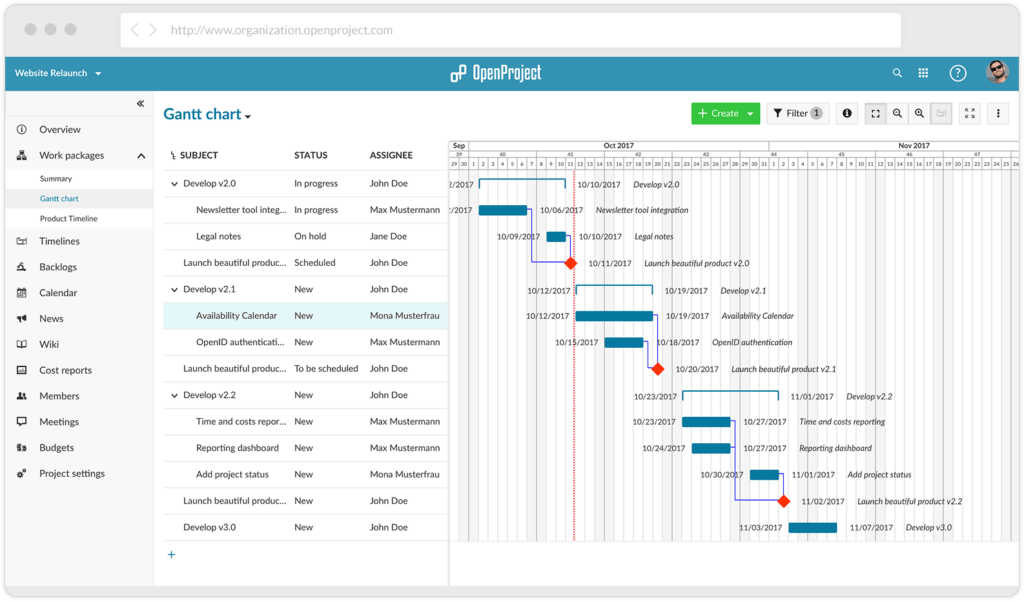
OpenProject delivers a comprehensive project management experience while maintaining its open-source nature. This platform supports agile methodologies through Scrum and Kanban boards, timeline views for scheduling, and robust documentation capabilities.
Teams appreciate the transparent pricing structure, self-hosting options, and active community development. OpenProject excels at complex projects with built-in time tracking, cost reporting, and meeting management tools that satisfy enterprise requirements without the enterprise price tag.
🔍 Did You Know? The global project management software market is expected to grow at a CAGR of 15.7% from 2023 to 2030.
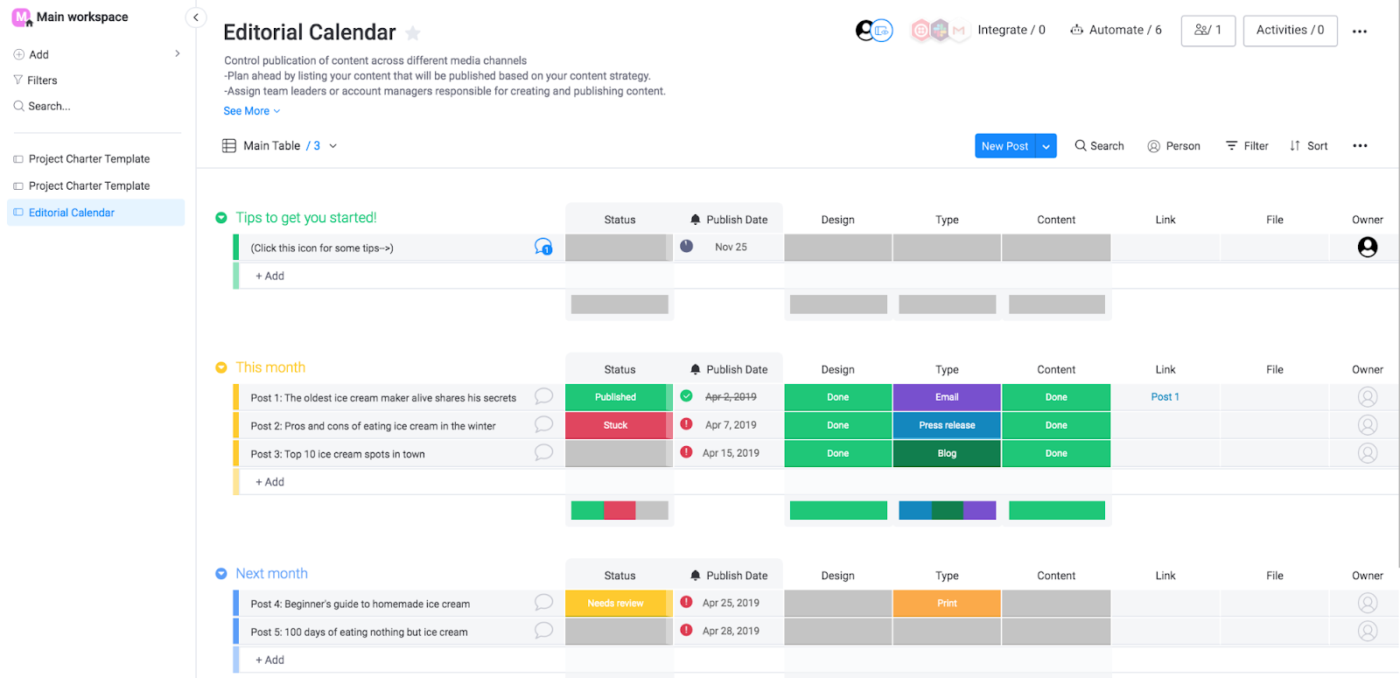
Monday.com transforms project management into a visual experience with its colorful, customizable interface. It stands out through intuitive boards that adapt to virtually any workflow, making data-heavy projects immediately understandable.
Teams transitioning from Orangescrum often appreciate Monday.com’s drag-and-drop simplicity and how it makes project data more accessible to everyone, not just project managers. The visual nature means less time explaining status and more time making progress.
🔍 Did You Know? Some of history’s most famous figures were, in a way, project managers. Leonardo da Vinci managed complex artistic and engineering projects, while Thomas Edison oversaw teams of inventors working on groundbreaking innovations.
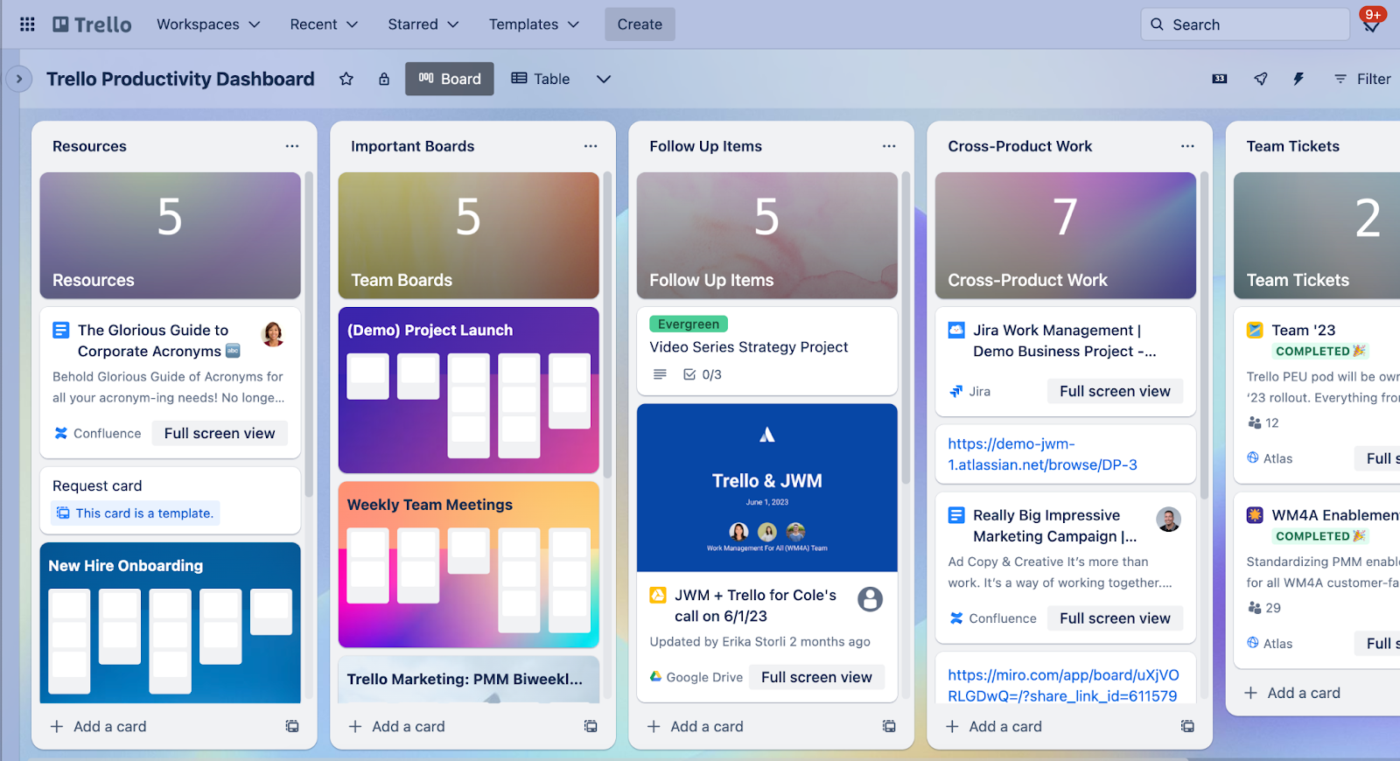
You’ll appreciate Trello’s straightforward approach to project management with an intuitive, card-based interface.
This tool excels at visualizing work progress through customizable boards where cards move across columns representing different stages. You can attach files, add checklists, set due dates, and assign team members directly to cards. Trello shines in its simplicity while offering surprising depth with Power-Ups that extend functionality without complicating the interface.
🧠 Fun Fact: Completing a task releases dopamine, a feel-good chemical that boosts motivation and productivity. That’s why checking off a to-do list item feels so satisfying.

Asana brings order to team chaos with no-nonsense task management. This platform excels at breaking complex projects into manageable pieces with dependencies, subtasks, and custom fields.
You can visualize work across multiple views, including lists, boards, timelines, and calendars. Asana has robust automation features that eliminate repetitive work and reduce manual updates. It maintains a clean interface while offering depth for teams that need to coordinate complex workflows across departments.
🔍 Did You Know? According to research, 61% of project practitioners believe their Project Management Office (PMO) is successful in driving project outcomes and organizational efficiency.
📖 Also Read: No-Brainer Reasons To Choose ClickUp Over Asana
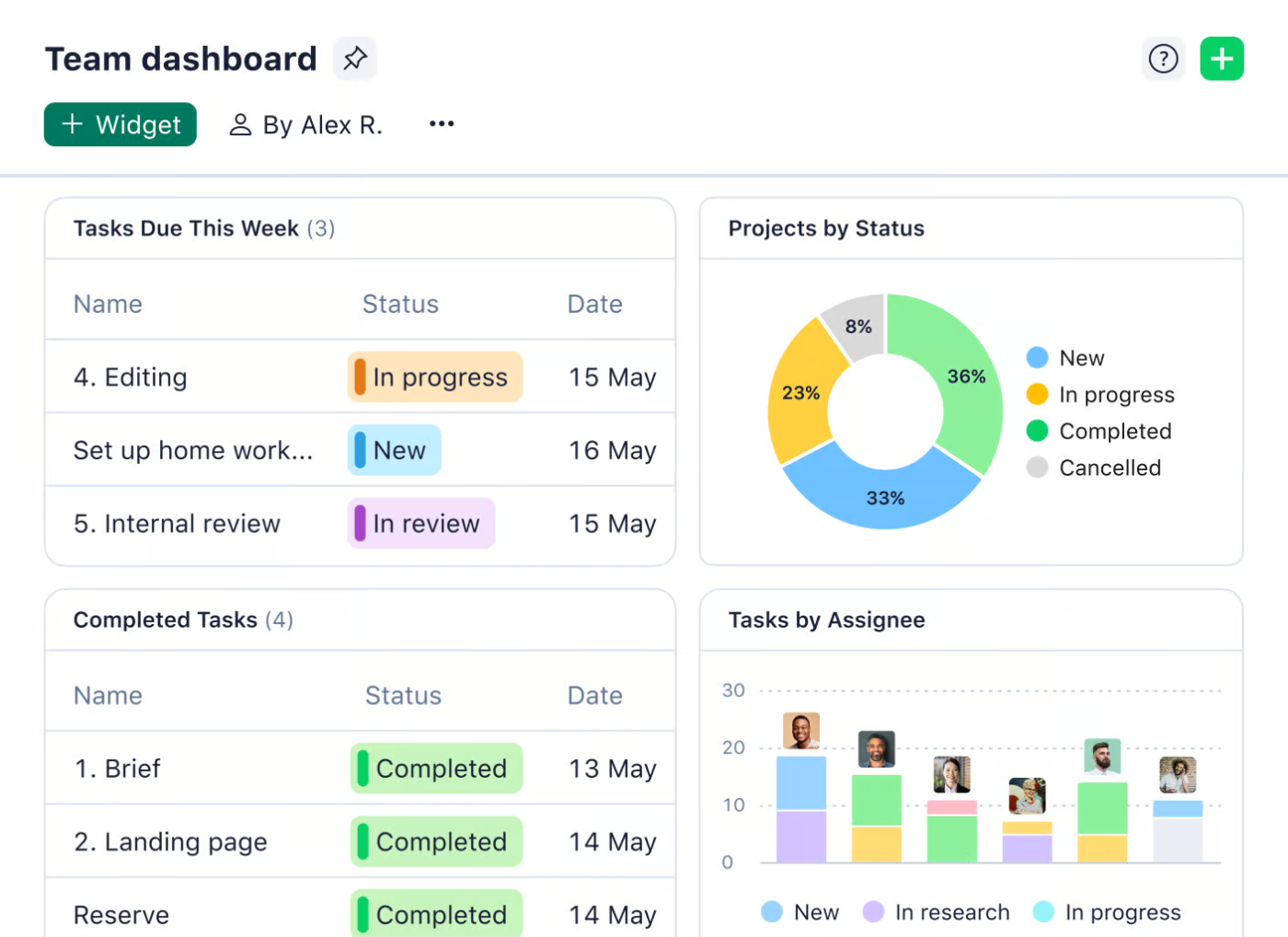
Wrike brings structure to fast-moving projects with a sleek three-pane layout that keeps portfolios, projects, and tasks within easy reach. Teams can customize workflows with request forms, approval steps, and automated updates that cut down on manual work.
Real-time workload views make resource planning straightforward, ensuring no one is overloaded while deadlines stay on track. And with enterprise-grade security, data stays locked down without messing with team flexibility.
🔍 Did You Know? Project managers often joke about Murphy’s Law: ‘Anything that can go wrong will go wrong.’ That’s why risk management is a crucial part of the job.
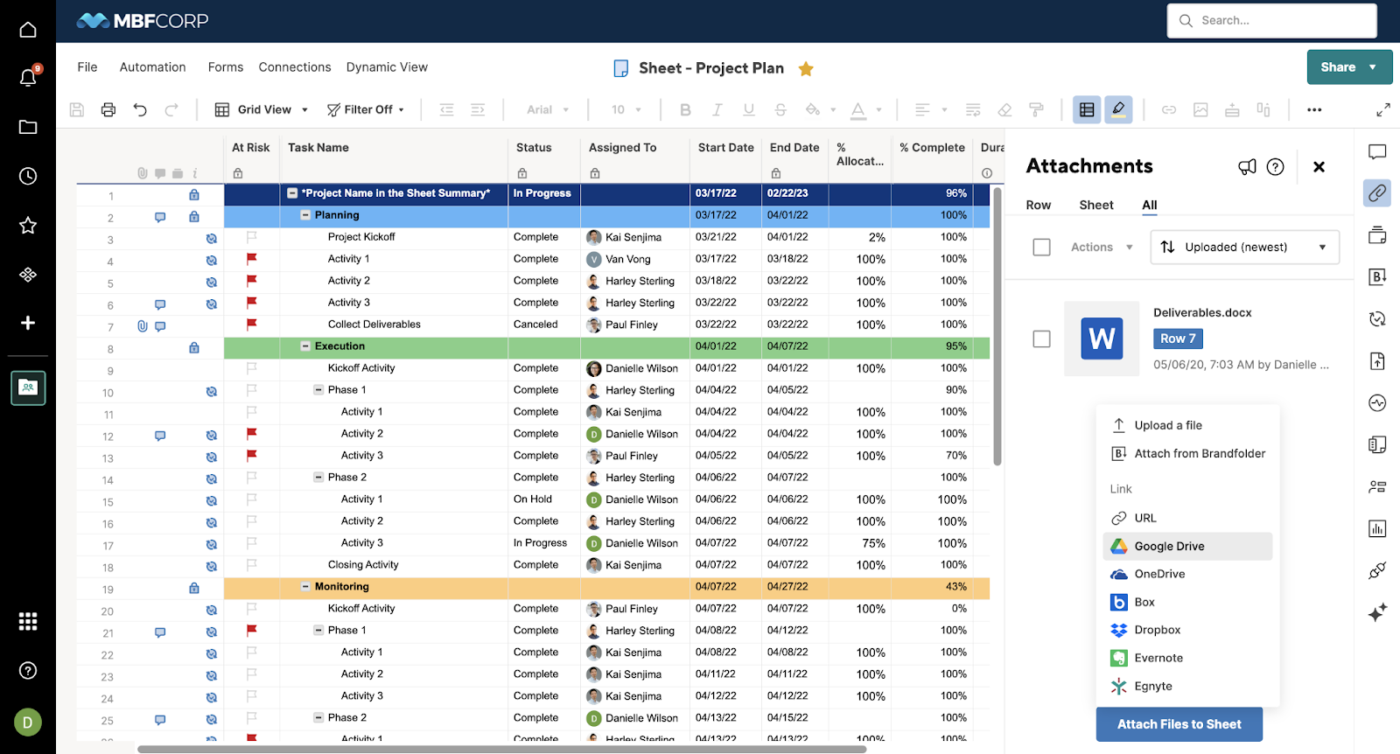
Using Smartsheet for project management bridges the gap between traditional spreadsheets and modern PM platforms. This tool presents a familiar grid interface that evolves with powerful collaboration features, automation rules, and visualization options.
It makes workflows smoother than ever. Set up conditional logic, approval paths, and automated alerts, so things move along without a million follow-ups. Dashboards pull everything together, turning endless numbers into actionable insights.
🧠 Fun Fact: The Zeigarnik Effect suggests that the brain remembers unfinished tasks more vividly than completed ones, making incomplete work linger in your mind and sometimes feel mentally exhausting.
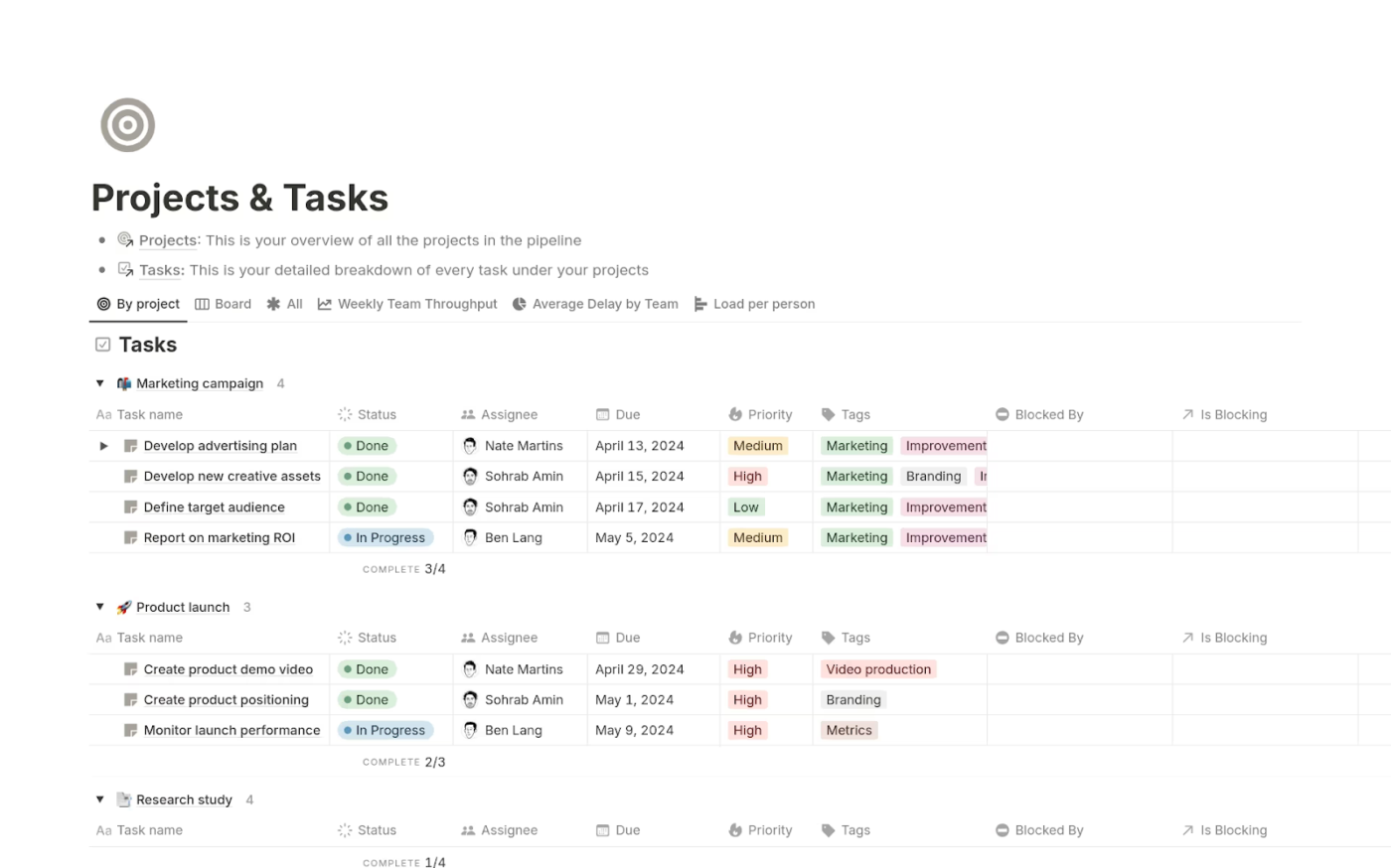
Notion blends project management with robust documentation capabilities in a customizable workspace. It creates connections between your tasks, notes, wikis, and databases so you can build personalized systems where information flows naturally.
The tool’s flexible block system adapts to virtually any workflow while maintaining visual simplicity. However, when you compare Notion to ClickUp, ClickUp offers a more complete workspace with built-in automation and team collaboration features.
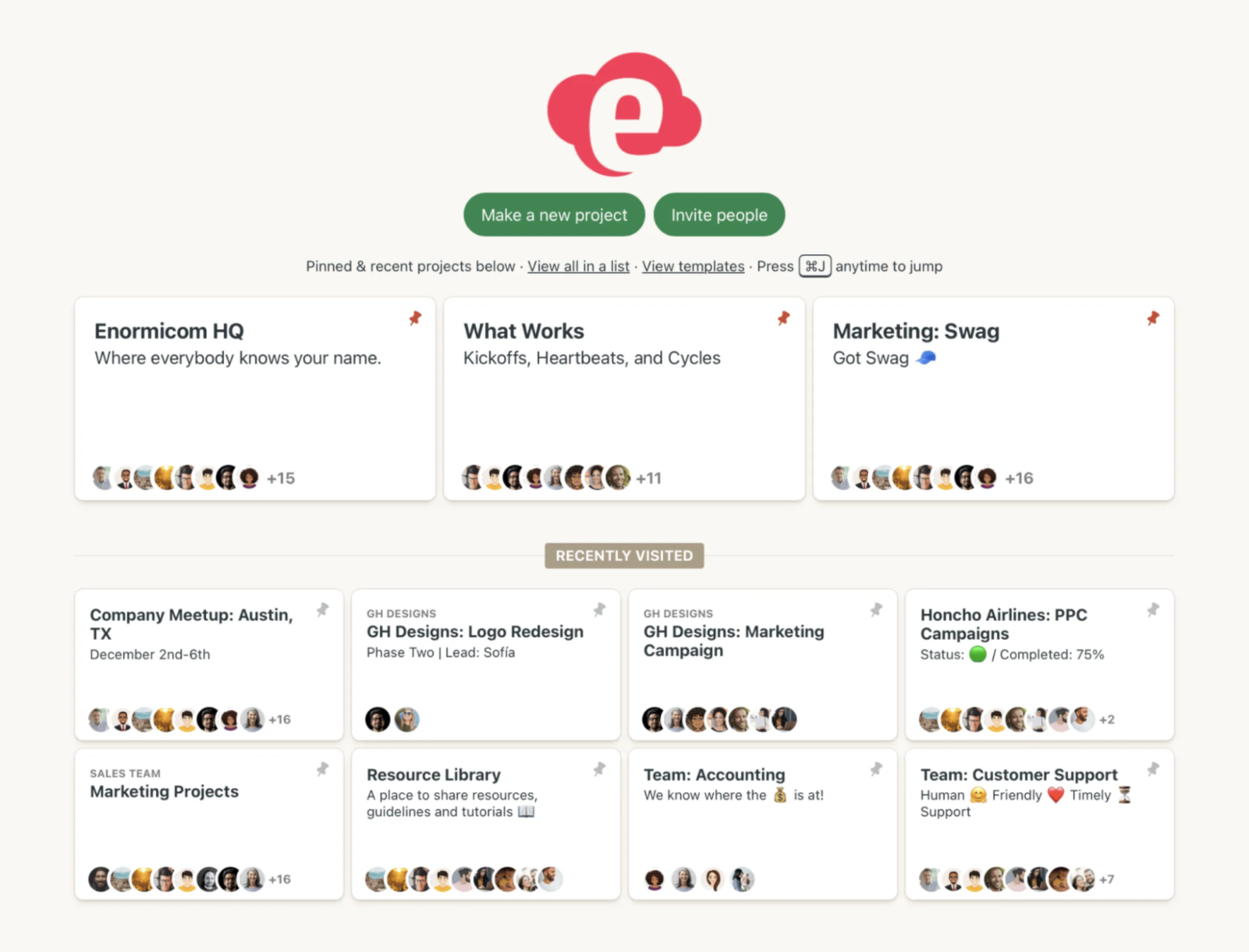
Basecamp takes a refreshingly different approach to project management with its all-inclusive pricing and streamlined interface. This platform organizes work into discrete projects containing six core tools: message boards, to-dos, schedules, documents, chat, and automatic check-ins.
You can eliminate the fragmentation of using multiple apps by centralizing communication and task management. It facilitates clear boundaries between projects and visibility across teams.
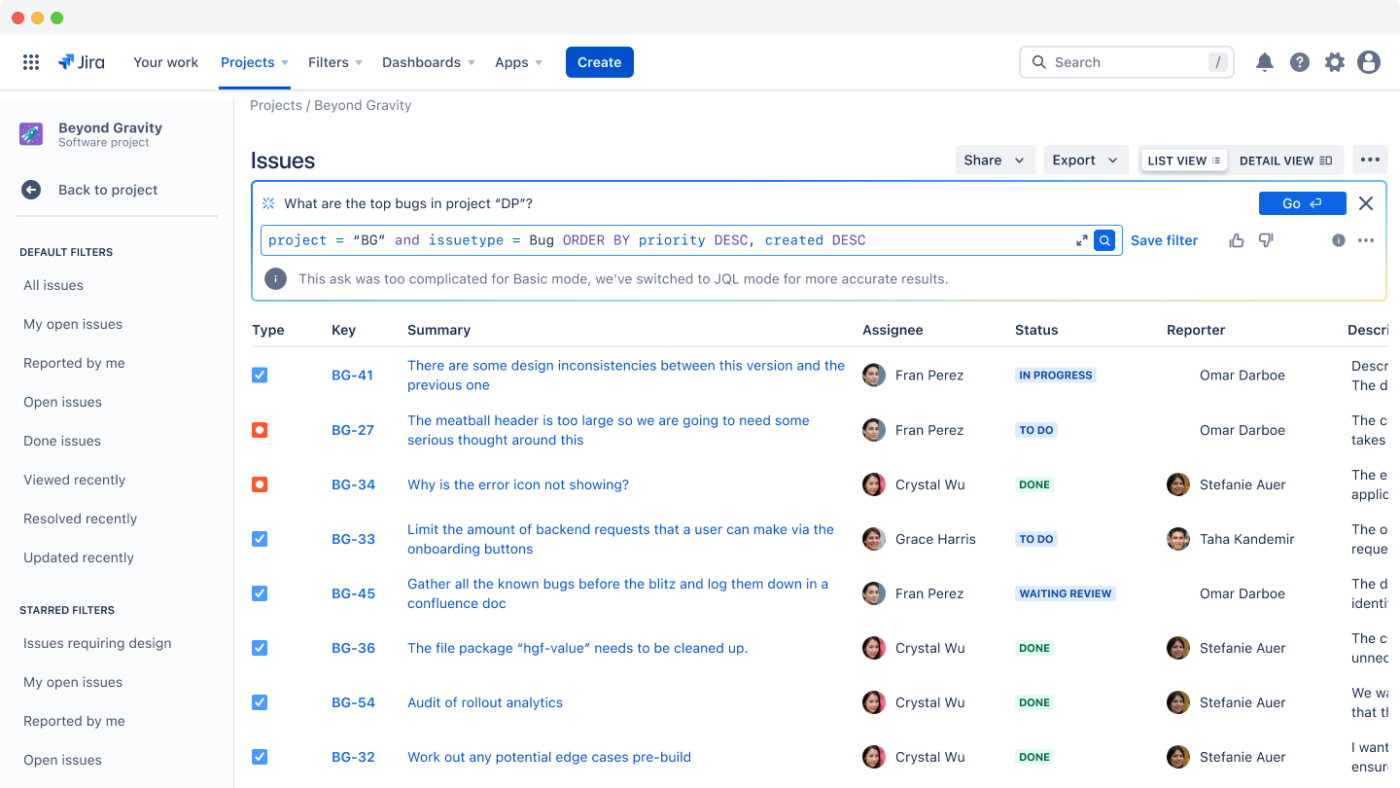
Jira delivers specialized project management for software development with its focus on agile methodologies. It excels at tracking issues, bugs, and feature requests through customizable workflows that match your team’s processes.
You can plan sprints, visualize work in progress, and generate detailed reports on team velocity. Jira stands out through its extensive integration options with development tools and adaptability to diverse, agile frameworks.
🔍 Did You Know? Wellingtone’s State of Project Management Report found that 47% of projects are mostly or always led by professional project managers.
Managing projects effectively requires tools that fit your team’s workflow, not the other way around.
The right Orangescrum alternative streamlines collaboration, improves productivity, and keeps tasks on track.
ClickUp goes beyond standard project management by centralizing everything—Tasks, Docs, Chats, and Automation—into one AI-powered platform. Teams can customize workflows, integrate with their favorite tools, and scale seamlessly.
Upgrade your project management experience. Sign up for ClickUp today! ✅

Arya P Dinesh
Max 27min read

Manasi Nair
Max 27min read
Manasi Nair
Max 32min read

© 2026 ClickUp





