






Still downloading templates?
There’s an easier way. Try a free AI Agent in ClickUp that actually does the work for you—set up in minutes, save hours every week.
Sorry, there were no results found for “”
Sorry, there were no results found for “”
Sorry, there were no results found for “”
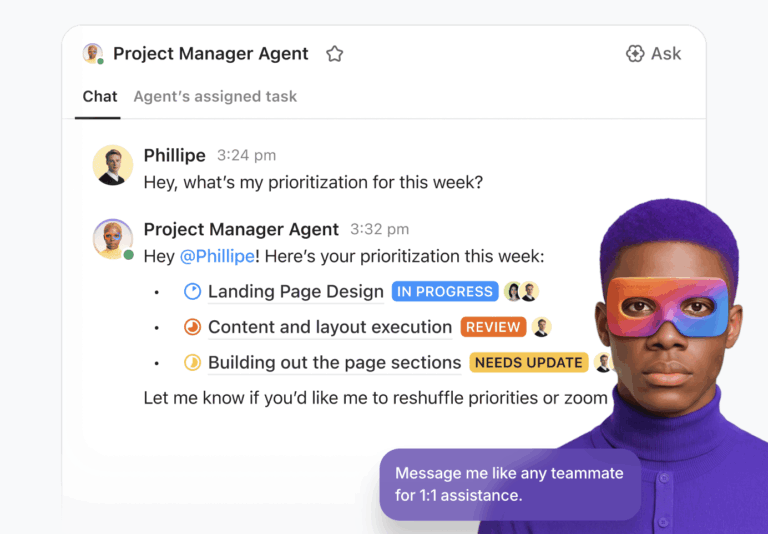
As teams look to automate complex workflows, connect tools, and deploy AI across their stack, demand for capable AI platforms has grown.
Mammouth AI is a multi-model workspace that brings models like Claude, GPT, and Gemini into one interface. It works well for everyday AI use, especially chat and lightweight tasks.
But once you need to orchestrate workflows, connect systems, or run agents across tools, its limits become clearer.
In this guide, we examine the top Mammouth AI alternatives across two needs: extending everyday AI work and building agentic workflows that operate across your tools.
Note: Mammouth is primarily a multi-model AI workspace. The alternatives below include both multi-model environments and agentic automation platforms.
Mammouth AI may handle basic agent workflows, but its limitations can push growing teams toward more powerful workflow automation tools.
Here’s what to consider when evaluating alternatives and agentic automation platforms. ⚙️
Here’s a snapshot of the best Mammouth AI alternatives and what each offers. 📊
| Tool | Best for | Best features | Pricing* |
|---|---|---|---|
| ClickUp | Teams wanting a Converged AI Workspace where agents, tasks, docs, and workflows live together | Super Agents, Enterprise Search, Automations, BrainMax, 15+ Views, Dashboards | Free forever; Customization available for enterprises |
| ChatGPT (OpenAI) | Versatile AI assistance across writing, coding, analysis, and custom automations | Custom GPTs, Natural language reasoning, File analysis, Image understanding, Multi-turn memory | Free; Paid plans from $8/month to $200/month; Enterprise custom |
| CrewAI | Multi-agent collaboration workflows for research, content, and analysis | Role-based agents, Shared memory, Tool invocation, Orchestrated handoffs | Free; Professional from $25/month |
| LangChain | Developers building production-grade LLM applications and RAG systems | LCEL chains, LangGraph, Tool use agents, Model-agnostic components | Free; Plus from $39/seat/month |
| LlamaIndex | Connecting LLMs to structured and unstructured enterprise data | LlamaParse, Hybrid RAG, Hierarchical indexes, Data-aware agents | Free; Starter from $50/month |
| Zapier AI Actions | Automating real-world actions across 6,000+ apps using natural language | AI-generated Zaps, Reasoning inside workflows, Tool invocation | Free; Paid plans from $29.99/month |
| n8n AI Agents | Teams wanting self-hosted, fully controlled AI automation | Node-based builder, Multi-agent logic, Self-hosting, Custom code | Paid plans from $20/month (annual) |
| Google Vertex AI | End-to-end ML + GenAI teams on Google Cloud | AutoML, Model Garden, MLOps pipelines, Model evaluation | Custom pricing |
| Azure AI Foundry | Enterprise teams building secure, governance-heavy AI apps in the Microsoft ecosystem | Foundry Agent Service, Prompt Flow, Model catalog, Azure security | Custom pricing |
| Databricks Model Serving | Deploying ML and LLM models at scale with unified governance | Serverless scaling, RAG pipelines, Model comparison, MLflow tracking | Free trial; Custom pricing |
Our editorial team follows a transparent, research-backed, and vendor-neutral process, so you can trust that our recommendations are based on real product value.
Here’s a detailed rundown of how we review software at ClickUp.
📍 Quick way to choose the right alternative
Choose a multi-model AI workspace if you mainly need faster drafting, better prompting, and easier model switching.
Choose an agentic automation platform if you need workflows that run across tools with integrations, triggers, and production controls.
Now let’s dive straight into the details.
Mammouth AI may help you build basic AI agents, but it is not built to understand an organization’s structured work data natively. For fast-moving teams, that gap can slow things down.
ClickUp’s Converged AI Workspace takes a different approach. The platform brings together all your work apps, data, and workflows into a single, AI-powered space. This convergence eliminates work sprawl (the endless toggling between apps that steals hours every week) and provides a single interface where humans and AI agents collaborate.
ClickUp’s Super Agents are designed to operate within the workspace context, enabling them to help automate multi-step workflows. They gather insights from tasks, docs, comments, Custom Fields, timelines, statuses, and more to make decisions based on your actual operational state.
For efficient workplace automation, they can review overdue tasks weekly, reassign work based on workload, automatically post project summaries, highlight blockers, and generate sprint reports from live data.
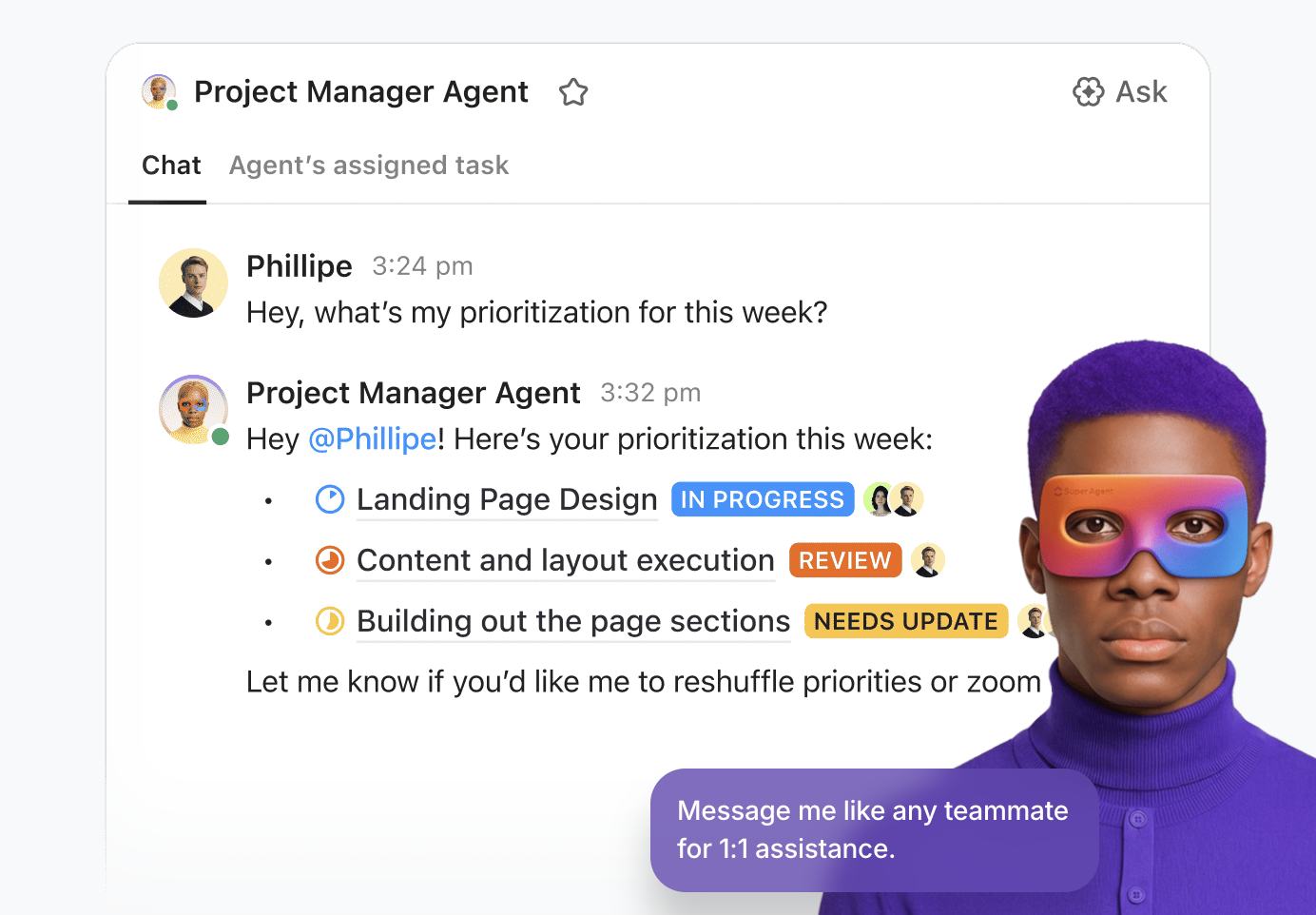
There’s also a governance advantage. ClickUp supports role-based permissions and granular access controls at the Workspace, Space, Folder, List, and task levels. Super Agents operate within those boundaries.
ClickUp’s Automation engine automates your workflows. Instead of repeating the same steps over and over, you define rules that run automatically when certain events occur.
There are 100+ ready-made automation templates you can apply immediately or customize for your workflow, such as auto-assigning tasks, notifying teammates when a deadline is missed, updating statuses, or moving tasks between lists.
For custom needs, you get a built-in, no-code Automation Builder to construct trigger-and-action rules. Automations also support dynamic assignees (e.g., assign the person who triggered the event or anyone watching the task), making them flexible and adaptive in environments where ownership changes regularly.
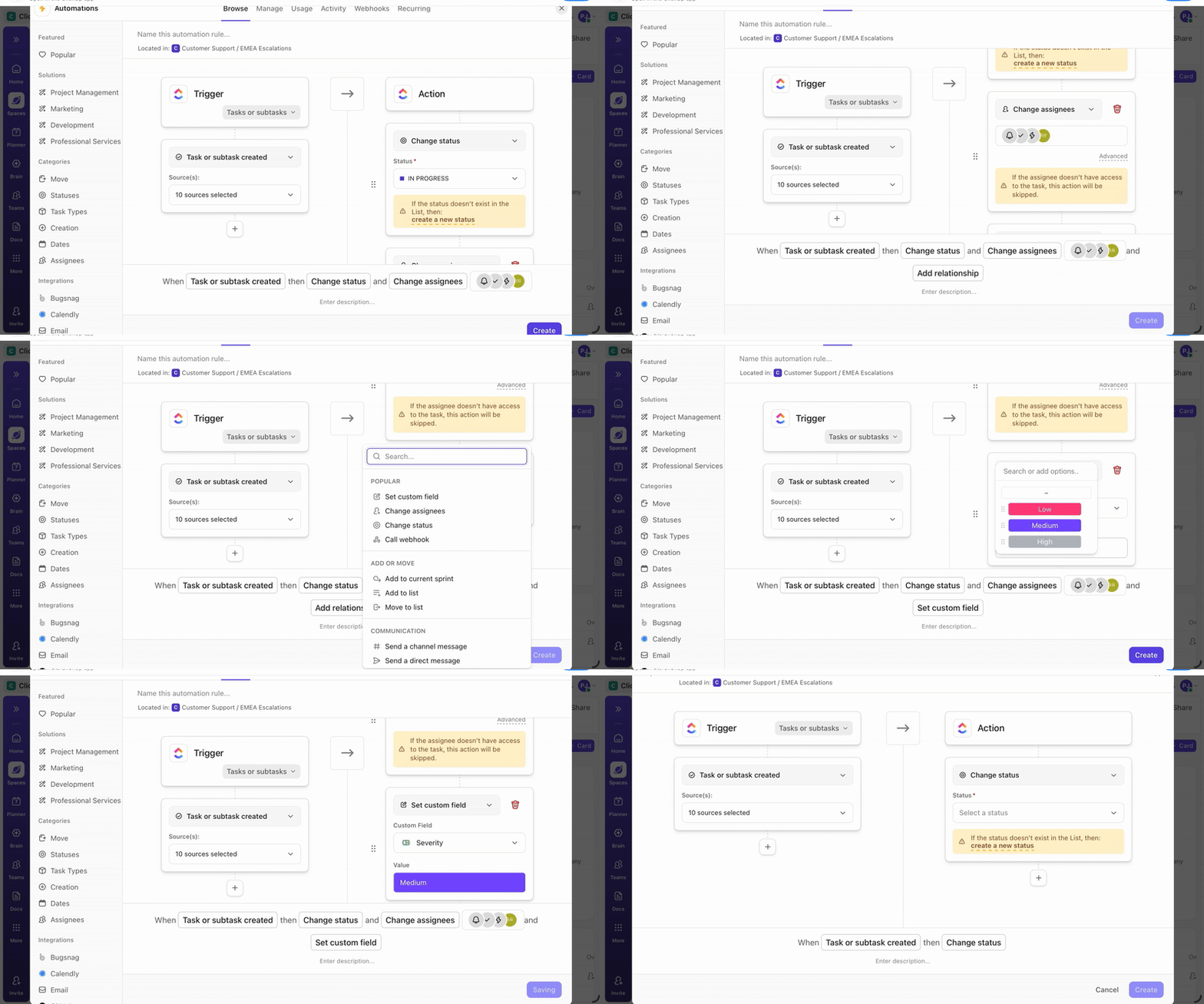
Here‘s how you can automate workflows in just 5 minutes and save 5+ hours every week ✨
Behind Agents and Automations sits ClickUp Brain, the AI engine that powers it all. It powers AI-driven project management by operating across your tasks, docs, comments, timelines, calendars, and more.
It can turn a meeting summary into tasks, assign those tasks to specific team members, set due dates based on project timelines, update task statuses when conditions change, and trigger automations that notify stakeholders or move work to the next stage.
With this contextual workspace knowledge, ClickUp Brain’s neural network eliminates the manual step of converting generative output into work.
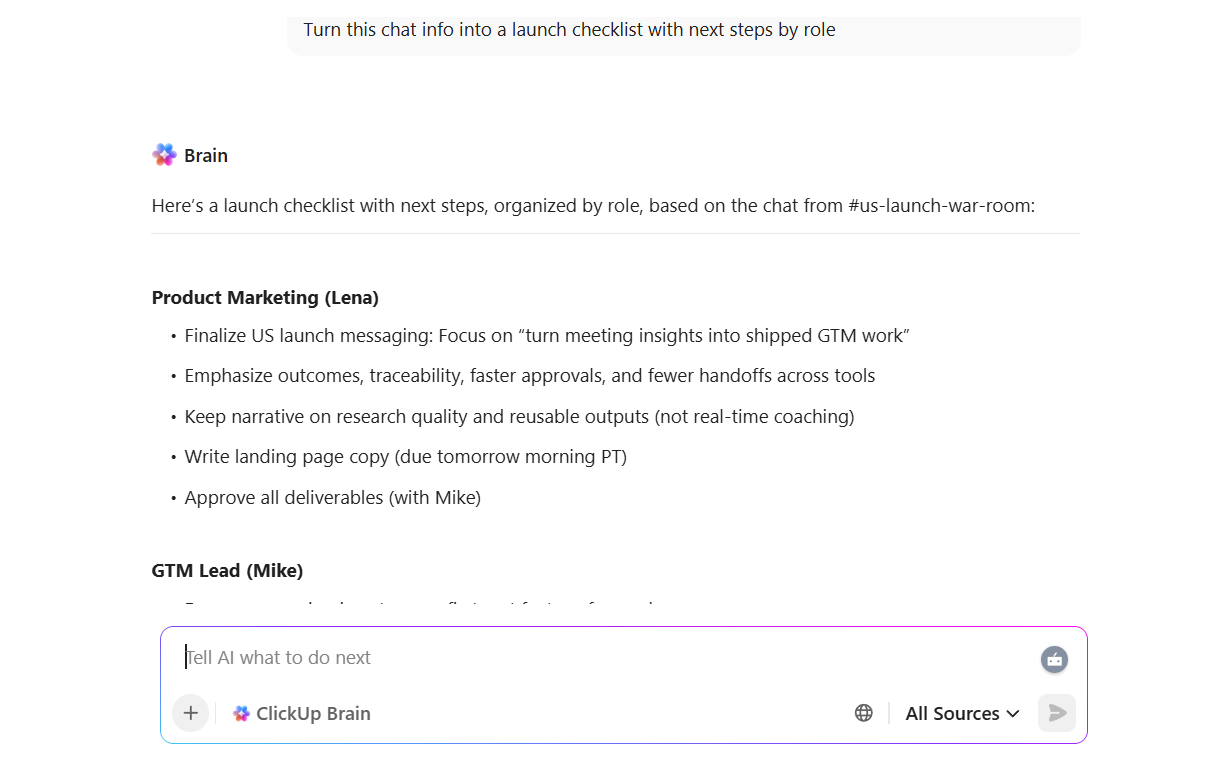
Searching through files, folders, chats, and emails for that one critical update becomes a bottleneck in daily productivity.
Enterprise Search in ClickUp converts scattered work knowledge into a single searchable hub. Instead of returning basic keyword matches or simple links, the AI understands the context and meaning behind your query.
So, for a product manager looking for blockers in a feature release, the Enterprise AI Search checks the current status of checkout-related tasks, reviews recent comments in chats, looks for changes in release planning docs, and even factors in the latest activity from sprint boards.
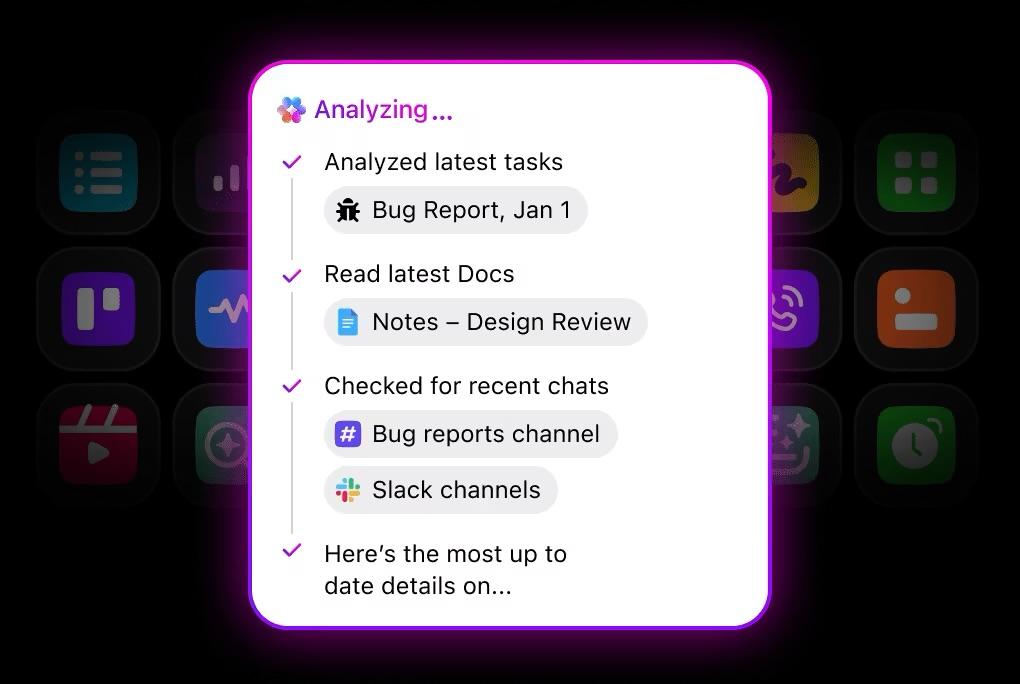
That’s the difference: instead of showing where information exists, the AI tells you what’s happening and why, based on real data.
🚨 Important note: ClickUp emphasizes enterprise-grade privacy. Data stays within your workspace, and third-party AI providers cannot train on it.
Here’s what a G2 review says:
What I like most about ClickUp is how customizable it is. As a company user, I can organize tasks in a way that genuinely fits our workflow, whether I’m working in lists, boards, or timelines. Features like task priorities, due dates, comments, and file attachments make it easy to track work and collaborate with team members in one place. I also appreciate that everything is centralized, so I don’t have to jump between multiple tools just to understand a task’s status, overall progress, or the latest updates.
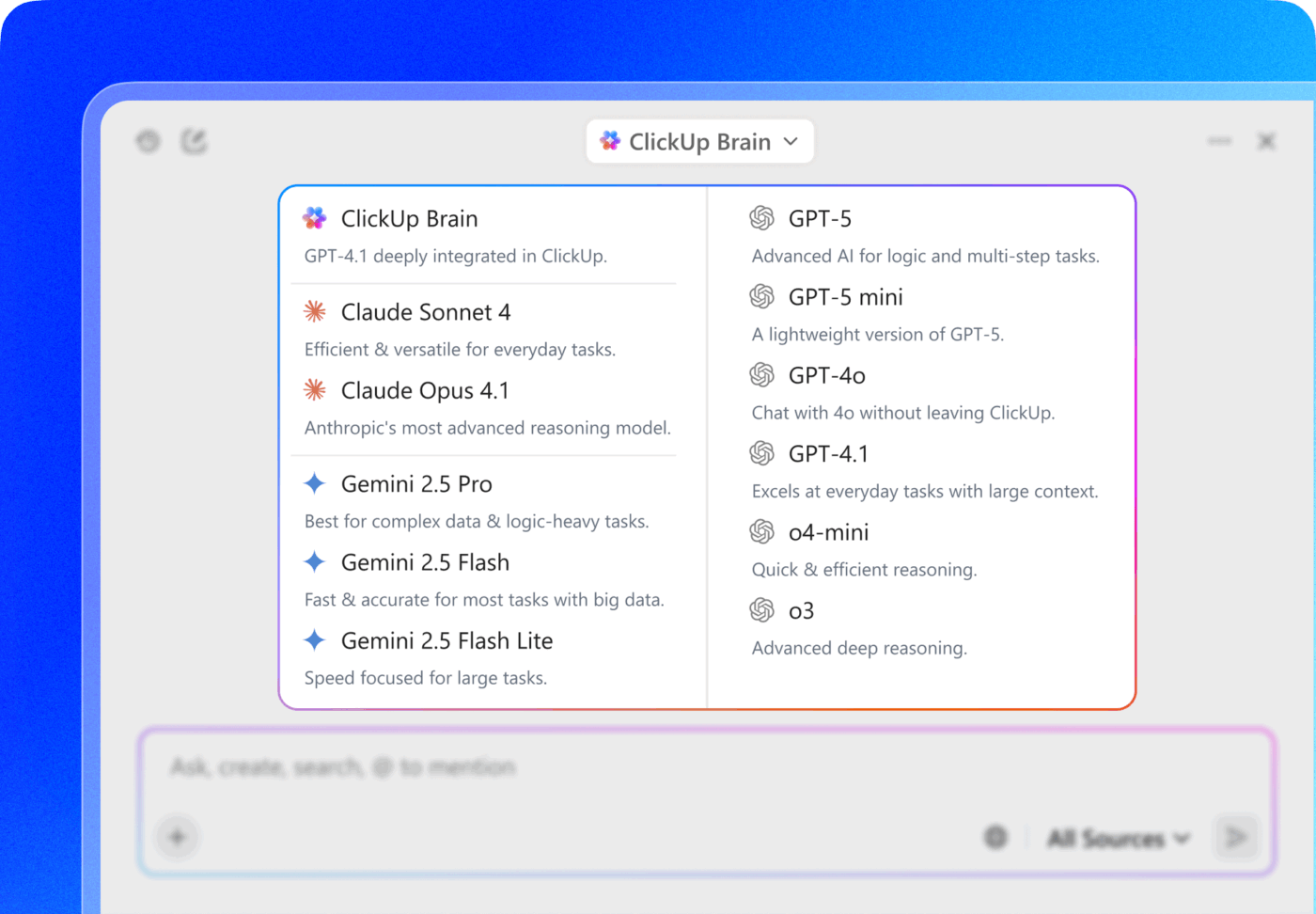
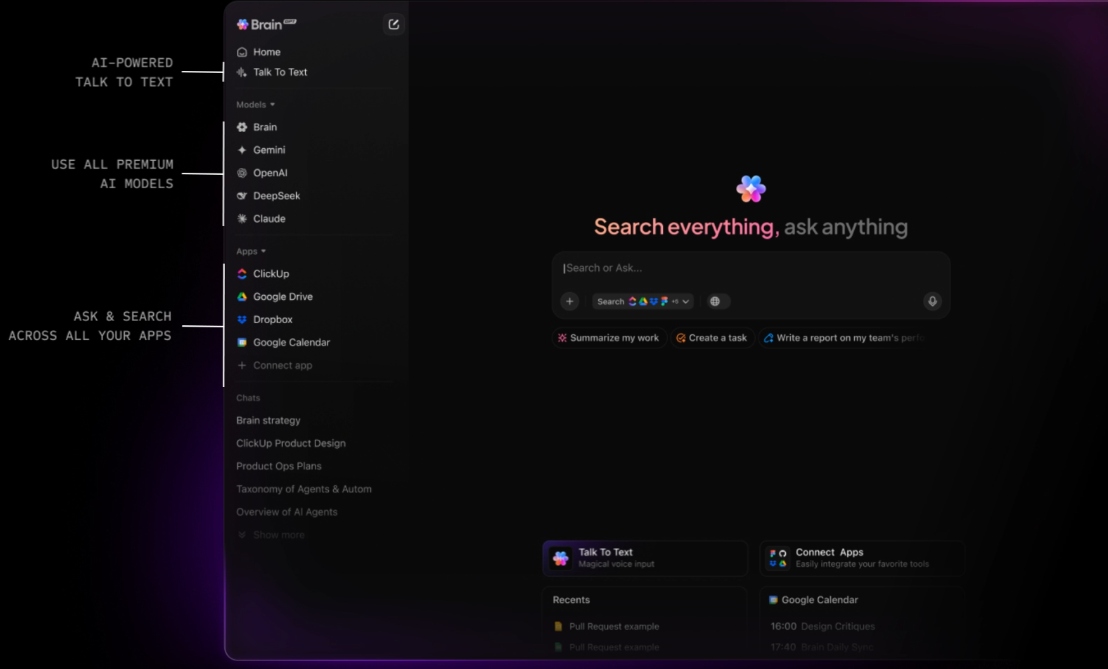
🚀 ClickUp Advantage: ClickUp Brain MAX brings AI capabilities into a single, unified app connected to your work and apps. It isn’t tied only to ClickUp data; it’s built to pull context from all your apps, like Google Drive, GitHub, SharePoint, Notion, and more, with access to premium AI models.
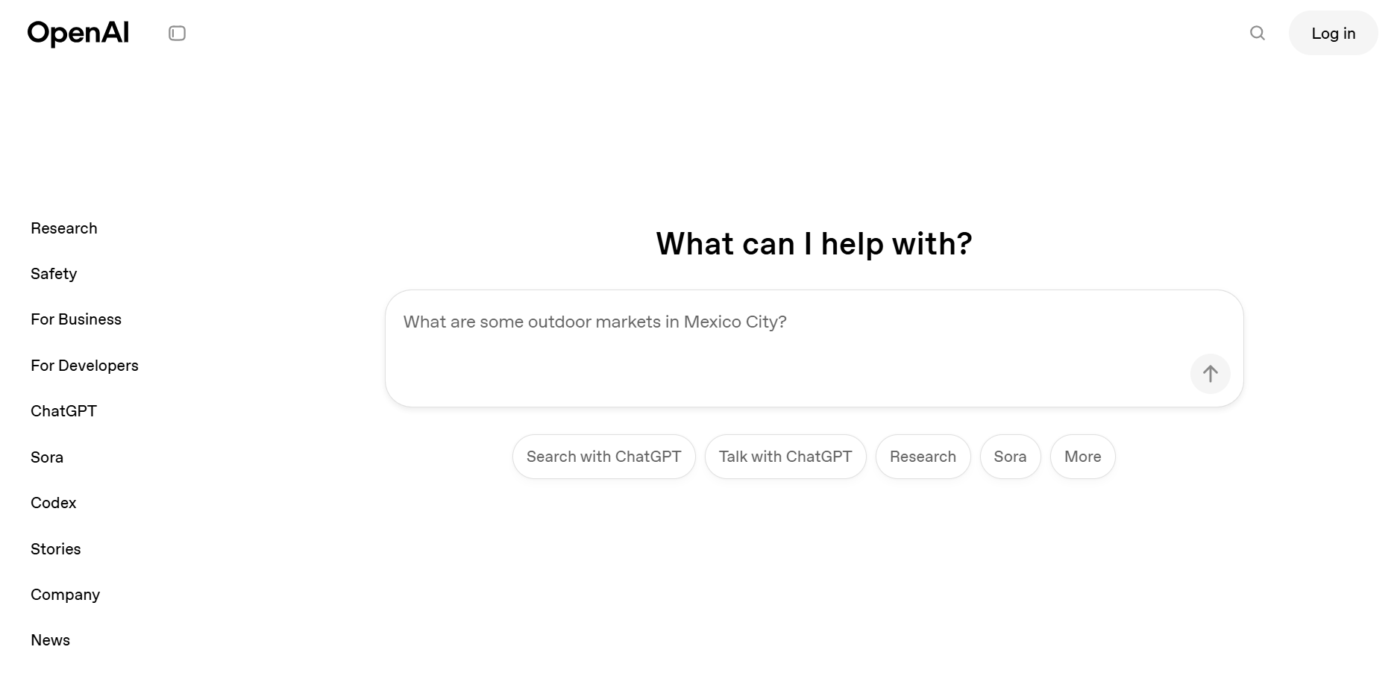
ChatGPT (OpenAI) is a general-purpose AI productivity tool designed to support a wide range of knowledge and creative work. Its strength lies in understanding natural language and adapting to context, which makes it useful for everything from drafting content and summarizing documents to answering questions and reasoning through problems.
Rather than focusing on a single workflow, the tool works as a flexible assistant. It can analyze files, interpret images, generate code, and maintain conversational context across multiple turns.
Features like custom GPTs, Projects, and memory allow you to shape the experience around specific tasks or long-running work, making the platform more of a versatile AI workspace than a specialized tool.
A user review says:
ChatGPT is still the best all-in-one AI solution for my wide range of needs. It brings text generation, coding, audio, and video creation together smoothly in a single platform. What I value most is the depth of its customization options: I can fine-tune custom GPTs for specific workflows, tailor response style and tone, and connect different tools as needed.
📖 Also Read: Best ChatGPT Alternatives
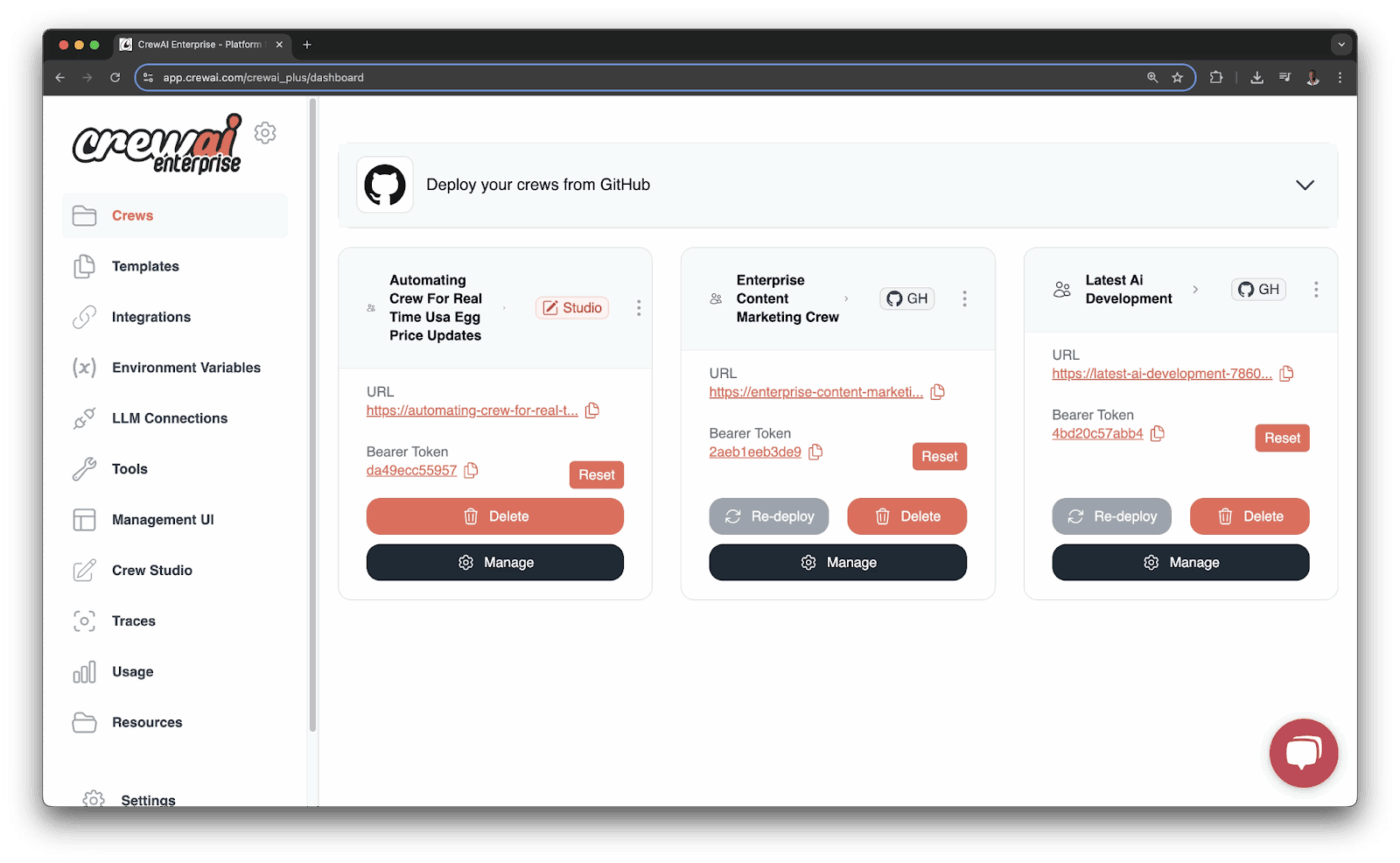
CrewAI is designed for situations where a single AI model just isn’t enough. Instead of asking one model to do everything, the AI project management tool lets you build a small team of AI agents that work together. Each agent has a clear role, like researcher, analyst, or writer, and they collaborate to move complex tasks forward.
Agents can share context, pass work to one another, and use tools such as web search, databases, or external APIs to get work done.
This makes it especially useful for things like deep research, content pipelines, or development workflows, where tasks naturally break into steps.
A user review says:
The best part about crewAI is that while building an agent we can provide the role, goal and backstory for the agent which increases the performance of that agent very much. It supports all the LLM providers like OpenAI, Groq, Nvidia Nemo etc. The documentation is very clean and easy to understand. It supports many tools and MCP servers which we can use to build the Multi-Agent systems.
🔎 Did You Know? The idea of multiple AI agents working together like a team goes back to nature-inspired computing. In 1986, computer graphics researcher Craig Reynolds created boids (simple digital creatures that followed just three basic rules and suddenly formed realistic flocks, schools, and herds). This early simulation showed how independent agents could produce intelligent collective behavior, which is the exact principle behind today’s multi-agent frameworks.
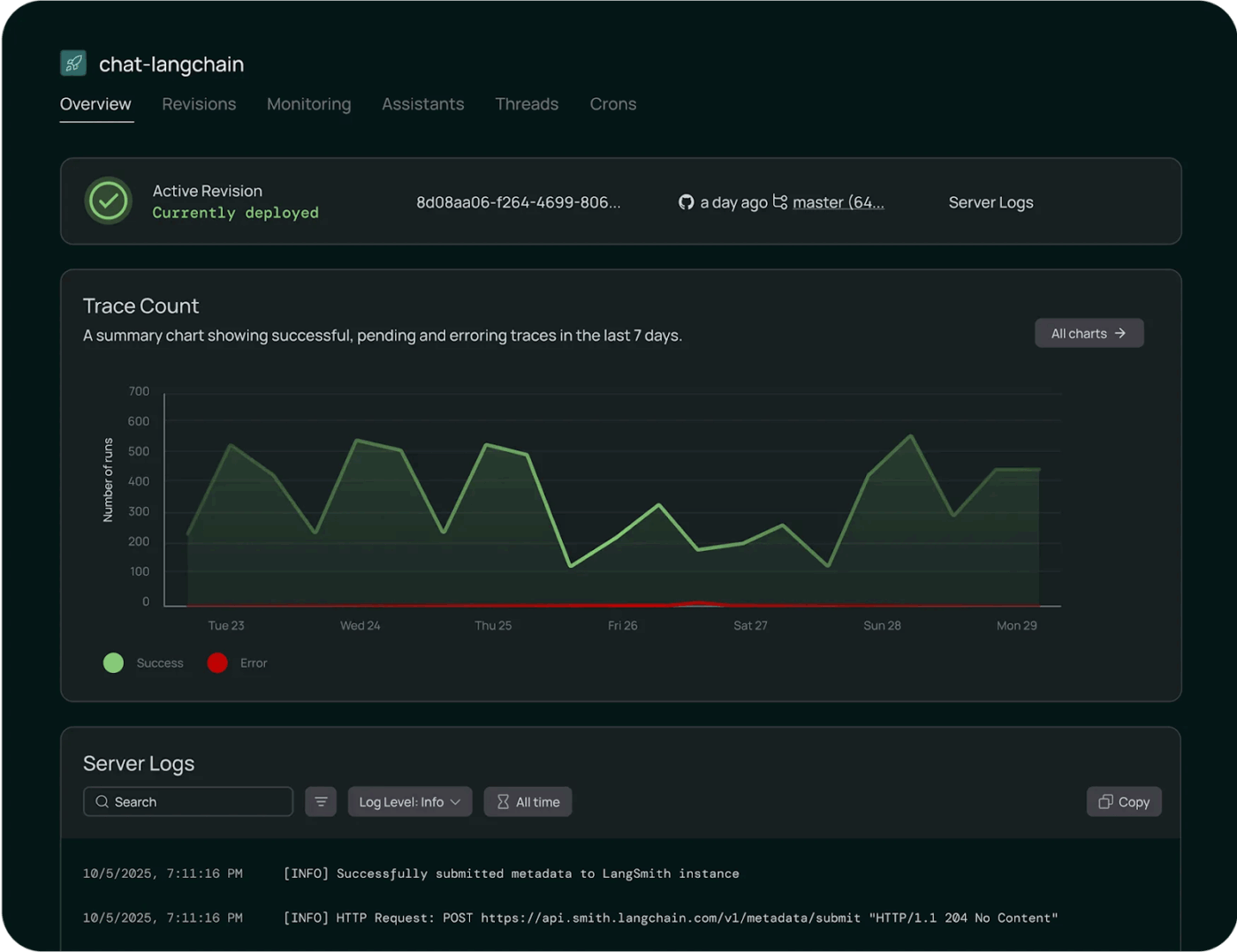
LangChain helps developers build real applications on top of large language models by providing a framework to connect LLMs. It standardizes how different components interact, making it easier to experiment with or switch between providers like OpenAI and Anthropic without rebuilding the application from scratch.
Instead of one-off model calls, you build chains that combine prompts, AI models, memory, and external data into repeatable workflows. It’s a reliable tool for retrieval-augmented generation, where models pull from internal documents or vector databases to produce more grounded responses.
The platform turns LLMs into systems that can reason, retrieve, and act within production-grade applications rather than isolated chat experiences. This is made possible through ecosystem tools like LangGraph and LangSmith that extend the platform’s capabilities.
A user review says:
I really like how LangChain brings all the moving parts of AI app development together in one place. The integration with different LLMs, vector databases, and APIs is super smooth, so I don’t waste time building connectors from scratch.
🔍 Did You Know? LangChain started life as an 800-line side project on GitHub in October 2022 (literally days after ChatGPT was released). Harrison Chase built it because developers desperately needed a way to connect LLMs with tools, memory, and data. Within months, it became one of the fastest-growing open-source projects ever.
📮 ClickUp Insight: 30% of people say their biggest frustration with AI agents is that they sound confident but get things wrong.
That usually happens because most agents work in isolation. They respond to a single prompt without knowing how you like to do things, how you work, or your preferred processes.
Super Agents work differently. They operate with 100% context pulled directly from your tasks, docs, chats, meetings, and updates in real time. And they retain recent, preference-based, and even episodic memory over time.
And that’s what turns an agent from a confident guesser into a proactive coworker who can keep up as work evolves.
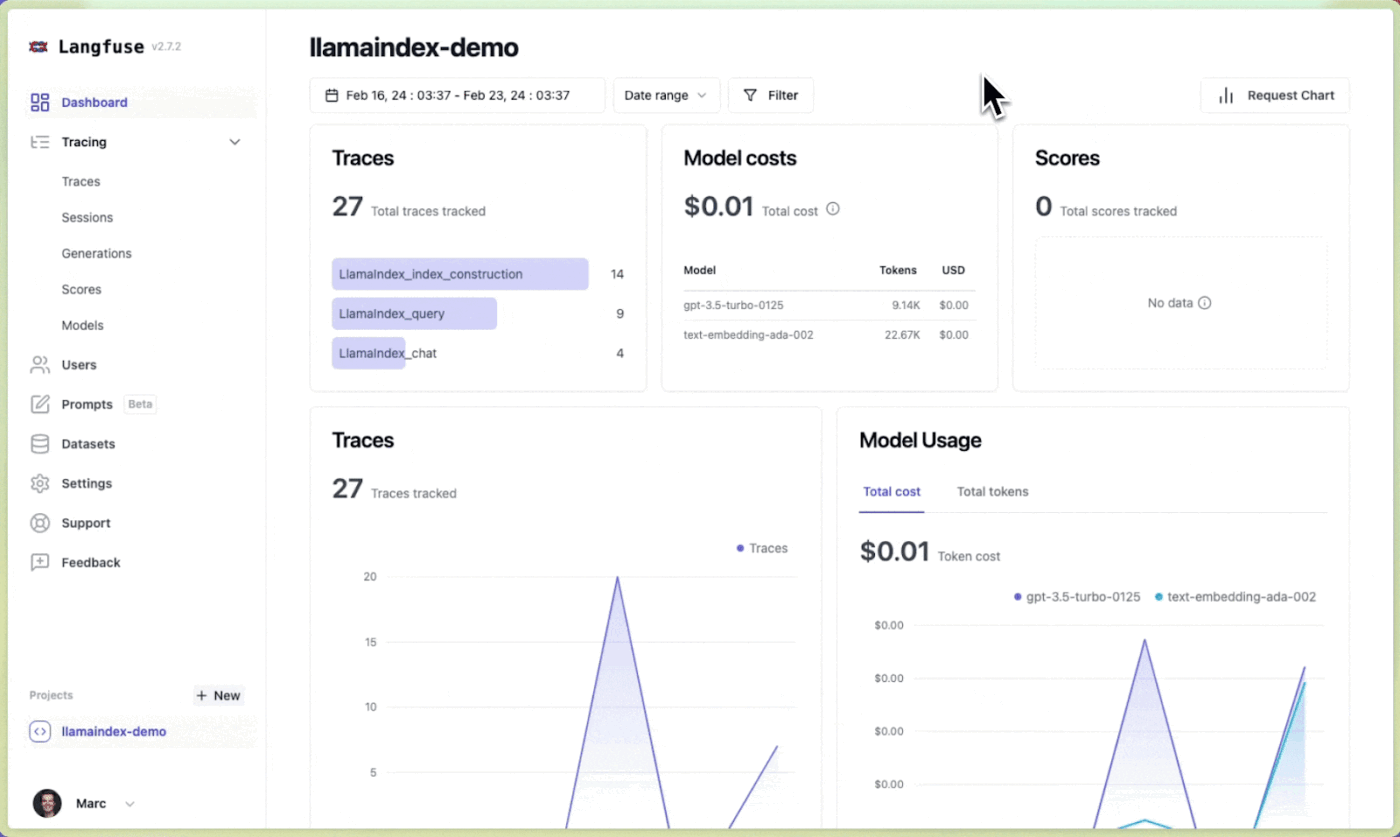
LlamaIndex focuses on one problem and does it well: connecting large language models to your own data.
Instead of treating an LLM as a standalone chatbot, the tool acts as the layer in between, handling how documents, databases, and APIs are ingested, structured, and retrieved so responses are based on relevant information from your data.
It’s a solid choice in data-heavy and document-driven use cases. You can pull in content from various sources, organize that data into efficient indexes, and use retrieval-augmented generation to reduce hallucinations.
A user review says:
As a data scientist dealing with large language models LLMs I found LlamaIndex quite helpful to manage. It has granted me the ability to input data in formats such as PDFs or API, databases and excel, which makes it easier for me to train and execute LLMs with numerous datasets.
📚 Read More: How ClickUp Uses AI Docs to Simplify SOP Creation
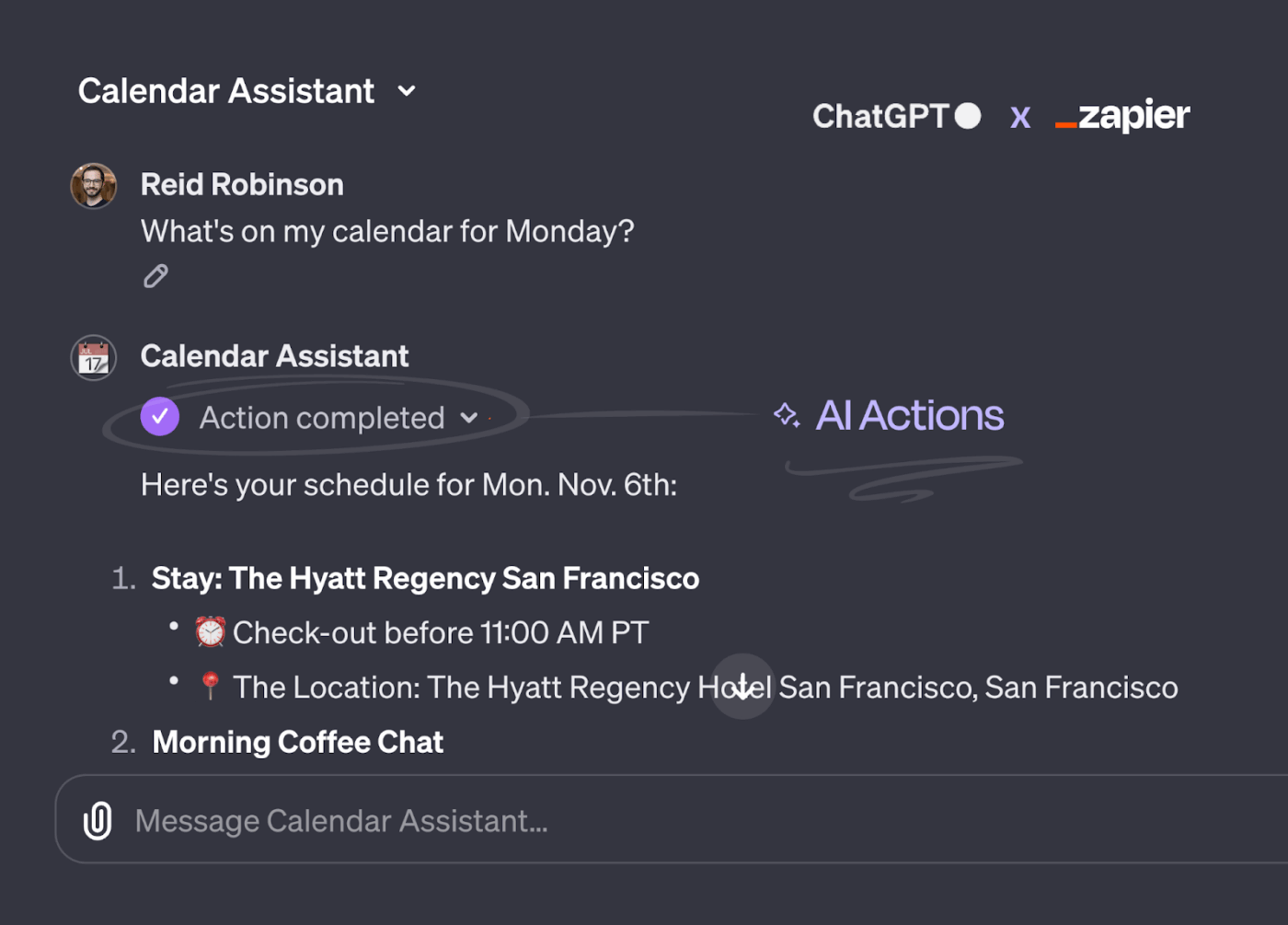
Instead of building a traditional Zap, AI Actions interpret a plain-language command and execute one of Zapier’s many automation actions on your behalf.
The model understands the user’s intent, maps it to the correct Zapier action, fills in the required fields, and submits the request through Zapier’s infrastructure. Before execution, you can prereview the actions for better accuracy and control.
Authentication, API handling, retries, and third-party integrations are managed directly within Zapier. That means you don’t need to manually handle tokens or write custom middleware. Once an app account is connected in Zapier, the AI can securely invoke its permitted actions without additional engineering work.
The platform can plug into platforms like GPTs or custom AI setups, turning natural language commands into live operations across connected tools.
A user review says:
I love the ease of use, especially now with the AI-assist features. You can describe what you need, and the AI will preset everything for you. Zapier is honestly a lifesaver, allowing you to automate tedious and repetitive tasks with ease. It’s the best tool to use for lead generation. It keeps me and my clients updated in real-time.
📖 Also Read: Best Zapier Alternatives
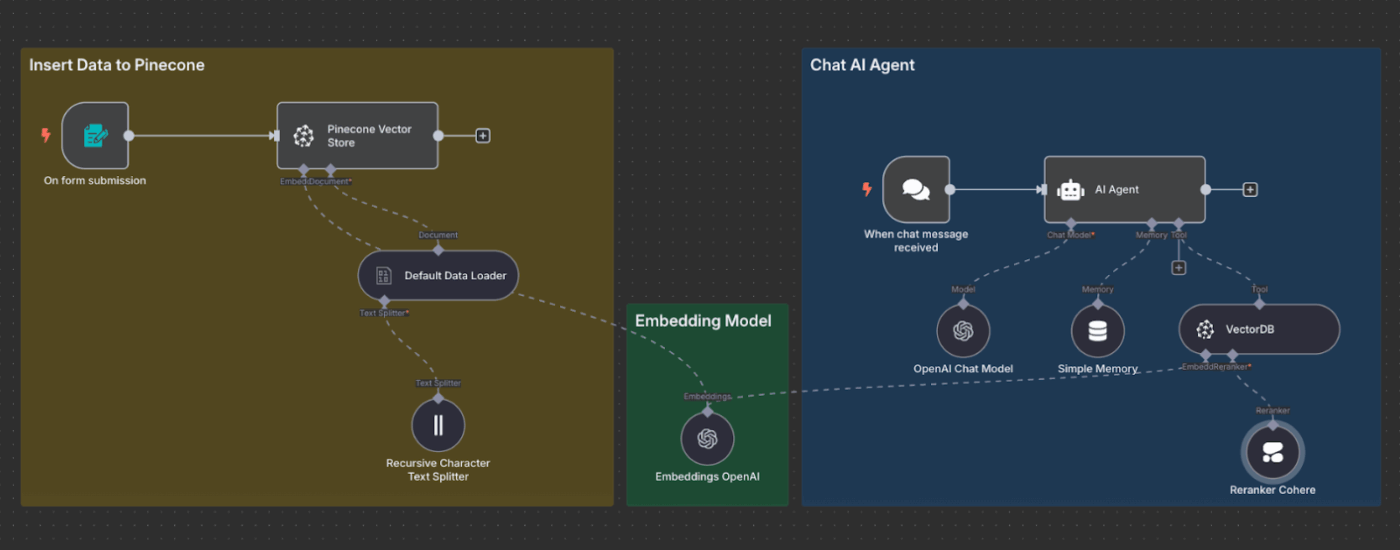
n8n gives teams full control over automation logic, especially when AI is part of the workflow. Unlike simple trigger-based tools, the tool lets you design complex, branching workflows where AI agents can make decisions and interact with hundreds of apps based on real conditions.
Its strength lies in flexibility and transparency. You can pull data from multiple sources, pass it through AI models, and then act on the results across 400+ integrations.
With its visual, node-based editor and support for custom code, it works well for technical teams that need precise logic and AI agents that behave predictably within larger automation systems rather than acting as black boxes.
A user review says:
n8n is an incredibly affordable automation tool with powerful capabilities. The self-deployment option on Hostinger Cloud is cost-effective and gives you complete control. The visual workflow builder is intuitive, and it supports extensive integrations. Great tool for automation-heavy projects.
🧠 Fun Fact: n8n is a numeronym for nodemation (node + automation). The ‘8’ stands for the eight letters between the first and last ‘n’.
📖 Also Read: Best n8n Alternatives
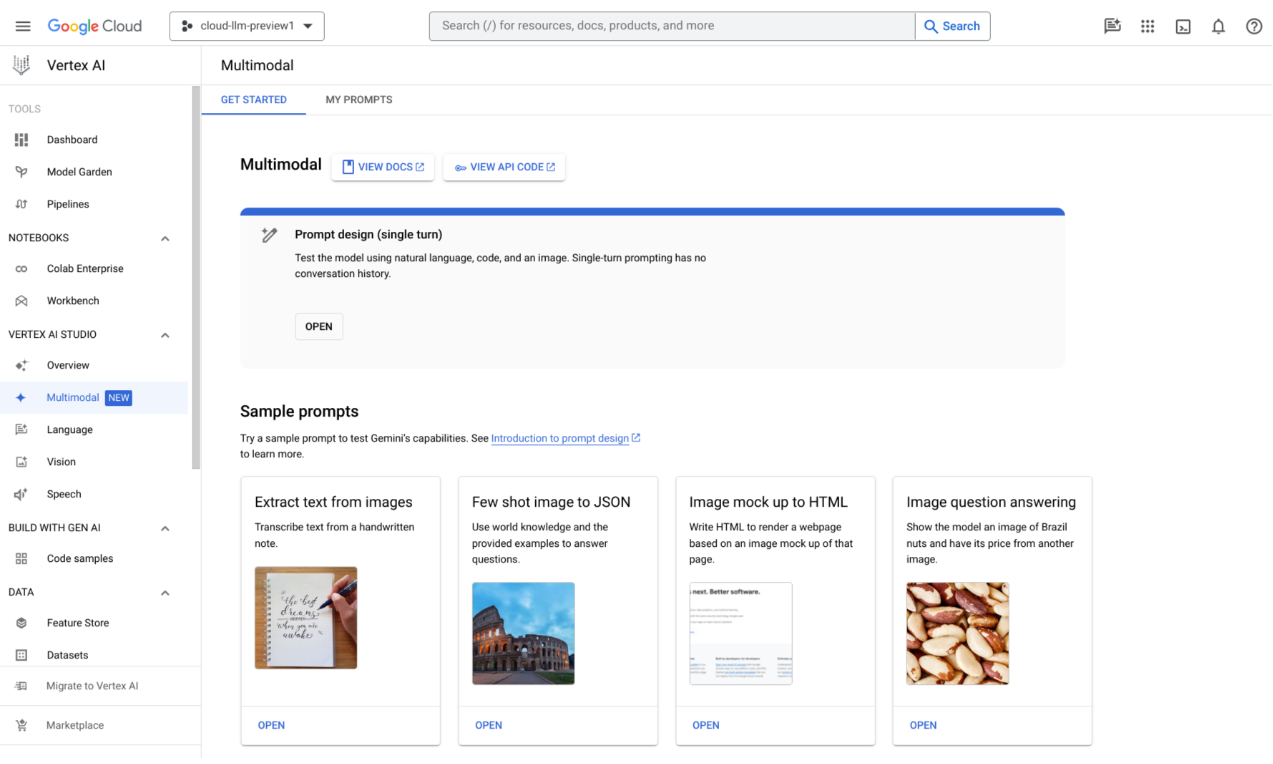
Google Vertex AI gives you a single workspace to prepare data, train models, deploy them, and monitor performance.
It works for both beginners and advanced teams. You can use AutoML for low-code model building or train custom AI models with popular frameworks. On the generative AI side, the tool lets you access Google’s Gemini AI models, as well as open-source and third-party options, through Model Garden.
Built-in MLOps capabilities and Google Cloud’s governance controls make it a reliable choice for production-scale AI systems.
A user review says:
What I like most about Vertex AI is its unified ecosystem. It brings data preparation, model training, and deployment together in a single, cohesive workflow, which makes the overall process feel smooth and well connected. The Model Garden is a real highlight for me, offering easy access to over 150 foundation models such as Gemini and Claude, and it noticeably speeds up building and delivering production-grade AI solutions.
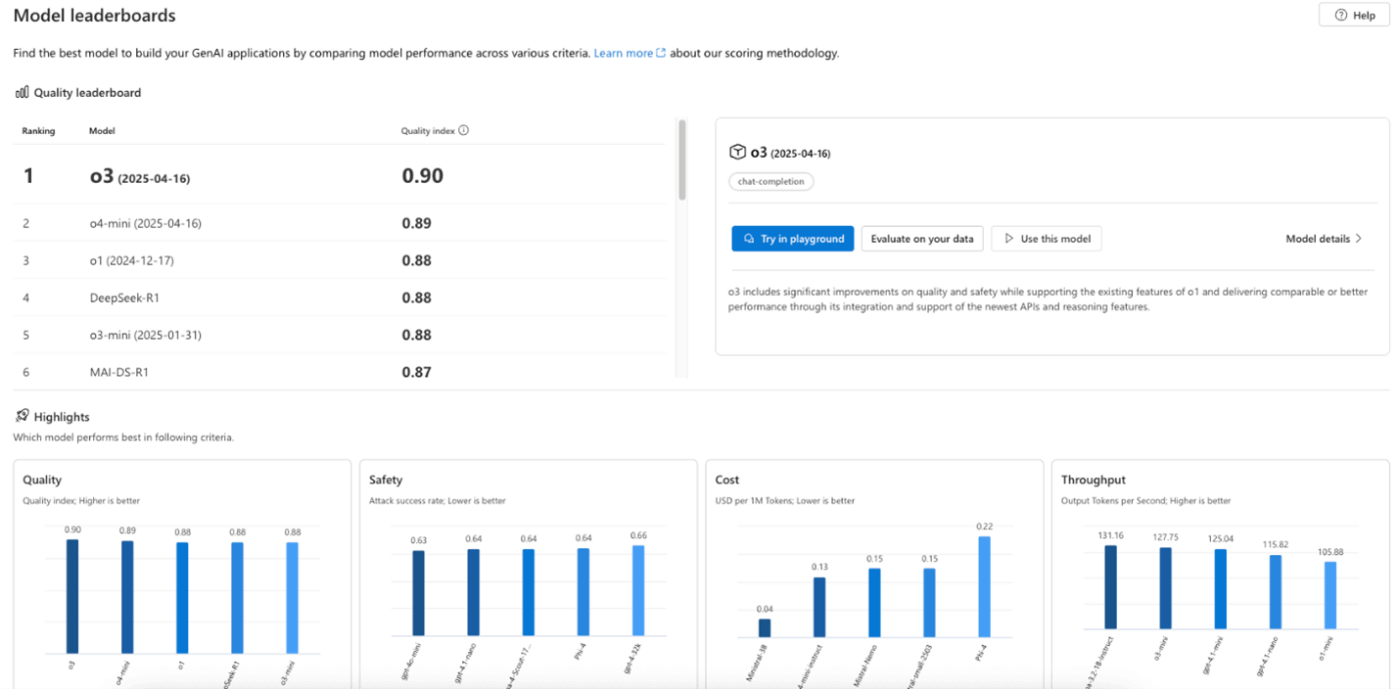
Azure AI Foundry Portal gives developers access to a curated set of AI models, including Azure OpenAI, Microsoft models, and selected open and third-party options from a built-in catalog.
It makes AI development easier with consistent tools, SDK support, and starter templates that help teams move easily from prototype to production.
Designed for enterprise use, Azure AI Foundry adds governance, evaluation, and lifecycle management on top of the earlier Azure AI Studio experience. Teams can try different models and see which works best for their use case before deploying.
📖 Bonus: Best Azure DevOps Alternatives
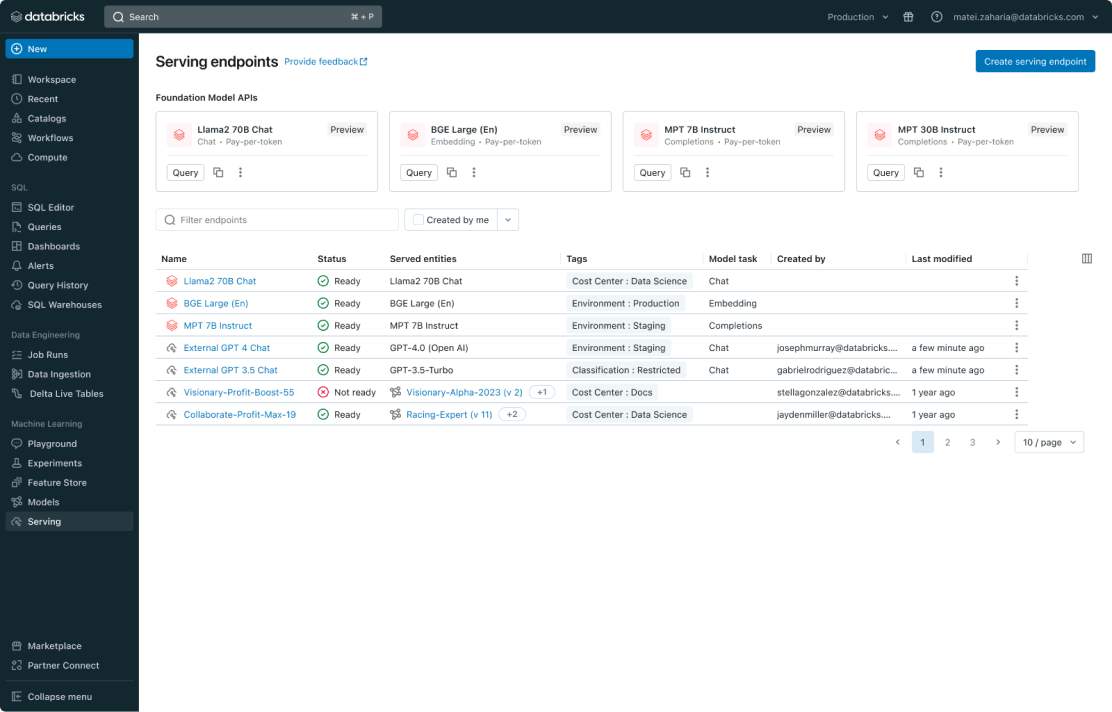
Databricks Model Serving lets teams deploy machine learning models, large language models, and AI agents as production-ready APIs without managing infrastructure.
You can serve different model types through a single endpoint, with built-in scaling and governance. Power users appreciate the flexibility to work with multiple AI models and to compare models to optimize performance across different use cases.
With automatic cost optimization and tight integration with Databricks workflows, it’s a good option for teams that want reliable, enterprise-grade AI in production without the operational overhead.
A user review says:
Databricks Data Intelligence Platform is very reliable and that is nice to know that cloud native architecture did not go down right after I deployed it on kubernetes. Honestly, I thought the python/r integration would be busted so that was a shock to find that both ran without any lag.
Mammouth AI is useful if you mainly want a simple way to work with multiple AI models. But most teams do not just want better answers. They want AI that can push work forward across projects, people, and tools.
That’s why the alternatives in this list fall into two buckets:
If you want your AI to stay tied to real work context and turn outputs into action, ClickUp is the strongest fit. It keeps planning and execution in one place, so your agents and automations can operate with the same source of truth your team uses every day.
Bring AI into the work. Try ClickUp. ✅
Mammouth AI is typically used to prototype AI agents and basic workflows. Teams often look elsewhere when they need deeper integrations, governance, and production monitoring.
If you want AI agents that work directly inside projects, tasks, docs, and team workflows, ClickUp is usually the best fit because execution happens in the same place as orchestration.
If you need agent frameworks and composable workflows, CrewAI, LangChain, and LlamaIndex are common choices depending on whether you prioritize orchestration, app-building, or retrieval.

© 2026 ClickUp

There’s an easier way. Try a free AI Agent in ClickUp that actually does the work for you—set up in minutes, save hours every week.