






Still downloading templates?
There’s an easier way. Try a free AI Agent in ClickUp that actually does the work for you—set up in minutes, save hours every week.
Sorry, there were no results found for “”
Sorry, there were no results found for “”
Sorry, there were no results found for “”

With over 1.2 billion users spread across 200+ countries, LinkedIn is the largest professional networking platform globally.
And just like your social media presence, your professional presence on this platform matters more than ever. Whether you’re prospecting clients, exploring new job opportunities, attracting talent, or seeking more job interviews, LinkedIn takes the forefront.
Sure, the LinkedIn Premium account could unlock more access and insights.
But it would leave the hard part of managing conversations and follow-ups entirely up to you.
That said, if you’re wondering how to supercharge your LinkedIn presence with the business premium account, this guide is for you.
LinkedIn offers premium plans across 4 core categories: Career, Business, Sales, and Recruiting. Each targets a specific audience and comes with a distinct feature set, subcategories, and pricing.
Here’s a quick overview of each plan and its key features 👇
| Premium Plan | Best for | Key features included | Pricing (approx.)* |
| Premium Career | Job seekers, professionals exploring roles | See all profile viewers, 5 InMail credits, job applicant insights, salary data, LinkedIn Learning access | ~$29.99/month |
| Premium Business | Founders, consultants, independent professionals | Unlimited people browsing, business insights, advanced search filters, 15 InMail credits | ~$59.99/month |
| Sales Navigator | Sales reps, founders doing outbound, partnerships | Advanced lead & account search, lead alerts, CRM integrations, 50 InMail limits | ~$99.99/month |
| Recruiter Lite | Hiring managers and recruiters | Advanced candidate search, hiring insights, InMail, candidate tracking | ~$170/month |
👀 Did You Know? The average cold email response rate is 5.1%, while LinkedIn DMs get 10.3%, double the engagement. Yet, 90% of outbound efforts still go into email.
Let’s understand the benefits of LinkedIn Premium to guide your decisions.
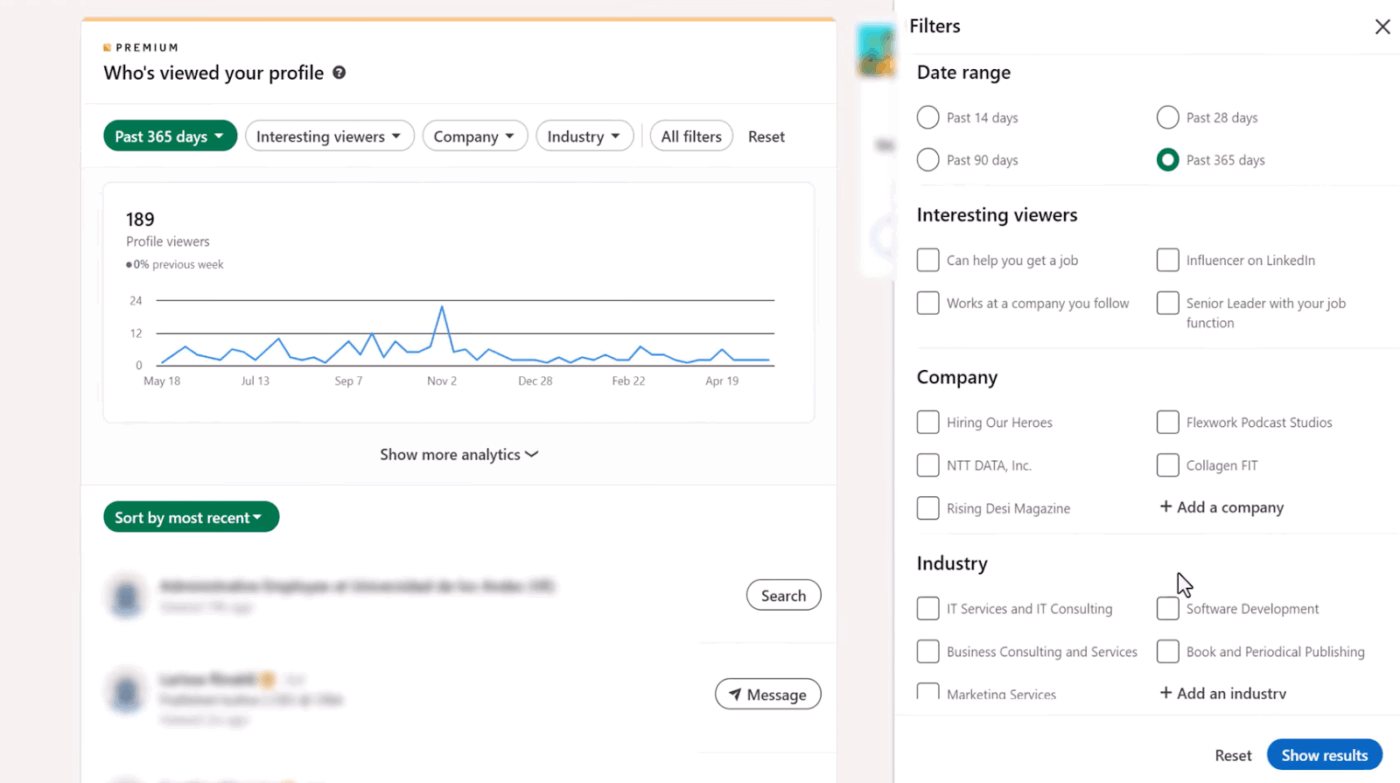
With LinkedIn Premium, you can see who’s viewed your profile (up to 365 days) and how people found you, through search, feed, shared connections, or company pages. This intel matters when you need a first-mover advantage.
For instance:
Premium Business accounts also receive a gold badge on their profiles, which may signal credibility to potential employers and clients. You can also browse profiles anonymously and run unlimited searches, filtering by job title, company size, location, industry, or skill sets.
💡 Pro Tip: Use lead tracking templates to segment LinkedIn connections by engagement level. This prevents you from treating cold prospects the same as warm leads ready to convert.
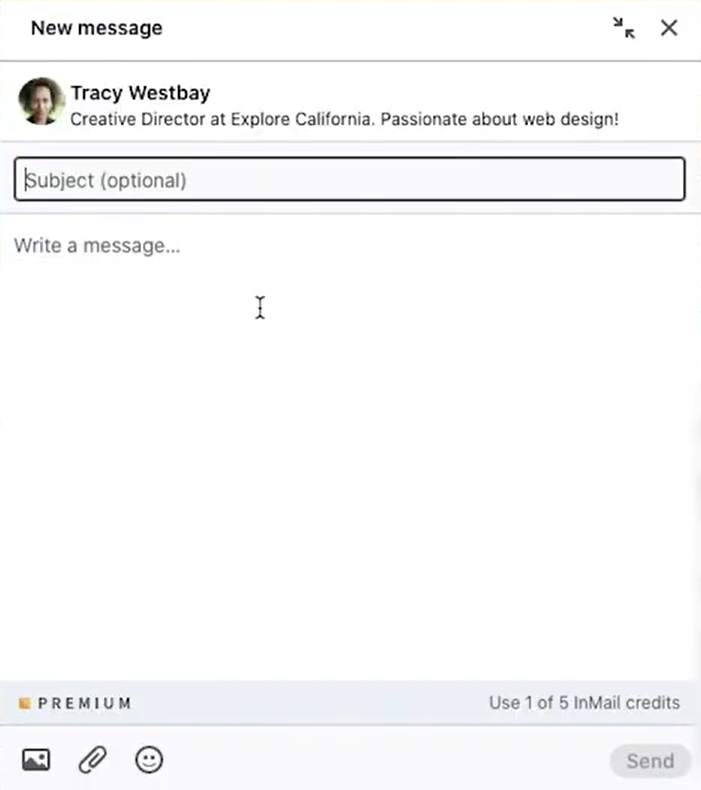
With premium plans, you get 3 months of rolling InMail credits to contact LinkedIn members outside your network. This is helpful when you’re trying to connect with decision-makers or hiring teams who wouldn’t normally see your connection request.
However, here are a few things you should know about InMails ⚠️
✏️ Note: Recruiters must maintain an InMail response rate of at least 13% on 100 or more messages sent within every 14-day assessment period.
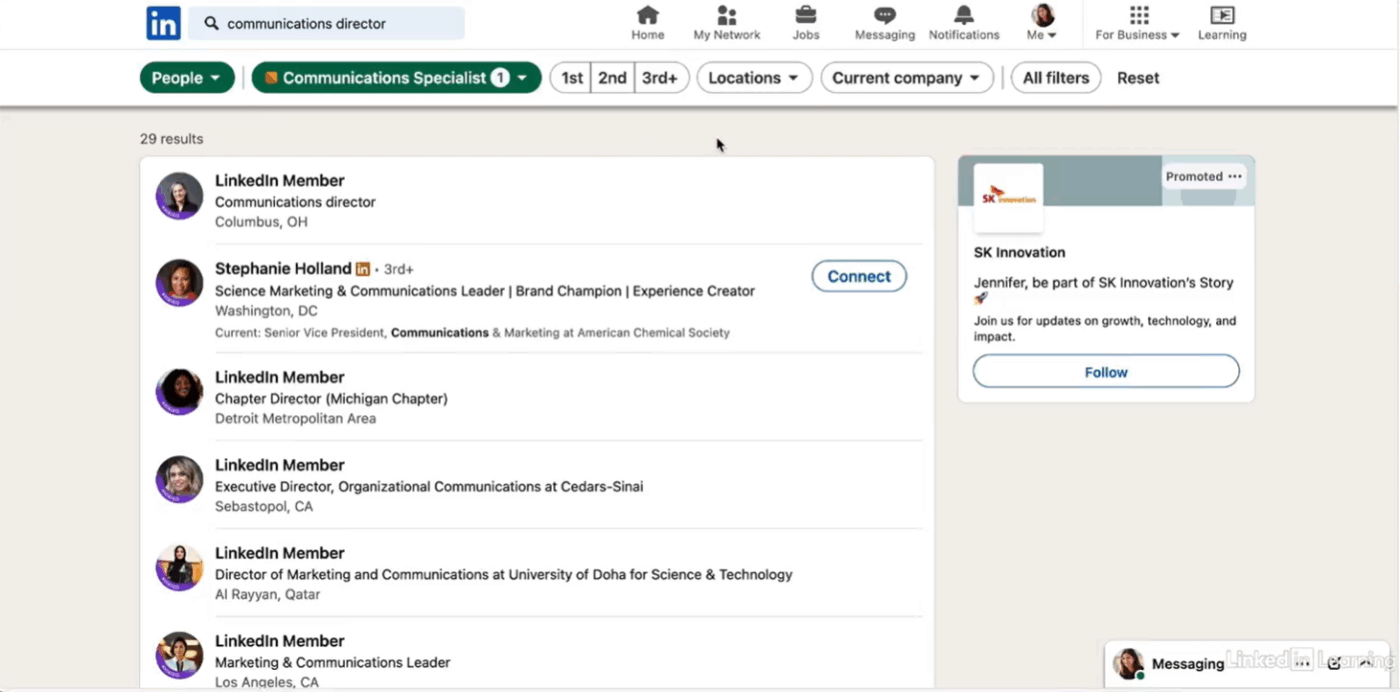
LinkedIn Premium equips you with advanced search and filtering options. You can narrow down sales leads or prospects by seniority level, company size, years of experience, or industry. This matters when you’re building outreach lists, tracking competitor hiring patterns, or identifying decision-makers within target accounts.
| Plan | Available search and lead filters |
| Premium Career | Filter by company, location, industry |
| Premium Business | Company search by industry, headquarters location, and headcount Search prospects by current/past company and job title Search prospects by geography, name, and school |
| Sales Navigator | Everything in Premium Business, plus: Search prospects by seniority, function, and recent job changes Search by buyer interest and mutual connections Search by buyer intent signals Filter by custom lead/account lists Search companies by annual revenue and department headcount Search within saved accounts and filter by custom account lists Search companies synced in your CRM |
| Recruiter Lite | Search by job titles, location, companies, skills, and assessments Filter by schools, industries, and spoken languages Advanced candidate search with certification filters |
💡 Pro Tip: Use Boolean search to build laser-focused queries. Combine keywords with operators to filter exactly what you need:
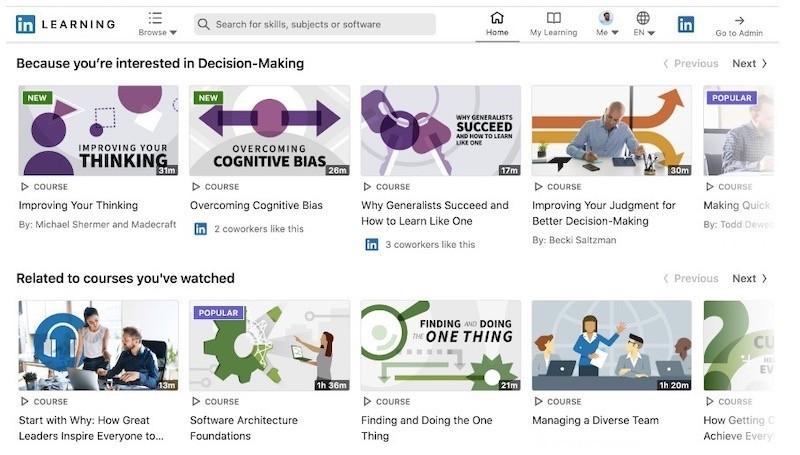
LinkedIn Premium offers access to over 20,000 courses taught by industry experts and centered on today’s most in-demand skills. You can find courses on everything—from Excel formulas to AI foundations to project management.
Most of them have assessments, exercise files, and video transcripts. Every time you complete a course, you get a certificate that automatically displays on your LinkedIn profile with a verification badge.
Here are some of the most popular LinkedIn Learning courses:
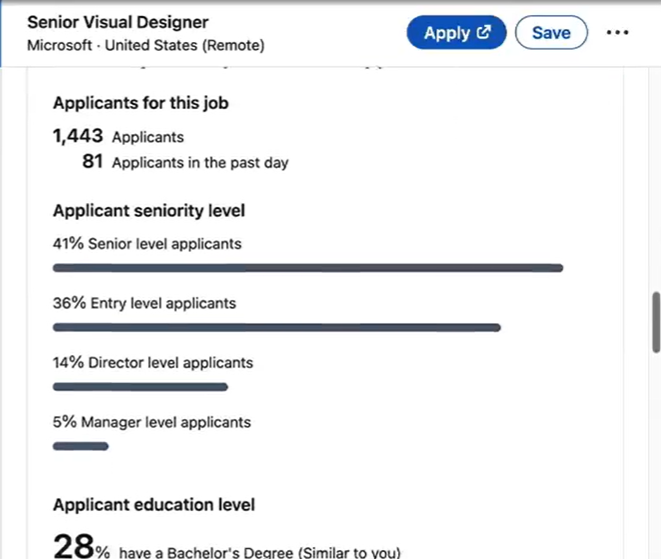
As a premium user, you can see how your application stacks up against other applicants. LinkedIn highlights the skills and experience you’re missing and shows how your profile matches the job requirements.
Is the LinkedIn Premium worth your 💰? Check out the cons if you’re considering a subscription.
The cost can add up quickly, especially if you’re not actively job-hunting or prospecting. Here’s what you’re looking at:
| Plan | Monthly pricing* | Monthly pricing (when billed annually)* |
| Premium Careers | $29.99/month | $19.99/month |
| Premium Business | $59.99/month | $47.99/month |
| Sales Navigator Core | $99.99/mo | $79.99/mo |
| Sales Navigator Advanced | $149.99/mo | $108.33/mo |
| Recruiter Lite | $170/mo | $140/mo |
You get a 1-month free trial on all plans, but you’ll need to provide your credit card details.
The list of offerings under premium plans is exhaustive, and you are likely not to use all of them.
What you must also know is that:
👀 Did You Know? Members are 87% more likely to accept your InMail if you have a complete LinkedIn profile. LinkedIn Premium won’t do you any good if you don’t build a personal brand people connect with.
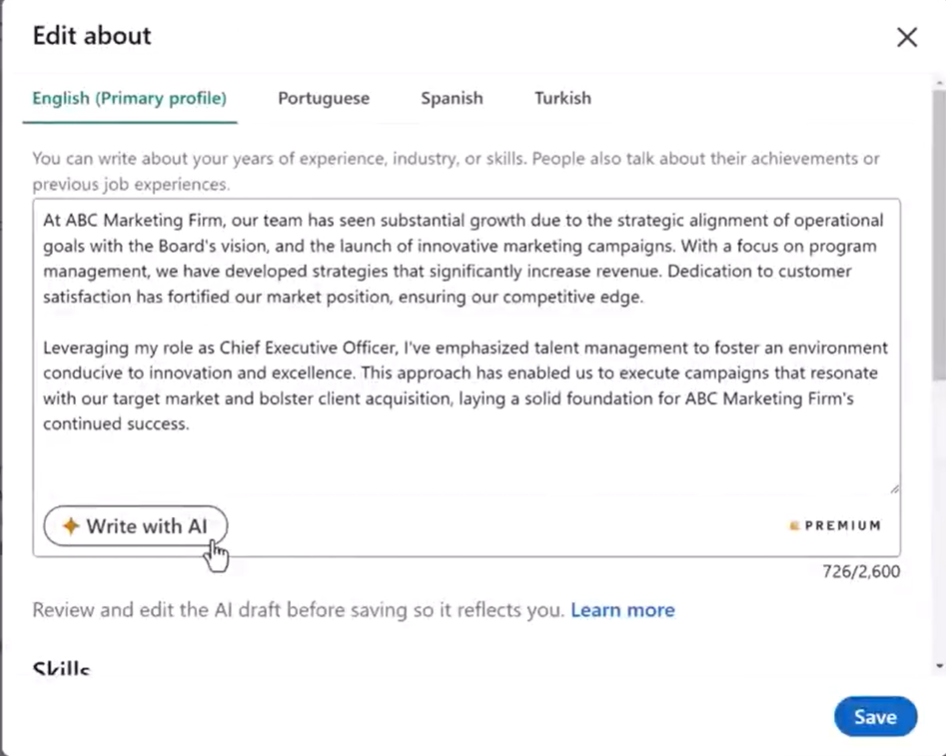
LinkedIn offers AI-powered tools across its premium tiers:
📮 ClickUp Insight: 62% of our respondents rely on conversational AI tools like ChatGPT and Claude. Their familiar chatbot interface and versatile abilities—to generate content, analyze data, and more—could be why they’re so popular across diverse roles and industries.
However, if a user has to switch to another tab to ask the AI a question every time, the associated toggle tax and context-switching costs add up over time.
Not with ClickUp Brain, though. It lives right in your Workspace, knows what you’re working on, can understand plain text prompts, and gives you answers that are highly relevant to your tasks! Experience 2x improvement in productivity with ClickUp!
The evaluation of pros and cons brings us to our ultimate question: Is a LinkedIn Premium subscription worth it?
Honestly, it depends.
For some professionals, premium features directly translate into closed deals or job offers. For others, it’s money spent on tools they’ll never fully use.
✅ If you’ve been actively using LinkedIn’s free plan to build a personal brand and grow your network, premium adds a credibility boost. You can track engagement and refine your outreach strategy with the metrics and insights it offers.
Here are a few instances where Premium makes sense:
| When does LinkedIn Premium make sense? | Why does it work? |
| You want to land a best-fit job | Job seekers aggressively applying to multiple roles can tailor applications using applicant insights and reach out to hiring managers with personalized InMails. Premium members are 2.6x more likely to get hired through the platform |
| You have a budget for investing in higher lead gen efficiency | Sales Navigator’s advanced filters and lead recommendations make prospecting more efficient. The CRM integration streamlines outreach and lead management, cutting research time by hours |
| You’re hiring for multiple roles at once | Recruiter Lite’s advanced candidate search, project folders, and InMail credits make sourcing and organizing talent faster. Recruiter Lite is likely to pay for itself if you’re hiring 5 or more candidates annually |
| You’re a consultant or freelancer pitching services | Decision-makers at target companies rarely accept cold connection requests. A personalized warm outreach before sending a connection request helps |
❌ Let’s make making a decision even simpler. If you fall in one of these categories, Premium may not pay off:
| Scenario | Why Premium falls short |
| You’re networking casually | Posting content, engaging in comments, and growing visibility don’t require Premium. The free version already supports organic relationship-building |
| You don’t track follow-ups | InMail opens conversations, but Premium offers no way to manage replies, reminders, or ongoing relationship context. Missed follow-ups quickly erode ROI |
| Your outreach volume is low | Sending a few messages or applications each month rarely justifies the recurring cost of Premium plans |
| You expect automation or structure | Premium does not provide workflows, sequencing, or lead pipelines. It’s an access layer, not an execution system |
| You don’t have a time-bound goal | Without a clear outcome (interviews, hires, deals), Premium often becomes an unused subscription rather than a performance lever |
👀 Did You Know? InMails have a 2.5 times higher open rate (57.5%) compared to email (21.6%). To ensure your InMails get responses, personalize them based on recent activity and make a warm approach. Don’t be salesy in the first message.
Here’s a comparison of prominent LinkedIn features and what you get in the free vs. paid plans.
| Feature | Free LinkedIn account | Premium plan |
| Profile views | Last 5 (Up to 90 days) | Full list (365 days) with demographics |
| InMail credits | None | 5 (Career), 15 (Business) |
| Search filters | Basic filters for filtering search by people, jobs, posts, groups, companies, schools, and events. | Advanced search filters with Boolean filtering. Helpful when you want to search many people outside your 1st, 2nd, and 3rd degree network |
| AI features | NA | Accessible in selected geographies |
| Applicant tracking | NA | Track who views your job postings and application status |
| CRM Integration | NA | Integrates with HubSpot, Salesforce, Oracle, and more |
| Monthly people search usage | Limited searches for people that are not your first connection | Unlimited (although the job seeker plan comes with a limit) |
| Learning resources | Limited access | Access to 20000+ courses |
| Connection limits | 30000 first-degree connections | 30000 first-degree connections |
| Recommendations and endorsements | Request recommendations and display them on the profile | Same as the free plan |
That said, networking success comes from strategy and consistency, not just premium features. You can grow on LinkedIn and manage your relationships just fine, even with a free plan.
We’ve divided the alternatives to LinkedIn Premium into two sections: networking tools and LinkedIn automation tools.
Networking tools include:👇
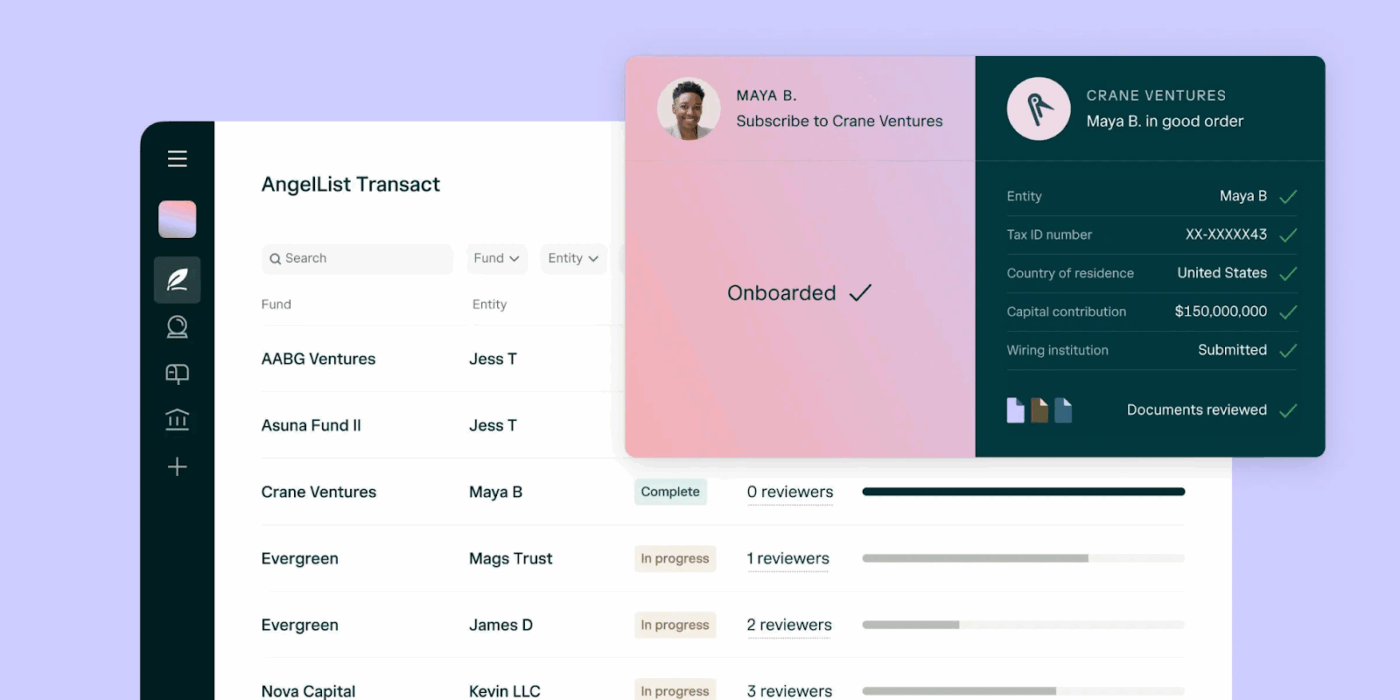
AngelList connects startup professionals, founders, and investors in one ecosystem. Job seekers can browse through startup roles. They get salary ranges and equity details upfront. Founders can use it to find co-founders and recruit early-stage talent. Investors can scout for deals on the platform.
Unlike LinkedIn’s broad professional focus, AngelList is purpose-built for startup hiring, fundraising, and early-stage networking.

Bumble Bizz brings the swipe-right dating mechanic to professional networking. Create a separate Bizz profile highlighting your skills, industry, and what you’re looking for: mentorship, collaborators, clients, or job opportunities. The app shows you nearby professionals, and you swipe right to connect or left to pass.
Matches unlock direct messaging without the formality of LinkedIn connection requests or InMails. It can be used by freelancers, consultants, and entrepreneurs who want low-pressure networking that feels less transactional.
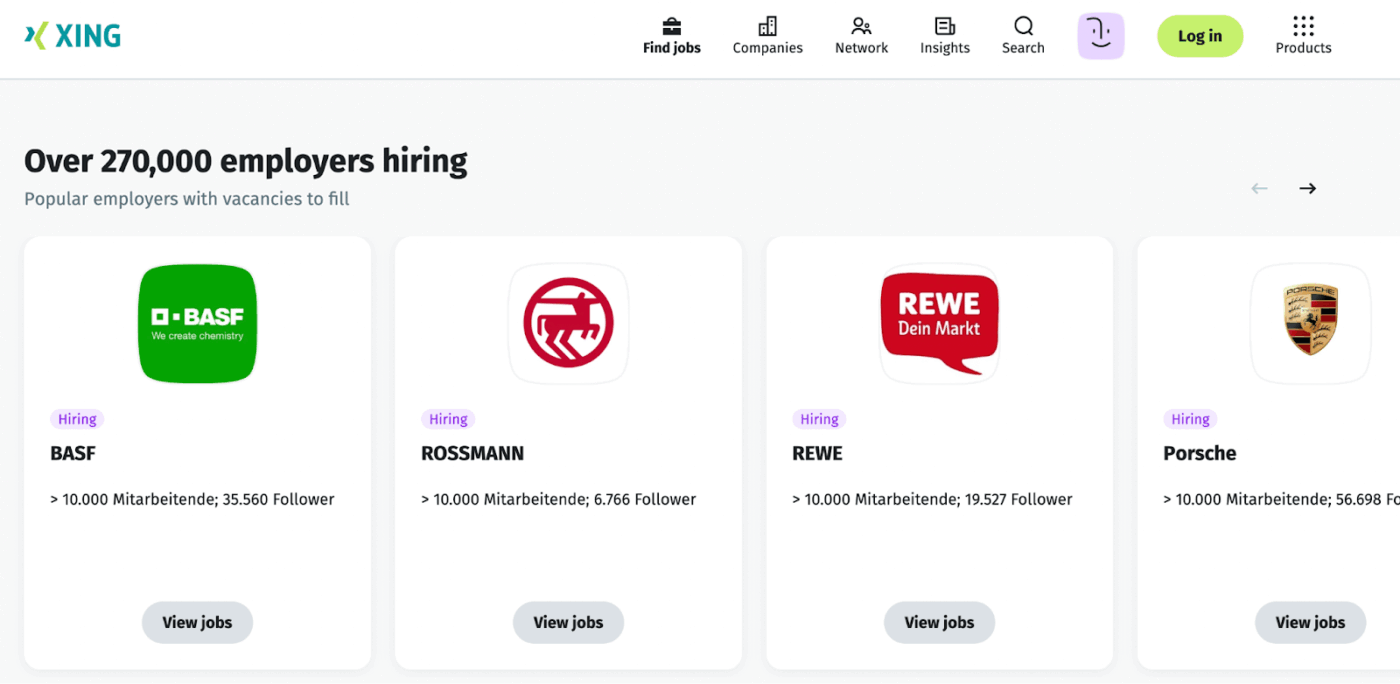
Xing dominates professional networking across Germany, Austria, and Switzerland with over 20 million users in the DACH region. It functions like LinkedIn but with stronger local market penetration and features tailored to European business culture.
Professionals use it to find jobs, attend industry events, and join specialized groups focused on German-speaking markets. If your target audience or business operates in German-speaking Europe, Xing often delivers better engagement than LinkedIn for regional connections.
💡 Pro Tip: Feeling burned out with constant networking and outreach? Use time blocking where you dedicate 90-120 minutes daily to one focus area—LinkedIn branding or prospect outreach. This prevents context-switching fatigue and delivers better results than scattered all-day engagement.
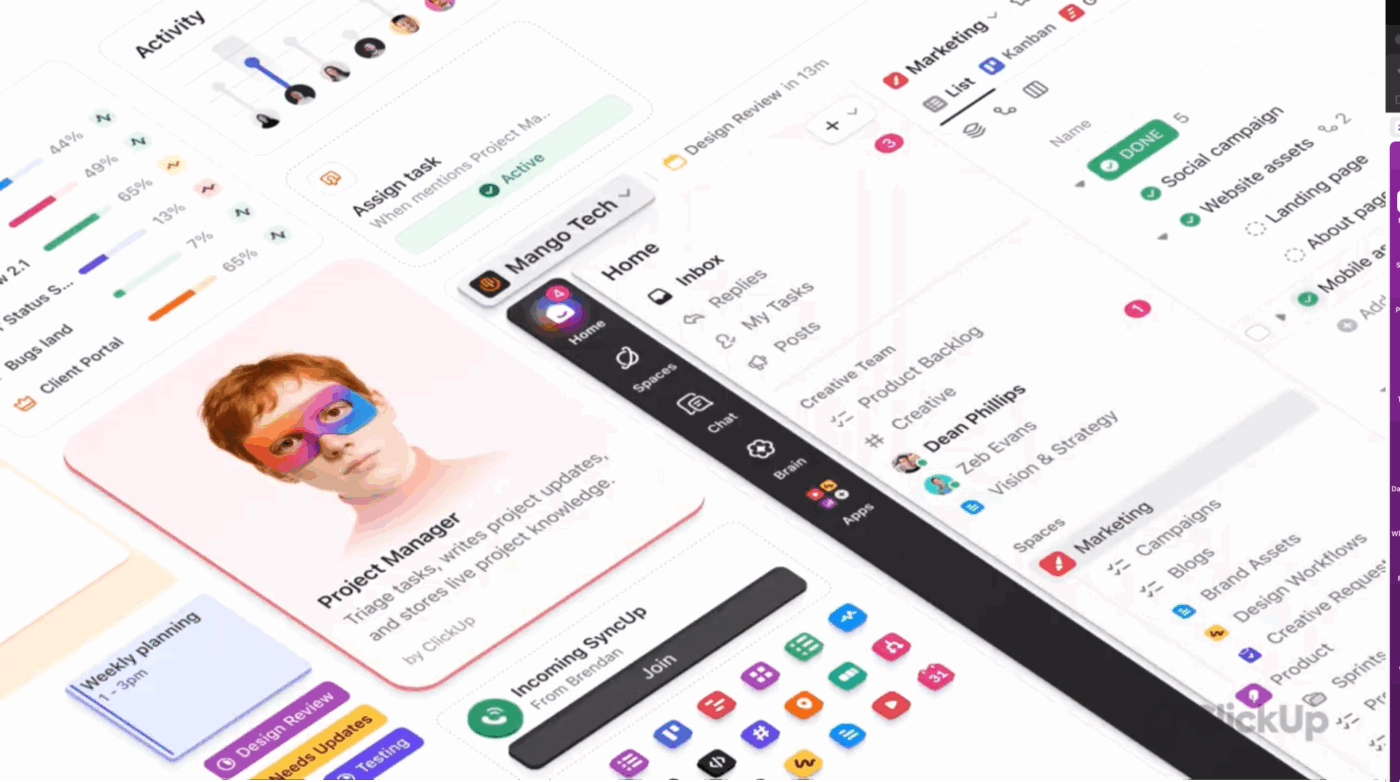
When you’re networking on LinkedIn, you need a centralized workspace to manage contacts and follow-ups and a place to plan content and track results.
Enter: ClickUp, a converged AI workspace. It unifies your workflows and tools, allowing you to manage your LinkedIn outreach in one place. The key capabilities include:
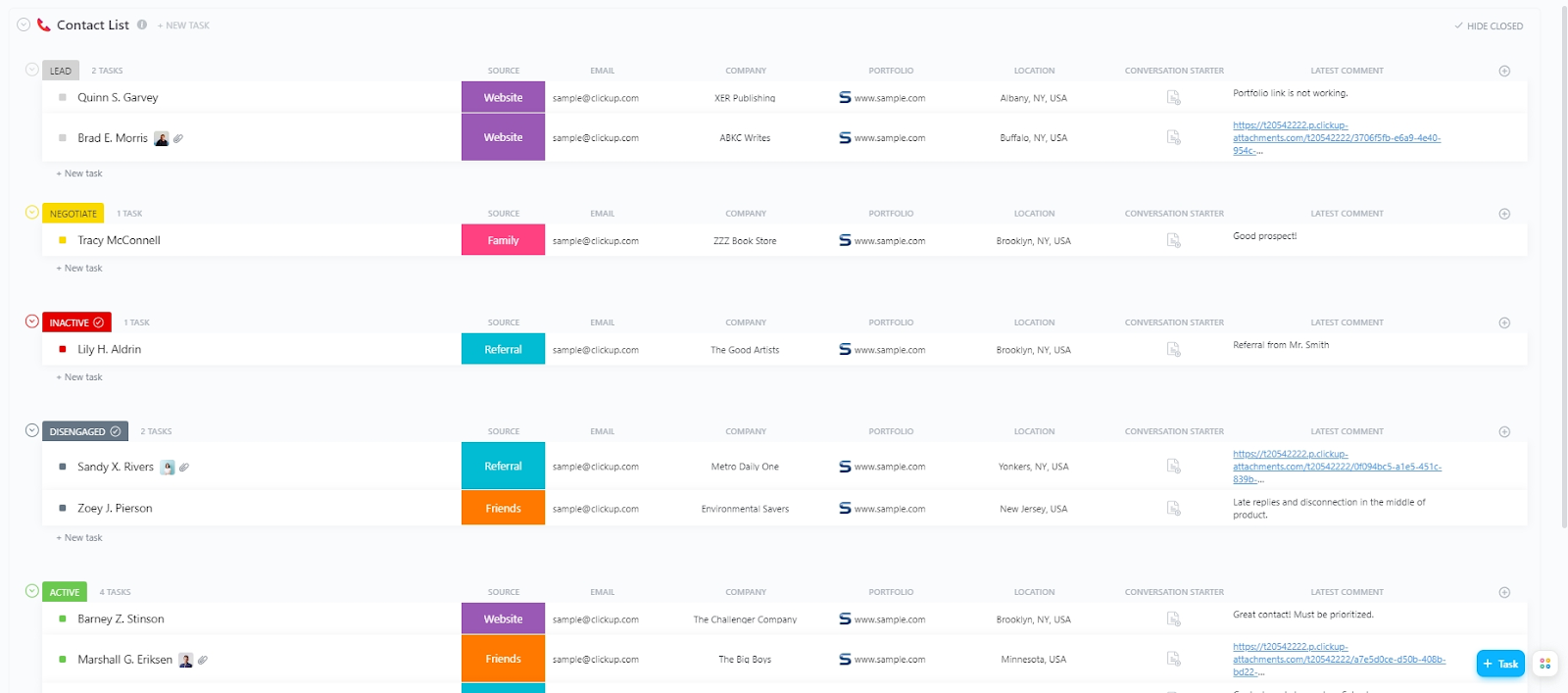
Having a contact management tool or a centralized location to store all your business contacts and their information makes outreach more manageable.
When you are managing leads, customers, and interactions at scale, you need ClickUp’s Contact List Template to keep everything in check.
Use this template to:
💡 Pro Tip: Store templated messages for different outreach scenarios in ClickUp Docs. Use the templated message plus suggestions from ClickUp Brain to build a personalized and human-sounding message. This way, your team doesn’t need to rethink systems from scratch while also not compromising with robotic-sounding messages.
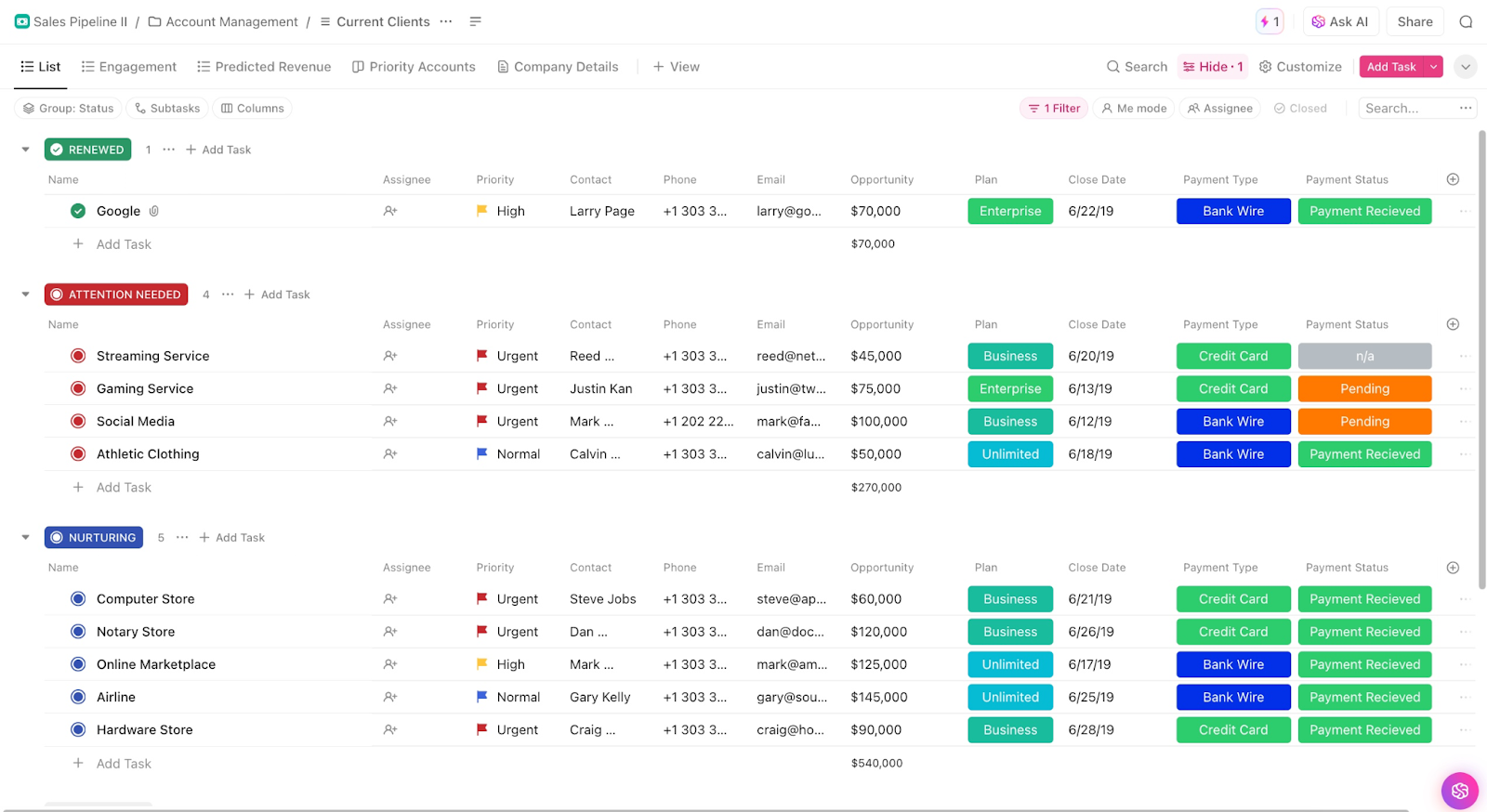
Once you’ve tracked contacts, the next step is moving them through your sales funnel.
You need a system to qualify leads, schedule follow-ups, and close deals without letting prospects slip through the cracks.
ClickUp’s Sales Pipeline Template comes to your rescue. With this template, you can:
ClickUp Brain, a contextual AI, understands your outreach system as it resides within ClickUp. It has context from your Lists, tasks, Docs, CRM fields, and notes.
It can generate outreach messages, summaries, and follow-up tasks based on your actual workflow.
For your LinkedIn outreach, the AI assistant can summarize LinkedIn posts, extract role-specific pain points, and pull out key details you can use in your message.
Then use BrainGPT to rewrite your outreach message in different tones. You can even create different versions with multiple angles (value-led, problem-led, insight-led). Test these variations to see what resonates with each ICP.
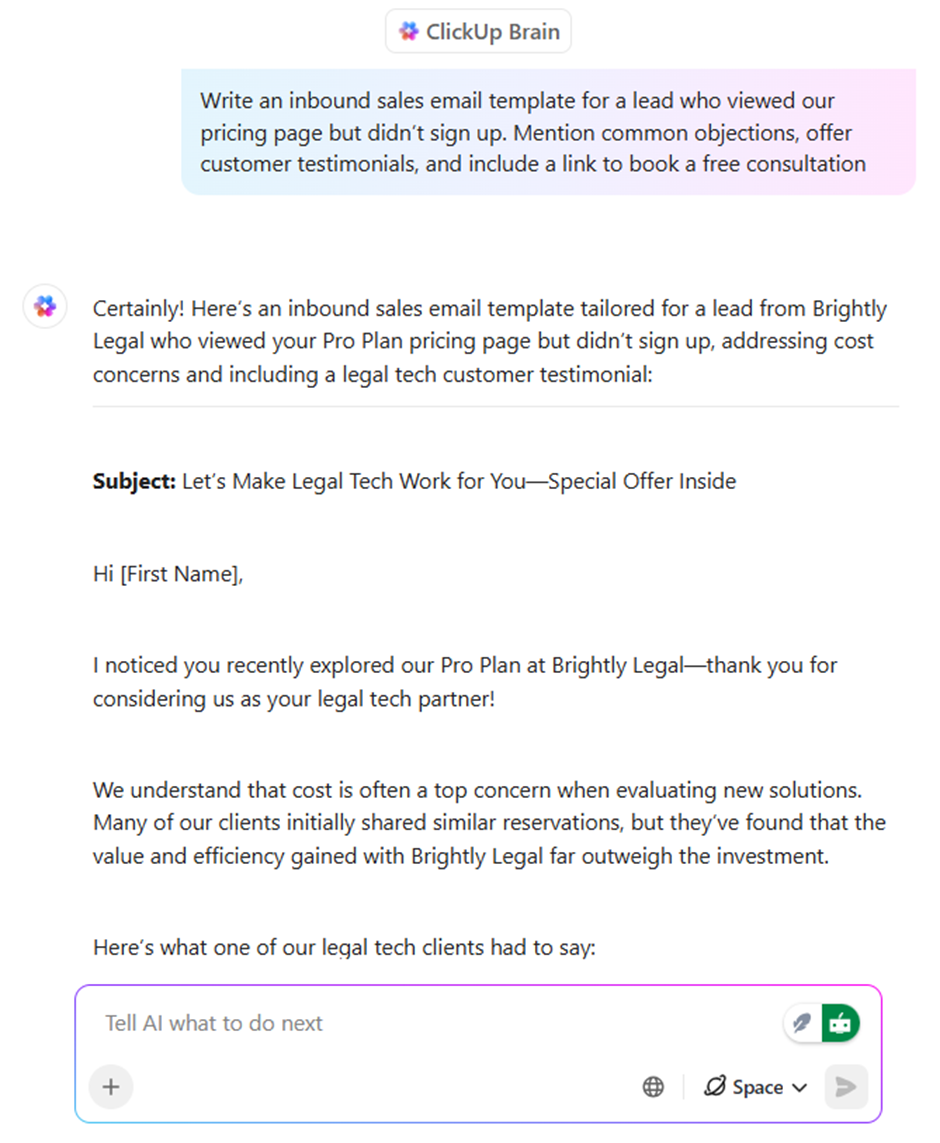
Remember to humanize the AI-generated content and add your personality to the message.
If you’re just getting started with AI-generated content, we’ve created this video for you.
Also, if typing everything is slowing you down, you have ClickUp’s Talk-to-Text. With Talk-to-Text, you can:
When you’re managing outreach at scale, there’s no way you can handle all of this manually. You need AI-automated workflows that keep running even when you’re not monitoring every response.
However, while automating LinkedIn outreach with AI, make sure to configure the following limits:
Using ClickUp’s no-code Automations, you can build trigger-based workflows that activate when you send a connection request on LinkedIn. They run the prospecting in the background.
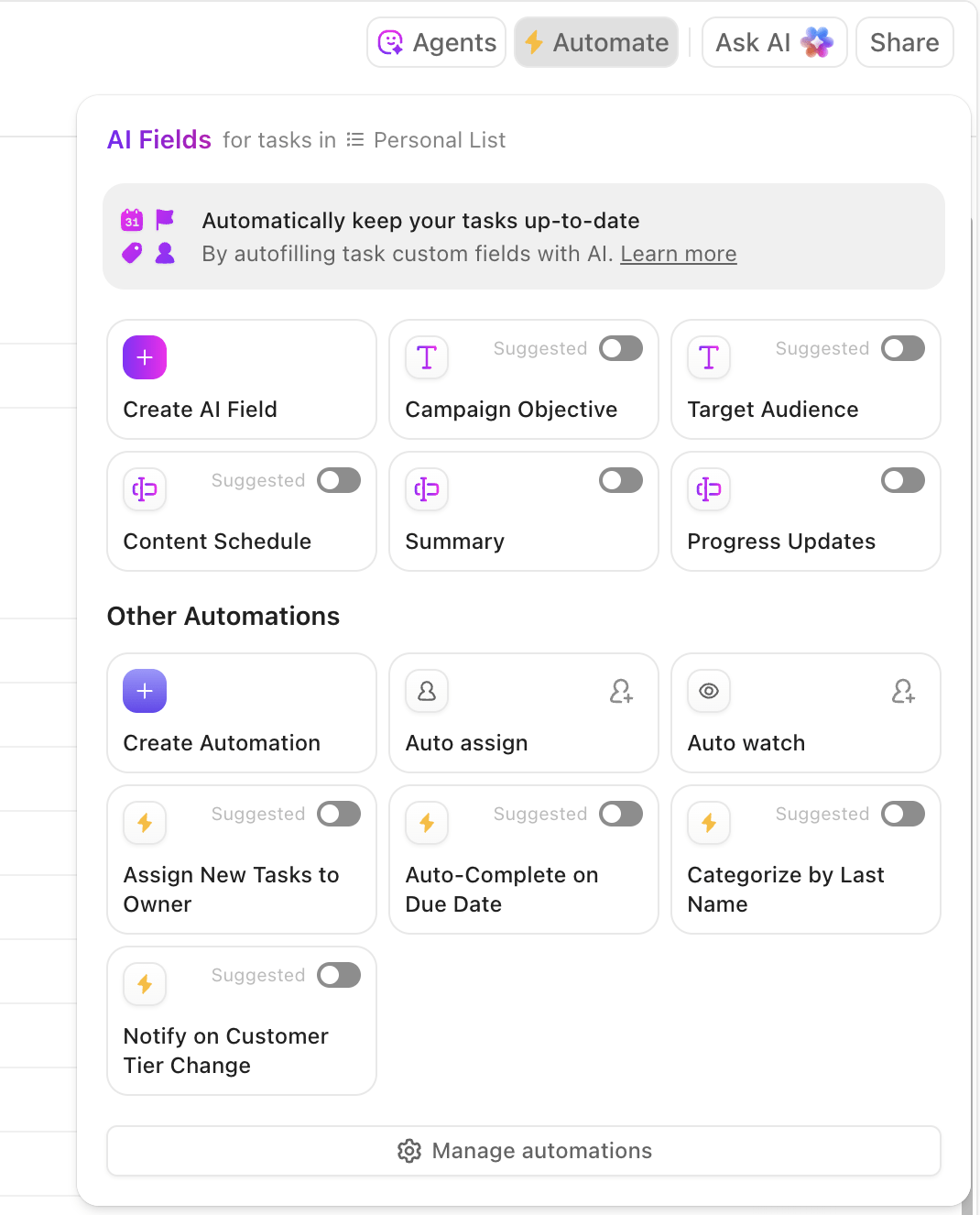
Define if this, then that rules in Automations that save hours and eliminate missed steps. Automations can also be tied to upcoming due dates, assignee changes, or even time-tracking events, ensuring tasks remain consistently labeled.
🚀 ClickUp Advantage: ClickUp’s Super Agents are your AI teammates that do the heavy-lifting for you.
With Super Agents, you can:
Watch this video to know more about Super Agents and how they work 👇
Hear it from a G2 reviewer:
I use ClickUp for managing tasks daily. It unites all the tools we need in one place, and that’s awesome! I love the quick overview it gives on projects and the possibility of using dashboards to make it even more visual. I also enjoy the possibility to customize fields, statuses, and views.
Third-party LinkedIn automation tools can handle repetitive tasks like extracting lead data and scheduling follow-ups without triggering LinkedIn’s detection systems. Here are a few you should know:
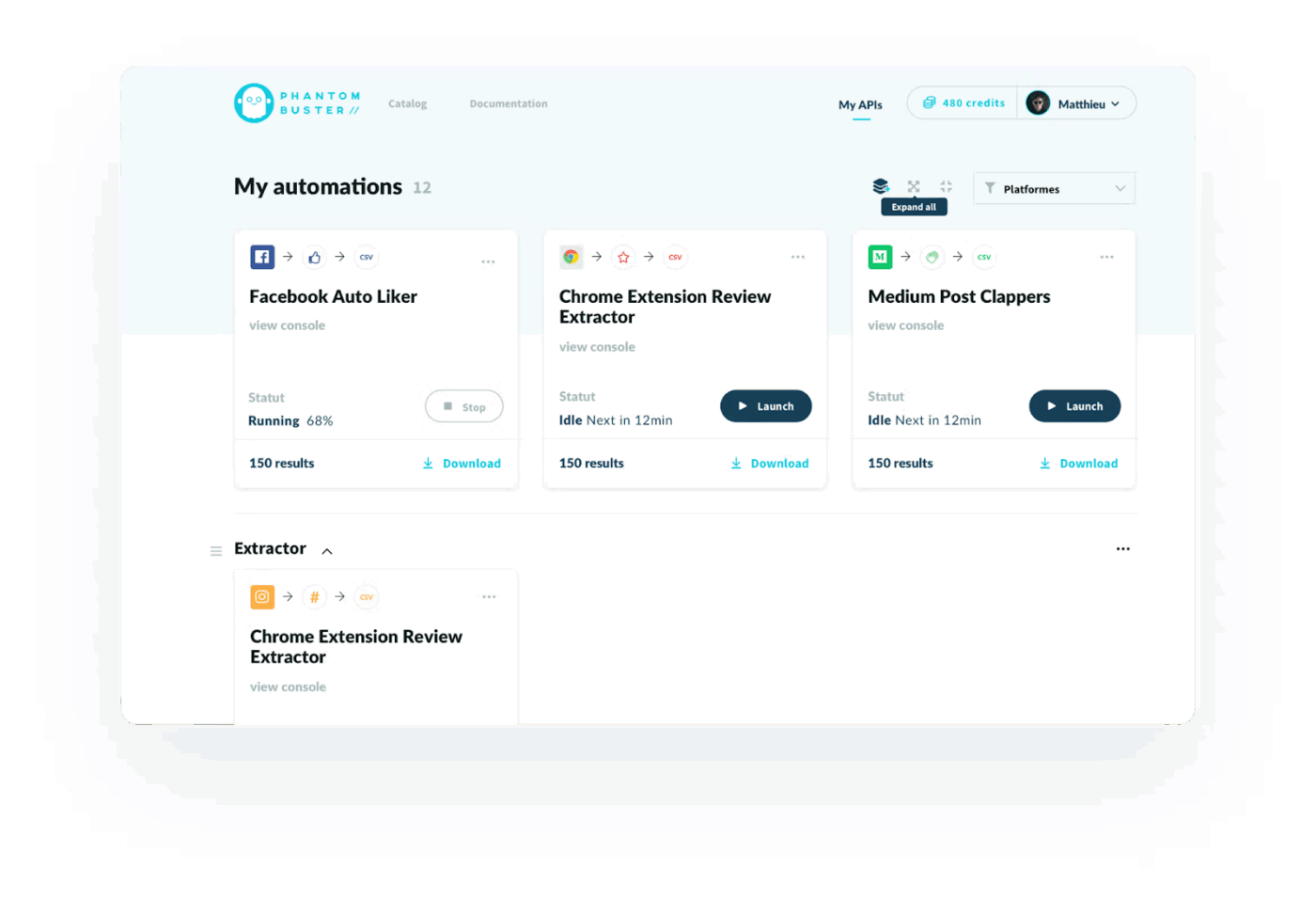
PhantomBuster is a cloud-based platform that makes it easier to collect, organize, and export structured data from LinkedIn without manual copy-paste. It offers a range of LinkedIn-specific tools that let you build lists from searches, company pages, group members, profile activity, and post engagement.
You can extract key public profile details, company information, and activity metadata into spreadsheets or CRM systems, and centralize this data in one workspace for downstream use. You also get a “LinkedIn Leads” hub where you can filter, group, and manage collected LinkedIn leads efficiently.
Hear it from a G2 reviewer:
What I love most about PhantomBuster is how easy it is to automate LinkedIn outreach and lead generation without needing to code anything. The templates are super intuitive, and once you’ve set up a few workflows, they save you hours every week. I also really like how you can chain different automations together — for example, extracting profiles, enriching data, and sending personalized connection requests automatically. It’s reliable, well-documented, and the support team is fast and helpful.
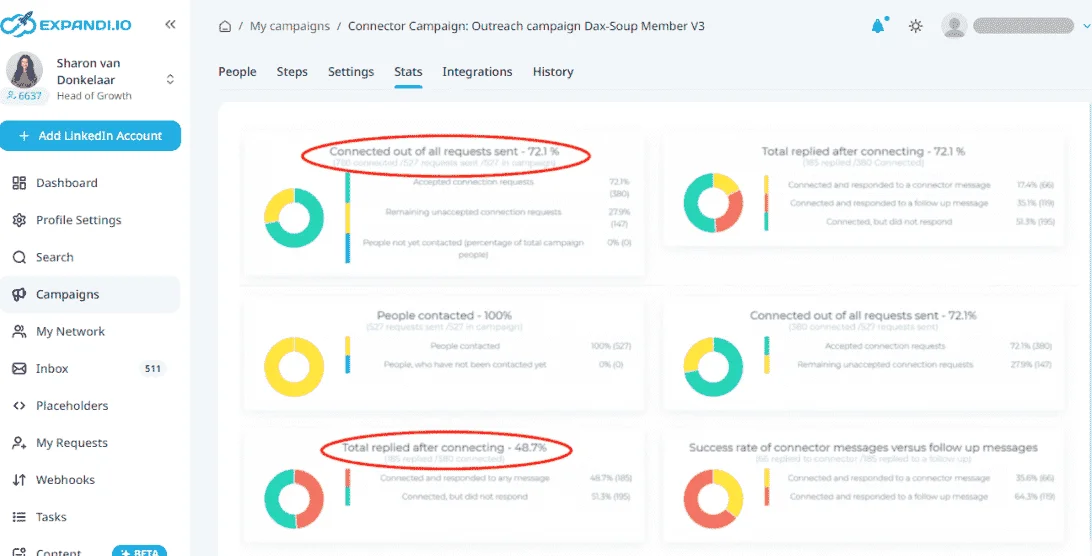
The LinkedIn prospecting platform Expandi provides a centralized workspace for managing LinkedIn contacts. You can view detailed lead information and filter prospects by criteria such as job title, company, industry, and engagement signals.
Expandi also includes a smart inbox to consolidate messages and simplify conversation tracking. To assess campaign performance, you get advanced analytics and reporting. It connects with other tools to integrate LinkedIn lead insights into broader workflows.
Hear it from a G2 reviewer:
They are getting really close. It’s almost there. I was impressed with their customer service each time we interacted. That part makes them a standout. They are clearly taking their feedback from their customers seriously and working to get the integrations right. When we had integration issues or billing issues, their team stepped up to address them right away. Nice job. That was rare and impactful.
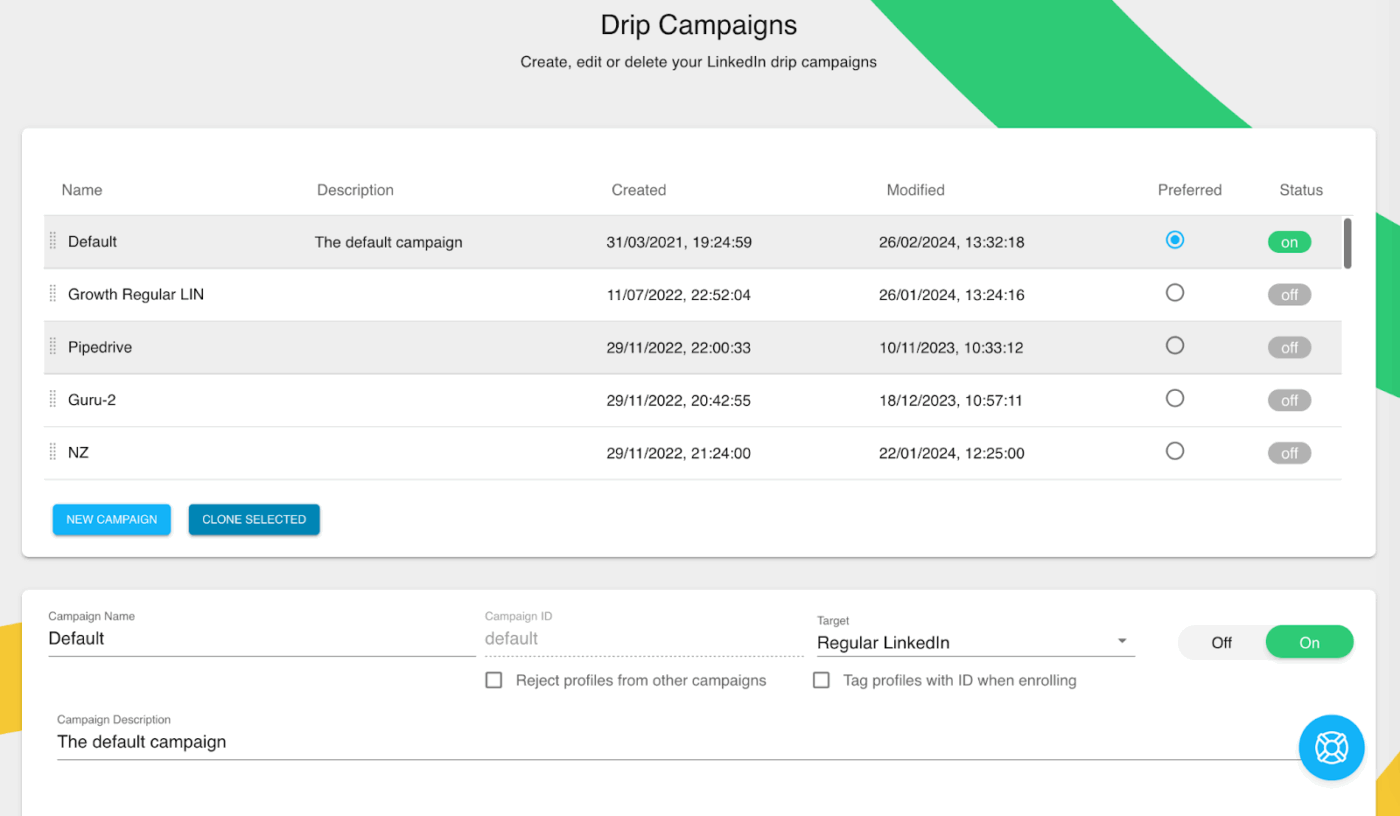
Dux-Soup automates LinkedIn prospecting tasks through a Chrome extension that runs directly in the browser.
Sales professionals use it to visit profiles, send connection requests, and nurture leads at scale while mimicking human behavior to avoid detection. The tool integrates with CRMs and supports personalized messaging sequences for efficient outreach campaigns.
A G2 reviewer says:
Dux-soup is always looking for great Marketing people to help us best communicate to our market. I have been using Dux-soup for over a year. It is the best automation tool for LinkedIn and connects with many CRM products.
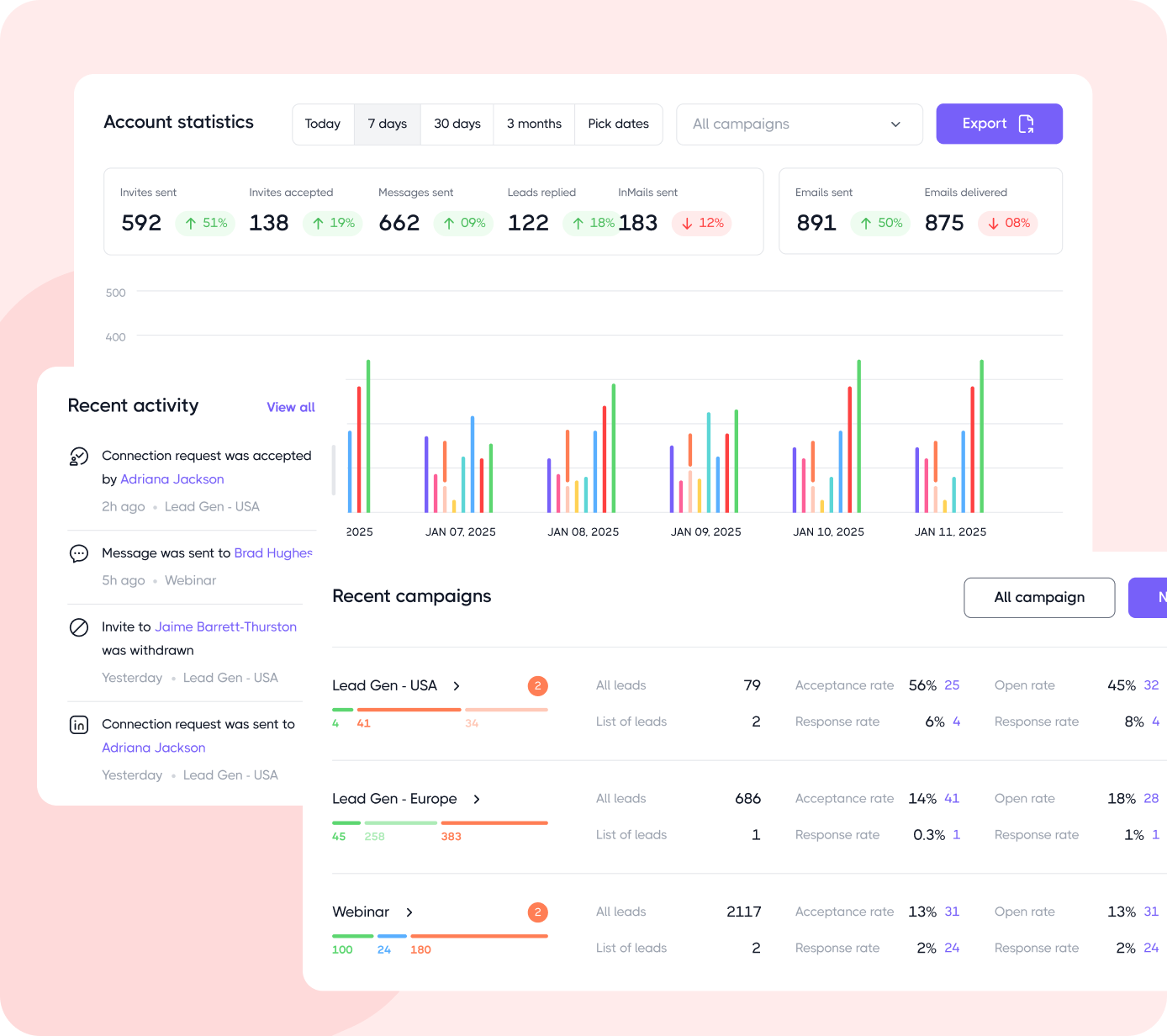
Dripify offers a suite of features focused on building and running multi-step LinkedIn engagement sequences, tracking performance metrics, and managing team activity from a central dashboard.
Users can pull structured lead data, filter prospects based on criteria like title or company, and export it for deeper analysis.
A built-in inbox lets you centralize LinkedIn conversations. Dripify also provides templates and reporting tools to support ongoing LinkedIn prospecting efforts.
As per a G2 reviewer:
I use Dripify for adding prospects from LinkedIn, and I appreciate that it enables me to let automation connect and send messages to begin building rapport automatically. I like the way I can put in a search, and it automates connecting with those in my search and sending them messages. The initial setup is super easy, and the automation is better, faster, and more efficient, which prompted my team to switch from Octopus to Dripify.
LinkedIn Premium can be genuinely useful when you are working toward a specific outcome, whether that’s breaking into a new role, accelerating hiring, or opening doors for sales conversations. Used casually, it often feels underwhelming. Used with focus, it can shorten timelines and surface opportunities you would not reach otherwise.
What matters just as much as the subscription itself is how you organize the work around it. Networking, follow-ups, content ideas, conversations, and leads all lose value when they live in scattered notes and half-remembered reminders. Pairing LinkedIn activity with a centralized system like ClickUp helps turn connections into consistent progress, not just more notifications.
From tools to manage contacts to creating content, managing tasks, and building automations—ClickUp streamlines your networking efforts. Sign up for free now and leverage ClickUp for your LinkedIn growth.
No. You don’t need a premium to get offers on LinkedIn. You can apply to jobs via LinkedIn Apply, even on a free plan. What matters more than premium features is having a solid job search strategy—targeting the right roles, customizing applications, and following up strategically. Although your chances of getting hired increase by 2.6x through premium features like InMail and applicant insights.
No. You only get 5 InMail credits every month on Premium Career and 15 on Premium Business. Sales Navigator offers 50 credits monthly. Credits roll over for three months if unused, but they’re never unlimited.
Premium Career is priced at $29.99 monthly, but drops to $19.99 per month with annual billing. The pricing for other plans goes up to $170 a month.
You get access to 20,000+ courses on LinkedIn Premium. The quality of those courses and their value vary depending on your expertise level.
Small businesses get a gold badge and AI-assisted features with LinkedIn Premium Business. They can view profiles of people who viewed them up to 365 days and send 15 InMail credits monthly. It’s worth it if businesses manage to close high-value deals, proving ROI worth the $59.99 monthly investment.

© 2026 ClickUp

There’s an easier way. Try a free AI Agent in ClickUp that actually does the work for you—set up in minutes, save hours every week.