






Still downloading templates?
There’s an easier way. Try a free AI Agent in ClickUp that actually does the work for you—set up in minutes, save hours every week.
Sorry, there were no results found for “”
Sorry, there were no results found for “”
Sorry, there were no results found for “”
Collaborating on projects across teams and departments can get tricky, especially when file sharing, version control, and transparency aren’t fully aligned.
While Ideagen Huddle serves many organizations with secure document management, some users find themselves needing more flexibility, real-time collaboration features, or clearer pricing.
If that sounds familiar, you might be exploring other options. In this article, we’ve rounded up the best Ideagen Huddle alternatives that offer all that and more to help your team stay connected and productive.
Here’s a brief look at the top Ideagen Huddle alternatives and what each tool is best known for:
| Tool | Key Features | Best For | Pricing |
| ClickUp | All-in-one project and document management; AI assistant; AI Agents | Freelancers, startups, mid-sized, and enterprise teams | Free plan available; Custom pricing available for enterprises |
| Box | Regulated content workflows; AI Agents | Life sciences, legal, healthcare, and government organizations | Free plan available; Paid plans start at$20/month per user |
| Google Workspace | Real-time document collaboration; integrated AI | Distributed teams, education, startups, SMBs | No free plan; starts at $7/month per user |
| Dropbox | External file sharing and sync; AI-powered search | Creative teams, agencies, and SMBs working with vendors | No free plan; starts at $11.99/month per user |
| Confluence | Centralized knowledge management; AI content generation | Technical, product, and compliance teams at large enterprises | Free plan available; Paid plans start at $5.16/month per user |
| Zoho WorkDrive | Scalable document creation in the native ecosystem; AI content summaries | Zoho users, from small to mid-sized businesses | No free plan; starts at$2.50/month per user |
| Egnyte | Hybrid cloud governance and compliance; AI driven search | Heavily regulated sectors (healthcare, finance, legal) | No free plan; starts at $22/month per user |
| Nextcloud | Self-hosted secure collaboration; AI assistance | Privacy-focused orgs, NGOs, government, and EU-based teams | No free plan; starts at $73/year/user (67.89€/user/year) |
| PandaDoc | Proposals, quotes, and eSignatures | Sales, legal, HR, and fast-growing SMBs | No free plan; starts at $35/month per user |
| M-Files | Metadata-driven document workflows; AI assistance | Regulated industries, mid-sized, and enterprise teams | Custom pricing |
While Ideagen Huddle supports basic team collaboration, several recurring issues impact teams using the tool:
Let’s begin. Here are the top Ideagen Huddle alternatives that offer modern file sharing software and smarter project management to make your corporate life easier.
Our editorial team follows a transparent, research-backed, and vendor-neutral process, so you can trust that our recommendations are based on real product value.
Here’s a detailed rundown of how we review software at ClickUp.
Over 60% of workplace time is spent hunting for information across disconnected tools. That’s a lot of time wasted on something as pivotal as knowledge management.
ClickUp eliminates this inconvenience by turning your workspace into a centralized, AI-powered search engine that answers questions with contextual awareness.
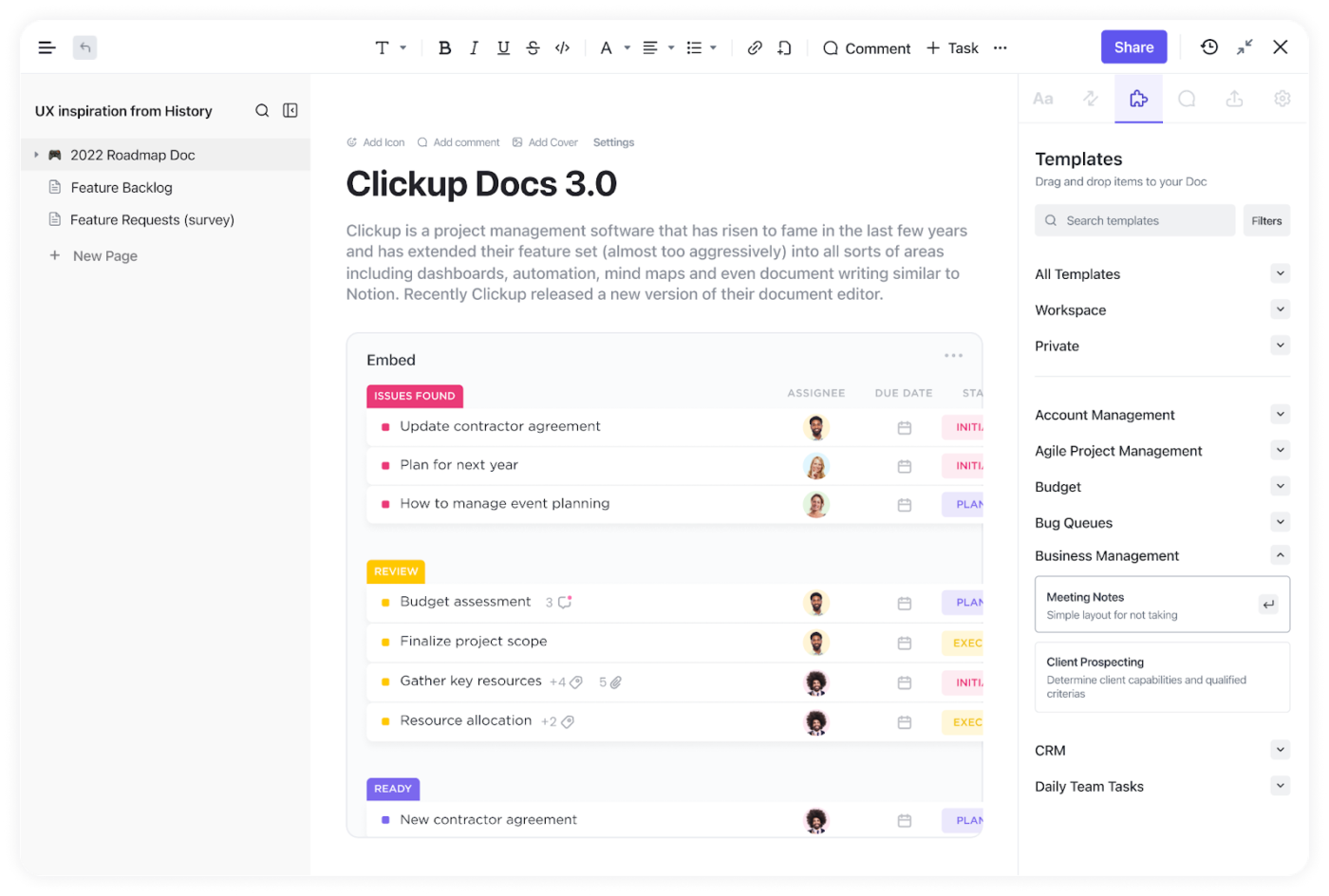
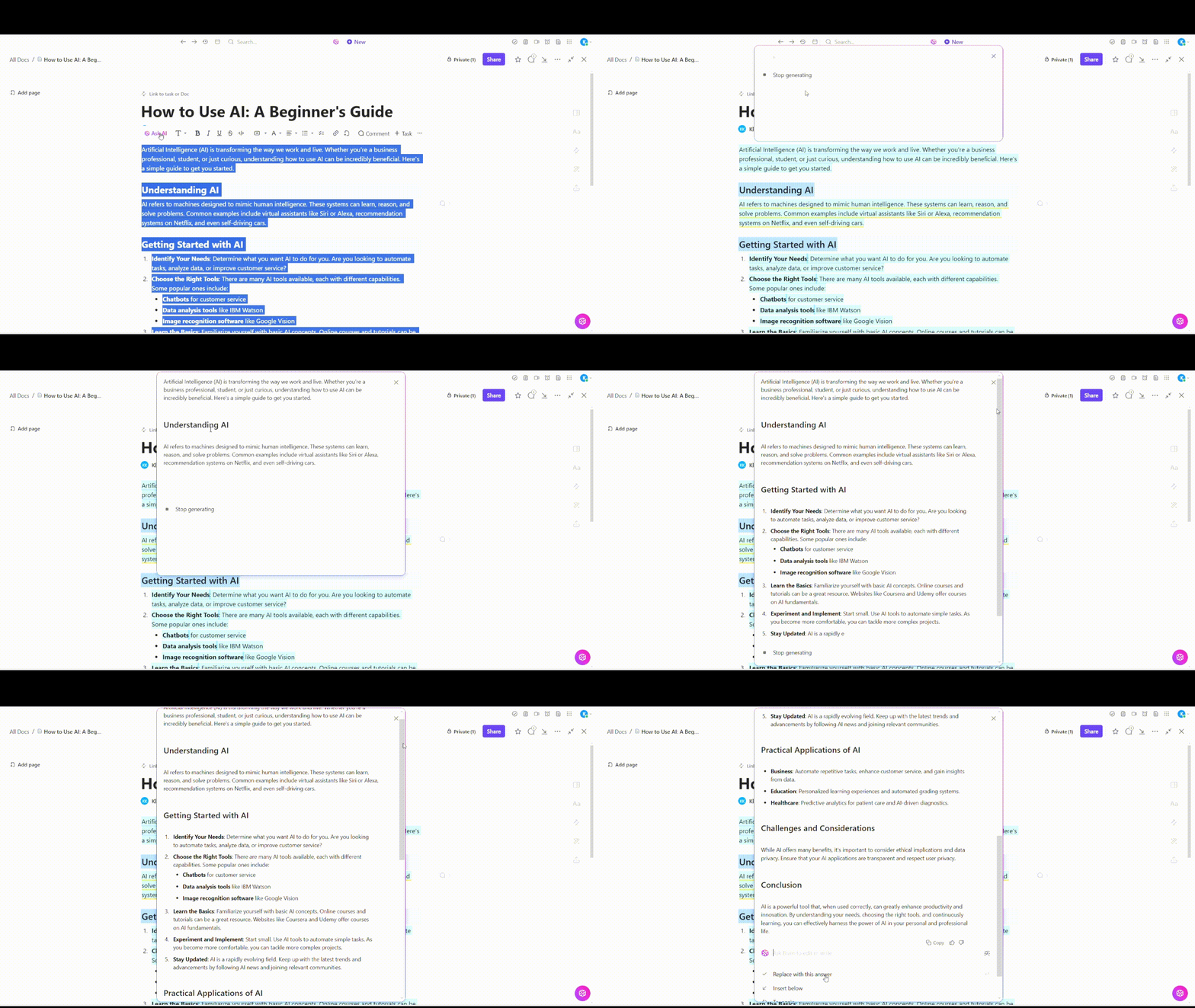
With ClickUp Docs, you can create internal wikis, SOPs, or project handbooks that live inside your workspace.
These documents are complete with version control, collaboration detection, and role-based permissions for internal and external users.
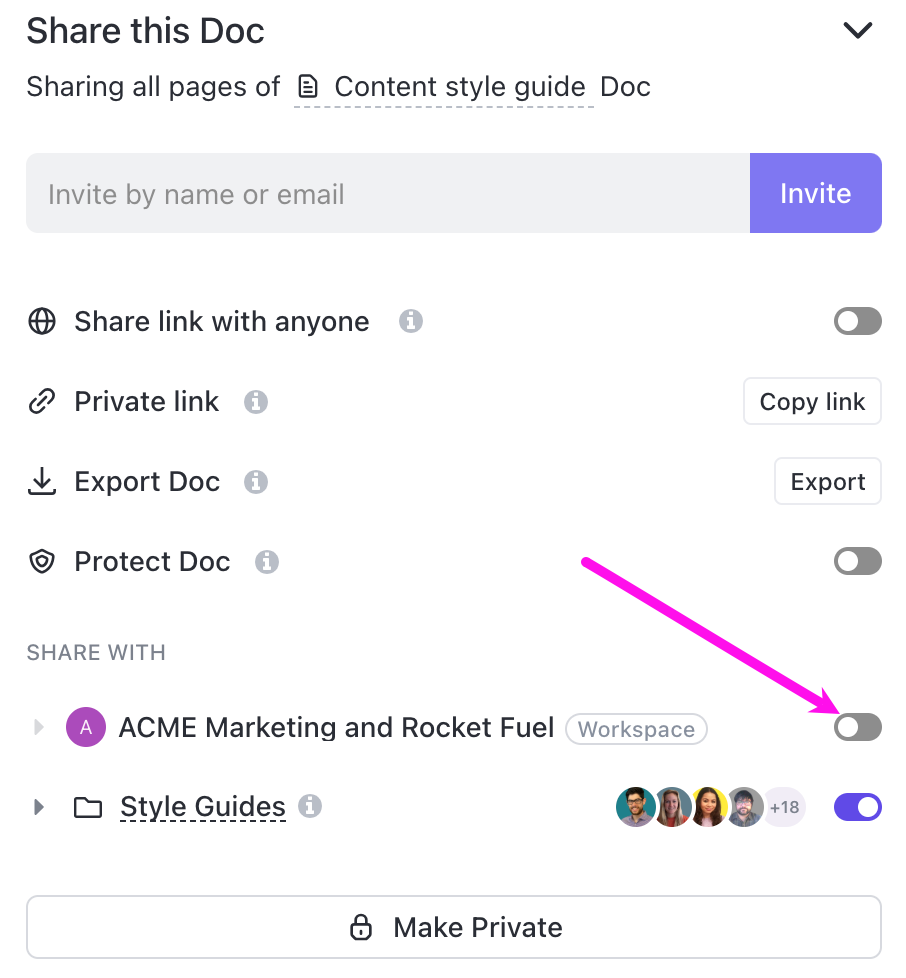
Now, having a document isn’t enough, you need input from multiple stakeholders.
Secure file sharing ensures stakeholders only access what’s relevant, making it a fit for compliance-heavy teams.
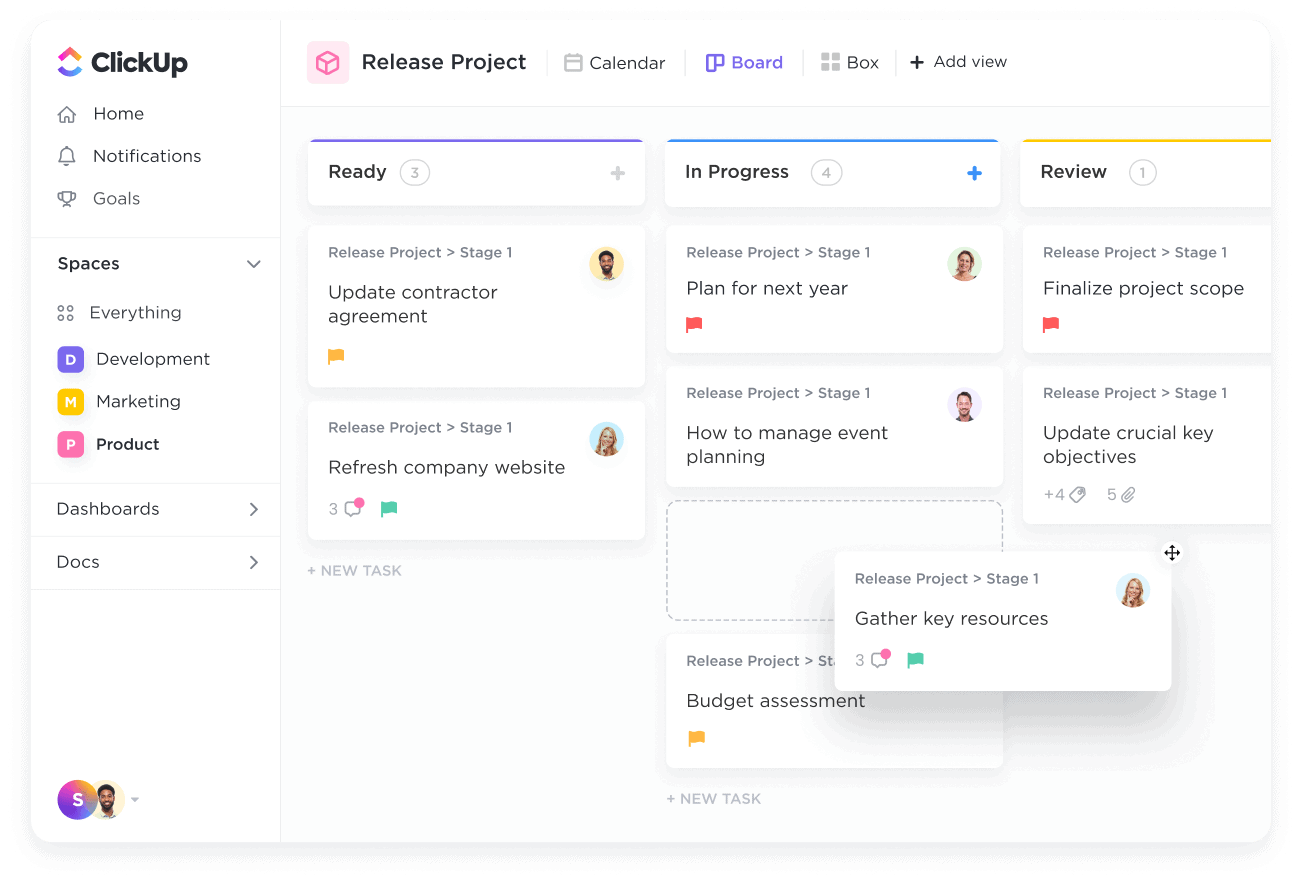
ClickUp Docs is tightly integrated with ClickUp Tasks, so you can convert any feedback or comment into a trackable task.
Once feedback is gathered, ClickUp Tasks turns it into momentum. Comments can be converted directly into subtasks, complete with assignees, due dates, and dependencies.
That way, nothing gets buried in email threads or forgotten in a follow-up—every suggestion becomes progress.
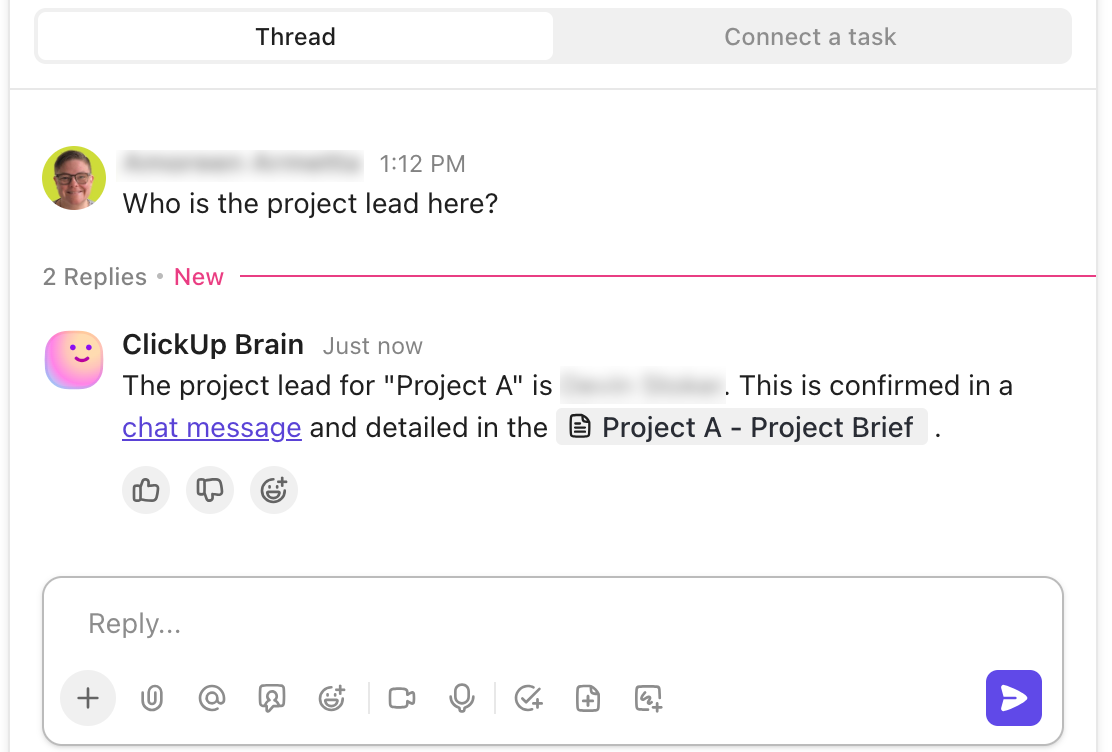
Instead of digging through folders or pinging teammates for updates, use ClickUp Brain to instantly summarize docs and answer any project-related question. ClickUp’s AI scans all docs across your workspace—so whether it’s a policy, task, or meeting note, the right info is just a prompt away.
Need more than just search? Use ClickUp’s AI Agents to automate answers, summaries, and project updates inside Chat Channels or Lists.
These prebuilt agents can reply to questions like “Who owns this task?” or “Where’s the latest policy?” with sources included, keeping everyone aligned without manual digging.
A G2 user says:
What sets ClickUp apart for me is how seamlessly it combines task management with real-time messaging and collaboration. Instead of switching from a task to a chat app, I can just click into a task and start a discussion right there.
💡 Pro Tip: Struggling with documentation that’s time-consuming and challenging to maintain? By using AI for documentation, you can speed up the process, reduce manual effort, and keep your docs always up to date.
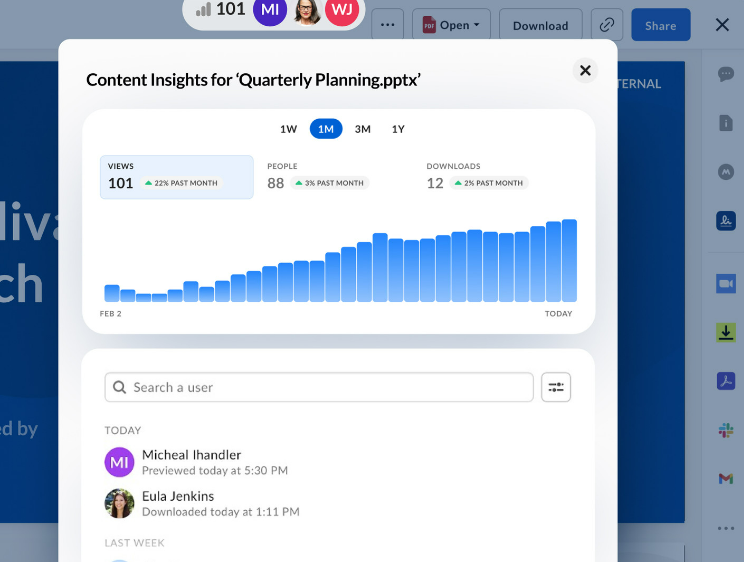
Managing sensitive documents under strict compliance standards, such as FDA QMSR, ISO 13485, or HIPAA, is anything but straightforward.
That’s where Box comes in with key features like Box Shield for content classification and threat detection, as well as Box Governance for retention, legal holds, and audit trails.
Add in automated workflows via Box Relay, and you get structured processes that reduce risk without adding operational overhead.
Box AI further supports content workflows with intelligent document summarization, metadata extraction, and personalized insights. The AI Agents automatically respond to content-related queries and surface key information.
A Capterra user says:
I am very happy with the functionality and how easy it is to create custom access and share links. The search feature also works well when you are looking for specific documents.
✨ Fun Fact: 54% of U.S. employees say they have little to no visibility into other teams’ goals. When teams lack transparency, collaboration suffers—and so does productivity.
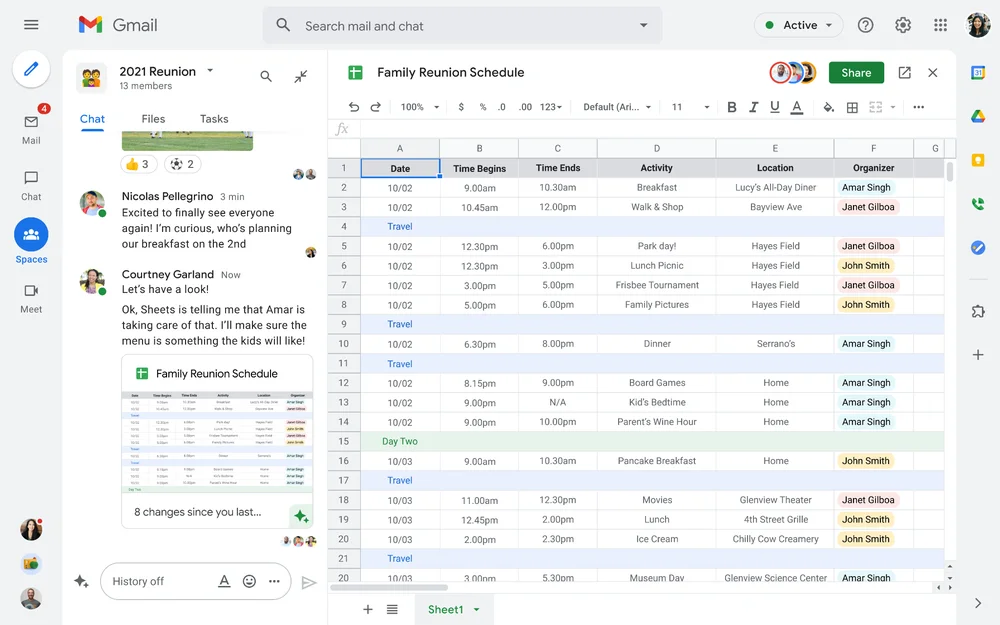
When your team is spread across time zones, staying aligned on documents can get messy—fast. Versions multiply, edits clash, and feedback gets buried in email threads.
Google Workspace solves that with a cloud-first platform where your entire team can create, edit, and comment on the same doc at the same time, without ever losing track of changes.
Document collaboration software like Docs, Sheets, and Slides is tightly integrated with Google’s tools such as Gmail, Calendar, and Meet, so your communication and document management happen on one platform.
Plus, with Gemini AI built into Workspace, users can summarize content, generate responses, draft documents, and even auto-capture meeting notes.
A G2 user says:
Google Workspace makes collaboration easy. Gmail, Drive, Docs, and Meet work together in the workspace, keeping everything in one place. Real-time editing and file sharing are smooth, and integration with third-party apps is truly effortless.
📖 Also Read: Best Intranet Software to Securely Connect Teams
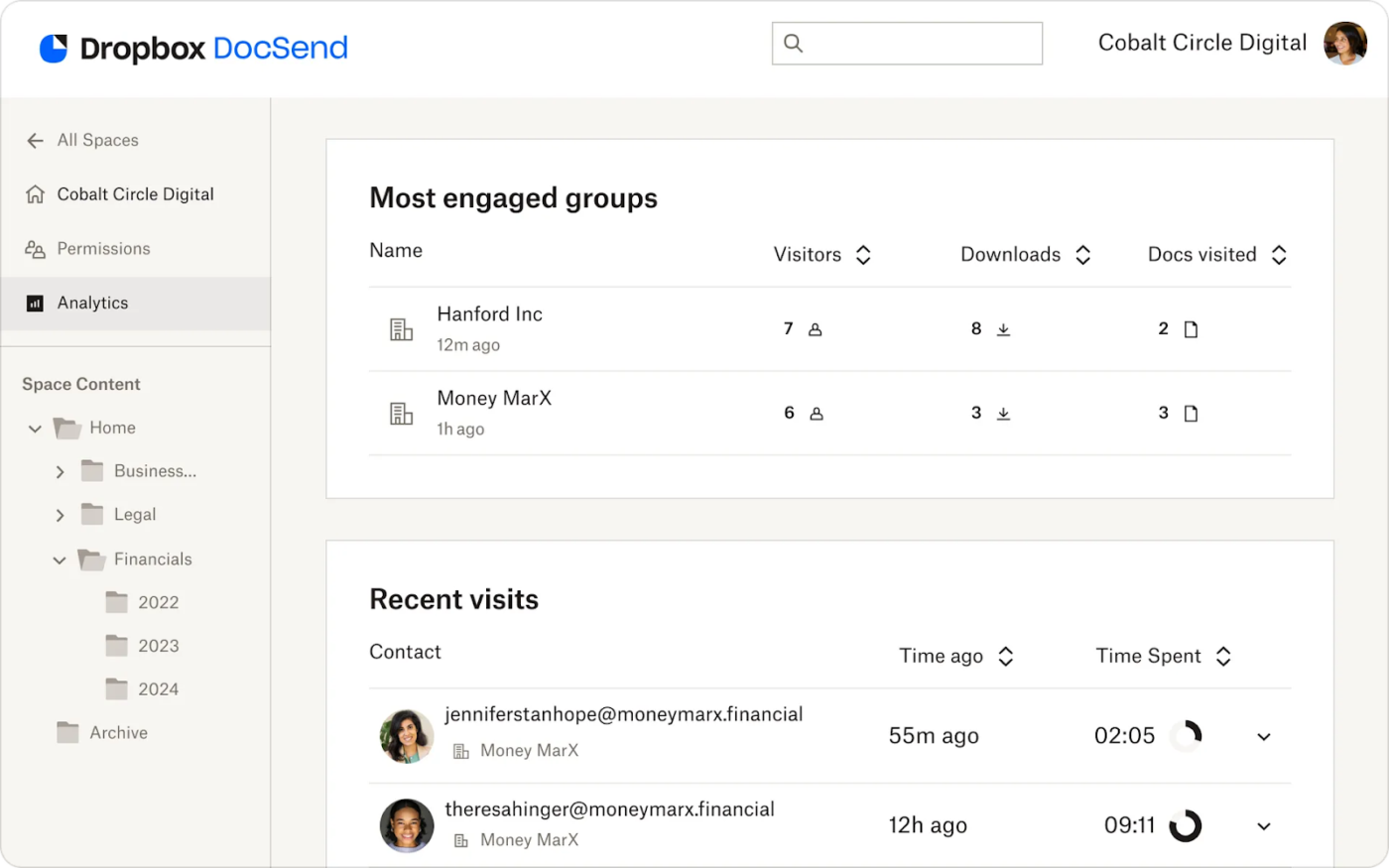
Sharing sensitive project files with external partners shouldn’t mean losing control over who sees what—or when. Yet that’s precisely what happens when documents bounce between inboxes and disconnected drives.
Our next on this list of Ideagen Huddle alternatives, Dropbox, solves this issue by making secure, external file sharing frictionless. You can deliver large files, set custom access rules, track who viewed what, and manage everything from branded transfer links to team folders.
Even as files move across devices and collaborators, Dropbox maintains perfect synchronization without manual follow-ups.
If you’re looking to instantly summarize long documents and videos or ask questions directly within files, Dropbox AI saves you the time spent searching for answers in large content sets.
A Capterra user says:
It makes version control possible, which makes it possible to monitor modifications and access previous iterations of documents. This is a crucial feature for managing research-derived data.
✨ Fun Fact: Staying hydrated can boost your productivity by up to 14%. Even a 1% dip in hydration levels can reduce your brain’s performance—time to refill that bottle!
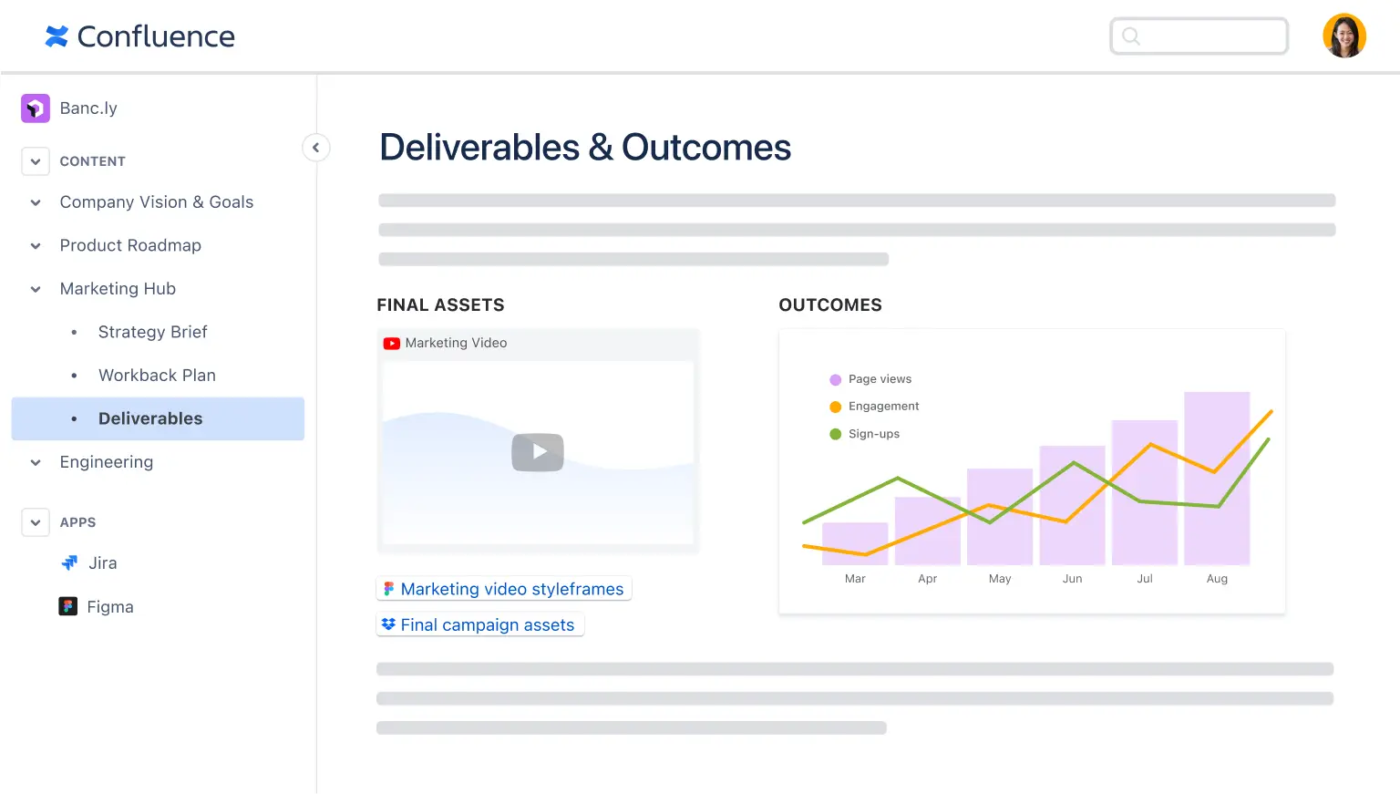
You know what a real liability is? Siloed documents. It becomes a bigger threat when you’re spread thin across product requirements, client feedback, compliance checklists, and evolving roadmaps.
Confluence helps solve such problems by providing your team with a single, organized, and collaborative space to manage knowledge, documents, blogs, and project timelines.
Unlike lightweight document tools, this Ideagen Huddle alternative is built for scale—with features like structured page trees, document version control, custom templates, and permissions that adapt to your organization’s needs.
And with Atlassian Intelligence AI built into Confluence, teams can perform tasks including brainstorming and auto-creating Jira tickets without manual effort.
A G2 user says:
Confluence centralizes and organizes important information, like FAQs and documentation, which makes it easy for both employees and customers to find what they need.
📮ClickUp Insight: 88% of survey respondents say they use AI for personal tasks, but over half avoid it at work. Why? There are gaps in integration, knowledge, and trust.
ClickUp Brain changes that. As ClickUp’s secure, built-in AI assistant, it works in plain It connects your chats, tasks, documents, and knowledge, bridging the gap and making AI adoption effortless.
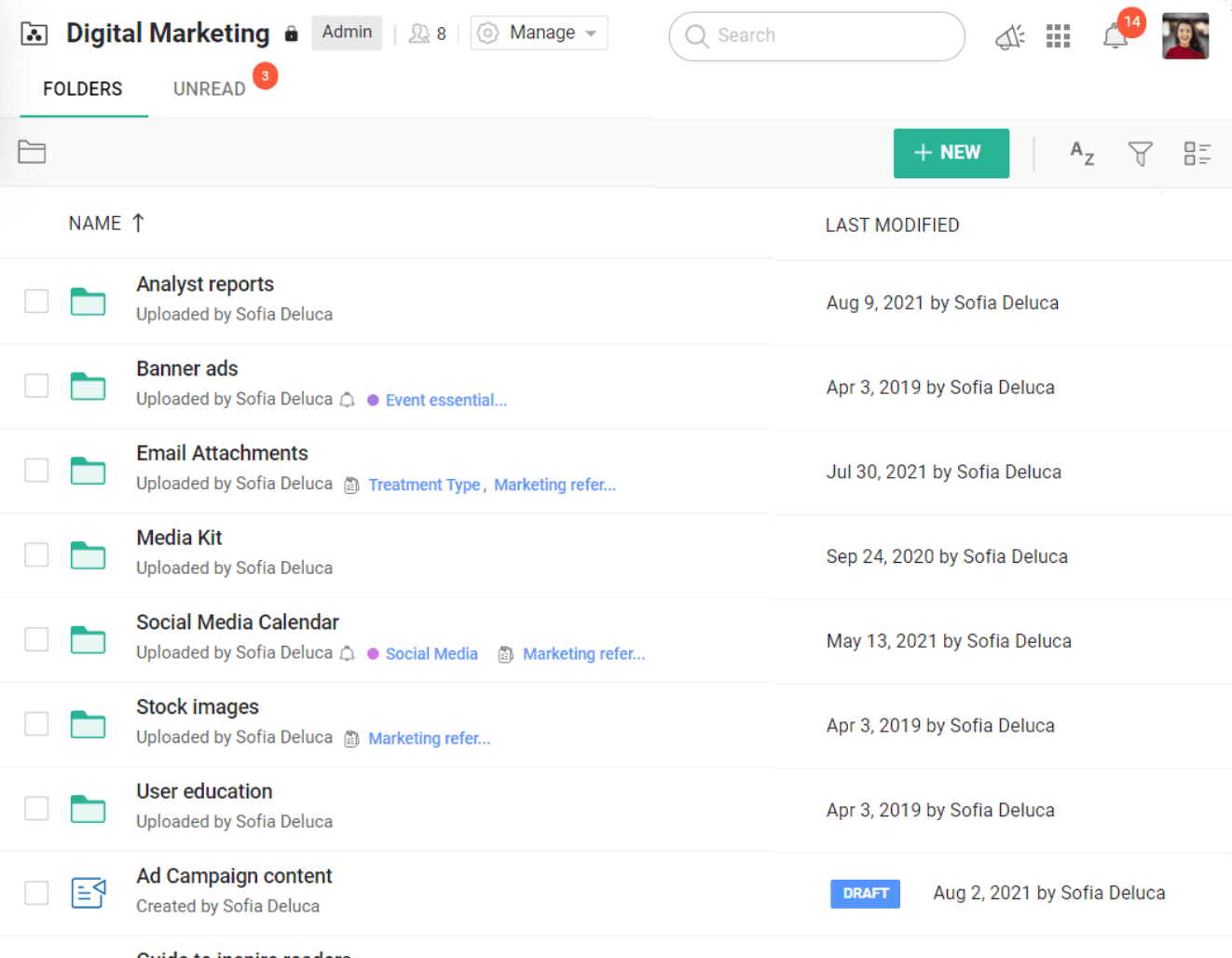
Most document management tools work fine—until you realize you have five different apps just to manage one project.
That’s where Zoho WorkDrive takes over.
Designed for businesses already working within—or considering—the broader Zoho ecosystem, WorkDrive turns siloed document management workflows into unified workspaces.
Where Zoho stands out is in how deeply its AI, Zia, is woven across apps. Rather than treating AI as a bolt-on tool, Zia functions like a quiet assistant—spotting document trends, prompting next steps, and surfacing relevant data when and where it’s needed most.
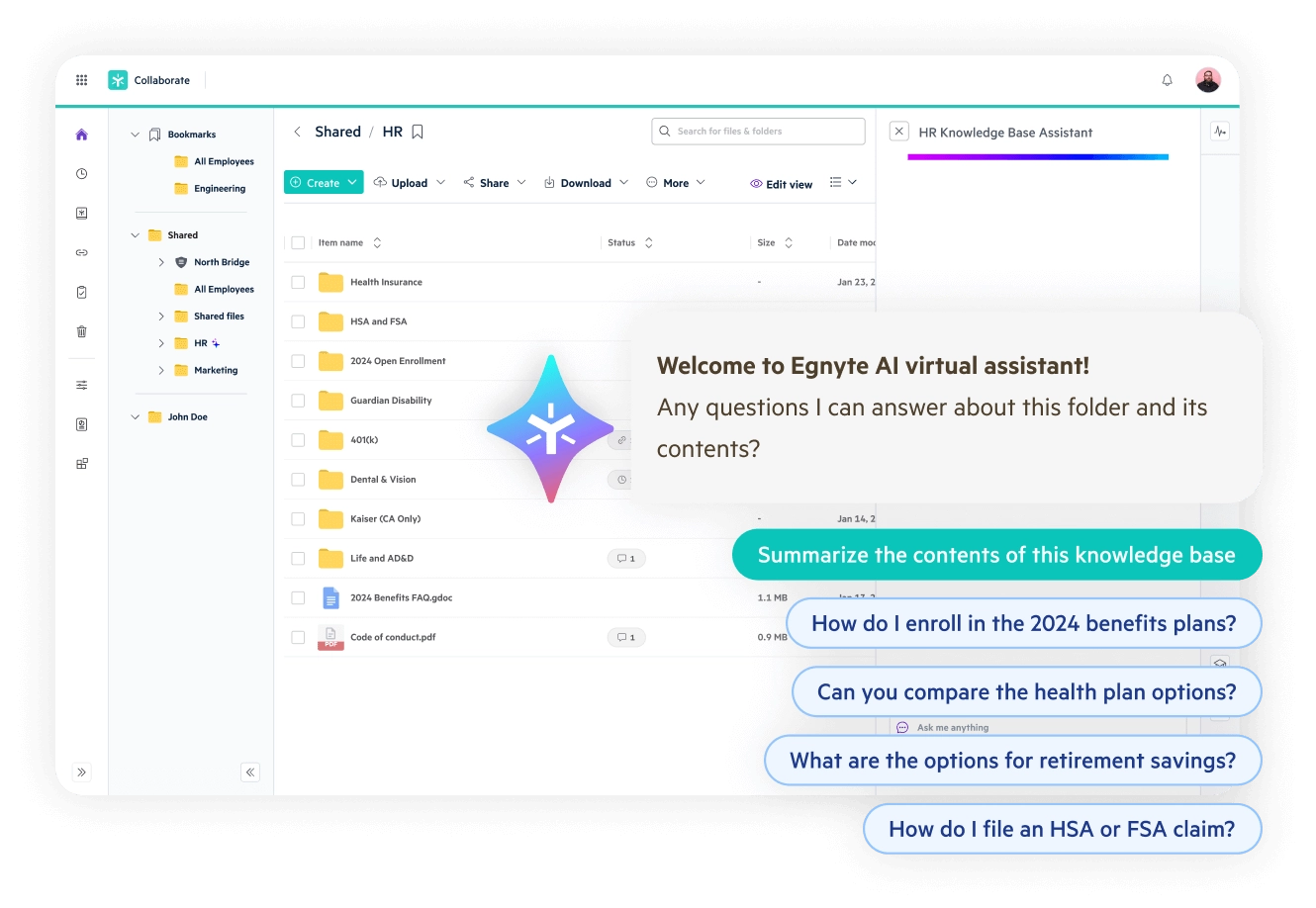
Managing sensitive business data across on-prem servers, cloud platforms, and third-party apps? Enforcing consistent compliance across multiple sources can be tricky—especially under HIPAA, GDPR, or SOX.
Egnyte is one of the Ideagen Huddle alternatives that tackles the fragmentation head-on.
Purpose-built for hybrid environments, Egnyte gives teams a single control center to classify sensitive data. Simultaneously, the Intelligence Suite equips teams with conversational Copilot assistants and AI-driven search that automate metadata extraction, flag policy violations, and launch contextual workflows in real time.
Even brief login or access messages, such as “verification successful, waiting” can be traced using Egnyte’s audit trails and behavior analysis tools.
💡 Pro Tip: Tired of second-guessing your content or fixing the same grammar mistakes over and over? Best Writing Assistant Software With AI breaks down top tools that help you write faster, smarter, and more confidently.
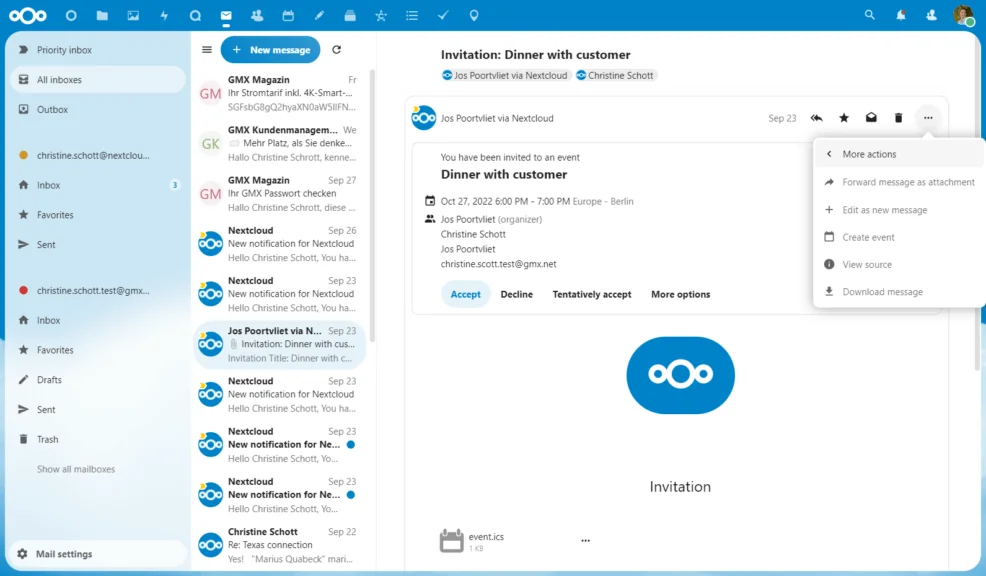
For organizations with strict data residency requirements—or those unwilling to hand over sensitive content to external AI models—most cloud platforms fall short.
Nextcloud takes a different route: a fully self-hosted, open-source collaboration platform that includes a private AI assistant designed to run entirely on your infrastructure. This means you get intelligent document summaries, translations, and content generation, without ever sending your data outside your server.
As a result, businesses gain full control over how data is stored, processed, and accessed—crucial for meeting GDPR, HIPAA, and internal compliance standards.
A G2 user says:
With complete control over your data through self-hosting, an extensive range of features for file storage, sharing, and collaboration, strong privacy and security measures… Nextcloud stands out as a top choice for cloud solutions.
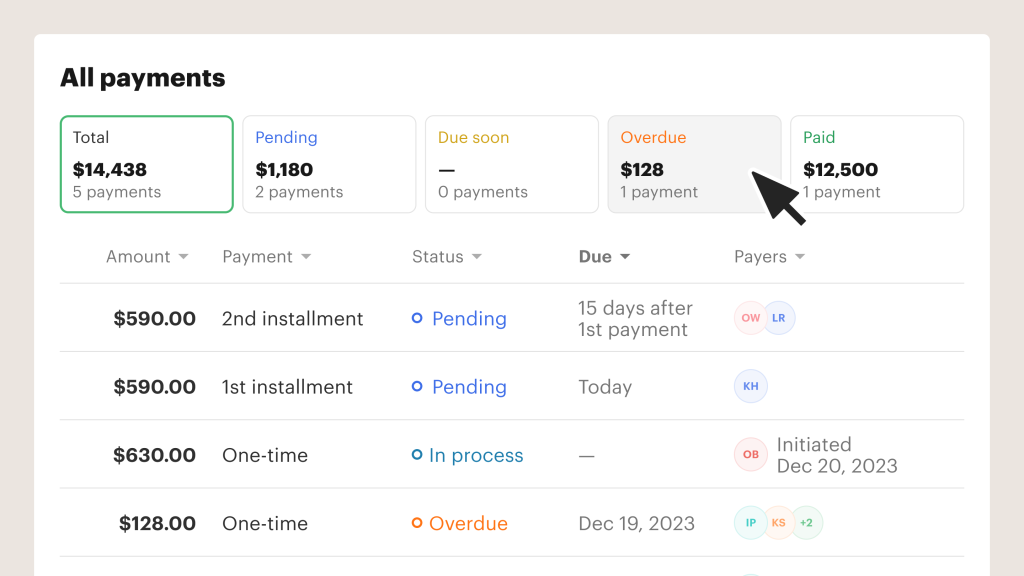
When sales, legal, or HR teams are spending hours formatting PDFs and chasing signatures across disconnected tools, it’s revenue-delaying.
PandaDoc solves these issues by centralizing how teams create, approve, send, and track documents, including necessary SOP training for effective use. From proposals and onboarding letters to NDAs and payment forms, PandaDoc lets you automate repetitive work with smart templates and eSignature flows.
📖 Also Read: Best Document Automation Software to Use
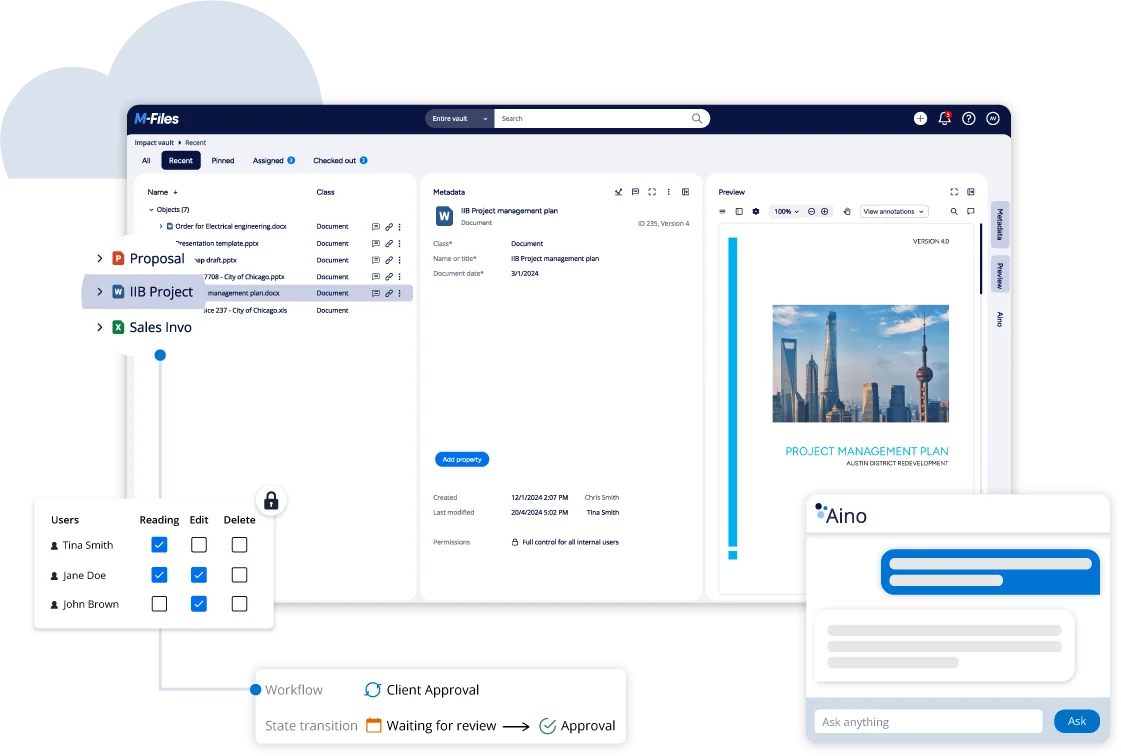
When files are scattered across folders, emails, and systems, finding the right version becomes a daily roadblock—and a major risk.
M-Files, the last on our list of Ideagen Huddle alternatives, addresses this issue by categorizing documents according to their nature, not their storage location.
With metadata-powered search, AI-assisted automation, and strict version control, teams can instantly locate and manage the right file without migrating data across platforms.
A Capterra user says:
M-Files maintains a more harmonious work among all users by being able to work more organized with updated information and without the stress of searching for physical documents for hours.
💡 Pro Tip: Struggling to find files when you need them? Organizing Files and Folders: Strategies to Improve Your Workflow shows you simple folder structures and time-saving tactics to keep everything neat, searchable, and stress-free.
In project management, collaboration is the glue that holds deliverables, timelines, and teams together. When teams lack visibility into shared goals, documents, or discussions, bottlenecks appear, handoffs break, and progress stalls.
ClickUp brings that alignment front and center.
With features like real-time editing in ClickUp Docs, comment threads linked directly to tasks, and custom access controls, teams stay connected without switching between tools or chasing updates.
Which is why UpMeet’s Founder & Developer Reece Atkinson said it best:
ClickUp has made the productivity experience so much easier by having everything in one place. It has everything from Goals to Docs to keep your team and clients informed at all points of your process.
Sign up for ClickUp today and keep everyone (and everything) on the same page—literally.

© 2026 ClickUp

There’s an easier way. Try a free AI Agent in ClickUp that actually does the work for you—set up in minutes, save hours every week.