







Still downloading templates?
There’s an easier way. Try a free AI Agent in ClickUp that actually does the work for you—set up in minutes, save hours every week.
Sorry, there were no results found for “”
Sorry, there were no results found for “”
Sorry, there were no results found for “”
For agencies, time is the only inventory.
On any given day, you’re pitching new clients, juggling deliverables for existing ones, and tracking dozens of campaigns.
Without a standard way of doing things, you’re constantly reinventing the wheel:
Every second lost to this gamble erodes your productivity, the team’s morale, and ROI.
Want to know what the hidden cost of failing to standardize processes for agencies is? We’ll show you how a lack of standard operating procedures creates chaos within agencies, along with a step-by-step guide to fixing it.
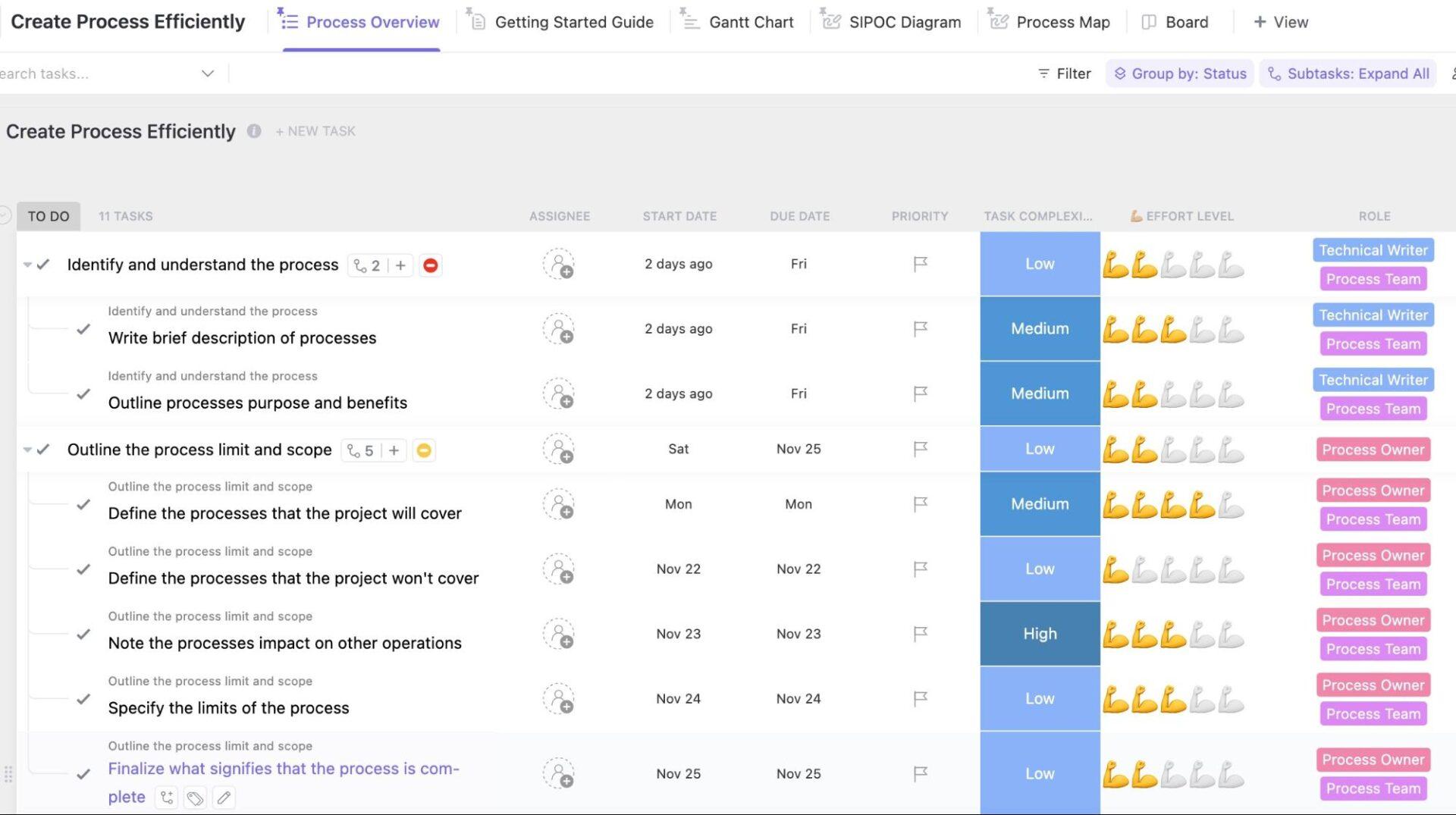
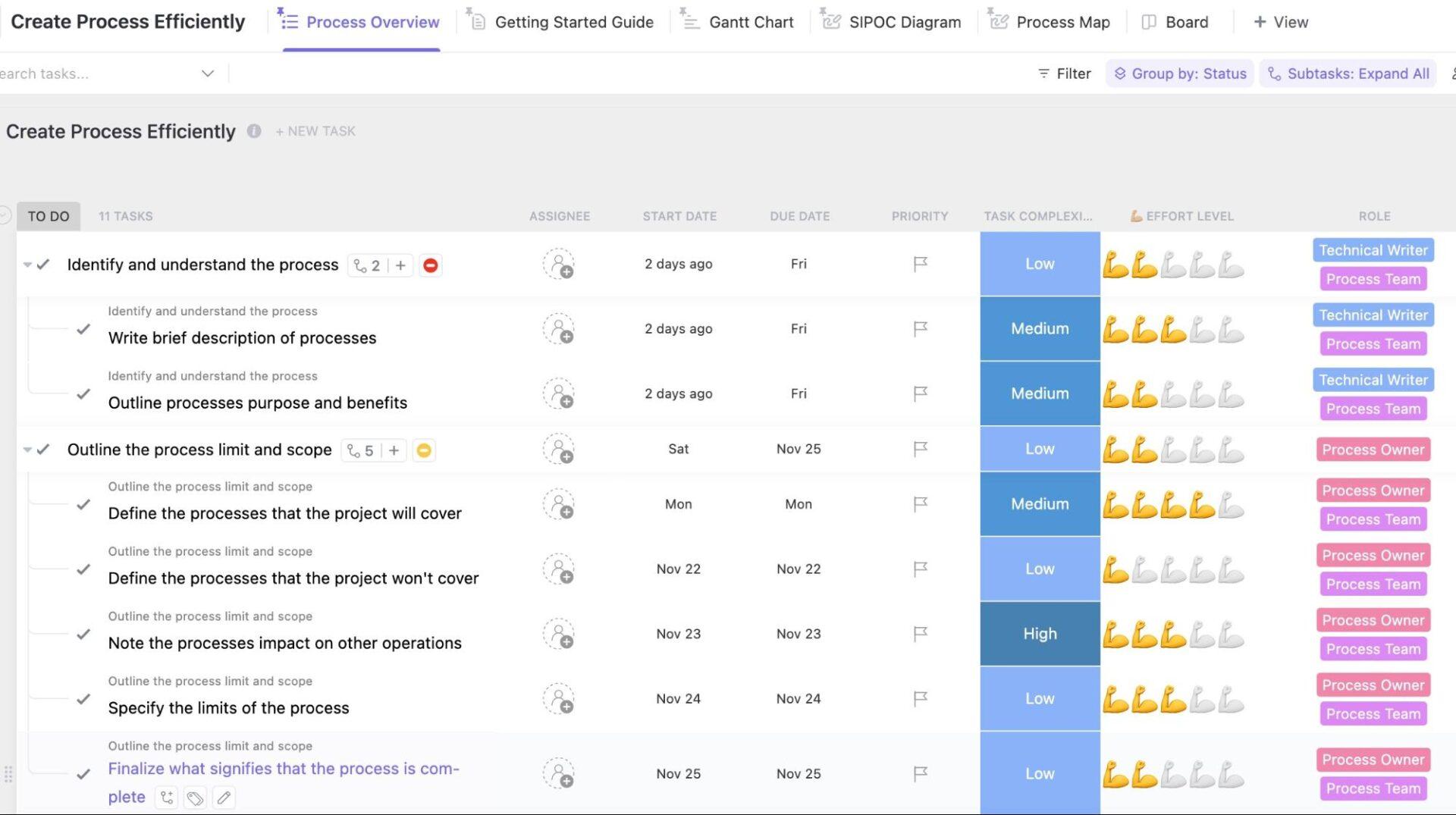
With everything agencies already have on their plate, building standard processes can feel like extra work. ClickUp’s Create Processes Efficiently Template provides a plug-and-play framework for documenting processes, visualizing workflows, and assigning ownership without slowing down day-to-day work.
You’re busy delivering client work.
Revenue depends on momentum, and anything that doesn’t move a project forward today feels like a distraction.
You tell yourself you’re too busy to organize. You’ll do it later.
But the reality is that you are busy because you aren’t organized.
Here’s what delaying process standardization costs agencies and companies in service industries every second:
Time loss due to inconsistent processes shows up in dozens of small delays that kill your team’s rhythm:
All these time-sinks drain your team’s mental energy, making it hard to focus on high-level strategy and quality deliverables.
📮 ClickUp Insight: 44% of our survey respondents stick to 1-5 tabs when browsing, but 8% live in ‘chaos mode’ with 31+ tabs.
While not always intentional, it happens to the best of us: a Miro board for brainstorming, a Google Doc for SOP, a project management tab, and then ChatGPT for extra support. 👀
But every switch between apps or windows adds toggle tax, aka a hidden mental toll that chips away at your mental bandwidth and leaves you feeling scattered.
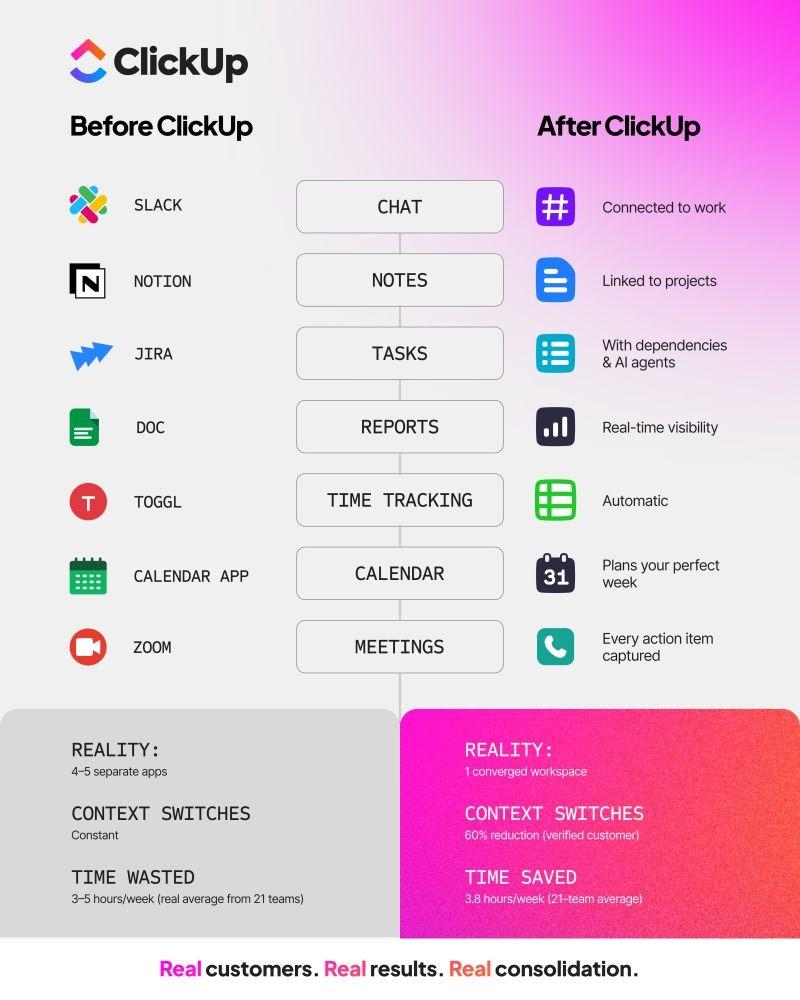
With ClickUp, you can centralize all your tools: think whiteboards, docs, tasks, web search, AI models like ChatGPT, Gemini, and Claude, and more under one Converged AI Workspace. Time to ban context switching and close those extra tabs down for good!
When no one follows a standard way of working, each person completes tasks differently. This creates confusion and unnecessary rework.
📌 Example: Consider a developer who launches a landing page without testing the lead-gen form because there is no formal QA process. By the time the error is caught, the client has lost a week of leads, and the designer is stuck doing unpaid rework instead of moving on to the next high-value project.
🧠 Fun Fact: In software development, there is a concept called “Rule of Ten,” which states that an error caught during the process phase costs $1 to fix. If it’s caught after the project is live (the external phase), it costs $10 in time, reputation, and lost client revenue to repair.
In the absence of standard business collaboration and communication processes, everyone defaults to their own communication style.
📌 Example: A client shares revision feedback during a call. The account manager summarizes it loosely in Slack. The project manager notes a few points in a spreadsheet. The designer interprets the message differently and ships an updated version that misses key changes.
The data wasn’t centralized—there was no way to access the client context, which led to this issue in the first place.
Inefficient processes stifle growth and prevent you from scaling the agency.
Think about what happens when a new account manager joins during a busy quarter. With no documented workflows, they’re forced to shadow teammates and constantly ask them questions. Senior staff lose hours guiding new hires, slowing client delivery, and reducing operational efficiency.
📚 Read More: A Complete Guide to Workflow Management
Poor process standardization significantly impacts customer satisfaction.
How it looks in reality: Different team members ask the client for the same information at different times. The client quickly loses confidence in the agency’s ability to manage the account and begins looking for a partner that requires less handholding.
Skilled employees want to do good work efficiently. But without clear workflows, their time gets wasted on rework, admin tasks, and unnecessary back-and-forth.
In fact, high performers have to compensate for your broken processes by working harder and fixing preventable mistakes. Eventually, employee morale drops, frustration sets in, and talented people leave your agency.
👀 Did You Know: According to Gallup, burnt-out employees are 2.6 times more likely to look for a new job. Disorganization is the fastest way to increase employee disengagement and hand your best people over to your competitors.
Lack of adherence to strong process discipline leads to wasted time, licenses, and labor costs.
📌 Example: Two project managers end up creating timelines and task lists for the same client because there’s no standard project setup. Hours are paid twice for the same planning work, with no added value.
Poor hiring and slow onboarding also increase operational expenses. When onboarding is disorganized, new employees waste weeks trying to figure things out, delaying their contributions to the team.
Non-compliance stemming from all these red flags is the final nail in the coffin for most organizations.
⚡ Template Archive: Free Project Management Templates for All Types of Projects
Once you see how much time, money, and momentum process chaos is draining, the next question is: where do you start fixing things?
Here’s a practical, agency-friendly way to do it.
Start by mapping your current processes.
Look for:
📌 Example: If you run a marketing agency, prioritize processes like client onboarding, project planning, campaign execution, QA, change management, etc. One-off workflows and other less frequent marketing agency processes can be standardized later.
Next, document how work moves through each stage.
Capture every step, handoff, and tool involved—no matter how small. Involve all team members in this. Ask them what they constantly have to clarify, chase, or fix.
Once you’ve identified the issues, quantify them. It could be: hours lost to rework, delays per project, or time spent searching for information.
Finally, define your key performance indicators (KPIs), so it’s easier to measure improvement later.
Use ClickUp Docs to map workflows and document process steps. Some examples include:
To accelerate the content creation process, you have BrainGPT. The AI-powered writer generates SOP based on your actual workflow.
You can also link docs directly to active tasks, projects, or Spaces. Embed checklists, flow diagrams, and SOPs to show how work should move from intake to delivery.
Within docs, you can invite team members to comment in real-time, allowing them to flag challenges or suggest process improvement methodologies directly in the document.
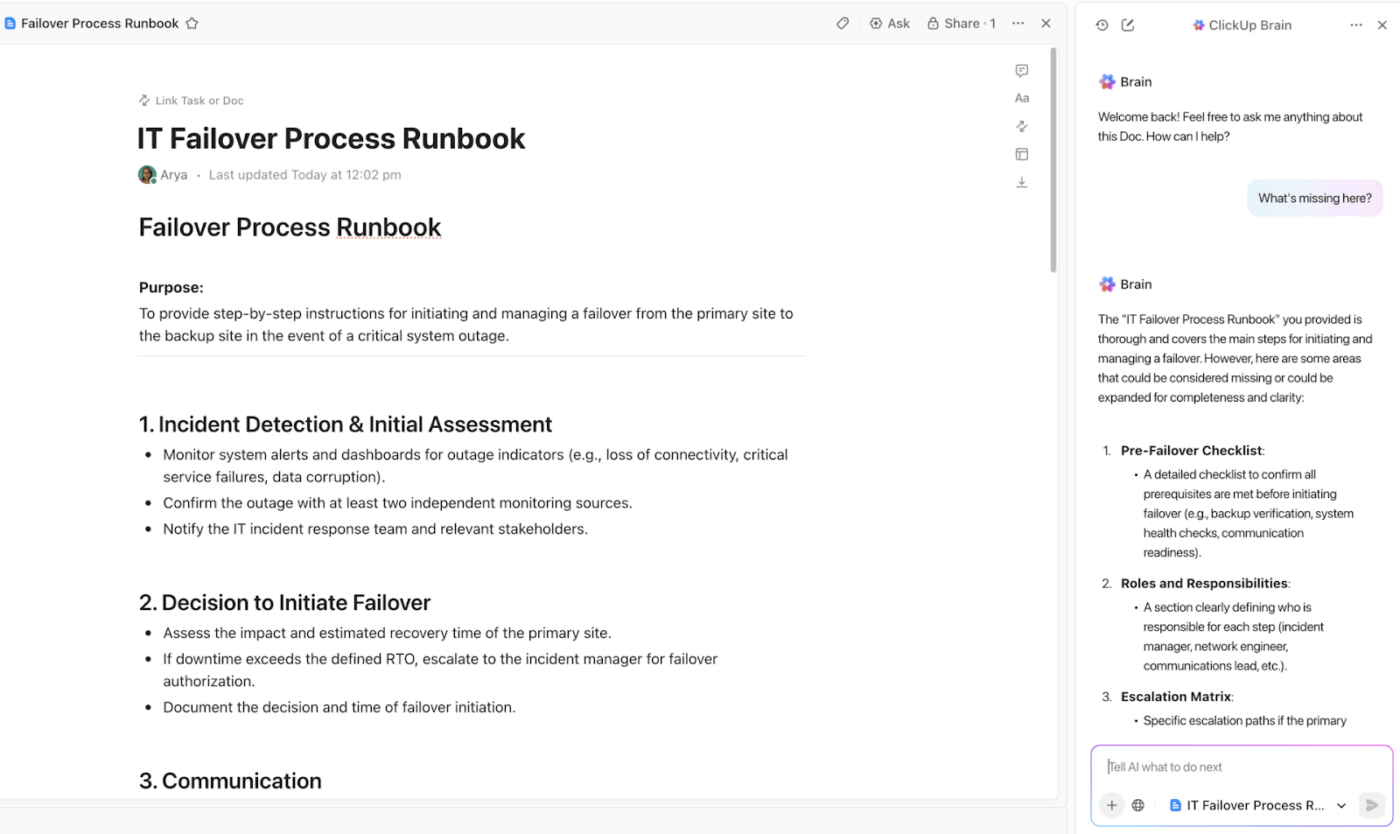
Protect your documents with granular ClickUp Permissions to control who can view or change processes. Every change is tracked in the document’s history, giving you a complete audit trail.
💡 Pro Tip: Use ClickUp Whiteboards to brainstorm and visually map out these processes. Sketch each step, handoff, and decision point with input from account managers, PMs, and creatives. This makes it easier to spot inconsistent handoffs, duplicate steps, and hidden bottlenecks before you formalize the process in docs or templates.
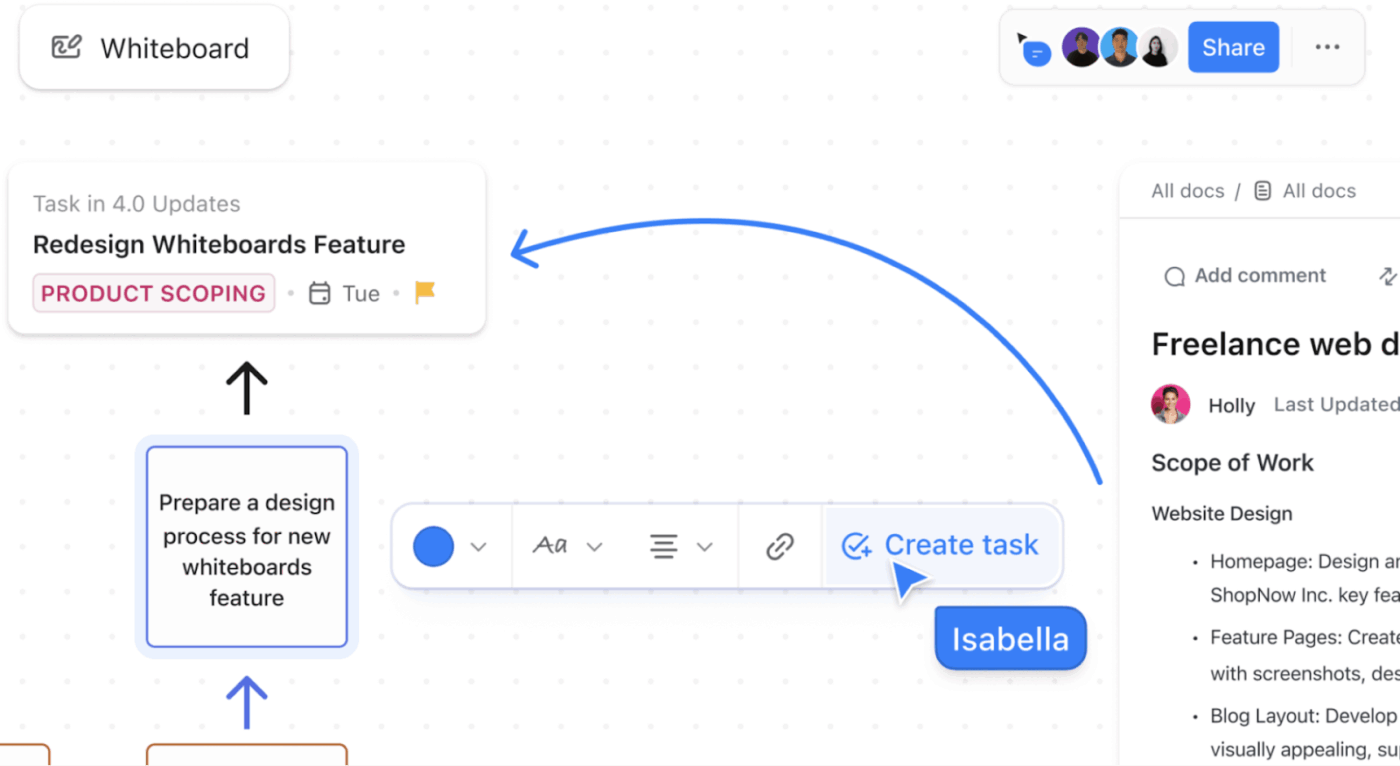
Once aligned, link the Whiteboard directly to a ClickUp Doc or convert it into structured tasks. Your team gets both the big-picture workflow and the documented process in one connected system—reducing confusion and speeding up adoption.
One of the biggest mistakes agencies make is trying to standardize everything at once. That usually leads to bloated SOPs no one follows.
Instead, pick a process that’s in urgent need of standardization.
Suppose you want to standardize onboarding for each client. First, break the process into high-level stages: initial welcome, kickoff, training, and launch.
Define entry and exit criteria for each stage to prevent premature handoffs. For example, the kickoff meeting can’t start until the legal team has reviewed all the signed contracts.
Next, assign responsibility to roles (e.g., account manager, designer, strategist) so that the process holds up even as the team changes.
Finally, include review or QA checkpoints to catch mistakes early.
By the end, you’ll have a process template that team members can simply duplicate, fill, and monitor to onboard clients every time.
🚀 ClickUp Advantage: Building master templates from scratch is a time-consuming investment that most agencies can’t afford. The ClickUp Create Processes Efficiently Template eliminates this hurdle by providing a pre-built framework that you can customize in minutes to create your master template.
With this template, you can:
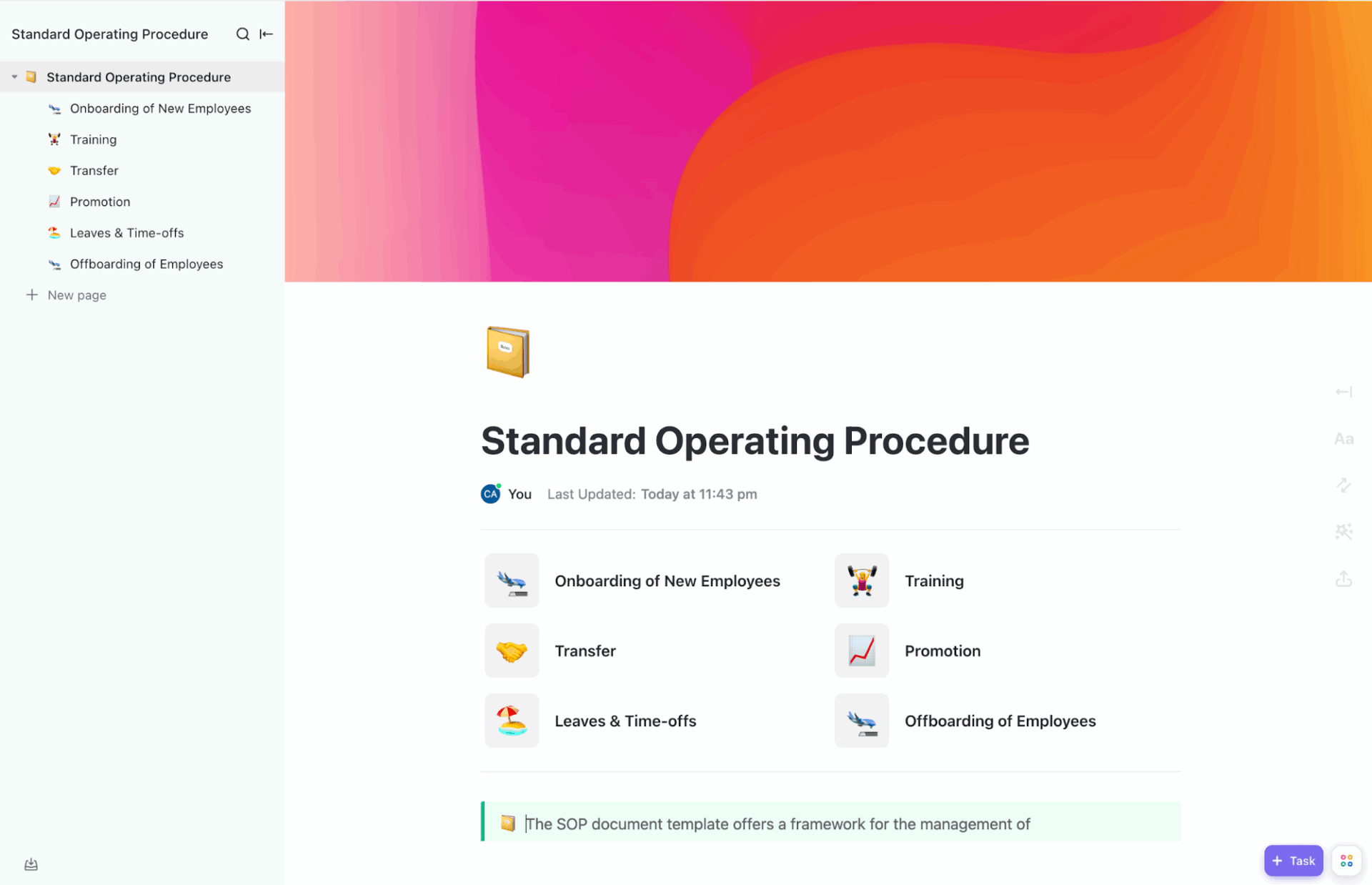
An effective SOP covers:
Use ClickUp’s Standard Operations Procedure Template to draft professional SOPs in minutes while maintaining total uniformity across your entire agency.
Leverage this template to:
Accelerate process standardization and eliminate ambiguity with ClickUp BrainGPT—your contextual AI assistant that understands how your agency actually works.
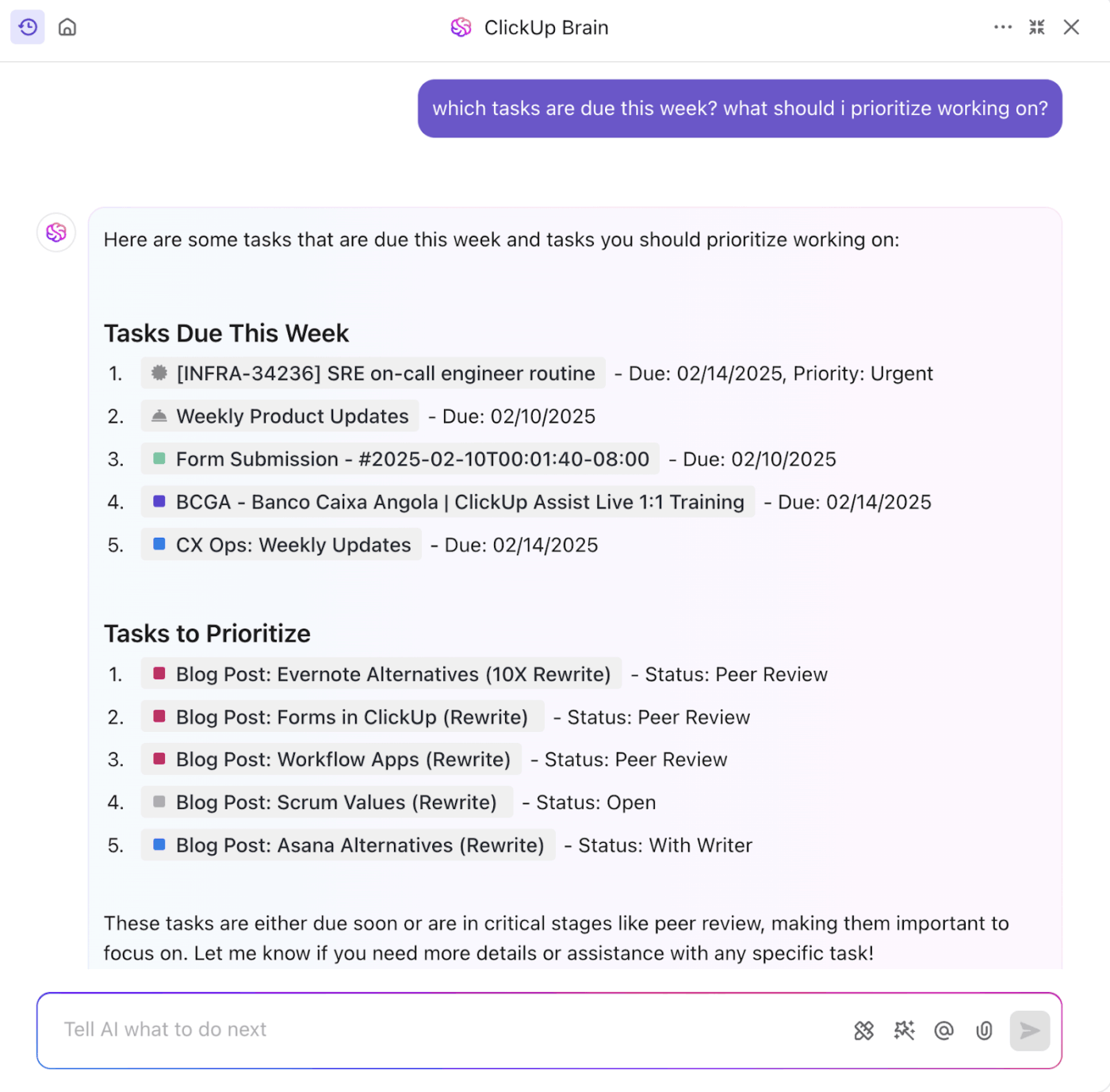
ClickUp Brain can help you with:
📚 Read More: How to Create a Winning Marketing Roadmap
🧠 Fun Fact: Before 1883, time wasn’t standardized. Every city in the U.S. set its own clocks based on the sun, leading to over 300 different “local times.” It was the railroad industry that forced the creation of Time Zones to prevent train collisions and shipping chaos.
Standardized processes only work if they’re followed consistently.
But when work gets busy, people fall back on memory. Steps get skipped. Handoffs get delayed. Approvals happen too late. Even well-documented processes break under pressure.
Automation removes that risk.
Instead of relying on people to remember what comes next, automations ensure the right actions happen every time—without adding overhead. They enforce your standards in the background, keeping execution predictable even during peak workloads.
At this stage, focus automations on:
Imagine your agency is handling a high-priority campaign launch for a key client. Timelines are tight, multiple teams are involved, and there’s no room for last-minute surprises.
With ClickUp’s Automations, AI Agents, and self-learning ambient Super Agents, you don’t have to rely on manual follow-ups or memory.
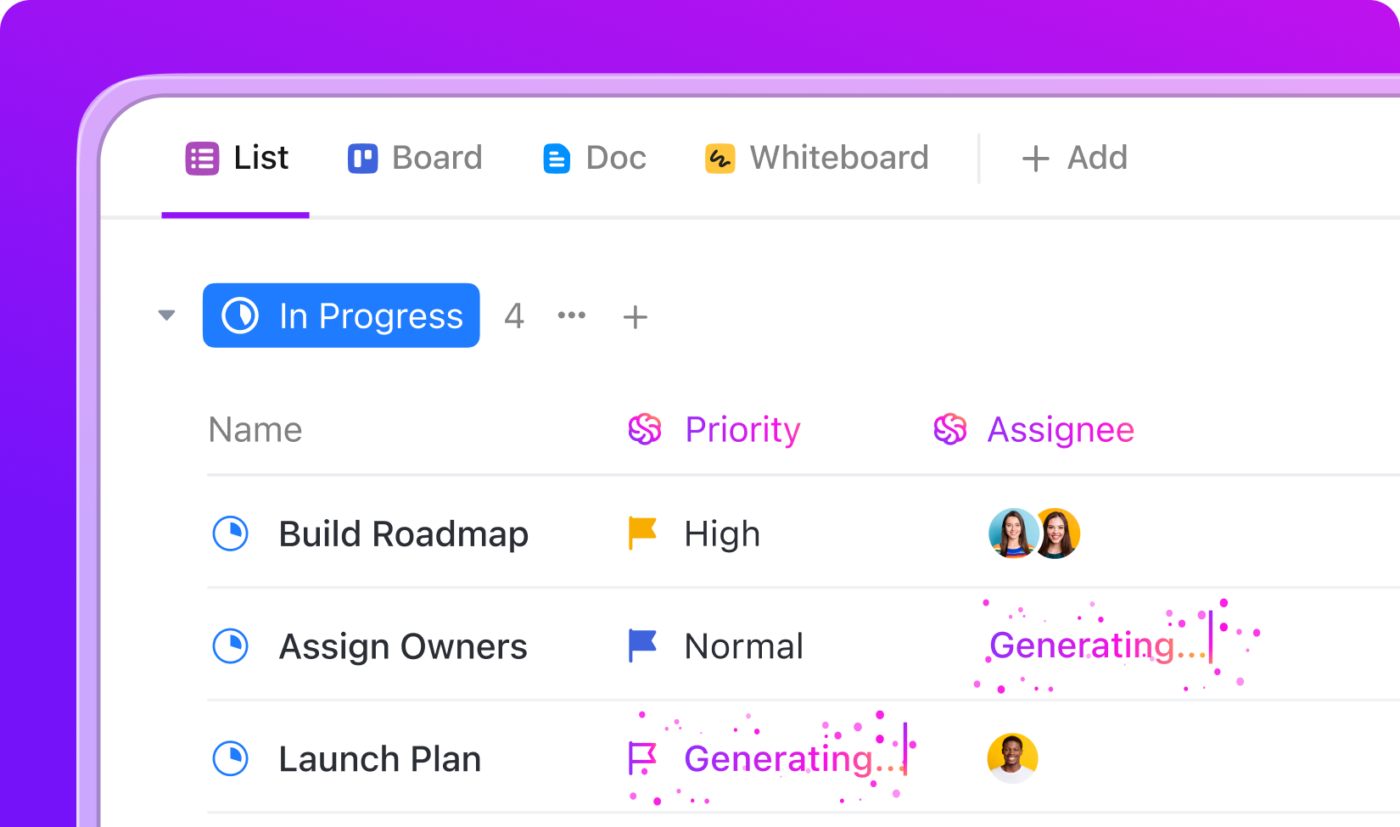
Here’s how it plays out:
Watch this video to learn more about creating Super Agents in ClickUp 👇
With Super Agent in ClickUp, you get a reliable digital teammate that helps your team stay calm, organized, and effective—even when the pressure is on.
🧠 Fun Fact: In 2008, a simple 19-item process checklist was introduced to eight hospitals worldwide. Despite the surgeons being elite experts, the mere introduction of a standardized workflow—including steps as basic as “confirm the patient’s name”—dropped surgical complications by 36% and deaths by 47%.
It proves that even the highest-level experts perform better when they aren’t relying solely on memory.
Take one critical process you’ve standardized (the one that offers quick wins) and run a pilot program.
Offer tutorials to explain how each process works, and walk them through each step. Drive adoption by focusing on employee-centric benefits of switching to these processes, such as potential savings on time and effort.
Finally, monitor adoption in real-time to identify any friction points. Revisit the KPIs you defined in step 1 and track them closely to make data-driven decisions.
If you’ve standardized and adjusted processes around your agency’s product, make sure to track the product adoption curve as well.
ClickUp Dashboards give you instant visibility into whether standardized processes are actually being used—and where they’re breaking down.
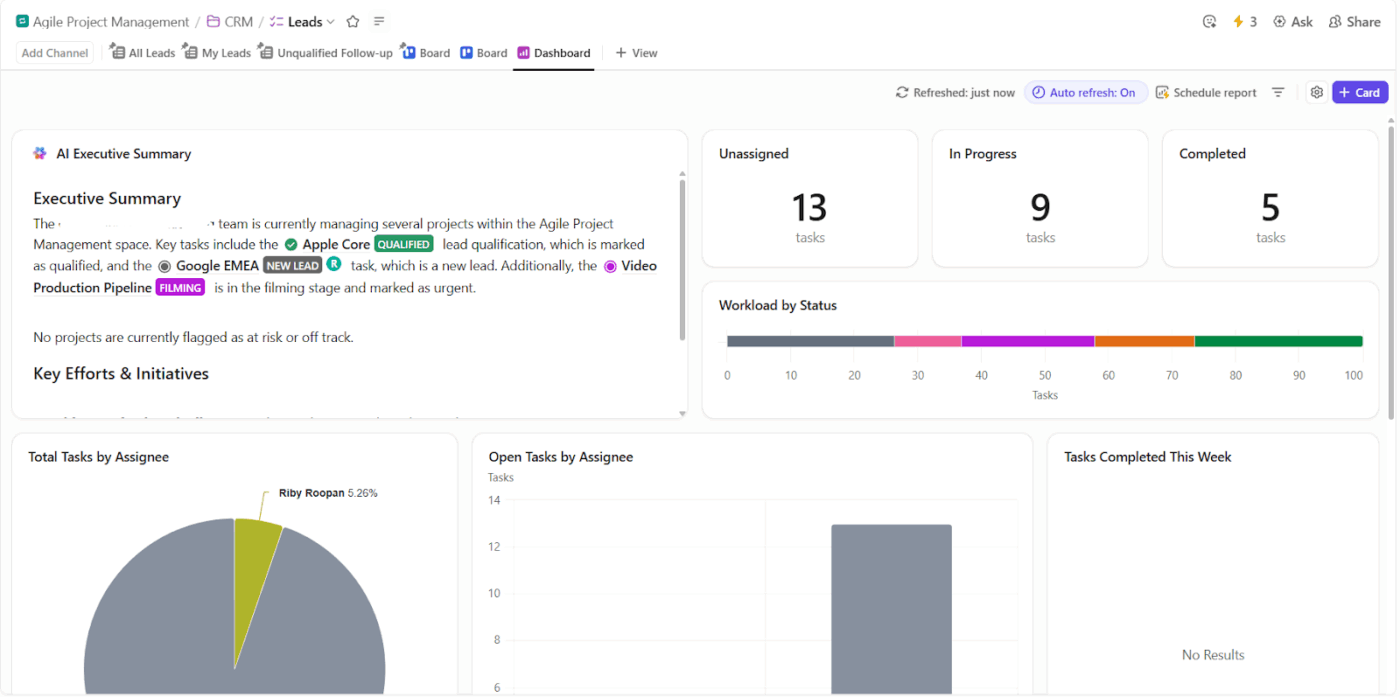
Different dashboards serve different roles:
If you’re creating project dashboards for the first time, here’s a beginner-friendly video to help you get started 👇
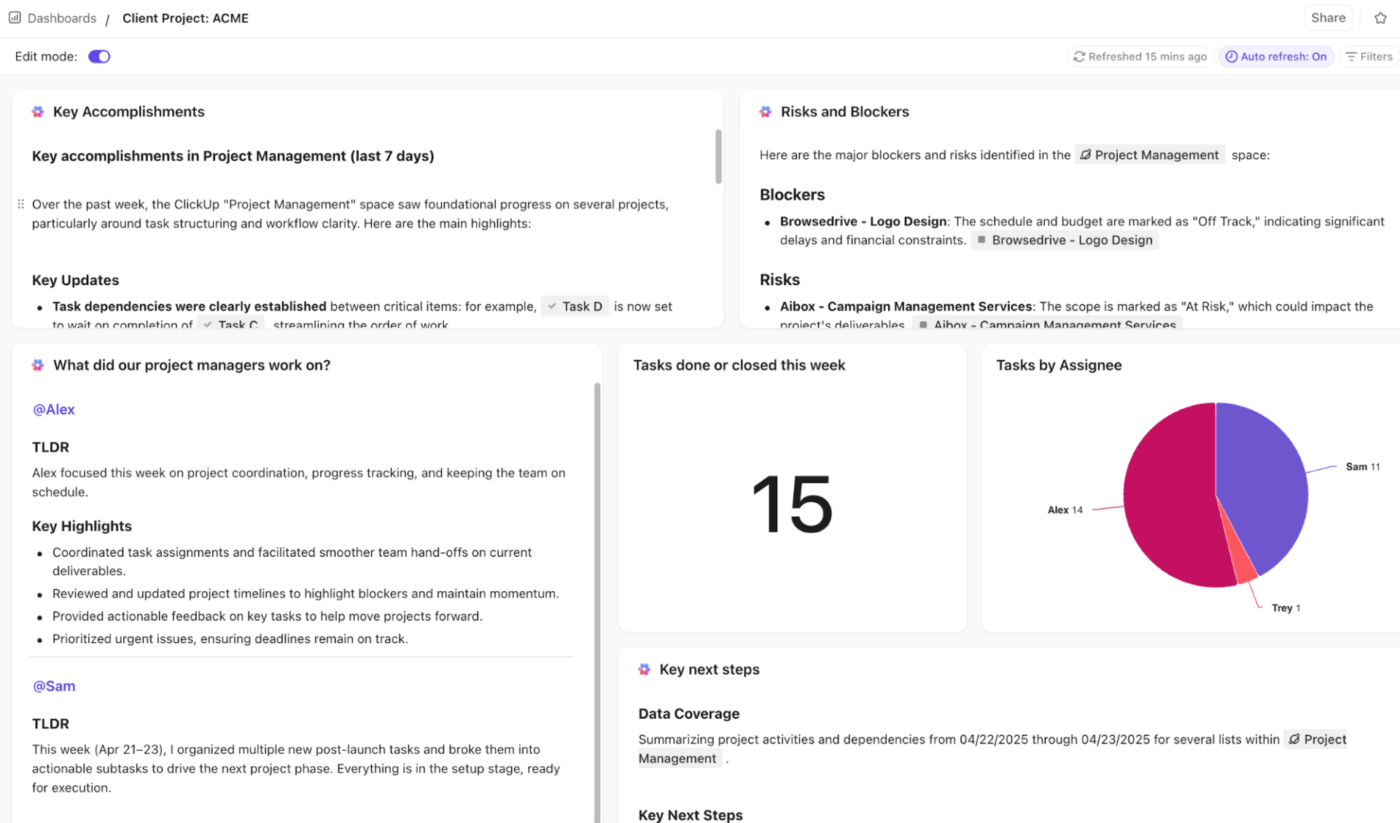
💡 Pro Tip: AI Cards can automatically generate task summaries, uncover missed approvals, and highlight blockers without manual effort. They pull in key information from tasks, comments, and updates to give you context-aware insights.
🧠 Fun Fact: Still wondering what the hidden cost of failing to standardize processes for agencies is? Anthropologist Robin Dunbar discovered that the human brain is cognitively limited to maintaining stable relationships with roughly 150 people.
In an agency setting, once a team or department exceeds this number, social cohesion breaks down, and you can no longer rely on “informal” culture to get things done. That’s why standardized processes are necessary.
📚 Read More: How to Use ClickUp for Agencies
Let’s see some real-world workflow examples to see how this works out in practice:
Challenge: Foxtel Group’s in-house creative agency, Balboa, was managing work across multiple tools like Asana, Jira, Airtable, email, and Slack. With no standardized way to intake requests, track progress, or manage approvals, teams lost time switching tools, chasing updates, and reconciling information.
Solution: By consolidating work into ClickUp, the team standardized core creative workflows, including request intake, project tracking, reviews, and delivery. Shared templates, consistent task structures, and centralized dashboards gave everyone a single source of truth for priorities, ownership, and timelines.
Result: Standardized processes reduced friction across teams and freed up significant capacity. This translated to:
What Kellie Bates, Creative Operations Lead at Balboa, has to say about the Foxtel X ClickUp collaboration:
With ClickUp, we handle complex projects effortlessly. It lets our in-house agency focus on what we do best—delivering outstanding creative.
📚 Read More: How to Create a Workflow
Challenge: Shipt’s Marketing PMO team struggled with fragmented tools and limited visibility. Project updates lived across Wrike and Slack, making collaboration messy and slowing execution across marketing initiatives.
Solution: The team consolidated project management in ClickUp.
They standardized request intake, task management, timelines, and schedules in one platform, removing scattered communication and creating cohesive workflows that everyone could access.
Result: With standardized processes and a single source of truth, Shipt improved day-to-day operations and collaboration.
The team now moves faster, communicates clearly without separate channels, and gains visibility into resource needs for future planning—making work execution smoother and more strategic.
What Leslie Jones, Senior Marketing Project Manager, has to say about Shipt Marketing X ClickUp collaboration:
ClickUp has allowed us to streamline our operations and improve our efficiency, making it easier to collaborate and manage our projects effectively.
📚 Read More: Top SOP Tools to Standardize Processes
Challenge: Cartoon Network’s social media team was juggling multiple projects and calendar tools. This led to fragmented work and duplicate effort every time content needed updating or publishing.
Solution: The team standardized its planning, publishing, and content execution processes in ClickUp as a single source of truth. They built templates, custom statuses, and unified views that aligned work across ideation, review, and publishing.
Result: With consistent workflows in one platform, the team significantly improved efficiency and output:
What Sarah Lively, Director of Social Media, has to say about Cartoon Network X ClickUp collaboration:
We can act really, really fast because there’s one source of truth that has all the details we need. We can also be super accurate with what we’re putting out on social media because we have task statuses that prevent errors.
🚀 ClickUp Advantage: ClickUp gives agencies a single, unified system to standardize how work is requested, planned, executed, reviewed, and delivered—without slowing teams down.
With ClickUp’s Agency Project Management Software, you can:
Whether you’re running a creative studio, performance marketing team, or in-house agency, ClickUp helps you move from heroic effort to repeatable systems—so efficiency isn’t dependent on individual experience.
Looking to create a client dashboard for more efficient reporting? We’ve got you! This video will show you how.
🧠 Fun Fact: Parkinson’s Law states that work expands so as to fill the time available for its completion. If you give a team two weeks to complete a project that actually takes two days, the complexity of the task will psychologically grow to fill the entire 14-day window.
The true cost of inconsistent processes for agencies? Lost margin, missed momentum, and preventable burnout. Every unclear handoff, skipped step, or last-minute fix eats into profitability and makes scaling harder than it needs to be.
Standardization turns your best work into repeatable wins. Automation ensures those standards are followed consistently, even when things get busy.
That’s where ClickUp comes in. ClickUp gives agencies a single platform to document processes, turn them into templates, enforce consistency with automations, and monitor adoption through real-time dashboards—without adding friction to daily work.
Sign up on ClickUp to get started.
Agencies operate in fast-moving, high-pressure environments with multiple clients and deadlines running in parallel. Standardized processes remove guesswork from daily work. They ensure tasks are executed the same way every time, reduce errors, and speed up delivery. Most importantly, they allow agencies to grow without increasing chaos, customer dissatisfaction, and compliance issues.
ClickUp standardizes workflows for your core processes. Instead of manually designing workflows from scratch, agencies can use ClickUp’s pre-built templates to customize processes and SOPs.
ClickUp Automations allows teams to automate repetitive tasks, which makes workflow execution cleaner, faster, and more consistent. ClickUp’s Brain GPT and Enterprise Search together embed intelligence throughout your workflows to eliminate human error and manual hunts for information/context.
Lack of standardized processes poses significant challenges for agencies: lost productivity and time, increased errors, decreased employee satisfaction, poor team collaboration, lower customer retention, higher operational costs, and difficulty scaling the business.
Templates reduce costs by eliminating the time spent reinventing the wheel for every new project, ensuring immediate task deployment. Automations cut down operational expenses by removing manual data entry and facilitating instant handoffs between departments. Together, they minimize the unbillable time spent on admin work.

© 2026 ClickUp

There’s an easier way. Try a free AI Agent in ClickUp that actually does the work for you—set up in minutes, save hours every week.