






Still downloading templates?
There’s an easier way. Try a free AI Agent in ClickUp that actually does the work for you—set up in minutes, save hours every week.
Sorry, there were no results found for “”
Sorry, there were no results found for “”
Sorry, there were no results found for “”

Three months ago, your team had a brainstorming session that felt like pure magic. Ideas flew around the room, everyone was energized, and you walked away thinking, ‘We’re set for the entire quarter.’
Fast forward to today. You’re scrambling to figure out what to post tomorrow because somehow none of those brilliant post ideas made it onto your actual content calendar.
This happens to every content team. The brainstorming part? Easy and fun. The ‘turning ideas into a structured publishing schedule’ part? That’s where things fall apart. Ideas live in random documents, chat threads, and that one person’s head who swears they’ll write it all down eventually.
In this blog post, we’ll discuss how to generate a content calendar from an idea list without spending hours on logistics. Plus, we’ll explore ways ClickUp makes the entire process more efficient! 🤩
Here’s why building a content calendar is imperative for marketers, social media managers, and small business owners:
🧠 Fun Fact: The way we manage ideas has always shaped how we manage time and output. Back in the 1940s, Alex Osborn, the ad exec who coined the term ‘brainstorming,’ created a system to capture as many ideas as possible before judging them.
Generating a content calendar from an idea list is the process of taking your raw, unorganized ideas and transforming them into a structured publishing schedule.
Instead of scattered notes or a running list of ‘someday’ content, you create a visual plan that defines:
This process ensures your creative ideas are captured and translated into actionable outputs that align with your overall marketing goals.
When you have plenty of ideas but no system to execute them, it’s easy to fall into inconsistent publishing, missed opportunities, and content that feels reactive instead of strategic. Organizing those ideas into a calendar provides clarity, direction, and momentum, transforming creativity into measurable impact.
A calendar also forces you to make important decisions early on. More than just capturing what could be published, you’re determining how each idea fits into the bigger picture. That means assigning priorities, setting realistic deadlines, and distributing workload in a way that avoids burnout and bottlenecks.
It also helps you spot patterns you’d otherwise miss. For example, you might realize you’ve drafted three social media posts on the same topic but haven’t covered a trending question your audience keeps asking.
Another reason it matters: timelines. A calendar helps you map ideas against seasonal campaigns, industry events, or product launches so your content lands at the right moment—not weeks after the conversation has passed.
💡 Pro Tip: Create ‘conditional follow-ups’ in your calendar. For instance, if a social post receives more than X comments or shares, schedule a more in-depth piece (such as a blog or video) on a related topic. Set up your calendar (and AI) to surface those ‘winning hooks’ for expansion.
With AI-generated content and intelligent scheduling, a social media content calendar becomes a system that anticipates needs and keeps campaigns aligned with audience demand.
Here’s a closer look at how artificial intelligence in content calendars helps:
💡 Pro Tip: Use sliding-scale content decay flags. For content that once performed well but is aging (e.g., blog posts that saw major traffic drops), tag it with a ‘decay score.’ Let AI monitor that score and automatically suggest refreshes or repurposing when the decay hits certain thresholds.
Artificial intelligence also helps you figure out which ideas should rise to the top, when they should go live, and how they connect to your broader strategy. In other words, it gives your ideas both priority and structure. Here’s how:
📖 Also Read: Free Content Marketing Strategy Templates
Here’s a step-by-step guide to move from raw content brainstorming to a structured publishing calendar that keeps your strategy on track.
Start by gathering every raw idea into one central location. But don’t filter them yet; this step is about volume.
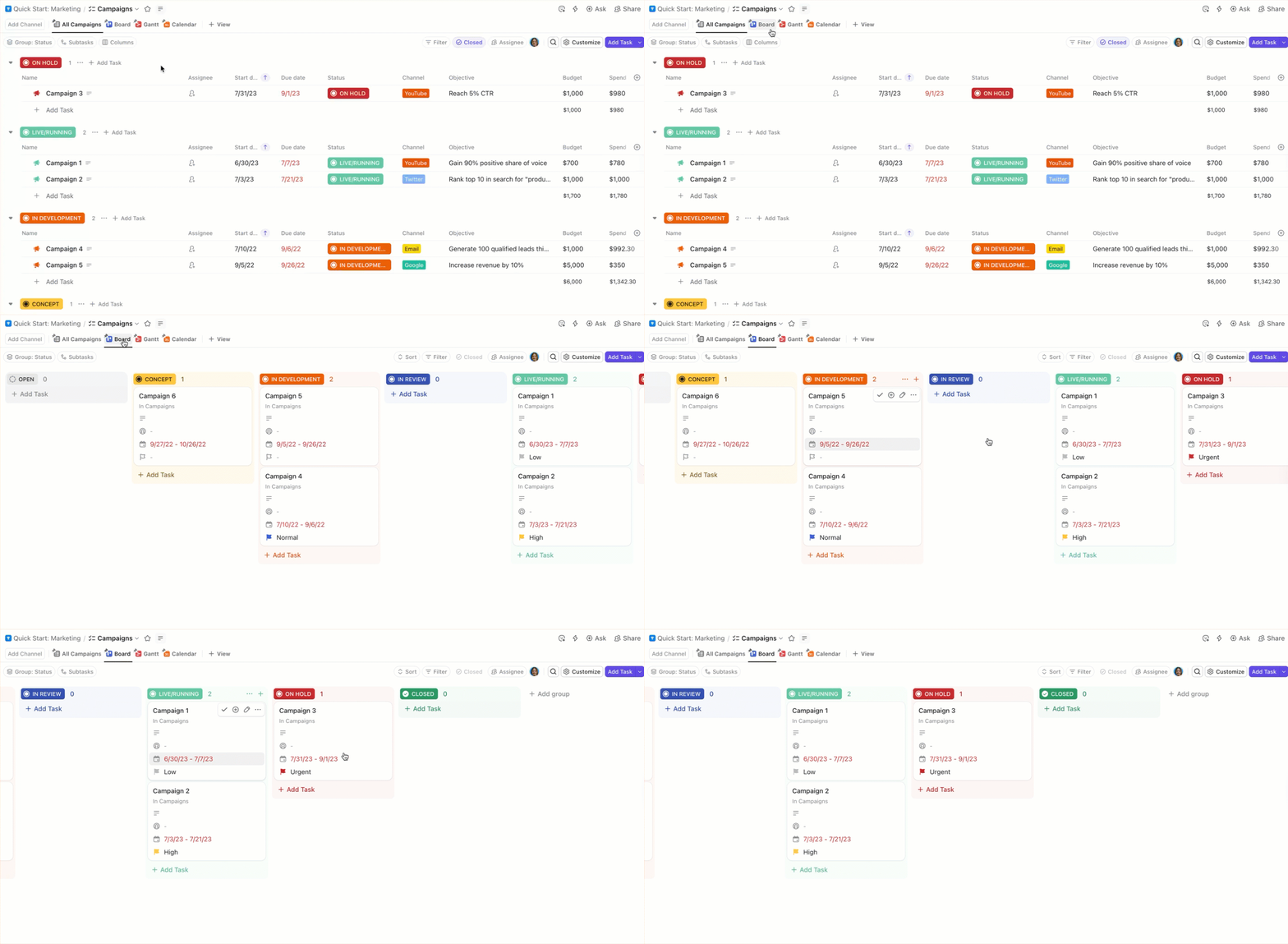
Dump titles, half-baked concepts, campaign hooks, and format ideas into one idea board. Add just enough metadata to keep things organized, such as format, effort estimate, target audience, and potential channels.
In ClickUp, you can set up a dedicated Folder called Content Ideas and:
Once your idea pool is full, step back and define what success looks like. Are you aiming for brand awareness, traffic growth, engagement, or conversions?
Clear goals help you filter out ideas that don’t serve a purpose.
Use ClickUp Tasks and sub-tasks to tie your objectives directly to overarching goals. For example, link all ‘SEO blog’ tasks to a larger task like ‘Increase organic traffic by 20%.’
To make it even easier, assign Milestones in ClickUp to your social media team within specific tasks. ClickUp will automatically track progress as tasks get completed, so you can see at a glance how close you are to hitting your goal. It’s a simple way to connect everyday execution with the bigger picture, keeping the whole team aligned on what really matters.
Juan Carlos Mondragon, IT Coordinator at Printful Inc., shares:
Managing projects or tasks, tracking org-wide goals, and communicating with other departments or teams definitely improved in time savings and cost benefits due to transparency on the projects. We can provide support to the bottlenecks or perform tasks in advance because there is visibility of what’s next.
Now, evaluate each idea against your goals and real-world constraints. Consider:
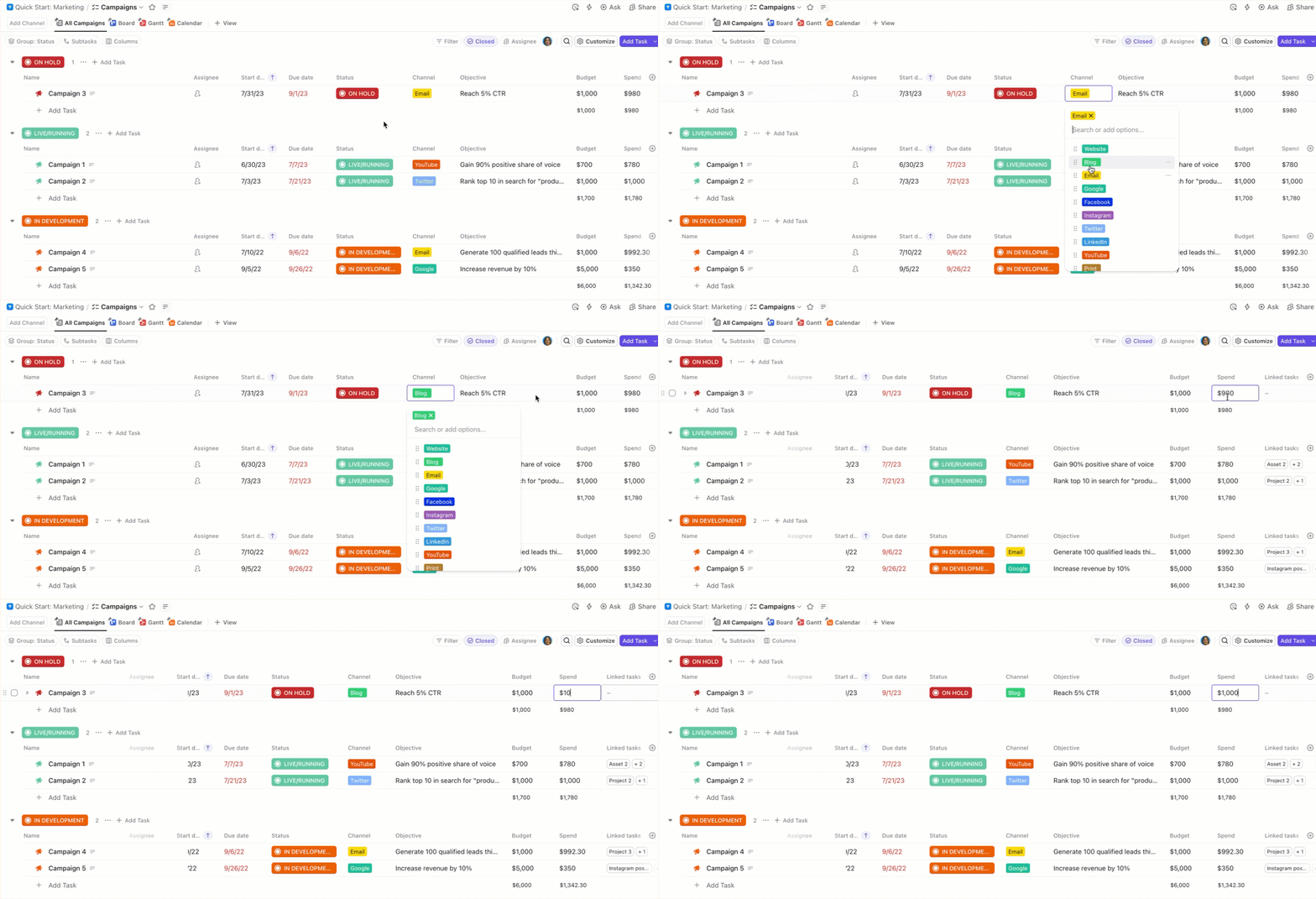
Assign a score or label with Custom Fields in ClickUp so it’s clear which ideas move forward and which can wait.
🧠 Fun Fact: The 6-3-5 Brainwriting method came about in 1968. The idea: six people each write three ideas in five minutes, then pass their sheets along—that repeats, generating 108 ideas in 30 minutes. This ideation technique was a way to get structure + volume without group discussion slowing creativity.
Before you start mapping tasks, decide where your calendar will live. This is the space you’ll come back to daily, so pick a format your team will actually use:
Once you’ve chosen the platform, start building the skeleton of your calendar. Lay down anchor points first—fixed dates that won’t move, such as product launches, holidays, or major campaigns. These serve as the backbone for everything else.
Then, map your content ideas around these anchors:
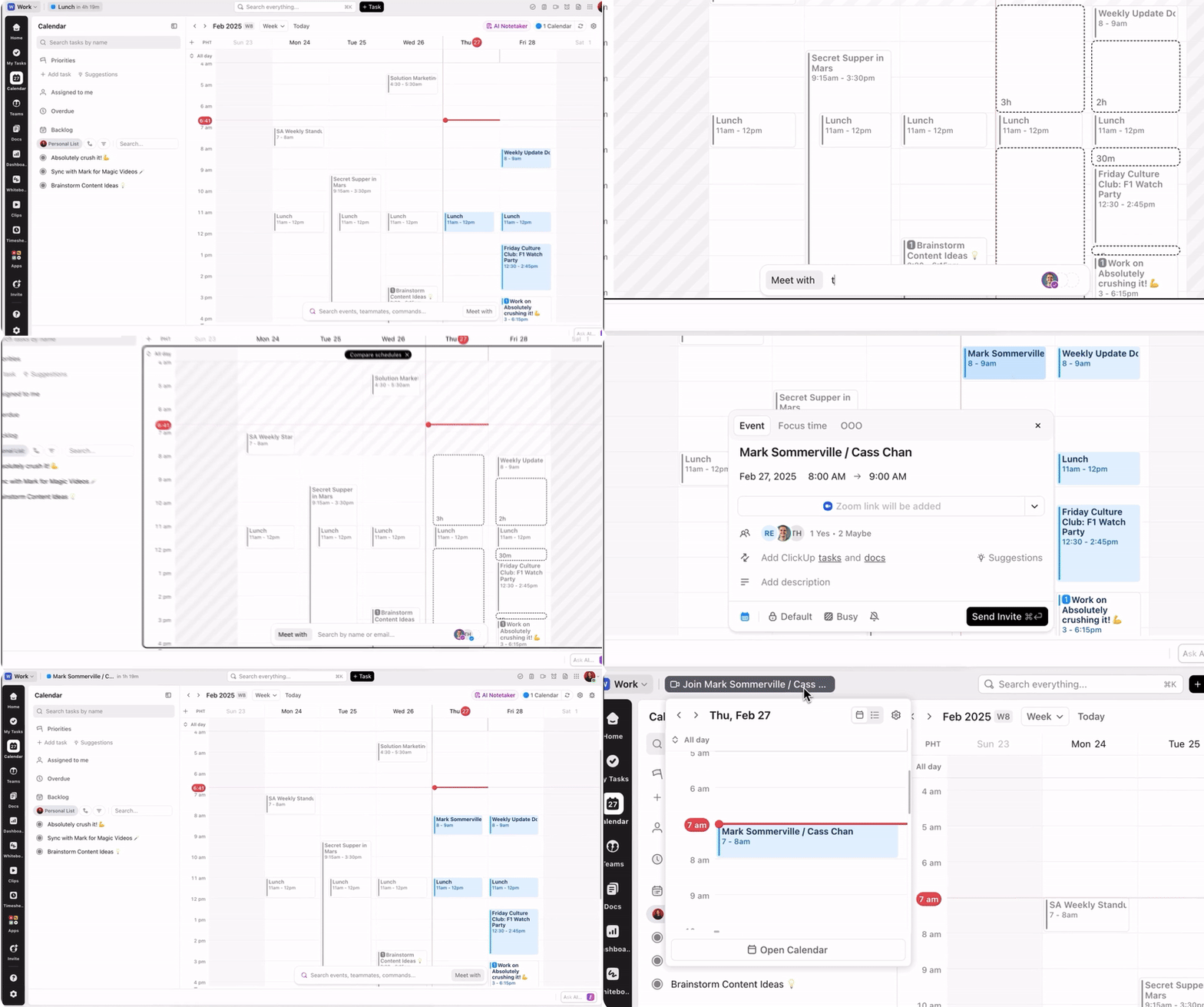
ClickUp Calendar makes planning seamless by keeping strategy sessions, tasks, and campaign briefs in one view. Toggle between daily, weekly, or monthly views, or create custom views for specific teams, such as social, blog, or email.
You can also overlay multiple calendars, such as content deadlines and product launches, to spot conflicts or opportunities immediately.
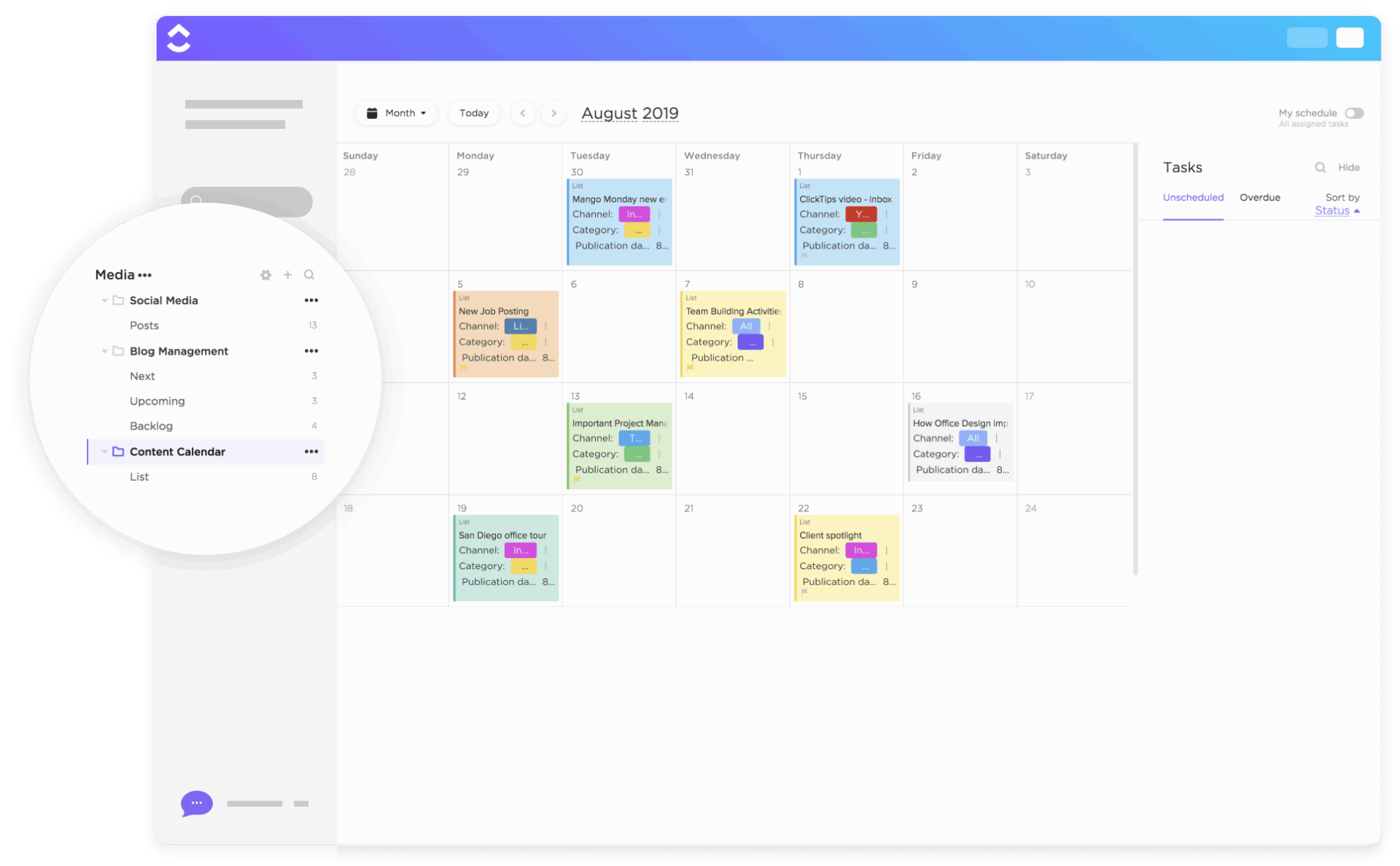
To make your life easier, try ClickUp’s Content Calendar Template. It gives you a ready-made hub to plan, organize, and track content across the year. You can drag and drop tasks onto your calendar, add attachments and comments, and keep everyone on the same page with real-time updates.
This content calendar template is perfect for blog posts, campaigns, and social content.
A title on a calendar isn’t enough. Let’s say you’re adding ‘AI in Marketing’ as a calendar entry without context. Your writer won’t know if it’s a blog, a LinkedIn post, or a webinar script.
To avoid confusion, each entry should become a detailed task with everything your team needs to execute smoothly.
Add specifics like:
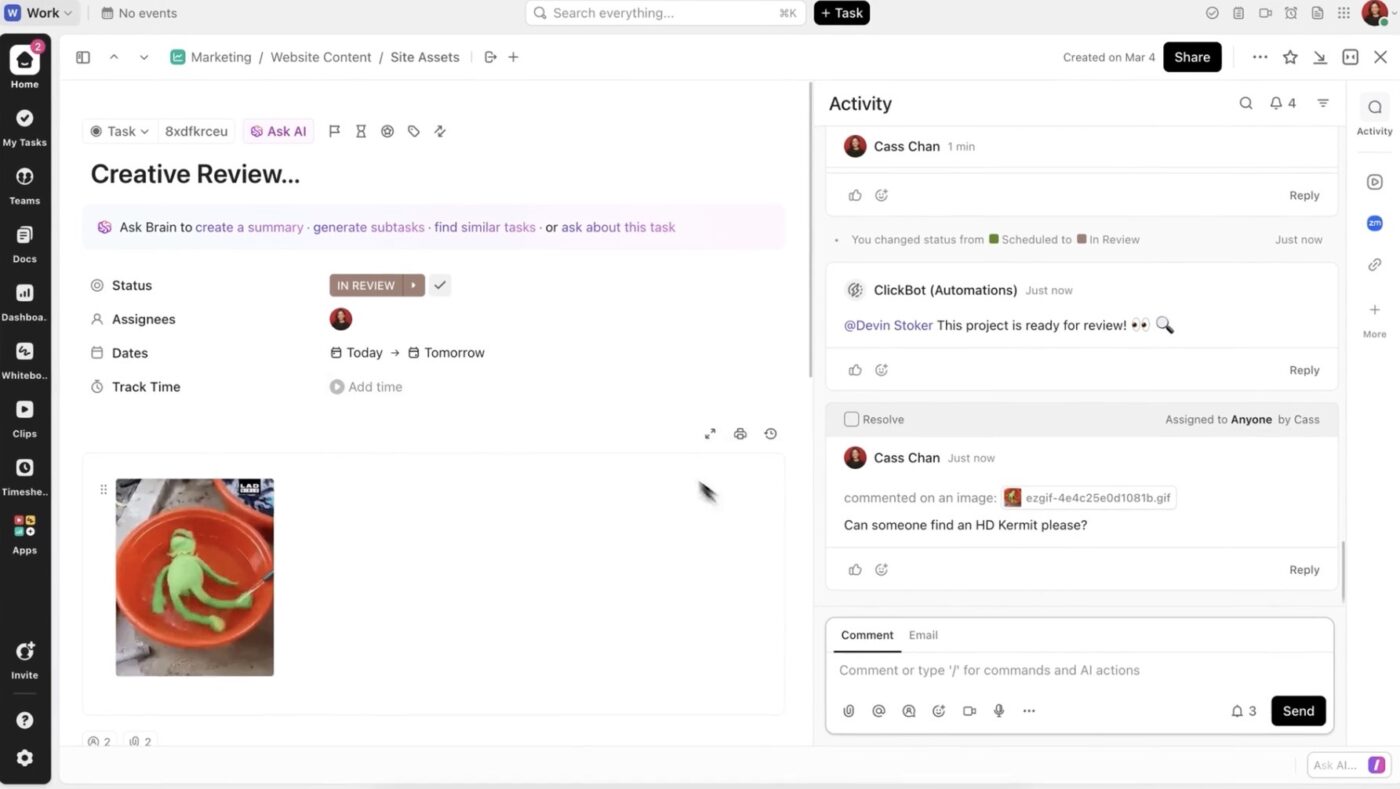
Convert every idea into a ClickUp Task and break the task into subtasks with Custom Statuses—draft, edit, design, review—for clear accountability. You can leverage ClickUp Task Checklists for recurring steps, such as SEO optimization or proofreading, and attach briefs, creative assets, or past campaign references directly to the task.
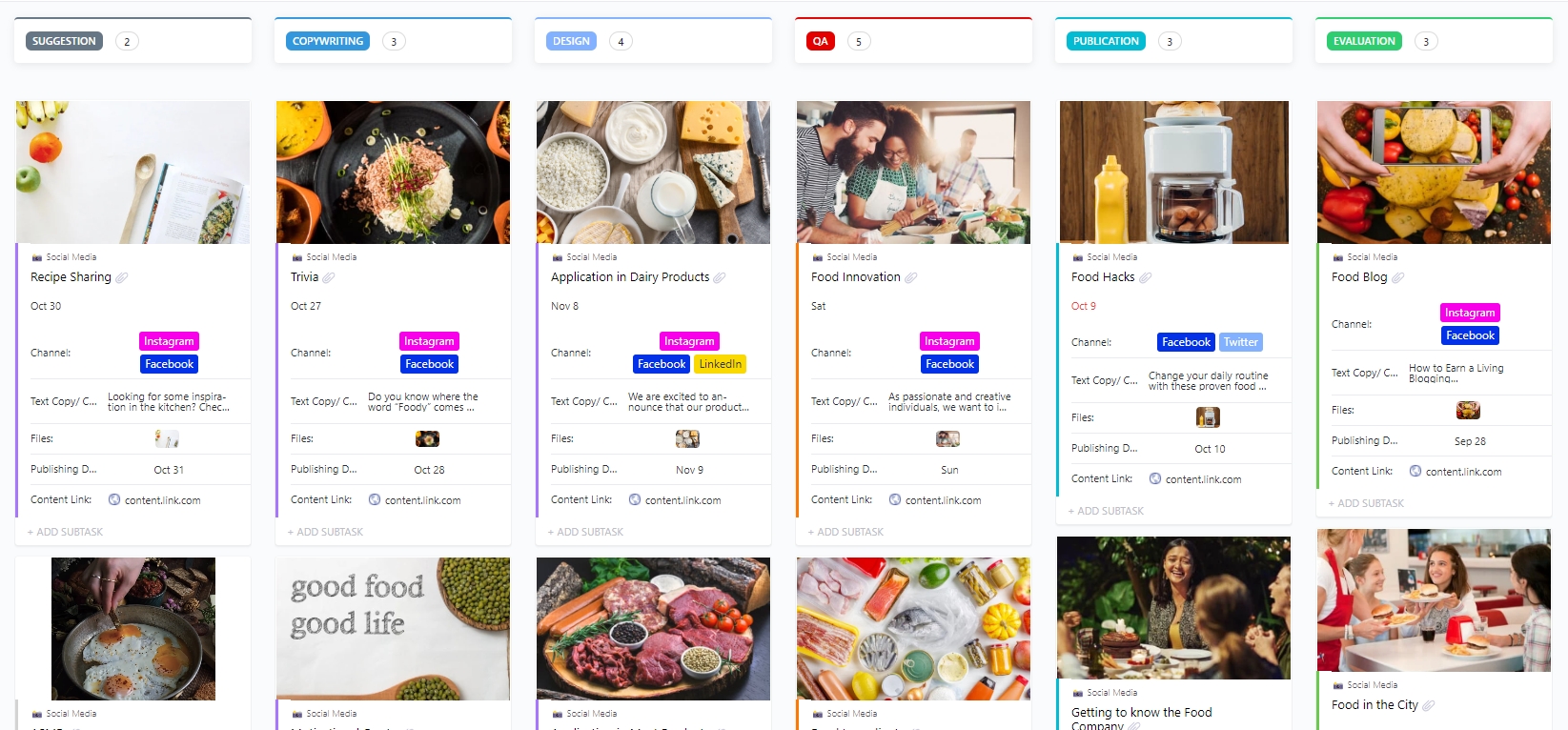
🚀 ClickUp Advantage: When it comes to fleshing out content for different channels, the ClickUp Social Media Template makes a world of difference.
It helps you:
To prevent your content calendar from becoming either stale or chaotic, you must strike a deliberate balance between content that lasts and content that reacts.
Here’s how to excel at content marketing management with precision:
Here are some tips to manage multiple calendars:
Your calendar is a living system. Share it with stakeholders early, gather feedback, and adjust for resource constraints or overlaps.
After publishing, monitor content performance and refine your approach. Drop ideas that don’t resonate and double down on what works.
ClickUp Dashboards help you track metrics such as publication volume, engagement, and deadlines met. You can add cards for:
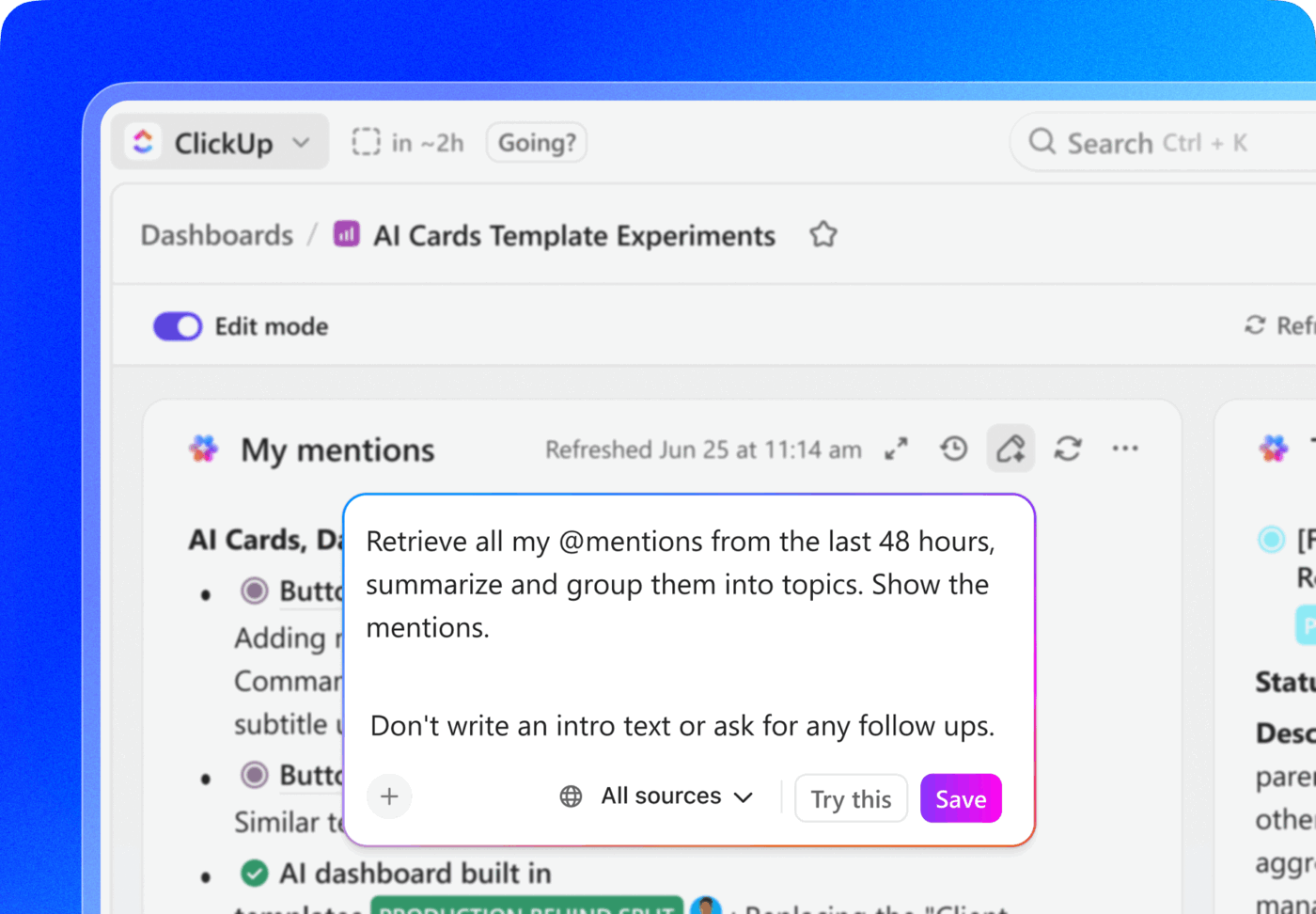
AI Cards in Dashboards further enhance your experience by summarizing what’s going on. For example:
📮 ClickUp Insight: 18% of our survey respondents want to use AI to organize their lives through calendars, tasks, and reminders. Another 15% want AI to handle routine tasks and administrative work.
To do this, an AI needs to be able to: understand the priority levels for each task in a workflow, run the necessary steps to create tasks or adjust tasks, and set up automated workflows.
Most tools have one or two of these steps worked out. However, ClickUp has helped users consolidate up to 5+ apps using our platform! Experience AI-powered scheduling, where tasks and meetings can be easily allocated to open slots in your calendar based on priority levels.
You can also set up custom automation rules via ClickUp Brain to handle routine tasks. Say goodbye to busy work!
Content planning works best when every idea connects to the bigger picture.
ClickUp Brain, an AI-powered assistant integrated in your workspace, uses context from your tasks, docs, and connected apps to create content that fits seamlessly into your strategy. Let’s see how.
Your content plans live in a sea of disconnected tools—campaign briefs in one doc, audience insights in another, performance data somewhere else. ClickUp Brain eliminates that work sprawl, aka the need to jump between tabs and piece together information manually.
What ClickUp Brain can do for context-aware content planning:
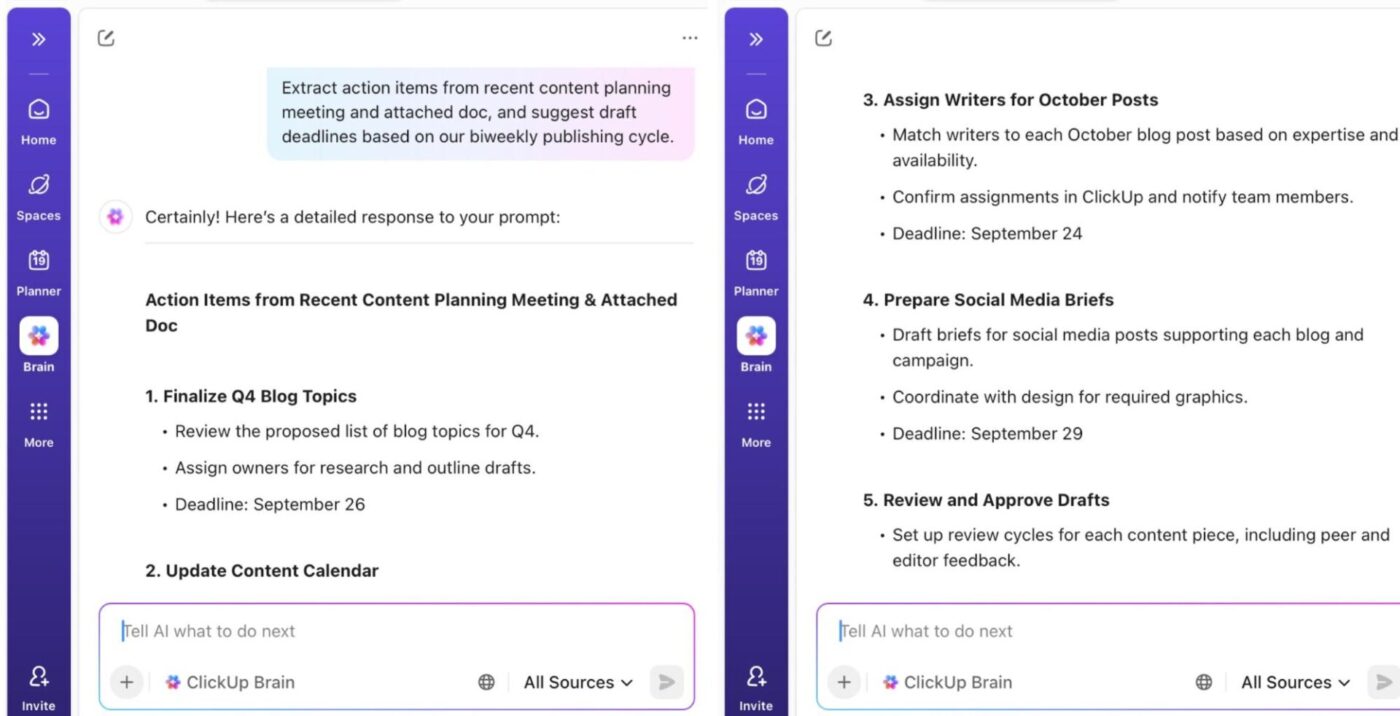
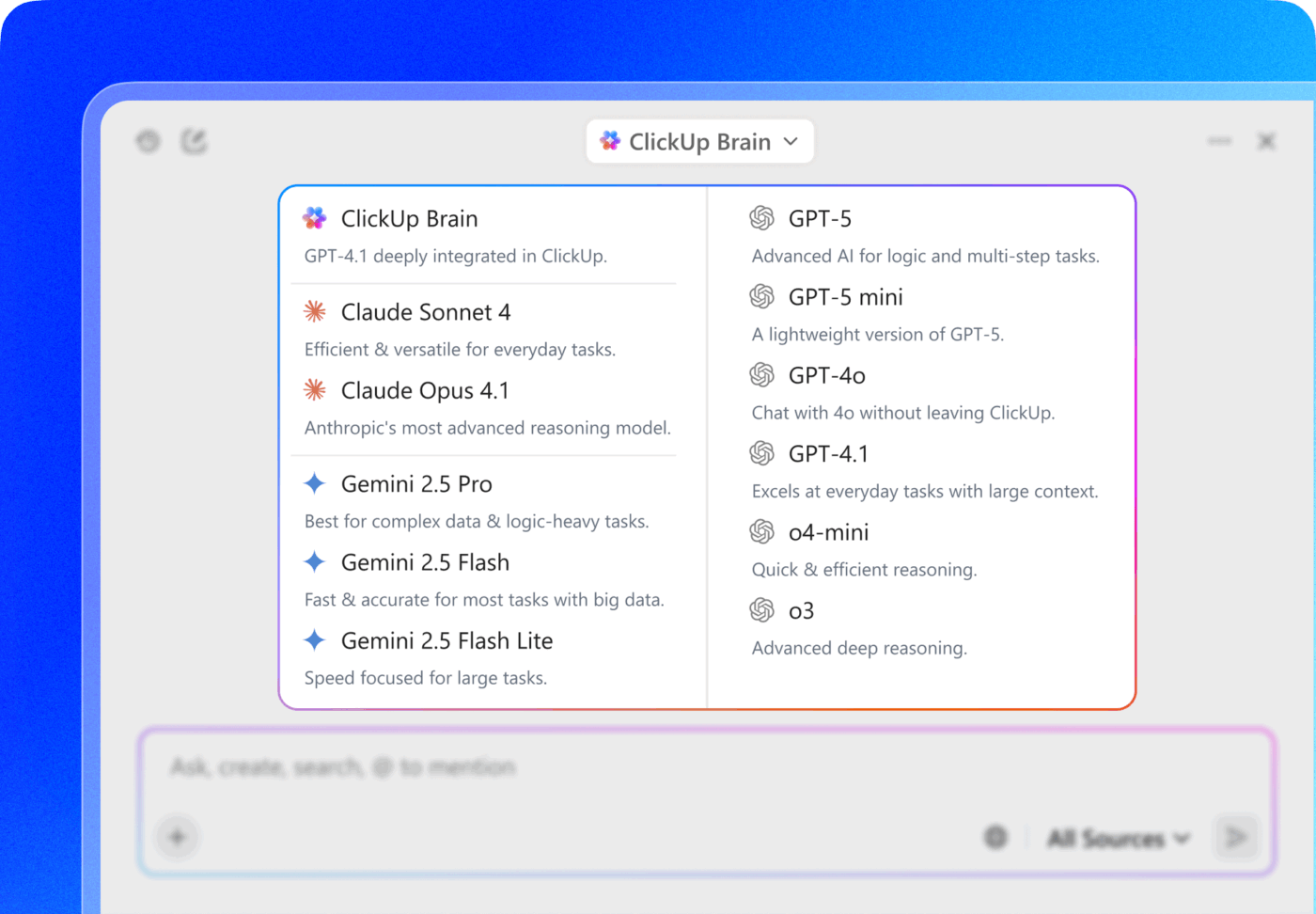
📌 Try these prompts:
👉🏽 Highlight recurring content opportunities across these 10 ideas—what can be turned into a series or multi-part campaign?
👉🏽 Summarize these brainstorming notes into 3-4 content themes and group similar ideas together
👉🏽 Create a content brief for a case study featuring [customer name], pulling details from our CRM notes and project deliverables
👉🏽 Extract action items from our content planning meeting notes and suggest draft deadlines based on our biweekly publishing cycle
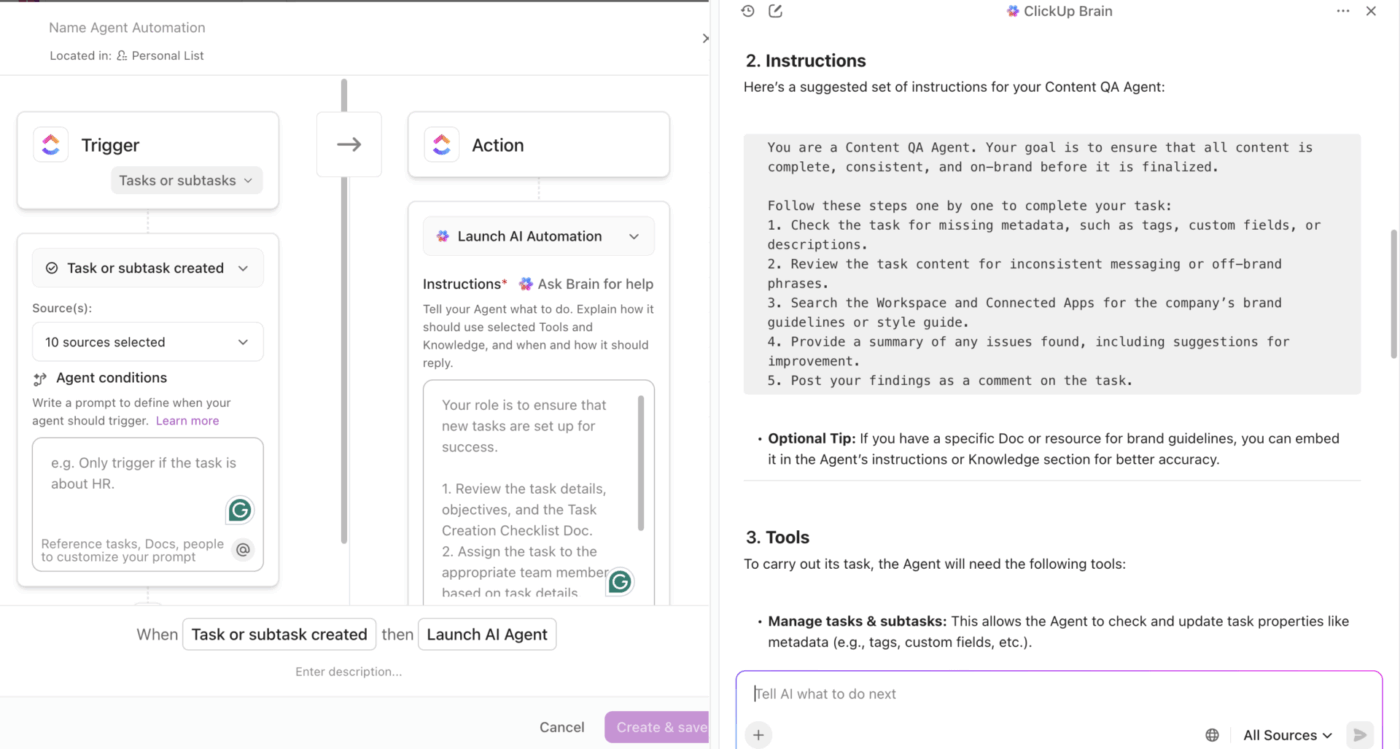
Content quality and brand alignment shouldn’t be left to chance—or to endless manual reviews. ClickUp Brain lets you build Custom Agents that act as always-on reviewers, ensuring every piece of content meets your standards before it goes live.
They can review, comment, and take action on content across your workspace. Whether you want a brand guideline reviewer, a content QA agent, or a compliance checker, you can build it in minutes.
Here’s how you can set up a reviewer agent:
📌 Try these prompts:
👉🏽 Build a Brand Guideline Reviewer that checks every new draft for tone, voice, and style, referencing your brand doc and leaving feedback automatically
👉🏽 Set up a Content QA Agent to scan for missing metadata, inconsistent messaging, or off-brand phrases when a task moves to “Ready for Review”
👉🏽 Create a Campaign QA Agent that reviews all assets in a campaign folder—emails, landing pages, social posts—for messaging consistency and compliance
ClickUp Brain MAX is a desktop companion that gives you a dedicated space to interact with AI. It unifies AI and search across all your work apps, ClickUp data, connected tools, multiple AI models, and web search—all in one interface.
The tool offers:
📌 Try these prompts:
👉🏽 Compare our content strategy to our top three competitors and recommend where we should double down, where we should pivot, and what gaps we should fill first
👉🏽 Analyze our top-performing content, upcoming product roadmap, and current market trends—then design a six-month content strategy that positions us as thought leaders
👉🏽 Review our customer interview transcripts and support tickets, then create a content plan that addresses our audience’s biggest pain points at each stage of their journey
👉🏽 Map out a content ecosystem for our new product launch that includes blogs, social content, email sequences, and sales enablement materials
Introducing AI into your content calendar workflow can enhance efficiency, insight, and consistency, but only if done thoughtfully. Here are proven best practices to make sure your AI‑powered calendar delivers value:
Your Q1 priorities look nothing like Q4, yet most teams lock their content calendars months in advance and wonder why engagement drops. Set up your AI project management tool to monitor shifts in your workspace—new product features entering development, customer complaints clustering around specific topics, and competitor moves flagged by your sales team.
Build review checkpoints where AI re-evaluates your posting strategy against current business goals every two weeks. If your support team suddenly gets 50 tickets about a feature, your consistent posting schedule should flex to address that immediately, not three months later when it was ‘planned.’
Every content team has theories about what its audience wants. The data tells a different story. Analyze content performance across every channel. Which pieces drove qualified leads vs. just traffic? What posting frequency on different social media calendar tools correlates with conversions, not follows?
Feed these insights back into your AI prompts with specificity: ‘Our audience engages with tactical how-to content 4x more than industry trend pieces’ or ‘Video content under 90 seconds performs better on LinkedIn than long-form articles.’

💡 Pro Tip: When managing multiple social media accounts, track which content types work on each platform separately. Your Instagram audience might love behind-the-scenes content, while your LinkedIn followers want data-driven case studies. Train AI on these nuances so it stops suggesting content formats your audience has proven they ignore.
Most content calendars swing between reactive firefighting and aspirational thought leadership that ignores what customers need today. The teams that win do both simultaneously.
Structure your social media efforts so 60% of your calendar addresses immediate audience questions and pain points—content that solves problems right now. The remaining 40% builds your long-term narrative: where your industry is heading, what you believe, and why your approach matters.
Use AI to identify when you’re skewing too heavily in one direction. A balanced posting strategy means someone can discover your content when they’re desperately searching for a solution, then stick around because your perspective resonates with how they see the world.
🔍 Did You Know? A study of Central Bank communication (Bank of England) on Twitter (now X) found that the timing of posts matters more than volume. The bank’s posts often missed moments of peak engagement, which showed that having a content calendar aligned with high-attention periods can significantly boost interaction.
Here’s how teams across different industries use AI tools (like ClickUp Brain MAX!) to build content calendars:
Brain MAX pulls the feature launch date, beta feedback, and product positioning docs to map a 6-week content rollout:

AI scans team members’ recent client presentations, webinar transcripts, and internal strategy memos for emerging themes:
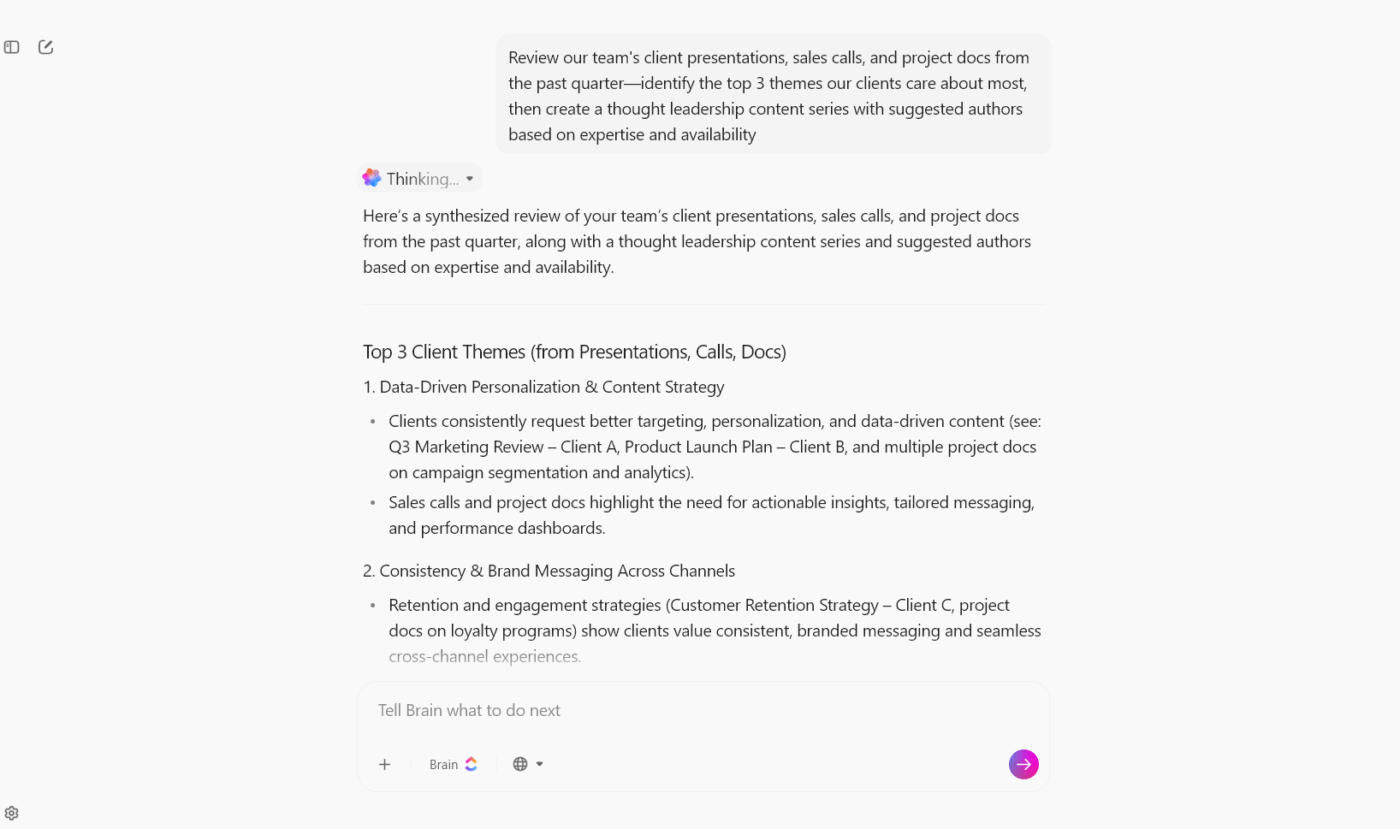
Brain MAX creates separate content calendars for each client using their brand guidelines, past performance data, and campaign briefs:

🔍 Did You Know? A research article found that small tweaks in when posts go out (morning vs. afternoon vs. evening), what type of content, and whether to boost posts with paid ads (targeted content advertising) can bump up link clicks and eventually profits. Using the optimal schedule improved gross profits by around 8%.
AI makes content calendar creation faster and more structured, but it comes with trade-offs. Think of it as an assistant that speeds up execution, not a replacement for human creativity and judgment. Key considerations include:
📖 Also Read: Free Social Media Calendar Templates
AI is moving beyond simple task automation into actual strategy co-creation. Soon, your content calendar will adapt in real time based on performance signals, trending topics, and audience engagement.
Imagine getting a nudge to pivot mid-week because a competitor’s campaign is dominating search, or having design resources reallocated when video content is projected to outperform static posts.
This isn’t far off; it’s already in motion. The global AI-powered content creation market is projected to hit $47 billion by 2030.
Another shift comes in the way people ideate content. According to the ClickUp Talk to Text survey of 527 professionals, 72% reported typing-related discomfort, and the average target for reducing typing time was a 40%+ drop.
In terms of productivity, organizations using AI-assisted, voice-first workflows reported a 25–35% faster project completion rate and a 40–60% reduction in context switching when voice was integrated into their workspace. With data like this in hand, it’s clear: when teams can articulate their ideas out loud and have them immediately captured, structured, and converted into tasks or drafts, the gap between ideation and content creation collapses. Brainstorms no longer wait for someone to sit down and type—they flow live. Workers stay in their thinking zone, not in input mode. The net result? Faster workflows, richer ideas, and content moving from spark to deliverable with noticeably less friction.
The shift is clear: AI takes on the heavy lifting of data analysis and automation, while human teams stay focused on strategy and creativity. And with AI’s ability to scale content, you’ll have the speed and flexibility needed to stay ahead.
Turning a patchy idea list into a polished content calendar doesn’t have to be a headache. With AI in the mix, you can organize and prioritize smarter, spotting opportunities and keeping your content pipeline flowing without the usual bottlenecks.
Plus, you won’t need ten different tools to pull it off. Inside ClickUp, the everything app for work, you get ClickUp Calendar to plan and schedule, ClickUp Brain to prioritize and refine ideas, and Tasks to track every step, all in one connected workspace.
No siloed workflows, just one hub where ideas turn into action. Sign up to ClickUp for free today! 🚀
AI takes raw ideas and organizes them by relevance, audience, effort, and timing. It can automatically tag formats, assign priority scores, and recommend publishing dates based on data patterns. Instead of manually sorting, you get a structured pipeline ready for scheduling.
You can ask questions like:
Which of these ideas best aligns with Q4 campaign goals?
What’s the optimal publishing frequency for LinkedIn vs. Instagram?
Can you group my blog topics by funnel stage?
Suggest an evergreen vs. timely balance for my industry
Yes. AI can map ideas directly into a timeline, suggest dates, and even distribute them across channels. For example, ClickUp Brain can review a list of tasks (ideas) and help you convert them into a calendar view, automatically assigning draft and publishing deadlines.
AI tools can score ideas based on factors such as estimated impact, seasonal relevance, and resource effort. You can combine this with manual filters (like campaign alignment or creative potential). In ClickUp, Custom Fields and AI scoring help create a clear ranking system.
A manual calendar requires you to tag, sort, and schedule everything yourself—great for full creative control but time-heavy. An AI-generated calendar automates much of this process: it structures ideas, recommends optimal timing, and adapts based on data. The trade-off? You’ll need to fine-tune AI’s output to keep it aligned with your unique brand voice.

© 2026 ClickUp

There’s an easier way. Try a free AI Agent in ClickUp that actually does the work for you—set up in minutes, save hours every week.