Sorry, there were no results found for “”
Sorry, there were no results found for “”
Sorry, there were no results found for “”
Most teams don’t realize their email assistant is actually making their workflow worse—by keeping messages trapped in one app while tasks, docs, and project context live somewhere else entirely. Microsoft research shows employees toggle between applications nearly 1,200 times per day, wasting five full work weeks per year just reorienting themselves.
This guide walks you through 10 Fyxer AI alternatives, from email-only tools like Shortwave and Superhuman to unified workspaces like ClickUp that connect your inbox directly to actionable work.
Using a standalone email assistant can feel productive at first, but it often creates a new problem: a fragmented workflow. Your email lives in one tool, your tasks in another, and your meeting notes are somewhere else entirely. You’re constantly juggling apps just to follow up on a single conversation, which leads to context sprawl—a problem where teams waste hours searching for information, switching between apps, and hunting down files across multiple platforms—making important details easy to miss. Gartner research found 47% of digital workers struggle to find the information needed to effectively perform their jobs.
This disconnect is why many teams start looking for Fyxer AI alternatives. The core issues usually boil down to a few key frustrations:
The best solution isn’t always another email-only tool. Many teams find more value in a converged workspace that brings email, tasks, documents, and AI together. This allows context to flow naturally from your inbox directly into actionable work.
📮 ClickUp Insight: 92% of knowledge workers risk losing important decisions scattered across chat, email, and spreadsheets. Without a unified system for capturing and tracking decisions, critical business insights get lost in the digital noise. With ClickUp’s Task Management capabilities, you never have to worry about this. Create tasks from chat, task comments, docs, and emails with a single click!
Before exploring specific alternatives, it’s helpful to understand the broader landscape of AI applications in productivity and workflow management. This video provides an overview of various AI use cases that can help you evaluate which features matter most for your team’s specific needs.
| Tool | Best for | Key Features | Pricing* |
|---|---|---|---|
| ClickUp | Teams wanting AI-powered work management that connects email to action | ClickUp Brain, AI summaries, Email inside tasks, Automations, Docs, Dashboards | Free Forever, paid plans available for teams; enterprise customization |
| Shortwave | Gmail power users wanting an AI-native inbox | AI bundling, thread summaries, natural language search | Free tier; Pro ~$8.50/user/month, Business ~$18/user/month, Premier custom |
| Superhuman | Executives and high-volume emailers prioritizing speed | Split Inbox, AI Instant Reply, keyboard-first workflows | Starter $30/user/month, Business $40/user/month, Enterprise custom |
| Missive | Teams needing shared inbox collaboration with built-in chat | Email assignments, internal chat, collaborative drafting | Starter $14/user/month, Productive $18/user/month, Business $26/user/month, Enterprise custom |
| Microsoft Copilot | Organizations using Microsoft 365 for email, docs, and meetings | Outlook summaries, draft assistance, cross-app intelligence | $30/user/month add-on |
| Gemini (Google Workspace) | Google Workspace users wanting native AI in Gmail and Docs | Draft assistance, email thread summaries, Workspace-wide context | Gemini Business $20/user/month, Enterprise $30/user/month |
| Hiver | Teams managing shared Gmail inboxes for support or ops | Assignments, collision detection, SLAs, analytics | Lite $19/user/month, Pro $49/user/month, Elite $79/user/month |
| Gmelius | Teams wanting Kanban-style email workflow in Gmail | Kanban boards, sequences, workflow automation | Meli $19/user/month, Growth $25/user/month, Pro $40/user/month, Enterprise custom |
| Spike | Users preferring a conversational email interface | Conversational view, Priority Inbox, built-in notes and video | Free tier; Team ~$7.99/user/month, Business ~$12.99/user/month, Enterprise custom |
| SaneBox | Individuals wanting AI email filtering without switching clients | Smart filtering, SaneBlackHole, daily digest | Snack ~$7/month, Lunch ~$12/month, Dinner ~$36/month |
Our editorial team follows a transparent, research-backed, and vendor-neutral process, so you can trust that our recommendations are based on real product value.
Here’s a detailed rundown of how we review software at ClickUp.
Not every AI email tool is built for real execution. Many help you draft or organize messages, but the moment work needs ownership, follow-through, and visibility, gaps start to show. The tools below go beyond inbox assistance to support how work actually moves across teams.
Most email assistants optimize for one thing: getting through your inbox faster. But the bigger productivity leak usually happens after the email is read, when the follow-up lives in a different tool, the decision is captured in a doc nobody links, and the work gets tracked in a project board that has zero connection to the original conversation.
ClickUp solves that by treating email as the starting point of execution, not the end of communication.
In ClickUp’s Converged AI Workspace, your inbox doesn’t sit “beside” your work. It plugs directly into tasks, docs, timelines, and reporting, so the context that matters stays attached to the deliverable. That means fewer copy-paste handoffs, fewer forgotten action items, and fewer “wait, where did we decide that?” moments.
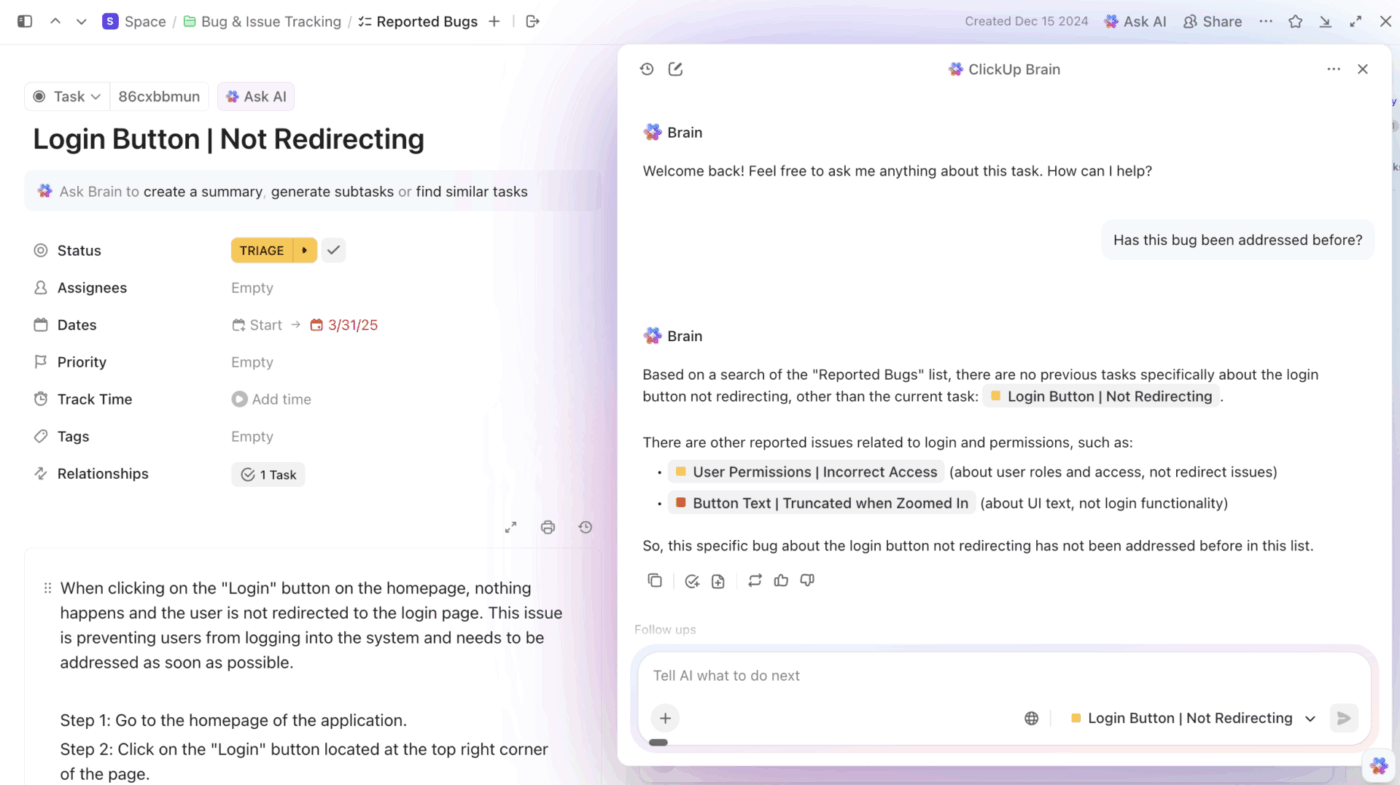
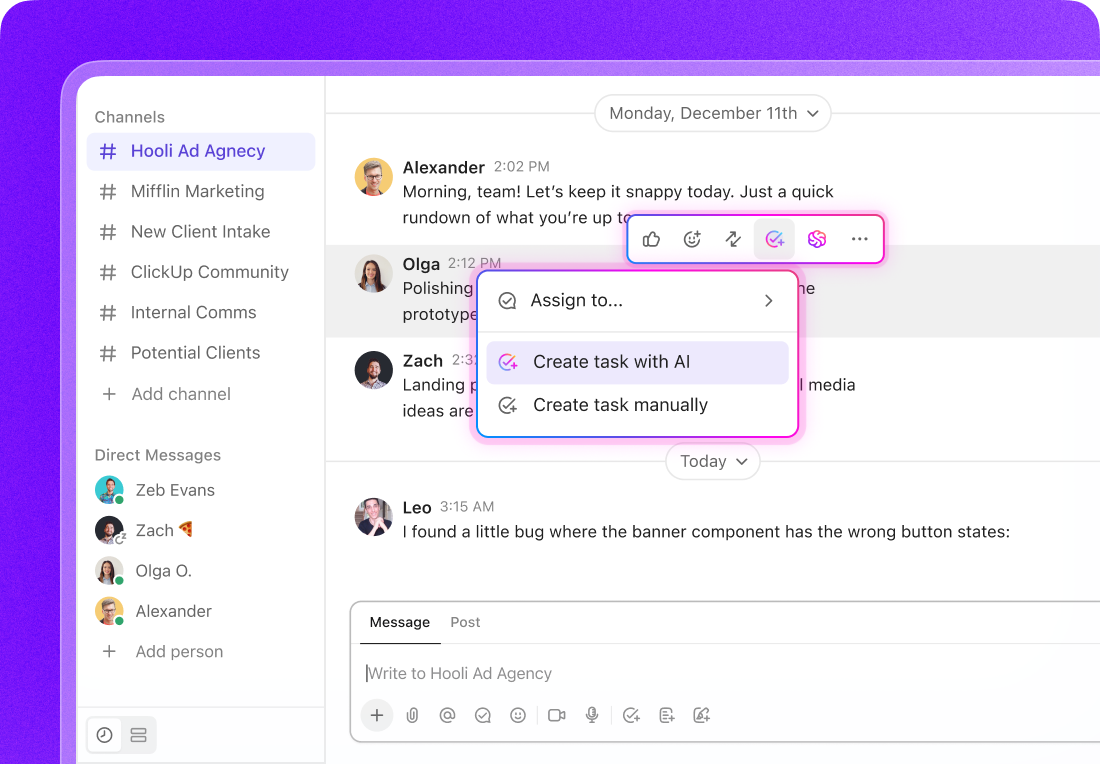
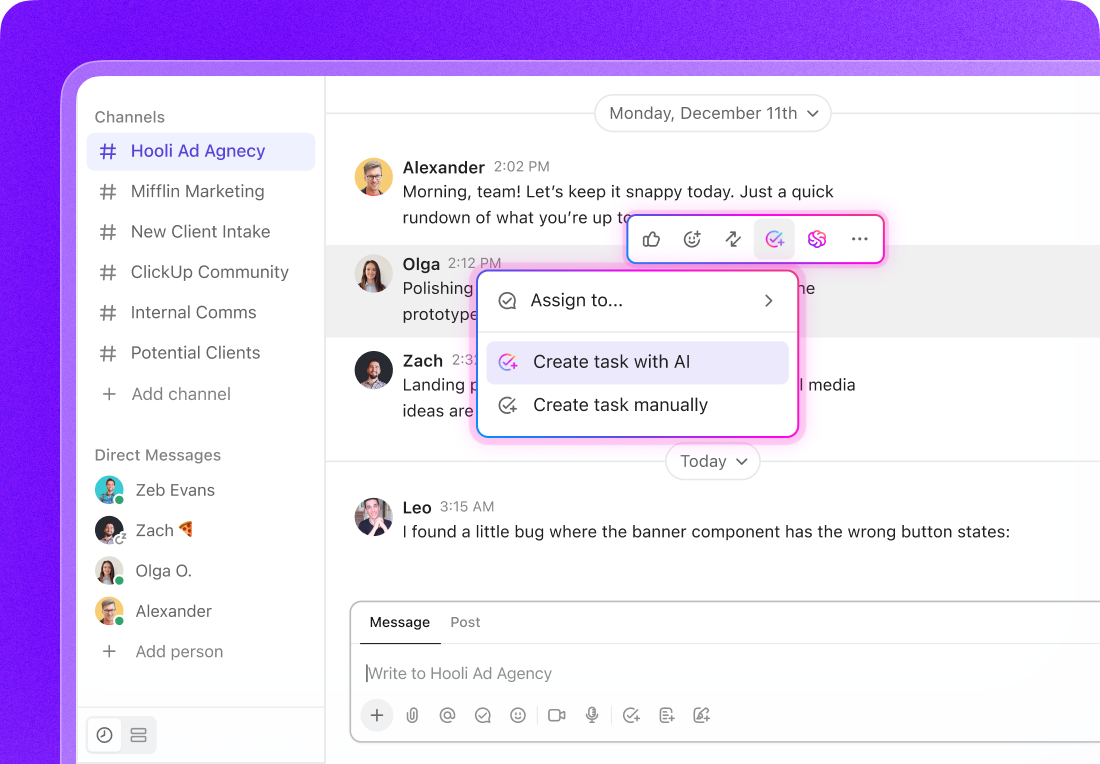
Instead of using AI to produce generic replies in isolation, ClickUp Brain can help you move from thread to action with project awareness. You can summarize a long email chain into key decisions, extract next steps, create tasks with owners and deadlines, and draft a reply that reflects what’s actually happening in the project, not just what’s written in the last message.
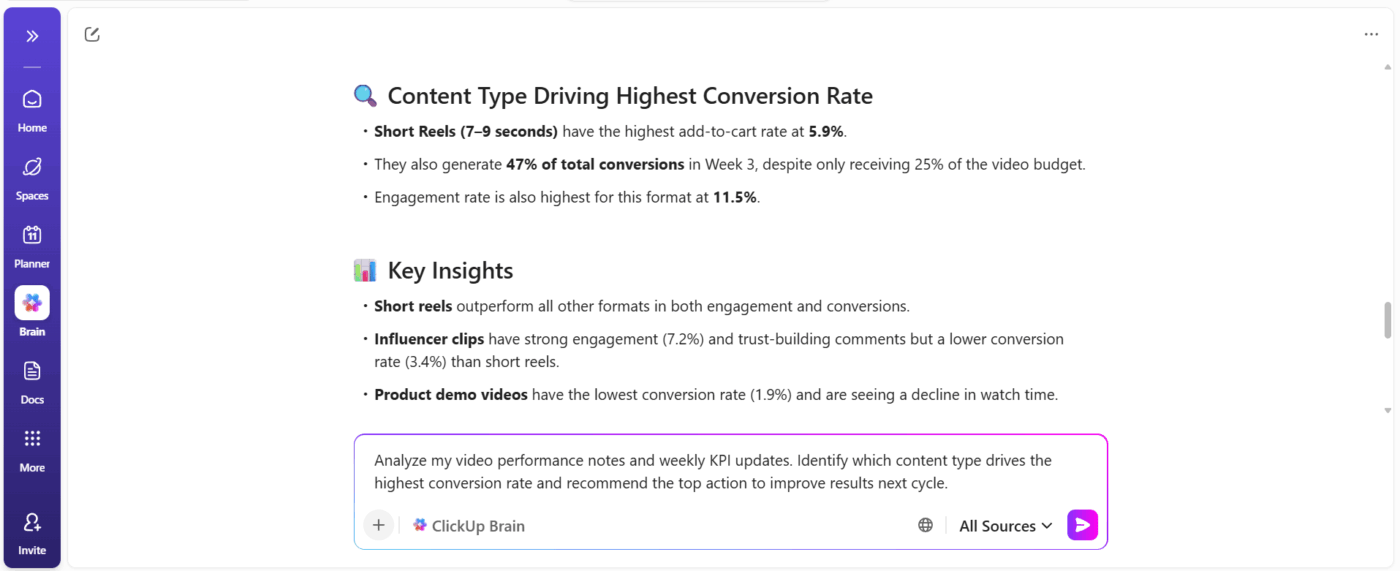
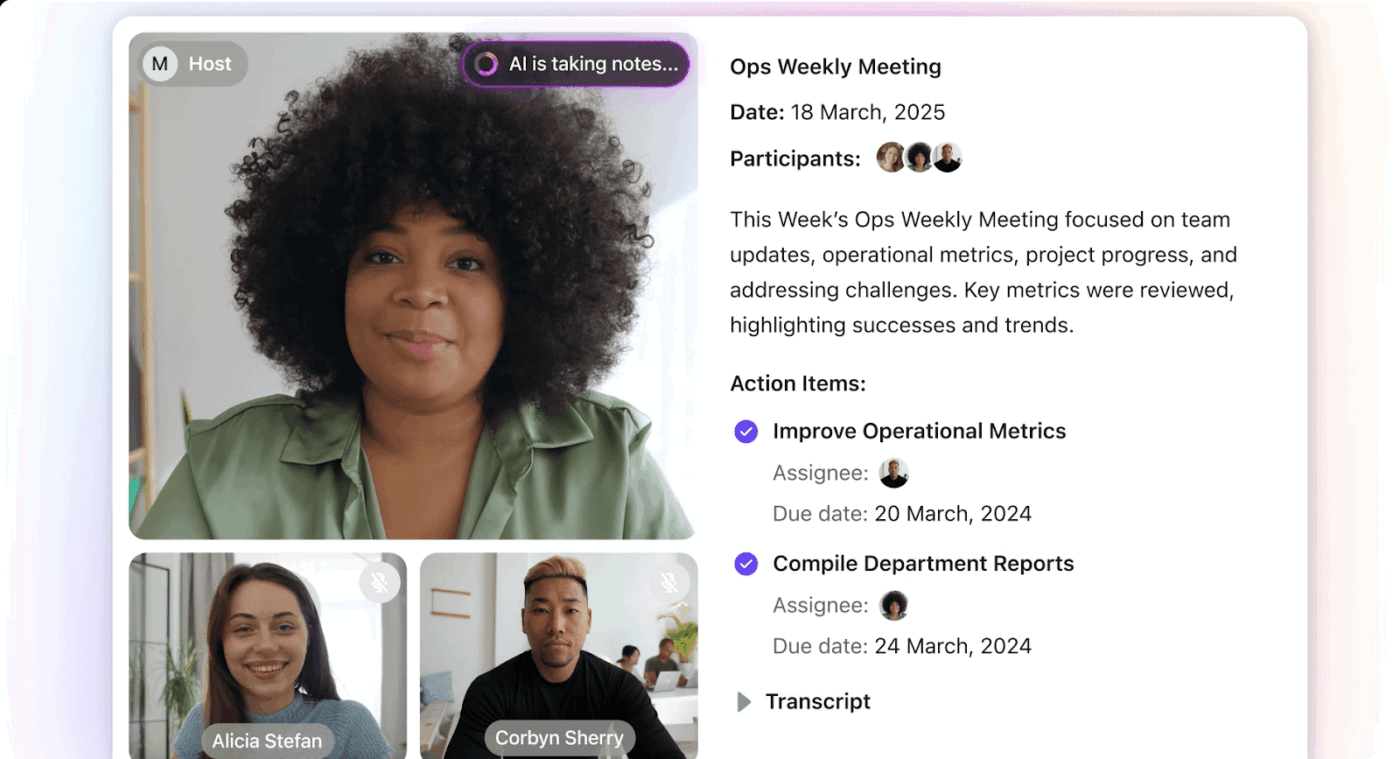
And because meetings create as much follow-up as email does, ClickUp AI Notetaker can automatically join calls, capture transcripts, and generate summaries and action items that live right next to the work, so your “important stuff” isn’t trapped in yet another app.
Pros:
Cons:
📮 ClickUp Insight: While 34% of users operate with complete confidence in AI systems, a slightly larger group (38%) maintains a “trust but verify” approach. A standalone tool that is unfamiliar with your work context often carries a higher risk of generating inaccurate or unsatisfactory responses.
This is why we built ClickUp Brain, the AI that connects your project management, knowledge management, and collaboration across your workspace and integrated third-party tools.
Get contextual responses without the toggle tax and experience a 2–3x increase in work efficiency, just like our clients at Seequent.
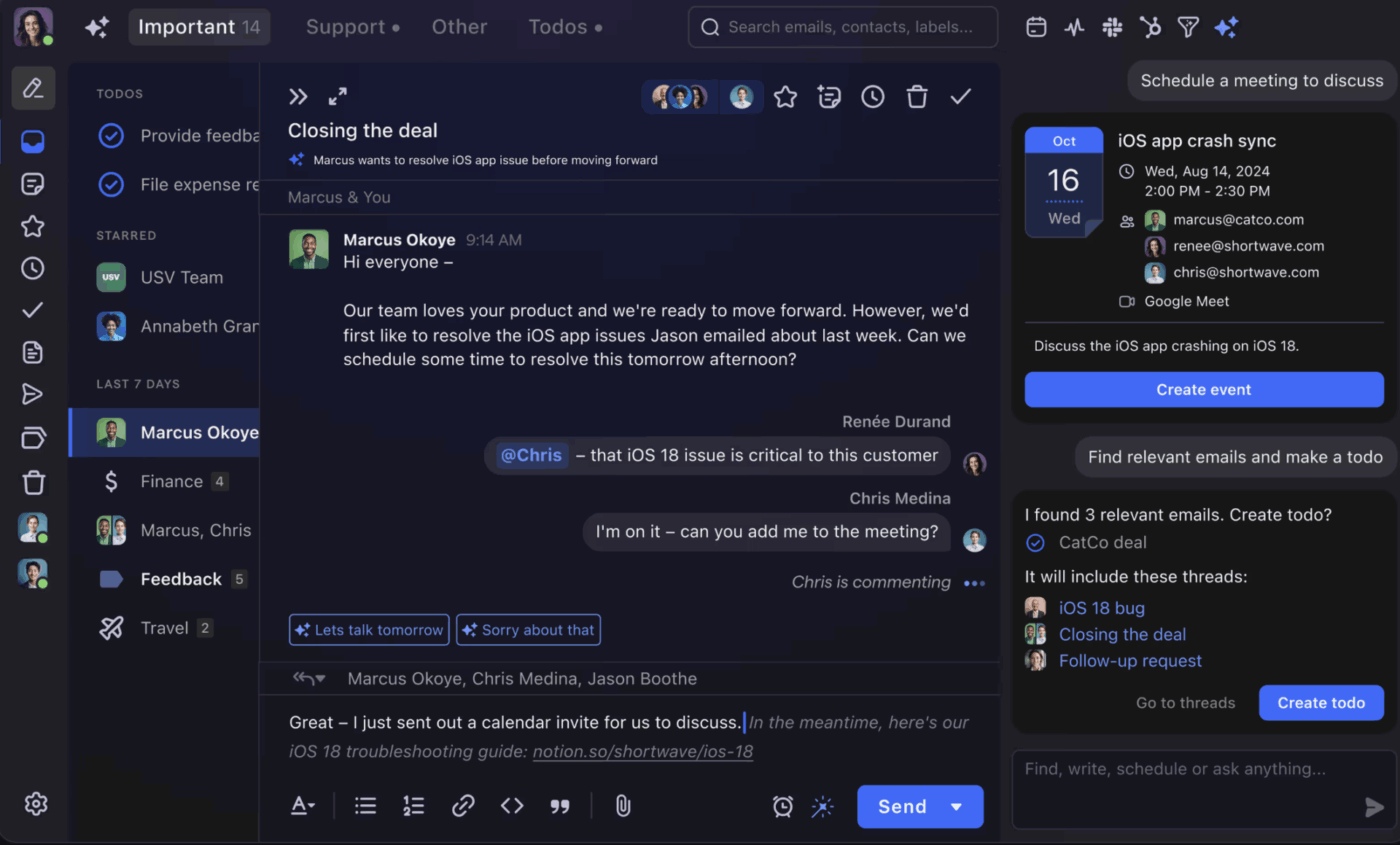
If your main frustration is a cluttered Gmail inbox, Shortwave might be the answer. It’s a complete replacement for the Gmail interface, rebuilt from the ground up with AI at its core. It’s not just a plugin; it’s a whole new way to experience your email.
Its standout feature is “bundling,” which automatically groups related emails together. Newsletters, calendar invites, and notifications are tucked away into neat bundles, leaving your important conversations front and center. This dramatically reduces visual clutter and helps you focus on what matters, a key goal of effective email management.
Shortwave also features natural language search, allowing you to ask questions like, “show me emails from Sarah about the Q3 budget.” For individuals and small teams who live in Gmail and want a smarter inbox without adopting a full work platform, it’s a focused and powerful solution.
Pros:
Cons:
Free plan
Pro: $8.50/user/month (billed annually)
Business: $18/user/month (billed annually)
Premier: Custom
G2: 4.4/5 (60+ reviews)
Capterra: Not listed
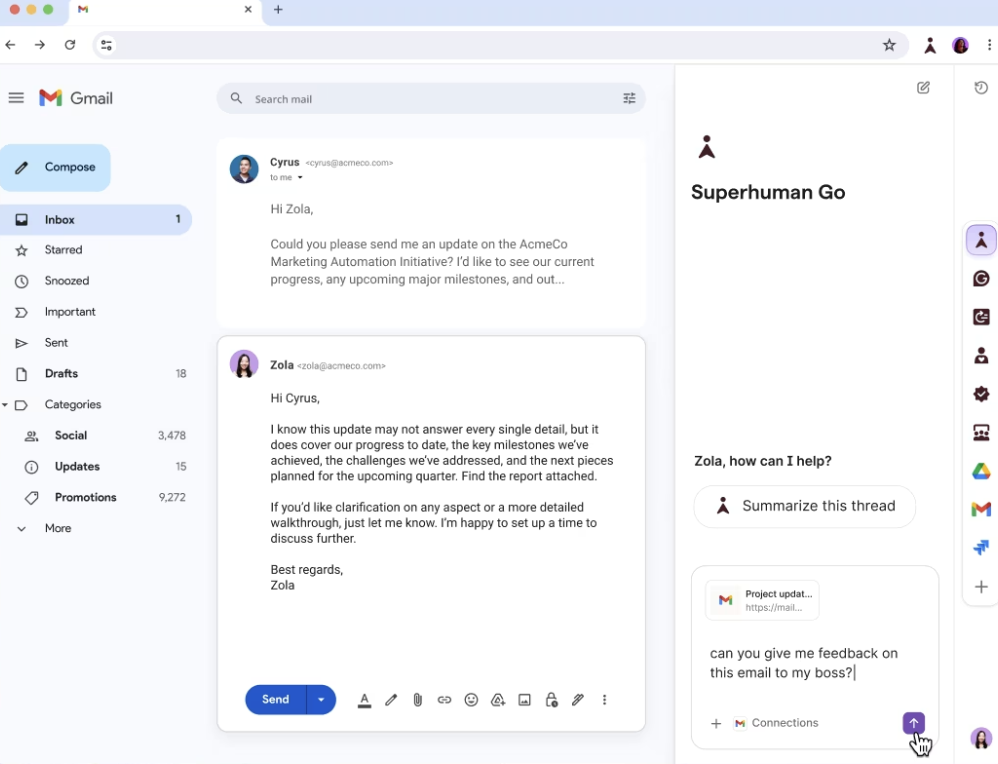
Superhuman is built for one thing: speed. It’s a premium email client with a keyboard-first design that lets you fly through your inbox without ever touching your mouse. If you’re an executive or founder who receives hundreds of emails a day, the time savings can be significant.
Its Split Inbox feature automatically categorizes your emails into customizable streams, like VIPs, team messages, or newsletters. This lets you process each category with the right level of attention. The AI Instant Reply feature also suggests complete responses that you can send with a single keystroke.
Superhuman works with both Gmail and Outlook, making it more flexible than some other alternatives. It’s an investment, but for those whose time is their most valuable asset, the productivity gains can justify the cost.
Pros:
Cons:
Starter: $30/user/month
Business: $40/user/month
Enterprise: Custom
G2: 4.7/5 (14,000+ reviews)
Capterra: 4.9/5 (2,000+ reviews)
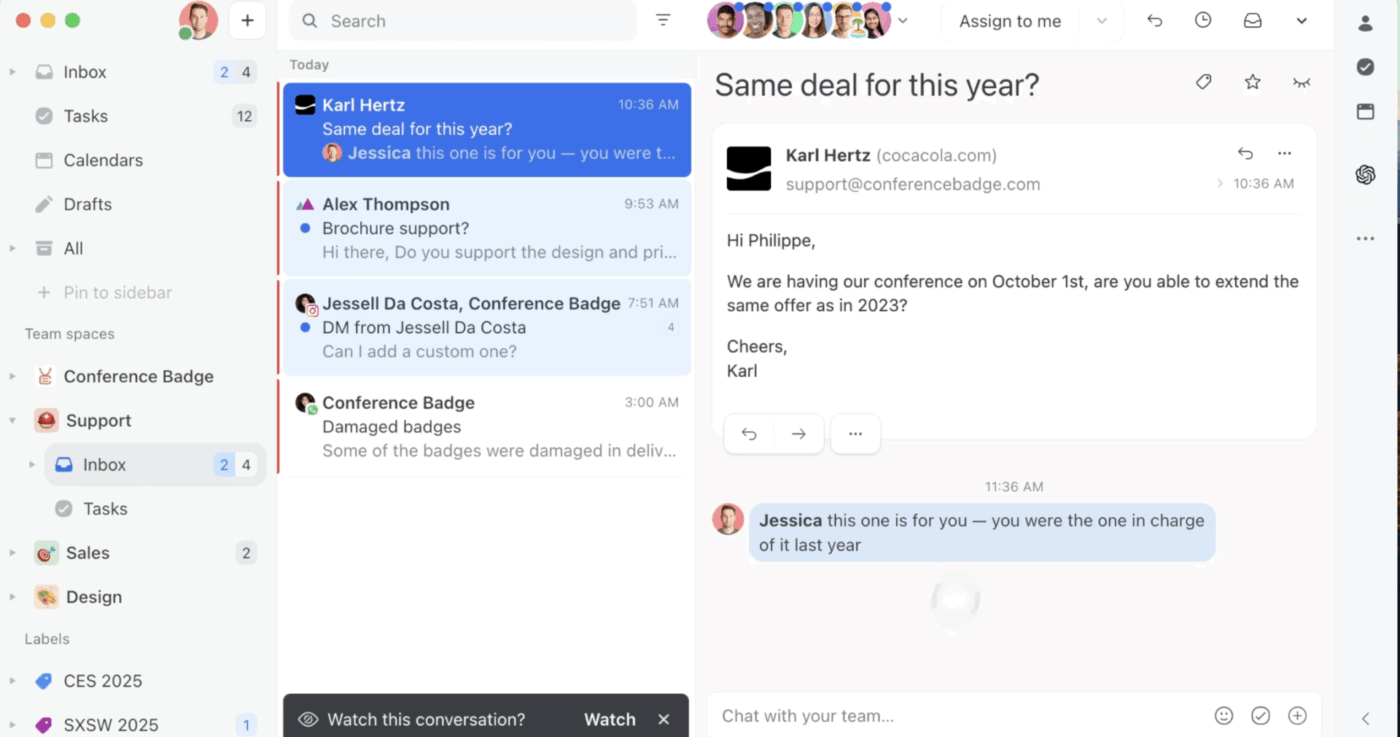
Missive is designed for teams that collaborate on customer communications. It combines email, chat, and basic task management into a single interface, so you can discuss and assign emails without ever leaving the thread.
Instead of forwarding emails or CCing teammates, you can use internal comments that customers never see. This eliminates the classic “did someone reply to this?” problem that plagues teams using traditional email for shared inboxes like support@ or sales@.
Missive also allows for collaborative drafting, where multiple people can work on the same email response at the same time. For teams managing any kind of shared communication workflow, it effectively bridges the gap between email and team collaboration.
Pros:
Cons:
Starter: $14/user/month
Productive: $18/user/month
Business: $26/user/month
Enterprise: Custom
G2: 4.7/5 (200+ reviews)
Capterra: 4.7/5 (100+ reviews)
For organizations already using the Microsoft ecosystem, Copilot offers AI assistance without adding another vendor. The AI lives inside the tools you already use, like Outlook, Teams, and Word.
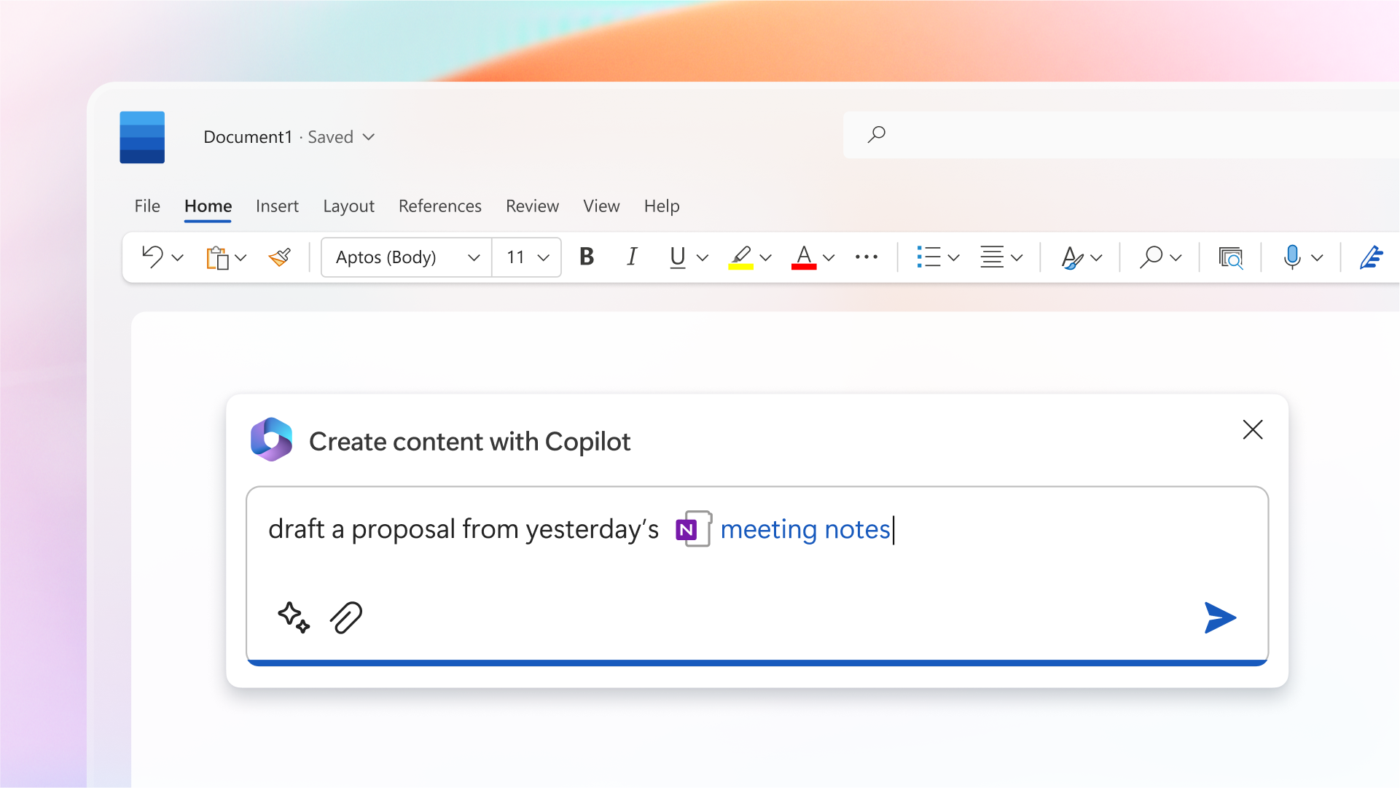
In Outlook, Copilot can summarize long email threads, draft responses, and help you prepare for meetings by pulling in relevant documents. Its real strength is its cross-app intelligence. It can reference your calendar, pull data from an Excel sheet, or incorporate content from a Word document when helping you write an email.
This deep integration makes Copilot a powerful choice for enterprise teams where Microsoft 365 is the standard. However, it does require both a Microsoft 365 subscription and an additional Copilot license.
Pros:
Cons:
Copilot for Microsoft 365: $30/user/month (add-on)
G2: 4.3/5 (100+ reviews)
Capterra: Not listed
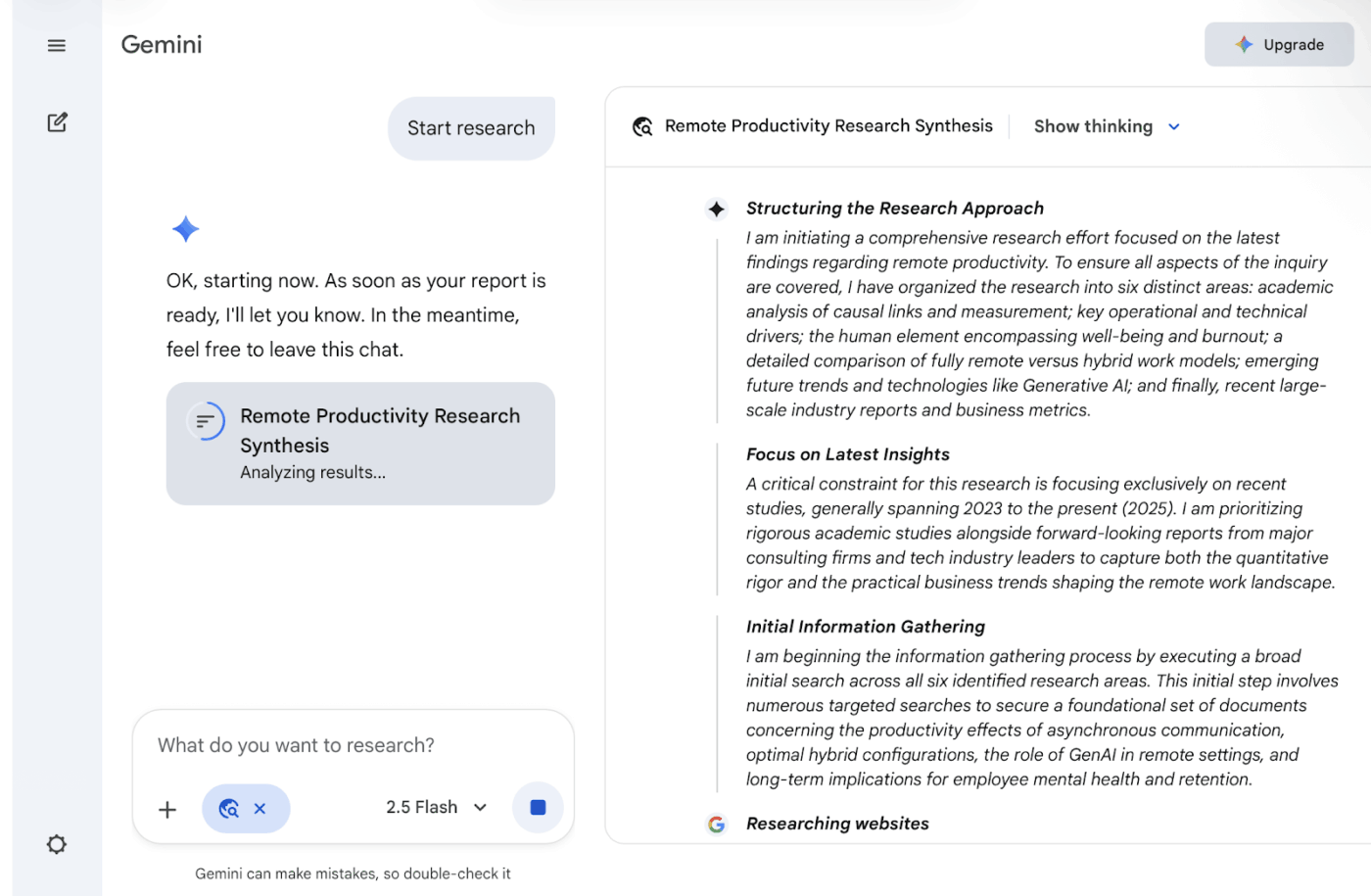
Similar to Microsoft Copilot, Google’s Gemini AI integrates directly into Gmail and the broader Google Workspace. For teams built on Google’s ecosystem, it provides email assistance without needing to leave the tools you use every day.
In Gmail, Gemini can help you draft emails, summarize threads, and suggest responses. The integration extends to other Google apps, like Google Meet for meeting summaries and Google Docs for collaborative writing. This creates a cohesive AI experience across all your Google tools.
The AI understands your Google Drive files, calendar events, and communication history, making its suggestions more contextually relevant than what a standalone tool could offer.
Pros:
Cons:
Gemini Business: $20/user/month (add-on)
Gemini Enterprise: $30/user/month (add-on)
G2: Not listed as a standalone “Gemini for Workspace” product
Capterra: Not listed
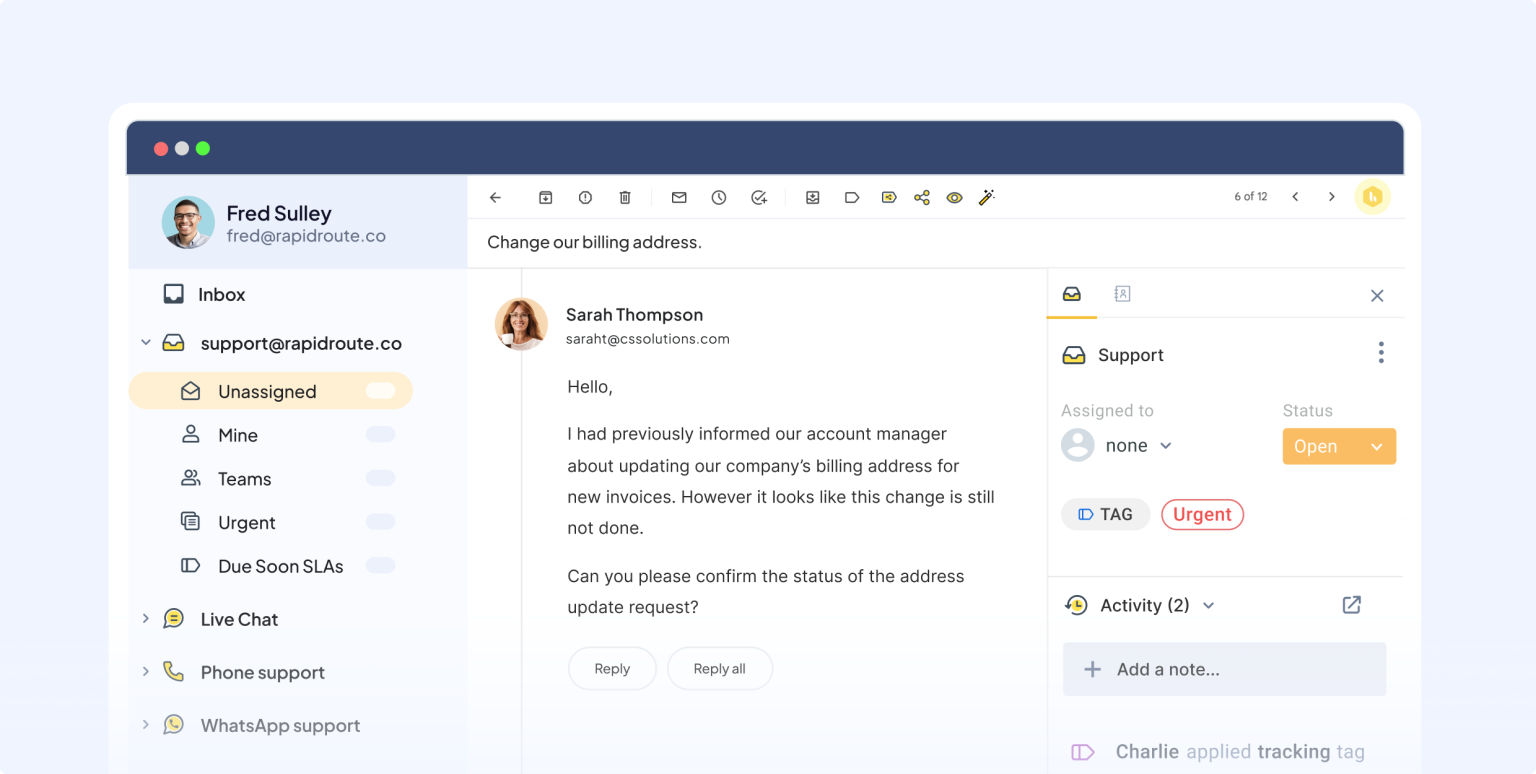
Hiver turns your Gmail inbox into a helpdesk without forcing your team to learn a new interface. It’s designed for teams managing shared inboxes like support@ or sales@ who need to assign, track, and collaborate on emails.
Hiver adds features like email assignment, status tracking, and collision detection directly into Gmail. Collision detection is particularly useful, as it alerts you if a teammate is already replying to an email, preventing duplicate responses.
For support and operations teams that want more structure without the complexity of a full ticketing system, Hiver is a practical choice.
Pros:
Cons:
Lite: $19/user/month (billed annually)
Pro: $49/user/month (billed annually)
Elite: $79/user/month (billed annually)
G2: 4.6/5 (900+ reviews)
Capterra: 4.7/5 (200+ reviews)
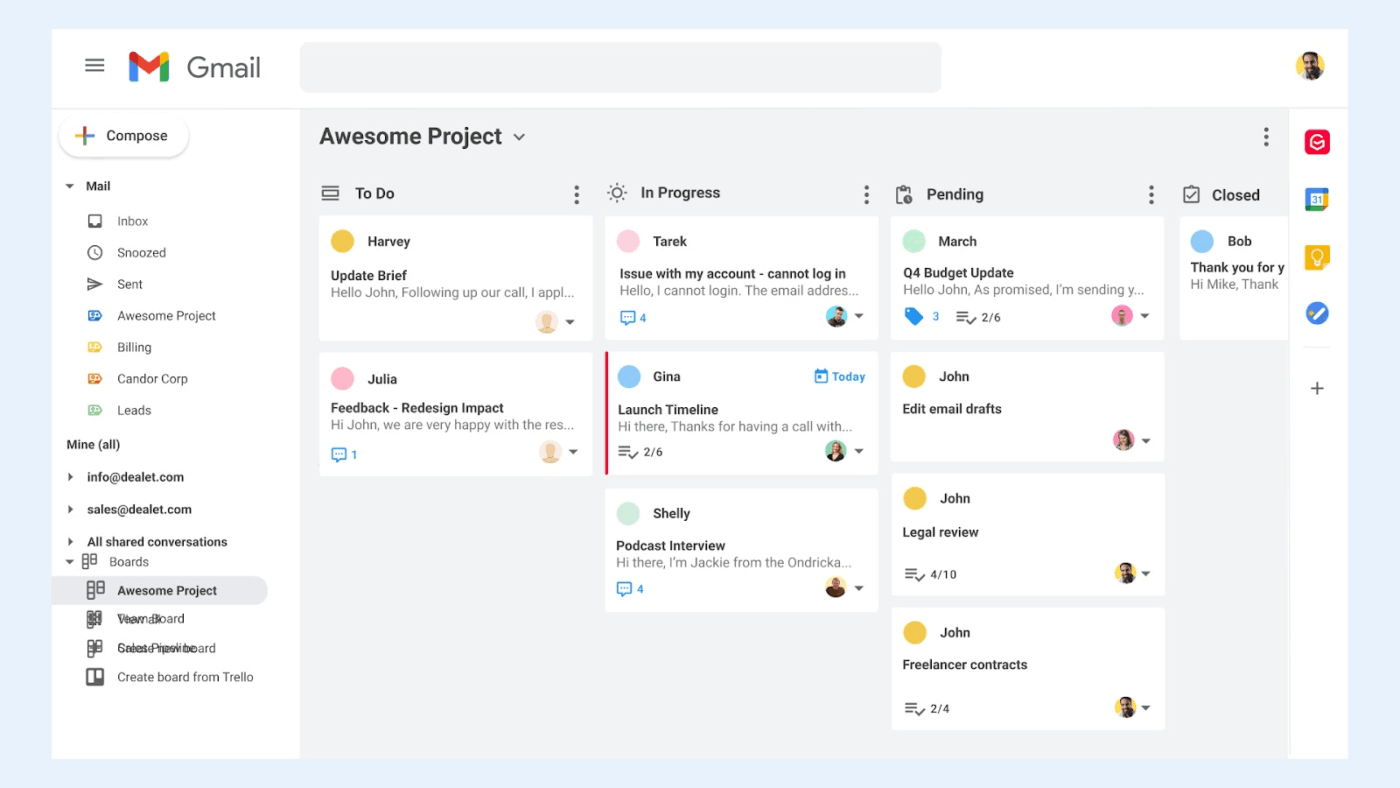
Gmelius brings project management concepts directly into your Gmail inbox. It lets you visualize your emails on a Kanban board, create automated outreach sequences, and build workflows to handle repetitive tasks.
The Kanban view is the standout feature, a form of workflow visualization that turns your emails into cards you can drag between columns. This is perfect for sales pipelines or support queues, where each email represents a stage in a process.
For teams that think visually and want to apply project management principles to their inbox, Gmelius offers a unique and powerful approach.
Pros:
Cons:
Meli: $19/user/month (billed annually)
Growth: $25/user/month (billed annually)
Pro: $40/user/month (billed annually)
Enterprise: Custom
G2: 4.4/5 (700+ reviews)
Capterra: 4.4/5 (200+ reviews)
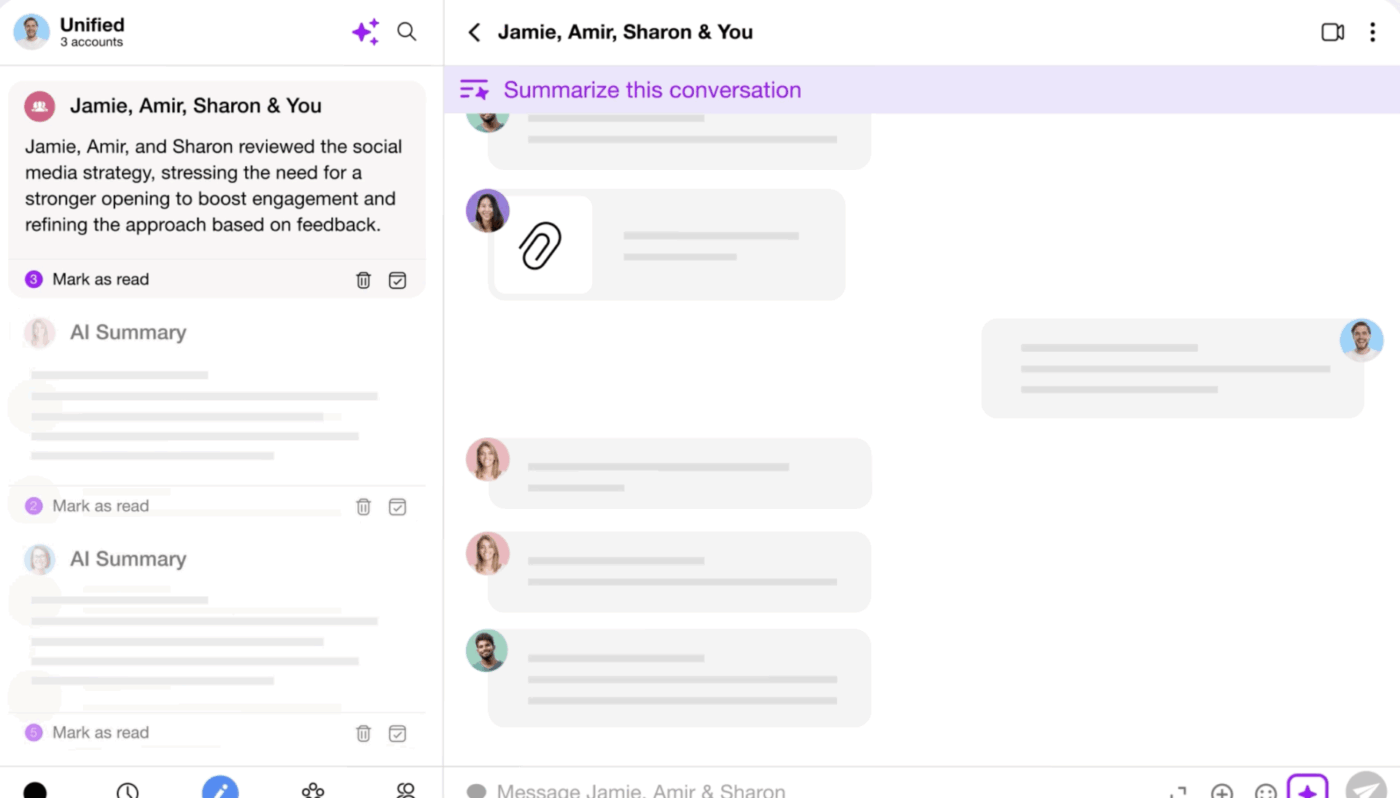
Spike reimagines email as a chat conversation. It displays your messages in a conversational format, which can make communication feel more immediate and less formal.
Its Priority Inbox uses AI to surface important messages while filtering out noise like newsletters and notifications. Spike also includes built-in features like collaborative notes and video calls, reducing the need for separate tools.
Spike works with multiple email providers, making it more flexible than Gmail-only alternatives. For those who find traditional email interfaces cluttered, it offers a genuinely different experience.
Pros:
Cons:
Free plan
Team: $7.99/user/month (billed annually)
Business: $12.99/user/month (billed annually)
Enterprise: Custom
G2: 4.6/5 (70+ reviews)
Capterra: 4.4/5 (70+ reviews)
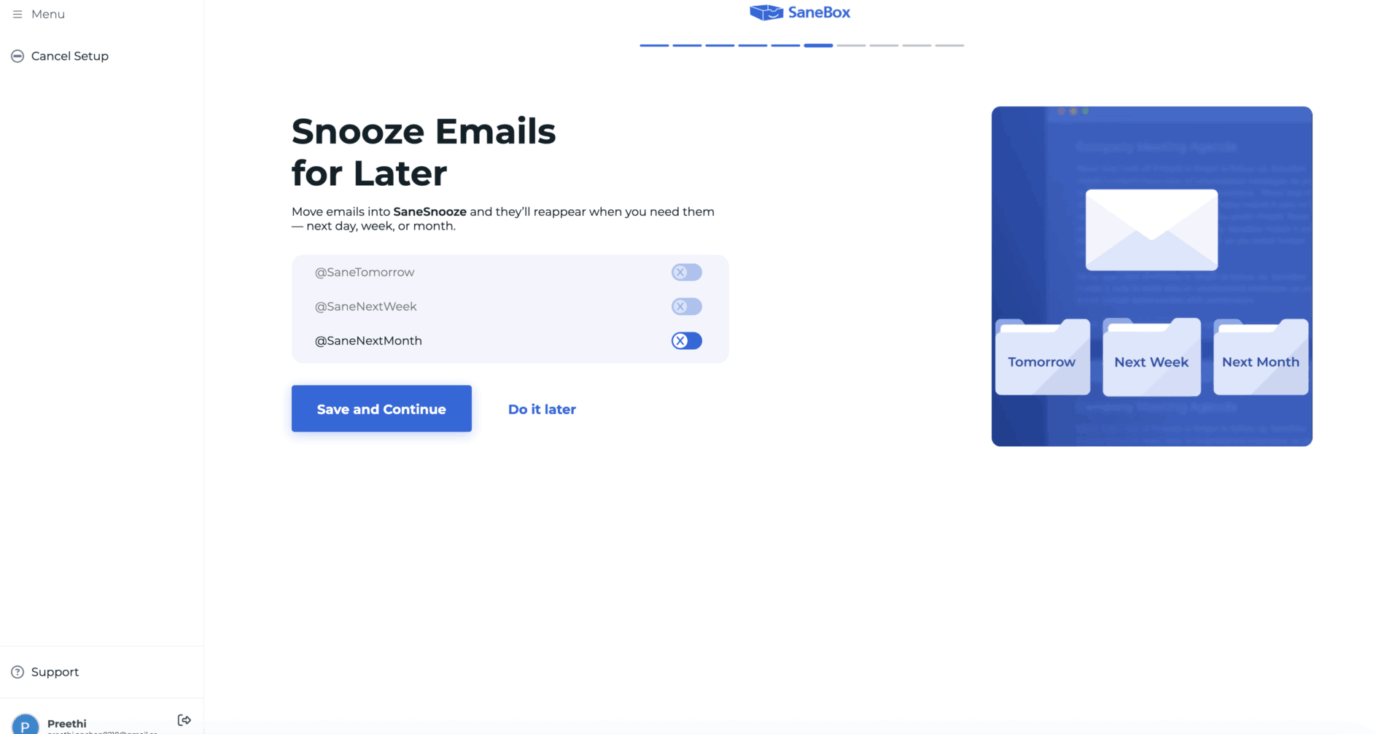
Sanebox works quietly in the background with your existing email client to filter and organize your messages. It analyzes your email behavior to learn what’s important to you and automatically moves less critical messages into separate folders.
Its most famous feature is the SaneBlackHole, which lets you banish a sender with one click. Simply drag an email into the BlackHole folder, and you’ll never see a message from that sender again.
For individuals who want AI-powered email management without adopting a whole new email client, Sanebox is a lightweight and effective solution.
Pros:
Cons:
Snack: ~$7/month
Lunch: ~$12/month
Dinner: ~$36/month
G2: 4.6/5 (150+ reviews)
Capterra: 4.8/5 (500+ reviews)
The best Fyxer AI alternative for you depends on what you’re trying to solve. If you just want a faster or cleaner inbox, a dedicated email client like Shortwave or Superhuman might be enough. If your team is already embedded in the Microsoft or Google ecosystem, Copilot or Gemini are logical choices.
However, the biggest gains in productivity don’t come from just managing email faster. They come from eliminating the disconnect between your email and your actual work. When your communications, tasks, documents, and projects all live in one place, your AI becomes truly intelligent—a key benefit of contextual AI.
The goal isn’t just an empty inbox. It’s ensuring every important email leads to the right action, tracked in the right place, with all the right context—the core of workflow automation. To build that truly connected workflow, get started for free with ClickUp. ✨
Fyxer AI is an AI-powered email assistant for Gmail and Outlook that helps manage your inbox. It uses AI to handle email triaging, auto-draft replies, and capture meeting notes.
Fyxer AI is a specialized email assistant, whereas Microsoft Copilot is an AI layer across the entire Microsoft 365 suite. Copilot offers a broader context by connecting email to your calendar, documents, and Teams.
Yes, a converged workspace like ClickUp replaces a standalone assistant by handling email within the context of your work. ClickUp Task Management and ClickUp Brain provide AI assistance that’s informed by your full project history.
Common limitations include generic AI-drafted replies, inconsistent email categorization, and a lack of integration with your broader work context. This means you still have to manually connect emails to your projects and tasks.

© 2026 ClickUp