






Still downloading templates?
There’s an easier way. Try a free AI Agent in ClickUp that actually does the work for you—set up in minutes, save hours every week.
Sorry, there were no results found for “”
Sorry, there were no results found for “”
Sorry, there were no results found for “”
You’ve shipped a shiny new button, a smarter workflow, maybe even a whole module. The release notes look excellent. However, a week later, engagement is low.
This gap between launch and usage is where growth stalls.
Pendo’s software benchmarks suggest that just 6.4% of features drive 80% of click volume across digital products. Building more is rarely the solution.
A strong feature adoption playbook helps teams focus on the right moments, messages, and metrics. It supports discovery, activation, and long-term value.
In this blog, we’ll break down the funnel, the KPIs, and the practical tactics you can run without turning adoption into a guesswork project for your team.
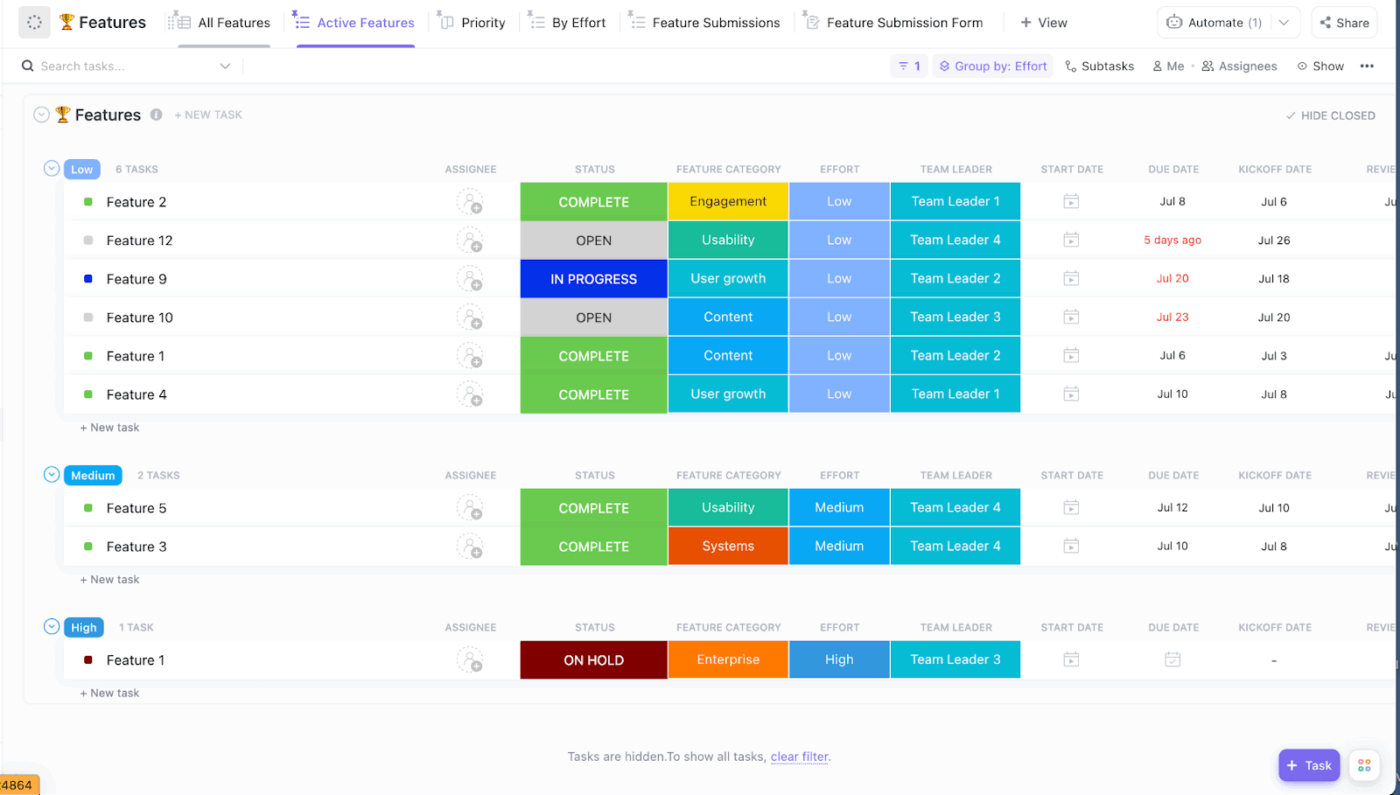
ClickUp’s Product Strategy Template gives you a structured way to plan and track product strategy initiatives, so your team can stay aligned on priorities, outcomes, and execution without scattering docs and decisions across too many tools.
📖 Also Read: Product Strategy Templates for Product Teams
Imagine you roll out a new feature that looks like a clear win on your roadmap. It solves a real customer problem, the UI is clean, and your team is excited to see it live.
Here’s what likely happens next. Most users never notice it. Some click once and drop off. A few power users find a real workflow and stick with it.
✅ This is exactly where feature adoption comes in.
At its heart, feature adoption is the process of helping users:
True adoption occurs when repeated usage proves the user understands the tool’s value and is getting more out of your product.
You’ll typically see this play out through:
Adoption isn’t just about launching new features. Done well, it’s about helping users discover and value what you’ve built.
Shipping new features feels like progress, but adoption is what really moves the needle. If new users don’t reach the activation point for a particular feature, even your strongest releases can underperform.
Feature adoption is a useful way for growth teams and product managers to gauge their user journey’s effectiveness and whether users understand the feature value. It also helps them confirm that in-app messages or in-app guidance are doing their job and that advanced features are genuinely providing existing users more value.
Healthy feature adoption helps product teams:
A favorable feature adoption rate doesn’t happen by accident. When you track feature adoption consistently, you can make smarter decisions about what to improve, what to promote, and what to retire.
A solid playbook turns feature adoption from a hopeful launch plan into a repeatable system your team can run for every release, whether introducing new features or trying to improve adoption for advanced features.
Here are the core components you should include:
When these pieces work together, you spend less time guessing and more time helping users reach value faster.
Think of the feature adoption funnel as a simple way to answer a messy question: “Are users getting value from this thing we built, or are they just noticing it and moving on?”
The funnel helps you break feature adoption into steps you can measure and improve. Treating adoption as a sequence rather than a single moment makes it easier to see where a specific feature loses momentum.
Here’s a quick, practical breakdown of the four stages you’ll want in your feature adoption playbook:
This is the first real moment of contact between users and a specific feature. They need to notice it, but they also need to understand what it’s for. If the purpose is unclear, many users will ignore it even if the UI is perfect.
Good exposure is contextual. It fits the user journey instead of interrupting it. You can use lightweight in-app messages, subtle UI highlights, or short tooltips.
The goal is to help the right users discover the feature when it’s naturally relevant.
Key metric for this stage: Feature discovery rate
📌 Example: A B2B analytics platform releases “Anomaly Explorer.” The prompt does not appear at login. It shows only after a user builds three dashboards and enables alerts. The banner opens a short preview and loads a sample dataset. The user can test the feature in seconds. That makes feature discovery feel helpful, not promotional.
Activation is the first meaningful action that proves the feature value. It is the “Aha!” moment when users understand how the feature helps them do their job faster, better, or with less risk.
Your activation point should be easy to define and measure. This is where in-app guidance matters, especially for advanced features. A short checklist, templates, or a quick walkthrough can remove setup friction.
Key metric for this stage: Activation rate
📌 Example: A CRM launches an advanced feature for lead routing. The team defines activation as “create a routing rule and auto-assign at least one lead.” Users see a setup checklist after importing a lead list. They also receive rule templates for common use cases. The first win happens quickly. The feature adoption rate becomes easier to improve.
The user completes the feature’s core action for the first time. This is where they test if the feature actually solves their problem or if it’s too difficult to manage.
To measure feature adoption here, rely on custom events tied to outcomes. Avoid vanity signals. Track actions that show intent, like configuration changes, outputs created, or workflows completed.
This is also where you can compare adoption rates across specific user segments.
Key metric for this stage: Time-to-first-use
📌 Example: A billing platform releases “Smart Dunning.” The team tracks events for creating sequences, editing rules, and sending recovery emails. They define “used” as running the workflow through two billing cycles. They also track recoveries linked to the feature. This ties feature usage to real impact.
This is where users return to the feature repeatedly because it has earned a place in their routine. They don’t need constant nudges.
This stage often separates casual users from power users. It also signals who is ready for advanced feature adoption.
You can use this indicator to highlight specific features that build on the same workflow.
Key metric for this stage: Feature retention/repeat usage
📌 Example: A product platform introduces an advanced capacity-planning view. The team defines “used again” as opening it weekly for three weeks. Users also need to adjust assignments or estimates each time. Those who meet this threshold are then shown scenario planning prompts. This supports deeper adoption without overwhelming new users.
Overall, these stages give you a clean way to track feature adoption without guessing where users drop off.
Once you map adoption rates to each step, you can prioritize the right nudges for advanced feature adoption and help more users reach value with confidence.
If you want to improve feature adoption, you need metrics that reflect real progress, not surface-level activity. The right KPIs help you measure feature adoption across new and existing users and show whether a specific feature is becoming part of everyday workflows.
With custom events and a shared definition of the activation point, product managers can compare adoption rates across multiple features. This makes it easy to spot which advanced features need clearer positioning, better in-app guidance, or tighter onboarding.
🧠 Did You Know: A benchmark study compiled by Userpilot reports an average core feature adoption rate of about 24.5%, with a median of 16.5% across 181 companies.
The three metrics below give you a clear starting framework to measure feature adoption:
Your feature adoption rate tells you how many active users are using a particular feature within a given period. It is one of the simplest adoption metrics, and works best when you define what counts as meaningful feature usage.
For advanced feature adoption, this metric becomes even more useful. You can segment by role, plan, or maturity stage to see where users adopt deeper capabilities and where they stall.
That gives you a cleaner signal for where to focus on adoption strategy tweaks.
Feature adoption rate = (No. of feature users/Total no. of logins or active users) * 100
📖 Also Read: Key Performance Indicator (KPI) Examples & Templates
This metric measures the time it takes users to reach the first meaningful step after being exposed to a feature. It is a strong indicator of clarity and friction. When the time is too long, either the value is unclear, or the path is too complex.
Shortening this window often comes down to better context. Clear in-app messages, simple setup checklists, and tighter onboarding can help guide users to that first win.
Average time spent can help you understand the depth of engagement, especially for complex or more nuanced workflows. Though not a success metric on its own, when combined with outcomes, it shows you where users encounter obstacles.
For example, if time spent drops while adoption rates rise, that can be a positive sign. It may mean users are getting value faster. If both time spent and drop-offs rise, you may need clearer in-app guidance or a simpler flow for that specific feature.
Together, these three KPIs give you a balanced view of awareness, speed to value, and depth of use for any specific feature. Tracking them consistently helps you make smarter decisions to improve feature adoption without guessing what users need next.
📖 Also Read: Product Management KPIs and Metrics to Track
You don’t improve feature adoption by shouting louder about new features. You improve it by removing uncertainty and friction at the exact moment a user is trying to solve something. The best adoption work feels quiet, timely, and very intentional.
Here are practical strategies you can build into your feature adoption playbook:
Teams often weaken adoption by tracking too many “success” actions for a specific feature. Pick one primary activation point that proves value. Make it easy to explain to anyone on the team.
This also helps you measure feature adoption cleanly across active users. If the activation point is fuzzy, your feature adoption rate will be fuzzy too. You end up debating numbers instead of fixing the experience.
Advanced features rarely fit everyone at the same time. Segment users based on what they are trying to do and the tasks they’ve already accomplished. Behavior is a stronger signal than role labels.
For example, show advanced feature adoption prompts only after users complete the core setup for primary features. This keeps feature discovery relevant and prevents new users from feeling like the product is too complex.
📖 Also Read: Best Customer Training Software
A single tooltip is not enough for more complex features. Use short, step-based in-app guidance that helps users take one meaningful action at a time. The goal is confidence, not completion.
Pair that with light in-app messages that explain why the step matters. When users understand the feature value, they are more likely to continue and adopt the workflow instead of abandoning it after the first click.
🧠 Did You Know: Onboarding checklists and progress indicators borrow from the “endowed progress effect,” a behavioral finding showing that giving people a small head start can increase persistence toward finishing a goal.
If you only track “opened” or “clicked,” you will misread adoption. Set up custom events that reflect real progress. Think published, saved, shared, automated, and resolved. Actions that show intent.
This is where adoption metrics become useful for prioritization. You can compare adoption rates across multiple features and see which advanced features need clearer onboarding or a simpler path to activation.
📌 For example, a solution like HubSpot focuses on “success events” rather than just logins. For their CRM, a key adoption metric is “Contact Created” or “Deal Moved.” For their Email Marketing tool, it’s “First Email Sent.” By tracking these outcome-based events, they can identify “at-risk” users who haven’t actually achieved the outcome the tool was built for.
Many features fail because the first use feels like work. Add templates, pre-filled settings, or suggested defaults that help users reach value faster. This is especially important for advanced features that require configuration.
A small head start can change outcomes. When the initial experience is smooth, your feature adoption funnel improves at the Activated and Used stages without needing aggressive push notifications.
📌 Canva is a great example of a product that uses templates and suggested defaults to get new users to create their first design quickly. By shortening the time to value, these help accelerate adoption.
Feature adoption improves faster when messaging and timelines are shared. Product managers define the activation point and events. Product marketing shapes the story. Customer success reinforces it in real accounts.
This keeps existing users from receiving mixed signals. It also helps you increase advanced feature adoption with targeted interventions that feel consistent across the product and human touchpoints.
A feature adoption playbook is your repeatable way to turn a launch into real feature usage. It helps you stay consistent across new features and advanced features, without reinventing the plan every time.
Here’s a step-by-step flow that keeps feature adoption focused, measurable, and easy to execute:
Start with a specific feature that can influence retention, expansion, or a core workflow. If a feature is nice-to-have, don’t force a big adoption push. Save your energy for the ones that can deliver more value.
A quick gut check helps. Ask, “If users don’t adopt this, what do we lose?” If the answer is unclear, it’s probably not a priority for this cycle.
Pick one activation point that proves real feature value. Keep it tied to a meaningful action, not a click or a settings visit. This makes your feature adoption rate easier to trust and easier to explain.
It should be written in plain language. Your team should be able to repeat it without checking a doc.
Track actions that show intent. Create, publish, automate, share, configure, or complete. These are the signals that help you measure feature adoption without confusing curiosity with commitment.
This also improves alignment. Product, growth, and customer success can look at the same adoption metrics without debating what success means.
Many advanced features lose users on the first attempt. The setup feels heavy. The payoff feels distant. That combination kills momentum.
You can use templates, presets, or guided starting states to give users a quick win in minutes, not days.
Avoid broad announcements that hit everyone. You can use in-app messages when the feature is relevant to what the user is already doing. That timing is often the difference between discovery and indifference.
Keep the message tied to a job to be done. Show how the feature solves a problem they already care about.
One-time use is not adoption. Your playbook should include a simple “used again” plan. This could be a follow-up tip, a reminder inside a related workflow, or a gentle nudge toward an adjacent capability.
This is also a smart way to increase advanced feature adoption. You earn trust with primary features first, then introduce deeper value.
Look at where users stall. Is it Exposed, Activated, Used, or Used again? Each stage needs a different fix.
Low exposure may need better placement for the right segment. Low activation usually means your path is unclear or too long. Weak repeat use often points to a feature that needs a stronger payoff or better guidance.
📌 Gaming platform Playtech reviewed drop-offs at game start points to identify long loading times as a possible blocker for adoption. This helped them identify a possible fix to the problem and improve adoption rates.
Dashboards tell you what happened, but they don’t explain why. Collecting feedback unobtrusively after first and repeat use helps clarify priorities.
You can improve feature adoption based on what users actually struggle with, not what the team assumes.
Run this loop consistently, and feature adoption stops feeling like luck. It becomes a reliable process your teams can repeat, refine, and scale.
Feature adoption templates make the messy parts of rollout feel a lot more manageable. Instead of starting from scratch each time you ship new features or refine advanced features, you get a ready structure for planning, tracking, and learning.
This section lists a few options you can adapt quickly, depending on whether you need strategy planning, analytics, or feedback support.
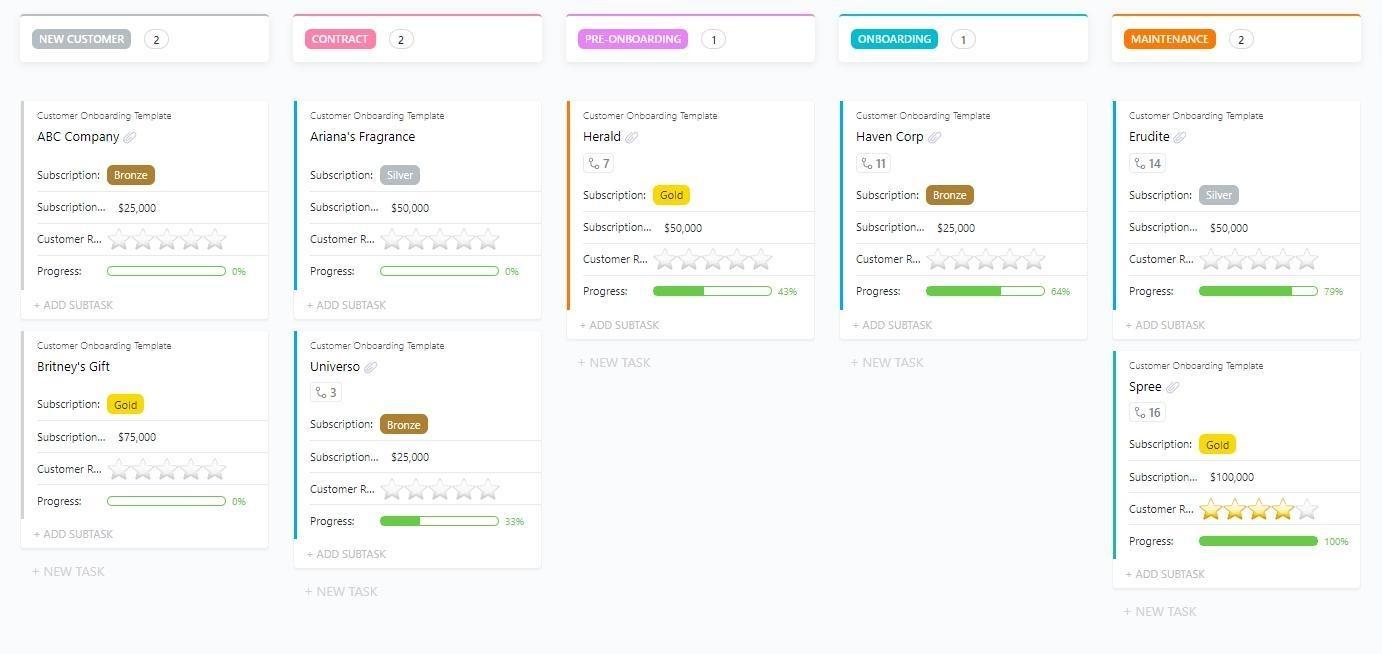
When customer onboarding lives across docs, inboxes, and half-updated spreadsheets, feature adoption often slows before it even gets a fair shot.
The ClickUp Customer Onboarding Template fixes that by giving you one structured place to plan onboarding tasks, assign ownership, and keep the path to activation clear.
This template helps you map early steps around primary features first. You can set milestones that reflect real activation points. As users gain confidence, you can introduce advanced features with less friction.
✨ Ideal for: SaaS teams that want a repeatable onboarding system that supports early user activation and stronger feature adoption.
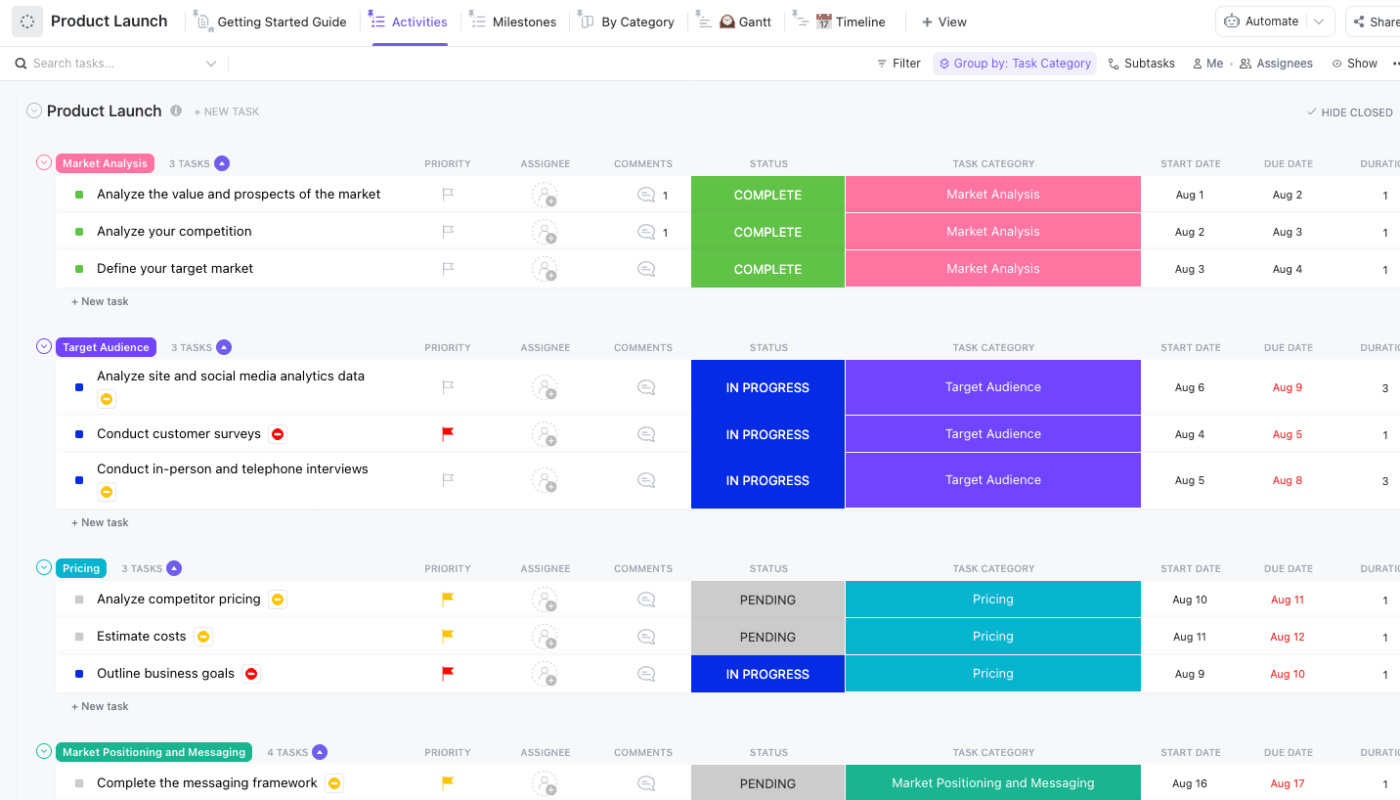
When a feature launch involves too many moving parts, adoption work gets messy fast. Tasks are split across docs, chats, and spreadsheets. The result is a launch that goes live, but doesn’t get the follow-through needed to drive feature adoption.
The ClickUp Product Launch Checklist Template solves this by giving you a structured launch workspace you can extend into adoption planning.
Organize cross-team tasks, track readiness, and build a clean handoff into post-launch experiments. That makes it easier to support feature discovery, clarify the activation point, and track what happens once users start interacting with new features.
✨ Ideal for: Product and growth teams that want a structured way to ship new features and stay accountable for adoption after release.
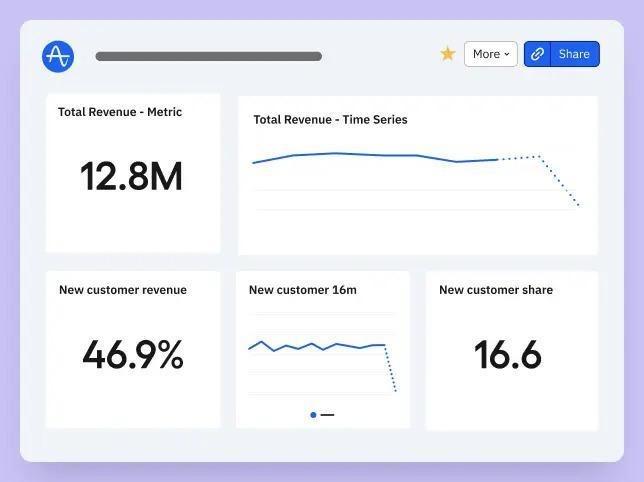
When feature adoption data lives in scattered charts, it’s hard to tell what’s really happening after a launch. You might see activity, but you still won’t know if users adopt the workflow, hit the activation point, or come back for more.
The Amplitude Feature Adoption Dashboard template solves this by giving you a ready framework to track the full feature adoption funnel. It helps you connect feature discovery to meaningful use and repeat behavior.
You can compare adoption rates across new and existing users, and see which advanced features are gaining momentum and which ones need clearer in-app guidance.
✨ Ideal for: Product and growth teams that want a faster way to measure feature adoption and prioritize what to improve next.
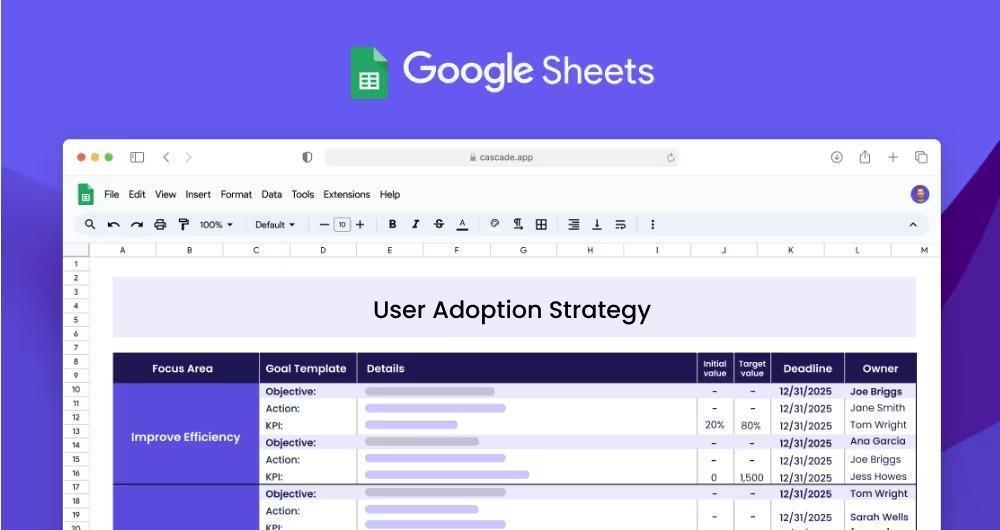
When adoption planning is spread across slides, emails, and half-finished docs, it’s easy to lose clarity on what you’re actually trying to change. Teams end up tracking too many signals at once. Or worse, they focus on awareness while activation and repeat usage are quietly slipping.
The Cascade User Adoption Strategy Template solves this by giving you a lightweight structure to define adoption goals, initiatives, owners, and KPIs in one place. It helps you map which features need attention, what a good adoption outcome looks like, and how you will measure progress across the funnel.
This can be a helpful planning layer before you move execution into your daily tools.
✨ Ideal for: SaaS teams that want a simple strategy template to organize adoption priorities before running experiments and in-product programs
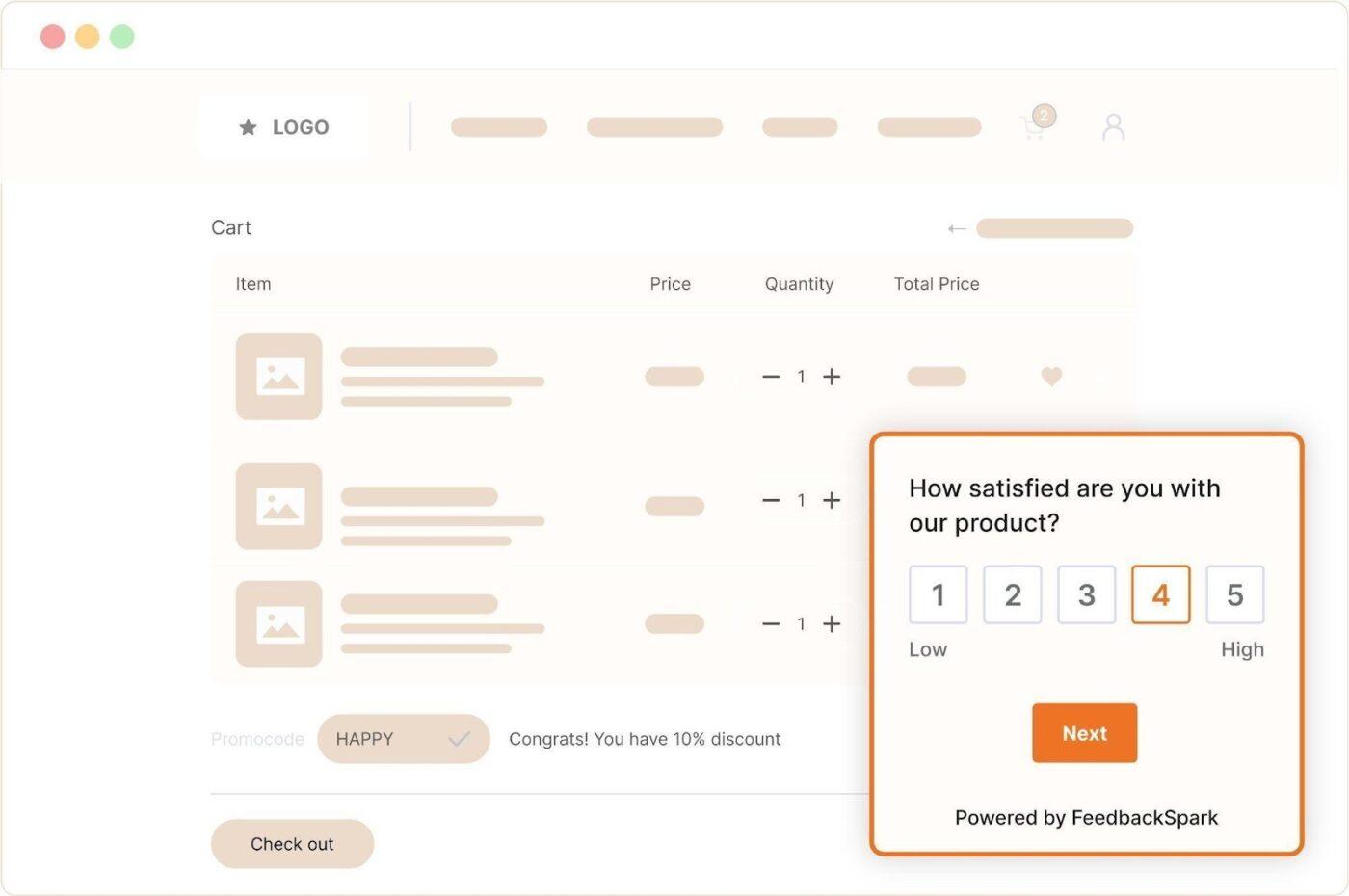
When your feature adoption rate looks soft, it’s easy to rush into changing onboarding or adding more in-app messages without knowing what’s actually wrong. That can lead to busywork that doesn’t fix the real blocker.
The FeedbackSpark Feature Adoption Survey Template helps you diagnose the gap with more precision. It’s built to measure feature awareness, adoption, and perceived value, while also surfacing barriers and preferred ways users are keen to learn about a feature.
This functionality makes it a strong companion to your quantitative adoption metrics, especially when you’re trying to improve feature adoption for a specific feature or push advanced feature adoption.
✨ Ideal for: Product and growth teams who want fast, structured user feedback to guide messaging, onboarding, and advanced feature adoption decisions.
Here are a few realistic ways teams connect these project management templates to day-to-day feature adoption work.
📖 Also Read: Best Customer Success Software for Growth
A good feature adoption plan needs more than smart messaging. You also need a reliable system to coordinate experiments, track ownership, and review adoption signals without losing context across teams.
The best project management tools make it easier to keep feature adoption work visible, repeatable, and tied to clear outcomes.
Feature adoption efforts can get messy fast. One team owns onboarding updates. Another handles in-app messages. Someone else is tracking adoption rates in a dashboard. Before you know it, decisions, tasks, and learnings are scattered across tools and threads.
This classic work sprawl problem slows execution and blurs ownership. ClickUp gives product teams a single place to plan adoption experiments, assign follow-ups, and track outcomes. It helps you connect strategy to day-to-day action for improving feature adoption.
Keep feature adoption plans flexible with ClickUp Views
When feature adoption tasks live in one format, teams miss the bigger story. A product manager wants a timeline. A growth lead wants a Kanban board. Customer success wants a clean list of rollout steps. If everyone rebuilds their version, the plan gets messy fast.
ClickUp Views lets you keep one adoption plan and switch how you see it. You get 15+ views, including List, Board, Calendar, Gantt, Timeline, and Workload. This makes project tracking easier because each team can focus on what they need without losing the shared source of truth.
ClickUp also helps you manage checklists and dependencies around a specific feature as it moves from exposure to repeat use.
💡 Pro Tip: After you set up your feature adoption plan in ClickUp Views, use ClickUp Brain GPT’s Talk to Text to capture fast updates without breaking your flow. You can dictate quick rollout notes, blockers, and next steps, then drop them straight into tasks, docs, or checklists. ClickUp BrainGPT is designed as a desktop companion, and Talk to Text helps turn your voice into action across your apps and workflow.
Turn adoption progress into one shared view with ClickUp Dashboards
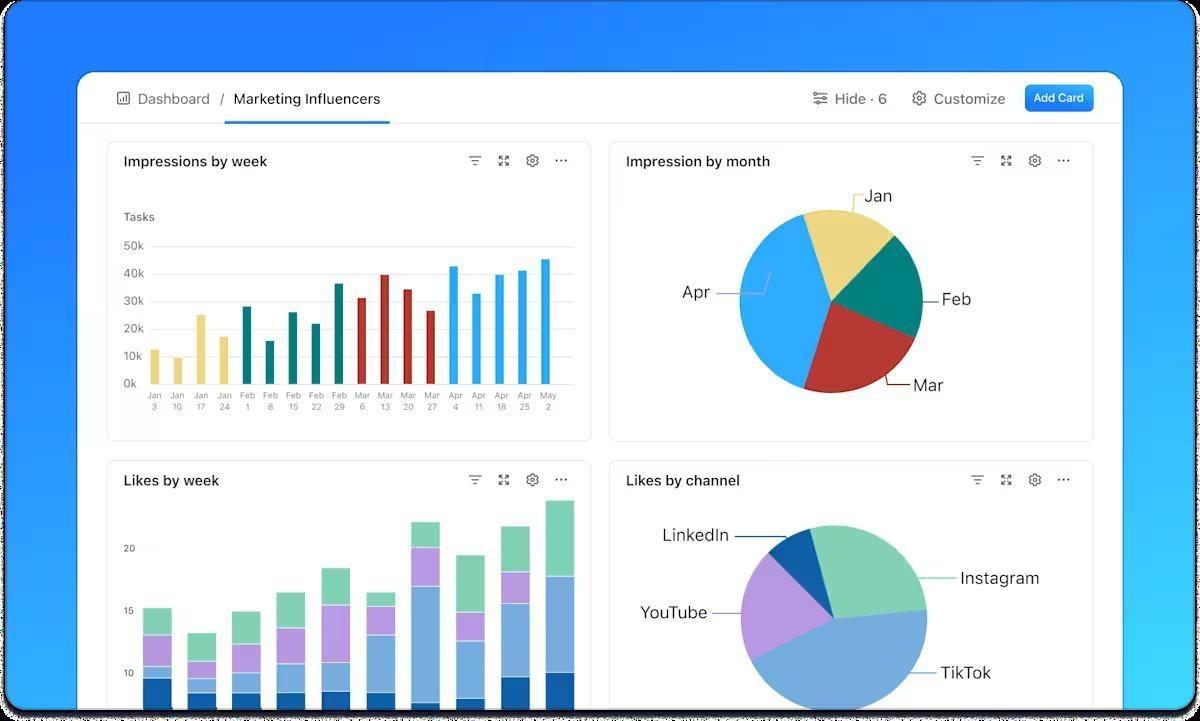
Feature adoption work can feel scattered. Launch tasks sit in one place, onboarding tweaks in another. Adoption rates are tracked using a separate analytics tool. That split makes it difficult to know what’s moving and what’s stuck, especially when multiple teams are involved.
ClickUp Dashboards help you track project performance, timelines, and team progress in one place. For feature adoption, this is a clean way to monitor rollout checklists, experiment status, and adoption-related tasks alongside daily operations.
You can review what’s on track, what needs attention, and who owns the next action without chasing updates across threads.
This video shows how to set up a project management dashboard in ClickUp to track adoption without extra manual reporting.
Reduce manual follow-ups with ClickUp Automations
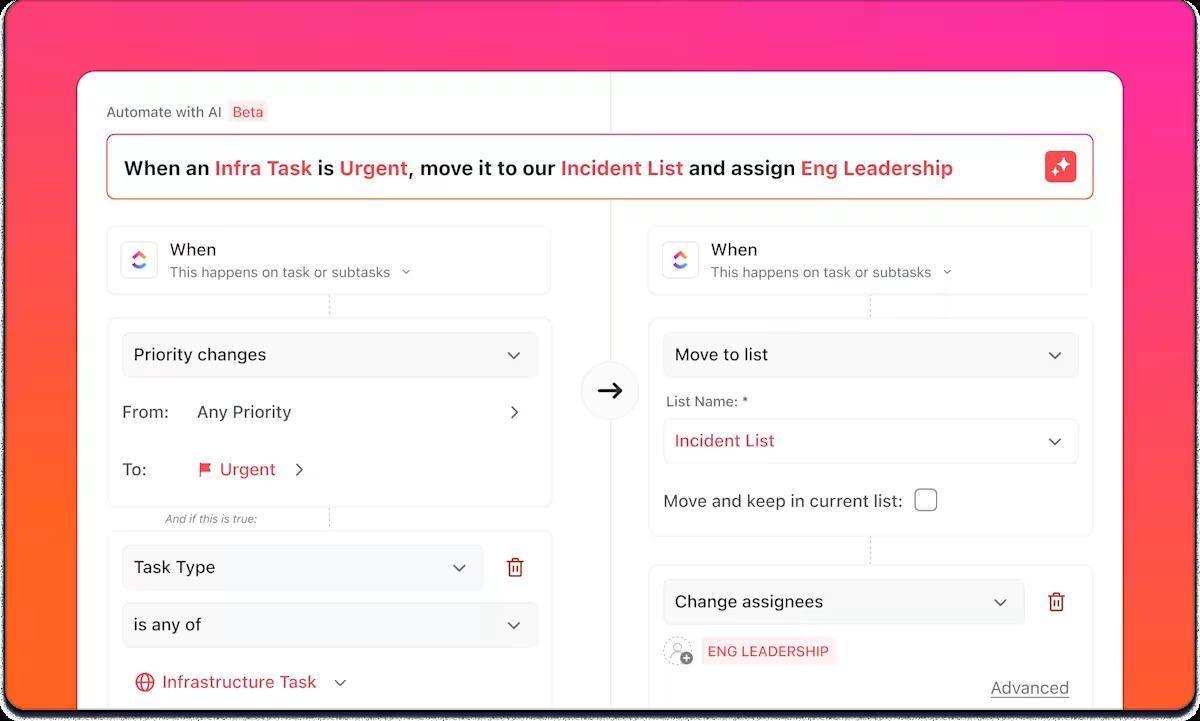
Feature adoption plans often fail in the unglamorous middle, when small process gaps add up and slow adoption work.
ClickUp Automations helps you keep momentum without constant nudging. You can auto-assign owners, update statuses, and move tasks when conditions change, like a checklist step being completed or a rollout stage shifting.
This keeps project tracking clean. It also makes adoption checklists feel self-driving, especially when you’re coordinating onboarding updates, enablement tasks, and post-launch experiments around a specific feature.
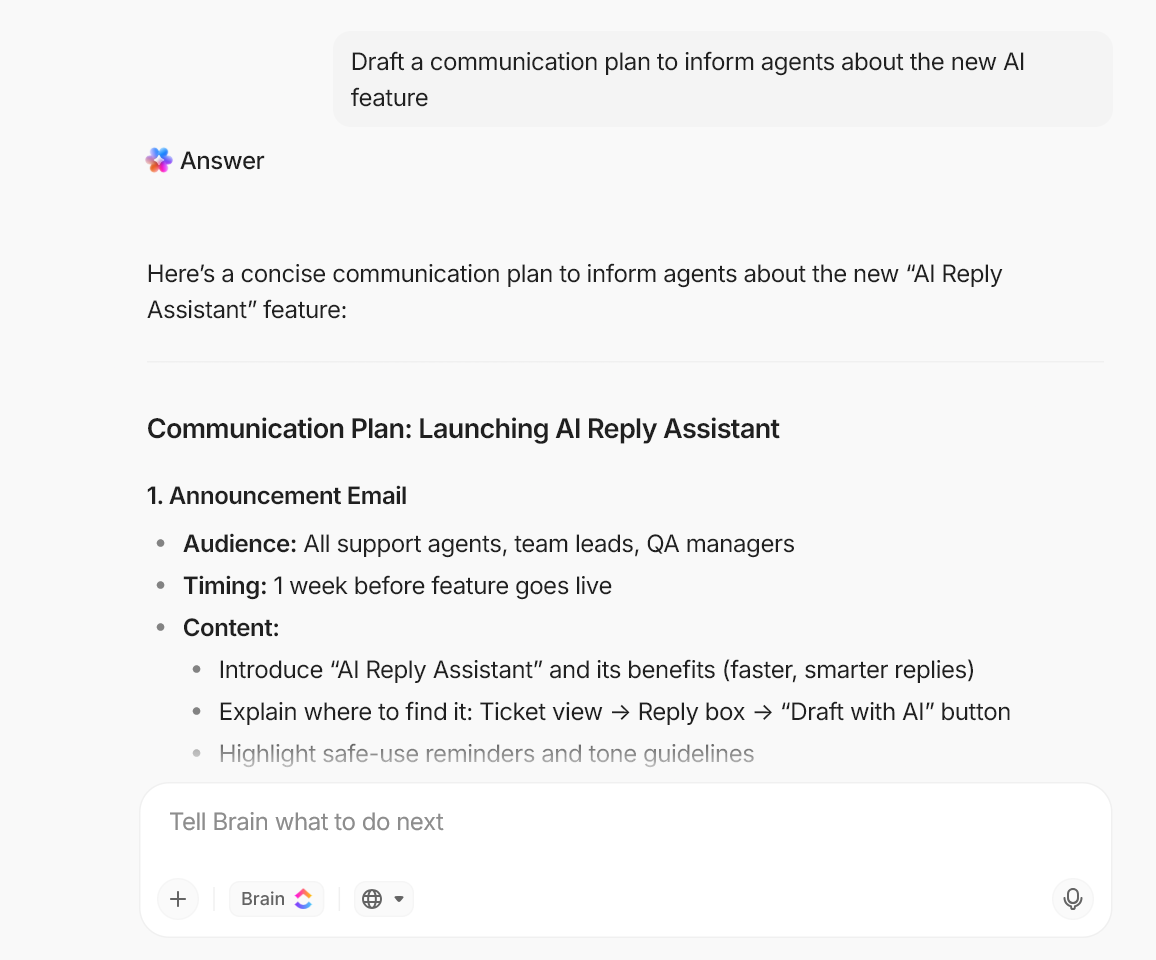
💡 Pro Tip: After you set up your automation rules, use ClickUp Brain to write the exact trigger logic and task text for each adoption workflow. Ask it to draft three automation-ready checklists for a specific feature: one for Exposed, one for Activated, and one for Used Again. Then paste those steps directly into your tasks. This process keeps your automations clean and your adoption checkpoints consistent.
📮 ClickUp Insight: 23% say the hardest part of working in spreadsheets is cleaning or organizing messy data.
That friction often comes from inconsistent inputs, multiple contributors, and the constant need to align columns and categories before a sheet feels “usable.” Manual cleanup like this quietly absorbs time and attention.
ClickUp’s AI Fields help reduce that burden by automatically analyzing task content, suggesting standardized categories, and extracting structured information from unstructured text.
These AI-powered fields can fill in missing data, standardize formats, and maintain consistency across lists and views.
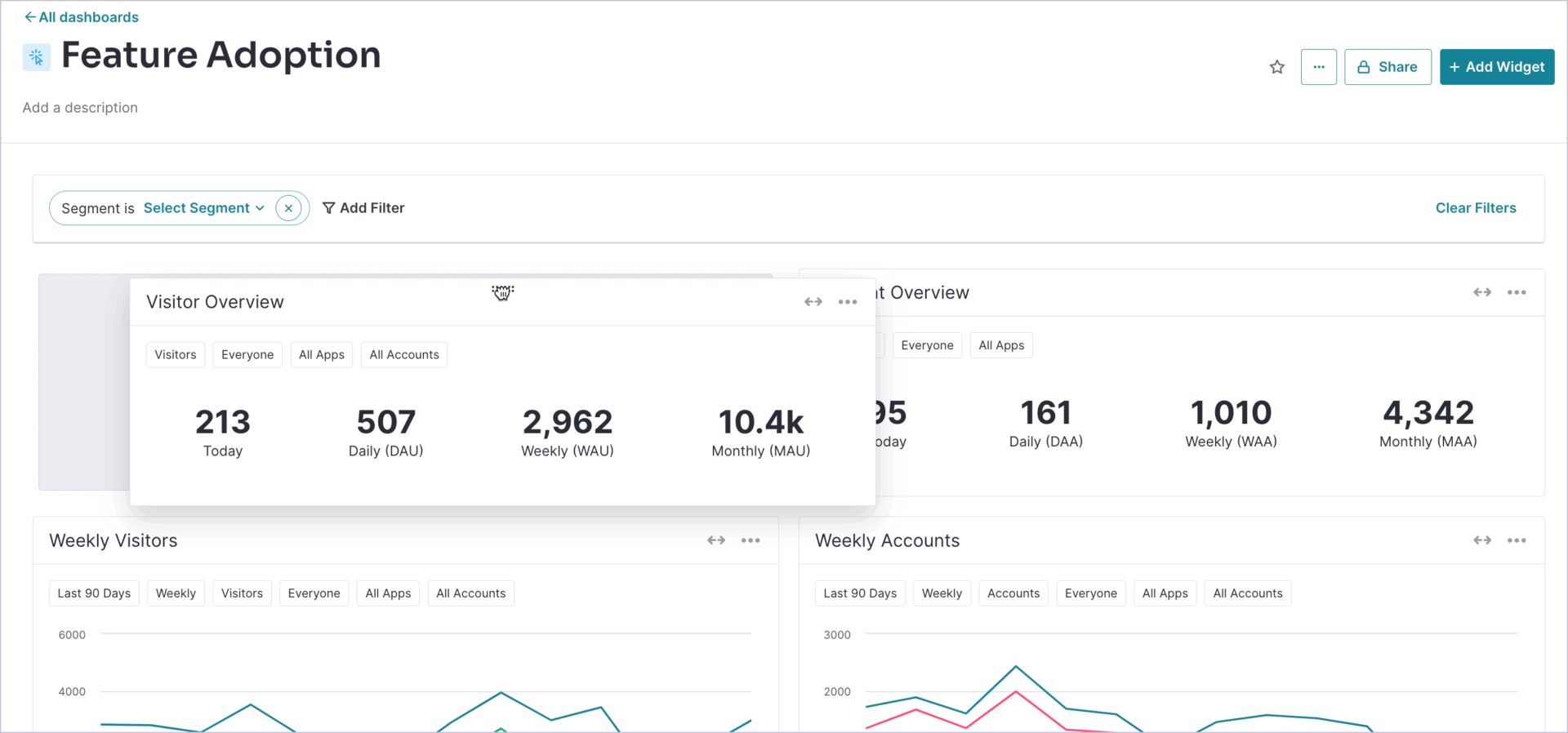
When you’re trying to drive feature adoption, the tricky part isn’t only spotting the drop-off. It’s knowing what to do next without bouncing between analytics, docs, and a separate in-app tool.
Pendo brings product analytics and in-app guidance together. This helps teams see how users move through a specific feature and where they hesitate.
You can then segment the right users and respond with targeted guides instead of broad announcements.
For advanced features, this is especially useful. You can identify who is ready for a deeper workflow based on real usage patterns. Then you can support them with contextual walkthroughs that help them reach the activation point faster and return for repeat use.
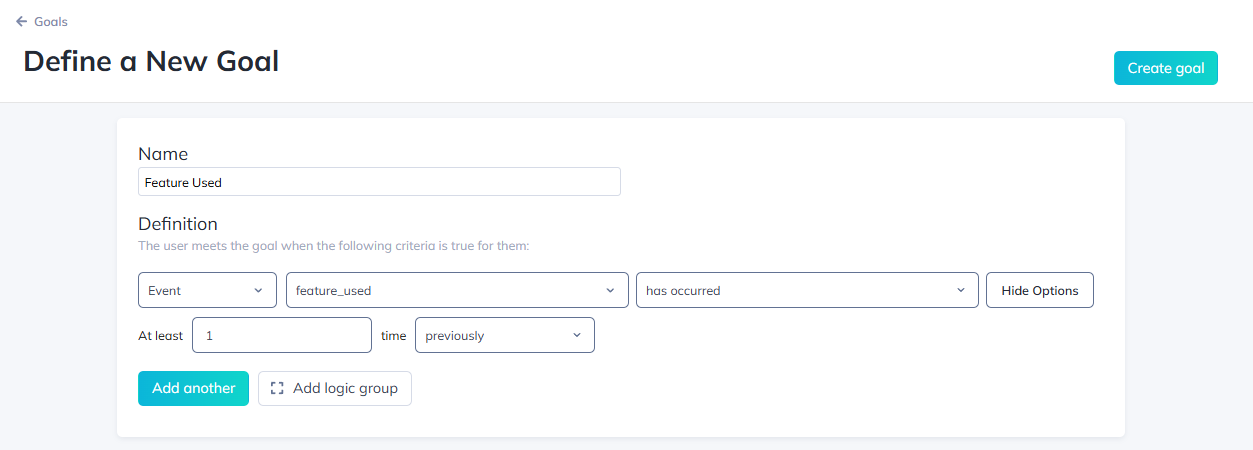
When feature adoption stalls, the issue is often timing. Users may not need your new features the moment you announce them. They need them when they hit a real use case. That is where Appcues fits well.
Appcues helps you build in-app messages, tooltips, walkthroughs, and checklists that support feature discovery in context. You can guide users to a clear activation point for a specific feature, without needing engineering support for every small iteration.
You can segment users based on behavior and maturity. Then you can introduce more complex features only when users are ready. This keeps the experience helpful, not overwhelming. It also supports cleaner adoption rates over time.
Feature adoption is where releases either become everyday habits or quietly fade into the background. A strong feature adoption playbook helps you stay focused on what matters most. It connects feature discovery, the activation point, and repeat usage into a system your team can run for every launch.
Across this guide, you’ve seen how the funnel stages and the right KPIs can help you spot where adoption rates slow down and what to fix next.
What makes ClickUp stand out is how well it supports the operational side of adoption. You can plan rollout tasks, build checklists by funnel stage, assign owners, and review progress in one place. That makes it easier to drive feature adoption with consistency, even when multiple teams are involved.
Sign up for ClickUp for free and build a repeatable feature adoption workflow. ✅

© 2026 ClickUp

There’s an easier way. Try a free AI Agent in ClickUp that actually does the work for you—set up in minutes, save hours every week.