






Still downloading templates?
There’s an easier way. Try a free AI Agent in ClickUp that actually does the work for you—set up in minutes, save hours every week.
Sorry, there were no results found for “”
Sorry, there were no results found for “”
Sorry, there were no results found for “”

Descript is widely used for AI-powered transcription, video editing, and screen recording—making it a solid starting point for many creators. But as your content needs grow, you might want tools with deeper editing control, better voiceovers, or more flexible workflows.
In this guide, we’ve rounded up the top Descript alternatives—from tools built for podcasters and educators to platforms for cinematic editing, multilingual transcription, and AI-powered collaboration.
Descript makes editing less of a headache, especially if you are just starting with audio or video content. But a few things might feel off once you get into the groove. Here are some common challenges users run into:
Moreover, if you are developing detailed communication strategies or managing larger media projects and video footage, you may need tools that offer more advanced functionality.
👀 Did You Know? The 21st Century Communications and Video Accessibility Act (CVAA) mandates that any online video previously aired on TV with closed captions must remain captioned when streamed. Platforms displaying online TV content must maintain caption quality, timing, and accuracy under FCC standards.
Before we delve into the details, here is how the best Descript Alternatives on our list compare to each other in terms of key features, use cases, and pricing.
| Tools | Best for | Key features | Pricing* |
| ClickUp | Teams of all sizes that need AI-powered task tracking, remote collaboration, and content production | ClickUp Clips, AI transcription, meeting summaries, task integration, Docs, Automations, project templates | Free forever plan; Custom pricing available for enterprises |
| Otter.ai | Recording and transcribing meetings with AI agents | Live transcription, meeting replay, automated summaries, Salesforce sync, mobile widgets, Siri Shortcuts | Free; Paid plans start $16.99/month |
| Murf AI | Adding high-quality voiceovers to video content | Text-to-speech voiceovers, 120+ voices, script editing, pitch/speed/emphasis control, audio syncing | Paid plans start $29/month |
| VEED.IO | Branding-focused visual video editing and fast content creation | Brand kits, subtitle generator, filler word removal, audiograms, browser-based editing, iOS support | Free; Paid plans start $12/month |
| Maestra | Translating and transcribing videos in real-time across 125+ languages | Multilingual transcription, subtitle editor, voice cloning, filler word removal, voiceovers, live captions | Paid plans start $12/month |
| Camtasia | Timeline-based video editing with interactive training features | Screen capture, multi-track timeline, quizzes, animated annotations, LMS exports, built-in recording, content templates | Paid from $179.88/year |
| Riverside.fm | High-resolution podcast and video recording | Local 4K recording, separate tracks, Magic Clips, live cloud upload, AI transcription | Free; Paid plans start $29/month |
| Trint | Fast, multilingual transcription and collaborative editing | 40+ language transcription, 50+ translation, speaker tags, searchable transcripts, summaries | Paid plans start $80/month |
| DaVinci Resolve | VFX-heavy projects, cinematic editing, and professional-grade control | Timeline editing, color grading, motion graphics, Fairlight audio tools, and graphic design capabilities | Custom pricing |
| Reduct | Interview-based video editing with collaborative workflows | Text-based editing, fuzzy search, highlights, team tagging, story-based reels | Paid plans start $15/month |
| Rev | Human-quality transcripts, subtitles, and legal-grade accuracy | Human-edited transcripts, foreign-language subtitles, live captions, Zoom integration, legal compliance | Paid plans start $14.99/month |
Our editorial team follows a transparent, research-backed, and vendor-neutral process, so you can trust that our recommendations are based on real product value.
Here’s a detailed rundown of how we review software at ClickUp.
Now, let’s explore Descript alternatives that can bridge those gaps while providing a seamless user experience. Let’s break down their standout features, limitations, pricing, and user reviews so that you can find the right fit for your audio and video needs.
Whether you rely on transcription-based editing, need better tools to manage video footage, or simply want a faster, more flexible way to edit videos, our list has a platform to suit your content creation workflow.
ClickUp, the everything app for work, easily adapts to managing your entire video or podcast production workflow. Unlike Descript, which focuses only on editing and transcription, ClickUp helps you plan, assign, and track every step, from scriptwriting to post-production.
It’s especially useful for teams juggling multiple projects, tight deadlines, and numerous moving parts. The platform records quick videos, generates AI-powered meeting notes, summaries, and transcripts, and offers seamless task integration to keep your projects moving.
Need to start recording your screen quickly? ClickUp Clips, record and share your screen right from your workspace—no extra tools needed.
Once you’ve finished recording, copy the link and embed it in ClickUp Docs or tasks to guide your team through the next steps.
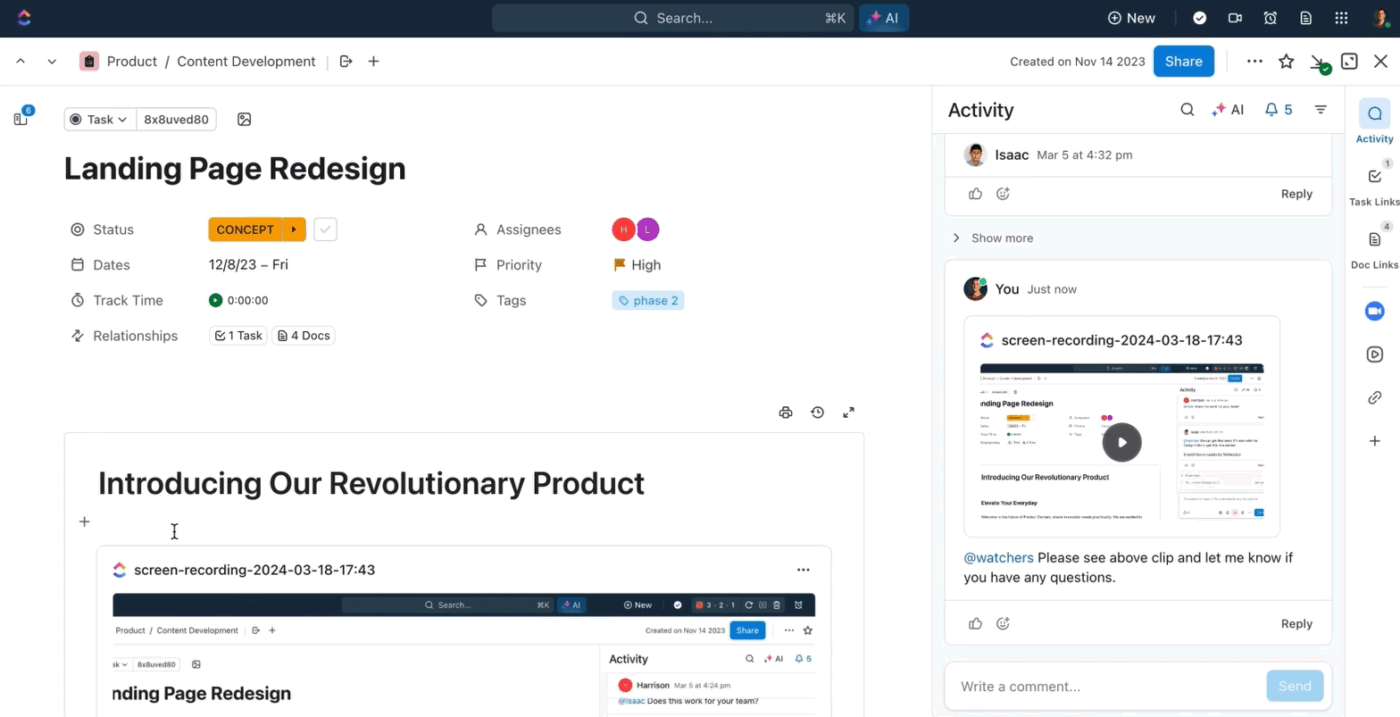
ClickUp Clips is a no-watermark, free screen recorder that allows sharing updates, tutorials, or feedback without endless typing or meetings. Download your Clip or share a public link—even outside your workspace.
Every video is saved in your hub for later. Whether you’re guiding an editor, recording a tutorial, or creating a corporate video, Clips offers a simpler alternative to Descript’s complex editing.
Skip the daily stand-ups and long video calls. Use ClickUp Chat to collaborate in context, drop comments, and tag teammates. Use SyncUps to jump into real-time video or voice calls with your team—without leaving ClickUp. Share your screen, connect tasks, take notes, and record the session for anyone who missed it. It’s perfect for quick production huddles, reviews, or on-the-fly edits.
ClickUp also offers AI transcription tools that automatically generate speech-to-text for your audio and videos. To get started, fire up ClickUp Brain from your workspace, which will automatically transcribe every clip you create.
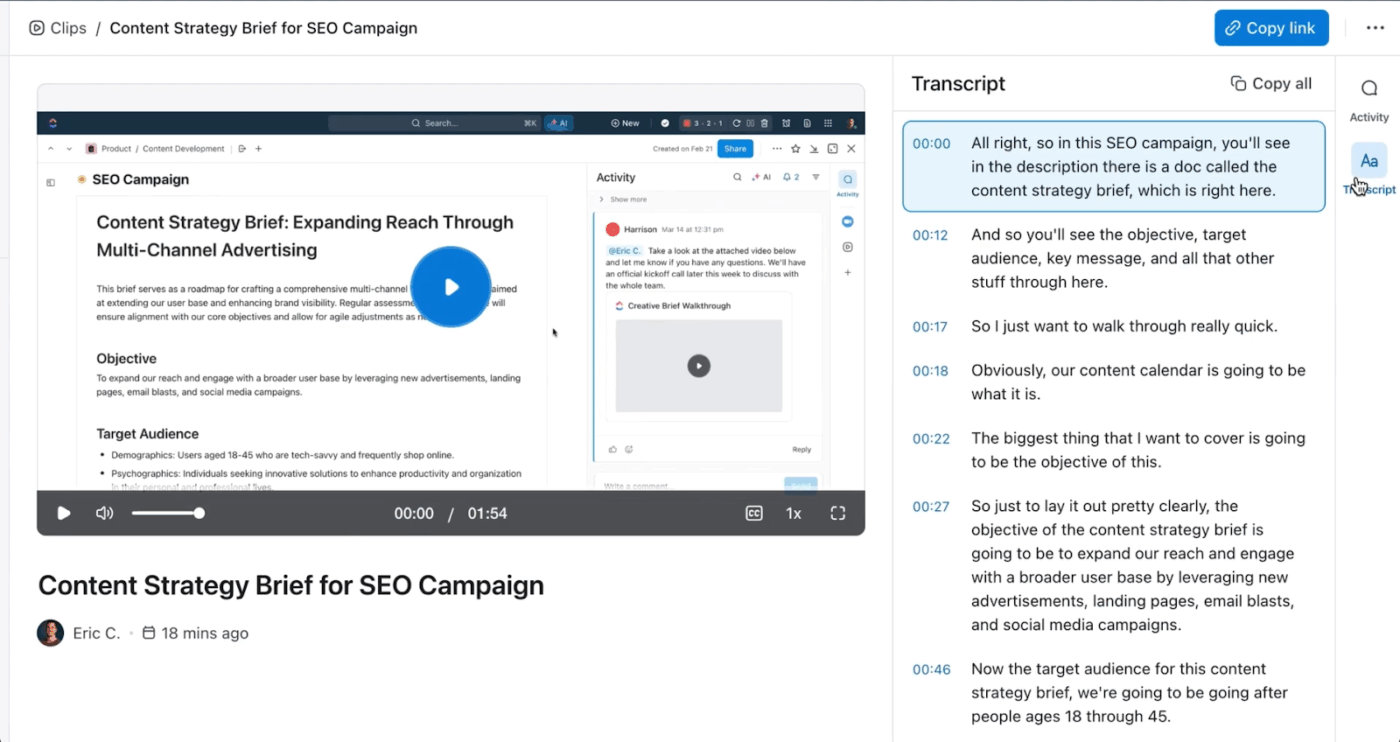
You can even ask questions from the clip and transcription, and ClickUp Brain will instantly generate accurate information and insights. Moreover, the built-in AI can suggest improvements to your video editing and content creation process.
💡 Pro Tip: You can even use ClickUp Brain Max for the Talk to Text feature to turn your spoken ideas into fully formatted Docs or tasks—just click the mic icon, speak naturally, and let ClickUp handle the writing. Talk to Text supports ~40 languages!
Unlike Descript or other AI transcription tools, where you must upload or import recordings to get transcripts and edit them manually, ClickUp handles everything in real time. The ClickUp AI Notetaker joins your Zoom or Google Meet calls, processes the discussion, and automatically generates a summary with action items, decisions, and follow-ups.
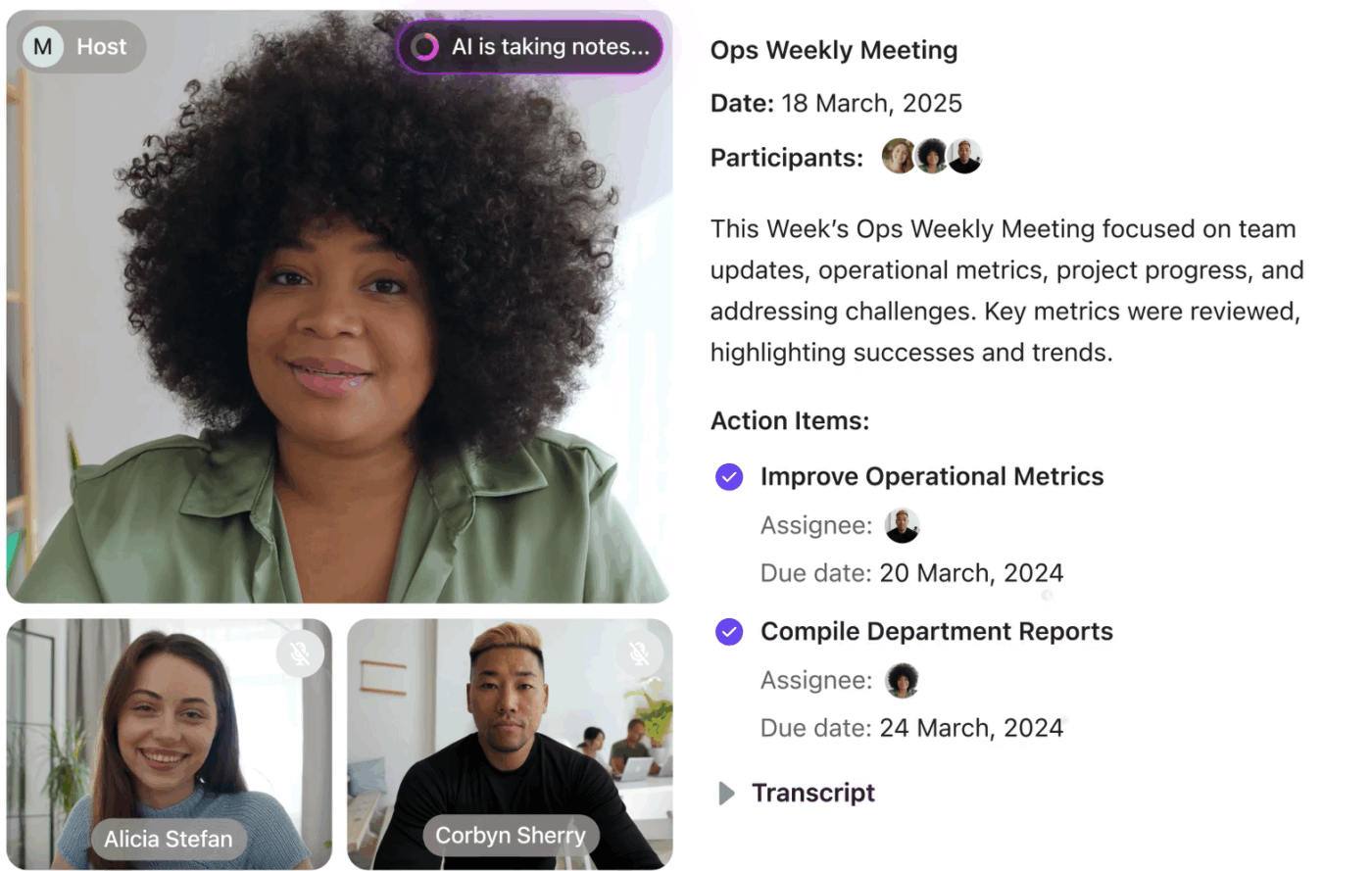
It’s designed to reduce manual note-taking and help teams stay focused during calls, rather than scrambling to write things down. You can capture the discussion, create a clean summary, and link it directly to the relevant tasks and ClickUp Docs.
If your team meets weekly to plan scripts or outlines, let ClickUp handle it live—no need to run it through Descript later. You get an instant summary with assignable action items so that content teams can turn conversations into tasks without editing or cleanup.
📮ClickUp Insight: 50% of our survey respondents report Friday as their most productive day. This could be a phenomenon unique to modern work. Fridays tend to have fewer meetings, and this, combined with the context accumulated from the workweek, could mean fewer disruptions and more time for deep, focused work.
Want to retain Friday-level productivity all week long? Embrace async communication practices with ClickUp, the everything app for work! Record your screen with ClickUp Clips, get instant transcriptions through ClickUp Brain, or ask ClickUp’s AI Notetaker to step in and summarize meeting highlights for you!
A G2 review says:
ClickUp is my daily go-to tool at our agency for managing tasks, teamwork, and creative chaos. It’s modern, clean, intuitive and incredibly customizable, which allows me to tailor everything exactly to the way my brain works. The UX is well thought out and genuinely makes it fun to work with. I also appreciate how easy it is to connect everything, streamline workflows, and collaborate efficiently. Features like Whiteboards, Clips, Reminders and the Notepad help me keep everything in one place. No more scattered tools, thoughts or chaos. It’s clean, efficient, and actually fun to use.
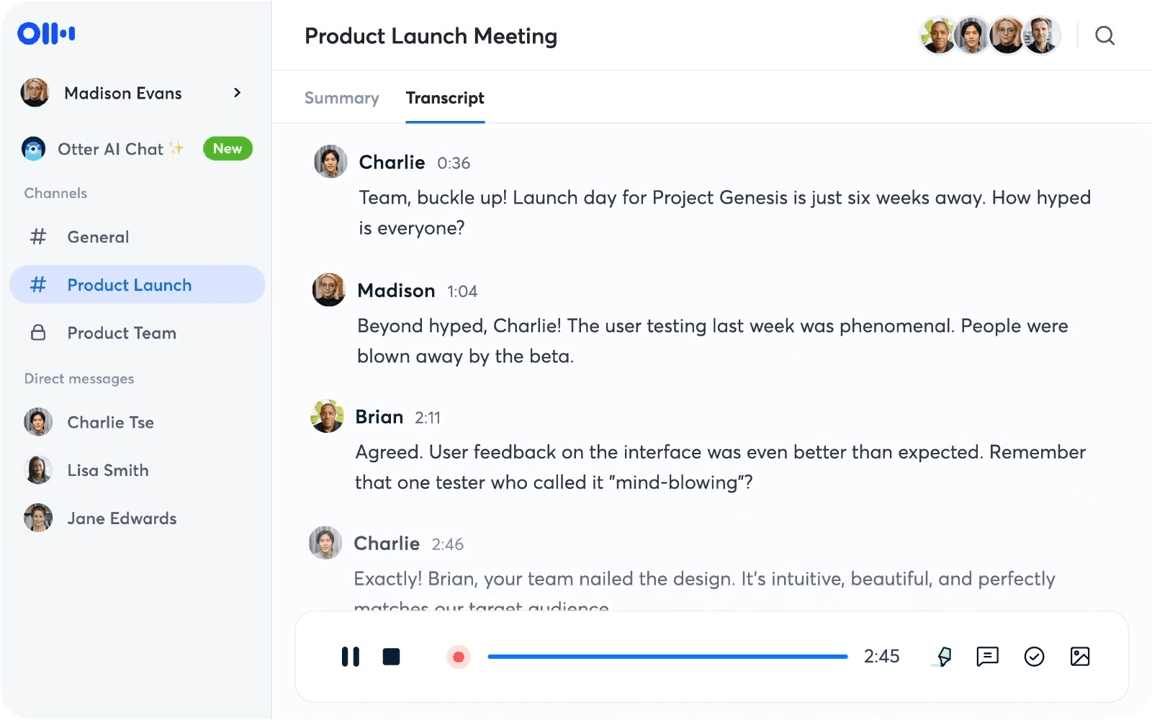
Otter AI can help you here by transcribing your meetings and videos in real time and turning them into clear, structured summaries that you can share and reuse across various content formats.
Unlike Descript, which focuses more on editing timelines and requires manual polishing, Otter streamlines the capture and organization of spoken content. That way, you can focus on scripting, reviewing, and repurposing without the extra editing steps.
Otter’s AI assistant can join your virtual meetings automatically via Zoom, Google Meet, or Microsoft Teams, transcribing the entire conversation live—while identifying each speaker, syncing shared slides, and highlighting key action items as they’re said. Everything is searchable, time-stamped, and shareable, so you can revisit a conversation days or weeks later without replaying the entire recording.
You also get automatic summaries, keywords, and the ability to assign highlights or comments to teammates—making it easier to collaborate across calls or share decisions with stakeholders. Otter’s Chrome extension and calendar sync ensure you never miss a meeting, and mobile access means you can record or review transcripts on the go.
AI capability: Otter uses AI to generate real-time transcripts, summarize meetings, identify speakers, and highlight key moments—without manual input—streamlining post-meeting workflows from note-taking to sharing.
A G2 review reads:
Love the summaries, how they are editable, and how I can use the sidebar to create a follow up email starter based on the summary of details. It saves SO MUCH TIME. I love that all the notes are searchable on the website and easy to search through. Easy to schedule Otter joining my meetings at the beginning of the week. Easy to share the notes with my team.
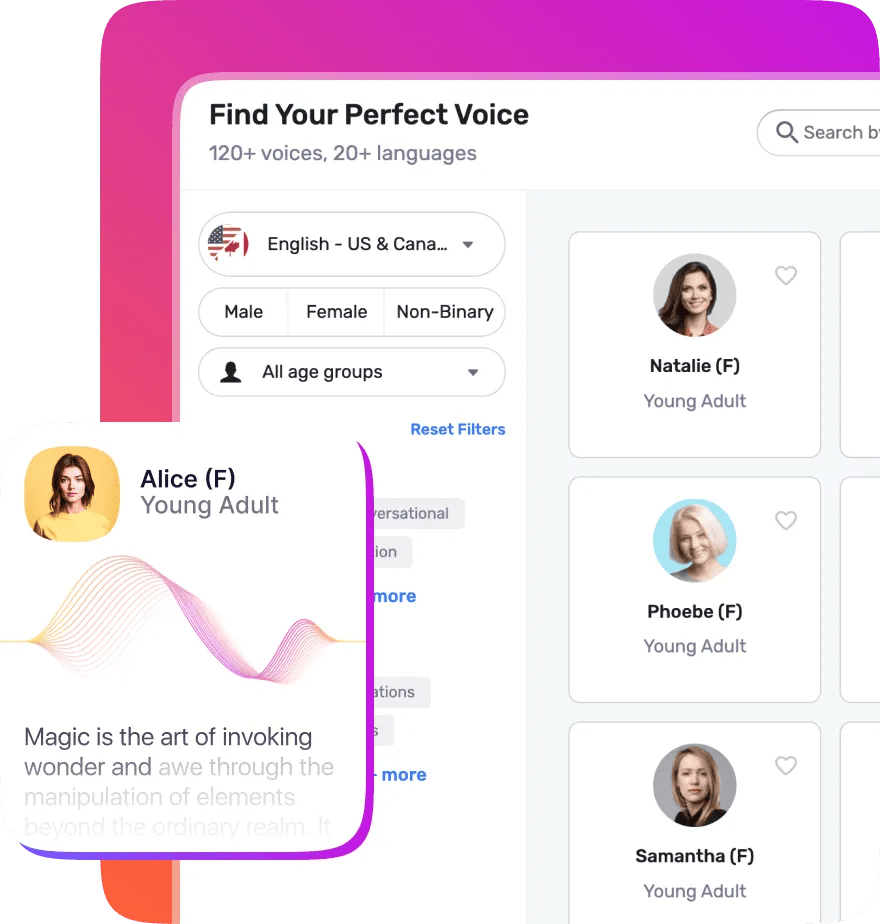
Clear, high-quality audio is crucial to making video content resonate. Poor voiceovers can distract viewers or dilute your message. Recording them manually can be time-consuming and risky, with risks like background noise or inconsistent tone.
Murf AI is a Descript alternative that generates high-quality, AI-powered voiceovers from text. You can choose from various voices, tones, and languages to match your audience, making it easier to maintain audio quality without manual recording.
You can also preview scripts using different voices before finalizing a clip, which is helpful for creative teams testing tone variations. The studio interface makes it easy to add music, edit scripts, and align voiceovers with visuals in one place.
AI capability: Murf uses deep-learning voice synthesis to turn written content into lifelike speech, with control over pitch, speed, emphasis, and tone.
A G2 review says:
Murf studio is easy to use. We are a dental office and we are currently using it to turn our boring on hold music to a marketing pitch set to music to inform our patients of our services. Our next project will be to use it on our website for some patient education videos and marketing videos we would like to post
🧠 Fun Fact: Early editors spliced film strips by hand. Before video or digital systems, editors used scissors, tape, and cement to join pieces of celluloid, often viewing liquor cabinet lighting to spot cuts!
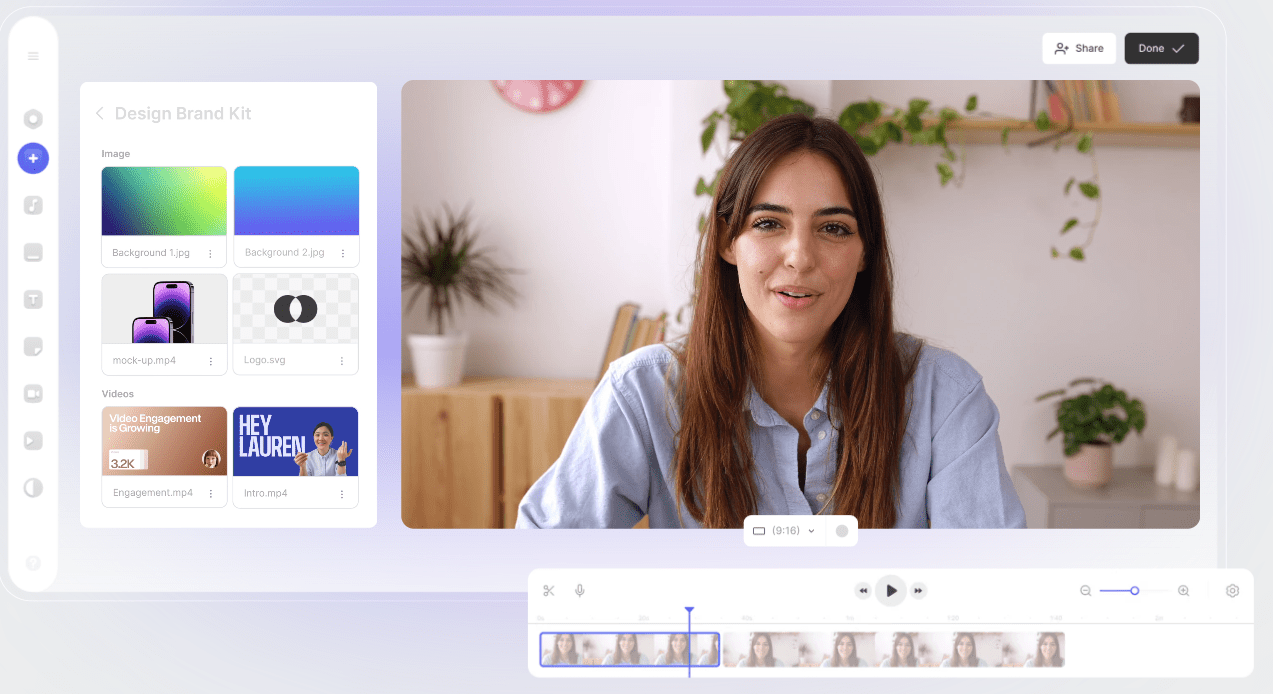
Businesses with consistent branding are 3.5 times more likely to get noticed—which also applies to video. VEED.IO helps maintain that consistency by letting you trim, subtitle, and brand your videos right in the browser.
You can apply brand kits, add logos, overlay text, and create audiograms, all in one place. While Descript is better for transcription-heavy and podcast workflows, VEED.IO is ideal for fast-paced, visual storytelling and quick-turnaround branded content.
VEED is designed for marketers and content teams that need speed without sacrificing polish. The platform includes tools for batch editing, resizing, and platform-specific exports, which help accelerate social video pipelines.
AI capability: VEED uses AI to auto-generate subtitles, detect filler words, clean up audio, and even auto-trim content by identifying highlight moments or silence.
A G2 reviewer writes:
VEED allows me to make content creation fast, easy, and professional with all-in-one video creation and editing online. The ease of use cuts my editing time down and their tools make it easy to implement personal touches. Their customer support answers and helps quickly. They keep updating and adding great features that help you integrate your videos on any platform.
📖 Also Read: The Best AI Video Generators for Stunning Content
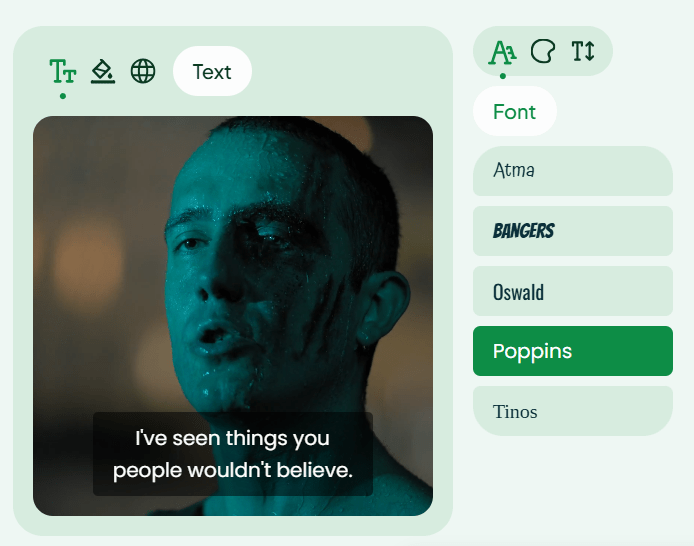
One of Descript’s key limitations is handling multilingual content. While it excels in transcription and text-based editing, it lacks built-in tools for translation or dubbing. Maestra fills that gap—letting you upload audio or video and instantly create transcripts, subtitles, and AI voiceovers in over 125+ languages.
You can edit subtitles in a text interface, clone your voice for consistency, and use features like live captioning, real-time transcription, and overdubbing—ideal for webinars and virtual events.
Maestra is especially helpful for creators or businesses with global audiences. Its support for voice cloning and real-time captioning makes it easier to create inclusive and accessible content without relying on multiple editing tools.
AI capability: Maestra uses AI to perform automatic transcription, multilingual translation, and neural voice cloning—allowing users to create dubbed versions of their content in seconds.
A G2 reviewer says:
The speed and ease of uploading and transcribing captions in so many different languages is what I love most about this tool. I also love that I can download an immediate text file of my transcriptions.
📮 ClickUp Insight: 92% of knowledge workers risk losing important decisions scattered across chat, email, and spreadsheets. Without a unified system for capturing and tracking decisions, critical business insights get lost in the digital noise. With ClickUp’s Task Management capabilities, you never have to worry about this. Create tasks from chat, task comments, docs, and emails with a single click!
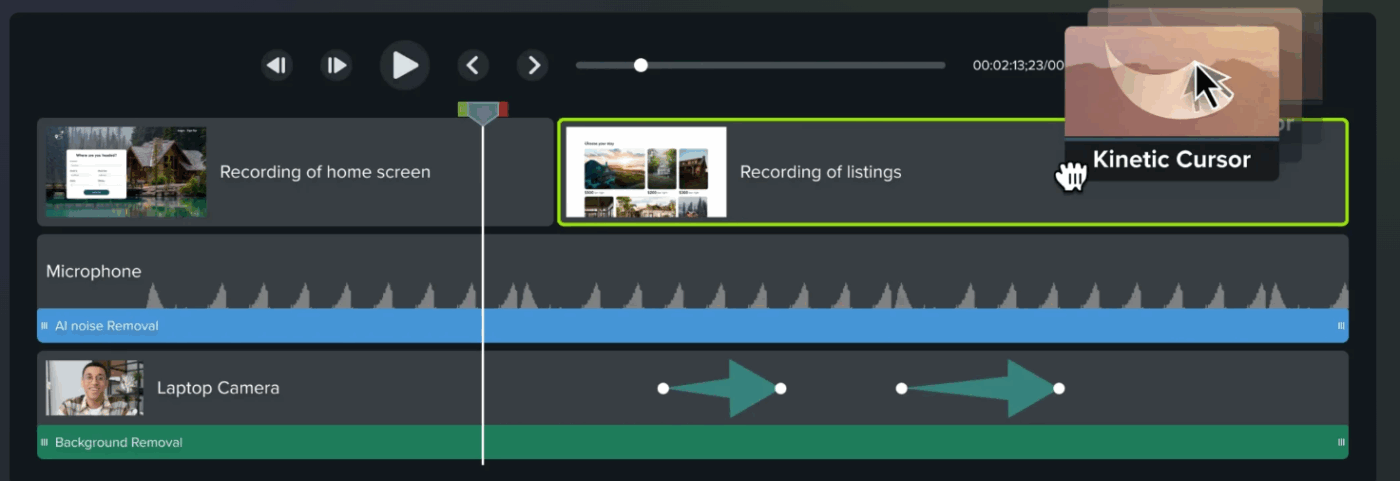
If Descript’s transcript-first editor feels limiting and you want more visual control, Camtasia is a solid alternative. It features a classic timeline interface, allowing you to fine-tune screen captures, layer visuals, and easily add precise annotations.
What makes Camtasia stand out is its built-in e-learning toolkit—you can embed quizzes, add interactive hotspots, export SCORM packages, and animate callouts to guide attention. It’s also well-suited as training and onboarding video software for your company.
Camtasia’s drag-and-drop environment and ready-made templates significantly reduce production time. It’s a strong choice for instructional designers, educators, and HR teams creating internal or external training content.
AI capability: While Camtasia does not have native generative AI tools, it supports AI-based noise reduction and voice leveling for audio cleanup. It integrates with third-party AI scripts or captioning tools.
Individuals
Teams & Business
Education
A G2 review reads:
It’s more intuitive to use than other video editing software. I am able to easily use advanced techniques to really polish my videos with just a few clicks. I recently produced a video series and was able to do it in a very short time thanks to Camtasia
👀 Did You Know? Young viewers are nearly four times more likely than older audiences to watch TV shows with subtitles, even though they’re less likely to have hearing issues.
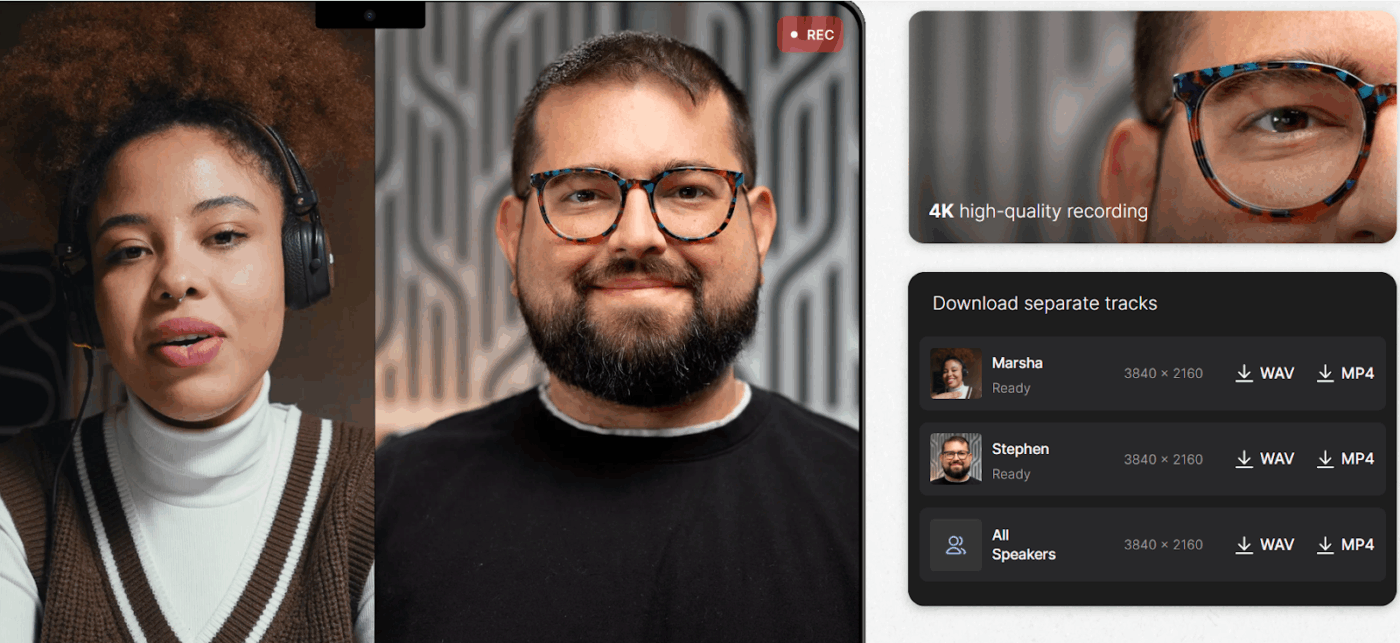
Riverside.fm outperforms Descript in recording video quality and reliability. It records participants locally in 4K and uncompressed WAV for studio-quality results. Even an unstable internet connection doesn’t affect the final output.
Files are uploaded to the cloud in real time, minimizing the risk of data loss. This makes it ideal for editing podcasts, remote interviews, and video calls that demand clean, high-resolution source files.
While Descript excels at text-based editing, Riverside.fm is designed for creators who prioritize broadcast-quality recording with simple podcast editing. You can generate transcripts, clean up audio, and use Magic Clips to create both short—and long-form content.
Riverside.fm also includes producer mode and real-time guest monitoring, making it a favorite among remote podcast teams and branded content studios. It’s built to simulate an in-studio experience—even when your team is remote.
AI capability: Riverside uses AI to auto-generate Magic Clips from recordings, clean audio with background noise removal, and transcribe speech into text with speaker detection.
A G2 review says:
The capabilities provided by Riverside have brought so many new opportunities for our podcast to elevate our brand with elegant video content. I’m constantly amazed at how much time Riverside’s AI features save our team, across “magic” audio editing, easy video clip generation, and constantly releasing new features that make our team’s workflows more efficient.
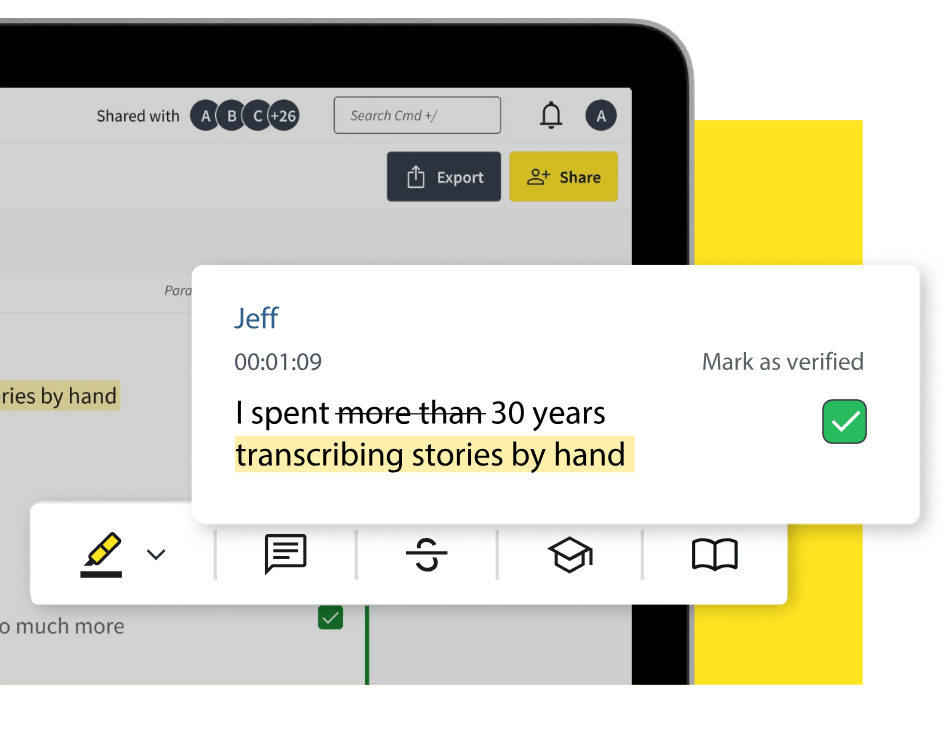
Trint offers faster, more accurate transcription and stronger multilingual support than Descript. Transcription is available in over 40 languages, and translation is available in more than 50, making it well-suited for global teams and journalists.
It also includes built-in collaboration features that allow you to edit transcripts with teammates, tag speakers, highlight quotes, and generate summaries. If you need searchable, shareable transcripts with minimal editing, Trint is a focused and efficient alternative to Descript.
Trint’s web-based editor connects audio with text, so every word links to its timestamp. You can also convert transcripts into storyboards, scripts, or caption files—making it useful for teams repurposing interviews into articles or videos.
AI capability: Trint uses AI for real-time transcription, multilingual translation, and automated summarization, helping users quickly move from raw recordings to final assets.
A G2 review says:
The transcription process is very robust. Customer support is fantastic, and I use Trint with every project involving a customer interview. Marking up videos for production could not be easier!
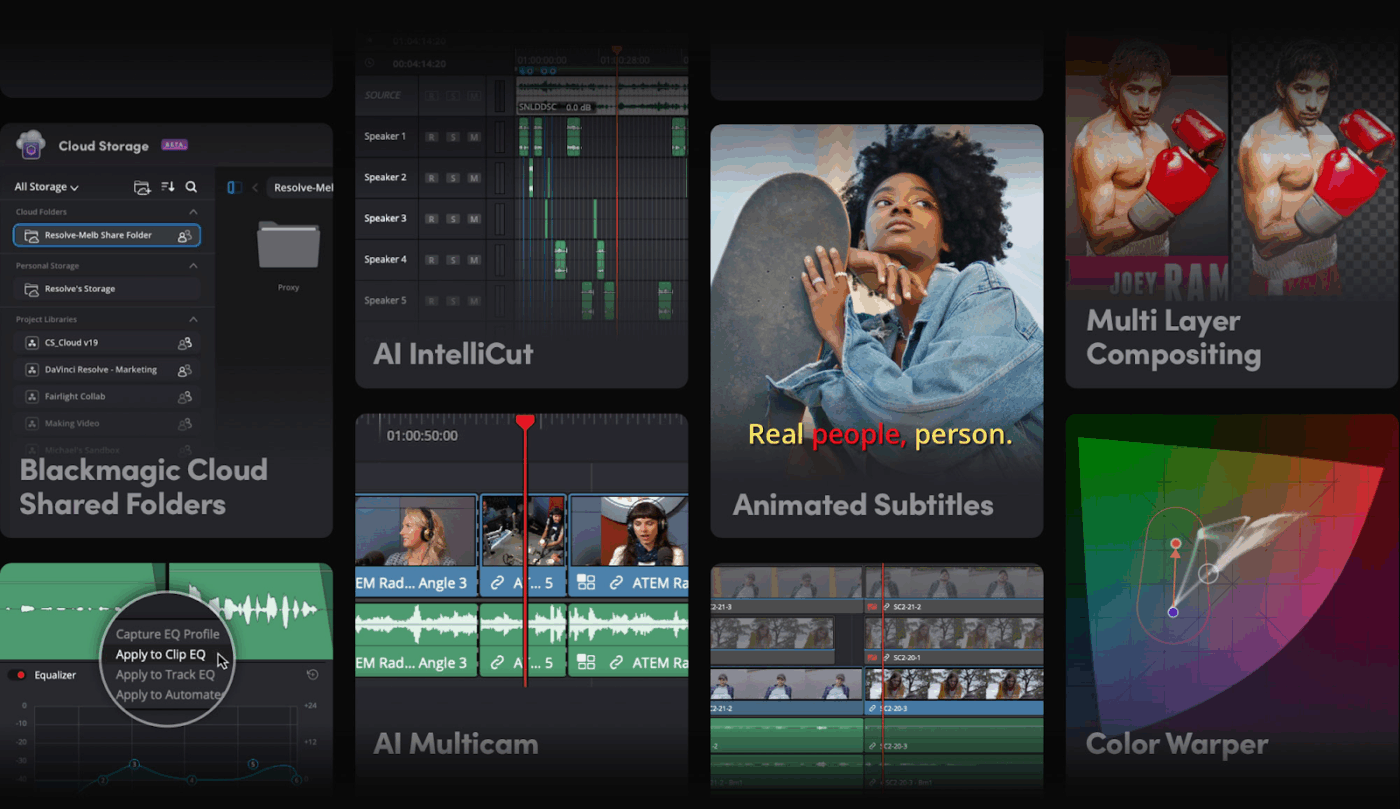
If you’re creating animated films, VFX-heavy projects, or anything more complex than a talking-head video, Descript likely won’t cut it. It’s built for quick edits and podcasts—not deep visual storytelling or precise, layered control.
DaVinci Resolve, on the other hand, is. Professional editors and studios use it to combine video editing, color grading, motion graphics, and audio mixing in one powerful platform. Unlike Descript’s transcript-first approach,
Resolve gives you frame-level creative control, down to each frame. With advanced composition tools, you can even design branded visuals right inside the timeline.
Resolve supports multi-user workflows and studio-grade post-production pipelines, making it ideal for teams working on cinematic, commercial, or documentary-level productions.
AI capability: DaVinci Resolve uses AI for smart masking, facial recognition, voice isolation, automatic scene cuts, and background noise reduction—enhancing creative precision at scale.
A G2 review reads:
Davinci Resolve has loads of features, while not having an overwhelming interface. I was able to use it right away, and have been implementing even more of its functions ever since. I use it often to edit videos, or even for more complicated video editing processes. It supports many video and audio formats, and I enjoy integrating different presents custom made by other users into my videos. This community support is greatly useful for learning how to do anything within the application.
🧠 Fun Fact: James Cameron’s The Abyss introduced fully CGI water effects. ILM spent six months creating a digital water creature, pushing the limits of realism at the time!
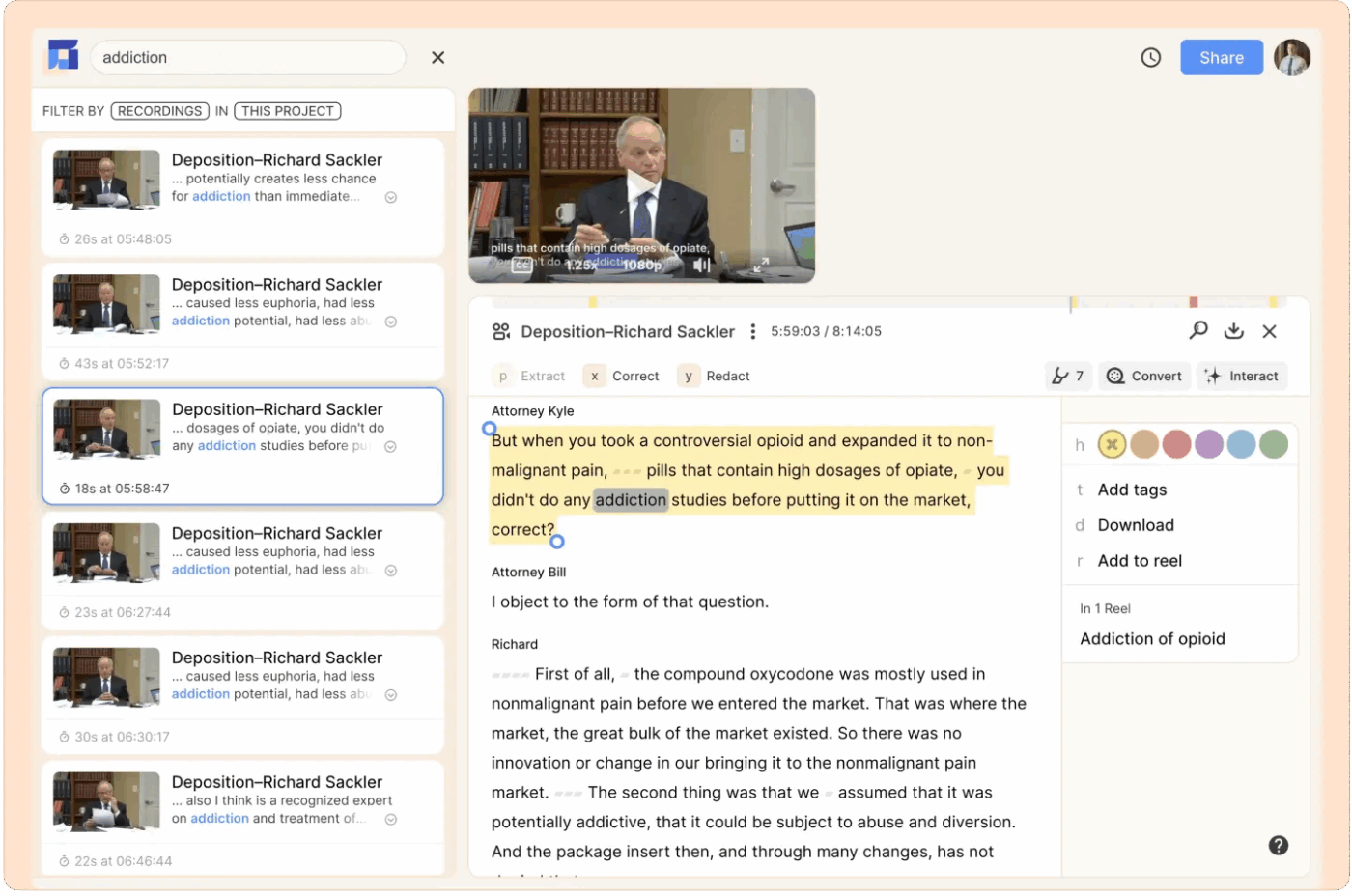
Reduct takes transcript-based editing beyond what Descript offers for creators and teams working with interviews, user research, or long-form recordings.
It combines highly accurate transcription, a powerful text-based video editor, and collaborative tools in a single, web-based platform. Instead of scrubbing through timelines, you edit video like text, highlight or delete words, and the tool trims the footage to match.
Reduct is especially valuable for UX researchers, documentary producers, or educators who work with dense interviews. Its ability to search across recordings and assemble reels by dragging transcript lines turns hours of content into digestible clips.
AI capability: Reduct uses AI to transcribe, detect filler words, search contextually using fuzzy logic, and automatically sync transcript edits with video.
A G2 reviewer writes:
The most awesome aspect of Reduct, undoubtedly, is the capacity to look through video content like it’s text. No additional going through hours cleaning through film! I can basically type in watchwords or expressions and Reduct right away leaps to those careful minutes in the recording.
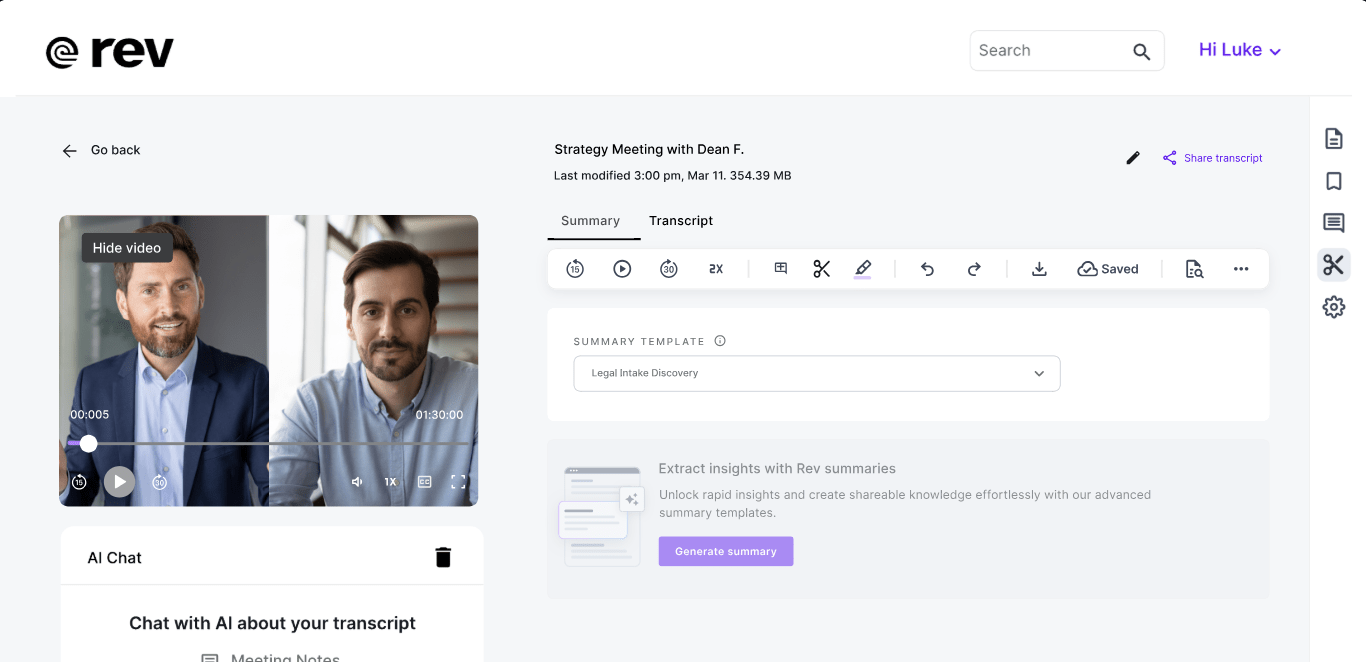
Unlike Descript, which relies on AI tools, Rev.com prioritizes human-edited transcripts and captions for high accuracy—ideal for legal teams, researchers, and media professionals. It also offers automated options for a quicker and more cost-effective turnaround.
You can order subtitles in multiple languages, burned-in captions, and live captioning for Zoom. Rev is a reliable alternative for teams producing interviews, court transcripts, or global training materials when precision matters more than creative flexibility.
Rev’s user interface is simple, with transcript editing and ordering all in one place. It also supports integrations with Zoom, Dropbox, and YouTube tools to streamline delivery.
AI capability: Rev’s automated transcription engine uses speech recognition to convert audio into text with quick turnaround, while human editors are used for final review and compliance-grade accuracy.
A G2 review says:
I love how easy it is to use the Rev recording app to capture thoughts in real time, especially when I’m brainstorming for writing projects. Whether it’s for my fiction series, course content, or faith-based devotionals, Rev helps me hold onto those fleeting creative ideas so I can turn them into polished content later. The app is intuitive, the audio is clear, and everything is well organized.
Descript works well for quick transcripts and basic edits, but its limitations start to show as your projects grow. Tools like Murf and Otter.ai offer more flexibility for richer voiceovers and transcription. DaVinci Resolve and Camtasia give you advanced editing control, while Riverside.fm and Trint help you work with high-quality source files and multilingual content.
For an all-encompassing solution, choose ClickUp to bring everything together. Plan, script, record, review, and manage feedback—all in one place. Sign up with ClickUp today to streamline your entire video production process—from planning to publishing.

© 2026 ClickUp

There’s an easier way. Try a free AI Agent in ClickUp that actually does the work for you—set up in minutes, save hours every week.