


The secret to getting an article noticed by Google often lies in well-crafted, detailed content briefs.
An effective content brief aligns perfectly with your ToFu (top of the funnel), MoFu (middle of the funnel), and BoFu (bottom of the funnel) goals.
With Google’s algorithms constantly evolving (thanks to AI!)—creating content briefs ensures that search engines receive the right signals and drive traffic to your page while guiding readers down the funnel and turning them into loyal customers.
After all, that’s the real purpose of quality content, isn’t it?
In this article, we will examine what makes an ideal content brief and share examples and tips for you to follow.
⏱️60-second Summary
- Content brief definition: A guide providing essential details (audience, keywords, structure) to align content with marketing goals
- Components of an ideal content brief:
- Actual examples of content briefs: B2B sales strategies, inclusive workplace culture, email marketing ROI, and financial planning for small businesses
- Tools for content brief creation: ClickUp Brain, Docs, and Automations for SEO outlines, research, and workflow automation
- Benefits of content briefs: Save time and money, improve SEO rankings, and provide clear direction for faster approvals
- Common mistakes: Skipping research, vague goals, and inconsistent style or SEO focus
How to Create a Content Brief (Template + Examples)
- ⏱️60-second Summary
- Are content briefs the same as creative briefs?
- 1. Choosing the right target keyword
- 2. Making a list of secondary keywords
- 3. Conducting a SERP analysis
- 4. Developing a tentative outline
- 5. Simplifying content creation workflows with ClickUp Automation
- 6. ClickUp SEO content brief template
- Example 1:
- Example 2:
- Example 3:
- Example 4:

 Summarize this article for me please
What Is a Content Brief?
A content brief is essentially a roadmap for writers, packed with guidelines and key information for creating targeted written content such as blog articles, white papers, or social media posts.
The purpose? To outline essential elements that writers need, ensuring every piece works toward fulfilling your overall content marketing strategy.
Here’s what you’d typically find in a well-crafted content brief:
- Target audience: This includes demographics, interests, and pain points to help writers understand who they’re speaking to. But surprisingly, not everyone’s doing this!
📜 Note: According to SEMrush, while 67.45% of marketers include a topic and 64.71% add keywords, only about half (50.29%) include information on the target audience, and just 49.71% specify content objectives
- Primary and secondary keywords: These guide writers on which keywords to focus on, sometimes even suggesting keyword placement and frequency to optimize SEO
- Ideal article structure: Recommendations on organizing introductions, headings, and subheadings to meet both user and search intent
- Existing search results analysis: Insights into top-ranking pages for your keyword, helping writers identify content gaps and add value
- Suggested meta tags: Drafts of title tags and meta descriptions, which give search engines a quick idea of what the page is about and boost click-through rates from search engine results pages (SERPs)
To give you a clearer picture, we’ll look at a few examples.
But first, let’s clarify one thing that confuses many content professionals—the difference between content briefs and creative briefs.
Are content briefs the same as creative briefs?
Nope! Content and creative briefs may sound similar, but they serve different roles.
Content briefs guide the creation of written content like blog posts, video scripts, and social media posts. Creative briefs, on the other hand, focus on visual deliverables such as videos, landing pages, covers and infographics.
So, while they may sound like two sides of the same coin, content and creative briefs serve different purposes.
| Aspect | Content Brief Example | Creative Brief Example |
| Example | SEO Blog Post: “How to Create a Content Brief” Includes: Audience targeting content managers, keywords like “content brief,” “how to write a content brief”; recommended structure with sections on the definition, importance, and examples of content briefs | Nike Ad Campaign: “Feel the Energy”Includes Project objective to promote Nike’s new running shoes, the target audience of active 18-34-year-olds, the key message of “unleash your power,” suggested visuals showcasing dynamic running scenes |
| Components | Target audience, SEO keywords, search results analysis, and meta tags to ensure SEO-focused content | Project goal, target demographics, brand voice, and visual style to align with Nike’s active, bold brand tone |
| Focus | SEO optimization, keyword placement, and content structure to attract organic traffic | Engaging visual elements and brand messaging designed to captivate and inspire an athletic audience |
| Examples of Output | A blog post optimized for search engines with valuable tips and sub-sections explaining content briefs | A 30-second video ad showcasing energetic scenes of people running with close-ups of Nike’s latest shoe line |
Summarize this article for me pleaseImportance of Content Briefs
Did you know? Only 66% of companies track content performance in some way.
The takeaway? Content goals are a must, and content briefs are the ultimate guide to achieving them.
📌 Example: Say you’re launching an eco-friendly packaging line and want more product awareness. A solid content brief would include:
- Target keywords to boost organic reach and attract eco-conscious shoppers
- A list of sustainability features to highlight, showing why this packaging is a better choice
- Internal links to related content, like articles on eco-friendly tips, to keep readers exploring your brand
Here are eight reasons why content briefs make a difference:
- Save time and money: Clear briefs mean writers know the scope and focus, allowing them to produce quality content quickly
- Reduce rewrites and revisions: A good brief means writers can nail it on the first draft, reducing wasted time and effort
- Capture critical information: Including important stats, facts, and insights helps shape content that’s informative and relevant
- Central source for the team: Everyone, from editors to account managers, can reference the brief for clear content direction
- Increase consistency: Standardized briefs ensure every piece aligns with brand voice, tone, and messaging guidelines
- Improve search rankings: By aligning keywords, structure, and intent, content briefs ensure that your content will rank on search engines
- Provide clear direction and speed approvals: Writers produce content that meets initial goals, reducing the back-and-forth approval process
- Ensure timely delivery: Fewer revisions and clear objectives mean content gets delivered on schedule
Summarize this article for me pleaseComponents of a Content Brief
A solid content brief has all the essentials needed to guide writers. Here’s what you’ll want to include:
- Target audience: Outline who the readers are, their knowledge level, and main pain points to help writers create content that resonates
- Tone and voice: Define the brand’s tone and voice, whether it’s witty, formal, or somewhere in between, to keep content consistent
- Content goals: Identify the main goal, such as increasing organic traffic, educating readers, or driving conversions, so each piece has a purpose
- Primary keywords: List main target keywords to guide SEO and ensure the content aligns with the audience’s search intent
- Secondary keywords: Include related keywords to broaden the reach and enrich content, helping to capture search intent
- Internal links: Suggest internal links to boost on-site engagement and guide readers to related resources
- Content structure and tentative outline: Provide a rough outline with headers and subheads to give writers a clear flow
A good content brief might also feature:
- A working title to give writers direction
- Suggested word count to help with planning
- External links for credibility (if relevant)
- A style guide link for consistent formatting
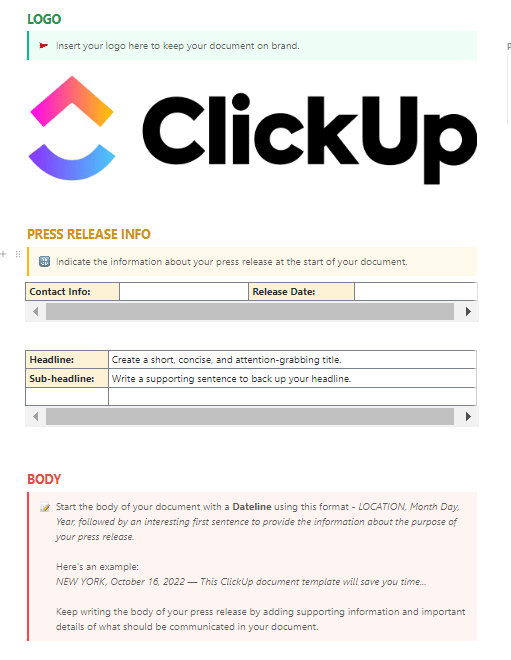
Another good piece of advice is to provide the essentials without boxing the writer in. A bit of guidance goes a long way, so let the writers bring your content goals to life!
💡 Pro Tip: When adding internal links, experts recommend aiming for 3–5 links per 800 words or 5–10 for a 2,000-word article. But remember, quantity isn’t everything! Adjust your links based on the page type—whether a landing page, pillar page, or a high-competition article. Above all, focus on the relevance and value each link brings your readers.
Summarize this article for me pleaseCreating an SEO content brief
As Maya Angelou said, “The idea is to write it so that people hear it, and it slides through the brain and goes straight to the heart.”
Sounds intense for, say, a product review?
Maybe—but here’s the truth: with the right mix of keywords, structure, and insights, an SEO-focused content brief does more than just help a piece rank—it helps it connect with readers.
So, let’s jump into a step-by-step guide to crafting an SEO-driven content brief that does exactly that.
1. Choosing the right target keyword
When it comes to generating organic traffic, SEO is a game-changer. But let’s face it—not every writer is an SEO whiz.
That’s why it’s crucial to highlight your target keyword right in the content brief.
The target keyword (or primary keyword) is the main term your content will revolve around and the one it aims to rank for on search engine results pages (SERPs).
Here’s a not-so-fun fact: 94.74% of keywords get 10 monthly searches or fewer—so choosing the right one takes a bit of strategy.
Once chosen, the target keyword shapes crucial elements of the content brief, like secondary keywords, subtopics, and internal linking opportunities.
So, how do you pick the right target keyword?
Align it with your content goals and marketing strategy: The target keyword should reflect the post’s purpose and broader marketing goals.
Use keyword research tools to gather these key insights:
- Volume: The average number of searches a keyword gets each month. Higher volumes mean more potential traffic, so aim for keywords with solid volume
- Keyword Difficulty (KD): This shows how competitive it is to rank in the top 10 search results for that keyword. Lower KD means an easier path to rank—especially important if resources are limited
- Search intent: Ask yourself why people are searching this term. Are they looking for information, comparing products, or ready to buy? If you want to capture organic traffic, prioritize informational keywords that match search intent
💡 Pro Tip: Look for keywords that balance search volume and difficulty. Aim for a monthly search volume of at least 100, a Keyword Difficulty under 50%-70%, and informational search intent to attract organic, engaged readers. If KD is too high, even the best content might struggle to rank.
2. Making a list of secondary keywords
Secondary keywords are like the sidekicks to your primary keyword, helping to clarify context and expand the reach of your content.
Secondary keywords became a big deal after Google’s Hummingbird update, which allowed search algorithms to understand the meaning behind a search term rather than just matching words.
📌 Example: Think of “jaguar”—are we talking about the animal or the car? Secondary keywords like “big cat” or “wildlife” clarify the animal, while “luxury vehicle” or “sports car” steer toward the car.
These conceptually related terms are often called LSI (Latent Semantic Indexing) keywords. They aren’t always synonyms but help search engines understand content context.
Note: While they may not be SEO magic bullets, including secondary keywords is a solid practice.
3. Conducting a SERP analysis
In a SERP analysis, you dig into what makes top-ranking pages for your target keyword successful and use those insights to give your post a competitive edge.
As you analyze each top-ranking page, keep an eye out for key elements:
- SERP features: These are the “extras” in search results, enhancing visibility. One example is the featured snippet, which is that box that grabs attention at the top of the page
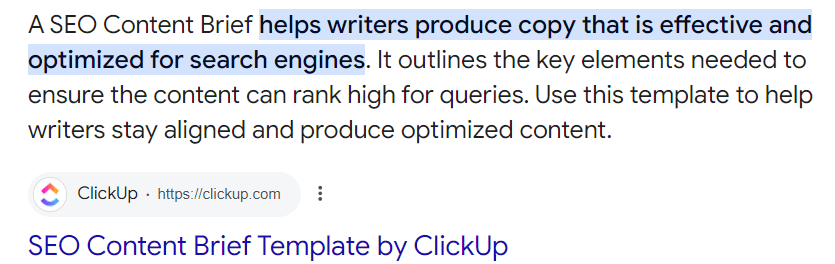
Other common SERP features to note:
- Rich snippets: Visual enhancements in search results, like star ratings from product reviews
- People Also Ask (PAA): Question boxes that expand with answers to related queries, especially those beginning with “what,” “why,” “when,” etc.
- Knowledge panels: Info blocks on specific topics, brands, or businesses
Now, keeping track of all this SERP data can get overwhelmingly fast. That’s where ClickUp Docs comes in handy.
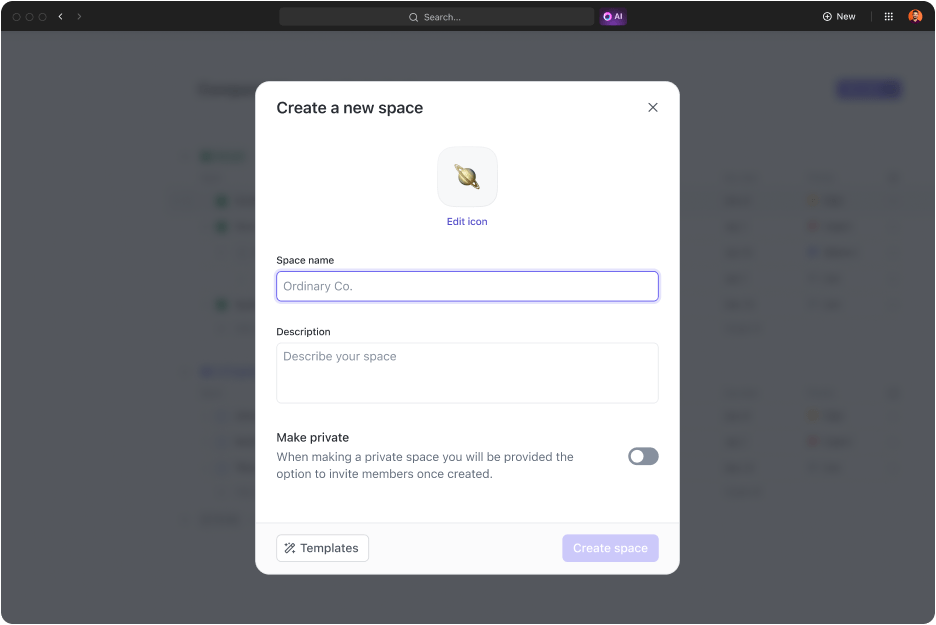
This tool lets you manage all your research in one place, structured neatly with ClickUp’s Project Hierarchy—so you can categorize workspaces, folders, and lists for easy access.
Here’s where ClickUp’s magic shines: you can easily shift from planning to action. For example, turn talking points from a ClickUp Docs file into tasks or attach Docs to tasks for added context.
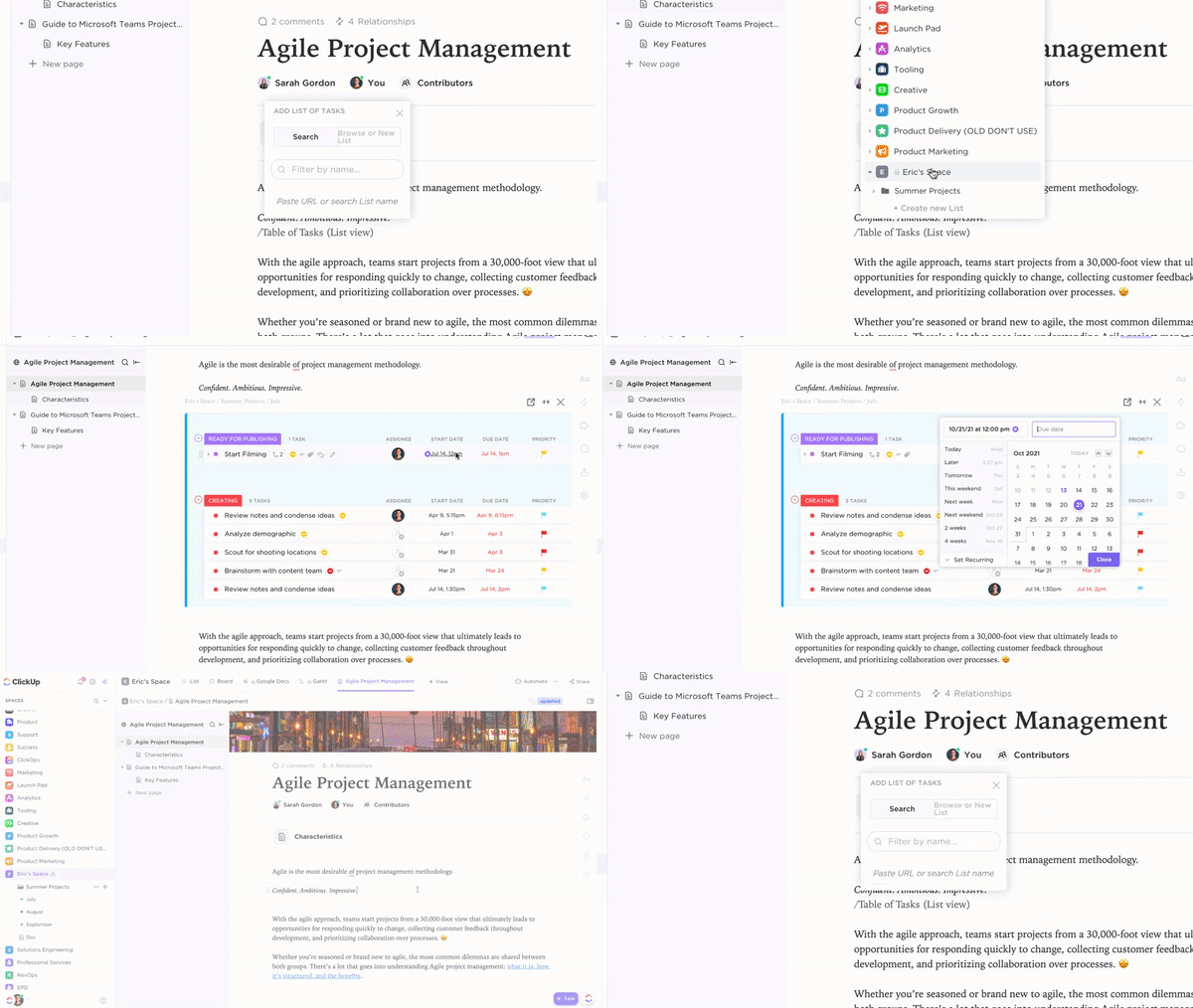
And with ClickUp’s Connected Search, finding any data across ClickUp, connected apps, or even your local drive is just a search away!
Bonus: TikTok Alternatives!
4. Developing a tentative outline
Give your writer a running start with a tentative outline. This outline should include:
- A suggested title
- Main H2s
- Key H3s
- Descriptions for each section
To build your outline, gather all that research you’ve done:
- Use primary and secondary keywords as headers where possible
- Add frequently asked questions you found in PAA boxes
- Cover the essential topics from top competitor posts to ensure comprehensive content
With all this in place, your brief is nearly there—all you have to do now is line it all up in one place.
About 23% of marketers use AI to outline content. You can, too, use ClickUp Brain.
This tool can help create quality SEO outlines by generating ideas, simplifying jargon, and even building a brief from scratch.

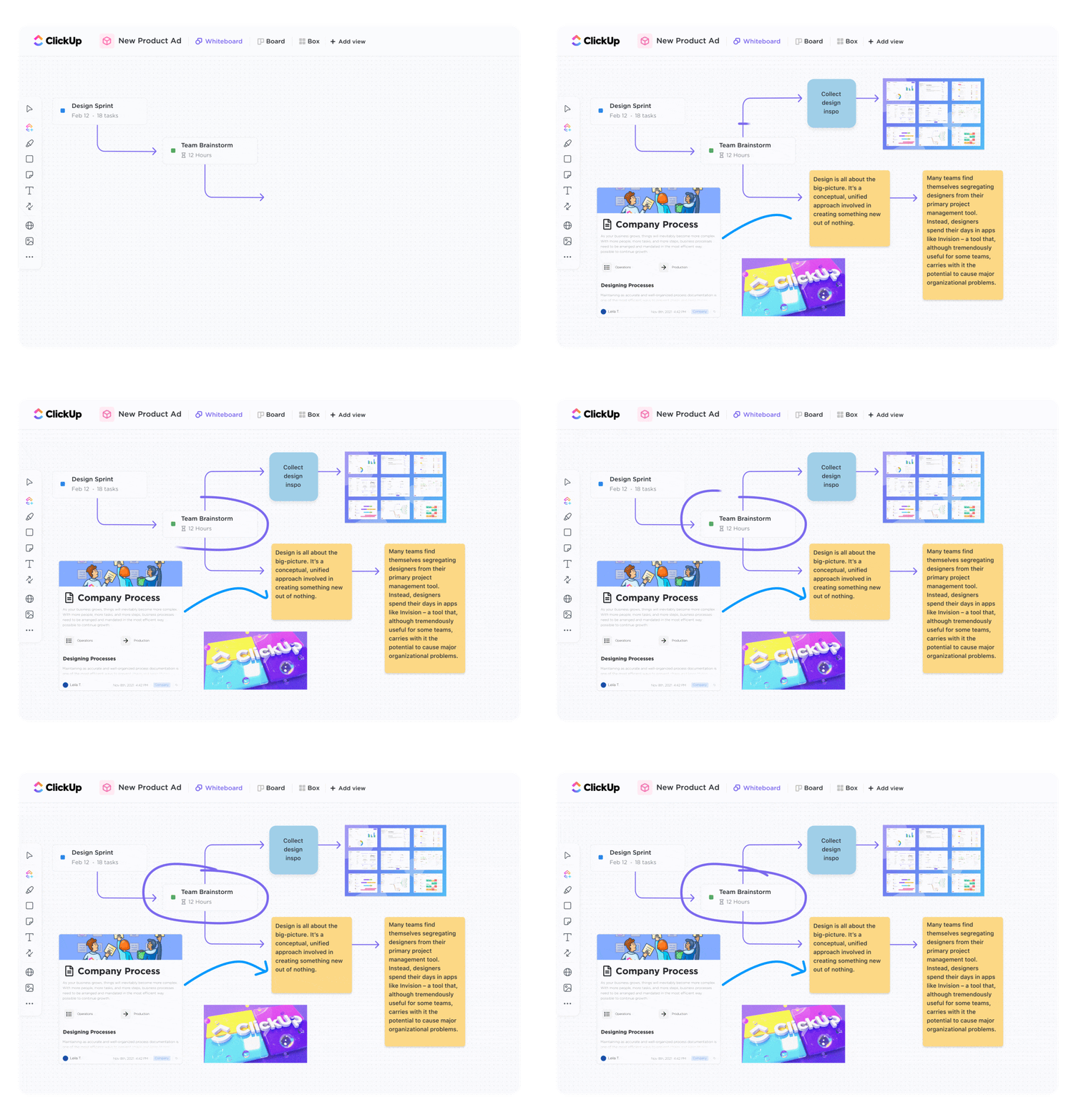
Once you’ve drafted your outline, bring it to life with ClickUp Whiteboards. Whiteboards give a visual overview that’s especially helpful for clients and stakeholders to see the big picture quickly.
Plus, you can collaborate with the team in real time—no overlap, no confusion.
A crowd-favorite feature? You can embed a live Doc right into the whiteboard.
This lets you edit text, update task statuses, and access essential project documents in one place. When it’s ready for review, just send your boss or client a public link for viewing access—no extra steps are needed!
Also Read: A Guide to Using AI in Content Marketing
5. Simplifying content creation workflows with ClickUp Automation
Great—you’ve got the outline ready, and your writer is cruising toward the finish line.
But here’s where content teams often hit a snag: coordinating all the next steps, from approvals to promotion, can bog down the workflow.
This is where ClickUp Automation can save the day. Here’s how automating content creation helps:
Meet Stacy, the content manager at a growing tech company. She uses ClickUp Automations to keep her content pipeline running smoothly so she doesn’t have to remind everyone of their next steps.
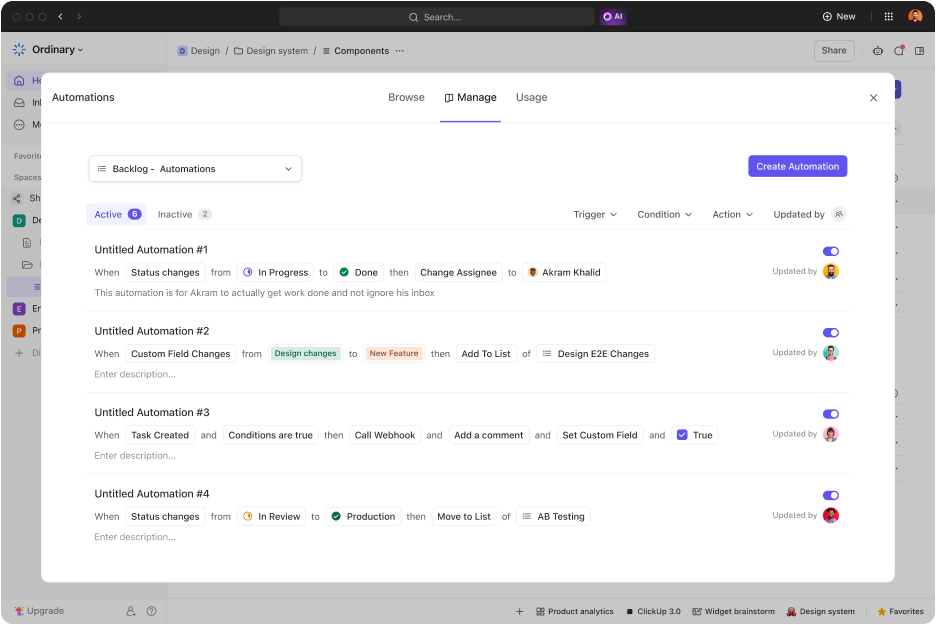
When a blog post reaches “Ready for Review,” ClickUp automatically assigns it to her editor. Once the editor moves it to “Approved,” automation notifies the design team to create social media graphics.
Finally, when the post is marked “Published,” Automation kicks off notifications for the social media and email marketing teams to begin promotions.
💡 Pro Tip: Automation can also help keep your content fresh and optimized. For example, the team here at ClickUp uses automation to trigger an optimization workflow for all published blogs that aren’t ranking 30 days after their publish date.
6. ClickUp SEO content brief template
To help you get started, we recommend using ClickUp’s SEO Content Brief Template.

This ready-to-use, fully customizable Doc has everything you need to outline target keywords, identify audience needs, and ensure your content is optimized for search engines.
You’ll cover all the essentials—target keywords, content goals, copy style, and even SEO requirements. It’s your go-to resource for crafting content that drives organic traffic while meeting all the SEO checkboxes.
Simultaneously, with the ClickUp Content Writing Template, you can simplify the entire writing process—from planning and prioritizing tasks to organizing project details in a collaborative workspace.
Meanwhile, the ClickUp Content Calendar Template will plan, schedule, and manage content distribution.
Also Read: 10 Best Content Calendar Software Tools
Summarize this article for me pleaseContent Brief Examples
Here are four successful content brief examples created by ClickUp Brain that can give you an idea of what an effective outline looks like.
Example 1:
Title: How to Build a Winning B2B Sales Strategy
Objective: Guide sales managers and executives through developing a strategic B2B sales plan to increase conversions and revenue
Target Audience:
- Sales managers
- Sales executives
- Business development professionals
- B2B marketers
Outline:
- Introduction to B2B sales strategy
- Definition and importance of a B2B sales strategy
- Overview of the benefits of having a structured sales plan
- Understanding your market and customers
- Conducting market research to identify target customers
- Analyzing customer needs and pain points
- Segmenting the market for tailored approaches
- Setting clear sales goals and objectives
- Importance of setting SMART goals (Specific, Measurable, Achievable, Relevant, Time-bound)
- Aligning sales goals with overall business objectives
- Developing a value proposition
- Crafting a compelling value proposition that resonates with B2B buyers
- Differentiating your offerings from competitors
- Building a strong sales team
- Recruiting and training sales talent
- Fostering a culture of continuous learning and improvement
- Creating a sales process and pipeline
- Designing a step-by-step sales process
- Managing and optimizing the sales pipeline for efficiency
- Leveraging technology and tools
- Utilizing CRM systems and sales automation tools
- Analyzing data to drive sales decisions
- Implementing sales enablement strategies
- Providing sales teams with the resources and training they need
- Aligning sales and marketing efforts for better results
- Measuring and analyzing sales performance
- Key metrics to track sales performance
- Using analytics to refine and improve the sales strategy
- Adapting to market changes
- Staying agile and responsive to market trends
- Continuously updating the sales strategy based on feedback and results
Call to action:
Encourage readers to assess their current sales strategy and consider implementing the outlined steps to enhance their B2B sales success.
Tone and Style:
- Professional and informative
- Engaging and motivational
- Use of real-world examples and case studies
Length:
Approximately 1,500 – 2,000 words
Keywords:
B2B sales strategy, sales plan, sales goals, sales process, sales enablement, CRM, sales performance
📜 Note: The best part is the auto-suggestions available through ClickUp Brain, which can generate helpful follow-ups such as:
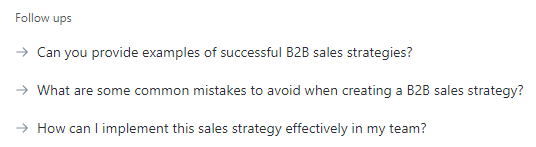
These follow-ups streamline the content creation process, helping you refine your brief for maximum impact and ensuring your team has all the guidance they need!
Example 2:
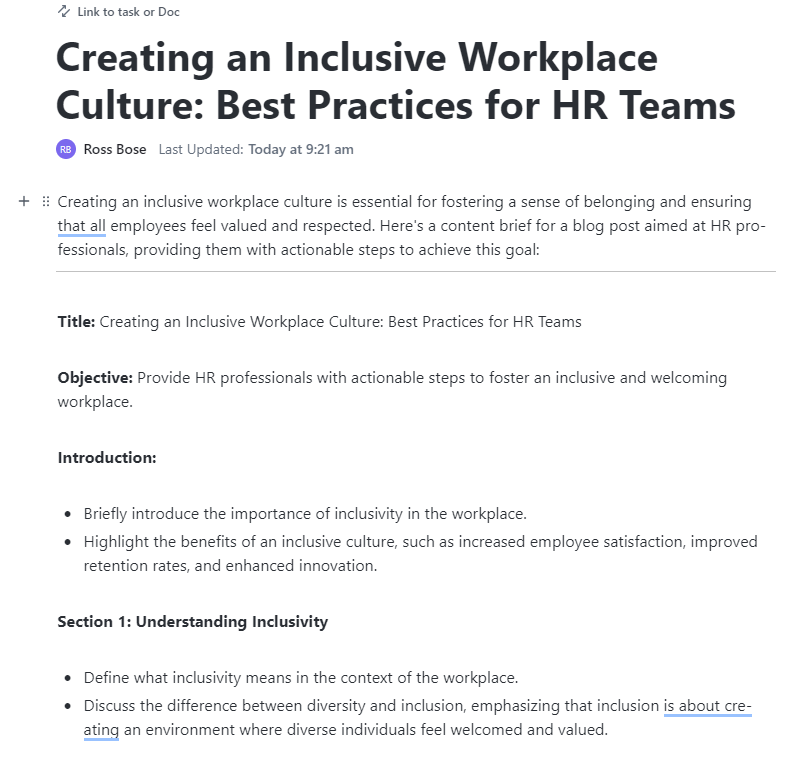
Title: Creating an Inclusive Workplace Culture: Best Practices for HR Teams
Objective: Provide HR professionals with actionable steps to foster an inclusive and welcoming workplace.
Introduction:
- Briefly introduce the importance of inclusivity in the workplace
- Highlight the benefits of an inclusive culture, such as increased employee satisfaction, improved retention rates, and enhanced innovation
Outline:
a. Understanding inclusivity
- Define what inclusivity means in the context of the workplace
- Discuss the difference between diversity and inclusion, emphasizing that inclusion is about creating an environment where diverse individuals feel welcomed and valued
b. Assessing the current workplace culture
- Provide tips on how HR teams can assess their current workplace culture
- Suggest conducting surveys, focus groups, and interviews to gather employee feedback
- Highlight the importance of identifying areas where inclusivity can be improved
c. Developing an inclusive strategy
- Outline steps for creating a comprehensive inclusivity strategy
- Emphasize the need for setting clear goals and objectives
- Discuss the importance of gaining leadership buy-in and support
d. Implementing inclusive practices
- Provide actionable steps for implementing inclusive practices, such as:
- Establishing employee resource groups (ERGs)
- Offering diversity and inclusion training programs
- Creating mentorship and sponsorship opportunities for underrepresented groups
- Ensuring equitable hiring and promotion practices
e. Fostering an inclusive environment
- Discuss ways to create a welcoming environment, such as:
- Encouraging open communication and feedback
- Celebrating diverse cultures and traditions
- Providing flexible work arrangements to accommodate different needs
f. Measuring and sustaining inclusivity
- Explain how to measure the success of inclusivity initiatives
- Suggest using metrics such as employee engagement scores, retention rates, and diversity representation
- Highlight the importance of continuous improvement and adapting strategies as needed
Conclusion:
- Reinforce the importance of inclusivity in the workplace
- Encourage HR professionals to take proactive steps in fostering an inclusive culture
- Provide a call to action for HR teams to start implementing these best practices today
Example 3:
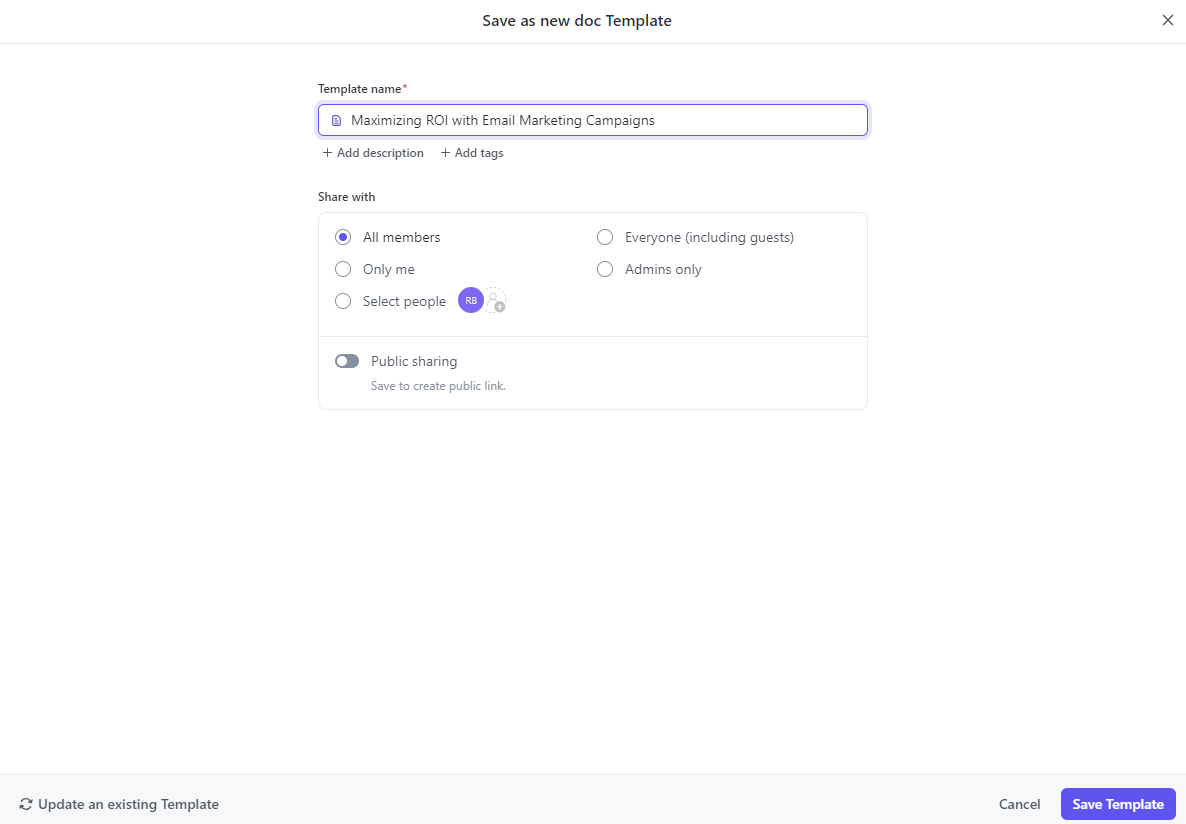
Title: Maximizing ROI with Email Marketing Campaigns: Strategies for Success
Objective: To provide actionable insights and strategies for businesses to create high-converting email marketing campaigns that effectively engage leads and retain customers, ultimately maximizing their return on investment (ROI).
Target audience:
Business owners, marketing professionals, and digital marketers looking to enhance their email marketing efforts and improve campaign performance.
Tone and style:
Informative, professional, and engaging. Use clear and concise language with practical examples and tips.
Outline:
- Introduction
- Briefly introduce the importance of email marketing in today’s digital landscape
- Highlight the potential ROI benefits of well-executed email campaigns
- State the purpose of the blog post: to provide strategies for maximizing ROI
- Understanding your audience
- Discuss the importance of audience segmentation
- Explain how to create buyer personas for targeted messaging
- Provide tips on gathering and analyzing customer data
- Crafting compelling content
- Explain the elements of a high-converting email (subject lines, body content, CTAs)
- Share best practices for writing engaging and personalized content
- Include examples of successful email campaigns
- Design and user experience
- Discuss the role of email design in capturing attention and driving action
- Provide tips on mobile optimization and responsive design
- Highlight the importance of A/B testing for design elements
- Automation and personalization
- Explain the benefits of using automation tools for email marketing
- Discuss strategies for personalizing emails at scale
- Provide examples of automated email workflows (e.g., welcome series, cart abandonment)
- Measuring success and optimizing campaigns
- Outline key metrics to track for email marketing success (open rates, click-through rates, conversion rates)
- Discuss how to analyze campaign performance and identify areas for improvement
- Provide tips on testing and iterating for continuous optimization
Conclusion
- Summarize the key points discussed in the post
- Reinforce the importance of strategic planning and execution in maximizing ROI
- Encourage readers to implement the strategies shared and monitor their results
Call to action:
- Invite readers to share their experiences or questions in the comments
- Encourage readers to subscribe to the blog for more marketing insights
Example 4:
Title: Budgeting for Growth: A Guide to Financial Planning for Small Businesses
Objective: To provide small business owners with strategies and insights on effective financial planning and budgeting to support business growth and sustainability.
Target audience: Small business owners, entrepreneurs, and financial managers looking to improve their budgeting and financial planning processes.
Tone and style: Informative, practical, and supportive. Use clear language with actionable advice and real-world examples.
Outline:
- Introduction
- Introduce the importance of financial planning for small businesses
- Highlight the benefits of effective budgeting in achieving business growth
- State the purpose of the guide: to offer practical budgeting strategies
- Understanding financial planning
- Define financial planning and its role in business success
- Discuss the key components of a financial plan
- Explain the importance of setting financial goals
- Creating a budget
- Outline the steps to create a comprehensive business budget
- Discuss different budgeting methods (e.g., zero-based, incremental)
- Provide tips on forecasting revenue and expenses
- Managing cash flow
- Explain the significance of cash flow management
- Offer strategies for maintaining positive cash flow
- Discuss tools and techniques for cash flow analysis
- Monitoring and adjusting the budget
- Highlight the importance of regular budget reviews
- Provide tips on adjusting the budget based on performance
- Discuss how to handle unexpected financial challenges
- Conclusion
- Summarize the key points discussed
- Reinforce the importance of strategic financial planning
- Encourage readers to implement the strategies shared and monitor their results
- Call to action:
- Invite readers to share their budgeting experiences or questions in the comments
- Encourage readers to subscribe to the blog for more financial insights
Summarize this article for me pleaseTips for Writing an Effective Content Brief
Here are five best practices to ensure your briefs are as effective as possible:
- Provide a detailed overview: Include essentials like a tentative title, a short description, an outline with main headings, target audience, and desired word count to guide writers right from the start
- Specify the target audience: Craft a clear audience persona so the writer knows exactly who they’re speaking to; include demographic details, pain points, and interests for better message alignment
- Set clear word count expectations: Outline a recommended word count based on competitor analysis and the depth needed to cover the topic without unnecessary fluff; this helps balance quality and SEO needs
- Include SEO essentials: Provide primary and secondary keywords, suggested internal links, and guidance on content structure to help writers meet SEO requirements effortlessly
- Use a style guide: Reference a style guide or provide tone and voice instructions to maintain consistency with your brand’s voice across all content
Summarize this article for me pleaseCommon Mistakes to Avoid in Content Briefs
Avoid these pitfalls to keep your content briefs on track:
- Skipping audience research: Crafting content without a clear audience in mind results in generic or misaligned messaging
- Vague objectives: Failing to clarify the goal of the content can leave writers confused and affect content effectiveness
- Lack of competitor analysis: Not checking competitors may cause your content to miss key insights or fail to rank well
- Forgetting SEO guidelines: Without specific SEO directions, you risk missing out on optimization and potential rankings
- Inconsistent style guidelines: Content without a defined style can feel off-brand or jarring to readers
💡 Pro Tip: With ClickUp Chat, gathering feedback is seamless. Use @mention to call out specific team members for quick responses, and assign comments to teammates to make sure every piece of feedback is tracked and followed up within the task.
Summarize this article for me pleaseBrief-ly Speaking: ClickUp’s Content Briefs Win Every Time
There are currently 600 million blogs competing across 1.9 billion websites globally.
With 7.5 million blog posts published daily, the content space is crowded—and that’s an understatement!
To keep your content fresh, high-quality, and in sync with search intent, content briefs are your golden ticket, especially when crafted with ClickUp.
ClickUp’s features ensure that each brief is built with the reader’s needs, SEO, and user value in mind.
Moreover, ClickUp’s AI can easily tap into other ongoing workspaces to ensure the tone and style consistently match your brand voice across all content.
Ready to create high-impact content easier than ever? Create an account on ClickUp for free!


Everything you need to stay organized and get work done.

Recent Articles
Marketing Agency Productivity: Where Your Margin Actually Goes 
Marketing Agency Productivity: Where Your Margin Actually Goes
Claude Skills for Writing: How to Build One That Actually Fires 
Claude Skills for Writing: How to Build One That Actually Fires
How Marketing Agencies Can Use Claude (Without Wasting It)
How Marketing Agencies Can Use Claude (Without Wasting It)
