






Still downloading templates?
There’s an easier way. Try a free AI Agent in ClickUp that actually does the work for you—set up in minutes, save hours every week.
Sorry, there were no results found for “”
Sorry, there were no results found for “”
Sorry, there were no results found for “”

Most teams don’t realize their transcription tool is creating a second problem: meeting notes trapped in one app while the actual work lives in another. With most conversations needing to be recorded and analyzed, teams need transcription tools that actually integrate with their workflow rather than adding to the growing pile of disconnected apps.
This guide walks you through 10 Clipto AI alternatives that solve different pain points—from real-time collaboration to professional-grade accuracy—so you can find the tool that actually fits your workflow instead of forcing you to work around it.
Clipto AI alternatives are tools that use artificial intelligence for speech-to-text conversion, meeting note generation, and audio transcription, serving as a replacement when Clipto.ai doesn’t meet your needs. You might be looking for an alternative if you’re part of a product team that needs meeting notes to flow directly into your project plans, a content creator who needs to edit audio by editing text, or a legal professional requiring guaranteed accuracy. Often, the search for an alternative starts because of a core pain point: your current tool is a dead end for information.
The frustration builds when you realize your meeting transcripts are isolated in one app while your tasks and projects live somewhere else entirely. This disconnect forces you to manually copy and paste action items, decisions, and notes, creating Context Sprawl—when teams waste 25% of their workweek searching for the information they need across disconnected apps, hunting down files, and repeating the same updates across multiple platforms—that wastes time and increases the risk of errors. Important follow-ups get lost in the shuffle, and team alignment suffers because there’s no single source of truth.
The right AI-powered transcription tool solves this by making transcription part of a connected workflow, not a standalone output.
Before you choose a replacement for Clipto.ai, think about what your team truly needs:
| Tool | Best for | Best features | Pricing |
|---|---|---|---|
| ClickUp | Teams wanting transcription integrated with project management Team size: Small teams to enterprise | AI Notetaker, Brain, Clips, task creation from notes, automations, unified workspace | Free forever; Customization available for enterprises |
| Otter.ai | Real-time meeting transcription and collaboration Team size: Small to mid-sized teams | Live transcription, speaker ID, AI Chat Q&A, collaborative highlights, auto-join | Freemium, Paid plans from $16.99/user/month |
| Fireflies.ai | Sales teams needing CRM integration and conversation intelligence Team size: Revenue teams | Auto-join, AI summaries, topic tracking, CRM sync, searchable archives | Freemium, Paid plans from $18/user/month |
| Descript | Content creators editing podcasts and video with text-based editing Team size: Creators, marketing teams | Text-based editing, Overdub, Studio Sound, multitrack editing, exports | Freemium, Paid plans from $24/user/month |
| Transkriptor | Multilingual transcription across global teams Team size: International teams | 100+ languages, auto-translation, speaker ID, upload-based transcription | Free tier, Paid plans from $9.99/month |
| Rev | Professional-grade accuracy with human transcription Team size: Legal, medical, journalism | Human transcription, AI transcription, captions, foreign subtitles | $1.99/min human transcription, Paid plans from $29.99/user/month |
| Happy Scribe | Subtitle and caption creation workflows Team size: Video teams and creators | Subtitle editor, multi-format exports, human transcription, translation | Free tier, Paid plans from $17/month |
| Fathom | Sales teams wanting free unlimited recording with CRM sync Team size: Startups, SMBs | Unlimited recording, AI highlights, CRM sync, instant summaries | Free Forever, Paid plans from $18/user/month |
| Tactiq | Browser-based transcription without meeting bots Team size: Privacy-conscious teams | Chrome extension, real-time sidebar transcript, AI prompts, exports | Freemium, Paid plans from $12/user/month |
| Whisper (OpenAI) | Developers and privacy-focused teams needing local transcription Team size: Technical teams | Local processing, multilingual transcription, open-source, offline use | Free (open-source), API from $0.006/min |
Our editorial team follows a transparent, research-backed, and vendor-neutral process, so you can trust that our recommendations are based on real product value.
Here’s a detailed rundown of how we review software at ClickUp.
The following tools represent the best Clipto AI alternatives across different use cases. Each is evaluated based on transcription accuracy, integration capabilities, AI features, and team collaboration functionality to help you find the perfect fit for your workflow.

Is your team tired of meeting notes getting lost in one app while the actual work happens in another? This tool sprawl is a major productivity killer, forcing you to constantly switch tabs and manually copy-paste action items from transcripts into your project management tool. This tedious process is not only slow but also ripe for human error, leading to missed deadlines and misaligned teams.
Keep your team focused and organized by bringing transcription directly into your projects with ClickUp, the converged AI workspace. Stay fully engaged in your Zoom, Google Meet, or Microsoft Teams calls thanks to the ClickUp AI Notetaker. Never miss a detail in your meetings—ClickUp AI Notetaker automatically joins, records, and transcribes your calls, identifying speakers and generating concise, AI-powered summaries.
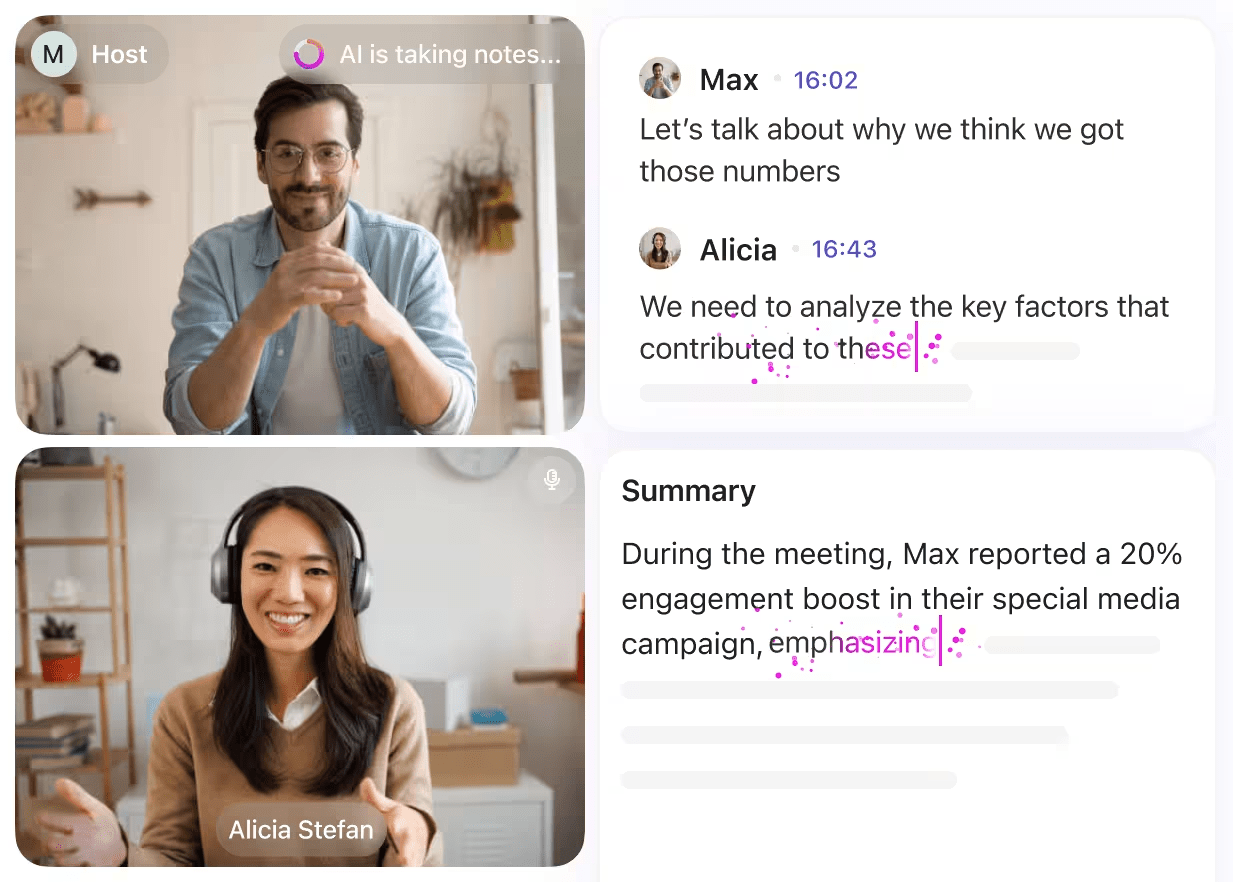
Keep your team aligned after every call by having transcripts, summaries, and action items automatically synced into your ClickUp Workspace as a private Doc. Turn static notes into searchable, actionable knowledge with ClickUp Brain. Get instant answers about any past meeting, as ClickUp Brain pulls information from transcripts, related tasks, and connected documents.
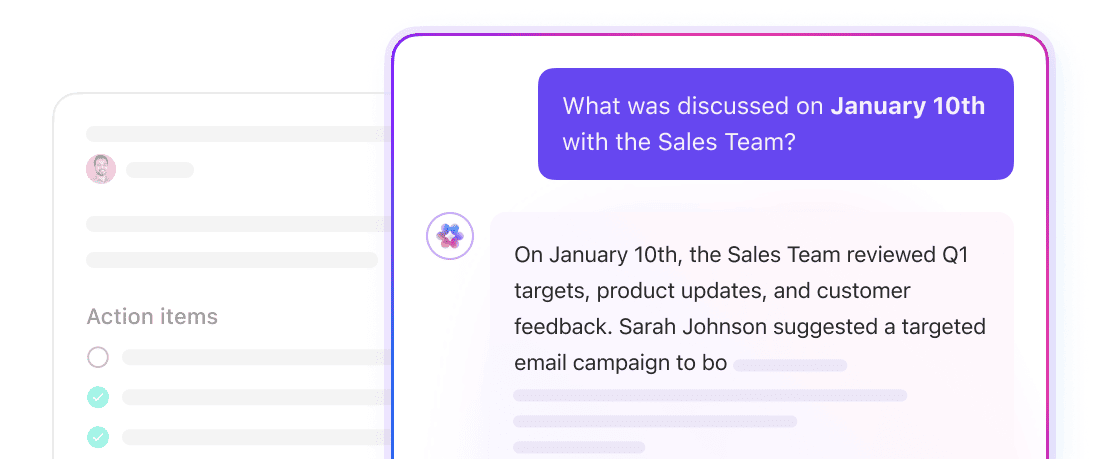
This creates a single source of truth, ensuring decisions made in meetings translate directly into project progress.
Pros:
Cons:
Here’s what a G2 reviewer has to say about ClickUp.
After trying different platforms throughout my career as a Project Manager, I can say that ClickUp has become my favorite. It is a very comprehensive tool that allows me to organize all my projects in one place thanks to its multiple spaces, boards, and customizable views.
I not only keep track of tasks, but also of suppliers, campaigns, and documentation, which gives me an integral view of everything I manage. One of the sections I value the most is the documents, where I have all the meeting minutes centralized, which prevents me from relying on scattered files.
I am particularly in love with the AI Notetaker function: as a PM, this feature is pure gold. I can focus on the session without being distracted by taking notes, as the system generates clear summaries with key points, both in short meetings and in long ones where it is difficult to follow the entire thread….
📮ClickUp Insight: We found that 27% of survey respondents use digital notepads for meetings, while only 12% use AI note-takers.
This gap is striking because 64% of respondents struggle with unclear next steps in nearly half their meetings.
ClickUp AI Notetaker transforms meeting follow-up! Automatically capture every important detail, clearly identify action items, and instantly assign tasks to team members—eliminating those frustrating “What did we decide?” follow-ups.💫 Real Results: Teams using ClickUp’s meeting management features report a whopping 50% reduction in unnecessary conversations and meetings!
Ever been in a fast-paced meeting where it feels impossible to take detailed notes and actively participate? You’re either frantically typing and missing the nuances of the conversation, or you’re contributing but walking away with a fuzzy memory of what was decided. This forces you to chase down colleagues after the fact to fill in the gaps, wasting everyone’s time.
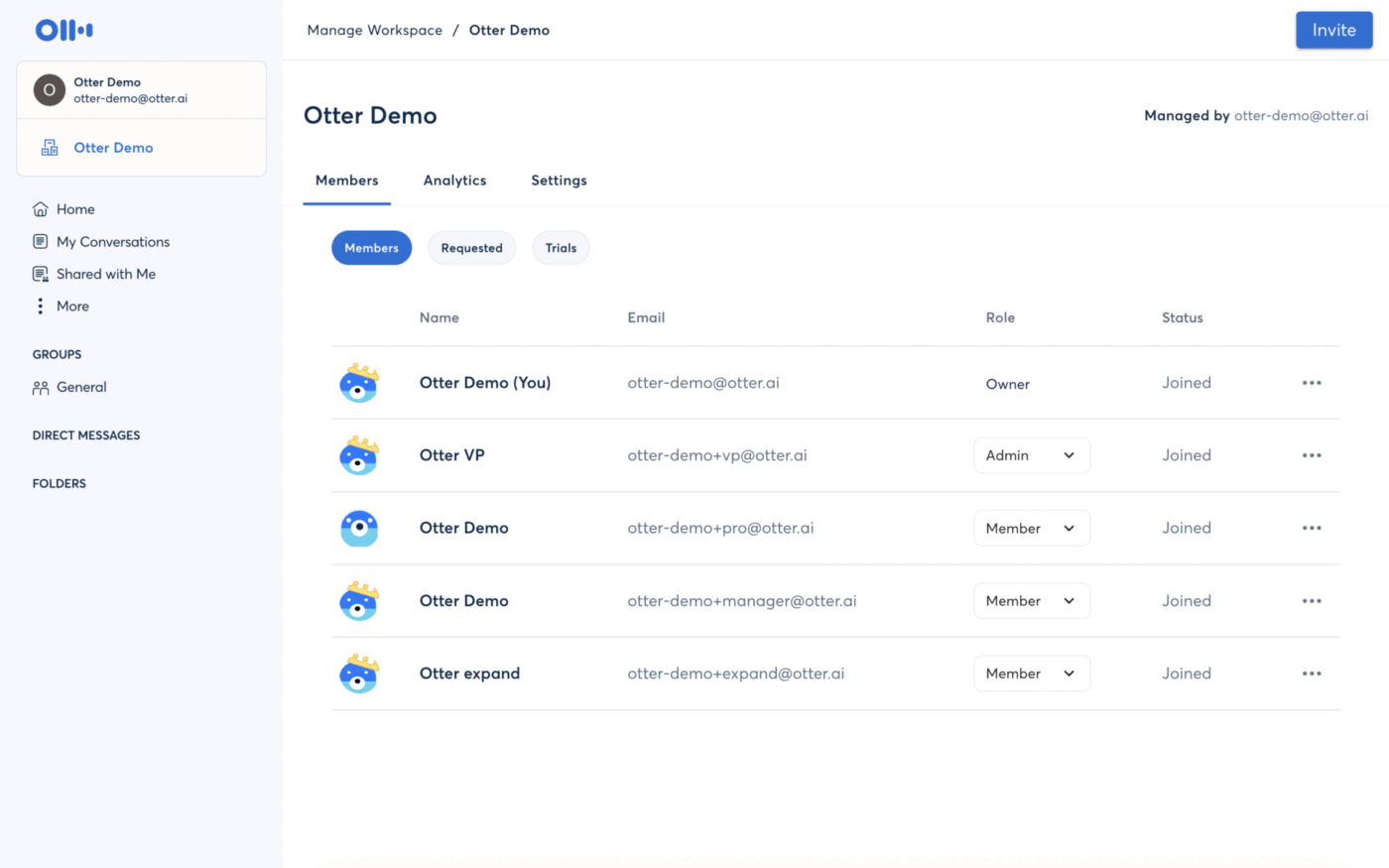
Otter.ai solves this by providing excellent real-time transcription. Its OtterPilot feature automatically joins your meetings on major platforms and generates a live, running transcript that all participants can follow. This allows you to stay present and engaged in the discussion, knowing that every word is being captured accurately.
During the meeting, you and your teammates can collaboratively highlight key moments, add comments, and assign action items directly within the transcript. After the meeting, the Otter AI Chat assistant lets you ask questions about the content and get instant answers. While Otter excels at capturing conversations, keep in mind that you’ll still need a separate project management tool to track the work that comes out of these meetings.
Pros:
Cons:
Free plan: Basic (Free forever)
Pro: $16.99/user/month
Business: $30/user/month
Enterprise: Custom
Here’s what a G2 reviewer has to say about Otter.ai.
Otter consistently joins meetings on time and reliably, making it a dependable tool for our team. Its ability to capture clear and accurate summaries allows us to revisit important points without needing to watch the whole recording again. I also find the screenshot feature particularly helpful, as it automatically captures key moments and makes sharing highlights with attendees simple. This has greatly improved our team’s organization and saves us time after each call. Additionally, Otter integrates smoothly with Google Calendar, so meetings are joined automatically without any manual effort.
Your sales team conducts dozens of calls every day—with teams now joining 192% more meetings than in 2020—but where do all the valuable insights from those conversations go? Too often, they’re trapped in recordings, forcing reps to spend hours on manual data entry to log call notes in your CRM. This leads to lost context, missed follow-up opportunities, and a sales team that’s spending more time on admin work than on selling.
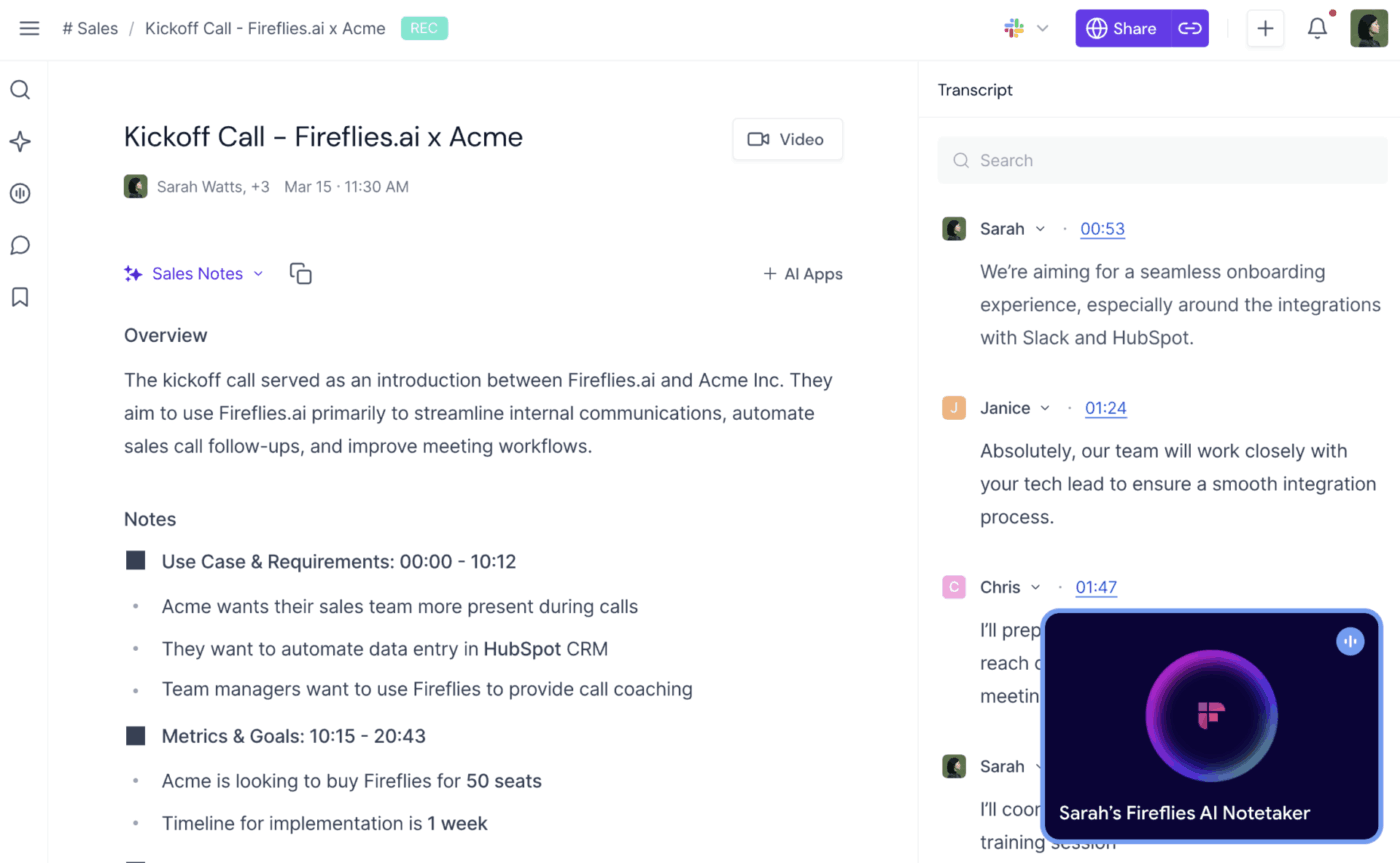
Fireflies.ai is designed to solve this specific pain point for revenue teams. It’s more than just a transcription tool; it’s a conversation intelligence platform that analyzes sales calls to identify customer objections, competitor mentions, and sentiment patterns. The Fred AI assistant automatically joins, records, and transcribes meetings, then generates summaries with key topics and action items.
The real power of Fireflies.ai lies in its deep CRM integrations. It automatically pushes meeting notes, transcripts, and action items to your records in Salesforce, HubSpot, and other popular CRMs. This creates a complete, automated history of every customer interaction, freeing up your sales team to focus on building relationships and closing deals.
Pros:
Cons:
Free plan: Free forever
Pro: $18/seat/month
Business: $29/seat/month
Enterprise: $39/seat/month
Here’s what a G2 reviewer has to say about Fireflies.ai.
My organisation has been using this tool for nearly a year, and as a team lead, I often can’t attend multiple client calls at the same time. Fireflies makes it much easier for me to review conversation recordings and fully understand what was discussed. It also assists me in evaluating the quality of calls, so I can follow up with clients if a call did not meet their expectations. Additionally, it enables me to have more productive discussions with my subordinates and provide them with feedback on areas where they can improve their communication skills.
If you’ve ever recorded a podcast or video, you know the real work begins after you hit “stop.” You’re faced with hours of tedious audio or video editing, trying to navigate complex software, manually cut out “ums” and “ahs,” and re-record sections to fix simple mistakes. This post-production nightmare can take longer than the recording itself and is a major barrier for many aspiring creators.
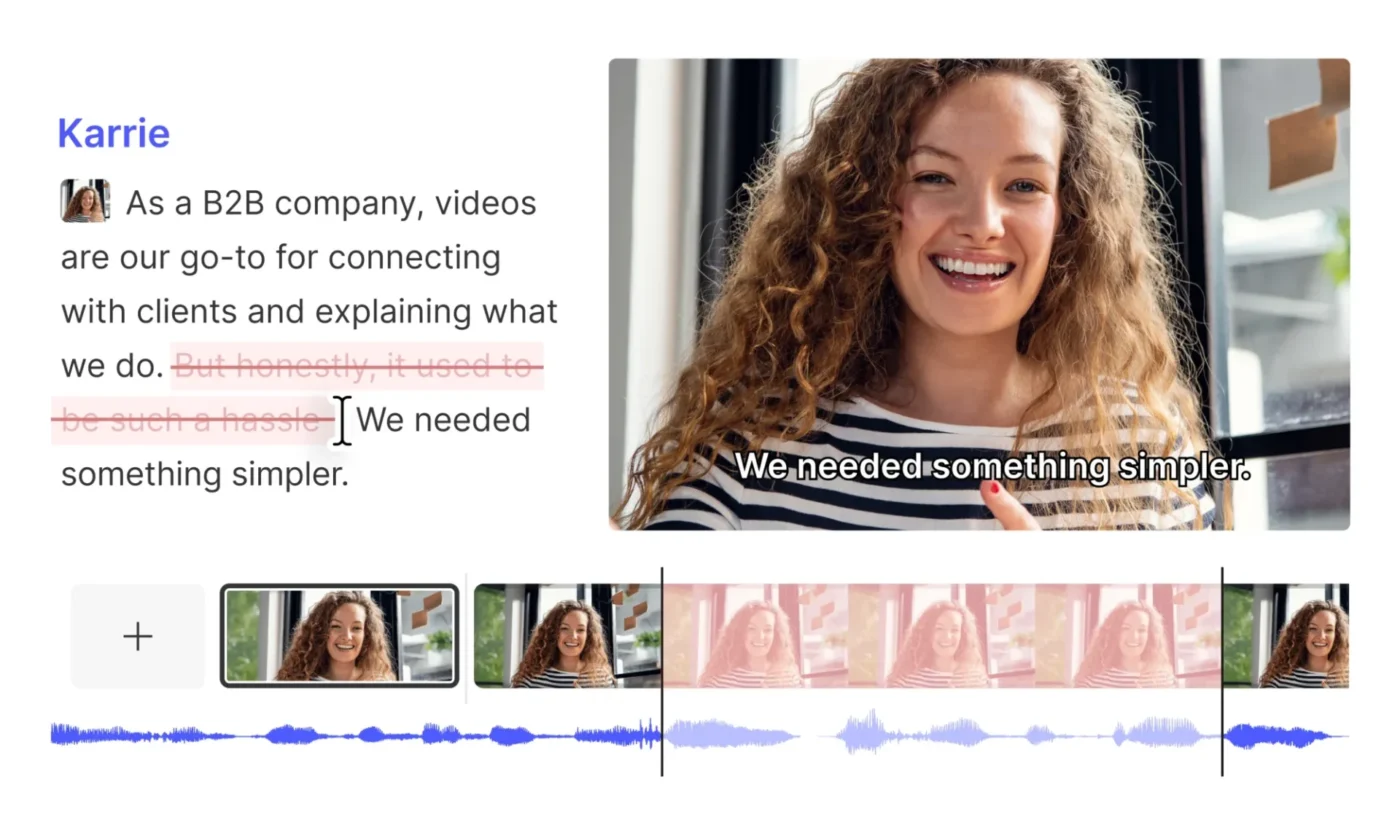
Descript is the Clipto AI alternative built for creators who need to edit their content, not just transcribe it. It revolutionizes the editing process by treating your audio and video like a text document. To edit your media, you simply edit the transcript; deleting a word removes it from the audio, and rearranging a sentence reorders the corresponding video clip.
This makes editing accessible to anyone who can use a word processor. Descript also includes powerful AI features like Overdub, which lets you clone your voice to fix mistakes without re-recording, and Studio Sound, which enhances audio quality with a single click. It’s a complete production suite for all types of content creators, including podcasters, YouTubers, and marketing teams.
Pros:
Cons:
Free plan
Hobbyist: $24/person/month
Creator: $35/person/month
Business: $65/person/month
Enterprise: Custom
Here’s what a G2 reviewer has to say about Descript.
I like how easy it is to drop in a video and audio in Descript. It speeds up the process and provides a great beginning of a post or the details, which I can then build upon with my own knowledge. It’s really handy for creating transcripts and LinkedIn posts, and I also use it for generating highlights from podcasts. The initial setup was easy, making the whole experience smooth.
When your team operates globally, language barriers can be a huge obstacle. Conducting interviews, holding meetings, and analyzing customer feedback in multiple languages often requires a patchwork of expensive services and unreliable translation tools. This slows down your workflow and can lead to valuable insights from international markets being delayed or lost entirely.
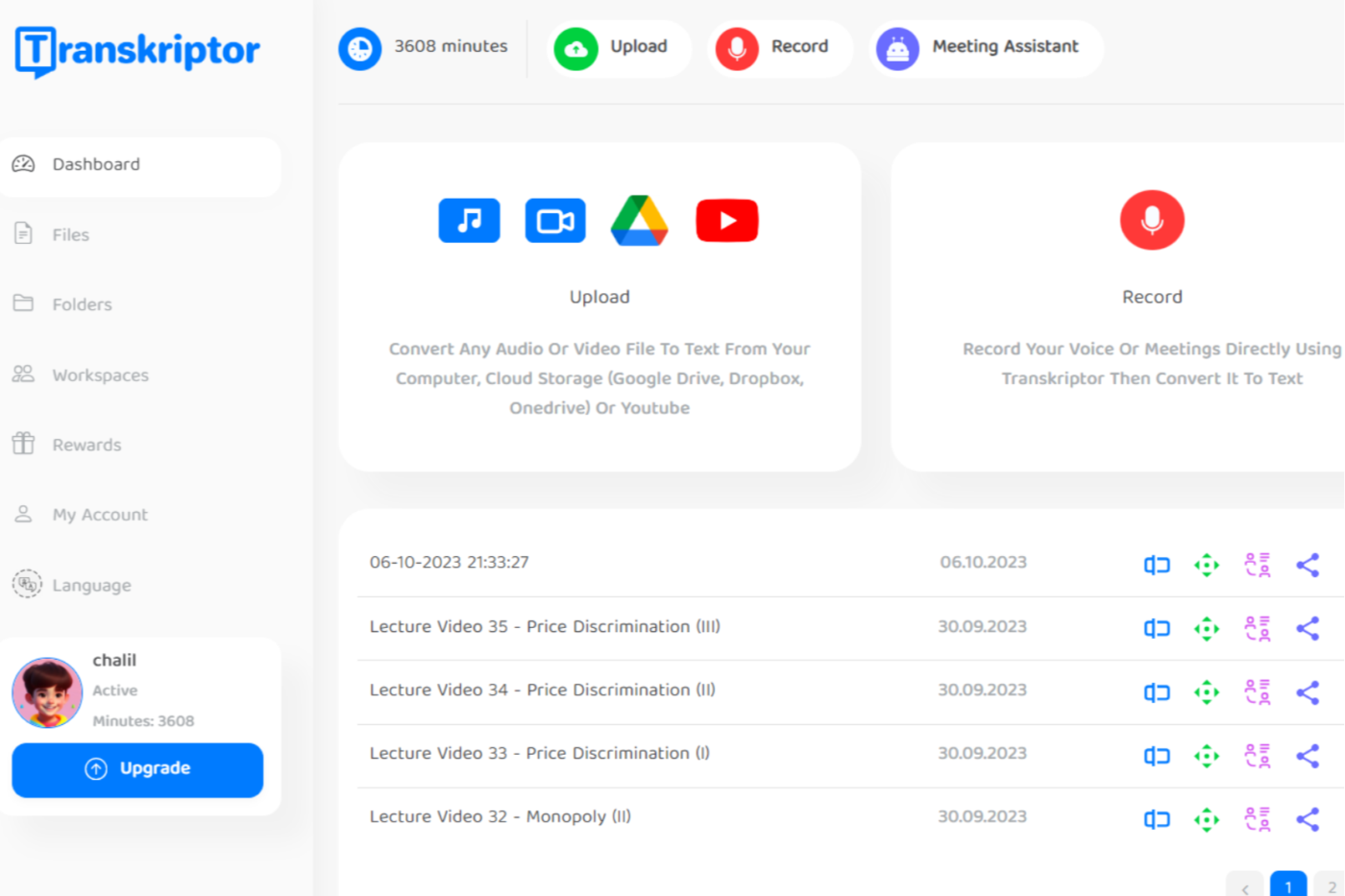
Transkriptor is the Clipto AI alternative designed for teams working across these language barriers. It supports transcription for over 100 languages, making it a powerful tool for international organizations and researchers. You can upload pre-recorded audio or video files or record directly in the platform to get a transcript.
The platform also includes an automatic translation feature, allowing you to convert a transcript from one language to another without leaving the app. While it’s not a substitute for professional human translation, it provides a solid starting point for understanding content in unfamiliar languages. Speaker identification further helps by distinguishing between multiple voices in a conversation, which is essential for organizing multilingual interviews or panel discussions.
Pros:
Cons:
Free plan
Lite: $9.99/month
Pro: $19.99/month
Team: $30/month/seat
Here’s what a G2 reviewer has to say about Transkriptor.
Transkriptor is incredibly useful for converting audio recordings into text quickly and accurately. I work with interviews and meeting recordings regularly, and this tool saves me a lot of time. The interface is simple and easy to use, and I really appreciate how well it handles different accents and speech clarity. It’s become an essential part of my workflow.
For some professions, “good enough” accuracy isn’t an option. If you’re a lawyer preparing for a deposition, a doctor documenting patient notes, or a journalist quoting a source, a single incorrect word in a transcript can have serious legal or ethical consequences. Standard AI transcription tools, while impressive, can’t provide the near-perfect accuracy required for these high-stakes situations.
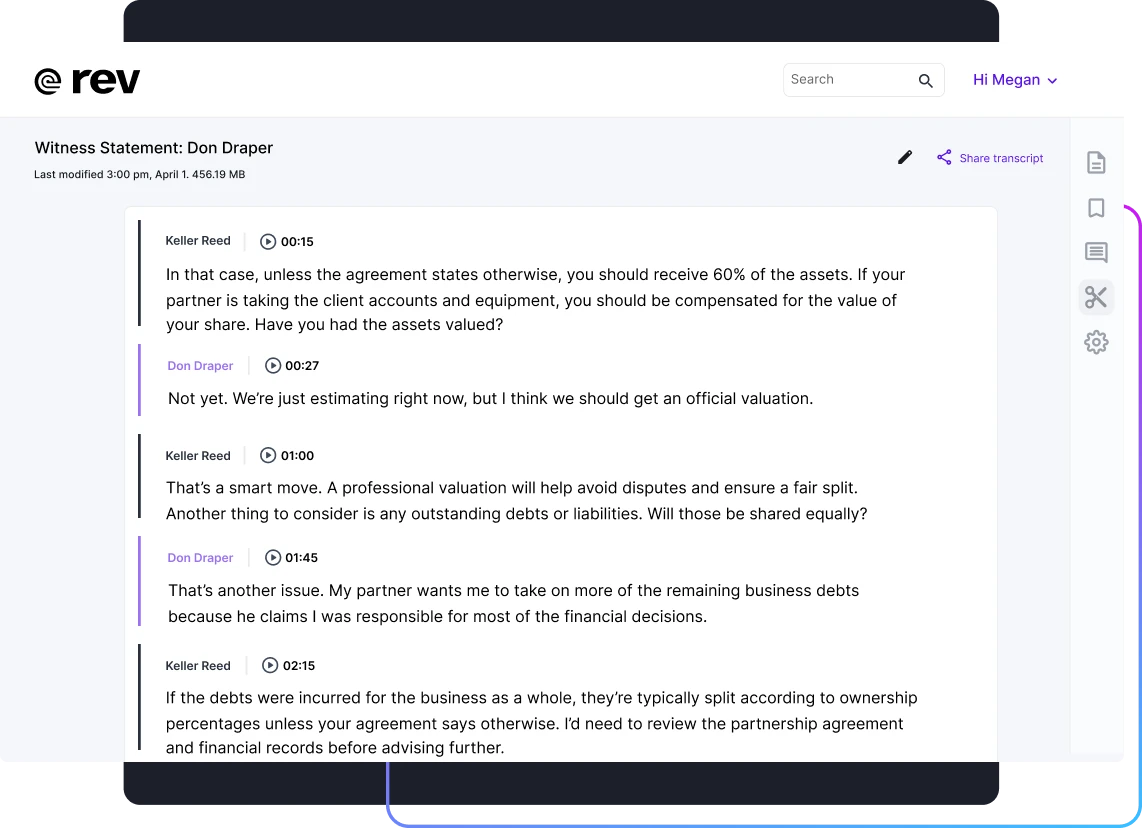
Rev is the Clipto AI alternative for users who cannot compromise on accuracy. It stands out by offering a human-powered transcription service alongside its AI option. When you choose human transcription, a network of professional transcriptionists reviews your audio to deliver a transcript with a 99% accuracy guarantee. This provides the peace of mind needed for the best video transcription AI for lawyers and other professionals.
While human transcription costs more and takes longer than AI, it’s the only way to ensure verbatim accuracy for complex audio with multiple speakers, technical jargon, or poor recording quality. Rev also offers caption and subtitle services, making it a comprehensive solution for professional-grade transcription and video accessibility.
Pros:
Cons:
Free plan
Essentials: $29.99/seat/month
Pro: $59.99/seat/month
Unlimited: Custom
Pay-as-you-go (human transcription): $1.99/min
Here’s what a G2 reviewer has to say about Rev.
Rev is one of the smoothest transcription platform available in the market. This software completely works online and has accuracy of more than 95%. We generally use it to convert our video and audio files into text based content and also add subtitle to them when needed.
You’ve finished editing your video, but now comes the tedious part: creating subtitles. Manually timing each line of dialogue, formatting it correctly, and exporting it as an SRT or VTT file is a time-consuming process that video creators dread. This friction often leads to videos being published without captions, making them inaccessible to a large portion of potential viewers.
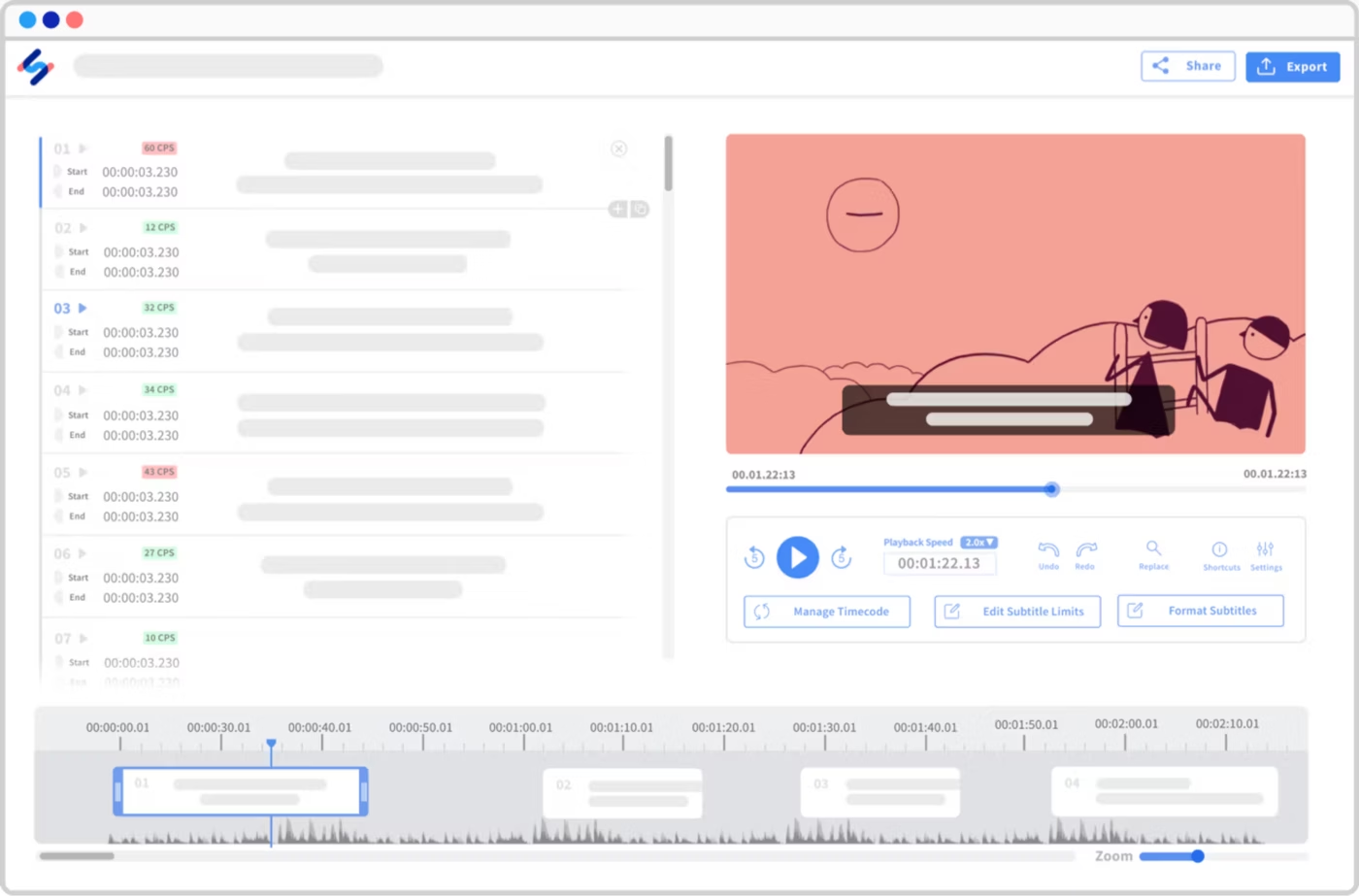
Happy Scribe is the Clipto AI alternative built specifically to solve this problem. It’s optimized for video professionals who need to create subtitles and captions, not just get a raw transcript. The platform combines AI transcription with a purpose-built subtitle editor that streamlines the entire captioning workflow.
After transcribing your video, you can use Happy Scribe’s interactive editor to fine-tune the timing, split or merge subtitle segments, and preview your changes in real-time. The editor handles all the technical formatting, so you can focus on readability and style. Once you’re done, you can export your subtitles in all major formats or choose to have them burned directly into your video file.
Pros:
Cons:
Free plan
Basic: $17/month
Pro: $29/month
Business: $89/month
Enterprise: Custom
Here’s what a G2 reviewer has to say about Happy Scribe.
I love how easy HappyScribe is to use, making the initial setup a breeze. It handles a variety of accents effortlessly and provides quick, fuss-free service when adding subtitles to short videos. The AI-generated subtitles are impressively accurate, which saves me time and effort, especially when other apps fail to recognize my file types. I deeply appreciate the efficient download and save features of my final edits, ensuring a smooth workflow. Additionally, the offering of ten free minutes was incredibly helpful, adding to the overall positive experience with HappyScribe.
Your startup or small sales team needs to record and analyze calls to improve performance, but the high subscription costs of most transcription tools are a major roadblock. This leaves you stuck taking manual notes, losing valuable coaching opportunities, and letting important customer insights slip through the cracks simply because you can’t afford the right software.
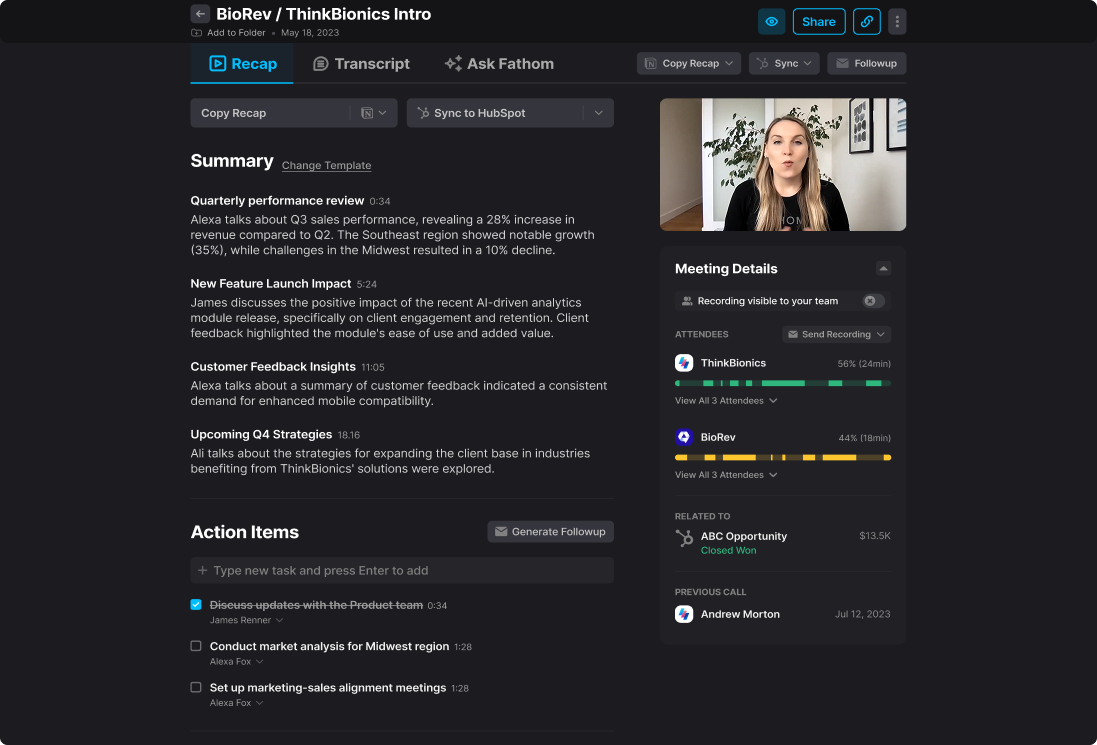
Fathom breaks down this cost barrier by offering unlimited meeting recording and transcription completely free. It’s the Clipto AI alternative for sales teams who need powerful features without the enterprise price tag. Fathom’s AI automatically generates summaries and highlights key moments in your calls, such as questions, objections, and action items, allowing reps and managers to review conversations efficiently.
Beyond its generous free offering, Fathom provides native CRM integrations with Salesforce and HubSpot. This means meeting summaries and call notes are automatically logged to the correct contact record, eliminating manual data entry and creating a complete history of every interaction. It gives small teams the sales enablement tools they need to compete.
Pros:
Cons:
Free plan
Premium: $20/user/month
Team: $18/user/month
Business: $28/user/month
Here’s what a G2 reviewer has to say about Fathom.
I came across this tool on a call I had with someone, and explored it as I had been trying out a bunch of other tools. Several of them good but fairly complex to use… This impressed me to try it out, and now it’s a standard on all my calls.
It’s very easy to use, friction free. I don’t have to do much to get it to join meetings, either those on the calendar or those I join impromptu.
You want the benefits of meeting transcription, but your organization’s security policies prohibit third-party bots from joining calls. Or perhaps you just find the “AI Notetaker is joining the meeting” announcement to be disruptive and awkward for your clients. This leaves you in a tough spot, forced to choose between compliance and productivity.
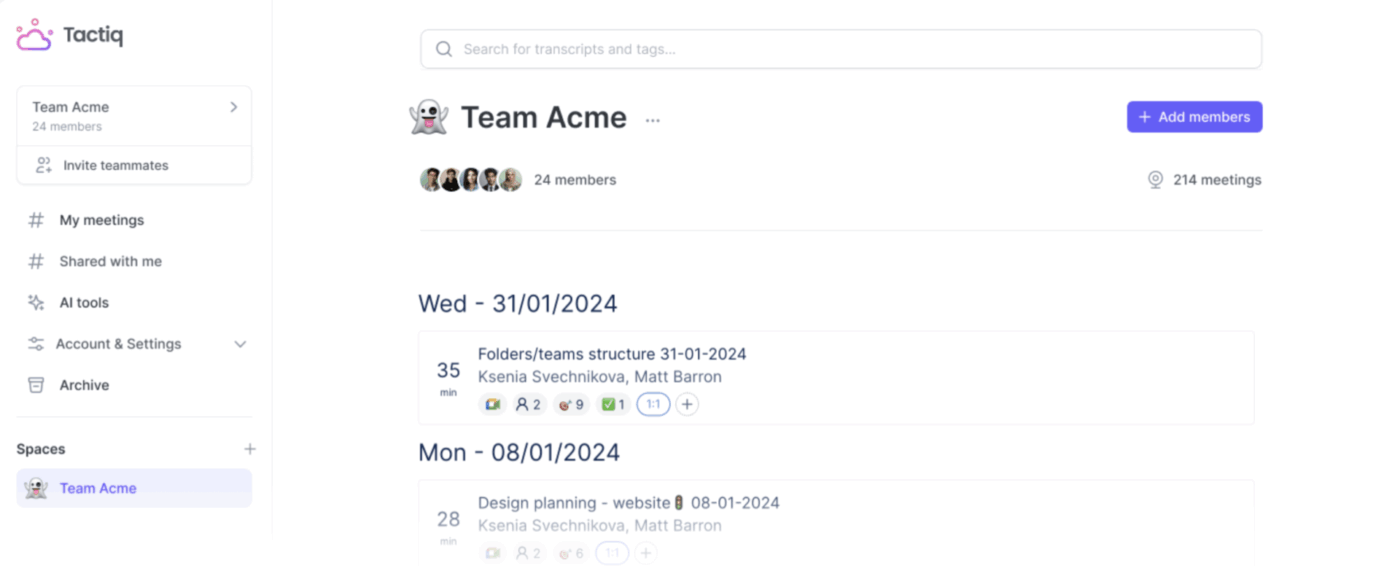
Tactiq offers a clever solution as a lightweight browser extension. Instead of a bot, Tactiq runs directly in your Chrome browser to capture and transcribe your Google Meet and Zoom web calls locally. This approach is more discreet and can bypass security restrictions that block external applications from accessing meetings.
The extension displays a real-time transcript in a sidebar, allowing you to highlight moments and add tags as the conversation happens. After the call, you can use AI prompts to generate summaries and action items, then export the transcript to tools like Google Docs or Notion. While it’s less automated than bot-based alternatives, it’s an excellent choice for privacy-conscious users.
Pros:
Cons:
Free plan
Pro: $12/user/month
Team: $20/user/month
Business: $40/user/month
Enterprise: Custom
Here’s what a G2 reviewer has to say about Tactiq.
Taqtics makes it very easy to capture and summarize Google Meet discussions. The automated transcripts save time and provide a clear record of meetings, which helps with follow-ups and action tracking.
For organizations handling highly sensitive information—such as healthcare data, financial records, or proprietary research—sending audio to a third-party cloud service for transcription is simply not an option, regardless of their security claims. This creates a significant challenge, as it seems to rule out nearly all automated transcription solutions on the market.
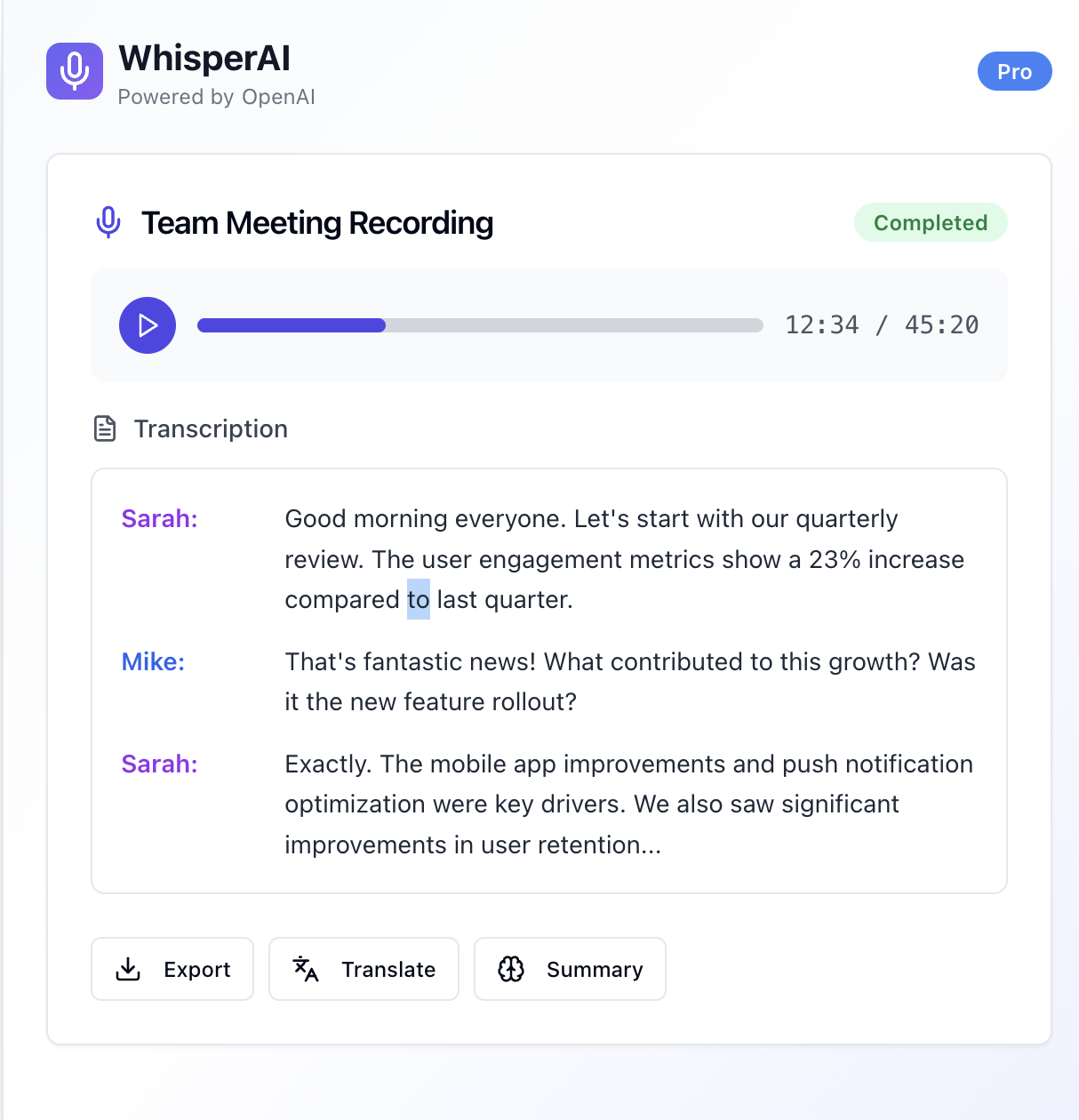
Whisper by OpenAI is the answer for these technical, privacy-focused users. It’s not a polished application but an open-source speech recognition model that you can run entirely on your own hardware. This means your audio data never leaves your control, providing the highest level of data privacy and security possible.
Setting up Whisper requires some technical knowledge, but the payoff is a powerful, accurate transcription system with no ongoing costs. The model supports multiple languages and can even translate audio to English in a single step. An ecosystem of third-party tools has also emerged to make Whisper more accessible to non-developers, offering user-friendly interfaces that run the model locally on your machine.
Pros:
Cons:
Open-source Whisper (local): Free
OpenAI transcription API: $0.006/min
Here’s what a G2 reviewer has to say about Whisper by OpenAI.
Whisper stands out for its user-friendly interface, making it remarkably easy to navigate. Implementing it seamlessly into existing systems is a breeze. The customer support is commendable, addressing queries promptly. Its frequency of use is a testament to its reliability. While boasting a rich set of features, the ease of integration enhances its overall appeal.
You’ve seen ten different tools, and now you might be feeling a bit overwhelmed. The key to choosing the right one isn’t just about comparing feature lists; it’s about understanding your team’s core workflow and identifying the biggest point of friction. Are you struggling to capture notes in real-time, or is the problem what happens after the meeting ends?
The most common pitfall is adopting a point solution that solves one problem but creates another. A great transcription tool is useless if its outputs are siloed from where your team actually works. Choose a solution that connects meeting insights directly to your team’s workflow, so nothing falls through the cracks.
As AI transcription technology becomes a commodity, the real differentiator is how a platform uses that transcript to make your team smarter and more productive. It’s about connecting insights to action. For teams ready to bring transcription, project management, and AI-powered insights into one unified workspace, Get started for free with ClickUp to streamline your workflow.
The best tool depends on your team’s primary needs. Choose a tool with deep project management integration for workflow efficiency, one with live collaboration for real-time note-taking, or one with conversation intelligence for sales coaching.
Yes, many AI transcription tools offer integrations with project management platforms. Some, like ClickUp, have native transcription features, while others, like Fireflies.ai, export notes and ClickUp Tasks to other PM tools.
AI transcription is highly accurate for clear audio but can struggle with technical jargon or heavy accents. For critical content like legal proceedings, human transcription services still provide superior accuracy guarantees.
Several tools offer free tiers suitable for business meetings. Some provide unlimited recording with basic features, while others offer a limited number of free transcription minutes per month for testing.

© 2026 ClickUp

There’s an easier way. Try a free AI Agent in ClickUp that actually does the work for you—set up in minutes, save hours every week.