






Still downloading templates?
There’s an easier way. Try a free AI Agent in ClickUp that actually does the work for you—set up in minutes, save hours every week.
Sorry, there were no results found for “”
Sorry, there were no results found for “”
Sorry, there were no results found for “”
Ever panicked, remembering an action point right before a follow-up client call? Or built great rapport with a new client, but missed jotting down the specific customization they requested?
Managing every client discussion, request, and follow-up can quickly become overwhelming.
Whether you’re juggling multiple accounts or organizing one-time board meetings, the right client meeting notes template can give you the structure and “I’ve got this” confidence everyone loves.
To make things easier, this blog provides free templates for everything from quick calls to back-to-back client interactions.
Client meeting notes templates are ready-made outlines designed to capture client conversations clearly and concisely. They come with dedicated sections to jot down discussion points, client requests, and follow-up actions, transforming random scribbles into structured meeting summaries.
With the right template, you can:
Have an assistant or scrum master better suited for high-priority work?
Client meeting notes templates free a person like that to focus on bigger-picture tasks. They’re perfect for account managers, project leads, consultants, and freelancers who want all key points delivered clearly and quickly.
A well-designed client meeting notes template is designed to improve your note-taking and enhance the quality of client discussions. Here are five key components to ensure your template is practical, structured, and effective:
📖 Also Read: How to Create a Client Onboarding Checklist
Conducting effective meetings isn’t just about ending crumpled sticky notes or scattered documents. It’s about starting the call efficiently and ending it with clear next steps.
Here are 11 free meeting notes templates that, with a few quick clicks, let you show up to every client call like a pro.
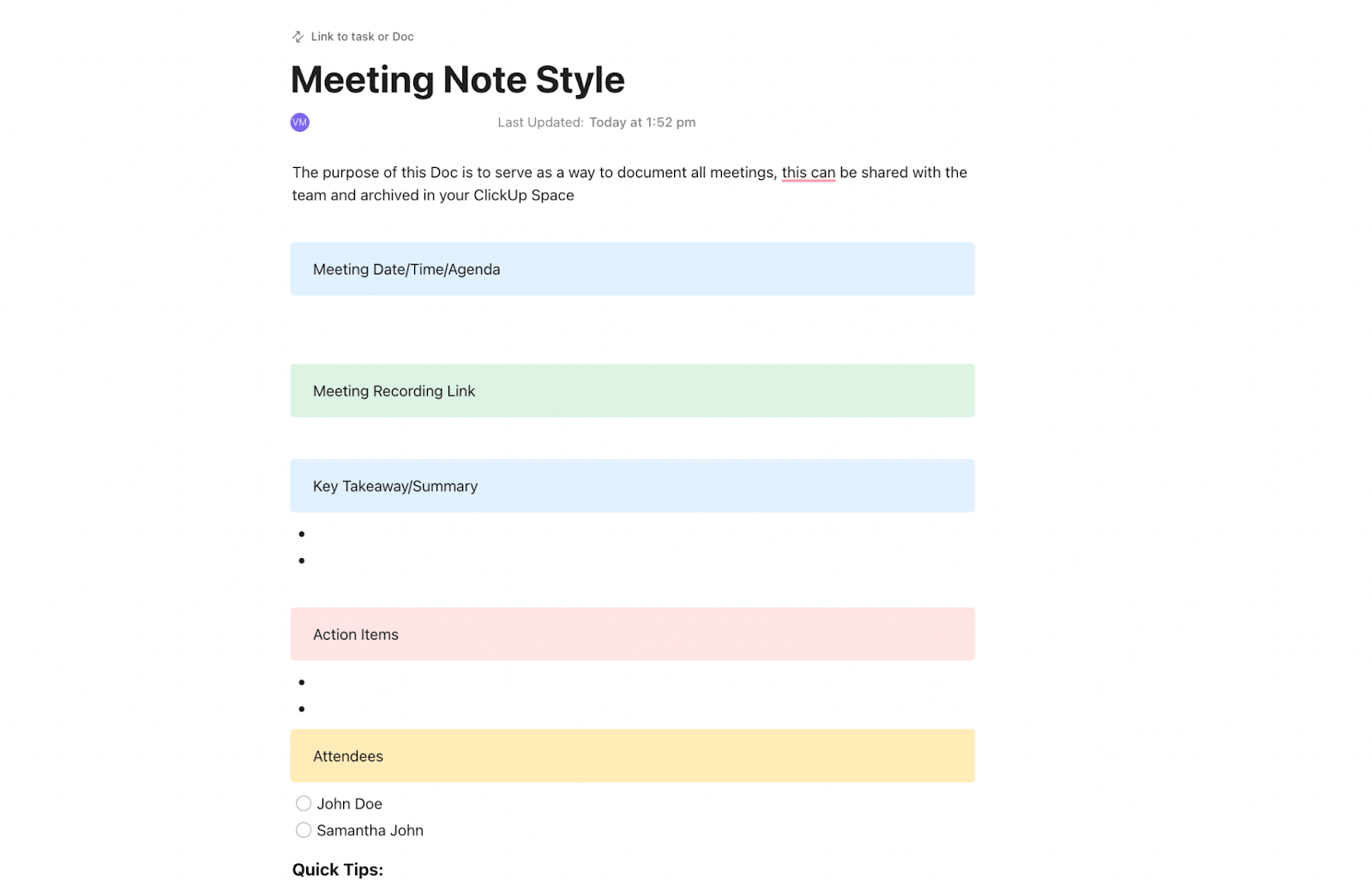
Need notes that double up as a meeting guide? The ClickUp Client Meeting Notes Template includes sections for agenda, takeaways, action items, and attendees. You can plug in the meeting link, share it easily, and let participants review or suggest edits in real time.
With multiple subpages, it also works great as a central hub for ongoing client discussions. In short, this formal meeting minutes template keeps your notes crisp, focused, and comprehensive.
🔑 Ideal for: Client-facing teams, consultants, and project leads who need quick, consistent meeting documentation.
💡 Pro Tip: Attending a virtual meeting without an AI Notetaker? Think again.
Why waste precious time taking meeting notes manually, while missing key parts of the conversation? With ClickUp’s AI Notetaker, you remain present and focused on your client, while your handy assistant takes notes, assigns action items, summarizes talking points, and more.
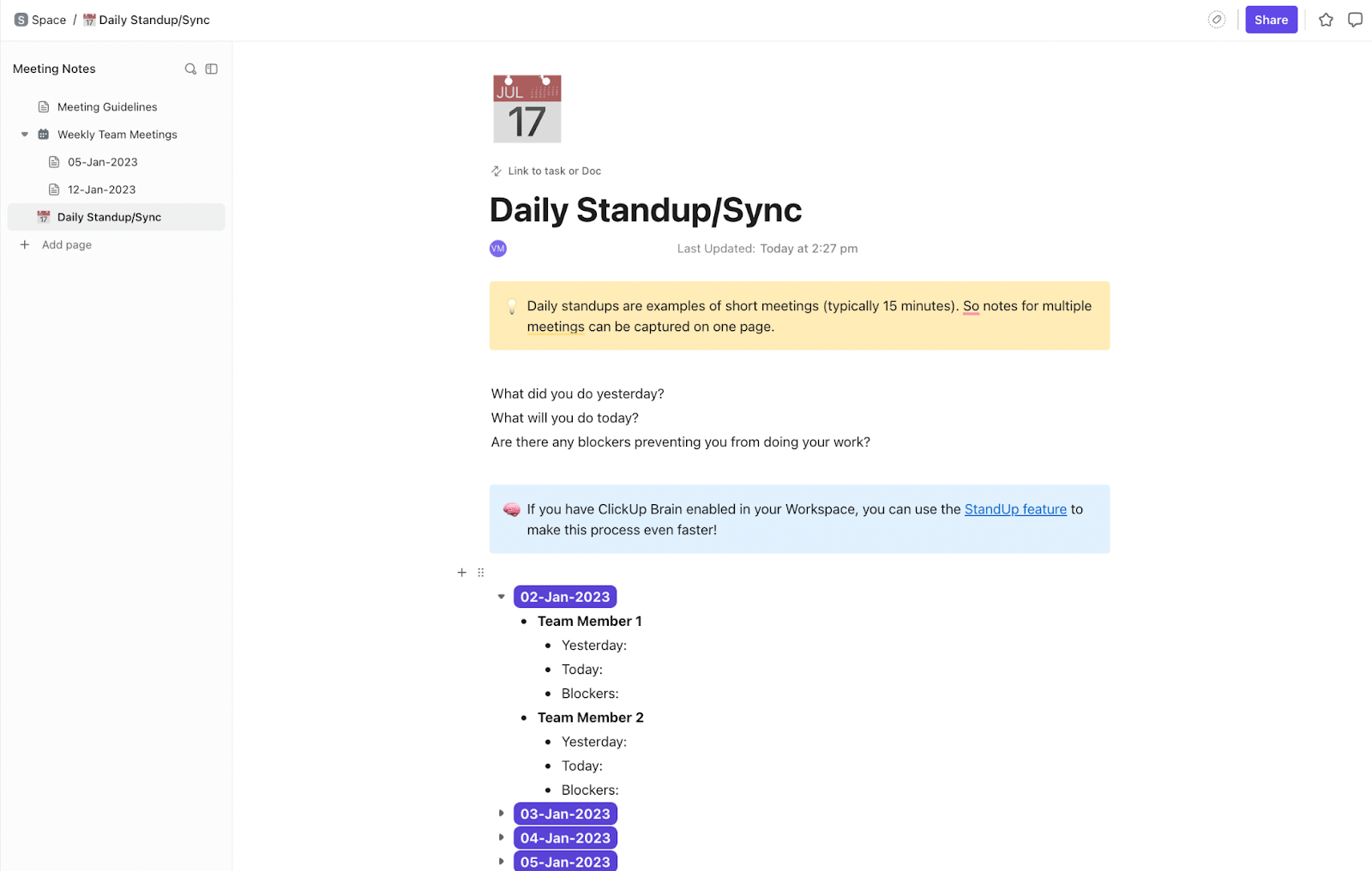
The ClickUp Meeting Notes Template is a popular choice if you need to organize your review meetings. It facilitates this with pre-designed daily standups and weekly syncs subpages. Each weekly meeting has a subpage to help your team focus on specific deliverables without losing context.
The template also lets you assign an owner for each meeting note and add contributors. This lets you easily delegate project discussions to relevant team members who can lead with their specific expertise.
🔑 Ideal for: Team leads, project managers, and client-facing professionals who’d like to have centralized notes for each client.
🧠 Fun fact: Before ‘meetings’ had a name, Ancient Greeks were already gathering at the Agora for royal updates and council chats. Monday standups have been a thing since at least the 4th century BC. Back then, it was more of a serious toga party.
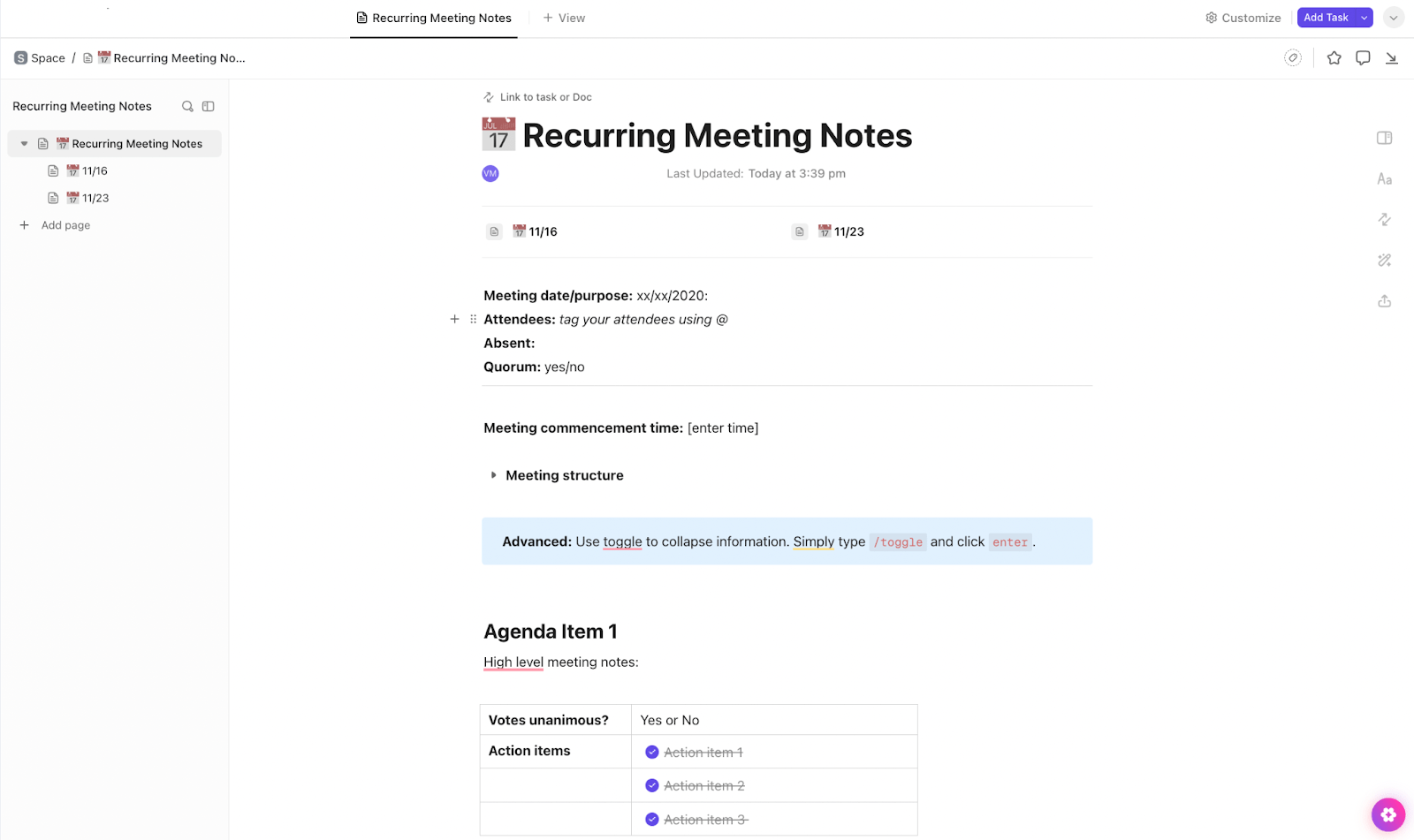
Want to tidy your next chaotic check-in into a quick, focused sprint? Give ClickUp’s Recurring Meeting Notes Template a try. All agenda items have their own headings and help guide time-sensitive conversations.
You can access it as a dedicated view where running notes instantly convert into tasks, Kanban cards, or timeline charts. Need to set the next meeting date? There’s a space for that, too.
🔑 Ideal for: Client success managers, agency teams, or CRM consultants who run recurring status meetings for decisions, feedback, and follow-ups.
📖 Also Read: How to Create Your Own CRM in ClickUp
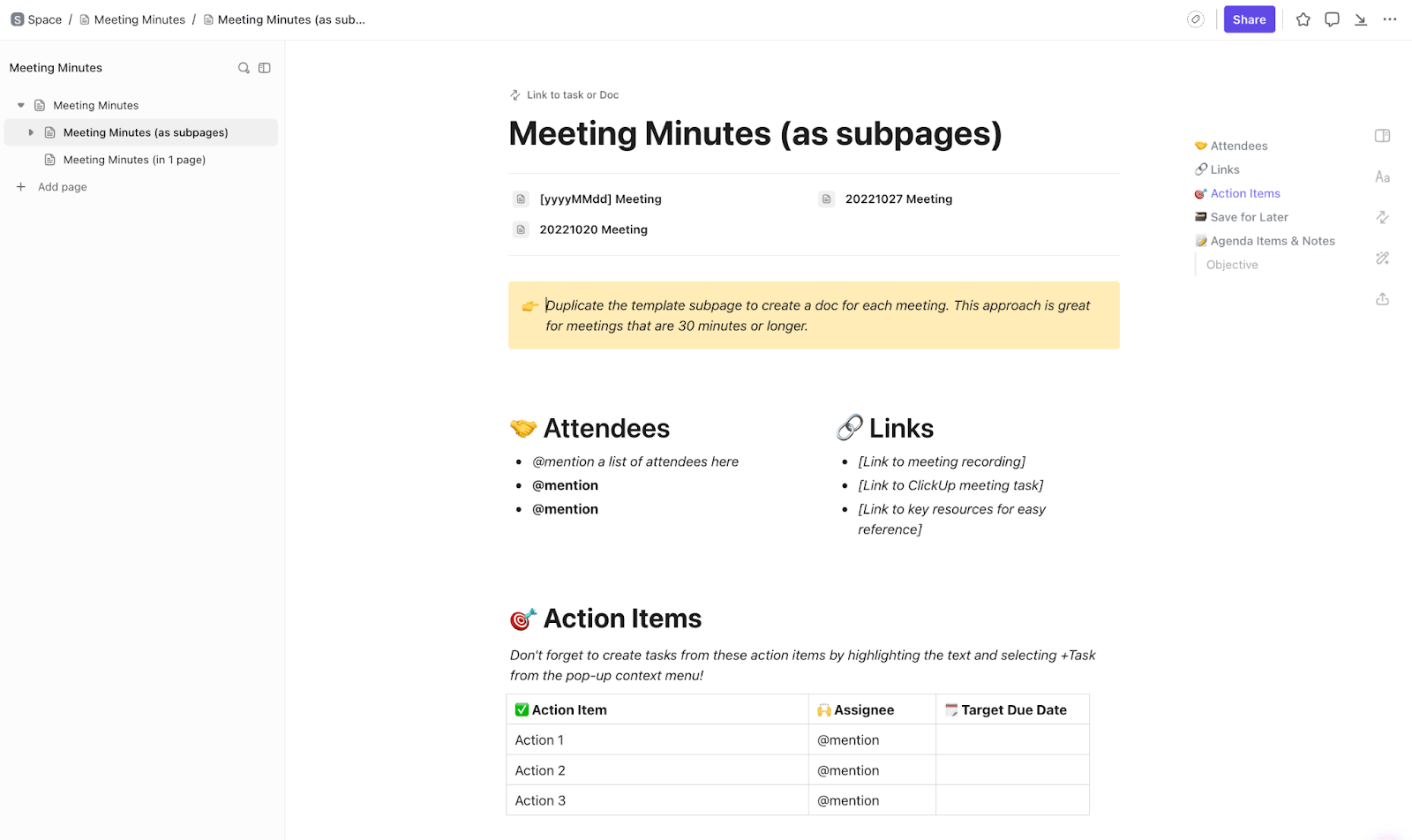
The ClickUp Meeting Minutes Template is another pre-designed framework to unify and streamline all your client meeting notes. The template comes with one subpage perfect for in-depth project meetings that need their own dedicated space. It also has a page suited for quick check-ins that needs a consistent, visible continuity.
Each call page captures the agenda, attendees, resource links, and action point tables. Just duplicate the subpage before your meeting, and you’re ready to go.
🔑 Ideal for: Project managers, client-facing teams, and consultants managing both long-form strategy discussions and fast-paced team huddles.
📮 ClickUp Insight: Over 60% of a team’s time is spent searching for context, information, and action items.
Translation? A clear meeting agenda has the potential to speed up everyone’s efforts and actions in your business.
When ClickUp Brain and ClickUp AI Notetaker are put to use here, even creating an agenda is automatic, intelligent, and tailored to your project’s priorities. ClickUp Brain suggests next steps using past meetings, priorities, and tasks, while the AI Notetaker captures discussions, assigns actions, and updates statuses in real time
💫 Real Results: ClickUp AI Notetaker can boost your meeting productivity by up to 30%.
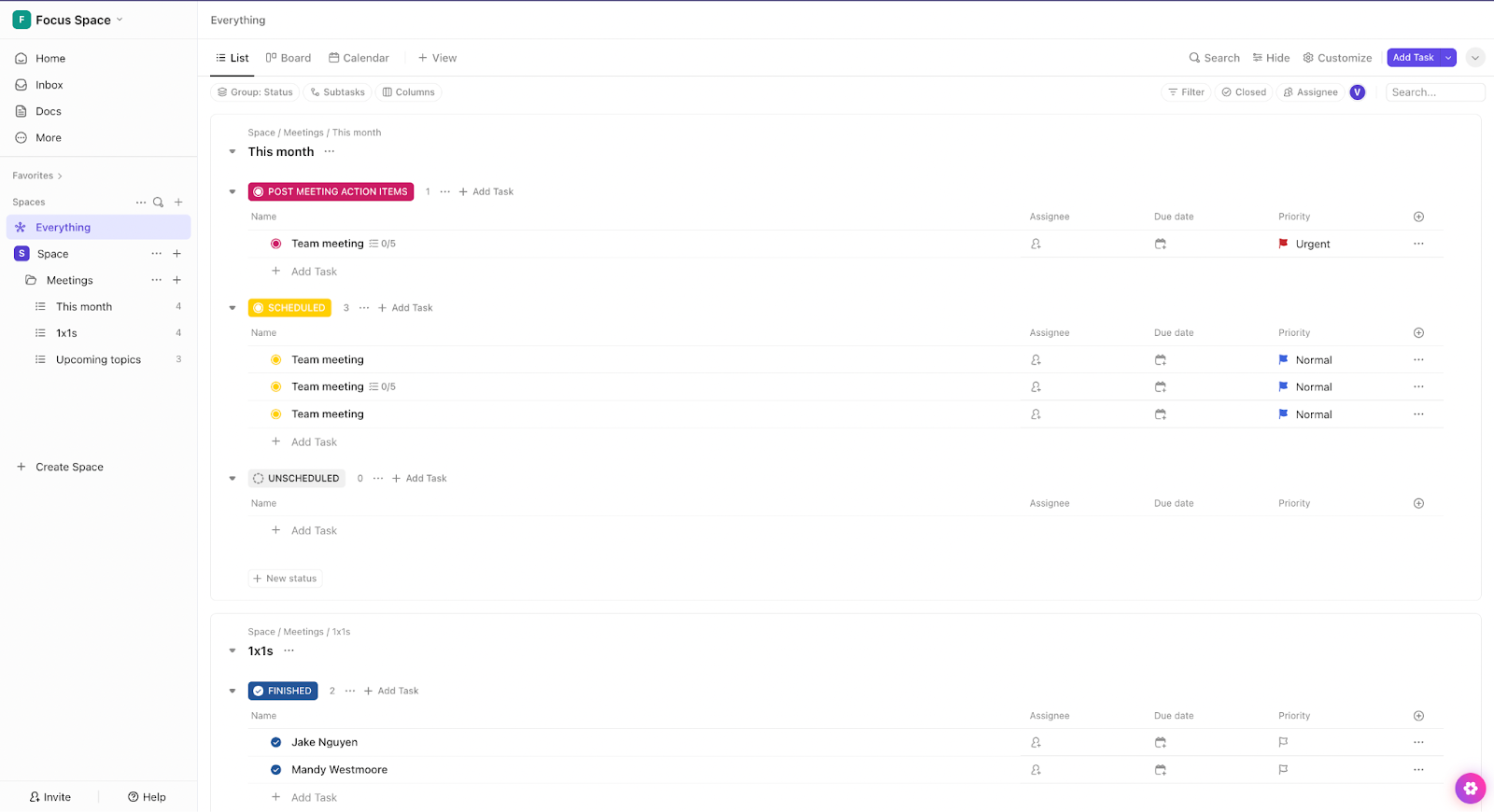
The ClickUp Meetings Template is a top pick if you want to capture insights as they happen. Designed as a folder template, it neatly breaks down 1:1s, team meetings, and recurring calls, keeping your task lists and notes organized.
Its integrated calendar view visualizes your workload for the entire month. The template also helps you understand when to listen and when to act with statuses flowing from ‘Unscheduled’ to ‘Post-Meeting Action Items’.
🔑 Ideal for: Account managers and team leads who run multiple check-ins each week and need automations for keeping track of conversations, decisions, and next steps.
💡 Bonus: If you want to:
Try ClickUp Brain MAX—the AI Super App that truly understands you, because it knows your work. This isn’t another AI tool to add to your collection. This is the first Contextual AI app that replaces them all.
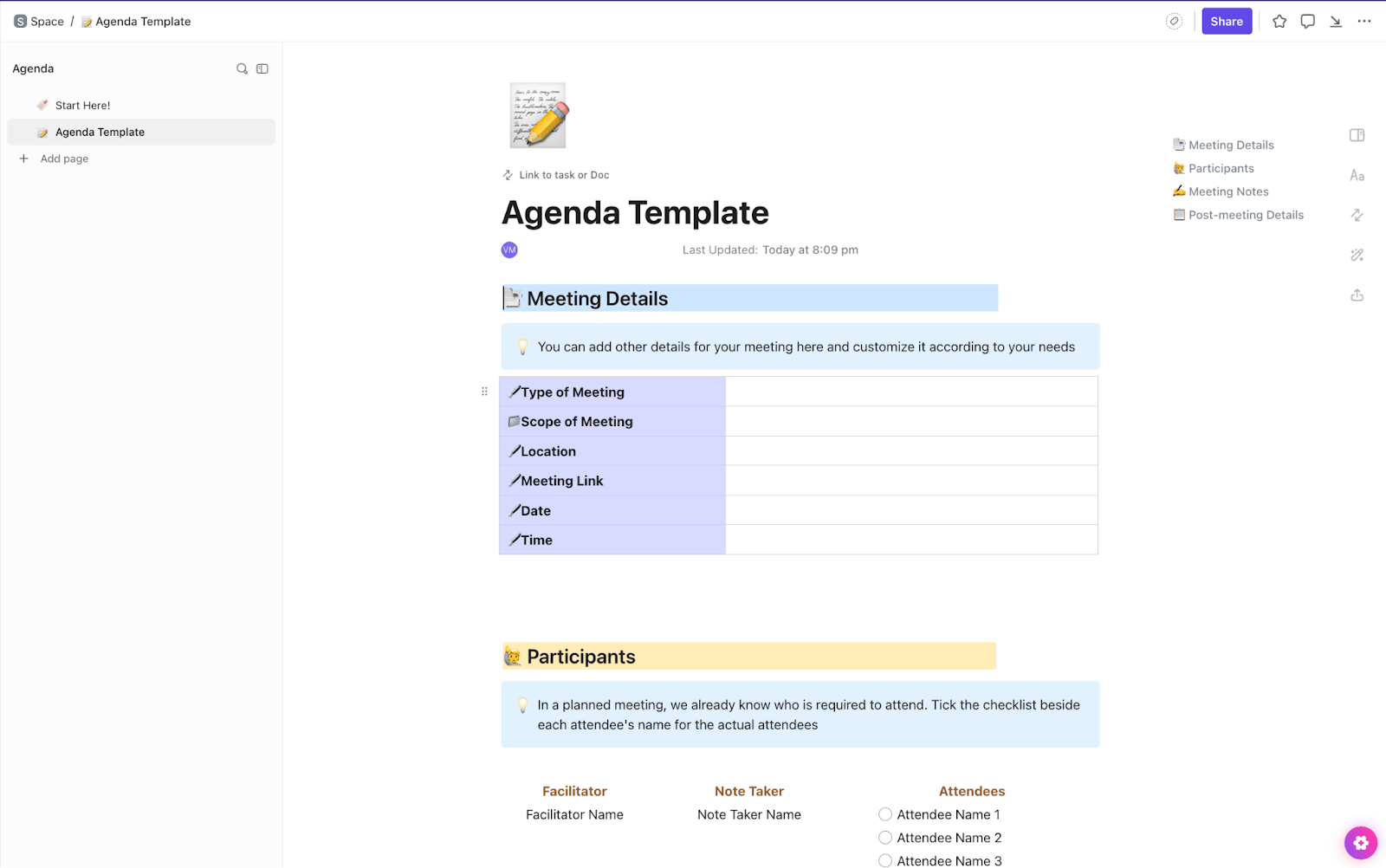
Want to perfect the art of setting context before calls? Check out the ClickUp Meeting Agenda Template. The solution starts you off with a quick table to map out the meeting type, location, call link, and timing.
Its clear sections organize meeting agenda topics to be discussed and expected action points. The template closes with a post-meeting follows, such as next call times and recordings.
🔑 Ideal for: Organizers, project leads, and sales event planners who want to set the agenda ahead of time and deliver constructive insights through their note-taking.
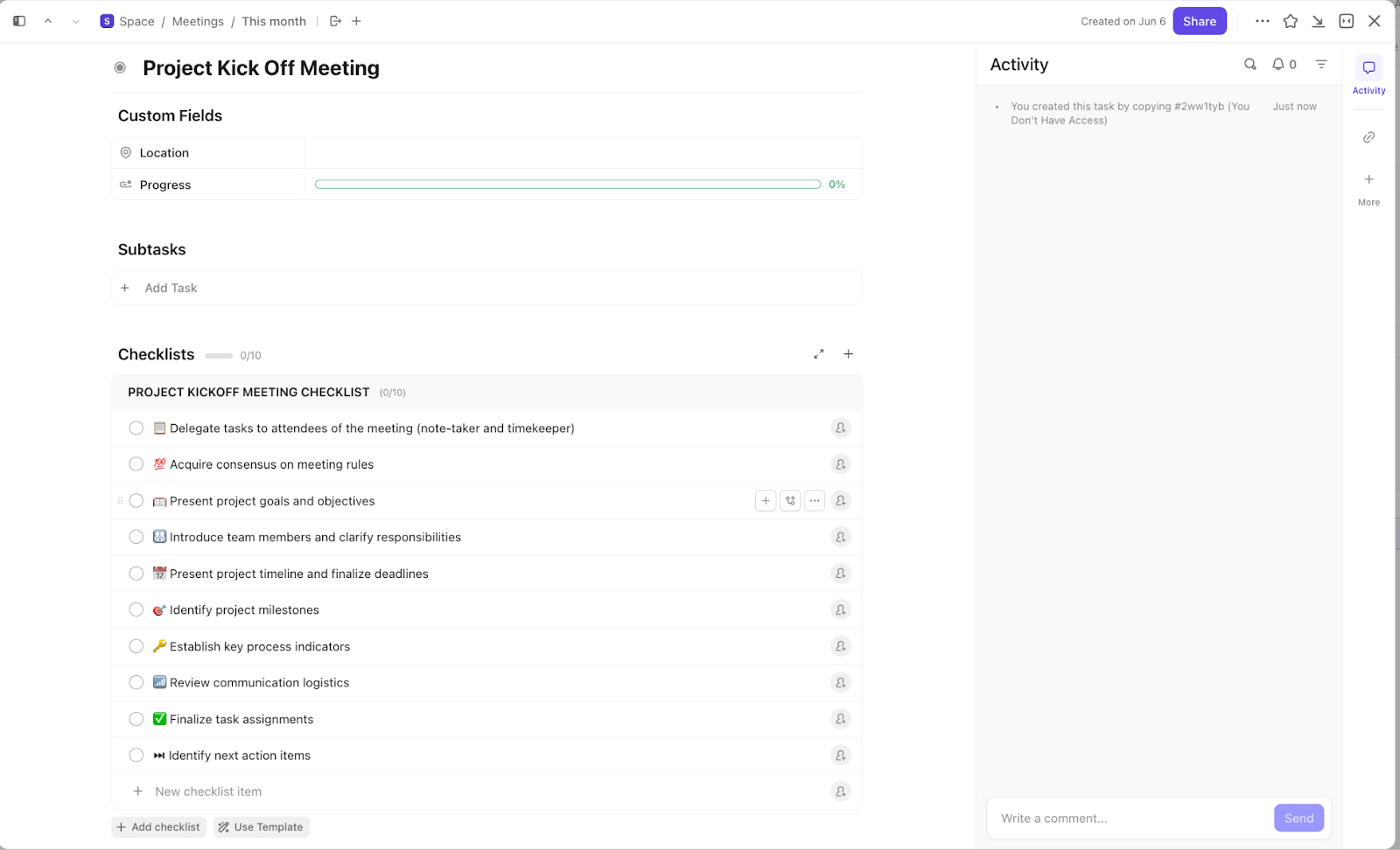
Got a killer roadmap but want to spotlight kickoff discussions? The ClickUp Project Kickoff Meeting Template is built to fix just that. The template unpacks pre-launch chaos with its detailed 10-step kick-off checklist that covers everything from role assignment to identifying review milestones.
The template also has a live progress bar that updates every time you check something off.
🔑 Ideal for: Software, sales, and production teams looking for cleaner kickoffs and clearer launch paths.
The ClickUp Minutes of the Meeting (MoM) Template is your go-to when you need to share insights before the DMs start rolling in. It guides every call with clear subtasks, from attendance to the next meeting’s agenda.
The solution also features multiple Custom Fields to log the meeting type, the responsible department, facilitator, and timekeeper.
🔑 Ideal for: Teams, consultants, and client managers who want to run focused meetings, capture action items, and improve how discussions are handled.
👀 Did you know? The “minutes” in MoM have nothing to do with time. It’s actually derived from the Latin ‘minuta scriptura’, meaning ‘small writing’ or ‘brief notes’.
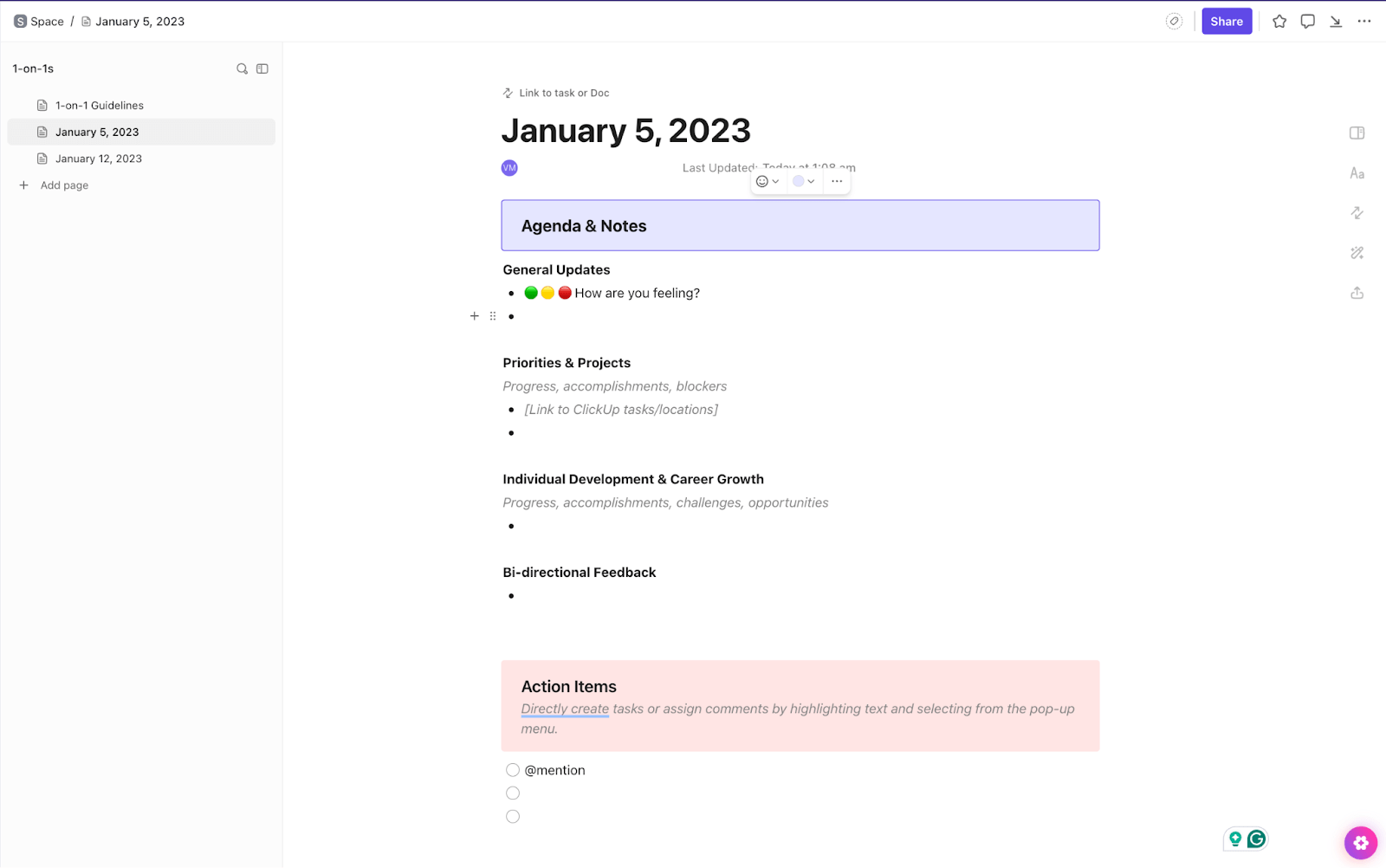
Have that quarterly client check-in coming up? The ClickUp 1:1 Meeting Template is about to make your one-on-ones feel less scattered and more strategic. It kicks off with a simple traffic light emoji check-in—because asking “How are you feeling?” should be quick and meaningful.
From there, it dives into text fields to discuss top priorities, spotlight wins, and map out what’s next. In short, this template perfectly blends client rapport and clinical appraisals.
🔑 Ideal for: Account managers and consultants who want polished, personalized, and productive 1:1s with every client.
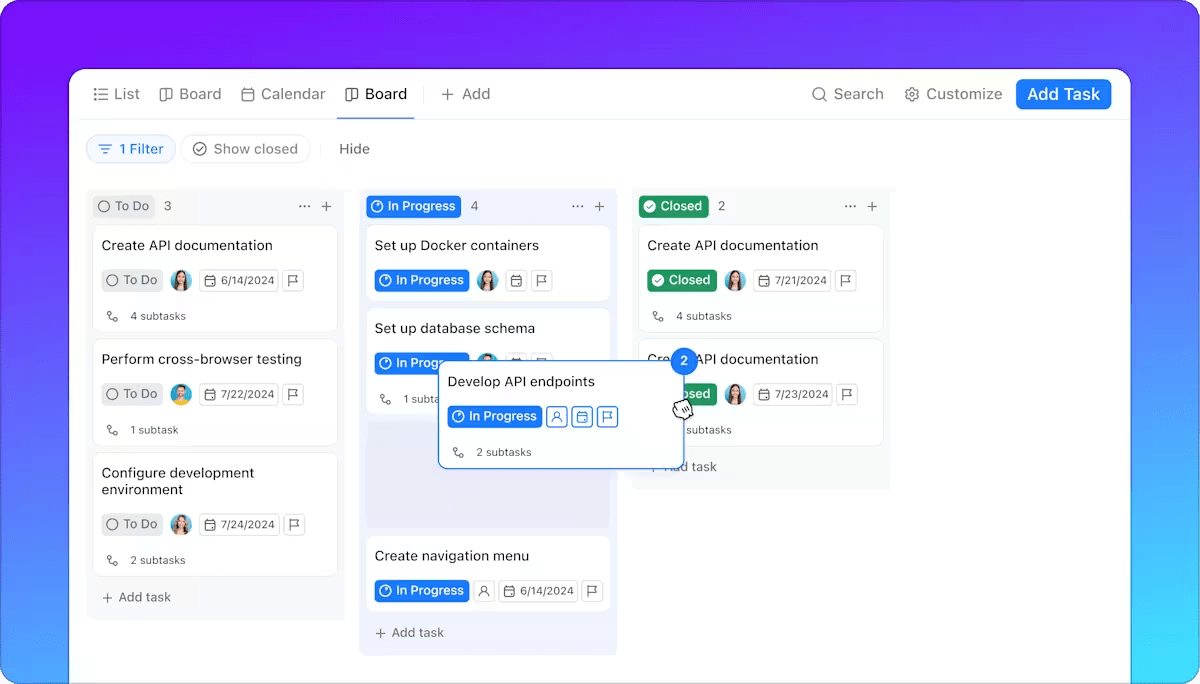
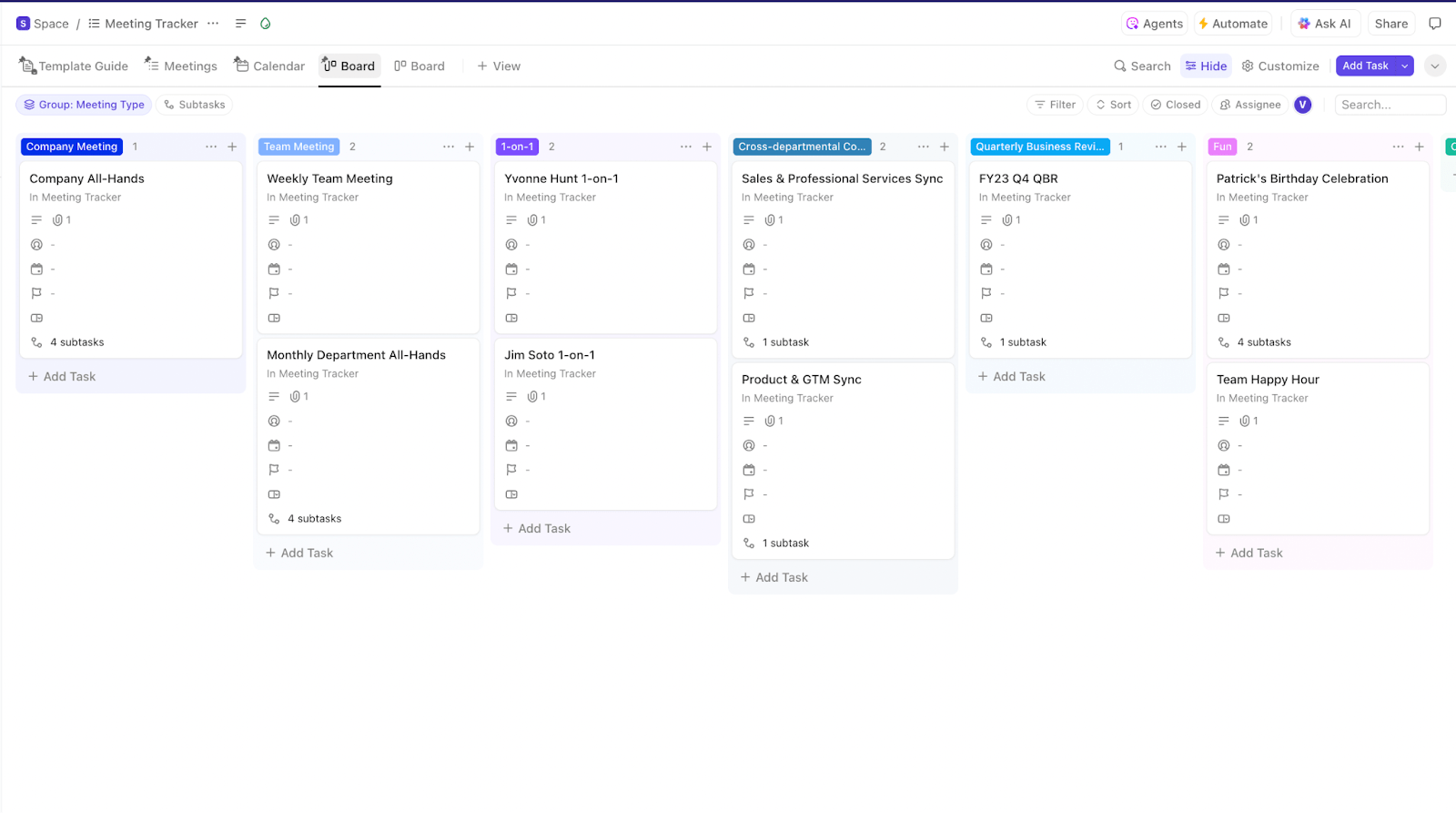
The ClickUp Meeting Tracker Template is built for teams and managers who want to drive more consistent, high-quality client conversations. With its Kanban board view, it visualizes upcoming meeting themes, and its flash card format makes it easy to adjust agendas on the fly.
The solution also features a calendar and timeline view to help team leads and Scrum Masters map out workloads and capacity across calls.
🔑 Ideal for: Team leads, project managers, and client-facing teams aiming for smoother, smarter, and more automated meetings.
👀 Did you know? Robert’s Rules of Order were born when an army engineer was thrown into a chaotic church meeting with zero notice over 140 years ago, and the practices are still the gold standard for organized meetings!
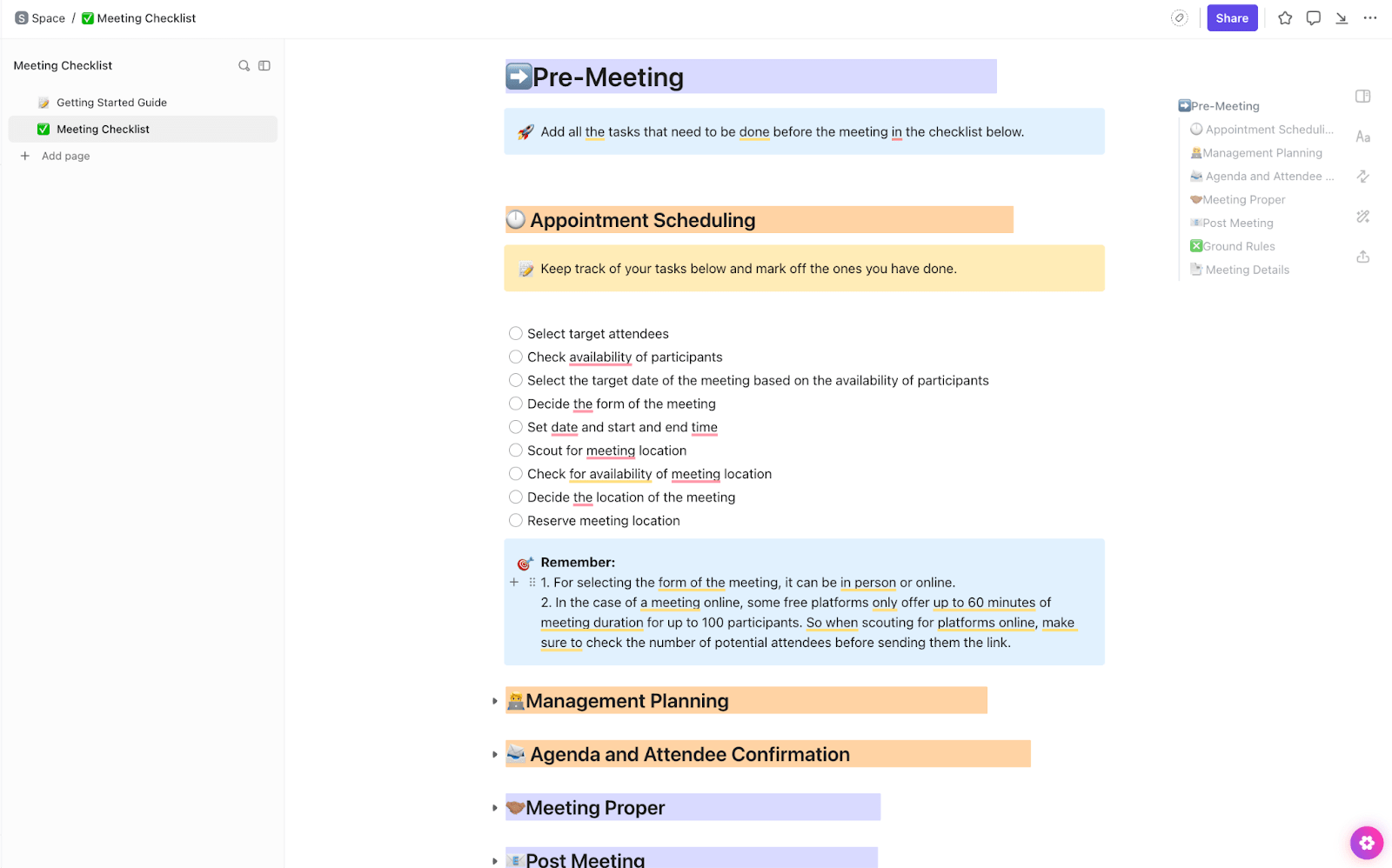
Next up: ClickUp’s Meeting Checklist Template is an all-in-one doc built for teams juggling back-to-back client calls. It’s packed with checkpoints that help you prep smarter, run tighter meetings, and never miss a beat.
From scheduling confirmations to management planning, its checklist covers everything. Think of it as the ultimate pre-call ritual that keeps client conversations airtight, polished, and ready to impress. It’s like having a meeting coach on standby!
🔑 Ideal for: Account managers, client success teams, and service leads who want to ensure every client call is buttoned-up, actionable, and well-documented.
🧠 Fun fact: Jeff Bezos insists that if two pizzas aren’t enough to feed everyone in the meeting, the group’s too big. The two-pizza rule keeps the headcount under control and ensures only relevant team members invest their time.
Client meetings are a powerful way to drive change and maintain transparency. Effective meeting minutes and notes make it easier to understand a project’s direction and uncover needs the client hasn’t emphasized.
We’ve explored customizable templates for nearly every meeting type, and if you need something unique, the options are easy to tweak.
Remember, the perfect template is comprehensive and delivers features like AI, task management, and visualizations. ClickUp delivers all that and more.
It also features instant templates, built-in video call tools, live transcription, and analytics. Ready to end feature updates based on scattered post-its?

© 2026 ClickUp

There’s an easier way. Try a free AI Agent in ClickUp that actually does the work for you—set up in minutes, save hours every week.