






Still downloading templates?
There’s an easier way. Try a free AI Agent in ClickUp that actually does the work for you—set up in minutes, save hours every week.
Sorry, there were no results found for “”
Sorry, there were no results found for “”
Sorry, there were no results found for “”

You’re chasing down subcontractors who aren’t answering calls, digging through piles of paperwork for that one permit, and trying to explain to your client why you’re three days behind schedule.
The right construction project management software can address many of these issues.
Buildertrend is a big name in the space, but it’s not the only option. Maybe you need more flexible budgeting or better document management. Perhaps Buildertrend’s pricing doesn’t align with your budget.
Whatever the case, we’ve rounded up the best Buildertrend alternatives to help you manage your next project without the headaches. From residential construction to capital projects, these tools will help professionals like you stay on top of every detail.
Let’s explore the top Buildertrend competitors worth checking out for construction companies!
Here’s an overview of the top alternatives that outshine Buildertrend👇🏽
| Tool | Key features | Best for | Pricing |
|---|---|---|---|
| ClickUp | Gantt charts & workload views for scheduling, real-time collaboration via chat, comments, and docs, AI automation with ClickUp Brain | Best for all teams—from solopreneurs to enterprises—needing fully customizable construction project and budget management | Free plan available; Enterprise customizations available |
| Procore | Industry-specific budgeting and financial tools, over 400 integrations, mobile access with photo documentation | Best for large construction firms managing complex, multi-stakeholder projects | Custom pricing |
| Contractor Foreman | Job cost tracking and CRM, safety and OSHA compliance tools, Gantt and calendar scheduling | Best for small construction businesses needing affordable all-in-one management | Paid plans start at $49/month |
| Fieldwire | On-site blueprint annotation and task tracking, offline access for remote teams, punch list & RFI management | Best for mid-sized field teams that need real-time jobsite coordination | Free plan available; paid plans start at $54/user/month |
| Autodesk Construction Cloud | BIM collaboration and model clash detection, AI-powered risk and forecasting, AutoCAD & Revit integrations | Best for enterprises and design-build teams needing integrated construction and design tools | Paid plans start at $145/user/month; custom pricing for unlimited users |
| JobNimbus | CRM with job tracking and follow-ups, material procurement with supplier pricing, QuickBooks integration | Best for roofing and exterior contractors managing materials, leads, and job progress | Custom pricing |
| CoConstruct | Client portals for updates and approvals, real-time budgeting and selections tracking, purchase and change order management | Best for custom home builders and remodelers wanting streamlined client communication | Custom pricing |
| Buildxact | Takeoff and quoting tools, supplier management and budgeting, scheduling with automated reminders | Best for small to mid-sized builders and tradespeople needing fast estimates and project visibility | Paid plans start at $169/month |
| Smartsheet | Spreadsheet-style views with automation, real-time dashboards and conditional alerts, integration with Procore, Autodesk, and QuickBooks | Best for mid-sized to enterprise teams preferring Excel-like workflows with more flexibility | Paid plans start at $12/user/month; enterprise custom pricing available |
| Houzz Pro | 3D floor plans and visual proposals, client collaboration portals, lead generation and advertising tools | Best for designers and remodelers looking to attract clients and manage the full project lifecycle | Free trial available (30 days); paid plans start at $149/month |
When evaluating Buildertrend competitors, focus on the key features that best align with your construction project management needs. Here are a few things to look for:
👀 Did You Know? The construction industry is adding about 45,800 construction manager jobs every year for the next decade. That’s a whole lot of hard hats and project plans in the making!
Read on below for our detailed round-up of the best Buildertrend alternatives to consider for the construction market:
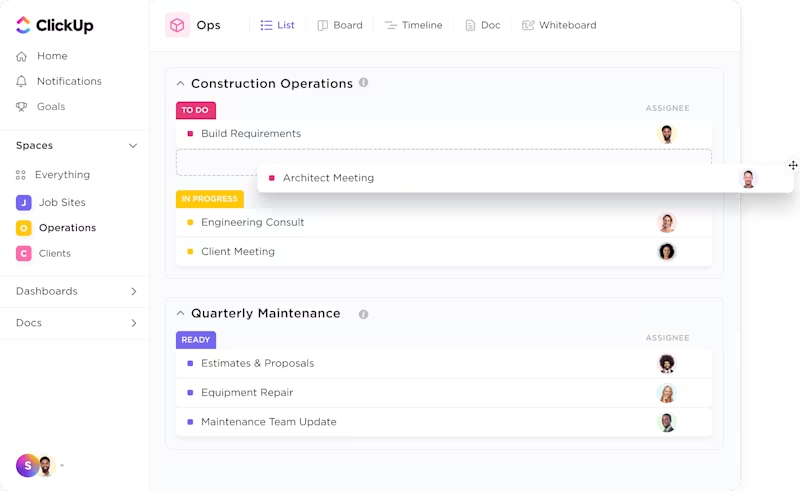
ClickUp is not just another project management tool—it’s the everything app for work. With ClickUp for Construction Teams, you can keep construction timelines on track, minus the chaos, and tackle projects with less stress and more control.
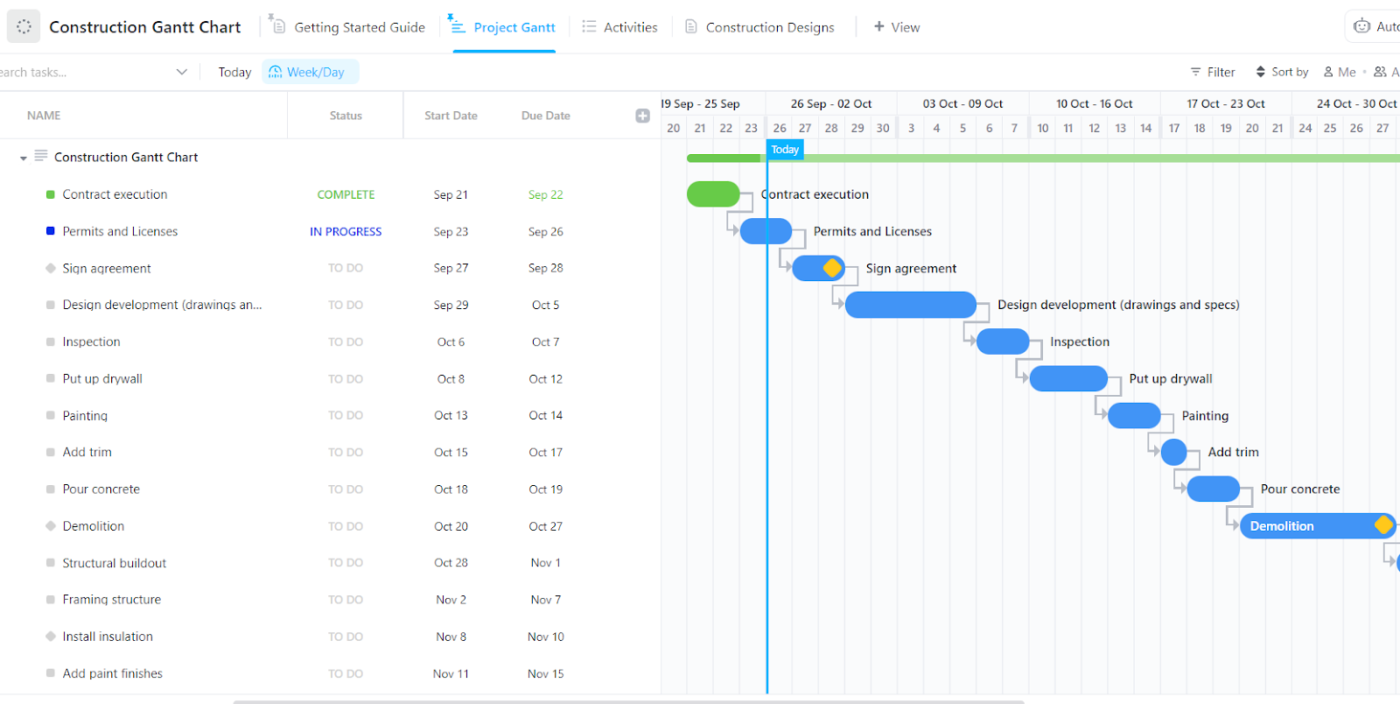
Unlike BuilderTrend, ClickUp makes scheduling foolproof with construction-related Gantt charts that show project dependencies in a clear, visual format.
How? Say hello to the Gantt Chart View in ClickUp, which helps teams track key milestones like permit approvals, inspections, and delivery dates, ensuring no critical deadlines are missed.
Here’s a quick start guide to setting up your Gantt chart in ClickUp:
You can use ClickUp to set reminders for upcoming tasks, automatically notify teams about approaching due dates, and even build recurring tasks for regular site inspections or progress meetings.

That’s not all. Each task in ClickUp includes ClickUp’s Custom Fields, where you can record essential details like materials needed, status updates, and estimated hours. You can also add checklists for multi-step tasks, perfect for tracking safety protocols, equipment maintenance, project updates, or compliance requirements.
ClickUp ensures maximum construction efficiency by connecting teams, whether in the office or on-site. Field workers can update tasks, share photos, and leave notes—no extra trips needed.
More than just task tracking, ClickUp provides you with a full project overview at a glance. Customizable ClickUp Dashboards consolidate progress, construction budgets, deadlines, and team performance.
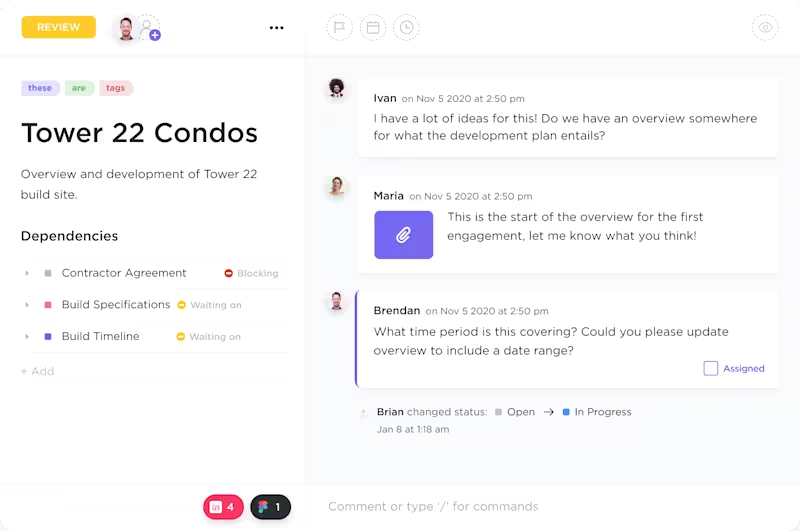
The Workload View, on the other hand, helps prevent overallocation and underutilization of capacity, eliminating delays.
With 15+ views, ClickUp adapts to your workflow. Use lists for organization, Kanban boards for tracking, or mind maps for planning. Plus, integrated financial tools let you monitor budgets, material costs, and contractor payments in real time—all in one place.
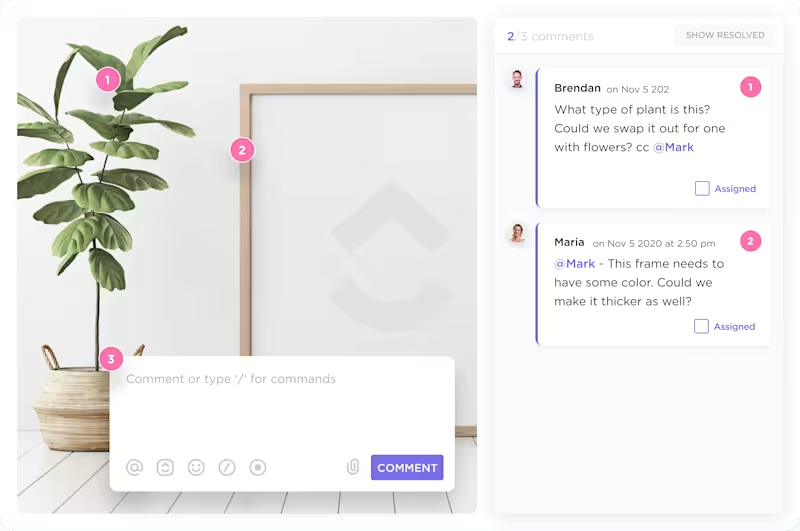
What makes ClickUp shine as a Buildertrend alternative is that it lets you review submittals, approve Requests for Information (RFIs), and annotate drawings directly in the same place.
You can even invite clients or external contractors with customized viewing permissions, keeping collaboration streamlined without exposing sensitive data.
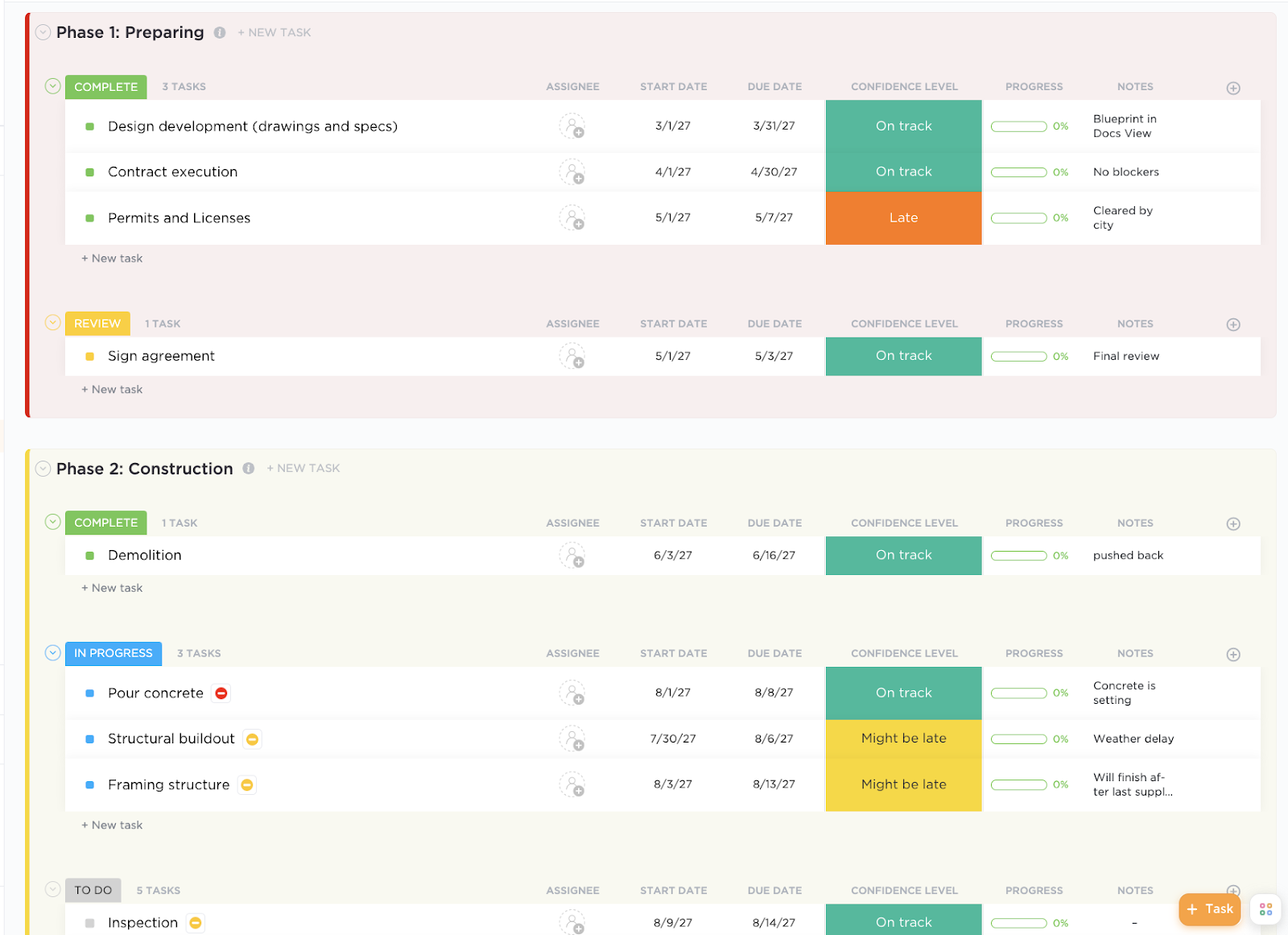
If things are still not as easy as you want them to be, use the ClickUp Construction Management Template. It’s designed specifically for construction teams, making it easier than ever to keep projects on schedule and ensure every detail is accounted for.
The template also comes with pre-built Docs that enable real-time editing and collaboration. Whether you need to store blueprints, outline build specifications, prepare construction bids, or track RFIs—keep everything in one central hub accessible to the entire team.
A G2 review quotes ClickUp to be an “architect’s best friend”:
ClickUp is an app that is flexible enough to adapt to the multidisciplinary world of architecture and construction. I enjoy using their different templates, customizing them to my needs and put them to work.
📮ClickUp Insight: Low-performing teams are 4 times more likely to juggle 15+ tools, while high-performing teams maintain efficiency by limiting their toolkit to 9 or fewer platforms. But how about using one platform?
As the everything app for work, ClickUp brings your tasks, projects, docs, wikis, chat, and calls under a single platform, complete with AI-powered workflows. Ready to work smarter? ClickUp works for every team, makes work visible, and allows you to focus on what matters while AI handles the rest.
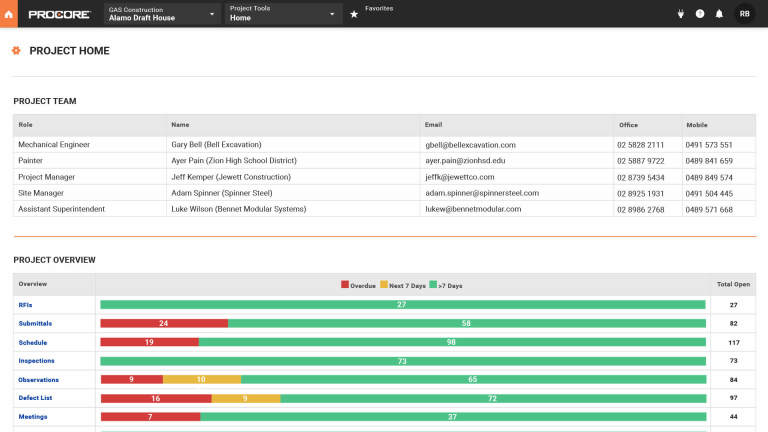
For large construction firms and general contractors handling complex, multi-stakeholder projects, Procore is a solid choice.
It excels at centralizing communication, allowing teams to manage RFIs, submittals, and change orders while keeping everyone updated throughout the project lifecycle.
The daily log feature enables field managers to capture real-time weather, labor, and materials data, ensuring seamless coordination with office teams.
👀 Did You Know? In 2020, the global construction industry generated over $12.6 trillion in revenue, cementing its place as one of the world’s largest and most profitable sectors.
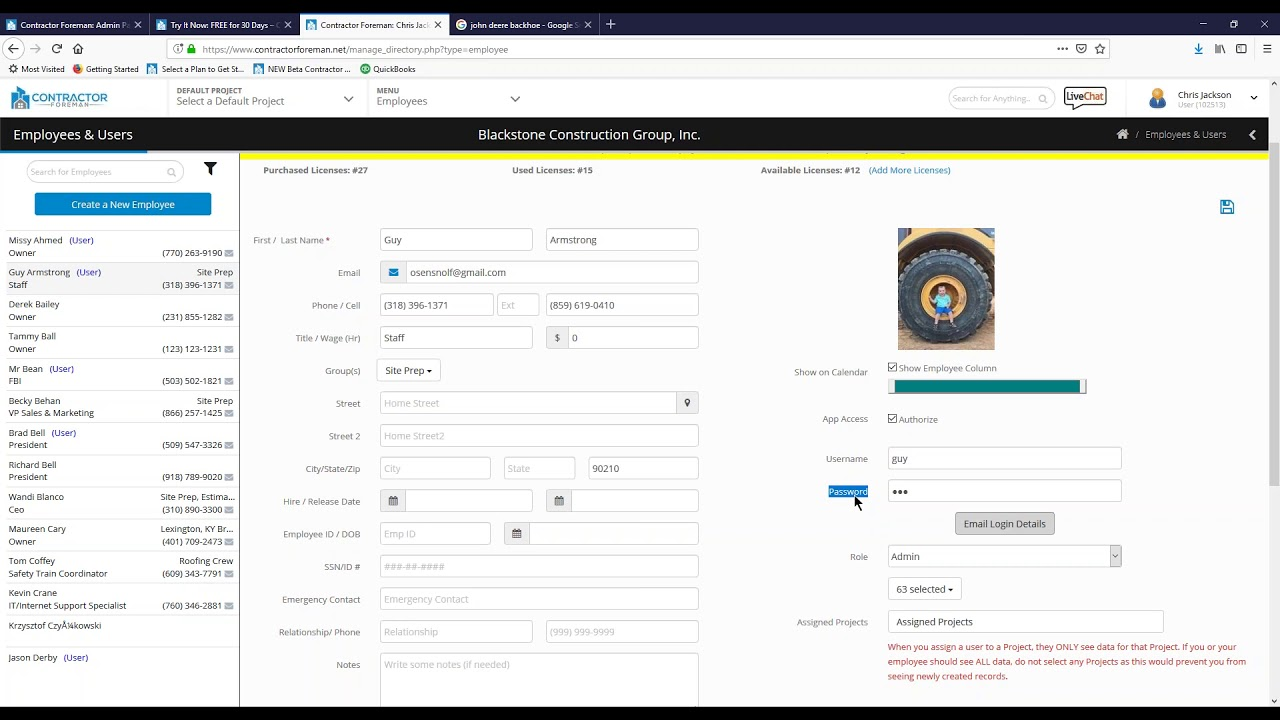
If you need a full suite of tools for small construction firms, Contractor Foreman has you covered. It offers project management, time tracking, estimating, and invoicing—all in one platform.
With over 35 integrated features, small teams can handle everything from safety logs to RFIs in one platform, eliminating the need for multiple apps for larger teams.

Designed for seamless field and office coordination, Fieldwire enables real-time task assignment and collaboration on construction projects, directly from the job site.
The standout feature of this construction management software is blueprint management. It allows users to instantly upload, annotate, and share plans, so everyone works from the latest version.
Punch lists and inspection checklists help maintain quality control, while offline access keeps remote teams productive.
A Capterra user reports:
One of the few software programs that bring purchasing, project management and field together.
💡 Pro Tip: Building a strong network is essential in the construction industry. Attend industry events, join professional organizations, and connect with mentors and peers to open new opportunities and stay ahead..
If you’re looking for a tool that combines construction management with design collaboration, Autodesk Construction Cloud is perfect for you, especially if this is on a large-scale project.
It centralizes RFIs, submittals, and progress updates in one platform, ensuring teams can access accurate, up-to-date information.
Its design collaboration tools enable architects, engineers, and contractors to review and provide real-time feedback on models, minimizing delays caused by miscommunication.
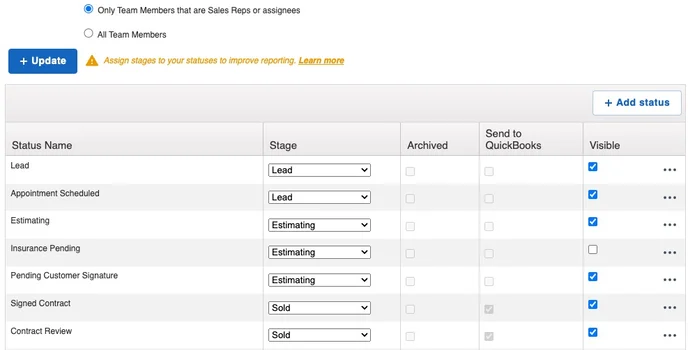
JobNimbus offers a hybrid project management and CRM system that helps contractors manage and track jobs, automate follow-ups, and keep financials in order.
With JobNimbus automating follow-ups, reminders, and invoicing, contractors can avoid chasing clients or manually updating every step of the project.
Since many roofing and siding contractors work with specific material suppliers, JobNimbus allows them to pull supplier pricing directly, generate purchase orders, assign tasks, and even track project deliveries within the platform.
A G2 review says:
I like the ability to run customized reports quickly and easily, and that creating contacts/jobs/tasks is relatively easy. The concept of boards is great as well and being able to click/drag contacts around as needed.
👀 Did You Know? In the U.S. construction industry, the gender pay gap is smaller than in most other sectors.
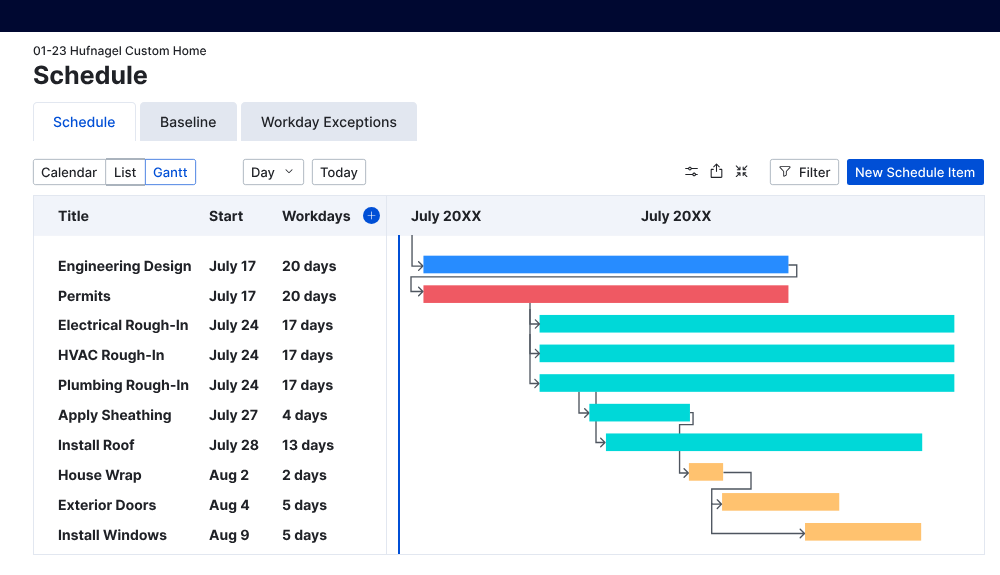
Imagine tackling a custom home build without the chaos of constant back-and-forth. That’s precisely what CoConstruct is built for.
It streamlines client communication, project management, and financial tracking in one centralized location. Plus, its standout client portal keeps homeowners in the loop—letting them track updates, approve selections, and communicate directly with builders for a smoother, more transparent process.
A G2 review says:
CoConstruct is a very useful tool. The software is very thoughtfully designed. The Budgets, Purchase Orders and Change Orders are all relatively smooth and easy to use.
💡 Pro Tip: Don’t wait for a breakdown—schedule preventive maintenance for your construction equipment based on usage hours, not just its age. This keeps your fleet running efficiently, avoids costly delays, and extends the life of your high-value assets.
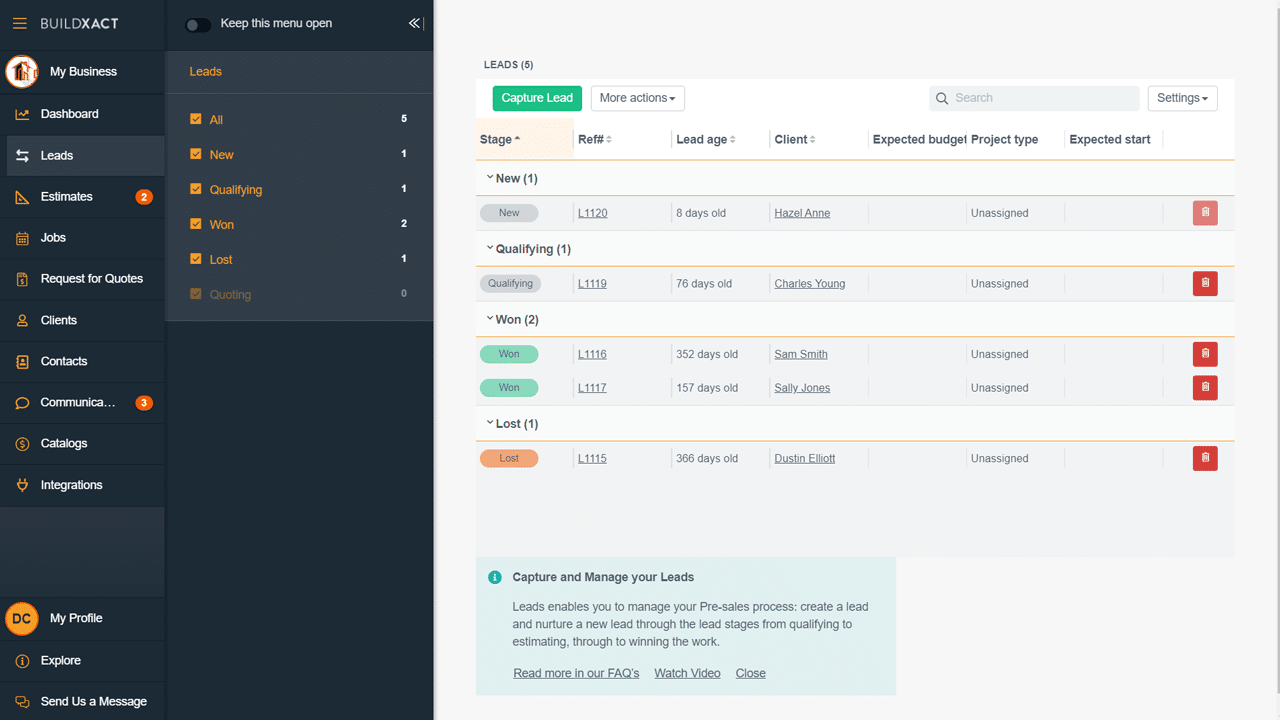
Efficiency matters for small home builders, remodelers, and trade contractors. Buildxact streamlines estimations and construction project management, making costing, quoting, and scheduling easier.
Once an estimate is finalized, the construction management tool instantly converts it into a detailed budget, purchase orders, and job schedule with just a few clicks.
A G2 user says:
Buildxact is an excellent solution for small and medium-sized construction enterprises. Its user-friendly design makes managing estimates, schedules, and budgets much easier. The software’s ability to produce quick bids and manage project deadlines is a significant time saver. I found the interaction with accounting software such as Xero to be seamless, which aids in keeping funds organised.
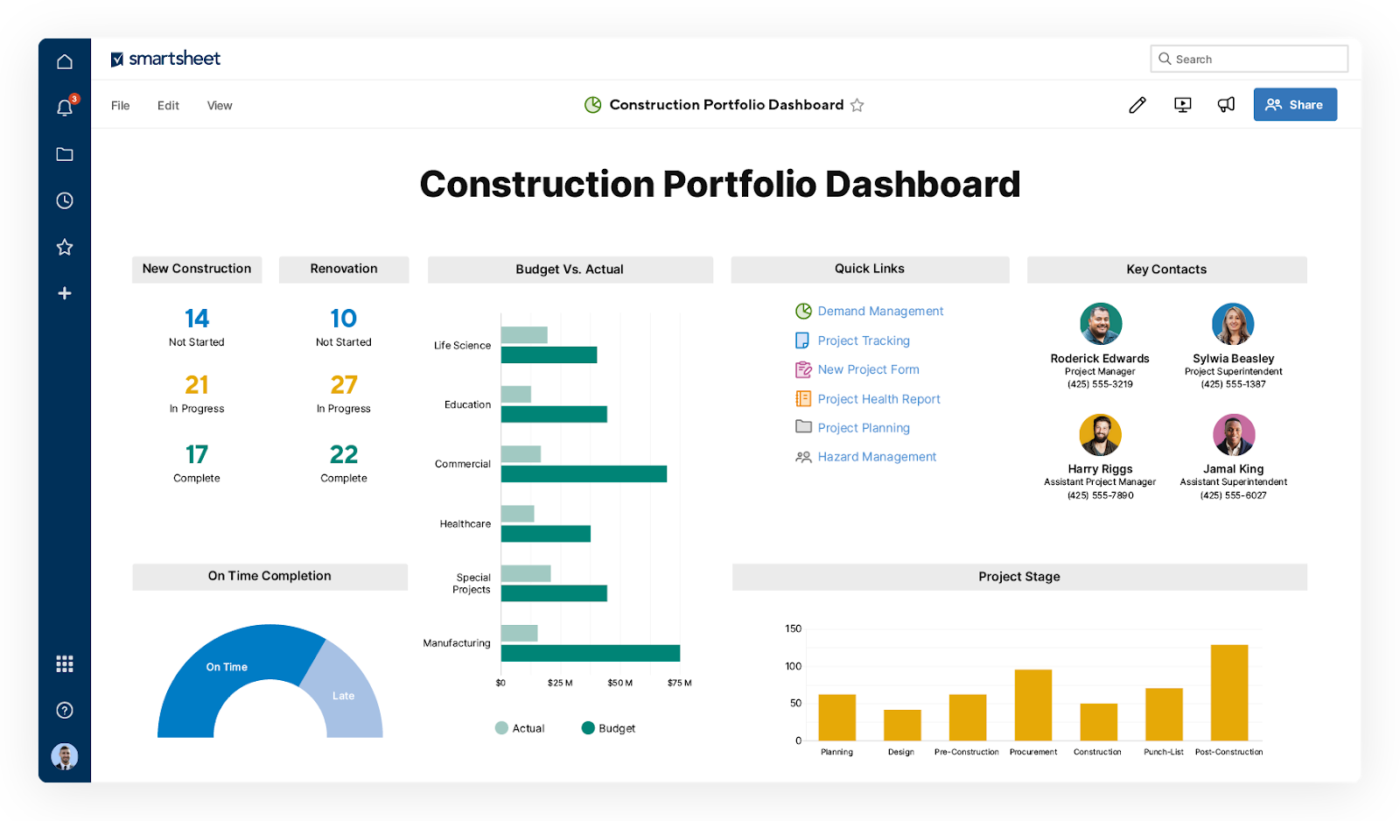
At its core, Smartsheet is a hybrid between a spreadsheet and project management software.
Unlike other Buildertrend alternatives, it offers workflow-specific automations, collaboration tools, and real-time data syncing, making it far more dynamic and suited for complex construction projects.
Teams can choose from multiple views—grid, Gantt, calendar, or card-based boards—to manage project schedules and budgets, RFIs, material orders, and site reports.
Here’s what a G2 review reports:
I work at a unique real estate company and Smartsheet makes it easy to track inventory, commissions, invoices, support requests, and more. It’s easy to collaborate with other departments and report to our ownership on goal progress with the reports and dashboards Ive created.
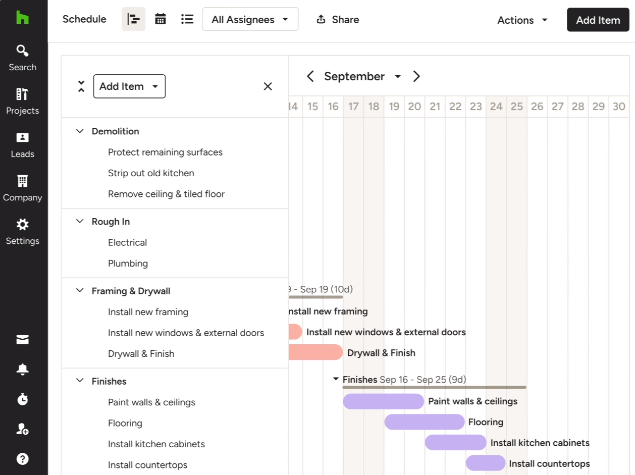
Houzz Pro blends project management with client communication tools, making it ideal for residential contractors, construction professionals, and design-build firms.
The proposal builder simplifies estimating and resource management, allowing clients to review and approve detailed quotes digitally for faster project kickoffs.
And that’s not all. Its scheduling and subcontractor management tools ensure seamless coordination throughout the design and build phases.
A G2 review highlights:
There are a lot of things I like about Houzz Pro, but the feature that has been the most beneficial is their lead generation. 90% of my new leads come from Houzz. Additionally, I like the invoicing feature.
Choosing the right Buildertrend alternative depends on your business needs, but if you want a flexible solution that does it all, ClickUp is a top contender. Unlike construction-specific tools, ClickUp goes beyond project management, offering customizable workflows, real-time collaboration, and automation to fit any team.
With task management, document sharing, budgeting tools, and integrations with industry software, it keeps timelines, RFIs, and financials organized in one place. Plus, its affordable pricing models and scalability make it ideal for both small contractors and large firms.
While other tools focus on specific features, ClickUp balances customization, ease of use, and cost-effectiveness, making it a smart choice for construction teams looking to streamline operations.
Try ClickUp for free now and see the difference for yourself.

© 2026 ClickUp

There’s an easier way. Try a free AI Agent in ClickUp that actually does the work for you—set up in minutes, save hours every week.