






Still downloading templates?
There’s an easier way. Try a free AI Agent in ClickUp that actually does the work for you—set up in minutes, save hours every week.
Sorry, there were no results found for “”
Sorry, there were no results found for “”
Sorry, there were no results found for “”

An AI workspace shouldn’t just generate answers. It should provide contextual knowledge that helps you work faster. Because AI amplifies human creativity when it’s connected to real work, not isolated chats and prompts.
BoodleBox is a great start for AI collaboration. But once you begin using AI for actual project execution, you need tools that tie AI outputs directly to tasks, timelines, and team workflows.
Below are the best BoodleBox alternatives that help teams integrate AI deeply into workflows and automate processes.
BoodleBox works great for shared AI chats and brainstorming, but it starts to fall short once teams move from ideas to execution. When work needs owners, deadlines, approvals, and tracking, it becomes clear that the tool is not built to manage end-to-end workflows.
Here is why many users look for BoodleBox alternatives:
❌ Performance and output consistency can vary by model. Because BoodleBox brings multiple third-party models into one workspace, response speed and output style depend on the underlying model provider
❌ It’s heavily oriented toward higher education use cases. Many resources and workflows are designed for faculty and classroom collaboration, which can feel limiting for broader enterprise execution needs
❌ It’s not positioned as end-to-end work management. Teams that need deeper task workflows, approvals, and automation typically look for tools built to connect AI outputs directly to execution systems
❌ Model limitations still apply. Like any multi-model setup, issues such as hallucinations or model-specific quirks remain possible, so teams may want stronger governance, repeatability, and workflow controls around AI outputs
Here’s a side-by-side comparison to help you quickly see what each tool offers.
| Tool | Key features | Best for | Pricing* |
| ClickUp | Converged AI workspace, ClickUp Brain, task agents, AI Docs, automation | Teams needing a unified workspace to manage tasks, docs, and knowledge | Free Forever; Customizations available for enterprise |
| Coda AI | Doc-table hybrid with AI, automation, workflow insights, natural commands | Mid-sized teams that work with structured documents and data tables | Free plan available; Paid plans start at $12/month doc maker |
| Mem AI | Contextual memory assistant, smart search, auto-linking notes/decisions | Small to mid-sized teams with broad knowledge-capture and retrieval needs | Free plan available; Paid plans start at $12/month |
| Algolia | AI search/discovery, NeuralSearch, personalization, usage-based improvement | Companies needing powerful internal or customer-facing search solutions | Free plan available; Custom pricing |
| RapidCanvas | Visual AI pipelines, automated data cleaning, agents, version tracking | Data teams building and deploying AI models without scattered tools | Custom pricing |
| Notion | Embedded AI in docs/tasks, smart suggestions, content linking, Q&A | Cross-functional teams centralizing content, knowledge, and execution | Free plan available; Paid plans start at $12/member/month |
| Taskade AI | AI agents for planning/execution, mind maps, workflows, internal app builder | Teams building projects and internal tools with dynamic AI support | Free plan available; Paid plans start at $6/month |
| Notebook LM | File-based AI research, document understanding, source-backed answers | Research-heavy teams working across many documents | Free with a Google account |
| Alteryx | Visual workflows, AI explainability, automation, cloud-native analytics | Mixed-skill teams working on complex analytics and decision workflows | Free plan available; Paid plans start at $250/user/month |
| Juma (formerly Team-GPT) | Shared AI workspace, reusable prompts, brand memory, model switching | Marketing teams co-creating content and campaigns using AI | Free plan available; Paid plans start at $25/user/month |
| Docebo | AI LMS, Harmony Copilot, content creation, AI coaching, analytics | Enterprises delivering scalable AI-powered training and learning | Custom pricing |
Our editorial team follows a transparent, research-backed, and vendor-neutral process, so you can trust that our recommendations are based on real product value.
Here’s a detailed rundown of how we review software at ClickUp.
At first glance, many of these tools seem similar. But the real differences show up when you look at how they handle tasks, knowledge, collaboration, and automation.
To make this easier to evaluate, we’re comparing these tools across the factors that matter most in real AI-driven work.
According to ClickUp’s State of Productivity Report, teams using 15+ tools are 4x more likely to underperform. And honestly, that’s a reality many of us live in. Docs here, tasks there, decisions lost in chats, updates scattered across meeting minutes, and AI tools that don’t talk to each other.
That’s exactly where ClickUp comes in.
It’s a converged AI workspace that combines project management, documentation, chat, automation, and AI into a unified workspace. Teams of all sizes can use it to build an AI-enabled future without adding complexity or tool sprawl.
Once you set it up, it’s hard to imagine working without it.
Here’s how ClickUp helps you collaborate and get things done:
ClickUp is a full-scale document collaboration system that keeps everything actionable and always in context. With ClickUp’s Knowledge Management System, you can create a shared internal hub where SOPs, wikis, project briefs, and client docs are stored and connected to your workflows.
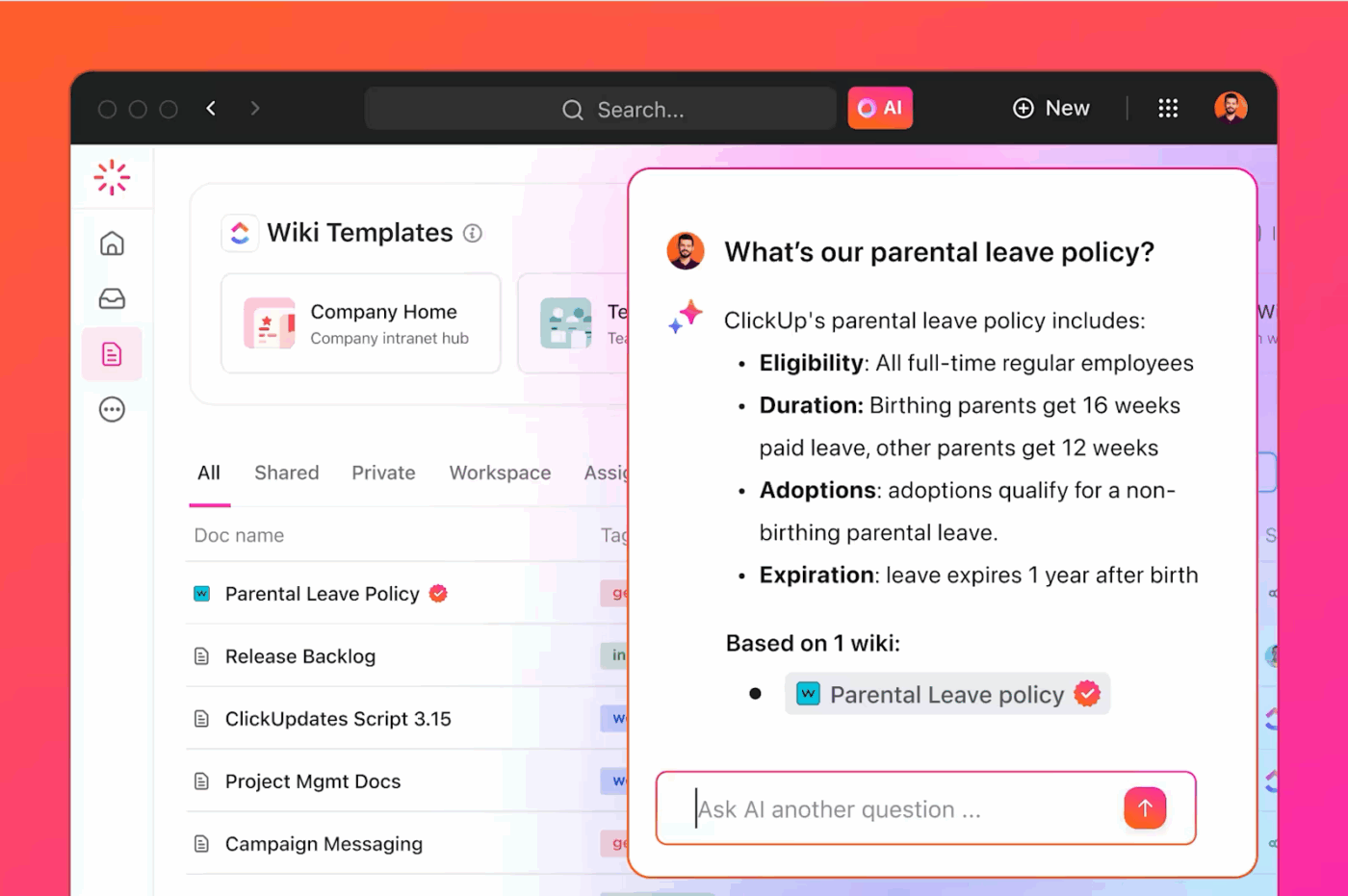
At the center of this is ClickUp Docs. It supports rich formatting, real-time editing, custom permissions, and deep linking to tasks or goals. Be it building an internal wiki or outlining a campaign brief, it’s all searchable, trackable, and version-controlled.

What ties it all together is ClickUp Brain, your built-in AI teammate that helps you think, plan, and act without context switching. It can summarize a doc, pull out action items, rewrite sections, and even help you pull the relevant information from across your workspace.
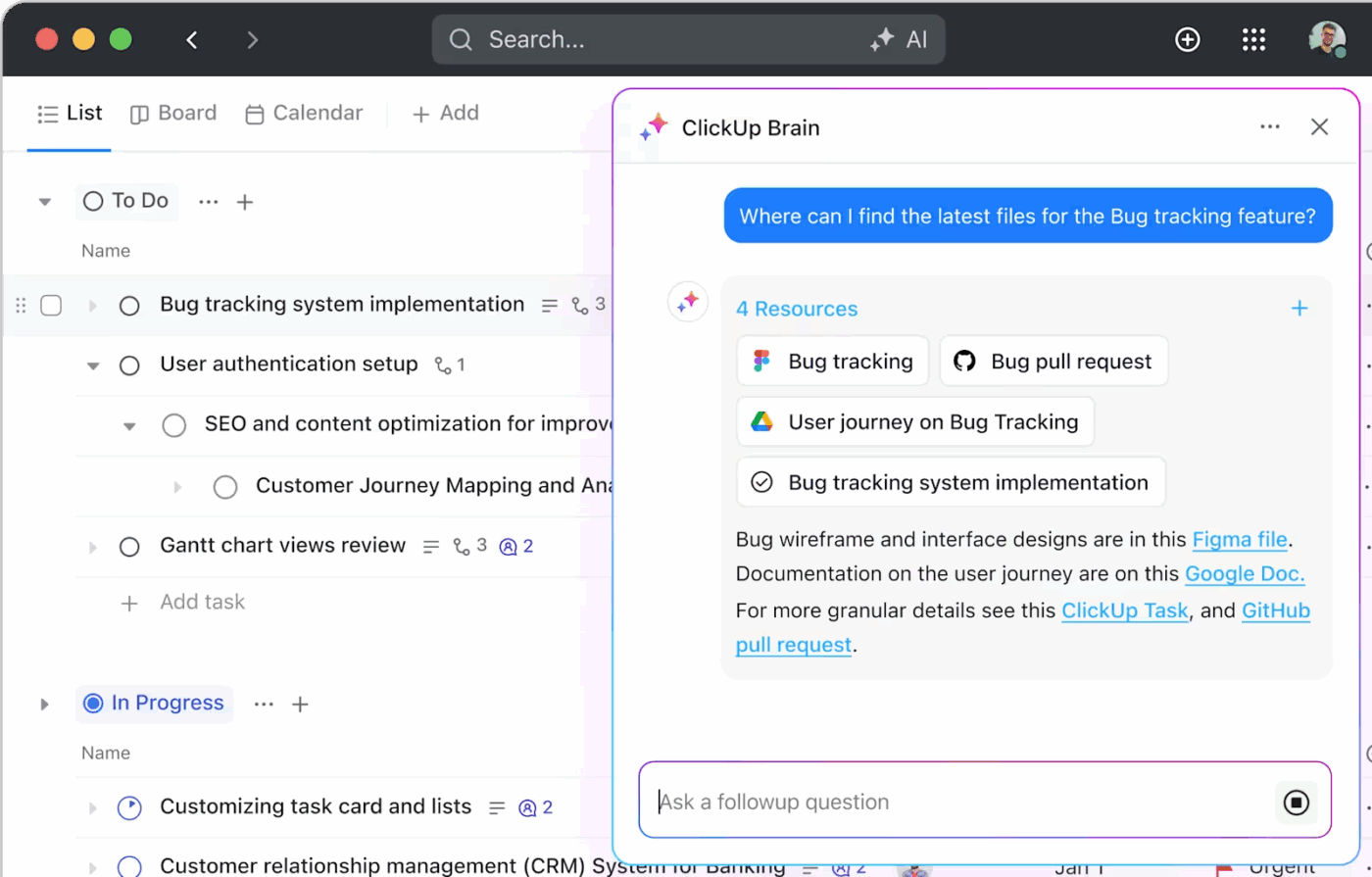
Instead of losing time switching between tools, you just ask ClickUp Brain. It understands your tasks, projects, goals, team structure, and everything else you work on.
You can ask it to:
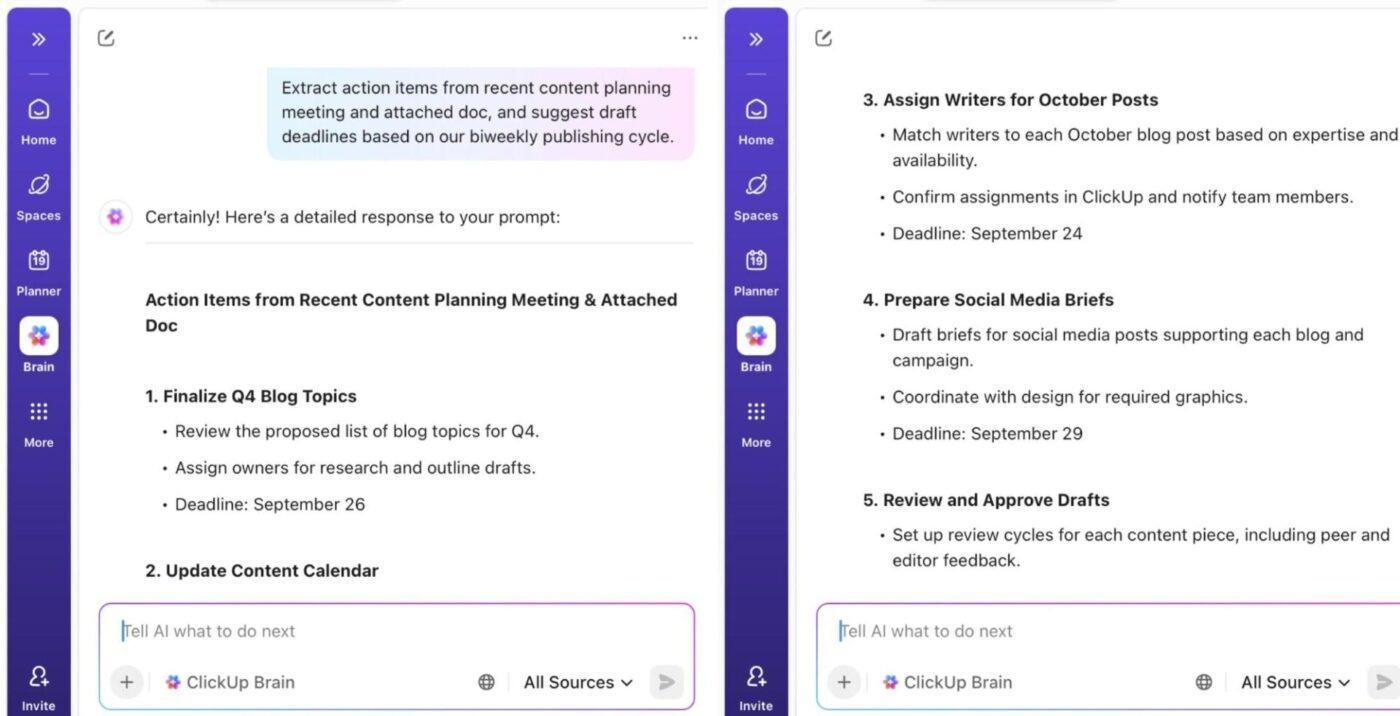
And just like that, it gives you usable answers that are rooted in your actual work data. Even better, it handles all the routine stuff too, like standups, proofreading, meeting recaps, and even data cleanup, so your team can stay focused on the high-value work.
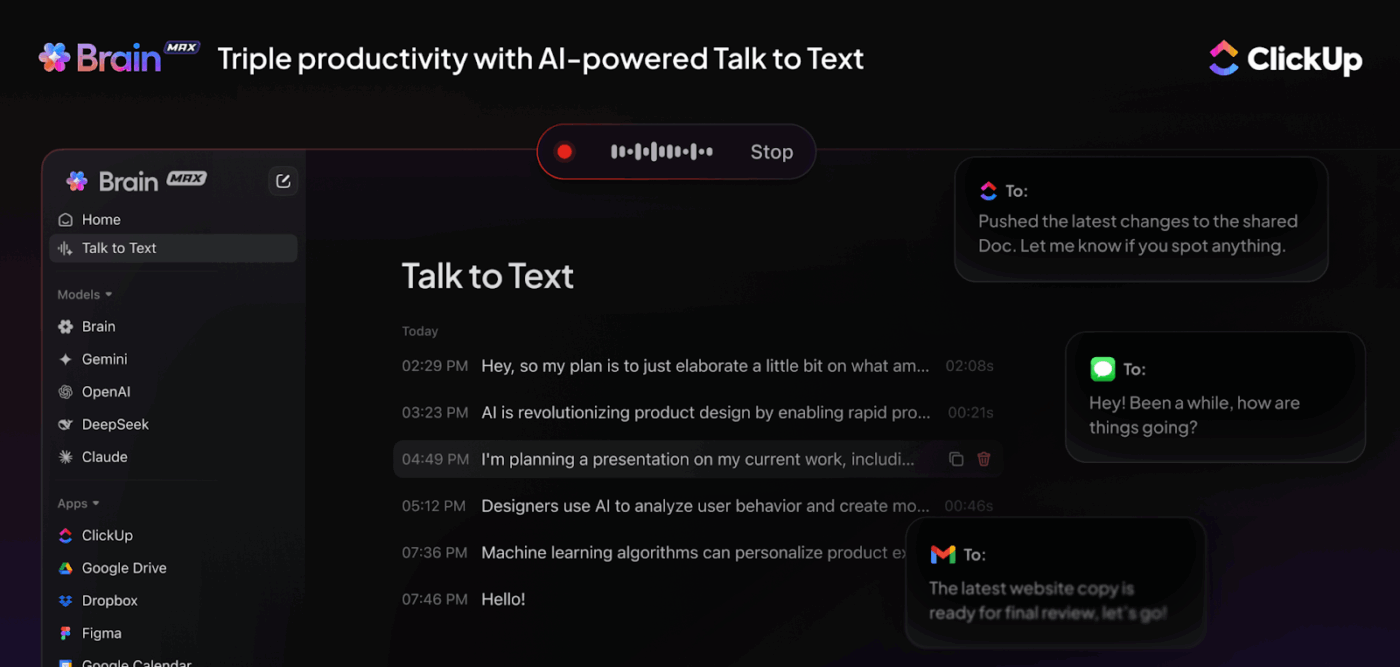
⭐ Bonus: Want the magic of ClickUp Brain without even opening your browser? ClickUp Brain MAX is a desktop super app that brings your entire AI-powered workspace to you.
You can:
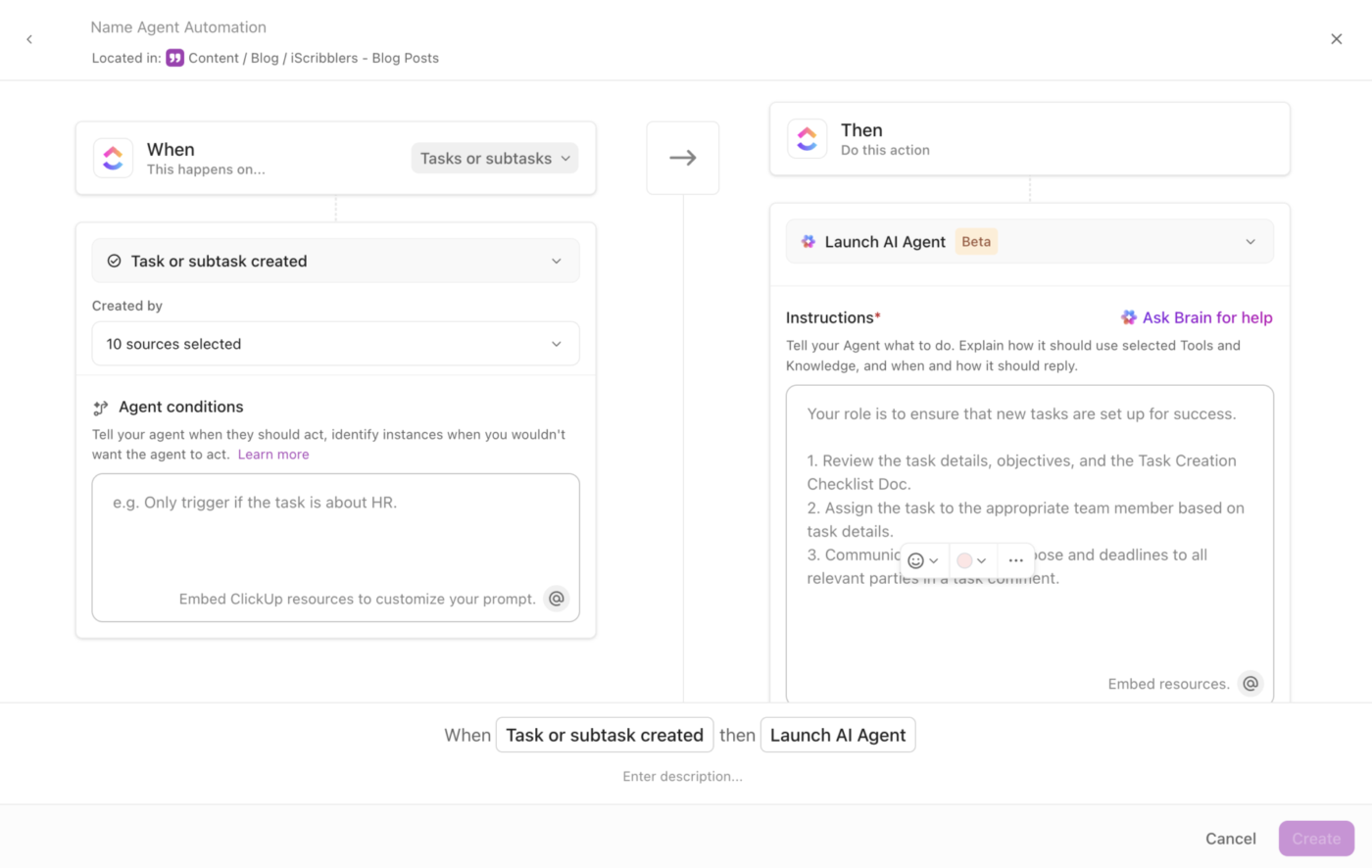
ClickUp becomes a complete AI solution with ClickUp SuperAgents. They are AI teammates that don’t just respond; they proactively act based on triggers and context.
Once set up, they can:
You can use prebuilt agents to answer FAQs, surface knowledge, or manage workflow handoffs, or build your own AI agents using simple configurations. And because they’re integrated with ClickUp Brain, they adapt to your workflow and help teammates stay in sync without needing micromanagement.
Know more about ClickUp’s Super Agents in this video ⬇️
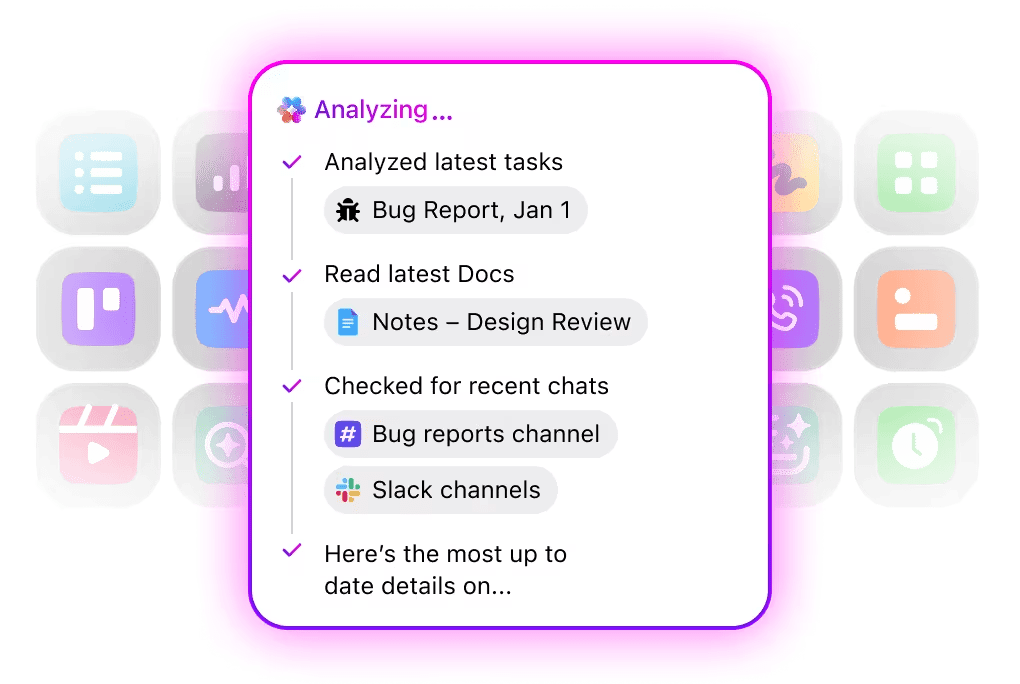
Finally, Enterprise Search in ClickUp can retrieve context and insights from your entire ClickUp workspace and connected tools, including Google Drive, Slack, GitHub, Figma, Dropbox, and more.
This means your tools no longer function in silos. A single search can return a task comment, a document, a design file, or a message thread, all in one view. You don’t need to switch tabs or search through folders to locate the information you need.
Results are permission-aware to ensure data privacy, so team members or clients only see what they’re allowed to see.
This is what a G2 reviewer said about ClickUp:
What I find most helpful about ClickUp is its ability to centralize project information while supporting strong collaboration and reporting. The platform offers excellent dashboards, flexible customization through custom fields and templates, and solid documentation and knowledge‑management features, which makes daily project oversight more efficient. It also integrates well with Azure DevOps and includes generous AI and automation credits that simplify several project‑management tasks. It stands out for collaboration, dashboards, reporting, and capacity planning, and it provides optimized capabilities for documentation and knowledge management.
👀 Did You Know? 81% of people who use AI for work say it’s already improving productivity. If you’re not already using AI to streamline your workflow, you’re leaving efficiency on the table.
📚 Read More: How to Use Knowledge-Based Agents in AI
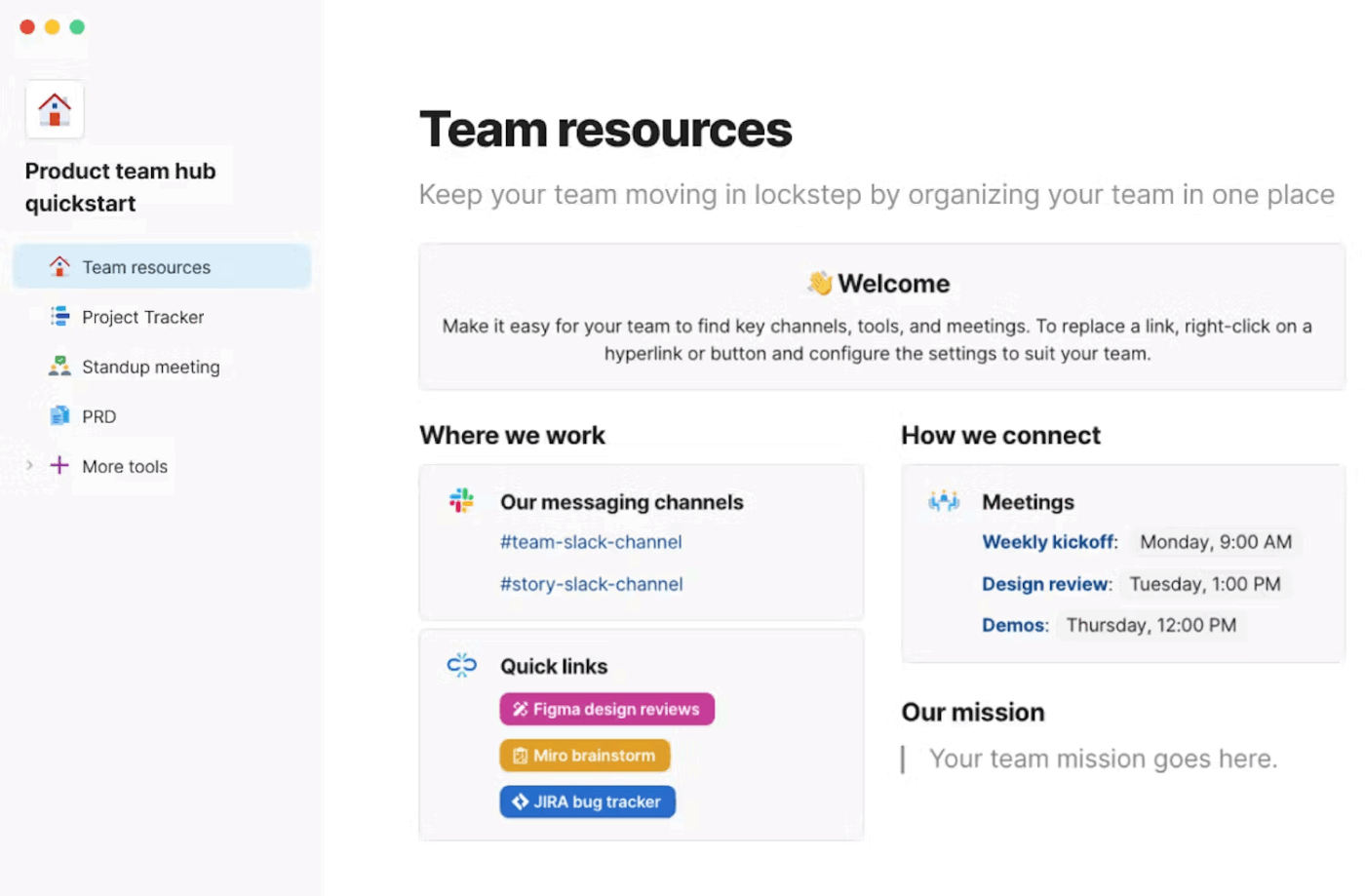
Unlike surface-level AI writing tools, Coda AI understands both written content and structured work data. That means it can read everyday team content like meeting notes and discussions, and also understand tables, task lists, owners, statuses, and timelines. Because of this, work doesn’t feel scattered.
Tables work more like small databases than simple spreadsheets. That allows the AI to summarize selected rows, auto-tag entries, clean up messy or inconsistent data, and help make sense of numbers along with the written context around them.
With automations, task tracking doesn’t depend on manual follow-ups. Updates are generated automatically, dashboards reflect real-time progress, and living docs stay relevant instead of getting outdated after a week.
A G2 reviewer says:
Coda does a very good job of building living, very flexible documents in a number of ways where you can actually get work done inside them. Interactive, linked tables, kanban boards, and other interconnected things which make product management easier.
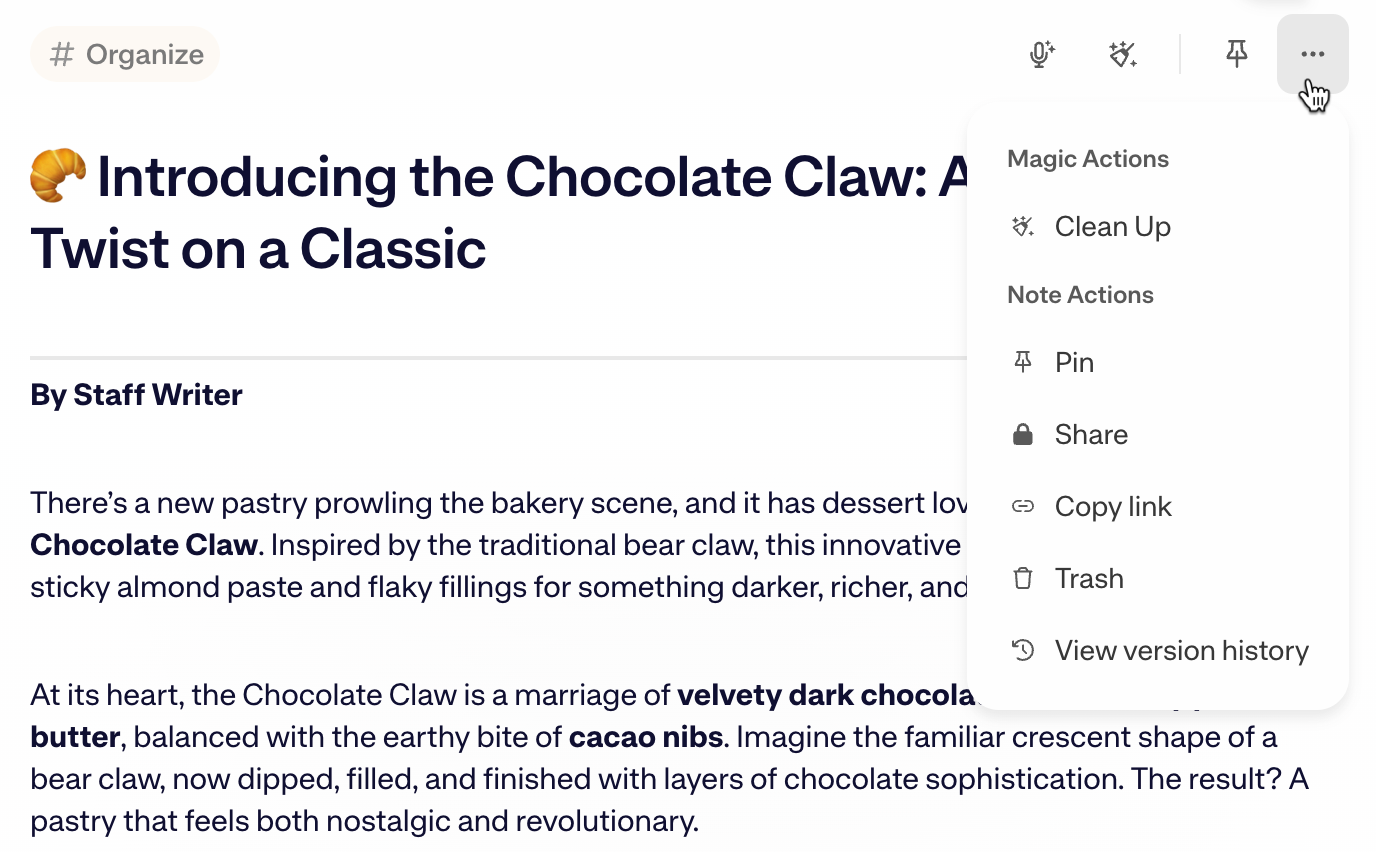
Mem looks at productivity very differently from most AI tools. You just write meeting notes, ideas, tasks, or random thoughts as they come. Mem’s AI figures out what the note is about, who it relates to, and how it connects to other work, without you creating folders, tags, or systems.
Contextual AI helps retrieve the right information and builds a living knowledge graph of your work over time. You get relevant answers drawn from across your notes instead of going through individual entries.
The tool also records meetings directly from the desktop app (no bot joins your call) and generates well-structured notes with a full transcript and audio. You can also edit or refine the notes by giving feedback.
📚 Read More: Best AI Tools for Knowledge Management
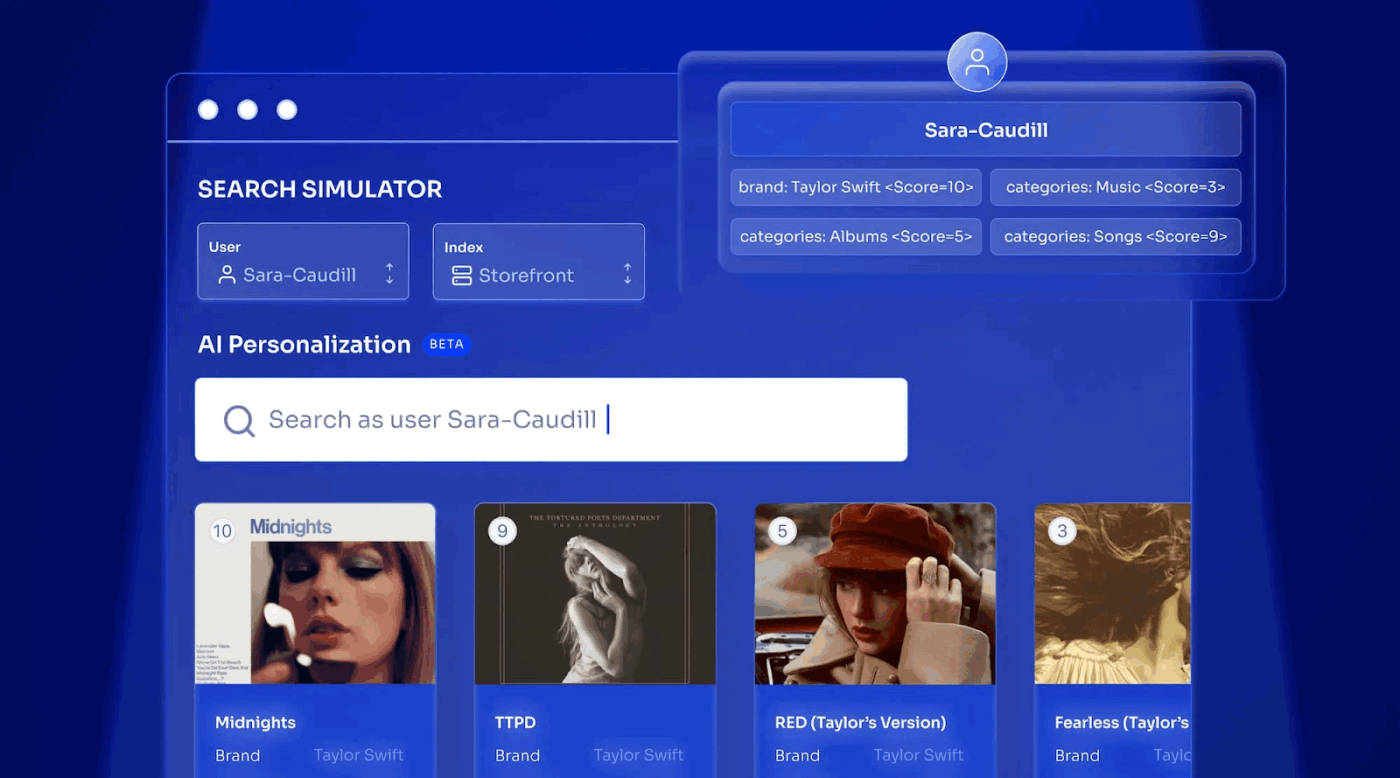
Algolia can be used when your content lives across multiple systems, and you need a fast, reliable way to retrieve the right result. Its AI-based search understands both the meaning of what you type and the actual keywords, so even if your search is vague or incomplete, you still get accurate results.
The tool uses neural relevance models and behavioral signals to improve results based on real usage and context, not fixed rules.
The tool’s ‘Ask AI’ feature recommends related content, answers questions in simple language, and guides users toward the next best action. Built-in analytics show where people struggle to find answers, so teams can improve content and fix gaps early.
This is what a Capterra reviewer said about Algolia:
Algolia search has increased our conversion rates, and provides a much better user experience than any of the other instant search providers we tried. I wouldn’t want to move away from algolia as the functionality and potential it offers is so great.
🤯 Fun Fact: 60% of users are ready to ditch traditional search and hand the reins to AI for finding and exploring information. And nearly 60% say AI will be their main way to find stuff online.
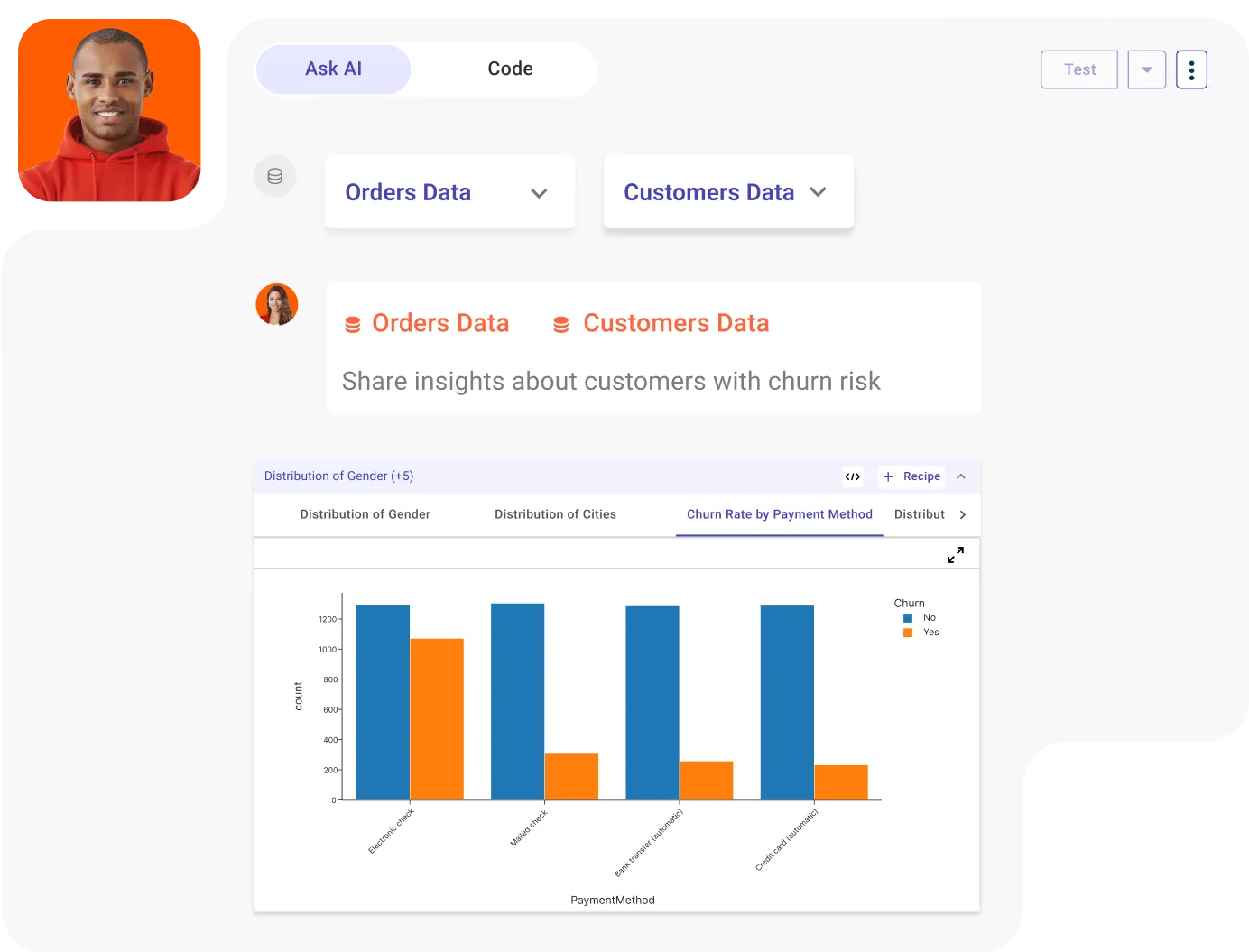
RapidCanvas gives businesses a unified workspace to see the full lifecycle of an AI project—from data ingestion and preparation to model training and deployment. AI-driven automation helps profile, clean, and prepare data, reducing the manual effort typically required before modeling can begin.
Since the platform supports building data workflows on a drag-and-drop canvas, teams can test and deploy AI models without advanced coding skills. It also tracks experiments and model versions automatically, which helps retain context as models evolve. For a hybrid approach, AI agents can be combined with human oversight to deliver tailored, more reliable AI solutions.
The tool integrates with many databases, cloud tools, and business systems, so you can use your existing data without a complex setup.
Here’s a G2 review:
From data visualization and analytics to collaboration tools, RapidCanvas provides a comprehensive suite of functionalities that enhance productivity and decision-making. Finally, the ease of integration with other software and platforms ensures a cohesive workflow. I can leverage my existing tools and data within RapidCanvas without any disruption, which significantly improves efficiency.
👀 Did You Know? In a large-scale field study with 2,310 participants, teams that worked with AI agents saw:
The takeaway? AI doesn’t replace people; it amplifies human potential. Whether it’s brainstorming, documentation, or decision-making, the right AI tools can supercharge how teams work together.
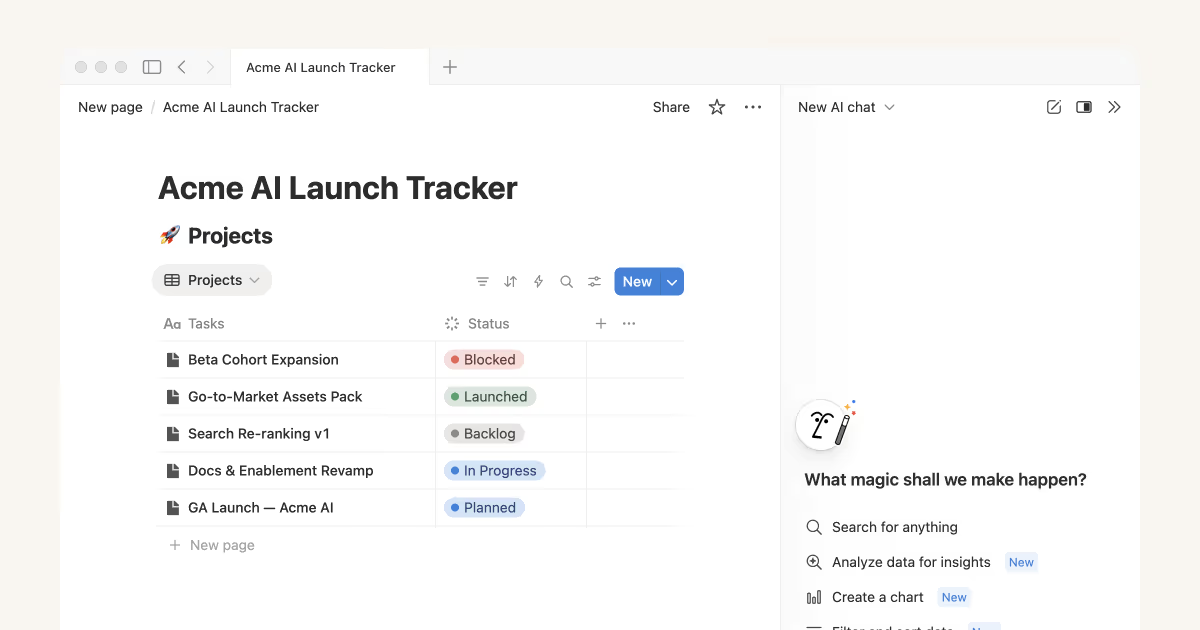
Notion is a popular collaboration and productivity tool for teams worldwide to manage documents, tasks, projects, and knowledge. Its AI works quietly inside everything you’re already doing.
When you write meeting notes, the AI can summarize them. When you discuss next steps, it can turn those into tasks. When information is scattered across pages and databases, it helps you find answers directly.
You can ask questions in plain English and get answers pulled from across your workspace, even if the information lives inside tables, docs, or comments. It can also look back at past projects to identify patterns, such as what keeps getting delayed or where teams typically get stuck.
You also get AI agents that can take actions inside your workspace based on predefined rules. They can monitor your database for changes, update records, create task pages, send notifications, and more.
A Capterra reviewer says this about Notion:
Notion really shines and shows its efficacy when the entire team embraces it. It’s collaboration features make team document-editing VERY easy which streamlines communication and workflow. The templates and AI writing assistance are also awesome to get a head start on work.
📮 ClickUp Insight: 62% of our respondents rely on conversational AI tools like ChatGPT and Claude. Their familiar chatbot interface and versatile abilities—to generate content, analyze data, and more—could be why they’re so popular across diverse roles and industries.
However, if a user has to switch to another tab to ask the AI a question every time, the associated toggle tax and context-switching costs add up over time.
Not with ClickUp Brain, though. It lives right in your Workspace, knows what you’re working on, can understand plain text prompts, and gives you answers that are highly relevant to your tasks! Experience 2x improvement in productivity with ClickUp!
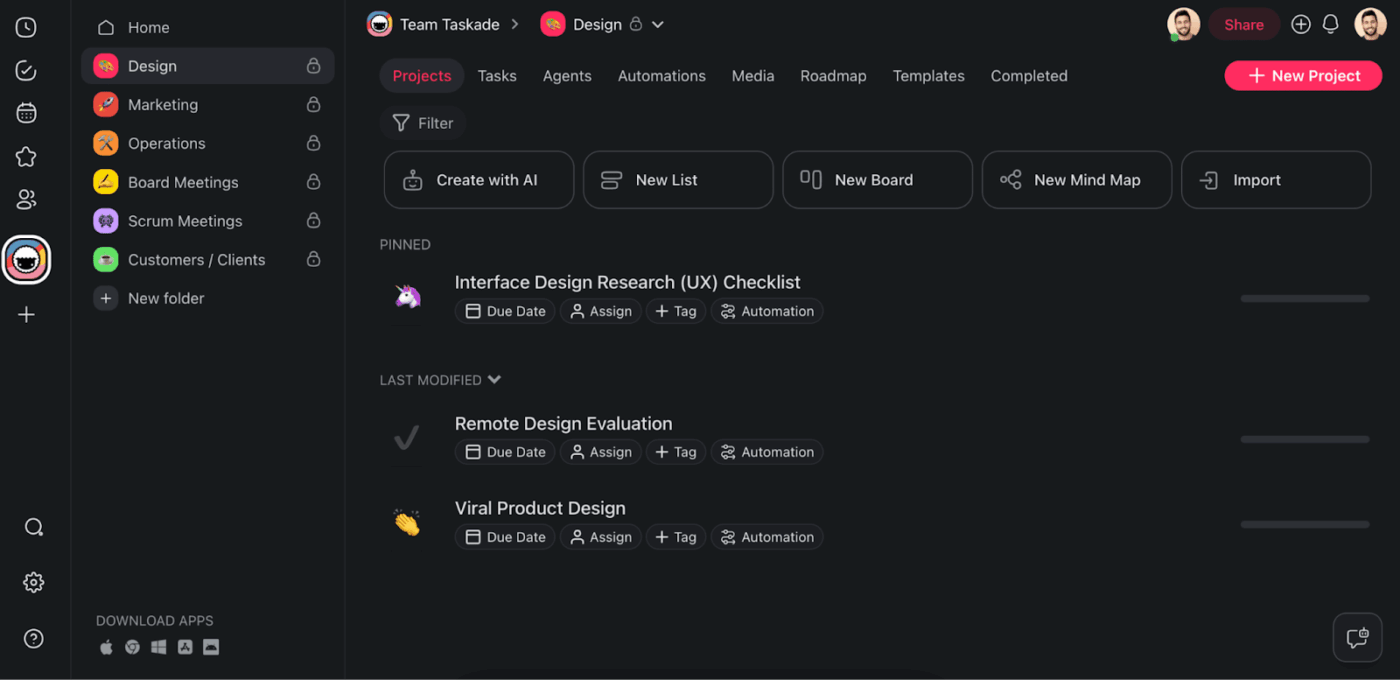
Taskade is a reliable collaborative AI platform. Prompt-driven AI agents help plan a project, break a big goal into smaller tasks, organize workflows, or update things as work changes. These agents connect your tasks, docs, and team conversations, so work doesn’t feel distributed across tools.
Projects feel like living systems. The AI can look at what’s going on and suggest what to work on next, summarize progress for the team, or help unblock things when work slows down. With a strong focus on intelligent document management workflow, it ensures that notes, plans, and updates stay structured and in sync with your tasks.
The tool also supports real-time collaboration with live editing, built-in chat, and even optional video calls inside projects, so communication stays connected to the work itself.
This is what a Reddit reviewer said about Taskade AI:
I like Taskade for its flexibility and organizational capabilities… also for its multiple views, which are great for my productivity! Plus, the AI Agent feature is incredibly useful (worth testing out) among other things…
👀 Did You Know? 40% of workers have already collaborated with an AI agent. And 23% have gone a step further by offloading tasks entirely to agents that now work on their behalf.
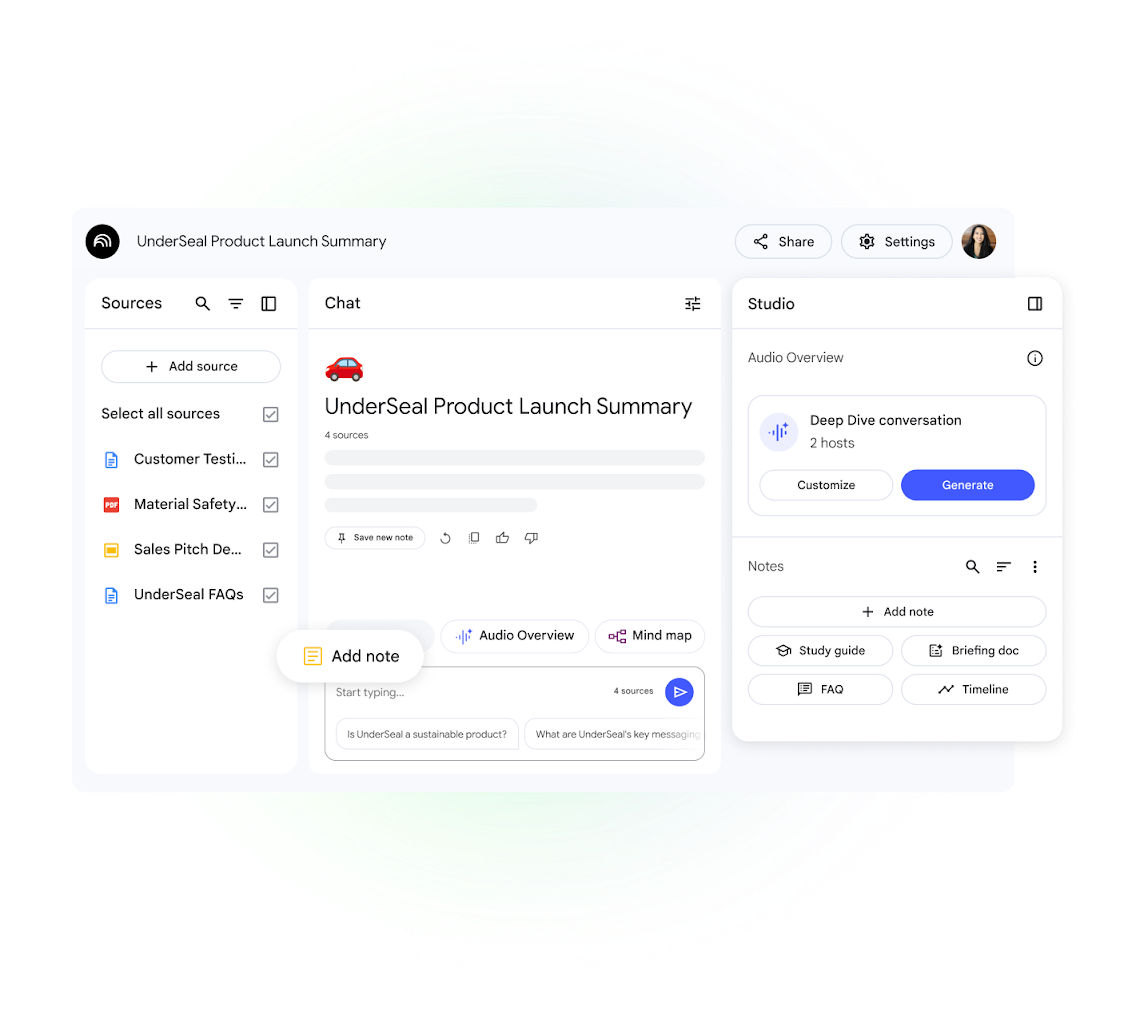
NotebookLM, an AI-powered research and note-taking assistant from Google, helps you interact with your own documents and information more intelligently. You can add PDFs, Google Docs, Slides, research papers, web links, transcripts, and even images like screenshots or diagrams. NotebookLM reads all of them together and treats them as one shared knowledge space.
To help improve personal productivity, AI can spot common points, differences, missing details, or repeated ideas across multiple documents, things that usually take hours to figure out manually.
For teams, the tool functions as an evolving knowledge workspace instead of a one-time research tool. Teams can keep adding new documents, and the AI automatically connects them with existing information. This means project notebooks, research folders, or internal knowledge bases become more useful over time.
A G2 reviewer observes:
I have been using Google NotebookLM for about a year, and I find it efficient for tracking and sharing notes with colleagues. Its straightforward setup adds convenience to its efficiency. Google NotebookLM boosts my team’s collaboration and productivity by making it easier to access our collective notes and derive key takeaways.
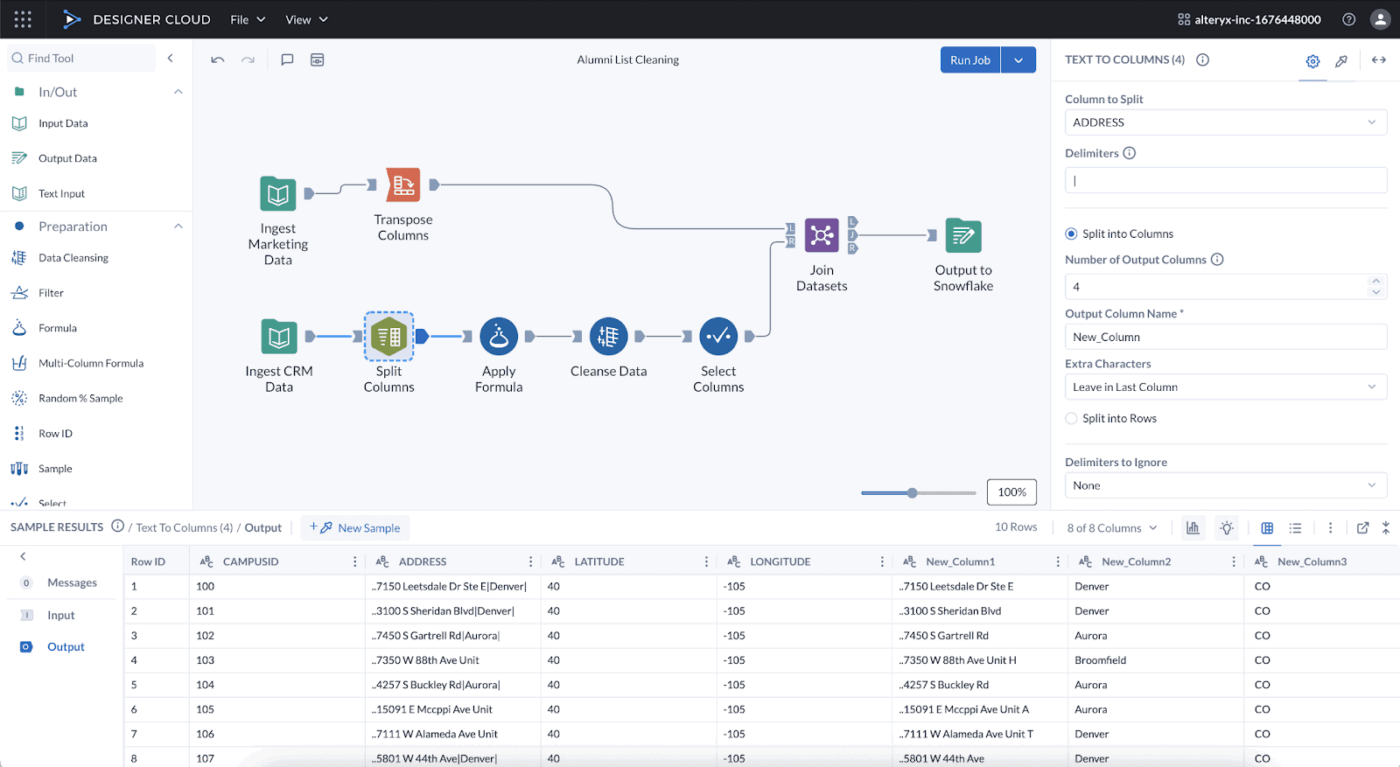
Alteryx is a data preparation and analytics automation platform. Instead of performing the same data preparation steps manually in spreadsheets or scripts, teams can build workflows once and reuse them, ensuring consistency in how data is handled.
Built-in AI scans raw data automatically and shows teams what’s wrong or risky, like missing values, duplicates, strange patterns, or mismatched formats. Teams get a clearer view of data quality because everyone starts from the same, trusted base.
Generative AI capabilities assist in these workflows. Teams can describe what they want in simple language, like ‘combine sales and marketing data by region and month,’ and the tool helps translate that intent into actual workflow steps. It can also explain existing workflows in plain English, which makes peer reviews, approvals, and handovers much faster.
Also, because workflows are visual and automated, they can be scheduled or triggered to run repeatedly and refined over time instead of being rebuilt from scratch.
A G2 review says:
I like Alteryx’s intuitive drag and drop interface, which makes building workflows easy. It drastically reduces the time spent on data preparation and blending. I can automate repetitive tasks without writing code, and it handles large datasets smoothly.
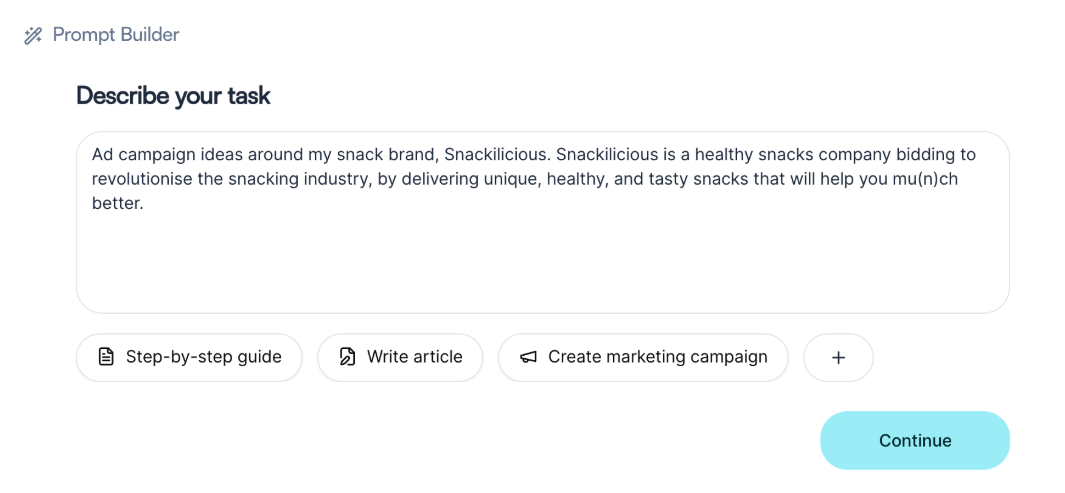
Juma is ideal for collaborative work management with shared projects and workspaces designed for teams.
Teams can save useful prompts, reuse proven frameworks, and even switch between different AI models based on the task, like ideation, writing, or analysis, without leaving the workspace. Chats don’t stay as rough thoughts either. They can easily be converted into documents that teams can edit, refine, and share.
Over time, the connected AI system helps teams develop domain expertise by making past work and decisions instantly retrievable. Outputs stay connected to their respective projects, successful prompts evolve into shared team assets, and collaboration becomes more efficient as context builds over time.
This is what a G2 reviewer said about Juma:
Juma helps me save a lot of time in my day-to-day work. Working at a marketing agency, I can organise all my clients into separate projects, and everything is set up with the right context so I can ask questions directly without having to explain things or provide background each time. That alone saves me a ton of time. The new data analysis tool is especially strong at analysing complex data files and delivering concrete, straightforward conclusions and recommendations.
🚨 Stat Alert: According to the State of AI in Enterprise Adoption report, organizations are now deploying 11× more AI models into production year over year.
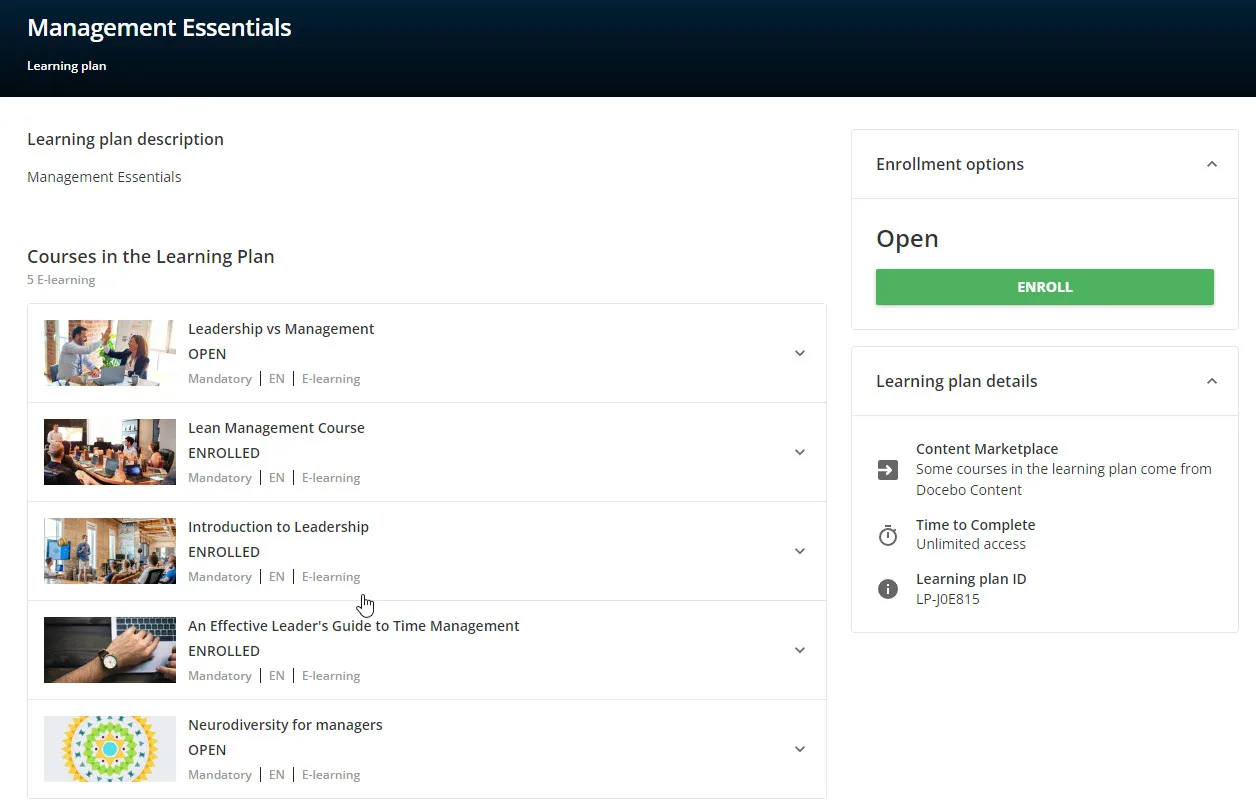
Docebo is an AI-first learning management platform (LMS) for enterprise training. Its AI brain, called Harmony, connects everything, including content creation, search, recommendations, automation, and analytics, so nothing works in isolation.
On a day-to-day level, Docebo saves a lot of manual effort. Harmony Copilot walks you through tasks step by step, so you don’t need long training sessions or documentation. It’s especially helpful when using AI for documentation, making it easy to generate and distribute training content.
The tool enables AI literacy by helping teams understand and use AI through interactive tools that simplify learning workflows. AI Search and Chat let employees ask questions in plain language and get accurate, contextual answers. The tool’s AI Creator helps teams quickly create or update learning content, and AI Video Presenter helps generate videos where an avatar reads your script aloud as a presenter.
This is what a Reddit reviewer said about Docebo:
Docebo allows you to centralize course creation, automate tracking and reporting, and manage large learner groups without needing a full team.. it won’t do all the content work for you, but it can make rollout, compliance tracking, and progress monitoring far more manageable.
Plenty of AI tools promise productivity. The real challenge is choosing one that helps you move from ideas to execution without creating AI sprawl.
ClickUp is a converged AI workspace designed to keep work connected from start to finish. Instead of jumping between tools, your team can think, plan, execute, and track progress in one place with AI woven directly into the workflow.
Because when AI removes the busywork, it elevates human excellence and lets teams focus on meaningful contributions.
Try ClickUp and see how connected work feels. Sign up for free.

© 2026 ClickUp

There’s an easier way. Try a free AI Agent in ClickUp that actually does the work for you—set up in minutes, save hours every week.