






Still downloading templates?
There’s an easier way. Try a free AI Agent in ClickUp that actually does the work for you—set up in minutes, save hours every week.
Sorry, there were no results found for “”
Sorry, there were no results found for “”
Sorry, there were no results found for “”

88% of organizations now report regular AI use in at least one business function, up from 78% just a year ago.
As AI adoption accelerates, it is no longer limited to experiments or edge use cases. AI now touches everyday work like documents, analysis, meetings, customer data, and internal communications.
This rapid adoption also raises a critical question for teams that care about data protection: where does your information go when you use AI? Many AI tools optimize for speed and convenience, but overlook privacy and long-term data control.
For teams handling sensitive or regulated information, these gaps introduce risk at scale.
In this blog post, we’ll explore AI tools designed for privacy-conscious teams, focusing on how they enforce access controls and support responsible AI use.
To help you compare options quickly, here’s a high-level view of the best data privacy tools and how they stack up at a glance.
| Tool name | Key features | Best for | Pricing* |
| ClickUp | Contextual AI with ClickUp Brain, Brain MAX desktop companion, Super Agents with permission controls, AI-powered Tasks and Docs, role-based access controls, ISO 42001–aligned AI governance, and zero data training or retention guarantees | Privacy-conscious teams that need a secure, all-in-one workspace with contextual AI embedded directly into everyday work | Free Forever; Customizations available for enterprises |
| Lumo (by Proton AG) | No conversation logging, no default model training, zero-access encryption for saved chats, fully open source, GDPR & HIPAA alignment, ISO 27001 and SOC 2 certified | Teams that want a privacy-first AI assistant for writing, summarization, and research without data collection risks | Free plan available; Paid plans start at $12.99/user per month |
| Duck.ai | No account required, no prompt storage or model training, local chat storage with deletion control, encrypted 15-minute cache, optional city-level location sharing | Individuals and teams that want a free, anonymous AI chatbot with strong privacy defaults | Free plan available; Paid plans start at $9.99/month |
| Quill | Fully local meeting transcription, real-time summaries, structured notes with follow-ups, screenshot capture during screen share, no cloud audio routing | Privacy-conscious teams that need secure meeting transcription without sending data to external servers | Free plan available; Paid plans start at $7.99/month |
| Standard Notes | End-to-end encrypted notes, encrypted device-side syncing, long-term revision history, encrypted email backups, 2FA and biometric lock | Teams and individuals that need secure long-term note storage and encrypted knowledge management | Free plan available; Paid plans start at $63/year |
| Tutanota (Tuta) | End-to-end encrypted email and calendar, zero-knowledge architecture, post-quantum cryptography, encrypted search, anonymous signup, 2FA | Teams that need secure business email and calendar with strong encryption by default | Free plan available; Paid plans start at €3.60/month |
| Skiff | End-to-end encrypted email and documents, encrypted subject lines, real-time collaboration in Skiff Pages, tracker blocking, custom domains and aliases | Teams that want a secure, encrypted alternative to traditional email and document workspaces | Free plan available; Paid plans start at $4/month |
| Obsidian | Local-first Markdown storage, interactive graph view, offline access, granular sync control, Canvas for visual planning | Individuals and teams that want full control over knowledge management without vendor-controlled cloud storage | Free plan available; Paid plans start at $5/user per month (Sync) |
| SimpleLogin | Open-source email aliasing, PGP encryption support, custom domains, multi-mailbox routing, 2FA with TOTP and WebAuthn | Teams and individuals who want to reduce email tracking and protect their primary inbox identity | Free plan available; Paid plans start at $4/user per month |
| Protecto | Automated PII, PHI, PCI detection, masking and tokenization, format-preserving redaction, Context-Based Access Control (CBAC), compliance support (HIPAA, GDPR, CPRA, DPDP) | Enterprises that need a data protection layer between internal systems and AI models | Custom pricing |
Our editorial team follows a transparent, research-backed, and vendor-neutral process, so you can trust that our recommendations are based on real product value.
Here’s a detailed rundown of how we review software at ClickUp.
AI adoption breaks down quickly when teams are unsure where their data goes or how it might be used. For organizations that store client information or regulated, sensitive data, privacy-first AI is mandatory for safe, scalable use.
Here’s why you should prioritize the right data privacy solution:
Let’s review the best data privacy tools by comparing their pros, cons, features, and pricing.
AI adoption often creates hidden risk. You generate outputs in disconnected tools, losing visibility into who can use or access sensitive information. For privacy-conscious teams, this fragmentation makes AI governance and regulatory compliance harder to enforce.
ClickUp changes this by operating as a converged AI workspace powered by contextual AI. AI is embedded directly into the platform where you already work, reducing the risk of sharing sensitive information with unknown tools. It also offers strong security features, including strict access controls and structured permissions to protect your data.
Let’s take a closer look at how ClickUp prioritizes security and backs it up with enterprise-grade capabilities to help you avoid AI adoption challenges.
ClickUp approaches privacy and security as foundational for every feature you rely on in the platform. Your data runs on enterprise-grade infrastructure hosted on Amazon Web Services (AWS), with built-in continuous monitoring and restricted access controls.
ClickUp also complies with GDPR, SOC 2, PCI DSS, ISO 27001, ISO 27017, and ISO 27018, which independently verify its security practices. Data is encrypted both in transit and at rest, ensuring the information you store in ClickUp remains protected from unauthorized access.
🎖️ The Strategic Upside: ClickUp keeps security under constant watch. The platform monitors security and performance 24/7/365 and runs automated risk assessments continuously. It also works with independent third parties to conduct regular penetration testing.
ClickUp Brain is not a separate chatbot or a plug-in. It’s the built-in AI assistant that understands your Tasks, Docs, Chats, and project data as work you already own and control.
Rather than exporting data to external AI tools and duplicating sensitive information, ClickUp Brain uses the actual structure and content of your workspace to generate outputs.
You can also use ClickUp Brain in the following ways:
You can convert AI outputs directly into ClickUp Tasks, assign owners, deadlines, and dependencies, and turn AI-driven insights into accountable work. Further, use Custom Fields to capture details like status, risk level, or client information, and set priorities to highlight what needs attention first.
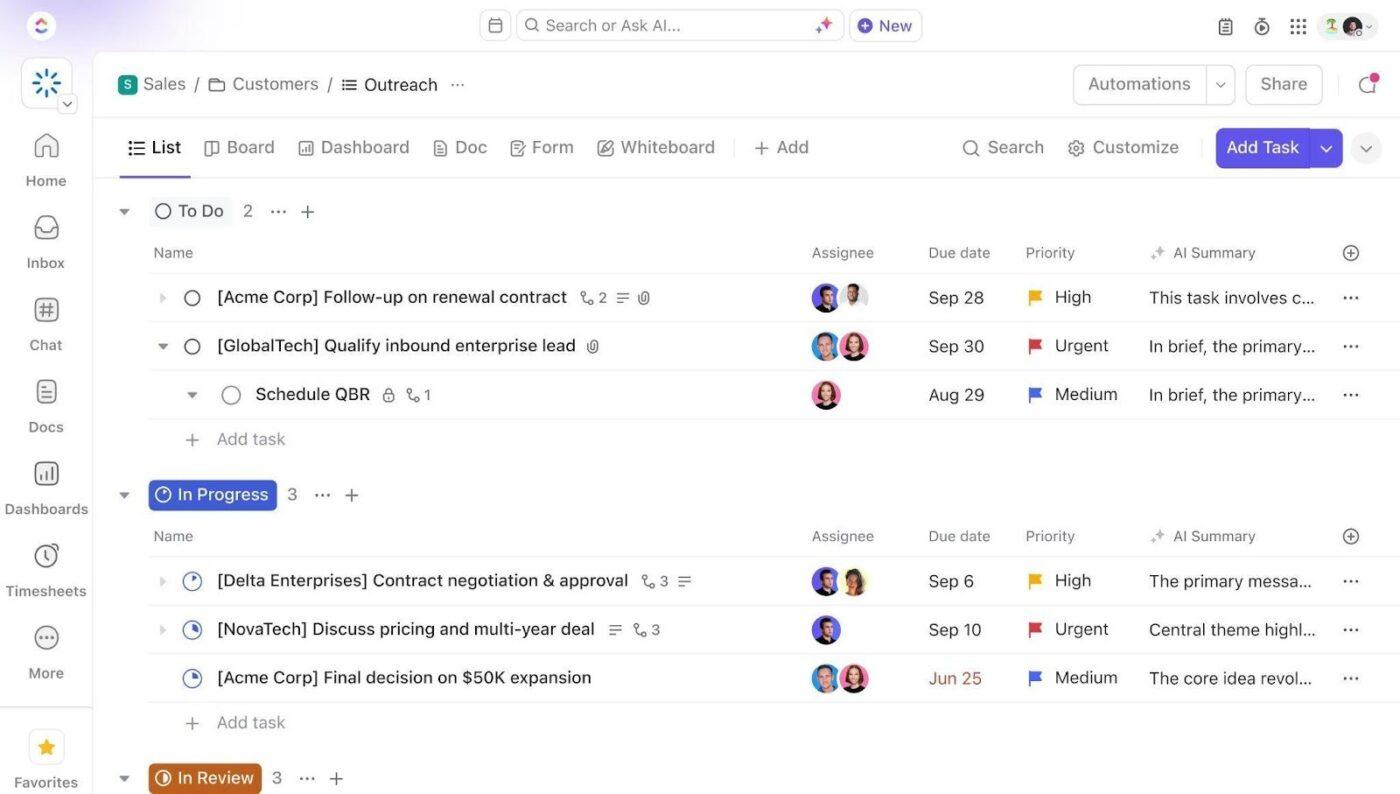
For longer-form content, store AI outputs in ClickUp Docs and keep them searchable or link them directly to the work they support.
💡 Pro Tip: When sharing ClickUp Docs, you can control exactly who can see and edit them. You can keep a Doc private and share it only with specific people or teams, open it up to everyone in your workspace, or invite external collaborators by email or links.
You can also combine specific permissions with the Protect Doc toggle to prevent accidental or unauthorized edits, helping keep company policies and SOPs safe and unchanged.
ClickUp Brain MAX extends ClickUp’s contextual AI capabilities into a powerful desktop companion that reduces AI sprawl and centralizes intelligent work. Instead of jumping between disconnected AI tools, you can search and generate content from one controlled environment anchored to your ClickUp workspace.
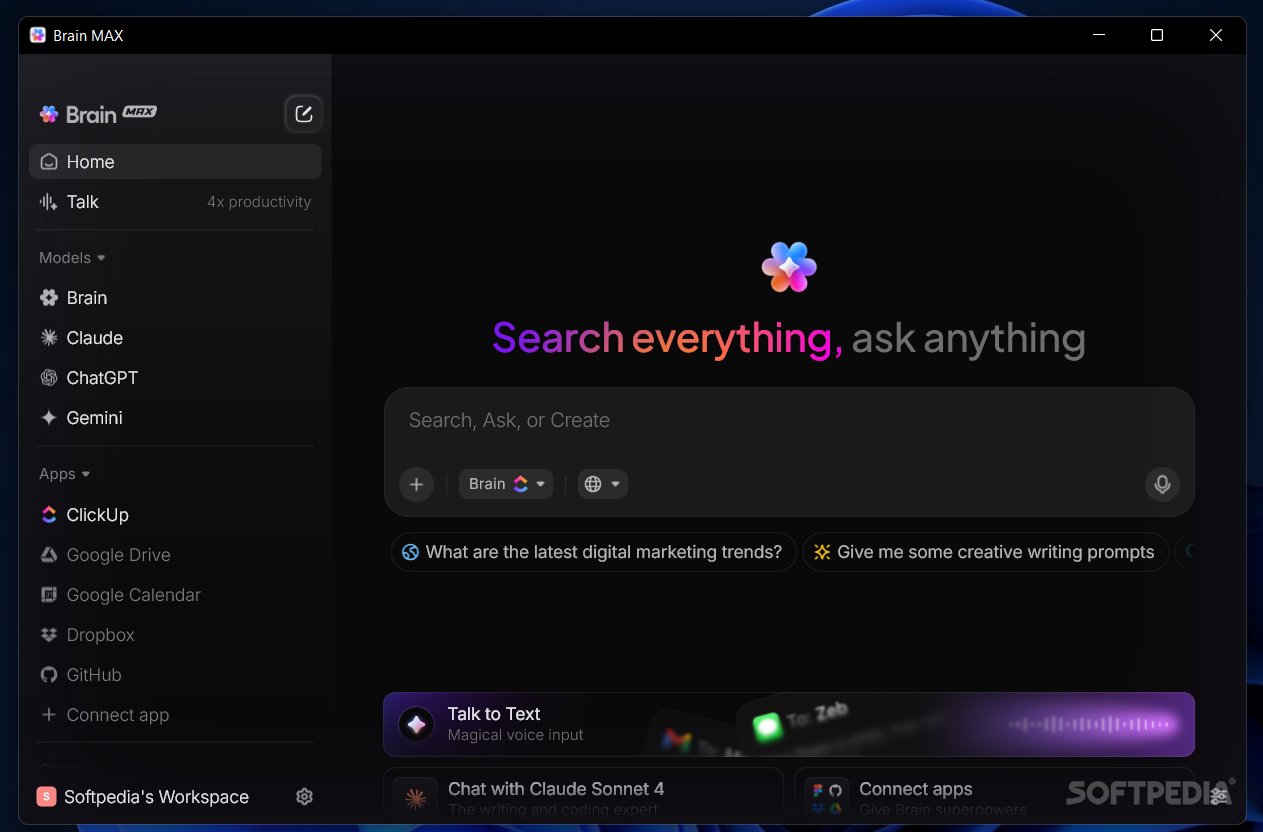
You also get:
ClickUp backs its AI capabilities with clear data governance and enforceable safeguards. The platform is certified to ISO 42001, a global standard for responsibly and securely managing AI. Plus, ClickUp AI is not trained on data from your workspace, and licensing agreements with AI partners explicitly prohibit using customer data for model training.
ClickUp AI Super Agents are AI-powered teammates that operate directly inside your workspace, using real project context to help move work forward.
You can interact with Super Agents like you would with a teammate. Assign them tasks, @mention them in conversations, or ask them to compile documents and follow up on work automatically.
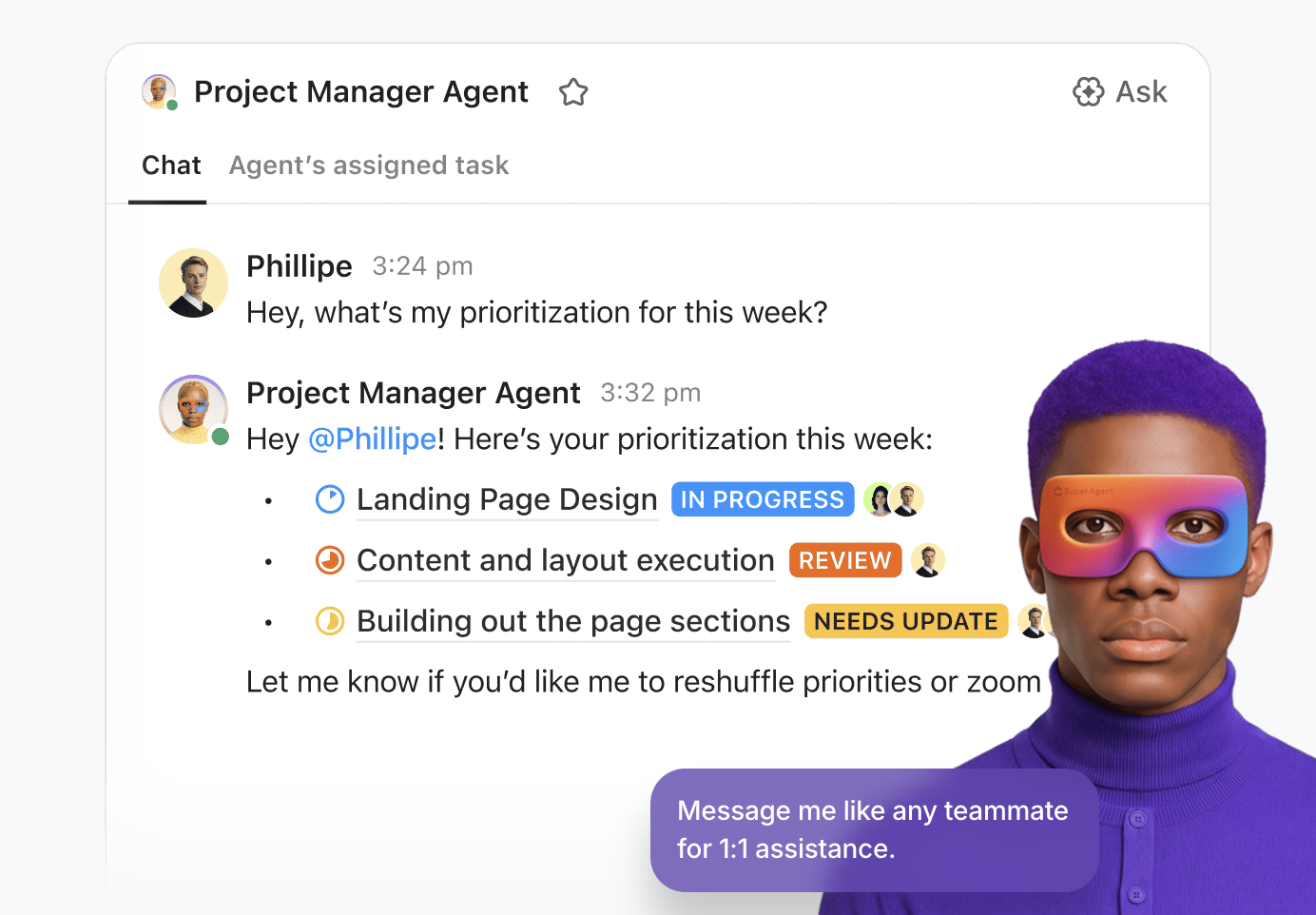
Super Agents operate under direct human control with clearly defined boundaries. When you create one, you can configure exactly how it can interact with your workspace (including which tools it can use).
Anyone with permission to manage access can update this configuration at any time and ensure continuous oversight. While Super Agents automatically receive public workspace data to stay current, access to specific or sensitive areas must be granted explicitly.
💡 Pro Tip: Review Super Agent access through your existing workspace roles to keep control tight and predictable.
A G2 user says:
I really appreciate ClickUp’s constant innovation and how it leans hard into AI. The AI Super Agent is powerful and allows you to configure routine tasks very quickly. I also find the templates helpful during the setup process, even though it requires a lot of time and effort to get set up properly.
👀 Did you know? According to the State of AI Security report from Acuvity, 70% of organizations still lack optimized AI governance. The same report found that 38% cite AI runtime security as their biggest enterprise AI security challenge.
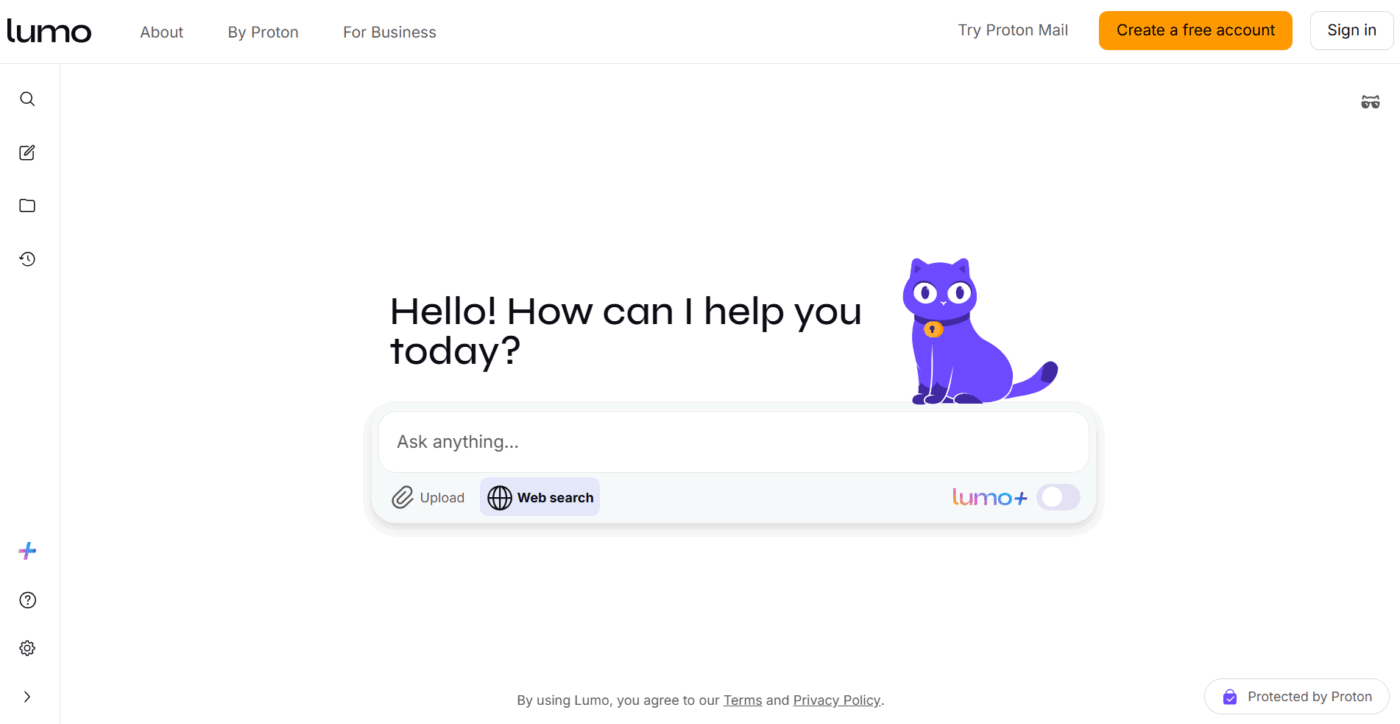
Developed by the team behind Proton Mail and Proton Drive, Lumo is an AI assistant that handles tasks like writing, summarization, and analysis.
Proton engineered the tool to operate without collecting your data. It doesn’t log your conversations or reuse interactions for personalization. The platform also cannot see what you ask or what the assistant replies, and it never uses your data to build profiles or train AI models.
Conversations are saved with zero-access encryption, so only your device can decrypt them. Because the tool is fully open source, you or your security team can independently review the code, reinforcing confidence that privacy protections are built into the system itself.
A Reddit user says:
I’ve used Lumo AI for research. It’s a very capable AI for this purpose. I use it in combination with Mistral, though. I asked it to detail the topics I wanted to learn more about after a detailed prompt, and found that it was direct, no-nonsense.
⚡ Template Archive: Free Company Policy & Procedures Templates to Help Employees Navigate Workplace Effectively
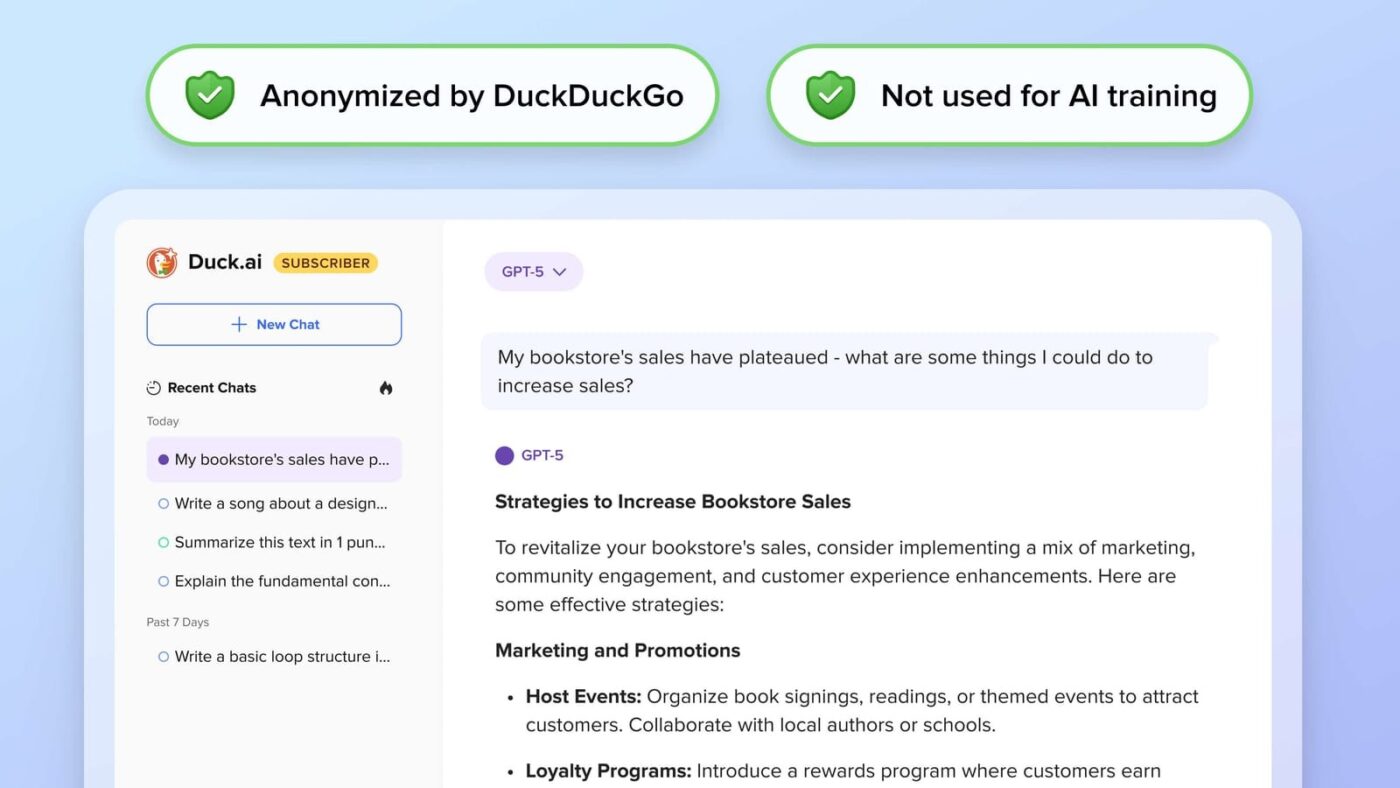
Duck.ai is a free, privacy-focused AI chatbot launched by DuckDuckGo in 2025. It lets you interact with multiple large language models such as GPT-4o mini, Claude 3.5 Haiku, and Llama 4, while ensuring your prompts are not saved or used for model training.
You can use the tool to generate answers and summarize texts without creating an account or linking any personal identity. Unlike traditional tools that store conversations on remote servers, Duck.ai keeps recent chats locally on your device, so you can delete them at any time.
Duck.ai also includes thoughtful privacy controls for contextual relevance. An optional “Use Approximate Location” toggle allows you to share only city-level location data with model providers. Your precise location and IP address remain hidden, and the setting is turned off by default to give you full control over data governance.
📮 ClickUp Insight: 53% of organizations have no AI governance or only informal guidelines.
And when people don’t know where their data goes—or whether a tool might create a compliance risk—they hesitate.
If an AI tool sits outside trusted systems or has unclear data practices, the fear of “What if this isn’t secure?” is enough to stop adoption in its tracks.
That’s not the case with ClickUp’s fully governed, secure environment. ClickUp AI is compliant with GDPR, HIPAA, and SOC 2, and holds ISO 42001 certification, ensuring your data is private, protected, and responsibly managed.
Third-party AI providers are forbidden from training on or retaining any ClickUp customer data, and multi-model support operates under unified permissions, privacy controls, and strict security standards. Here, AI governance becomes part of the workspace itself, so teams can use AI confidently, without added risk.
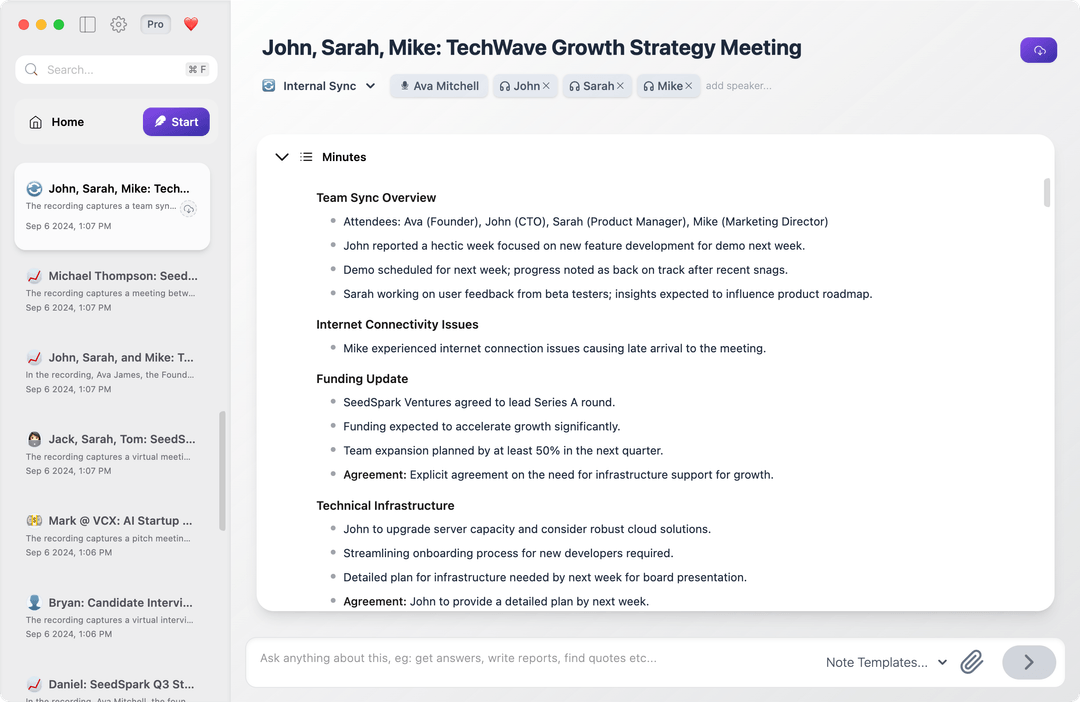
If you’re looking for a meeting AI that doesn’t send your conversations to external systems, Quill offers a privacy-first solution.
It transcribes discussions in real time and turns them into structured summaries and follow-up items, helping your team capture decisions without relying on manual note-taking.
Instead of joining meetings as a bot or routing audio through multi-cloud environments, Quill runs entirely on your Mac or PC. Plus, audio never leaves your device, keeping conversations private and making the tool flexible for in-person meetings or even solo brainstorming sessions.
The tool also automatically captures visual context. When someone shares their screen during a meeting, it takes screenshots and adds that information directly to your notes.
A G2 user says:
As a consultant who handles multiple founder calls, executive calls, and customer research interviews, Quill Meetings has been a huge asset in managing all the follow-ups and next steps. The fact that everything is handled locally ensures privacy for my clients, which is critical when dealing with sensitive growth and go-to-market strategies.
Standard Notes is an end-to-end encrypted note-taking app built for secure, long-term knowledge storage. You can start with plain text for distraction-free writing and extend it to rich text, spreadsheets, tasks, to-dos, markdown, passwords, and tokens.
All notes are encrypted on your device before they ever sync, ensuring that only you and explicitly authorized collaborators can access them. Long-term revision history complements and serves as an infinite undo, letting you revisit and restore any version of a note from its very first draft.
To strengthen data governance, the tool offers encrypted nightly email backups of your entire notes in your inbox. It also supports two-factor authentication using time-based tokens to prevent data leaks and protect sensitive information.
A G2 user says:
I like the fact that they prioritize privacy above everything else with their highly secure encrypted channel of syncing data and notes within a device. And I love that they have developer tools. This same developer’s tool is found on browsers, and it is present on this software too. Meaning, I can check under the hood for some code discrepancies and styling issues of my notes.
👀 Fun Fact: According to The State of AI in the Cloud by Wiz, self-hosted AI is gaining serious momentum, with BERT adoption jumping from 49% to 74% year over year among leading model types.
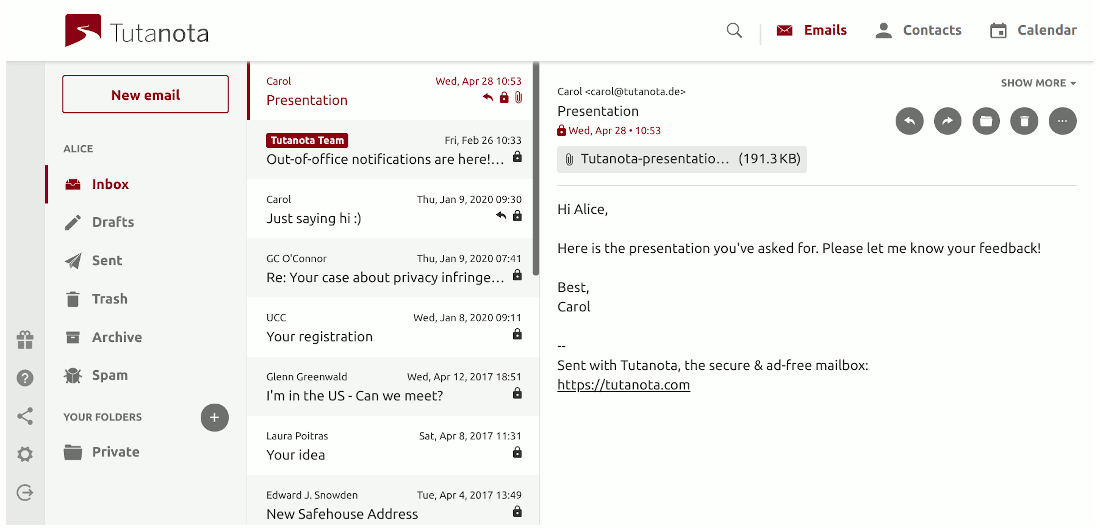
Tuta is an encrypted email and calendar platform built for teams and individuals who need strong security without sacrificing usability.
When you email other Tuta users, end-to-end encryption is applied automatically using asymmetric encryption. For messages sent outside the platform, emails can still be secured with a one-time shared password using symmetric encryption, which the recipient uses to decrypt the message.
At the architectural level, the tool follows a zero-knowledge model and uses post-quantum cryptography. This approach keeps your data protected even if servers are compromised and helps future-proof communications against emerging cyber threats.
A Capterra user says:
We use it to communicate confidentially with our patients (end-to-end encrypted). We have set up a shared mailbox which lets multiple employees access the entire communication history with our patients. This makes our day-to-day work very convenient.
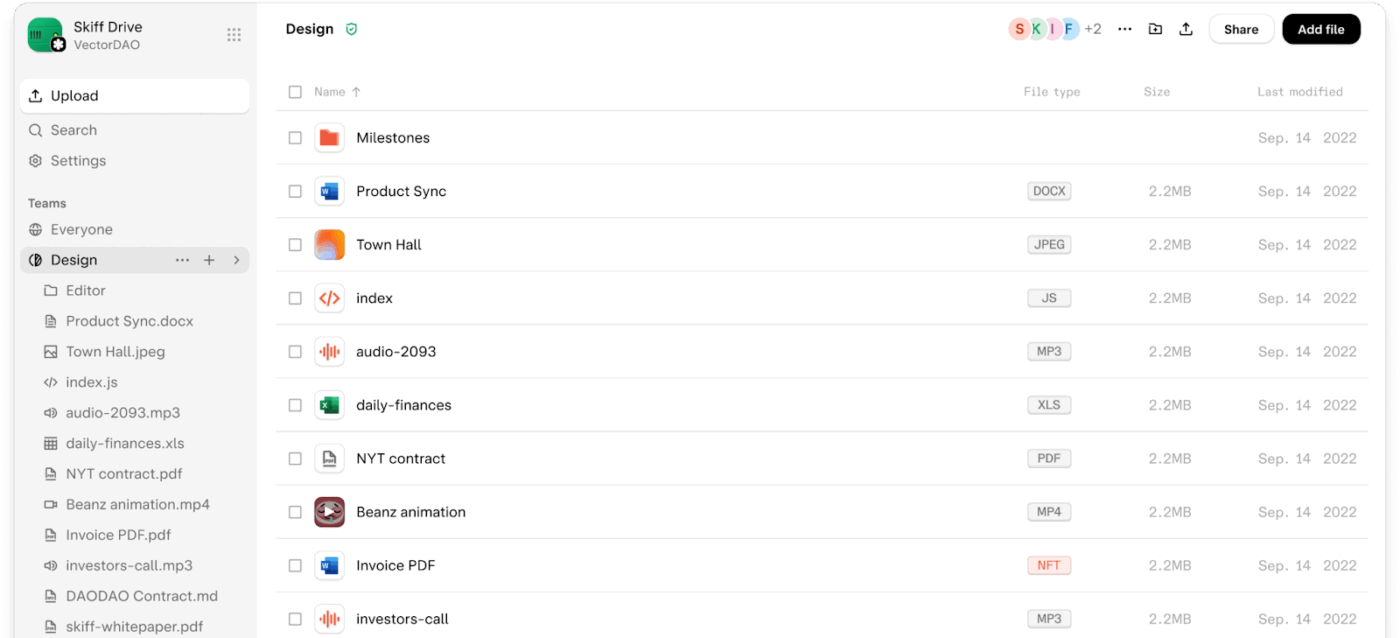
Sharing sensitive emails and documents through tools that scan content or track activity creates unnecessary risk. Skiff addresses this by offering a secure workspace built around encryption and user control.
It applies end-to-end encryption by default, keeping your emails and subject lines visible only to intended recipients. Skiff Pages extends the same protection to documents, allowing you to create, edit, and share content in real time while keeping everything fully encrypted.
With features like custom domains, email aliases, tracker blocking, and folder-based inbox organization, you can collaborate professionally while maintaining full control over data collection methods and identity.
A G2 user says:
End-to-end encryption, total security, and excellent UX are the best parts of Skiff Mail. From adding aliases and blocking trackers to adding filters or custom domains, Skiff Mail makes it easy to manage your email for teams.
👀 Did you know? Nearly 50% of organizations expect a data breach caused by AI tools. Another 49% identify Shadow AI as the second biggest security threat, underscoring the risks of unmanaged AI use.
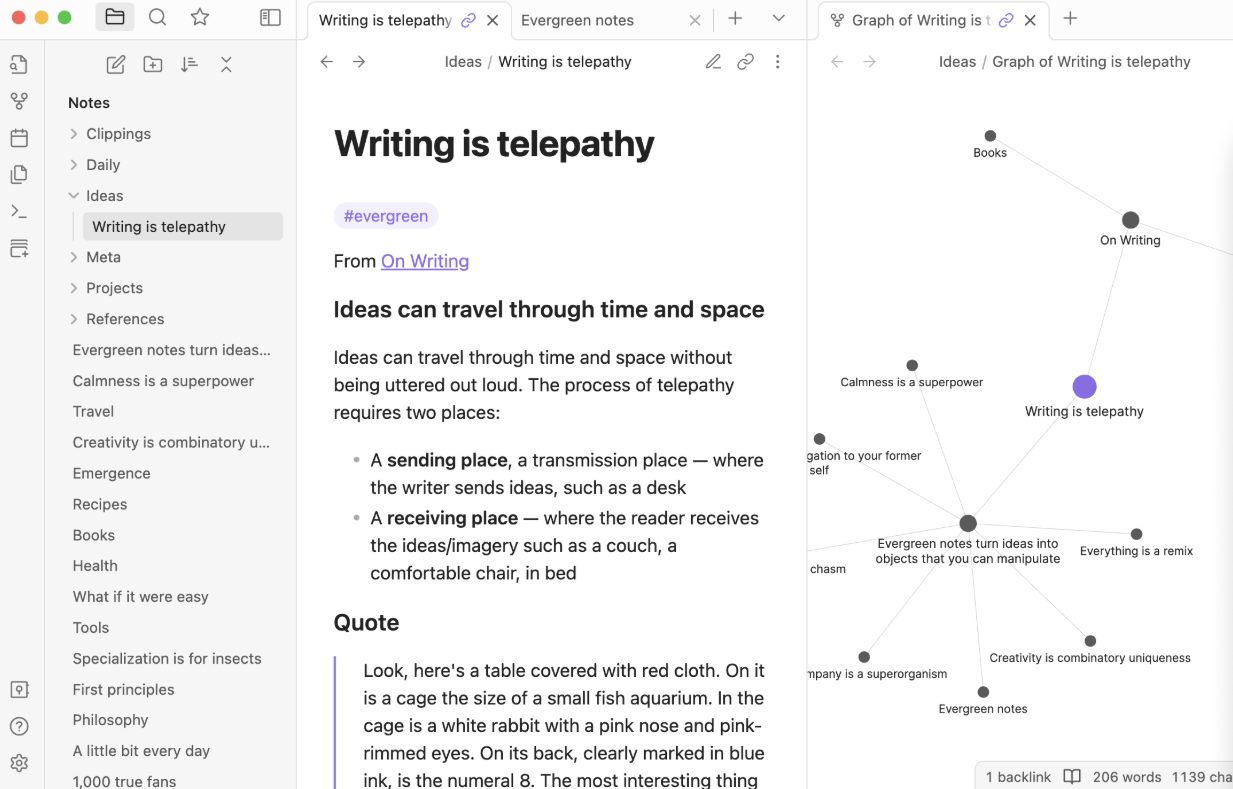
Obsidian is a local-first knowledge management platform built for people who want complete control over their information. All notes are stored as plain Markdown files on your device, rather than in a vendor-controlled cloud, giving you direct control over data governance.
You can link notes across concepts, people, places, books, and ideas to build a personal knowledge system that grows organically over time. Its interactive graph view visually maps these connections, helping you surface patterns that might otherwise go unnoticed.
For teams, the tool offers fine-grained control over syncing and collaboration. Choose exactly which files and preferences sync across devices, while keeping other content private. Shared files enable collaboration without pushing all data into a central system, thereby preserving clear boundaries around sensitive content.
A Capterra user says:
The local vault model eliminates latency and data-leak anxiety, yet with Obsidian Sync I can pick up exactly where I left off on any device. Local-first architecture keeps every note on my device, so it is lightning-fast and far less exposed to security threats.
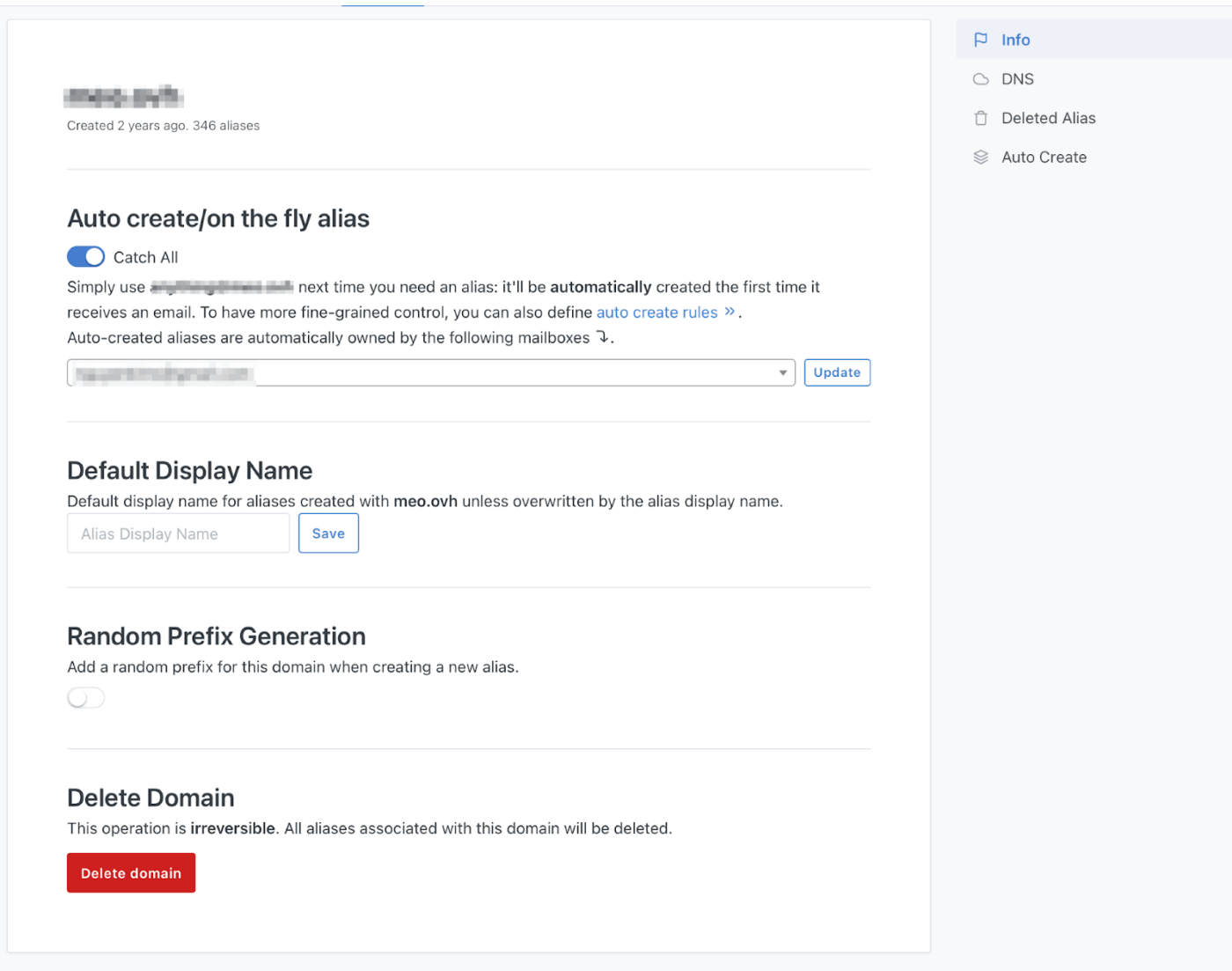
If you’re looking to reduce email tracking and data exposure, SimpleLogin is an open-source email aliasing tool designed to help protect your primary inbox.
It works by generating email aliases that forward messages to your real email address. This allows you to sign up for tools and services without ever revealing your actual identity.
Each alias address can be paused, deleted, or reactivated instantly, which is especially useful if an alias starts receiving spam or appears in a data breach. You can also reply to emails directly from an alias to prevent spam and phishing while maintaining full communication flow.
With PGP support enabled, the tool encrypts incoming emails using your own PGP key before forwarding them to your mailbox. This ensures that only you can decrypt and read the messages.
A Reddit user says:
I have been using it for everything for several months now and have never had any issues. I also use multiple custom domain names for aliases. It’s outstanding.
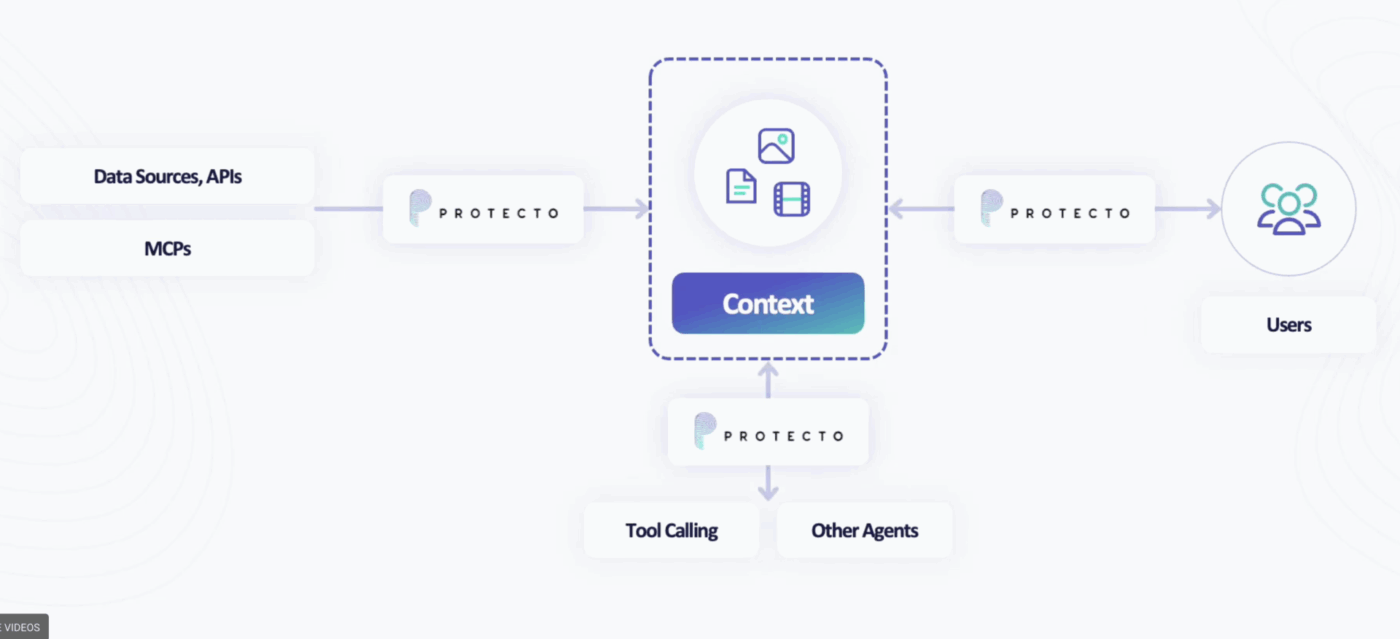
Protecto AI is an enterprise-grade data protection layer that exists between your operating systems and the AI models you use.
It automatically identifies PII, PHI, PCI, and other confidential business information across your documents and datasets. Based on the policies you define, it can mask, redact, tokenize, or block sensitive elements as needed.
That level of control is enabled through Context-Based Access Control (CBAC). The tool evaluates who is making the AI request and the context in which the data is used, allowing you to enforce fine-grained rules consistently across complex environments.
With deterministic tokenization and format-preserving masking, your data structure remains intact so AI models can still generate accurate and meaningful outputs without accessing real values.
AI works best when it fits naturally into how you work and stays governed from start to finish. For privacy-conscious teams, scattered AI tools create security risks and AI sprawl.
However, ClickUp delivers contextual AI that operates directly inside your workspace, where permissions and data governance already exist. From generating outputs with ClickUp Brain to acting on them through BrainMAX and Super Agents, every AI interaction stays contained within a secure system of record.
Your data is not used for model training and remains governed by clear access controls and compliance with GDPR, SOC 2, and ISO 42001.
Ready to use AI without losing control of your data? Start using ClickUp today for free and bring your work and AI together in one secure workspace.
No LLM offers privacy by default. Privacy depends on how the model is deployed, governed, and restricted. The safest approach is to use LLMs through a controlled platform like ClickUp. It does not use your data for training, does not retain it after processing, and enforces access through strong workspace permissions and regulatory compliance standards.
A privacy-friendly AI tool has clear data governance, so you know exactly what information is collected and how it’s used. Your data is not used for model training unless you explicitly allow it.
It has strong security controls in place, including encryption, role-based access controls, audit logs, and compliance with recognized regulatory standards. The tool also follows data-minimization practices by collecting only what’s necessary and giving you full control to delete your data when needed.
Yes, some AI tools can train on your company’s data, but whether they do depends entirely on the tool’s data policy and your settings. Privacy management tools do not use your data for training by default and require explicit opt-in. If a tool trains on customer data automatically or hides this behind vague terms, it’s not suitable for privacy-focused teams.
Not by default, but enterprise AI tools usually offer stronger security controls than consumer tools. These model governance tools often include encryption, role-based access controls, audit logs, SSO, and compliance with privacy regulations such as SOC 2 or GDPR. They also provide better admin controls and data isolation.
Still, being “enterprise” does not automatically guarantee privacy. You should still review the tool’s data policies and training practices before using it with your company’s data.
In some cases, yes. If you work in a regulated industry like healthcare, finance, or legal services, public AI tools can introduce compliance and data exposure risks. It’s because many consumer-grade tools might use data for model improvement or lack strict access controls.
Regulated teams should use AI governance tools that offer clear data policies, no default model training, strong security measures, and compliance support aligned with their industry requirements.
The safest way to use AI at work is to treat it like any system that processes sensitive business data. Choose vendors with transparent data policies, clear retention terms, and no model training on your data without explicit consent. Implement role-based access controls, follow the principle of least privilege, and only share the minimum information necessary. Most importantly, establish internal AI usage guidelines so everyone understands what is permitted and what is not.

© 2026 ClickUp

There’s an easier way. Try a free AI Agent in ClickUp that actually does the work for you—set up in minutes, save hours every week.