






Still downloading templates?
There’s an easier way. Try a free AI Agent in ClickUp that actually does the work for you—set up in minutes, save hours every week.
Sorry, there were no results found for “”
Sorry, there were no results found for “”
Sorry, there were no results found for “”

Amazon Q is an AI tool designed to assist developers working within AWS environments, helping with tasks like code generation and cloud-related queries. However, its usefulness can be limited when development work extends beyond AWS.
As one G2 reviewer noted,
Amazon Q Developer is less helpful outside the AWS ecosystem and offers limited value for non-AWS or frontend-heavy projects
For teams building across multiple stacks or managing broader development workflows, relying on an AWS-centric tool may not be enough.
In this blog post, we’ll explore the top Amazon Q alternatives that help you manage development workflows and use AI more effectively across your software projects. 🏁
🧠 Did You Know? The term “computer bug” 🐞 caught on after a real insect showed up in a computer lab. In the 1940s, Grace Hopper’s team found a moth stuck in the Harvard Mark II, logged it as the “first actual case of a bug being found,” and the name stuck for software (and hardware) glitches ever since.
To help you evaluate your options faster, the table below compares the top Amazon Q alternatives based on core features and pricing.
| Tool name | Key features | Best for | Pricing* |
| ClickUp | Real-time task management, sprint planning, AI-powered content generation with ClickUp Brain, workflow automation with Automations and AI Super Agents | End-to-end AI workspace for managing software development workflows, tasks, documentation, collaboration, and automation for startups, mid-sized teams, and enterprises | Free Forever; Customizations available for enterprises |
| Microsoft Copilot | AI assistance across Microsoft 365 apps, AI-powered search across organizational data, GitHub Copilot for inline code completion and function generation, content generation, and app creation inside Microsoft tools | Organizations already using Microsoft 365, GitHub, and Azure that want AI assistance embedded across productivity and development tools | Free plan available; Paid plans start at ~$25.20/user per month |
| Cursor | AI-powered code editor built on VS Code, conversational coding with natural language prompts, Agent/Manual/Ask interaction modes, model selection with BYOK, and background agents for tasks like branch creation and pull requests | Developers who want an AI-native coding environment with deeper codebase interaction and automation | Free plan available; Paid plans start at $20/month |
| Tabnine | Inline AI code completion inside IDEs, Enterprise Context Engine that adapts to your codebase and standards, rule-based coding policies, Jira-based code generation and validation, and secure deployments including on-prem and air-gapped environments | Regulated industries that want secure AI code completion tailored to their internal codebase and development practices | Paid plans start at $39/user/month |
| IBM watsonx Code Assistant | Enterprise-focused code generation and transformation, COBOL-to-Java modernization support, IT automation script generation for Ansible and Red Hat OpenShift, code similarity checks for license risk, and enterprise-grade security controls | Enterprise teams modernizing legacy systems and large codebases, especially those using legacy languages or complex IT automation workflows | Custom pricing |
| Moveworks | Agentic reasoning engine that executes multi-step workplace tasks, enterprise search and task execution in one interface, automation of service requests and access management, multilingual assistant available across chat, browsers, intranets, and service portals | Enterprise teams that want an AI assistant to automate IT support, employee service requests, and internal workflows across business applications | Custom pricing |
| Kore.ai | AI agents and workflow automation platform, agent-driven enterprise search across structured and unstructured data, AI Agent Builder with no-code/low-code tools, multi-agent orchestration, and integrations with collaboration tools like Teams and Slack | Organizations building AI agents to automate enterprise workflows, knowledge access, and internal service operations | Custom pricing |
| Qodo | AI-powered code review platform with repository context engine, automated bug detection and validation, enforcement of coding standards through governance rules, CI/CD and Git integration for automated code review workflows | Development teams that want automated code reviews, bug detection, and code quality enforcement across large codebases | Free plan available; Paid plans start at $38/user/month |
| ChatGPT Enterprise | Access to advanced AI models for reasoning, research, writing, and coding, custom GPT creation for internal workflows, integrations with tools like GitHub, SharePoint, and Google Drive, enterprise-grade security and admin controls | Enterprises looking for a general-purpose AI assistant for research, coding help, documentation, and productivity tasks | Custom pricing |
| Windsurf | AI-powered coding environment with Cascade agent for step-by-step development tasks, Supercomplete for generating larger code blocks, persistent AI memory for project context, and built-in web and documentation search for coding assistance | Developers who want an AI-native coding environment with agents that help generate and refine code across projects | Free plan available; Paid plans start at $15/month |
Our editorial team follows a transparent, research-backed, and vendor-neutral process, so you can trust that our recommendations are based on real product value.
Here’s a detailed rundown of how we review software at ClickUp.
While Amazon Q offers helpful capabilities for developers working within the AWS ecosystem, many development teams look for alternatives that support broader engineering processes or provide AI capabilities beyond AWS-focused environments.
Here are some capabilities to look for when evaluating Amazon Q alternatives:
📮 ClickUp Insight: 62% of our respondents rely on conversational AI tools like ChatGPT and Claude. Their familiar chatbot interface and versatile abilities—to generate content, analyze data, and more—could be why they’re so popular across diverse roles and industries.
However, if a user has to switch to another tab to ask the AI a question every time, the associated toggle tax and context-switching costs add up over time.
Not with ClickUp Brain, though. It lives right in your Workspace, knows what you’re working on, can understand plain text prompts, and gives you answers that are highly relevant to your tasks! Experience 2x improvement in productivity with ClickUp!
Now, let’s explore the best Amazon Q alternatives, along with their key features, limitations, pricing, ratings, and reviews.
Software development rarely happens in one tool. You track tasks in a project management system, write documentation elsewhere, collaborate in chat apps, and rely on separate AI tools for coding support.
Constantly switching between these tools can slow down development and make it harder for teams to stay aligned. ClickUp addresses this by bringing tasks, documentation, collaboration, and AI-powered workflows together in a converged AI workspace for software teams.
Let’s explore how the ClickUp Software Development Platform helps teams bring their development workflows into one unified AI workspace.
When you’re planning your next release, you typically break down product requirements into sprint-ready tasks to assign work and track bugs as they surface. With ClickUp Tasks, you can manage all of this in one place.
Create Tasks for features or improvements, assign them to the right developers, set due dates, and keep documentation and updates directly within the task.
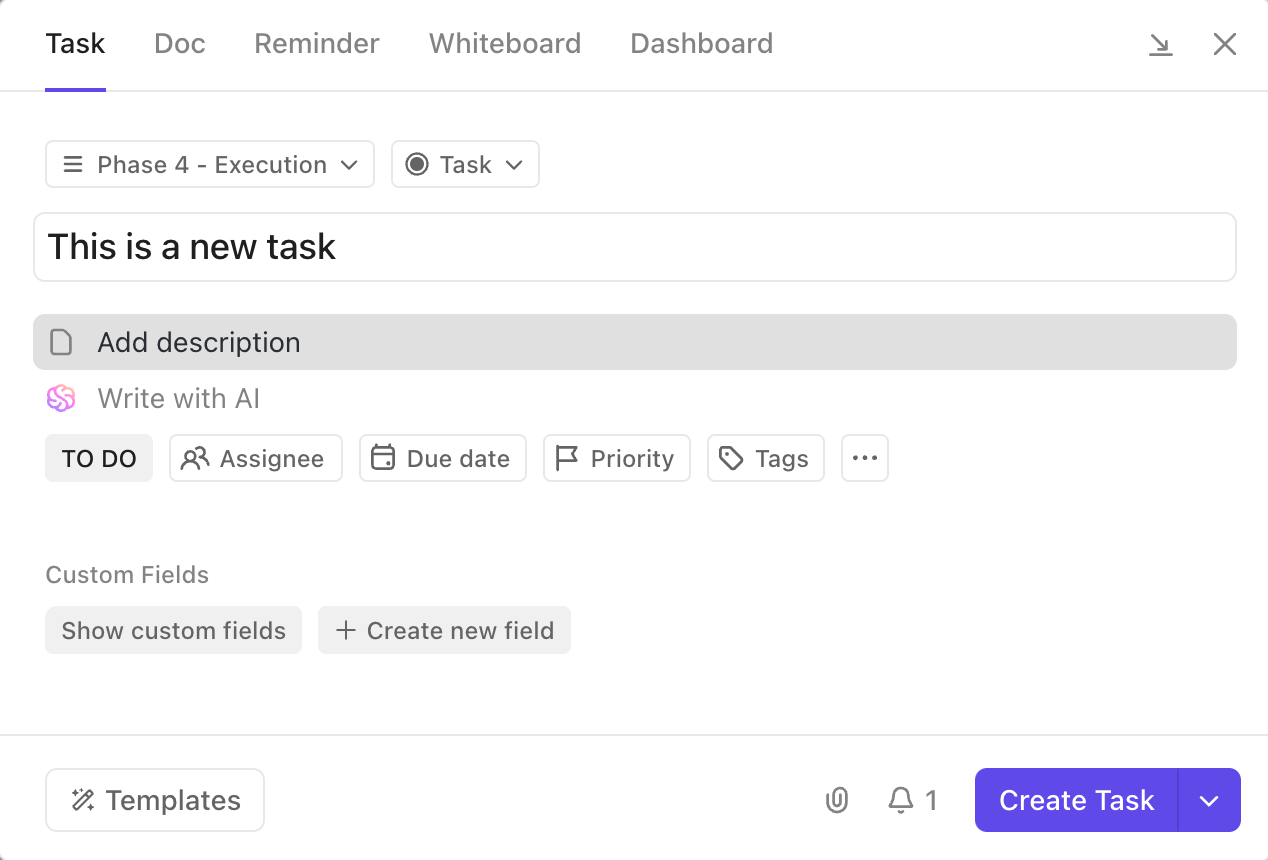
As development progresses, you can organize backlogs and track dependencies using 15+ Custom Views. Switch between sprint boards, Gantt charts, or workload views to manage tasks in the format that fits your team’s workflow while keeping every task connected to the larger release cycle.
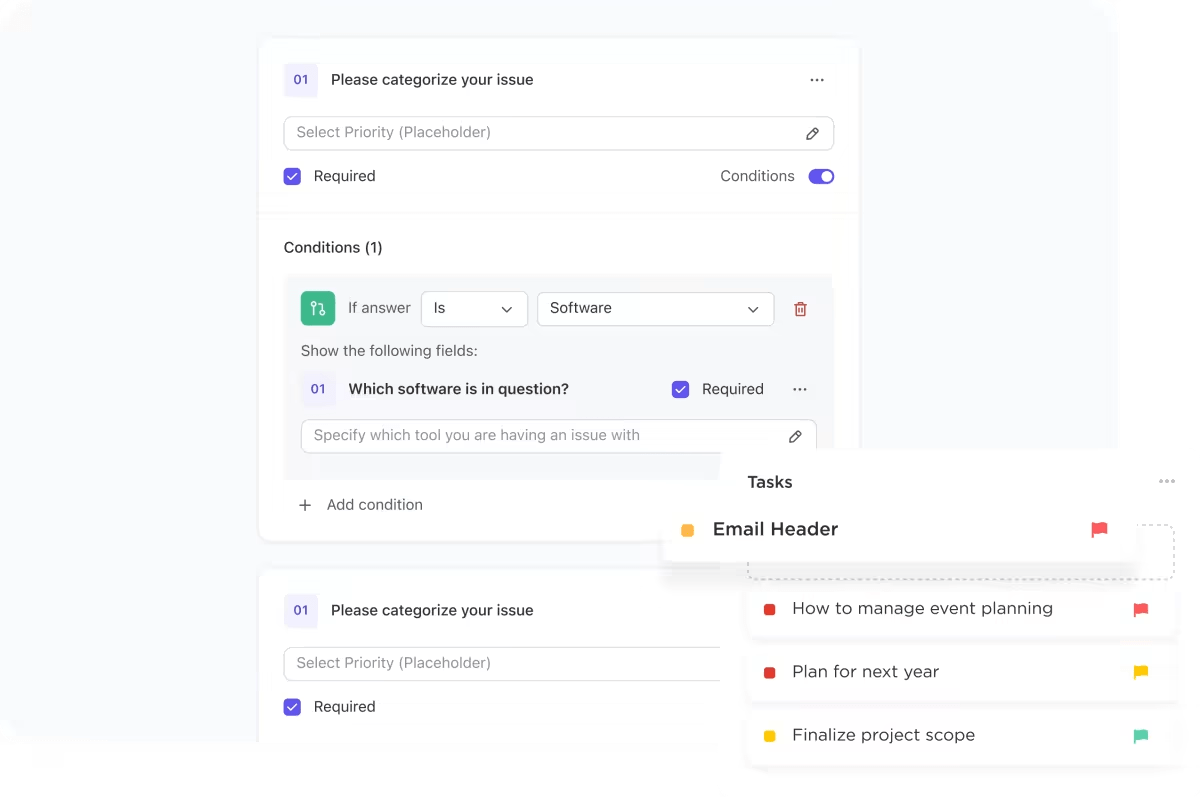
💡 Pro Tip: Instead of chasing bug details across chats and emails, use ClickUp Forms to capture bug reports or feature requests and convert them directly into ClickUp Tasks. With conditional logic, the form asks follow-up questions based on each response, helping you collect the exact details developers need to move issues into the backlog faster.
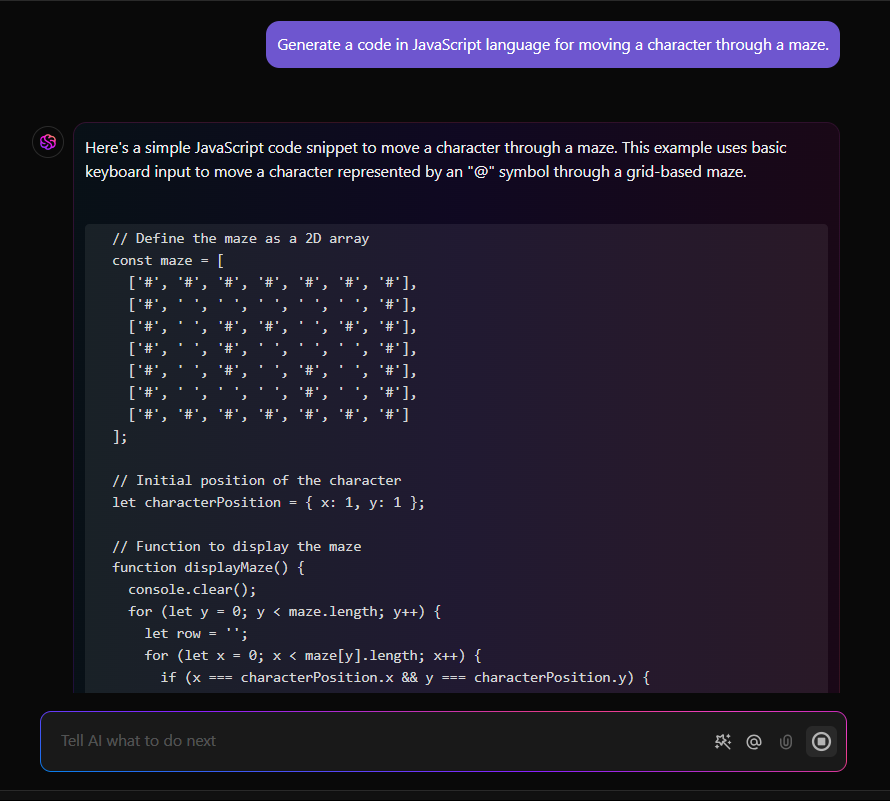
Development work generates a constant stream of information, from sprint discussions and technical documentation to task updates and project decisions. ClickUp Brain, an in-built AI assistant, helps you retrieve information and generate content without switching tools.
With ClickUp Brain, you can:
Also, you can translate code between programming languages with ClickUp Brain, making it easier to adapt existing implementations to different tech stacks.
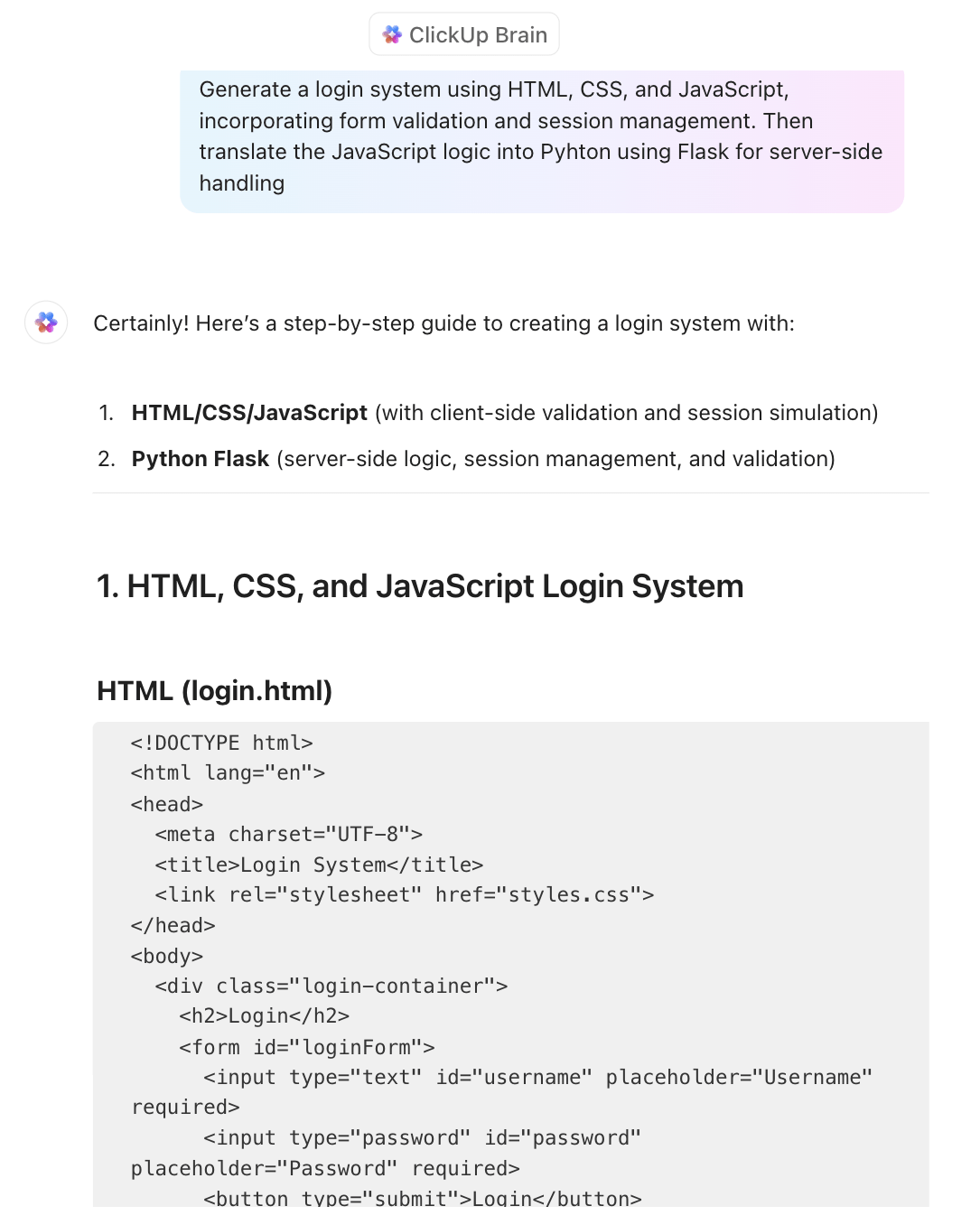
Since the AI for software teams understands your workspace context, you spend less time searching through conversations or documentation and more time focusing on development work.
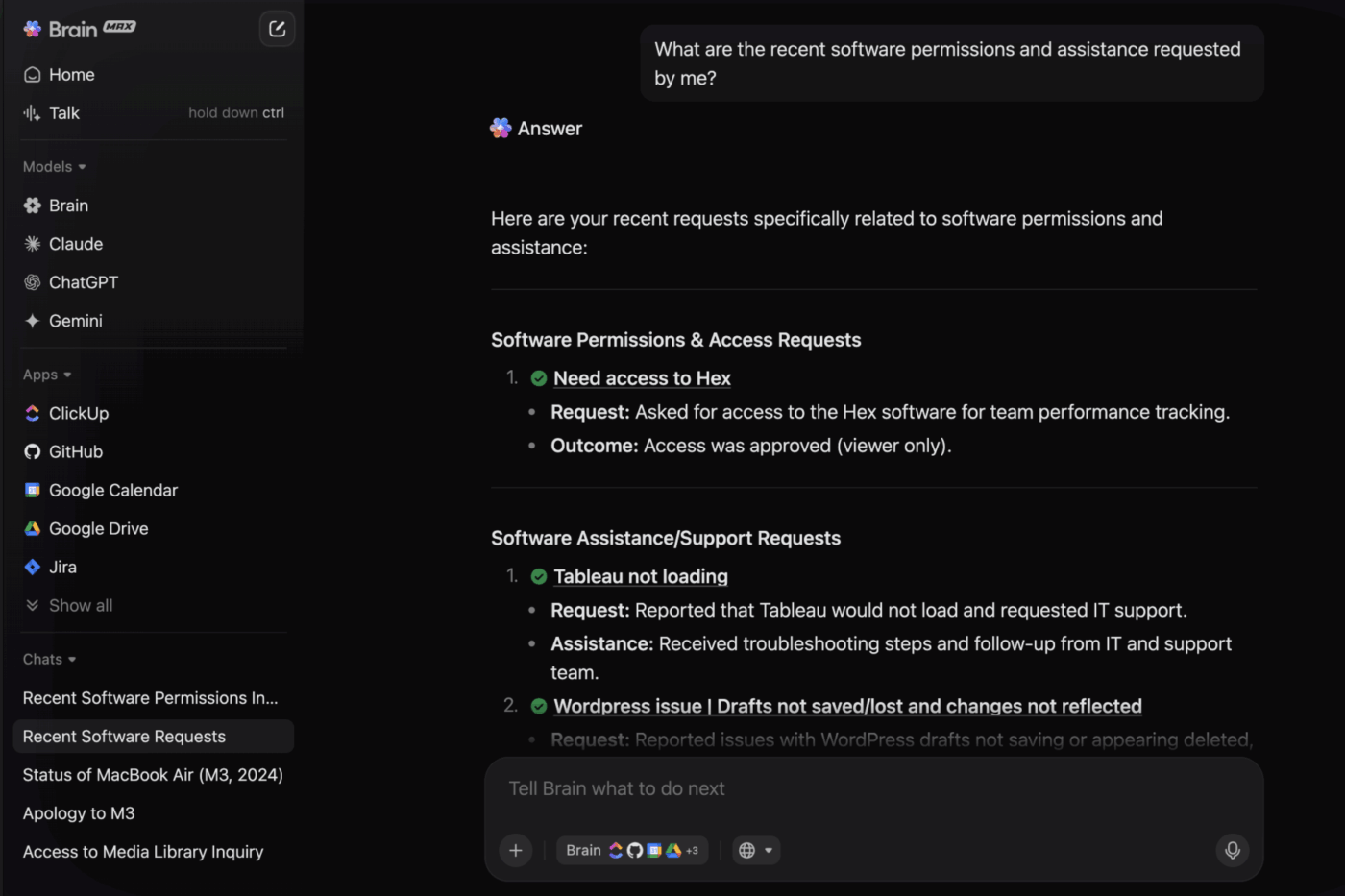
💟 Bonus: Want to take AI productivity even further? ClickUp Brain MAX is an AI desktop companion that eliminates AI sprawl by unifying AI, search, and automation across all your work tools.
It connects your ClickUp workspace, connected apps, and web search to deliver truly contextual AI assistance.
Brain MAX brings several powerful capabilities into one place:
ClickUp Automations handle rule-based workflows that recur throughout development cycles. For example, when a bug is reported, it can automatically create a task, assign it to the correct teammate, apply labels, and move it into the bug triage queue. When a pull request is ready for review, the system can notify reviewers and trigger the next step in the sprint workflow

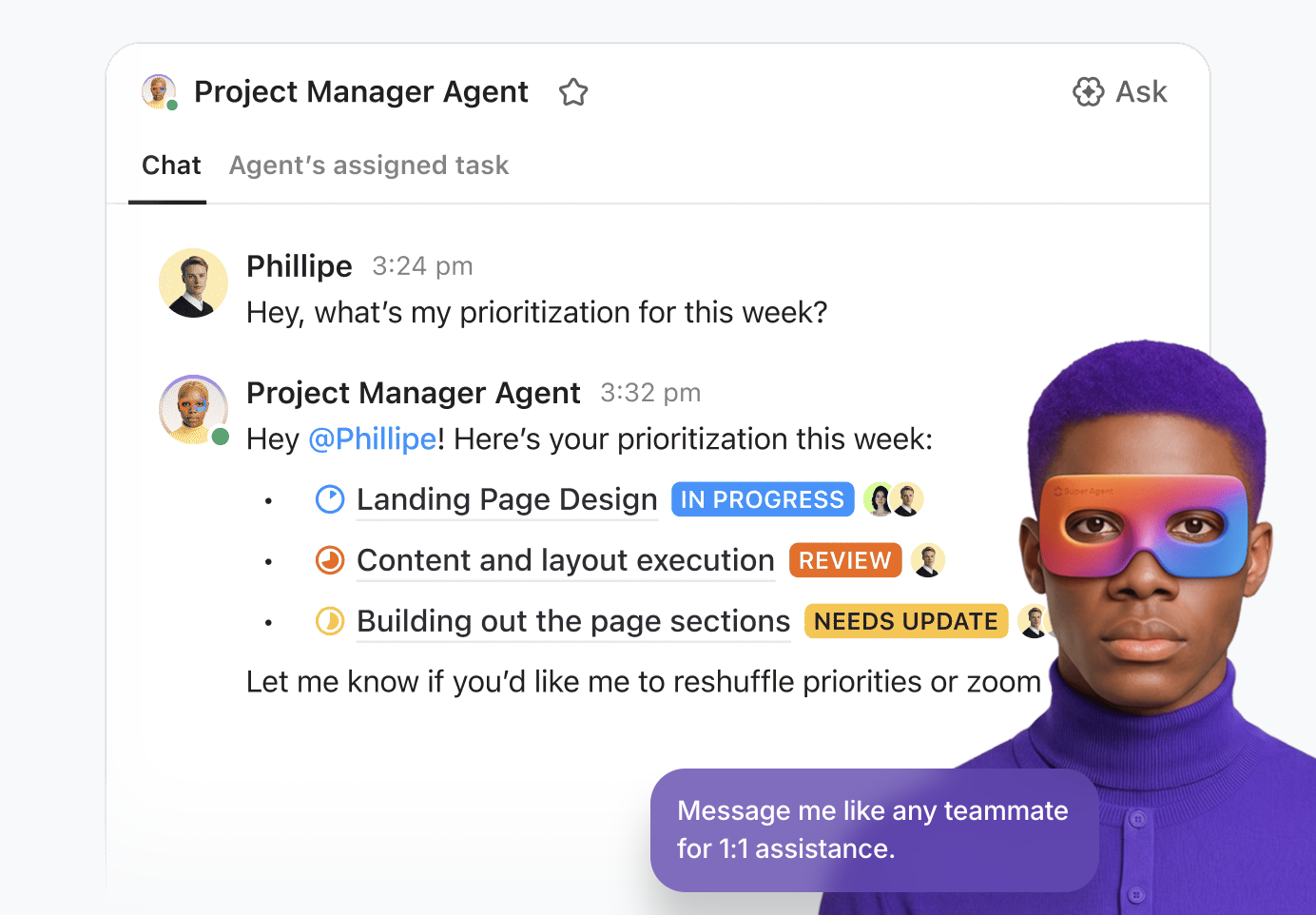
ClickUp Super Agents take this further by adding intelligence to these workflows. Instead of simply following rules, these AI agents for coding can monitor activity across tasks and conversations to answer questions and coordinate actions across projects.
Behind every new feature or bug fix is a task waiting to be built. In the right workflow, that task can move from idea to implementation.
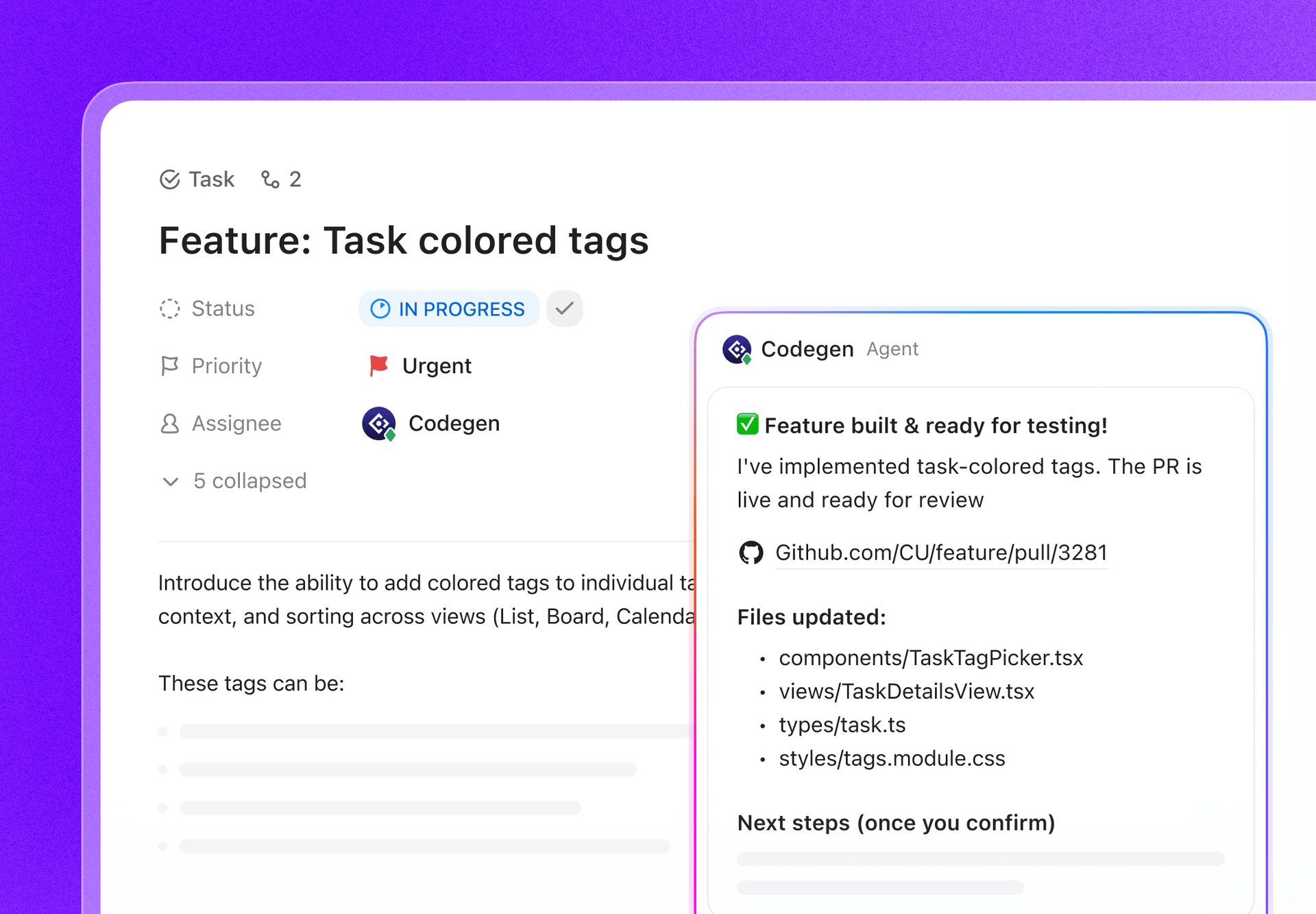
The ClickUp CodeGen Agent acts like an AI developer teammate that can build code and answer programming questions using natural language instructions directly inside your workspace. Instead of switching between your project management tool and AI coding assistants, you can delegate development tasks directly from ClickUp.
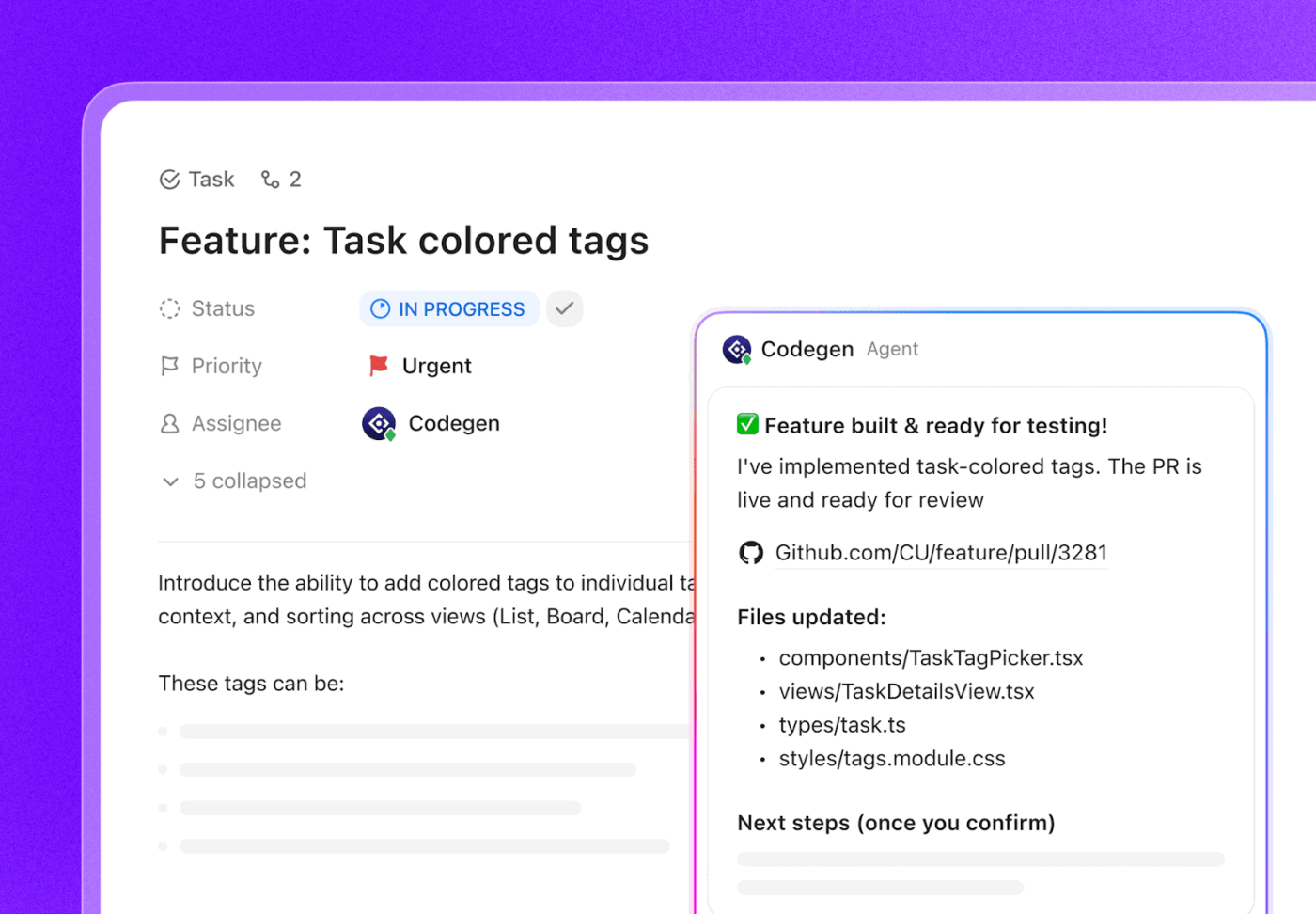
For example, you can assign a task to the CodeGen agent or mention it in a comment to trigger code-related actions. The agent can help refine code and support development work while your team reviews and finalizes the output.
🏁 Quick Start: You can trigger CodeGen in three simple ways:
Note: CodeGen agents are not traditional assignees. Assigning a task triggers the agent to act, while a human teammate remains responsible for reviewing and completing the work.
A Capterra review says:
I like the UI; it is a modularized platform. It helps product managers organize sprints and assign tasks to team members to reach milestones. It also helps track project progress, goals, and milestones. It comes with integration of CI/CD tools like GitHub and GitLab.
🧠 Fun Fact: Even with the rise of AI in development, context is still a challenge. Around 65% of developers using AI for refactoring and nearly 60% using it for testing, writing, or reviewing code say their AI coding assistants still miss important context.

If you’re already using Microsoft 365, GitHub, Windows, or Azure, Microsoft Copilot works directly inside those environments. You can employ it within Word, Excel, Outlook, Teams, and development tools to summarize conversations and analyze data without leaving the application.
Through GitHub Copilot, you get AI-generated code transformations within your IDE, including inline completions and function generation. This setup aligns well with GitHub-based development workflows, while Amazon Q’s developer features are more closely integrated with other AWS services.
The tool operates within Microsoft’s security and identity framework, such as Azure Active Directory and role-based access controls. For organizations standardized on Microsoft infrastructure, AI access and governance can be managed through existing systems.
Individual
Here’s what a user had to say:
What I enjoy most about using Copilot on a daily basis is how well it integrates directly with my IDE and coding flow. The inline suggestions are simple to accept or reject, and the user interface generally feels organic and unobtrusive. It’s like having a silent helper at my side, ready to help when I need it, without requiring me to alter my regular workflow.
⚡ Template Archive: Free Software Development Plan Templates to Build Your Project Schedule
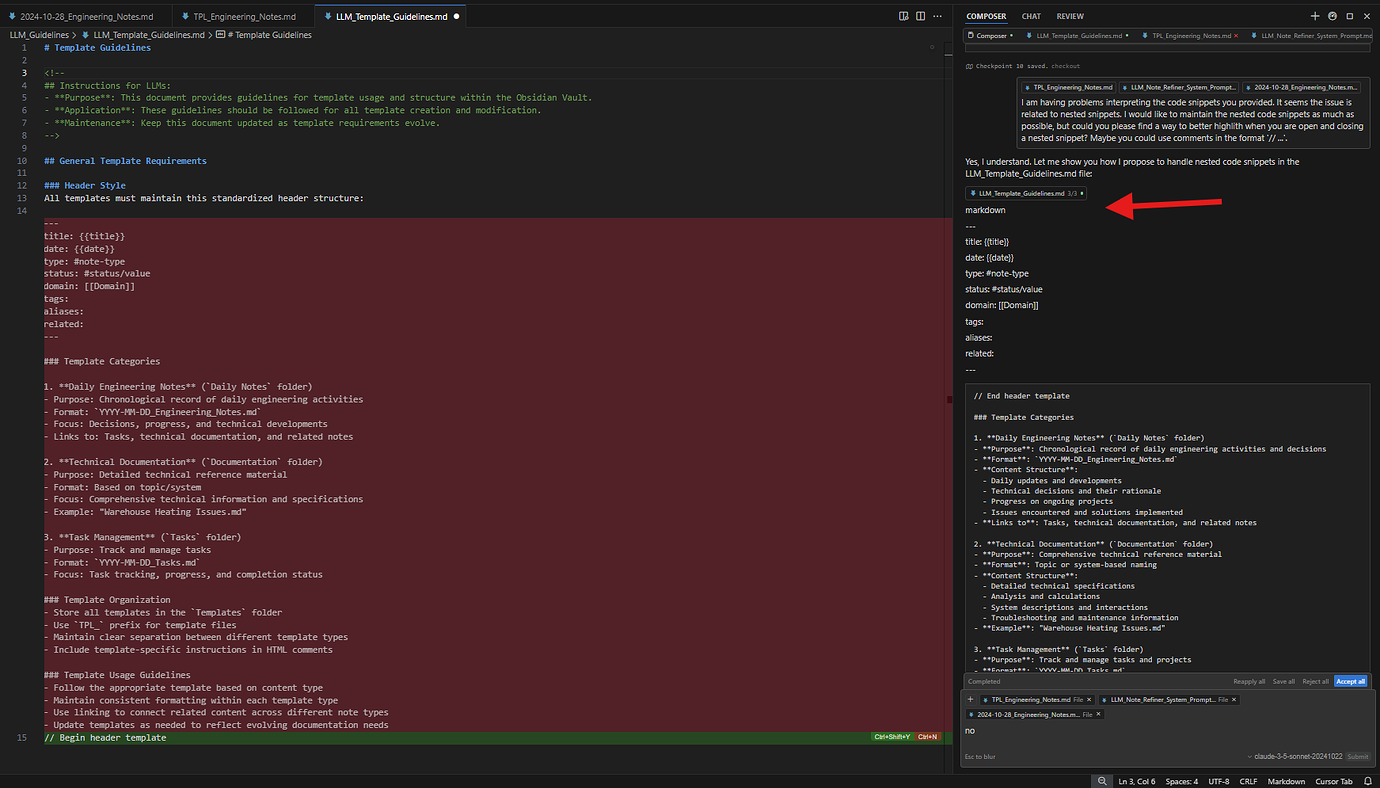
Cursor is an AI-powered code editor built on top of Visual Studio Code. It integrates AI directly into the development environment, allowing you to write and debug code using natural language inputs.
The built-in chat supports multi-turn conversations and accepts image input, which can help when working with unfamiliar or complex projects. Compared to Amazon Q’s broader enterprise assistant positioning, Cursor focuses specifically on hands-on coding tasks.
There are three interaction modes. With Agent mode, the AI can read and modify code across multiple files. In Manual mode, it suggests changes for you to review before applying. Ask mode is read-only and is intended for understanding or exploring code without making edits.
This file-level autonomy and controlled editing model is more granular than Amazon Q’s general conversational assistance approach.
Individual plans:
Business plans:
This is what a user shared from their experience:
After 2 months of using CursorAI daily, I can say this with confidence: it’s absolutely worth it if you treat it like the tool it is, and if you know what you’re doing. Without CursorAI: an MVP project takes a week. With CursorAI: same project takes a day, with cleaner code and a better structure.
📮 ClickUp Insight: While 34% of users operate with complete confidence in AI systems, a slightly larger group (38%) maintains a “trust but verify” approach. A standalone tool that is unfamiliar with your work context often carries a higher risk of generating inaccurate or unsatisfactory responses.
This is why we built ClickUp Brain, the AI that connects your project management, knowledge management, and collaboration across your workspace and integrates third-party tools. Get contextual responses without the toggle tax and experience a 2–3x increase in work efficiency, just like our clients at Seequent.
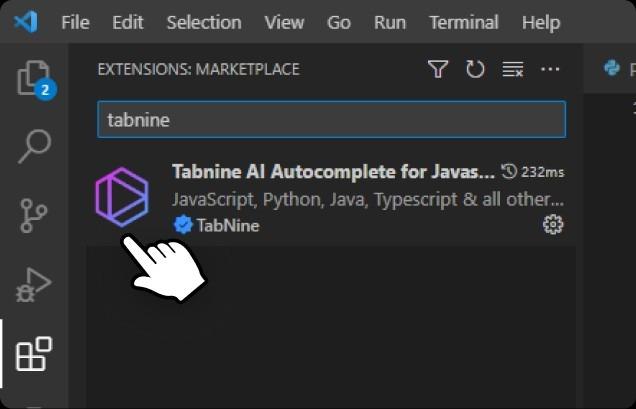
An AI code completion assistant, Tabnine works inside your IDE and suggests code as you type. It focuses on inline completions rather than a chat interface, helping you write code faster without leaving your development environment.
The platform can adapt to your organization’s development setup through its Enterprise Context Engine. Instead of relying only on general training data, it learns from your internal codebase, architecture, frameworks, and coding standards. This helps ensure suggestions align with your team’s actual development practices.
You can also deploy the tool in multiple ways depending on your infrastructure needs. It can run as a SaaS service, on private infrastructure, or in fully air-gapped environments. These options help organizations keep development data within controlled systems while meeting security and compliance requirements.
Here’s the feedback from a user:
Tabnine is an amazing coding assistant for software developers. The amount of time it has saved in my career is massive. It has boosted my productivity. I don’t have to write boring class models anymore. With just the press of Tab button all my code gets completed. Also it is very easy to integrate with code editors.
IBM watsonx Code Assistant is an AI tool for software development and code modernization. It goes beyond basic code completion by using specialized, pre-trained models to generate and transform code in enterprise environments.
The tool supports modernization projects where teams update or migrate older systems to newer technologies. For example, it can convert legacy code such as COBOL into modern languages like Java, allowing you to gradually transition critical applications without rebuilding them from scratch.
The platform also offers IT automation tasks and helps you improve efficiency. You can describe an operational task in natural language, and the assistant generates automation scripts for platforms such as Ansible and Red Hat OpenShift.
A user shared the following insight:
I love IBM watsonx Code Assistant for its impressive engineering, which truly stands out to me. The tool significantly aids in understanding legacy codes, especially those that are poorly documented, which is a vital benefit for developers like myself. I also appreciate its ability to handle global codes efficiently on mainframes without being CPU intensive. These features make it a valuable asset for my projects.
🚀 ClickUp Advantage: Searching for Amazon Q alternatives doesn’t always mean choosing another tool. Sometimes, the better starting point is a ready-made development workflow. For instance, the ClickUp Software Development Template gives your team a structured system to manage the entire development lifecycle, from strategy and product roadmaps to sprint planning and release tracking.
It includes prebuilt processes for backlog management, defect tracking, user research, sprint workflows, and QA testing scenarios, along with task lists for security incidents and support requests.
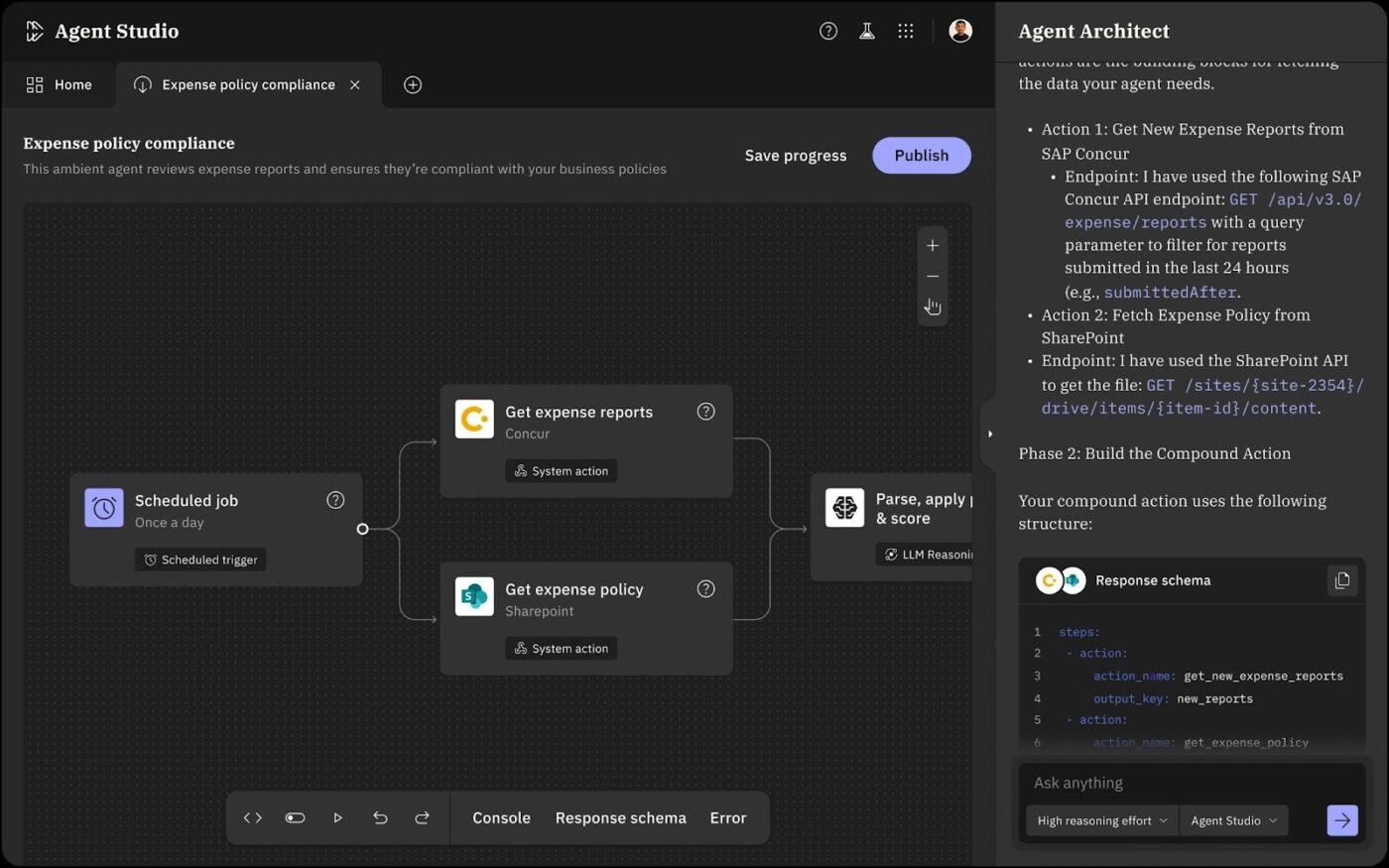
Moveworks is an enterprise AI assistant that helps employees find information and complete workplace tasks across business applications.
An Agentic Reasoning Engine processes employee requests by breaking them into steps and carrying out actions across connected systems. This allows the assistant to complete multi-step tasks such as granting system access or resolving service requests.
The tool also brings together enterprise search and task execution in one interface. Your employees can retrieve information from knowledge bases or internal systems and act on it without switching tools. Access through chat, browsers, intranets, and service portals, along with multilingual support, allows you to use the assistant wherever you work.
Here’s how one user described their experience:
Recently I got time to explore Movework AI Copilot and explore its features. Being an AI developer, It was pleasant to see how Moveworks automate required day to day tasks related to IT support and other enablement functions. Very well.

With Kore’s enterprise AI platform, you can build AI agents and automated workflows for business operations. You can deploy these agents to access enterprise data and perform actions across connected systems and applications.
The platform supports agent-driven search that retrieves answers from both structured and unstructured enterprise data sources. It can surface real-time information while enforcing role-based access controls so users only see data they are authorized to access.
The AI Agent Builder supports no-code and developer-based approaches. You can create and deploy agents while enabling multiple agents to collaborate and handle complex workflows through coordinated agent interactions.
One user shared their experience:
I have been using Kore.ai for a very long time. I have used it to develop several enterprise-level chatbots for my clients using the Kore.ai platform. It is easy to build a chatbot with a very impressive frontend. Using Kore.ai I have learned how to design Natural Language Processing for chatbots and improved my chatbot designing skills. There is no doubt that Kore.ai is one of the best AI chatbot platforms.
🧠 Did You Know? The world’s first computer programmer lived in the 1800s. British mathematician Ada Lovelace wrote what is considered the first computer program in 1843, long before modern computers existed. She created an algorithm to calculate Bernoulli numbers for Charles Babbage’s Analytical Engine, making her widely recognized as the first computer programmer in history.
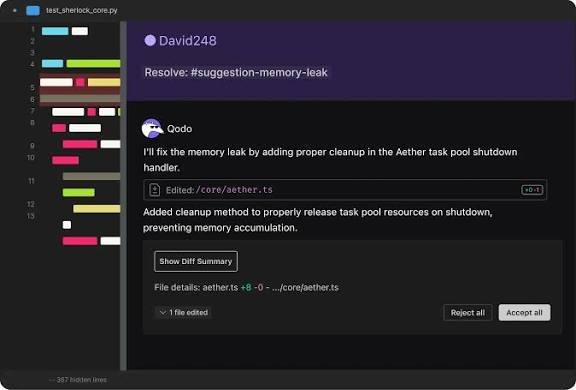
When you’re working across complex codebases, maintaining consistent code quality early can become challenging. Qodo is an AI-powered code review platform designed to help you detect errors and improve software reliability across your development workflow.
A context engine analyzes relationships across files and repositories, allowing you to identify risks that may affect multiple services or parts of a system. You can resolve problems at the root through automated validation and code updates verified across multiple repositories.
The platform also uses multiple specialized AI agents to automate tasks such as bug detection, test coverage checks, documentation updates, and changelog generation.
While Amazon Q mainly assists developers with code suggestions, Qodo focuses on automated code review and enforcing code standards throughout the software development lifecycle.
Here’s what a user shared:
I use Qodo almost daily as an essential part of my coding routine. Its reliability and consistent value keep it indispensable in my IDE. Setting up Qodo was incredibly straightforward. It integrated seamlessly with Visual Studio Code, and I was able to start using its features right away without any complicated configurations.
ChatGPT Enterprise, the enterprise version of ChatGPT, helps you use AI for tasks such as research, writing, coding, and data analysis.
It provides access to advanced AI models capable of complex reasoning and multi-step problem solving. You can work through detailed queries or break down technical problems within a single conversation.
The platform also allows you to run agents from a single prompt to handle complex tasks. For example, you can delegate coding work to Codex and conduct deep research, or manage multi-step projects within one workflow.
Take a look at this user review:
I like how ChatGPT is easy and fast to use, making it simple to ask questions related to coding, documentation, or emails and get clear responses right away. I appreciate that it helps me think through problems step by step, improving my productivity without adding complexity to my workflow. I also enjoy that I can ask follow-up questions and refine the answers until they match exactly what I need.
🧠 Fun Fact: John Backus discovered his true passion in computing and went on to create Fortran, the first widely used high-level programming language. His work helped transform programming from complex machine instructions into something humans could actually write and understand.
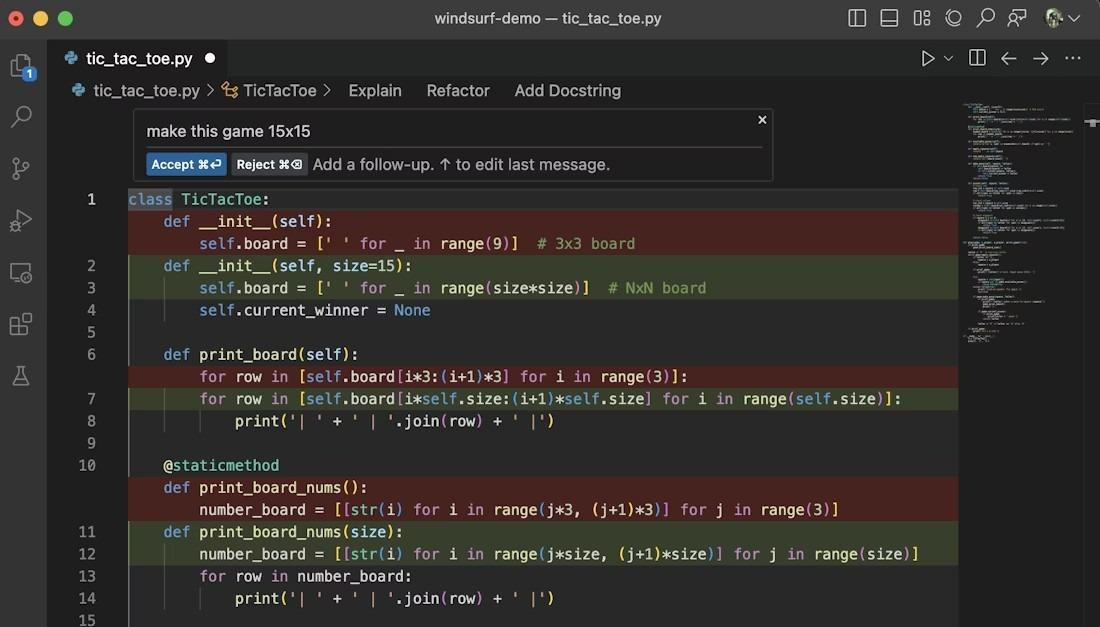
Windsurf is an AI-powered coding environment designed to support developers as they write and manage code.
Cascade, its AI agent, works through development tasks step by step to generate code and refine implementations as you build. You can describe what you want to create in natural language, and the agent iterates on the request until the task is completed.
The Supercomplete feature predicts developer intent and generates larger code blocks, such as functions, based on project context. Instead of suggesting only the next line of code, it analyzes patterns in the codebase to help produce more complete implementations.
Further, Persistent AI memory allows the tool to retain project rules and developer preferences. This helps the AI follow established standards and stay consistent with the codebase.
A recent user review noted:
If you already have technical knowledge and understanding of coding, Windsurf could be a valuable platform to debug and rewrite code. It was helpful to me to expand coding, since I am not a traditional programmer. I was able to enhance my base code and functionality much quicker than manually trying.
🧠 Did You Know? AI is becoming a daily companion for developers. Around 82% of developers use AI coding assistants daily or weekly, and 59% run three or more tools in parallel to support their development workflow.
Managing development work across multiple tools can slow teams down. While many Amazon Q alternatives help with coding or automation, they often address only one part of the development lifecycle.
ClickUp brings everything together in one converged AI workspace. From planning roadmaps and managing sprint tasks to automating workflows and generating documentation with AI, ClickUp connects every part of your software development process in one place.
With features like ClickUp Tasks, Brain, Automations, AI Agents, and CodeGen, your team can move from idea to implementation without switching between tools. You get a single platform that keeps your development work organized, automated, and AI-powered.
🚀 Ready to streamline your development workflow? Sign up on ClickUp for free and experience how a converged AI workspace can help your team plan, build, and ship software faster.

© 2026 ClickUp

There’s an easier way. Try a free AI Agent in ClickUp that actually does the work for you—set up in minutes, save hours every week.