






Still downloading templates?
There’s an easier way. Try a free AI Agent in ClickUp that actually does the work for you—set up in minutes, save hours every week.
Sorry, there were no results found for “”
Sorry, there were no results found for “”
Sorry, there were no results found for “”
Have you ever been so engrossed in writing that you lose track of word limits?
We’ve all been there.
🧠 Fun Fact: The average person types 40 words per minute, while a professional typist goes up to 80+ words per minute!
Whether you’re a student working on an assignment or a marketer optimizing for SEO, keeping track of the word count is another task you must be mindful of. Fortunately, most document processors have a built-in word counter to do this job.
That said, modern-day AI word counters do more than tally up your words. They may improve readability, perform grammar checks, detect plagiarism, and tweak your writing style.
So, if you’re looking for that extra something, we’ve rounded up some of the best AI word counters that help you write faster!
| Tool | Key features | Best For | pricing |
|---|---|---|---|
| ClickUp | Docs with built-in word/character counter, AI writing assistant, templates, collaboration, task integration | Teams, writers, content creators | Free plan available Paid plans start at $7 |
| Grammarly | Grammar/spell check, style suggestions, tone detection, plagiarism checker | Writers, students, professionals | Free plan available Paid plans start at $30 |
| Hemingway Editor | Readability analysis, sentence structure, highlights passive voice, adverbs | Bloggers, students, concise writing | Paid plans start at $8.33 |
| ProWritingAid | Grammar, style, readability, in-depth reports, integrations | Authors, editors, academics | $10/month |
| Google Docs | Real-time collaboration, word count, comments, cloud storage | Teams, students, remote work | Free with Google account |
| Microsoft Word | Word/character count, templates, advanced formatting, collaboration | Professionals, businesses, academics | Paid plans start at $9.99 |
| Quillbot | Paraphrasing, grammar check, summarizer, citation generator | Students, researchers, content creators | Free plan available Paid plans start at $4.17 |
| Originality.ai | Plagiarism detection, AI content detection, word/character count | Content agencies, publishers | Paid plans start at $14.95 |
| Wordcounter.ai | Word/character count, keyword density, readability, export options | Writers, SEO specialists | Free |
| ZeroGPT | AI content detection, word/character count, plagiarism check | Educators, publishers, students | Free plan available Paid plans start at $9.50 |
We’ve already mentioned how AI word counters do more than accurate word counting. And so, to help you make the most of the word counter AI tool, look out for the following features:
➡️ Read More: The Best Writing Tools for Every Writer’s Needs
Our editorial team follows a transparent, research-backed, and vendor-neutral process, so you can trust that our recommendations are based on real product value.
Here’s a detailed rundown of how we review software at ClickUp.
Here’s our list of the best word counter tools that give you more than just how many words are present in the entire document:
ClickUp is the everything app for work that packages AI-powered writing, word counting, and document collaboration into a single workspace! Designed for writers, marketers, and teams, ClickUp provides a seamless blend of word counting, smart suggestions, and collaboration tools, making it a perfect solution for professionals who need more than just a simple counter.
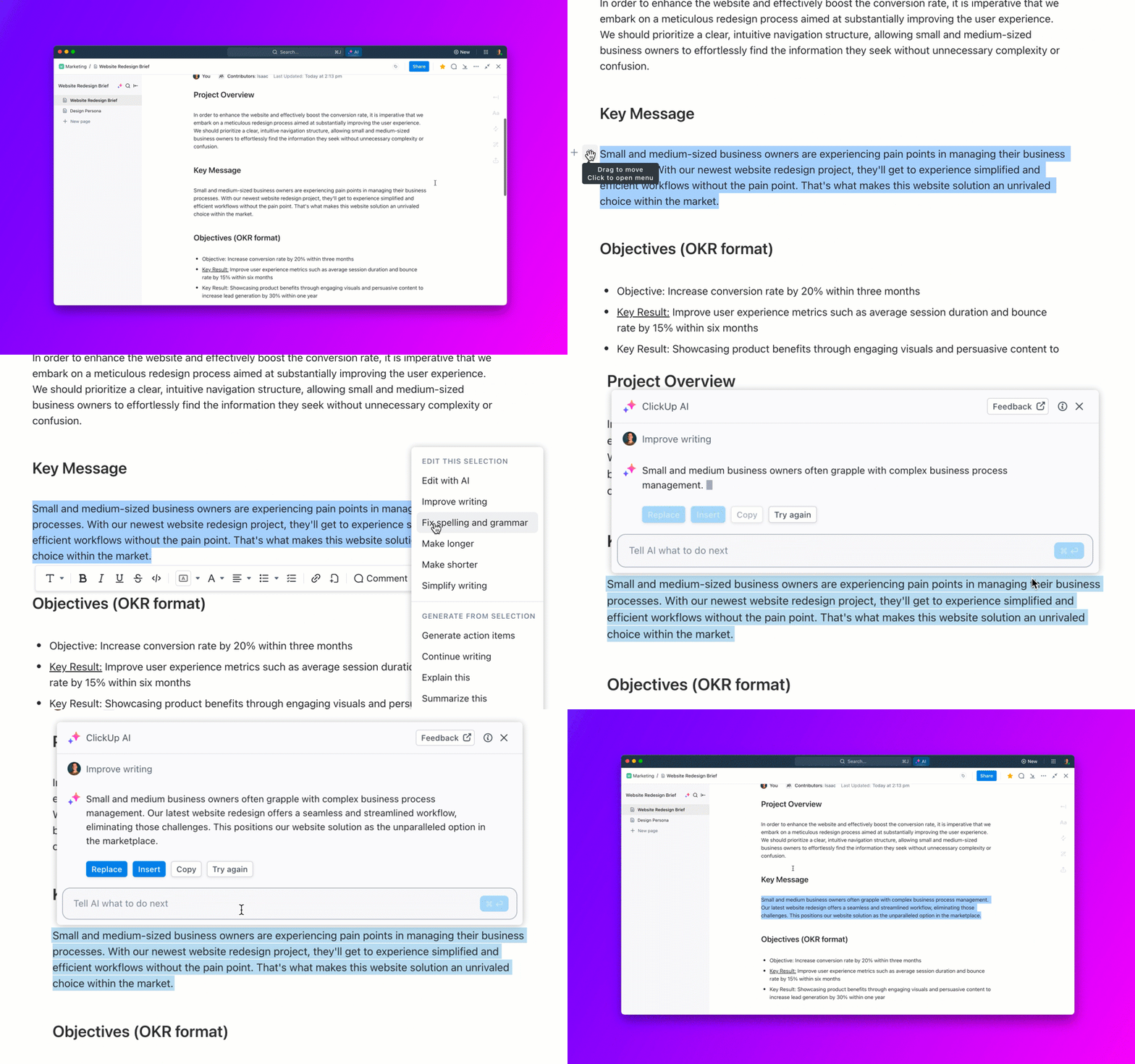
ClickUp Brain is an AI assistant that takes care of all the writing and editing tasks. You can use it to generate written content, summarize, translate, and more. This AI tool supercharges your writing process by generating fresh content ideas, drafting articles, and even summarizing lengthy documents in seconds.
Imagine you’re preparing a blog post for your company’s latest product launch. You simply share your key points, and ClickUp Brain drafts a compelling article, suggests catchy headlines, and polishes your writing for clarity and impact. It can also create reusable templates for future posts, translate your content for global audiences, and organize all your research in one place.
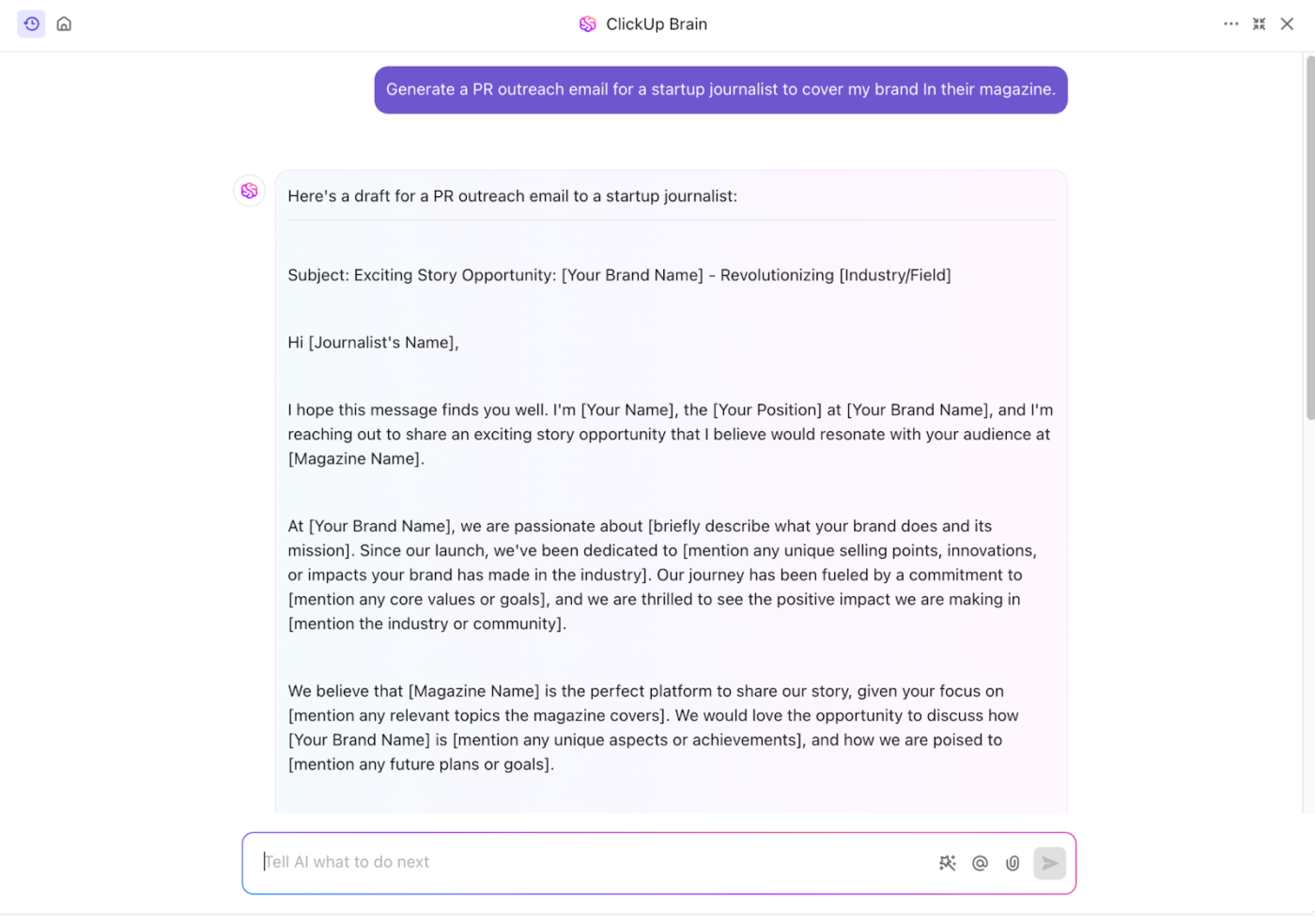
With ClickUp Brain as your writing assistant, you save time, boost creativity, and ensure your message always hits the mark.
Unlike basic word counters, ClickUp packs quite a punch by setting up a centralized team hub. It lets you share documents, track projects, optimize workflows, and more—all in one place.
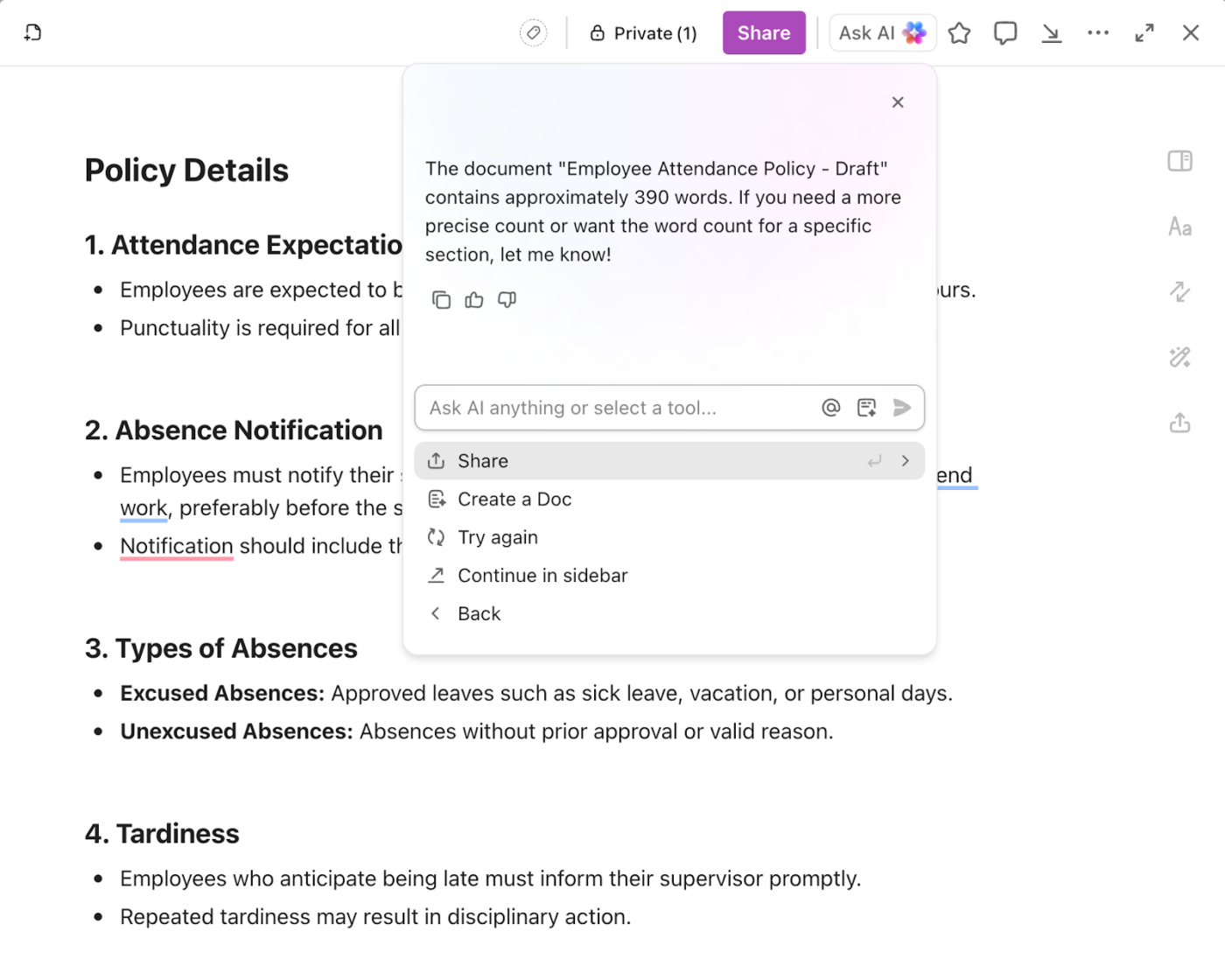
ClickUp Docs allows you to create and edit documents collaboratively. While your team works on the document, the built-in word counter displays the number of words in the document in real time, helping you meet word count requirements.
Additionally, ClickUp Docs saves everything on the cloud with the auto-save feature and maintains version history to establish a single source of truth.
So, whether creating content, collaborating on business documents, or looking to improve your writing skills, ClickUp helps ensure that every word counts toward meaningful, high-quality writing.
The innovative minds within our organization always strive to be better and constantly look for ways in which we can save another minute or another hour, or sometimes even a whole day. ClickUp solved a lot of issues for us that, looking back at it, we were trying to handle using unsalable tools such as Excel tables and Word documents.
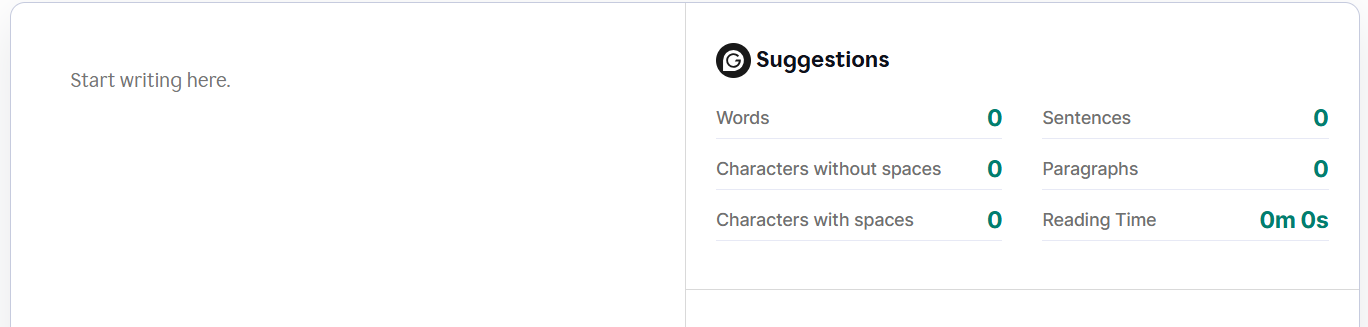
Grammarly is best known for its advanced grammar and spell-checking capabilities, but it also serves as a precise AI-powered word counter. This AI-enhanced grammar checker helps writers, students, and professionals track their word count while receiving insights into readability, tone, and clarity.
Grammarly’s real-time updates make it an excellent companion for those working on essays, reports, or content that needs to meet specific length requirements. Beyond counting words, Grammarly provides insights into sentence structure, conciseness, and word repetition. Its intuitive interface ensures that you don’t just meet your word limit—you refine your writing.
A G2 reviewer says:
I’ve used Grammarly for some time and couldn’t be happier with the results. Unlike many traditional spelling or grammar checkers, this platform goes far beyond the basics. It helps you improve your writing by adapting to the type of text you’re working on—whether it’s a formal email, a report, an academic paper, or even creative content—and, more importantly, it considers your intended audience.
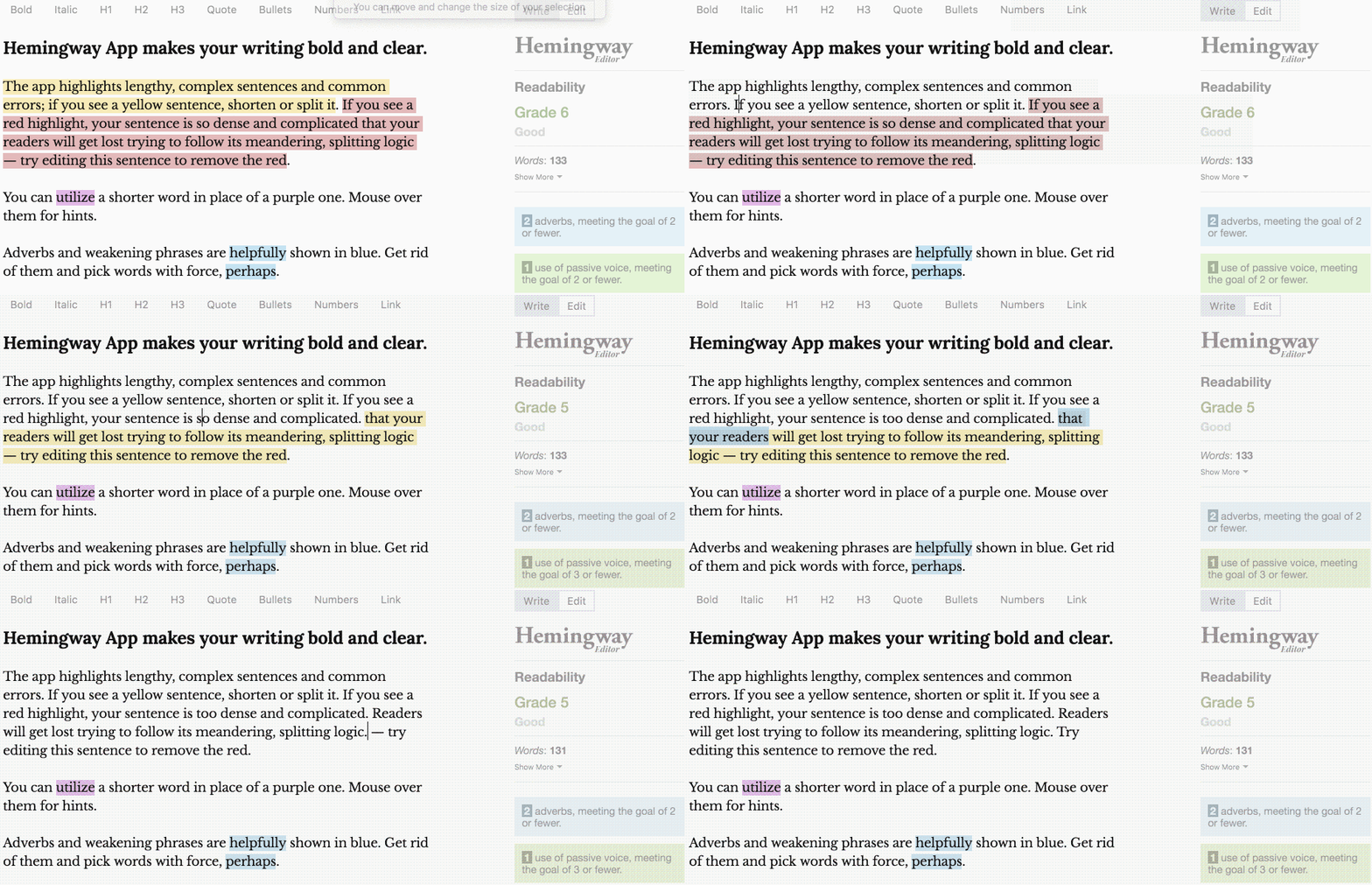
Hemingway Editor is a unique AI writing tool focusing on readability while providing an accurate word count. This online tool analyzes sentence complexity and wordiness in real time, benefiting writers who aim for concise and impactful text.
Hemingway doesn’t just count words—it highlights excessive adverbs, complex phrases, and passive voice usage, making it an excellent tool for those who want their content to be succinct and impactful. Its easy-to-read interface simplifies word tracking without unnecessary distractions.
A G2 review says:
I like that it measures as I write. It’s a good gauge and consistent way of writing for a large audience. Makes my writing very accessible.
📮 ClickUp Insight: 62% of our respondents rely on conversational AI tools like ChatGPT and Claude. Their familiar chatbot interface and versatile abilities—to generate content, analyze data, and more—could be why they’re so popular across diverse roles and industries.
However, if a user has to switch to another tab to ask the AI a question every time, the associated toggle tax and context-switching costs add up over time.
Not with ClickUp Brain, though. It lives right in your workspace, knows what you’re working on, can understand plain text prompts, and gives you highly relevant answers to your tasks! Experience 2x improvement in productivity with ClickUp!
📚 Also Read: Best Hemingway App Alternatives (Reviews & Pricing)
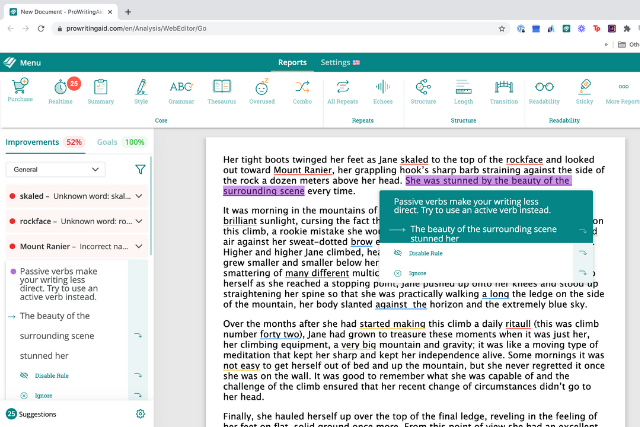
ProWritingAid offers a comprehensive AI-powered writing assistant with an integrated word counter that helps users monitor document length efficiently. Ideal for authors, editors, and content creators, it tracks word count and provides in-depth writing suggestions, including style enhancements and grammar checks.
What stands out about ProWritingAid is that it offers contextual feedback, analyzing everything from sentence length to overused words.
A G2 review says:
ProWritingAid is incredibly feature-rich. You can choose what kind of language (business, casual, academic, etc.) and the suggestions are usually extremely on point. The software is especially great at identifying filler words and helping to streamline copy plus, of course, any typos!
🧠 Fun Fact: With nearly 345 million subscribers and an estimated 321 million actively using it, there are a whole lot of documents, spreadsheets, and presentations happening on Microsoft 365, which also includes Microsoft Word!
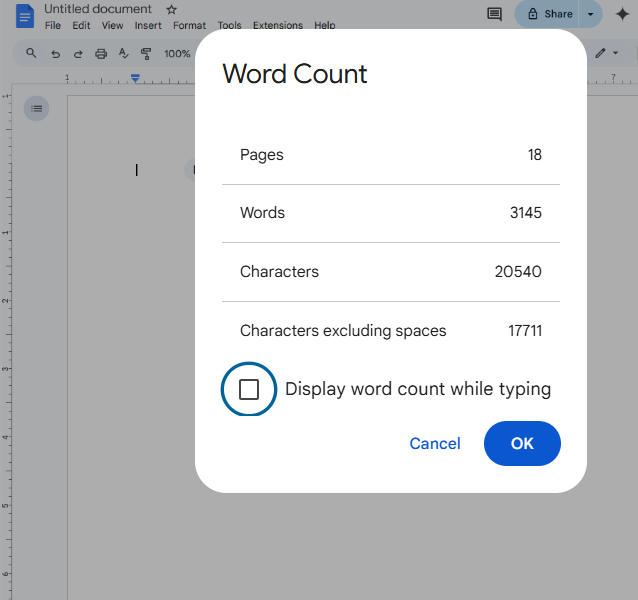
Google Docs is a popular cloud-based writing platform that integrates an easy-to-access word counter into its AI-powered document suite. Writers, students, and professionals can instantly check the number of words while drafting content, making it an excellent tool for projects with strict length requirements.
Google Docs allows multiple users to work on the same document in real time to centralize project documentation. Moreover, its integration with Google Drive ensures that all files are stored securely and accessible from anywhere.
A Capterra reviewer had to say this about Google Docs:
I love how easy it is to collaborate with coworkers, either editing at the same time or adding comments and making suggestions for changes, without interrupting the flow of the doc. Sharing options are also great, where you can limit sharing based on Google Workspace domain, specific email address, or just people with specific links.
💡 Pro Tip: Let AI handle the grunt work of documentation so that you reclaim your focus. How? AI automates formatting, catches errors, and sharpens readability, freeing you from crucial tasks. Plus, it personalizes content, trims costs, and fuels real-time team collaboration.
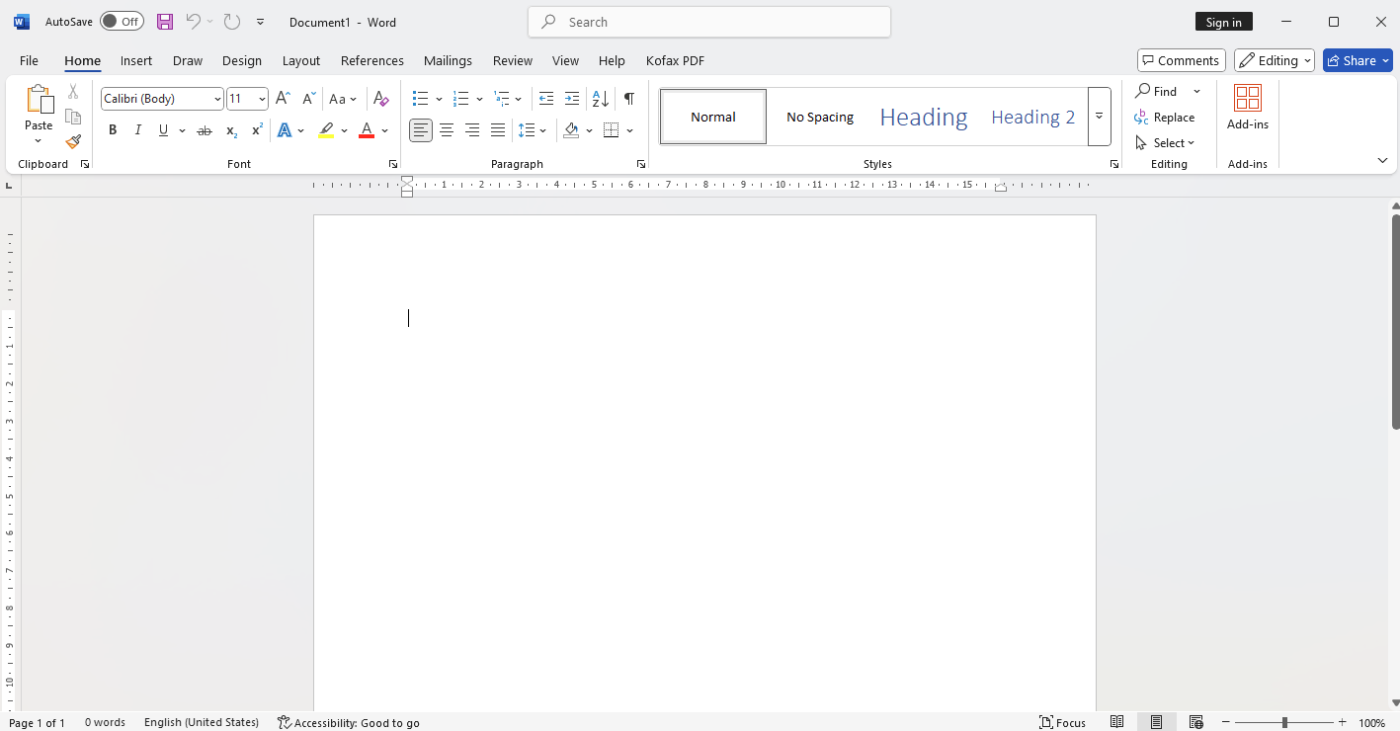
First released in 1983, Microsoft Word remains one of the most trusted word processing software. It offers a reliable word counter that updates in real time.
Whether drafting reports, research papers, or creative content, Word’s integrated word count feature effortlessly helps users stay within their required limits. MS Word’s insights into readability, character count, and estimated reading time make it an excellent option for professionals.
Even though it started with simple text editing capabilities, Microsoft Word now comes packed with AI-powered features like grammar and style suggestions, predictive text, and speech-to-text. Its AI-driven editing tools ensure that word count isn’t just a number but a part of a refined writing process.
A G2 reviewer had the following to say about Microsoft Word:
Microsoft Word is a really great tool for typing and editing documents. I love that it has different templates for whatever type of document you need to type – letters, resumes, flyers amongst others. Useful features such as numerous font types and sizes, colour formats, spelling check, grammar check and others help to make my documents far better than ordinary. It’s also really awesome that many of these great features come for free and one might never need to pay for upgrades. It’s very easy to navigate through. Even a beginner user won’t find it difficult using it.
➡️ Read More: Microsoft Word Hacks to Optimize Your Work
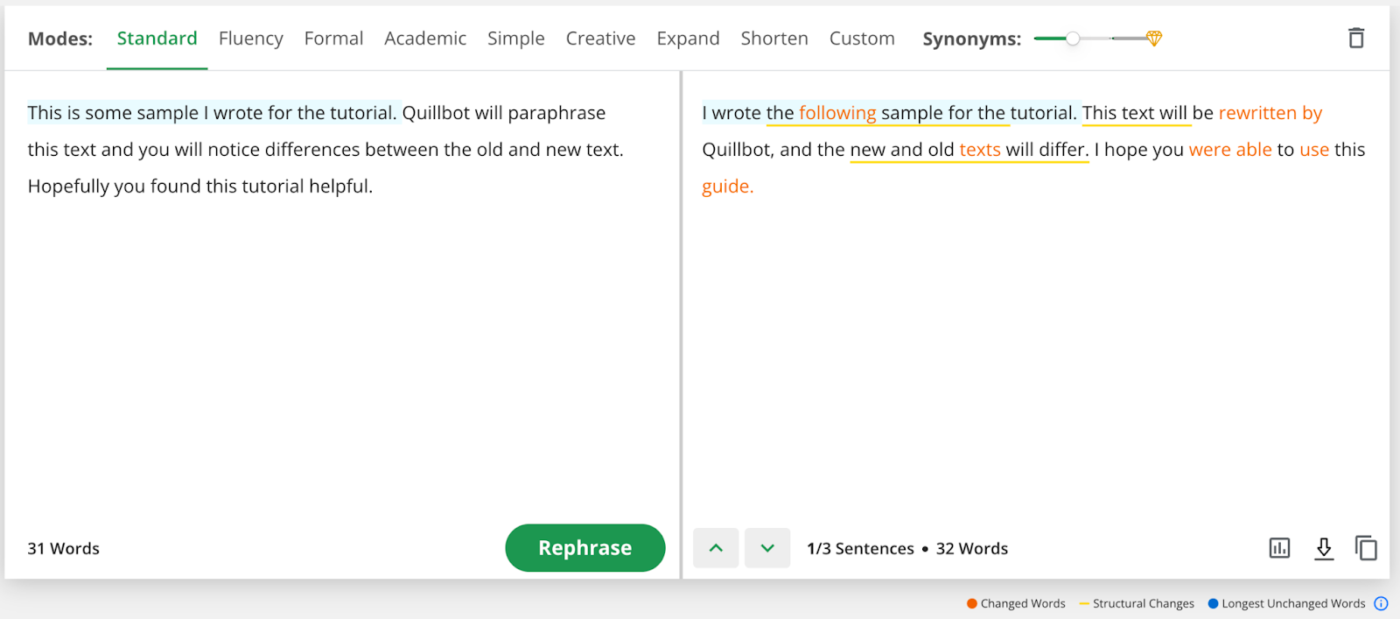
QuillBot is an AI-powered writing assistant designed to improve writing through paraphrasing, summarization, and grammar correction. It also serves as an efficient AI word counter.
Its unique ability to reduce word count while maintaining meaning makes it particularly useful for students, social media managers, marketers, and writers who need to shorten or expand text efficiently while keeping track of length.
A G2 review says:
For writing some social media post copies quickly, I am using QuillBot to improve the writing style. Not only paraphrasing, it comes with so many other features like Grammar checker and plagiarism checker. I found this tool very much worth it. I can quickly paraphrase the same copy into two-three different versions and post on different platforms.
📚 Also Read: Free AI Paragraph Generators for Writing
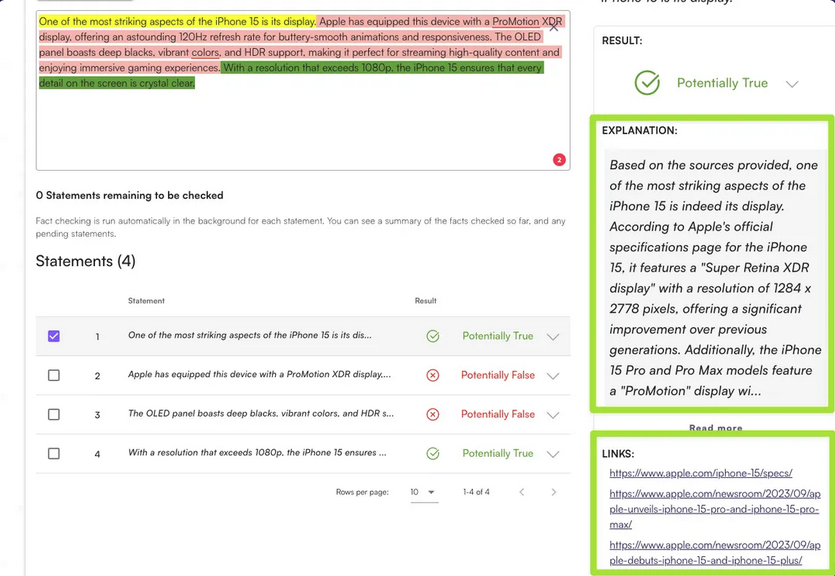
Originality.ai is primarily an AI detection and plagiarism checker. It features a built-in word counter that allows users to track document length. It also conducts fact-checks to ensure that your content is unique and accurate.
This tool is especially useful for SEO-focused content. It provides insights into text structure and readability alongside word count tracking. It ensures that articles meet length requirements while maintaining originality.
We use this platform regularly to check for AI-generated and plagiarized content. The tool is easy to use, and the color-coded highlights make it simple to see which parts of the content might be AI-generated. It scans documents quickly, and the reports are detailed, helping us verify originality efficiently.
🧠 Fun Fact: A recent study found that 88% of people have used AI to overcome task paralysis.
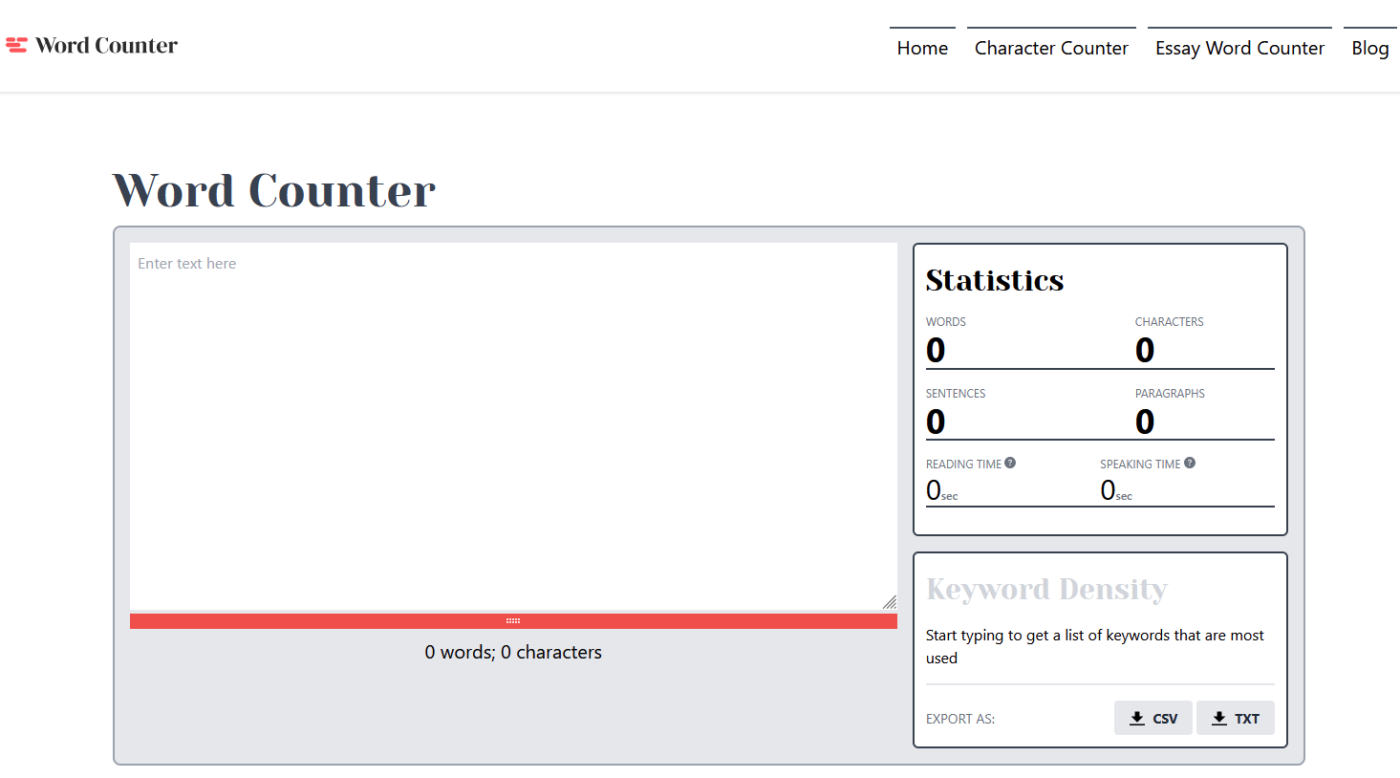
If you’re looking for a no-frills counting tool, then Wordcounter.ai is right. It offers great diversity, functioning as a sentence and paragraph counter, and counting words.
The tool displays the content’s total reading and speaking time in the input box. You may also share a keyword list, and it will display the keyword density, which you can export as CSV or TXT.
➡️ Read More: Best AI Writing Prompts for Marketers & Writers
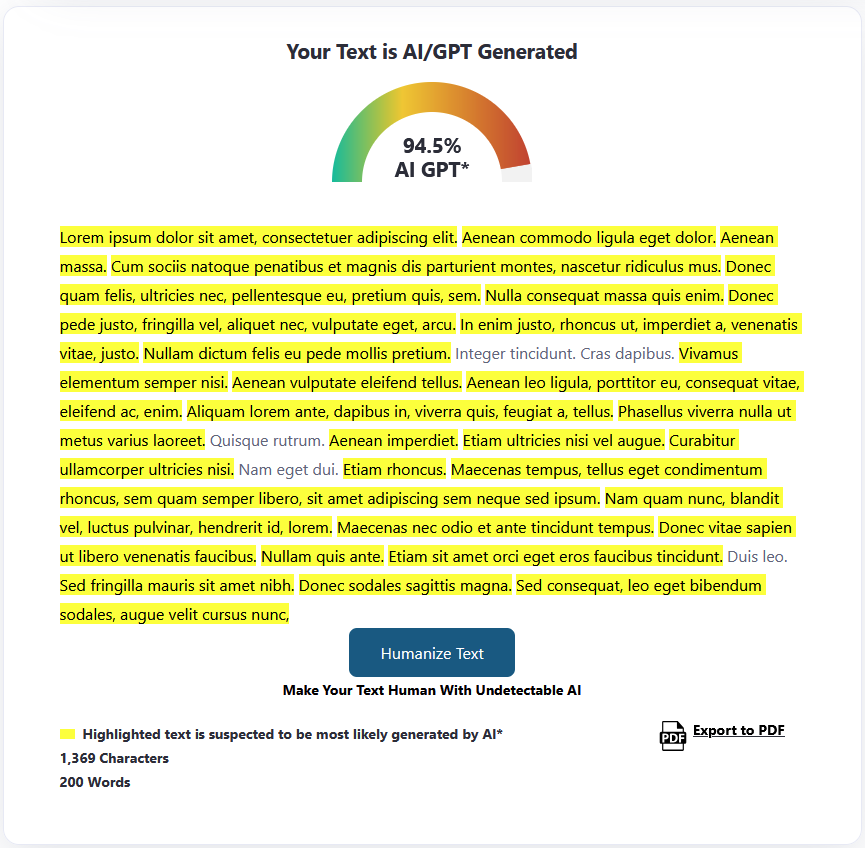
Similar to Originality.ai, ZeroGPT helps differentiate AI vs. human content. With an integrated character and word counters, this tool is quite helpful for educators, publishers, and businesses.
The tool uses advanced AI-detection algorithms to scan and analyze text for patterns that indicate its origin. The detailed ZeroGPT reports assign authenticity to the scanned content.
A G2 review says:
The thing I like the most about ZeroGPT is its user interface and ease of use. Along with the AI detection feature, it also provides many other features like a grammar checker, text summarizer, paraphrasing, AI translator, etc. And it’s also available in WhatsApp and Telegram which makes it even more easy to use on all devices. It also goes on the fly to generate the PDF report of the AI detection result, which gives proper transparency and credibility.
💡 Pro Tip: Break long sentences into shorter ones. These will be less likely to get flagged as AI-generated content.
Choosing the right free word counter also boils down to your specific needs. Whether you seek AI-powered grammar checking, content originality detection, or seamless document collaboration in addition to word counters, you could pick from the options above.
For instance, Hemingway Editor improves readability while ZeroGPT and Originality.ai verify content authenticity, and with Grammarly, you check grammar—the list goes on.
However, if you’re looking for an all-around tool that combines the best of word counting, AI-powered writing assistance, and team collaboration, ClickUp is as good as it gets. Integrating ClickUp Docs and ClickUp Brain will empower you to achieve your writing objectives seamlessly and efficiently. Sign up for ClickUp today and join the AI-led content creation wave!

© 2026 ClickUp

There’s an easier way. Try a free AI Agent in ClickUp that actually does the work for you—set up in minutes, save hours every week.