






Still downloading templates?
There’s an easier way. Try a free AI Agent in ClickUp that actually does the work for you—set up in minutes, save hours every week.
Sorry, there were no results found for “”
Sorry, there were no results found for “”
Sorry, there were no results found for “”
During a monthly growth sync, the dashboards looked promising. CAC was steady. New signups were climbing.
But when the CFO asked, “Which initiatives moved revenue and which ones just moved metrics?” the answers got blurry.
Why so? Paid media data lives in one tool. Product activation metrics are in another. Sales pipeline insights are trapped in CRM reports. Growth experiments are tracked in decks, spreadsheets, and Slack threads.
The data exists, but it is fragmented across dashboards, spreadsheets, and tools.
As acquisition channels multiply, lifecycle journeys grow more complex, and revenue targets rise, the challenge for leaders is to ensure clarity across these systems.
Ahead, we explore AI tools for growth leadership that unify fragmented insights, accelerate experimentation, and connect every initiative back to revenue impact. 📈
There are several foundational capabilities every growth leader should evaluate before committing to a platform:
📮 ClickUp Insight: Only 10% of our survey respondents regularly use automation tools and actively seek new opportunities to automate.
This highlights a major untapped lever for productivity: most teams still rely on manual work that could be streamlined or eliminated.
ClickUp’s AI Agents make it easy to build automated workflows, even if you’ve never used automation before. With plug-and-play templates and natural language-based commands, automating tasks becomes accessible to everyone in the team!
💫 Real Results: QubicaAMF cut reporting time by 40% using ClickUp’s dynamic dashboards and automated charts—transforming hours of manual work into real-time insights.
Here’s a snapshot of the top AI tools and how they compare side by side, based on their ability to deliver key insights, improve team performance, and support leadership potential:
| Tool | Key features | Best for | Pricing* |
| ClickUp | Work management, cross-functional planning, dashboards, automations, docs, goal tracking | Cross-functional teams managing planning and execution in one system | Free Forever; Customization available for enterprises |
| 6sense | Account-level intent data, buying stage modeling, orchestration across ads and outreach | B2B teams prioritizing and engaging high-intent target accounts | Free plan available, custom pricing |
| ZoomInfo | B2B contact database, buyer intent, sales cadences, conversation intelligence | Sales teams running high-volume outbound and prospecting | Custom pricing |
| HubSpot | CRM, marketing automation, content generation, reporting, AI assistants | Growing teams running CRM, marketing, and sales in one platform | Free plan available; Paid plans from $20/month per user |
| Adobe Marketo Engage | Marketing automation, multi-touch attribution, lead scoring, campaign orchestration | B2B teams managing long sales cycles and complex campaigns | Custom pricing |
| Amplitude | Product analytics, behavioral insights, AI-driven analysis, experimentation support | Product and growth teams focused on retention and behavior analysis | Free plan available; Paid plans from $61/month |
| Salesforce | CRM, revenue intelligence, AI agents, analytics, workflow automation | Large organizations managing complex revenue and customer workflows | Paid plans from $25/month per user |
| Clay | Data enrichment, AI web research, outbound list building, sequencing | Lean GTM teams building targeted outbound lists quickly | Free plan available; Paid plans from $149/month |
| Drift | AI chat agents, meeting booking, lead qualification, conversational analytics | B2B teams converting high-intent website visitors | Custom pricing |
| Dynamic Yield | Personalization, experimentation, experience optimization across channels | Teams personalizing web, app, and commerce experiences | Custom pricing |
⚡ Template Archive: Growth Plan Templates to Build a Growth Strategy
Our editorial team follows a transparent, research-backed, and vendor-neutral process, so you can trust that our recommendations are based on real product value.
Here’s a detailed rundown of how we review software at ClickUp.
There’s no single best AI tool for growth leadership. The right choice depends on how your teams operate, how data flows through existing systems, and how effectively AI’s role is defined within leadership development programs.
Below is our roundup of the best AI tools you’ll find helpful:
Let’s start with the in-house favorite: ClickUp for Marketing Teams. It brings planning, collaboration, documentation, and execution in a connected workspace, eliminating Work Sprawl.
What sets it apart from the other tools in this list? As the world’s first Converged AI Workspace, ClickUp AI is built directly into docs, chat, whiteboards, and more. You can summarize discussions, generate plans, and move from visuals to action without context switching.
Let’s look at some of its core AI convergence features:
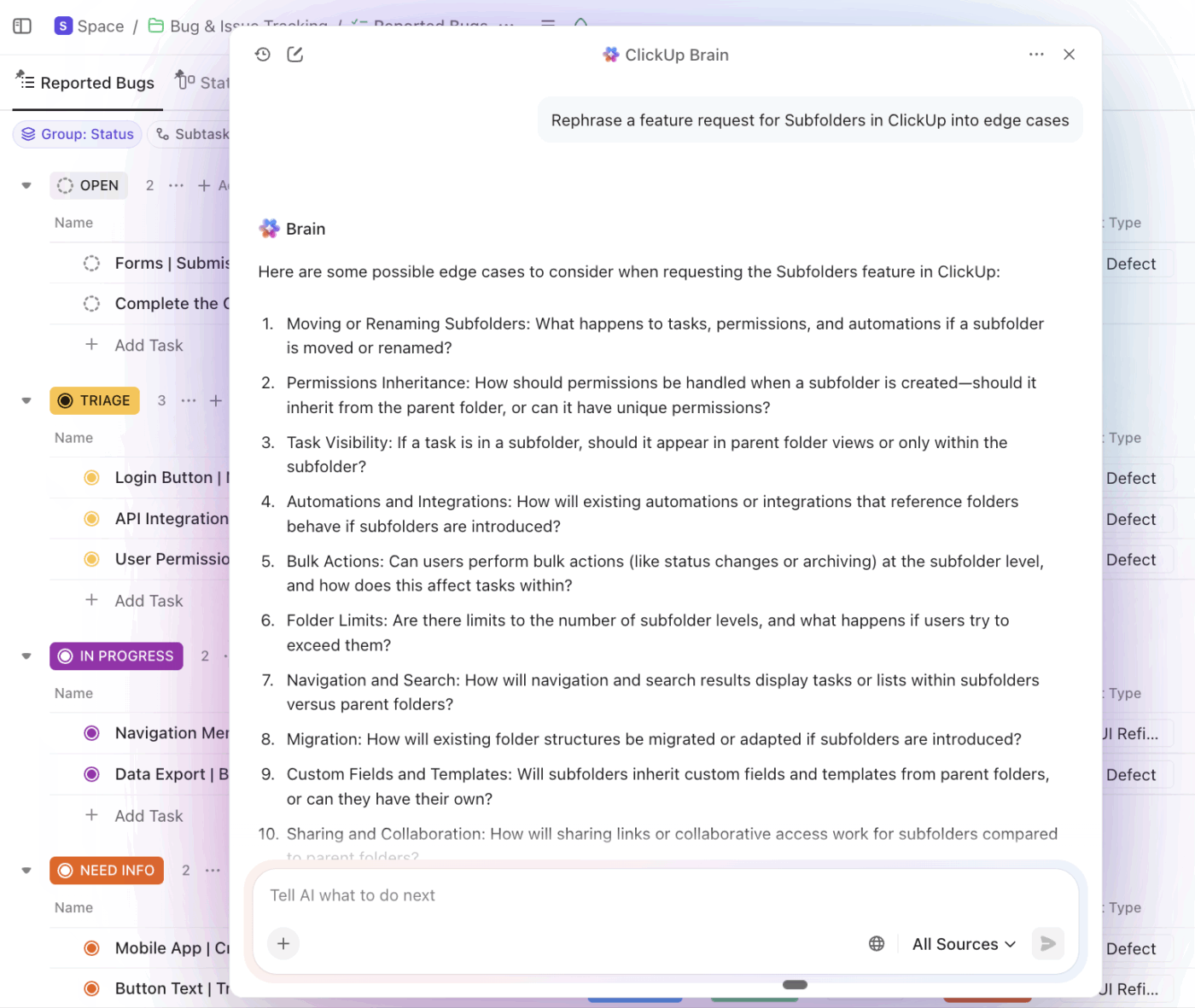
ClickUp Brain is built into your work and understands the context of your tasks, docs, comments, and project data.
Contextual AI provides work-aware answers, summarizes workspace activity, detects blockers, and generates content based on your real work data.
You can use it for these marketing use cases (among many others):
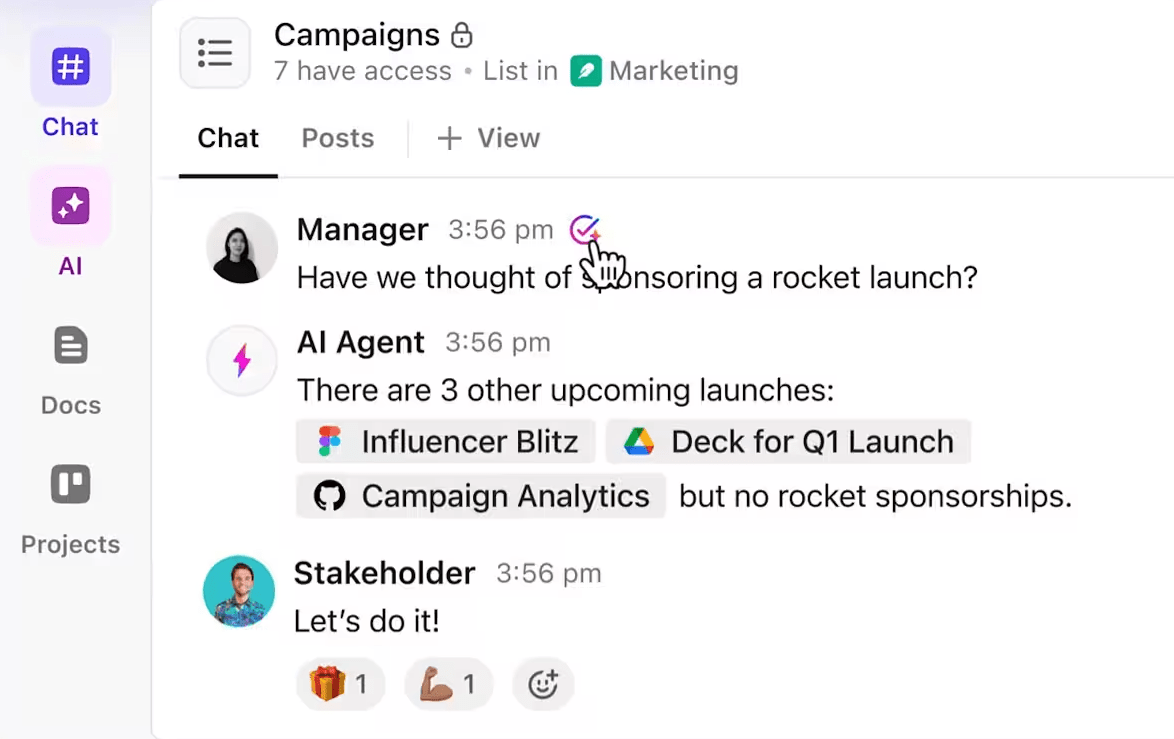
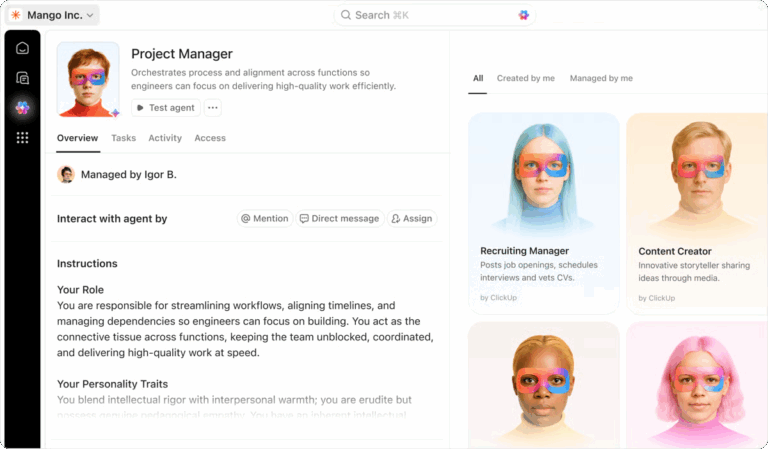
ClickUp’s AI Super Agents are AI teammates that adapt to changes in your workspace and take action based on your instructions. They can monitor spaces, respond to queries, create tasks, and organize work with minimal supervision.
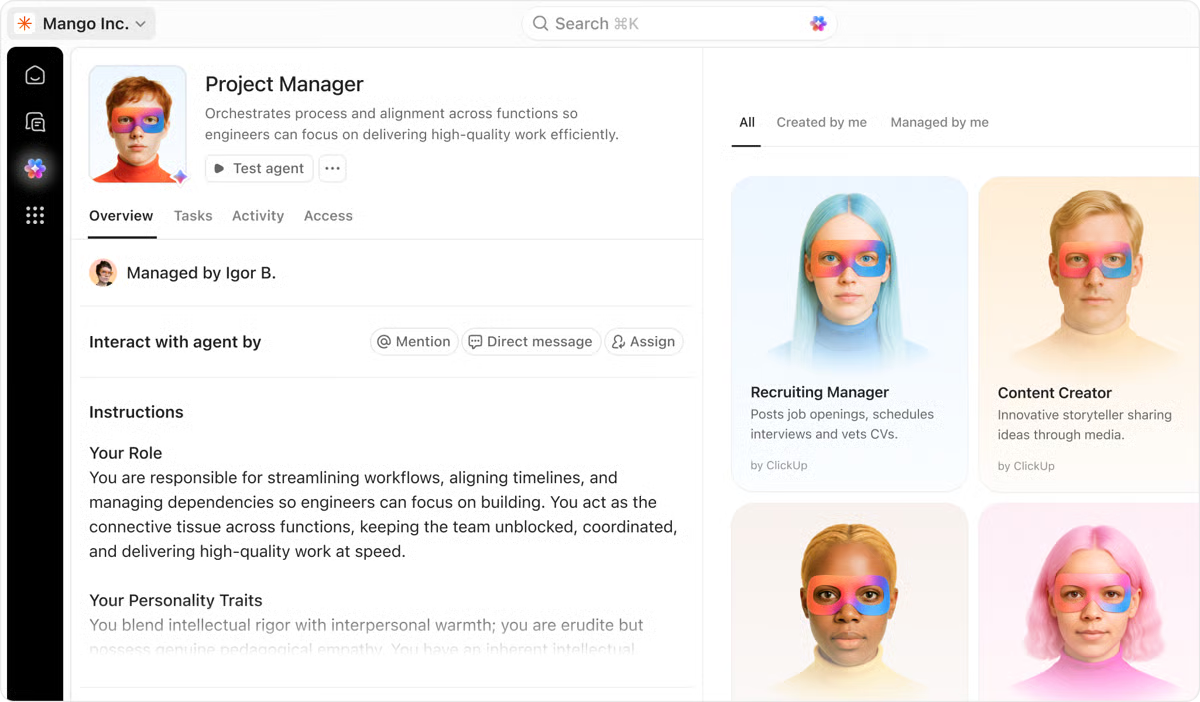
For instance, you can use them for:
Here’s a walkthrough of what a Social Media AI Agent looks like in action 👇
Bring ClickUp Brain and ClickUp Agents’ power outside ClickUp into a dedicated AI desktop app. Unify search, AI models, and context from all your connected apps with ClickUp Brain MAX. It ends AI Sprawl by bringing multiple latest AI models into one app and surfaces work context wherever you need it.
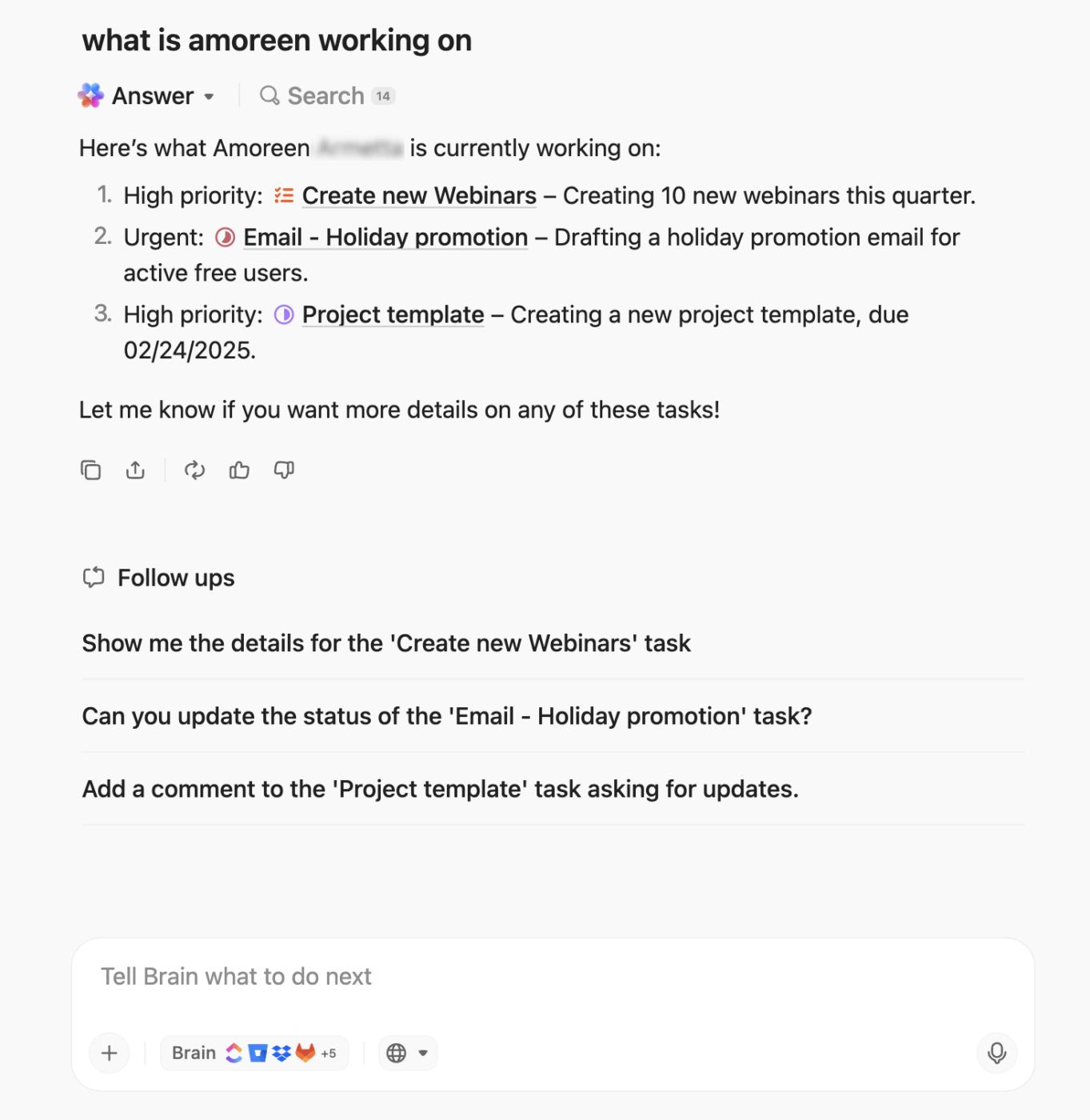
You get:
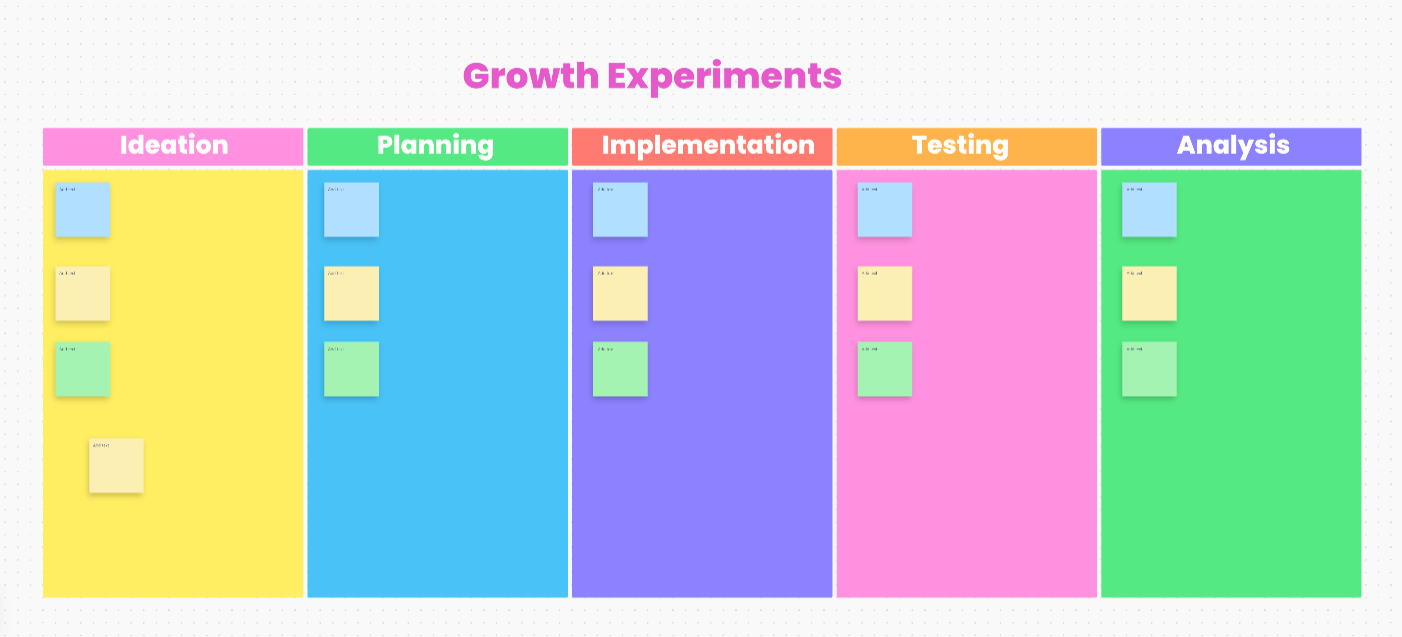
ClickUp’s Growth Experiments Whiteboard Template gives your team a visual system to move from ideation to analysis without losing context.
It solves the chaos of managing experiments across slides, spreadsheets, and Slack threads by centralizing everything into one collaborative workflow.
Here’s why you’ll love this template:
As a growth leader, you need a quick way to turn scattered performance signals into structured insights to be shared with stakeholders.
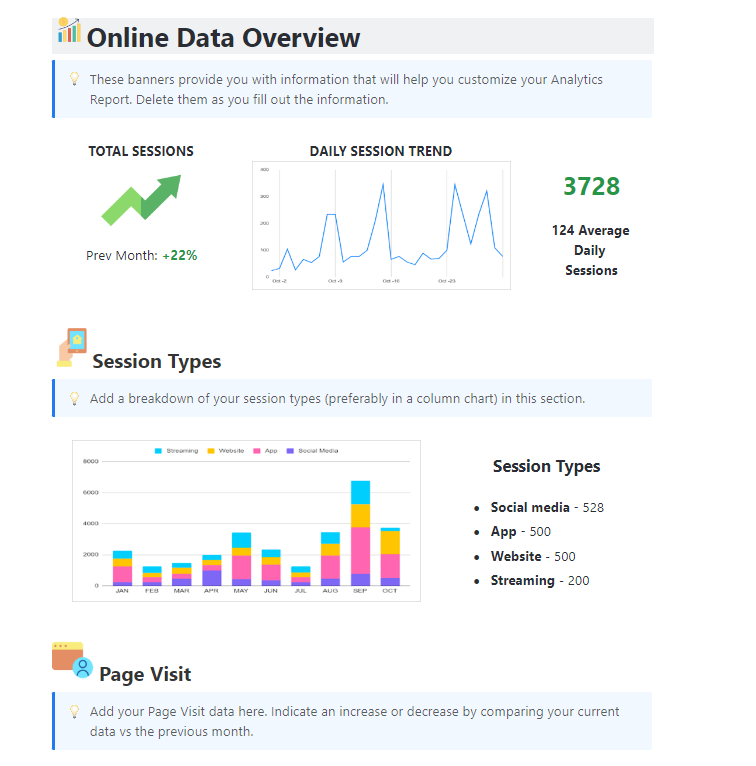
ClickUp’s Analytics Report Template consolidates performance metrics such as session data, funnel movement, and campaign signals into executive-ready insights.
Here’s why you’ll love this template:
A G2 user says:
ClickUp brings all our tasks, documents, goals, and time tracking into one unified workspace. We’ve been using it since 2018, and it’s incredibly flexible for managing both internal workflows and client projects. The customizable views (List, Board, Calendar, etc.) and detailed automation options save us hours each week. Plus, their frequent feature updates show they’re serious about improving the platform.
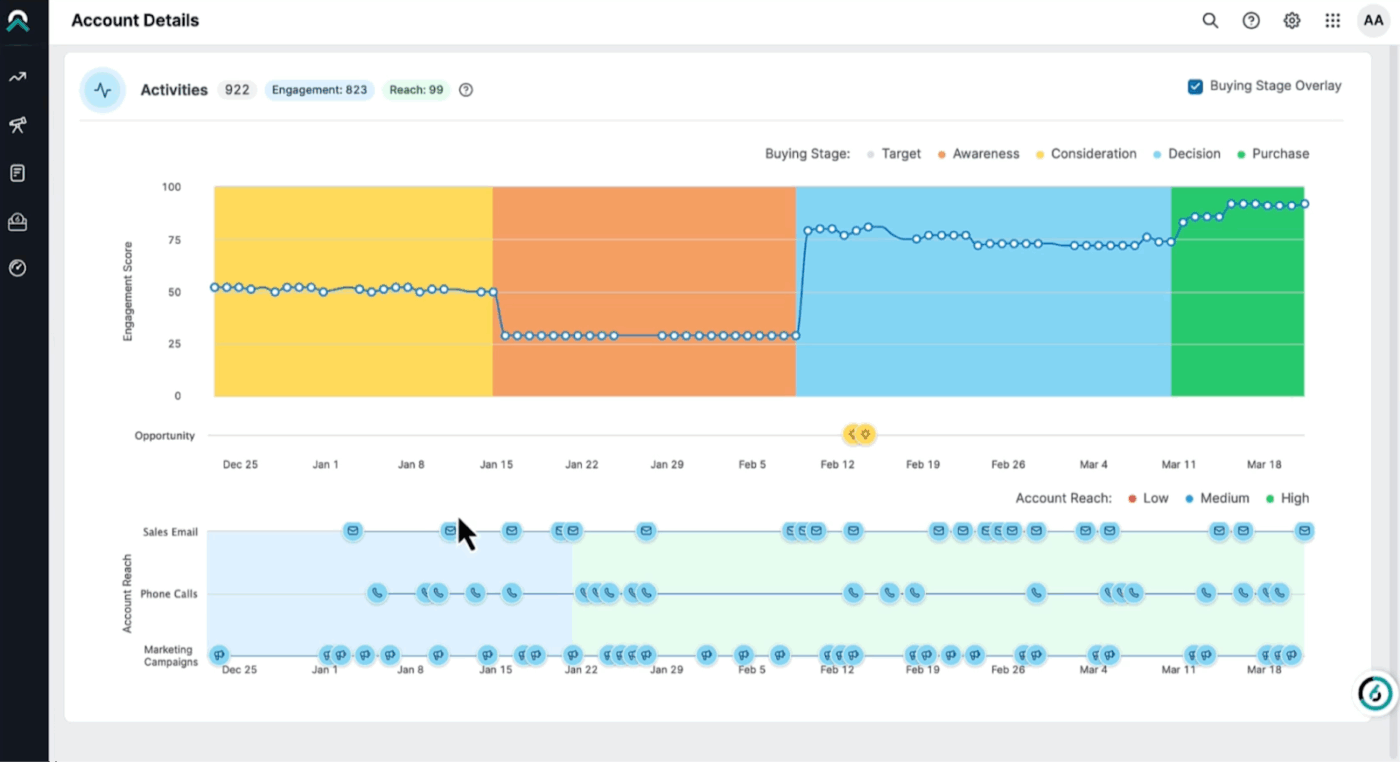
6sense is an ABM platform that unifies your web, ad, email, and sales data into a single AI-enabled system.
It provides predictive analytics that help senior leaders like you anticipate demand and prepare leaders to act earlier in the buying cycle.
6sense enables automated orchestration. For example, based on an account’s Buying Stage (e.g., Awareness vs. Decision), the platform can automatically enroll contacts in specialized email sequences or alert a rep to call.
6sense can also identify companies researching in stealth mode, long before they ever fill a form or speak to sales. It does so by correlating fragmented signals, like IP data, cookies, and content consumption.
A G2 user says:
6sense provides powerful intent data and predictive insights that help prioritize high value accounts and focus sales and marketing efforts more effectively. The account insights, buying stage visibility, and segmentation capabilities enable better targeting and personalization. It also integrates well with CRM, making performance tracking more streamlined.
👀 Did You Know? According to a global study of over 1,200 L&D and functional leaders, one of the top leadership challenges today is developing leaders who can embrace continuous disruption and connect data-driven insight to growth outcomes.
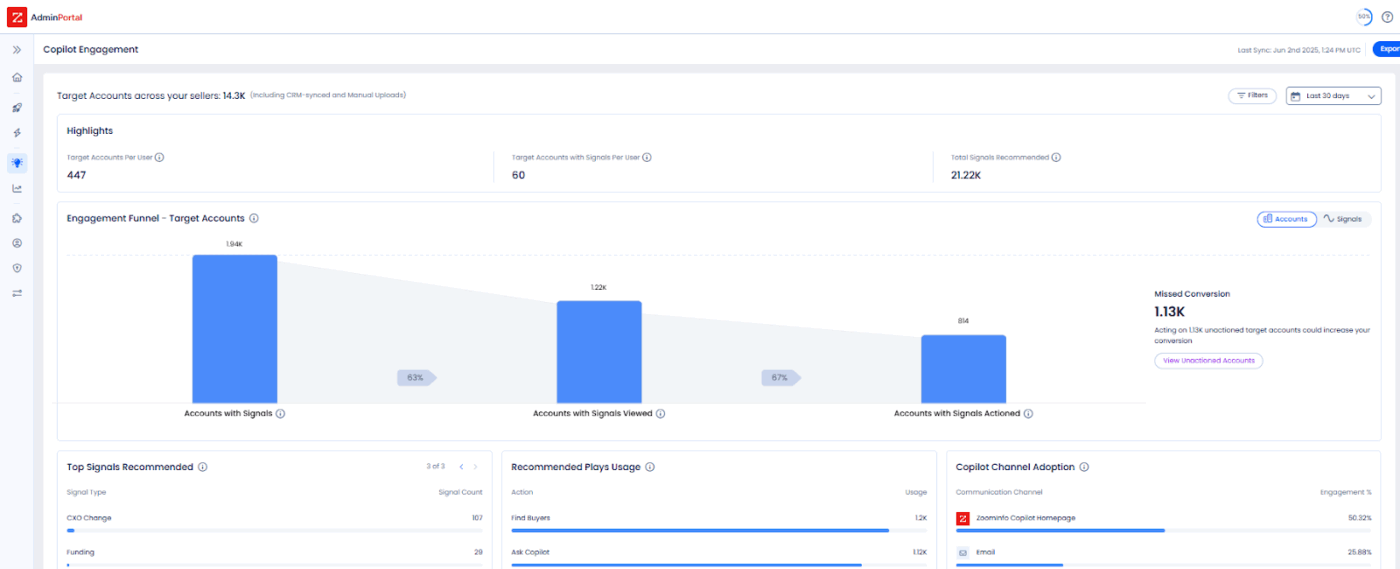
Do you want to build an account database based on your Ideal Customer Profiles (ICPs) and reach relevant decision-makers? ZoomInfo Sales, a B2B sales prospecting software, can help address common real-world challenges in outbound prospecting.
It gives you access to over 70 million direct dial phone numbers and more than 174 million verified email addresses.
Through its Engage/Chorus modules, ZoomInfo Sales records and transcribes every sales meeting. It then uses AI to track deal risks (e.g., a competitor being mentioned) or buying signals (e.g., pricing questions).
Beyond keyword-based intent, ZoomInfo stands out for its event-based triggers. It alerts your team to changes within ICP accounts. For example, you may find that a company has raised $50M, hired a new CMO, or added a competitor’s product to its stack. This enables your team to take timely, relevant action.
A G2 user says:
ZoomInfo enhances both our sales and marketing efforts by allowing a one stop shop for the contact information for the retailers and grocers that we are actively looking to do business with. The program is easy to use. We use ZoomInfo every day and it has become part of our process. The automations that can be set up allow us to be informed of leads before our competitors.
📚 Also Read: Best Goal Tracking Apps (Free & Paid)
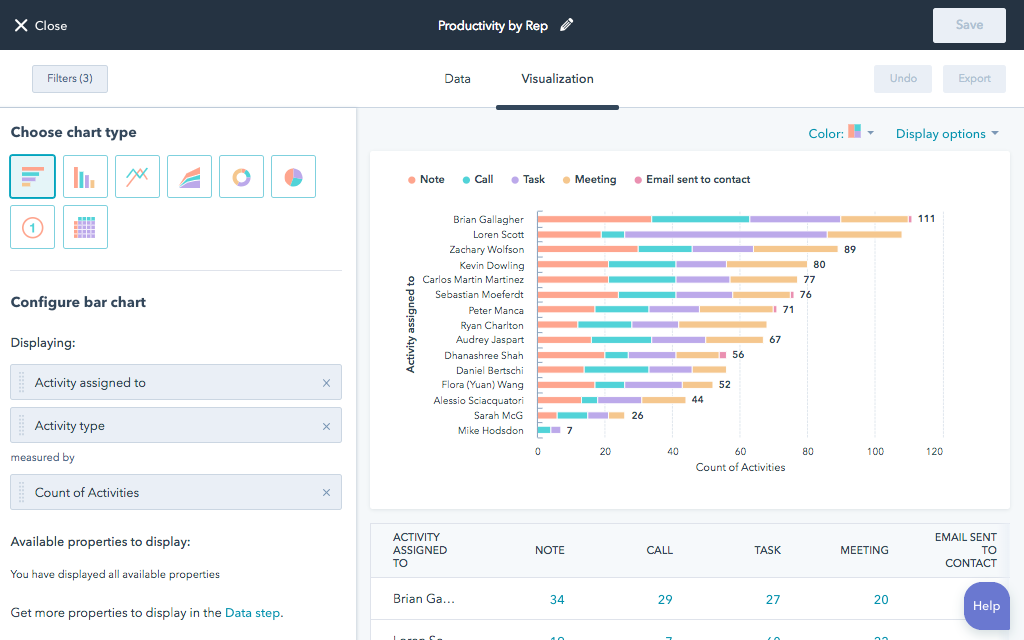
HubSpot is a cloud-based CRM platform that centralizes marketing, sales, and customer data. , making it easier to integrate AI into everyday revenue workflows.
With its Smart CRM, you can define custom objects, events, scoring rules, and calculations to model how your business operates.
Records are automatically enriched using data from emails, calls, website activity, and HubSpot’s own dataset, so profiles stay current without manual updates.
On top of that, you can ask HubSpot questions in plain language across CRM records, conversations, documents, and connected sources, and get answers instantly without switching tools or waiting on reports.
A G2 user says:
HubSpot’s main advantage is its comprehensive all-in-one ecosystem. The automation workflows are highly intuitive, enabling us to nurture leads efficiently without needing to intervene manually all the time. I especially value how smoothly the landing page builder connects with our analytics, providing a clear and real-time perspective on our customer journey. It truly bridges the gap between our marketing efforts and data-driven results.
🎥 Bonus: If you’re still wondering whether to adopt product-led or customer-led growth, this video is for you 👇
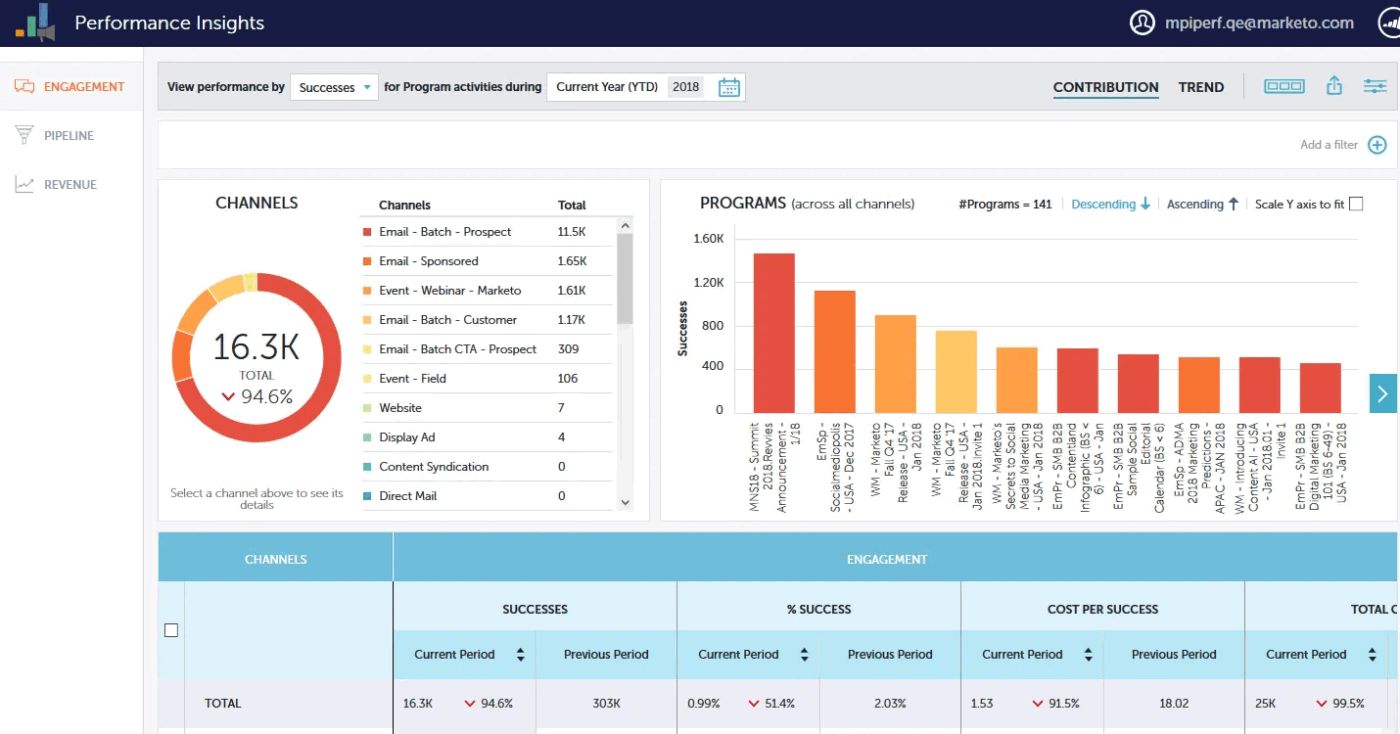
As a growth leader, you’re often asked: “Can we trace a dollar of marketing spend to actual revenue?” Marketo Engage, an AI-powered marketing automation platform, helps close attribution gaps while improving tracking progress across long sales cycles.
Using it, you can manage cross-channel acquisition and nurturing, leverage native CRM integrations to keep sales and marketing data in sync, and grow predictable pipelines.
For emerging leaders, it offers industry-leading Multi-Touch Attribution (MTA). It tracks every touchpoint, from the first anonymous ad click to the final pre-sale webinar, and maps it back to revenue in the CRM system.
To prevent brand drift and one-off campaign sprawl, Marketo also provides Program Templates and Cloning features. That means a central team can define a Perfect Webinar Program, and regional or product teams can clone it, changing only variables like date, speaker, or segment.
A G2 user says:
What I like most about Adobe Marketo Engage is its power and control for B2B marketing automation. It handles complex lead management, scoring, lifecycle tracking, and multi-step nurturing far better than lighter tools, especially for organizations with long sales cycles and multiple touchpoints. The flexibility of smart lists, smart campaigns, and tokens makes it possible to build highly customized automation while keeping it scalable.
⚡ Template Archive: Free Marketing Campaign Templates to Streamline Your Planning and Execution
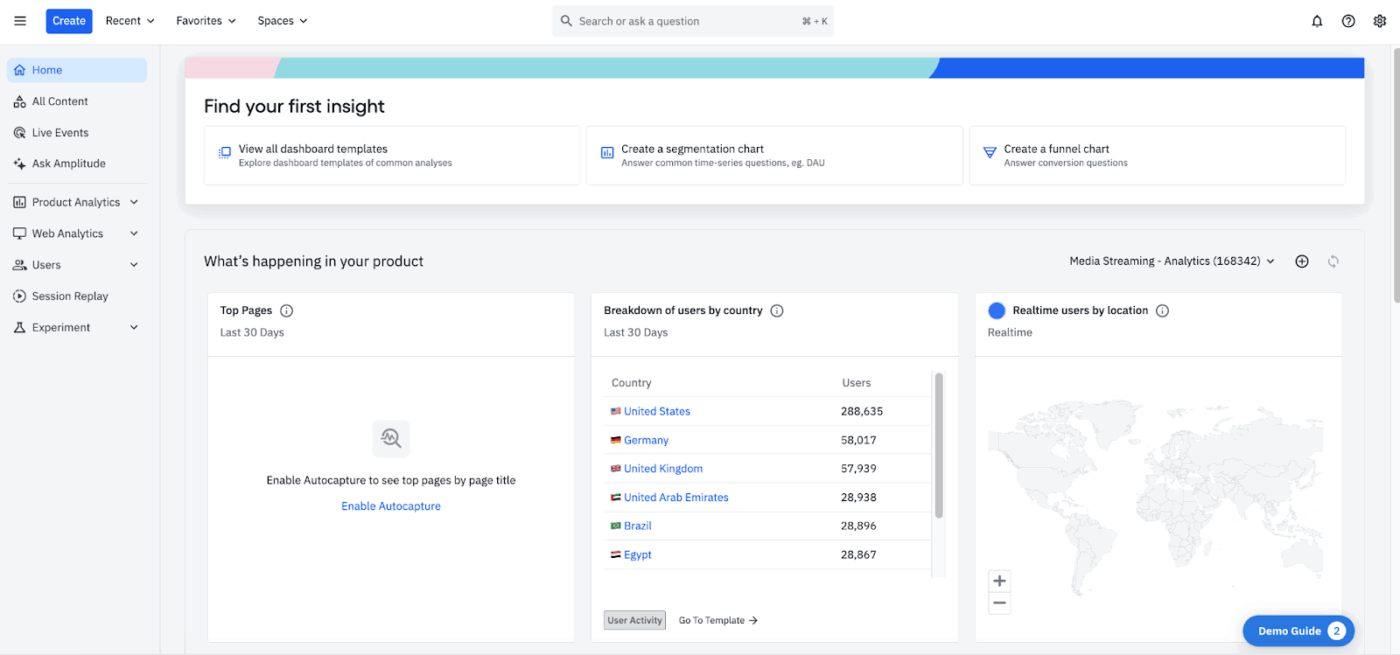
Amplitude AI is an AI analytics platform that helps you track, visualize, and analyze user behavior across web and mobile apps.
It performs a Semantic Search of your company’s existing dashboards and documentation first. So if, for instance, a colleague already built that chart, it shows you theirs to ensure a single version of the truth.
Amplitude also gives you access to growth agents that act as digital teammates. You set a goal (e.g., Increase D7 Retention for the Education segment). The agent then automatically monitors behavior, identifies friction points, and suggests specific A/B tests or feature flag adjustments.
Amplitude’s Automated Insights mimics an expert analyst. For instance, if your checkout conversion drops 15%, the AI alerts you and also chains together tool calls—checking recent feature flags, marketing campaigns, and device-specific cohorts—to find the why.
A G2 user says:
I love that Amplitude Analytics is a super powerful tool that picks up a huge amount of data and constructs it into easy-to-understand dashboards. I appreciate being able to look at what features specific customers are using or not using, and get a general picture as a whole of how our tool is being used.
⚡ Template Archive: Free Digital Vision Board Templates to Inspire Your Team
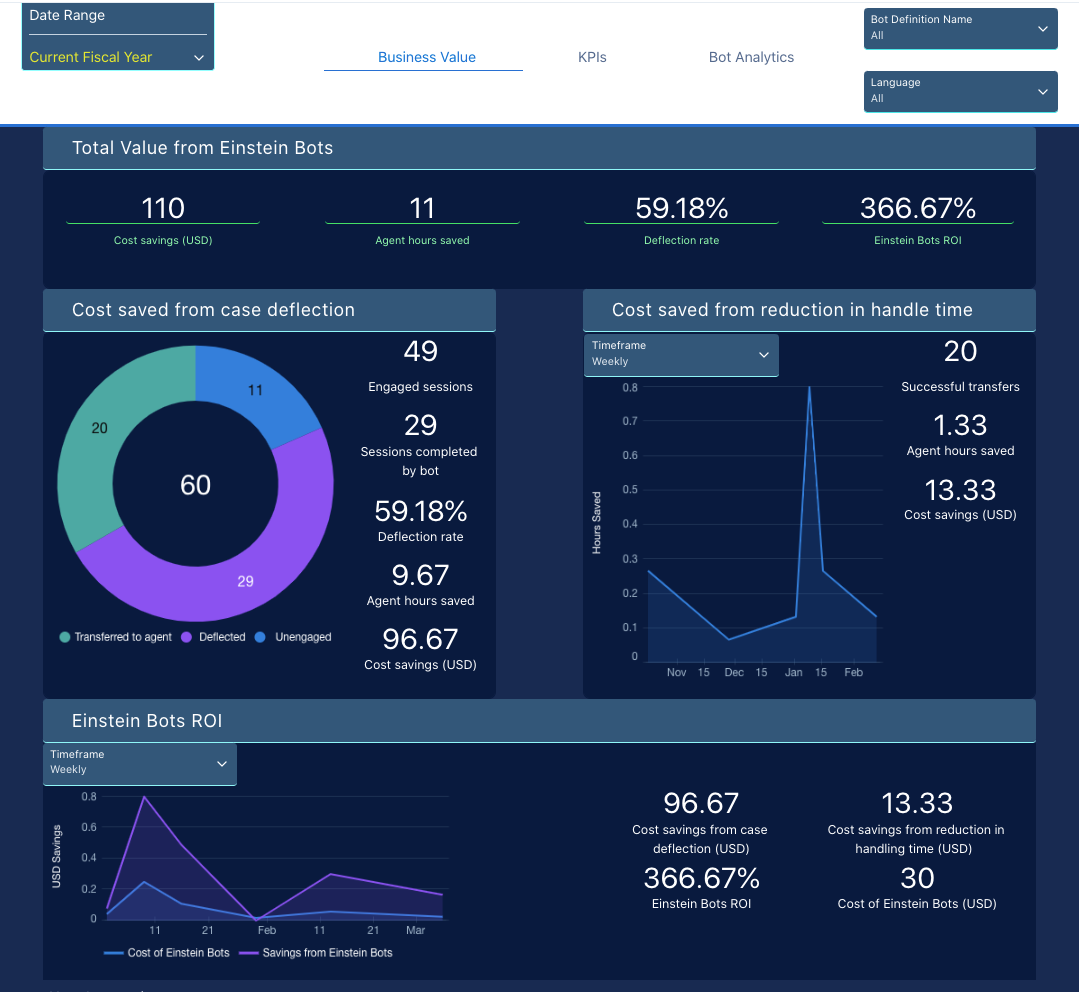
Do you want a 360-degree view of the customer journey? Consider using Salesforce, a cloud-based CRM system.
When your product signals are wired into Salesforce, it becomes a real-time system of record. An end customer’s in-app action can be reflected on their profile within moments. This gives your customer-facing team immediate visibility into live behavior.
That means outreach can be driven by what just happened, not last week’s data. Salesforce also leverages Einstein AI to move from descriptive analytics (what happened) to predictive insights (what will happen).
It identifies at-risk deals before they slip and identifies winning patterns from top performers that can be codified across the entire team to adjust product-led growth initiatives.
Moreover, unlike generic chatbots, Salesforce Agentforce Agents can perform tasks inside the CRM, such as qualifying a lead, researching a company’s financial reports, updating a deal stage, and drafting a bespoke contract.
A G2 user says:
Salesforce Platform is integral to my daily operations, helping me stay organized and efficient. I value its ability to centralize all customer information, making case management easier and more manageable. I like how I can create and manage customer requests, which keeps everything easy to track and organize. It allows me to prioritize tasks, monitor the status of each case, and maintain clear communication with customers and internal teams.
👀 Did You Know? The concept of ‘virality’ existed long before social media management. In the early 1900s, word-of-mouth contagion models were studied alongside epidemiology, shaping how marketers later understood referral loops and network effects.
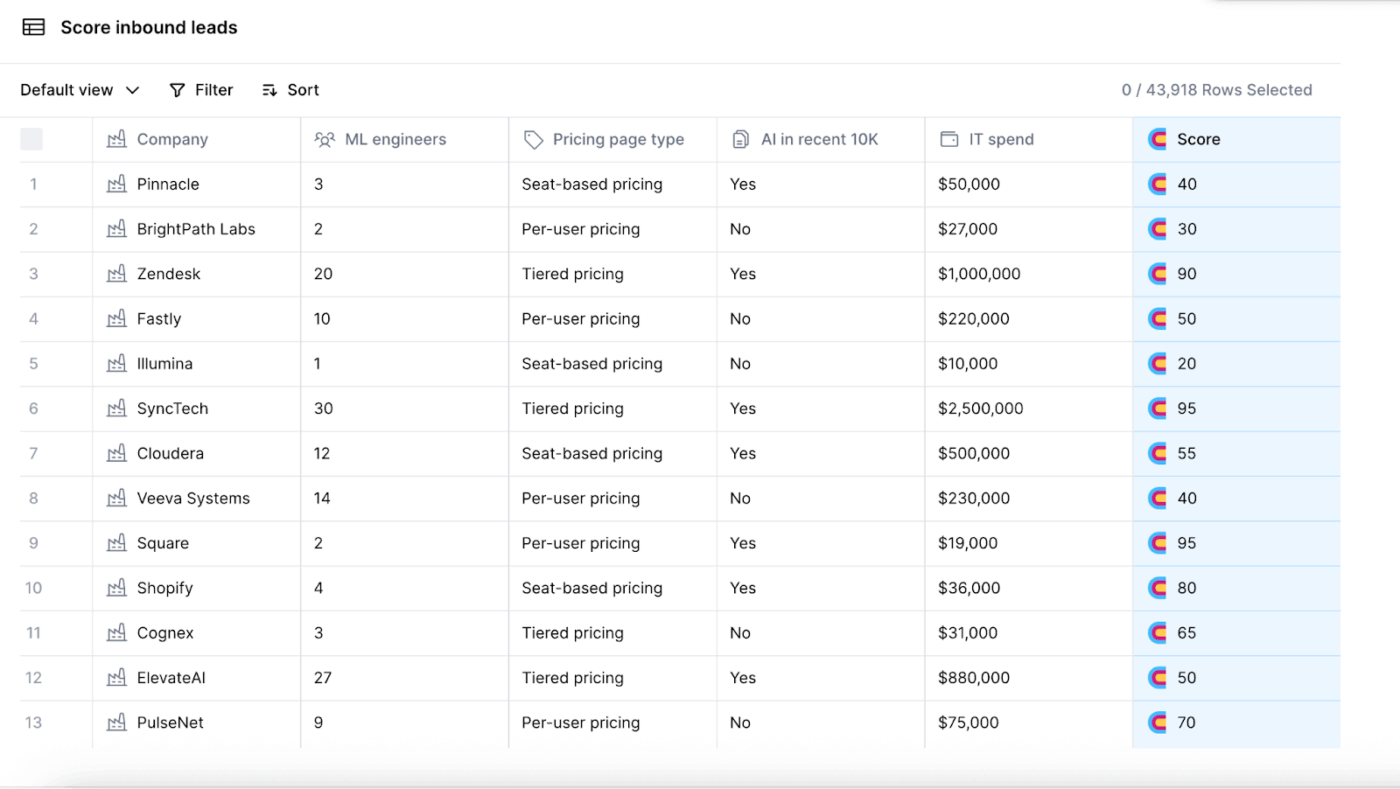
Clay is an AI data platform for Go-to-Market (GTM) teams that lets you enrich inbound leads with 150+ data points and integrated AI research.
It uses a waterfall enrichment technique that queries multiple third-party data providers in sequence. If one source can’t find a verified email or phone number, Clay automatically checks the next. This improves coverage and match rates compared to single-source enrichment tools.
You can also instruct Clay to visit each company’s site, check its Careers page, identify open roles, and summarize recent product launches using AI web scraping and LLMs, then use that context to generate a personalized opening line.
A G2 user says:
I really like the interactivity and ease of use of Clay. It integrates with many of the tools and sources I already use, making it convenient to use. I also really appreciate the Sculptor and Sequencer, which have been powerful for experimenting with outbound campaigns, finding look-alike contacts, and generating outreach copy.
⚡ Template Archive: Free Content Strategy Plan Templates to Streamline Your Content Plan
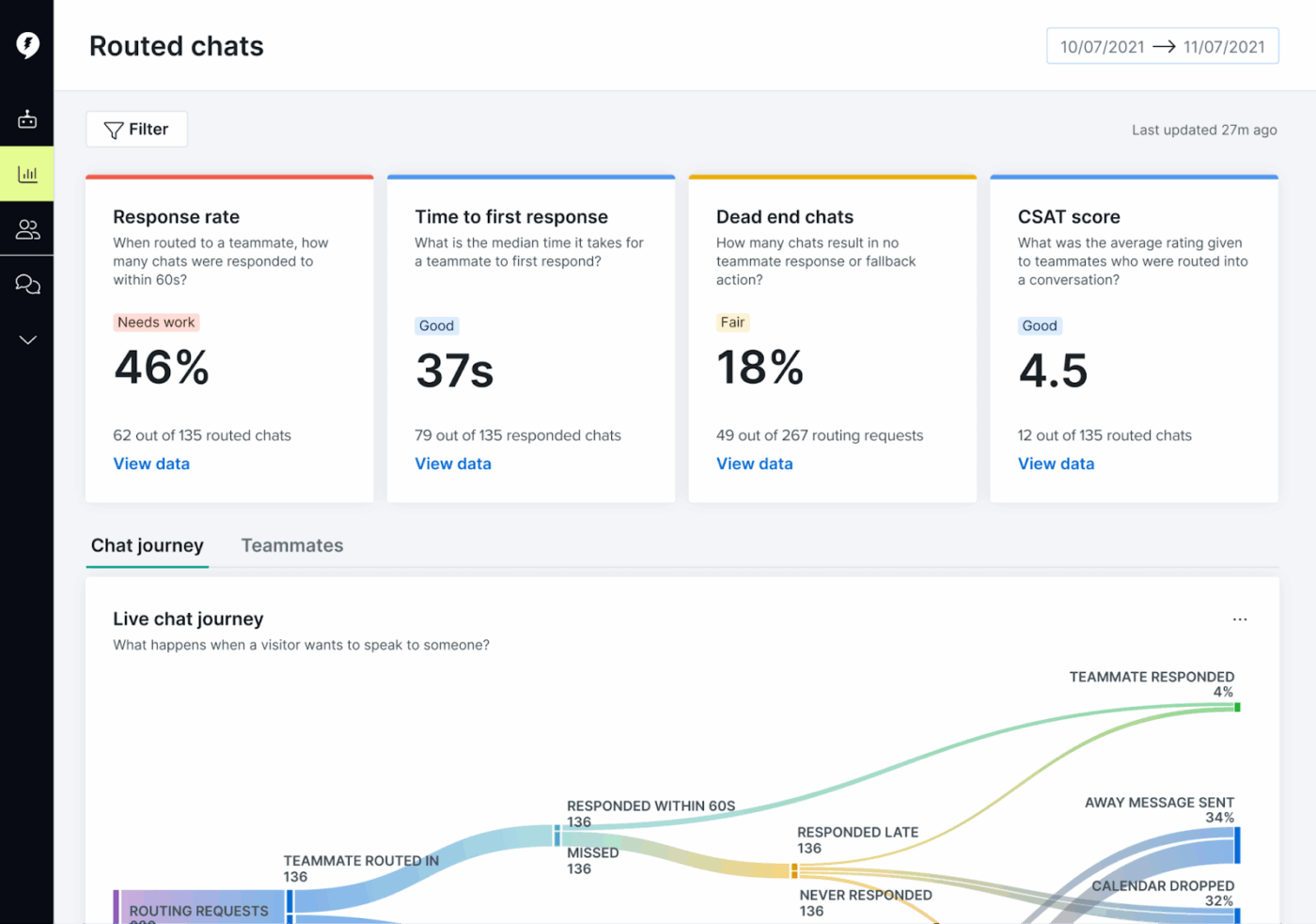
Drift is an AI conversational marketing and sales platform. Using AI Playbooks, it can qualify website visitors, answer common technical questions, and route or book meetings directly on an account executive’s calendar.
More recently, Drift has moved beyond rigid button bots toward generative AI agents trained on a large corpus of B2B conversations. These agents can handle open-text questions about pricing, integrations, and security, rather than forcing visitors through predefined menus.
In practice, this lets you extend real-time sales coverage across regions and time zones without expanding your frontline team, which is helpful when you’re trying to build a growth team without adding immediate headcount.
A G2 user says:
What I appreciate most about Drift is its ability to transform website chats into immediate sales opportunities. The platform efficiently routes complex customer inquiries to the appropriate representative, allows for instant meeting scheduling, and integrates smoothly with marketing tools such as HubSpot, Salesforce, and Adobe Marketo. Drift is especially well-suited for B2B SaaS companies aiming to accelerate their sales pipeline.
⚡ Template Archive: Free Strategic Planning Templates in ClickUp, Word, and Excel
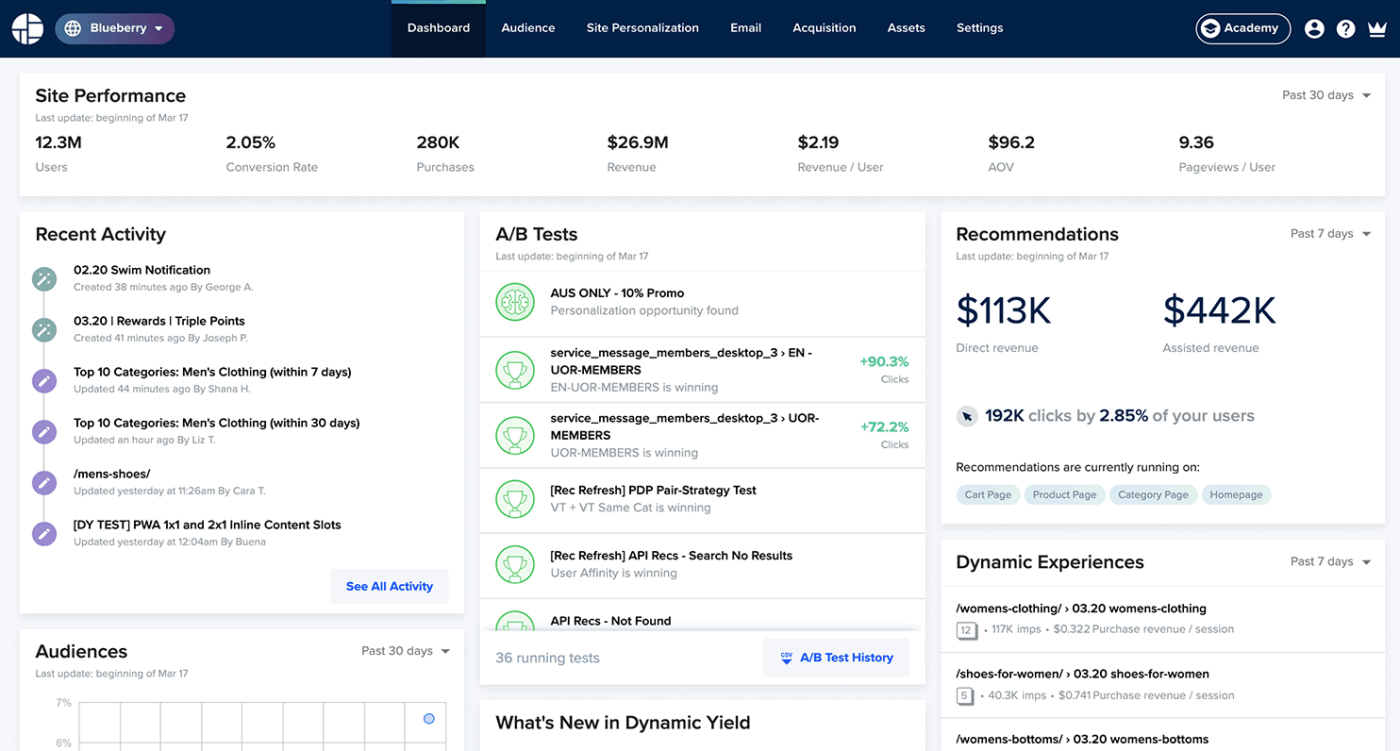
How do you ensure every customer sees the right experience at the right moment, wherever they interact with you? Use Dynamic Yield, an AI personalization and experience optimization platform.
With its Experience OS, you can algorithmically match experiences to user intent and predict next actions, making it a strong complement to strategic planning software used for experience-led growth.
Dynamic Yield continuously tests, learns, and adapts, allowing you to move beyond static segments into per-user decisioning across channels.
It ensures that if, for example, a user sees a 20% off boots offer on your website, they don’t see a 10% off coats offer in their email 5 minutes later. Dynamic Yield synchronizes the experience across web, mobile apps, email drips, and even kiosks or POS systems.
Plus, its flexible data architecture and open API allow it to integrate with CMS platforms, eCommerce systems, DMPs, AI marketing tools, tag managers, and analytics stacks.
A G2 user says:
Dynamic Yield is a best-in-class personalization platform that has significantly scaled our personalization efforts across multiple brands. Its robust segmentation and targeting tools enable us to deliver impactful, data-driven campaigns across web, mobile, and email, creating a seamless omnichannel experience.
📚 Also Read: Best Campaign Management Software Tools
Most AI tools for growth leadership sit beside your work. ClickUp’s Converged AI Workspace operates inside it.
ClickUp combines AI with live projects, tasks, documents, conversations, and timelines in one system. That means AI understands not just what you’re asking—but what’s already happening, what’s blocked, and what needs to move next.
The edge comes from Convergence:
Ready to explore the power of a Converged AI Workspace? Sign up on ClickUp for free.

© 2026 ClickUp

There’s an easier way. Try a free AI Agent in ClickUp that actually does the work for you—set up in minutes, save hours every week.