






Still downloading templates?
There’s an easier way. Try a free AI Agent in ClickUp that actually does the work for you—set up in minutes, save hours every week.
Sorry, there were no results found for “”
Sorry, there were no results found for “”
Sorry, there were no results found for “”
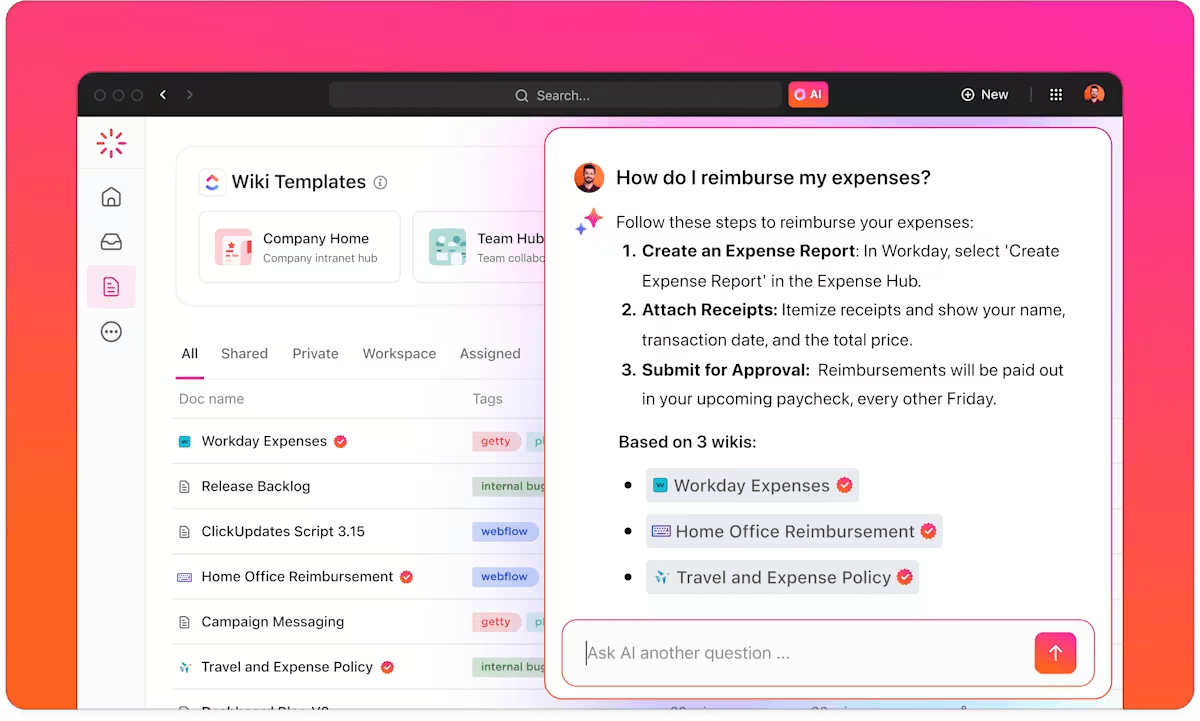
Vendor risk teams routinely spend days completing a single security questionnaire—and the volume keeps growing. Most companies receive 50+ questionnaires per quarter, with 77% containing 101-350 questions.
If you work in security, compliance, sales ops, or procurement, this is a familiar scenario. Vendor risk assessments show up weekly, each asking variations of the same 200 questions. Answers live everywhere—old spreadsheets, shared drives, Slack threads, policy docs. You waste hours hunting for approved language, coordinating SMEs, and double-checking versions just to hit a submission deadline.
This guide walks you through how AI questionnaire automation works, what features to prioritize, and how to build a system that cuts response time from days to hours without sacrificing accuracy.
If your team is drowning in security questionnaires, RFPs, and compliance assessments, you know the pain of answering the same questions over and over. AI questionnaire automation is a technology that uses artificial intelligence to break this cycle. It reads incoming questions, finds the best answers from a central library, and drafts responses for you to review.
This process targets the most repetitive parts of vendor risk assessments and compliance documentation. The core value is simple: it stops the endless copy-paste routine and shrinks response times.
To make this work, you need two key things:
The AI also learns from your team’s corrections. Each time you refine an answer, the system gets smarter for the next questionnaire.
Traditional questionnaire processes fail because they force skilled professionals to spend hours on administrative tasks that add no strategic value.
Your team has to find past answers, chase down subject matter experts (SMEs), reformat responses, and track versions across different tools. This is exactly why automation is necessary.
When a new questionnaire lands, the manual scramble begins. Someone on your team starts digging through old spreadsheets, searching shared drives for policy documents, and emailing the security team for updates. After waiting for replies, they manually type or paste everything into the new format.
This isn’t skilled work—it’s a treasure hunt for information that already exists. When your team handles 20+ questionnaires per quarter, each taking 15-20 hours of administrative effort, you’re looking at 300-400 hours per quarter spent on repetitive tasks. EY reports that only 8% of organizations are able to complete assessments in under 30 days.
Questionnaires are a team sport, touching security, legal, engineering, and IT. A single assessment might require input from five different people. Without a central system, this turns into a mess of Slack threads and email chains just to get one answer approved.
This back-and-forth creates massive delays. When your SMEs are busy, the entire process stalls. This problem of context sprawl—where teams waste hours searching for information across disconnected apps, hunting down files, and repeating updates across multiple platforms—gets worse when every team uses different tools, making it impossible to know where the latest approved answer actually lives.
📮ClickUp Insight: A typical knowledge worker has to connect with 6 people on average to get work done. This means reaching out to 6 core connections on a daily basis to gather essential context, align on priorities, and move projects forward.
The struggle is real—constant follow-ups, version confusion, and visibility black holes erode team productivity. A centralized platform like ClickUp, with Enterprise Search and ClickUp AI Knowledge Manager, tackles this by making context instantly available at your fingertips.
There’s a real human cost to answering “Do you encrypt data at rest?” for the hundredth time. Your most skilled people get pulled away from high-value work, like improving security posture or closing deals, to handle repetitive administrative tasks.
Over time, this leads to response fatigue, disengagement, and burnout. It’s how errors slip in, and answers become inconsistent. AI questionnaire automation is about protecting your team’s energy for the work that truly requires their expertise.
The technology behind AI questionnaire automation is simpler than it seems. Understanding how it works, step by step, will help you see how it fits into your process and what to look for when evaluating tools. 🛠️
Your prospect just sent a 200-question Excel file with merged cells and conditional formatting. A good AI tool handles this without breaking a sweat—scanning the document to identify individual questions even when the formatting is inconsistent.
This flexibility is crucial because every buyer sends their questionnaire in a different format. Some tools are better than others at handling complex files with nested tables or conditional logic, so it’s an important feature to test.
Once the questions are imported, the AI gets to work. Using natural language processing, it reads each question to understand its intent—not just its keywords. For example, it knows that “How do you handle data breaches?” and “Describe your incident response procedures” are asking for the same information.
The system then searches your knowledge base for the most relevant approved answer. It can also pull in supporting evidence, like a SOC 2 certificate or a data privacy policy document, and attach it to the response.
AI doesn’t just give you an answer; it tells you how sure it is. The system provides a confidence score for each suggestion, helping your team prioritize what to review.
This human-in-the-loop approach ensures accuracy while saving time. When a reviewer edits a response, that feedback trains the AI, making its future suggestions even better.
After your team has reviewed and approved the answers, the final step is to export the completed questionnaire. A good tool will put the answers back into the original file, preserving the formatting perfectly. The result is a clean, submission-ready document without any manual copy-pasting.
Many platforms also create an audit log showing who approved each answer and when, which is incredibly useful for compliance.
📚 Also Read: Best Knowledge Management Software Tools
Moving from a manual, fragmented process to an AI-powered one delivers clear improvements in speed, quality, and your team’s ability to scale. It’s not just about working faster; it’s about working smarter.
The most immediate benefit you’ll see is speed. Instead of spending days hunting for information and coordinating approvals, your team can generate a complete first draft in minutes. This dramatic time-saving means you can meet tight deadlines, respond to more RFPs, and keep sales deals moving forward without delay.
When your team pulls answers from a centralized and validated knowledge base, you eliminate the risk of using outdated or inconsistent information. Every response reflects your company’s current policies and approved language. This consistency builds trust with buyers and auditors and reduces compliance risk.
As your company grows, the volume of incoming questionnaires explodes. AI automation helps your existing team improve their workflow efficiency and handle this increased workload. This efficiency matters most during busy end-of-quarter pushes or annual audit cycles.
Security questionnaires are often a major bottleneck in the sales process. Buyers won’t move a deal forward until their vendor risk team gives the green light. By providing faster and more complete responses, you remove that friction and shorten the sales cycle. In a competitive situation, the vendor who responds first often has a significant advantage.
When you start comparing different tools, it’s easy to get lost in feature lists. To make an informed decision, focus on the core capabilities that truly make a difference in your day-to-day workflow.
A messy knowledge base is the most common reason AI automation fails. You need a tool that makes it easy to import, organize, and maintain your library of approved answers. The best systems don’t force you to start from scratch; they integrate with your existing documentation in places like Confluence, Google Drive, or internal wikis.
Learn how to build your AI knowledge base from this video:
Basic keyword matching isn’t enough. A powerful AI tool needs to understand the meaning behind a question. This is called semantic understanding, and it’s what allows the AI to find the right answer even when the question is phrased differently.
This capability directly improves the accuracy of the suggestions and reduces the amount of manual editing your team has to do.
AI is here to assist your team, not replace them. Look for a tool that provides clear confidence scores so your reviewers can focus their attention on the answers that need it most. The workflow should make it simple to approve a suggestion, edit it, or escalate it to another SME for input.
Your team receives questionnaires in every format imaginable. Your tool needs to handle them all—Excel, Word, PDF, and even proprietary web portals. Just as importantly, it needs to export the completed questionnaire back into the original format without messing up the layout.
For compliance and accountability, you need a clear record of every answer. A good tool provides an audit trail showing who approved each response and when. Version history is also critical, as it lets you see how an answer has evolved over time and helps new team members understand the context behind it.
📚 Also Read: Version Control: Tools, Benefits, and Best Practices
Shifting from a manual process to an automated one takes some planning. But by following a structured approach, you can set your team up for success and start seeing value quickly. Here’s a practical roadmap to get you started.
The first step is to create your single source of truth. This means collecting all your existing security policies, compliance evidence, and past questionnaire responses from wherever they live today—shared drives, old emails, and scattered spreadsheets. The goal is to eliminate the context sprawl that makes finding answers so difficult.
Don’t just dump everything into your new knowledge base. Take the time to review and curate your content.
This validation step is critical. It prevents the AI from confidently suggesting an answer that’s outdated or incorrect.
Learn more about building an internal search engine 👇
Next, set up the governance for your new process. Decide who has permission to edit the knowledge base and who is responsible for approving final questionnaire submissions. Your tool should be flexible enough to support your team’s specific approval workflows, whether that involves multiple layers of review or a more streamlined process.
Don’t try to do everything at once. Start by testing the new system with a few representative questionnaires. This pilot phase allows you to:
Starting small builds your team’s confidence in the new process and helps you work out any kinks before you roll it out to everyone.
📚 Also Read: Which AI Stack Is Right for Semi-Automated Workflows
Once you’re up and running, the work isn’t over. A successful AI automation program requires ongoing maintenance and optimization. These best practices will help you sustain the value of your new system over the long term.
Your knowledge base is a living asset, not a one-and-done project. Your security policies will change, your products will evolve, and your compliance certifications will be renewed. Build a regular review cadence into your workflow—at least quarterly—to ensure your answers are always fresh.
💡 Pro Tip: Set up a recurring task in ClickUp to ensure it pops up in your to-dos at the right cadence.
A well-organized knowledge base is easier for both humans and AI to navigate. Use clear, descriptive names for your answer categories. More importantly, tag your answers with relevant metadata, such as:
This structure helps the AI make better matches and allows your team to find information more quickly.
This is the golden rule of AI questionnaire automation: always include human review. No matter how high the confidence score is, a human expert should always give the final approval before a questionnaire is sent to a buyer or auditor. This crucial quality control step catches errors, ensures the tone is appropriate, and maintains accountability.
You can’t improve what you don’t measure. Track key performance metrics to understand how well your system is working. Pay attention to things like average response time, AI accuracy rates, and how often your reviewers have to edit suggestions. This data will show you where you need to focus your efforts to improve.
💡 Pro Tip: Customizable ClickUp Dashboards with AI Fields make it easy to track performance.
While AI automation offers significant benefits, it has limitations. Being aware of the common challenges will help you set realistic expectations and navigate potential roadblocks. 👀
The biggest headache is still the lack of standardization. Every buyer uses their own template, and some have proprietary web portals that are difficult to work with. While AI tools are getting better at handling this variability, you should expect that some edge cases will always require manual work.
A common failure point is when the AI suggests an answer that references an expired certification or an old policy document. This happens when knowledge base maintenance slips. The only fix is process discipline. Tie your content review schedule to your compliance calendar and assign clear owners for each category of information.
AI models can sometimes “hallucinate,” meaning they generate confident-sounding but factually incorrect information. This is most likely to happen when a question falls outside the scope of your knowledge base. It’s another reason why human review is absolutely non-negotiable.
Questionnaire responses contain some of your company’s most sensitive information. Before you adopt any AI tool, you need to be sure it meets your organization’s data handling and compliance requirements.
📮ClickUp Insight: While 34% of users operate with complete confidence in AI systems, a slightly larger group (38%) maintains a “trust but verify” approach. A standalone tool that is unfamiliar with your work context often carries a higher risk of generating inaccurate or unsatisfactory responses.
This is why we built ClickUp Brain, the AI that connects your project management, knowledge management, and collaboration across your workspace and integrated third-party tools. Get contextual responses without the toggle tax and experience a 2–3x increase in work efficiency.
The real problem with questionnaires isn’t just the documents themselves; it’s the work sprawl they create. Your team is constantly switching between a document editor, a project management tool, a chat app, and a file repository. This fragmentation is what makes the process so slow and painful.
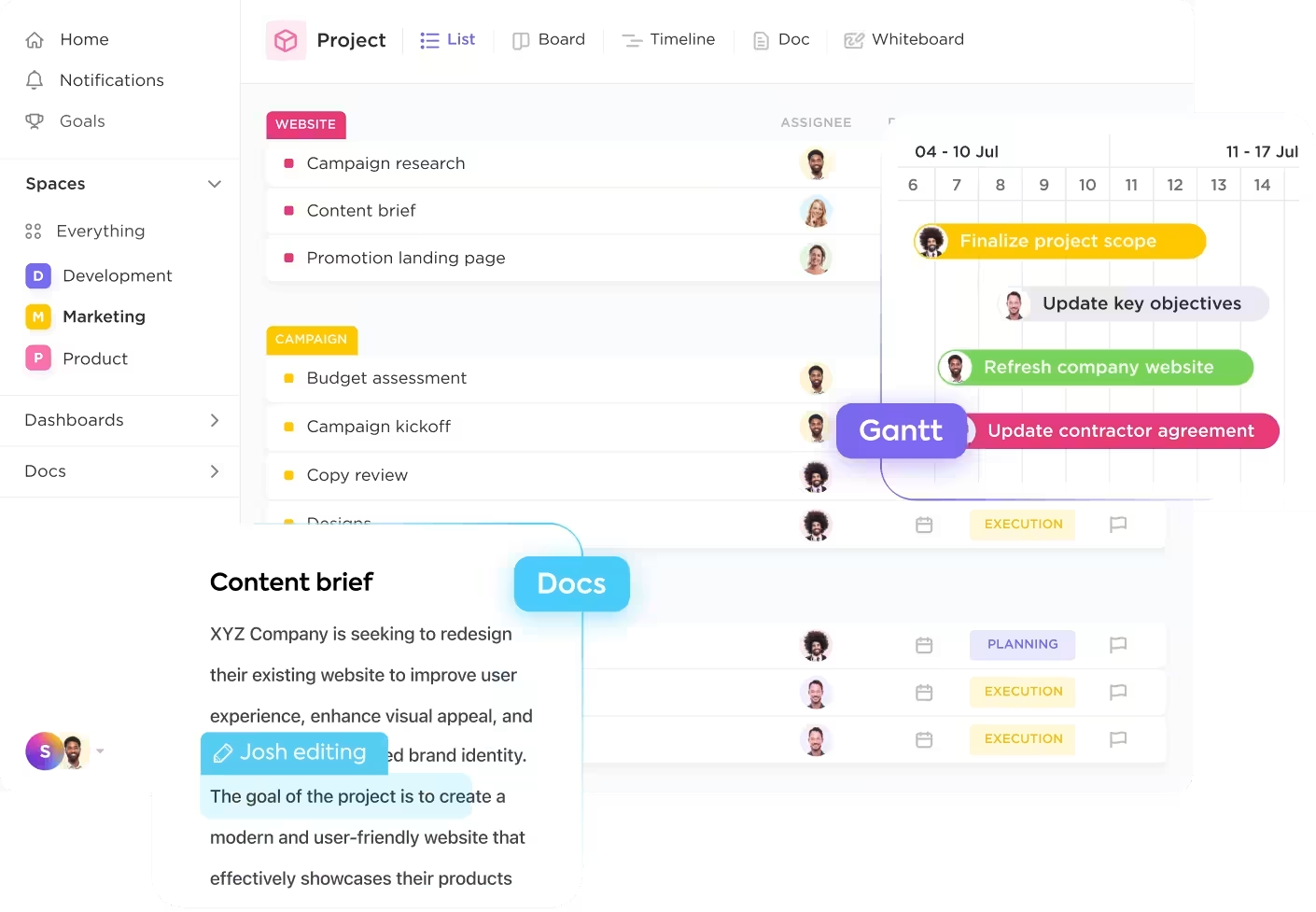
Instead of adding another point solution to your stack, you can consolidate your entire questionnaire response process into a single, converged AI workspace—a unified platform where projects, documents, conversations, and analytics live together with contextual AI embedded as the intelligence layer—with ClickUp. ✨
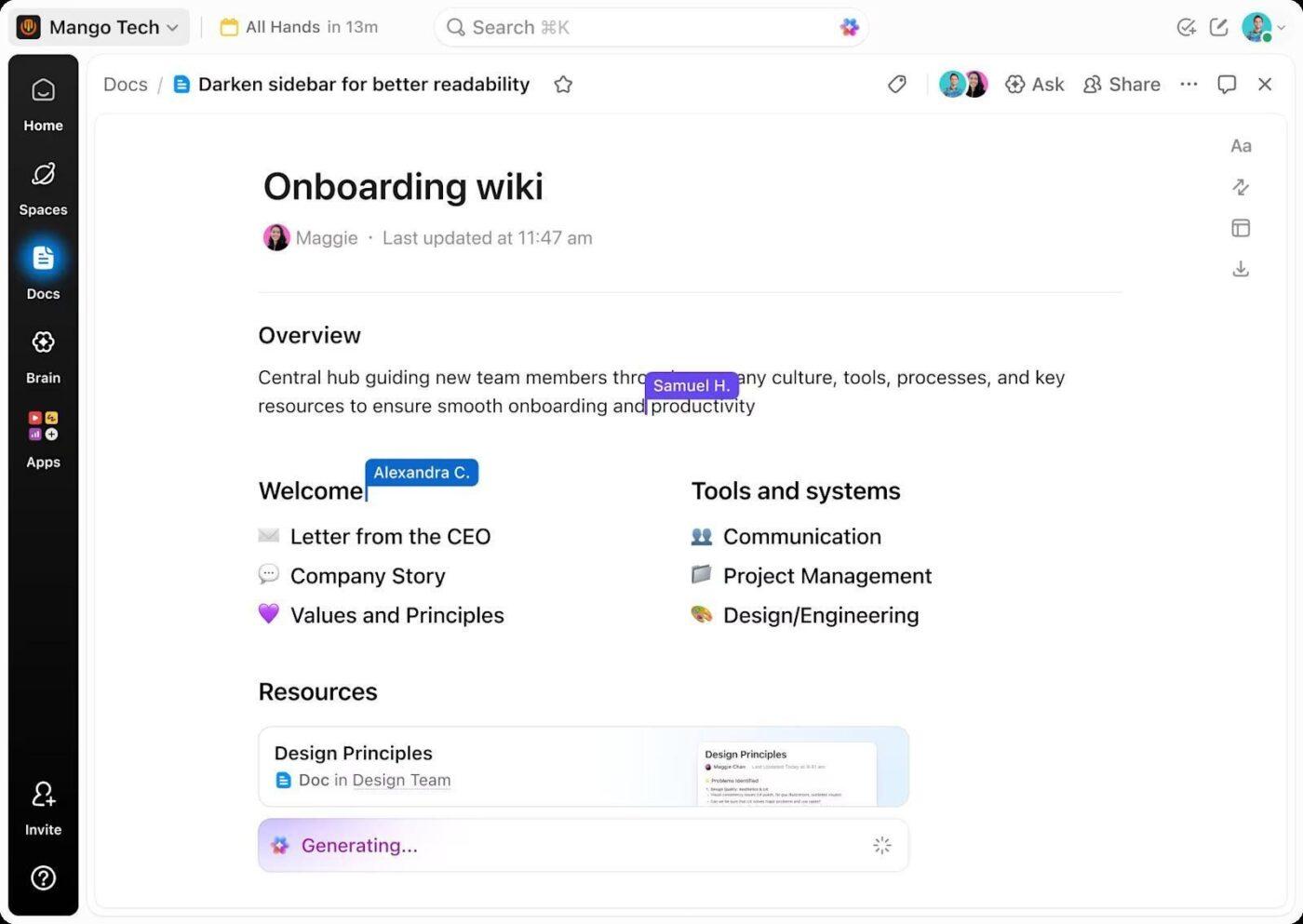
Store approved responses, policies, certifications, and compliance evidence in ClickUp Docs.
Over time, this becomes your structured, searchable answer library—the foundation of effective security questionnaire automation.
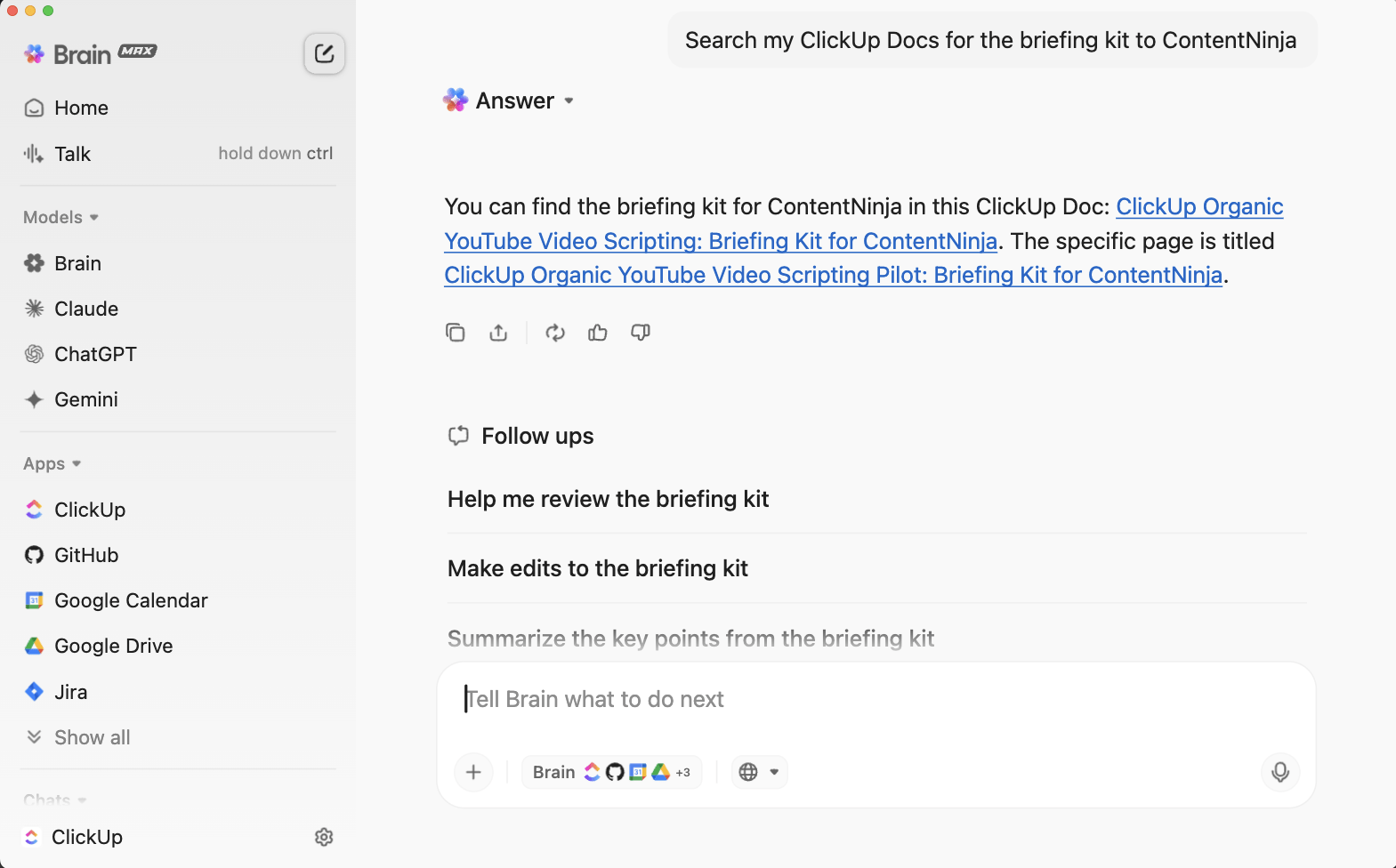
ClickUp Brain, the conversational AI assistant, adds intelligence to your workflow. Instead of manually searching through folders, you can ask natural-language questions like: “How do we describe our incident response process?” or “Where is our latest SOC 2 certification document?”
ClickUp Brain performs an AI search across connected docs, tasks, and historical questionnaire projects. It pulls relevant policies and past responses directly into your drafting workflow—reducing the hunting around that slows down every AI security questionnaire process.
This is where context sprawl disappears. The AI has access to your entire workspace, not just one document folder.
🌟 Bonus: As your answer library expands, traditional search slows you down. ClickUp Brain MAX, the desktop AI assistant, removes that friction. It scans across Docs, tasks, comments, and connected tools to surface the most relevant policies and past questionnaire responses—no exact keyword guessing required.
On the go? Use Talk to Text to verbally ask, “What’s our latest approved encryption response?” and get instant results.
This means faster retrieval, fewer duplicate answers, and tighter response turnaround—especially when managing high-volume security questionnaires under deadline pressure.
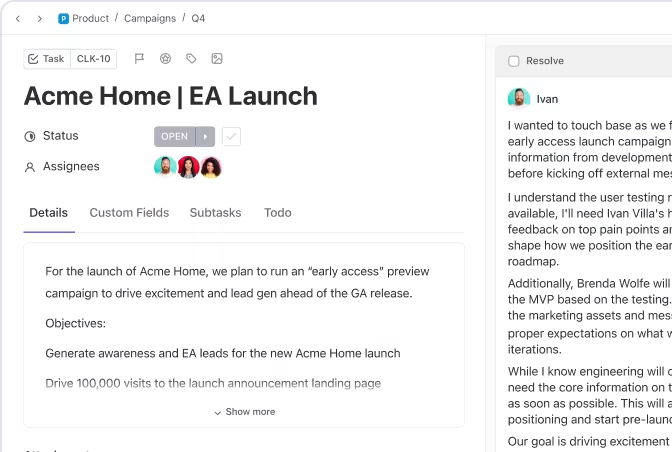
Keep every questionnaire organized and on track by managing each one as a project in ClickUp Tasks. Break down large assessments into subtasks for each section, assign questions to the right SMEs, and set clear due dates to keep everything on track.
Watch this quick demonstration of how AI task generators can automatically create and organize tasks from your questionnaires, helping you streamline the entire assessment process.
Eliminate manual handoffs by using ClickUp Automations to automatically route tasks through your approval workflow. When a task status changes, the next reviewer is instantly notified—no more manual handoffs. When a deadline approaches, reminder notifications get triggered.
You can also build Super Agents in your ClickUp Workspace to help you manage repetitive actions, such as routing tasks, updating outdated Docs, and more.
Think of Super Agents as your AI teammates. These self-learning ambient Agents have the complete context of your Workspace, allowing them to efficiently and securely perform multi-step workflows around the clock.
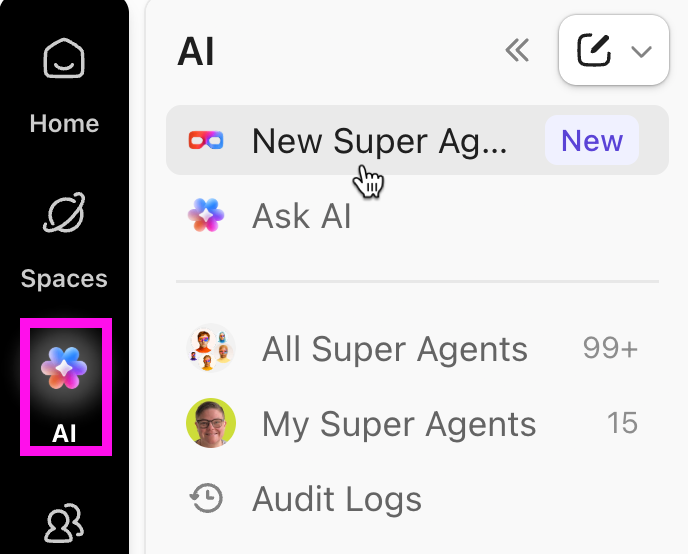
Learn more about Super Agents with this video:
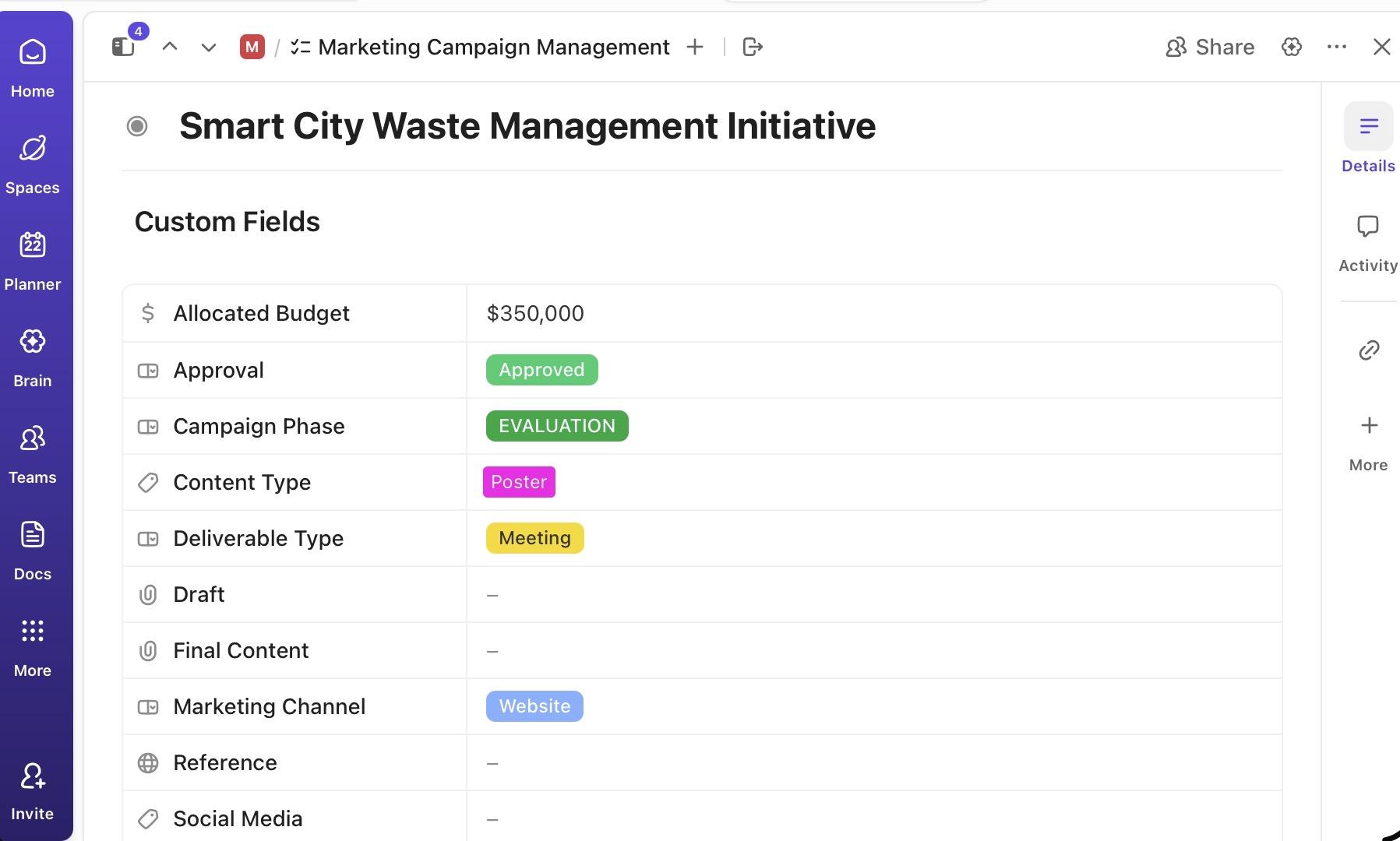
ClickUp Custom Fields let teams tag questionnaires with specific details such as:
This enables filtering, reporting, and capacity planning—so leadership can see volume trends and response metrics at a glance.
AI questionnaire automation is a powerful way to solve a real operational headache. It frees your team from the repetitive, time-consuming work of responding to security questionnaires and RFPs. The path to success involves centralizing your knowledge, choosing the right tools, and maintaining the discipline to keep your answer library current.
No tool can completely eliminate the need for human judgment. AI is here to accelerate the process and improve consistency, but your skilled reviewers are still the most important part of the equation. Successful teams treat automation as a system that supports their experts, not as a replacement for them.
As AI continues to mature, we’ll see even tighter integration with broader compliance and risk management workflows. The organizations that build a strong knowledge infrastructure today will be in the best position to take advantage of these future advances.
If you’re ready to stop the work sprawl and consolidate your questionnaire workflows into a single, AI-powered workspace, get started for free with ClickUp today.
No, AI tools are designed to generate draft responses that still require human review. Even high-confidence suggestions can miss important context, so a final check by an expert is essential for accuracy and compliance.
Most tools connect with your existing document repositories and project management platforms. The best approach is to start by centralizing your approved answers and then configure the AI to pull from that knowledge base and route reviews through your established approval process.
Dedicated software is built specifically for security questionnaire response, often with pre-built compliance libraries. AI-powered workspace tools like ClickUp offer broader project and knowledge management capabilities that support questionnaire workflows alongside all your other work in one place.
AI can struggle with novel or poorly phrased questions that fall outside its training data. It can also occasionally generate plausible but incorrect information, which is why human oversight is critical for ensuring accuracy.

© 2026 ClickUp

There’s an easier way. Try a free AI Agent in ClickUp that actually does the work for you—set up in minutes, save hours every week.