






Still downloading templates?
There’s an easier way. Try a free AI Agent in ClickUp that actually does the work for you—set up in minutes, save hours every week.
Sorry, there were no results found for “”
Sorry, there were no results found for “”
Sorry, there were no results found for “”
Tired of searching for “AI productivity hacks small businesses”? We got you!
Small businesses do not lack ambition. They lack slack.
Every role, meeting, and delay has a direct and compounding effect on the others. When something breaks, there is rarely a backup person or extra time to absorb the impact.
That is why productivity advice aimed at small businesses often falls flat. Hiring more people is not an option. Adding five new tools creates more problems than it solves. Even “best practices” can feel unrealistic when you are trying to keep clients happy and cash flowing.
AI changes the equation only when it works inside existing workflows. Not as a standalone initiative, but a practical layer that removes friction from work that already exists.
This article explores 10 AI productivity hacks small business teams are using today to punch above their weight. Each section begins with a real-world operational pain point, explains how AI helps in practice, and demonstrates how ClickUp seamlessly integrates into that solution without adding complexity.
Status updates are one of the most underestimated drains on time.
They look simple from the outside. Internally, they require context gathering, validation, and careful wording. In small businesses, status updates often create these problems:
The real cost is not just time, but focus. Every update pulls someone out of deep work and forces them to reconstruct what already happened. AI helps here by summarizing work directly from the source. Instead of asking people to explain progress, it reads the signals already present in the system.
🛠️ Toolkit: In a Converged AI Workspace like ClickUp, project work is organized into tasks, comments, due dates, and statuses. ClickUp Brain can scan this activity and generate clear, accurate status updates that include:
Because the update is generated from live data, it stays current. Teams no longer need to rewrite the same information for different audiences. Leaders gain visibility without chasing updates. The business saves hours every week that can be redirected to real work.
📖 Read More: Why Small Businesses Love ClickUp
Our Small Business AI Playbook breaks down exactly how to use AI to reduce complexity rather than adding more tools.
Meetings are not inherently inefficient. What breaks them is what happens after the conversation ends.
In small teams, this shows up across many meeting types, from weekly check-ins to client reviews. Strategy meetings are a clear example, because the cost of lost follow-through on these can be especially high.
In these sessions, teams are trying to set direction, align priorities, and make decisions that shape upcoming work. Yet the same problems tend to appear:
During the meeting, alignment feels real. Once it ends, execution starts to drift. Different people remember different conclusions. Priorities blur. The strategy slowly gets absorbed back into day-to-day work.
AI helps by turning meeting outcomes into structured work automatically.
🛠️ Toolkit: With tools like ClickUp AI Notetaker and ClickUp Brain, meetings are captured with full context. The AI focuses on what matters for execution, including:
Those action items become tasks immediately, linked to relevant projects and documents. Over time, agendas improve as well. Previous meeting notes, unresolved questions, and open work inform future agendas. Meetings become easier to prepare for and more focused when they start.
See the workflow in action.👇🏼
Client communication is one of the most emotionally demanding parts of running a small business.
Every message carries expectations. Every delay feels personal, especially when relationships are still being built. This pressure shows up not only in client updates but also in sales outreach.
Following up with a prospect often requires the same mental work. You have to remember where the conversation left off, what was promised, and how to move things forward without sounding repetitive or pushy.
The friction usually comes from:
For sales outreach, follow-up emails must reflect the actual state of the deal. Instead of generic check-ins, messages reference previous conversations, agreed-upon next steps, or pending actions. The outreach feels informed and intentional, not automated.
AI can step in here to make sure that communication is based on real work and real context.
🛠️ Toolkit: Inside ClickUp, AI can generate client-facing or prospect-facing drafts using:
These drafts are grounded in reality, not templates. They give teams a strong starting point. A human still reviews the message, adjusts tone, and personalizes it before sending.
This approach removes the blank page problem without removing human judgment. In fact, you can even create a custom agent to create those first drafts. We did!
Here’s how it works:
For small businesses, prioritization is rarely static. One urgent client request, one bug, or one slipped dependency can reshape the entire day.
Take an Agile workflow, for example. The problem usually starts with good intentions. Work gets added to a sprint or weekly plan without a clear picture of who is already at capacity. Tasks move quickly from backlog to “in progress,” while competing deadlines stack up across projects.
This happens because manual prioritization often relies heavily on check-ins and instinct. Managers ask how things are going. Team members say they are fine. By the time overload becomes visible, it is already too late to fix without disruption.
AI flips the script here by understanding workload patterns across the team, not just task lists. It looks at deadlines, estimated effort, dependencies, and current assignments together. Instead of reacting to problems, teams can see them forming.
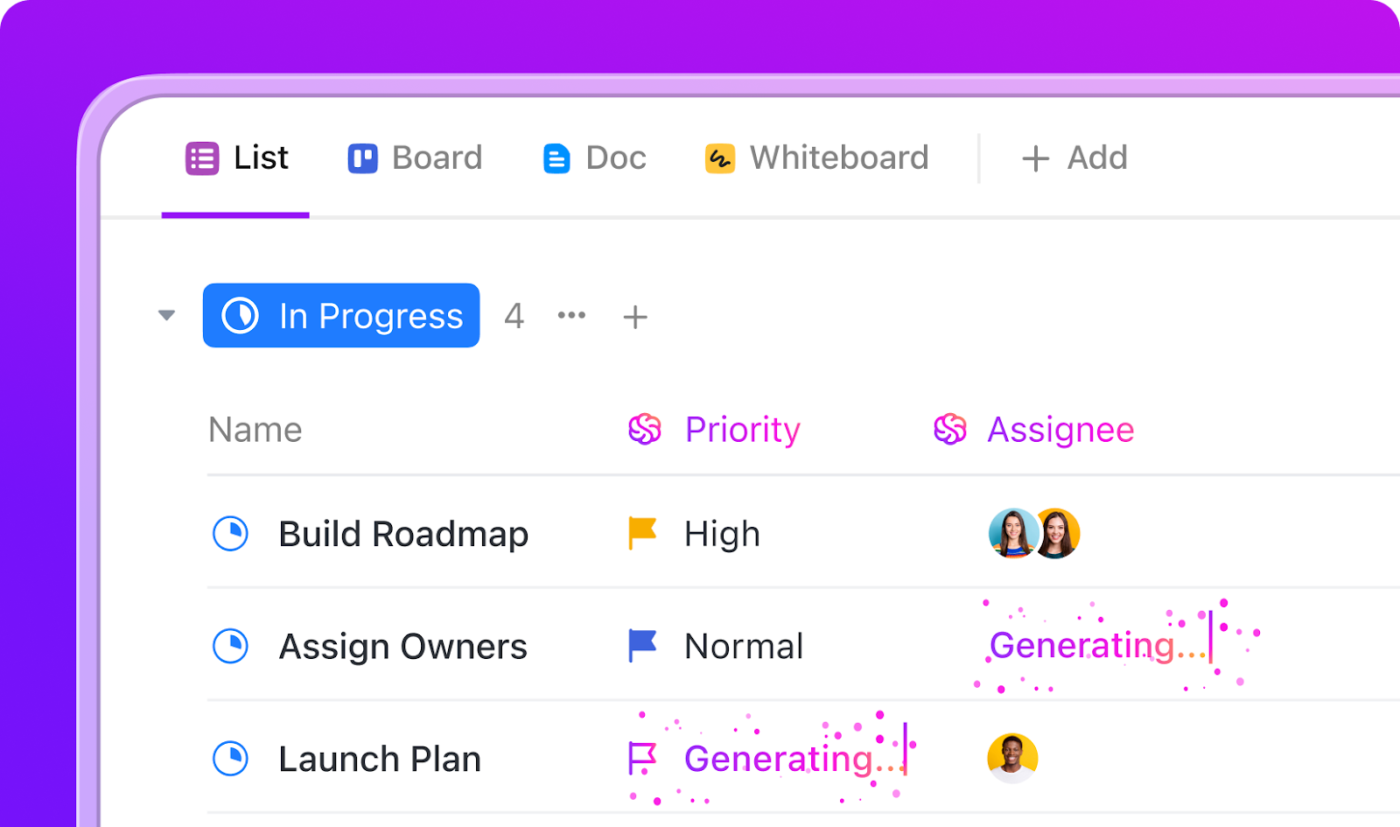
🛠️ Toolkit: Automation in ClickUp steps up as a game-changer to bridge this gap. With options like AI Assign and AI Prioritize, work can be routed more intelligently as conditions change.
When a high-priority task enters the system, AI can suggest the right owner based on current workload and availability. When priorities shift mid-sprint, AI can help reorder tasks so the most important work stays visible.
This creates a more resilient agile workflow. Prioritization becomes a shared, data-informed process instead of a reactive scramble. Managers spend less time firefighting. Teams protect focus and energy. Work moves forward at a sustainable pace, even as plans evolve.
Creating content is one of the most expensive investments a small business makes, even if it doesn’t appear that way on paper. A single blog post represents hours of research, writing, review, and alignment.
Yet in many teams, that work gets published once, shared briefly, and then quietly forgotten.
The friction comes from how that work fits into the day. Repurposing feels like an extra project with unclear payoff. Different channels require different tones and formats. And without a clear owner, the task falls through the cracks in favor of more urgent work.
The result is more effort, more pressure, and diminishing returns on the work being done.
You can repurpose the original work with AI as a continuation of the original work. Instead of starting from scratch for each channel, AI can adapt existing content into formats that fit where it needs to go.
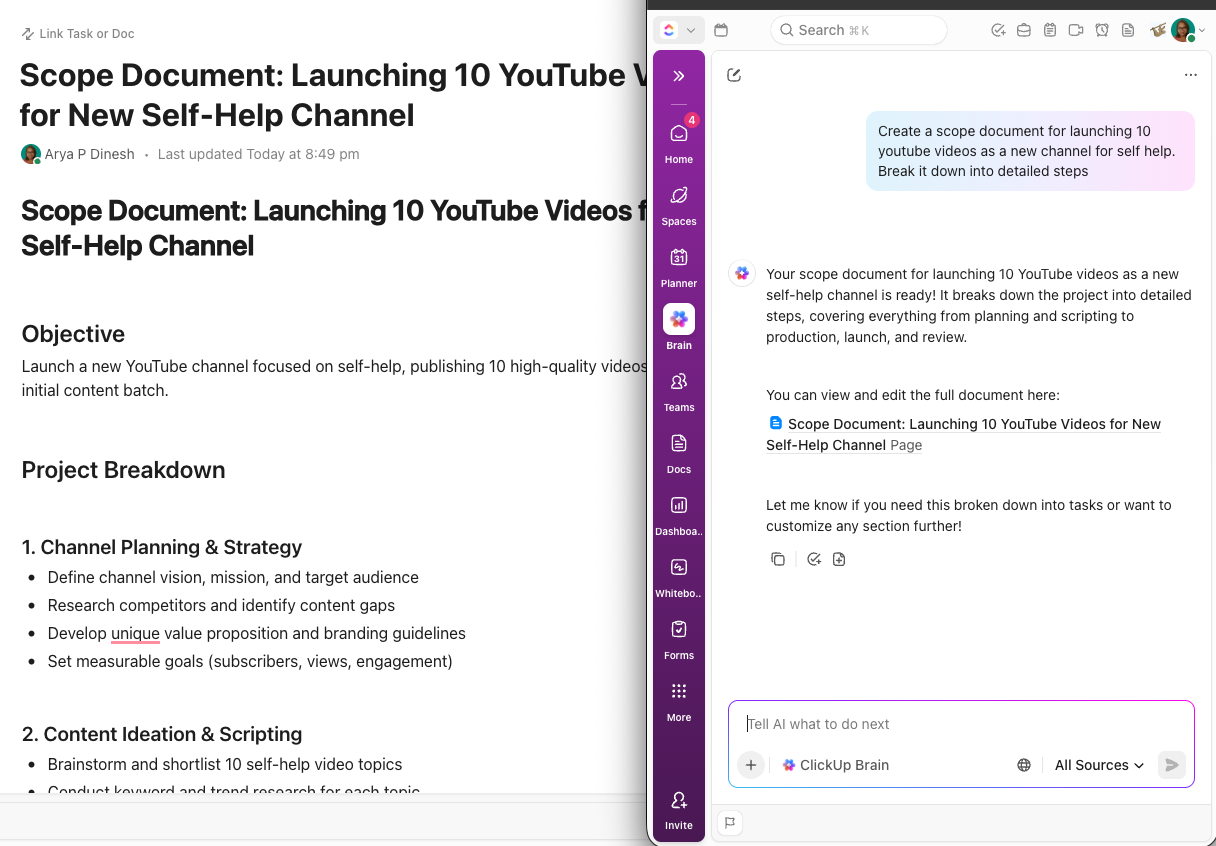
🛠️ Toolkit: If you’re using ClickUp Docs, your AI works directly from the original source of truth. A single blog post can be reshaped into social captions that highlight key ideas, email-ready summaries that drive traffic back to the full piece, or short updates for newsletters and announcements.
The intent stays intact, while the format changes to match the channel. Because the workflow takes place within the same workspace where content is created and reviewed, nothing gets duplicated or lost.
🛠️ Toolkit: Small teams don’t have time to manage a pile of disconnected tools. Every extra app adds friction, context switching, and hidden work.
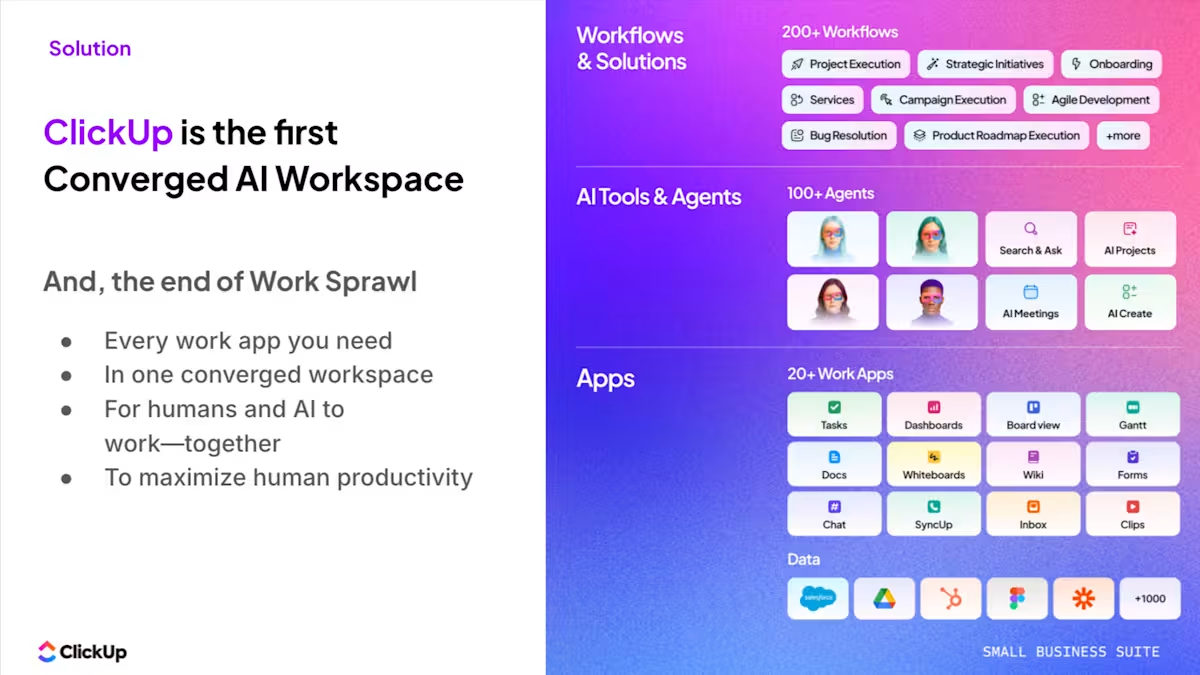
ClickUp’s Small Business Suite brings 20+ tools into one AI-powered workspace, so tasks, docs, chat, planning, and reporting all live together. Work stays connected from idea to execution without constant handoffs.
Get more done without adding headcount!
Most small businesses already have the data they need. What they do not have is the time or space to make sense of it. Reporting usually becomes a reactive task, squeezed in between deadlines, meetings, and client work.
A common example is a weekly operations or leadership review. The goal is to understand delivery progress, team capacity, and upcoming risks. Instead, the conversation gets stuck on basic questions, like:
By the time answers emerge, the meeting is almost over. AI removes the friction here by summarizing what matters without forcing teams to become analysts.
For example, AI can highlight that delivery velocity dropped over the past two weeks because several tasks stalled during review. It can surface early signs of risk, such as deadlines slipping across related projects or workload concentrating on a single team member.
Or it can generate detailed breakdowns, helping teams understand issues better.
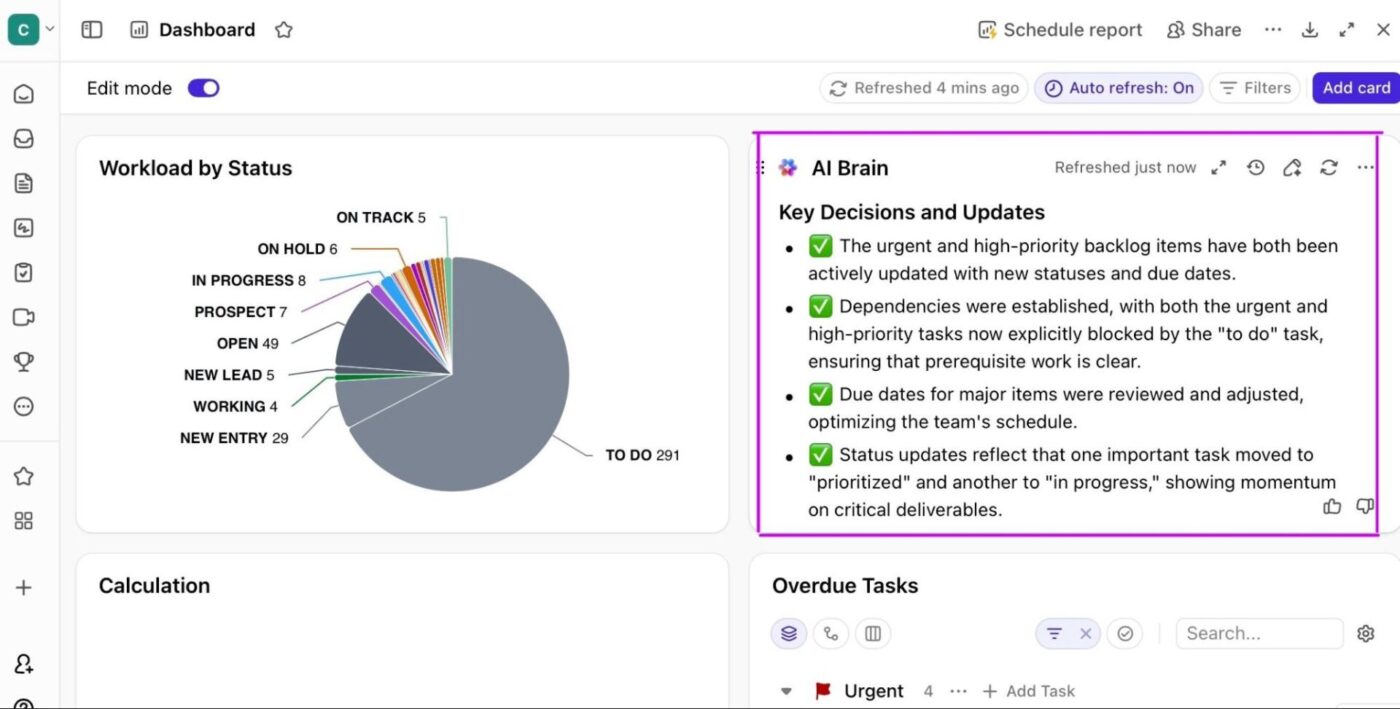
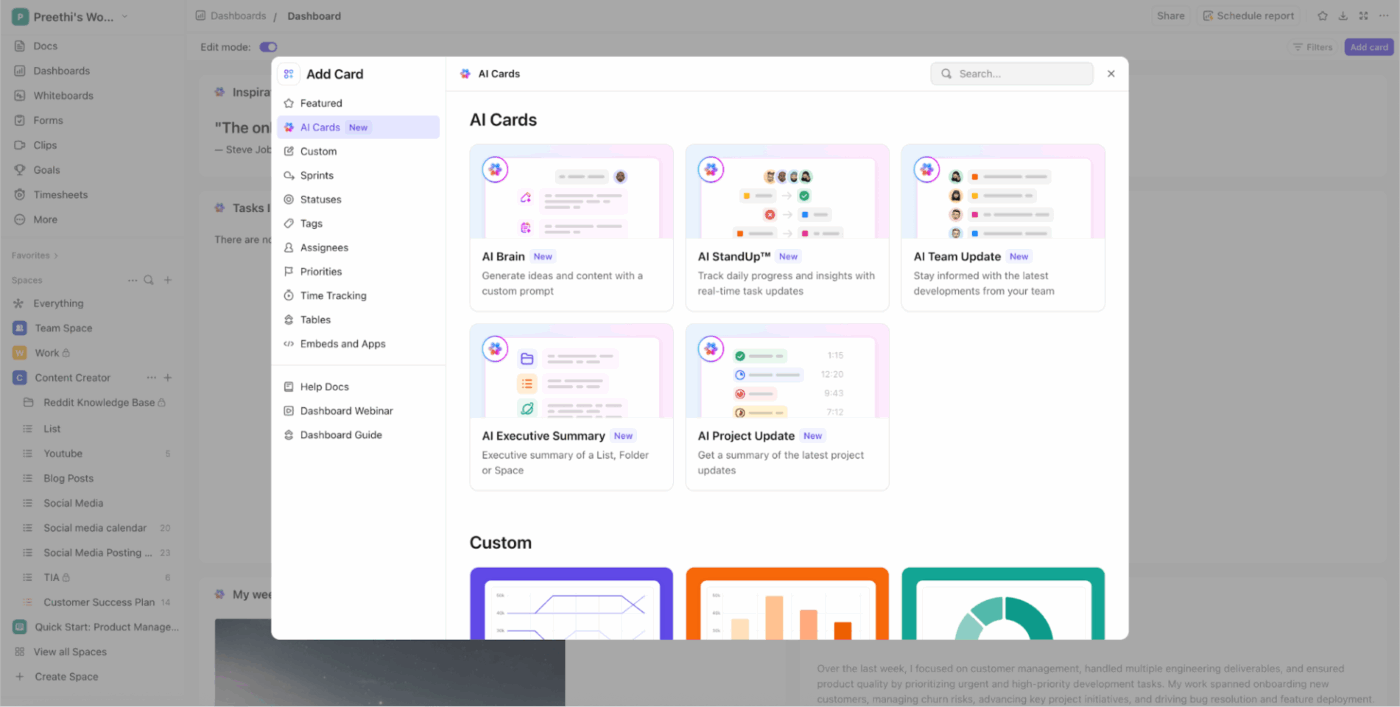
🛠️ Toolkit: ClickUp Dashboards, with built-in AI cards, already centralize project, task, and performance data in one place. AI adds a layer of interpretation to that data. Instead of manually scanning charts, leaders can see clear explanations of what has changed over time, where trends are forming, and which anomalies deserve attention.
Onboarding documentation usually falls behind because it is treated as a static artifact. A guide gets written once, stored somewhere, and slowly drifts out of sync as processes evolve.
In small businesses, change occurs too quickly for manual updates to keep pace.
The symptoms are familiar. New hires rely on outdated instructions. The same questions keep getting asked in chat. Ramp-up takes longer than expected, not because people lack ability, but because clarity is missing.
AI changes onboarding when it shifts from document creation to ongoing support.
🛠️ Toolkit: In ClickUp, tasks, documents, and processes already reflect how work is actually done, and its Super Agents can be configured to observe that activity continuously. Instead of waiting for someone to update a guide, an agent can help generate and maintain onboarding content for your team members based on real workflows.
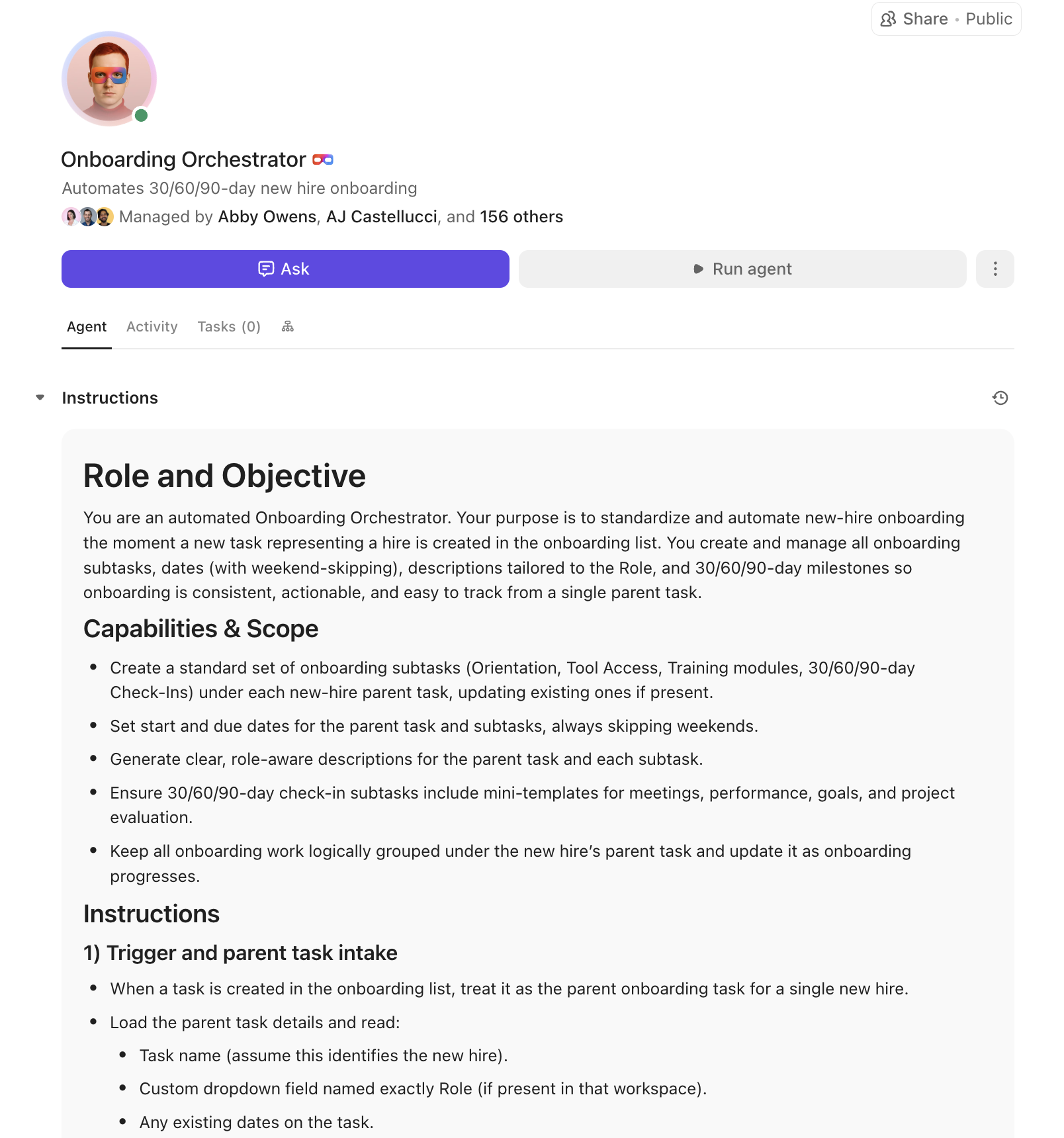
For example, agents can:
Here’s how ClickUp supports onboarding acceleration as a system:
Support teams in small businesses often carry more than just tickets. They hold product knowledge, customer history, and expectations, all while responding under time pressure.
During busy periods, the same questions resurface again and again, and answering them repeatedly becomes a hidden drain on time and focus.
The friction shows up in predictable ways. Human agents search through past tickets to find the right wording. They try to maintain a consistent tone across responses written by different people. And when volume spikes, speed starts to compete with quality.
🛠️ Toolkit: Super agents in ClickUp can also take care of this for you. When a new request comes in, an agent can automatically surface relevant context and suggest a response grounded in what has already been successful.
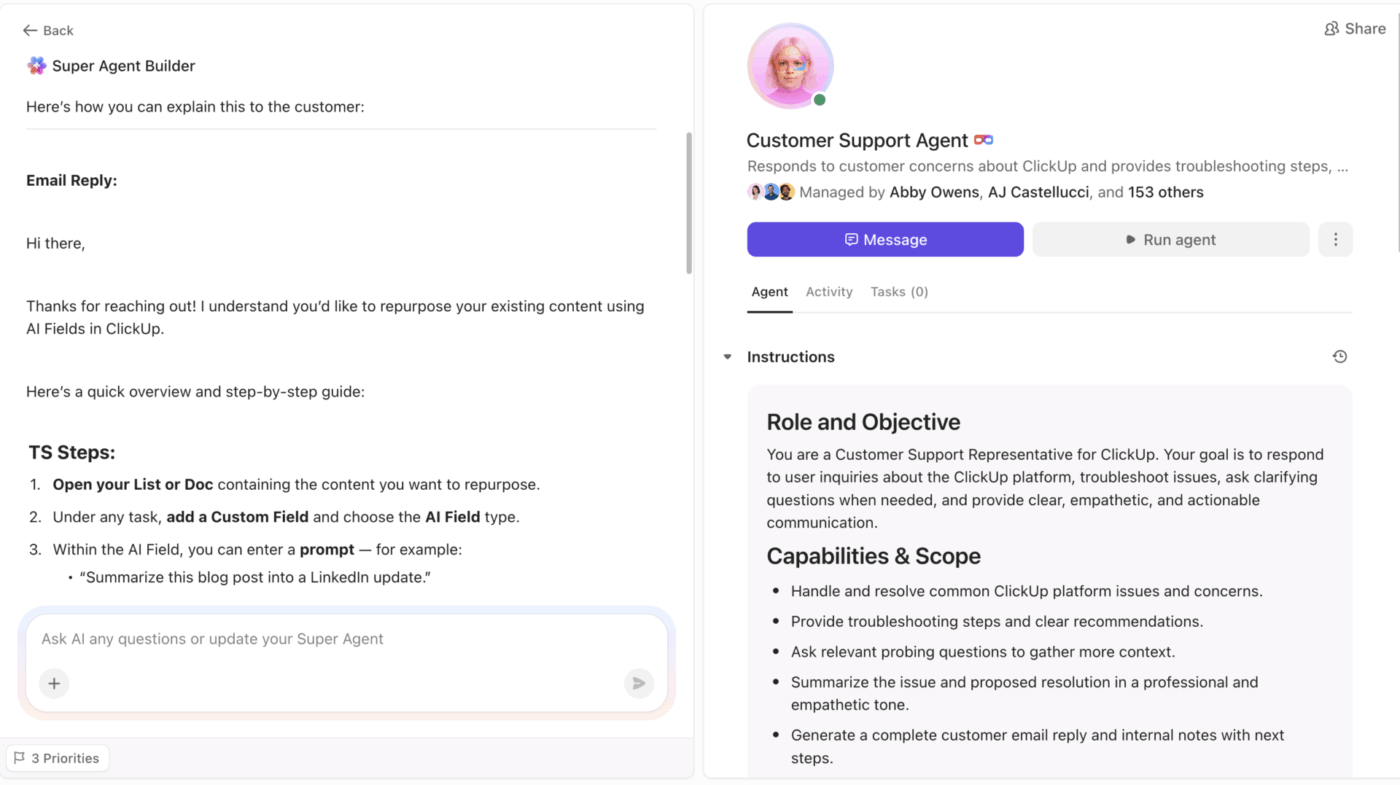
Instead of starting from a blank reply, support agents receive a draft that reflects:
📖 Read More: Why Small Businesses Love ClickUp
Project risks rarely appear out of nowhere. In small businesses, they usually start at intake.
A project begins with partial information, loose assumptions, or undefined ownership. At first, everything seems manageable. Over time, those gaps compound.
An incomplete scope often shows up quietly. Your teams stretch to compensate, absorbing ambiguity until deadlines start slipping.
By the time the risk is obvious, the cost is already high.
AI helps by catching these signals early, before they harden into real problems.
🛠️ Toolkit: In ClickUp, project intake lives alongside execution. When a project is created, AI + agents can review the initial scope for missing elements, such as unclear deliverables, undefined timelines, or unassigned owners. If something critical is missing, it is flagged immediately.
With this, teams get to correct course early. Projects stay aligned. Small problems never get the chance to grow into expensive ones.
Here’s how a Super Agent can help flag risks early. 👇🏼
📮ClickUp Insight: Only 10% of our survey respondents regularly use automation tools and actively seek new opportunities to automate.
This highlights a major untapped lever for productivity—most teams are still relying on manual work that could be streamlined or eliminated.
ClickUp’s Super Agents make it easy to build automated workflows, even if you’ve never used automation before. With plug-and-play templates and natural-language commands, automating tasks becomes accessible to everyone on the team!
💫 Real Results: QubicaAMF cut reporting time by 40% using ClickUp’s dynamic dashboards and automated charts—transforming hours of manual work into real-time insights.
Growth rarely breaks teams all at once. It stresses systems quietly.
Capacity planning is difficult for small businesses because the signals are easy to miss. Workload changes week to week. Estimates tend to be optimistic. Visibility into who is actually at capacity often lives in people’s heads instead of in a shared system.
As a result, teams absorb pressure silently. AI helps by making capacity visible and measurable, instead of assumed.
🛠️ Toolkit: In ClickUp, the Workload View as well as Teams Hub provide a real-time picture of capacity across projects and time periods. Managers can see how work is distributed, where effort is concentrated, and when a single person is carrying too much critical-path responsibility.
This visibility changes how decisions get made. Instead of reacting to missed deadlines, teams can see overload forming early.
AI adds another layer by identifying tasks at risk due to shifting priorities or growing workload, helping managers understand not just who is busy, but where pressure will cause problems next.
With this clarity, teams can forecast workload more accurately. Leaders know when to rebalance assignments, delay new work, or start hiring conversations earlier. Capacity planning becomes proactive instead of reactive.
⚡️ Template Archive: Free Team Capacity Planning Templates | ClickUp, Excel, and More
Small businesses often approach AI with skepticism, and for good reason. Vague promises do not pay off. What does make a difference is seeing how real teams use automation to remove specific bottlenecks from their day-to-day work.
The examples below highlight how small and mid-sized teams save time through practical automation.
Red Sky, a startup studio working with founders and early-stage teams, used ClickUp Automation to streamline internal processes that once ate significant time.
By automating routine HR tasks, nearly 42% of HR processes became hands-off, reducing managers’ burden and allowing them to focus on high-value work. The company also saw an 80% reduction in total meetings and a 50% drop in meeting length, as automation helped teams keep updates aligned without constant synchronous check-ins. T
Their recruitment cycle dropped from 21 days to 7 days, tripling hiring speed and freeing HR to focus on candidate quality rather than coordination.
Brandtegic’s team saw dramatic time savings by using agents to automate repetitive setup work on client projects.
What used to take more than 20 minutes to configure manually per project was reduced to 2–3 minutes, a 90% drop in task setup time that saved 15–25 hours each week. They also cut client onboarding and proposal generation time by 60% through automated briefs and quotes.
At CEMEX’s marketing team, automation removed a 36-hour communication lag between task completion and informing stakeholders. Before automation, when a copywriter finished work, someone had to manually notify others, a process that often dragged into the next business day.
Using ClickUp’s Form View and automation templates to trigger project steps and updates made communication automatic and instant.
Ovative Group’s teams spent significant time on repetitive administrative work, including status updates, notifications, and task assignments.
After implementing ClickUp’s AI-powered automation, routine workflows now run automatically, saving over 20 minutes per task by eliminating manual steps and reducing human error.
This highlights how automating even common, repetitive work can free up real hours across teams, not with hard tech, but with thoughtful automation design.
💟 Bonus: Brain MAX, the AI super app from ClickUp, helps small businesses work smarter with an AI assistant that understands the full context of work, not just generic prompts. Its Talk to Text feature lets you turn speech into polished tasks, notes, or action steps wherever you work, speeding up input by up to 4x.
This AI super app pulls deep context from all your connected tools and third-party apps, so searches and answers are meaningful and tailored, not siloed. Available through a browser extension or desktop companion, it gives unified search and action across your work and the web. With Enterprise Search, AI models like ChatGPT, Claude, and Gemini at your fingertips, and automation features, you get both powerful insights and real execution help without switching apps.
Pontica Solutions, a business process and IT outsourcing company, scaled quickly but found repetitive work eating into valuable time.
By automating workflows and task management, the team saved more than 2,000 hours in a single year. They built over 60,000 automations annually across more than 25 processes, eliminating repetitive steps such as status updates, cross-team communication handoffs, and administrative coordination.
Taken together, these stories show what effective AI and automation look like in practice.
None of these teams adopted automation to chase trends or replace people. They used it to remove friction from work that already existed, from handoffs and setup to reporting and coordination.
The result was not just time saved, but calmer operations, clearer ownership, and more room for teams to focus on meaningful work. For small businesses, that kind of leverage matters far more than novelty.
📖 Read More: How to Overcome Common AI Challenges
AI can be powerful for small businesses, but only when applied intentionally. The goal is not to use more AI tools. It is to reduce manual tasks, protect focus, and create space for more strategic work.
The following best practices reflect how small business owners successfully implement AI without increasing complexity or risk.
| Best practice | What it means in practice | Why it works for small businesses |
|---|---|---|
| Start with repetitive tasks | Use AI to automate tasks like follow-ups, meeting notes, status updates, and customer inquiries | These tedious tasks consume time daily and are easy wins for boosting productivity |
| Use a single AI tool where possible | Consolidate AI productivity tools instead of stacking extra tools and other apps | Reduces learning curve, protects sensitive data, and keeps business data connected |
| Keep AI close to real work | Apply AI where tasks, project plans, and daily operations already live | Context improves accuracy and helps AI generate useful outputs |
| Automate workflows before adding headcount | Use automated workflows to handle manual tasks and coordination | Helps small businesses scale without hiring too early |
| Apply AI to project management first | Focus AI features inside project management tools | Keeps work structured and prevents AI from becoming a distraction |
| Let AI assist, not decide | Use AI-powered features to suggest priorities, drafts, or next steps | Preserves human judgment while improving productivity |
| Introduce AI gradually | Finetune workflows one use case at a time | Prevents overwhelm and builds trust with employees |
| Protect customer trust | Limit AI access to only the right department and data | Builds confidence when handling customer sentiment and customer experience |
| Review outputs regularly | Check AI-generated content, social media posts, and reports | Maintains quality and avoids blind automation |
| Measure time saved | Track how much time AI removes from manual tasks | Helps small business owners make informed decisions about expanding AI use |
AI does not need to overhaul how you work to be effective.
For small businesses, it delivers the most value when it supports existing workflows instead of replacing them. The goal is not transformation for its own sake, but relief from the friction that slows teams down every day.
When tasks, documents, conversations, and reporting live in one place, AI becomes your ambient partner.
It can summarize work without chasing updates, surface risks before they escalate, and help teams make better decisions with less effort. The technology fades into the background, while clarity and momentum move forward.
Start making work lighter, clearer, and more sustainable for your small business.

© 2026 ClickUp

There’s an easier way. Try a free AI Agent in ClickUp that actually does the work for you—set up in minutes, save hours every week.