







Still downloading templates?
There’s an easier way. Try a free AI Agent in ClickUp that actually does the work for you—set up in minutes, save hours every week.
Sorry, there were no results found for “”
Sorry, there were no results found for “”
Sorry, there were no results found for “”
McKinsey’s global survey found that 51% of organizations using AI have already seen at least one negative consequence, and nearly one-third report consequences tied to AI inaccuracy.
If your team is using AI for drafts, summaries, support replies, or analysis, you can probably guess how this happens. The output appears polished, confident, and ready to paste, but the risk is in the details. It can be anything from a missing caveat to a shaky claim.
That’s why AI-generated QA output needs a system.
In this post, we’ll walk through some of the best AI Output QA templates you can copy and use right away to keep quality high without slowing teams down.
Here’s a quick overview of the AI Output QA templates covered in this guide and the stage of the review process each one supports.
| Template | Download Link | Ideal For | Key Features |
|---|---|---|---|
| ClickUp Quality Control Checklist Template | Get free template | Running quick, repeatable QA checks on AI outputs | Checklist-based reviews, status tracking, scoring fields |
| ClickUp Test Management Template | Get free template | Managing structured AI testing across models and prompts | Test case grouping, priority levels, performance tracking dashboards |
| ClickUp Test Case Template | Get free template | Documenting reproducible AI output issues | Input/output logging, expected vs actual results, severity classification |
| ClickUp User Acceptance Testing Checklist Template | Get free template | Collecting stakeholder validation for AI outputs | Acceptance criteria, feedback capture, approval workflows |
| ClickUp UAT Sign Off Template | Get free template | Creating auditable approval records for AI content | Digital sign-offs, audit trails, conditional approvals |
| ClickUp Heuristic Review Template | Get free template | Evaluating AI output quality beyond accuracy | Heuristic evaluation, severity ratings, recommendation tracking |
| ClickUp Assessment Report Template | Get free template | Reporting AI QA findings to stakeholders | Executive summaries, detailed findings, scoring breakdowns |
| ClickUp Process Audit and Improvement Template | Get free template | Improving and standardizing QA workflows | Process mapping, gap analysis, improvement tracking |
| ClickUp Writing Guidelines Template | Get free template | Enforcing brand voice and style consistency | Style rules, tone examples, prohibited language lists |
| ClickUp AI Prompt and Guide for Blog Posts Template | Get free template | Standardizing blog prompts and QA workflows | Prompt library, evaluation rubrics, revision checklists |
AI Output QA (Quality Assurance) templates are structured rubrics, checklists, or guidelines used to systematically evaluate the quality of responses generated by artificial intelligence models.
Whether an AI is generating text, code, or images, these templates ensure that the output meets specific standards for accuracy, safety, and helpfulness before it reaches the end user or is used to train the model further.
📝 Example: You use AI to draft a customer email. An AI Output QA template might ask 👇
That makes AI outputs more consistent, safer to use, and easier to scale across teams.
📮ClickUp Insight: 37% of our respondents use AI for content creation, including writing, editing, and emails. However, this process usually involves switching between different tools, such as a content generation tool and your workspace. With ClickUp, you get AI-powered writing assistance across the workspace, including emails, comments, chats, Docs, and more—all while maintaining context from your entire workspace.
Here are ten customizable templates in ClickUp that address every stage of the AI quality assurance process, from quick checks to formal sign-offs.
Each is designed to solve a specific pain point in the AI content lifecycle:
You need a fast, simple way to ensure every piece of AI content gets a basic review, but creating a new checklist for each task is tedious and can lead to missed steps.
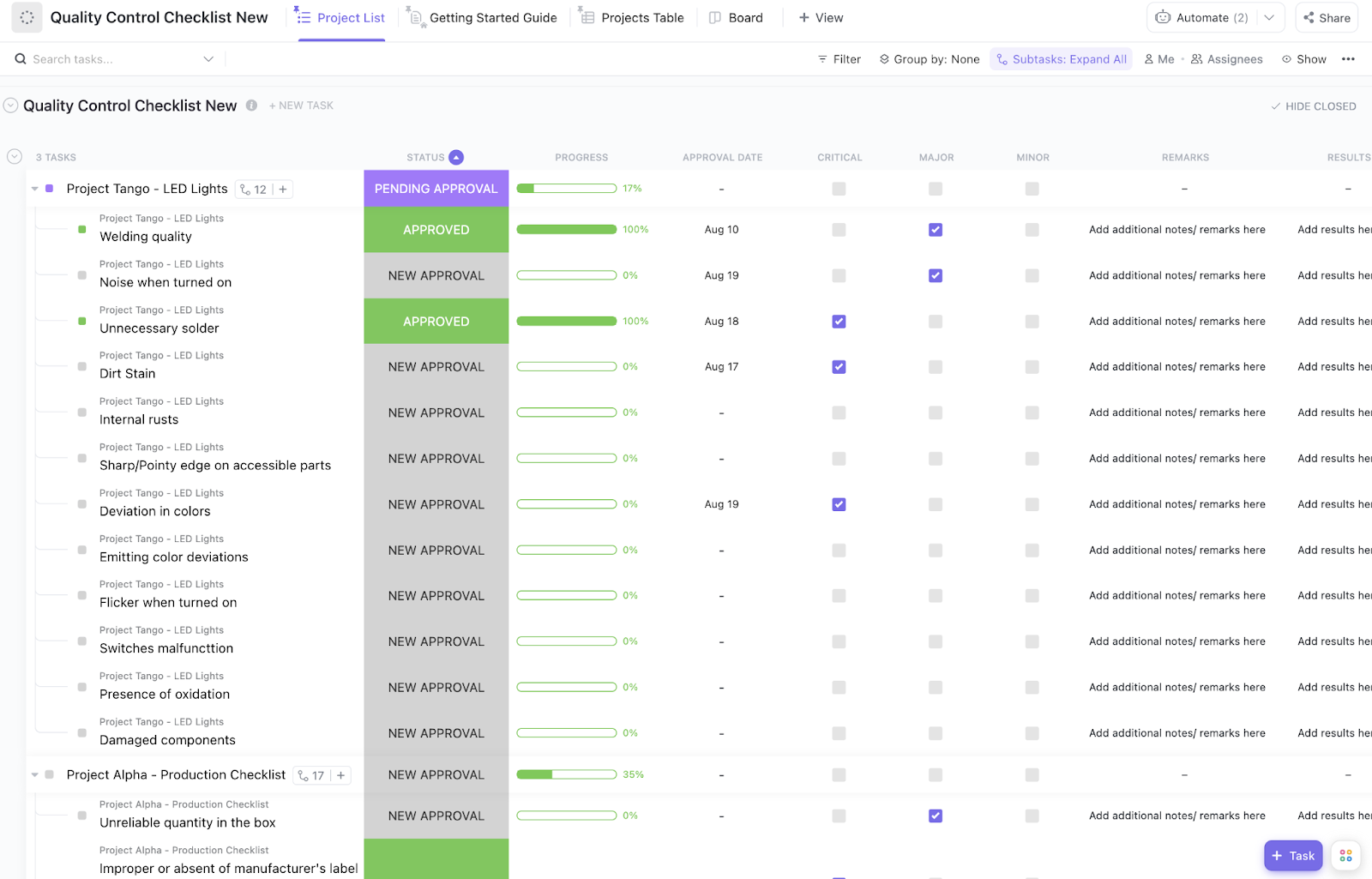
The ClickUp Quality Control Checklist Template provides a standardized, repeatable process for every review. Instead of building a new checklist every time, just apply one standardized QA process across content, documentation, summaries, and other AI-assisted deliverables.
✅ Ideal for: Content operations managers, editorial leads, and QA reviewers standardizing first-pass checks for AI-generated deliverables.
Your team is testing multiple AI models or prompts, but tracking which one performs best is a nightmare of scattered spreadsheets and disconnected notes. The ClickUp Test Management Template centralizes all your AI evaluation efforts into a single, organized framework.
✅ Ideal for: AI ops teams and cross-functional teams testing prompts, models, or output quality before rollout.
👀 Did You Know? Before AI even had a name, Alan Turing was already predicting that machines would get good enough to confuse people in conversation. In his 1950 paper, he wrote that by the end of the century, an average interrogator would have no more than a 70% chance of identifying the machine correctly after five minutes of questioning.
When your developers can’t reproduce an AI hallucination, they can’t fix it. The ClickUp Test Case Template provides a detailed structure for documenting individual test scenarios, making them reproducible and actionable.
✅ Ideal for: QA analysts and AI product teams documenting reproducible output failures for debugging and remediation.
✨ Bonus: Just logging the bug isn’t enough. ClickUp’s Bug Reproduction Replicator Agent helps your team pin down the exact steps and conditions needed to reproduce the issue and move faster on a fix.
Is the feedback from your subject matter experts scattered across emails and chat messages? This approval bottleneck means important input gets lost, and you risk publishing AI-generated content that doesn’t meet business requirements.
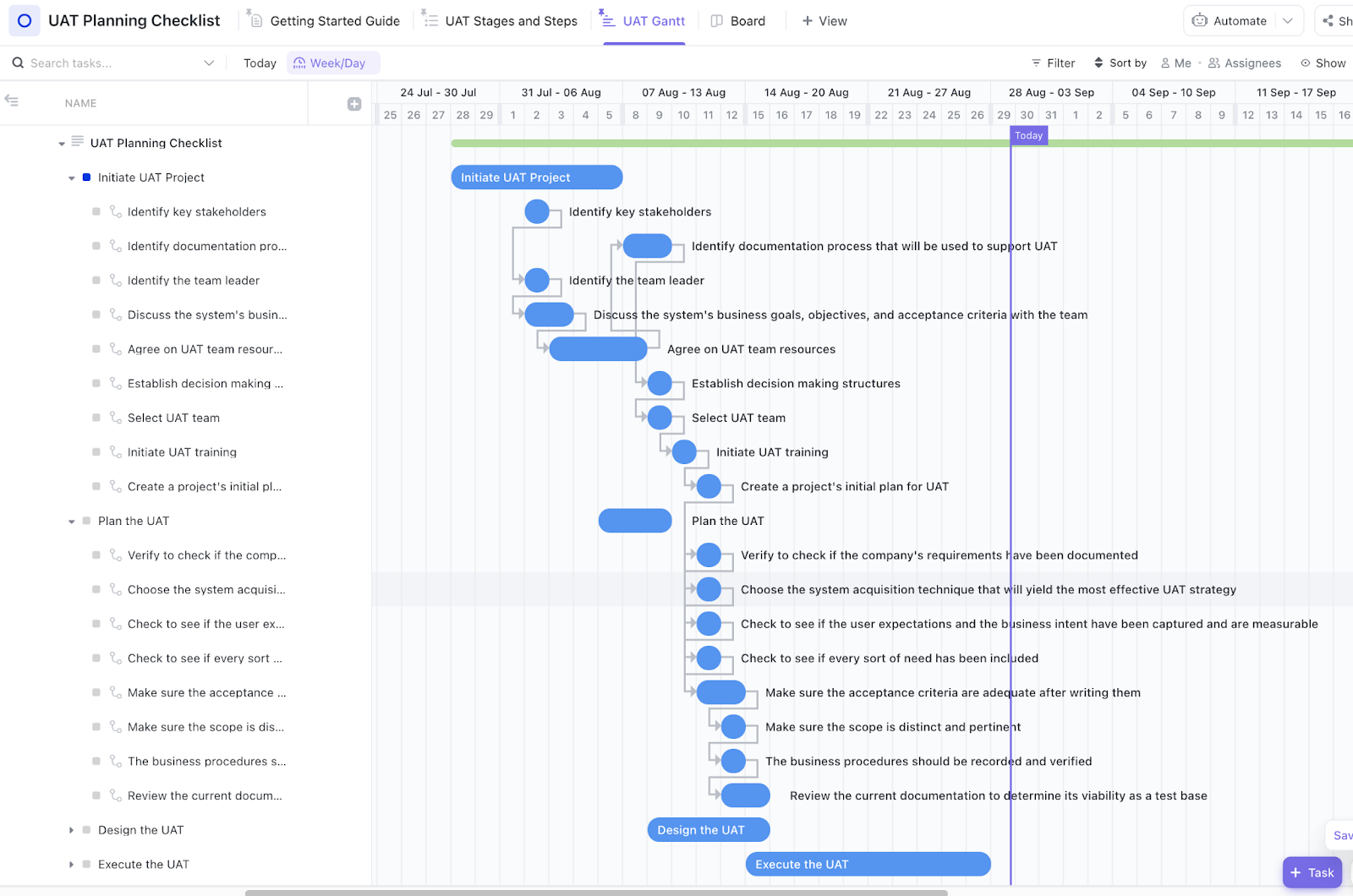
The ClickUp User Acceptance Testing (UAT) Checklist Template streamlines stakeholder validation by structuring their feedback.
✅ Ideal for: Content leads and compliance reviewers approving AI-generated deliverables before release.
🧠 Fun Fact: The first true “AI agent” came from a shaky-looking robot named Shakey, built from 1966 to 1972. SRI said it was the first mobile robot able to perceive and reason about its surroundings. It could plan, find routes, and rearrange objects—basically, early agent behavior in physical form.
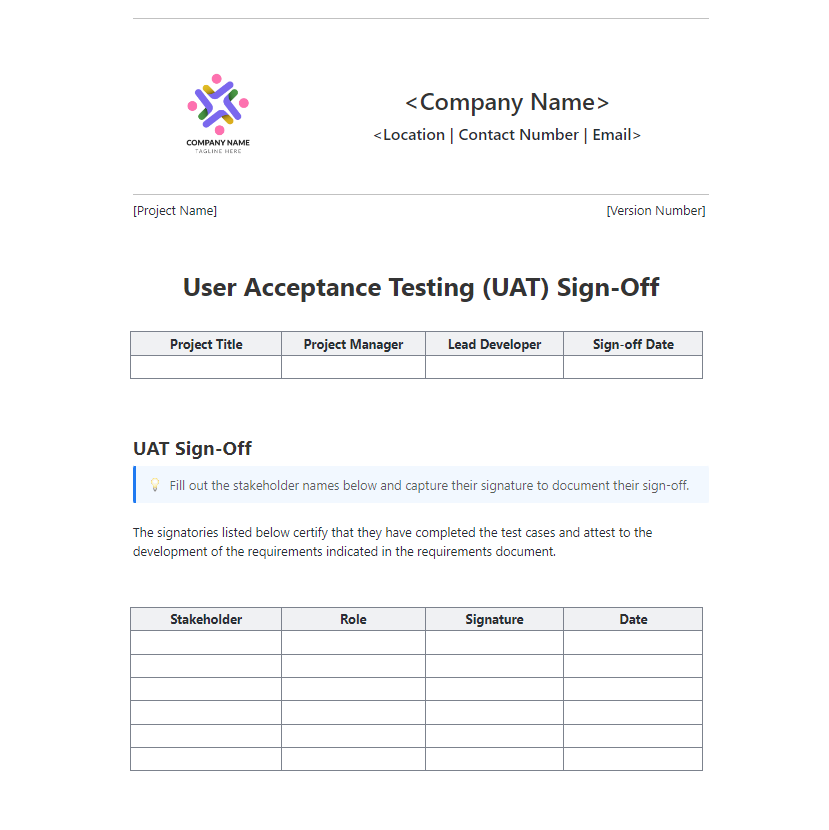
The ClickUp UAT Sign Off Template creates a formal, documented approval record, giving you a compliant, auditable process without the administrative headache.
This is particularly useful in regulated industries where every piece of AI content needs a formal audit trail to meet compliance audit requirements.
✅ Ideal for: Regulated content operations teams and QA leads managing auditable approval workflows for AI-generated content.
💡 Pro Tip: Set up ClickUp Reminders that escalate every 24 hours when sign-offs are pending. The first reminder goes to the approver; the second reminder copies their manager; and the third reminder flags compliance leads.
Your AI-generated content is technically correct but feels clunky, unhelpful, or inconsistent. However, you don’t have a way for experts to evaluate quality beyond simple fact-checking.
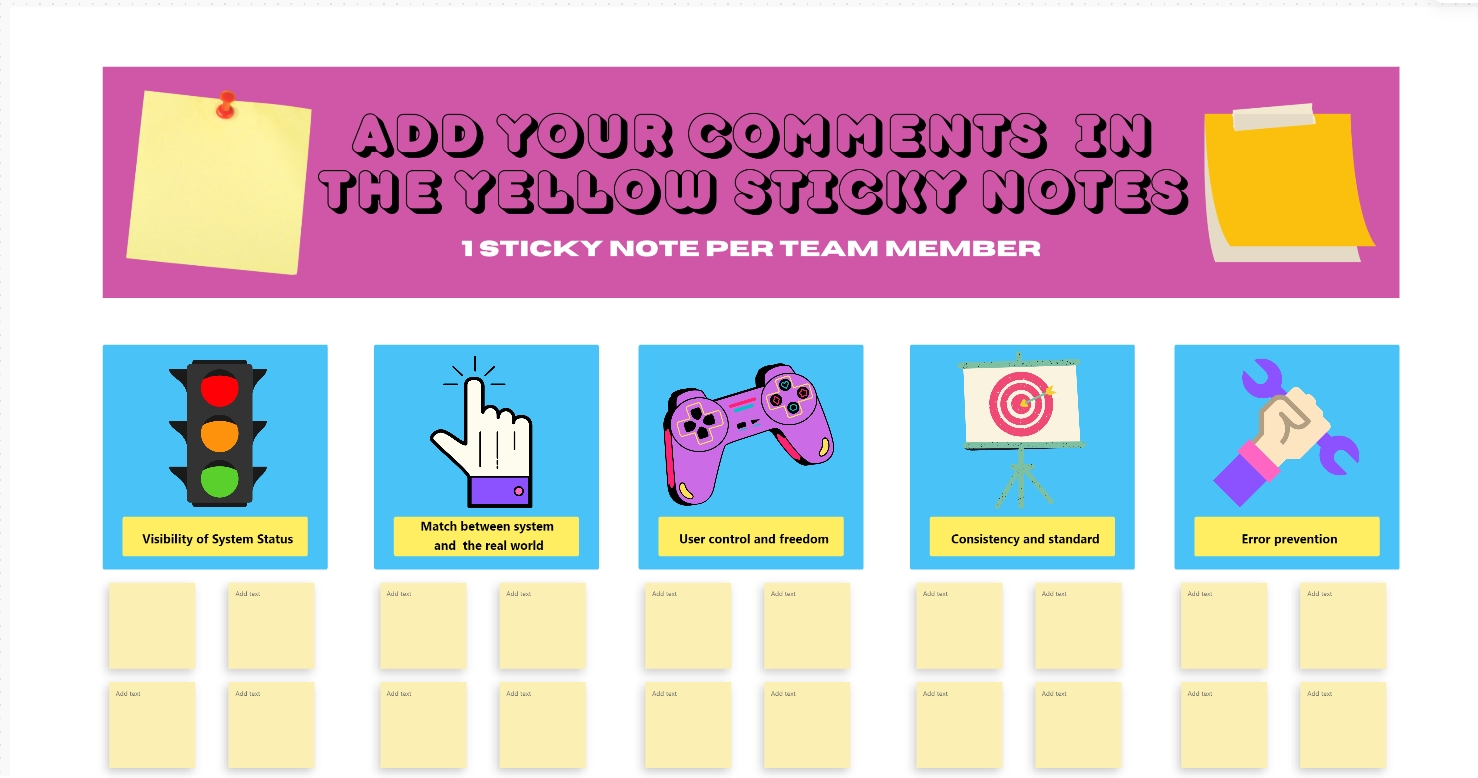
The ClickUp Heuristic Review Template comes with a pre-built framework for expert evaluation. Based on established usability principles, it systematically improves the user experience of your AI outputs.
✅ Ideal for: UX writers and AI QA teams reviewing output for clarity, usability, and experience quality.
📚 Read More: How to Conduct UX Audit to Improve User Experience?
What’s harder to do—QA, or presenting the findings to stakeholders? Most would say stakeholder updates, because manually creating slides and summaries takes time. This delay means stakeholders don’t get timely, clear updates on AI quality.
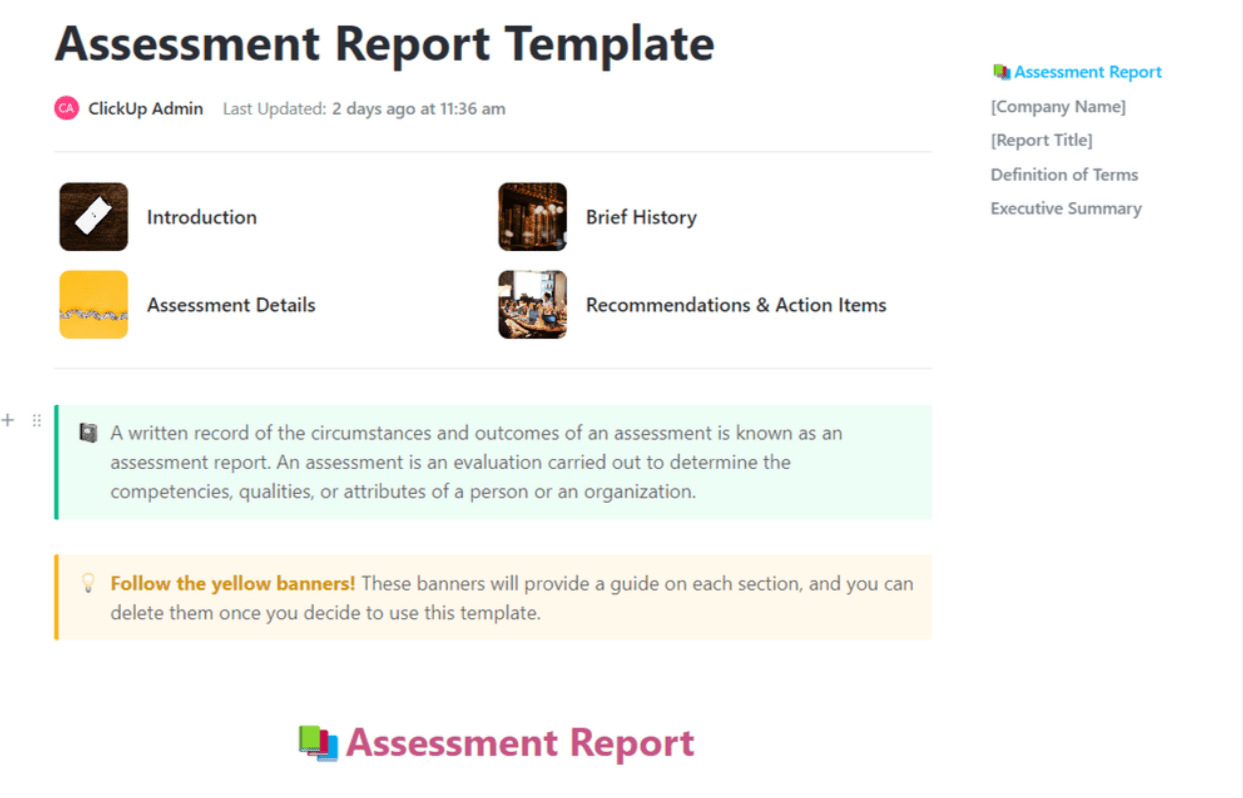
The ClickUp Assessment Report Template gives you a format for documenting and communicating QA findings quickly and professionally.
✅ Ideal for: AI program managers, content ops leads, and QA managers reporting AI output quality to leadership and cross-functional stakeholders.
QA templates are great for standardization—but reviewing AI-generated content manually against every checklist can quickly become time-consuming and inconsistent.
ClickUp Brain MAX changes that by applying AI directly to your QA workflow. It can:
Because Brain MAX works across your tasks and docs, it understands both the content and the context—your guidelines, past feedback, and project requirements!
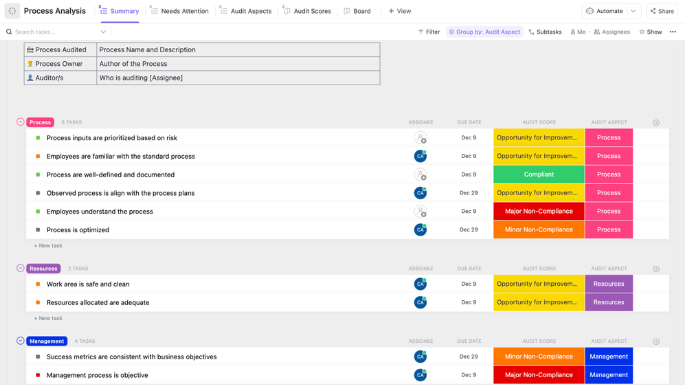
Your AI QA process feels reactive and inconsistent. You don’t have a structured way to identify and fix gaps, so the same mistakes keep happening. The ClickUp Process Audit and Improvement Template helps you audit your existing AI workflow templates and identify opportunities for improvement.
✅ Ideal for: AI operations managers and process improvement teams auditing and upgrading AI output QA workflows.
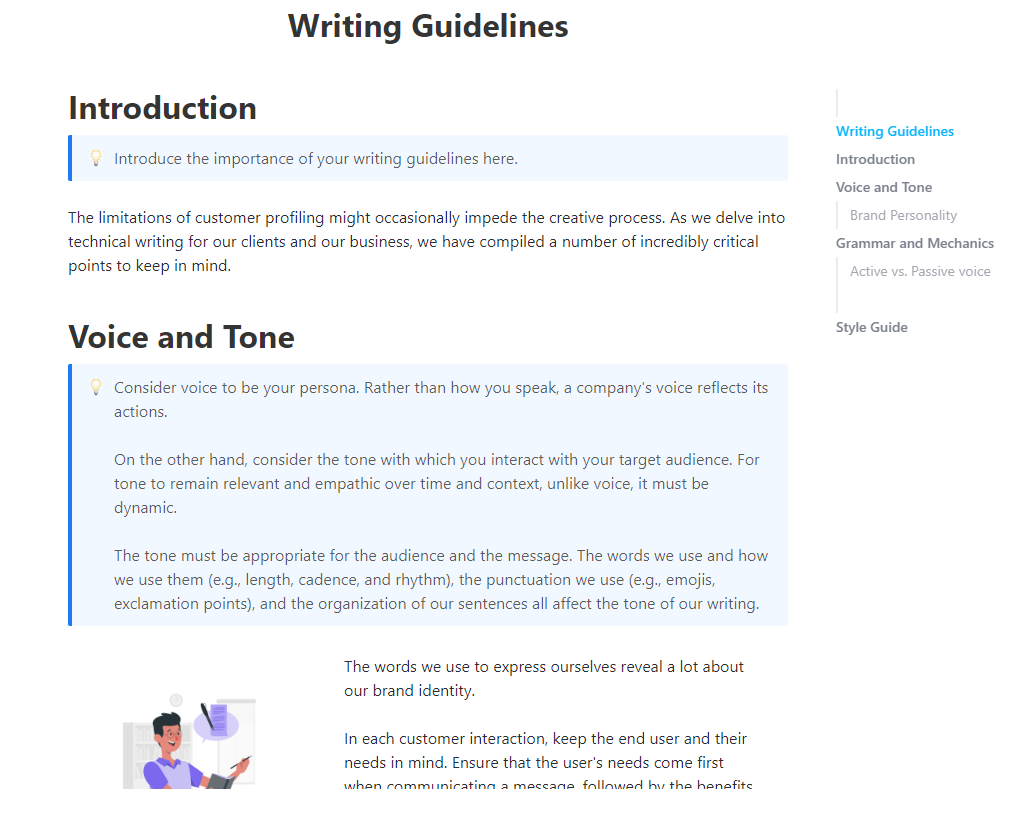
Stop rewriting AI drafts from scratch. The ClickUp Writing Guidelines Template gives AI the context it needs to match your brand voice on the first try.
It establishes a single source of truth for your brand’s tone, style, and accuracy standards for your AI to train on.
✅ Ideal for: Content managers, brand editors, and editorial operations teams reviewing AI-generated writing for voice, style, and consistency.
✨ Bonus: Still reviewing AI output with the same system that generated it? Put ClickUp’s Proofreader Agent on QA duty.
It’s built to check grammar, punctuation, style, tone consistency, and much more. And because Super Agents can be customized with their own instructions, tools, knowledge, and memory, you can refine them around your rubric before content moves forward.
When prompts are vague, inconsistent, or missing key context, the AI-generated output comes back thin, repetitive, or off-angle. Teams then spend more time fixing the draft, negating all efficiency gains.
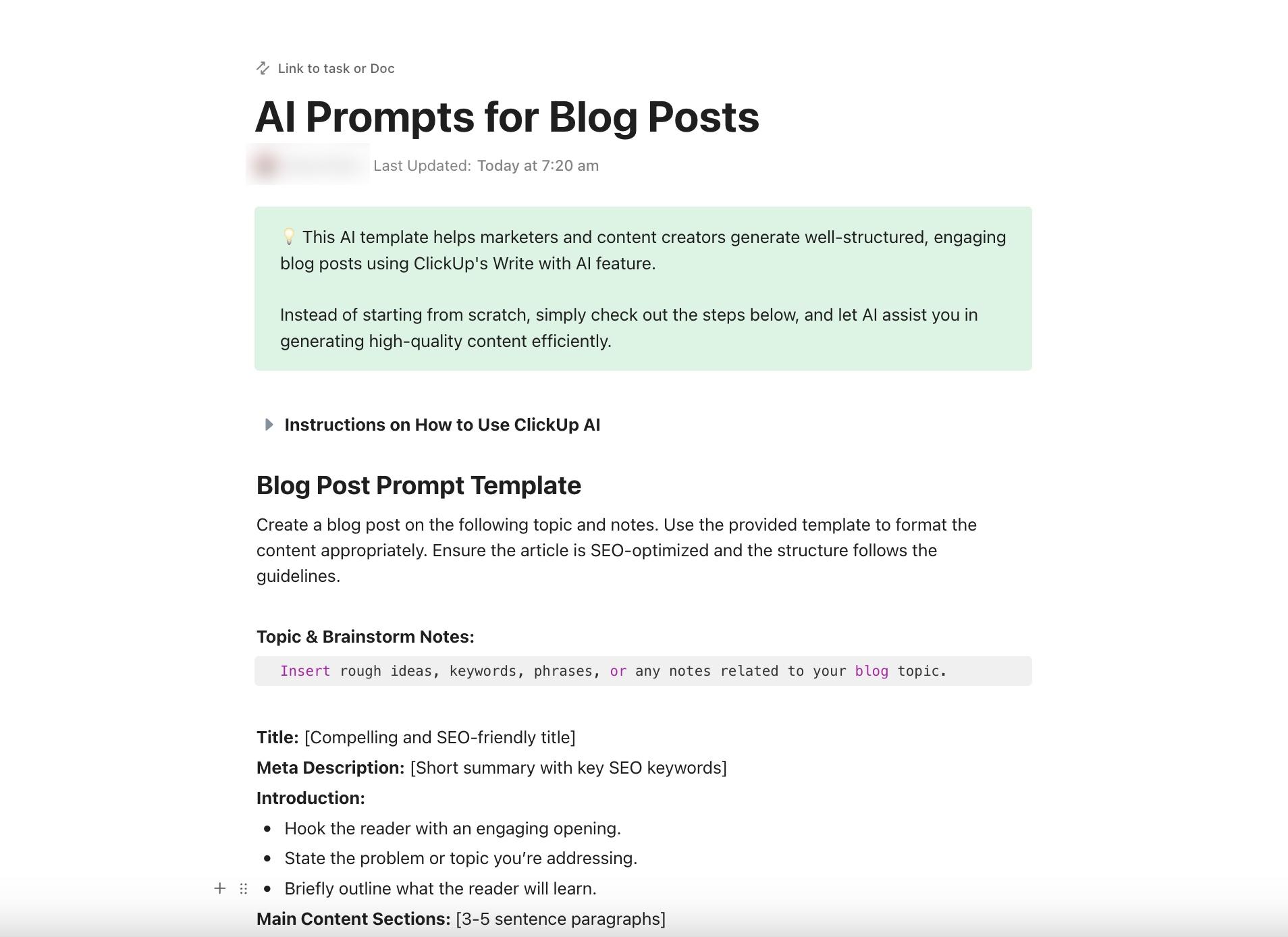
The ClickUp AI Prompt and Guide for Blog Posts Template helps content teams bring more structure to both sides of the workflow: prompt creation and output review. Document what a strong blog prompt should include, standardize how drafts are evaluated, and give writers a clearer system for improving results over time.
✅ Ideal for: Content marketing teams, blog editors, and SEO content managers creating repeatable AI-assisted blog workflows.
📚 Also Read: How to Edit AI Content?
Without a plan, templates just become another unused file in a shared drive, and your team reverts to the old, chaotic review process.
To get real value, integrate AI output QA templates into your workflow.
🎥 To make your QA process easier, AI task generators can automatically create review tasks using your templates and evaluation criteria. Watch this quick walkthrough to see how AI-powered task generation can cut down on manual work in your quality assurance efforts:
These guiding principles will help make your QA process truly effective, preventing you from just going through the motions.
📮ClickUp Insight: While 34% of users operate with complete confidence in AI systems, a slightly larger group (38%) maintains a “trust but verify” approach. A standalone tool that is unfamiliar with your work context often carries a higher risk of generating inaccurate or unsatisfactory responses.
This is why we built ClickUp Brain, the AI that connects your project management, knowledge management, and collaboration across your workspace and integrated third-party tools. Get contextual responses without the toggle tax and experience a 2–3x increase in work efficiency, just like our clients at Seequent.
AI output QA templates bring much-needed structure to a chaotic review process, helping your team catch errors before they reach customers. As AI-generated content becomes the norm, systematic quality assurance protects your brand and maintains trust.
Build QA into your AI workflow and keep your content quality consistent—all inside ClickUp.
Get started for free with ClickUp ✨
Effective AI output QA templates should include accuracy verification, factual correctness checks, tone and brand voice alignment, formatting standards, and a clear pass/fail or scoring system. The specific criteria vary depending on your use case—customer support content requires different checks than technical documentation.
Traditional software QA templates focus on functional testing—does the code work as expected? AI output QA templates evaluate content quality, accuracy, and appropriateness, which are often subjective and context-dependent, and must also check for issues like hallucinations.
Yes, these templates work for any AI-generated content. The Writing Guidelines Template and AI Prompt & Guide for Blog Posts Template are specifically designed for written content, while the Quality Control Checklist and UAT templates can be adapted for chatbot and customer support responses.
AI output QA templates can support regulated industries, but they are not a compliance shortcut. They work best as one layer in a broader governance system—human review points, audit trails, and ongoing risk monitoring. You can manage that end-to-end in ClickUp, a platform built to scale with your team while keeping control and security tight.

© 2026 ClickUp

There’s an easier way. Try a free AI Agent in ClickUp that actually does the work for you—set up in minutes, save hours every week.