Sorry, there were no results found for “”
Sorry, there were no results found for “”
Sorry, there were no results found for “”
You just wrapped up a client call, finalized a proposal, and reviewed a project deliverable. Now comes the tricky part—calculating how much time it all took.
If you’re still relying on rough estimates or scrambling through your calendar to piece it together, you’re probably losing billable hours without realizing it.
A solid time tracking tool can help. It logs every minute accurately and generates insightful reports to help you bill clients confidently.
In this blog post, we’ll explore the 10 best time tracking software for consultants. Let’s get started! 💪
| Tool | Best features | Best for | Pricing* |
|---|---|---|---|
| ClickUp | – Built-in time tracking across devices – Billable/non-billable hour tracking – Automations and dashboards – 1,000+ integrations | Best for individuals, small teams, and enterprises needing time tracking + project management in one platform | Free forever plan; Customizations available for enterprises |
| Clockify | – GPS tracking and invoicing – Hourly rates and calendar scheduling – Unlimited users/projects | Best for individuals and small businesses needing free, scalable time tracking | Free plan available; paid plans start at $4.99/user/month |
| TimeCamp | – Automatic tracking and invoicing – Geofencing and digital kiosks – Productivity reporting | Best for freelancers and small teams needing automated billable hour tracking | Free plan available; paid plans start at $1.99/user/month |
| Harvest | – Time tracking with budgeting – QuickBooks/Xero integrations – Expense tracking | Best for small businesses needing simple tracking and fast client invoicing | Free plan available; paid plans start at $13.75/user/month |
| Paymo | – Stopwatch + bulk tracking – Project profitability analysis – Online payments and task management | Best for small teams (under 20 people) combining task + time + billing in one place | Free plan available; paid plans start at $5.90/user/month |
| Replicon | – AI-powered ZeroTime™ tracking – Labor law compliance tools – Pre-filled timesheets | Best for mid-sized to enterprise teams needing payroll-compliant time tracking | Free trial available (14 days); paid plans start at $6/user/month; enterprise suite at $29/user/month |
| Hubstaff | – Geofencing and GPS tracking – Payroll and invoicing integrations – Productivity insights | Best for remote or hybrid teams needing location-based tracking and payroll support | Free trial available (14 days); paid plans start at $7/user/month; enterprise plan available at $25/user/month |
| RescueTime | – Focus sessions and distraction blocking – Productivity insights and reports – Weekly summaries | Best for individuals or small teams needing distraction-free productivity tracking | Free trial available (14 days); paid plans start at $9/user/month |
| Time Doctor | – Real-time tracking with website/app usage – Productivity + profitability reports – CRM and project integrations | Best for distributed teams needing employee activity tracking and reports | Free trial available (14 days); paid plans start at $8/user/month; custom pricing for enterprises |
| Timely | – AI-powered automatic tracking – Pre-filled timesheets- 100+ integrations | Best for consultants and teams wanting background time tracking without timers | Free trial available (14 days); paid plans start at $11/user/month |
Choosing the right free time tracking app for consultants is essential for capturing billable hours, managing workloads, and ensuring accurate invoicing. The best tool should feel like a helpful aid, not an added stressor.
So, what should you look for? Let’s break it down. ⚒️
Based on the above checklist, here’s a list of the best time-tracking software for consultants with their strengths and weaknesses. 🎯
Our editorial team follows a transparent, research-backed, and vendor-neutral process, so you can trust that our recommendations are based on real product value.
Here’s a detailed rundown of how we review software at ClickUp.
As a consultant, time is your most valuable asset. Tracking it accurately ensures fair client billing, better project estimates, and improved productivity.
ClickUp is the everything app for work that combines project management, knowledge management, and chat—all powered by AI to help you work faster and smarter. 🤩
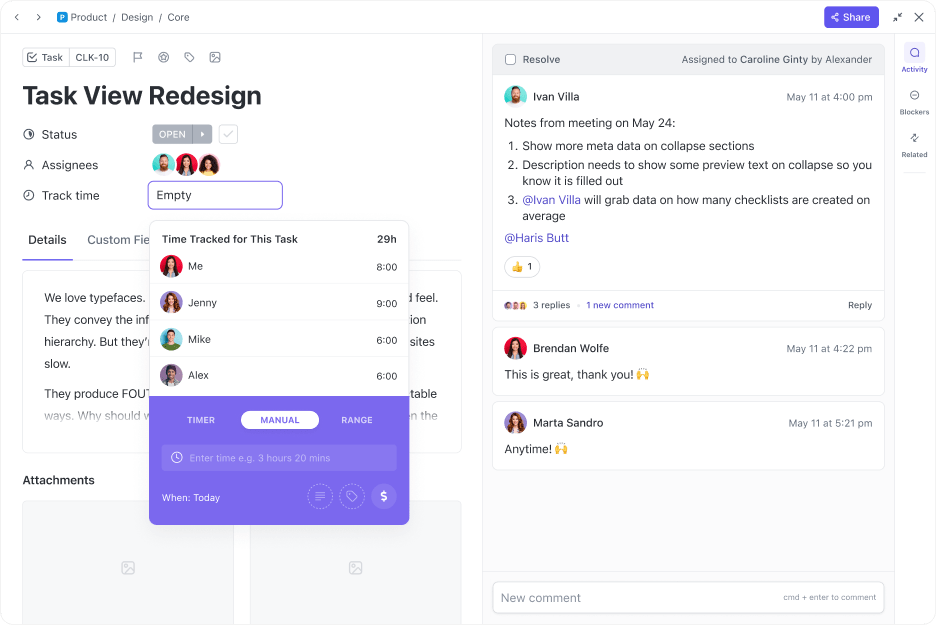
Tracking time shouldn’t feel like an extra chore on your long to-do list. Whether you’re on your desktop, mobile, or using the free Chrome extension, ClickUp Project Time Tracking tracks your time with a click. Forgot to start the tracker on time? Just log your time retroactively and set time estimates manually for tasks to stay on top of your workload.
You can enhance time entries with notes, labels, and billable markers to always have a clear and accurate record of your work. This level of detail is perfect for consultants looking to ensure that every minute is accounted for and accurately billed.
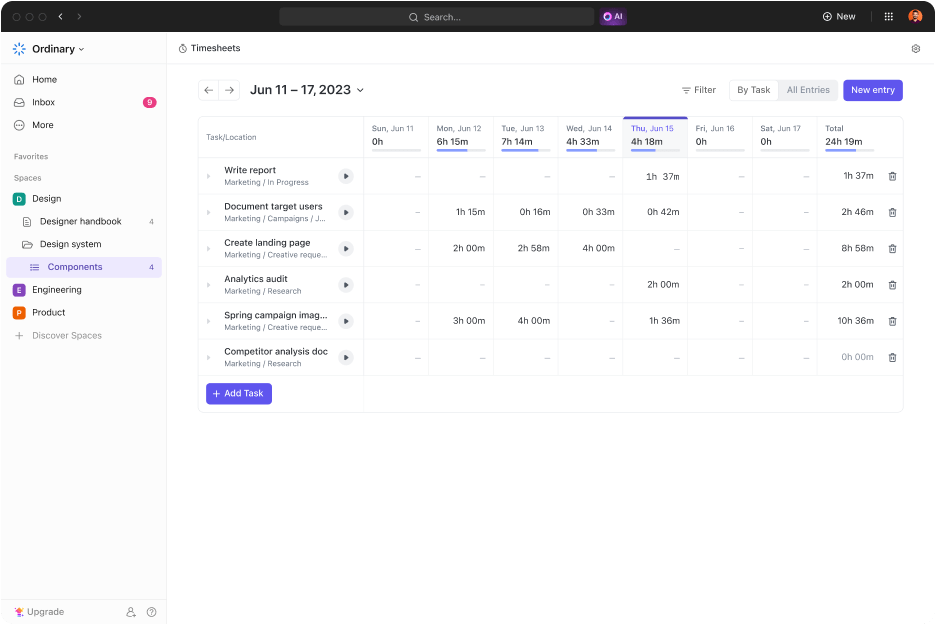
ClickUp’s Timesheets help you track, review, and manage your team’s logged time in one place. You can view the total hours spent on any project by day, week, or custom range, and easily filter by assignee, task, or location. It’s perfect for ensuring accurate time tracking and optimizing productivity.
Suppose you have multiple clients. As you filter your logs at the end of the month, you may realize that one project is taking twice as long as expected. With this insight, you can adjust pricing, refine the project’s scope, or optimize your schedule to stay efficient and profitable.
Watch this quick explainer to learn how your team can submit, review, and approve timesheets—without ever leaving ClickUp.
But time tracking alone isn’t enough—you also need a way to manage your workload effectively.
Break long projects down into short, manageable tasks using ClickUp Tasks. Built-in time tracking lets you see how long each task or subtask takes, giving you a granular view of your progress.
To make things even easier, ClickUp Automations eliminate repetitive admin work. You can set up triggers that automatically start or stop timers, update project statuses based on logged hours, or send notifications as you reach a set time limit.
This means less time spent on manual tracking and more on delivering value to your clients.
But basic time tracking is only part of the equation—you also need the right tools to analyze and use that data effectively. That’s where ClickUp Templates come in.
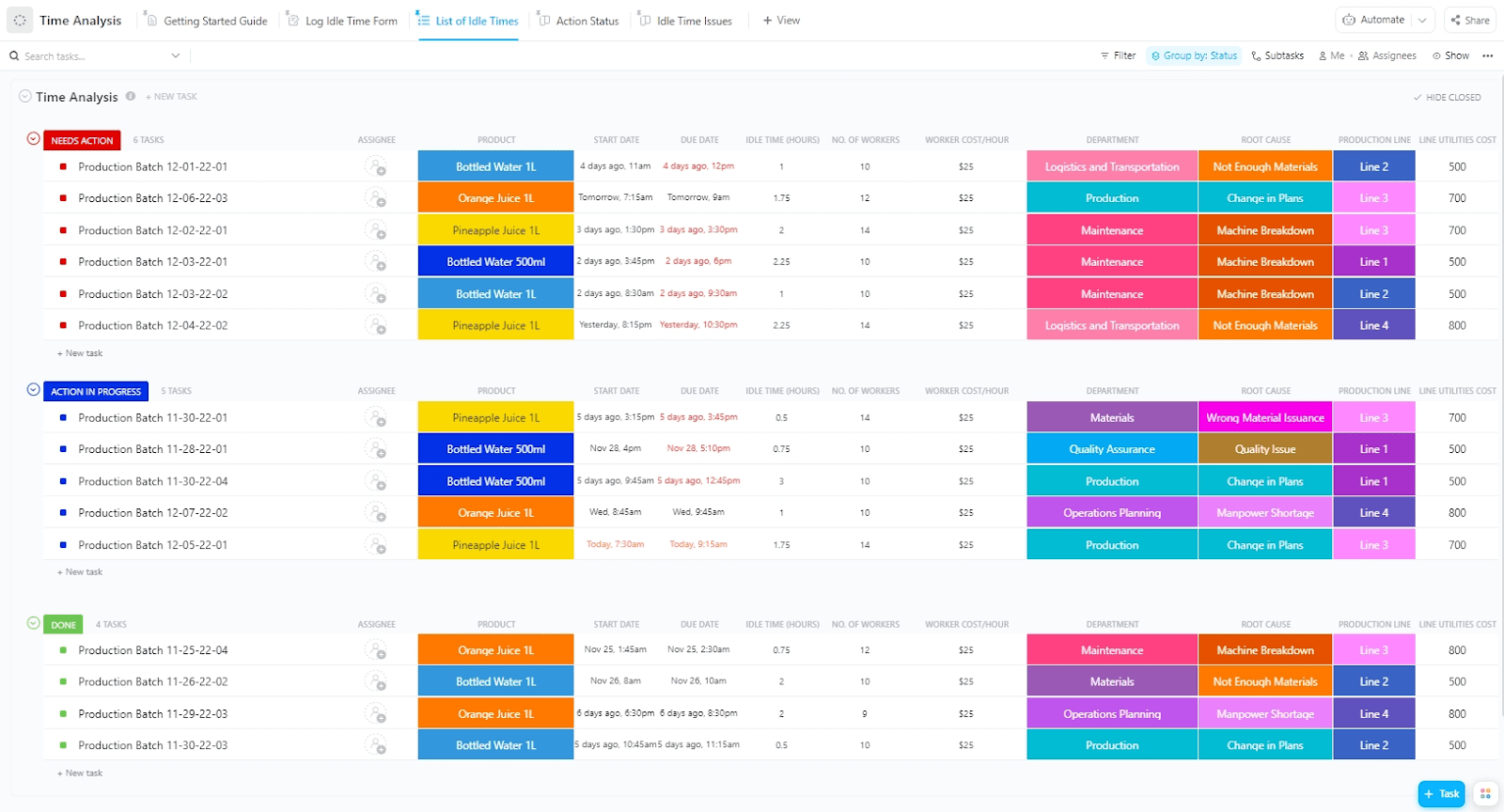
Unsure of how to make the most of your resources? The ClickUp Time Analysis Template helps monitor progress against different tasks and projects, evaluate overall performance with visual elements, and optimize processes for maximum efficiency.
It facilitates clear visibility into the time each team member spends on tasks and projects. For each task or unit of work, you can record the start date, due date, and idle time in dedicated Custom Fields, making it easier to track productivity, identify inefficiencies, and spot areas for improvement.
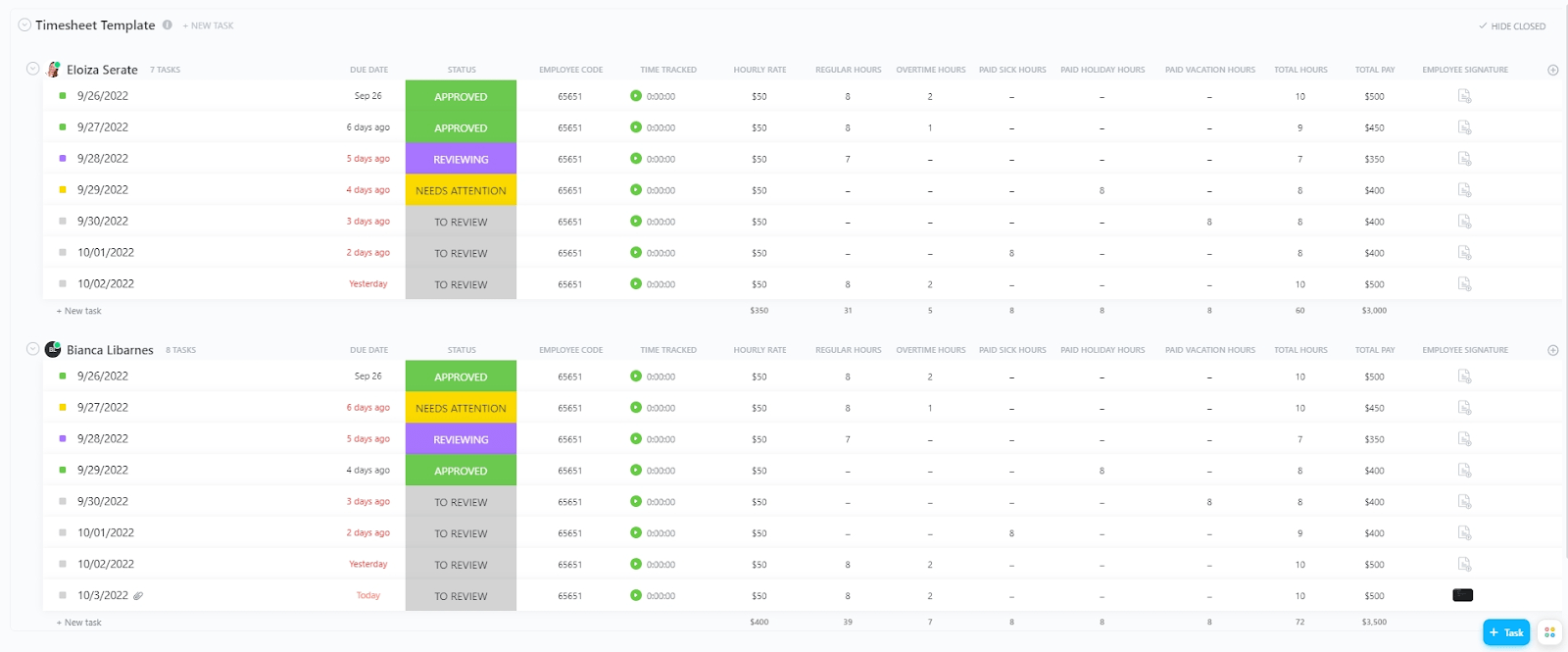
On the other hand, the ClickUp Services Timesheet Template is perfect for managing client billing and internal reporting. It helps track service hours, monitor billable time, and optimize resource allocation across multiple projects.
With its built-in charts and progress graphs, you can visualize progress at a glance, while integrations with Stripe and PayPal simplify invoicing. It ensures responsible time management, helping you assess training effectiveness and prevent employee burnout.
What I love most about ClickUp is how it replaces multiple tools in one place. No more switching between multiple apps…It’s also highly customizable to fit any workflow thanks to features like multiple views that let me set up projects exactly how I need, dashboards that give me a clear view of reports and stats, and automations that save me hours by handling repetitive tasks.
📮 ClickUp Insight: Our work-life balance survey found that 46% of workers put in 40-60 hours per week, while a staggering 17% exceed 80 hours! Yet, the grind doesn’t stop there—31% struggle to carve out personal time consistently. It’s a perfect recipe for burnout. 😰
But you know what? Balance at work starts with visibility! ClickUp’s built-in features like Workload View & Time Tracking make it easy to visualize workload, distribute tasks fairly, and track actual hours spent—so you always know how to optimize work and when.
💫 Real Results: Lulu Press saves 1 hour per day, per employee using ClickUp Automations—leading to a 12% increase in work efficiency.
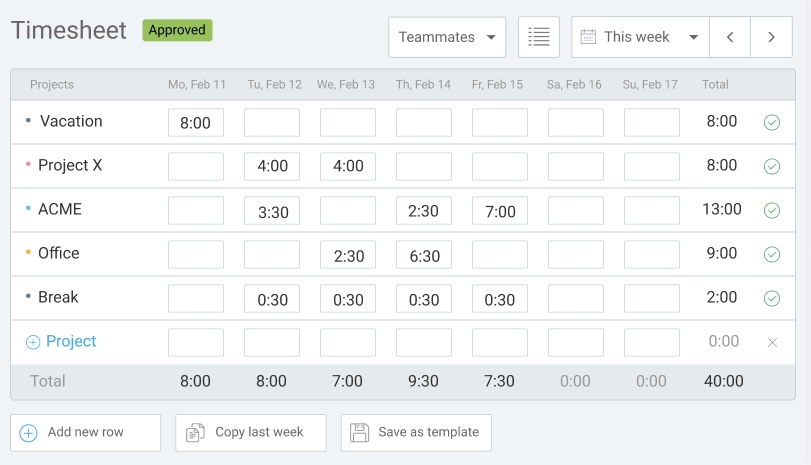
Clockify is a free, cloud-based agency time tracking software that helps individuals and businesses manage work hours, track billable time, and simplify client invoicing. But its real strength lies in its seamless project management integration. Break work into projects, assign tasks, and track real-time progress in one place.
Its timesheets provide a structured view of work hours across projects. You can approve timesheets, analyze work patterns, and even set reminders for accurate time logs.
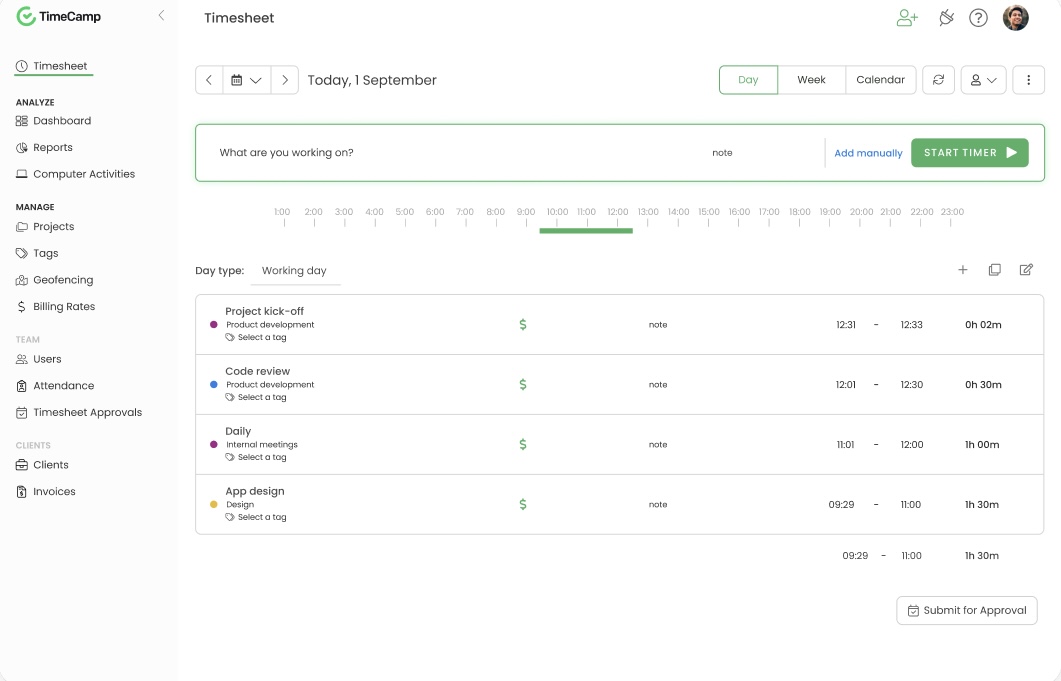
TimeCamp is a web-based time-billing software designed for freelancers and teams. It automates time tracking, simplifies invoicing, and streamlines project management.
With its automatic time-to-invoice conversion, you can ensure accurate billing without any hassle. Plus, its reporting features offer insights into productivity, project progress, and time-draining tasks, making budgeting and resource allocation easier.
The initial setup can take a little time, and some of the settings are not the most intuitive, but once it’s set up, the time tracking becomes pretty much hands-off.
🔍 Did You Know? The first time clock was invented by Willard Bundy in 1888, marking a shift toward tracking work hours systematically. Employees would punch cards to record their working hours, a precursor to modern time-tracking systems.
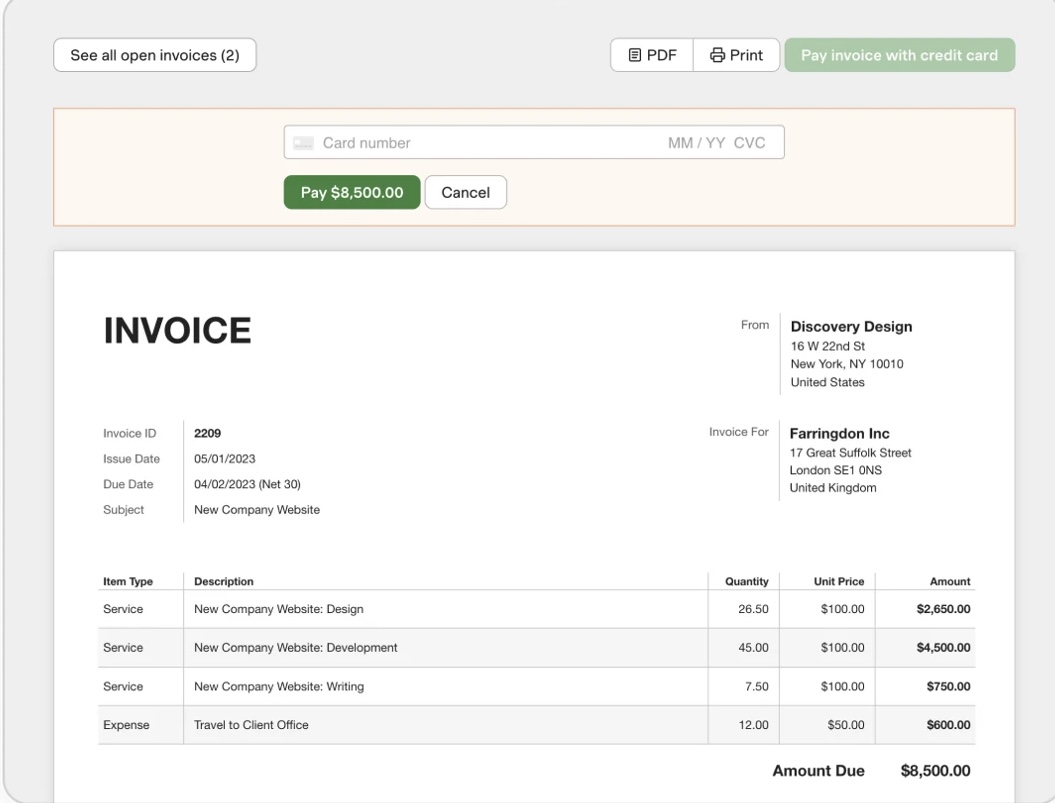
Need a simple, hands-off way to track time spent on tasks and projects and manage budgets? Harvest has you covered.
It seamlessly tracks billable and non-billable hours and converts them into client-ready invoices in just a few clicks. Clients can pay directly through Harvest, and automatic reminders prevent missed payments.
It’s also easy to set fixed or hourly project budgets and get alerts before you exceed limits. With its QuickBooks and Xero integrations, your financials stay up to date.
🧠 Fun Fact: Sundials and water clocks were among the earliest tools for measuring time. Sundials date back to ancient Egypt, while water clocks were used by the Egyptians, the Babylonians, the Greeks, and the Chinese alike.
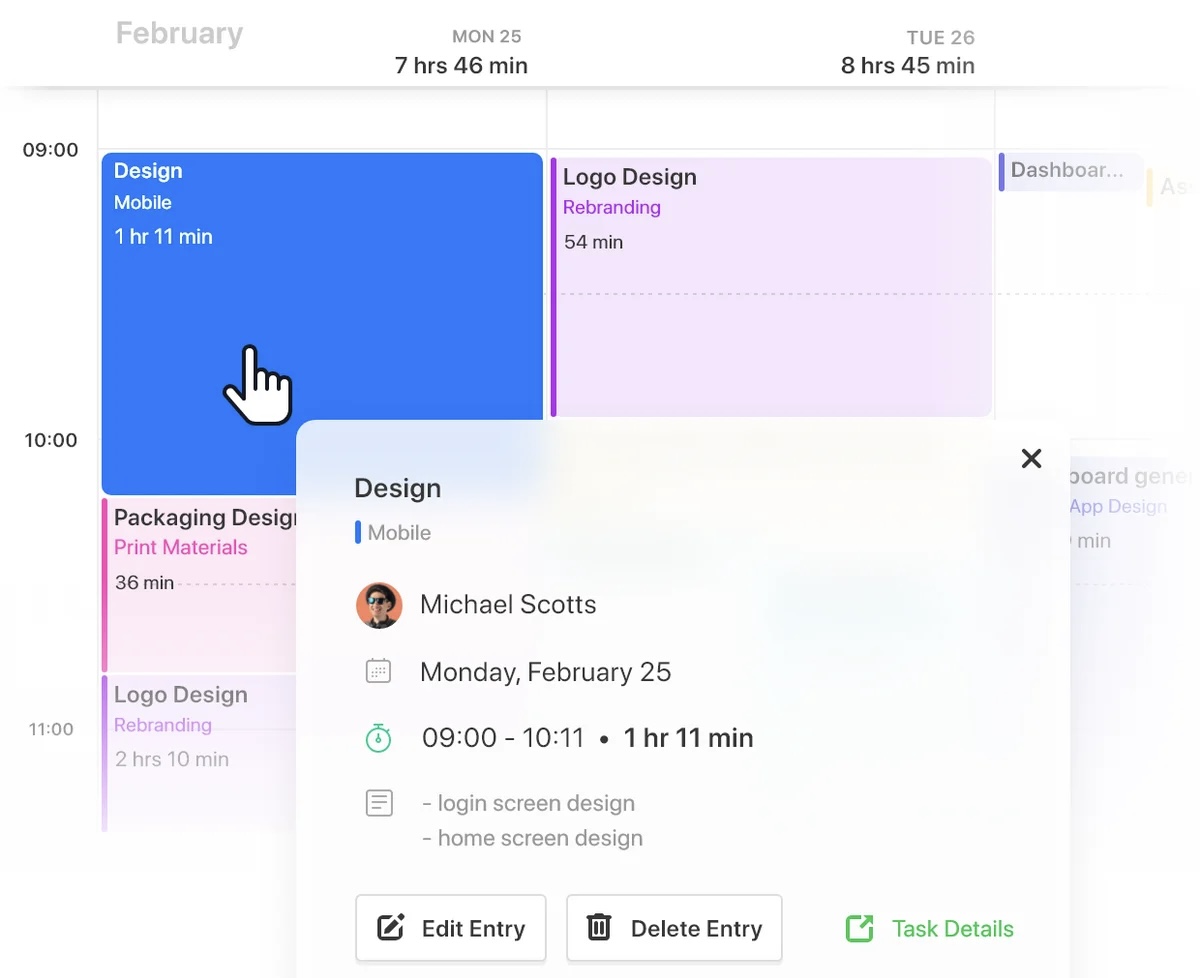
Paymo is an online work management platform designed for small businesses and teams of up to 20 people. It allows users to manage tasks, create team schedules, track work time, and bill clients.
Real-time, automatic time tracking ensures no billable hour goes unaccounted for. Prefer manual entry? Use bulk or interval tracking for flexibility. Seeking a Timely alternative? Paymo combines task management, project management features, scheduling, and invoicing in one place, helping you stay organized and on top of client billing.
It saves me time, especially with invoicing, I use it daily for my work. It feels a bit unfriendly at time when I get to the website. Many tabs, some missing options unless I upgrade to the most costly version. But overall indispensable.
💡 Pro Tip: Ask your employees to develop a habit of consistently logging their time. This can be done in real time or at regular intervals throughout the day. Accurate records provide valuable insights into how time is allocated.
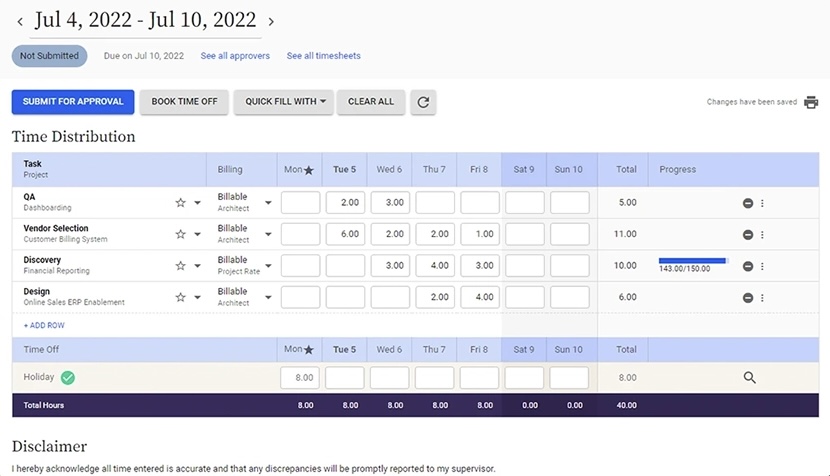
Replicon is a Calgary-based software-as-a-service (SaaS) company specializing in time tracking, project management, and professional services automation solutions. AI-driven tracking allows the timesheet app to effortlessly capture everything you need.
What’s more, timesheets are pre-filled based on captured data, reducing errors and saving precious minutes. You can simply review and submit them, streamlining compliance and admin work.
🔍 Did You Know? The time tracking software market size was valued at $5.23 billion in 2023 and is projected to grow to $12.3 billion by 2030. This means it grows at a compound annual growth rate of 14.49% during the forecast period from 2024 to 2030.
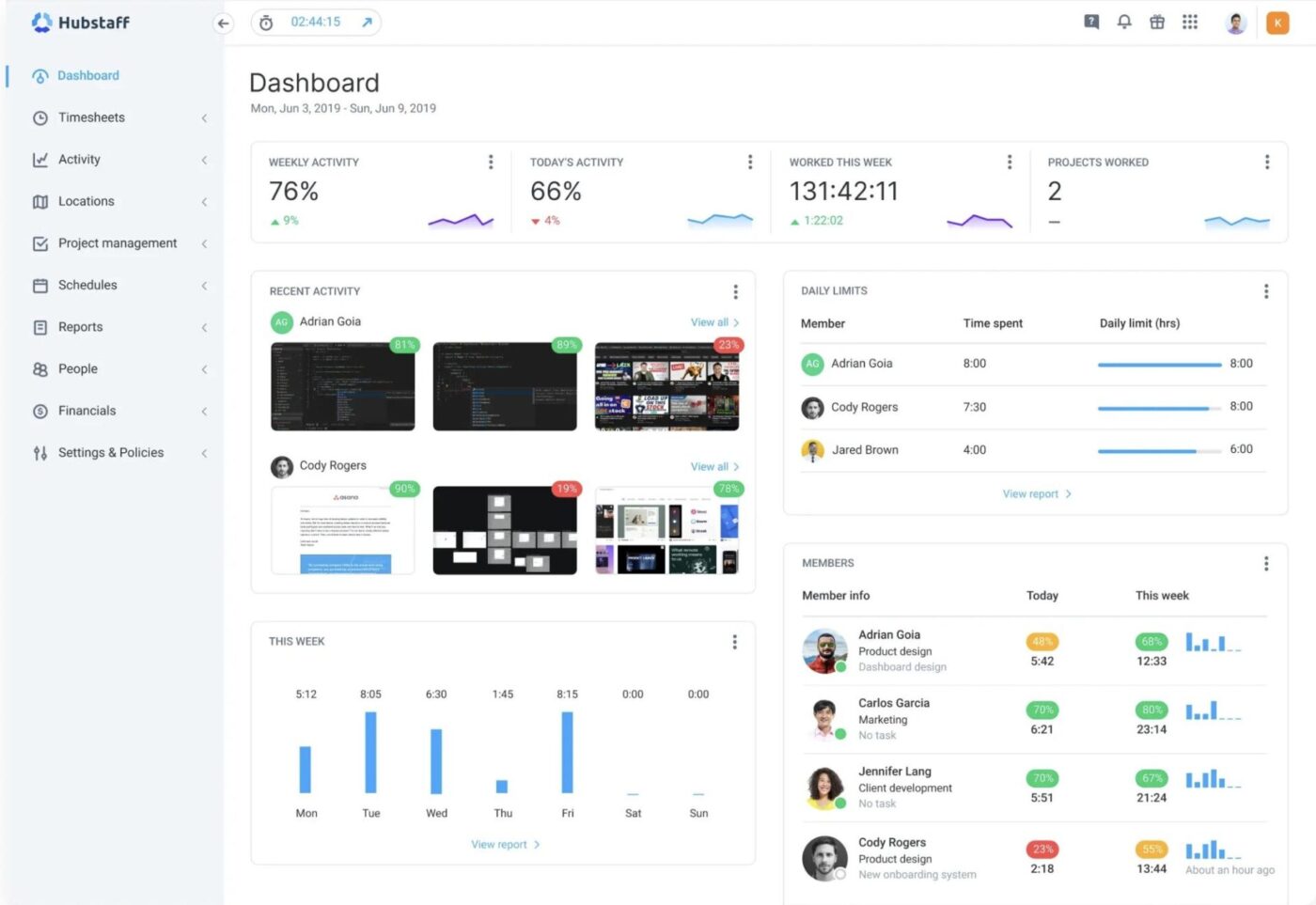
Hubstaff’s time tracking software is built for accuracy and efficiency. Geofencing ensures you log time only at designated job sites, preventing errors and buddy punching. The built-in clock app makes it easy to track work hours, attendance, and breaks from any device.
For consultants managing multiple clients, Hubstaff automates invoicing, turning tracked hours into detailed, client-ready invoices with customizable rates so billing stays clear.
I’m not sure if there’s something I like best. I think the product itself could be great if it had more development. It works when it wants to. The location geo tracking is…subpar and when we reach out they say it’s an US issue. There’s very little accountability.
📖 Also Read: Must-Try Google Timesheet Templates
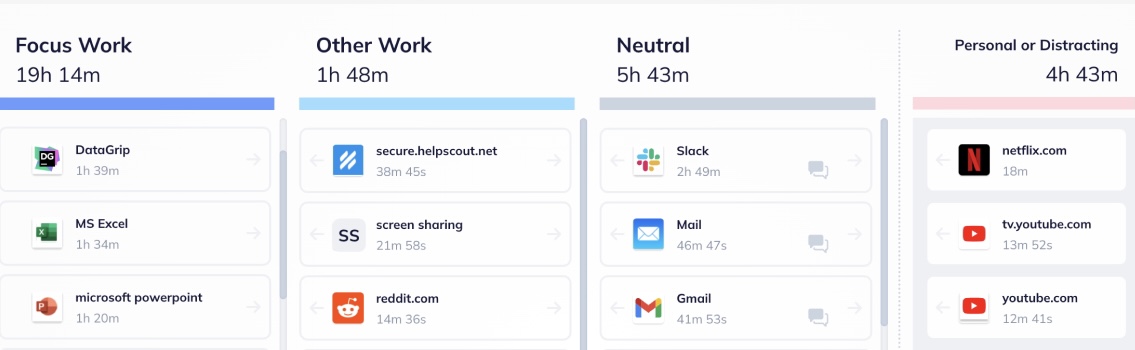
RescueTime helps consultants and teams take control of their time with automatic tracking, productivity insights, and distraction management. Detailed reports break down client work vs. non-billable time, helping you spot inefficiencies and optimize your schedule.
Need to stay focused? Set goals, block distractions, and receive real-time alerts to improve work habits. Calendar integrations ensure every meeting is logged, making managing workload easier and boosting productivity.
🔍 Did You Know? Running just 10 minutes late every day might not seem like a big deal, but over a year, that time adds up fast! With the average U.S. wage at $35.87 per hour, those small delays could cost a business roughly $1,542 per employee per year. That’s a hefty price for a few lost minutes.
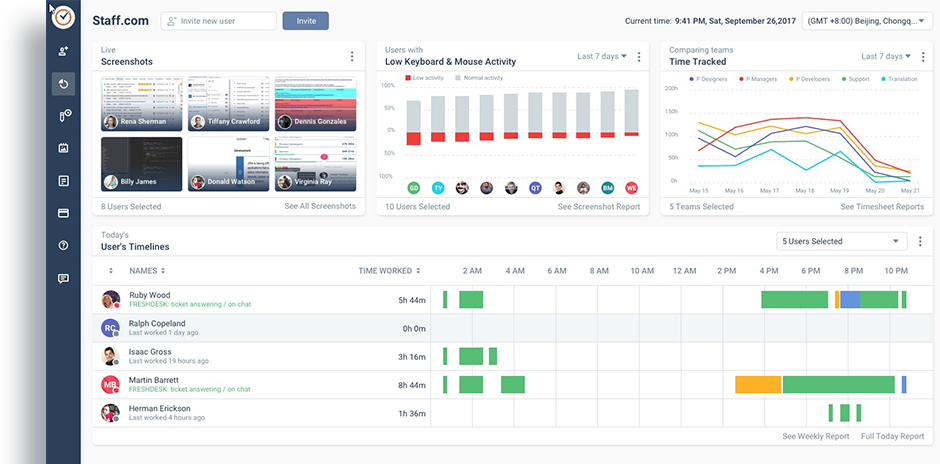
Time Doctor makes tracking billable hours effortless with real-time monitoring and detailed productivity insights.
With manual and silent tracking on desktop and mobile, every minute is logged accurately for seamless invoicing. Productivity reports break down time spent on various apps and websites, helping you identify inefficiencies and improve focus.
I like how easily you can access your team’s timeline through different reports (Excel and PDF). As well, how you can categorize the Productive or Non-Productive apps and websites so your team spends time on what it’s related to their role.
The idle time is not very accurate if it’s because they are non-productive or because they are on a call.
🤝 Friendly Reminder: Periodically assess time tracking data to identify patterns, inefficiencies, and opportunities for optimization. This analysis informs adjustments to your team’s workflow and enhances productivity.
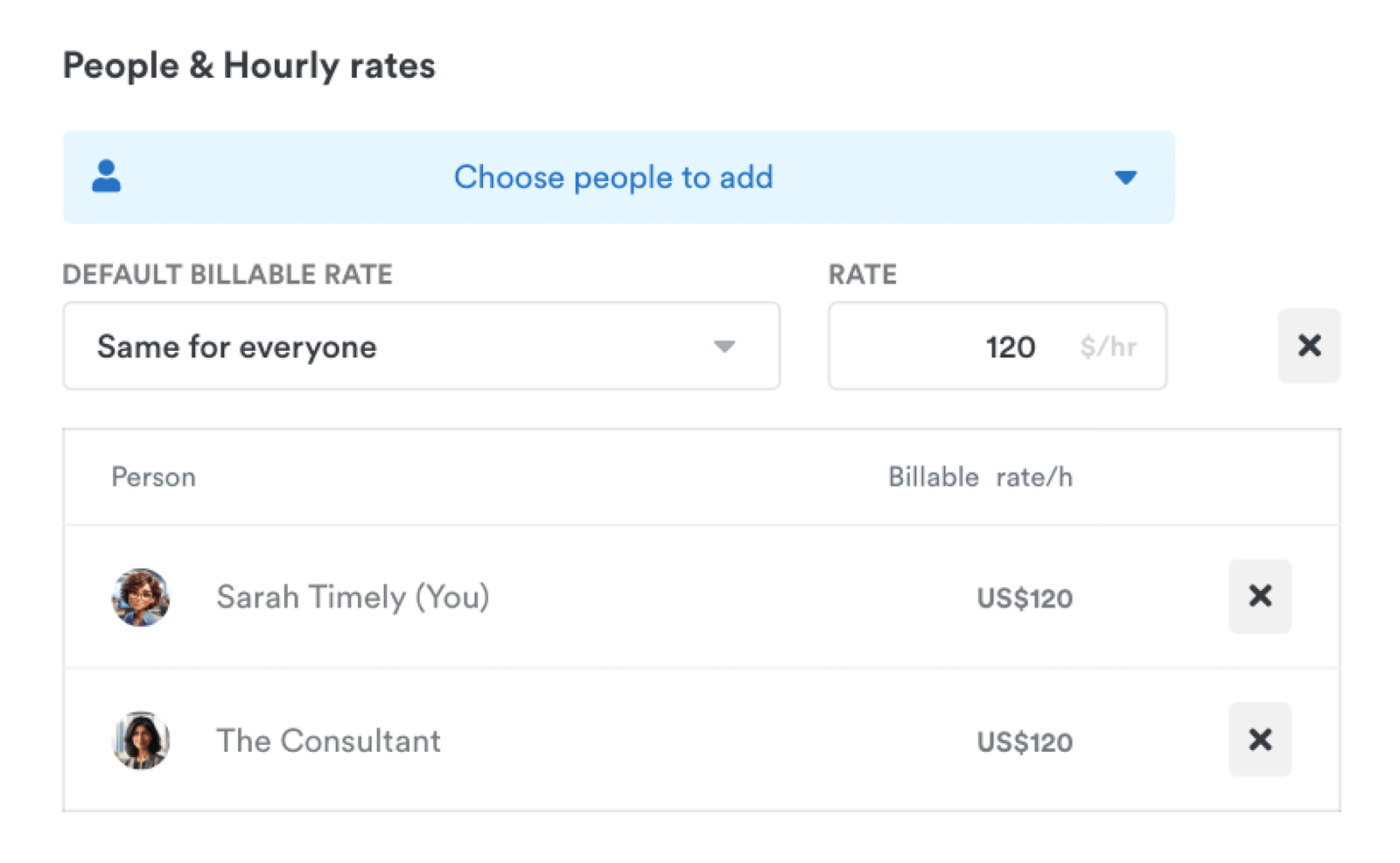
Timely eliminates manual time tracking with AI-powered automation that quietly runs in the background, capturing every billable minute without needing to start timers manually.
Its automated timesheets make reviewing and submitting time effortless. The system learns work patterns, pre-fills logs, and reduces admin overhead while ensuring accuracy. Just review, approve, and send the timesheet for invoicing or payroll processing!
You can also generate detailed reports for invoicing, productivity insights, and budgeting using its built-in time tracking templates.
🔍 Did You Know? Time theft isn’t just an employee issue—it affects consultants too! Losing track of billable hours or rounding up time can impact revenue. The right time-tracking software helps you stay accurate, optimize workflows, and seamlessly integrate with your existing tools.
Time is money, especially for consultants. The right time-tracking app ensures you capture every billable hour, stay organized, and make data-driven decisions to improve your workflow.
Though every tool on this list offers something unique, ClickUp, the everything app for work, stands out as an all-in-one solution with a user-friendly interface.
With ClickUp’s built-in time tracking, you can log hours effortlessly, set estimates, conduct expense tracking, and generate detailed reports to analyze productivity. Plus, its automations and seamless integrations with other project management tools ensure accurate timekeeping without workflow disruptions.
Sign up for ClickUp for free today! ✅
© 2025 ClickUp