
PMP Preparation Strategies: How to Pass the PMP Exam on Your First Try

Sorry, there were no results found for “”
Sorry, there were no results found for “”
Sorry, there were no results found for “”
You know the Project Management Professional (PMP) certification exam is tough. The questions are detailed, the topics are broad, and there’s a lot riding on your preparation.
Winging it isn’t an option, and memorizing everything word for word won’t help when faced with complex, real-world scenarios.
What does work? Preparation strategies that play to your strengths, keep you focused, and help you tackle the exam with confidence.
Let’s break down PMP preparation strategies that will set you up for success. ✅
Passing the PMP exam requires a structured study plan, practical resources, and strategic preparation.
Follow these steps to boost your chances of success:
ClickUp streamlines PMP exam preparation with:
The Project Management Professional (PMP) certification validates expertise in managing projects, leading teams, and driving results. It holds global recognition and increases career prospects in various industries. Employers value PMP-certified professionals for their ability to handle complex projects efficiently.
🔍 Did You Know? PMPs earn more. Certified project managers report earning up to 33% more than their non-certified peers, making it one of the most financially rewarding certifications.
The PMP exam assesses project management knowledge across three key domains:
The test includes 180 multiple-choice questions, covering scenario-based, multiple-response, and hotspot questions. Candidates must complete the exam in 230 minutes, with two scheduled breaks.
Passing scores are not fixed.
The Project Management Institute (PMI) uses a psychometric analysis to determine results, factoring in question difficulty. A strong grasp of the Project Management Body of Knowledge (PMBOK®) Guide and Agile principles significantly improves success rates.
Meeting PMP eligibility criteria requires a mix of education and project management experience.
Candidates must fulfill one of these two conditions:
The application process involves creating an account on the PMI website, submitting details on education and work experience, and paying the exam fee. Once approved, candidates have one year to schedule and attempt the exam.
🧠 Fun Fact: PMP wasn’t always digital. When it launched in 1984, candidates had to take a paper-based exam—no online scheduling, no Pearson VUE, just old-school bubble sheets.
Going into PMP prep without a plan? Bold move. But unless you enjoy last-minute stress and information overload, a smarter approach will save you a lot of trouble.
Let’s get into the best ways to make studying easier (and less painful). 📚
Reading a few chapters and hoping for the best is a recipe for stress. A study plan keeps everything organized and ensures steady progress. Writing ‘study risk management’ on your to-do list won’t help much—breaking it into specific tasks will.
Focus on one concept at a time, like risk response strategies or probability-impact analysis, and set deadlines to stay on track.
To make your study plan more effective:
Consistency matters. A well-paced plan helps retain information better than long, intense study sessions.
🧠 Fun Fact: The ‘spacing effect’ is great for exam prep. Your brain retains more when you study in short, spaced-out sessions rather than one long cram session.
No single resource covers everything you need for the PMP exam. The PMBOK Guide provides the official framework, but relying on it alone can make studying harder than it needs to be.
Here’s how to build a well-rounded study approach:
🔍 Did You Know? Writing notes by hand helps you remember better. Studies show that handwriting notes instead of typing improves comprehension and recall—your brain processes information more deeply.
Answering PMP-style questions under timed conditions helps build accuracy, confidence, and endurance. Regular practice tests highlight weak areas, refine test-taking strategies, and improve time management.
Here’s how to make the most of your practice tests:
Studying alone has its limits. Joining a PMP study group or online community connects you with others preparing for the exam, making the process more engaging and productive.
Talking through concepts helps solidify your understanding, and hearing how others approach tricky topics can give you insights you wouldn’t get from studying alone. Online spaces like LinkedIn, Reddit, and PMI forums are packed with study tips, shared resources, and real-world experiences from people who’ve already passed the exam.
Plus, accountability goes a long way—knowing you have a session coming up makes it easier to stay consistent.
📖 Also Read: Key Steps in the Project Lifecycle Process
Strong preparation must be paired with smart test-taking strategies. Managing time efficiently and handling tricky questions improves overall performance.
Here are some tips that will help:
ClickUp, the everything app for work, transforms PMP exam preparation into a structured and stress-free process.
A clear study plan, organized materials, and progress tracking can make all the difference. ClickUp brings all these elements together in one place, so every study session moves you forward.
Let’s explore. 💪🏼
The PMP syllabus covers different types of project management, and without a structured plan, it’s easy to fall behind. ClickUp turns study topics into manageable tasks, making it easier to stay on track.
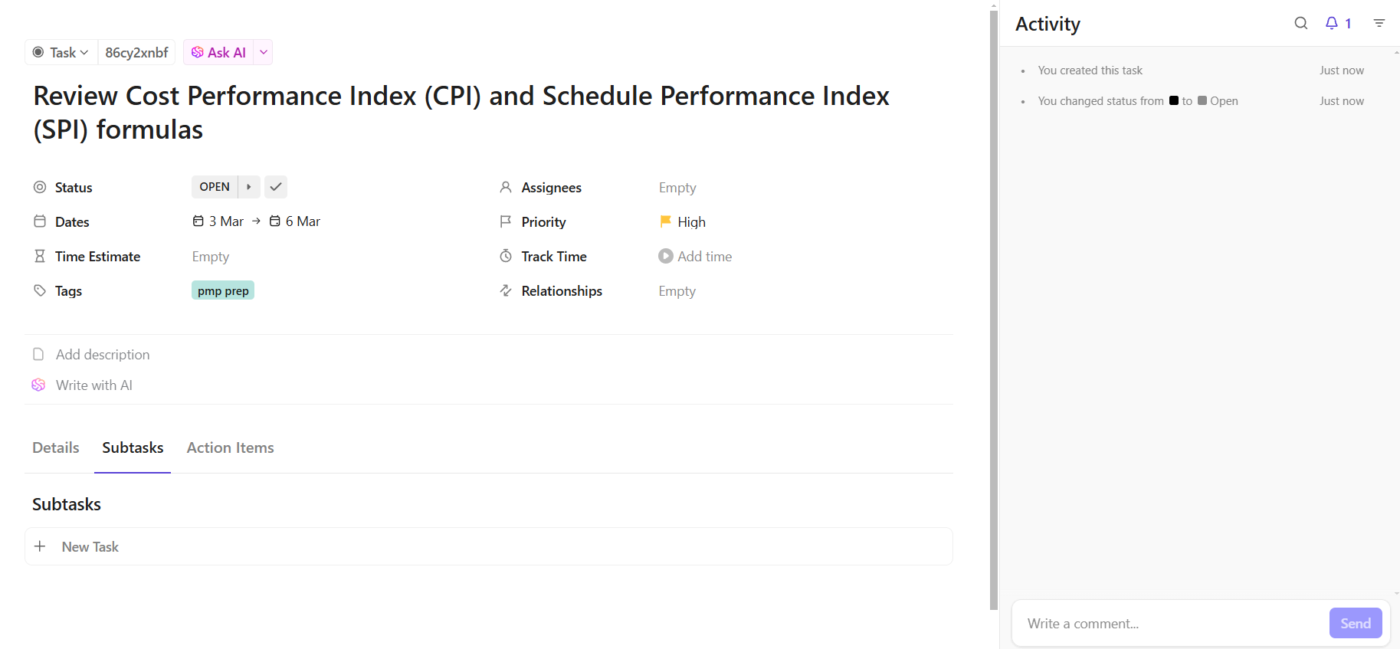
ClickUp Tasks help structure your study plan, ensuring every topic gets covered. ClickUp Custom Fields lets you categorize topics based on difficulty or knowledge area, while ClickUp Task Priorities helps focus on critical concepts first.
Example: Suppose you need to study cost management this week as part of your PMP preparation.
Create a task called ‘Review Cost Performance Index (CPI) and Schedule Performance Index (SPI) formulas’ in ClickUp. Add a Custom Field labeled ‘PMP Knowledge Area’ and set it to ‘Project Cost Management.’ Assign a high priority to keep it visible in your study plan.
Set a due date before your next practice test and link related tasks, such as ‘Solve earned value management (EVM) questions,’ to maintain a structured workflow.
🔍 Did You Know? Agile wasn’t always part of PMP. Despite Agile’s popularity today, PMP focused mostly on traditional project management until newer editions integrated Agile and hybrid approaches.
Scattered notes and endless tabs slow down revision. A well-organized knowledge base saves time and keeps everything within reach.
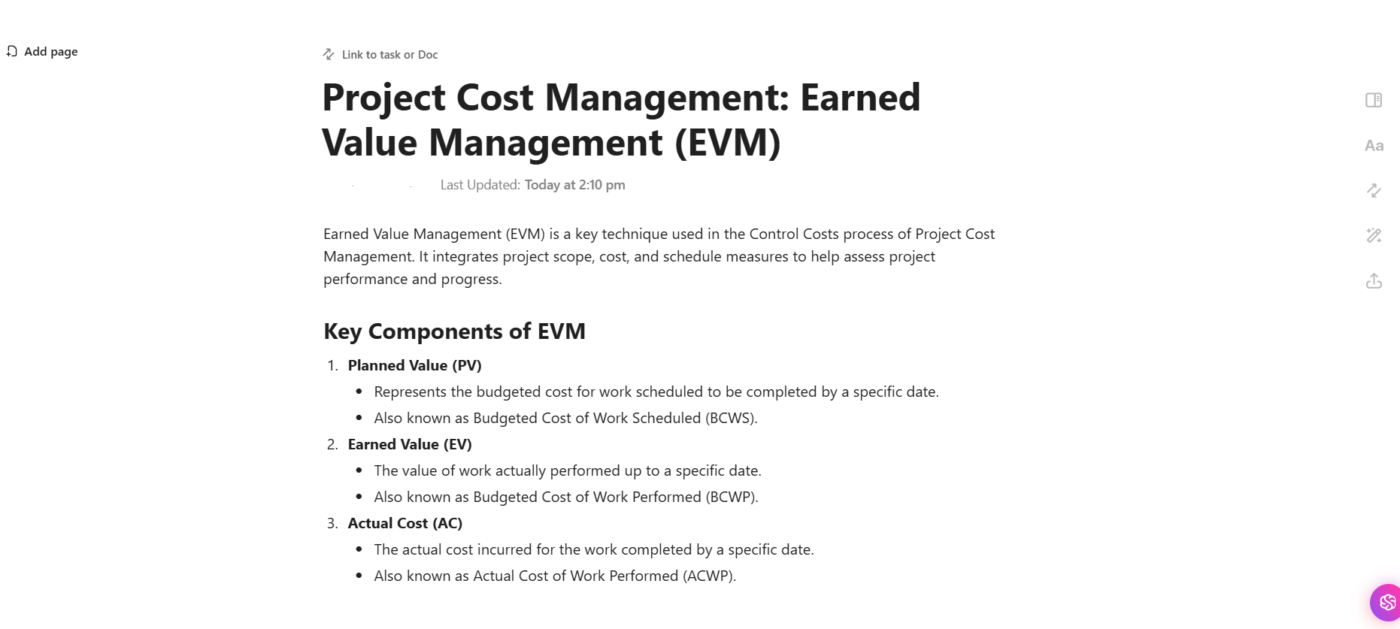
ClickUp Docs provides a centralized space to store key concepts, summaries, and study materials in a structured, searchable format. It allows you to create topic-specific sections, format notes for better readability, and link-related content for quick reference.
ClickUp Brain takes this further, making knowledge retrieval effortless. It’s an integrated AI-powered assistant designed to simplify work by providing instant access to knowledge, generating content, and automating repetitive tasks.
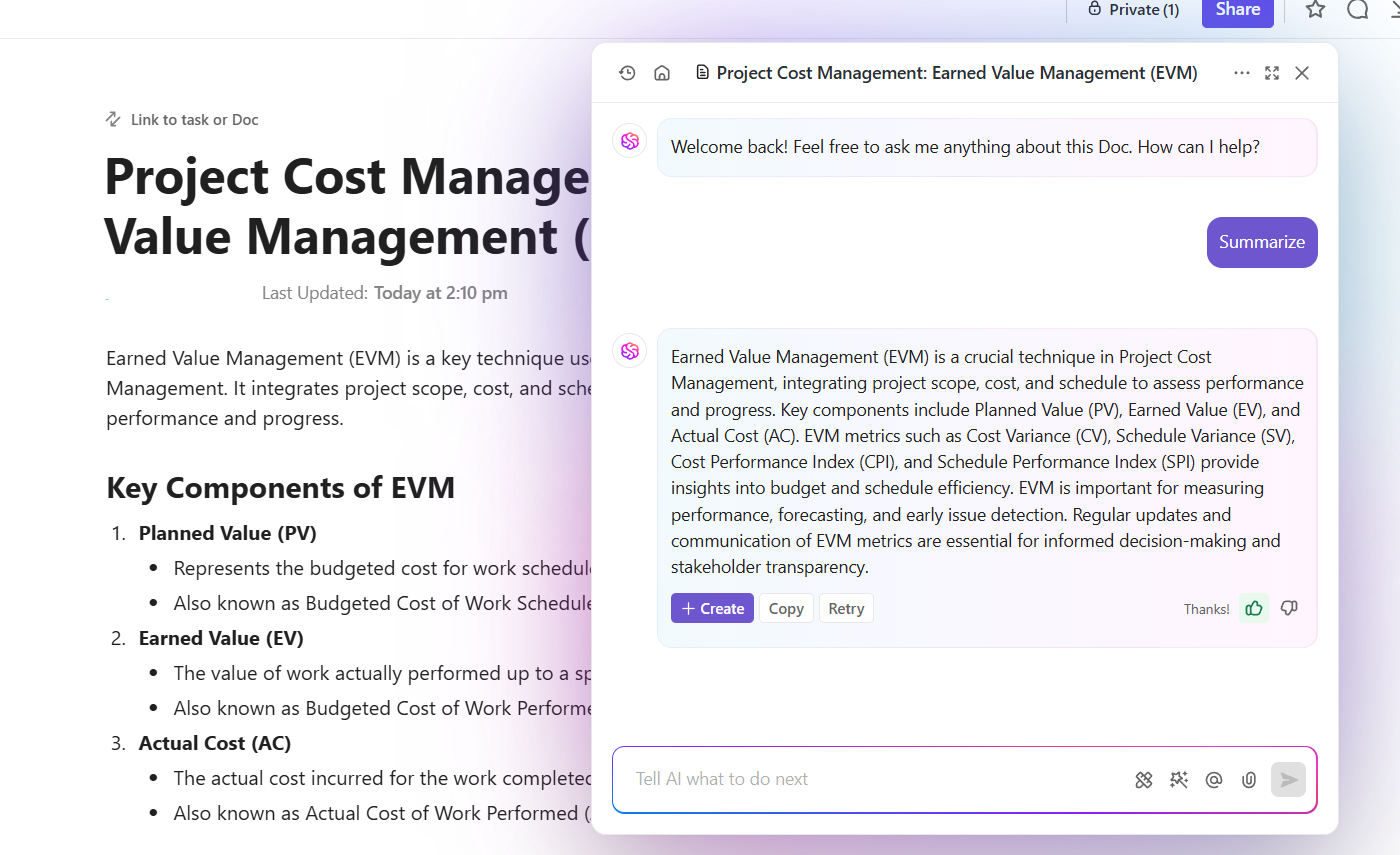
You can ask specific questions in natural language, making it easy to retrieve specific details. The feature is also an efficient AI document summarizer that can draft explanations for complex topics.
Let’s say you’re reviewing a complex framework and need a quick recap of a related concept.
Instead of searching manually, type your query into ClickUp Brain. It instantly pulls up definitions, project management examples, and key takeaways from your saved notes. If a summary is needed, ClickUp Brain condenses long explanations into concise, digestible insights, making revision more efficient.
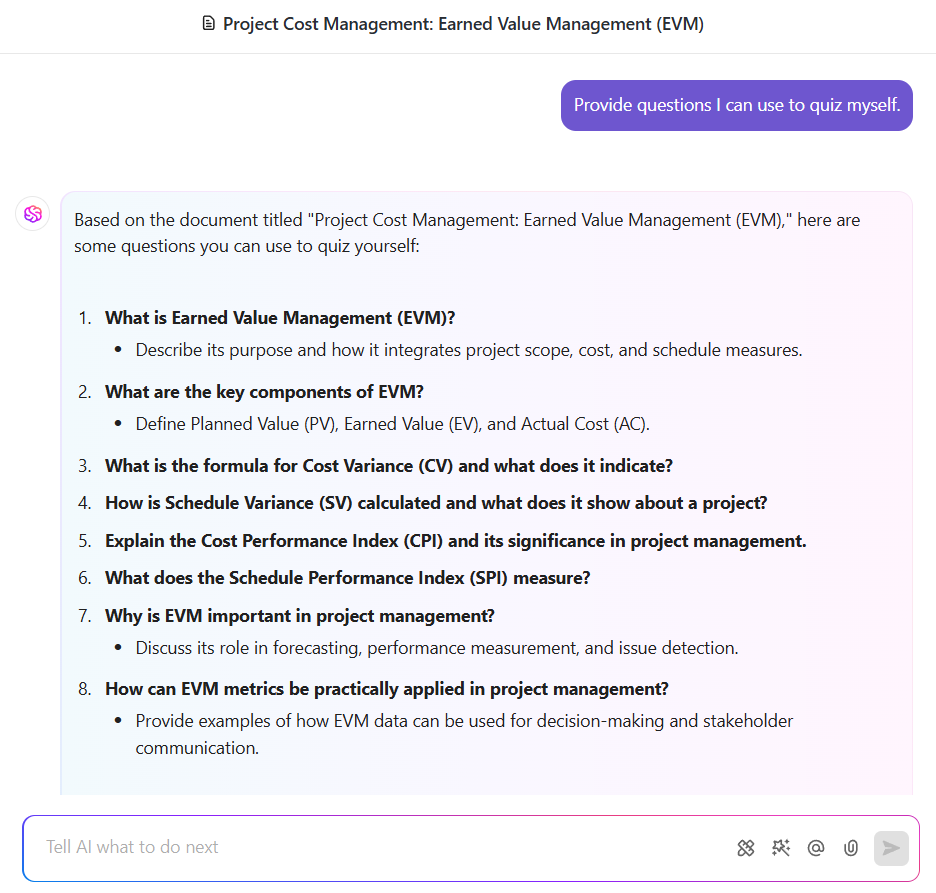
The AI also helps structure study materials. If notes feel disorganized, ask it to format them into bullet points, create a study checklist, or even generate potential quiz questions. These capabilities make it easier to absorb information and reinforce learning.
Important insights can come up during a lecture, while reading, or even mid-conversation. Having a space to capture these ideas instantly helps keep valuable information from slipping away.
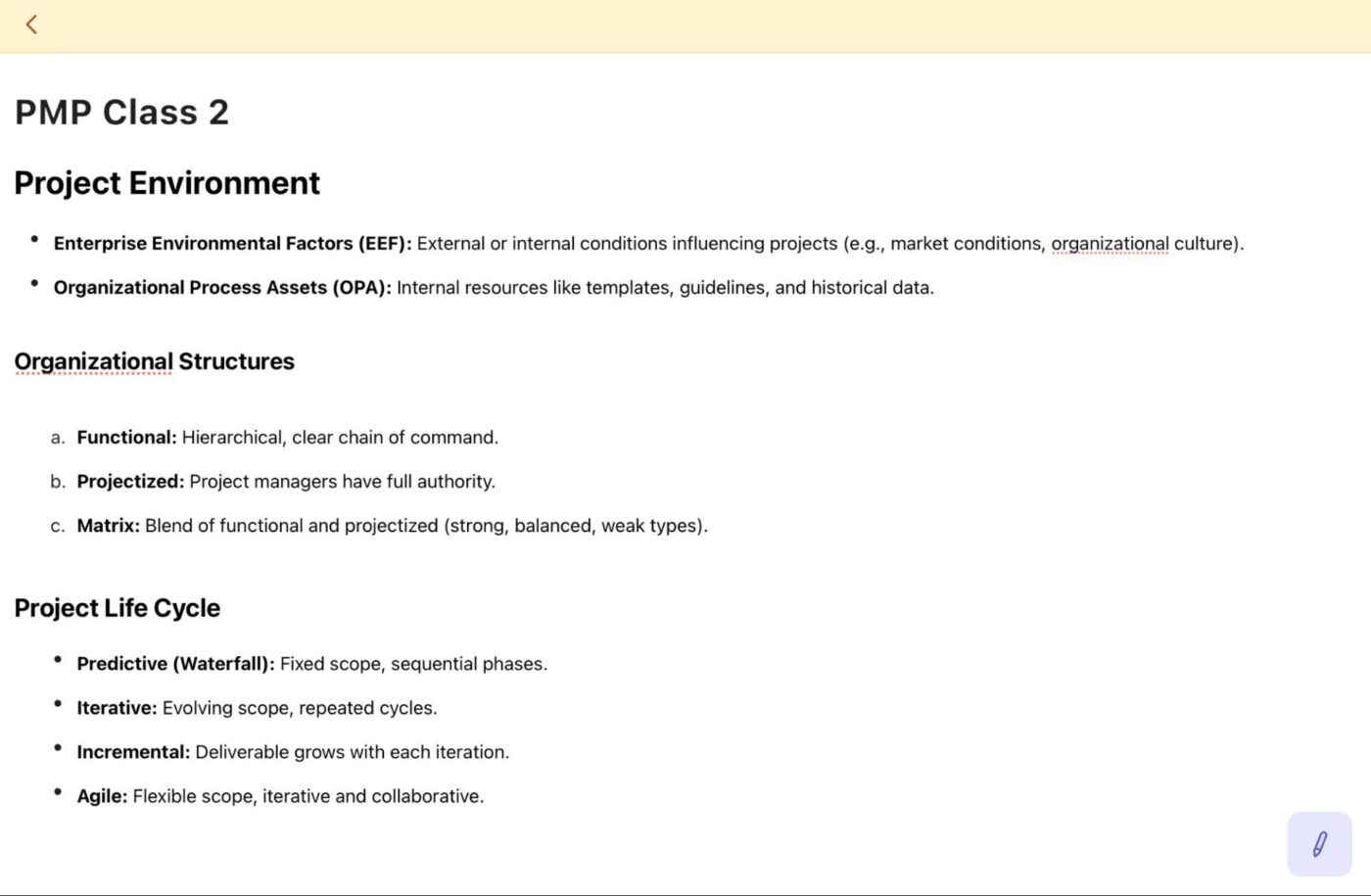
ClickUp Notepad provides a simple way to jot down quick thoughts, key takeaways, and on-the-go study notes.
Notes stay accessible across devices, so nothing gets lost. Once refined, notes can be transferred to Docs for structured organization.
For instance, you’re watching a lecture and hear a unique way to remember a key concept. Open Notepad, type it in, and later organize it under the relevant section in Docs. This way, all important insights are captured and easy to find when needed.
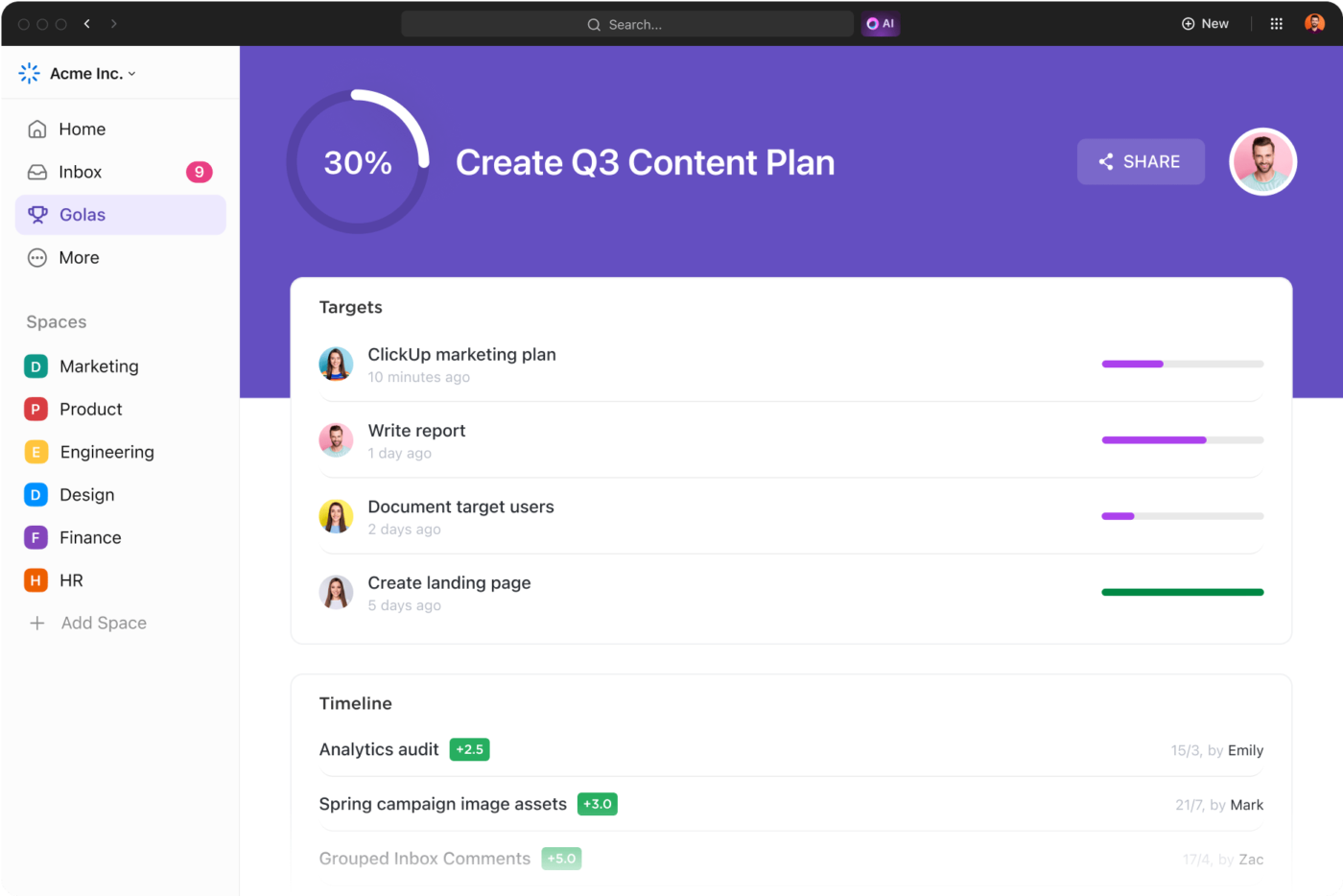
ClickUp Goals transforms the software into a goal-tracking app. It helps track study progress, ensuring every step moves you closer to the final objective.
Set clear goals based on study milestones—whether it’s completing practice questions, mastering a topic, or finishing a set of revisions. As tasks are completed, ClickUp updates progress automatically, visualizing how much has been accomplished.
For example, say you want to complete a set of study modules before a deadline. Set a Goal, break it into measurable targets, and track progress as you check off each module. The system keeps everything visible, so you always know how much is left and what needs attention.
Memorizing information is not enough. Understanding how concepts connect makes learning more effective.
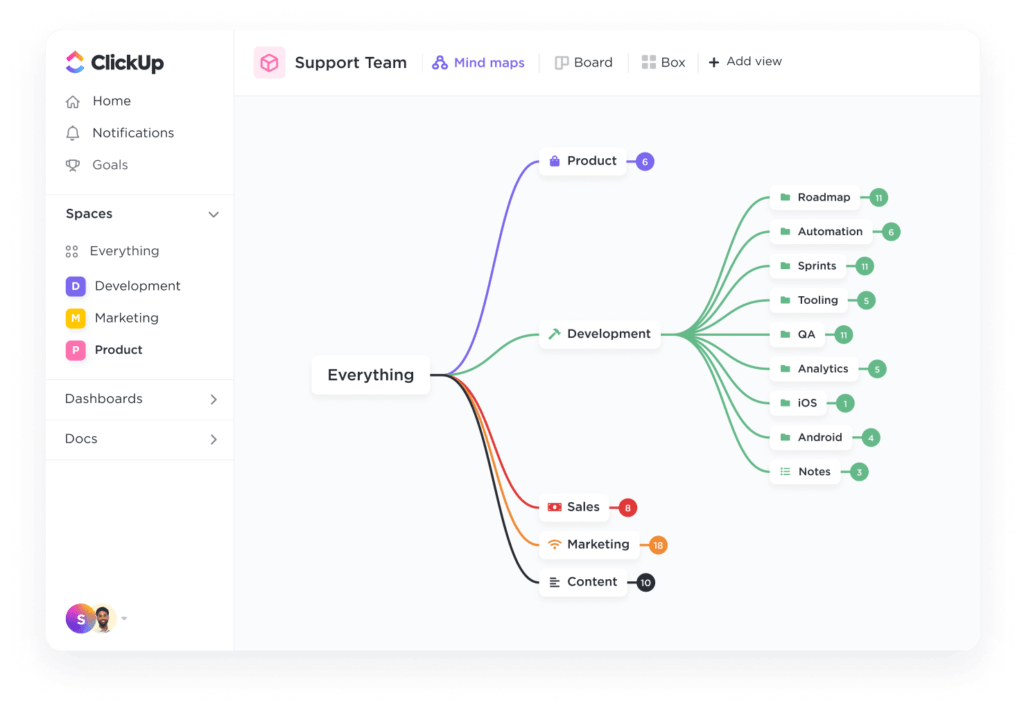
ClickUp Mind Maps provide a visual way to link ideas, helping with recall and deeper comprehension. Use Mind Maps to create structured relationships between topics, PMBOK knowledge areas, and key principles. This makes it easier to see patterns and build a strong mental framework for the exam.
Example: Suppose you’re studying a broad topic with multiple interconnected ideas. Create a Mind Map to outline key concepts, drawing links between related areas. This visual structure helps reinforce connections, making recall easier during study sessions.
Some concepts are best understood through diagrams, workflows, and visual mapping. ClickUp Whiteboards make it easy to create flowcharts and study plans that bring clarity to complex topics.
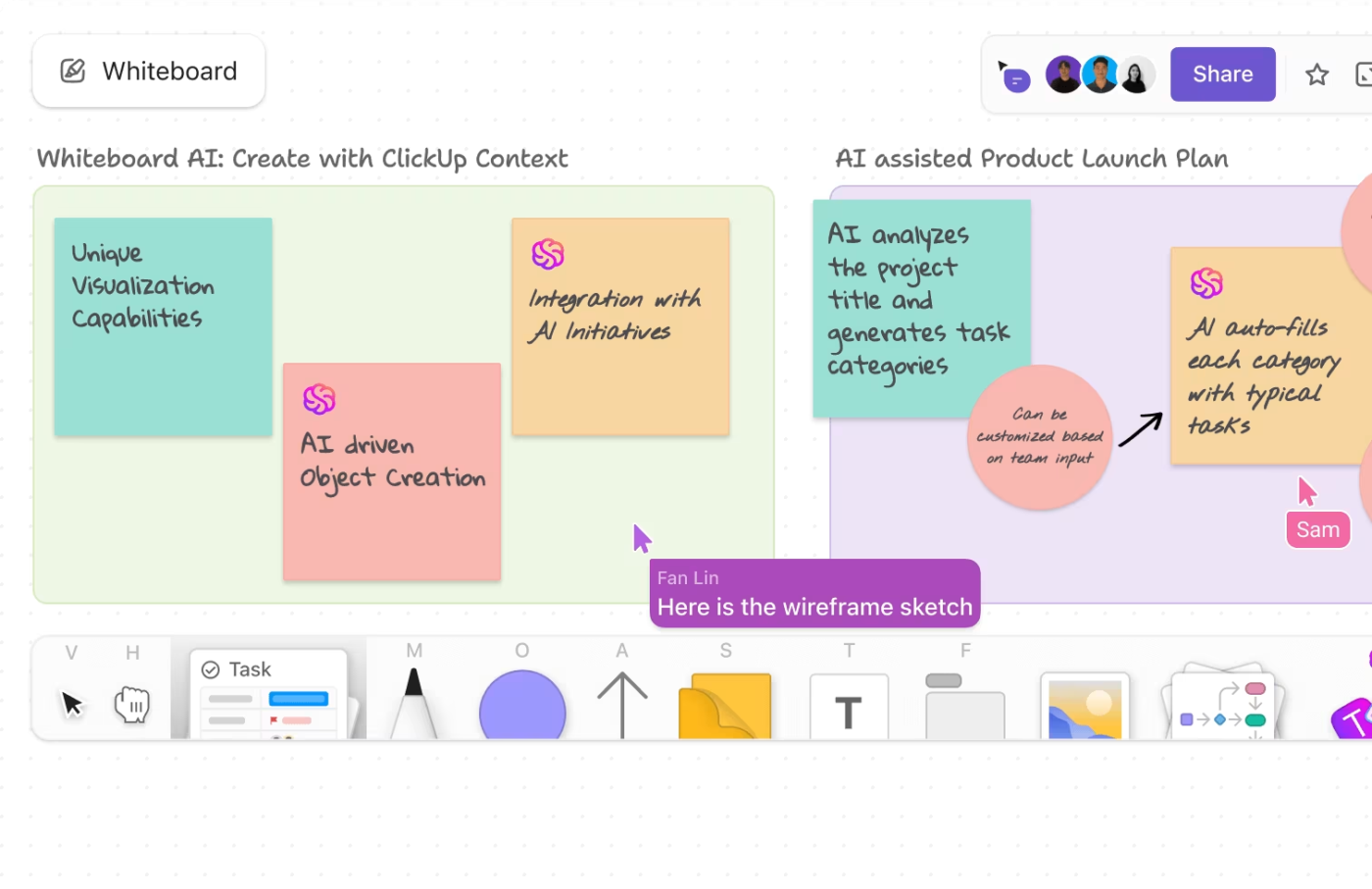
They help lay out study strategies, map key frameworks, and break down relationships between concepts. Drag and drop elements to build a structured view, making it easier to absorb information.
For example, you can create a Whiteboard and map out each knowledge area—like Scope, Cost, and Risk Management—branching them into subtopics. Add sticky notes for key formulas, definitions, and study priorities. Connect related topics to see how everything ties together at a glance.
🔍 Did You Know? Studying in different locations boosts memory. Changing your study environment helps your brain form stronger associations, making it easier to recall information later.
Even the best study plans can fall apart without consistent follow-through. Keeping track of deadlines and upcoming study sessions is crucial for maintaining momentum.
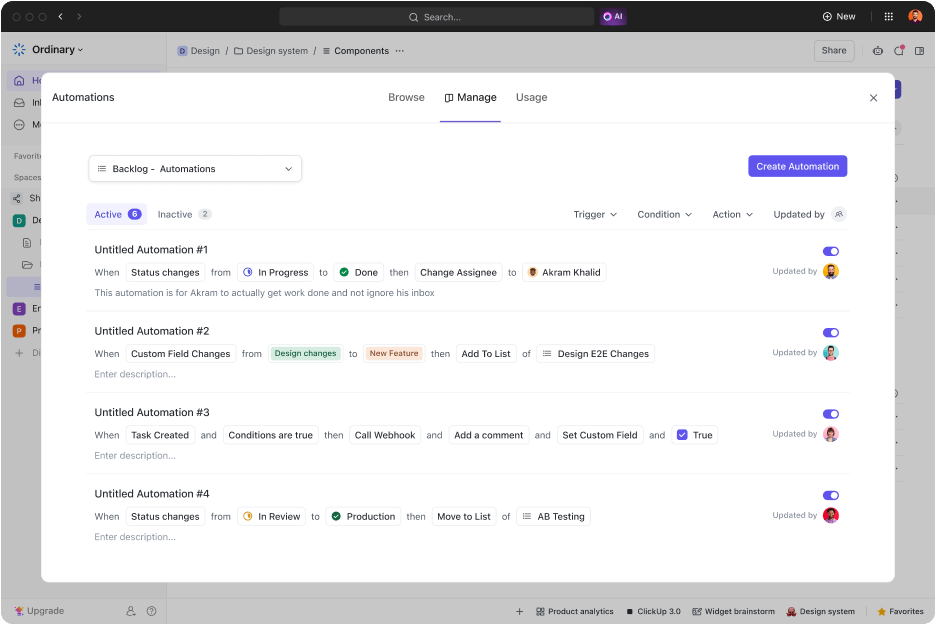
ClickUp Automation reinforces study habits and keeps everything on track.
Set automated ClickUp Reminders for scheduled study sessions, practice tests, and important deadlines. Automations can also update task statuses or send notifications when milestones are reached.
If you have a study session planned for the evening, set a Reminder to notify you an hour before. Pair it with an Automation that updates the session to ‘In Progress’ when it starts. This simple setup keeps you on track and accountable without relying on memory.
🧠 Fun Fact: Teaching someone else helps you learn. The Feynman Technique suggests that explaining a concept in simple terms strengthens your understanding better than rereading notes.
You did it—PMP certified and ready to take on the world! But what happens next?
Earning the certification is just the beginning. Now it’s time to put your new credentials to use. Let’s see how. 👀
PMI requires certified professionals to earn 60 Professional Development Units (PDUs) every three years to maintain active status. PDUs reflect ongoing learning and contribution to the project management field.
You should:
Failing to meet PDU requirements results in certification suspension and eventual expiration. Staying proactive prevents complications when renewing the credential.
🧠 Fun Fact: Project managers have their own holiday. International Project Management Day is celebrated on the first Thursday of November, recognizing PMs’ work across industries.
Practical experience strengthens understanding of PMP concepts and improves leadership skills. Using structured frameworks, risk management techniques, and Agile principles enhances project execution.
It’s important to:
Project management certification alone does not guarantee success. Practical application builds credibility and reinforces expertise.
🔍 Did You Know? Highlighting isn’t the best study method. It feels productive, but research shows active recall—like testing yourself—is far more effective for long-term learning.
Your PMP certification boosts your credibility—let it work for you. Update your resume to highlight it under certifications and add it to your LinkedIn headline. Many recruiters filter job searches based on PMP certification, so optimizing your profile increases visibility.
If you’re active on professional platforms like PMI’s directory or industry-specific job boards, update those too.
📖 Also Read: Top Agile Project Management Certifications
Passing the PMP exam requires a solid plan, consistent effort, and the right tools. Many candidates struggle to stay organized, manage study materials, and track progress effectively.
ClickUp simplifies the process.
Plan your study schedule with Tasks, set milestones with Goals, store key concepts in Docs, and stay on top of deadlines with Reminders.
With everything in one place, you can focus on studying without the chaos of scattered notes and missed deadlines.
Sign up for ClickUp today!
© 2025 ClickUp



