


When you sit down to send out an effective meeting invitation email, that blank message box can be a little intimidating. There are a lot of logistical details to get just right, from the video meeting links and the start times to a well-organized meeting agenda.
But you also want to set the right tone: not too casual, not too ominous, but also not frivolous.
Getting it just right ensures everyone shows up on time and prepared to get down to business—it also means attendees are less likely to bump your meeting if there’s a conflict.
This guide is your action plan for creating an effective email meeting invite every single time. We’ll give you some examples to start with, and you’ll walk away with a checklist of what to include so you can refine those examples into exactly what you need for any business meeting. 🏅
How to Craft Effective Email Meeting Invites to Your Team

 Summarize this article for me please
Why Is a Good Meeting Invite Important?
Don’t let a meeting invite become an afterthought. They set the tone for the meeting and should be a resource hub for everything attendees need to prepare for and contribute during the meeting. When you craft a solid email meeting invite, it’s a win-win for everyone involved:
- It’s easy for people to show up—on time: Include the video meeting link or physical location, the date and time, and any passwords or details people need to get in the room—and make them easy to see. This cuts down on questions, delays, and no-shows. Even better, you don’t have those awkward five minutes of idle chit-chat as you wait for everyone to show up
- Everyone knows what the meeting is about: Whether you have an objective or a well-organized meeting agenda, an effective email meeting invite tells everyone what the meeting is about. This makes it easy to keep the whole event on track and stop a derailing in its tracks. Also, if people need to show up with prep work down, a clear invite keeps everyone accountable
- Look like the professional you are: Clients will know you’re a professional who is on top of things, coworkers will know you mean business, and people on all levels of the org chart will know your meetings matter
Just because meeting invites are foundational doesn’t mean you should have to spend a lot of time on them. Now that we’re on the same page about why it’s important to craft effective email meeting invites, let’s explore examples, checklists, and workflow changes so you can start sending out the best email invites you’ve ever seen in just a couple of minutes.
Summarize this article for me pleaseInternal Meeting Invite Examples
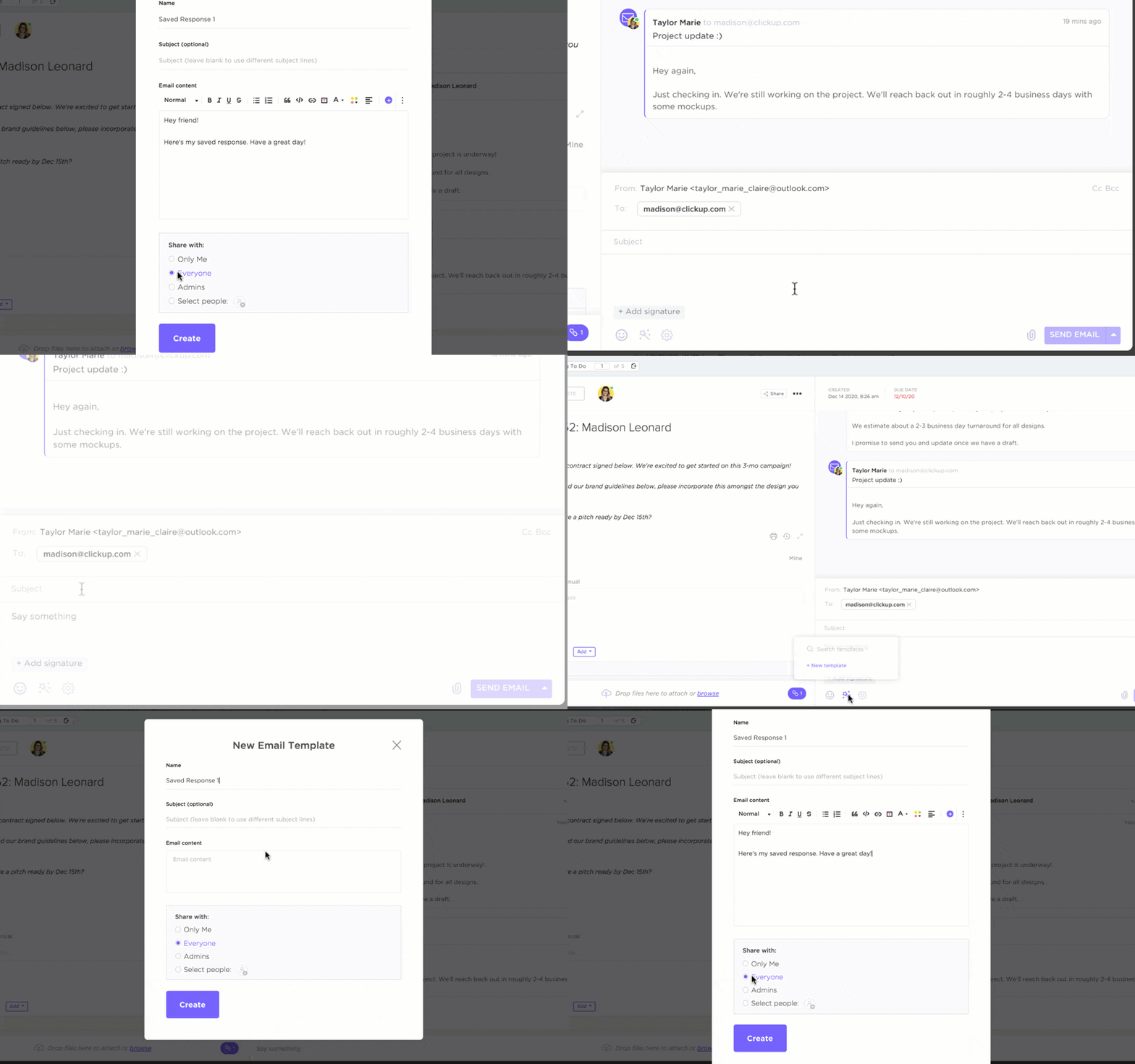
You need to send meeting invitation emails for an internal meeting now, and you’re looking for inspiration. Use these examples to get your email started, and then change up the details or fill in the blanks.
Example #1: The group video meeting
Group meetings are common, especially with remote and hybrid work. Send a team meeting invitation email with a concise subject line that makes the purpose and meeting agenda clear:
Good afternoon [Name],
I hope this email finds you well! We are meeting on [date] to discuss [topic.] Please join me at [time with time zone] so we can [objective].
During this meeting, we’re going to discuss:
- Point 1
- Point 2
- Point 3
Before our meeting, please let me know if you have any questions or think anything should be added to the meeting agenda.
All the best,
[Your name]
Ideally, send this message through the meeting request itself so it automatically includes the meeting URL and syncs with the attendee’s Google calendar.
Example #2: Recurring team meetings
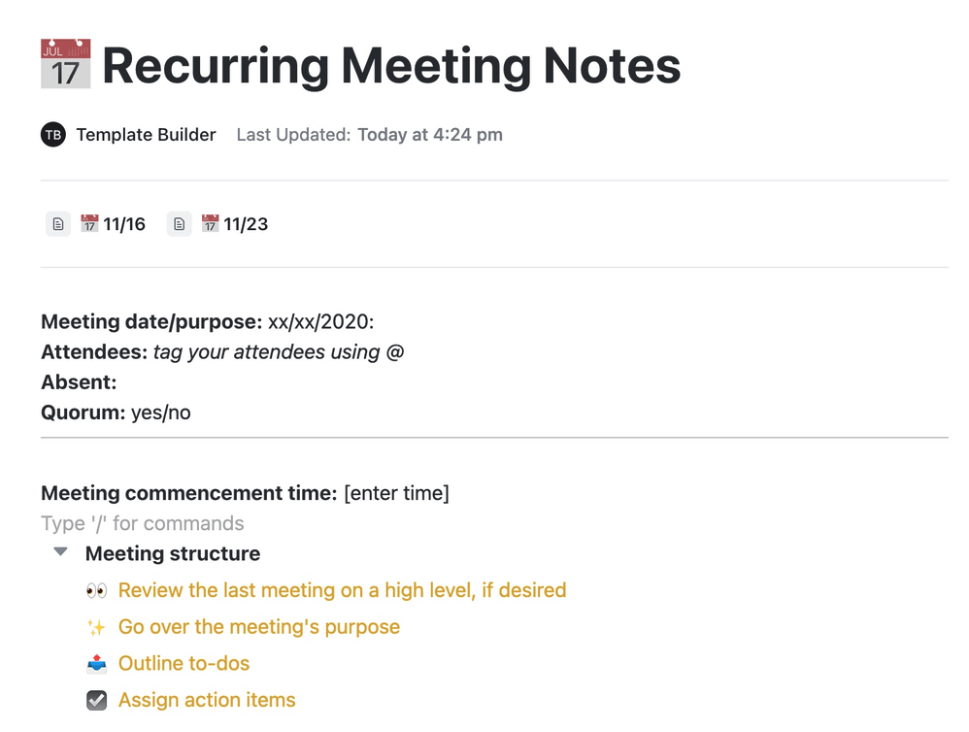
If you manage a team, you know how important it is to regularly bring everyone together for a check-in. Team communication over text tools and instant messages gets you 90% of the way, but recurring meetings provide that remaining 10%. The recurring meeting invitation email can be a little informal, but it should still be jam-packed with information.
Hi [Name],
It’s time for our next meeting! This [day], we will be discussing [topic(s)]. Our agenda will cover:
- Point 1
- Point 2
- Point 3
We’ll also have time for general questions and any situations you want to discuss with the team. Please take a look at our agenda, and let me know if you have any questions in the meantime.
Talk soon,
[Your name]
Since these meetings happen routinely, this is a great opportunity to save a template so you can just tap and send.
Example #3: One-on-one meeting
Sometimes, one-on-one meetings between managers and team members can be incredibly stressful for your direct reports. So, above all else, make the purpose of the meeting clear, and never leave them hanging. If the meeting is sudden or unexpected, reassure them or let them know when it’s good news (if you can).
Hi [Name],
I’ve put our next one-on-one on the calendar so we can discuss [topic] and check in with each other. Please bring a list of any questions you have about [topic] or any of your work.
See you then,
[Your name]
Example #4: Meetings with a big group or presentation meetings
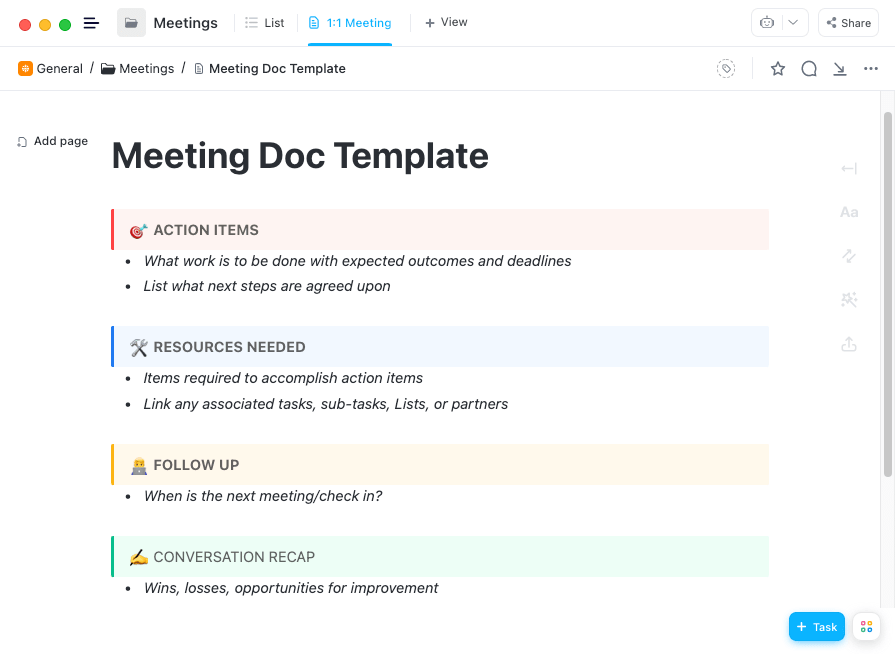
As the group size grows, so does the need for a strict structure and a well-organized host. You can build on the first email example by adding more detail—and taking away the option for people to add to the agenda willy-nilly. A presentation meeting especially benefits from a clear, time-blocked itinerary.
Hi everyone,
Our meeting to discuss [topic] is scheduled for [day, date] at [time with time zone]. Please RSVP, and we will be recording the meeting if you are unable to attend.
We have a full agenda for this meeting in order to [objective], and the schedule for the meeting is:
- [Time]: Point 1
- [Time]: Point 2
- [Time]: Point 3
- [Time]: Point X…
Please see the attached agenda/slide deck and be prepared with any questions regarding [topic.]
Thank you,
[Your name]
Example #5: A meeting everyone’s already discussed
Many meetings happen organically: a new topic comes up in a previous team meeting, or everyone agrees on a team communication app that a meeting would work better. Using one of the other examples might not feel quite right, so give this one a try instead.
Hi [Name],
Our meeting to discuss [topic] in more depth is scheduled for [date]. We’ll discuss how it impacts the team and have time to answer questions. Please review this quick resource before we wait, and bring any questions or comments to the meeting.
Talk soon,
[Your name]
Summarize this article for me pleaseExternal Meeting Invites Examples
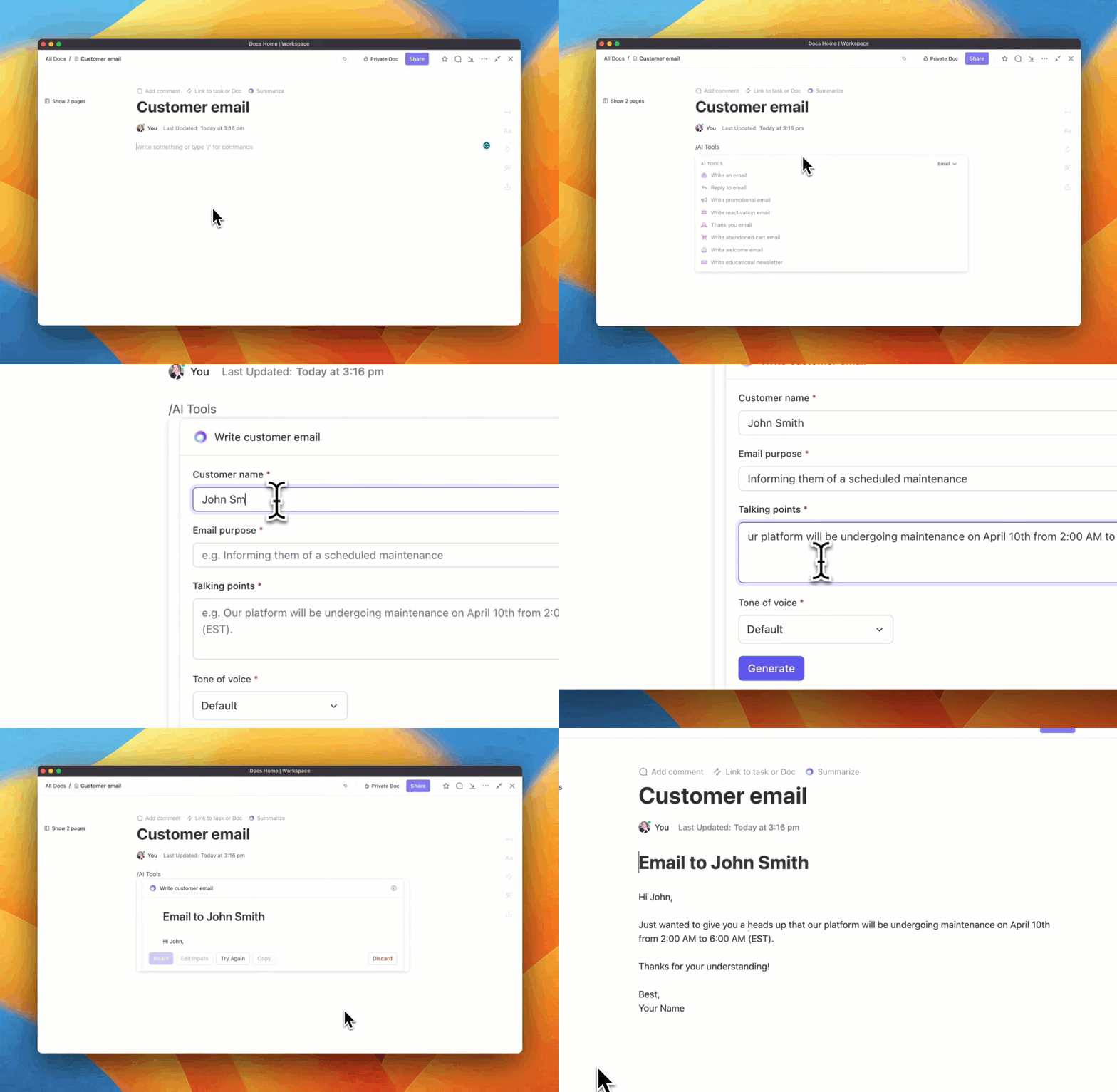
External meeting invites are much more varied—and they do a lot of heavy lifting in the relationship. Different departments will benefit from having different meeting invite templates—and different resources to attach to the invites.
When you’re scheduling external meetings, especially with clients, offer more in-email flexibility for the meeting time. If you’re using these example meeting invitations, include a button or link to a meeting scheduling tool so you both get a meeting time that works for you.
Example #1: Client catch-up meeting
You’re in your client collaboration software, and you realize it’s been a minute since your last client meeting. But that’s an easy fix with a well-crafted invite. These emails work best when they’re friendly and approachable but also a tinge formal (but just a tinge).
Hi [Name],
I hope this email finds you well!
Your account is [status], and now’s a great opportunity to start thinking about [previously established long-term goal] for the weeks ahead. Are you free this week to catch up and discuss [ongoing project]? Just let me know what time works best for you, or schedule a meeting on my calendar for whenever works best for you.
I look forward to chatting about [benefit client receives]!
All the best,
[Your name]
Example #2: Catching up with a former client
A former client in your network may have changed jobs, or you may have bumped into them at an industry event. Take the opportunity to strengthen that relationship.
Hi [Name],
It was great seeing you again at [occasion] and chatting about [relevant detail].
OR
I saw that you’re now working for/on [new company or project]. Congratulations! That’s an exciting change, and they’re lucky to have you.
I’d love to catch up more and chat about what you’re currently working on. My team has been helping people [relevant benefit], and it’d be great if we could help you [likely recipient goal].
If you have some time next week, let’s meet up! Here’s a link to my calendar.
Let’s chat soon!
[Your name]
Example #3: Warm outreach meeting invite
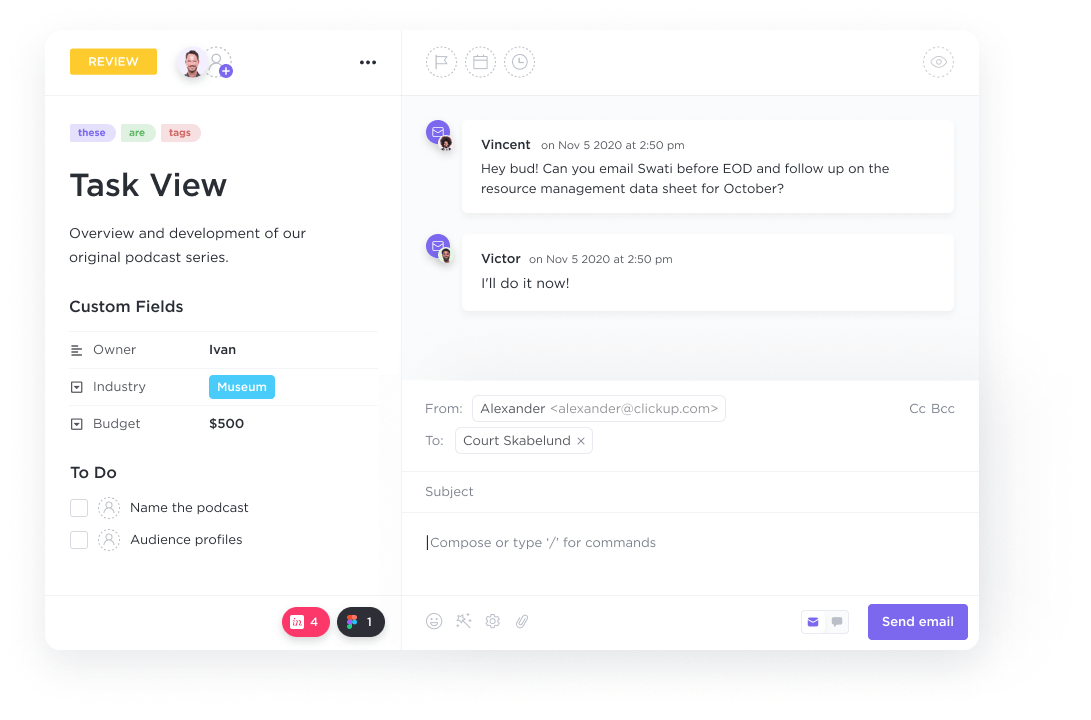
This is for marketers and salespeople who want to bridge the gap between a touchpoint and direct contact. Start with a templated invite, but personalize, personalize, personalize!
Hello [Name],
It’s a great time to start chatting about [a benefit they’ll value from your company/services]. Thanks for [specific type of interaction with your company], and we hope you’re still interested in how [topic] can [restatement of benefit].
I want to help you explore all the ways you can see results with [service]. Do you have time for a brief demo or chat? Let’s dive into the details—just schedule a 15-meeting that fits your schedule here.
In the meantime, here’s a quick sneak peek of what we’ve been doing to [restatement of benefit].
Let’s talk soon!
[Your name]
Example #4: Sales outreach with a referral
Hovering between warm and cold outreach, a referral-based outreach can remove some of the initial friction and awkwardness. Try this example template to get things started.
Hi [Name],
I’m reaching out because I’ve recently chatted with [mutual contact/referrer], and they suggested I might be able to help you with [recipient’s relevant pain point]. I’m [title with the company], and we can help you with [recipient’s key task or concerns].
I’d love to chat more about [meeting purpose] and give you a quick demo. Let me know what time works best for you!
In the meantime, here’s a quick overview of how we [benefit].
Looking forward to meeting with you,
[Your name]
Example #5: The cold outreach email
This is often the trickiest type of meeting request. You want to share key information, but it needs to be skimmable. Above all else, provide clear value. Starting with a concise subject line, establish what you’re offering and why they should meet with you in as few words as possible.
Hi [Name],
I’m reaching out to you because we/I [what you can offer them]. This can [the benefit or value for the recipient]. [Optional: At this point, explain who you are and why you have their information].
Let’s meet to discuss the details. Do you have 15 minutes at [meeting date and time] to chat about [benefit]? Here’s my calendar if another time works better for you.
Thanks for your time,
[Your name]
Summarize this article for me pleaseWhat to Include in an Email Meeting Invitation
The message you include in your email invites is often the hardest part to get exactly right, but it’s not the only thing you need to include. Try to include everything your recipients need to get as much value out of the meeting as possible. Here are some must-have elements:
- A clear subject line: Get straight to the point of what the meeting is about in the first part of the title. If it doubles as the meeting name in their calendars, they may only see the first 40 or so characters when they’re scanning their schedule. In the second half, briefly mention any to-dos or perks as a helpful reminder
- An agenda attachment: Even if the agenda isn’t set in stone just yet, give everyone a link to the document. Then, you can fill it in over time without having to send everyone an additional email
- An empty document for meeting notes: Include this from the get-to, fill it in with a meeting notes template, and add in the details during the meeting. Anyone looking for important takeaways will know exactly where to go to find them
- A meeting link: If the meeting time is set, include a link so everyone can quickly join the meeting. Ideally, both the message and the calendar invite will be all in one email. But if you’re sending out a reminder or separate email, be sure to include the link again
- Call to action: If people need to RSVP, tell them (and give them a deadline). If they need to review or complete something, include a reminder and a link to the task.
- Helpful marketing attachment: For external emails, consider when it’s appropriate to include a free PDF or other freebie
Over time, you’ll be able to develop a specific checklist of things that each type of email invite should include. Then you can avoid the dreaded double-send and truly optimize your workflow.
Summarize this article for me pleaseHow to Craft the Perfect Meeting Invitation for Your Team
These example email invites will get you well on your way to hosting well-organized internal and external meetings. But when you need to fine-tune the emails or get the messaging exactly right for unique events, don’t go back to a blank drawing board to create a successful meeting invitation email.
The ClickUp team has built a wide range of helpful templates, tools, and meeting management functions, so you have everything you need to craft the perfect meeting invitation for your team.
Use ClickUp Docs to create (and template!) your invitations

In ClickUp Docs, you can write, refine, and review the text for email invites you and your team have sent in the past. Create a library of successful messages, gear up to A/B test specific wording, and get feedback when the wording really matters. (We’ve all had a cubicle buddy read an email over our shoulder so they can help us get it just right. Now you can do that without the cubicle.)
ClickUp Docs lets you build and house documents, create wikis with checklists and helpful reminders, and link to all the style guide resources you need. You can even link Docs to tasks as documentation.
Send video invites with ClickUp Clip
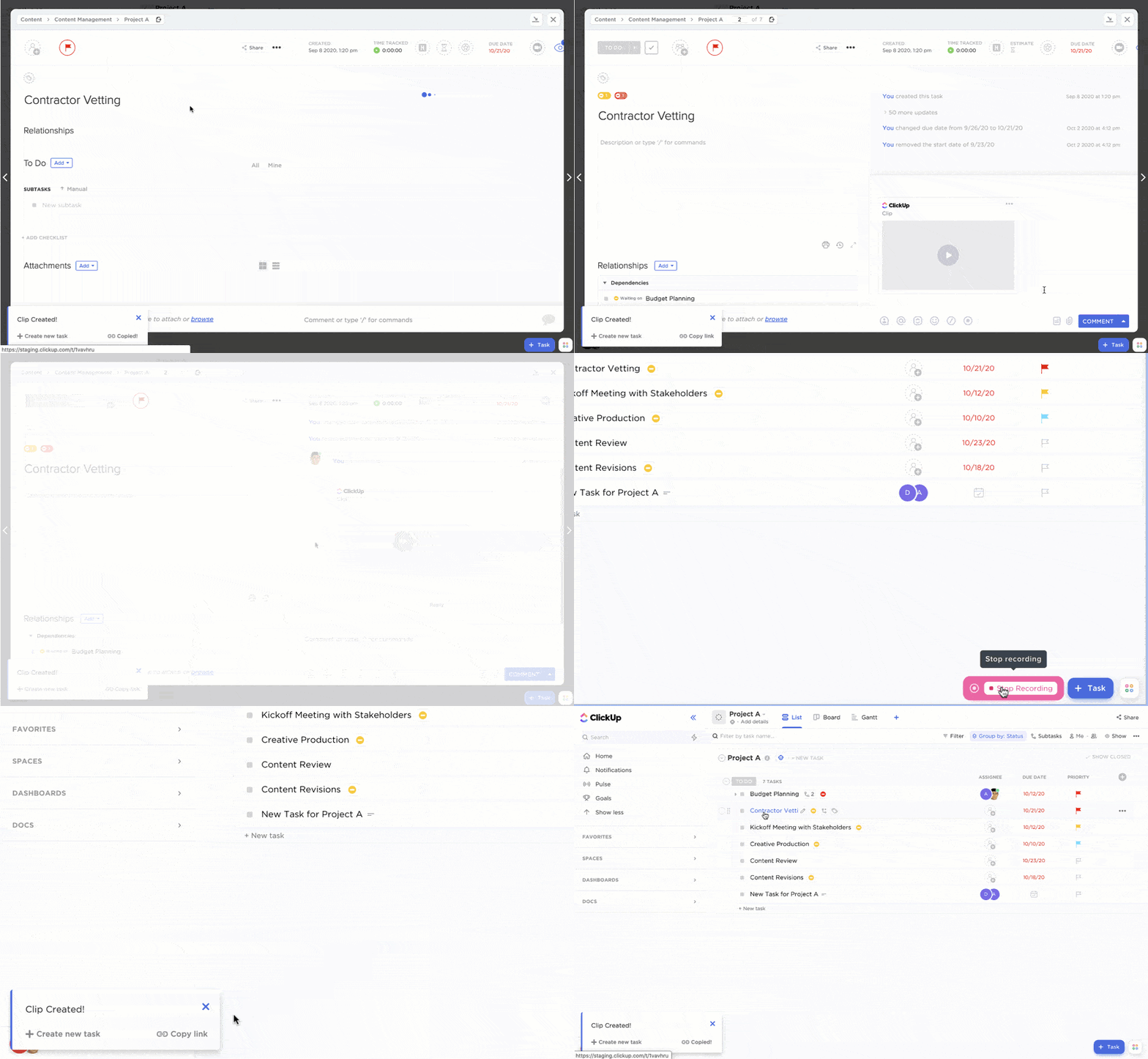
Want to spruce up your email meeting invite? Send a video message to invite people. ClickUp Clip is a simple screen-recording tool that lets you capture your screen or a video of you. It’s perfect for including a brief how-to or a teaser for the meeting. It also adds a bit of a personal touch. You can outline the agenda, introduce yourself, or let coworkers know if there’s a change in how to sign into the video call.
Get the wording and details just right with ClickUp AI
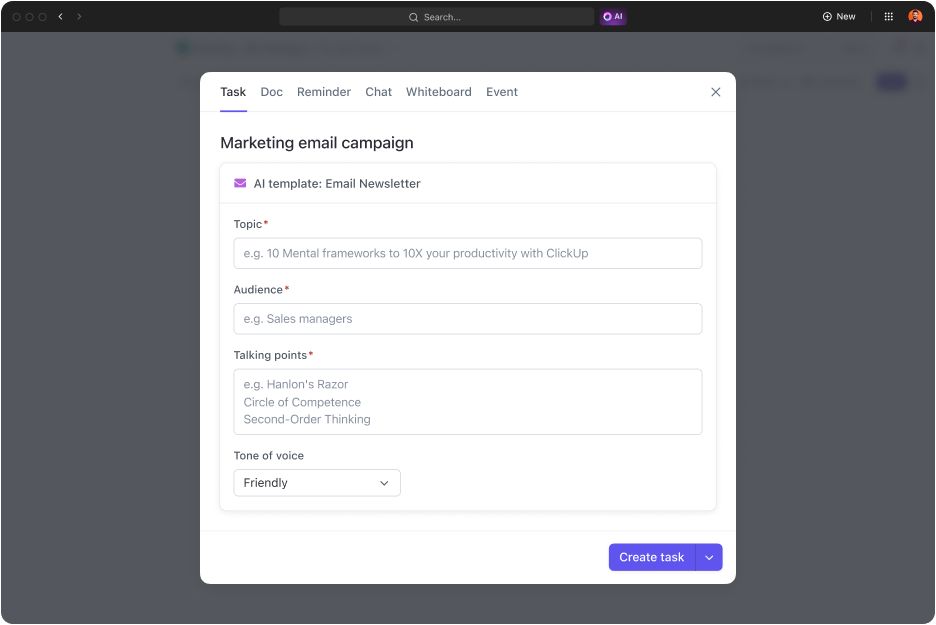
Take your ClickUp Docs creations and successful meeting invitation emails the extra mile with ClickUp AI. Now, our useful AI tools are integrated into Docs for easier meeting invite brainstorming, exact meeting invitation wording suggestions, and meeting management.
Use AI tools for meetings before the meeting even starts—to flesh out the agenda, fill in all the meeting details, and summarize the meeting notes or create action items. Our pre-built AI writing tools also have the department-specific know-how to build out a full library of personalized email invitations for all stages of marketing, sales, hiring, and internal project management.
Send a post-meeting wrap-up with notes and resources
This is a bonus tip. Once the meeting is over, send out another message thanking everyone for their time. Discuss the takeaways of the meeting and the specific value the meeting provided. With ClickUp AI, you can also send out links to freshly made meeting minutes notes, a meeting summary, and lingering to-dos for every attendee.
Summarize this article for me pleaseLet ClickUp Do the Heavy Lifting for Email Meeting Invites to Your Team
Worrying over the specific wording and hesitating with your mouse over the send button is so last year. With collaboration, creativity, and documentation tools from ClickUp, you can send out the perfect email meeting invitation every time. Even better, you and your team don’t even have to pay for it.
Sign up today for a free account that lets you manage every meeting like a pro—before, during, and after.

Everything you need to stay organized and get work done.
