


Transitioning from in-person conversations to virtual meetings can be challenging. But here’s the good news—with the best video conferencing software, these hurdles can transform into better efficiency and engagement opportunities.
Top-notch video conferencing software apps are your trusty aide in the digital world. They smooth communication, encourage meaningful connections, and effectively equip managers to track team progress.
By incorporating these tools, your tasks become more manageable, leaving you with extra room to focus on strategic thinking and creativity.
Imagine setting up a meeting agenda, recording meetings and minutes, conducting performance reviews, and managing cross-functional teams, all within a single video conferencing solution. That’s pretty impactful, isn’t it?
And here’s something even better: these remote collaboration tools not only resolve the typical issues of working remotely but also offer innovative features traditional workplaces can’t match. In the ever-evolving world of work, using these digital solutions isn’t just a preference; it’s a necessity.
That’s why we put together this guide highlighting the top 10 1 on 1 meeting software in 2024. So if you’re keen on finding the right tool to transform your digital workspace, keep reading.
The 10 Most Useful 1-on-1 Meeting Software for Managers in 2024

 Summarize this article for me please
What Should You Look for When Choosing 1-on-1 Meeting Software?
When choosing the best video conferencing software, you’re looking for a few interesting benefits.
First up, communication should be easy. Clear audio and video, quick chat options, and handy tools like screen sharing and whiteboards are all must-haves.
Next, scheduling meetings shouldn’t be a headache. The best video conferencing providers offer features that help set up recurring meetings, connect with your calendar, and send reminders that will keep you on track without a hitch.
And it’s important that your video conferencing software gets along well with your other tools. This compatibility helps keep your workflow slick and saves you from repeating the same tasks.
Sharing files should be simple, and the video conferencing platform must be user-friendly. The quicker your team can get to grips with it, the better.
Your meeting software needs to step up if you’re managing a remote team. Look for timezone-friendly features, mobile accessibility, and robust security to keep your team working together smoothly, no matter where they are.
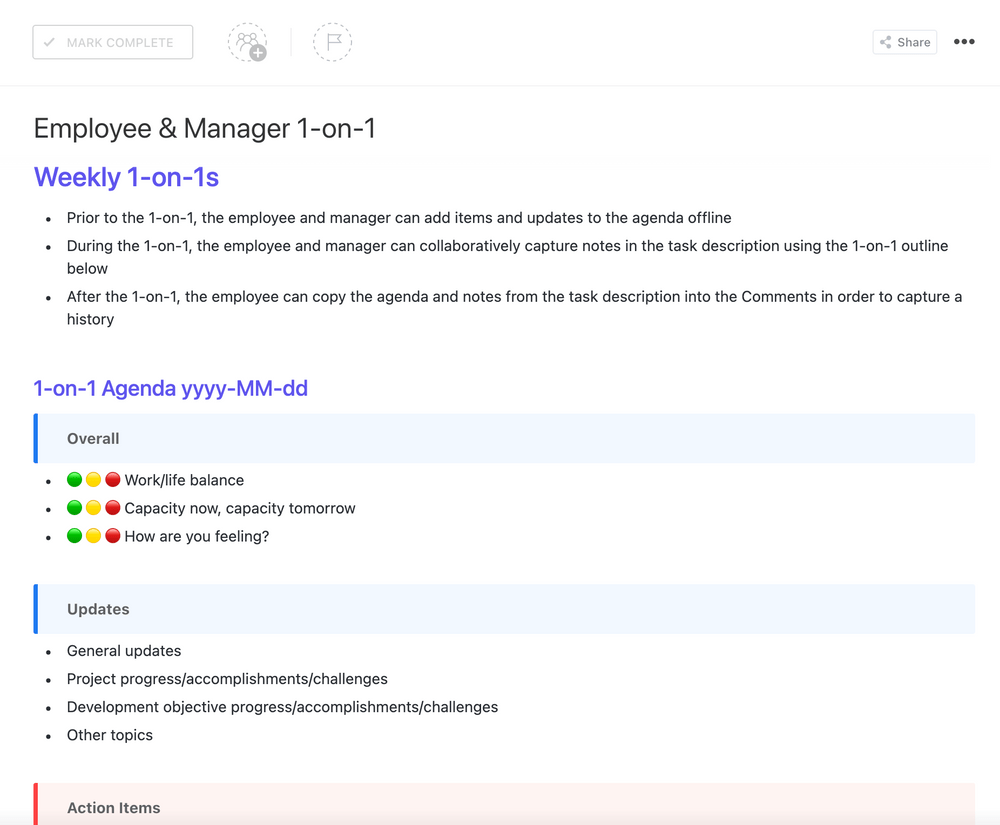
Lastly, aim for a tool for video calls. The best one-on-one meeting software will offer extras like task management, performance review templates, and project management. These can help tidy your digital workspace and make your team even more efficient.
Summarize this article for me pleaseThe 10 Best 1 on 1 Meeting Software to Use
Now that you know what to look for when it comes to video conferencing software, we’ll introduce our 10 favorite tools so you can find the one that’s right for you.
1. ClickUp

ClickUp stands out in the market for its comprehensive task and project management approach. It’s not just a meeting space but a robust platform that integrates team management, task tracking, and performance review capabilities in one place.
ClickUp makes it easy to jump in and start immediately with the ClickUp 1 On 1s Template and a Notepad feature for setting your first agenda.
After that, you can dive into a deep feature set built to make your next 1 on 1 feel like a productive conversation, not a meeting that could have been an email.
ClickUp best features
- Use ClickUp Meetings to jot down notes, keep your agenda in check, and assign tasks right where you need them–all in one spot. Making a record of your weekly meetings? That’s your golden ticket to unleashing some of ClickUp’s superpowers
- Our Editor Menu is packed with options to let you highlight what matters most. Go wild with super rich editing–it’s your playground to be as creative or structured as you want when you’re taking notes
- Syncs with the most popular mobile apps for seamless workflow
- Got a comment that needs action from a team member? Easy; assign it. It becomes a must-do item for the assignee before the task can be checked off as done
- Write down everything you want to cover in a Checklist and check ’em off one by one as you go through them
- Tired of setting up a task every time you have to schedule video conferences? Kick back and let Recurring Tasks keep your agenda prepped and ready
- In our quest to wipe out unnecessary clicks, we’ve launched a fresh feature–Slash Commands. Anytime you’re in a text field, type / to pop open the Slash Command menu and start making things happen, pronto
ClickUp limitations
- New to ClickUp? With so many features to explore, it might feel like you’re jumping into the deep end. But don’t worry; you’ll get the hang of it
- Heads up—some users have spotted a few slow load times here and there. Not a constant, but worth knowing about
- With so many ways to tweak and customize, it can feel like navigating a maze at first. But once you’ve got the lay of the land, you’ll be whipping your workspace into shape in no time
ClickUp pricing
- Free Forever
- Unlimited: $7/month per user
- Business: $12/month per user
- Enterprise: Contact for pricing
ClickUp ratings and reviews
- G2: 4.7/5 (2,000+ reviews)
- Capterra: 4.7/5 (2,000+ reviews)
2. Fellow
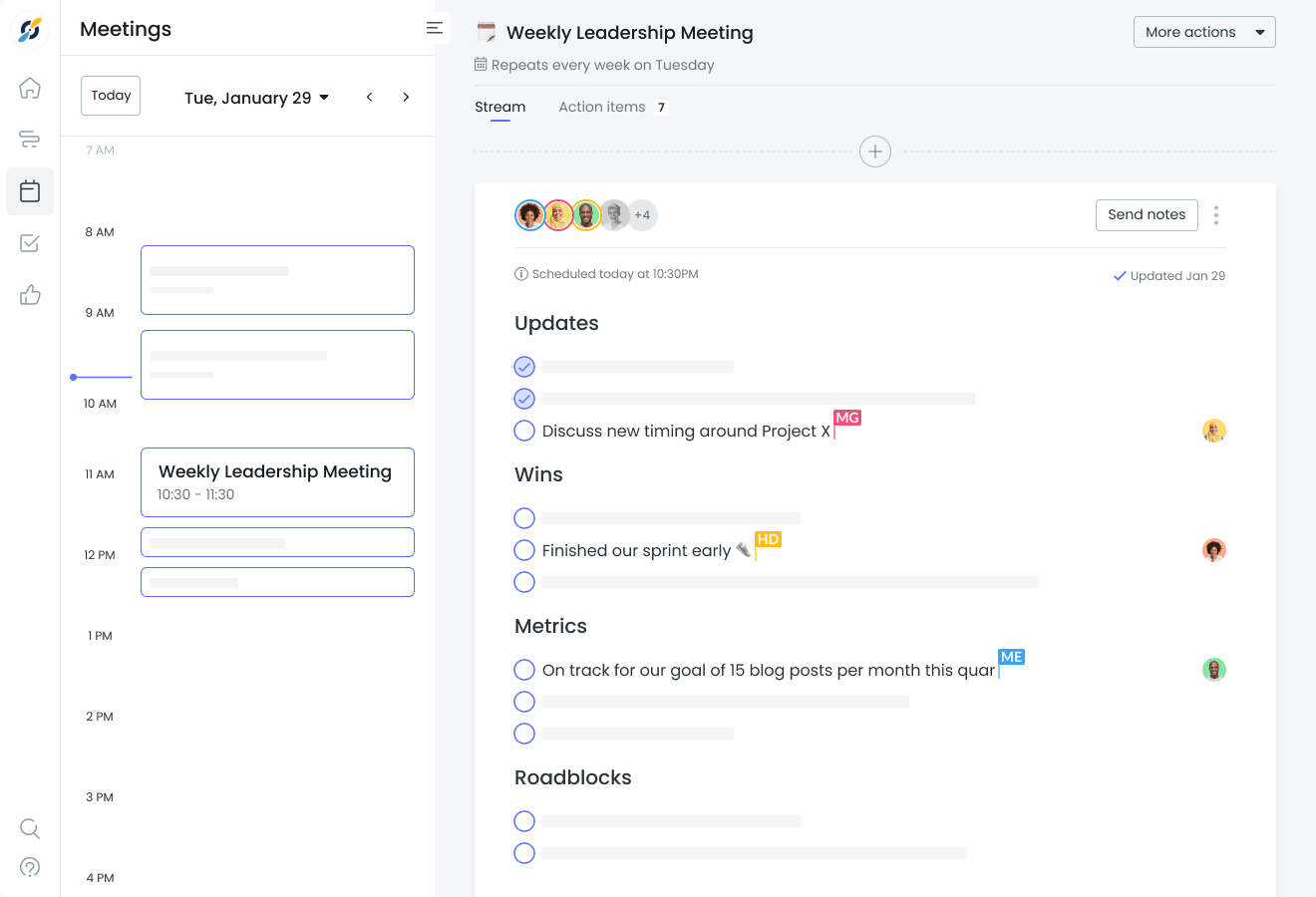
Fellow is a tool designed to cultivate a healthy and productive video conference meeting culture within your team. It puts the power in your hands to streamline different types of meetings and make them more effective. With Fellow, you can easily set clear meeting agendas, ensuring that discussions stay on track and goals are achieved.
One of the basic features of this video conferencing app is its ability to track action items. You can assign tasks, set deadlines, and keep everyone accountable, making sure that important follow-ups and action steps are not overlooked.
But Fellow doesn’t just stop at organization and task management. It also recognizes the importance of engagement and collaboration in the workplace. With interactive note-taking and collaborative features, you can capture your meeting participants’ insights, decisions, and discussions in real-time, promoting active participation and contribution from all team members.
Fellow best features
- Automate reminders and action items before and after meetings with streamlined meeting workflows
- Share, collaborate, and sync meeting notes across teams
- Offers pre-designed templates for effective meetings
- Built-in feature for peer recognition and feedback
Fellow limitations
- The user interface may take some getting used to
- Some users have reported a lack of calendar integration with specific platforms
- Meeting note synchronization can sometimes lag
Fellow pricing
- Free
- Pro: $6/month per user
- Business: Contact for pricing
- Enterprise: Contact for pricing
Fellow ratings and reviews
- G2: 4.7/5 (1,500+ reviews)
- Capterra: 4.5/5 (50+ reviews)
4. Google Meet
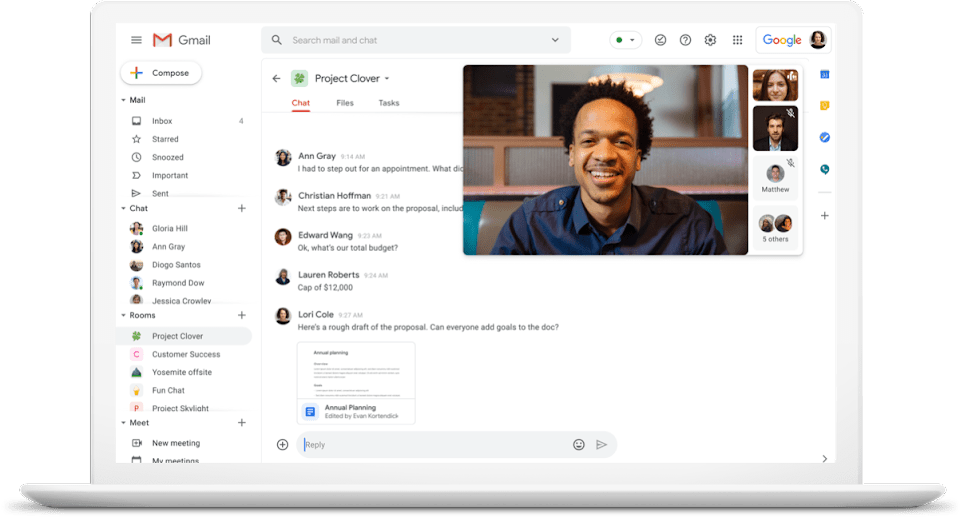
This video conferencing service is built specifically for teams already using Google Workspace. Google Meet seamlessly integrates with other Google apps, a major benefit for those already immersed in the Google ecosystem. Whether syncing with your Google Calendar or effortlessly connecting with colleagues through Gmail, Google Meet enhances your workflow by seamlessly integrating with your existing tools.
You can rely on Google’s stable and robust video conferencing infrastructure to provide consistent audio and video quality, allowing clear and uninterrupted communication with your team members, clients, or partners.
Google Meet best features
- Seamlessly integrates with Google Calendar and Gmail
- Can host meetings with up to 100 participants
- Real-time captions of all video calls and video conferences made during meetings
- Participants can use screen sharing for presentations
Google Meet limitations
- The app isn’t as flexible and customizable as other platforms
- Users have reported occasional sound and video quality issues
- Some stand out features are available only on the paid version
Google Meet pricing
- Free
- Starter: $6/month per user
- Standard: $12/month per user
- Plus: $18/month per user
- Enterprise: Contact for pricing
Google Meet ratings and reviews
- G2: 4.6/5 (900+ reviews)
- Capterra: 4.6/5 (11,000+ reviews)
5. GoTo Meeting
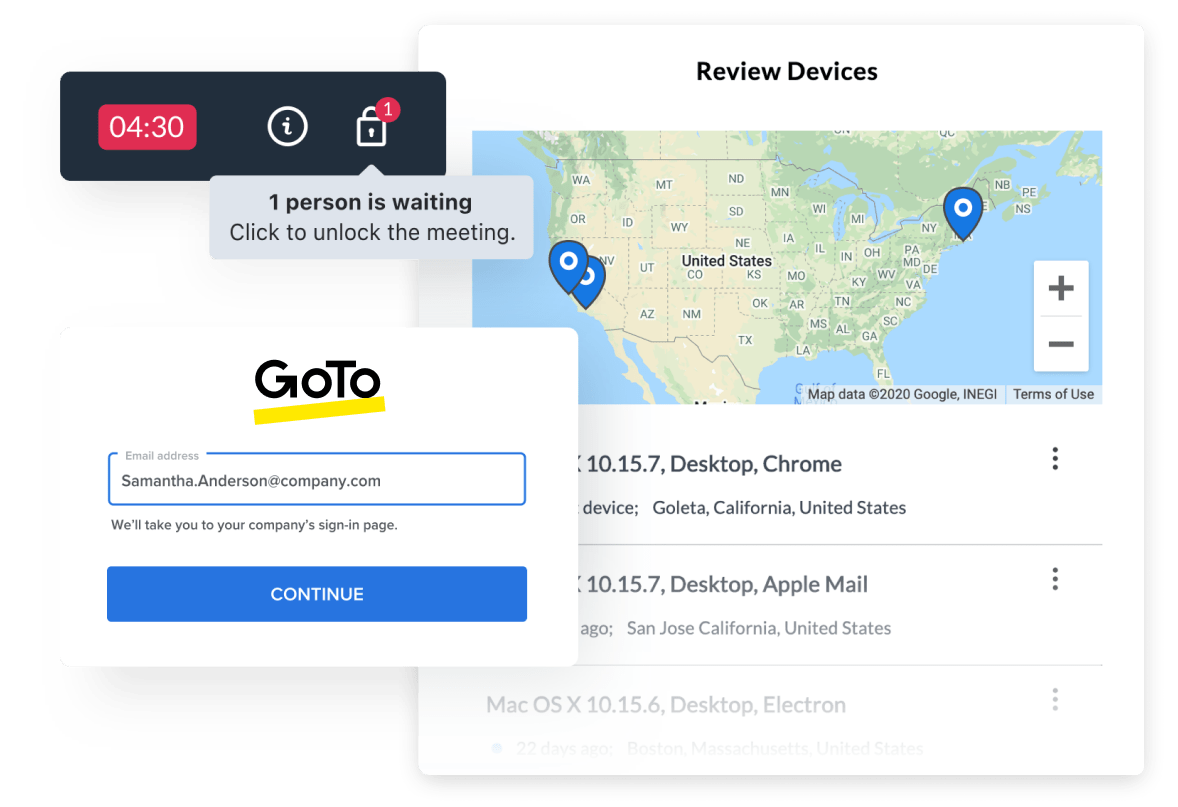
GoTo Meeting is one of the ultimate video conferencing solutions for businesses seeking an online meeting tool that is both user-friendly and efficient. It empowers you to conduct and manage virtual meetings seamlessly, allowing your team to collaborate effectively regardless of their physical location.
Whether you’re a small startup or a large enterprise, this versatile tool caters to businesses of all sizes, making video conferencing a breeze.
With GoTo Meeting, you gain access to a suite of advanced video conferencing features that elevate your virtual meetings to a new level. When you start using it, you’ll appreciate its intuitive interface and seamless meeting management capabilities.
GoTo Meeting best features
- Bask in crystal-clear audio and feast your eyes on GoTo Meeting’s HD video conferencing software solution.
- Conduct and join video conferences from any mobile device
- Enjoy beefy security features like risk-based authentication and, by default, GoTo Meeting locks up your audio and video data with AES-128-bit encryption. You can rest easy knowing your stuff’s under lock and key
- Participants can highlight key points during presentations
GoTo Meeting limitations
- It doesn’t have a free tier
- It can be costly for small businesses
- Occasionally, mobile users have reported connectivity issues
GoTo Meeting pricing
- Professional: $14/month per organizer
- Business: $19/month per organizer
- Enterprise: Contact for pricing
GoTo Meeting ratings and reviews
- G2: 4.2/5 (2,500+ reviews)
- Capterra: 4.5/5 (7,000+ reviews)
6. Zoom
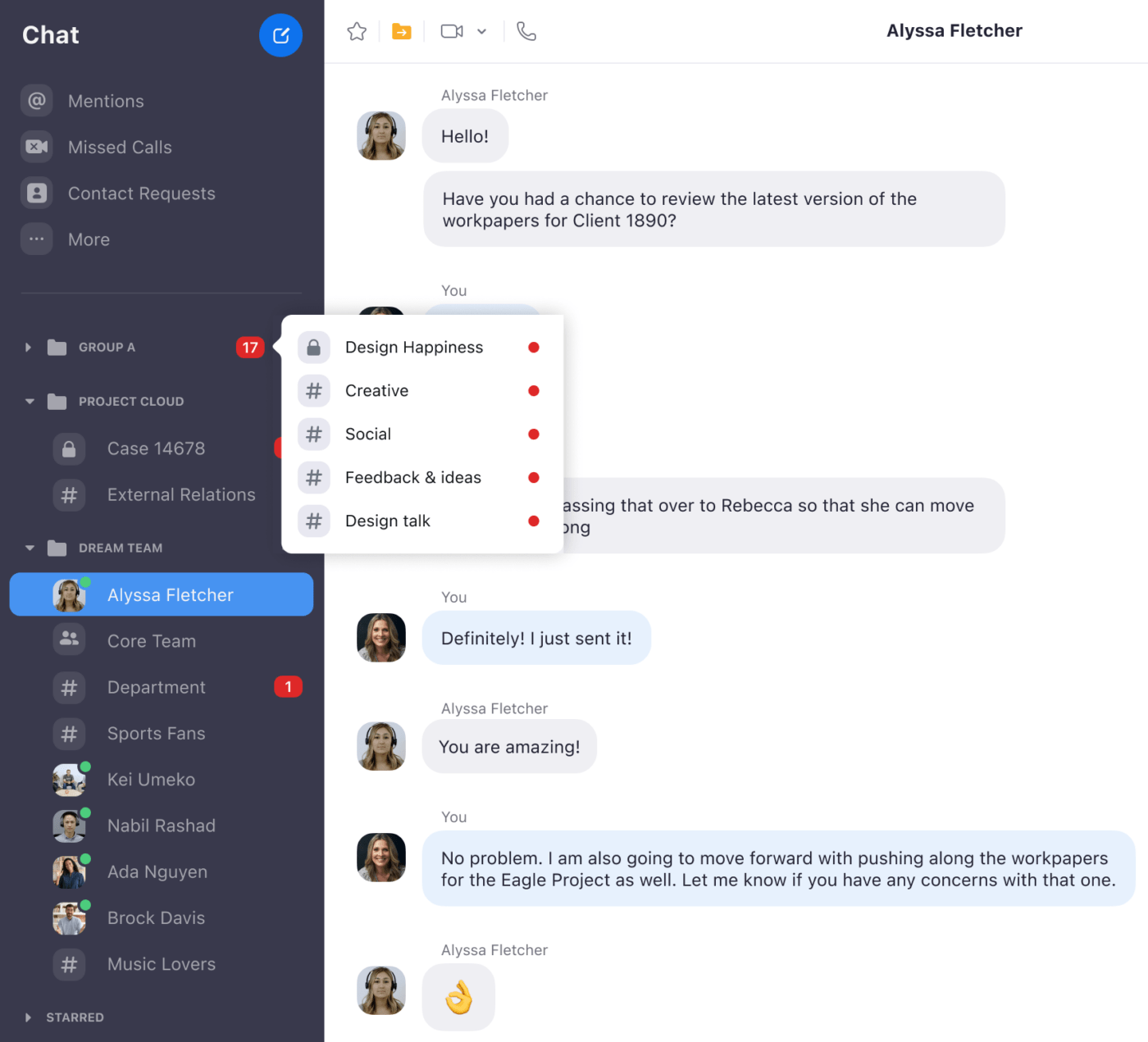
So popular it’s practically its own verb; Zoom is the 1,000-pound gorilla in the video conferencing room. One of the best video conferencing apps in the industry, Zoom is great for either one-on-one meetings or large-scale digital events. Its ever-expanding feature set continues to keep its fans coming back for more. But, Zoom has some shortfalls, too, and we’ll show you the good and the bad below.
Zoom best features
- Breakout Rooms are ideal for splitting large meetings into cozy chats
- Allows users to set a virtual background for privacy or show off their creativity
- Records meetings and provides automated transcription
- Works with desktop apps as well as many other mobile devices and tools
Zoom limitations
- The free version limits group meetings to 40 minutes
- Security concerns have been raised in the past
- Occasional sound and video quality issues have been reported by some users
Zoom pricing:
- Basic: Free
- Pro: $14.99/month per host
- Business: $19.99/month per host
- Enterprise: $19.99/month per host
Zoom ratings and reviews:
- G2: 4.5/5 (53,000+ reviews)
- Capterra: 4.6/5 (30,000+ reviews)
7. Lattice
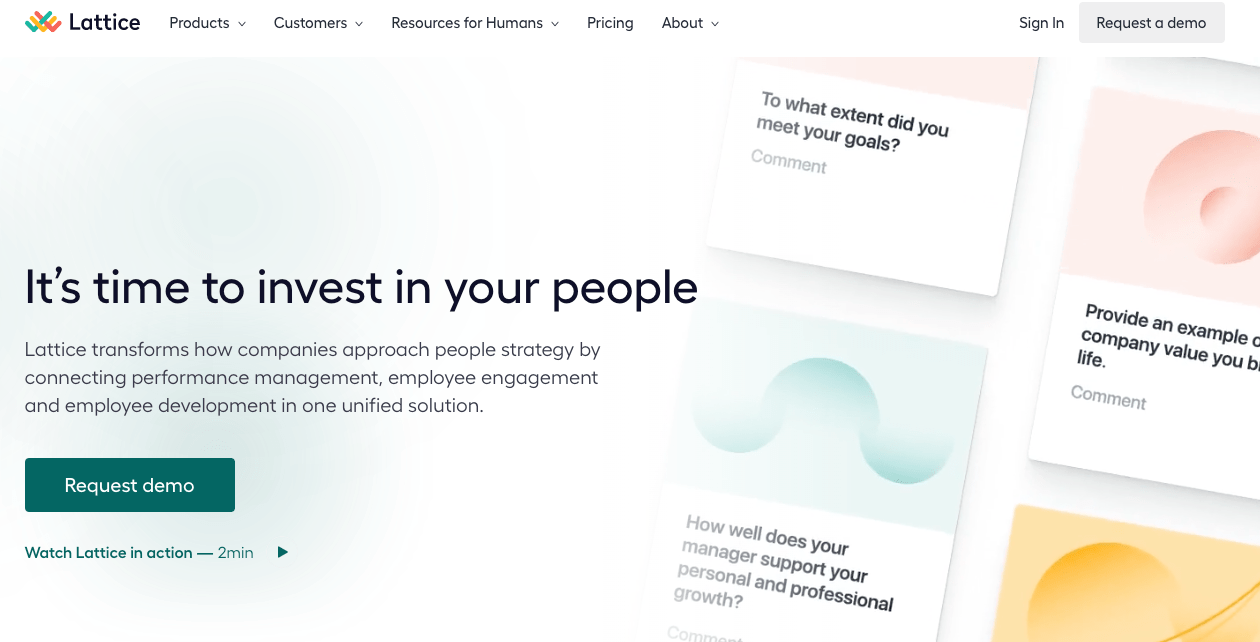
Lattice is one of the video conferencing software options we highlight that is designed with performance management at its core. It’s all about streamlining your 1 on 1 meetings, simplifying the feedback process, and making goal setting a breeze. With a particular emphasis on team engagement and overall performance, it turns regular meetings into focused, growth-oriented sessions.
Setting and tracking goals is straightforward, making it easy to see how far you’ve come and where you’re heading. Plus, the feedback features encourage a culture where continuous improvement is the norm.
So, if your goal is to keep your team engaged, motivated, and constantly improving, check out Lattice.
Lattice best features
- Streamlined performance review process
- Set, track, and manage goals across teams
- Get insights into employee satisfaction
- Peer-to-peer feedback and public recognition feature
Lattice limitations
- Not specifically a meeting tool, so it lacks some functionalities
- Not all users loved the user interface
- It can be expensive for small businesses
Lattice pricing:
- Engagement: $4/month per user
- Grow: $4/month per user
- Performance Management: $8/month per user
- OKR & Goals: $8/month per user
- Performance Management and OKR & Goals Bundle: $11/month per user
- Enterprise: Contact for pricing
Lattice ratings and reviews:
- G2: 4.7/5 (3,000+ reviews)
- Capterra: 4.7/5 (100+ reviews)
8. Whereby
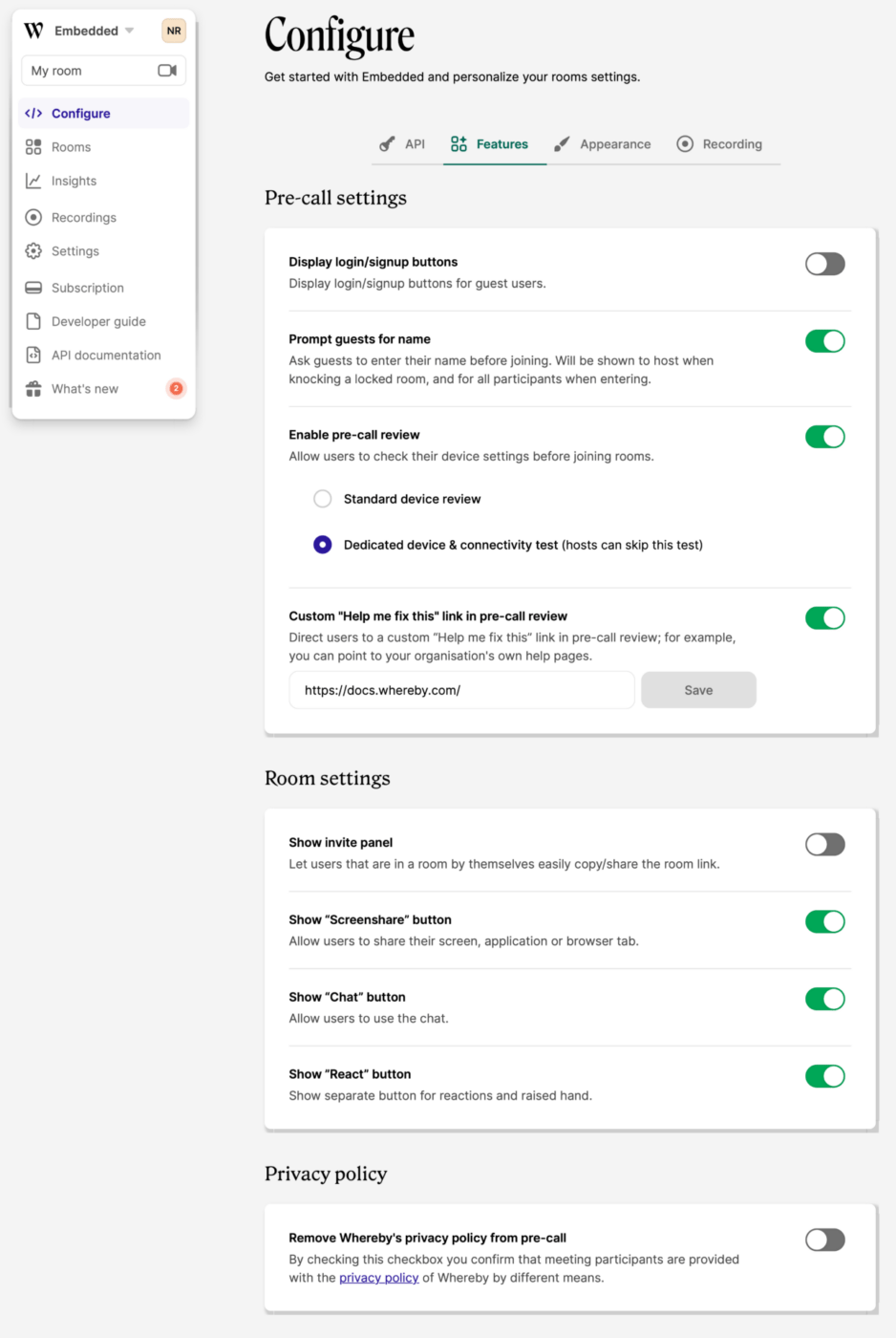
Forget about downloading yet another app or struggling to remember another password. Whereby is a video conferencing tool that works directly from your web browser. This simplicity makes it a go-to for folks who value ease of use.
Setting up a video meeting with Whereby is as easy as sharing a link; voila, you’re ready to connect.
Personalize your meeting room with your choice of backgrounds and logos to add a bit of character to your virtual get-togethers. If you’re looking for a hassle-free way to get your team together online, Whereby’s user-friendly approach might be just what you need.
Whereby best features
- Participants can join meetings with a simple link
- Personalize meeting rooms with custom branding, logos, and backgrounds
- Share your screen or a particular window
- Record meetings for later review
Whereby limitations
- Limited participants on the basic free plan and Pro plans
- Some users report occasional video lag
- Lacks advanced features like breakout rooms and polling
Whereby pricing:
- Explore: A free plan
- Pro: $6.99/month per user
- Business: $9.99/month for three users
- Build: $9.99/month per user
- Grow: Contact for pricing
Whereby ratings and reviews:
- G2: 4.6/5 (1,000+ reviews)
- Capterra: 4.5/5 (50+ reviews)
9. Skype
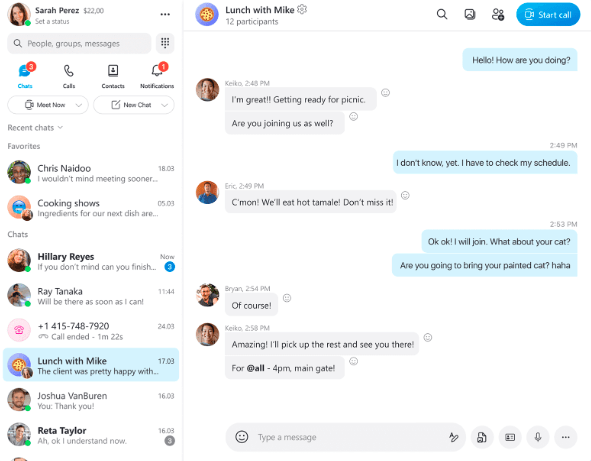
Skype—which is now under Microsoft Teams—is a seasoned player in the digital communication realm, providing solid video and voice calls long before it was cool.
Simple to use and reliable, it’s well-known for keeping connections strong and conversations flowing. Whether you’re a small team looking for a no-fuss tool to hold your brainstorming sessions, or just two people needing to hash out some details, Skype keeps things straightforward and accessible.
One major benefit of Skype is its built-in chat feature. The chat lets you exchange thoughts or share files without skipping a beat.
All in all, Skype is a classic choice that has stood the test of time.
Skype best features
- Make individual or group video calls
- In-app messaging for quick communication
- Share your screen during meetings
- Send files and documents through chat
Skype limitations
- Not ideal for large meetings
- Limited integration with other tools
- Some users report occasional video and sound quality issues
Skype pricing:
- US & Canada: $2.99/month per user
- North America: $7.99/month per user
- World: $13.99/month per user
Skype ratings and reviews:
- G2: 4.3/5 (22,000+ reviews)
- Capterra: 4.3/5 (8,500+ reviews)
10. 15Five
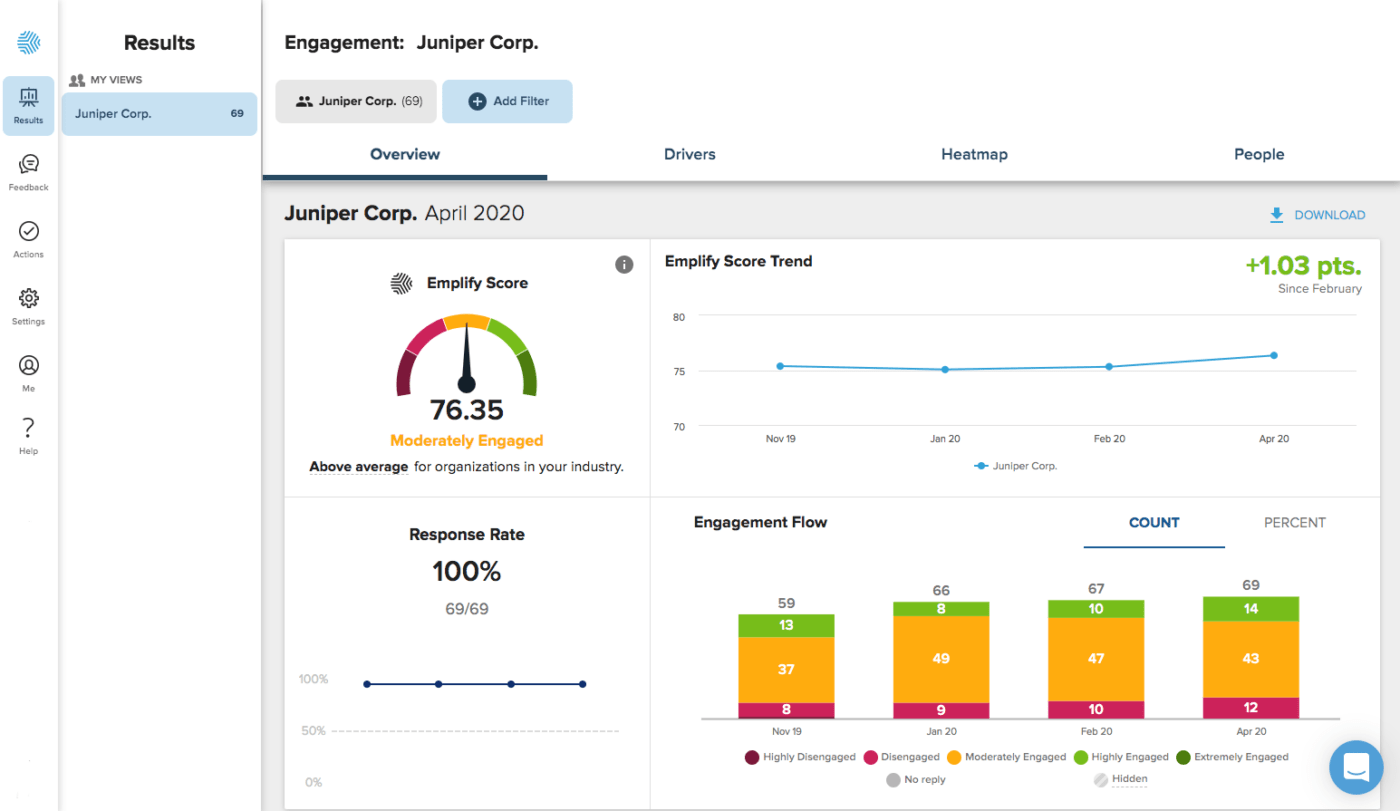
With 15Five, one-on-one meetings become potent platforms for exchanging feedback, discussing progress, and tracking objectives.
Managers get a clearer picture of their team’s performance and engagement, which helps them make better decisions and provide the necessary support. And the best part? It’s designed to be user-friendly and intuitive, making it a joy for everyone involved.
15Five best features
- Facilitates efficient employee-manager meetings.
- Track objectives and goals.
- Peer recognition features to motivate teams.
- Reports on performance and engagement.
15Five limitations
- Not a dedicated meeting tool, so some features may be lacking
- The user interface can be complicated to navigate for some users
- It’s more expensive compared to similar tools
15Five pricing:
- Engage: $4/month per user
- Perform: $8/month per user
- Focus: $8/month per user
- Total Platform: $14/month per user
- Transform Online: $99/month per manager
- Transform Hybrid: $174/month per manager
- Transform Live: $300/month per manager
15Five ratings and reviews:
- G2: 4.6/5 (1,000+ reviews)
- Capterra: 4.7/5 (500+ reviews)
11. GlobalMeet

GlobalMeet, created by PGi, is a multifunctional platform for high-definition web and video meetings, mobile video conferencing, webinars, and event management.
It supports seamless collaboration, enabling users to easily host, join, and participate in meetings from various devices and locations. With features for hosting interactive webinars and large-scale virtual events, it also offers extensive tools for event planning and management.
GlobalMeet’s comprehensive, intuitive, and reliable services make it a crucial tool for effective digital communication across geographical boundaries.
GlobalMeet best features
- High-quality video recording of conference meetings
- Host virtual events with thousands of participants
- Whiteboard, polls, and video chat to enhance collaboration
- Works with Microsoft Teams and Skype for Business
GlobalMeet limitations
- Compared to other video conferencing services, systems, apps, and tools, GlobalMeet doesn’t play well with third-party apps. That may be a drawback for teams relying on specific software for their workflow
- GlobalMeet runs heavy compared to its peers
- GlobalMeet lacks some of the features available to users of other apps
GlobalMeet pricing:
- Basic: A free plan
- Standard: $12 per user per month
- Premium: $24 per user per month
- Enterprise: Contact for pricing
GlobalMeet ratings and reviews:
- G2: 4.2/5 (500+ reviews)
- Capterra: 4.1/5 (50+ reviews)
Summarize this article for me pleaseElevate Your Digital Collaboration with ClickUp 1 on 1 Meeting Software
Using the right 1 on 1 meeting software is essential to navigate the digital workspace effectively. Each tool has its strengths, so your choice depends on the specific needs of your team and your workflow.
Whether managing a team, conducting meeting minutes, setting up a meeting agenda, or leading a performance review, the right software can help you streamline your processes and make your tasks much more manageable.
With ClickUp, you can manage cross-functional teams, foster collaboration in the workplace, and navigate different types of meetings effectively.
For a more in-depth exploration of how to streamline your team management and one-on-one meetings, check out ClickUp’s dedicated feature—ClickUp Meetings. Make your digital workspace more efficient and your tasks more manageable with ClickUp. Visit us here to learn how we can revolutionize your meeting experience.


Everything you need to stay organized and get work done.

Recent Articles
Confluence vs. Google Docs: Which Should Your Team Use in 2026? 
Confluence vs. Google Docs: Which Should Your Team Use in 2026?

