10 Best App Development Software Tools for 2026

Sorry, there were no results found for “”
Sorry, there were no results found for “”
Sorry, there were no results found for “”
For years, turning an idea into a real, functioning app meant learning to code, hiring expensive developers, or getting lost in a mess of tools. 💤
But that’s changed.
Tools have finally caught up with our ideas. Now, they’re easier to use, work across devices, and let you focus more on what your app does rather than how it’s built.
Let’s explore the best app development software for your vision. 💁
When you’re picking app development software, you want something that actually helps you build better, faster, and smarter.
Here’s what makes a software developer’s life easy. 👇
Here’s how these tools compare as an app builder. ⚒️
| Tool | Best for | Key features | Pricing* |
| ClickUp | Agile project management, team collaboration, and bug and issue tracking for individuals, small businesses, mid-market companies, and enterprises | Built-in docs and whiteboards, task management, native time tracking, AI for software development, project assistance | Free plan available, customizations available for enterprises |
| Flutter | High-performance, cross-platform UIs and a single code base for small businesses and mid-market companies | Single codebase for mobile/web, hot reload for fast testing, strong UI component library | Custom pricing |
| React Native | JavaScript developers in small businesses and mid-market companies building custom mobile apps | Reusable code, native-like performance, strong community, plugin support | Custom pricing |
| Xcode | Native iOS and macOS development with Apple ecosystem integration within mid-market companies and enterprises | Native Apple SDK integration, Interface Builder, real device simulator | Paid plans starting at $99/year |
| Android Studio | Full-featured Android app development with advanced debugging tools for small businesses and mid-market companies | Emulator and testing tools, Jetpack integration, real-time performance profiling | Custom pricing |
| Bubble | No-code web app development with backend logic and responsive design for individuals and small businesses | Visual drag-and-drop builder, SQL database management, third-party integrations | Free plan available, paid plans starting at $39/month per user |
| Visual Studio Code | Lightweight, customizable coding across languages and frameworks for individuals and small businesses | Lightweight editor, robust extensions marketplace, collaborative software development, IntelliSense | Free plans available and paid plans starting at $250/month per user |
| Appian | Enterprise-grade low-code app development with automation and business logic | Low-code automation, process modeling, enterprise-grade security | Custom pricing |
| .Net Maui | .NET developers in small businesses and mid-market companies building native mobile apps | Cross-platform UI with native performance, single C# codebase, deep Visual Studio integration | Custom pricing |
| IntelliJ IDEA | Java and Kotlin developers building robust backend or Android applications for mid-market companies and enterprises | Smart code completion, refactoring tools, and wide language/framework support | Free plan available, paid plans starting at $599/year per user |
Our editorial team follows a transparent, research-backed, and vendor-neutral process, so you can trust that our recommendations are based on real product value.
Here’s a detailed rundown of how we review software at ClickUp.
Let’s explore these powerful apps to tackle software development challenges. 🎯
ClickUp is the everything app for work that combines project management, documents, and team communication, all in one platform—accelerated by next-generation AI automation and search.
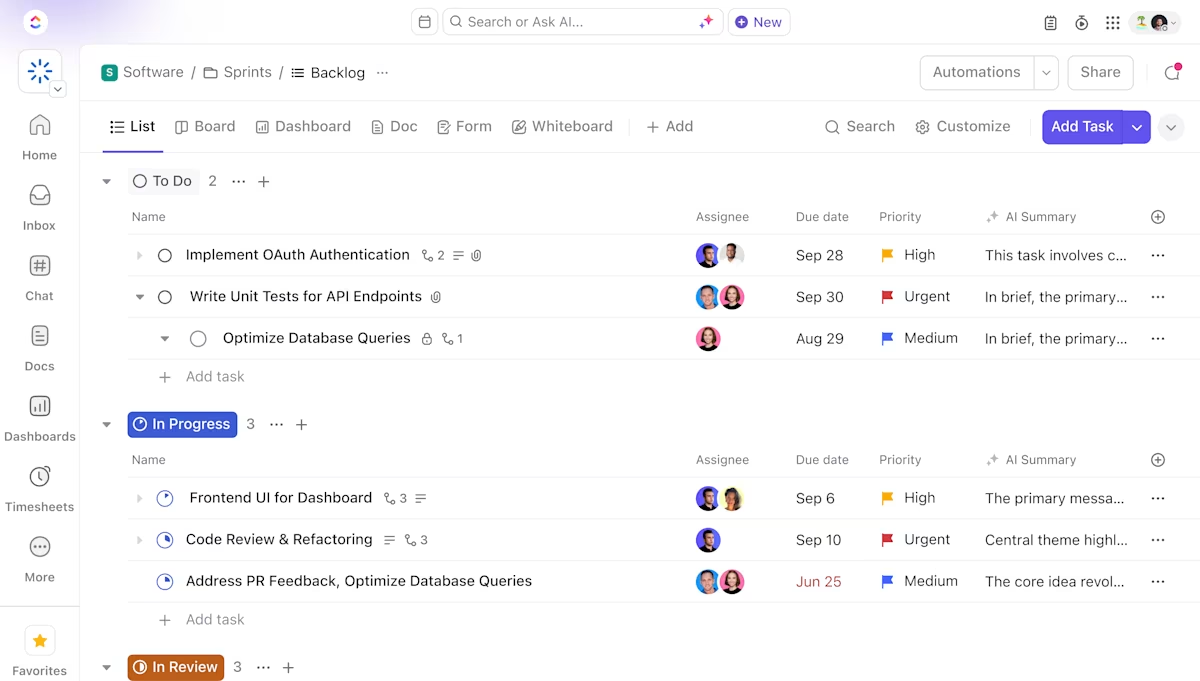
ClickUp’s Software Team Project Management Platform supports everything from sprint planning and backlog grooming to bug tracking and release notes. With its customizable workflows, real-time collaboration, and detailed project insights, you get to ship quality code and create apps fast.
Want to keep your Agile team aligned? Turn to ClickUp for Agile Teams for a unified, collaborative software project management experience.

As part of ClickUp’s Agile workflow setup, the ClickUp Gantt Chart View is your go-to tool for managing priorities, tracking task dependencies, and adhering to project timelines.
Need to shift a feature’s launch date or reassign a bug fix? Just drag the relevant task from its original position and drop it onto the desired dates!
What’s really useful is how you can filter ClickUp Tasks by priority, due date, or who’s working on what, so you stay focused on what matters most. The color-coded layout means your team instantly knows what’s urgent and what’s on track.
📌 Example: You’re launching a new app update. ClickUp’s Gantt Chart View lets you link dependent tasks like UI design, backend coding, and testing. When one shifts, the timeline for the others automatically updates using built-in AI and machine learning, so nothing gets missed.
Once you’ve mapped out your project timeline with Gantt charts, the next challenge is staying focused and agile during execution. ClickUp Sprints are helpful here.
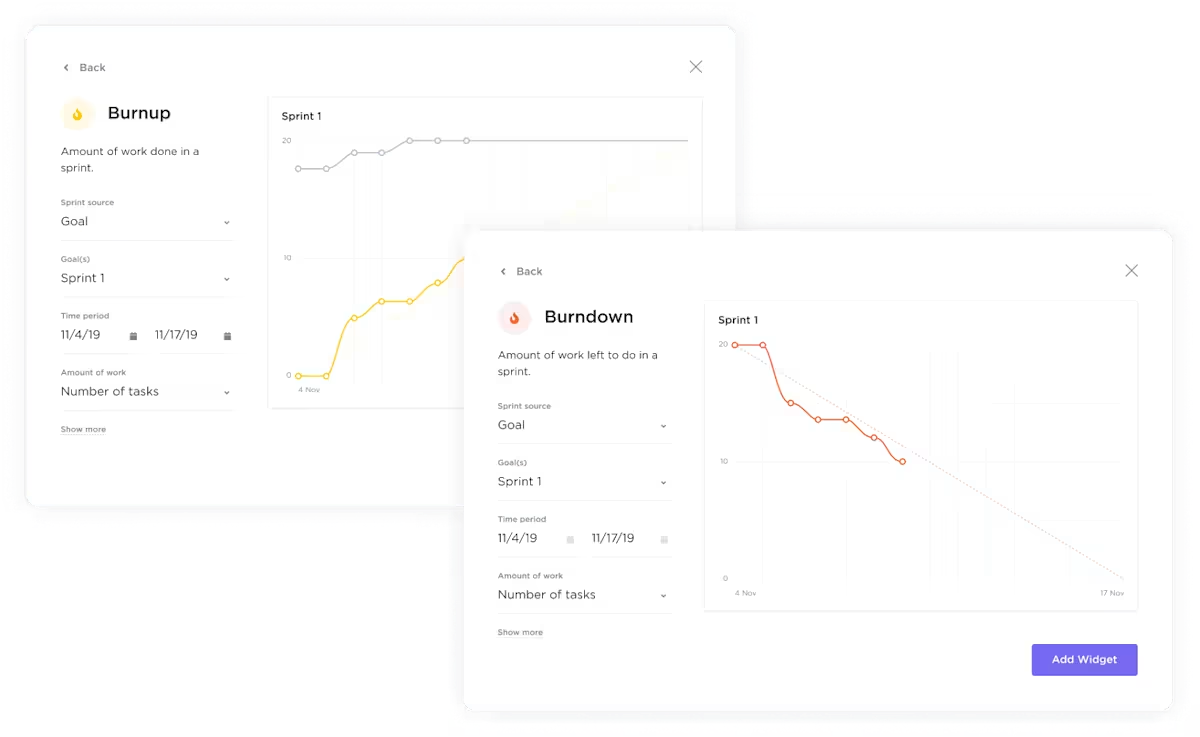
Break down your projects into focused, time-boxed cycles, so you can plan what gets done in a week or two without feeling overwhelmed by the big picture. Plus, with burndown charts and velocity tracking, you get instant insights into how your team is performing, helping you adjust plans on the fly.
📌 Example: Say your team is launching a new app feature. You can set a two-week sprint focused on UI improvements and assign tasks like ‘Design login screen’ and ‘Test onboarding.’ As the sprint progresses, everyone updates the statuses for the tasks assigned to them, so you can track software development KPIs.
You can also generate async AI StandUps within ClickUp using ClickUp Brain to stay updated on the project progress.

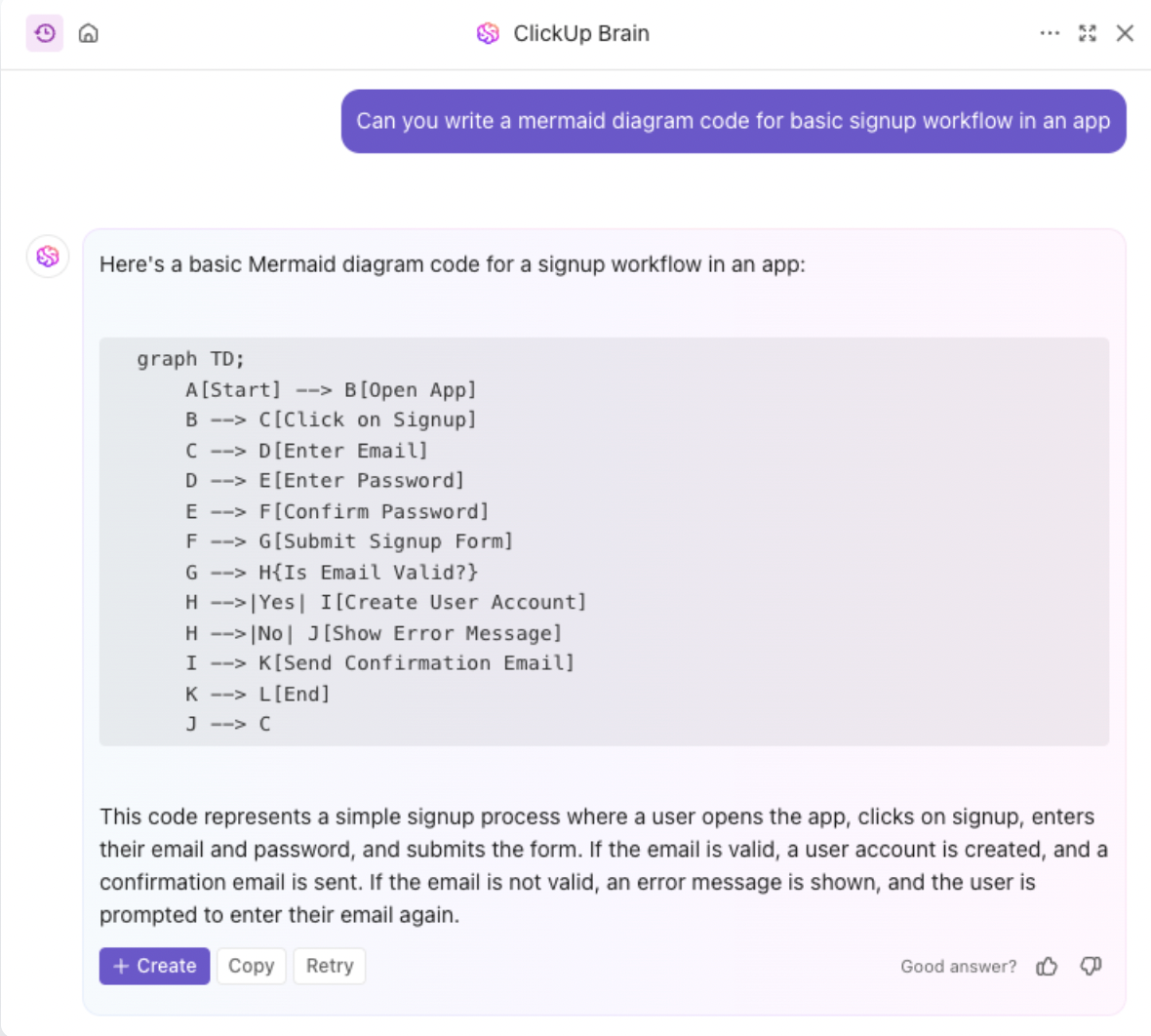
👀 Did You Know: While you may not be able to build an app end-to-end in ClickUp, you can sure use ClickUp Brain to generate code snippets, suggest code improvements, and even debug your code!
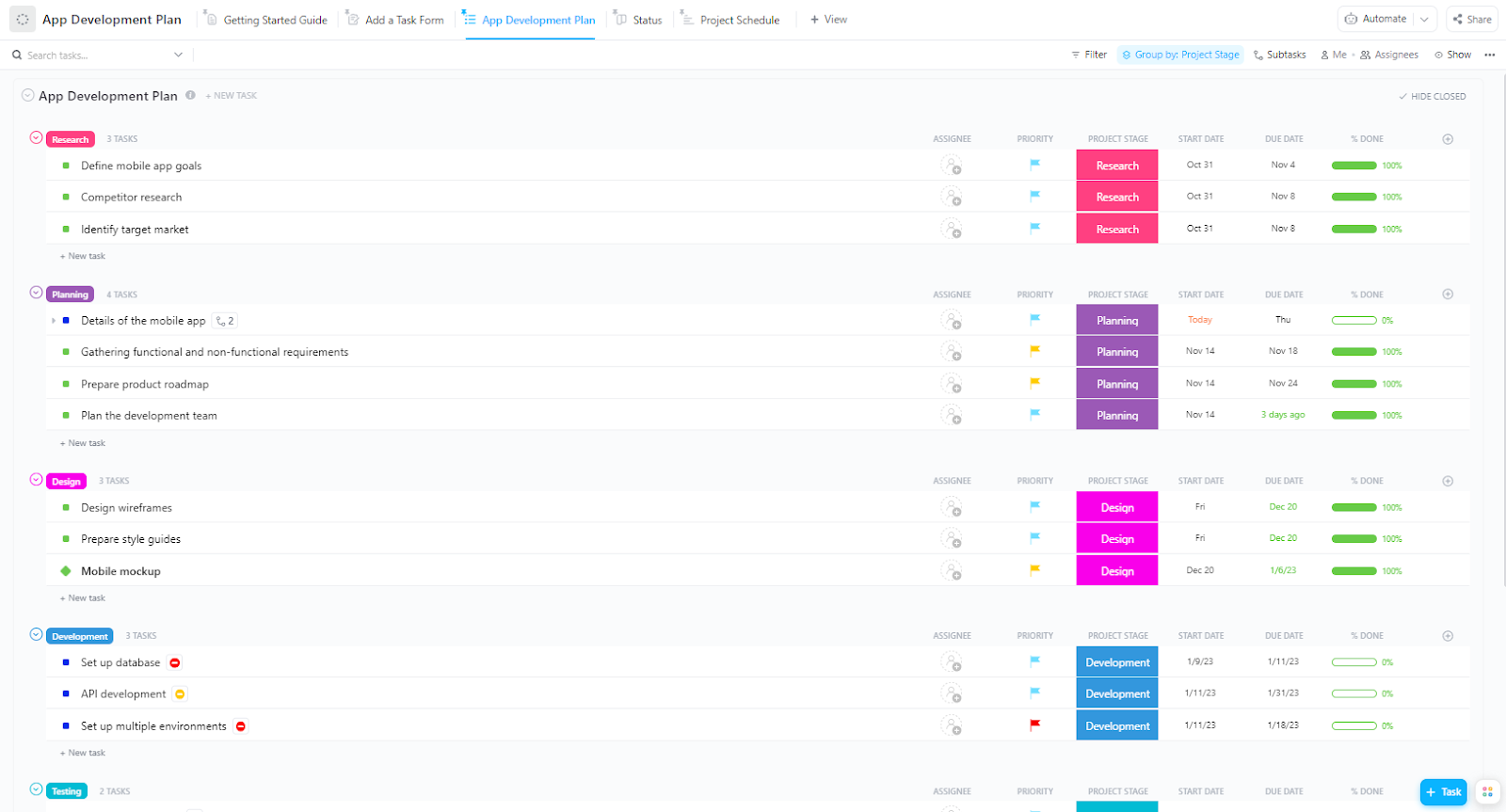
The ClickUp App Development Plan Template gives startup founders and product teams a visual approach to managing entire mobile or web app lifecycles. It’s grouped by project stages like Research, Planning, Design, Development, and Testing.
Each stage has labeled tasks like ‘Define mobile app goals’ and ‘API development’ to ensure team accountability. Status bars and due dates help you track progress at a glance, while colored tags like ‘Research’ or ‘Design’ add an extra layer of visual clarity.
💡 Pro Tip: Held back by unclear priorities? The ClickUp Software Development Template is a centralized system that helps you plan, build, and ship software faster with structured workflows for sprints, feature tracking, bug reporting, and software design documentation.
One G2 review puts it this way:
ClickUp has completely transformed the way we manage our internal tasks at the agency. It allows me to track the entire team’s workflow in one place, prioritize urgent matters, and keep communication centralized. The ability to automate processes, switch between multiple views (like list, board, and calendar), and integrate with other tools has significantly boosted my daily productivity. It’s an all-in-one platform that adapts perfectly to our workflow and makes team management much more efficient.
📮 ClickUp Insight: Context-switching is silently eating away at your team’s productivity. Our research shows that 42% of disruptions at work come from juggling platforms, managing emails, and jumping between meetings. What if you could eliminate these costly interruptions?
ClickUp unites your workflows (and chat) under a single, streamlined platform. Launch and manage your tasks from across chat, docs, whiteboards, and more—while AI-powered features keep the context connected, searchable, and manageable!
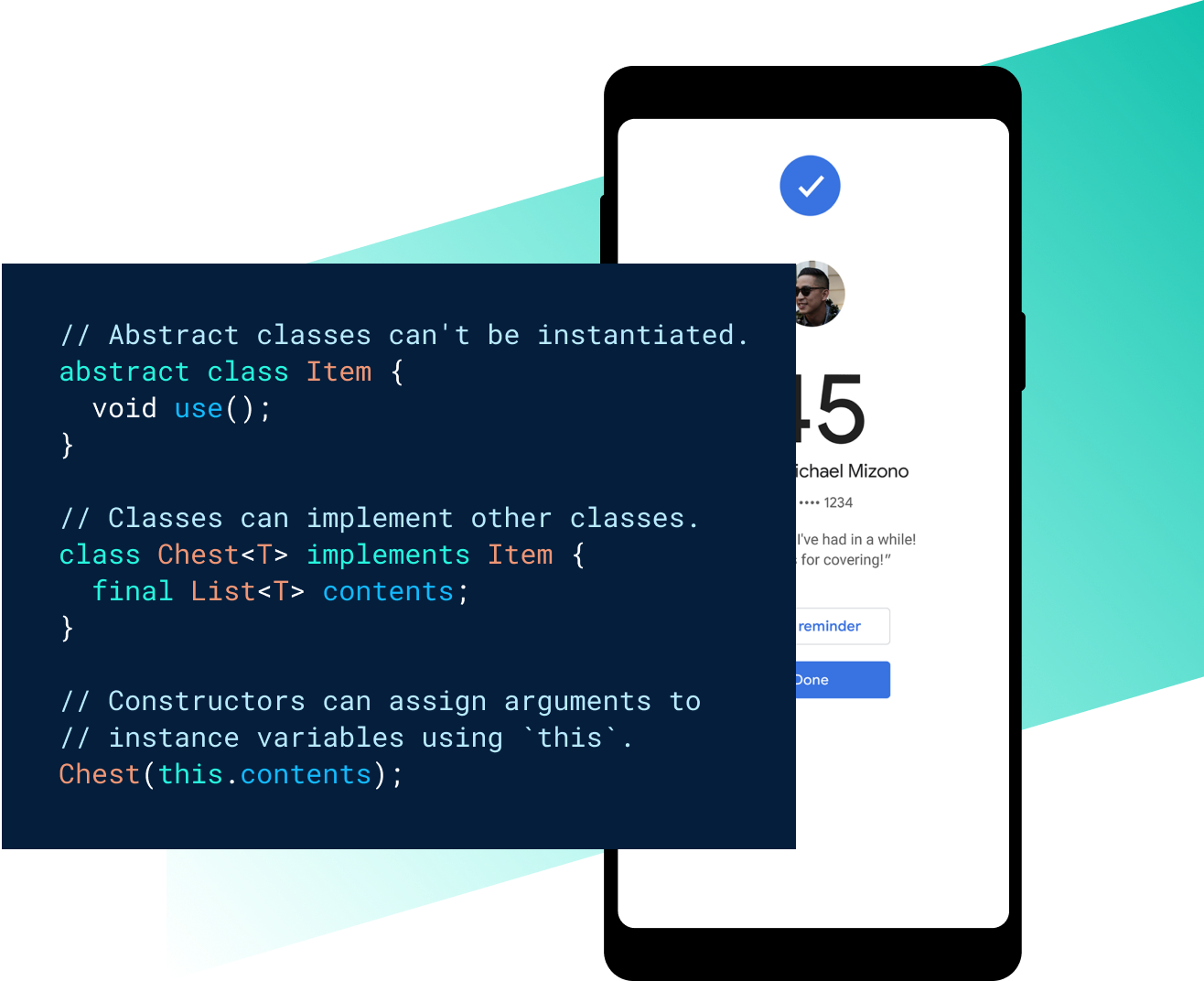
via Flutter
Flutter is an open-source user-interface toolkit by Google that helps you build mobile, web, and desktop apps from a single codebase. It’s ideal for founders who need to launch quickly without maintaining separate codebases for iOS and Android.
The tool’s active developer community and Google’s support give it long-term reliability, while its performance rivals other apps.
A Flutter user summed it up like this:
Flutter is the best framework when it comes to cross platform development for apps. It doubles down on productivity as with its hot reload we can rapidly check if something works or not, very easy to learn and it becomes intuitive to implement too!…Since its [sic] also fairly new all the things available on native all sorts of internal libraries and things. The developer community is still new but its [sic] growing rapidly
🔍 Did You Know? Thanks to AJAX, introduced in the 2000s, web apps like Google Maps and Gmail can update instantly without reloading the whole page. This technology made websites feel much more interactive and app-like!
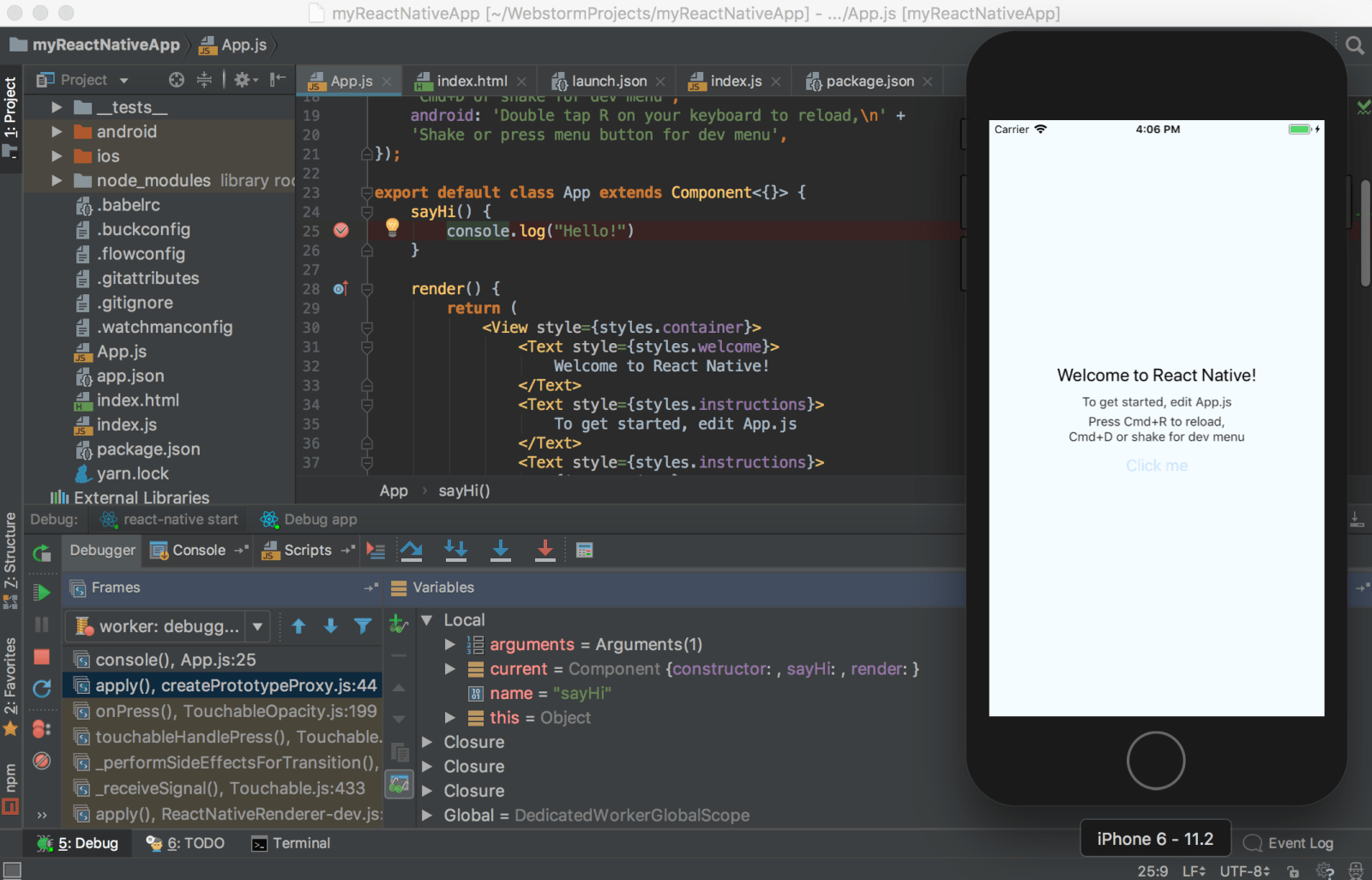
via React Native
React Native is a popular open-source framework by Meta that lets you build native mobile applications using JavaScript and React. It’s well-suited for developers familiar with the React ecosystem who want to reuse logic across iOS and Android.
You get access to native components, a strong package ecosystem, and flexible architecture for integrating third-party tools. React Native doesn’t aim for pixel-perfect parity with native code but offers enough performance for most app use cases.
One review puts it this way:
It has made app development easy and quick using Javascript. I have been able to implement cross-platform apps with ability to run on both android and IOS platforms. Apps developed are easy to use and integrate with existing code…It is robust and stable app development framework but there are some issues for developing IOS apps it requires platform specific coding.
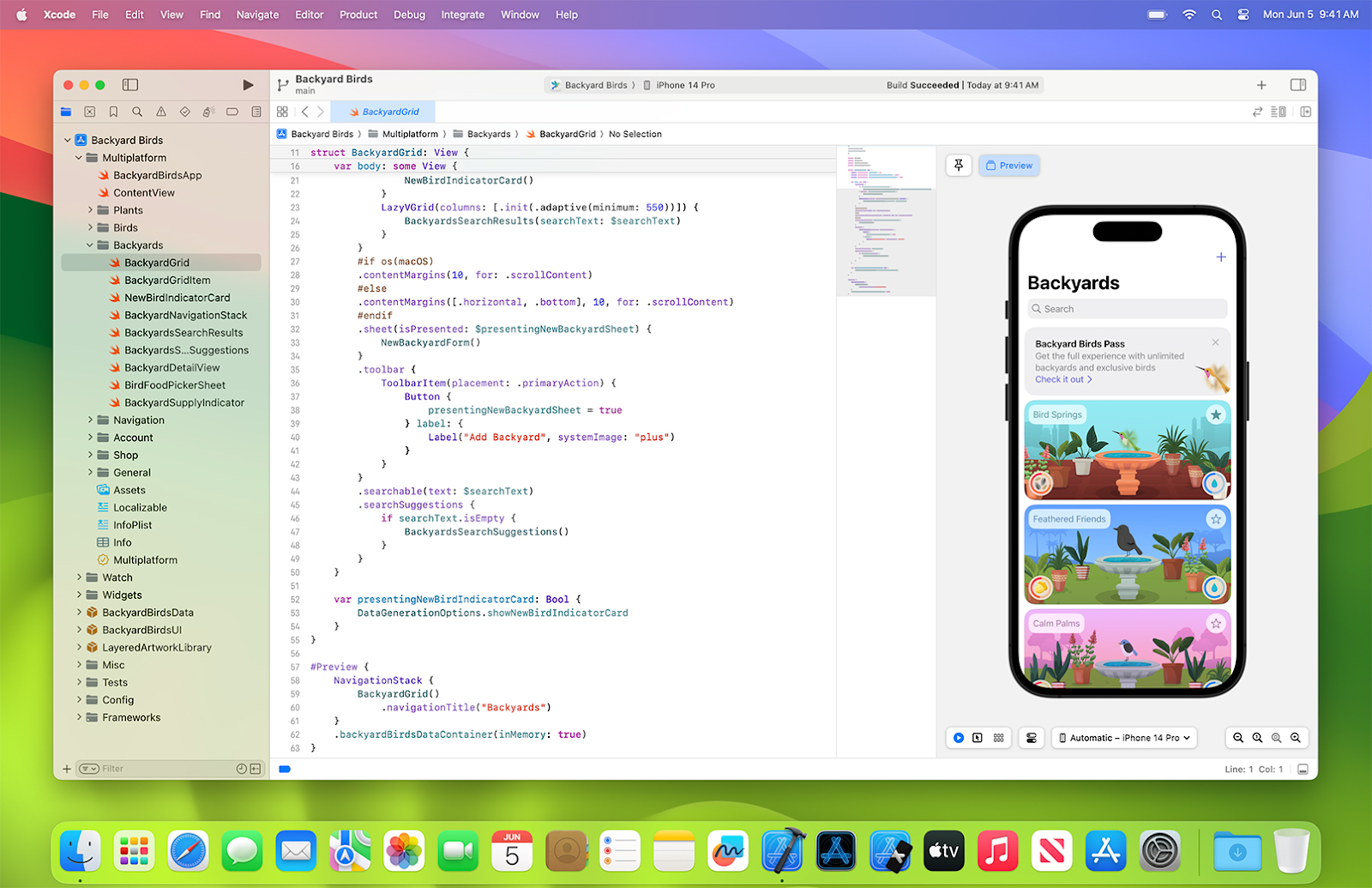
via Xcode
Xcode is Apple’s official integrated development environment (IDE) for building applications across iOS, macOS, watchOS, and tvOS. It’s built for teams working exclusively within Apple’s ecosystem and offers everything needed.
It includes Swift and Objective-C support, a UI designer, testing tools, simulators, and seamless integration with Apple’s APIs and services.
See what this Capterra reviewer had to say:
Xcode offered a great amount of endless design options. Loved the way you can do a simulation of your app in a sandbox environment on different Apple devices from iPad Air to the latest iPhone or Apple Watch…Cons are that it is very code intensive and difficult to wrap your head around some trickier concepts to bring them to life. Another con is the difficulty with publishing apps not always displaying why they got rejected from the app store and also adding in-app purchase functionality is difficult.
🧠 Fun Fact: The concept of software predates actual computers. Ada Lovelace wrote the first computer program in the 1800s for a machine that never got built.
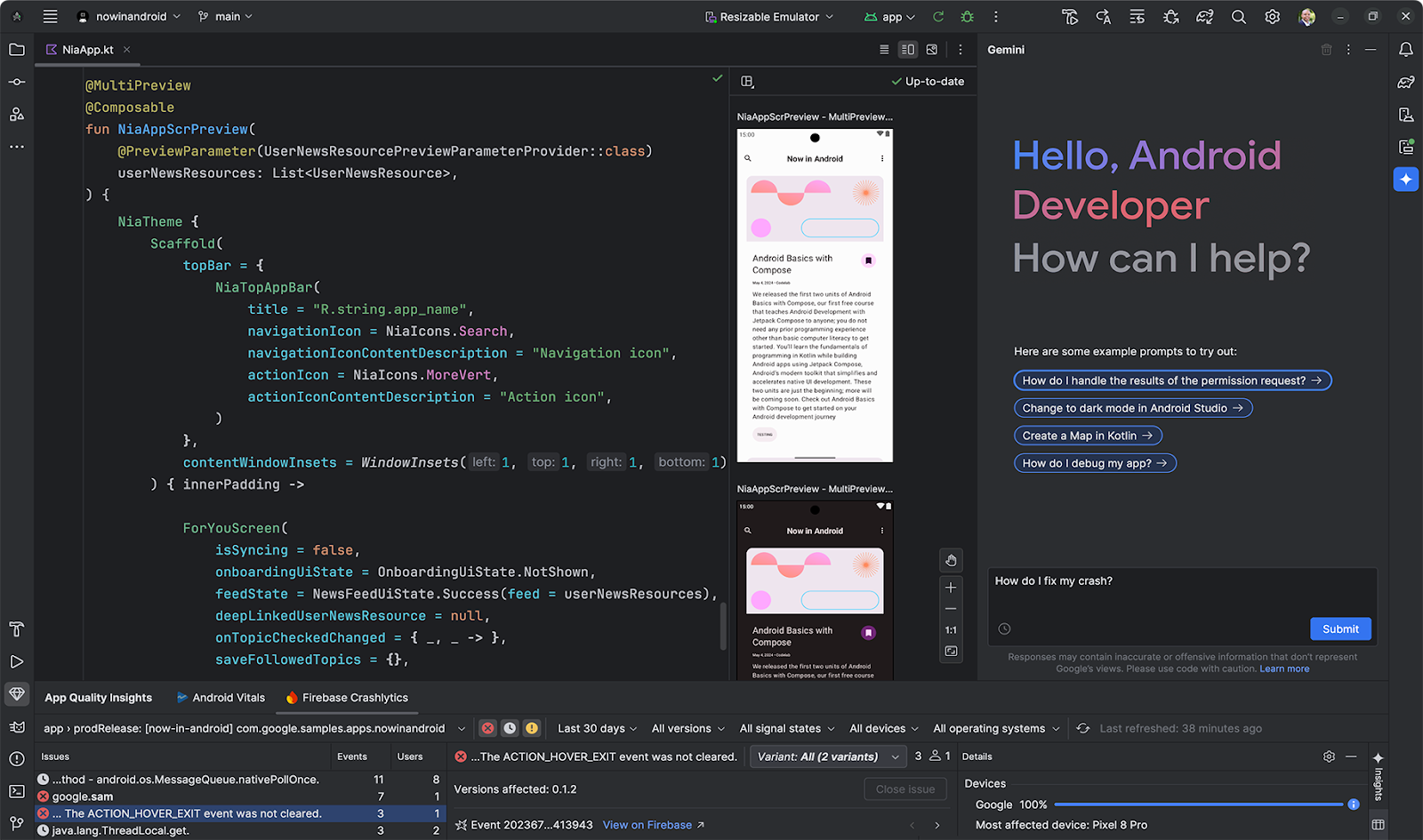
via Android Studio
Google’s official IDE, Android Studio, is for developers who want a complete toolkit for Android apps, from code editing to performance profiling. Built on IntelliJ IDEA, it supports Kotlin, Java, and C++ and offers tools like a flexible Gradle-based build system, layout visual editors, and device simulators.
The platform gives you direct access to the latest Android APIs, libraries, and updates. While it has a learning curve, especially for beginners to Android, it’s a reliable choice for deploying apps at scale.
This is how one user described their experience:
I love all cool tools android studio provides, that renders my design in kotlin and xml, and that I can drag and drop elements to the UI I’m developing. Also the new IDE UI is cleaner and beautiful…Shortcuts are not intuitive, so it would be nice to set VSCode shortcuts faster, also android studio is not exactly a low size IDE, so it takes a lot of system resources
📖 Also Read: Best Automation QA Testing Tools & Software
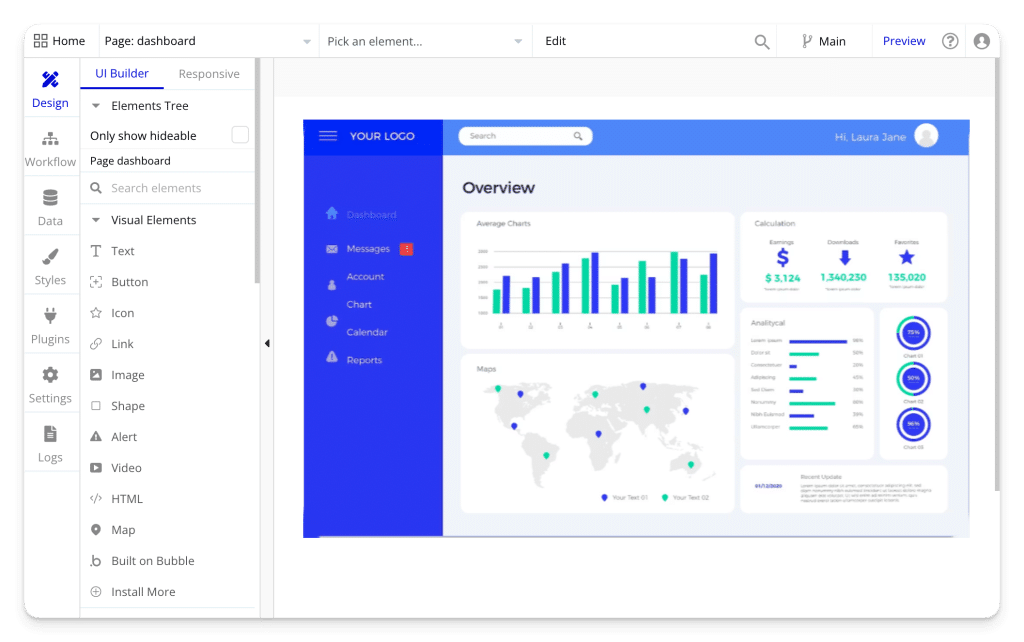
via Bubble
Bubble is a no-code platform for startup founders who want to build and launch web apps without hiring developers. It lets you visually design interfaces, create workflows, manage databases, and connect to APIs. This makes it ideal for quickly building MVPs or testing product ideas on a tight budget and timeline.
You can handle user logins, dynamic content, and app logic within a single interface. Plus, it offers multi-language support (80+ languages) for global access. While it’s not built for heavy backend processing or complex system-level apps, it’s a solid choice for quickly delivering a functional product to users.
A quick snippet from a user on G2r:
While Bubble excels in ease of use for building applications, there’s room for improvement in managing and maintaining complex applications as they scale. As web apps grow to include more features, pages, and data, the process of managing these elements can become challenging. Enhancing the platform’s capabilities for better scalability and maintenance would be highly beneficial…
🔍 Did You Know? The first mobile OS to run apps was EPOC, launched in 1989 by Psion. It ran on clamshell PDAs before ‘apps’ were even a thing.
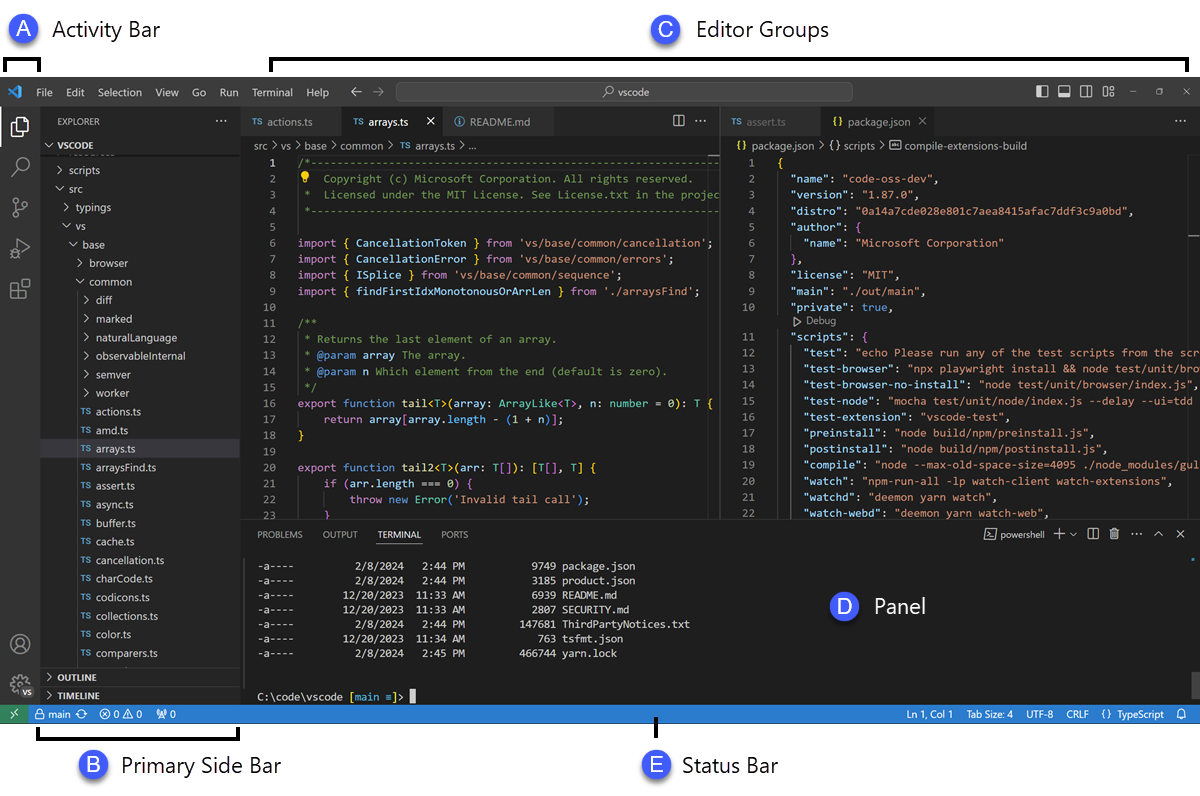
Visual Studio Code (VS Code) by Microsoft is a lightweight yet powerful code editor built for developers who need flexibility, speed, and a wide range of integrations. It supports over 36 programming languages and offers thousands of extensions for everything from linting and debugging to container development and AI-assisted coding.
You can download the platform from the Google Play Store. Features like IntelliSense, Git integration, terminal access, and multi-cursor editing streamline your workflow without the bloat of a full IDE.
Straight from a Capterra review:
It’s free, open-source, highly maintained, compatible with all platforms, highly configurable, easy to develop for and on. Huge online community and contributors and high integration with almost any available product out there… Projects are scoped into project files, and it’s quite difficult to manage in a single windows all the other projects that you might be working at the same time with different configurations.
🧠 Fun Fact: The first computer to run a stored program was the Manchester Baby in 1948, which executed 17 instructions.
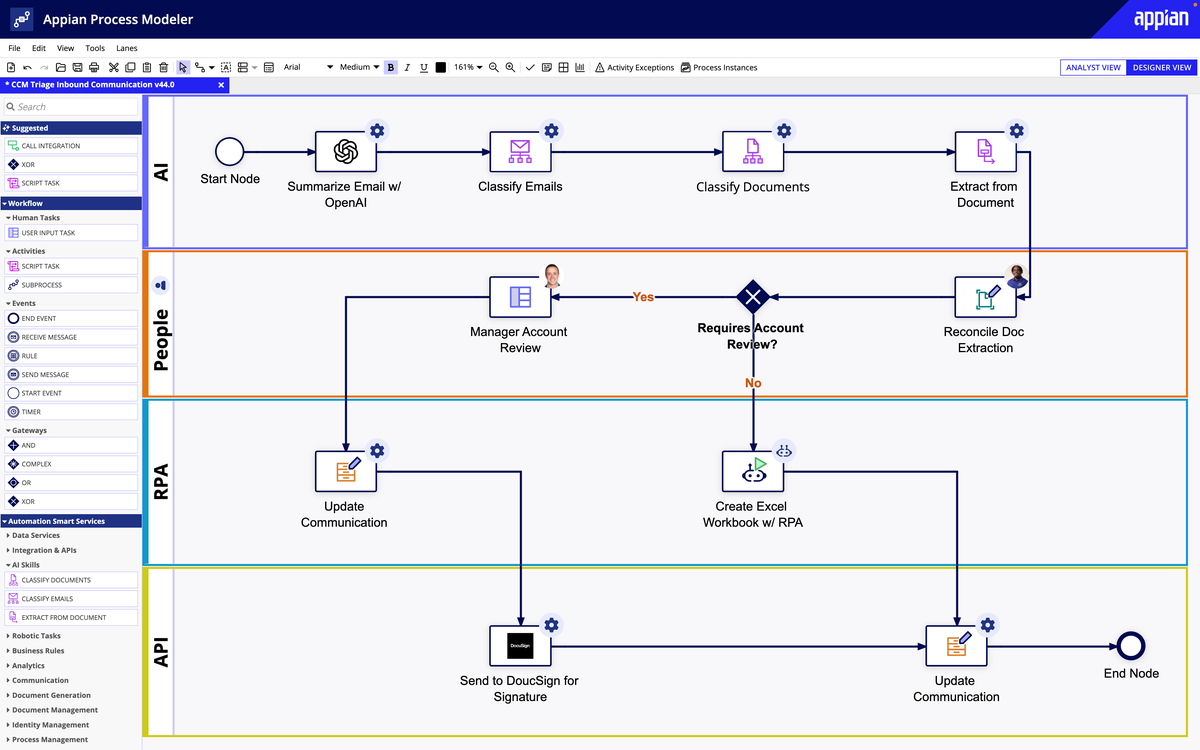
via Appian
Appian is a low-code automation platform designed to help product teams build internal tools, workflows, and enterprise-grade applications with less coding required and faster delivery cycles. It combines process modeling, AI, robotic process automation (RPA), and data integration into a unified environment.
Built-in security, scalability, and compliance make it suitable for handling complex business processes and dealing with bug reports.
One review highlights:
…would say its comprehensive low-code platform with robust integration capabilities is particularly impressive. The ability for rapid application development using Appian’s low-code approach, with its visual drag-and-drop interface and pre-built components, significantly accelerates the application development process […] Availability of developers, learning curve and end user screen design is limited to the tool’s capabilities.
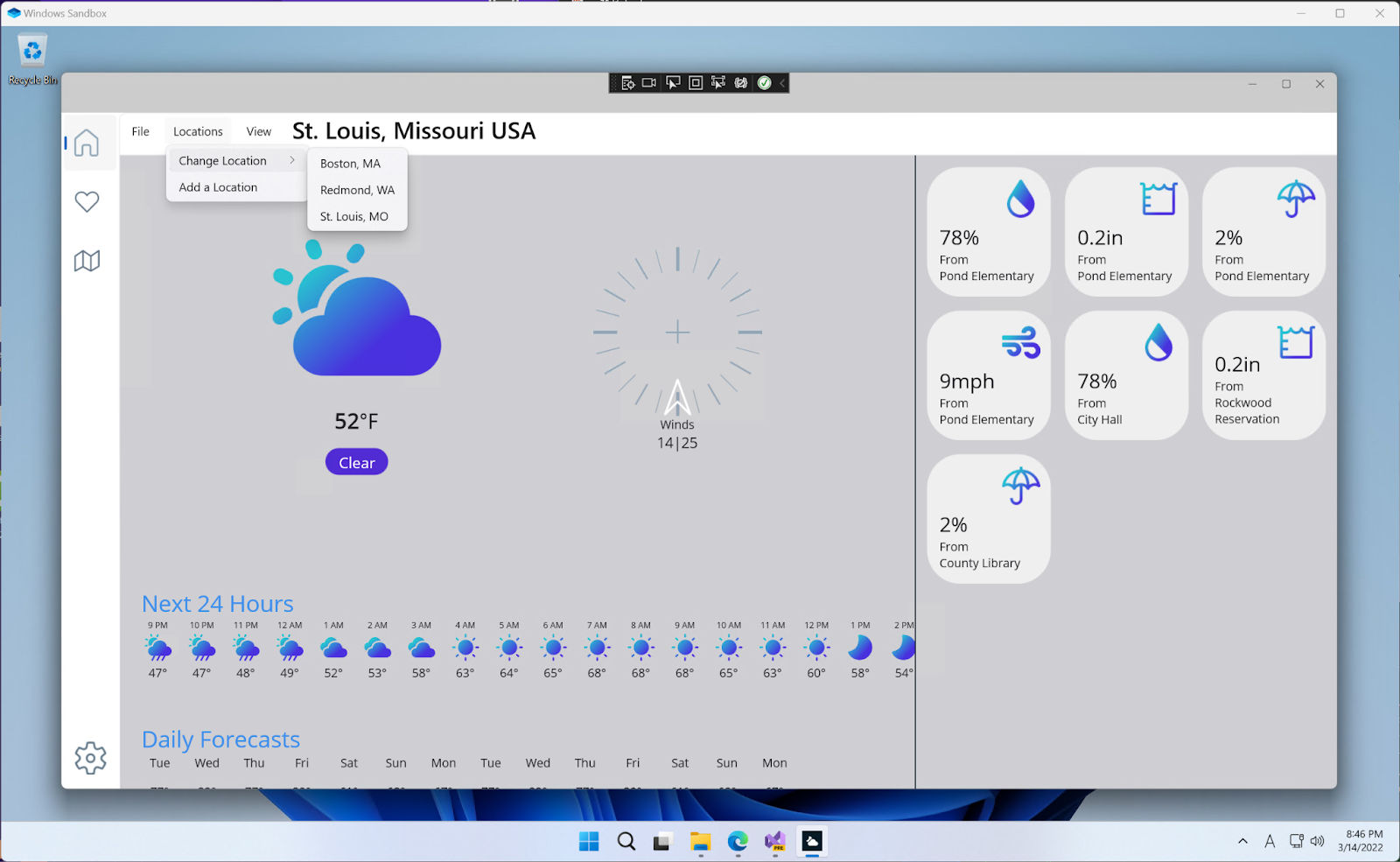
via Microsoft
.NET Maui is Microsoft’s cross-platform framework for building native mobile and desktop apps using C# and .NET. It lets you share a single codebase across Android, iOS, macOS, and Windows while still giving you access to native APIs and performance.
It integrates tightly with Visual Studio and leverages the broader .NET ecosystem, making it a natural fit for teams already invested in Microsoft technologies. While it’s still maturing compared to frameworks like Flutter or React Native, MAUI is a strong choice for .NET shops.
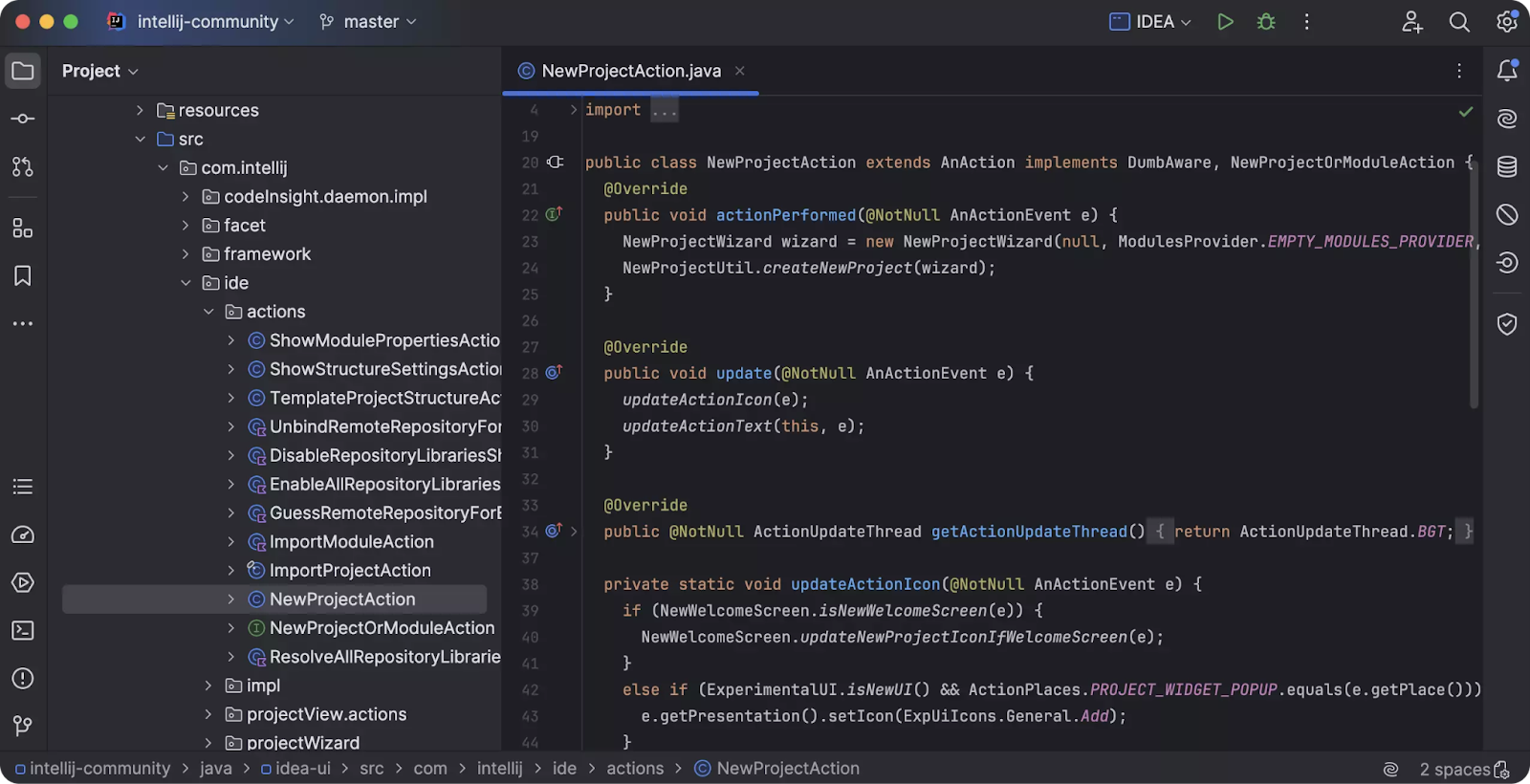
via IntelliJ IDEA
IntelliJ IDEA is a full-featured IDE for developers who work primarily in Java, Kotlin, and other JVM-based languages. Developed by JetBrains, it offers intelligent code completion, deep static analysis, and powerful refactoring tools that help streamline complex development tasks.
With built-in support for frameworks like Spring, Hibernate, and JavaFX, and seamless Git integration and test automation, it can handle small-scale apps and enterprise-grade systems.
According to one reviewer:
IntelliJ IDEA is one of the best code editor for software development. The shortcuts and suggestion for code makes the coding journey very easy. The interface is pleasing for the eyes which makes the code debugging quick and effective…It takes a lot of memory of computer which makes the experience worst if you are running it on a low end computer. For beginners it might take a lot of effort to setup
🧠 Fun Fact: FORTRAN (1957) and COBOL (1959) were the first high-level languages. They made software development more human-friendly and industry-ready.
From drag-and-drop builders to full-fledged dev environments, every tool on this list brings something valuable to the table.
But if you want a single platform that ties it all together, project planning, sprint tracking, documentation, real-time collaboration, and even whiteboarding, ClickUp is here. You can plan sprints, track bugs, write specs, manage timelines, and ship features, all without switching tabs and losing valuable time.
Sign up for ClickUp for free today! ✅

Manasi Nair
Max 26min read

Arya P Dinesh
Max 16min read
Manasi Nair
Max 24min read

© 2026 ClickUp