
Sorry, there were no results found for “”
Sorry, there were no results found for “”
Sorry, there were no results found for “”
In the past, updating website content required knowledge of HTML, CSS, or back-end programming. This meant marketers had to rely on developers constantly for even small changes.
Popular content management systems [CMS] like WordPress and Drupal have made things easier with user-friendly interfaces, drag-and-drop editors, and WYSIWYG [What You See is What You Get] tools.
Now, multiple users within marketing teams can create, edit, and publish content collaboratively without needing technical skills. But with so many options in the market, how do you pick the right one?
In this article, we’ll explain what a CMS is and what it can do and go over the top 20 content management system examples for businesses. Let’s begin. 👇
A content management system, or CMS, is a software platform that lets you easily create, edit, and manage website content without the need for technical knowledge.
You can publish blog posts, adjust your site’s layout, or update your company website—all from an easy-to-use dashboard.
Most CMS platforms have two key parts: the Content Management Application [CMA], where you create and manage content, and the Content Delivery Application [CDA], which controls how it appears on your website.
They also offer web hosting, making it simple for your team to collaborate and publish updates without needing developers. Plus, CMS platforms include SEO tools and security features to help optimize your content and reach your audience.
Fun Fact: According to research, more than 76 million websites use a content management system (CMS). Among the top 1 million websites by traffic, over 790,000 are powered by a CMS.
To meet industry standards, a good CMS should have these key features:
📖 Also Read: Best AI Writing Tools for Content
Now that you know what to look out for in a CMS, let’s look at the options that can make content management easy for you.
Choosing the right content management system (CMS) can make all the difference. With so many choices out there, it can feel overwhelming to pick the best one for your needs.
That’s why I and my team at ClickUp have put together this list of the top 20 content management system examples that can help you create, manage, and optimize your online presence with ease. Ready to deep-dive? 👇
ClickUp is an all-in-one platform designed to simplify content creation and team collaboration. Its various tools and features allow you to manage your digital content seamlessly. Let’s explore its rich feature set together.
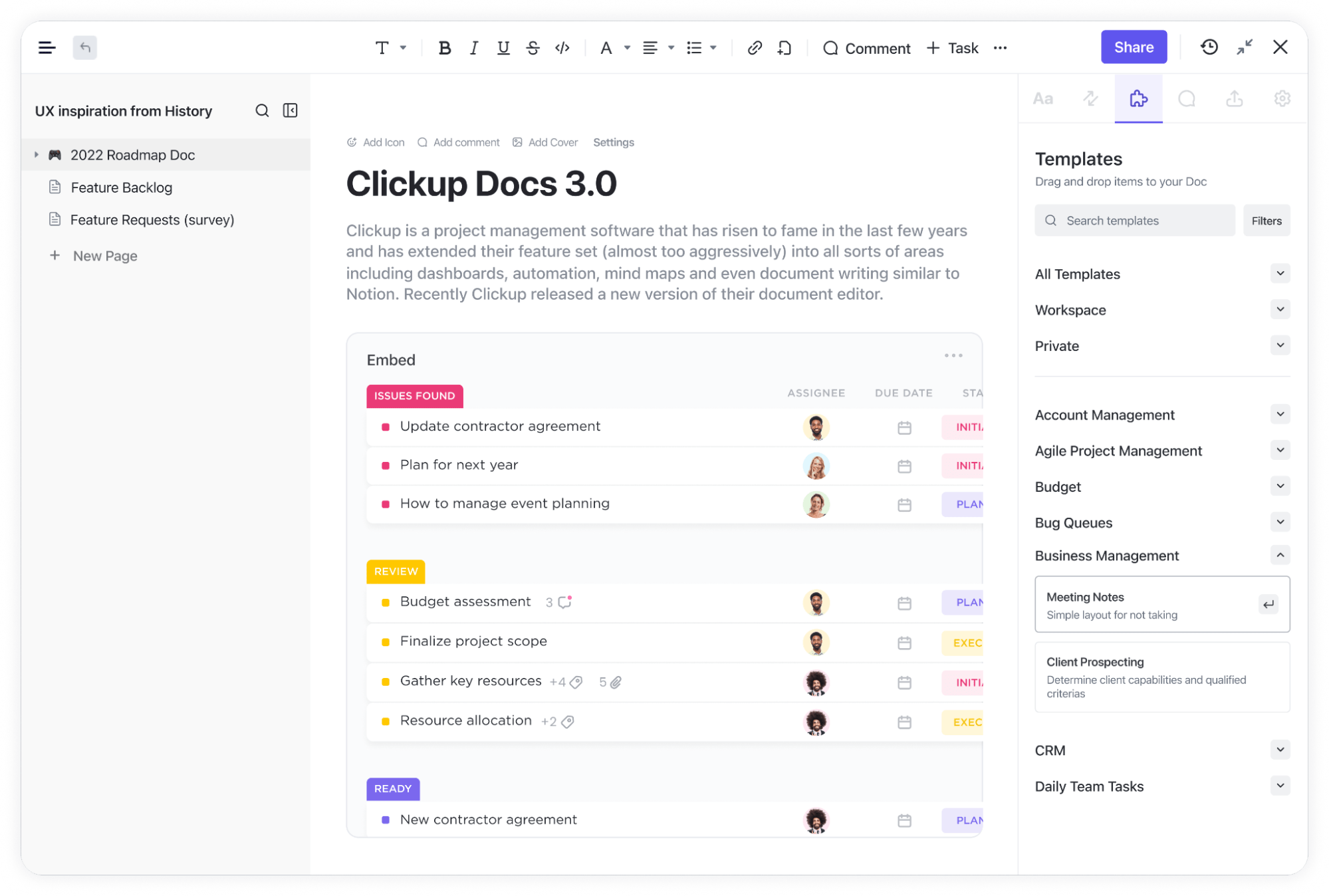
For instance, ClickUp Docs allows you to create and organize content in a central hub so that your creators and editors can collaborate seamlessly on any content-related projects.
With features like real-time editing, inline comments, and version history, your team can stay aligned and track changes without missing a beat. You can also embed tasks, link documents, and assign action items directly within the doc, ensuring everyone remains focused and productive while working on their respective sections.
Then, you have ClickUp Tasks, a feature to plan, organize, and collaborate on any marketing project. You can use Tasks to set up a perfect content production process and make it move seamlessly between your writers, editors, or SEO team.
Whether managing multiple content pieces or handling larger campaigns, Tasks keeps everything organized and flowing efficiently.
Centralizing communication and task management removes bottlenecks, allowing projects to move smoothly through each stage as your team is more focused on producing high-quality content.

Combine this with AI-backed workflow automation, and you’ll have a content management system that handles a large part of the work for you. For example, the system automatically assigns a piece to your editor the moment a writer submits it.
You can also set triggers for follow-up tasks, like notifying the SEO team once the content is approved, ensuring each process step flows without manual intervention.
This automation keeps the workflow moving smoothly and eliminates the need for constant oversight.

Moreover, ClickUp Calendar View helps your teams stay on schedule with content publishing, editing, and more. It allows you to track and manage your content management tasks on a visual platform, improving readability significantly.
You can also directly schedule tasks within Calendar View and set alerts and reminders to ensure you never miss any content publishing or editing deadlines.
And if you don’t want to start things from scratch to create a content management system with ClickUp’s different options, you can rely on pre-built document templates. ClickUp has a library of 1000+ templates that make content creation a breeze. Let’s check them out.
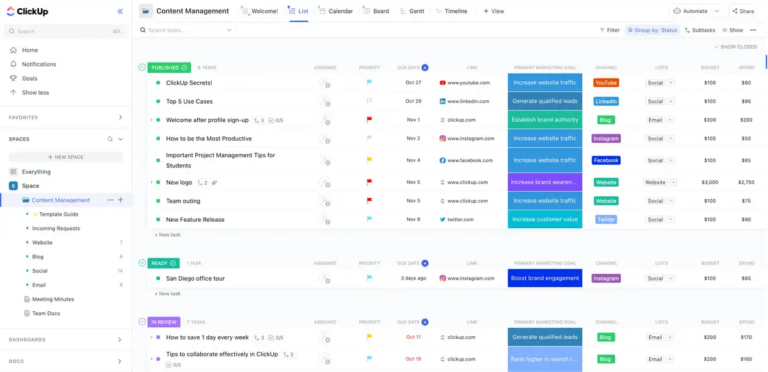
The ClickUp Content Management Template is one of the best in this regard. It helps you schedule content-related tasks like creation and publication on a singular unified platform where multiple team members can work on managing your amazing content.
This template also:


We use ClickUp to manage and track our social and digital media content creation pipeline. This allows us to see the status of each content piece (in progress, needs edits, scheduled, etc.) along with who is the lead designer. It also eliminates all the back-and-forth email communication as the comments section for each task can be used to deliberate and delegate tasks/next steps (serving the need for tracking and following up on our content creation cycle).

WordPress is one of the most popular CMS platforms among businesses. It’s a highly flexible, open-source platform that is pretty user-friendly for beginners. Unlike most content management systems, its range of themes and plugins makes it easy to customize your content, and the block editing system provides an effortless way to edit your blogs and websites.
Fun Fact: WordPress has the largest CMS market share with 62.7%, according to research. Additionally, there are an estimated 38,000,000 live WordPress websites all over the world.

Ghost is a headless CMS designed for professional publishers. It provides an intuitive editor that supports markdown, enabling writers to focus on their content without distractions. In addition to web content management, Ghost offers managed web hosting to simplify the setup process.
Did You Know? A headless CMS is a content management system that separates the presentation layer (where content is presented) from the backend (where content is managed). This type of CMS allows you to manage content in one place and be able to deploy that content on any digital channel you choose.
📖 Also Read: How to Use AI to Automate Tasks

Wix offers a powerful combination of a content management system and a website builder, providing users with a complete solution for creating, managing, and scaling their websites. Its user-friendly drag-and-drop interface makes it easy for beginners to get started.

Squarespace is well-known as an all-in-one platform for website content management.
The tool provides over 100 customizable templates, built-in blogging features, eCommerce capabilities, and appointment scheduling features for websites. It also helps you track your content analytics to discover the most popular posts through site traffic.
📮ClickUp Insight: Nearly 42% of knowledge workers prefer email for team communication. But it comes at a cost. Since most emails only reach select teammates, knowledge stays fragmented, hampering collaboration and quick decisions. To improve visibility and accelerate collaboration, leverage an everything app for work like ClickUp, which turns your emails into actionable tasks within seconds!

Joomla is a flexible CMS tool that balances ease of use and functionality. Its core features include easy customization, content management, and professional support. It offers localization in over 70 languages and out-of-the-box SEO and SEF (Search Engine Friendly) URL.

Drupal is an open-source CMS often used for complex websites with high customization needs. It’s extremely modular and flexible, making it ideal for multiple industries, such as Retail, FinTech, Travel, E-Commerce, and more. Drupal supports more than 100 languages.
Free to use

Shopify is synonymous with eCommerce businesses. You can use it to build and manage online stores easily. With Shopify, you get tools for web hosting, inventory management, analytics, and sales channels. Shopify’s omnichannel commerce capabilities ensure a consistent customer experience everywhere.

Magento, now Adobe Commerce, is an eCommerce solution with a CMS that helps you build unique and personalized B2B and B2C experiences through your online stores.
Unlike other content management systems, it leverages AI to deliver relevant content and promotions in real time and increase your team’s overall productivity with AI-merchandising tools. The API-first, headless CMS allows you to customize quickly.

TYPO3 is an open-source enterprise CMS that thrives with its extensive global community. Its smart content management system helps it deliver your content across multiple digital platforms and manage it all with smart authoring workflows, DAM, and SEO.
Free forever
📖 Also Read: Best Creative Automation Tools to Boost Productivity

HubSpot offers CMS software (Content Hub) that focuses on attracting traffic, generating leads, and growing revenue. It simplifies the process of creating and managing modern business websites and has several useful CMS tools that can be used by non-technical folks, too.
Its distinguishing feature is that it easily integrates with HubSpot’s customer platform, which makes it the only tool you need to build a website, launch marketing campaigns, capture leads, and follow up on leads from just one place.
Did You Know? The history of content management systems began in 1989 when Tim Berners-Lee proposed an internet-based hypertext system, HTML, and wrote the browser and server software in late 1990.

Contentful standardizes and syncs content in one place and structures experiences across multiple brands, regions, and channels. One of its standout features is that it lets you reference all your digital content, including images, texts, articles, etc., to form a cohesive content graph.

Webflow is a cloud-based SaaS designing platform and CMS that specializes in creating websites without any coding expertise. It can create visually appealing and functional blogs, e-Commerce stores, landing pages, websites, and more.
One of Webflow’s unique features is Live Prototyping, which closes the gap between the design mockups and the final site in the designing process.
General site plans
eCommerce site plans
Workspace plans

Craft is a flexible and user-friendly CMS built on top of open-source frameworks and tools. It bundles the Craft Cloud, an in-house scalable hosting platform.
It has a ton of unique features, like Matrix in Matrix and Field Instances. The former allows users to manage nested entries instead of blocks alongside cards, entry lists, and more. It also supports reusing custom fields in the same field layout–each with its handle, instruction, and conditions.

Concrete5 is a CMS for designers and developers. It comes with a powerful and intuitive editing suite with support for WYSIWYG editing.
The platform claims that its comprehensive feature set eliminates the need for extensions. Since Concrete5 assigns roles and groups for controlled access down to the individual block of text, collaboration is super-easy.
📖 Also Read: How to Use AI for Copywriting (With Prompt Examples)

Silverstripe is an open-source content management system (CMS) popular among developers for its flexibility and customization capabilities.
Built on PHP, it allows for extensive modification to suit various business needs. Its user-friendly interface and strong security features make it accessible to both developers and content creators.
📖Also Read: How to Use AI in Content Marketing

DotNetNuke, commonly known as DNN, is a powerful CMS built on the Microsoft ASP.NET framework. It is designed to provide a secure and flexible platform for building and managing dynamic websites.
DNN is well-suited for businesses that require a robust security infrastructure and integration with other Microsoft technologies.

Sitecore is an enterprise-level CMS that delivers personalized digital experiences across multiple channels.
It combines content management with advanced marketing tools, which makes it ideal for large organizations that aim to enhance customer engagement. Sitecore’s scalability and integration options allow businesses to create comprehensive digital ecosystems.

Kentico is an all-in-one CMS that provides a comprehensive suite of features for creating engaging digital experiences. Known for its ease of use and functionality, Kentico supports eCommerce, online marketing, and multilingual content management.
This makes it an attractive option for businesses looking to deploy robust digital solutions quickly without sacrificing quality or performance.
SaaS
Self-managed
📖 Also Read: Best SaaS Knowledge Base Software

Strapi is an open-source headless CMS that allows developers to create APIs with ease. Built with JavaScript and fully customizable through plugins, Strapi offers developers the flexibility to build scalable applications for specific business needs.
Its headless architecture allows for seamless integration with various front-end technologies, making it a popular choice among developers who prioritize speed and flexibility in their projects.
CMS implementation has a reputation for being a hassle, especially for content marketing managers. But it need not be that way. With these best practices, you can ensure smooth integration and maximize the potential of any CMS:
A CMS is no longer an option for getting your content delivered to your target audiences in the best possible way. Implementing a CMS effectively streamlines your content strategy, but only if you select the right one.
That’s where ClickUp comes in.
With its intuitive task management, automation, and smooth integrations, it’s built to handle your content needs with ease. Use ClickUp Docs, Tasks, Calendar View, and Templates and take your content generation to the next level.
So what are you waiting for?
Sign up for ClickUp today to simplify your content workflow!

Praburam Srinivasan
Max 18min read

Manasi Nair
Max 24min read
Manasi Nair
Max 23min read

© 2026 ClickUp