Sorry, there were no results found for “”
Sorry, there were no results found for “”
Sorry, there were no results found for “”
Transcribing long audio and video recordings takes a lot of effort. The pause-type-rewind cycle can be time-consuming. The same goes for taking notes in a meeting, webinar, interview, or lecture. You end up struggling to keep up with the speaker and missing crucial details.
Thankfully, the rapid advancement of artificial intelligence (AI) has led to transcription tools that handle note-taking in only a few minutes—freeing you up to focus on more important tasks. ⏳
But here’s the thing: There are many AI transcription tools to choose from, each with unique features and accuracy levels. Navigating through this vast sea of options can be overwhelming.
We’re here to help. We’ve curated a list of the top 11 AI transcription tools that cater to various use cases, so you’ll find the perfect match for your specific needs.
To help you find the best AI transcription tool for your use case, we’ve curated a list of the top 11 options:
AI transcription is the process of using AI technology to convert audio and video content into text. Unlike manual transcription, where a person listens and types out what they hear, AI transcription tools do this automatically without human interference. ?
These tools use natural language processing, machine learning algorithms, and vast databases of linguistic data to recognize and transcribe speech.
Here’s a simple breakdown of how they work:
The “best” AI transcription tool isn’t the same for everyone. You have to consider your specific needs when making a choice. Here are some important features to look for as you narrow down your search:
Whether you’re a researcher, educator, journalist, podcaster, or content creator, our list of tools has something for you. We’ve weighed each tool’s pros and cons, analyzed user reviews, and even tested their features to give you a comprehensive guide.
So if you’re ready to turn those lengthy recordings into flawless transcripts and save time, listen up!
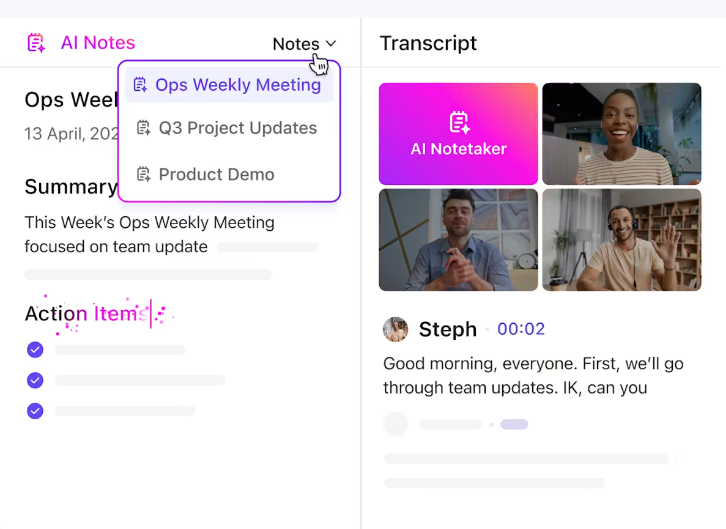
Transcribing long audio and video recordings takes a lot of effort. The pause-type-rewind cycle can be time-consuming, and the same goes for taking notes in meetings, webinars, interviews, or lectures. You often struggle to keep up with the speaker, missing crucial details. Thankfully, ClickUp, the everything app for work helps teams stay organized and collaborate effectively.
ClickUp AI streamlines this process by automatically transcribing and summarizing meeting notes in real-time.
ClickUp AI Note Taker automatically transcribes meetings, generating clear summaries and actionable tasks from your discussions. This allows you to focus on the conversation rather than worrying about taking notes or missing important points.
You can easily integrate these transcriptions into your ongoing projects within ClickUp, ensuring that meeting notes directly translate into tasks that are tracked, organized, and acted upon—no manual effort required.
ClickUp Brain MAX is a desktop app that offers fast, accurate voice-to-text transcription through its Talk to Text feature. You can dictate notes, emails, or documents hands-free in any app on your computer. Talk to Text supports multiple languages, and allows you to customize your microphone and vocabulary for better accuracy. All your transcriptions are saved for easy access, playback, and export.
Here’s what you get:
ClickUp best features:
ClickUp limitations:
ClickUp pricing:

Trint, founded by Emmy Award-winning reporter Jeff Kofman, uses AI technology to transcribe video and audio recordings. The transcription software is tailored to journalists, researchers, and content creators, and is trusted by brands like BBC, Financial Times, and The Washington Post.
Upload your audio or video files to Trint’s platform, and it’ll generate written transcripts in any of its 50+ supported languages. You can also transcribe live broadcasts in real-time. ?
Enhance transcription accuracy by adding unique terms to the custom dictionary and correcting errors with the online editor.

TranscribeMe combines AI technology with human expertise for high-quality transcription outputs.
Here’s how it works: Speech recognition software creates a draft transcript from your audio file, and then a human transcription expert reviews and edits it for accuracy and alignment with your style guide. You get notified by email when the final AI transcription audio file is ready. ?
Aside from being able to transcribe audio, TranscribeMe also offers translation services, as well as custom data set creation and data annotation for AI model training.
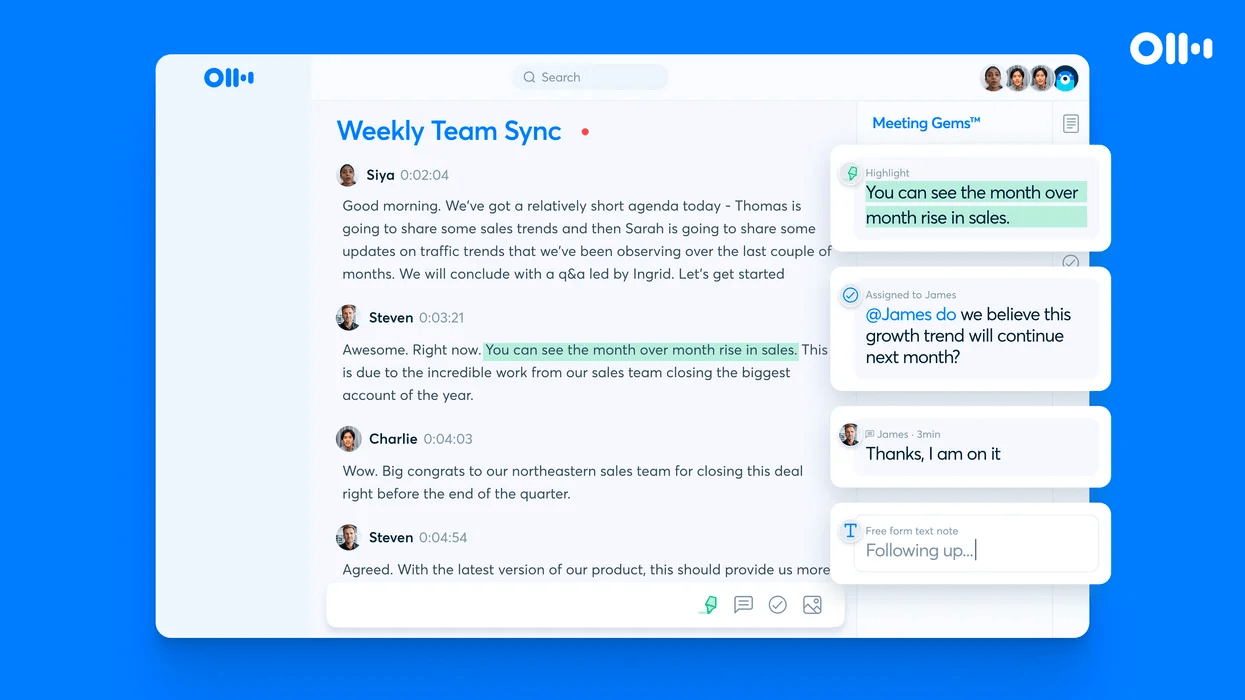
Otter.ai is one of the leading automated transcription services on the market, trusted by brands like UCLA, IBM, and Rakuten. It doesn’t just transcribe audio and video files, but it also offers real-time recording and transcription for both in-person and virtual events.
A key feature is its seamless integration with Google and Microsoft calendars. This allows Otter to automatically join and transcribe your Zoom, Google Meet, and Microsoft Teams meetings, lectures, and interviews.
After meetings, Otter generates and shares summarized meeting notes with all participants via email. The AI transcription tool is great for quick text and audio or video files where you need to remove background noise too.
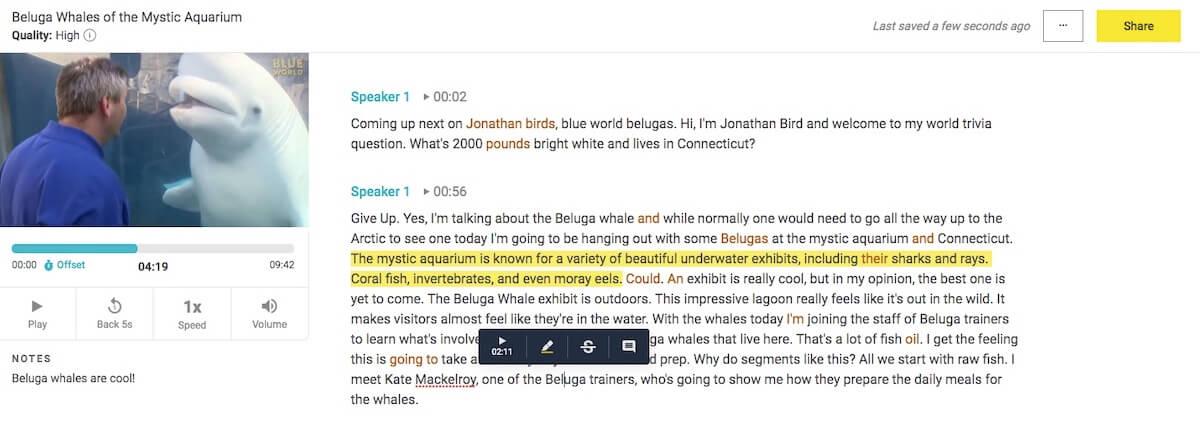
Temi, developed by the creators behind Rev.com, focuses on transcribing English audio and video files. It produces 90-95% accurate transcripts (when the audio quality is good) in just 5-10 minutes.
Unlike similar tools, Temi focuses on simplicity and doesn’t come with any bells and whistles. It has a minimalist dashboard for tracking your past transcriptions and an intuitive editor for polishing your transcripts. ✨
If you need an easy-to-use, fast, and accurate tool for one-off transcriptions, Temi is a great choice as one of the best AI transcription tool options in this list.
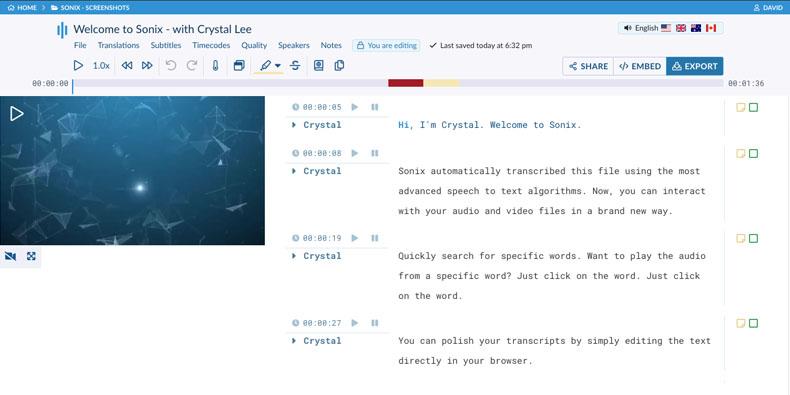
Sonix produces automatic transcriptions in 38+ languages and accents, including English, French, Spanish, and Chinese. Each transcript includes time codes and speaker identification for clarity.
In addition to transcription, Sonix offers automated translation, subtitles, and summaries. Plus, there’s an interactive web editor for real-time edits.
Sonix integrates with over 25 tools—from Dropbox and Evernote to Zoom and Loom—making your transcription workflows smoother and more efficient.
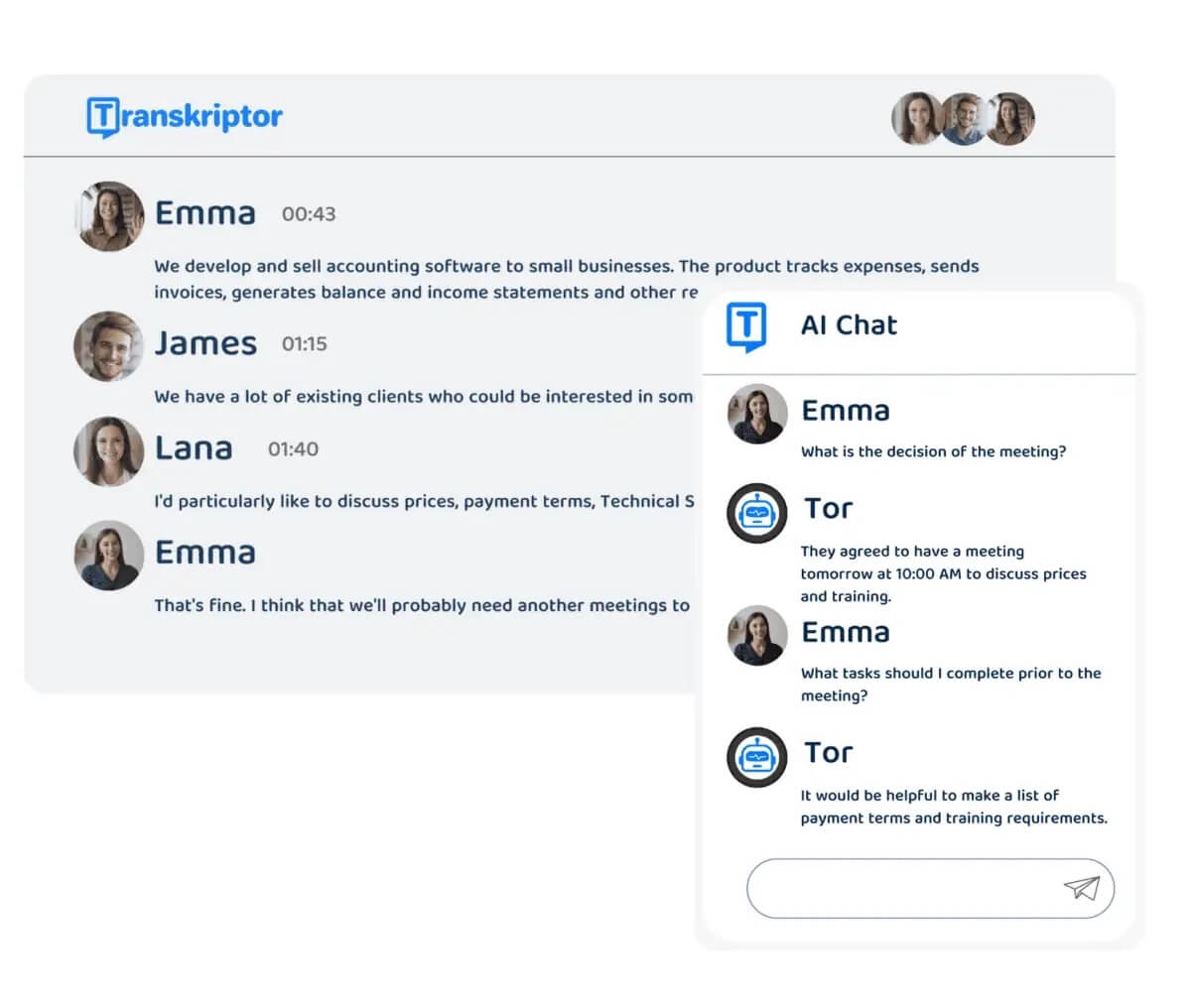
Transkriptor is an AI transcription service with up to 99% accuracy. Upload files from various sources, including YouTube, Google Drive, and even WhatsApp.
Similar to most tools, you can collaborate with your team in the platform’s editor and export your transcript in TXT, DOCX, and SRT formats.
What sets Transkriptor apart from the rest is its support for over 100 languages. This makes it ideal for businesses and content creators looking to reach and engage with international audiences.
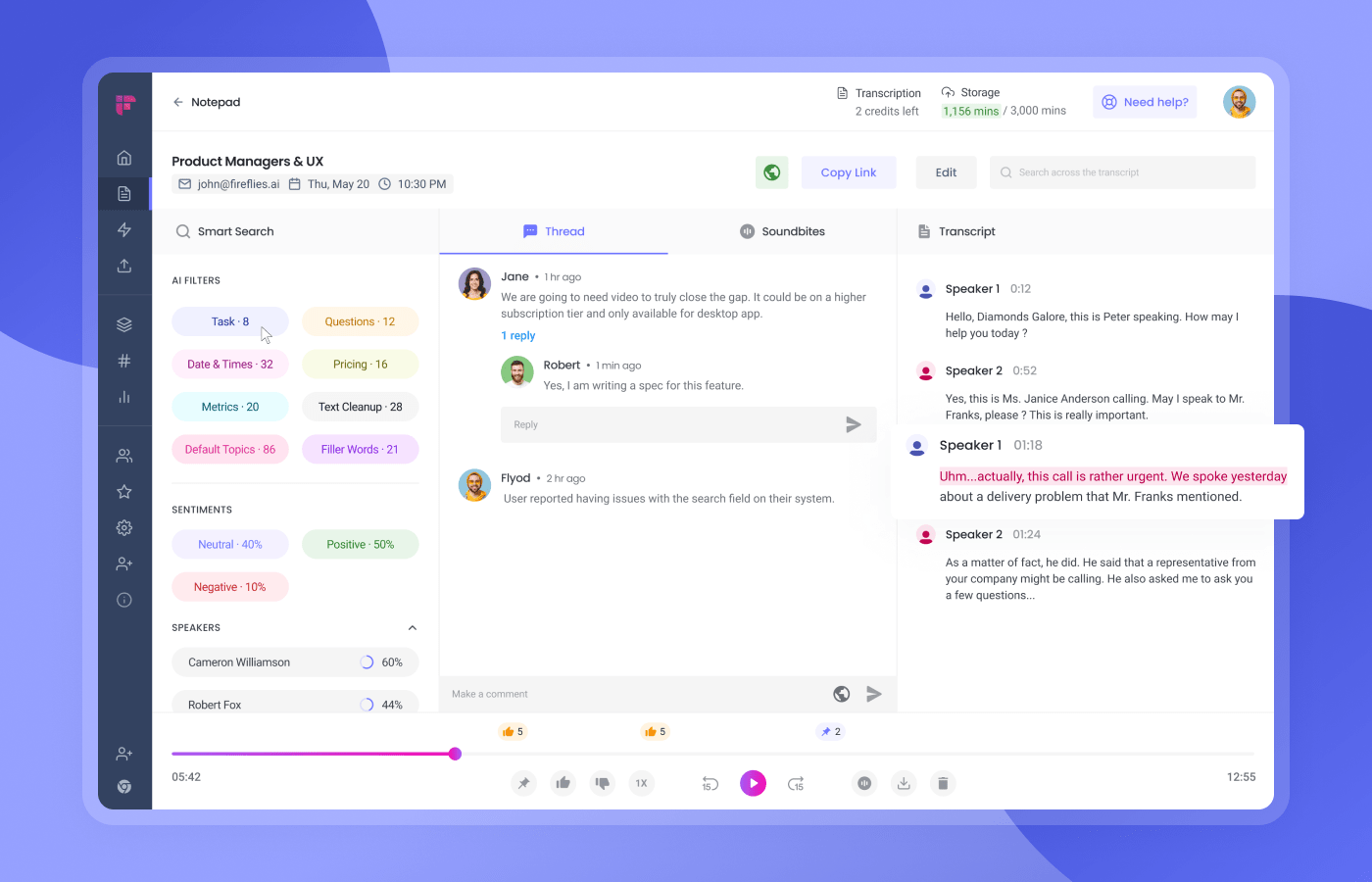
Fireflies.ai, like other tools, transcribes audio and video content. However, its primary role is to serve as your meeting assistant, recording, transcribing, and summarizing your meetings.
Fireflies stands out with meeting analytics (like speaker talk time, filler word usage, and talk-to-listen ratio) for improving future meetings. It’s the perfect tool for marketing, sales, and product teams looking to refine their communication strategies to close more clients. ?
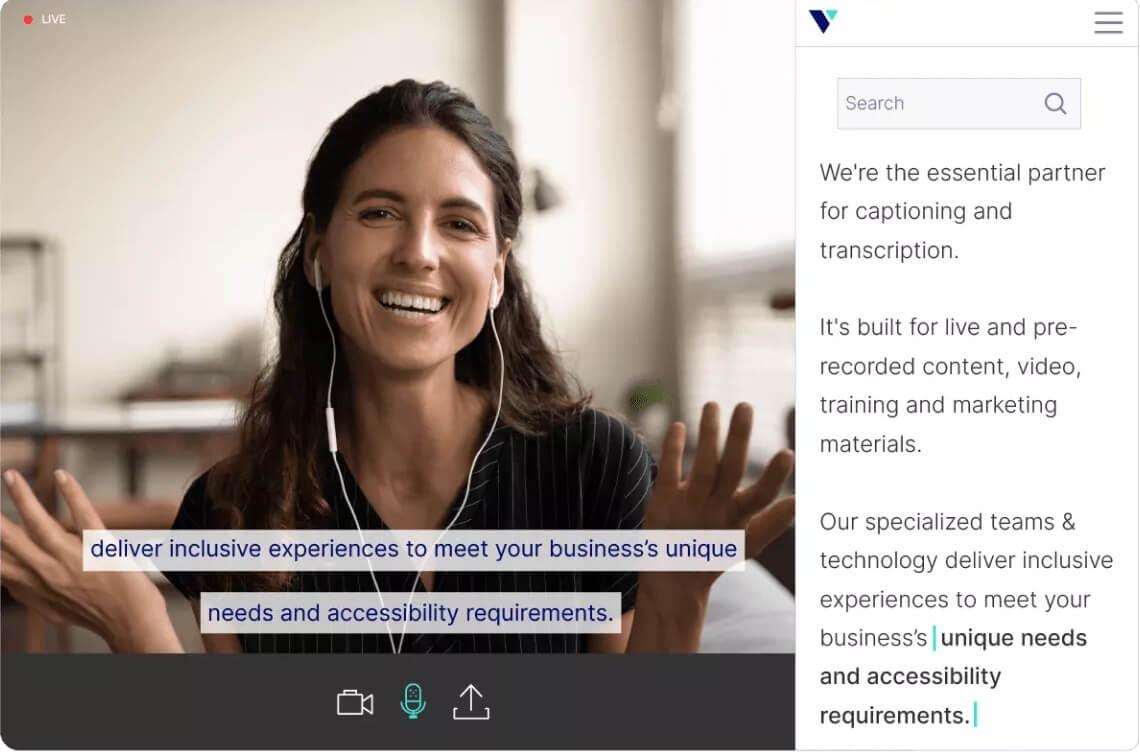
Verbit uses both AI and human experts to provide accurate transcription, closed captioning, audio description, and translation services. After the AI generates the first drafts, it taps into a network of over 5,000 professional transcribers to proofread and edit them. ✍️
While the platform serves a wide range of audiences, it works best for teams in the higher education, legal, and media industries.

Scribie is another transcription software that combines AI and human intelligence to produce transcripts with an impressive 99%+ accuracy rate. Edit transcripts using its online editor and request re-reviews at no extra cost. This commitment to quality has earned them the trust of industry giants like Google, Amazon, PayPal, and Airbnb.
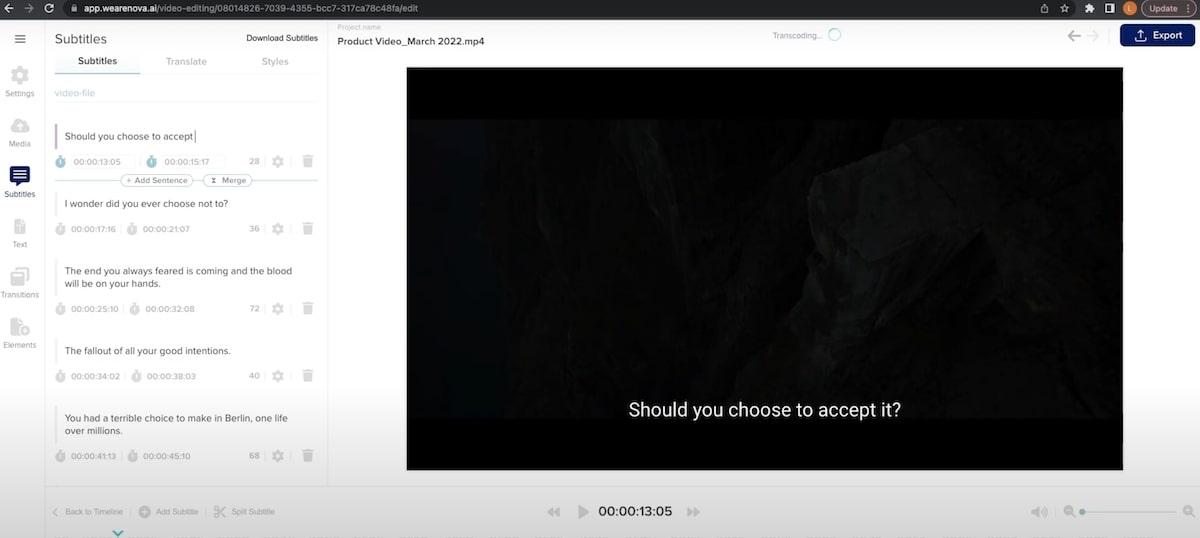
Nova A.I. is a user-friendly tool that lets you add subtitles to videos. Upload videos from your computer or import them from YouTube or TikTok. Use the auto subtitle functionality to generate subtitles with up to 96% accuracy. If needed, you can manually type subtitles from scratch or edit an uploaded subtitle file.
These features make Nova A.I. ideal for content creators and video marketers looking to create engaging videos and reach a wider audience. ?
Each of these AI transcription tools is designed to make your speech-to-text workflows a breeze. Choose the right one to reduce errors and free up time to focus on high-value tasks.
Speaking of tasks, ClickUp is the perfect project management tool to ensure you stay organized and on top of your to-dos. When you combine AI transcription with ClickUp, you’re sure to capture every word, turn them into actionable tasks, and ensure seamless execution. ?
Try ClickUp’s Free Forever plan and see for yourself.

Manasi Nair
Max 27min read
Manasi Nair
Max 32min read
Manasi Nair
Max 14min read

© 2026 ClickUp