Sorry, there were no results found for “”
Sorry, there were no results found for “”
Sorry, there were no results found for “”
Zoho Forms is a popular tool for creating customized forms for data collection, customer feedback, and project management.
However, if you’re seeking more advanced automation, seamless integrations, and greater customization options, several Zoho Forms alternatives may better suit your needs.
Whether you’re a business owner, marketer, project manager, or HR team member, the right form-building tool can make your data collection processes more efficient and organized.
Read on as we explore some of the top alternatives to Zoho Forms that offer diverse features and functionalities.
Zoho Forms works fine if you’re just getting started with data collection. It’s easy to use, integrates well with other Zoho products, and covers the basics for creating online forms. But as your needs grow, cracks start to show.
Here’s where it starts holding teams back:
➡️ Read More: Complete Guide to Create a Survey in Google Forms
Here are some Zoho Forms alternatives that don’t just match the basics—they give you more power, better customization, and fewer headaches:
| Tool | Best for | Use case | Pricing |
|---|---|---|---|
| ClickUp | Workflow automation & task integration | Convert form responses into actionable tasks and trigger workflows instantly | Free plan available; Customization available for enterprises |
| Jotform | Dynamic forms with logic and payment | Build advanced forms with payments, conditional logic, and automation | Free plan available; Customization available for enterprises |
| Microsoft Forms | Teams using Microsoft 365 | Internal surveys, onboarding, and quick data capture inside the MS ecosystem | Customizable paid plans |
| Wufoo | Quick forms with built-in payment options | Collect payments, create surveys, and launch simple forms fast | Free plan available; Customization available for enterprises |
| Paperform | Branded forms with flexible logic | Build interactive forms with pricing rules, scheduling, and custom design | Customizable paid plans |
| Typeform | Conversational forms & branded experiences | Create one-question-at-a-time forms for better engagement | Free plan available; Customization available for enterprises |
| Google Forms | Fast, free form creation with real-time data sync | Run internal polls, surveys, and quizzes with auto-sync to Google Sheets | Free plan available; Customization available for enterprises |
| Formstack | Secure forms & advanced workflow automation | Automate processes in healthcare, finance, and compliance-heavy workflows | Customizable paid plans |
| Cognito Forms | Complex workflows & task-based automation | Use logic, eSignatures, and payments to power multi-step forms | Free plan available; Customization available for enterprises |
| 123FormBuilder | Compliance-driven forms for enterprise use | Create HIPAA/GDPR-compliant forms with deep Salesforce integrations | Free plan available; Customization available for enterprises |
| Formsite | Basic forms with document generation | Create secure forms that generate PDFs and automate workflows | Customizable paid plans |
➡️ Also Read: Best Member Management Software for Organizations
Not every team can—or should—stay boxed into the Zoho ecosystem. If you’re looking for Zoho Forms alternatives that offer more flexible form-building, better workflow automation, and seamless integration with your project management tool, we’ve got you covered.
Our editorial team follows a transparent, research-backed, and vendor-neutral process, so you can trust that our recommendations are based on real product value.
Here’s a detailed rundown of how we review software at ClickUp.
Here are the top alternatives to consider:
ClickUp, the everything app for work, goes beyond basic task management. It brings docs, chats, whiteboards, goals, dashboards, time tracking, and more into a single platform, helping businesses centralize work and eliminate tool-switching.
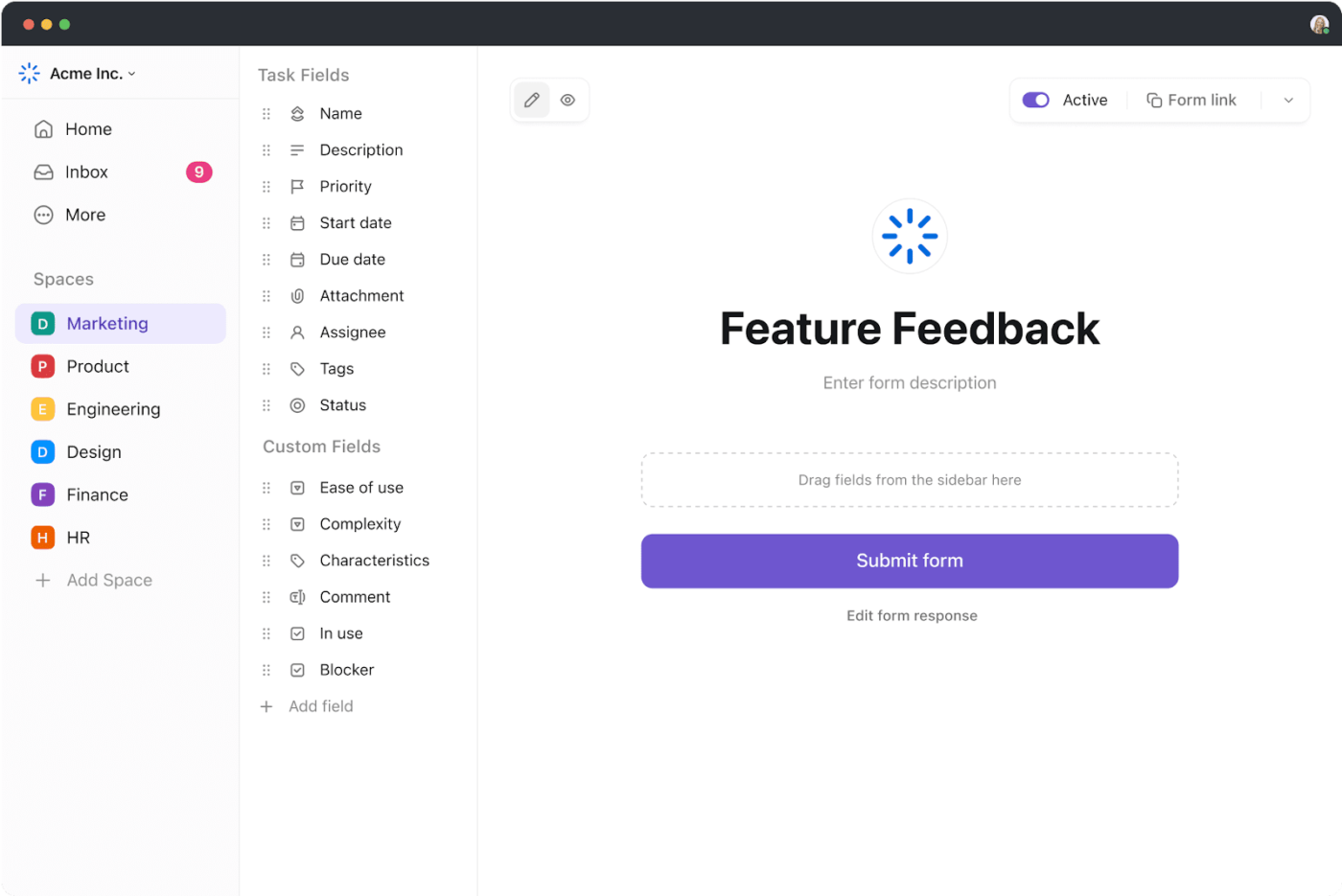
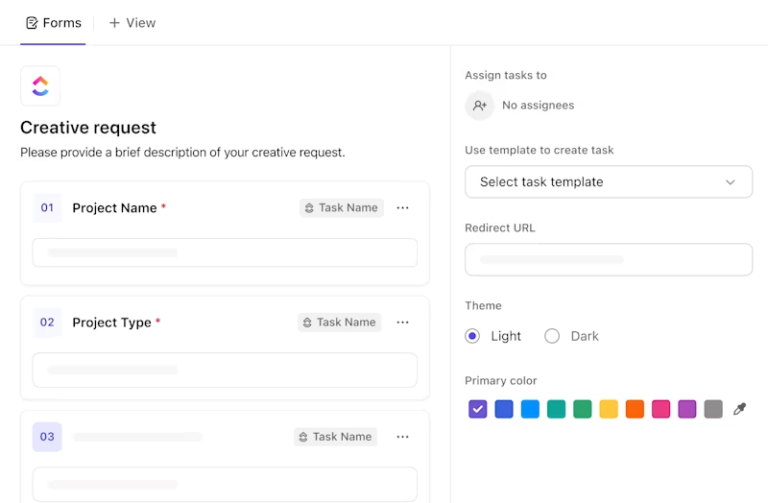
ClickUp Forms is deeply integrated into your workflows. When someone fills out a form, it can instantly trigger task creation, assign team members, and push updates to dashboards. That means no more checking submissions manually. This way, everything becomes instantly actionable.
Additionally, you can customize each form with logic-based fields, visuals, brand colors, and background images to match your team’s needs.
With ClickUp Dashboards, you can quickly get an overview of your form submission data. Convert your form submissions into custom dashboards to have an always-updated visualization to refer to!
Dashboards can also help you manage data about your forms, such as submission percentages, time in status, etc., and drill down into specific tasks as well.
📮 ClickUp Insight: Approximately 92% of knowledge workers are at risk of losing important decisions due to scattered documentation, with just 8% using project management tools to track action items.
With ClickUp’s Task Management capabilities, you never have to worry about this. Create tasks from chat, task comments, docs, and emails with a single click!
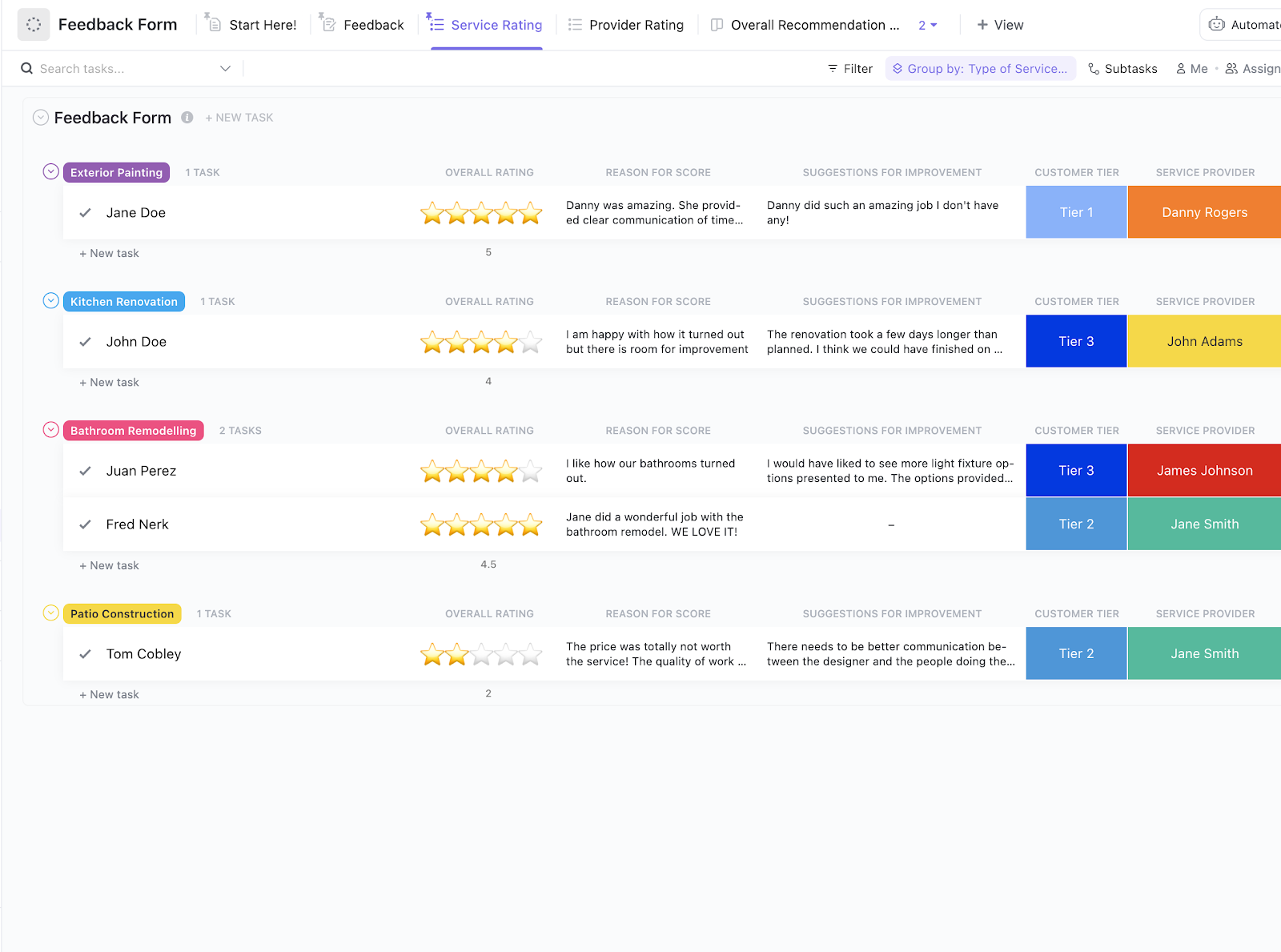
ClickUp also offers feedback form templates with pre-designed fields and customizable options to help you easily collect valuable insights, whether from customers, employees, or stakeholders.
ClickUp’s Feedback Form Template comes with pre-configured custom fields, views, and statuses. It helps you track responses, rate service providers, and spot recurring issues—all in one place.
You can also use sign-up form templates to manage event registrations, collect contact information, or solicit job applications. ClickUp also has intake form templates to help you manage client expectations and spin up complex forms, dashboards, and workflows instantly.
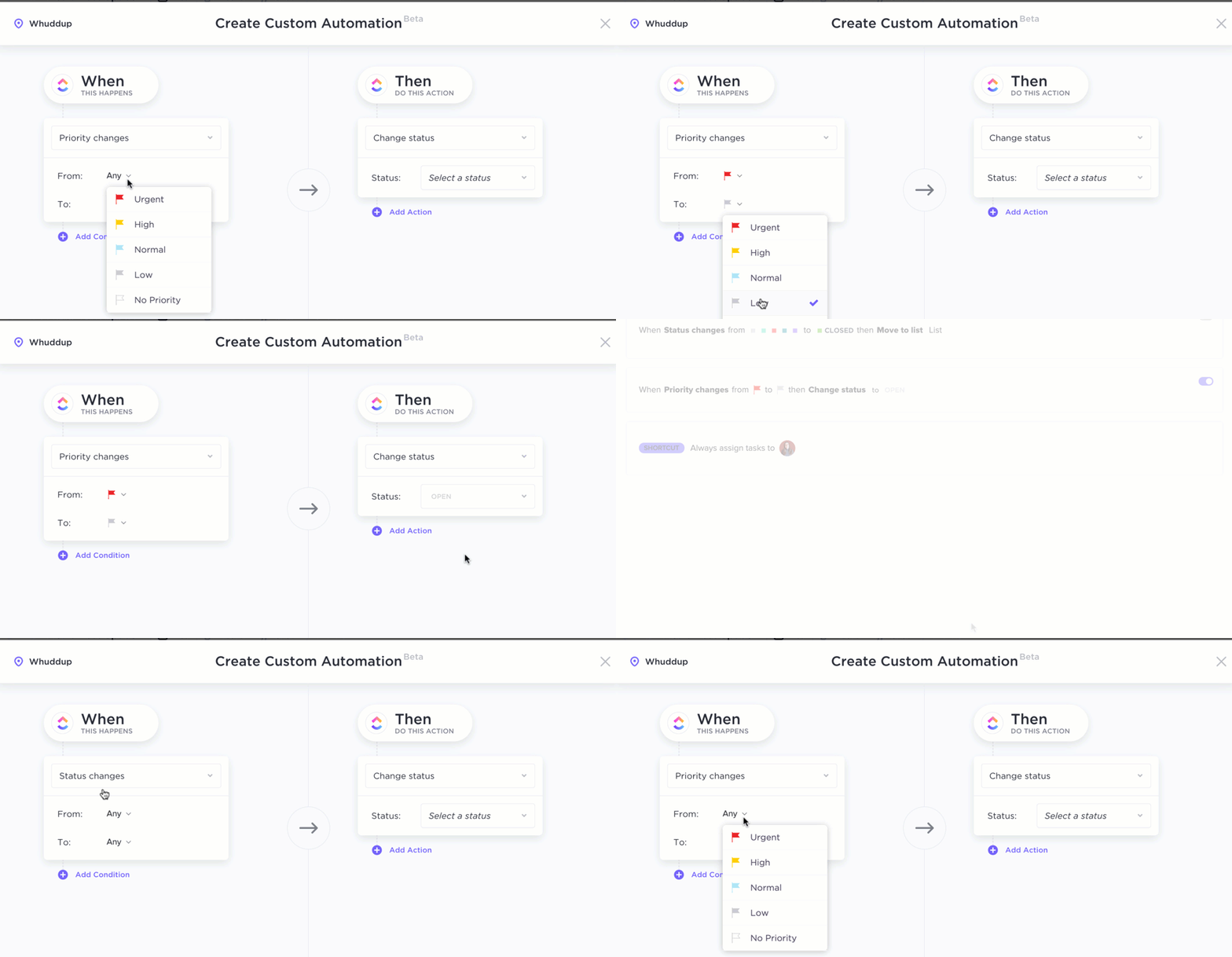
Based on form responses, ClickUp Automations can help you set up rules to auto-assign tasks, change priorities, update statuses, send emails, and more—without lifting a finger. It’s built for teams who want to eliminate repetitive admin work.
It can be used as a powerful form automation tool, helping optimize data collection, trigger actions based on form responses, and automate workflows, all in one place.
Philip Storry, Senior System Administrator, said:
Our teams have used forms and templates to standardize some workflows. We’ve also used the built-in automation to ease some workflows, especially where custom fields are capturing information that can help determine who should be assigned to a task. Finally, we’ve also used the email integration and API features to automatically generate tasks when some platforms are alerting or showing possible performance issues.
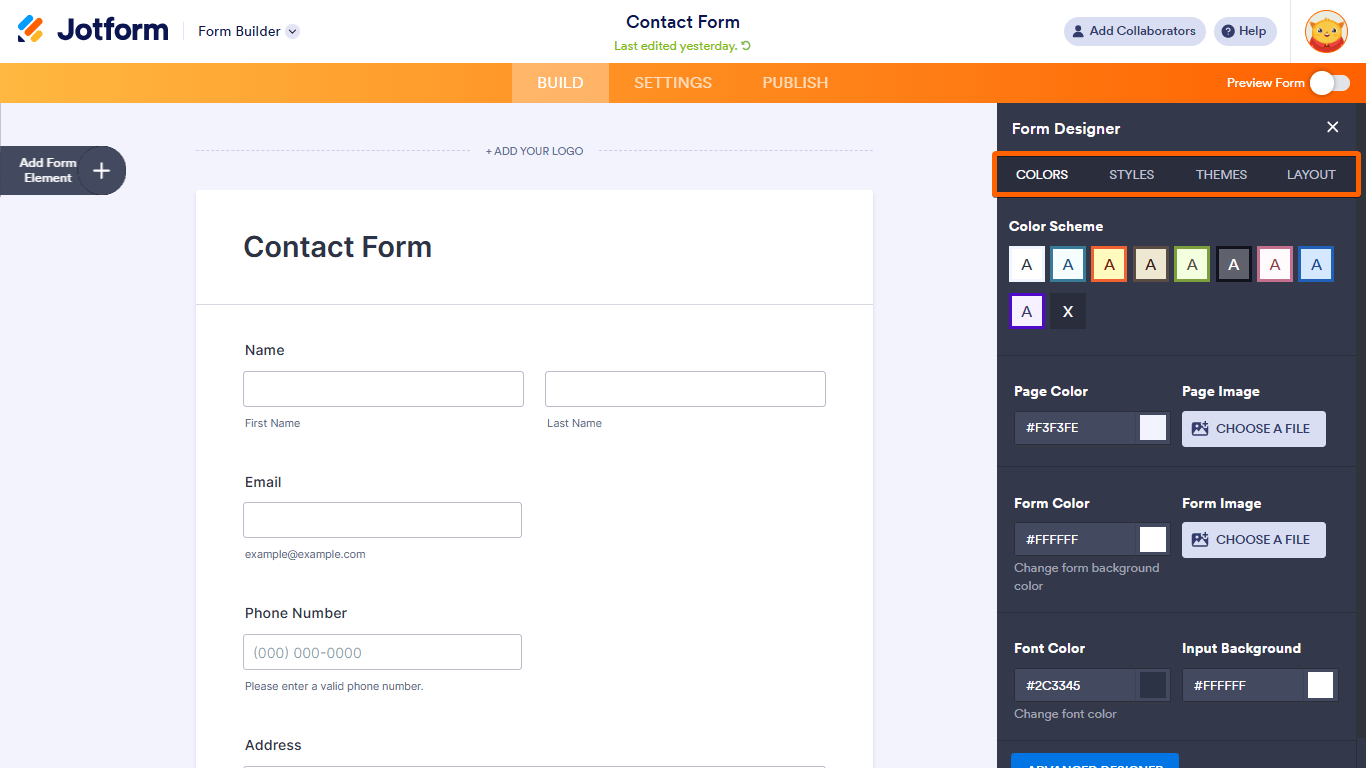
Jotform focuses on making form creation not just easy but also dynamic and functional for serious workflows.
It gives you access to smart conditional logic, payment integrations, and automated workflows without touching a single line of code. What stands out is the speed—you can build a polished, multi-functional form in minutes and embed it anywhere.
It’s built for teams that want to skip the tech hassles and launch forms that look good, function well, and connect with 150+ business tools. From asking for user feedback to internal approvals and registrations, it handles scale without losing simplicity.
➡️ Also Read: Best Jotform Alternatives to Try
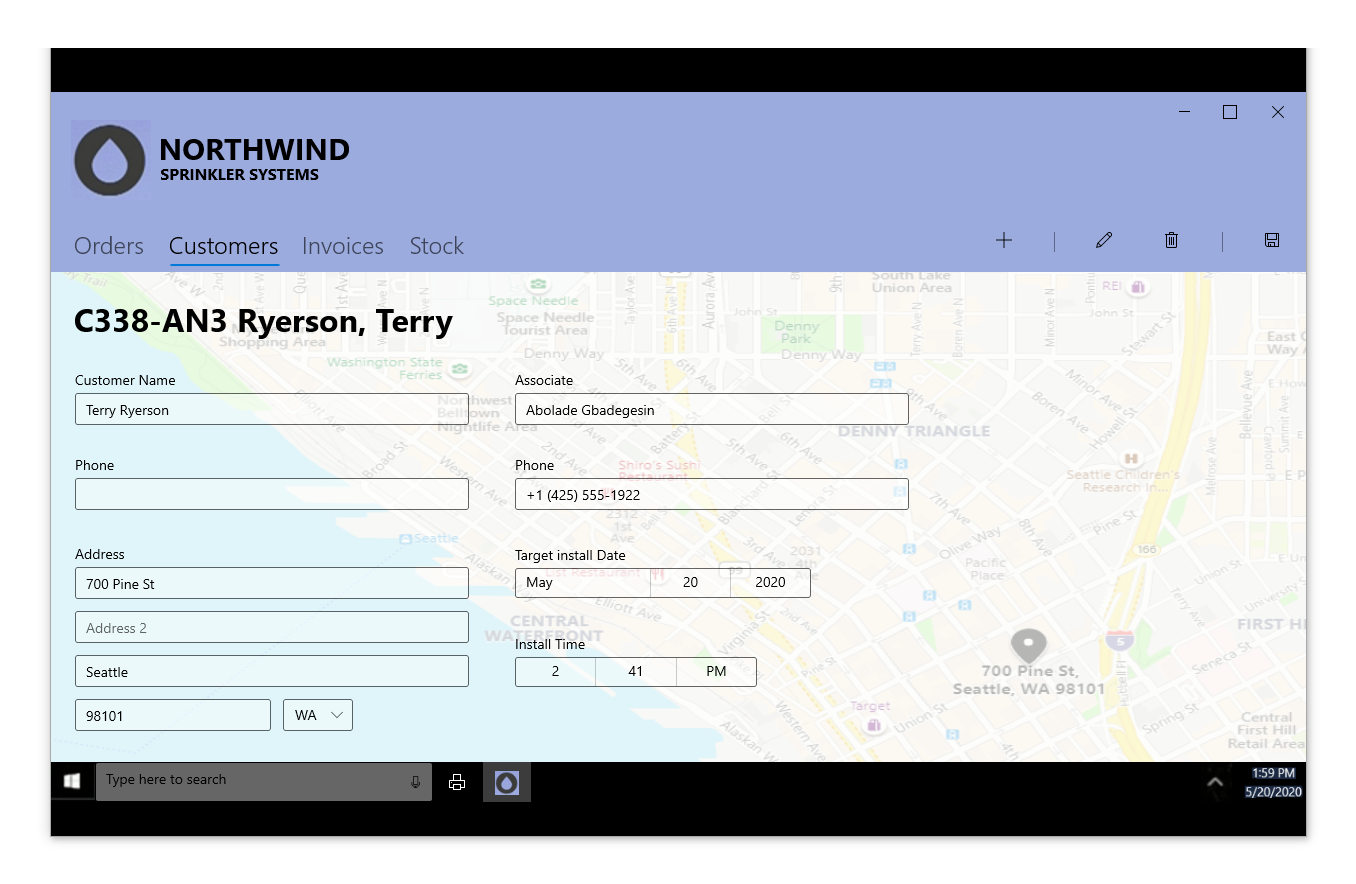
If your team is already working within the Microsoft 365 environment, Microsoft Forms is a simple yet efficient option for building employee surveys, polls, and quizzes without leaving the platform.
It syncs easily with Excel for data analysis, integrates with Teams for collaborative responses, and uses AI-powered suggestions to speed up form creation.
It’s clean, intuitive, and doesn’t require any setup if you’re already using Microsoft tools. For internal use cases—employee feedback, onboarding, or quick pulse surveys—it fits right in with the rest of the Microsoft stack.
Here’s what a G2 user said:
The truth is that this tool has greatly simplified the form preparation process for me. We wasted a lot of time because of the amount of time and effort it took to design something that looked professional, especially without having advanced knowledge of design or programming. But now, with just drag-and-drop components, I can create forms that are not only functional but also have a polished and attractive look.

Wufoo is a veteran in the form builder space, known for its ease of use and straightforward setup. If you need to spin up payment-enabled forms, surveys, or applications quickly, Wufoo delivers with pre-designed templates, drag-and-drop elements, and a user-friendly interface.
It’s especially appealing for users who want something lightweight, no-code, and quick to deploy. It also supports a range of payment processors like PayPal, Stripe, and Square, making it a go-to for donation forms, event payments, or registrations.
🔎 Did you know? Forms that include logic-driven conditional flows can increase conversions by as much as 160%—especially for surveys, quotes, or bookings.
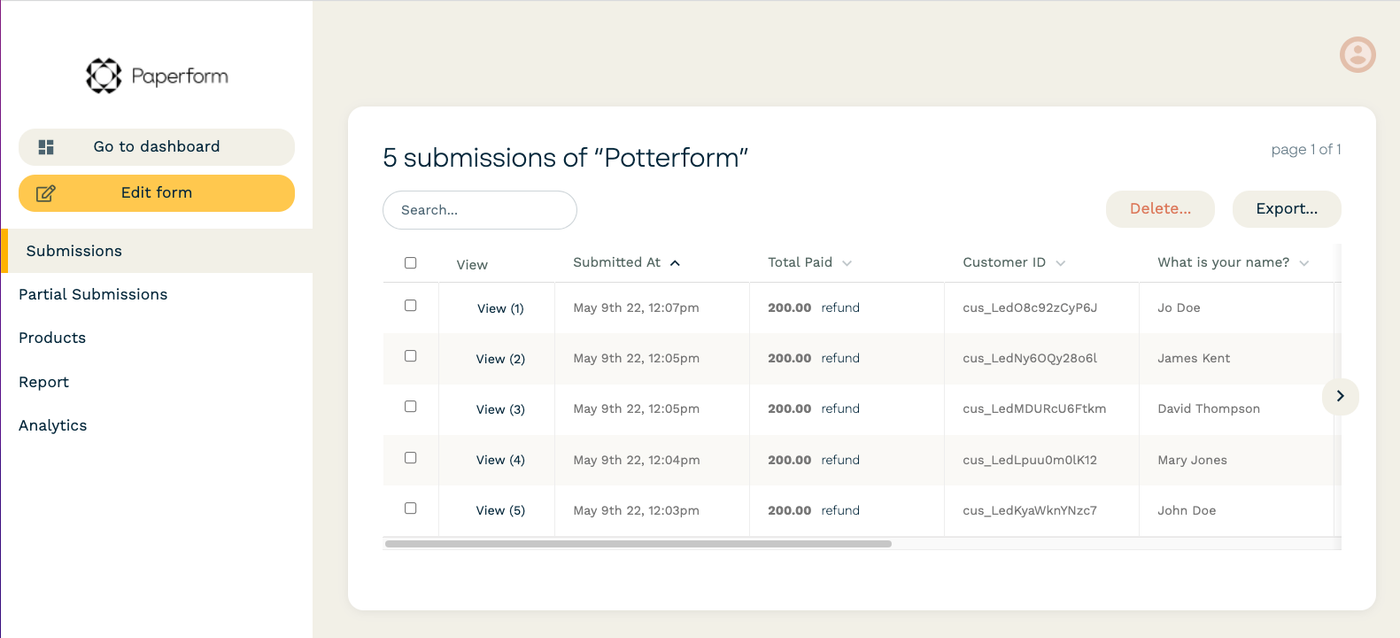
Paperform blends form-building with the design freedom of a landing page editor. It’s built to feel more like writing a doc than dragging boxes around—and that’s what sets it apart.
Whether you’re selling services, taking bookings, collecting customer feedback, or building customized forms with dynamic pricing rules, Paperform handles it all with one clean, minimal interface.
You can match your form to your brand, automate workflows, add calculations, and even turn your form into a mini storefront with payment support.
From a G2 user:
I’ve researched and used a few other solutions before discovering Paperform, and so far Paperform has been the only one that offered features and integrations that tend to all of my needs. I usually work with very long and complex forms and Paperform’s simple interface makes it a lot easier. Also, Paperform communicates really well with Zapier, which was one of my main issues before I started working with it.
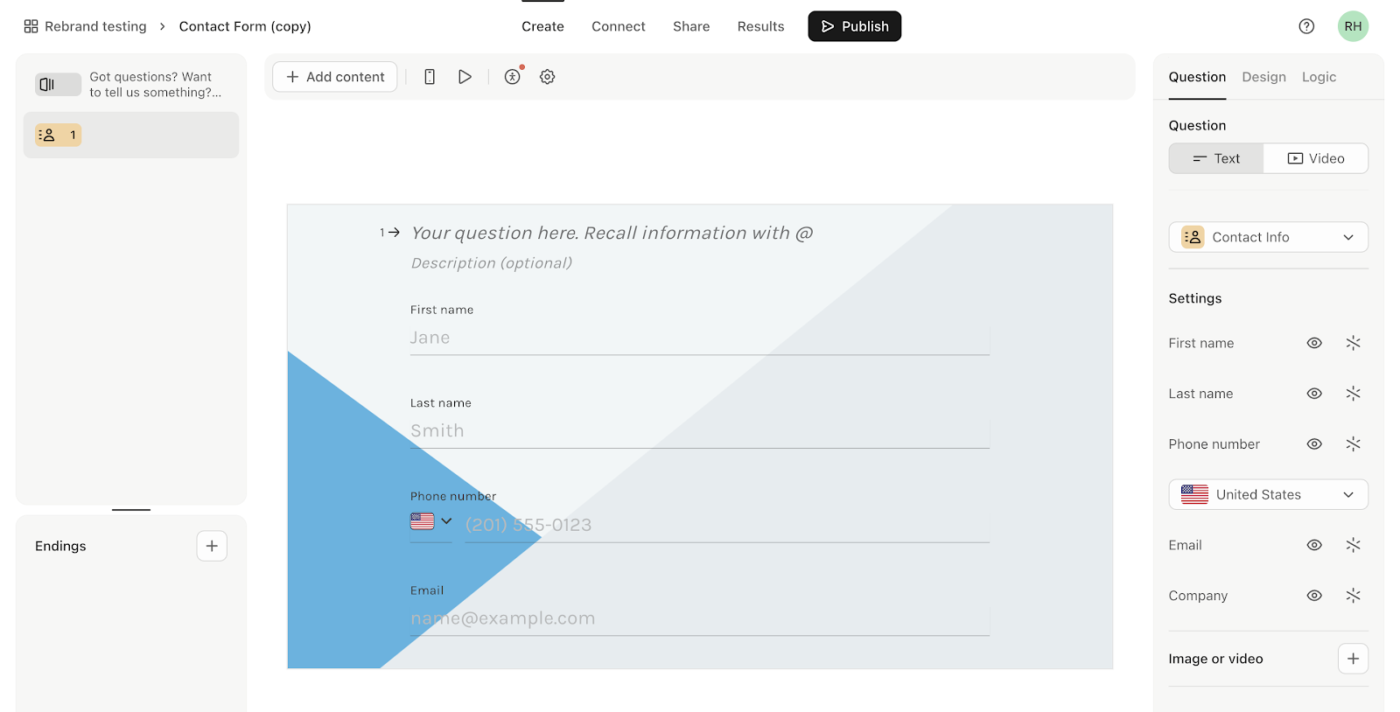
Typeform stands out from the various Zoho Forms alternatives with a design philosophy that’s all about talking with, not at your audience. Its one-question-at-a-time interface feels more like a conversation than a form, which increases engagement and completion rates.
You can embed videos, add logic-based follow-ups, and fully brand your forms—making them ideal for lead capture, surveys, and onboarding flows that don’t feel transactional.
Typeform also comes with smart insights, built-in analytics, and AI-powered response analysis, helping teams pull real meaning from their collected data.
From a G2 user:
I like that you have a lot of freedom for different survey pathways. If you receive negative feedback, you can find out more with one line of questioning, while, if you receive positive feedback, you can ask for permission to use this as a review in another line of questioning.
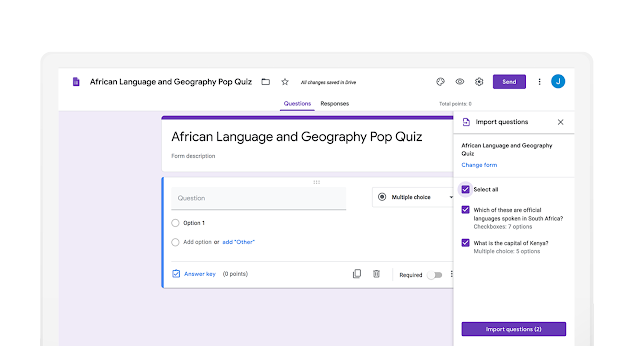
Google Forms is the go-to choice for anyone already embedded in the Google ecosystem. It’s straightforward, fast, and built for seamless collaboration. It connects directly with Google Sheets for instant data sync and analysis.
Its drag-and-drop interface, real-time editing, and solid sharing options make it ideal for optimizing data collection. Best of all, it’s completely free with a Google account—no need to learn new tools if you’re already using Workspace.
From a G2 User:
Simple to use and connected with Google spreadsheets. Another great thing about google surveys is the form submission linked with a Google account for user control.
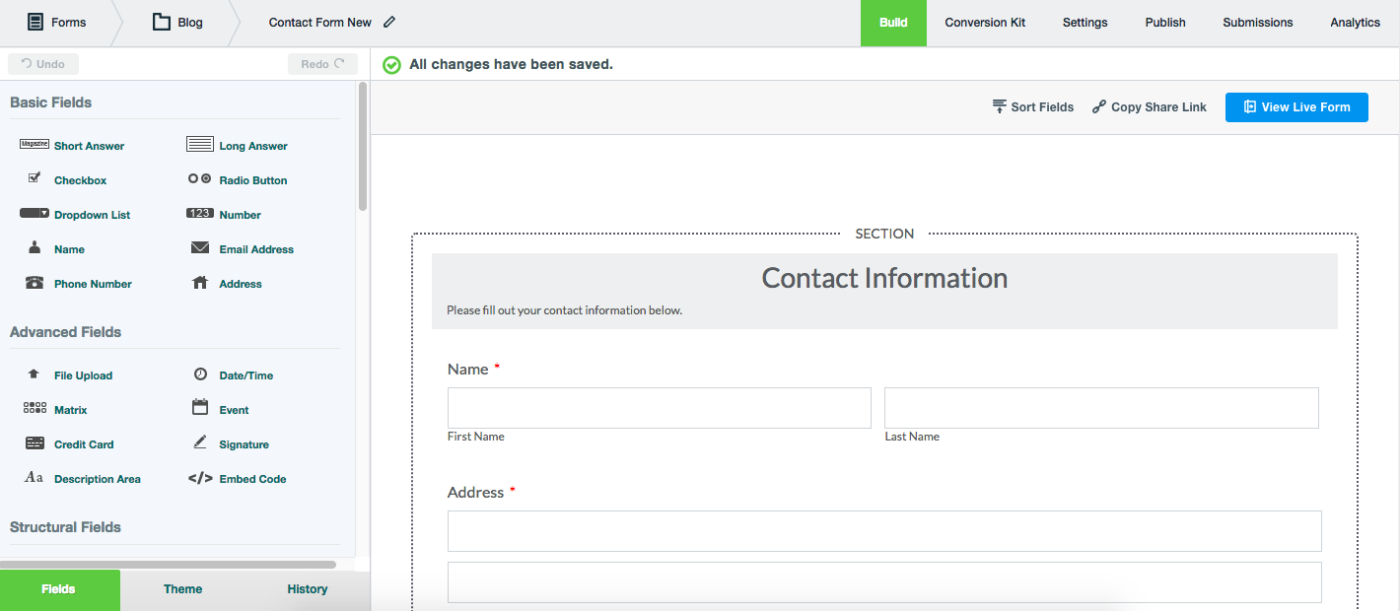
Formstack is built for teams that need Zoho Forms alternatives for more than building forms. It’s a complete workflow automation platform, combining forms, eSignatures, documents, and integrations into one toolkit.
The interface is beginner-friendly, but the power under the hood is serious—especially if you’re dealing with compliance-heavy industries like healthcare, government, or finance. Its features, like form prefill, task assignments, and logic-based workflows, help you turn any form into a fully functioning process. It’s not flashy, but it’s reliable and enterprise-grade.
💡 Pro Tip: Wondering how to ask for feedback to fuel professional growth?
Here are some tips to follow:
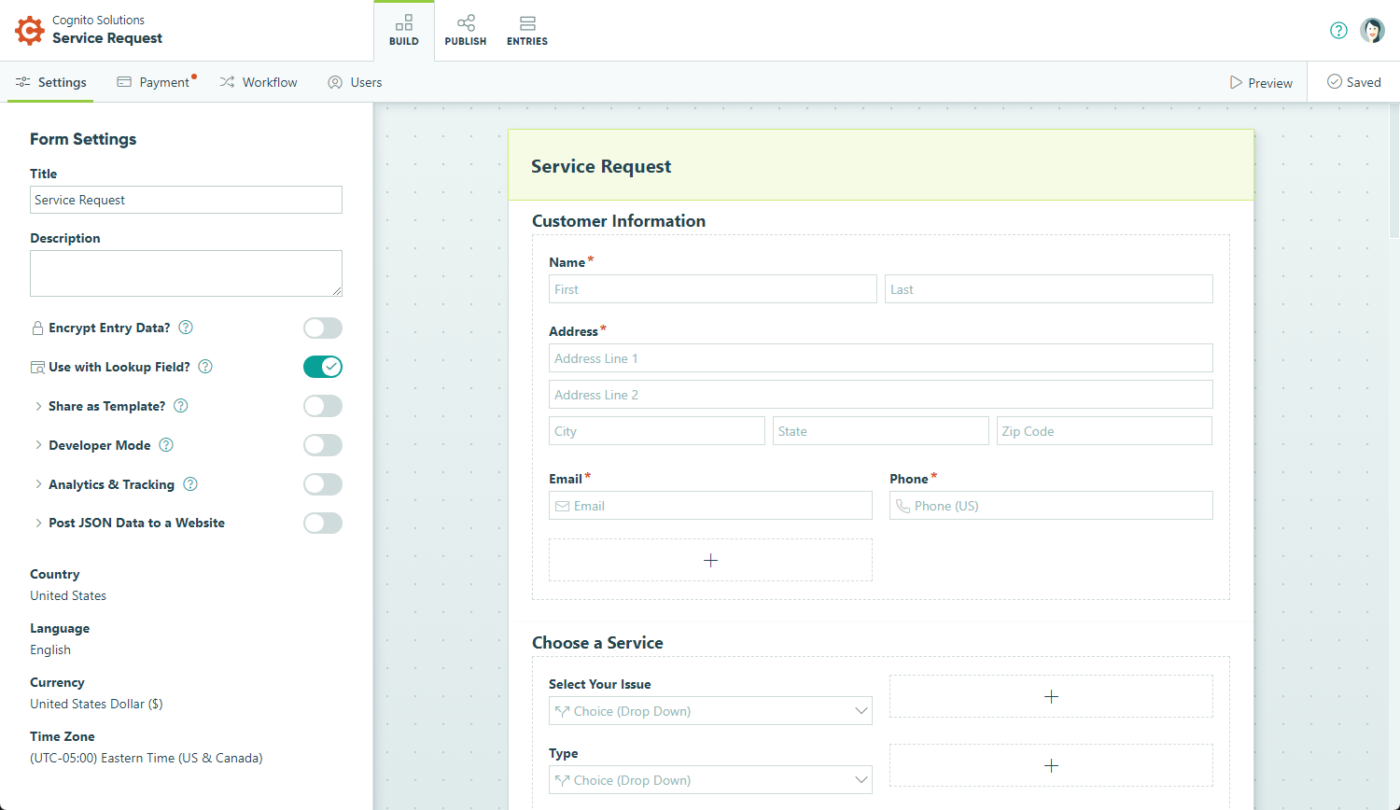
Cognito Forms brings together a balance of customization and automation. You’re not just collecting data—you’re using it to trigger workflows, assign tasks, generate documents, and even collect payments with Square or PayPal.
Its standout feature is Workflow Tasks, which lets you involve different users at different stages of a process—think approvals, follow-ups, and dynamic status changes.
You can also build complex forms with repeating sections, calculations, and advanced logic, all without writing code. It’s a solid pick if your form needs to go beyond simple data collection.
From a G2 User:
Forms are the front door to my company. I tend to use multiple companies to take advantage of all their strengths. Cognito started as our basic intake forms but over time, thanks to the option of ecommerce, our Cognito forms became the events ticketing and deposit workflow. The design was simple and streamlined.
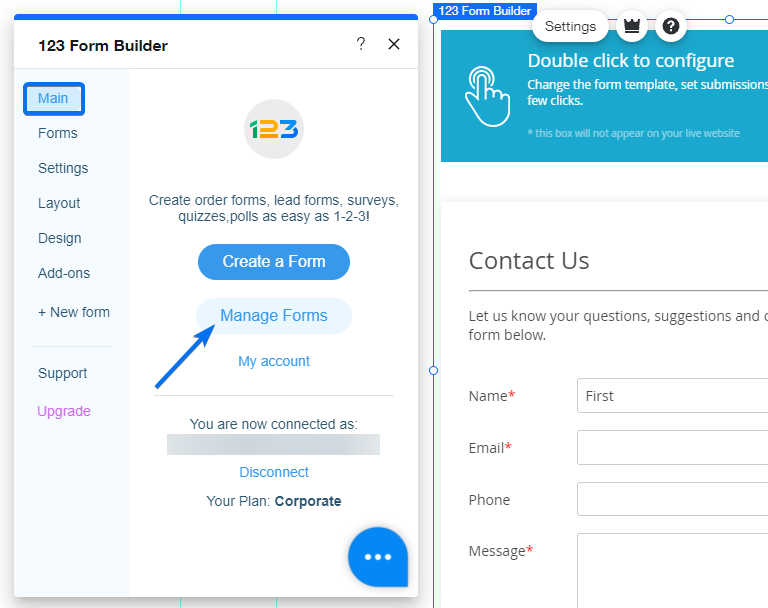
123FormBuilder leans into security and compliance more than most. If your workflows involve sensitive data—think healthcare, government, or finance—this platform makes it easier to tick all the boxes. It covers everything from GDPR and HIPAA to advanced encryption and data residency options.
What makes it stand out is its tight Salesforce integration, support for 45+ native apps, and the ability to generate PDFs or custom reports right from the form submissions. Whether it’s a donation, patient intake, or registration, this is built for teams that need both control and flexibility.
💡 Pro Tip: When a form gets submitted (e.g., client request, internal feedback, or creative brief), don’t just send a notification—use task management tools that turn responses into structured tasks with deadlines, subtasks, and assigned owners.
It will help you:
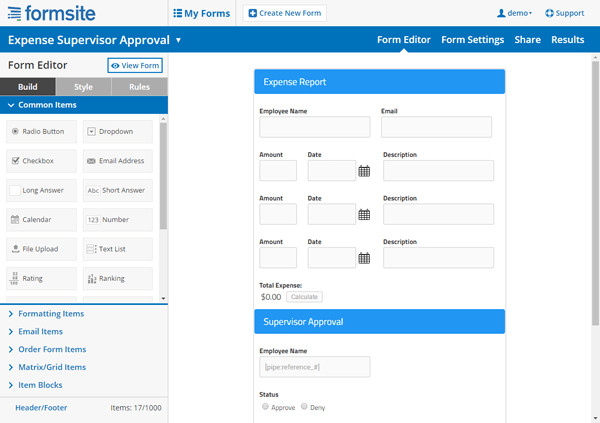
Formsite has been around since the late ’90s—and you can tell. While it may not win awards for modern UX or rapid innovation, it gets the job done. It’s reliable, secure, and packed with essentials like payment processing, PDF exports, multi-page logic, and robust integrations.
It also offers a decent 14-day free trial that doesn’t require a credit card, which is rare. If you’re looking for something rock-solid, but don’t care about bells and whistles or a shiny UI, Formsite is still a contender among other Zoho Forms alternatives.
From a G2 User:
Formsite is a powerful tool with limitless applications in a sales environment. Almost every aspect is customizable. Building forms has been made easy by access to multiple templates, as well as a drag-and-drop feature. Formsite has plenty of integrations with other powerhouse software such as Salesforce. Depending on your subscription level, there is even an API option. Automating workflows with notifications and approvals makes this a go-to choice for complex processes that touch multiple departments.
➡️ Also Read: Forms for software teams
Here are some additional form-building tools that offer unique features and capabilities and can be considered as Zoho Forms alternatives:
➡️ Read More: Best Free Database Software
Forms streamline data collection and play a critical role in tracking progress and automating workflows.
Zoho Forms is a decent tool for basic form-building and data collection, but it comes with limitations—especially if your team needs more automation, flexibility, and seamless integration with other tools.
Whether you’re handling client management, collecting feedback, managing project requests, or automating approvals, there’s a smarter tool out there for your team.
The right form builder should do more than capture data; it should connect that data to your workflow, CRM, and decisions.
On this note, ClickUp stands out among other Zoho Forms alternatives by offering powerful automation, deep integrations, and a project management suite designed to turn form submissions into real, actionable work. It helps you ditch the manual effort and switch to a tool that matches your team’s efficiency and growth.
Sign up on ClickUp and upgrade your forms and workflow!

Manasi Nair
Max 26min read
Manasi Nair
Max 26min read
Manasi Nair
Max 20min read

© 2026 ClickUp