






Still downloading templates?
There’s an easier way. Try a free AI Agent in ClickUp that actually does the work for you—set up in minutes, save hours every week.
Sorry, there were no results found for “”
Sorry, there were no results found for “”
Sorry, there were no results found for “”

Your scheduling needs have outgrown your current tool.
Maybe you need better calendar syncing, custom workflows that match your process, or automation that goes beyond basic booking confirmations.
The right scheduling solution should adapt to how you work.
These YouCanBookMe alternatives offer the advanced capabilities you’re looking for, from seamless integrations to custom booking forms that capture exactly what you need.
Time to find your perfect scheduling match. ⏰
These are the best scheduling tools compared.
| Tool | Best for | Best features | Pricing |
| ClickUp | Built-in scheduling with tasks, docs, and real-time updates Team size: Ideal for cross-functional project teams | AI calendar, appointment booking template, forms, reminders, calendar sync, chat, smart time blocking, built-in AI assistant | Free forever; customizations available for enterprises |
| Calendly | Quick one-click booking for meetings and demos Team size: Ideal for small teams and solo professionals | Event types, time zone detection, screening questions, buffer times, payment collection | Free; Paid plans start at $12/month |
| Acuity Scheduling | Service-based appointment workflows with form intake Team size: Ideal for studios, coaches, and therapists | Custom intake forms, recurring bookings, client packages, automated workflows, waitlists | Free trial; Paid plans start at $20/month |
| SimplyBook.me | Booking across multiple business locations Team size: Ideal for retail, spas, and multi-branch businesses | Multi-location management, discount campaigns, loyalty programs, widget embeds, multi-day bookings | Free; Paid plans start at $9.90/month |
| Setmore | Shared booking systems for lean teams Team size: Ideal for small service providers and internal teams | Staff-specific booking pages, SMS/email reminders, social media integrations, basic CRM, data export | Free; Paid plans start at $9/month per user |
| Doodle | Poll-based scheduling for group availability Team size: Ideal for committee-based or cross-team setups | Appointment scheduling tools like polls, availability visibility, response deadlines | Free; Paid plans start at $14.95/month per user |
| OnceHub | Lead qualification + meeting automation workflows Team size: Ideal for sales, marketing, and onboarding teams | Pre-qualification forms, chatbots, smart routing, branded pages, booking analytics | Free; Paid plans start at $12/month per user |
| Clockwise | Calendar optimization for deep work and meetings Team size: Ideal for remote teams using Google Workspace | Smart Focus Time blocks, schedule analysis, Slack sync, auto-meeting moves, calendar syncing | Free; Paid plans start at $7.75/month per user |
| Microsoft Bookings | Scheduling within the Microsoft 365 ecosystem Team size: Ideal for schools, clinics, and MS-based businesses | Teams integration, auto invites, customer database access, Outlook syncing | Starts at $6/month (with Microsoft 365 Basic) |
| Zoho Bookings | Appointments connected to CRM and invoicing Team size: Ideal for support, sales, and client success teams | Zoho CRM sync, invoicing, customer history, custom fields, detailed intake tracking | Paid plans start at $8/month per user |
| Square Appointments | Payment-linked scheduling for service businesses Team size: Ideal for salons, consultants, and retail owners | Deposits, gift cards, PoS, payment SMS reminders, and cancellation fee handling | Free; Paid plans start at $29/month per location |
Our editorial team follows a transparent, research-backed, and vendor-neutral process, so you can trust that our recommendations are based on real product value.
Here’s a detailed rundown of how we review software at ClickUp.
Here’s why exploring YouCanBookMe alternatives can help:
🧠 Fun Fact: The word calendar has been around since at least 1487. It first showed up as a verb in British parliamentary records. It is also recorded as a noun from the Middle English period.
Here are our picks for the best YouCanBookMe alternatives. 👇
ClickUp is the everything app for work that combines project management, knowledge management, and chat—all powered by AI that helps you work faster and smarter.
Every part of your booking workflow, from intake to follow-up, can happen in one place, with full visibility and automation.
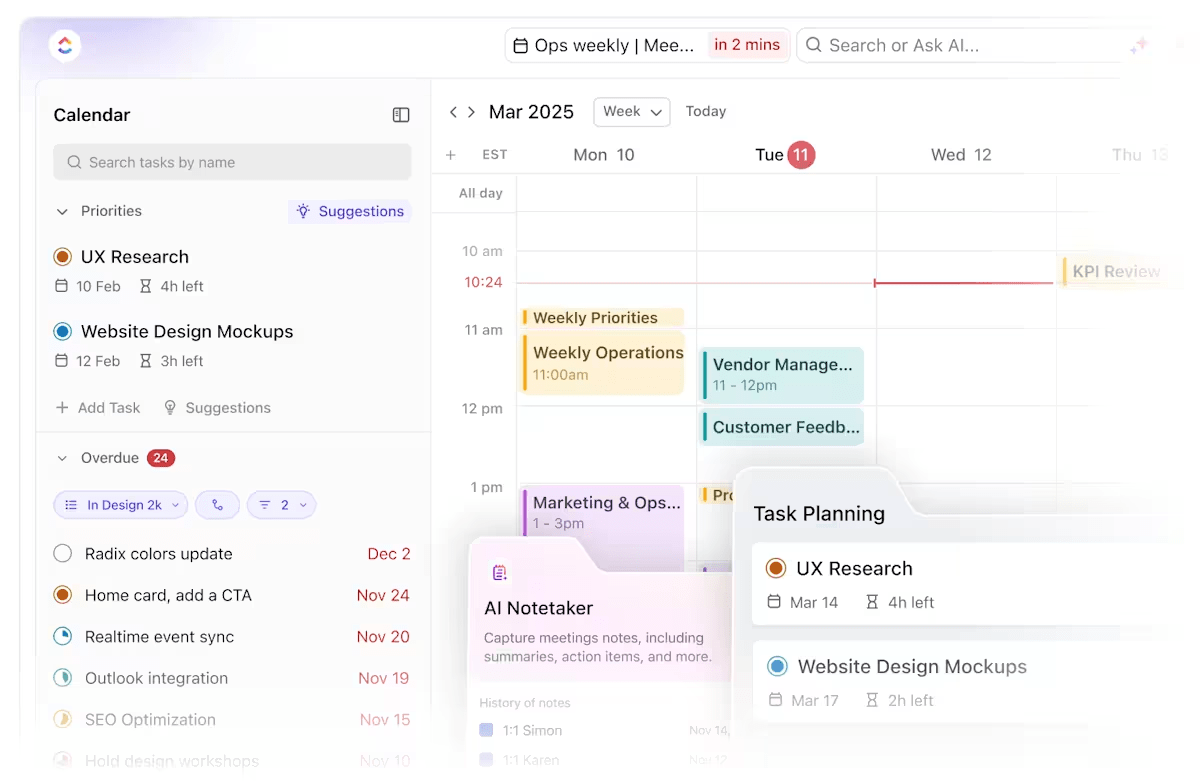
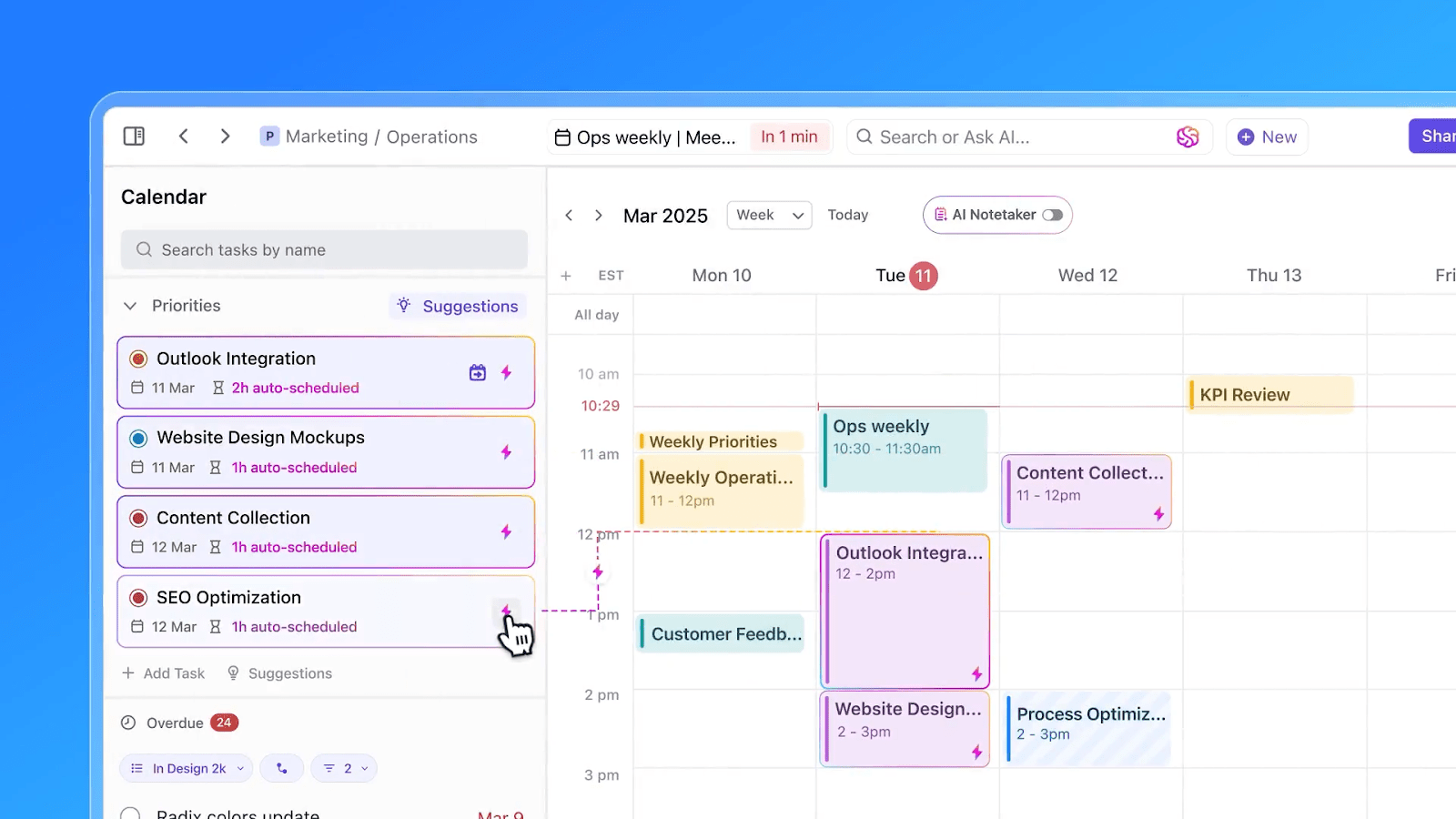
Start with ClickUp Calendar. It’s a dynamic workspace calendar that shows your schedule and actively helps you plan and adjust.
You can schedule meetings, auto-block time to prioritize work, and instantly reschedule when something changes. It supports daily, weekly, and monthly views, and syncs with Google Calendar and Outlook for smooth coordination.
Let’s say you’re managing stakeholder check-ins, sprint reviews, and internal syncs across multiple time zones. You can use the AI Calendar to organize each type of meeting in separate color-coded views, block prep time before calls, and set buffers after to update tasks or send follow-ups.
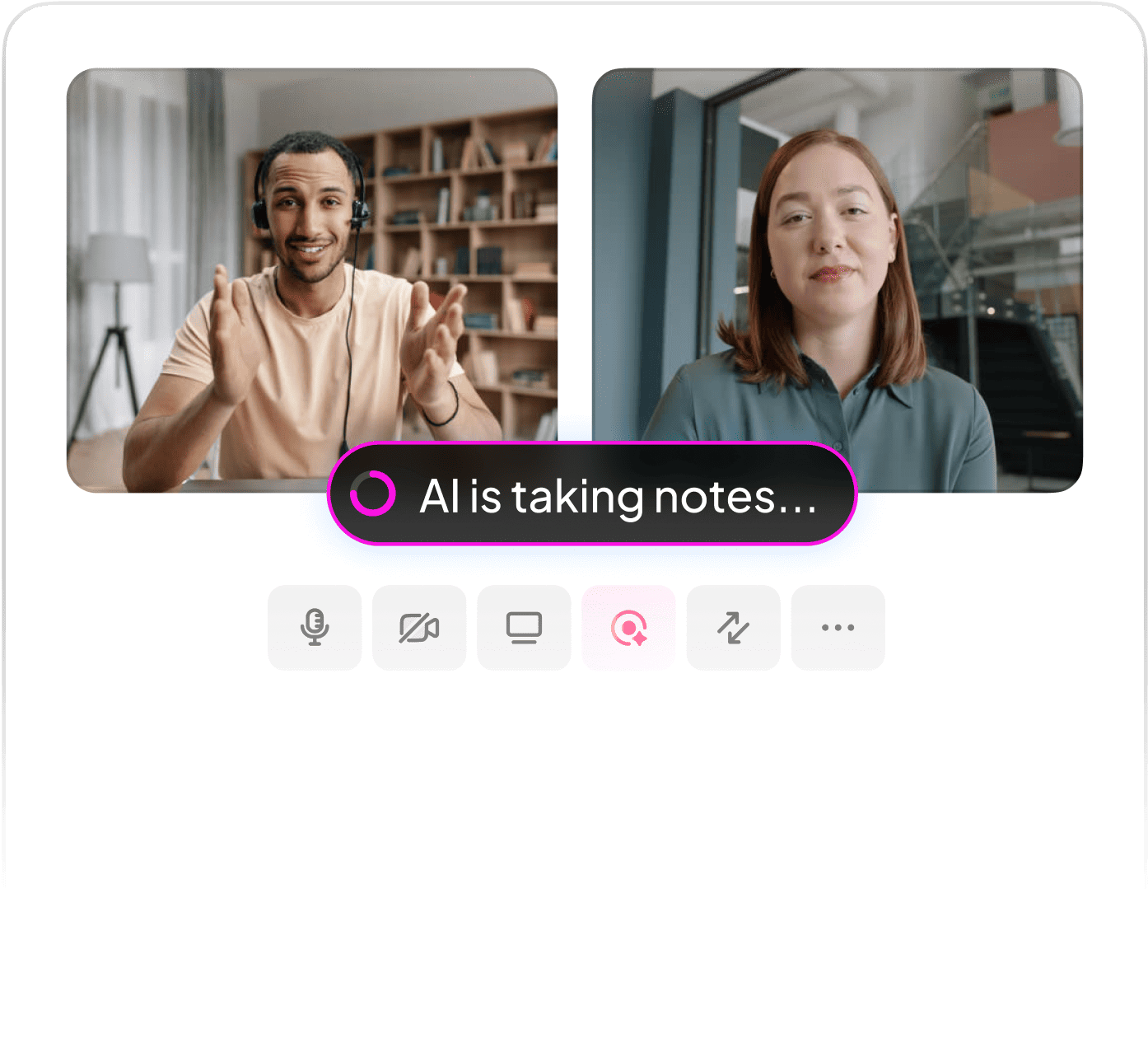
During meetings, ClickUp’s AI Notetaker joins your calls to record, transcribe, and link key takeaways to relevant documents and tasks.
Add ClickUp Brain to the mix, and you get real-time updates that analyze your workload and calendar to build a smart schedule to balance meetings and high-priority tasks.
For example, you’re running a product roadmap call. ClickUp records the discussion, creates action items for the product team, and updates the linked planning document.
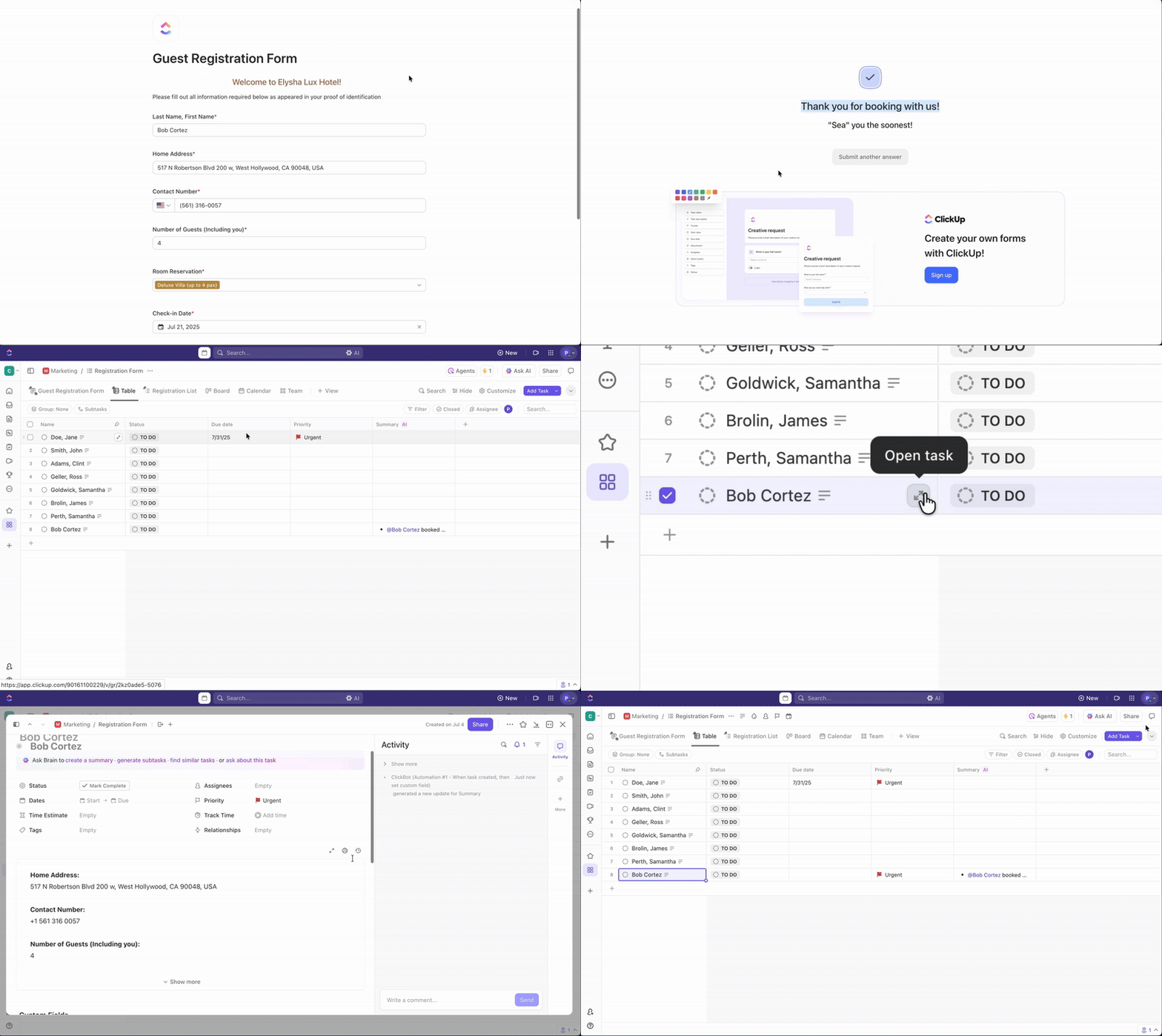
Then use ClickUp Forms to manage meeting requests or service bookings.
Each form submission becomes a task, complete with form data, custom tags, and assignees. You can add dropdowns, calendars, or text fields to collect exactly what your team needs.
For instance, an HR team can use a form for ‘Book a 1:1 check-in’. Once an employee fills it out, it creates a task tagged by department, assigns it to their HR partner, and adds the request to the calendar.
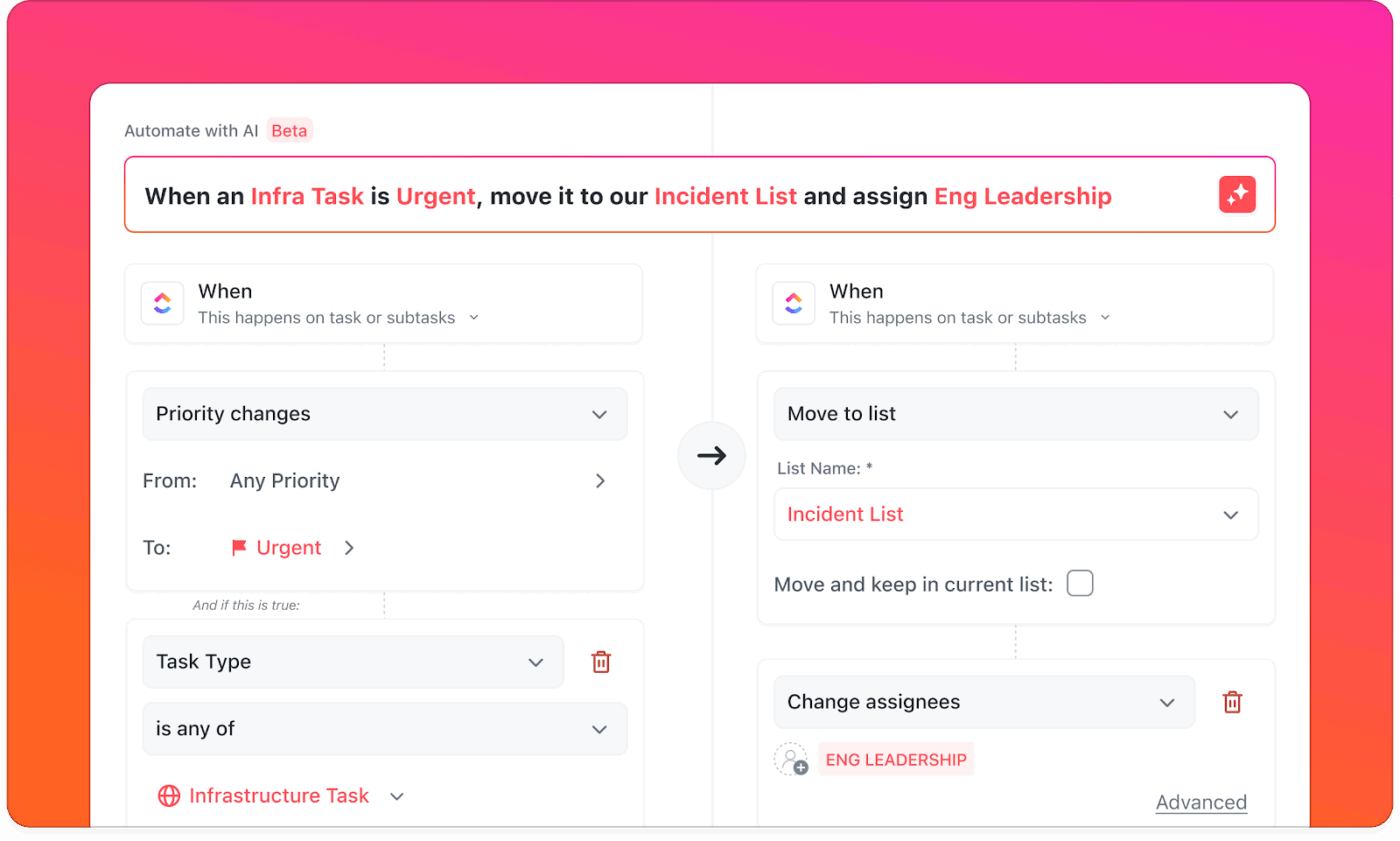
Then tie it all together using ClickUp Automations. You can set up rules to assign tasks based on form responses, post reminders in ClickUp Chat, and even send docs or checklists to the requester.
Let’s say someone schedules a kickoff call using your intake form. Automations can assign the task to the project manager, send the client a prep checklist, and post a confirmation message in the #client-updates Chat channel.
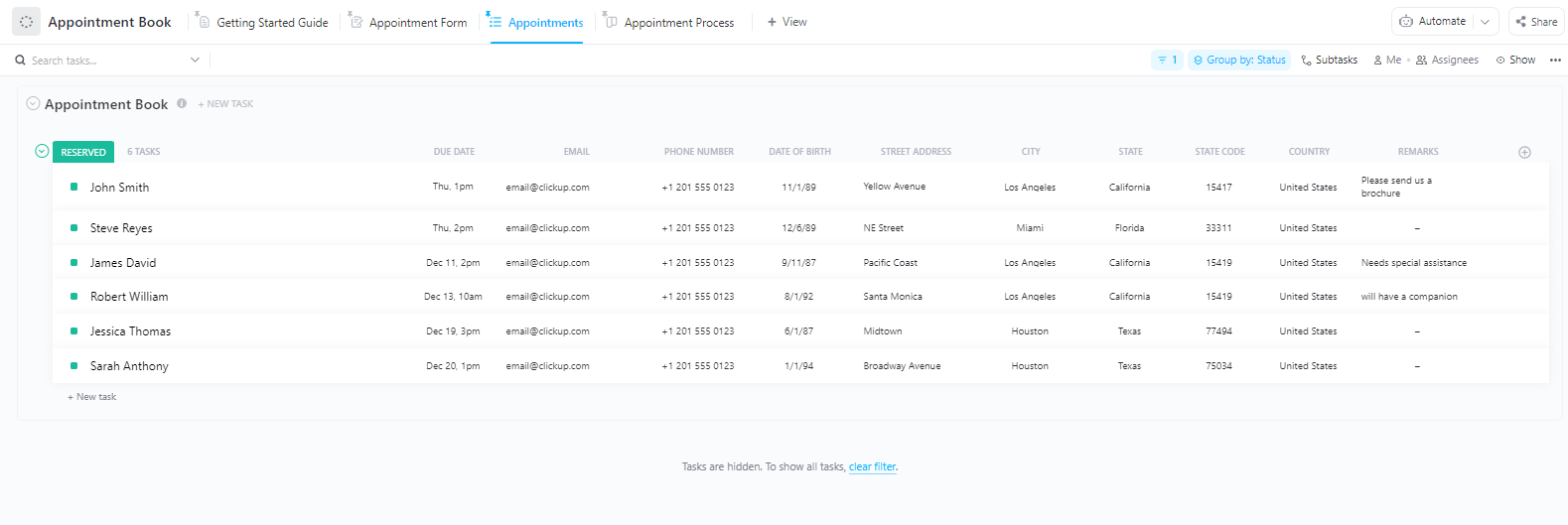
To fast-track your setup, use the ClickUp Appointment Booking Template. It includes a ready-made form, automated task routing, and a calendar view to track every confirmed booking. You can customize the form fields, adjust automation steps, and link prep Docs to each task.
Straight from a G2 review:
What I like best about ClickUp is how seamlessly it adapts to our team’s unique workflows. With over 20 team members using it daily — including QA, developers, designers, and leads — it keeps everyone aligned without feeling overwhelming. The flexibility of views (List, Board, Timeline, etc.) lets each person work in the way that suits them best, while still contributing to a unified process. We especially love how tasks, docs, sprints, and goals are all interconnected — it saves us from juggling multiple tools and keeps collaboration transparent and fast.
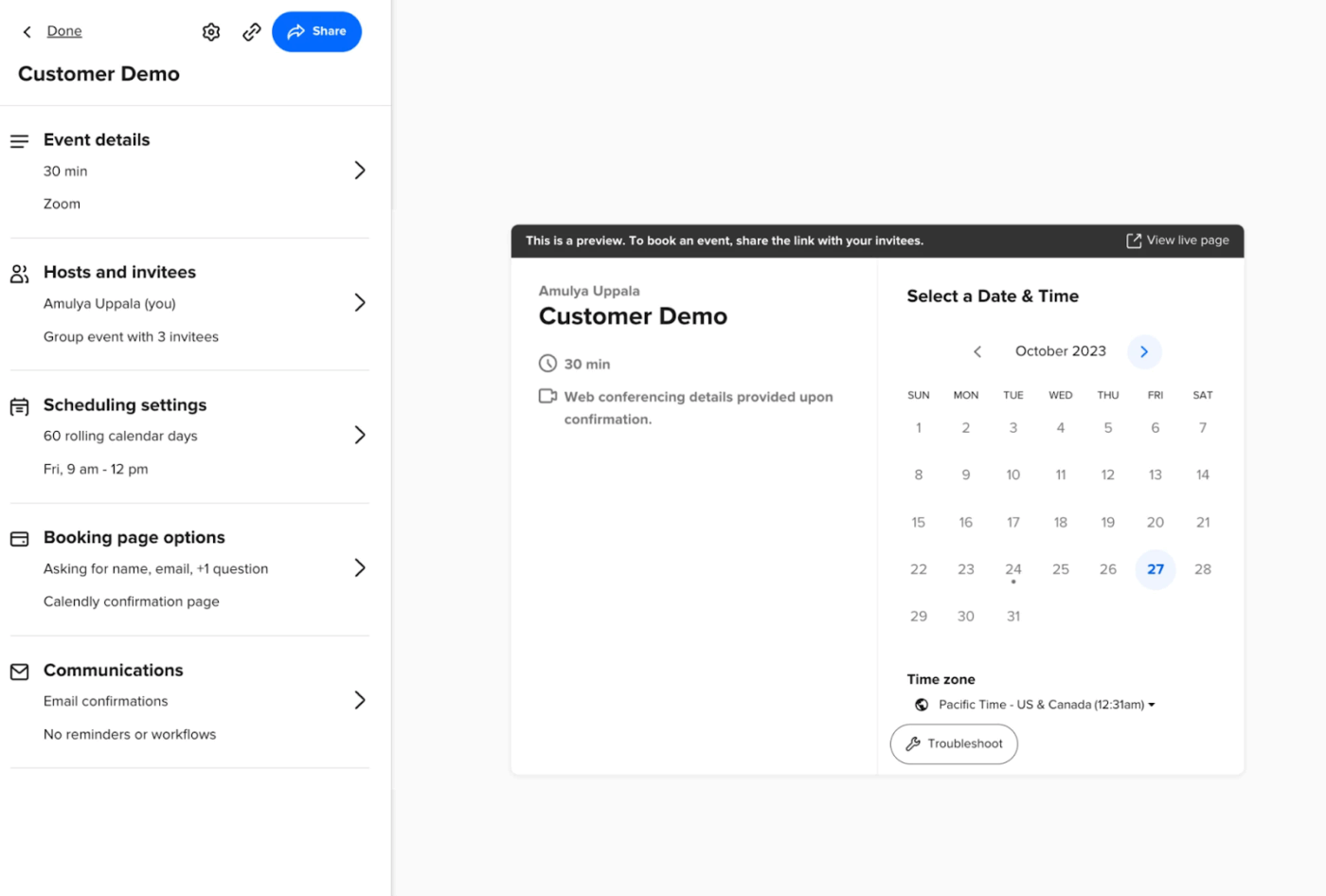
via Calendly
You know that annoying email back-and-forth where you and someone else try to find a meeting time? Calendly kills that conversation before it starts. People can see when you’re free and grab a slot without the usual ‘How about Tuesday?’
The self-scheduling tool syncs up to your Google, Outlook, or Apple calendar and blocks off time automatically. What makes it stand out is how it handles time zones. You can skip the mental math about whether 3 p.m. EST works for your West Coast client. You just share a link, and people book themselves in.
Hear from a real-life G2 reviewer:
Huge time saver: No more endless back-and-forth emails trying to find a good meeting time. I just share my link, and clients pick a slot—boom, it’s scheduled and added to my calendar instantly…Occasionally, the mobile app freezes or crashes. Reinstalling or restarting works, but it’s a pain when you’re trying to set up on the go. I have also had a few reminders land in my spam folder.
🔍 Did You Know? Early research on calendar use, dating back to 1982, revealed that professionals often juggle multiple calendars, each serving a distinct purpose. Paper calendars remained dominant for years because they offered greater flexibility, better visual layouts, and easier archiving than early digital alternatives.
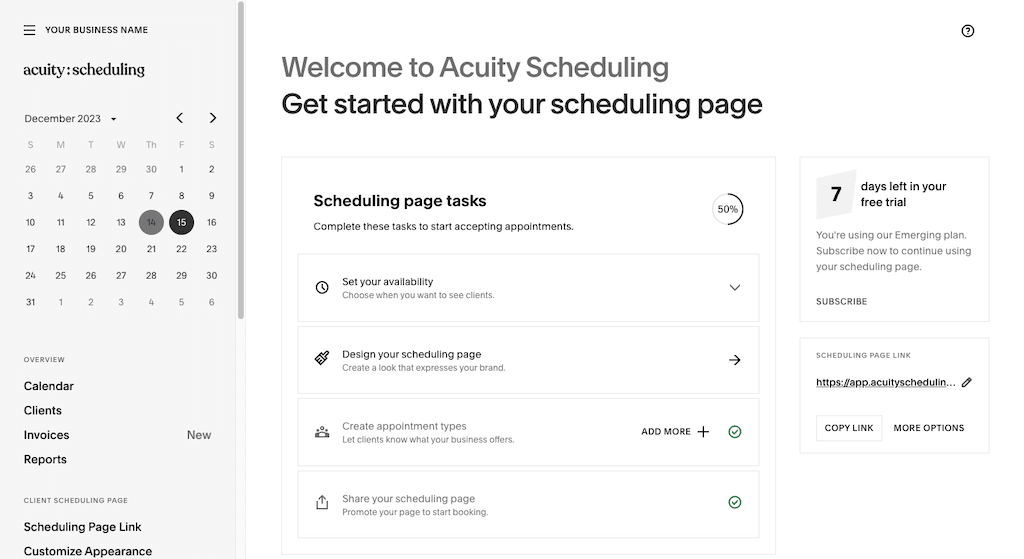
Acuity is an online scheduling tool specifically for service businesses. Sure, you can book appointments, but you can also collect intake forms, sell packages, and handle group classes.
The platform understands context, adjusting to different client types. For instance, a sales team rep requires different booking logic than a business consultant. Clients can prepay for sessions, book recurring appointments, and even join waitlists when their preferred times fill up.
A user review says:
Acuity scheduling has been an essential tool for the execution if my role. It is well curated into a simplified UI which made it soo easy for us to configure, implement, use and manage it all these time. It delivers a wide range of features and flexibility who h enable us to schedule different types of appointments from client meetups, group calls and many other. Acuity Scheduling customization capabilities are topnotch allowing us to reschedule, cancel and add appointments and make the necessary changes on our calendars.
via SimplyBook.me
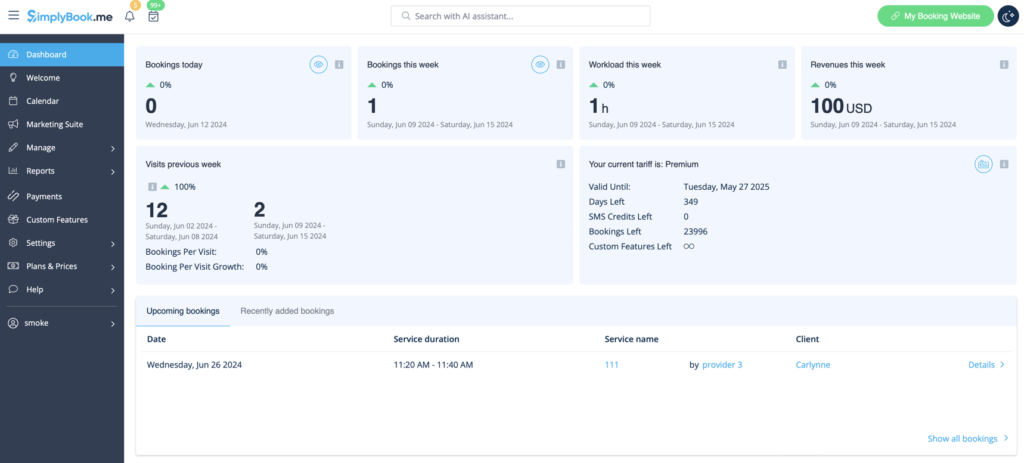
SimplyBook.me lets you manage scheduling across multiple locations from one dashboard. For instance, your downtown location might offer different services than your suburban branch, and the system handles those variations without breaking a sweat.
The standout? Its built-in promotion engine to run referral programs, offer discounts, or reward loyal clients right inside the booking flow. A client books a strategy session with you today and gets a discount code for next time, no extra tools needed.
A quick snippet from a G2 review:
It is possible to supplement the features above and beyond booking to make it a one-stop solution to market your company digitally. The user experience of the platform can be optimized to be easily accessible. A wider market reach can be achieved by increasing its coverage.
⚡ Template Archive: Use the ClickUp Calendar To Do List Template to organize tasks by due dates and visualize your schedule clearly. The cute calendar template is perfect for staying on top of daily, weekly, or monthly priorities with drag-and-drop ease.
via Setmore
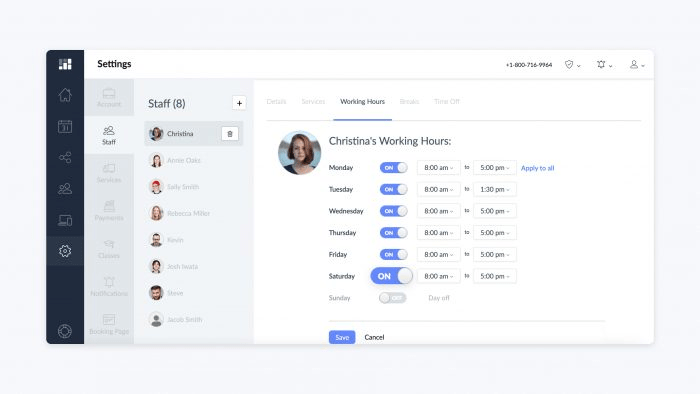
Small teams face a common scheduling problem: you need more than a personal calendar but less than an enterprise-level solution. Setmore sits right in this gap. Each team member controls their own availability while sharing the same booking system.
The social media integration is also quite convenient; people can book appointments directly from your Facebook or Instagram page without having to jump through hoops.
See what this Capterra review says:
Setmore has amazing features that has made booking appointments and managing my schedule super easy. The premium options has so many features that is useful for a self employed person and a small team…Wish it had google calendar sync and with the free version.
📮 ClickUp Insight: Our meeting effectiveness survey data shows that 25% of meetings involve eight or more participants. While large meetings can be valuable for alignment and decision-making, they often create challenges.
In fact, another ClickUp survey revealed that 64% of people struggle with unclear next steps in nearly half their meetings. As the everything app for work, we address this gap with an end-to-end meeting management solution.
ClickUp Meetings transforms how teams collaborate with dynamic agendas, while AI Notetaker captures every valuable insight—eliminating follow-up confusion and keeping everyone aligned!
💫 Real Results: Teams using ClickUp’s meeting management features report a whopping 50% reduction in unnecessary conversations and meetings!
via Doodle
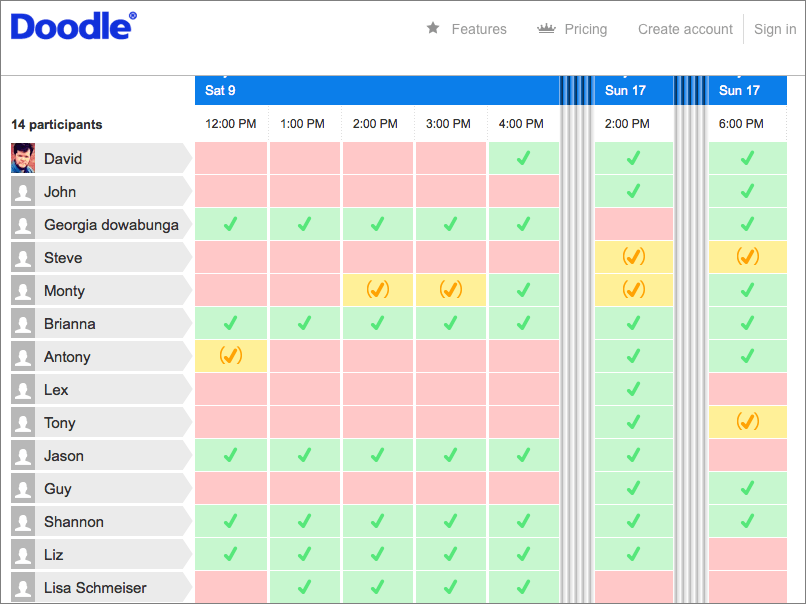
Doodle lets you propose multiple time slots and have participants vote on what works best, without requiring an account. Once everyone responds, you lock in the most popular option, and it sends out calendar invites automatically. It also integrates with Google Meet, Outlook, and Microsoft Teams.
Additionally, the platform features a booking page. It’s great for team leads or project managers who want to set open office hours without manually scheduling people.
Here’s a firsthand perspective from a G2 review:
Doodle has made it much easier to “poll” what dates and times work best for meetings. It has saved us a lot of time and stress with trying to find the best times to meet for larger groups of people with varying calendars…I think one of the things that would be nice would be a link to show the poll results without having to respond to the poll – I am sometimes needing to share results with staff that will not be needing to vote but is interested in the results…
🔍 Did You Know? In 1993, researchers concluded that the core job of a calendar wasn’t just tracking dates. It was also to support prospective memory, which means they helped people remember things they need to do in the future.
via OnceHub
OnceHub has built chatbots, forms, and routing logic right into the scheduling process.
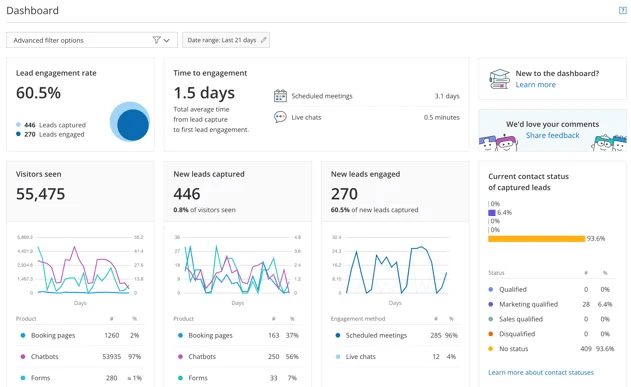
When a prospect visits your booking page and answers some qualifying questions, they are automatically routed to the right salesperson. You can track where people drop off in your booking funnel and optimize accordingly.
The platform’s dashboard gives you a clear picture of how leads are progressing, from initial interaction to confirmed meetings. You can also integrate it with your CRM and marketing stack to trigger actions based on lead behavior.
According to a G2 review:
OnceHub is truly designed for sales success teams that need a space to schedule, chat and engage with prospects and customers and integrate with other tools to have a coordinated experience for all users…It might not be very intuitive at first for users because features are bundled in different sections. However, once you get used to it, you can make changes fast.
🧠 Fun Fact: When people set calendar reminders or write sticky notes, they’re practicing cognitive offloading, outsourcing memory tasks to external tools. We may offload more than necessary, not just because we doubt our memory, but because we want to avoid the mental effort of remembering altogether.
via Clockwise
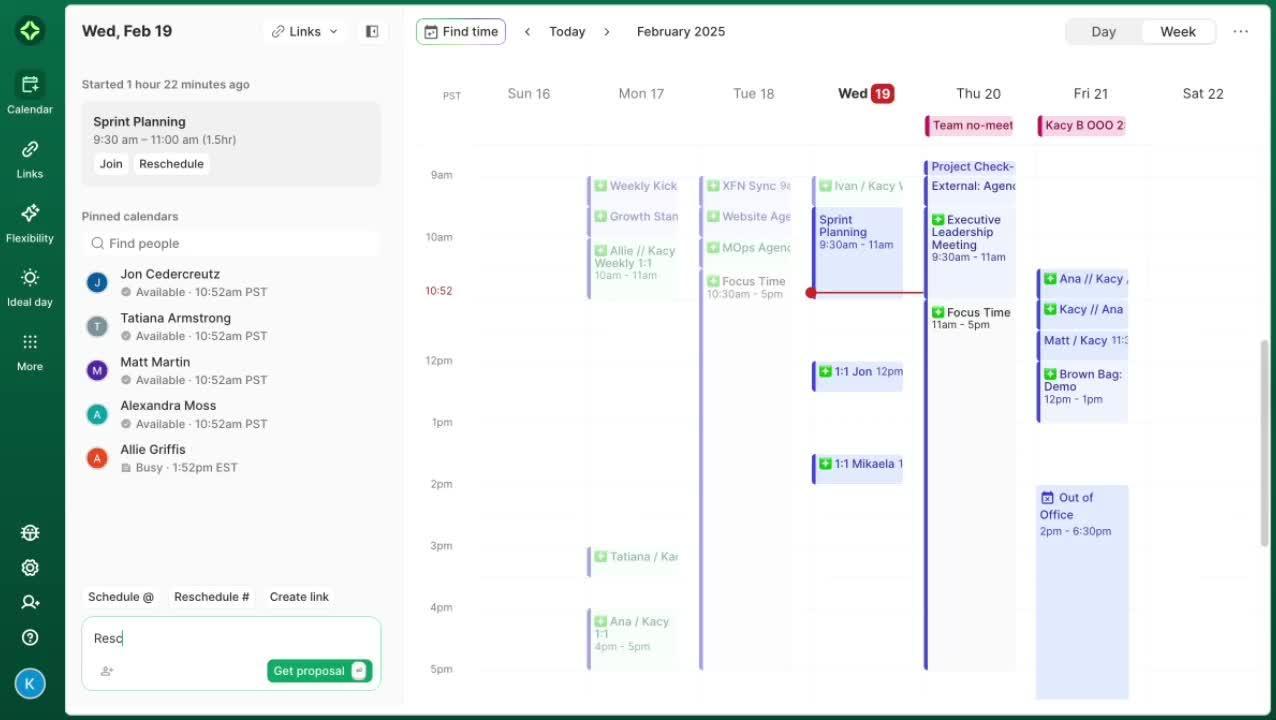
For remote teams, finding uninterrupted focus time can feel impossible, especially when meetings pop up across global calendars. Clockwise solves this by automatically identifying and protecting chunks of focus time while keeping syncs on track.
The AI scheduler adjusts meetings to accommodate everyone’s availability, accounts for time-zone differences, and blocks out uninterrupted work windows. It also adapts in real time: move a meeting, and Clockwise recalibrates your day, moving other events to preserve your flow.
Based on one G2 review:
Clockwise essentially takes some of the burden of managing my own schedule off of my plate. It protects my focus time and then I can just provide my meeting link and clockwise will handle safeguarding the import parts of my schedule…I wish I could get more granular with scheduling tasks or projects within my focus time. If I add a task or event to my calendar, Clockwise adjusts my focus time, but sometimes I want the time blocked out for that task to be included in focus time.
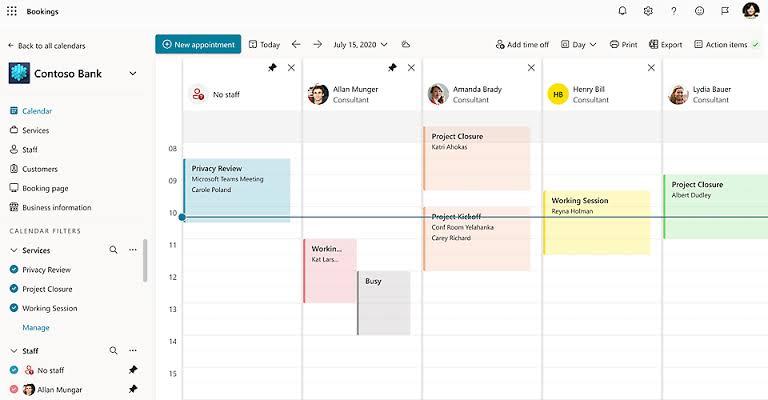
If your organization works with Microsoft 365, Bookings slides right into your existing workflow seamlessly. Appointments sync to Outlook automatically, meeting invites include Teams links, and customer data flows into your existing Microsoft systems. The tool also automatically sends reminders and confirmations via email (and SMS if you’re on Teams Premium).
A user review says:
Microsoft Bookings works, but it’s clunky. It creates additional user accounts in both Microsoft 365 Admin and Teams just to run a booking page.
The interface is dated, customization is limited, and setup can get overly technical. It’s fine if you’re deep in the Microsoft ecosystem, but not exactly user-friendly. I’d give it a 5/10. It’s typical Microsoft. Built for the IT users and not the end user.
🔍 Did You Know? Color psychology influences how we use calendars. Colors like red trigger urgency, blue supports focus, and green promotes calm, all of which affect how we prioritize, plan, and remember tasks. When used intentionally, color cues can enhance memory, reduce stress, and even improve time management.
via Zoho Bookings
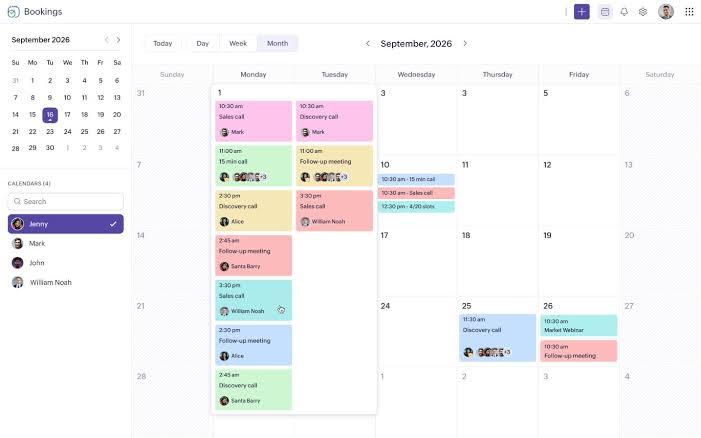
If you work as a freelancer in coaching, consulting, or content creation, Zoho Bookings helps you streamline all your offerings from a single dashboard.
You can create separate service pages, set availability rules, and sync with Google, Outlook, or Zoho Calendar, avoiding common scheduling issues at work.
When someone books time, the system creates a customer profile, tracks their history, and connects to your broader Zoho ecosystem. You can see previous appointments, notes from past interactions, and even generate invoices.
A Capterra review puts it this way:
It’s a Zoho app and that makes it convenient for me….The bookings don’t always automatically place the zoho meeting link in the meeting invite causing confusion and extra work to manually add it. It would also be great if I could accept or decline meetings booked by users before the meeting goes onto my calendar.
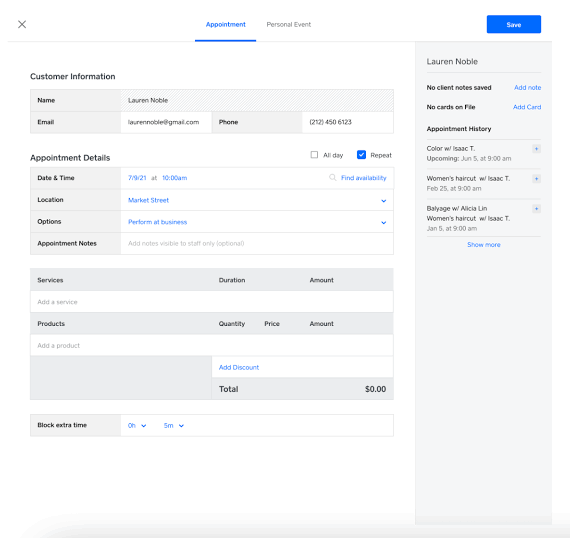
Square Appointments is a great tool for consultants and freelancers who require deposits at the time of booking.
The scheduling app integrates with Square’s payment infrastructure, allowing you to collect deposits, process cancellation fees, and even sell gift cards within the booking flow. You also get basic point-of-sale (PoS) features, allowing customers to pay for retail items during their appointment.
A user review says:
Square Appointments is great for scheduling and managing client appointments efficiently, but getting access to advanced tools requires a higher subscription level.
🔍 Did You Know? Even brief micro-breaks, as short as a few minutes, can significantly boost your energy and reduce fatigue at work. Therefore, if you’re engaging in intense mental work, you may require more than 10 minutes to recover and perform at your best. Schedule your calendar accordingly.
Most YouCanBookMe alternatives stop at the calendar. Your work does not.
ClickUp brings every part of your scheduling workflow into one place. With ClickUp Calendar, you can plan meetings, auto-block focus time, and sync with Google or Outlook.
The AI Notetaker captures meetings, transcribes key points, and links them to tasks or docs. Forms turn booking requests into actionable tasks. While Automations assign, notify, and follow up instantly.
So, what are you waiting for? Sign up for ClickUp for free today! ✅

© 2026 ClickUp

There’s an easier way. Try a free AI Agent in ClickUp that actually does the work for you—set up in minutes, save hours every week.