Sorry, there were no results found for “”
Sorry, there were no results found for “”
Sorry, there were no results found for “”
Ever feel like your team is busy but not always on the same page? Tasks are getting done, deadlines are approaching, but essential updates get lost in the shuffle.
Maybe you’re chasing them across multiple platforms, overcommunicating at work, or sitting through long-winded status meetings that don’t always provide absolute clarity. But there’s a way out of this quagmire.
We’re talking about weekly check-in templates. A well-structured check-in gives you a quick pulse on progress, highlights roadblocks before they become significant issues, and ensures priorities are clear, without endless back-and-forth or regular meetings.
Here are 20 free weekly check-in templates to keep your team organized, whether you manage remotely or handle multiple projects.
Weekly check-in templates are structured formats that help teams and individuals track project progress, share updates, and identify roadblocks regularly. They provide a consistent framework for reporting key accomplishments, upcoming tasks, and challenges, ensuring everyone stays aligned without unnecessary meetings.
These templates can be used across various industries and roles, from meeting management to employee performance tracking.
They typically include sections for status updates, weekly priorities, and blockers needing attention. By standardizing the check-in process, teams can improve transparency, accountability, and efficiency.
A good weekly check-in template is clear, concise, and easy to complete. It should provide structure without being overly rigid, allowing users to share meaningful updates without spending too much time.
Key elements of an effective check-in template include:
💡 Pro Tip: Use a tool like ClickUp, the everything app for work, to automate regular check-in meetings, track progress, and keep everything organized in one place. Consistency beats one-off feedback!
Ready to take control of your team’s progress? Here are the 20 best weekly check-in templates that you must consider:
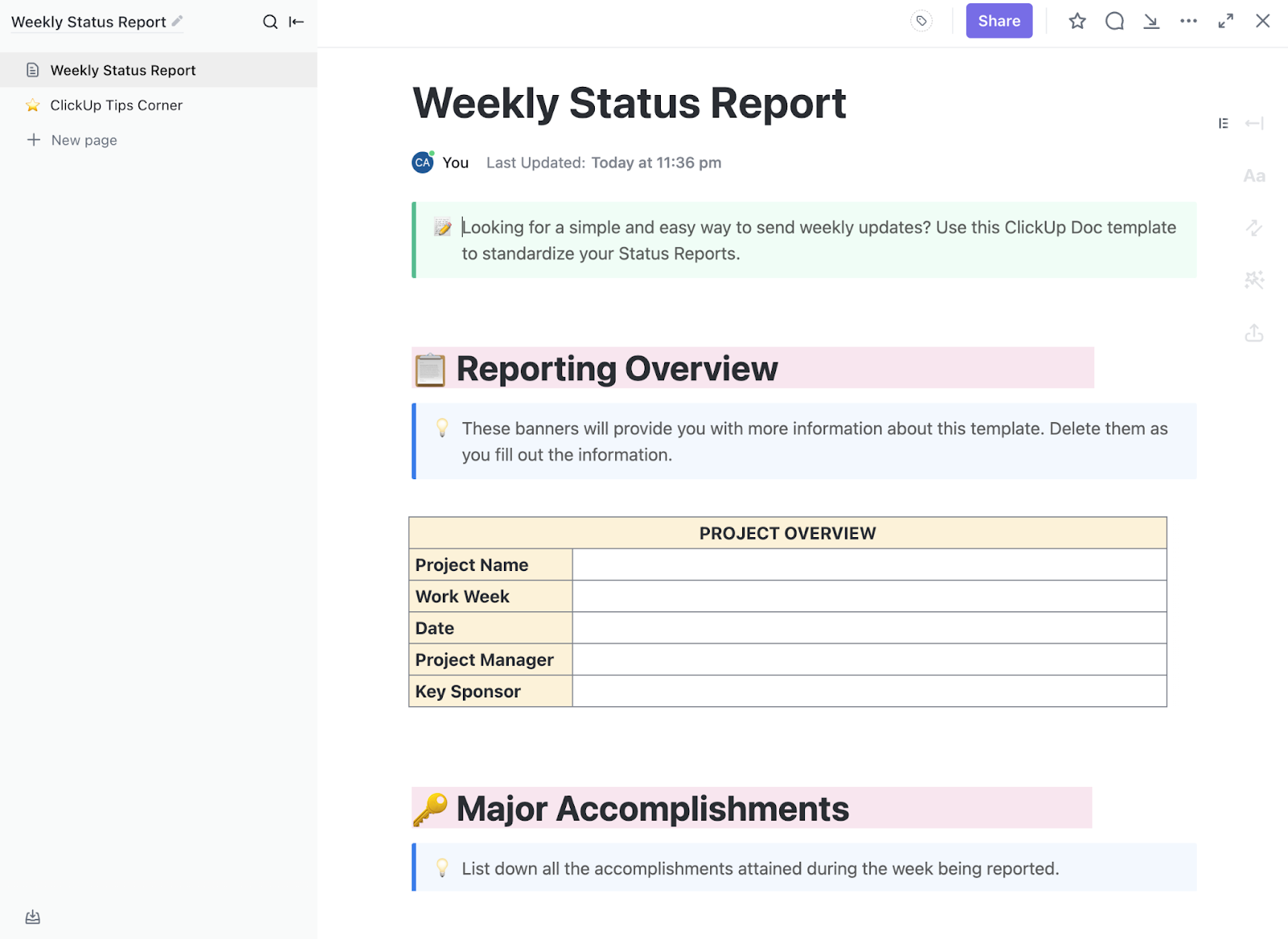
Tracking team progress can quickly become a disorganized mess without a structured approach. The ClickUp Weekly Status Report Template is designed to bring clarity and consistency to weekly updates, ensuring everyone stays informed without unnecessary back-and-forth.
This template provides a well-structured outline to document:
The highly customizable template allows teams to add Custom Fields for KPIs, deadlines, or department-specific metrics. Whether you’re tracking software development, marketing initiatives, or client deliverables, this format makes it easy to maintain visibility across teams.
Ideal for: Teams that need a structured, efficient way to provide weekly updates without unnecessary meetings.
💡 Pro Tip: Taking notes during meetings becomes 10X more powerful with ClickUp’s AI Notetaker—a tool built to turn the mess after meetings into clear, actionable insights.

Here’s how it helps:
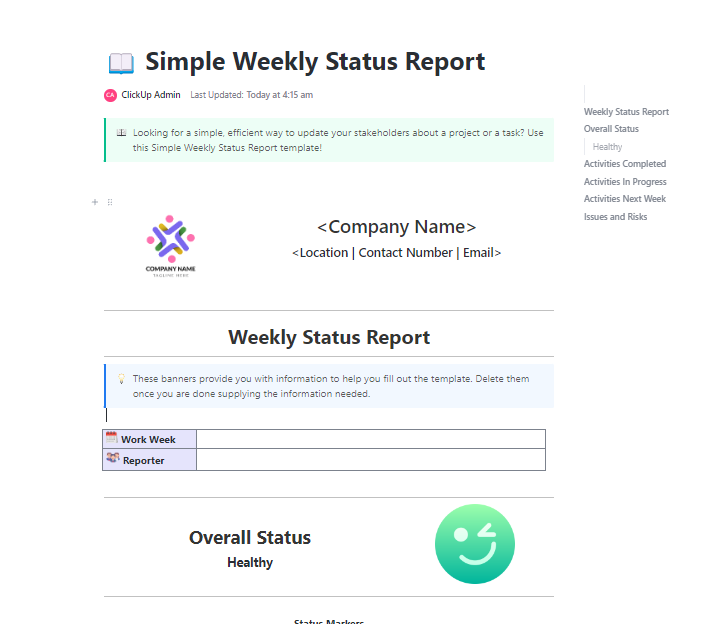
If your team prefers a straight-to-the-point status report without unnecessary complexity, the ClickUp Simple Weekly Status Report Template is the perfect solution.
This template strips down weekly reporting to the absolute essentials:
With a minimalist design, this template ensures team members spend less time reporting and more time executing. The simple layout also makes it easier to spot trends over time, helping teams improve productivity without getting lost in excessive details.
Ideal for: Small teams, startups, or fast-moving departments that need a lightweight but effective way to stay aligned.
📮 ClickUp Insight: ClickUp’s meeting effectiveness survey found that 18% of respondents use comments in documents for asynchronous collaboration. While this reduces meeting time, scattered comments often lack accountability, leaving action items untracked and incomplete.
ClickUp Docs transforms document collaboration with Assigned Comments. Each comment can be assigned to a specific team member, turning passive feedback into actionable tasks. Build accountability into your document workflows!
💫 Real Results: Teams using ClickUp’s meeting management features report a whopping 50% reduction in unnecessary conversations and meetings!
🧠 Fun Fact: Employees who receive weekly feedback are 2.7 times more engaged at work. Regular interactions boost motivation and commitment.
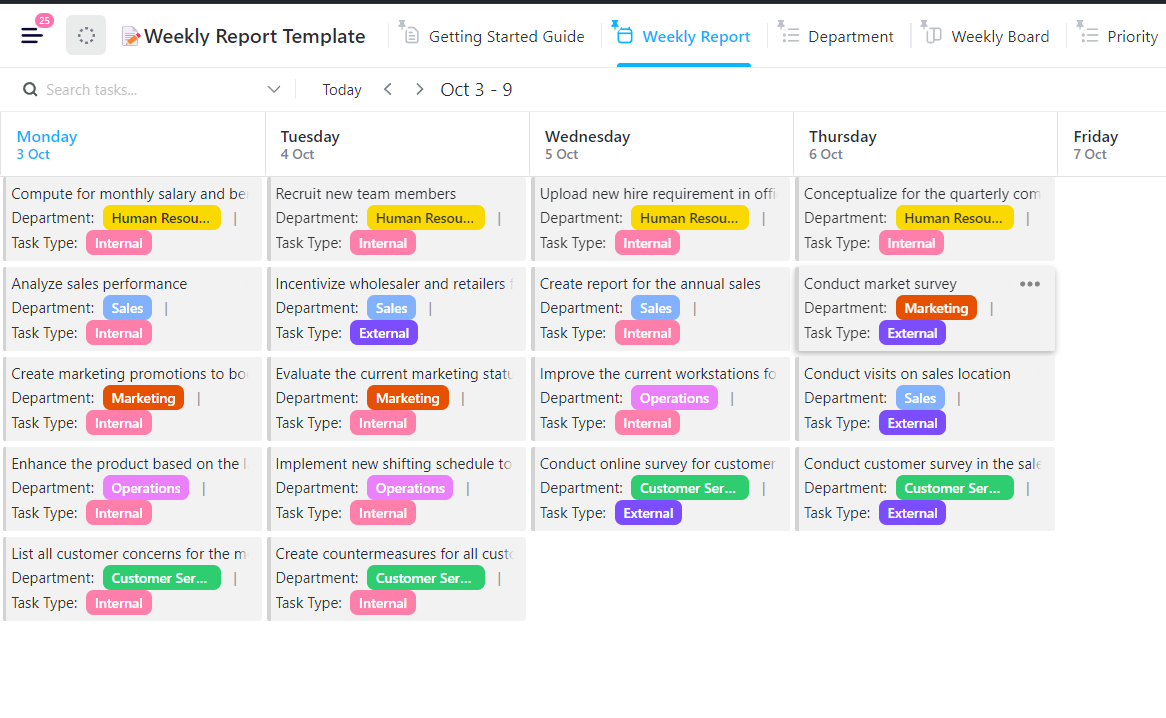
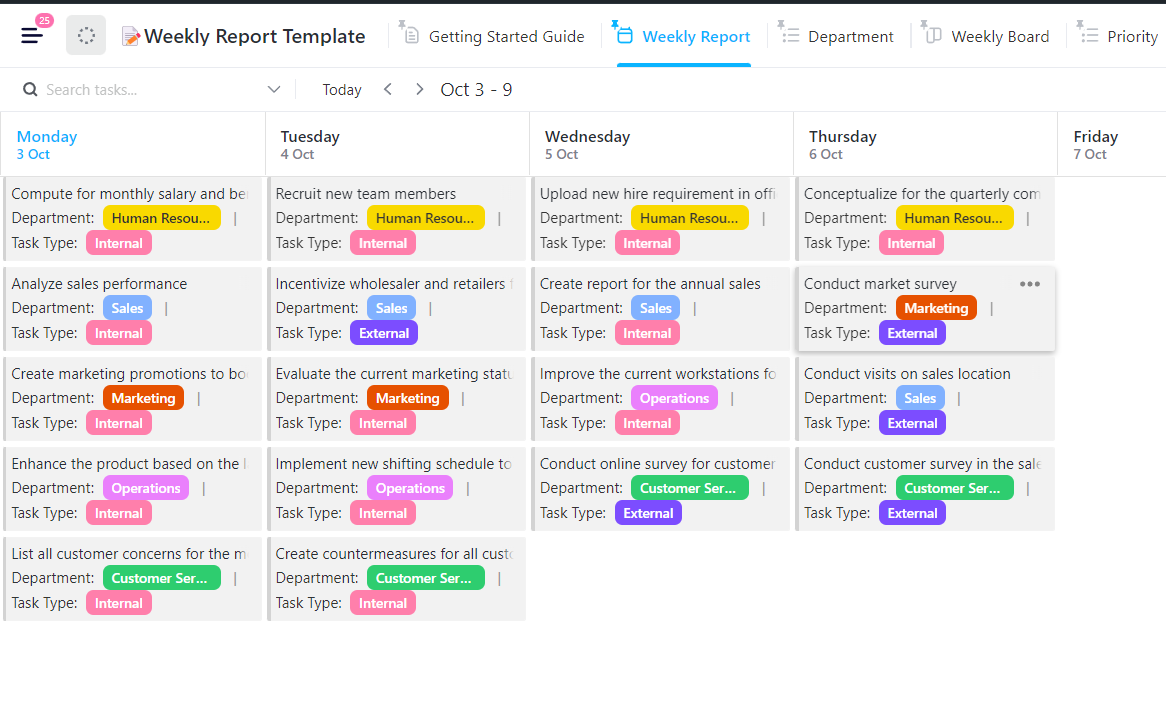
A weekly report keeps everyone on the same page by giving your team a simple, structured way to share updates, tackle challenges, and plan the next steps, without wasting time. Get started quickly with the ClickUp Weekly Report Template.
This comprehensive template includes:
This template is especially useful for cross-functional teams that need a more detailed view of progress. Regular collaboration ensures stakeholders and leadership stay informed about ongoing initiatives.
Ideal for: Teams that require structured weekly reports to analyze performance trends and drive continuous improvement.
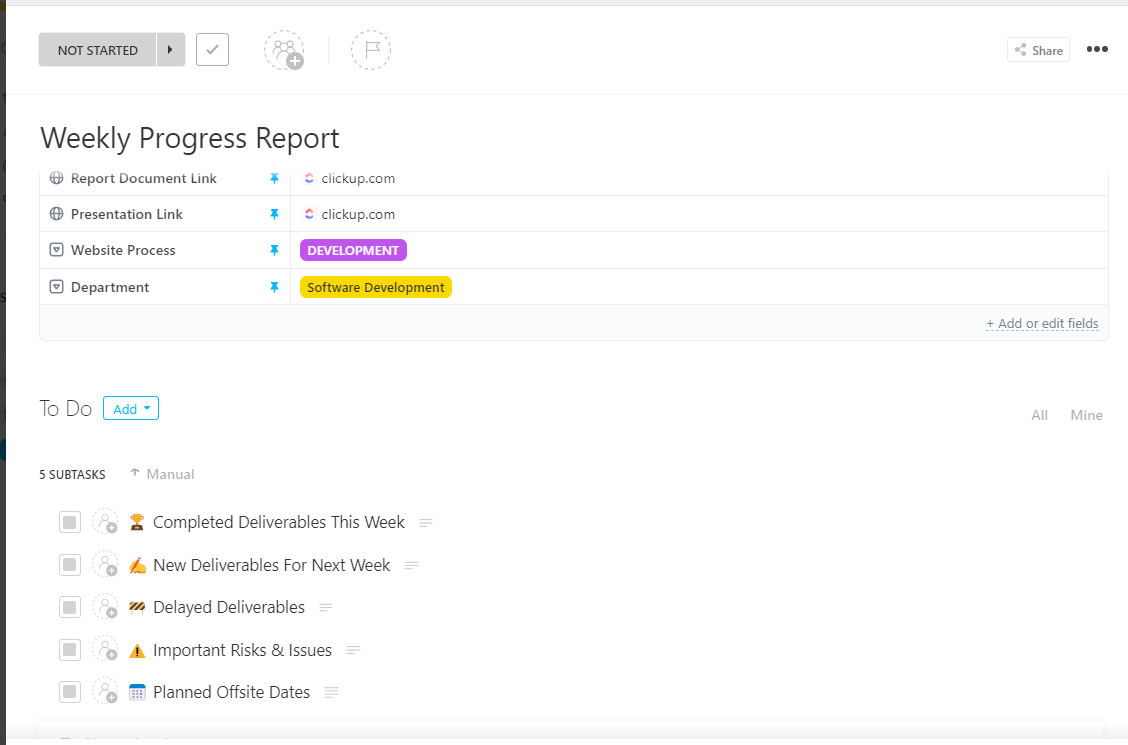
For teams working on long-term projects, breaking progress into weekly snapshots ensures work stays on track. The ClickUp Weekly Report Template makes it easier to adjust strategies based on real-time progress by maintaining an ongoing record rather than waiting until the last minute to troubleshoot issues.
The progress report template is a solid option that helps teams document:
Ideal for: Project managers, product teams, and departments handling complex initiatives requiring close tracking.
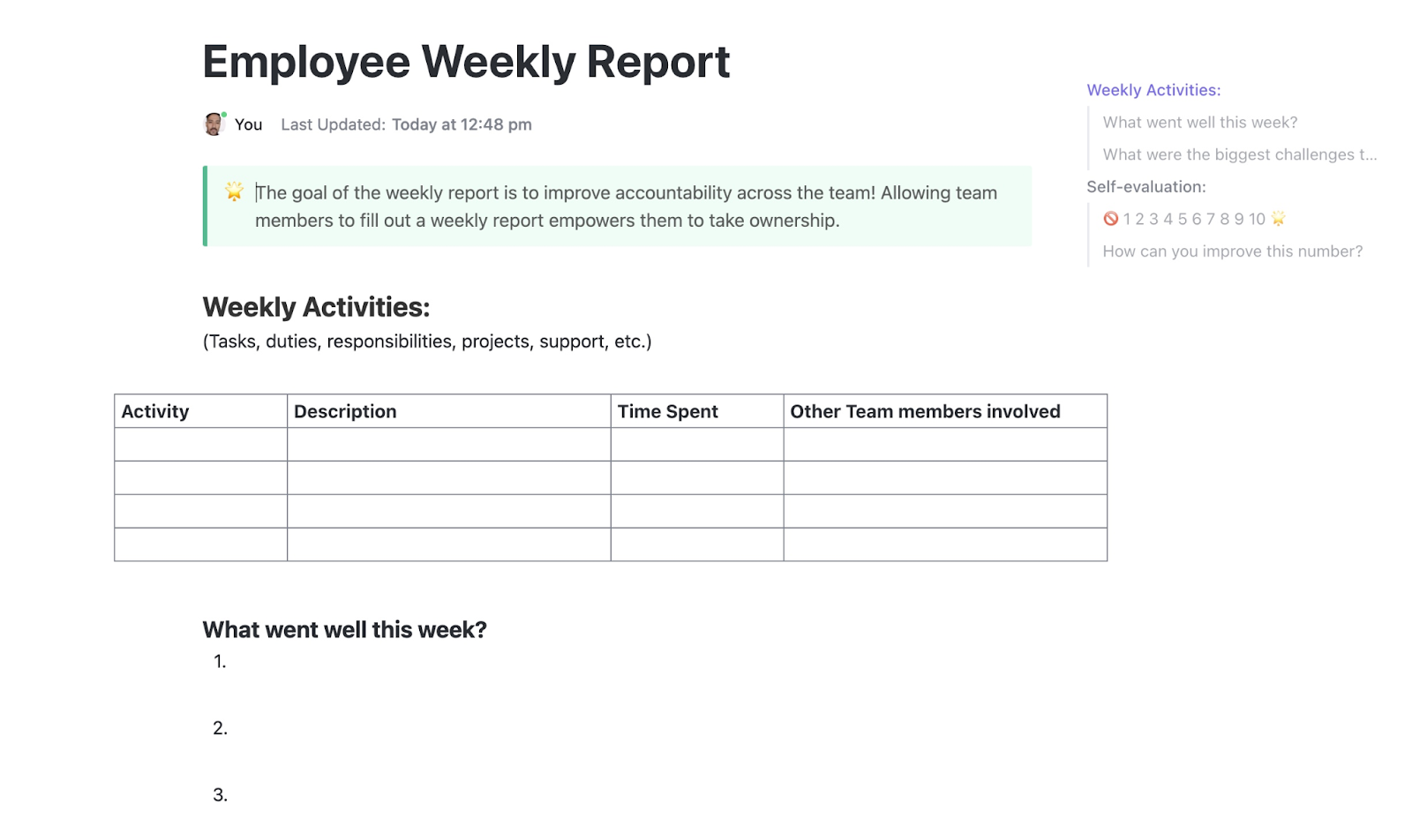
A weekly report shouldn’t feel like a micromanagement tool—it should be an opportunity for employees to reflect on their contributions and get the support they need. Enter: The ClickUp Employee Weekly Report Template.
This template facilitates better one-on-one meetings, ensuring managers clearly understand employee workload, performance, and areas where coaching might be needed.
It also allows employees to:
Ideal for: Managers and employees looking for a structured way to document weekly progress and foster open communication.
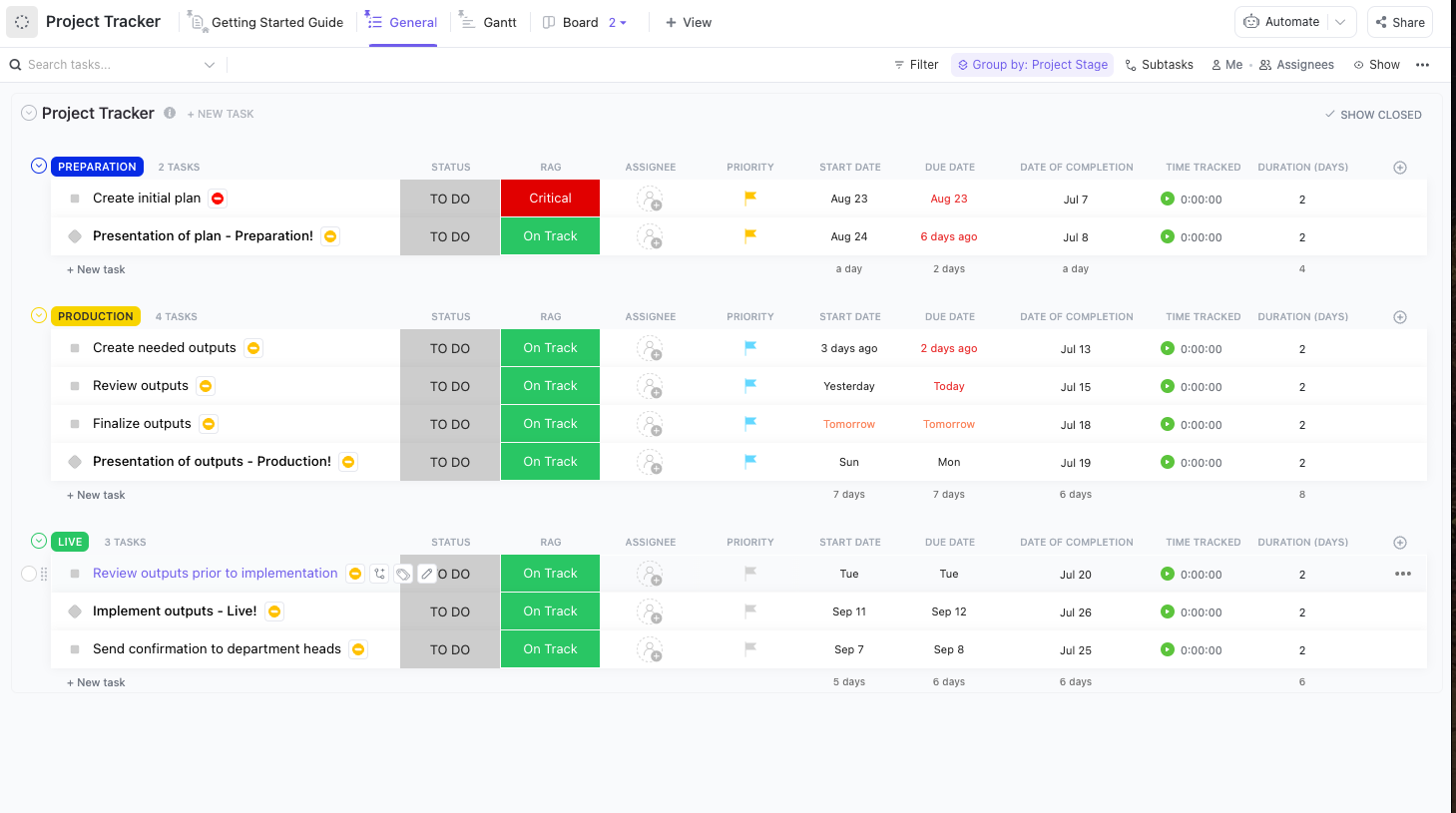
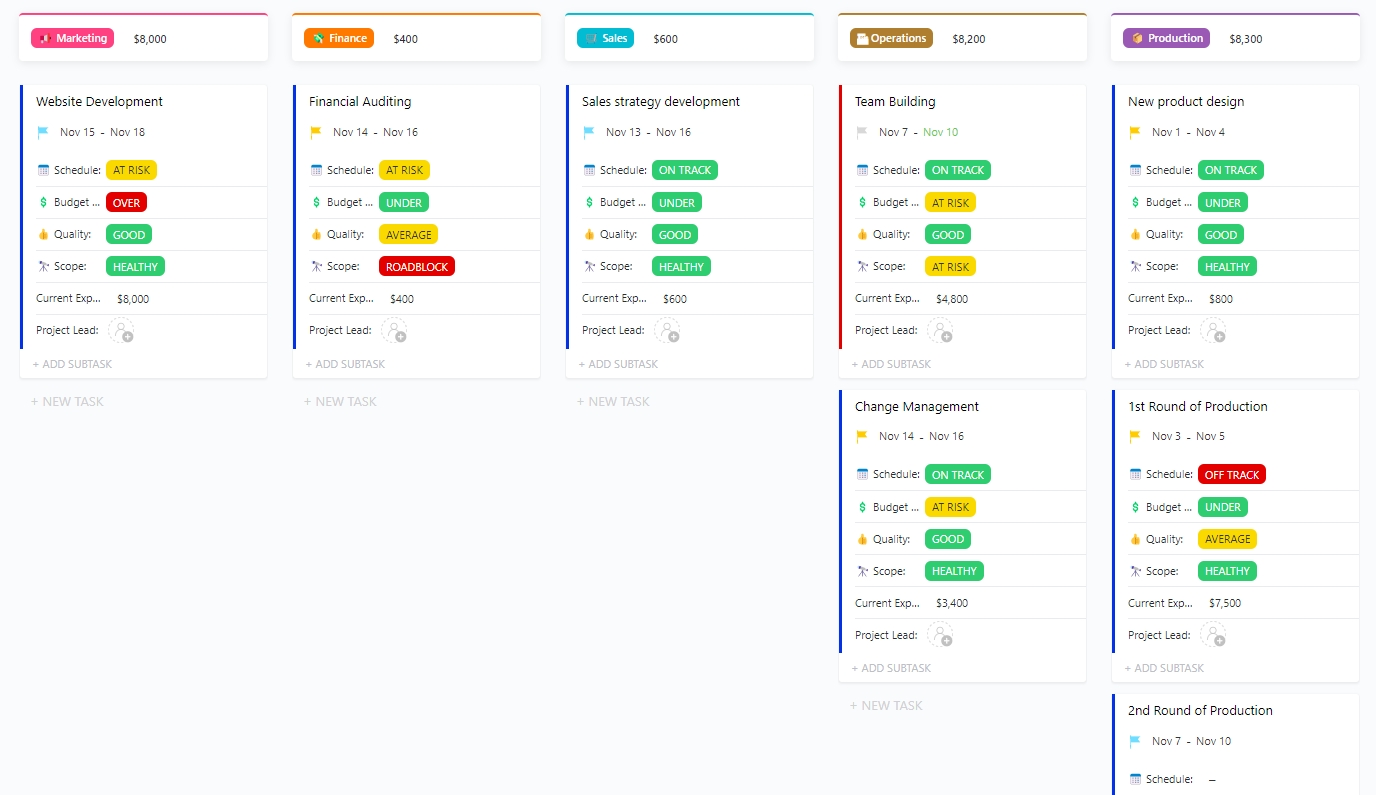
Unlike a static report, a tracker template can provide a real-time view of work as it moves through different stages. These templates boast a flexible setup, making them perfect for monitoring project status, identifying bottlenecks, and ensuring tasks stay on schedule.
Start building yours with the ClickUp Progress Tracker Template, which includes:
Ideal for: Project managers, team leads, and anyone needing a live progress tracking system.
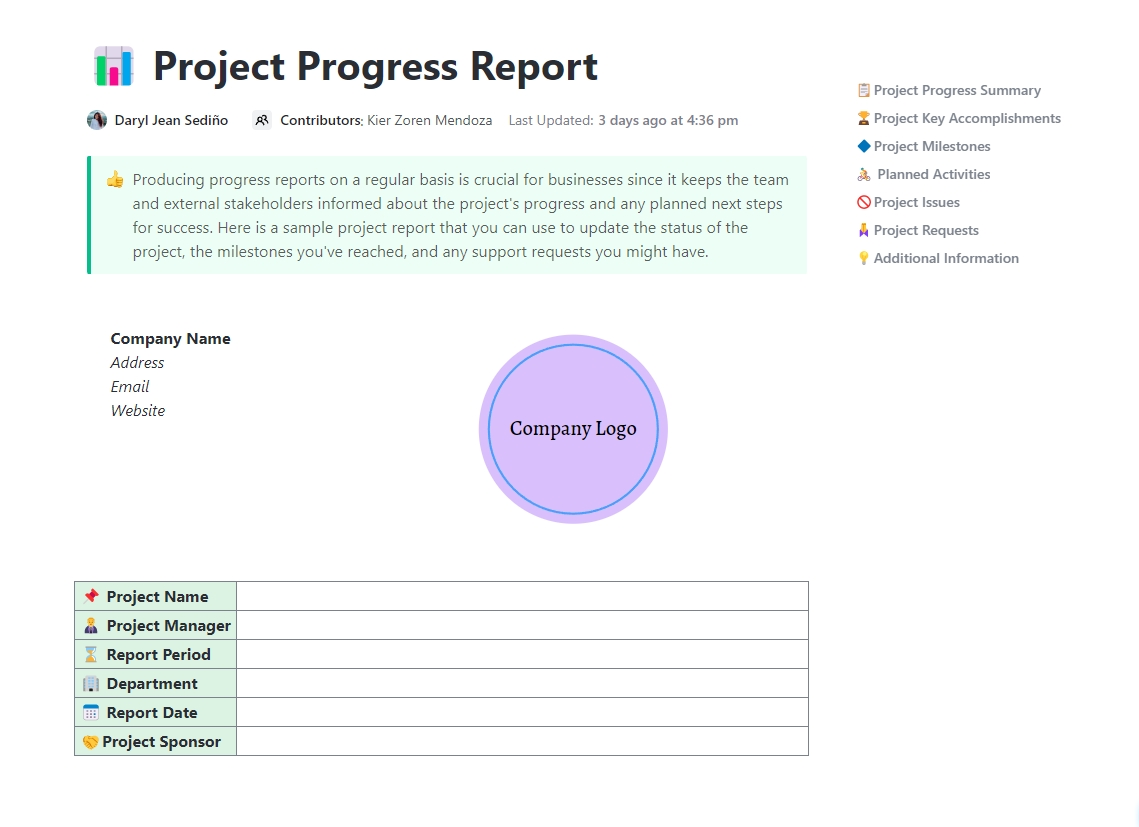
Need a clear, organized way to track and share project updates? The ClickUp Project Progress Report Doc Template makes it easy to summarize key milestones, risks, budgets, and overall status—all in one place.
This project management document-based template provides a detailed yet digestible format for summarizing project progress at any stage. It helps keep stakeholders informed while also serving as a historical record for post-project analysis and improvement.
The template includes sections for:
Ideal for: Project managers and executives who need a professional, structured way to report on project status.
💡Bonus: With ClickUp’s AI-powered Calendar, you can do more than just schedule meetings and take notes.
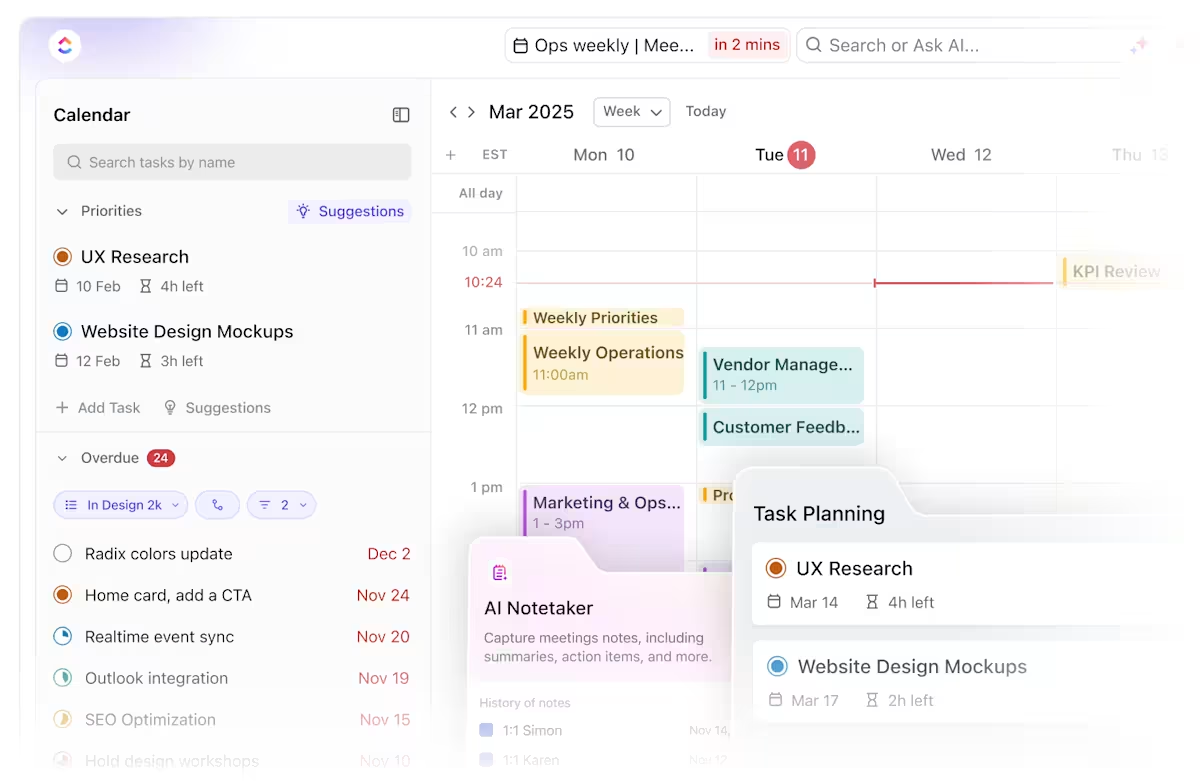
It helps you with:
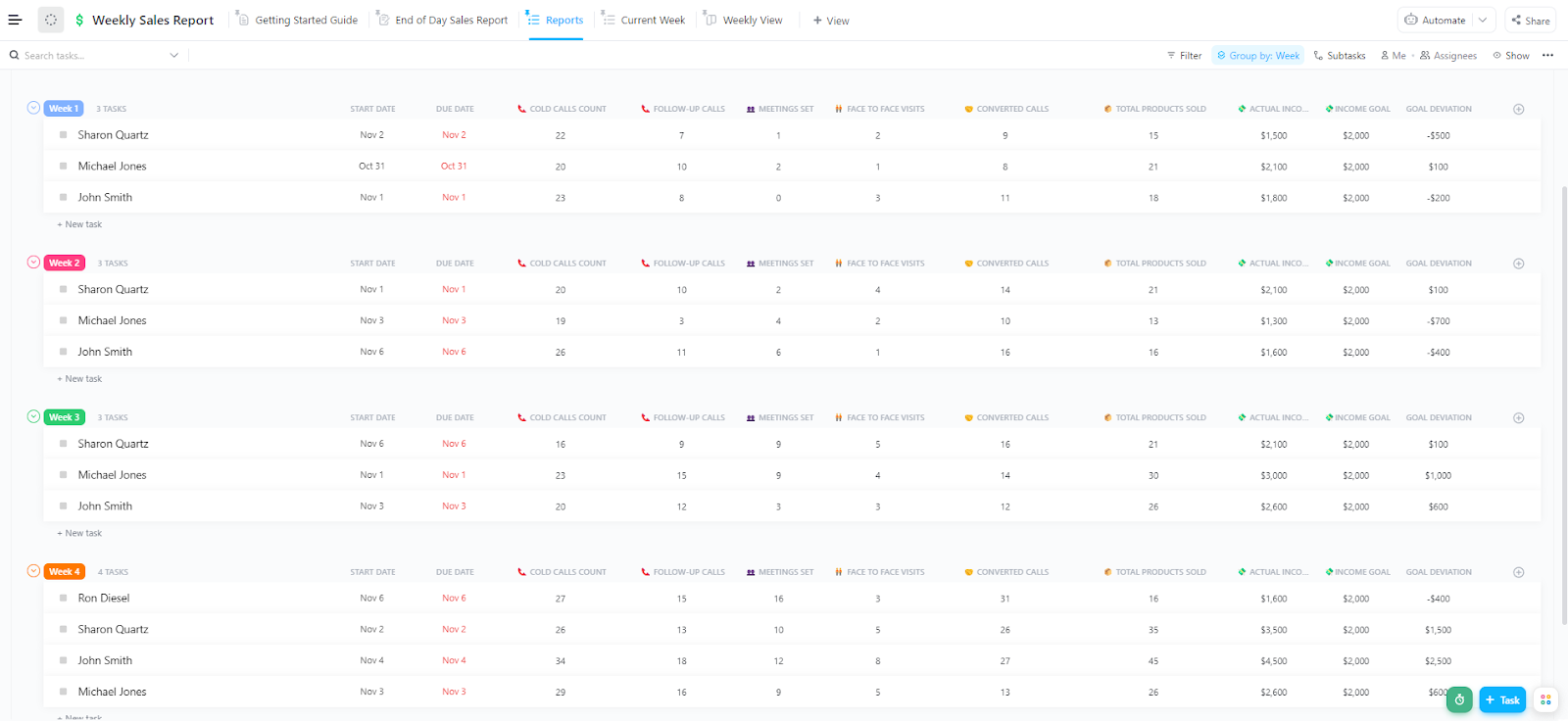
Sales teams need quick, data-driven insights—not just a list of tasks. A structured template format can help sales leaders spot patterns, identify high-performing reps, and make informed decisions to optimize strategy. Meet the ClickUp Weekly Sales Report Template.
It helps track:
Ideal for: Sales managers and teams looking for a data-driven approach to weekly performance tracking.
Executives don’t need every tiny detail—they need a clear, high-level overview. A project status report helps leadership make informed decisions quickly by focusing on the big picture.
Begin working with the ClickUp Executive Project Status Report Template to maximize your insights. This template includes:
Ideal for: Executives and senior managers who need concise but impactful updates.
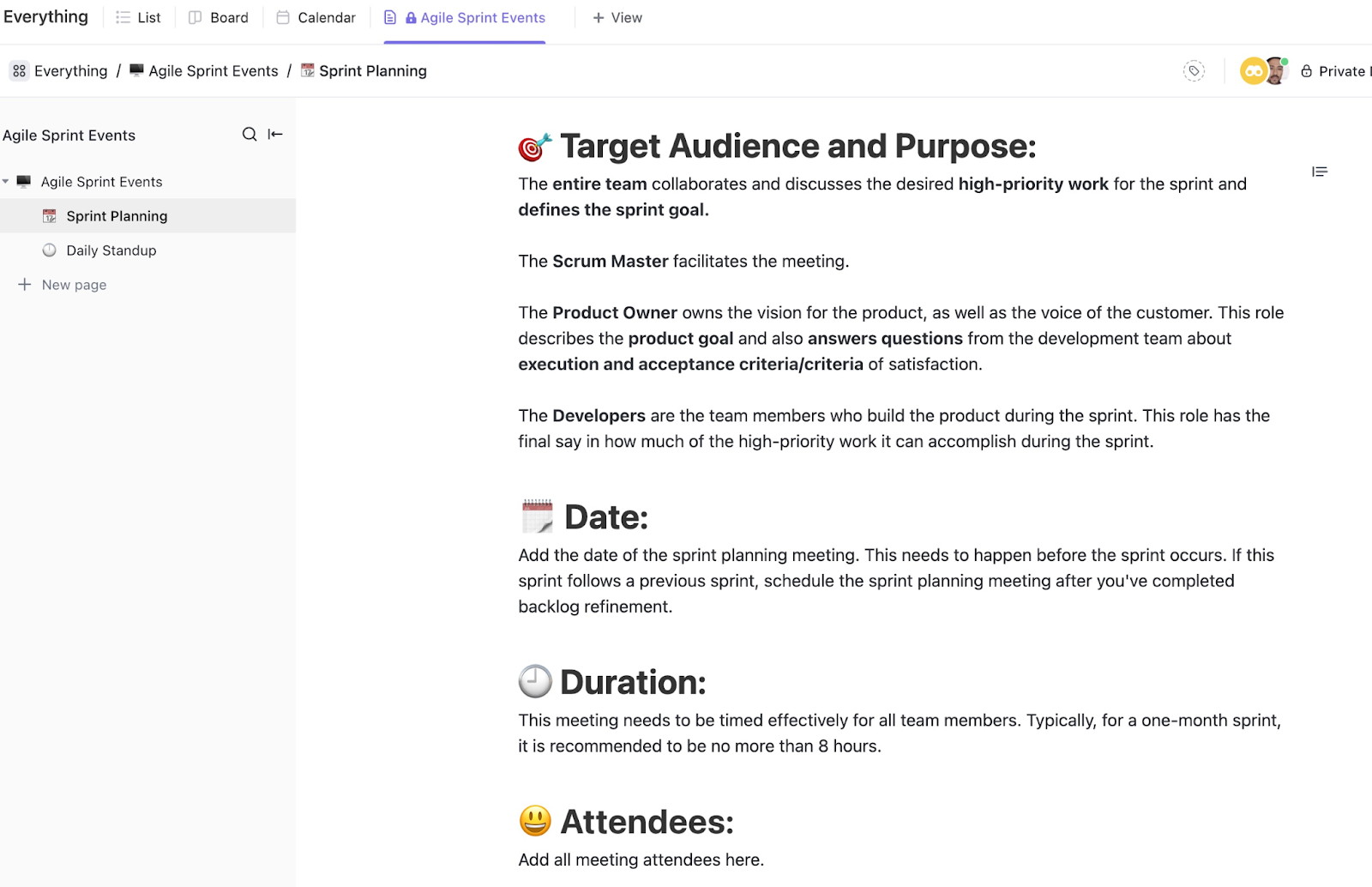
Agile sprints require clear structure and consistency. With everything documented in one place, teams can run smooth, productive sprints while tracking improvements over time. The ClickUp Agile Sprints Events Template is a brilliant starting point, which allows you to track:
Ideal for: Agile teams following Scrum or Kanban methodologies.
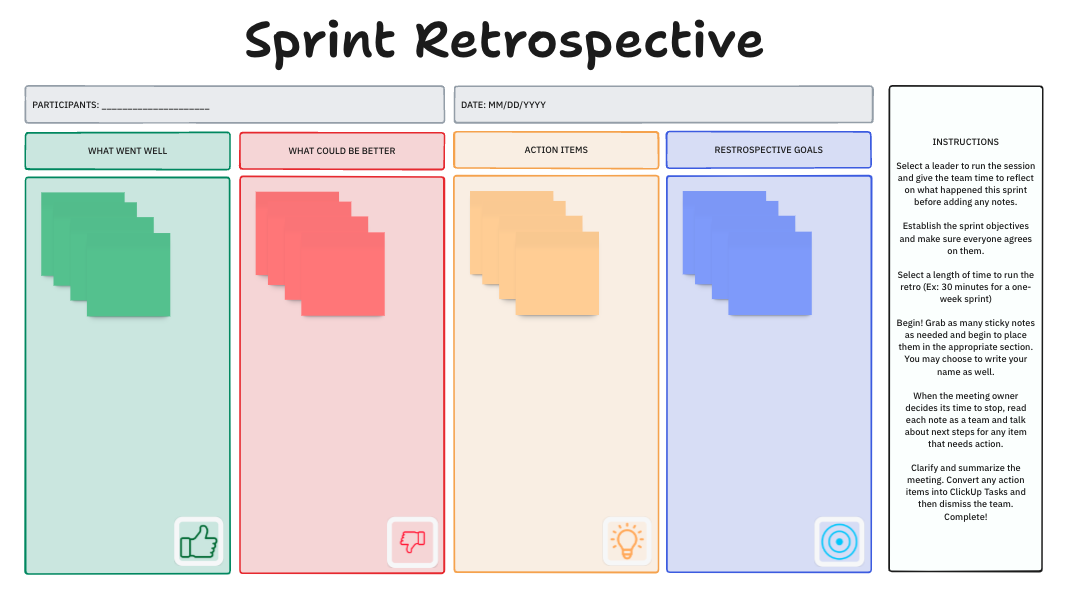
A retrospective should drive real improvements, not just surface complaints. Capturing key insights allows teams to refine their processes and work more efficiently.
The ClickUp Sprint Retrospective Brainstorm provides a structured way for teams to reflect, learn, and improve after each sprint. It helps teams capture key insights, refine processes, and boost efficiency by focusing on:
Ideal for: Agile teams committed to ongoing process optimization.
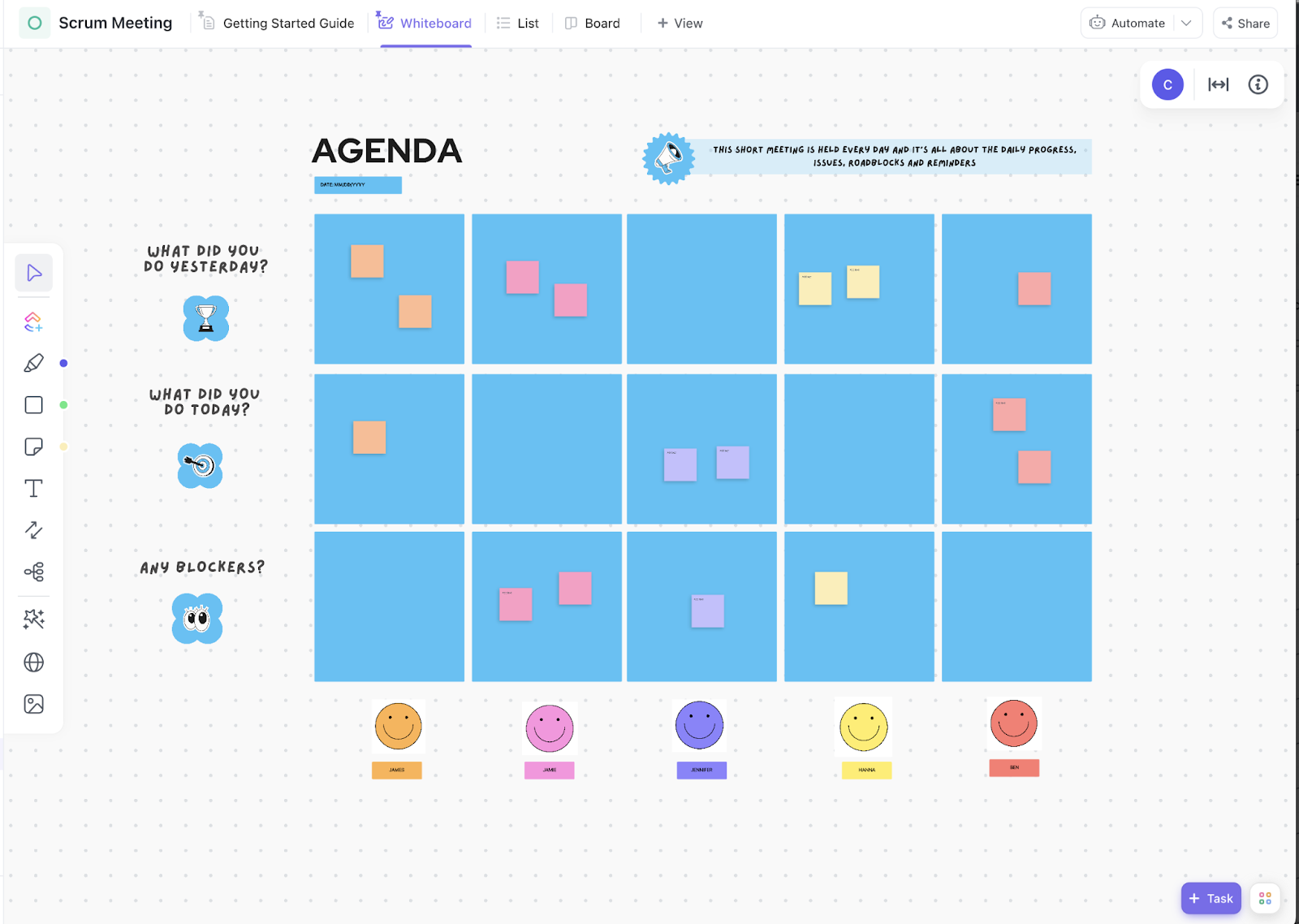
Scrum meetings should be fast, focused, and productive—not a time-wasting status update. The ClickUp Scrum Meeting Template starts by structuring discussions to keep things efficient and actionable.
It organizes:
By keeping everything in one place, this template ensures Scrum teams stay aligned while also building a record of past decisions and action points. It reduces the risk of missed follow-ups and makes it easy to track improvement over time.
Ideal for: Scrum teams that need a structured format to maintain meeting consistency and document discussions without extra admin work.
👀 Did You Know? Only 23% of employees strongly agree that they get the right amount of recognition for their work. The right software can help structure check-ins for more actionable insights.
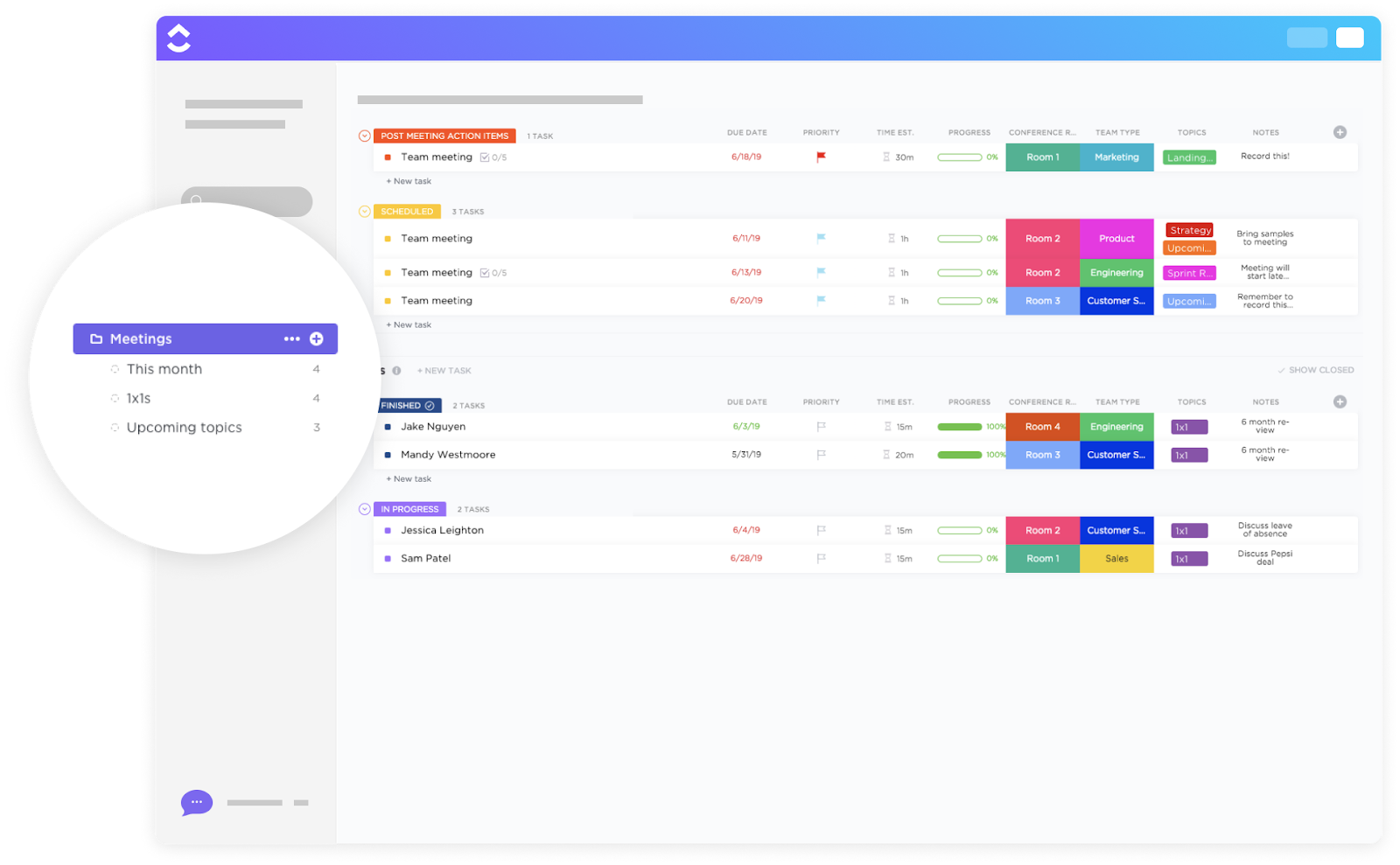
Meetings often run over time because they lack structure and clear outcomes. The ClickUp Meetings Template ensures every meeting has a purpose, a clear check-in agenda, and follow-up action items.
Key features of the template include:
This template is customizable for different meeting types, from team check-ins to executive briefings, making it an adaptable tool for any organization that wants more efficient meetings.
Ideal for: Teams looking to reduce unproductive discussions and ensure meetings lead to clear, actionable results.
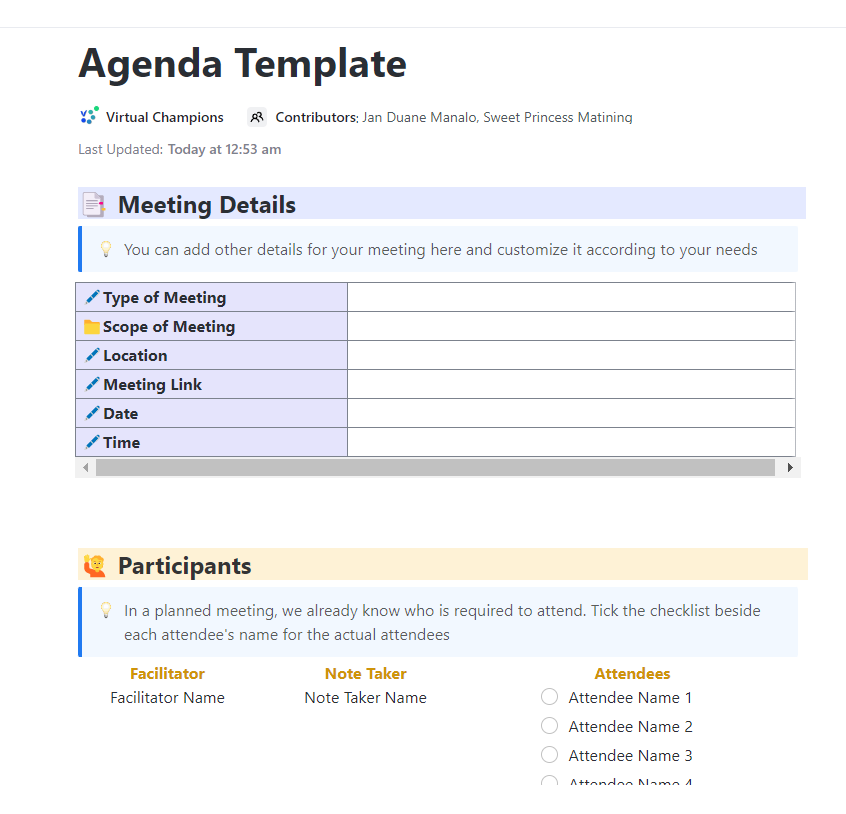
A good meeting agenda isn’t just a list—it’s a roadmap for a productive conversation. By distributing this agenda in advance, teams reduce wasted time and ensure meaningful discussions.
The ClickUp Agenda Template is an excellent option for getting started. It helps you organize your meetings so that attendees are informed and ready to contribute.
This meeting agenda template includes:
Ideal for: Managers, executives, and teams that want a structured, time-efficient meeting approach.
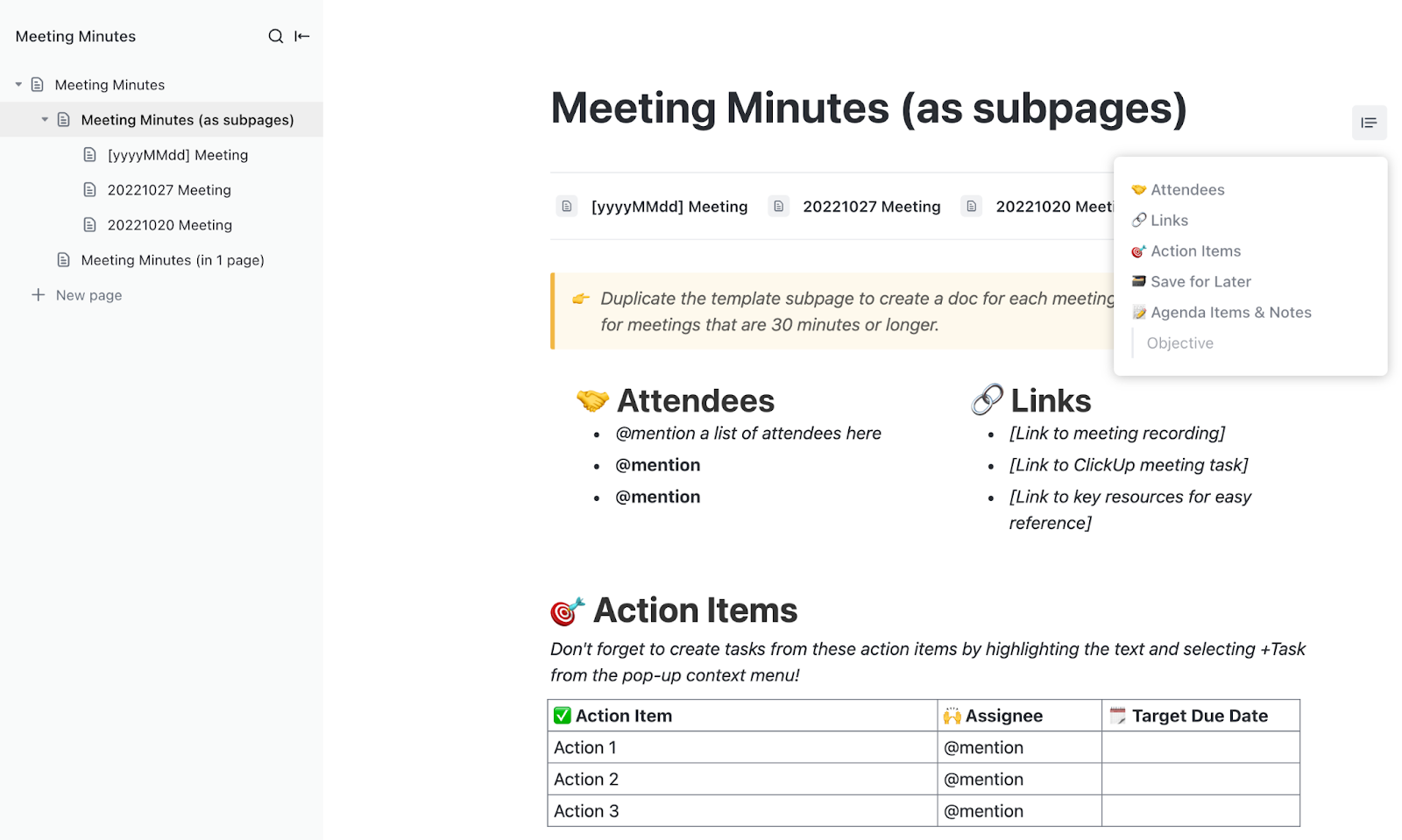
Meetings shouldn’t just be conversations—they should lead to documented action. The ClickUp Meeting Minutes Template records and tracks every key discussion point.
Key sections of this meeting minutes template include:
This template eliminates miscommunication by centralizing meeting notes and helps teams stay aligned on what was discussed and agreed upon.
Ideal for: Teams that must maintain clear documentation of meeting outcomes for future reference.
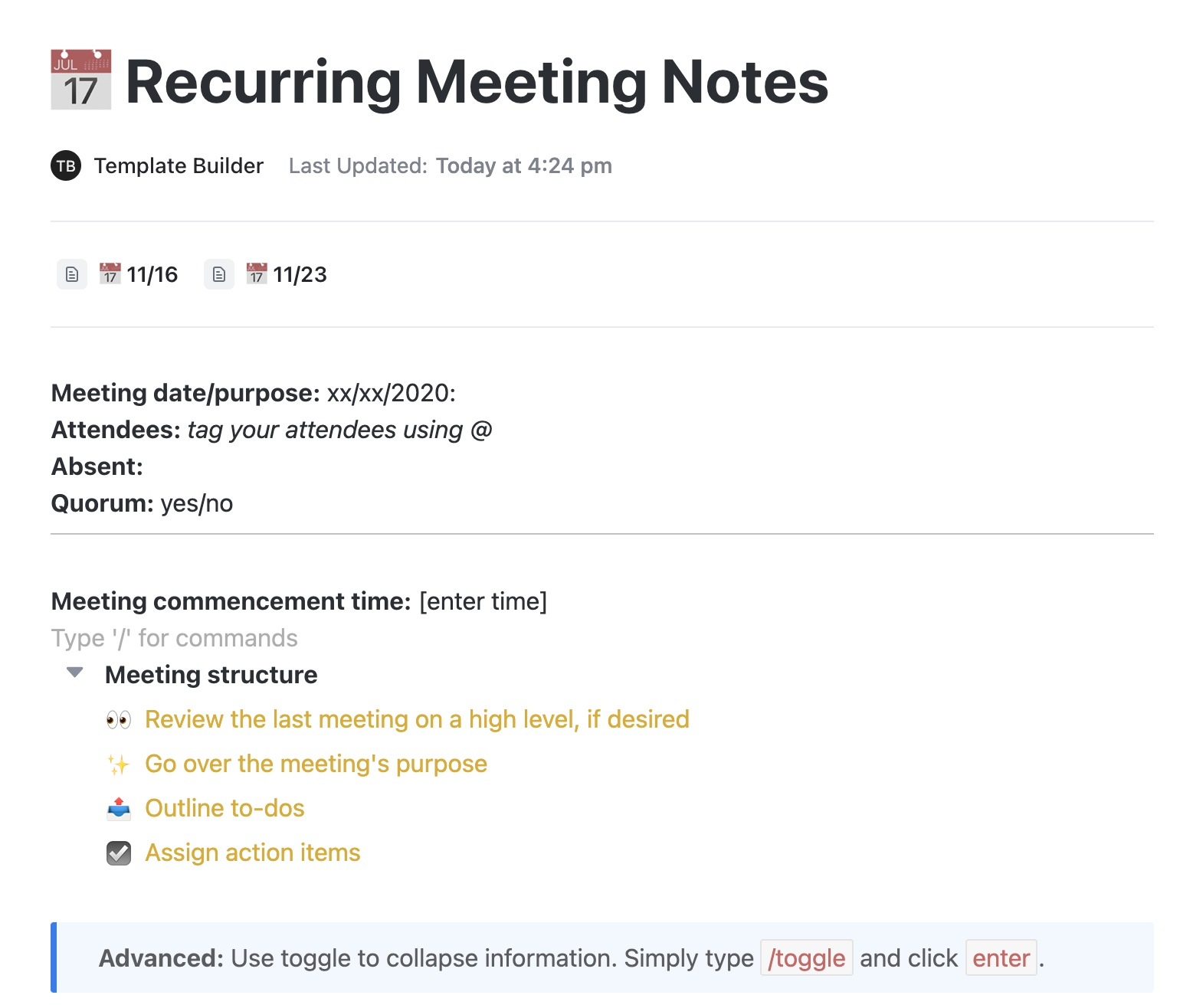
Keeping track of past discussions is critical for weekly check-ins, sprint meetings, or leadership calls. The ClickUp Recurring Meeting Notes Template creates a structured system for capturing notes over time, making it easy to track progress and decisions.
Key advantages of this recurring-meetings template include:
Ideal for: Teams running ongoing meetings where historical context is crucial for decision-making.
👀 Did You Know? Seequent saw a boost in productivity of up to 50% by centralizing work in ClickUp! With everything from tasks to collaboration in one place, their teams eliminated silos and worked more efficiently.
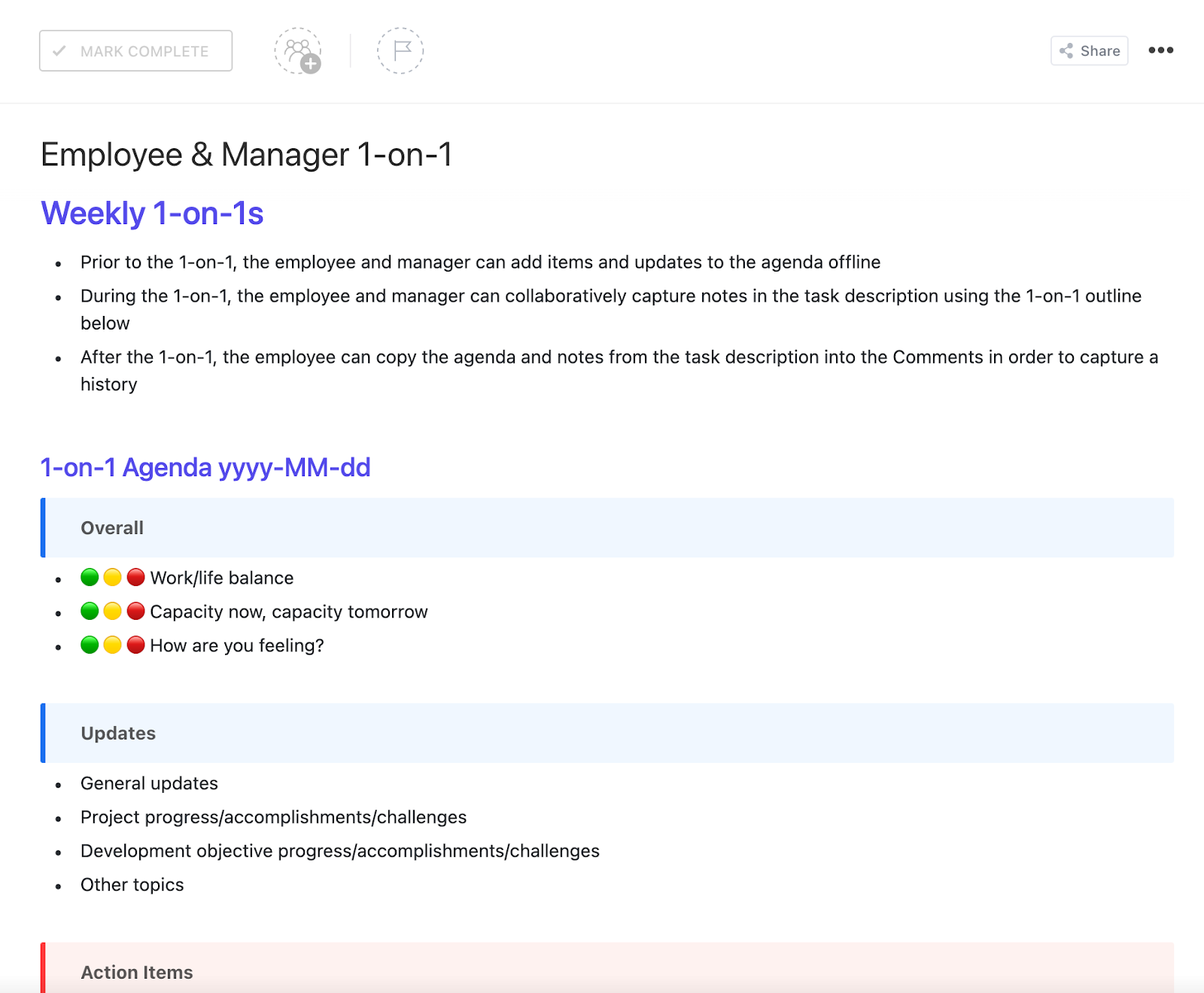
One-on-one meetings should foster growth, alignment, and open communication rather than just be a vehicle to share status updates. The ClickUp Employee & Manager 1-on-1 Template ensures meaningful discussions yield tangible outcomes.
This template includes:
Ideal for: Managers who want to concentrate on relationship building and more productive, meaningful one-on-one conversations with their team members.
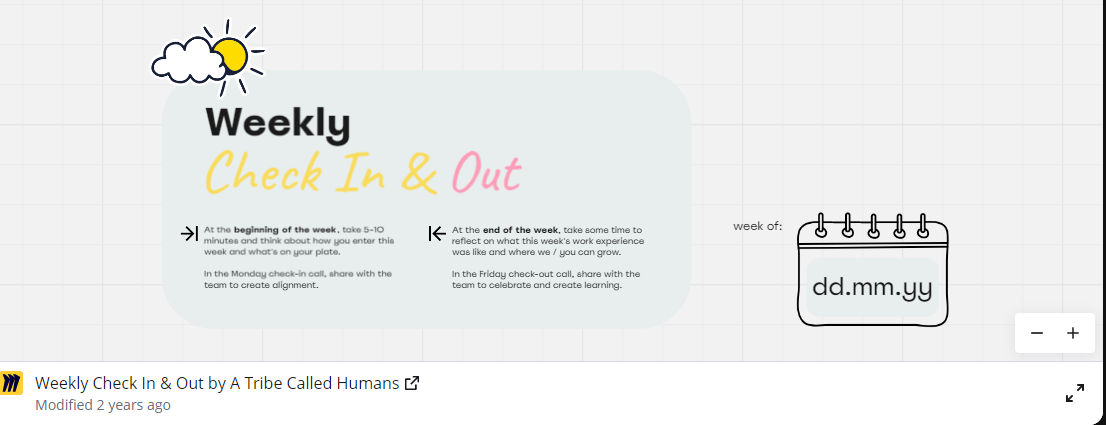
A weekly check-in should seem less like a chore and more like a snapshot of team progress, energy levels, and challenges. This Miro Weekly Check-In and Out Template can create a visual, interactive way for teams to reflect on the week.
Key components of this template include:
Because it’s interactive, this template also works well for meeting cadence for remote teams.
Ideal for: Teams that want a quick, visual way to check in without overwhelming status reports.
I love how ClickUp brings together multiple productivity tools into one place—task management, documents, whiteboards, reporting—making it simple to keep everything organized. It’s flexible enough to fit any workflow, and the customizable views (like List, Board, and Gantt) let you see projects in whichever format you prefer. Plus, features like Automations and Templates help save loads of time. It’s like a productivity hub that adapts to your needs!
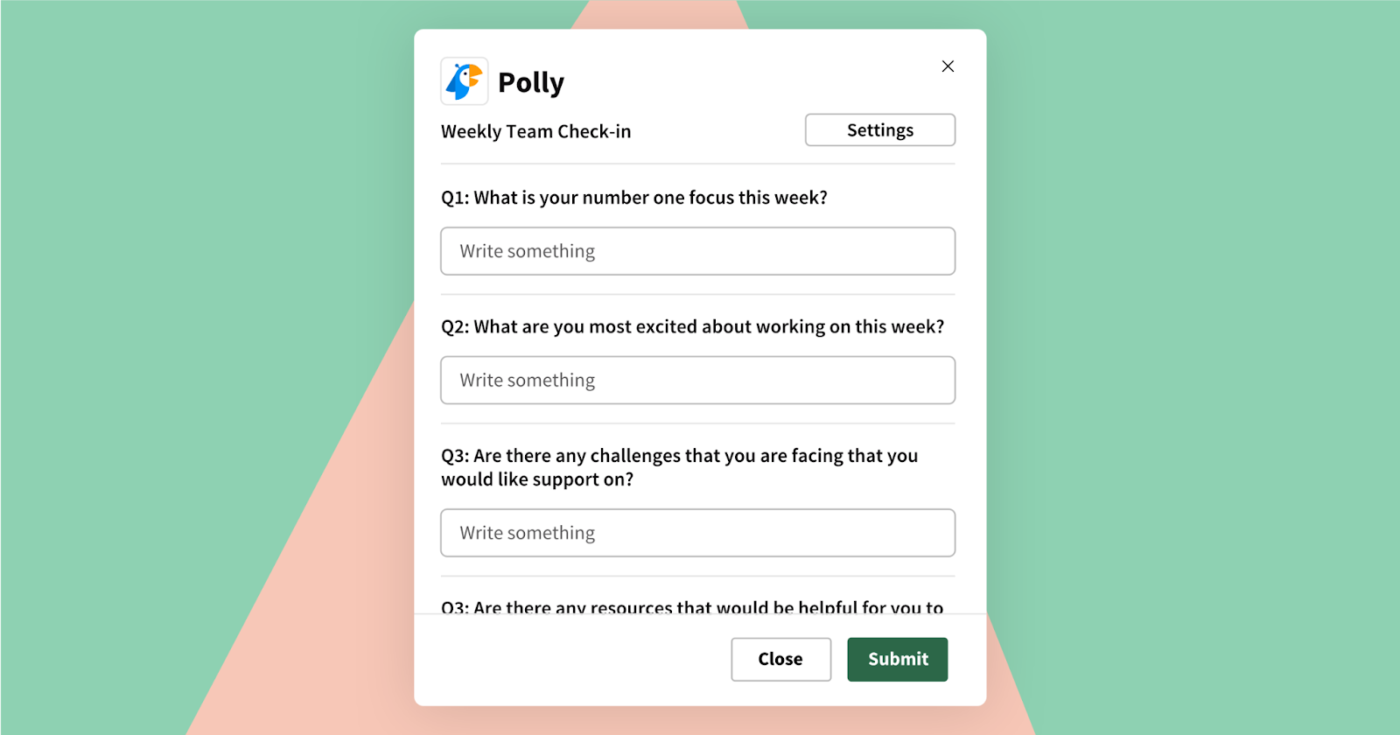
The Polly Weekly Team Check-In Template is designed to gather quick insights without disrupting workflow. Instead of lengthy meetings, team members can respond asynchronously to key prompts, ensuring managers get a pulse on progress without micromanaging.
Features of this team check-in template include:
This template helps teams stay aligned without forcing unnecessary meetings by making check-ins lightweight and non-intrusive.
Ideal for: Managers who want a structured yet asynchronous way to track team morale, workload, and challenges.
🧠 Fun Fact: 42% of employees who quit say their departure was preventable, yet 45% also report that, in the three months before they left, their manager or leader made little effort to check in on their job satisfaction. Regular feedback keeps employees engaged and motivated.
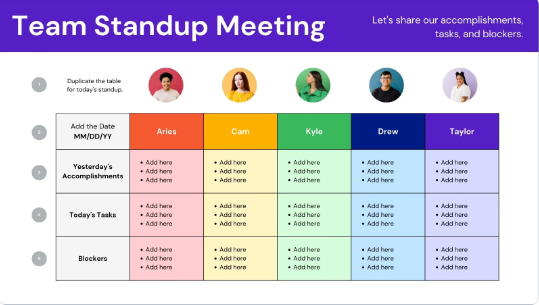
A daily stand-up should be structured but efficient, helping teams align without dragging on. The Canva Team Stand-Up Meeting Template is an option that provides a visual, easy-to-use format for organizing key updates.
This template includes:
Since it’s a visual format, this template works well for teams that prefer a more engaging way to document daily stand-ups. It also acts as a record for those who missed the project meeting.
Ideal for: Agile teams, remote teams, and anyone looking for a quick yet structured way to run stand-ups.
These free templates keep meetings focused, improve communication, and keep teams on track. Whether it’s daily updates, weekly one-on-ones, or project reviews, the right structure eliminates the guesswork.
But templates are just the start. ClickUp is the everything app for work that combines project management, knowledge management, and chat, all powered by AI to help you work faster and smarter.
With customizable templates, built-in collaboration, and AI-powered automation, it’s more than just a check-in tool—it’s your all-in-one work hub, helping teams boost productivity by up to 2x. Why settle for scattered tools when you can have everything in one powerful platform?
Sign up for a free ClickUp account and start running better check-ins today!

© 2026 ClickUp