


Sorry, there were no results found for “”
Sorry, there were no results found for “”
Sorry, there were no results found for “”
You start your day in Slack, checking team updates to kick things off. Then switch to Google Docs for content reviews, a quick task update in Asana, and a frantic search for a file in Drive.
Somewhere in between, another app decides it’s time for your daily ‘Forgot Password’ adventure, daring you to remember which version of your pet’s name you used this time. 🤔
By noon, you’ve switched tools more times than you’ve checked your inbox, and still haven’t made real progress. That’s the hidden cost of siloed workspaces: endless context switching, missed updates, and scattered data.
In this blog post, we’ll explore 11 unified workspace software solutions that bring your projects, communication, and goals together to help you skip this tedious routine every day. 🏁
Here’s a table comparing all the leading unified workspace platforms in this blog. 📊
| Tool | Best for | Best features | Pricing* |
| ClickUp | All-in-one workspace for managing projects, tasks, documents, and team communication for startups, mid-sized firms, and enterprises | Real-time co-editing in Docs, collaborative Whiteboards, built-in Chat and video SyncUps, and AI assistance directly inside Tasks and Docs with ClickUp Brain | Free forever; customizations available for enterprises |
| Google Workspace | Cloud-based collaboration, communication, and file management for distributed teams and digital-first organizations | Real-time co-editing in Docs and Sheets, integrated Meet and Chat, and AI writing assistance in Gmail and Docs | Paid plans start at $8.40/month per user |
| Microsoft 365 | Secure document management, workflow automation, and communication for enterprise IT and operations teams | Smart document co-authoring in Word, Excel data visualization, Power Automate workflows, and Teams chat integration | Custom pricing |
| Slack | Real-time team communication, seamless integrations, and project discussions for fast-moving cross-functional teams | Threaded conversations, Canvas for shared documentation, and huddles for instant meetings | Free plan available; Paid plans start at $7.25/month per user (billed annually) |
| Confluence | Centralized documentation and structured knowledge sharing for technical, product, and engineering teams | Page templates, inline commenting, version tracking, Jira integration for issue linking, and advanced permission management | Free plan available; Paid plans start at $5.42/month per user |
| Zoho Workplace | Email, document, and team management for small to mid-sized businesses seeking cost-effective collaboration | Unified Mail, Writer, and Sheet apps, Cliq chat, WorkDrive for file sharing, and AI assistant Zia for task suggestions | Paid plans start at $4/month per user |
| MangoApps | Intranet-based social collaboration and employee engagement for large enterprises and hybrid workforces | Social intranet with personalized newsfeeds, group hubs, employee recognition tools, and task boards | Custom pricing |
| Workona | Tab and workspace organization for multitasking professionals managing multiple projects and browser workflows | Tab management, saved workspaces, browser session restoration, and cross-app task linking | Paid plans start at $7/month per user |
| Notion | Flexible workspace for notes, projects, and databases for startups, creators, and product-led teams | Linked databases, synced blocks, AI writing and summarization, Kanban, and timeline views | Free; Paid plans start at $12/month per user |
| Rambox | Unified app management and communication hub for professionals juggling multiple messaging and email platforms | Unified workspace for 600+ apps, session isolation for multiple accounts, custom notifications, and focus mode | Free; Paid plans start at $7/month for three users |
| Bitrix24 | All-in-one CRM, project, and communication suite for growing businesses and agencies managing clients | Kanban and Gantt task views, CoPilot AI assistant in chat and video calls, and built-in communication tools | Paid plan starts at $124/month for 50 users |
Here are some capabilities to prioritize in an all-in-one software:
📮 ClickUp Insight: Low-performing teams are 4 times more likely to juggle 15+ tools, while high-performing teams maintain efficiency by limiting their toolkit to 9 or fewer platforms. But how about using one platform?
As the everything app for work, ClickUp brings your tasks, projects, docs, wikis, chat, and calls under a single platform, complete with AI-powered workflows. Ready to work smarter? ClickUp works for every team, makes work visible, and allows you to focus on what matters while AI handles the rest.
Here are the top unified workspace software platforms to centralize your workflows, communication, and projects. 👇🏼
Our editorial team follows a transparent, research-backed, and vendor-neutral process, so you can trust that our recommendations are based on real product value.
Here’s a detailed rundown of how we review software at ClickUp.
Work today is broken.
Most teams spend over 60% of their time sharing updates, searching for files, or context switching between fragmented tools, navigating silos that drain productivity and clarity.
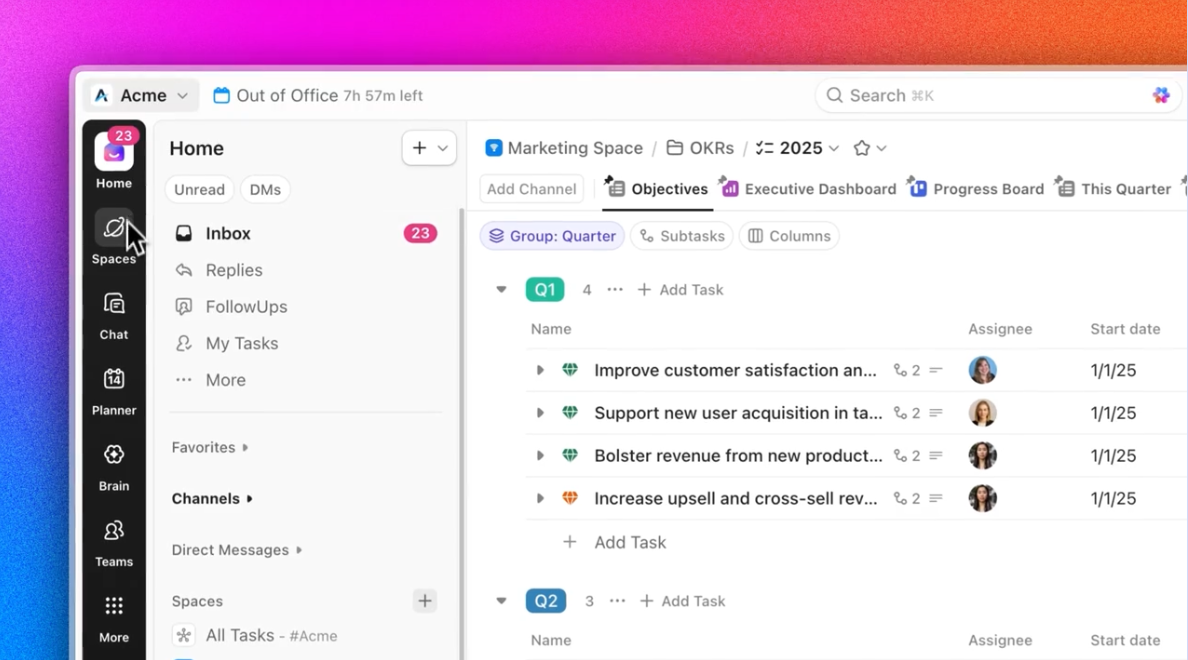
Instead of bundling separate tools under one pricing plan (as many ‘all-in-one’ products do), the ClickUp Project Management Software gives teams a unified product experience that connects tasks, docs, goals, and conversations under one cohesive layer.
Let’s explore how you can build a converged AI workspace:
ClickUp Tasks form the foundation of the platform’s task management system. With subtasks, dependencies, and linked documents and conversations, teams never lose track of who’s doing what, why it matters, or what comes next. Within Tasks, you can:
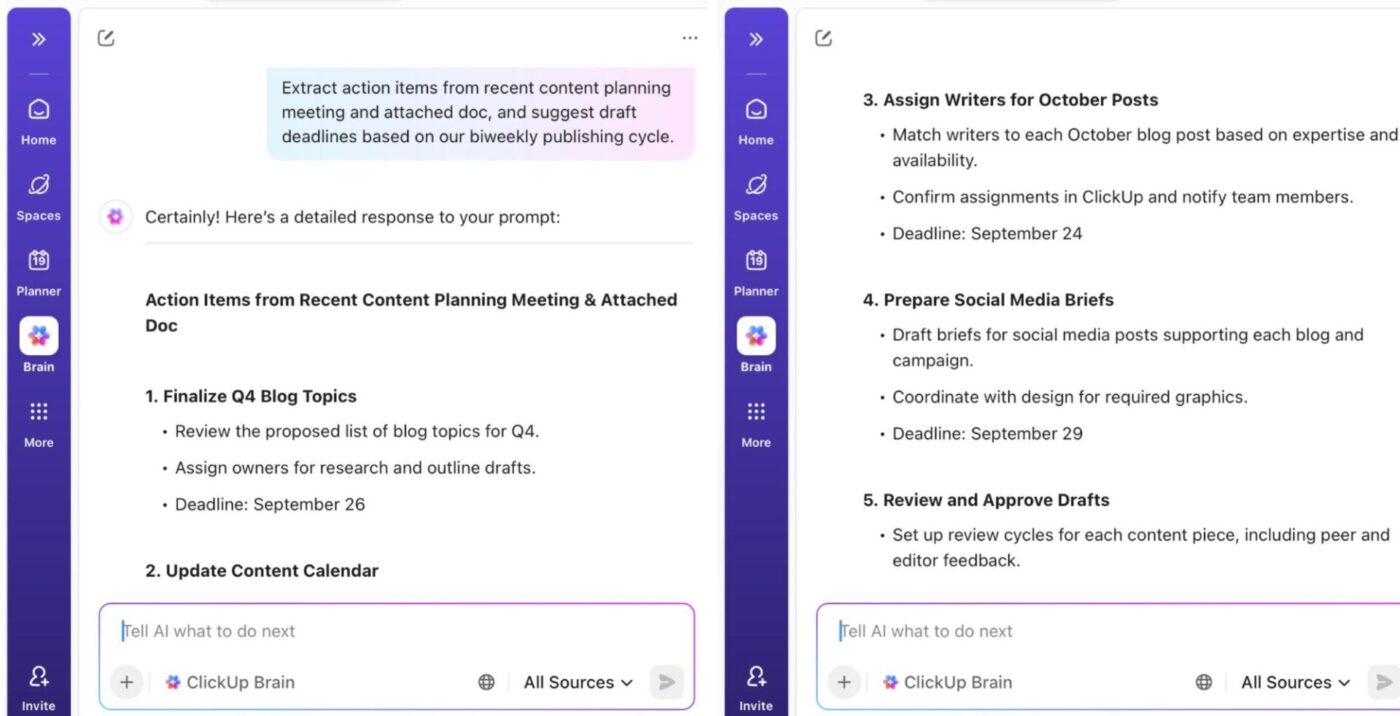
ClickUp Brain, the integrated AI tool, unifies tasks, docs, conversations, people, and organizational knowledge. Its neural engine understands context, relationships, and goals, so you can retrieve information and manage projects intuitively.
Its AI Project Manager handles routine project administration by generating task lists, creating updates, tracking progress, and running stand-ups automatically. All you need is a simple natural language prompt. Ask it to:
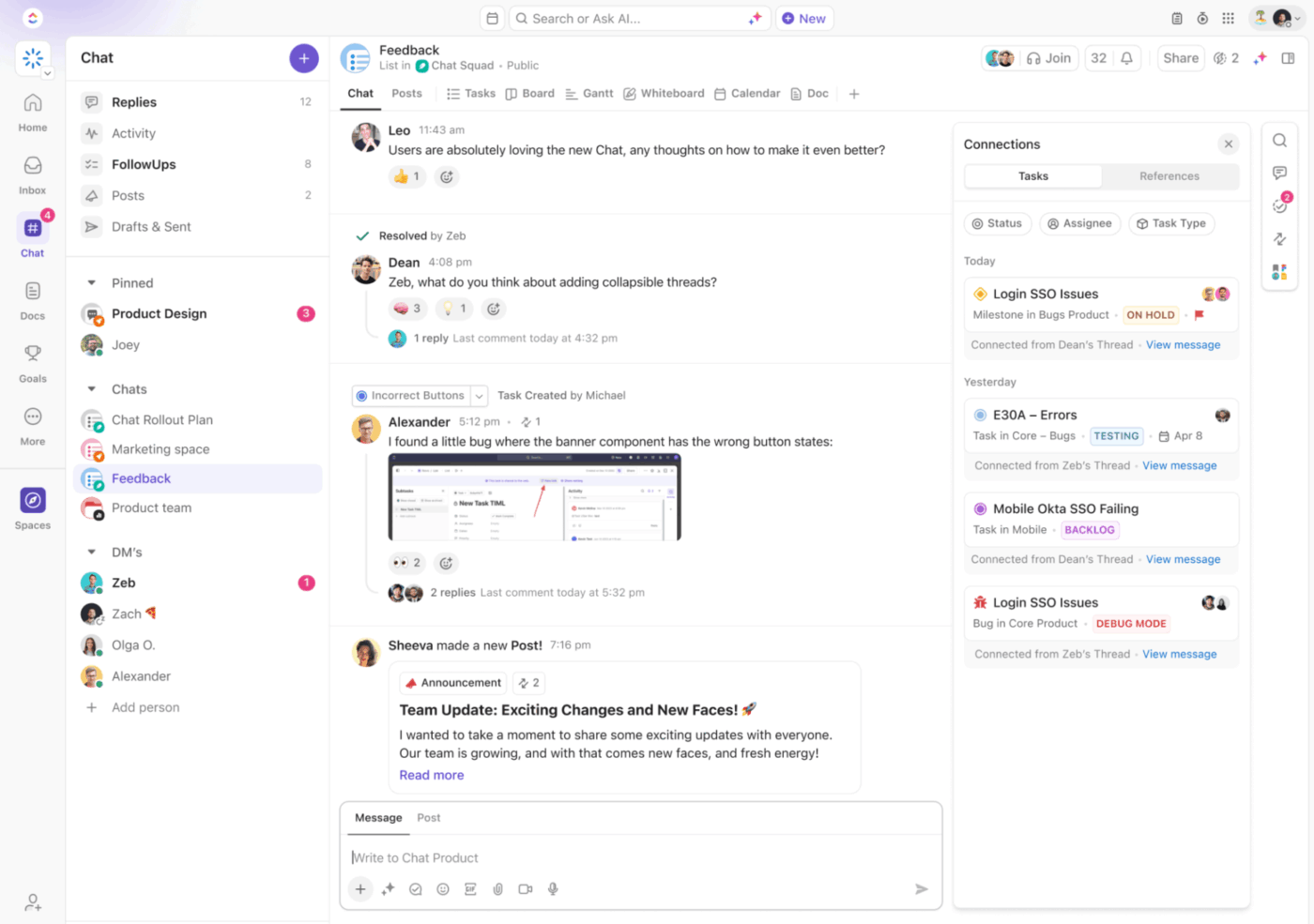
Think of ClickUp Chat as your team’s command center for communication. It lets you create and manage work while messaging, and keeps every chat contextual.
🌟 Bonus: ClickUp Brain MAX, the AI desktop companion, ends AI sprawl by unifying AI, search, and automation across all your work apps, ClickUp data, connected apps, and web search—delivering true contextual AI.
Search, automate, and create across all your work tools without needing to context-switch or dig through multiple apps. No more delays, manual search, or cognitive load!
This reviewer captures it well:
For someone working solo/small team (like me Android/Kotlin Solo Traveler project scope), the free/mid-tier capabilities feel generous — I could start without big cost and grow as needed. The major win for me is how ClickUp lets me see everything in one place, Tasks, Docs, Goals, Calendar, Boards — so i rarely feel like I’m “jumping between apps”. And the integrations with tools I already use reduced friction in our dev + blogging + team communications workflow.
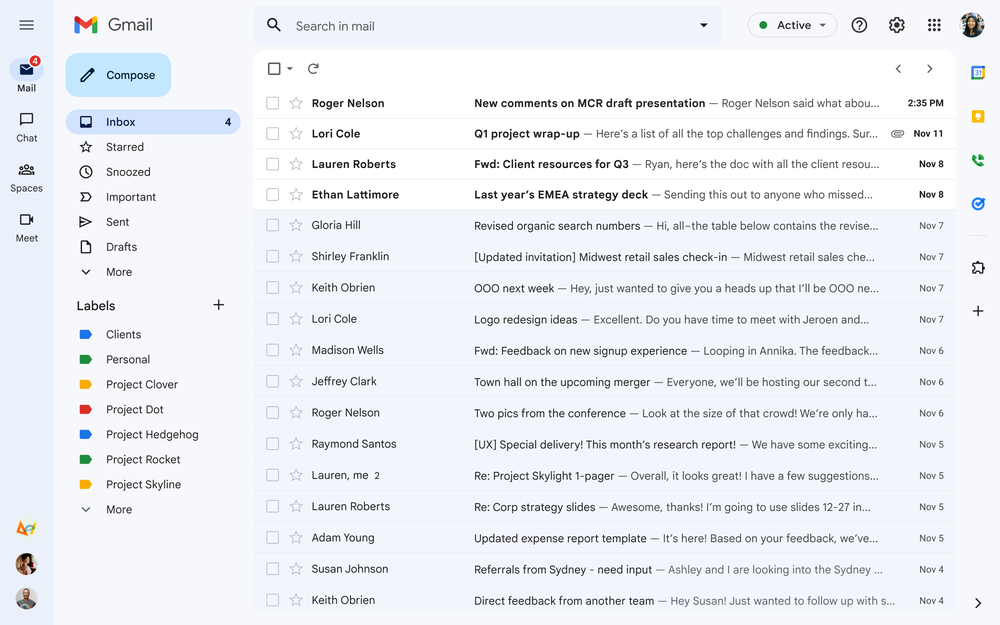
Google Workspace serves as the digital hub for modern organizations that want centralized communication, collaboration, and productivity tools.
From Gmail and Chat for messaging to Drive for file management and Docs, Sheets, and Slides for content creation, every app connects. AI integration through Gemini for Workspace transforms everyday workflows into insight-driven processes, helping teams focus on high-impact work.
With its Admin Console, IT teams can manage users, set permissions, and secure data across the enterprise.
Here’s what a G2 review says:
What I like best about Google Workspace is how seamlessly all the tools integrate with each other. Gmail, Drive, Docs, Sheets, and Meet work together in real time, which makes collaboration incredibly easy and efficient. […] I also find that advanced customization options — particularly in Docs and Sheets — are not as flexible as in some desktop alternatives.
🔍 Did You Know? With AI everywhere, it’s easier than ever to build your own digital Frankenstein of tools that barely talk to each other. In fact, 88% of people use AI every day, and 55% use it several times a day. What starts as a few ‘helpful’ tools quickly snowballs into AI sprawl. That’s what makes a unified workspace so necessary for today’s knowledge workers.
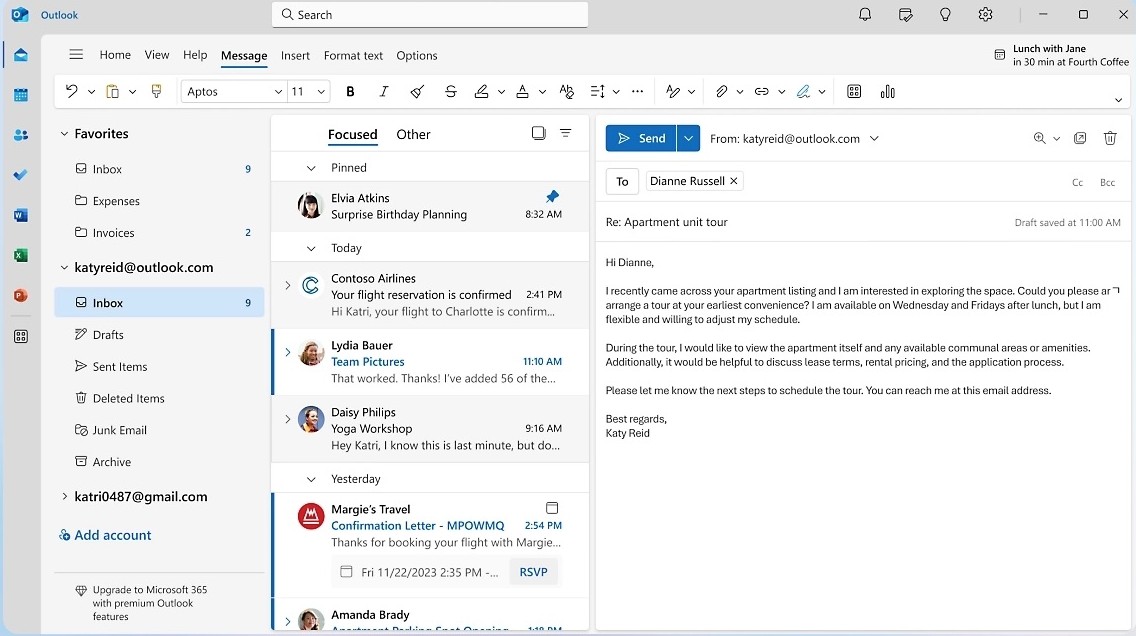
Microsoft 365 is a unified digital workspace that offers productivity apps, collaboration platforms, and intelligent cloud services.
Unlike the old standalone Office versions, this ecosystem evolves with automatic updates, cloud storage, and enterprise-grade controls that make it a good choice for both startups and global organizations.
Copilot, the platform’s AI assistant, summarizes emails in Outlook, generates presentations in PowerPoint, analyzes data trends in Excel, and drafts content in Word. Combined with tools like Viva Engage for internal communication and Clipchamp for quick video editing, you get an insight-driven workplace.
According to a user’s feedback:
I rely on Microsoft 365 every day, and it’s a big part of how I get my work done. Setting it up was straightforward, and since the apps are user-friendly, I was comfortable in no time […] Sometimes Microsoft 365 can feel a little heavy, especially when running Teams, which uses a lot of system resources. Switching between personal and work accounts isn’t always smooth, and OneDrive syncing can occasionally be slow.
🔍 Did You Know? The first spreadsheet, VisiCalc (1979), was so revolutionary that people bought Apple II computers just to use it. It’s known as the ‘killer app’ that kick-started personal computing at work.
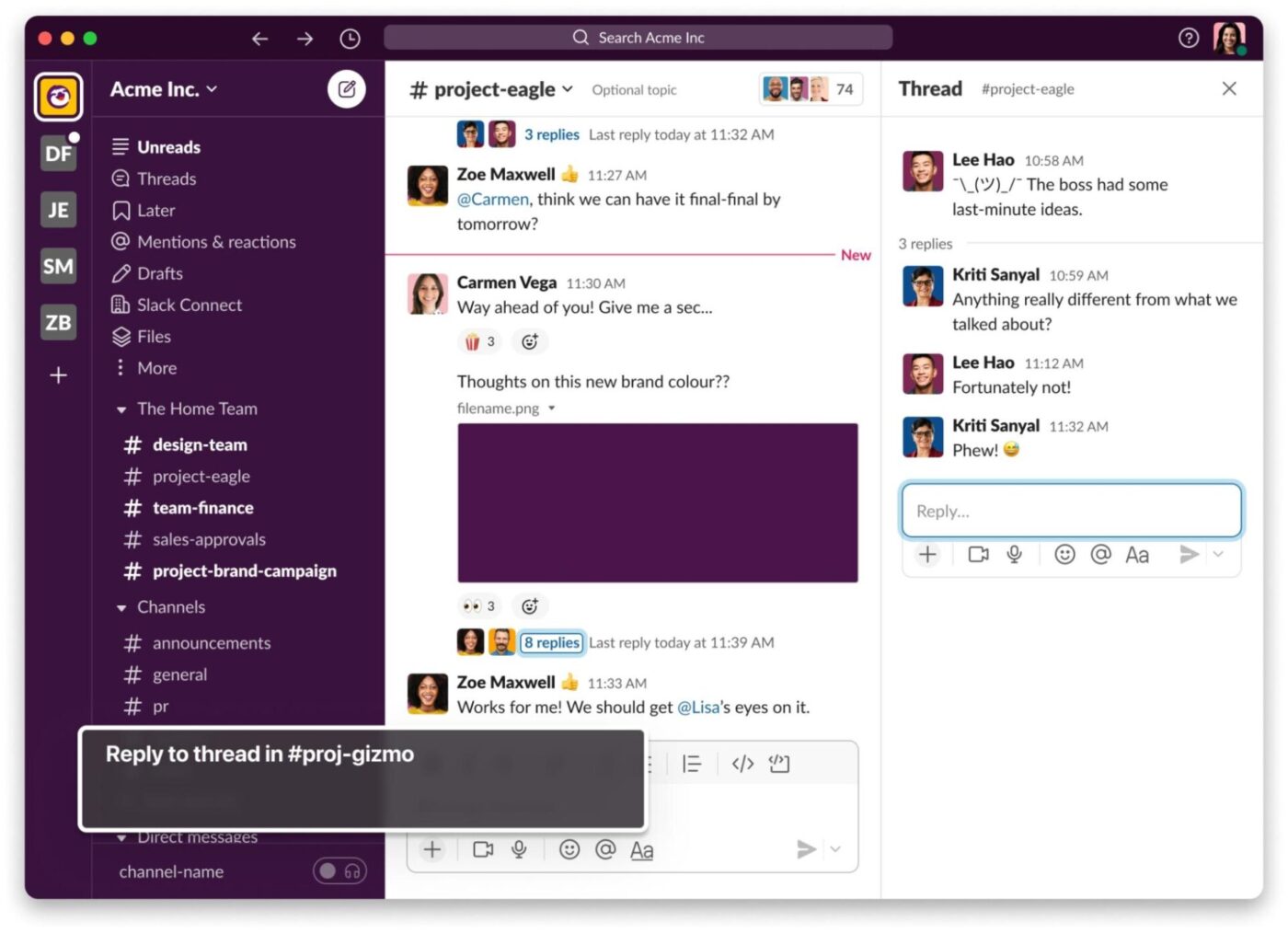
Slack is a unified communication platform where conversations, files, and AI agents coexist.
You can create dedicated Channels for projects or departments, ensuring discussions stay focused and searchable. Every message, document, or decision is stored within the workspace. Huddles for audio or video chats, Clips for updates, and Canvas for collaborative documentation allow hybrid and remote teams to stay aligned.
For colleagues overwhelmed by app-switching, Slack’s deep integrations, including Salesforce, Google Drive, GitHub, Trello, and more, pull all tools and updates on the platform.
One user’s take on the platform:
What I like most is how it brings all our team communication into one spot. Instead of having endless email chains where things get lost, we have dedicated channels for different projects, teams, and even for just casual chats. […] It’s really frustrating when you need to find something from a few months back and realize it’s gone because you haven’t upgraded. It feels like you’re almost forced to pay just to keep your own conversations accessible.
🧠 Fun Fact: The idea of a 40-hour workweek started in the 19th century when labor activists pushed for the slogan “Eight hours for work, eight hours for rest, eight hours for what we will.” Before that, 12-14-hour workdays were normal.
📖 Also Read: Best Slack Alternatives for Team Chat
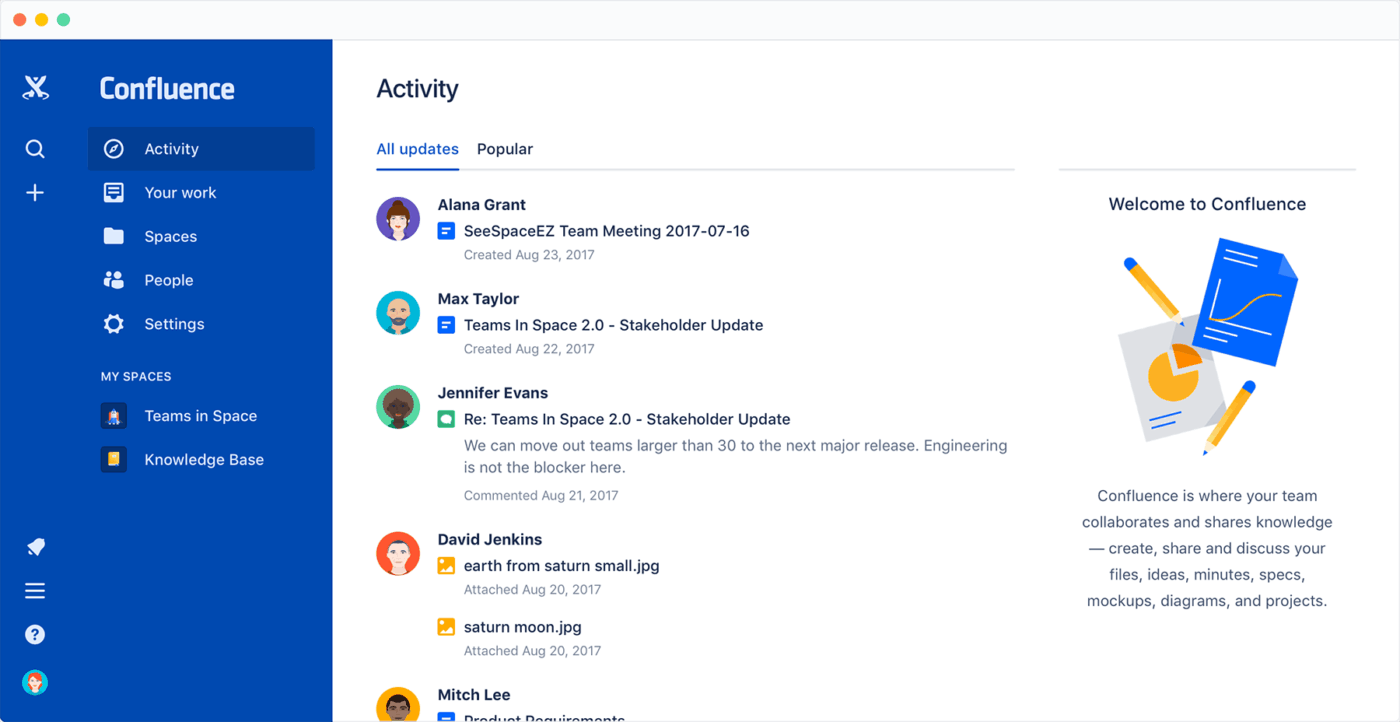
Atlassian’s Confluence is a digital workspace that enables teams to collaborate, document, and organize knowledge.
From whiteboards and live docs to databases and video updates, it adapts to how you work. Designers can map out concepts visually, product teams can draft PRDs, and operations can organize recurring processes, keeping every stage of work searchable.
Rovo, Atlassian’s AI engine, connects your entire toolstack. Use it to summarize content and link your knowledge base across Jira, Slack, and other platforms. You can draft plans, polish documentation, or ask Rovo Chat for quick answers on company policies, project owners, or meeting takeaways.
As one user puts it:
As we belong from a service industry and (sic) conducting regular meetings and documenting it is one of our daily activities to run our business flawlessly. Confluence helps us in collaborative discussions and it also helps in reading and writing company’s personal documents. […] One of the main limitations of Confluence is that it’s (sic) pages cannot be designed or customised like MS word or notion because of its rigidity and fixed templates.
📖 Also Read: Best Confluence Alternatives and Competitors
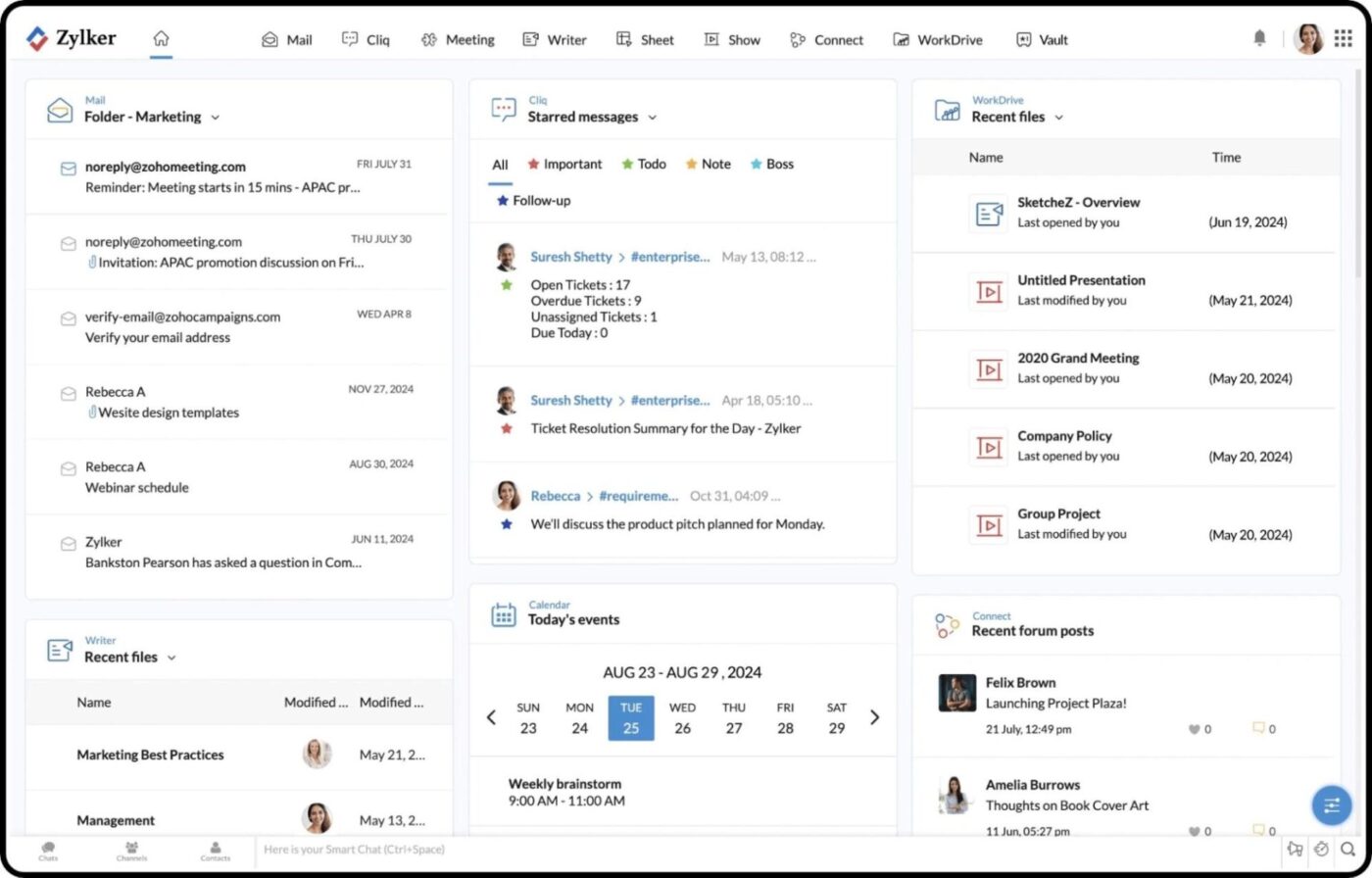
Zoho Workplace is a collaboration suite built for organizations that want to simplify their digital work environment. You get a dashboard to access all your tools, manage tasks, and stay updated through a single login.
With integrated apps like Zoho Mail, Cliq, WorkDrive, and Connect, professionals can write, share, and collaborate on content in real time.
Its built-in AI assistant Zia adds a layer of intelligence by surfacing search results across all connected platforms, helping you locate messages, files, or notes.
A verified reviewer shares:
Zoho Projects makes task management and project tracking pretty straightforward. I especially like the clean layout that is based on the lists and Gantt charts. It makes our life easier since it provides the task milestone as well with the time. […] While Zoho Projects is feature-rich, the learning curve can be a bit steep for new users, especially when customizing advanced workflows.
Enterprise AI Search in ClickUp brings all your work together, letting you instantly find information across every connected tool—like Google Drive, Notion, Slack, and Gmail—from one place. Instead of switching between apps, you get fast, contextual answers pulled from tasks, docs, chats, and meetings, so you always see the full picture.
With real-time updates and AI-powered agents, you can trust that your search results are current and complete. This unified experience saves time, boosts productivity, and helps you make informed decisions without the hassle of digging through multiple platforms.
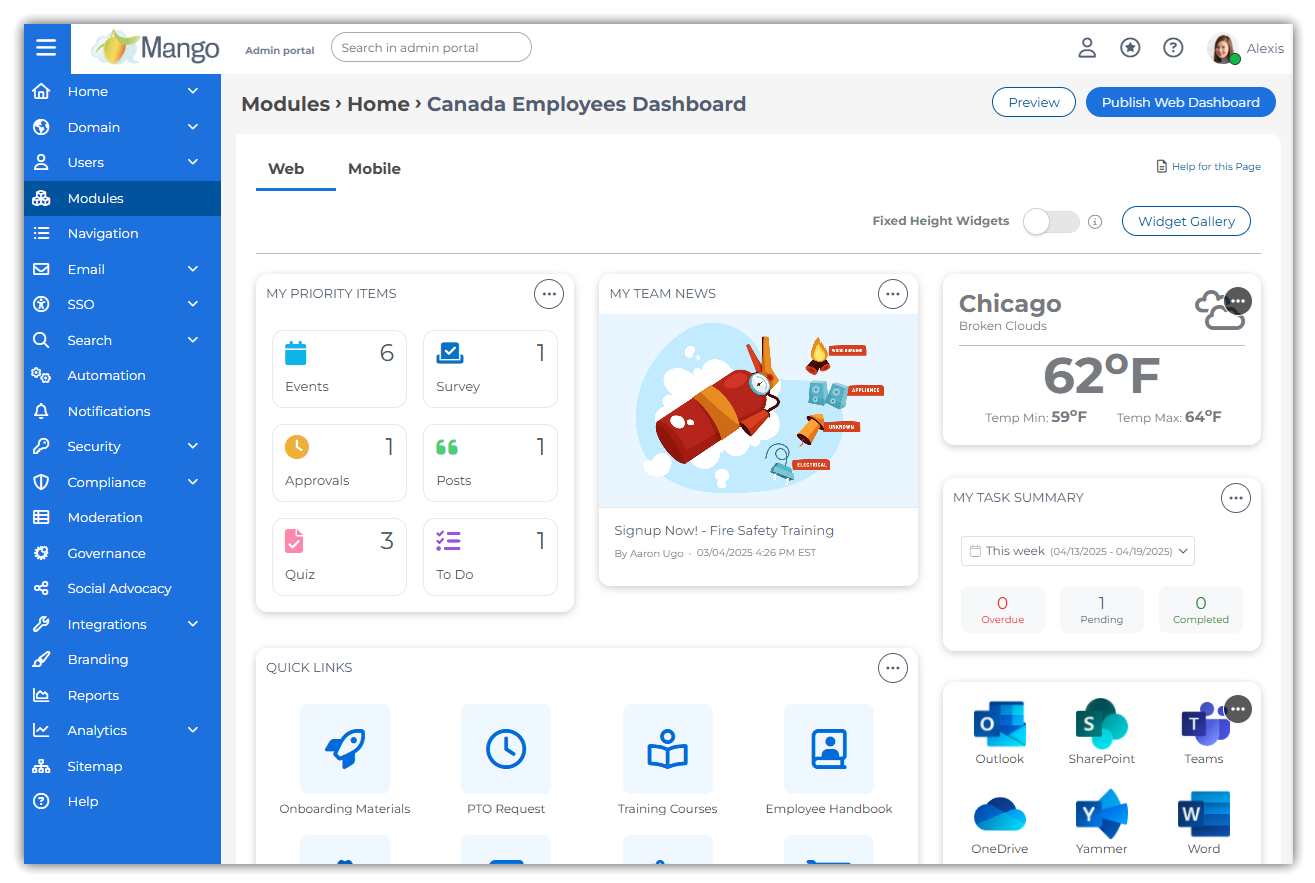
MangoApps is an employee platform that blends the capabilities of an intranet, collaboration hub, and work management suite. It offers a modern intranet with a no-code page builder, role-based dashboards, branded employee portals, and multi-channel communication through alerts, newsletters, and targeted updates.
The platform also embeds AI Assistants and Agents directly into your workflow, helping employees search internal content, complete tasks, and access HR or IT support instantly. These assistants are trained on your company’s internal data, ensuring contextually accurate and secure answers.
Here’s what a user had to share:
I like Mango apps because of the many options it provides like connecting with people from across the company who are located in remote locations. […] It is very easy to use and customizable. […] It is not easy to post cross-cutting questions or updates between groups. A lot of content needs to end up in a single group, missing out on some opportunity to reach a larger audience.
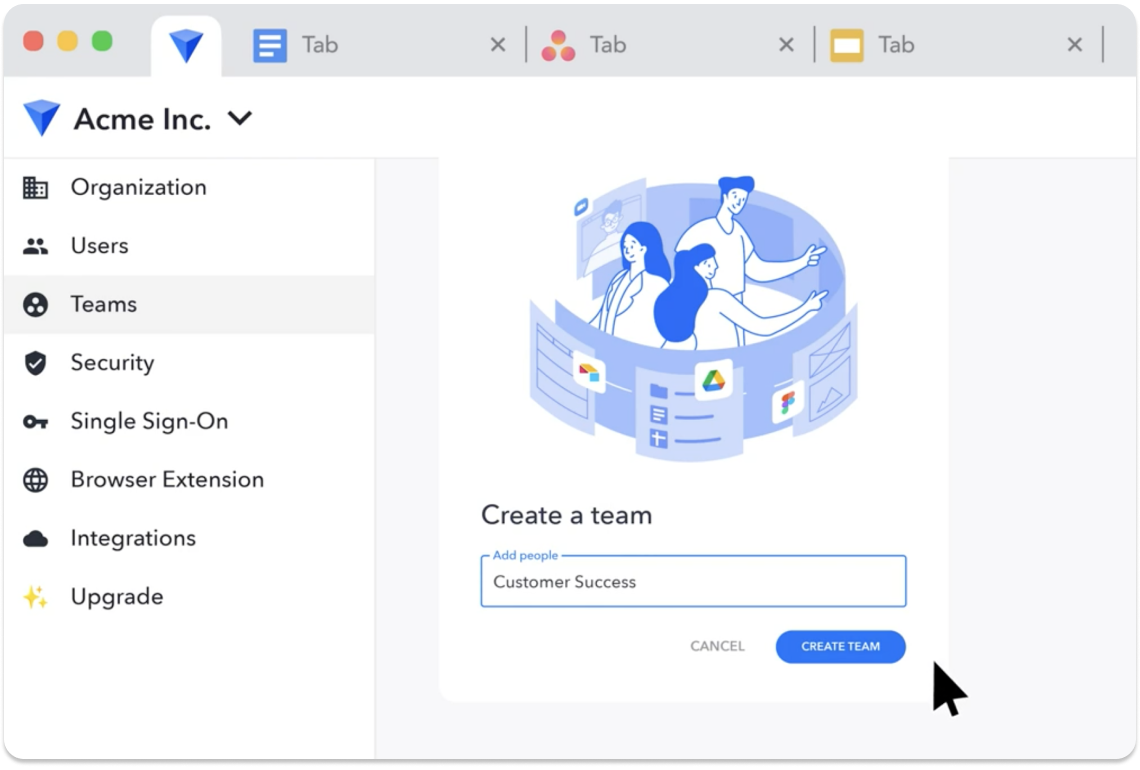
Workona organizes your open tabs, cloud apps, and project resources into dedicated Spaces, turning your browser into a focused workspace. Each space acts like a digital desk for a project, holding everything from Google Docs and Slack channels to Figma files.
Its intelligent search and AI workflow automation templates let you set up new projects with linked folders, shared tabs, and connected tools. With autosave, backup snapshots, and device syncing, you never lose your work.
Plus, the platform’s Tab Manager extension (available for Chrome, Firefox, and Edge) gives you complete control over your open tabs by keeping them grouped into relevant workspaces.
From a verified user review:
Workona helped me manage several user profiles in a simultaneous way in a very efficient way, I loose no (sic) more the TABS I am working in on different projects and help me manage resources like bookmarks. […] It took me a couple hours to implement it on 2 user profiles with several projects. […] It is slow to load on low performance hardware like laptops using Celeron (but everything is slow on Celeron).
🔍 Did You Know? Groove Networks, which pioneered real-time file sharing and collaboration between users, was founded by Ray Ozzie. It was later acquired by Microsoft in 2005 for $120 million. Its technology eventually made its way into Microsoft’s SharePoint Workspace and later evolved into part of OneDrive.
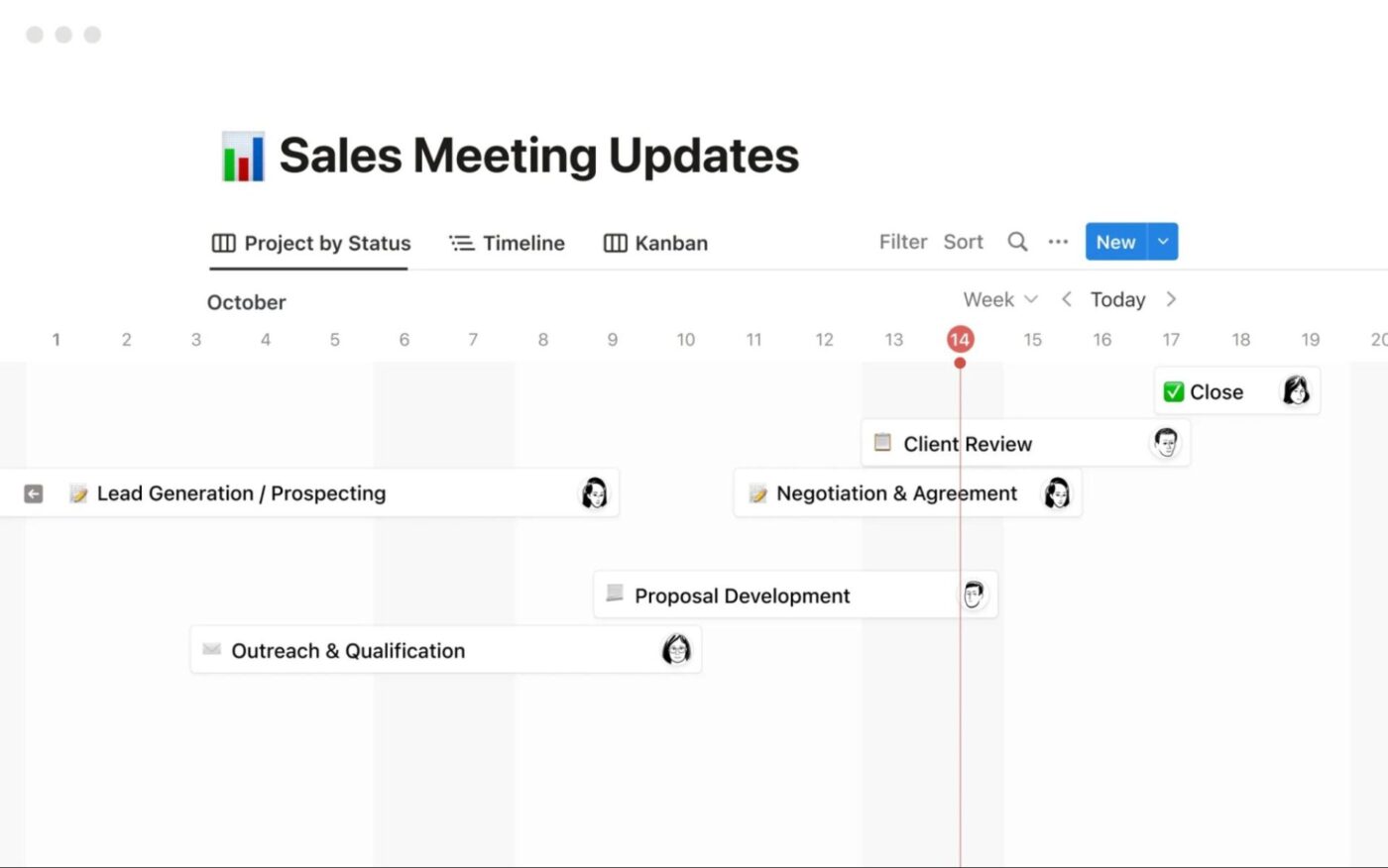
Notion is a flexible productivity tool that helps you organize notes, manage tasks, collaborate with your team, and build custom databases. You can create pages for projects, wikis for team knowledge, and to-do lists that keep everyone aligned.
When you need a space for brainstorming, just spin up a page with embedded images and quick notes. Use the drag-and-drop Kanban board or make checklists with reminders.
Beyond notes and tasks, Notion’s databases let you create anything from content calendars to CRM systems. Its real-time collaboration and commenting features mean you can discuss projects without leaving your workspace.
As shared in a recent review:
Notion has helped me organize my thoughts and projects in a way other digital notebooks failed to do. Between the emojis, connectivity with other apps and visuals that help my brain organize information in a way I see best, this tool has been invaluable to me as a full time employee and as an entrepreneur. […] I think centralizing my calendar has been hard and linking different projects to one “single pane of truth” calendar as well as getting reminders has been hard.
📖 Also Read: Best Notion Alternatives & Competitors
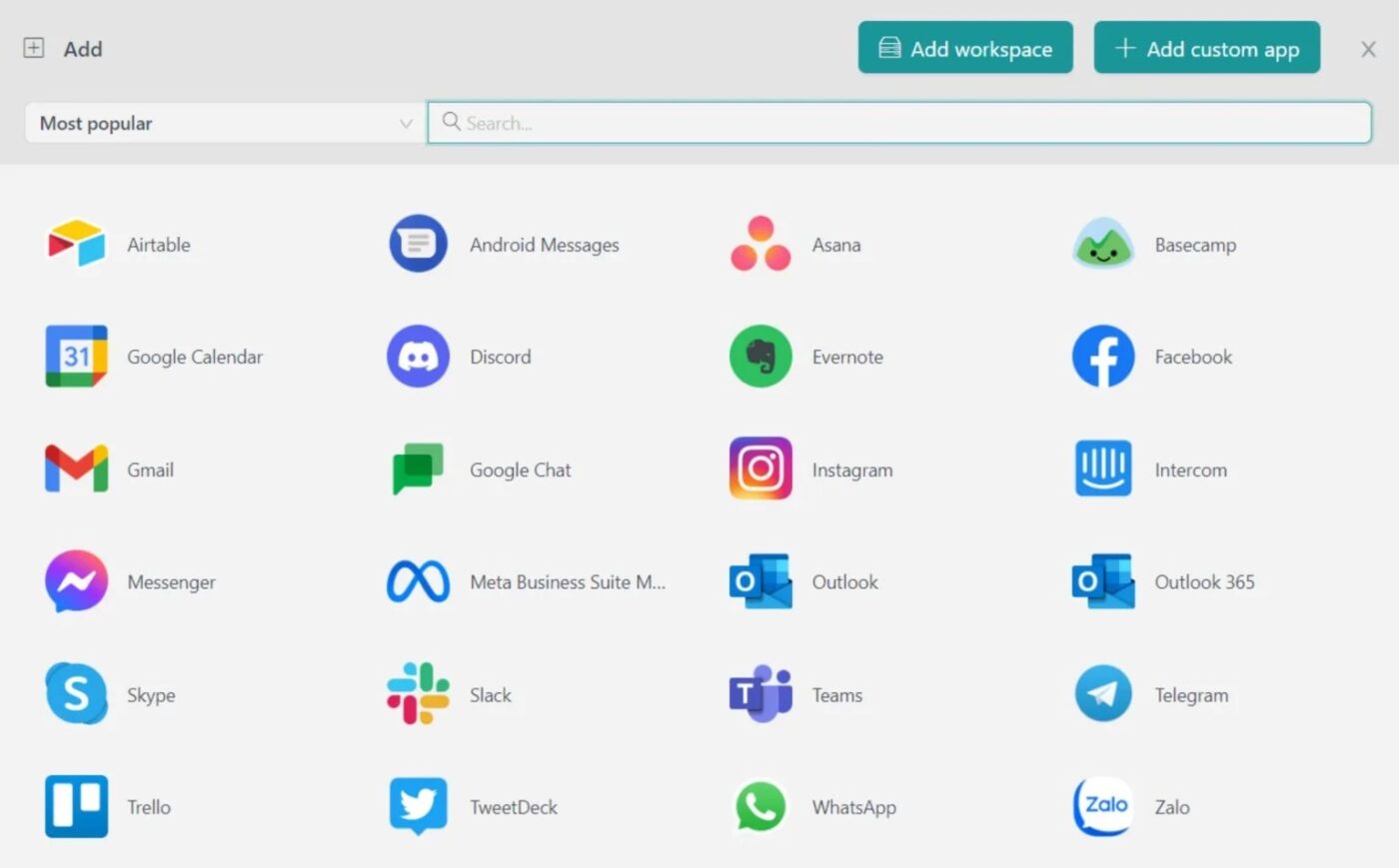
Rambox is a workspace organizer that helps you manage different web apps like messengers, email, project management, team chat, and social media.
You simply add the apps you use most, configure them into personalized workspaces, and set up notifications. It lets you group them by project and even hibernate inactive platforms to save computer memory.
With features like password management, quick account switching, dark mode, and support for custom extensions, it’s easy to keep your workflow distraction-free. You can pause notifications to focus, integrate extensions like grammar checkers or password managers, and sync your setup across devices in real time.
A Capterra reviewer sums it up like this:
You can access multiple websites in one app—that’s great! With a companion app, you can aggregate all the essential web apps within a single, unified platform. […] It lacks critical extensions and cannot open webpages in both a browser and the app simultaneously. Browsing news sites or resources feels overly complicated.
💡Pro Tip: AI agents in ClickUp can search across your entire workspace—including tasks, docs, chats, and even connected external tools like Google Drive or GitHub—to instantly surface relevant information, no matter how old or buried it is.
For example, if you need to prepare a project update or answer a client question, an AI agent can automatically gather insights from past documents, recent chats, and integrated apps, then summarize or present the findings in seconds. This eliminates the need to manually dig through multiple platforms, ensuring you always have the full context and latest knowledge at your fingertips.
Learn how to create your own agent in ClickUp:
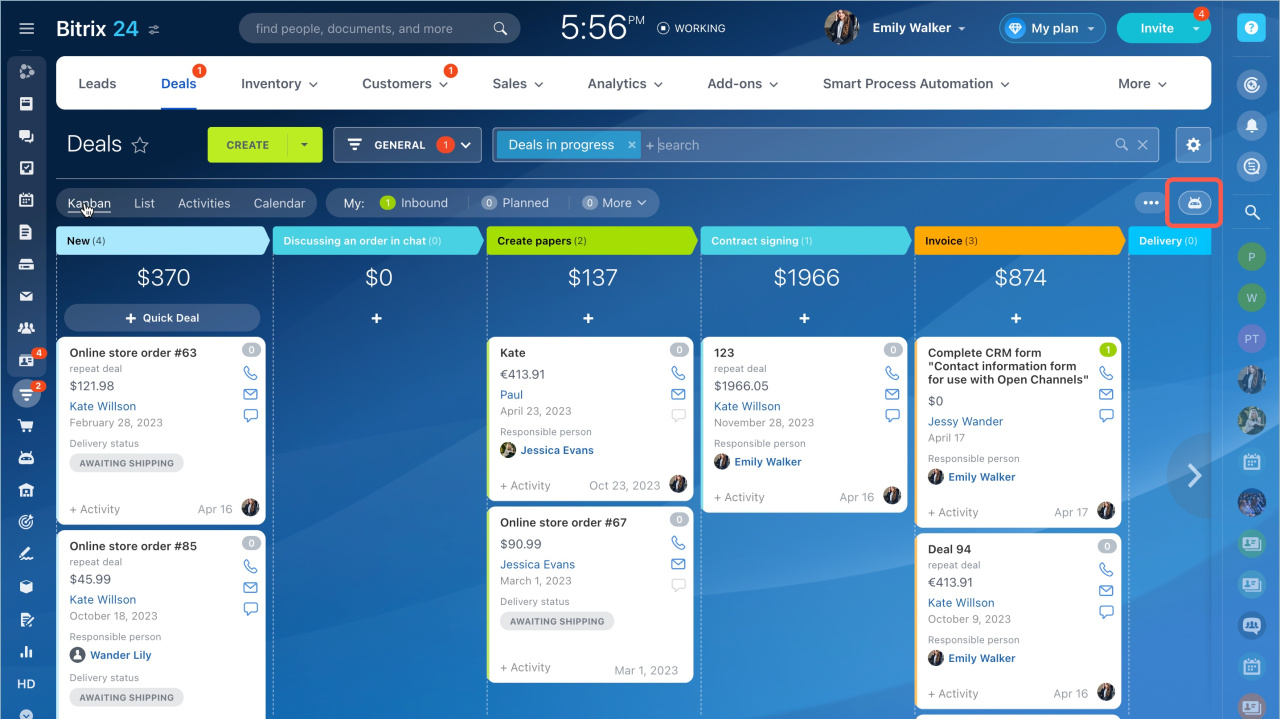
Bitrix24 is a cloud-based business management platform. It helps you handle customer relationships, track sales pipelines, assign and manage tasks, and store important files.
You can organize projects in Kanban boards, Gantt charts, and collaborative workgroups. The platform also offers customizable forms, websites, and online stores for customer engagement, plus detailed analytics and reporting so you stay informed about progress and productivity.
CoPilot can generate meeting notes, brainstorm ideas, draft messages, summarize calls, or even turn follow-up recommendations into actionable tasks.
One user’s take on the software:
It’s a really good platform for small businesses to use as an enterprise quality communications and collaboration tool without the costs and pains of such platforms as Jira, Confluence, and MS teams. […] I don’t like that full features are not available for a Basic user when a company is up to 5 people and you need to upgrade to pay double for 100 headcount to get the added features as clock in, etc.
🔍 Did You Know? When the fax machine was invented in 1843 by Alexander Bain, it could transmit images over telegraph lines. So technically, people were sending ‘documents digitally’ over 180 years ago.
Managing work across multiple tools is exhausting, time-consuming, and prone to errors. The unified workspace software tools highlighted here give you options to centralize your workflow, improve collaboration, and enhance productivity, but still leave gaps.
ClickUp, the everything app for work, is built to give you a flexible task management system with integrated AI capabilities.
With ClickUp Brain’s AI assistance integrated through the platform, and everything from tasks, documents, chat, and dashboards to calendars, forms, and whiteboards in one place, ClickUp is the only converged AI workspace you’ll need.
So, what are you waiting for? Sign up to ClickUp for free and experience smarter, more efficient work! ✅

© 2026 ClickUp




