Sorry, there were no results found for “”
Sorry, there were no results found for “”
Sorry, there were no results found for “”
Teachers are among the most valuable (and hardworking!) members of society. But even for these stalwarts, the sheer amount of work that goes into educating the next generation can get overwhelming,
The bell rings, students flood in, and before you know it, the day is a blur of lessons, meetings, and endless to-dos. Without a solid plan, teaching can quickly become overwhelming.
But what if your schedule worked for you instead of against you?
A well-designed teaching schedule helps you do just that! It’s a reliable framework for staying organized, reducing stress, and making the most of every school day.
Whether you are balancing multiple subjects, coordinating with colleagues, or trying to keep your sanity, this blog provides a teaching schedule template that transforms teaching.
A teaching schedule template lays out the structure of a school day or week, organizing lessons, breaks, and essential tasks into a clear, manageable format. Instead of piecing together plans on the go, educators follow a consistent schedule that keeps everything running smoothly.
These templates are online teaching tools that create a rhythm, ensuring that lessons flow logically and time is used effectively.
From planning class sessions to balancing administrative duties, a well-structured schedule removes the guesswork and brings order to even the busiest days.
💡 Pro Tip: Staying on top of administrative processes and faculty operations can turn chaotic without proper organization tools. Explore the best university management software for higher education to monitor everything in one place!
Here are the best teaching schedule templates to organize your daily schedule:
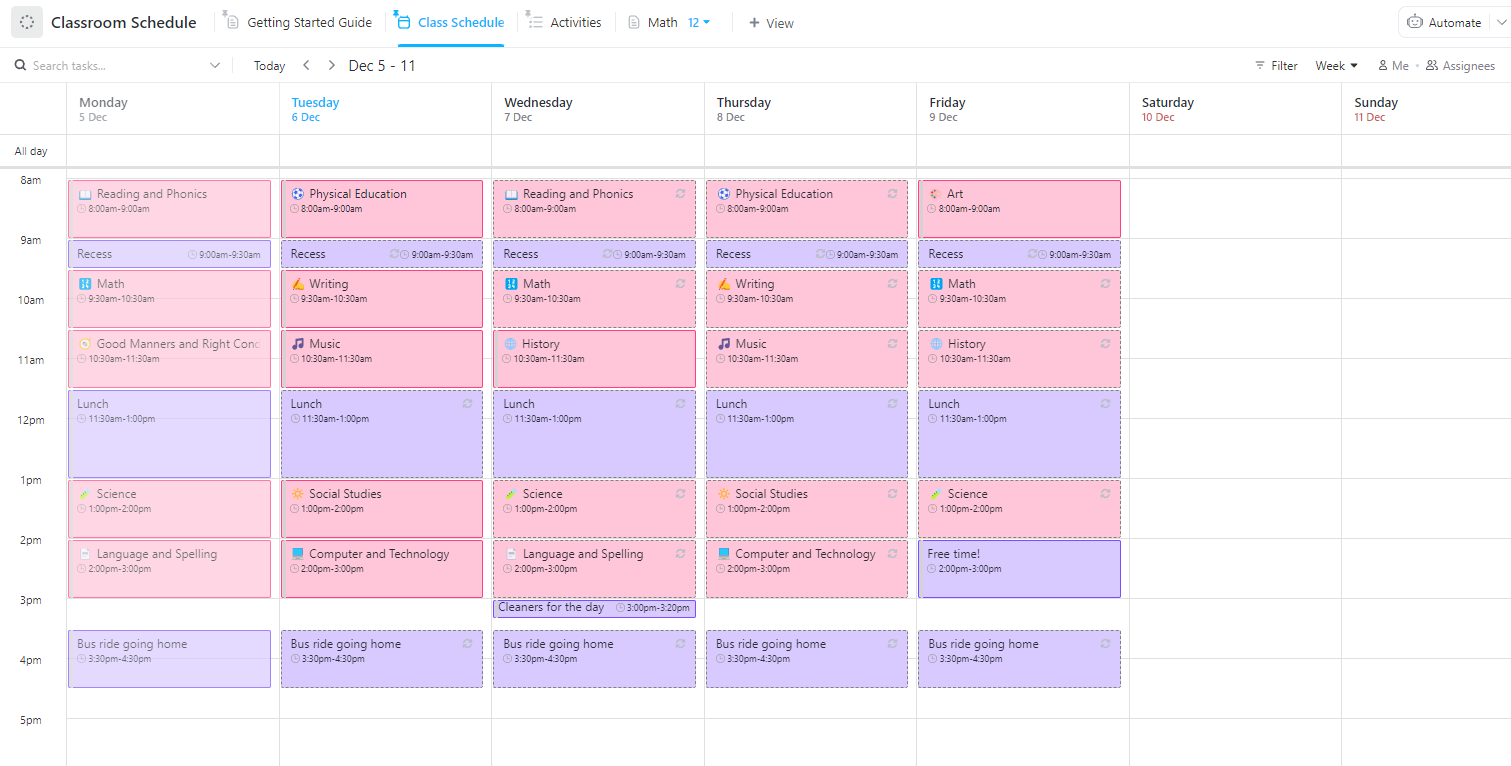
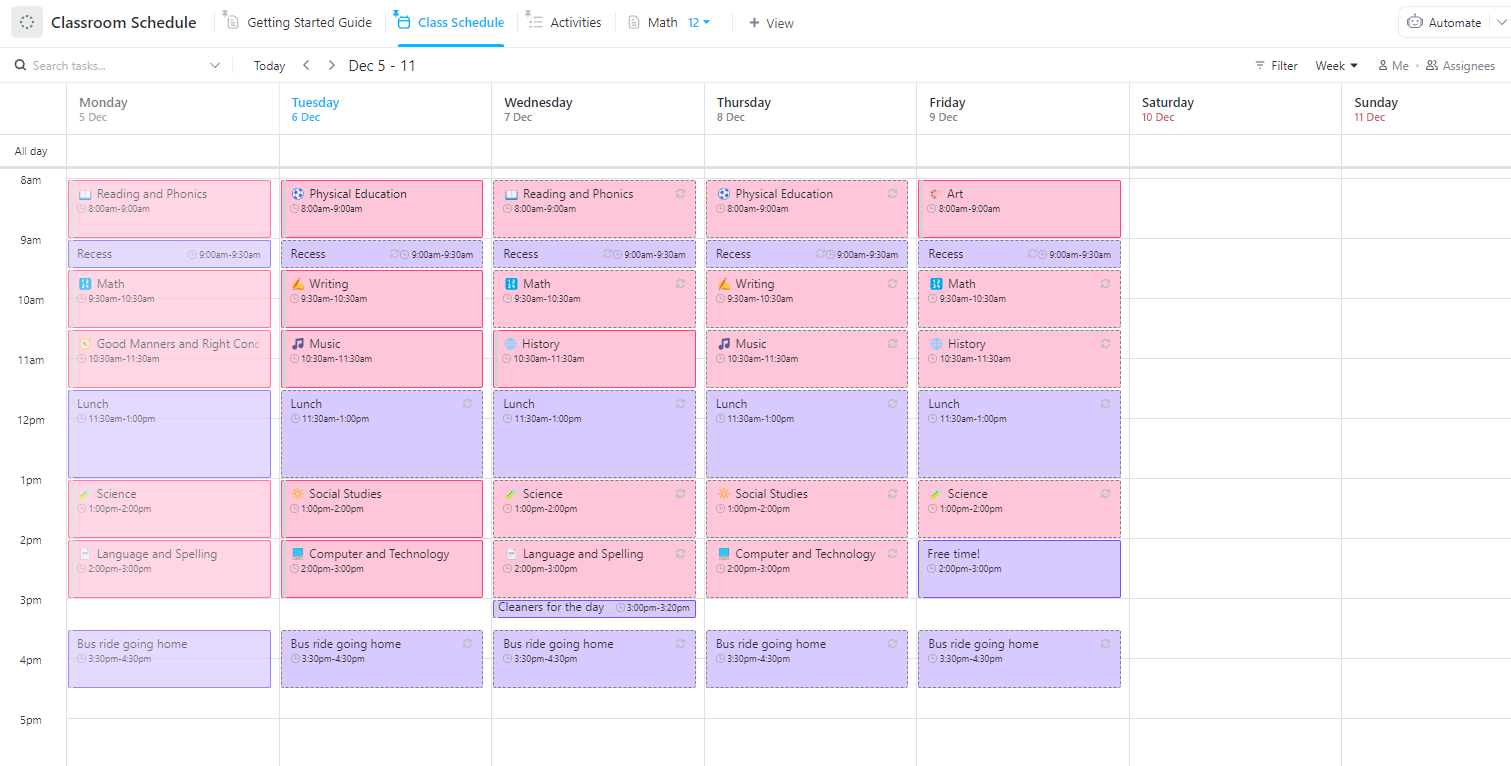
Staying on top of lesson plans, activities, and assignments gets easier with the ClickUp Classroom Schedule Template!
Designed for teachers who juggle multiple tasks, this template helps structure daily schedules, track important deadlines, and keep everything in one place.
The sleek digital layout, real-time collaboration, and customization options let you manage attendance, upcoming events, and daily activities.
🔑 Ideal for: Teachers who want an all-in-one digital planner for smooth classroom scheduling.
Through organized work, with ClickUp we have been able to find out which activities actually generate value and which do not, so we give priority to those that generate value, which has enabled us to meet 98% of the objectives.
➡️ Also Read: The Best Side Hustles for Teachers
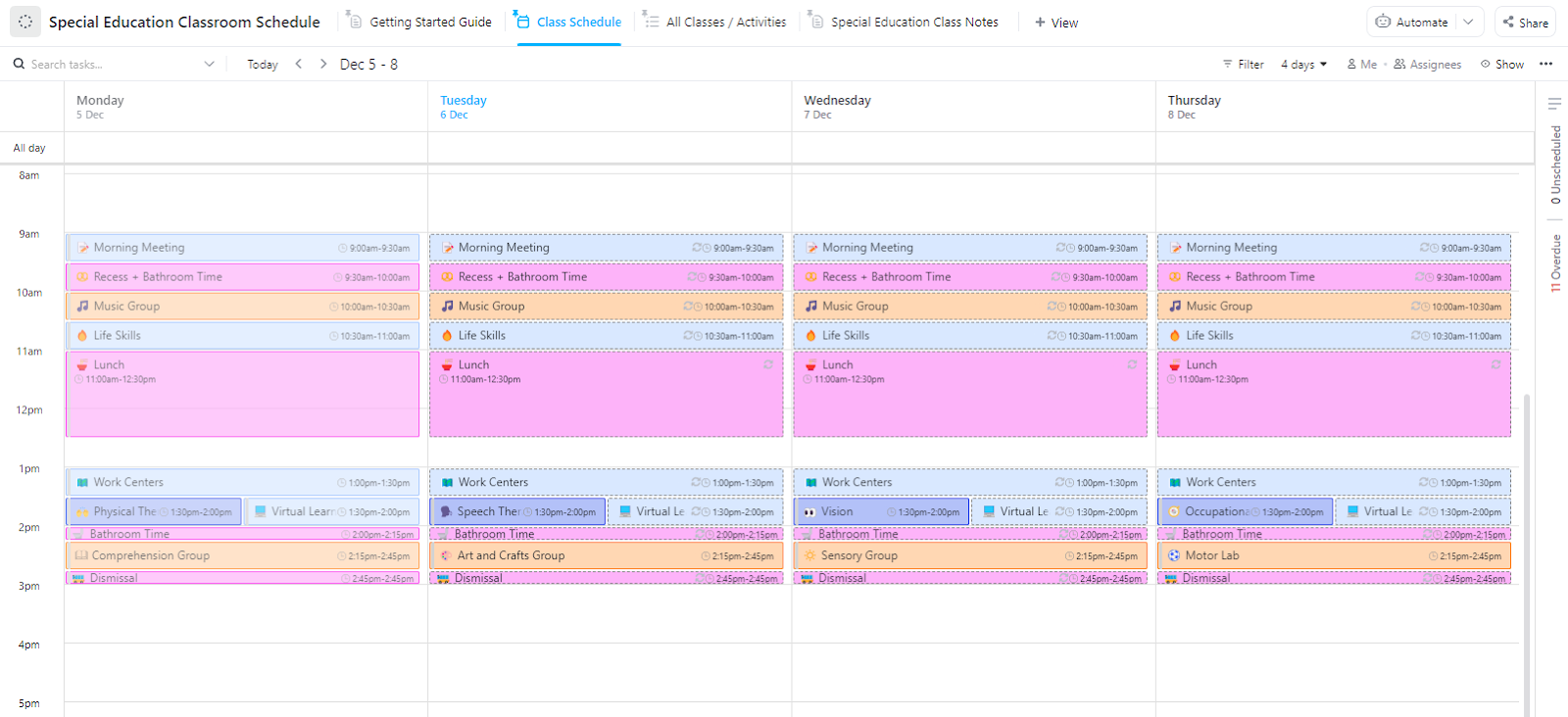
Managing a special education classroom requires structure, flexibility, and clear communication. The ClickUp Special Education Classroom Schedule Template is built to support special educators in organizing individualized learning plans, therapy sessions, and classroom activities.
With customizable views, easy collaboration, and built-in reminders, this daily planner template ensures every student’s unique needs are met while keeping daily schedules smooth and stress-free.
🔑 Ideal for: Special education teachers, support staff, and therapists seeking an adaptable, student-focused scheduling system.
➡️ Also Read: The Best AI Tools for Students
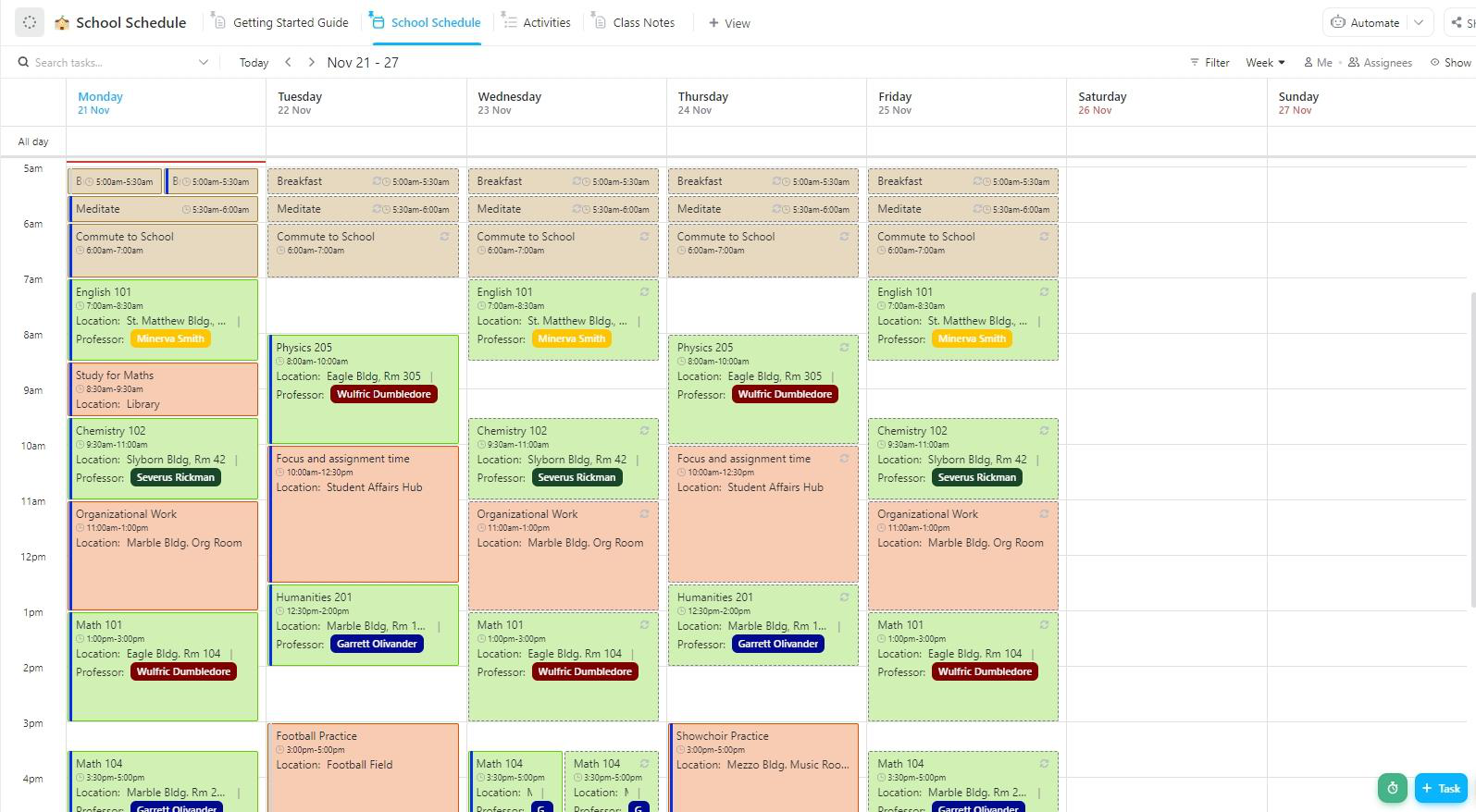
Ever feel like the school day moves faster than you can keep up? The ClickUp School Schedule Template helps you keep up with the day, so no class, assignment, or activity slips through the cracks.
Designed for students and teachers, this task management tool makes tracking lessons, homework, and extracurriculars effortless.
🔑 Ideal for: Students, teachers, and school administrators looking for a digital-first approach to managing school schedules.
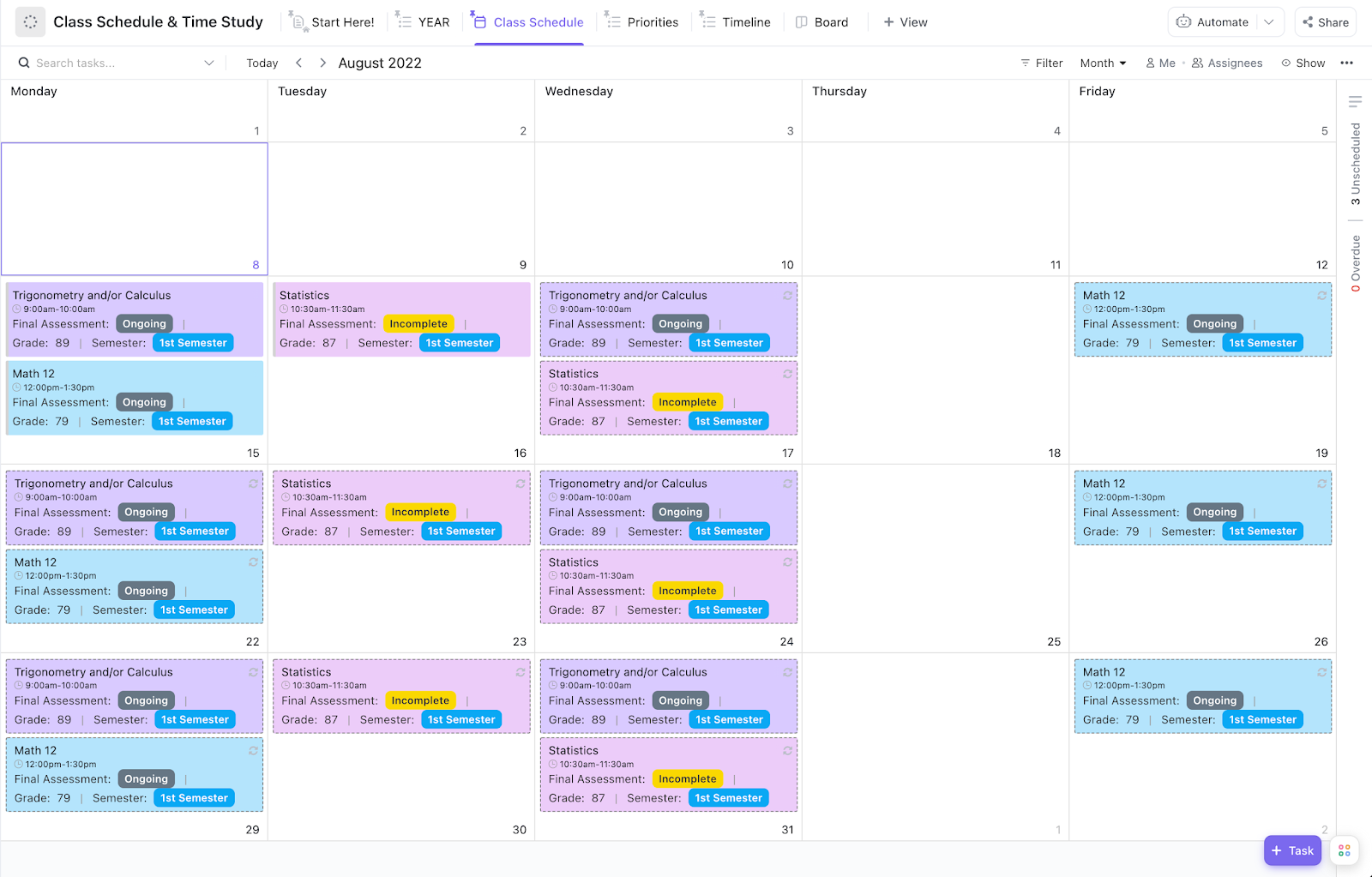
The ClickUp Class Schedule and Time Study Template is perfect for balancing academics and productivity. It structures your daily routine and tracks the time you spend on each task.
This study tool helps prioritize classes, schedule study time, and enhance time management. It allows you to track long-term goals, get an overview of everything you need to do, and seamlessly track due classes.
🔑 Ideal for: Students, college learners, and self-paced learners who want to optimize study time.
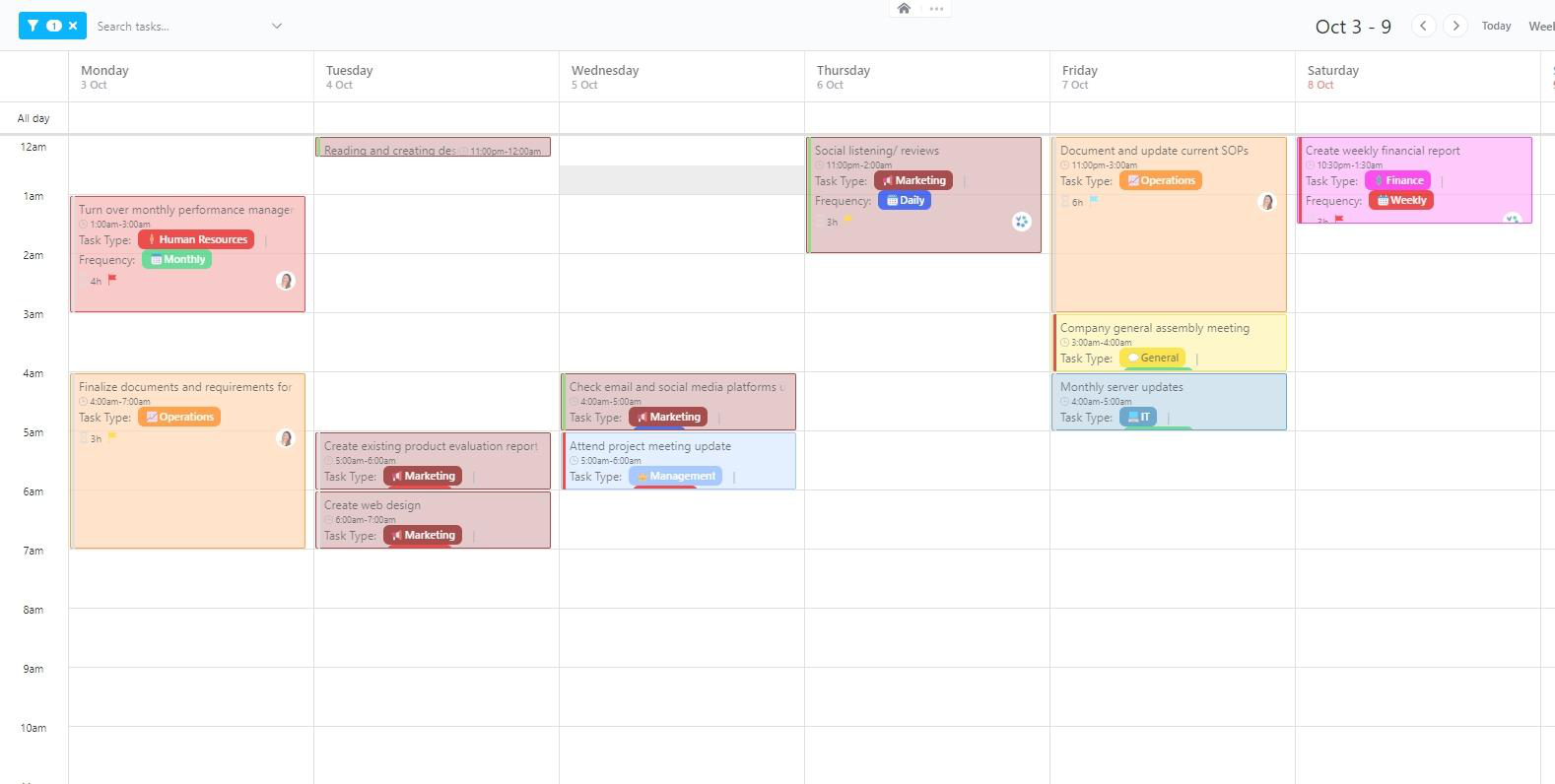
💡 Pro Tip: Take control of your schedule with ClickUp’s Calendar View! Easily switch between daily, weekly, and monthly layouts, drag and drop tasks, and customize what you see for a clear, organized workflow.
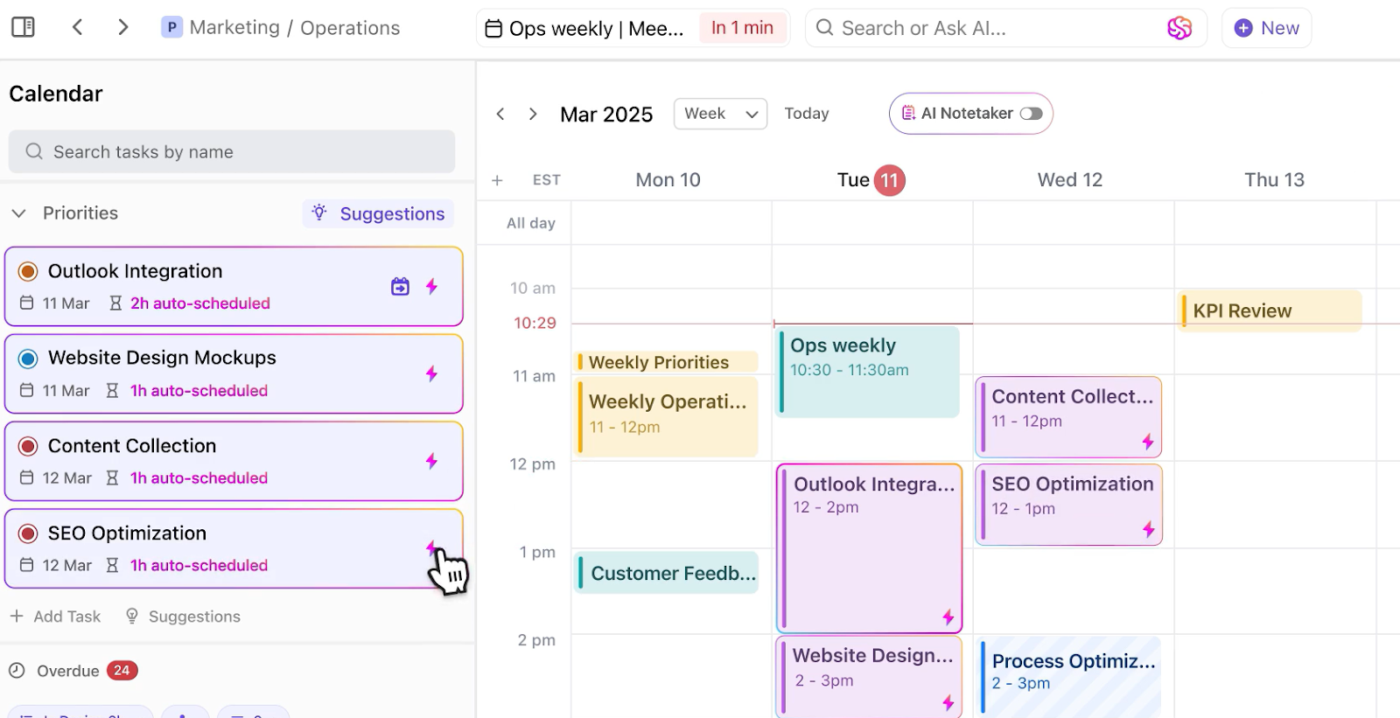
But if you’re looking for something even smarter, ClickUp’s AI-powered Calendar has you covered! Here’s how it helps:
Here’s what Heath Hayden, Professional Development Coordinator at Tacoma Community College, has to say about ClickUp:
I have been able to collaborate with other members of my team by using the calendar function to show the lineup and plan for a major event. We were all able to drag and drop events on the calendar based on the needs of the leadership team. It is incredibly easy to use from one team member to another.
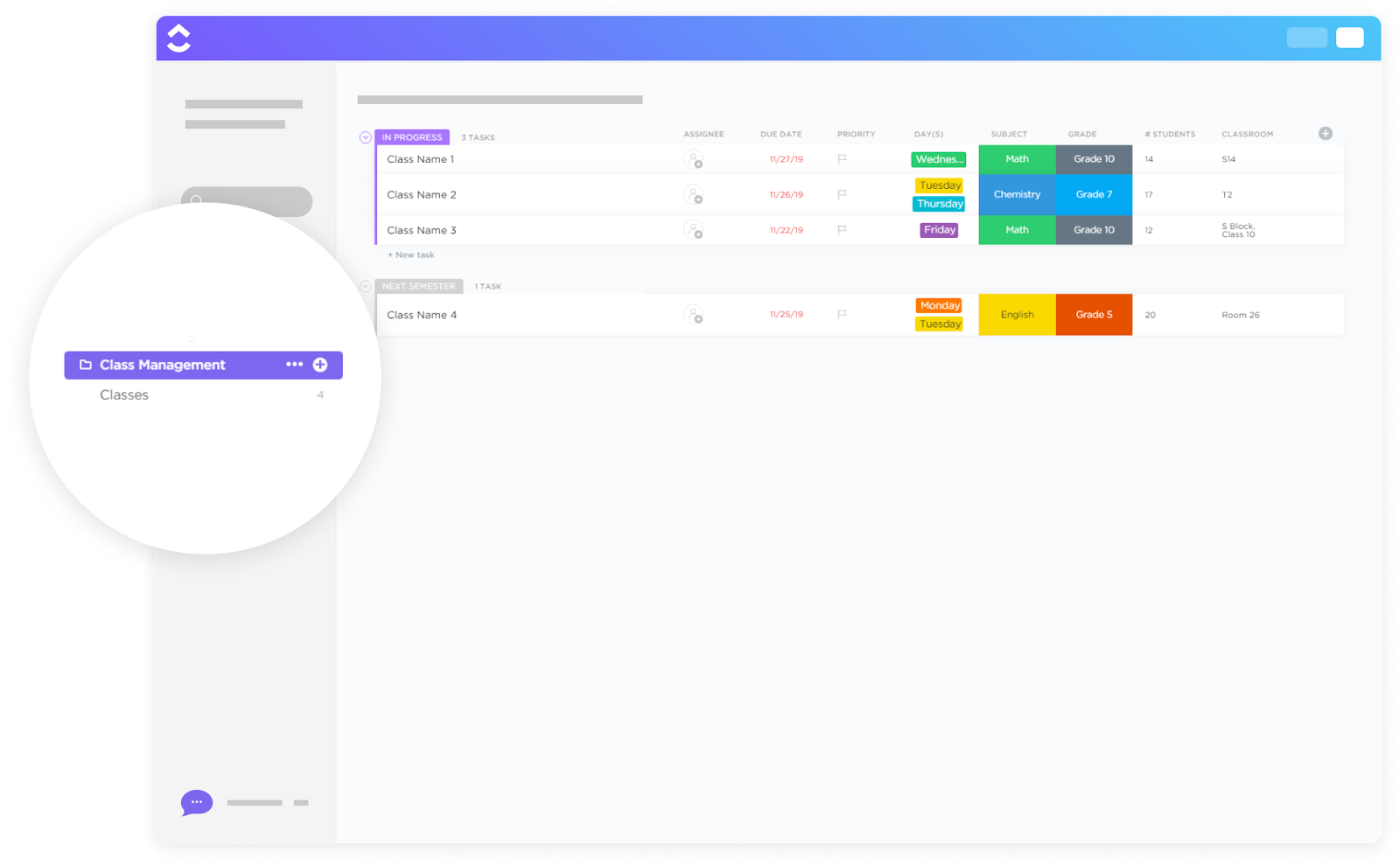
Managing multiple classes? The stress of handling numerous courses at once cannot be eliminated. However, it can most certainly be reduced with the ClickUp Class Management Template!
Plan lessons, track assignments, and monitor student progress in an easy-to-use system. Track all the classes in progress, use forms to set up smooth assignment submissions, and ensure you stay updated with the progress.
🔑 Ideal for: Teachers and educators looking for an all-in-one tool to manage multiple classes.
📮 ClickUp Insight: 18% of our survey respondents want to use AI to organize their lives through calendars, tasks, and reminders. Another 15% want AI to handle routine tasks and administrative work.
To do this, an AI needs to understand the priority levels for each task in a workflow, run the necessary steps to create or adjust tasks, and set up automated workflows. Most tools have one or two of these steps worked out.
However, ClickUp has helped users consolidate up to 5+ apps using our platform! Experience AI-powered scheduling, where tasks and meetings can be easily allocated to open slots in your calendar based on priority levels!
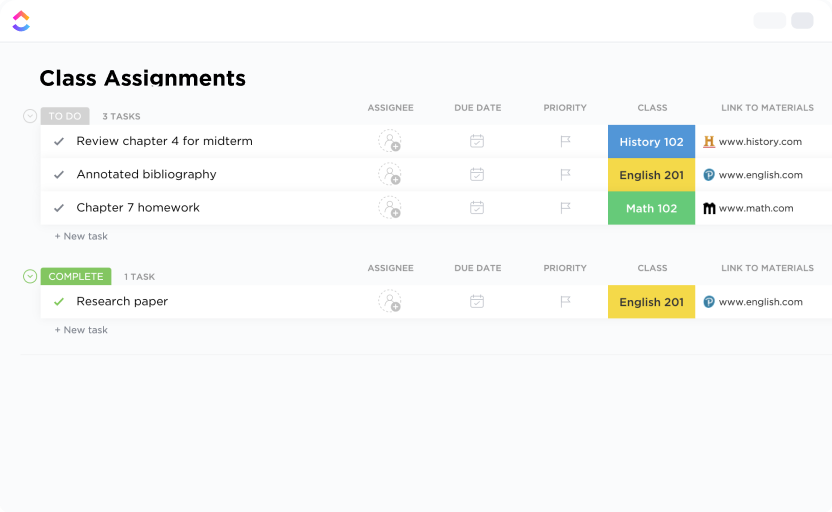
Keeping track of assignments shouldn’t feel like a never-ending task. Use the ClickUp Class Assignments Template to take the hassle out of assignment management by organizing due dates, submission statuses, and grading.
With this template, you can communicate assignment deadlines, quickly create new assignments, and provide useful feedback directly to the student.
🔑 Ideal for: Teachers managing student coursework and assignments.
💡 Pro Tip: Boost student engagement with KWL templates! These simple yet powerful tools help you track learning progress and spark curiosity in the classroom.
Some days feel like a race against the clock, but every hour is accounted for with the ClickUp Hourly Schedule Template. Structure your day into manageable time slots, whether organizing back-to-back classes, scheduling study sessions, or balancing work and personal life.
Set clear goals and priorities, monitor your progress against set objectives, assign tasks to team members, and calculate payouts for each employee.
🔑 Ideal for: Professionals looking for a way to plan their day and manage payouts.
➡️ Also Read: AI Calendar Apps to Streamline Scheduling
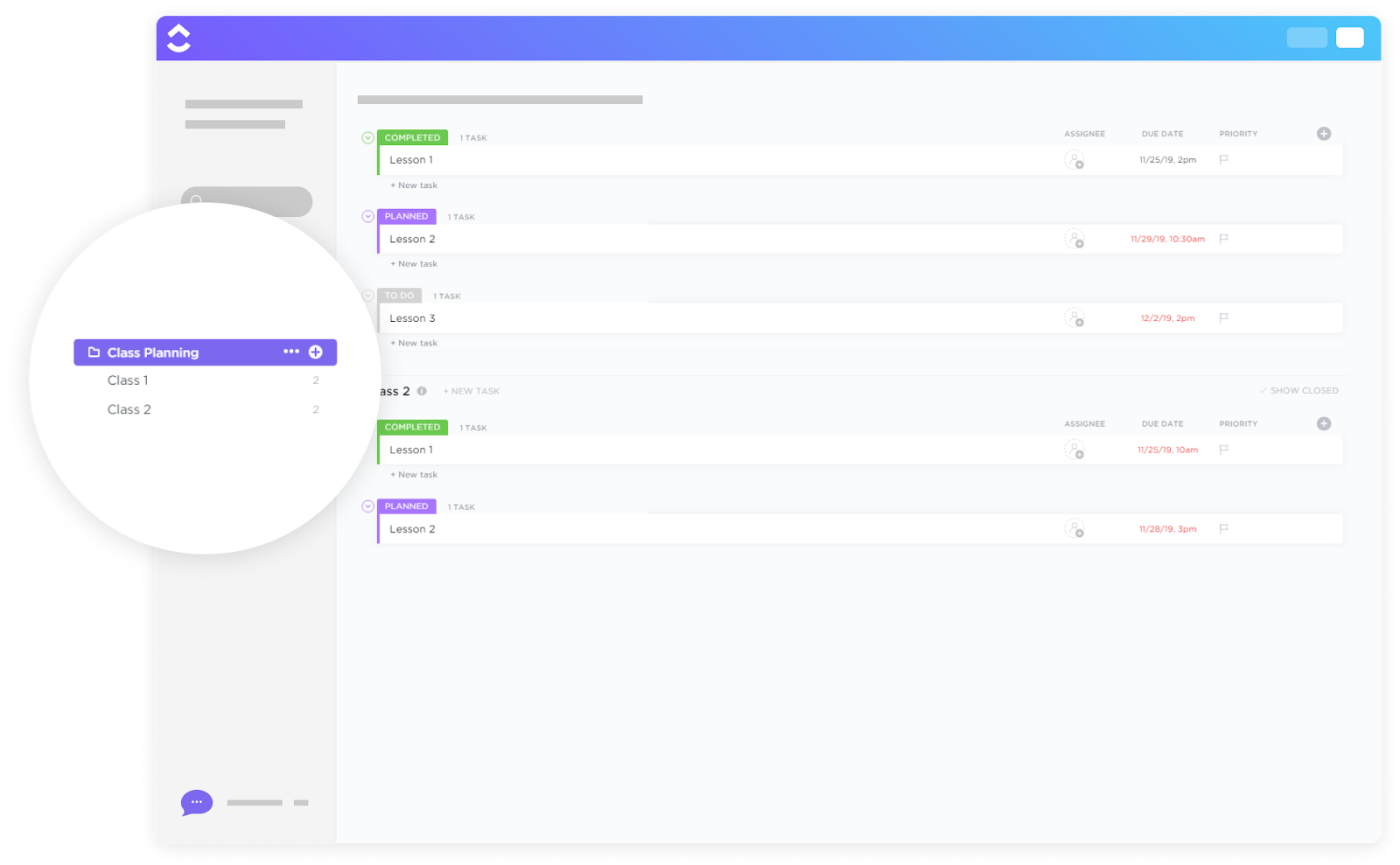
The Class Planning Template by ClickUp helps educators organize lesson objectives, structure activities, and align coursework with curriculum goals. This template makes teaching easy by covering all important topics for each class period.
Ensure your notes are stored in one place, assign class tasks, and make lesson plans well before the class begins with this template.
The framework also allows you to set project deadlines and keeps every student on track.
🔑 Ideal for: Educators looking for a flexible system for easily planning and managing lessons.
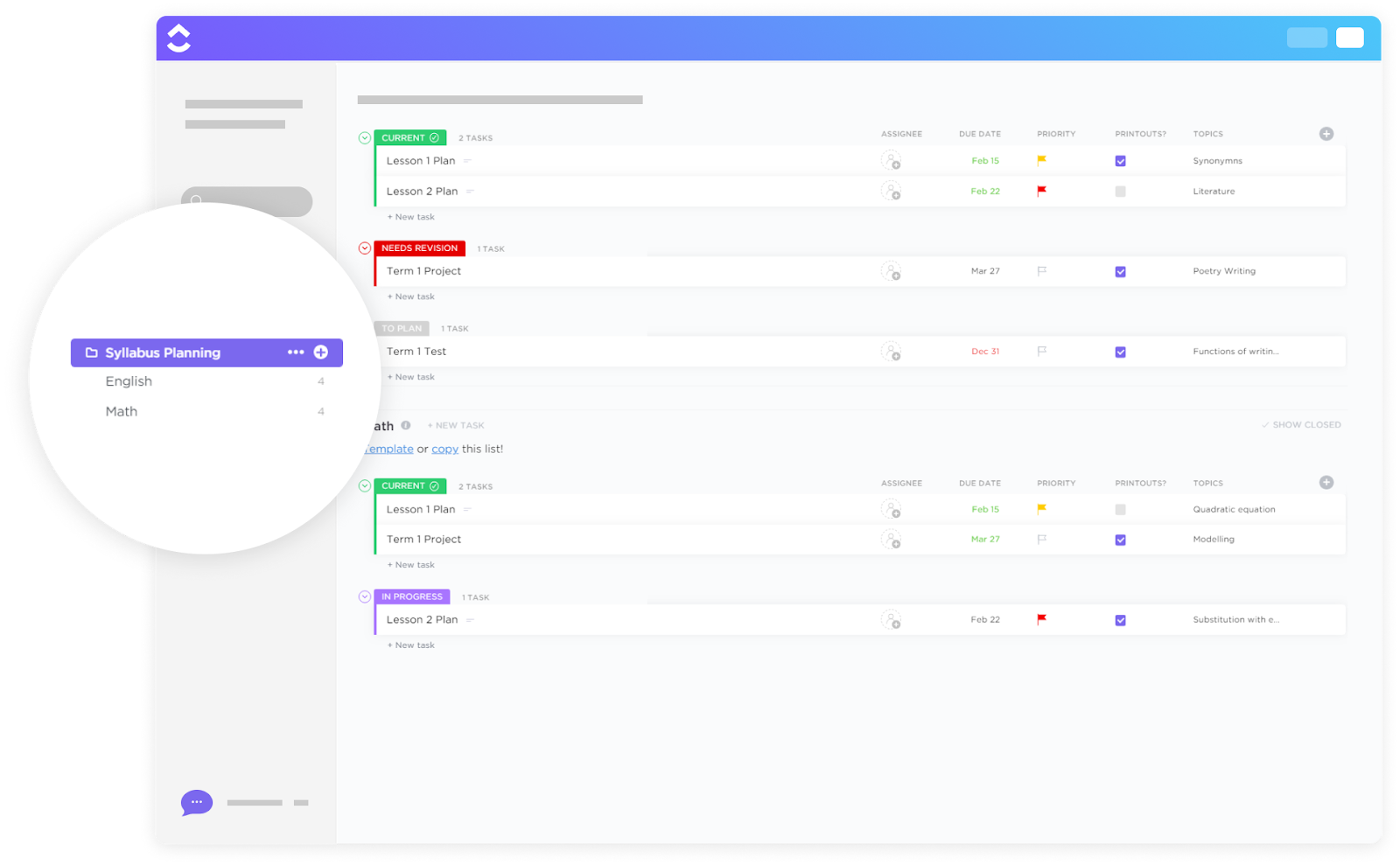
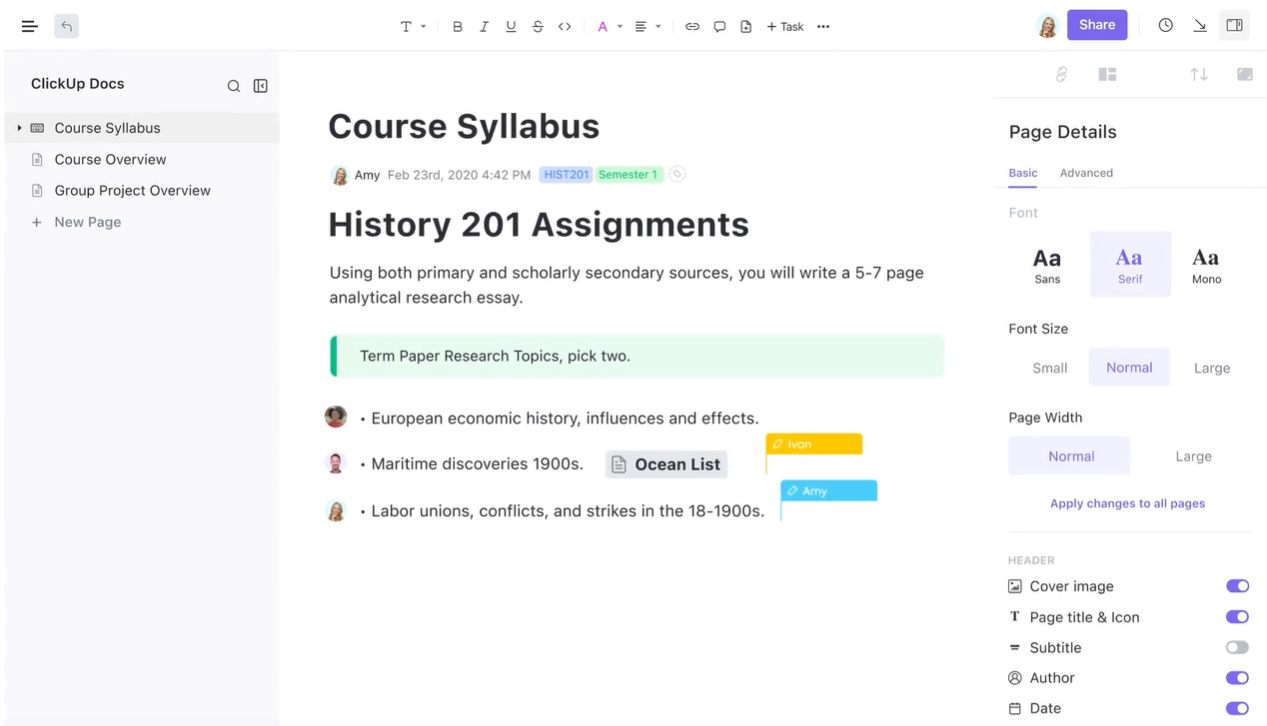
Creating a syllabus isn’t just about listing topics but also about designing a roadmap for a successful course. The ClickUp Syllabus Planning Template helps educators develop their curriculum, set learning objectives, and schedule coursework with clarity and precision.
From outlining weekly topics to planning assessments and deadlines, it ensures that every lesson builds toward a well-organized and engaging academic journey.
🔑 Ideal for: Professors and teachers designing goal-oriented syllabi for any subject or grade level.
10. ClickUp College Lesson Plan Template
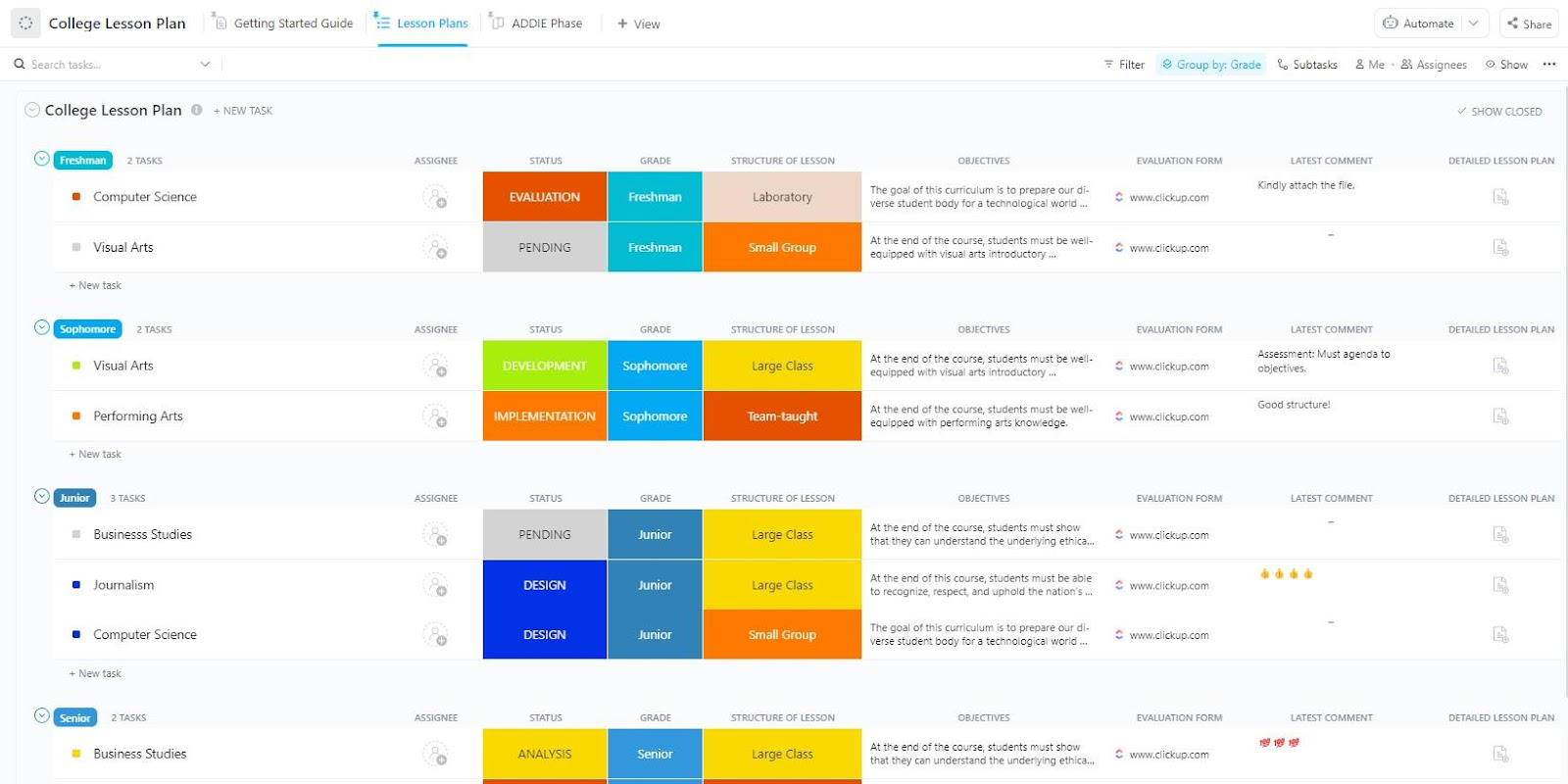
The ClickUp College Lesson Plan Template helps professors and instructors organize lectures, assignments, and discussions in one streamlined space.
Whether mapping out a semester-long course or planning individual class sessions, it ensures each lesson is engaging, well-paced, and aligned with course objectives. The template allows teachers to create tailored lesson plans that enhance student engagement for better learning outcomes.
🔑 Ideal for: Professors looking for an organized system for planning and managing lessons effectively.
💡 Pro Tip: Want to take lesson planning to the next level? Don’t look further than these AI tools for lesson planning. Create engaging and creative lessons, ensure high student participation, and teach reliable and high-quality content.
Migrating to ClickUp was the single most important thing our team did in 2022. Since making the change, we have found our productivity, efficiency, team collaboration and overall morale have all significantly improved.
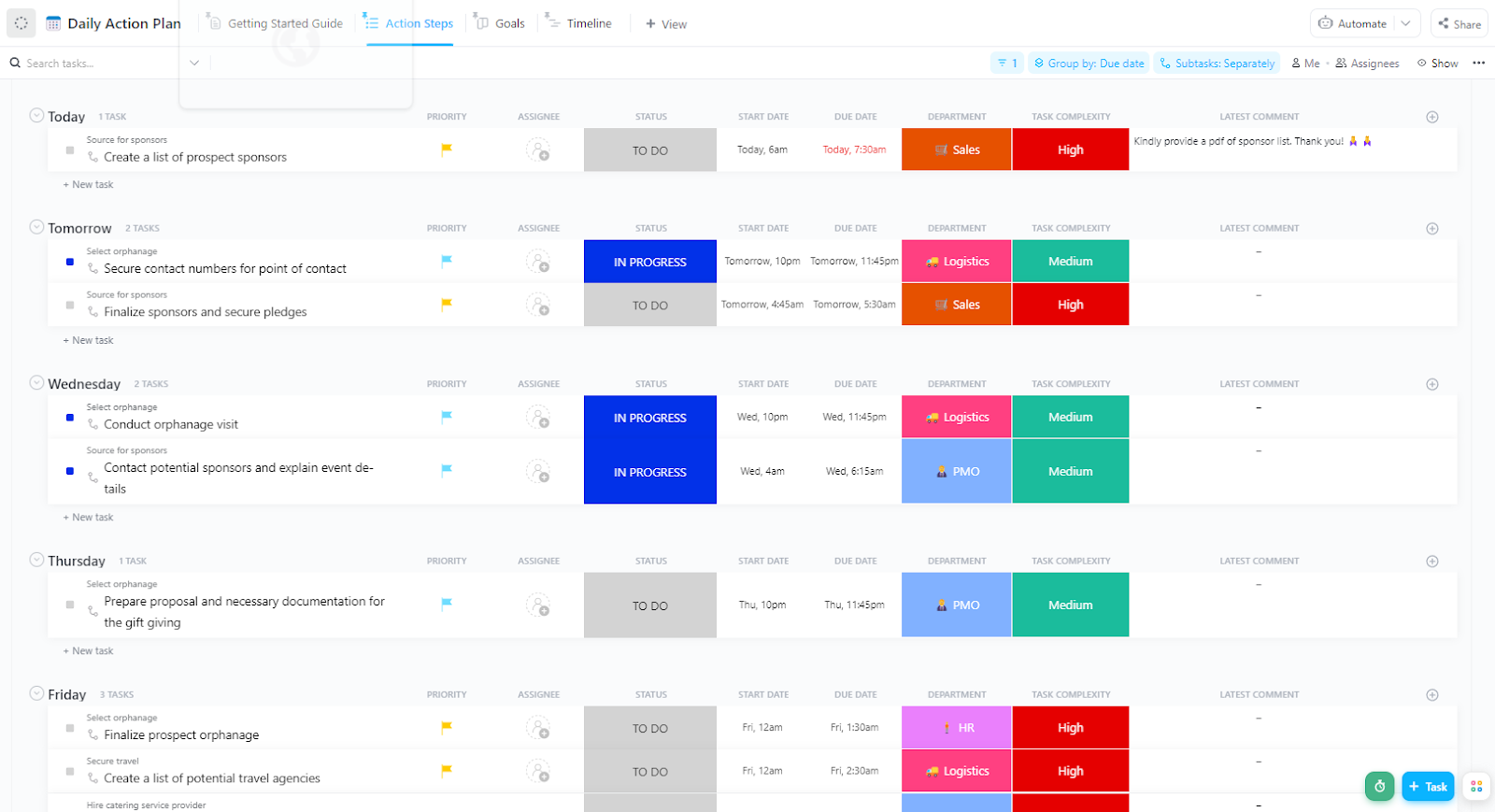
The ClickUp Teacher Action Plan Template helps break down objectives into actionable steps, making tracking progress and staying focused easier.
Improving student engagement and growing professionally helps turn ideas into measurable success. Organize materials, prioritize objectives, and create a custom evaluation system with this template to ensure fair evaluations.
🔑 Ideal for: Educators looking for a structured system to achieve professional development goals efficiently.
🎉 Bonus Tip: Supercharge your classroom with ClickUp for Education! 🎓✨
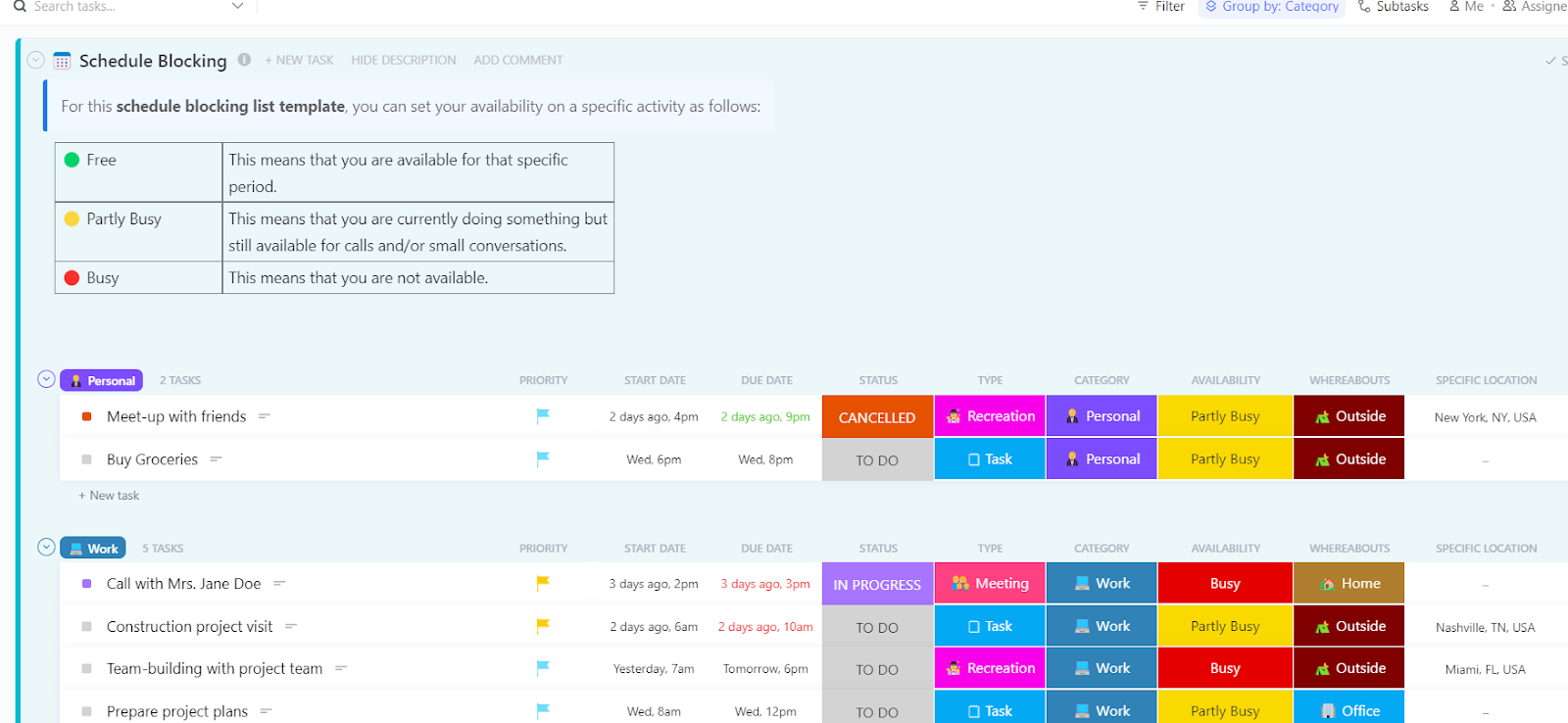
When tasks pile up, the day always feels too short. The ClickUp Schedule Blocking Template helps divide time into structured blocks, making it easier to focus on priorities without distractions.
This system saves time, boosts productivity, and prevents burnout by assigning specific periods for teaching, grading, meetings, and personal tasks.
🔑 Ideal for: Teachers, students, and professionals who want to schedule their day for better focus and efficiency.
➡️ Also Read: How to Use AI for Note-Taking?
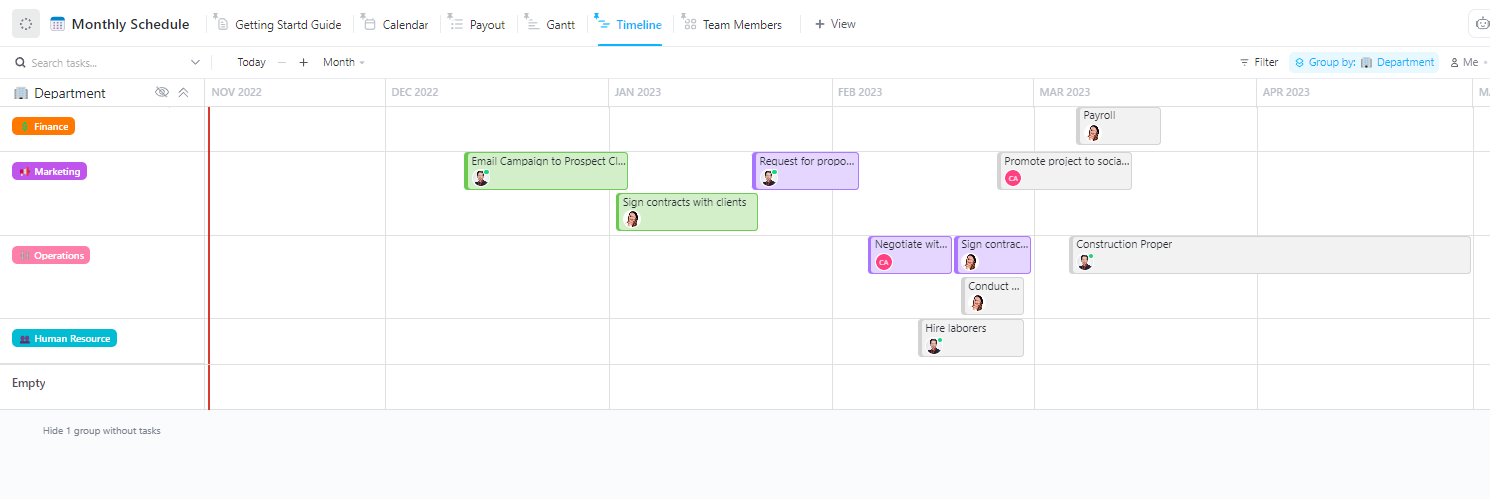
Juggling deadlines, lesson plans, and meetings over a month can quickly become overwhelming. The ClickUp Monthly Schedule Template organizes everything in one view, making it easier to stay ahead.
Visualize your month, prioritize tasks, manage resources, and stay on top of all your deadlines with this template.
🔑 Ideal for: Teachers and professionals looking to manage their monthly workload without missing key deadlines.
Now that we’ve explored the top teaching schedule templates, how do you pick one that’s right for you?
A great teaching schedule template helps educators stay organized, manage time effectively, and ensure a smooth flow of lessons. The best class schedule templates provide clarity, flexibility, and enough detail to support teachers and students.
Here’s what to look for in a template:
A well-planned schedule is the backbone of an organized and productive classroom. Teaching schedule templates help streamline lesson planning, track assignments, and manage time efficiently, ensuring that nothing falls through the cracks.
With structured schedules, teachers can focus more on engaging students and less on juggling last-minute changes.
ClickUp takes scheduling to the next level with powerful customization, automation, and collaboration features.
Start planning smarter—try ClickUp for free today!

© 2026 ClickUp