Sorry, there were no results found for “”
Sorry, there were no results found for “”
Sorry, there were no results found for “”
Most Agile teams hit the same wall with Taiga: what starts as a lightweight, developer-friendly tool becomes a maintenance burden once you need enterprise integrations, cross-functional visibility, or AI-powered workflows that don’t require a DevOps degree to set up—especially critical now that 84% of Agile organizations have adopted AI.
This guide breaks down 10 Taiga alternatives. You’ll find all-in-one platforms like ClickUp that eliminate tool sprawl, plus specialized options like Jira for deep Scrum functionality. The goal is to help you find the right fit for your team’s actual needs—not just what worked when you were five engineers in a garage.
| Tool | Best for | Best features | Pricing* |
|---|---|---|---|
| ClickUp | Teams wanting an AI-powered all-in-one workspace that replaces multiple tools | ClickUp Brain, Sprints, Automations, 15+ Views, Docs, Chat | Free forever; Customization available for enterprises |
| monday.com | Teams needing visual boards and fast cross-functional adoption | Customizable boards, No-code automations, Multiple views | Plans start at $12/user/month |
| Jira | Software development teams running structured Agile sprints | Scrum/Kanban boards, JQL, 5,700+ Marketplace apps | Free; Paid plans from $8.15/user/month |
| Asana | Cross-functional teams needing portfolio visibility and AI workflows | Work Graph, AI Studio, Portfolios, Workload | Free; Paid plans from $10.99/user/month |
| Trello | Teams wanting simple Kanban boards with minimal setup | Drag-and-drop boards, Butler automation, Power-Ups | Free; Paid plans from $5/user/month |
| Wrike | Enterprise teams requiring governance, reporting, and advanced project control | Work Intelligence AI, Advanced roadmaps, Proofing | Plans start at $9.80/user/month |
| Notion | Teams combining documentation, wikis, and lightweight task tracking | Relational databases, Notion AI, Flexible templates | Free; Paid plans from $10/user/month |
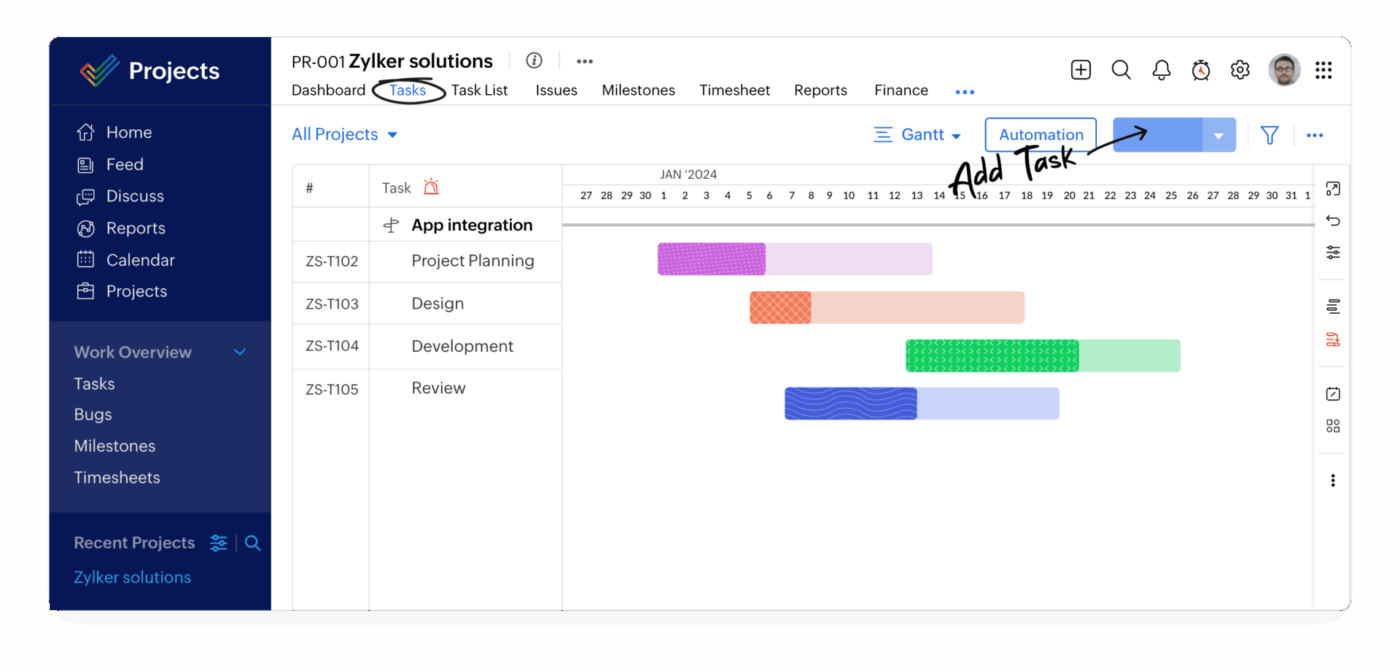
| Zoho Projects | Teams already using the Zoho ecosystem | Gantt charts, Time tracking, Native Zoho integrations | Paid plans from $5/user/month |
| Smartsheet | Spreadsheet-familiar teams in regulated or complex industries | Grid-based interface, Control Center, Compliance certifications | Plans start at $9/user/month |
| Basecamp | Remote teams wanting simple async communication and lightweight project tracking | Message Boards, Check-ins, Hill Charts | Plans start at $15/user/month |
Our editorial team follows a transparent, research-backed, and vendor-neutral process, so you can trust that our recommendations are based on real product value.
Here’s a detailed rundown of how we review software at ClickUp.
Taiga is an open-source project management tool built for Agile teams running Scrum or Kanban workflows. It’s a favorite among developers who want a self-hosted solution with no licensing fees. But as your team grows or your projects get more complex, you might notice some cracks start to show.
Maybe you’re tired of the technical upkeep that comes with a self-hosted tool. Or perhaps your marketing and design teams find the interface of the Taiga software too rigid and developer-focused for their creative workflows. This friction leads to teams creating their own systems in other tools, causing information silos and making it impossible to see the full picture.
Here’s what typically drives the search for Taiga alternatives:
The right alternative depends on your team’s size and technical comfort. It also depends on whether you want to escape tool sprawl—the fragmentation of work across multiple disconnected tools that now affects companies deploying 101 different SaaS applications—with an all-in-one workspace or just need a more user-friendly specialized tool.
📮 ClickUp Insight: 1 in 4 employees uses four or more tools just to build context at work. A key detail might be buried in an email, expanded in a Slack thread, and documented in a separate tool, forcing teams to waste time hunting for information instead of getting work done.
ClickUp converges your entire workflow into one unified platform. With features like ClickUp Email Project Management, ClickUp Chat, ClickUp Docs, and ClickUp Brain, everything stays connected, synced, and instantly accessible. Say goodbye to “work about work” and reclaim your productive time.
💫 Real Results: Teams are able to reclaim 5+ hours every week using ClickUp—that’s over 250 hours annually per person—by eliminating outdated knowledge management processes. Imagine what your team could create with an extra week of productivity every quarter!
Each tool below addresses specific pain points that drive teams away from Taiga.io. We’ve organized them by their core strengths so you can quickly find what matches your needs.
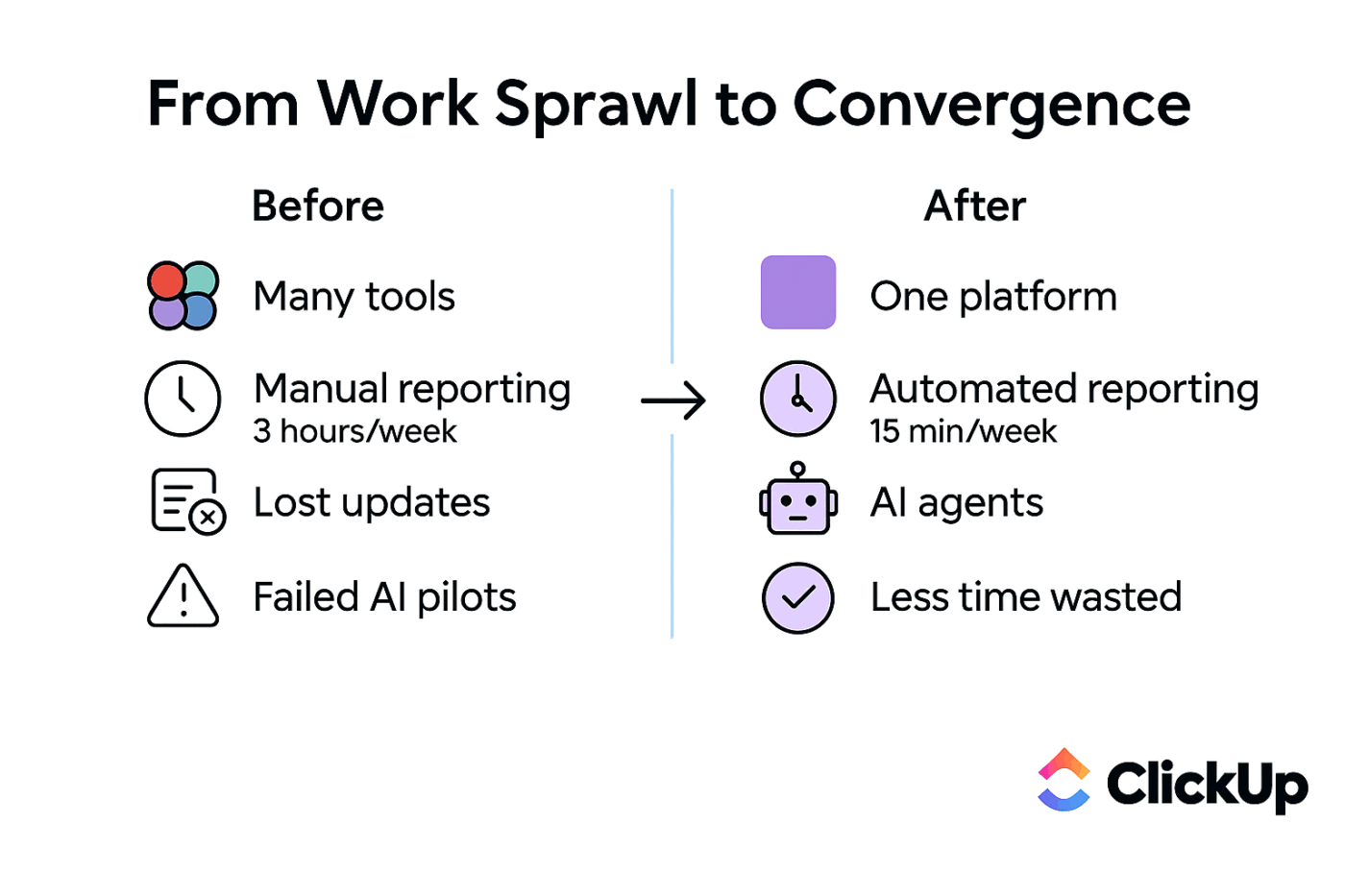
Are you leaving Taiga because you’re tired of work being scattered across different apps? You have your tasks in one place, your docs in another, and your team conversations in a third. This context sprawl—when teams waste hours searching for information across disconnected apps—means you spend more time hunting for information than actually working, and it’s a huge drain on productivity, with 70% of employees spending more than an hour looking for a single piece of information.
Eliminate this chaos and bring your project management, documents, and team communication into a single platform with ClickUp, the world’s first Converged AI Workspace—a unified platform where projects, documents, and conversations live together with contextual AI embedded as the intelligence layer. It’s designed to replace multiple tools by bringing your project management, documents, and team communication into a single platform. Instead of paying for and managing separate apps, you get one unified environment where all your work lives and connects.
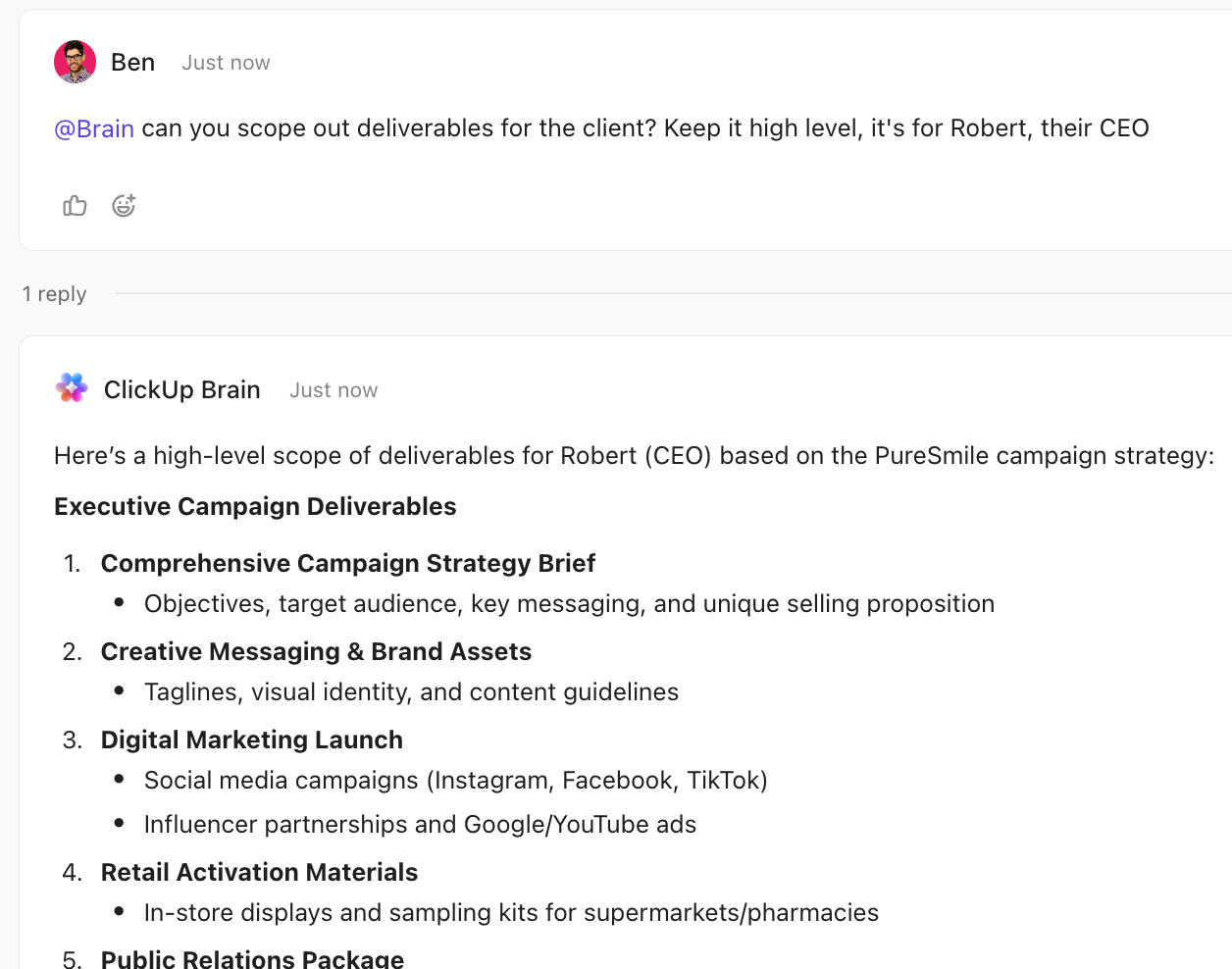
Stop wasting time on manual status updates and digging through comment threads. Get an AI assistant that understands your entire workspace with ClickUp Brain. You can ask it to summarize task activity, generate project briefs, or answer questions about blockers. Because it’s integrated everywhere, you can simply @mention Brain in a task or Chat message to get an instant, context-aware response drawn from your actual projects.
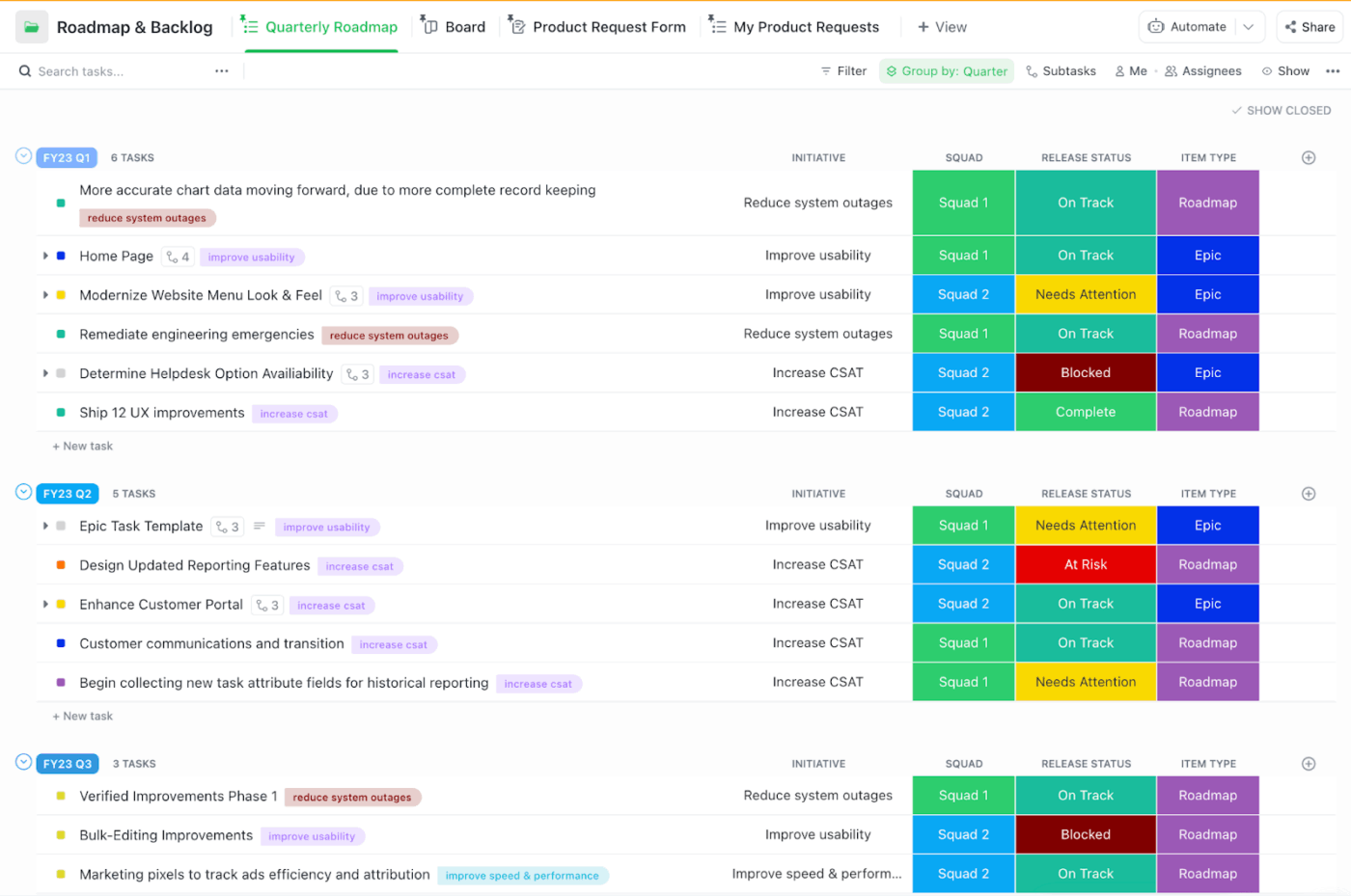
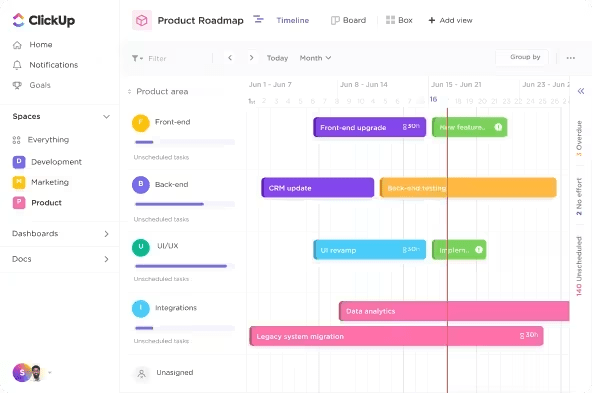
For teams that need robust Agile features, manage your entire development cycle with ClickUp Sprints. You can create dedicated Sprint Folders, manage your backlog, and use Sprint Points to estimate effort. Visualize your team’s progress with Velocity charts that track the average work completed over several sprints, helping you plan more accurately.
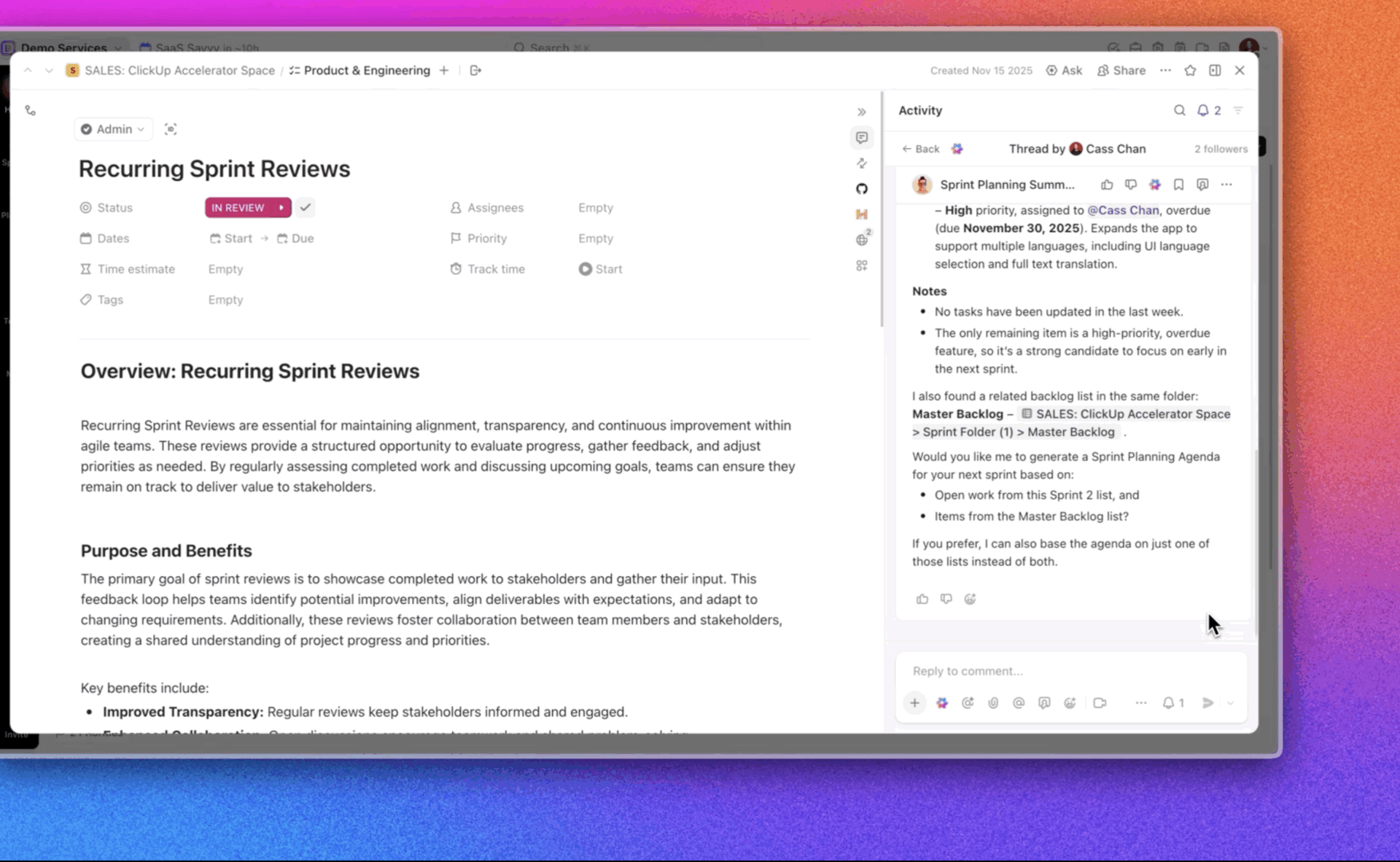
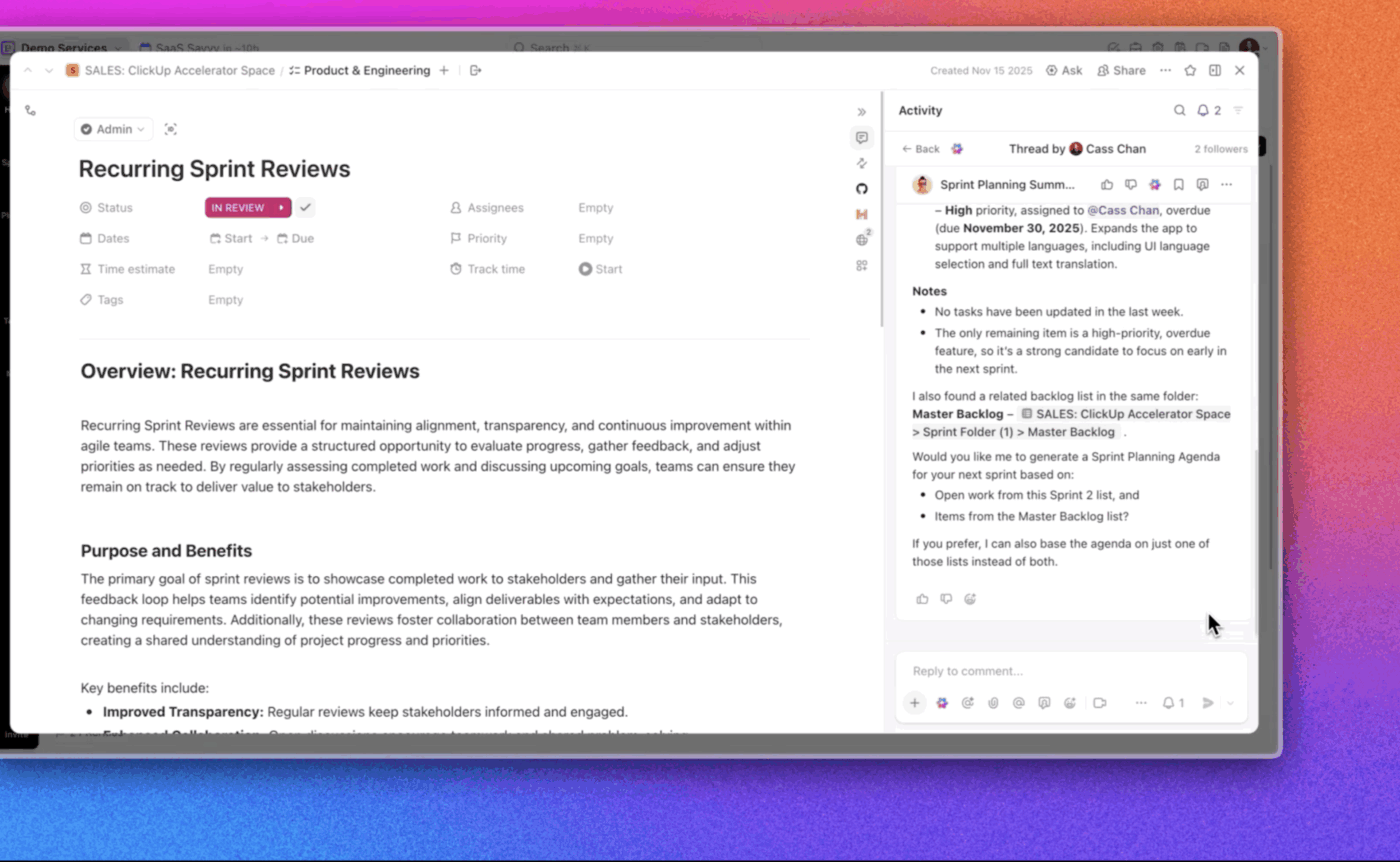
ClickUp Super Agents operate at the workspace level, continuously monitoring projects, activity, and signals across your entire environment. In this view, a Super Agent analyzes sprint data, detects risks like overdue priorities, and surfaces actionable insights without manual tracking.
Instead of just reporting, it proactively suggests next steps such as generating agendas or focusing teams on the highest-impact work.
And you can finally ditch the manual busywork. Build no-code workflow rules with simple triggers and actions using ClickUp Automations. For example, you can set a rule to automatically change a task’s status when a due date arrives or assign a new task to a specific person when it’s created.
Pros:
Cons:
[pricing=table]
🐞 Watch this video to learn how to write clear, developer-ready bug reports that reduce back-and-forth and speed up fixes.
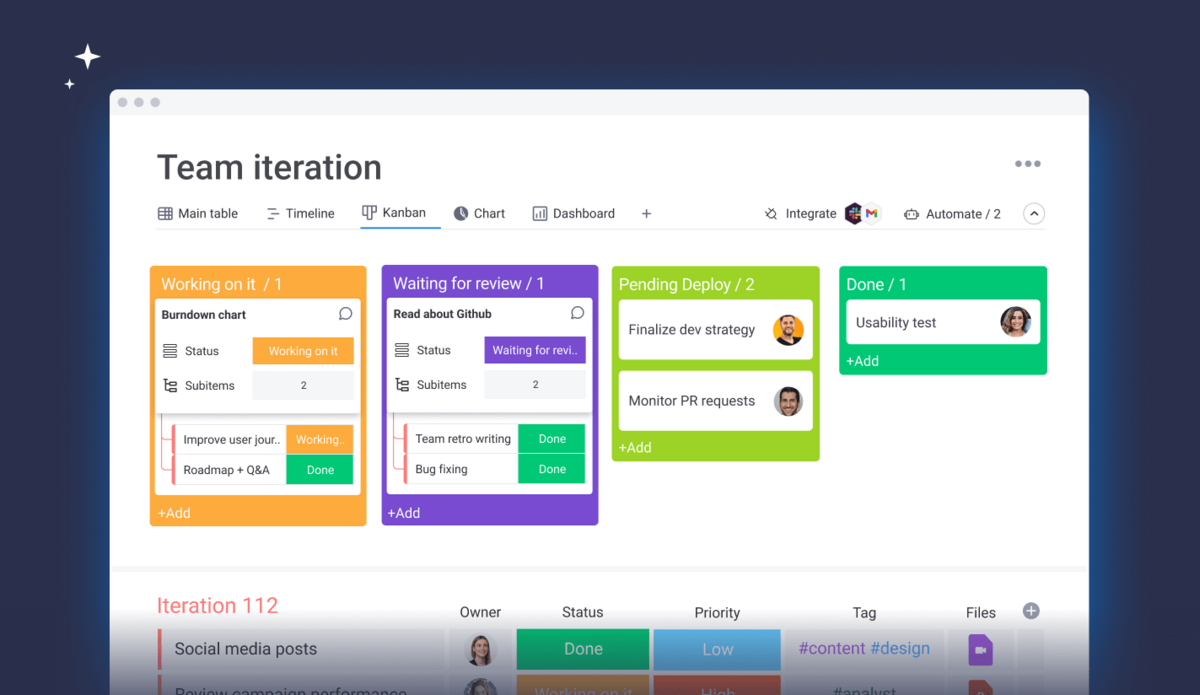
If your non-technical teammates found Taiga’s interface confusing, monday.com is a breath of fresh air. It’s known for its colorful, visual, and intuitive design that makes project management feel less like a chore. The drag-and-drop boards are easy for anyone to pick up, which means faster adoption across your entire organization.
The platform is built around a “Work OS” concept, allowing you to customize boards for nearly any workflow, from marketing campaigns to software development. You can add over 20 different column types to track everything from status and assignees to formulas and time tracking. This visual clarity helps everyone see what’s in progress, what’s stuck, and what’s done without needing a technical background.
monday.com also offers AI features to help generate tasks, summarize updates, and write content. Its automation builder uses simple “if this, then that” logic, enabling you to create rules without writing any code.
Pros:
Cons:
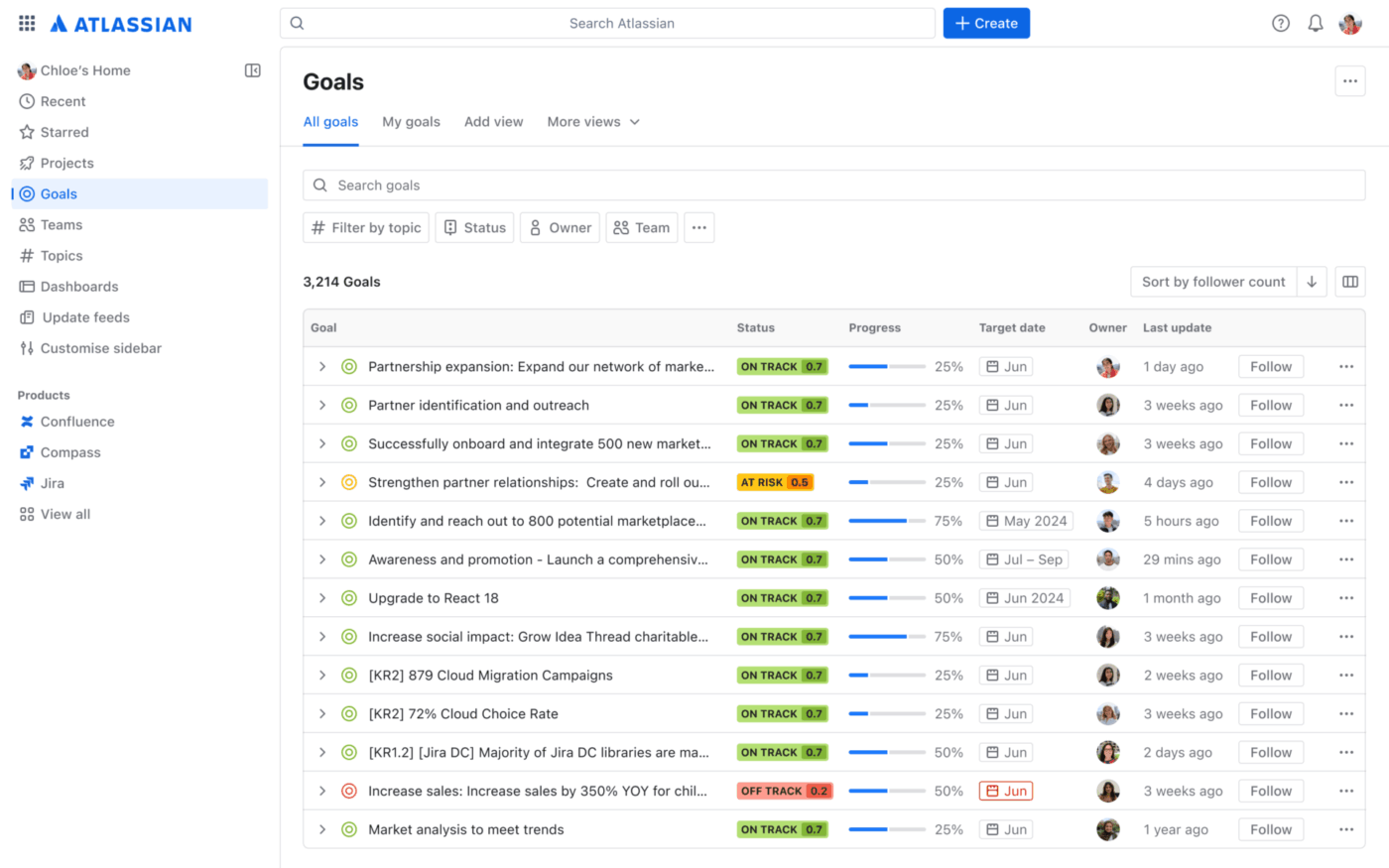
When you’re looking for a Taiga vs. enterprise tool comparison, Jira is often the first name that comes up. Both are designed for Agile workflows, but Jira provides a level of depth, configurability, and integration that Taiga, as an open-source tool, can’t match. It’s the industry standard for a reason.
Jira is purpose-built for software teams, excelling at Scrum and Kanban boards with features for sprint planning, backlog grooming, and velocity tracking. For power users, JQL (Jira Query Language) allows for the creation of highly specific custom filters and reports. The platform’s true power is unlocked through its ecosystem, with over 5,700 apps on the Atlassian Marketplace and seamless integration with tools like Confluence and Bitbucket.
This power comes with a trade-off: complexity. The interface can be overwhelming for non-technical users, and a proper setup requires significant time and expertise.
Pros:
Cons:
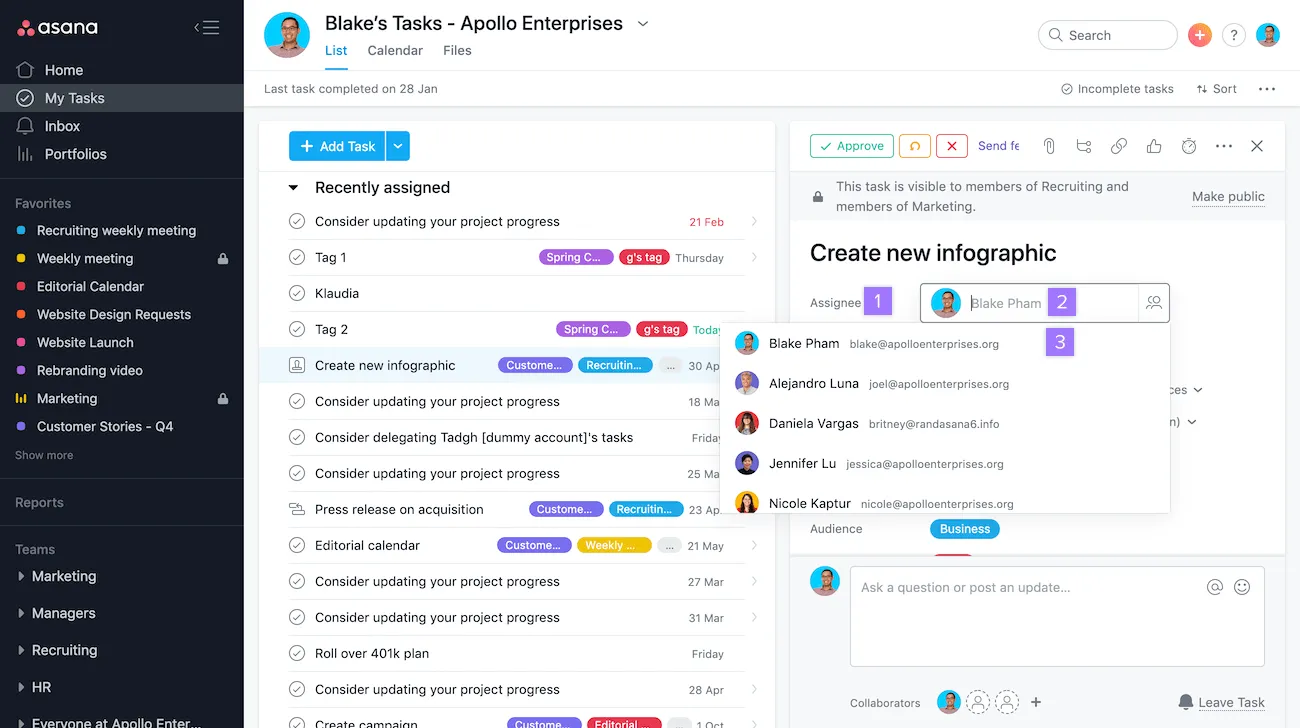
If your organization has outgrown Taiga’s developer-centric focus, Asana offers a solution with broader appeal. It’s an enterprise work management platform that emphasizes AI-powered automation and is designed to work for marketing, operations, and product teams—not just engineers.
Asana’s key differentiator is its Work Graph data model, which maps the relationships between tasks, projects, people, and goals. This provides insights into how work connects across the organization, something siloed tools can’t offer. Its AI Studio allows you to build custom, no-code AI workflows to automate tasks like routing work, sending status updates, and reminding team members about deadlines.
With views like Lists, Boards, and a Gantt-style Timeline, Asana provides multiple ways to visualize work. For leadership, Portfolios offer a high-level overview of project status across the company.
Pros:
Cons:
📮 ClickUp Insight: 88% of our survey respondents use AI for their personal tasks, yet over 50% shy away from using it at work. The three main barriers? Lack of seamless integration, knowledge gaps, or security concerns.
But what if AI is built into your workspace and is already secure? ClickUp Brain, ClickUp’s built-in AI assistant, makes this a reality. It understands prompts in plain language, solving all three AI adoption concerns while connecting your chat, tasks, docs, and knowledge across the workspace. Find answers and insights with a single click!
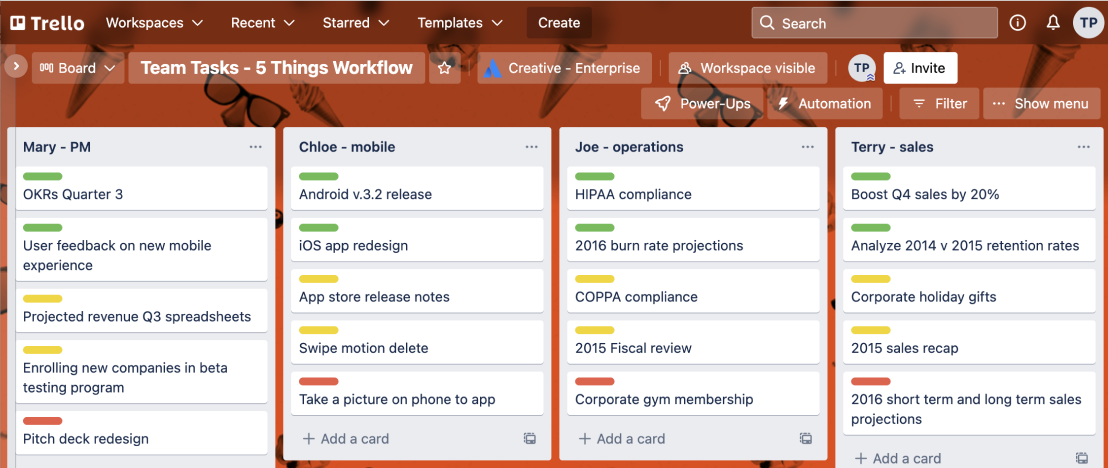
Trello is the definition of simplicity, and that’s its biggest selling point. If Taiga felt too complicated for what your team actually needs, Trello offers a straightforward alternative: boards, lists, and cards. It’s a visual system that you can understand in minutes—just drag tasks between columns to show progress.
As an Atlassian product, Trello integrates smoothly with Jira and Confluence, which is great for teams that need both a simple tool for some projects and a more powerful one for others. Its Butler automation feature can handle repetitive actions like moving cards or setting due dates, while Power-Ups allow you to add integrations and custom fields.
Trello’s main limitation is that it doesn’t try to be an all-in-one solution. For teams that just need a visual way to track tasks without the overhead of sprint planning or advanced reporting, Trello is a perfect fit.
Pros:
Cons:
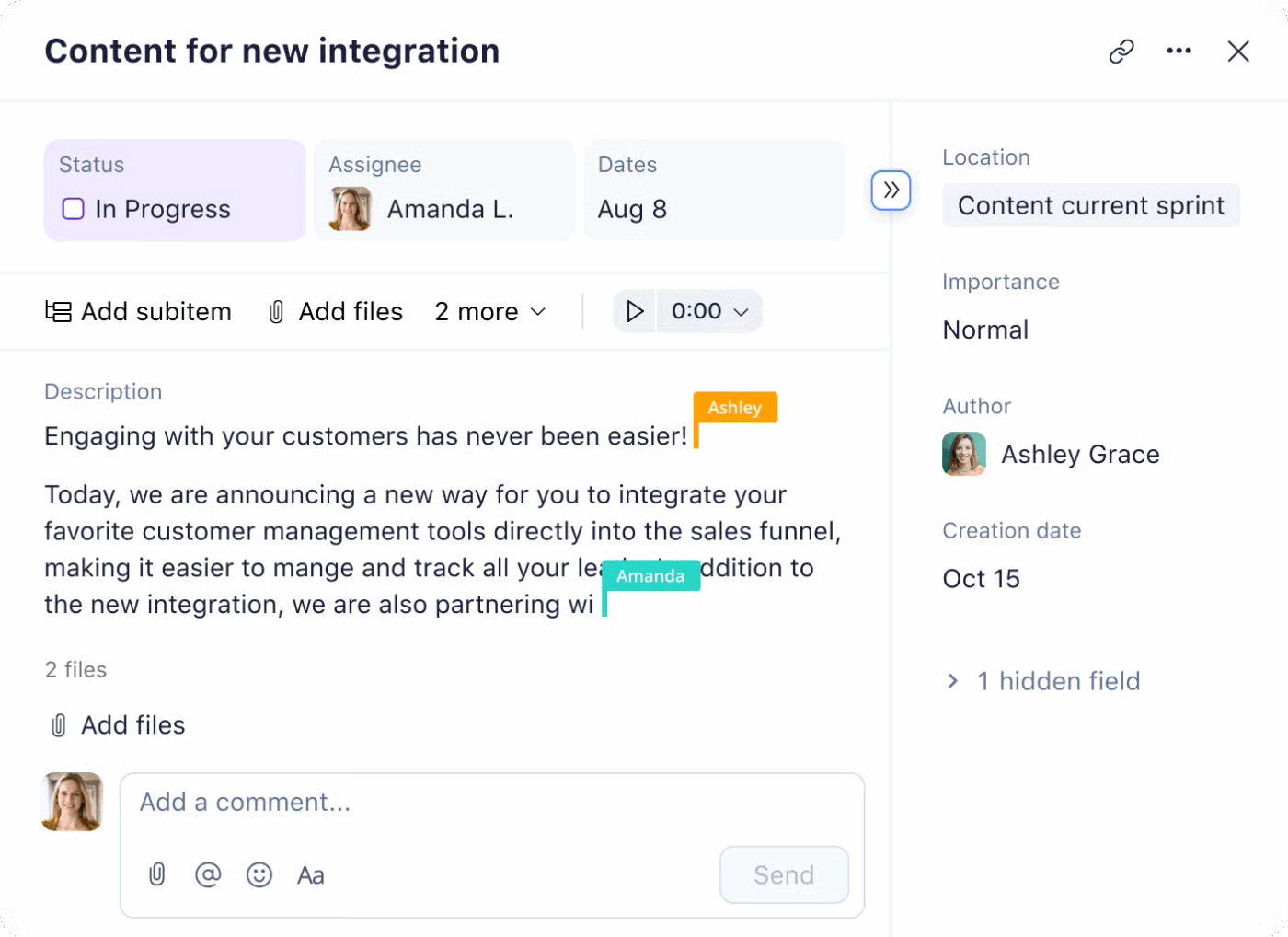
Wrike is designed for mid-market and enterprise companies that require advanced governance, portfolio management, and cross-departmental visibility. If you’re moving on from Taiga because your organization has scaled beyond what a single-team Agile tool can support, Wrike provides the infrastructure to manage work across the entire business.
Its AI layer, Work Intelligence, offers features like a Copilot for answering questions, risk prediction for projects, and automated summaries. For creative teams, Wrike’s proofing feature supports over 30 file formats, allowing for collaborative review and approval directly within the platform.
Wrike’s power is also its main challenge. It requires a significant investment in setup and configuration, and the learning curve is steeper than many alternatives.
Pros:
Cons:
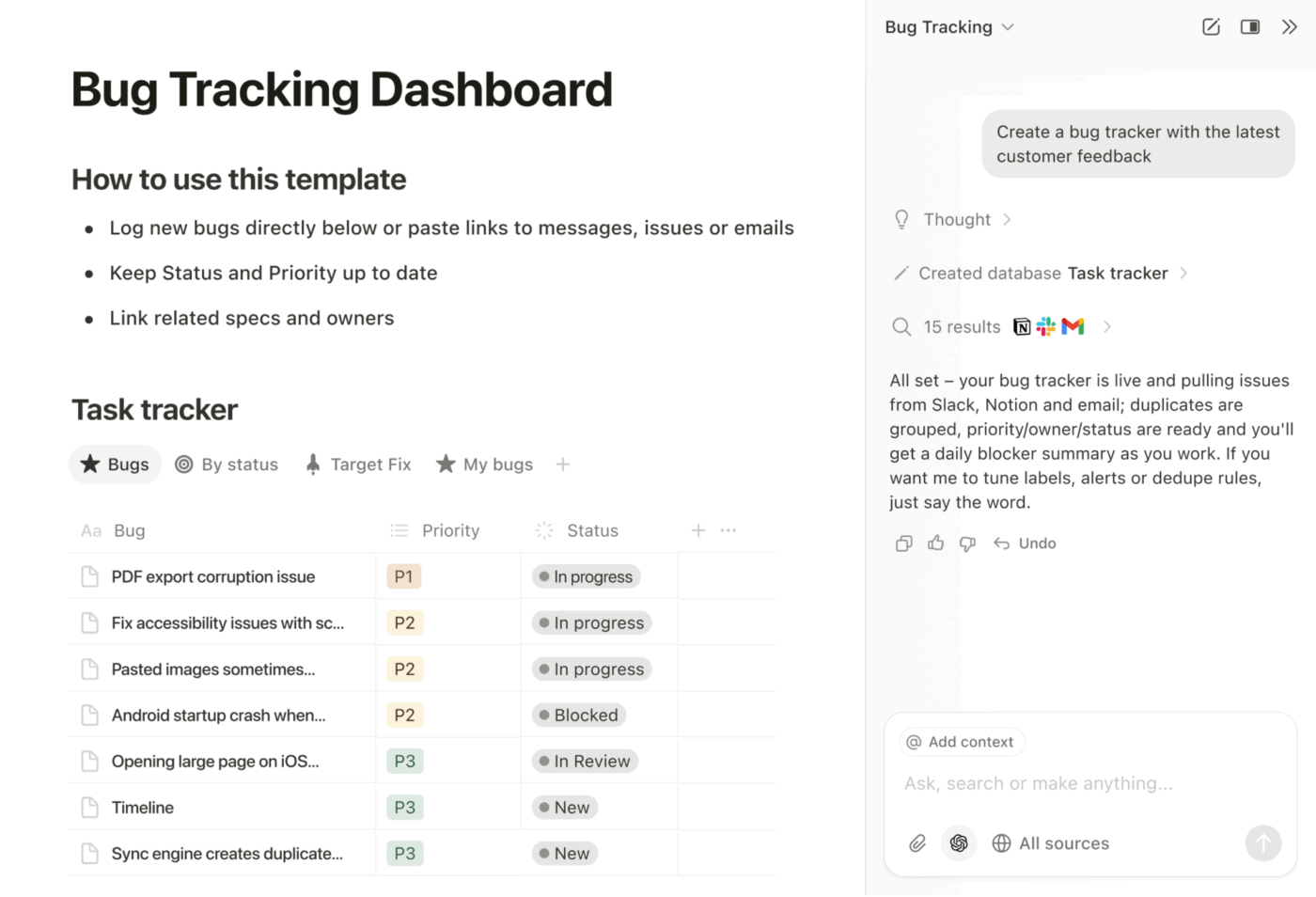
Notion isn’t a traditional project management tool; it’s a modular workspace where you build your own systems using pages, databases, and blocks. It’s an ideal choice for teams that need strong documentation capabilities alongside their task tracking, as it combines wikis, docs, and projects into one flexible environment.
The core of Notion is its relational database system. You can create tables that link to one another, allowing you to roll up data across projects and build custom views like Kanban, Calendar, and List from the same data source. Notion AI enhances this by providing summarization, content generation, and search capabilities across your entire workspace.
This flexibility is both a strength and a weakness. While you can build almost any workflow you can imagine, you have to build it yourself.
Pros:
Cons:
Zoho Projects is a practical project management tool that offers the most value to teams already invested in the Zoho ecosystem. It integrates seamlessly with other Zoho apps like Zoho CRM, Zoho Desk, and Zoho Analytics, creating a unified platform for your business operations.
Its feature set includes Gantt charts with dependencies, Kanban boards, time tracking, and issue tracking. For service-based businesses, the integration with Zoho Invoice allows for easy timesheet management and client billing. While the interface may feel a bit dated compared to some competitors, it’s straightforward and gets the job done.
Zoho Projects is a reliable and competitively priced option, making it a natural choice for small to mid-sized teams that are already using other Zoho products.
Pros:
Cons:
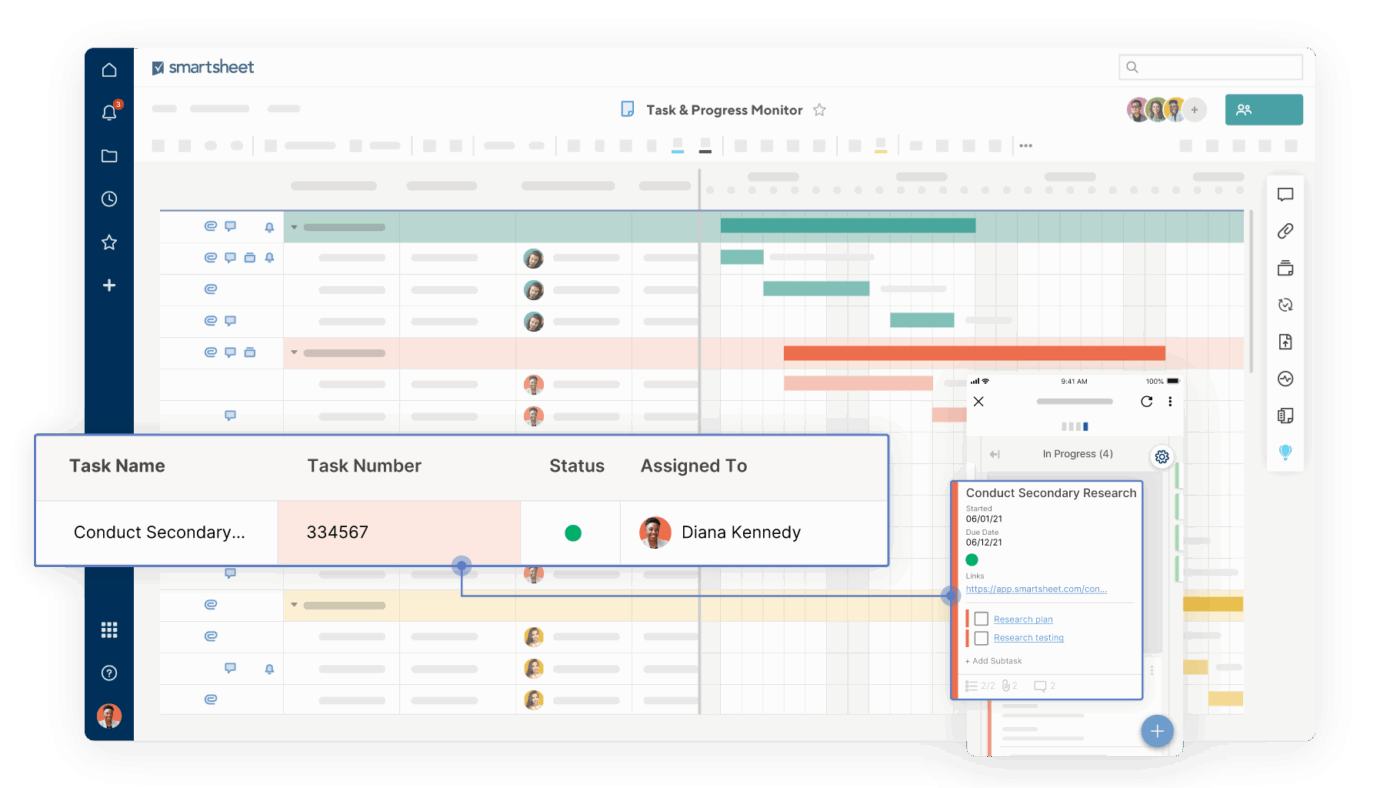
Smartsheet is designed for teams that are comfortable with spreadsheets but need more project management power. Its grid-based interface feels like Excel, but it adds features like Gantt charts, automations, and collaboration tools on top. This makes it an easy transition for teams that are used to working in rows and columns.
The platform is a strong choice for regulated industries, offering FedRAMP Moderate authorization for government work and HIPAA compliance for healthcare. Its Control Center provides PMO-level governance, allowing organizations to standardize project templates and maintain consistency at scale.
Many of Smartsheet’s premium features come as paid add-ons. However, its unique combination of spreadsheet familiarity and compliance certifications makes it a valuable tool for a specific audience.
Pros:
Cons:
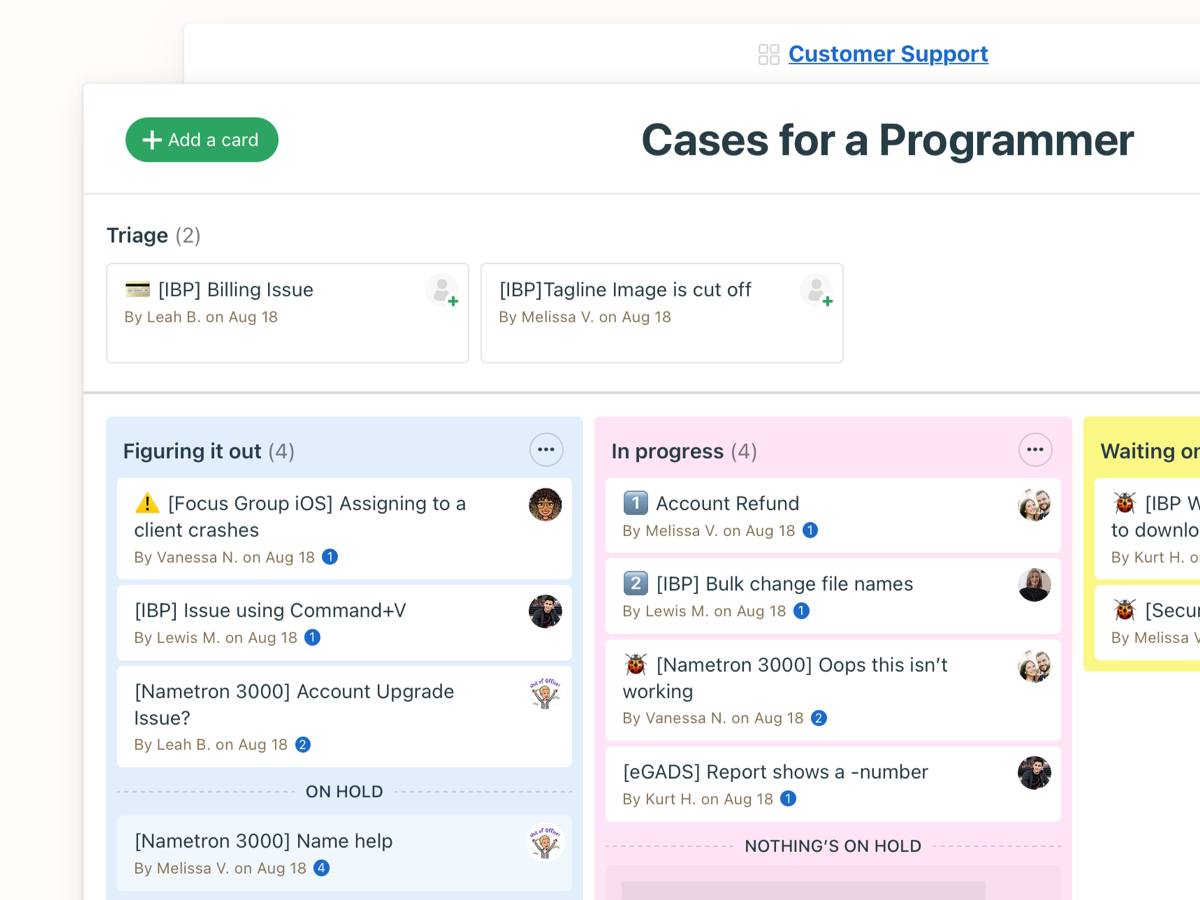
Basecamp is built on a “less is more” philosophy. It intentionally avoids feature bloat, focusing instead on simplicity and clear communication. It’s designed for remote teams that value asynchronous work. Features like Message Boards replace email threads, and Automatic Check-ins get team updates without meetings.
One of its most unique features is Hill Charts. These offer a different way to visualize project progress by showing whether work is still in the “figuring it out” stage or has moved on to the “making it happen” stage. This provides a more honest look at where projects truly stand.
Basecamp’s flat-rate pricing is another differentiator. You pay one price for your entire team, which can be very cost-effective for larger organizations.
Pros:
Cons:
Finding the right Taiga alternative comes down to understanding what your team actually needs—not just what sounds impressive on a features page. If you’re a dev team that needs enterprise Agile, Jira’s depth is hard to beat. If simplicity is the priority, Trello or Basecamp strips away complexity.
But if you’re tired of juggling multiple tools for tasks, docs, and communication, ClickUp brings everything together. And you get AI that actually understands your work. No more context sprawl, no more hunting through five apps to find what you need. The best tool is the one your team will actually use consistently.
Start with your biggest pain point, match it to the solution that addresses it directly, and build from there. Get started for free with ClickUp and see how a converged workspace changes the way your team works.

© 2026 ClickUp