







Still downloading templates?
There’s an easier way. Try a free AI Agent in ClickUp that actually does the work for you—set up in minutes, save hours every week.
Sorry, there were no results found for “”
Sorry, there were no results found for “”
Sorry, there were no results found for “”


Back-to-back meetings are difficult enough without the added stress of note-taking, follow-ups, and trying to recall who committed to what.
AI meeting assistants have become essential for teams who want to stay focused during discussions and rely on accurate recaps afterward.
Superwhisper is a helpful tool, but it’s not the only one.
In this blog post, we’ll walk you through 10 Superwhisper alternatives that go beyond speech-to-text transcription, helping you act on what’s said, not just record it. 🧑💻
Looking for a quick side-by-side of the top tools? Here’s a snapshot of the best Superwhisper alternatives and what each offers. 📊
| Tool | Best features | Best for | Pricing* |
| ClickUp | AI Notetaker with speaker tagging, real-time task creation, searchable Docs, and ClickUp Brain for meeting insights | Individuals, small businesses, mid-market companies, enterprises | Free plan available; customization available for enterprises |
| Otter.ai | Custom vocabulary, automatic summaries, shared workspaces, global search | Small businesses, mid-market companies | Free plan available; Paid plans starts at $16.99/month per user |
| Sembly AI | Task extraction, topic markers, AI recaps, searchable meeting history | Small businesses, mid-market companies | Free plan available; Paid plans starts at $15/month per user |
| Fireflies.ai | Team channel highlights, custom trackers, semantic search, video snippets | Small businesses, mid-market companies, enterprises | Free plan available; Paid plans starts at $18/month per user |
| Grain AI | Video clips, topic-based collections, collaborative libraries, branded highlights | Small businesses, mid-market companies | Free plan available; Paid plans starts at $19/month per user |
| Avoma | Sentiment tracking, sales coaching, CRM sync, conversation playbooks | Mid-market companies, enterprises | Paid plans starts at $29/month per user |
| Fathom | Email recaps, AI highlight summaries, natural language search, secure recordings | Individuals, small businesses | Free plan available; Paid plans starts at $19/month per user |
| MeetGeek | Smart note distribution, AI chaptering, talk-time metrics, meeting tags | Small businesses, mid-market companies | Free plan available; Paid plans starts at $19/month per user |
| tl;dv | Browser-based recording, segment sharing, team video libraries, tagging | Individuals, small businesses | Free plan available; Paid plans starts at $29/month per user |
| Tactiq | Real-time Meet transcription, Google Docs export, shared annotations, highlights | Individuals, small businesses | Free plan available; Paid plans starts at $12/month per user |
Our editorial team follows a transparent, research-backed, and vendor-neutral process, so you can trust that our recommendations are based on real product value.
Here’s a detailed rundown of how we review software at ClickUp.
Superwhisper’s voice-to-text is handy for Mac users, but its limitations can push you toward alternatives. Issues like cost, customization, or platform support often make switching worthwhile.
Here’s why you might explore other meeting management tools. ⚒️
🧠 Fun Fact: Ancient Greeks gathered in the Agora to debate civic issues, and Romans held everything from political to religious meetings in the Forum. So technically, your team sync is part of a 2,000-year-old tradition.
If Superwhisper hasn’t met your needs (or you’re just curious), here are some standout alternatives worth checking out. Whether you’re working with live calls or saved audio and video files, these tools help you extract insights quickly.
Each one offers a unique take on AI for meeting notes and support so that you can find the right fit for your workflow. 📋
Superwhisper captures what was said in a meeting, but it often stops there. You’re still left figuring out how to assign next steps, organize follow-ups, and connect those conversations to ongoing work. For fast-moving teams, that gap can slow things down.
ClickUp offers a more connected, all-in-one approach. As the world’s first Converged AI Workspace, it brings together all your work apps, data, meetings, and workflows, thereby ending Work Sprawl and providing 100% context and a single place for humans and agents to work together.
Take ClickUp AI Notetaker, for example. It records meetings, transcribes conversations in real time, and tags each speaker for clarity.
Here’s a quick primer for you to get started:
Suppose your product team runs a feature planning session in Google Meet. Once the call ends, the tool generates a transcript and a concise summary highlighting key points, such as which features to prioritize and who will lead each initiative.
Those decisions are automatically converted into ClickUp Tasks, assigned, and ready for tracking within the same workspace.
Talk to Text embedded within Brain MAX is a true game-changer for anyone looking to work smarter and faster. This AI-powered dictation tool lets you dictate hands-free in any app—no need to switch windows or break your flow.
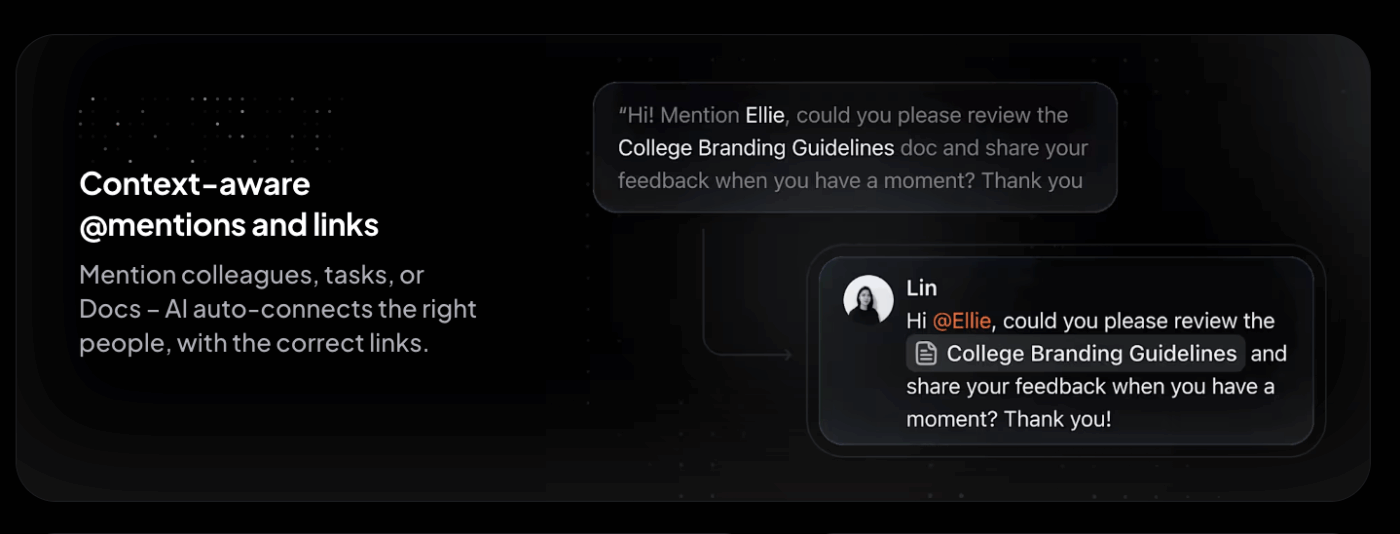
Here’s all that you can do with it:
Brain MAX can also search your meeting notes and docs across platforms like Google Drive, GitHub, OneDrive, SharePoint, and all connected apps. Beyond just search, it consolidates the capabilities of multiple AI tools, such as ChatGPT, Claude, and Gemini, into a single, intelligent, and enterprise-ready platform.
If you are ready to ditch the AI sprawl, use your voice to get work done, create documents, assign tasks to team members, and more, try Brain MAX.
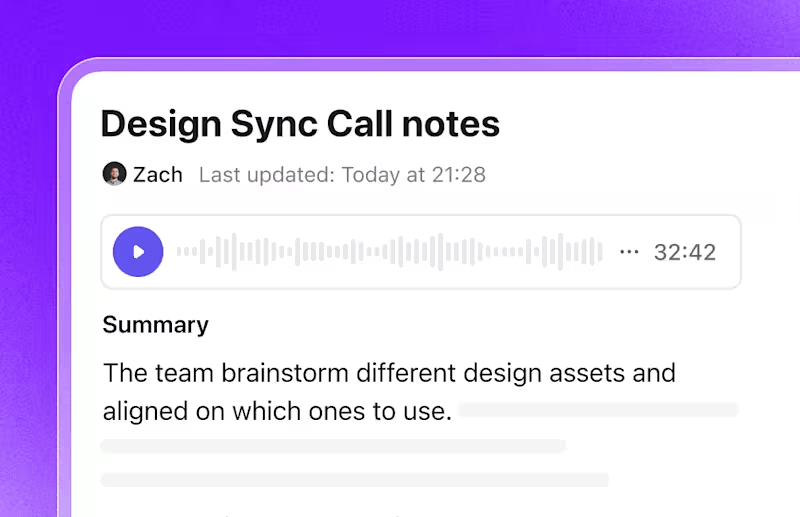
All meeting content, summaries, and transcripts are stored in a private ClickUp Docs. These Docs support rich formatting, collaborative editing, and tagging, making it easier to organize and access meeting records across teams.
For instance, a client success team can revisit onboarding calls, add contextual notes, and keep everything tied to that client’s folder for seamless visibility.

If you’re looking for a specific follow-up from a previous meeting, ClickUp Brain, the integrated AI assistant, can help.
Ask a question like, ‘What was discussed about the Q2 launch?’ and it’ll instantly surface relevant points from past transcripts. This is especially useful for teams managing multiple projects or a high meeting volume.
To streamline note-taking even further, ClickUp Meetings offers various meeting notes templates.
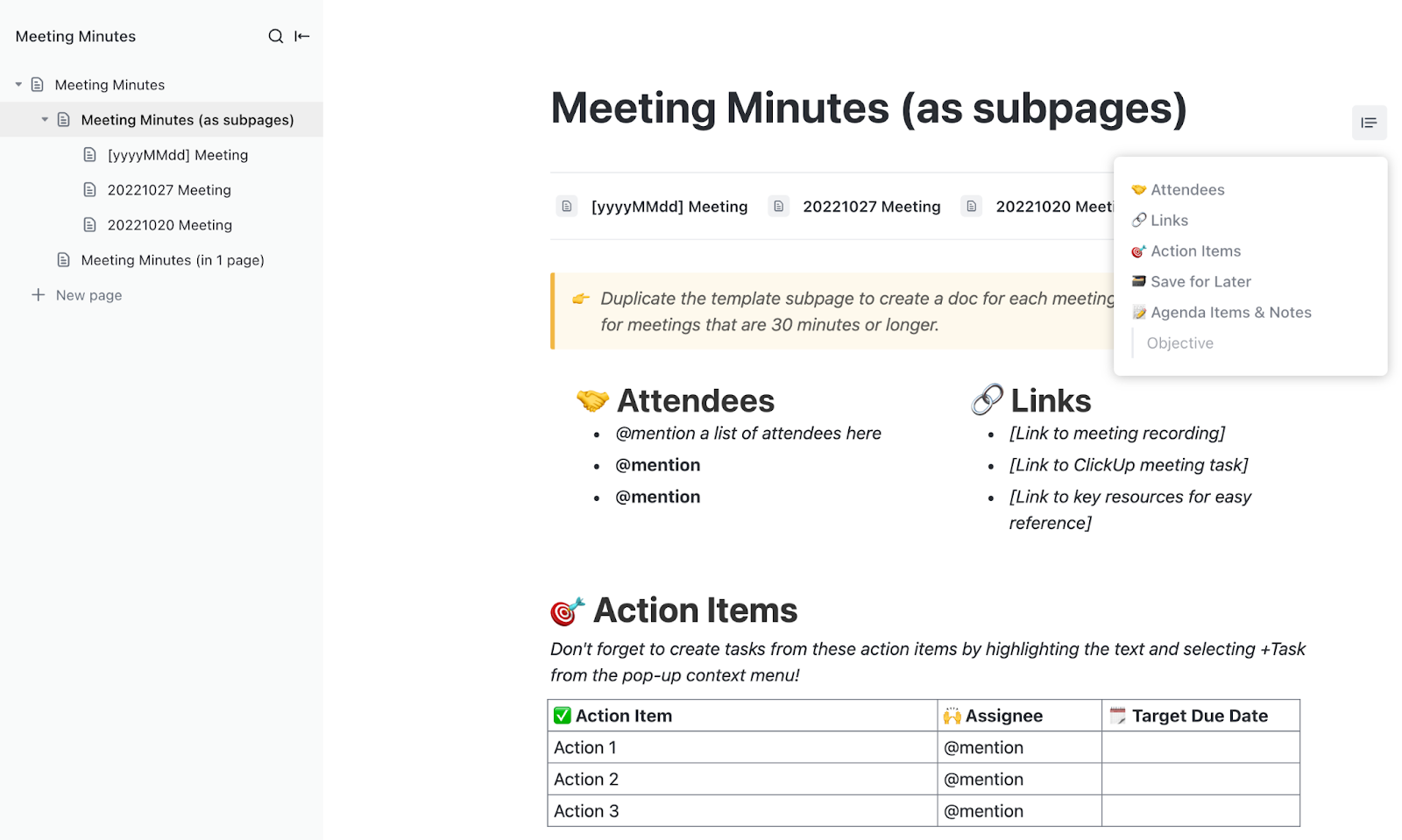
The ClickUp Meeting Minutes Template helps standardize how your team captures and organizes discussions. The template includes dedicated sections for agenda items, decisions, and follow-ups, helping teams document meetings clearly and consistently.
This Reddit review really says it all:
I was on the fence about ClickUp Brain at first, just seemed like another AI gimmick. But it’s saved me from some tedious writing tasks, especially when I need to summarize lengthy client emails or get a draft started. Not perfect, but helpful when I’m swamped. The AI notetaker feature was the real surprise. We used to lose so many action items after meetings, but now it catches everything and assigns tasks automatically. Follow-through has gotten noticeably better. Like anything, it took some getting used to, and there are still moments when things feel a bit clunky. But looking back at how we worked before, I wouldn’t want to go back.
📮 ClickUp Insight: According to our meeting effectiveness survey, nearly 40% of respondents attend between 4 to 8+ meetings per week, with each meeting lasting up to an hour. This translates to a staggering amount of collective time dedicated to meetings across your organization.
What if you could reclaim that time? ClickUp’s integrated AI Notetaker can help you boost productivity by up to 30% through instant meeting summaries, while ClickUp Brain helps with automated task creation and streamlined workflows, turning hours of meetings into actionable insights.
🎥 Watch us compare Wispr Flow, Superwhisper, ClickUp, and other voice-dictation tools:

via Otter.ai
Otter.ai is a popular note-taking assistant. Its real-time transcription is accurate and shows speaker IDs and timestamps, so you’ll always know who said what and when.
Even better? Otter can automatically join your Zoom, Google Meet, or Microsoft Teams meetings (yes, even if you’re not there), and its mobile app means you can capture conversations on the fly, even offline. Plus, the tool’s built-in AI chat can pull out follow-ups or even write recap emails.
Here’s what one G2 reviewer had to say:
My favorite thing about Otter is that I can pay full attention to those I’m connecting with on a call, without having to continuously take notes. Conversations can become more free-flowing, I can ask more questions and find out a lot more information, because I know that Otter will take notes and record an audio transcript.
💡 Pro Tip: Before you meet, assign each person a role: Driver, Approver, Contributor, or Informed. AI can help identify contributors from past meetings or project documents. No more stepping on each other’s toes.

via Sembly AI
Think of Sembly as an AI transcription tool that identifies action items, decisions, and follow-ups automatically. So while you’re wrapping up a call, it summarizes the next steps.
What sets it apart is its deep integrations with project management tools. That means meeting insights get piped directly into your workflows. Add sentiment analysis, multi-language support, and powerful search tools, and the tool becomes a strategic sidekick.
📖 Also Read: Best AI Minutes of Meeting Generators

via Fireflies.ai
Fireflies.ai focuses on making your meetings searchable and smart. Its real strength lies in its topic and sentiment analysis; you can look up ‘budget updates,’ ‘positive feedback,’ or ‘deadlines’ across dozens of transcripts, and the tool will surface the exact moments.
It also organizes your meeting content with automatic tags and themes, making it easier to track conversations over time. Shared workspaces, team annotations, and task list creation help Fireflies turn your meetings into a living knowledge base.
🧠 Fun Fact: Note-taking as a practice goes way back. Ancient Egyptians recorded events in hieroglyphics, while Roman scribes invented early shorthand to keep up with public speeches.

via Grain AI
Running on a fast-paced workflow? Instead of sending a full 60-minute recording, you can clip 90-second highlights and share them with your team using Grain AI. Whether it’s a client’s aha! moment or a project decision, the tool makes it easy to capture and reshare just the important stuff.
You also get live transcription, searchable archives, and integrations with Slack and Teams. It’s beneficial for sales and customer success folks who want to keep stakeholders aligned without overwhelming them with entire replays.
One G2 review puts it this way:
Grain is able to accurately capture meeting notes and transcripts. The support team is also very efficient and the onboarding system. Its also very easy to integrate and connect with other team members…maybe if they allow a minumum of 25 meeting recordings on the free licenses instead of the current 20
💡 Pro Tip: A meeting without a purpose is just calendar clutter. Decide if it’s for brainstorming, decision-making, or updates, then let your AI assistant auto-generate a meeting agenda based on emails or chats.

Avoma converts audio files from your meetings into written text and insightful analytics, making it more than just an AI transcription service. It supports multiple languages (40+), client scheduling, and lead routing.
But what makes the tool different is its coaching and performance analytics.
Sales managers and team leads can see talk ratios, track how reps handle objections, and use insights to give specific feedback. Think of it as a meeting assistant that’s focused on helping your team grow, not just take notes.
🔍 Did You Know? Robert’s Rules of Order, still used today to run productive meetings, was written in the 1800s to help organize church meetings. Before that, everyone just… kind of talked over each other.

via Fathom
Fathom makes meetings easy and, surprisingly, free. It joins your Zoom, Meet, or Teams calls, records them, and writes an instant summary so you don’t have to. The AI meeting tool even syncs notes, text boxes, and tasks straight into your CRM, no extra clicks required.
Why should you use it? It gives you instant video clips from specific parts of a meeting. Want to share just the part where your client said, ‘Let’s move forward?’ Clip it and send it.
A Reddit user shared this feedback:
As an agency, we’re big fans of Fathom. The interface is dead simple, so we can quickly pull reports on traffic, conversions, or user behavior without wading through clutter. Also, it’s easy to share links with freelancers so there’s no additional work getting them up to speed.

via MeetGeek
MeetGeek records and transcribes meetings, even the ones you miss, and emails you a follow-up summary minutes after.
It goes beyond just capture: MeetGeek supports private notes, speaker tracking, performance metrics, and meeting trend analysis. With integrations into over 7,000 apps, including CRMs and task managers, it’s built for teams that want every meeting to move work forward, not pile up as digital clutter.
Straight from a Reddit review about this Superwhisper alternative:
If you want a tool that summarizes and creates meeting minutes that capture the most relevant details from your meetings you should try MeetGeek. It even lets you customize templates to generate meeting minutes that capture specific info for you. And then you can simply search for keywords to find them or sync them automatically to other tool that you use (ex. Notion, Slack, etc)
🧠 Fun Fact: The term meeting minutes comes from the Latin minuta scriptura, meaning ‘small notes,’ which makes sense considering how quickly they can be forgotten if you don’t write them down.

via tl;dv
tl;dv (Too Long; Didn’t View) is ideal for sales and customer success teams that need insights. This AI assistant automatically transcribes, translates, and summarizes calls, but its real power lies in coaching. It flags how well reps followed the playbook, handled objections, and performed during meetings.
It also curates and shares ‘best moment’ reels to help teams learn from real conversations. With tight CRM integration and support for 30+ languages, tl;dv transforms meetings into a revenue-generating feedback loop.
📖 Also Read: Best AI Summarizer for Documents & Articles

via Tactiq
Tactiq captures action items as you discuss them. It works inside Zoom, Google Meet, and Microsoft Teams, letting you take timestamped notes that link directly to transcript moments.
You can highlight key points, assign action items, and collaborate on notes during the meeting, not after. Everything syncs with Google Docs or Slack, making handoffs smooth. This Superwhisper alternative is ideal for teams that want to walk out of a meeting already organized, and maybe even a little ahead.
A Reddit user summed it up like this:
I’ve been using Tactiq for this at work, and it’s been incredibly helpful. It integrates with platforms like Google Meet and captures the important details and action items, which really saves time, especially with back-to-back meetings. Definitely worth checking out!
💡 Pro Tip: Keep your meeting sharp with 4D’s: Decide, Discuss, Demo, Delegate. Start with what decisions must be made, discuss challenges, demo progress (if any), and delegate next steps. AI can log and track each ‘D’ as the meeting unfolds.
Capturing what was said in a meeting is useful, but capturing what needs to happen next is what really drives progress. While Superwhisper offers solid voice-to-text support and subtitle generation, it lacks the broader functionality that growing teams need to stay aligned and act fast.
For teams looking to bring meetings, tasks, and collaboration into one organized system, ClickUp is a complete solution.
With advanced technology like AI Notetaker, Docs, and real-time task creation and translation, ClickUp turns human conversations and ideas during lectures, podcasts, and meetings into action without missing a beat.
Sign up for ClickUp today! ✅

© 2026 ClickUp

There’s an easier way. Try a free AI Agent in ClickUp that actually does the work for you—set up in minutes, save hours every week.