

Sorry, there were no results found for “”
Sorry, there were no results found for “”
Sorry, there were no results found for “”
Most small businesses fail not because they lack ambition, but because they lack systems—only 57.3% of start-ups survive past five years. By the time you hit 10 employees, the informal processes that got you to five people become the chaos that prevents you from reaching 50.
This guide walks you through the seven core workflows every growing company needs to build a scalable small business operating system, plus how to implement them in ClickUp without drowning in tool sprawl.
As your small business grows, you hit a wall. The ad-hoc processes and tribal knowledge that worked for a team of three start to break down with a team of 10. You, the founder, become the bottleneck for every decision, and the constant context switching between scattered tools leads to dropped balls and burnout. This is the pain of scaling without a system.
A small business operating system is the collection of documented workflows, tools, and communication protocols that allows your company to run consistently—even when you’re not in the room. It’s the operational backbone built for teams of five to 50 people who have outgrown sticky notes but aren’t ready for enterprise-level bureaucracy. Think of it like your computer’s OS. It’s the invisible layer that makes all your programs run smoothly without you having to think about it.
Without this framework, every task becomes a one-off decision, wasting precious time. This inefficiency is a luxury small businesses can’t afford. The problem gets worse when your operating system is fragmented across a dozen different apps—a phenomenon known as tool sprawl. When your project plans are in one tool, your documents in another, and your communication in a third, your team loses context and momentum.
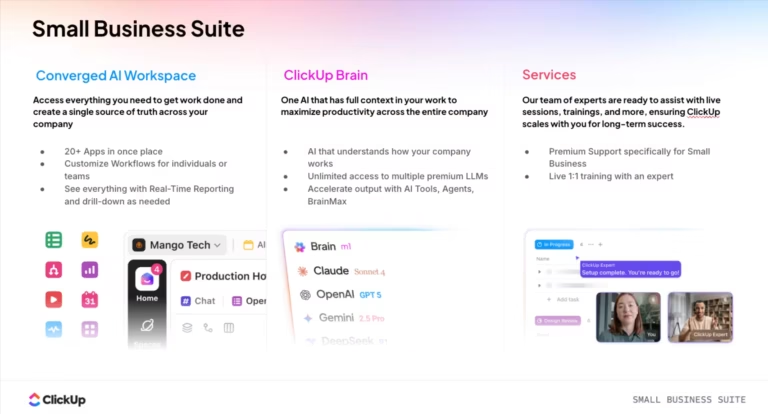
ClickUp solves this by unifying your standard operating procedures (SOPs) and business processes in one place. It provides a single source of truth, turning your scattered collection of apps into a cohesive and scalable operational backbone.
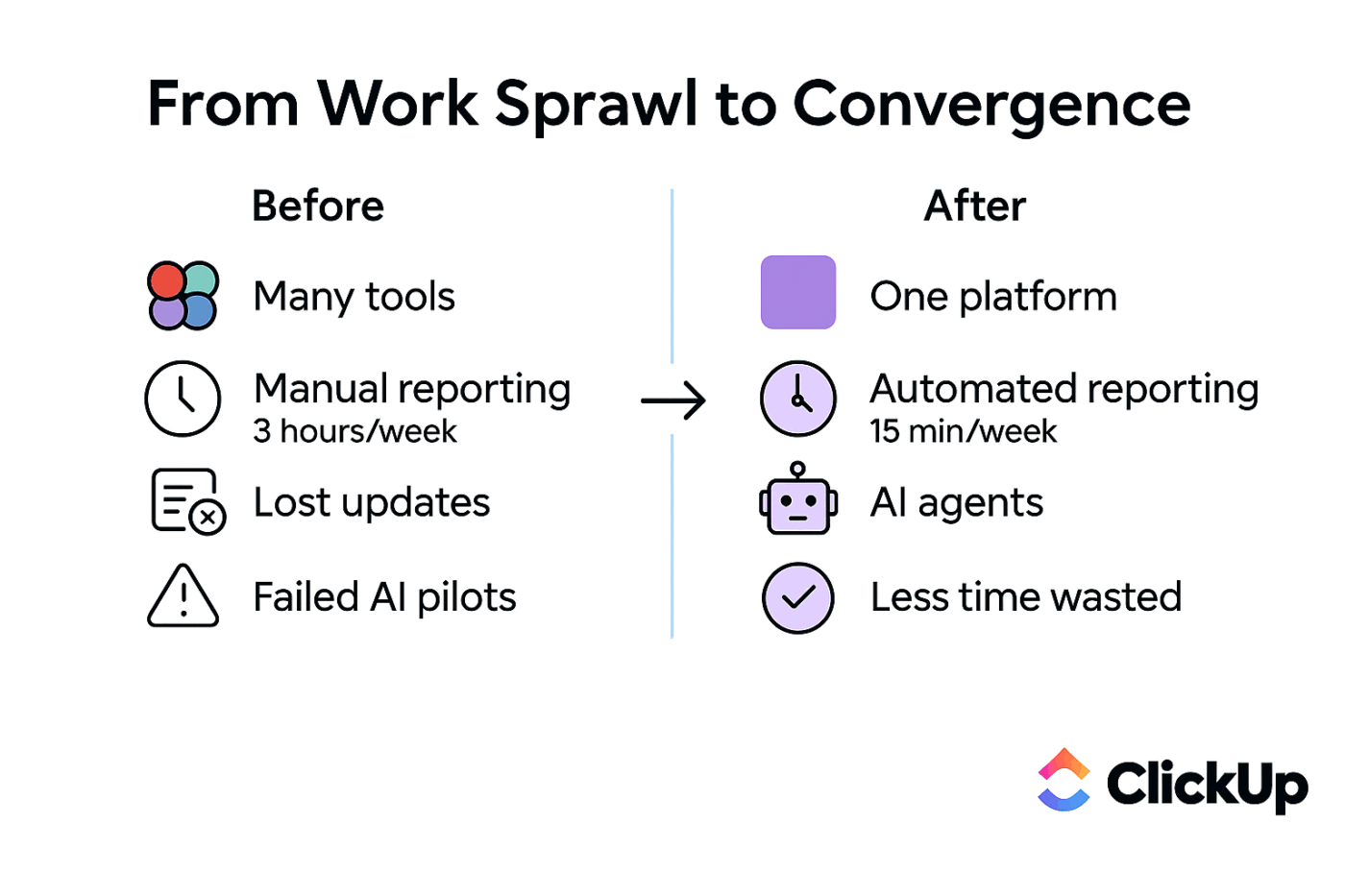
📮 ClickUp Insight: 83% of knowledge workers rely primarily on email and chat for team communication. However, nearly 60% of their workday is lost switching between these tools and searching for information.
With an everything app for work like ClickUp, your project management, messaging, emails, and chats all converge in one place! It’s time to centralize and energize!
These seven operational workflows are the minimum viable operating system for any growing company. They are the foundational layer you need before adding more complex, industry-specific processes.
Each workflow is interconnected. A successful client onboarding triggers a project intake, which then feeds into task prioritization. Managing these handoffs across disconnected tools creates friction and slows you down. By building them in a single, Converged Workspace, you create a seamless flow of work from one stage to the next.
Before diving into the specific workflows, understanding how to apply agile principles to non-software teams can help you build more adaptable and effective systems. This video explains how to implement agile methodologies in any business context:
Your client onboarding is the sequence of steps from a signed contract to the first deliverable. When this process is inconsistent, you spend the first few weeks chasing down information, re-answering the same questions, and making clients feel like an afterthought. This erodes trust before the project even begins.
A standardized onboarding workflow ensures every client gets the same professional experience. It sets the tone for the entire relationship and prevents crucial details from slipping through the cracks.
Key steps for a smooth onboarding include:
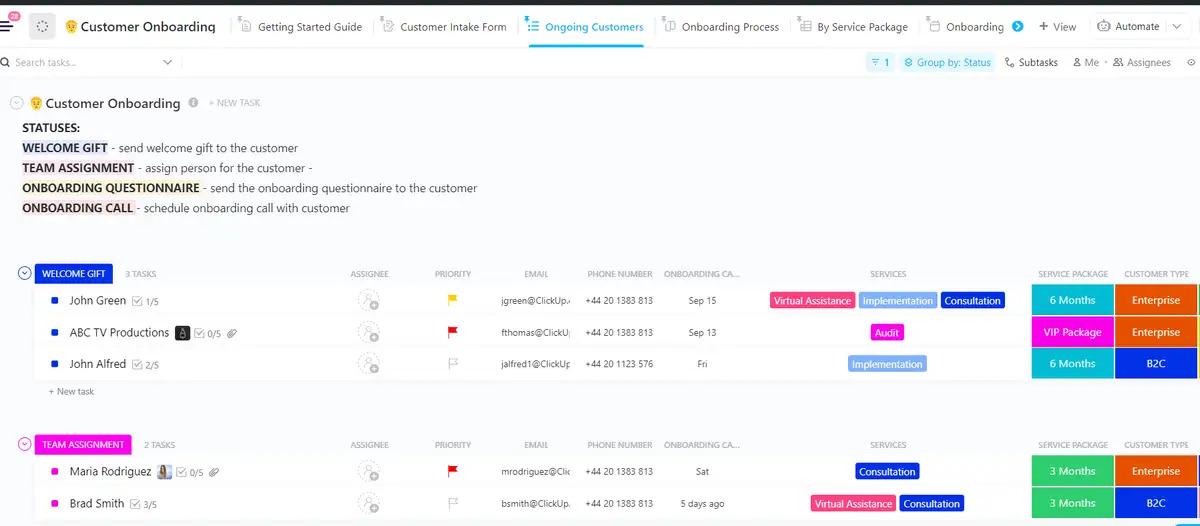
Stop chasing clients for information and gather all the details you need in one go with ClickUp Forms. Each form submission automatically creates a task in ClickUp, so nothing gets lost. Trigger a welcome email, assign onboarding tasks to your team, and ensure a flawless handoff every time with ClickUp Automations. Create a central hub for your team by housing all your welcome materials and onboarding checklists in ClickUp Docs.
Without a formal project intake process, your team is likely saying “yes” to every request that comes their way. This leads to silent scope creep, overloaded team members, and guesswork when it comes to capacity planning. You end up working on unprofitable projects simply because there was no gate to evaluate them.
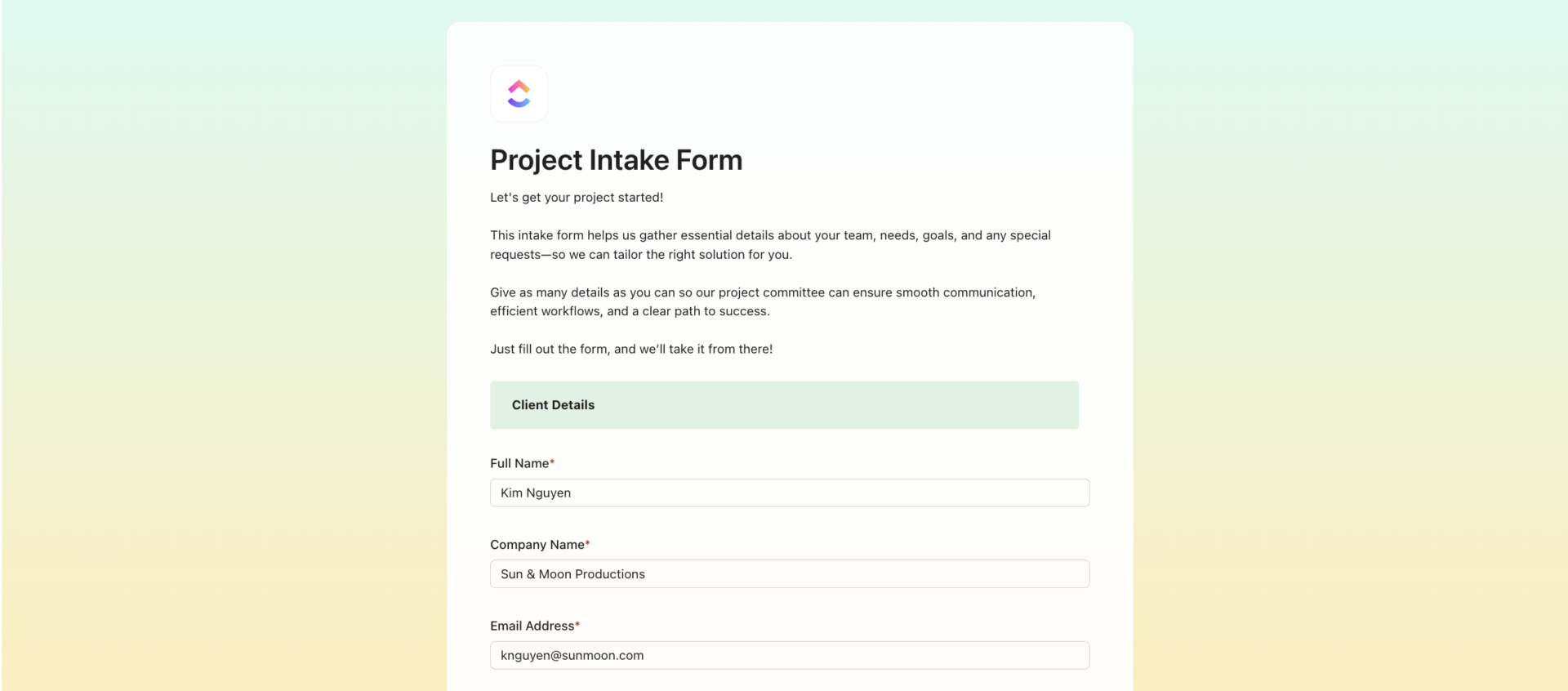
A project intake and scoping workflow is how you capture new work requests and define their scope before committing resources. It’s your defense against chaos. This workflow involves a standardized request process, clear scoping criteria, a feasibility review, and an official approval gate.
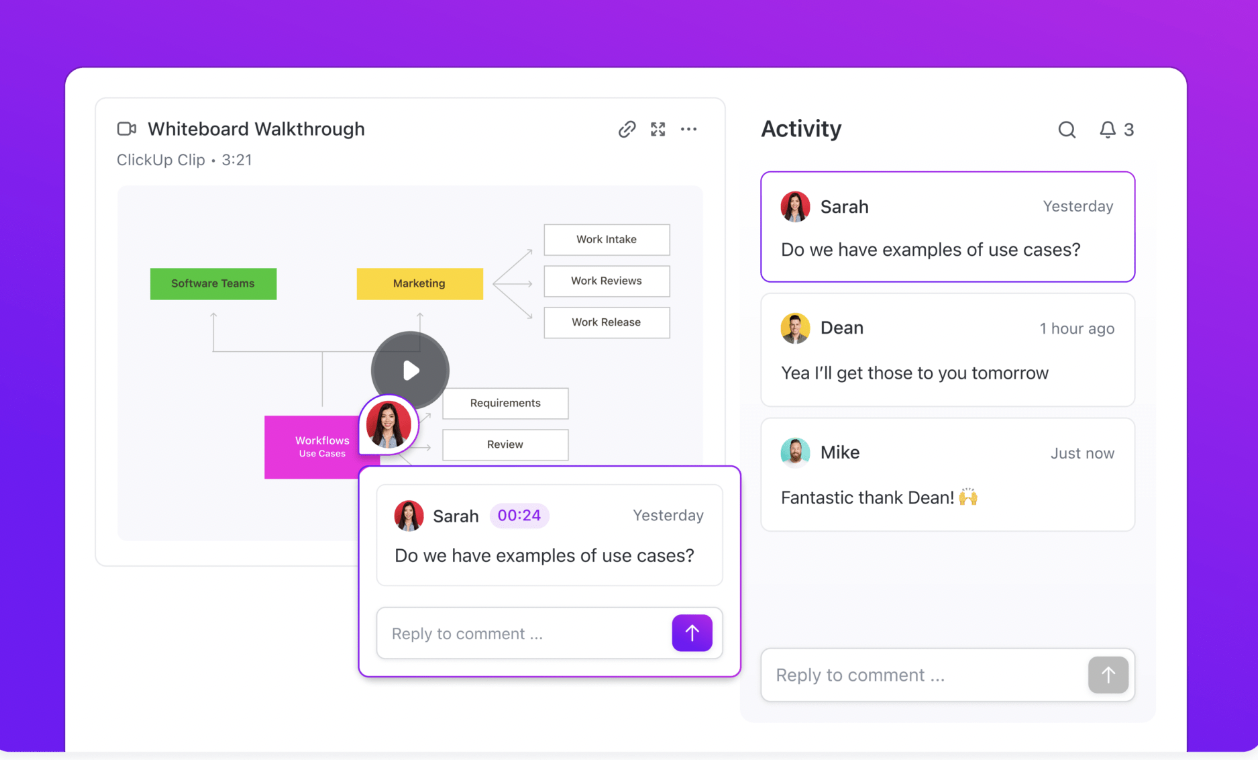
Eliminate random requests from Slack and email and create a single, standardized entry point for all new projects with ClickUp Forms. Capture and track critical scoping details like budget, timeline, and complexity using ClickUp Custom Fields once a request is submitted. Host collaborative scoping sessions and visually map out ideas and requirements in real-time with ClickUp Whiteboards for more complex projects.
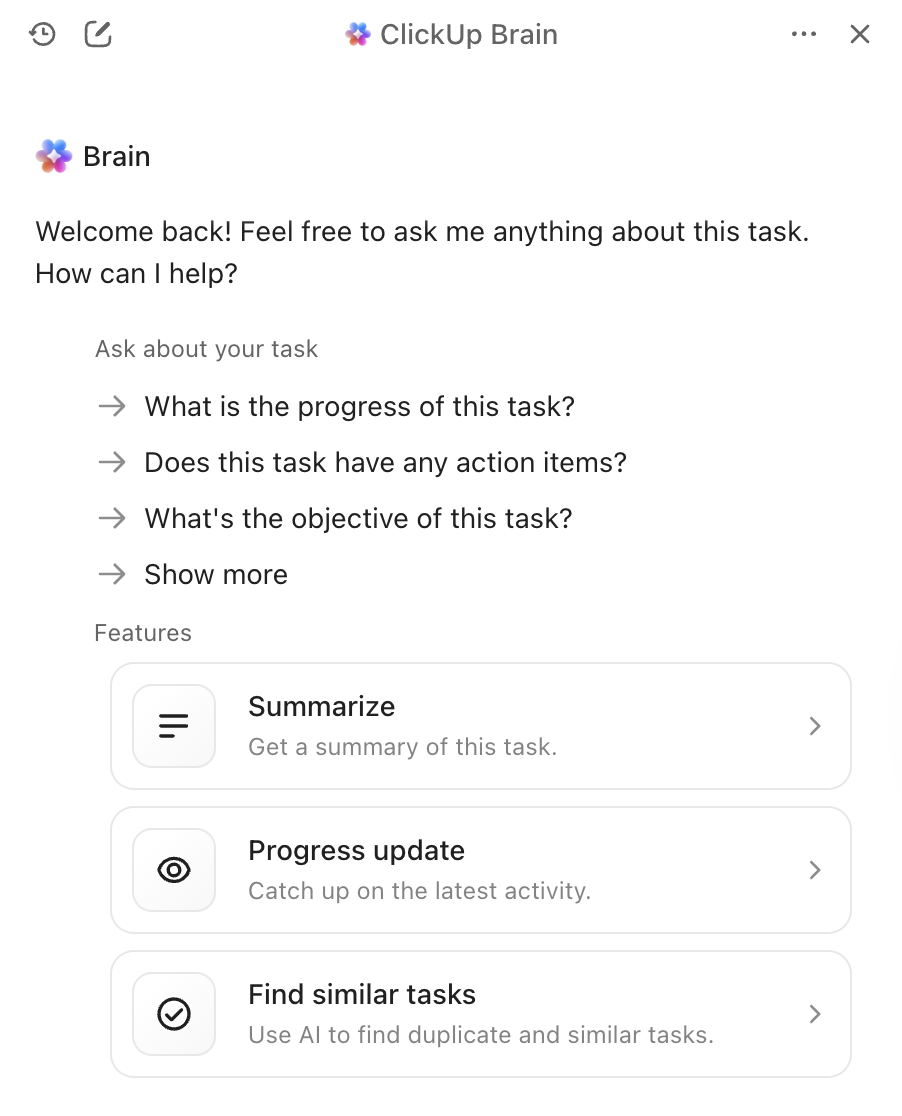
Accelerate the process by automatically summarizing lengthy project briefs and extracting key requirements with ClickUp Brain, turning a wall of text into actionable insights. ✨
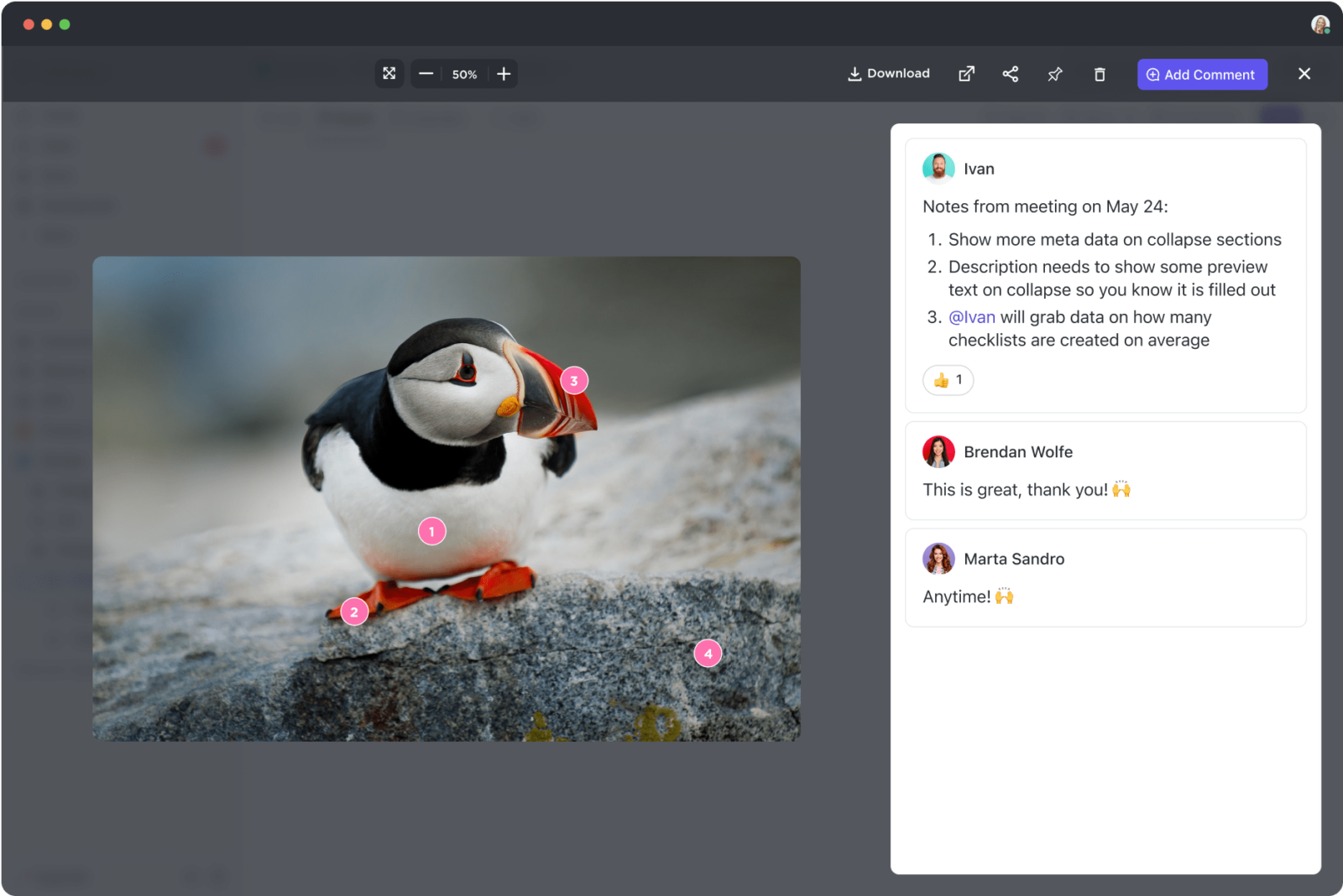
When your review process is a messy combination of email threads, Slack messages, and comments in a Google Doc, feedback gets missed and delays pile up. Team members are left wondering which version is the final one, leading to confusion and rework. This bottleneck not only slows down delivery but also damages team morale.
An internal review and approval workflow ensures work meets quality standards before it ever reaches a client. It establishes a clear path for feedback and sign-off.
A strong review workflow has:
Stop the version control nightmare and create a visual pipeline with ClickUp Custom Statuses. Eliminate ambiguity on creative assets by leaving assigned comments directly on images, videos, and PDFs with ClickUp Proofing. Automatically route work to the right approver the moment its status changes to In Review with ClickUp Automations.
Your team either spends hours each week in status meetings that could have been an email, or you have no idea what anyone is working on until a deadline is missed. Both extremes are inefficient. The first wastes valuable focus time, while the second leaves leadership completely blind to blockers and risks.
A team status update workflow is a recurring process that keeps everyone informed without the meeting overhead. The key is to make updates async-first, meaning information is available when team members need it.
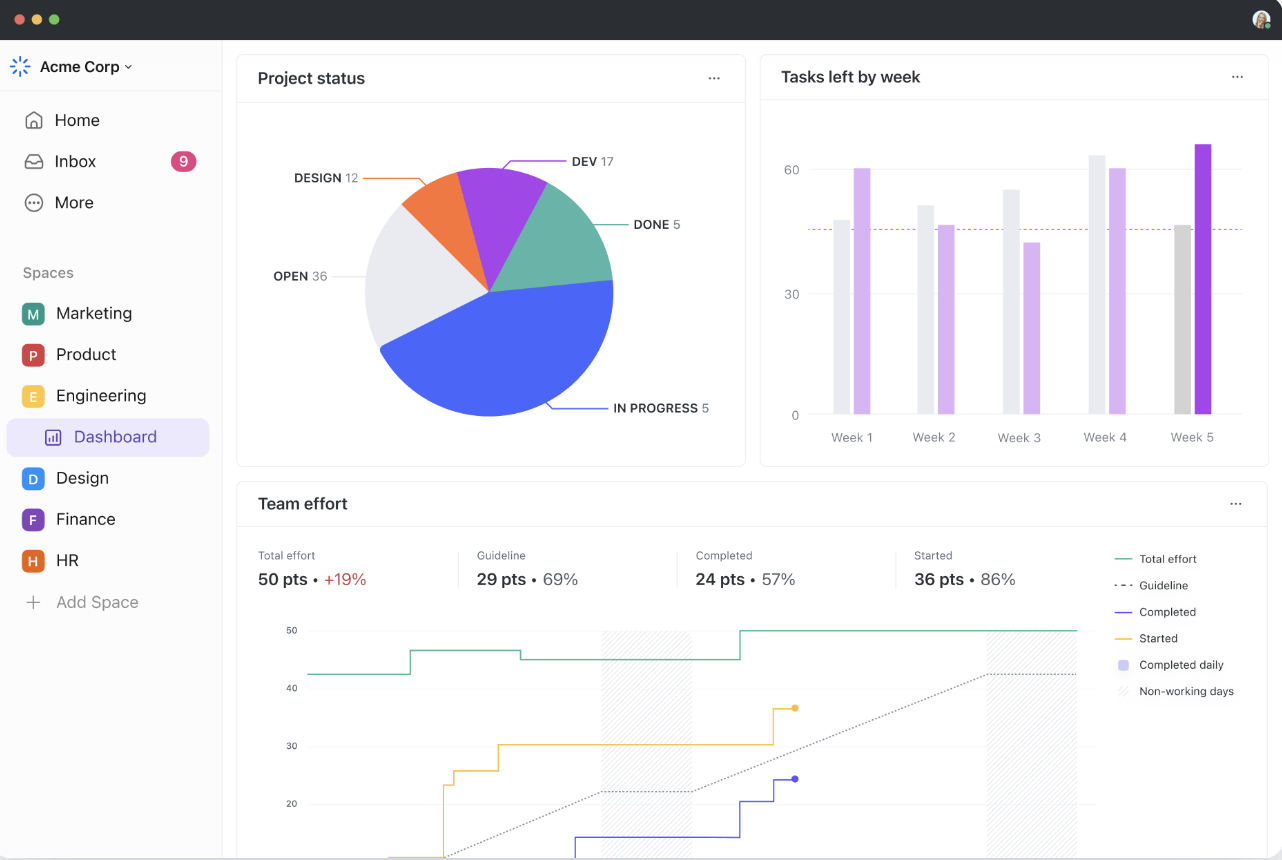
Eliminate daily standups and endless status meetings by getting real-time project visibility with ClickUp Dashboards. Share async video or text summaries that team members can review on their own time with ClickUp Updates for more detailed check-ins.
Save time on manual report compilation by having ClickUp Brain auto-generate progress reports that summarize task activity. 🙌
When client communication is scattered across emails, Slack DMs, text messages, and phone calls, context is lost and response times become unpredictable. Your team wastes time hunting for information, and your clients feel ignored. This communication chaos makes your business look disorganized and unprofessional.
A client communication protocol is a workflow that governs how, when, and where your team talks to clients. It establishes clear expectations and designated channels.
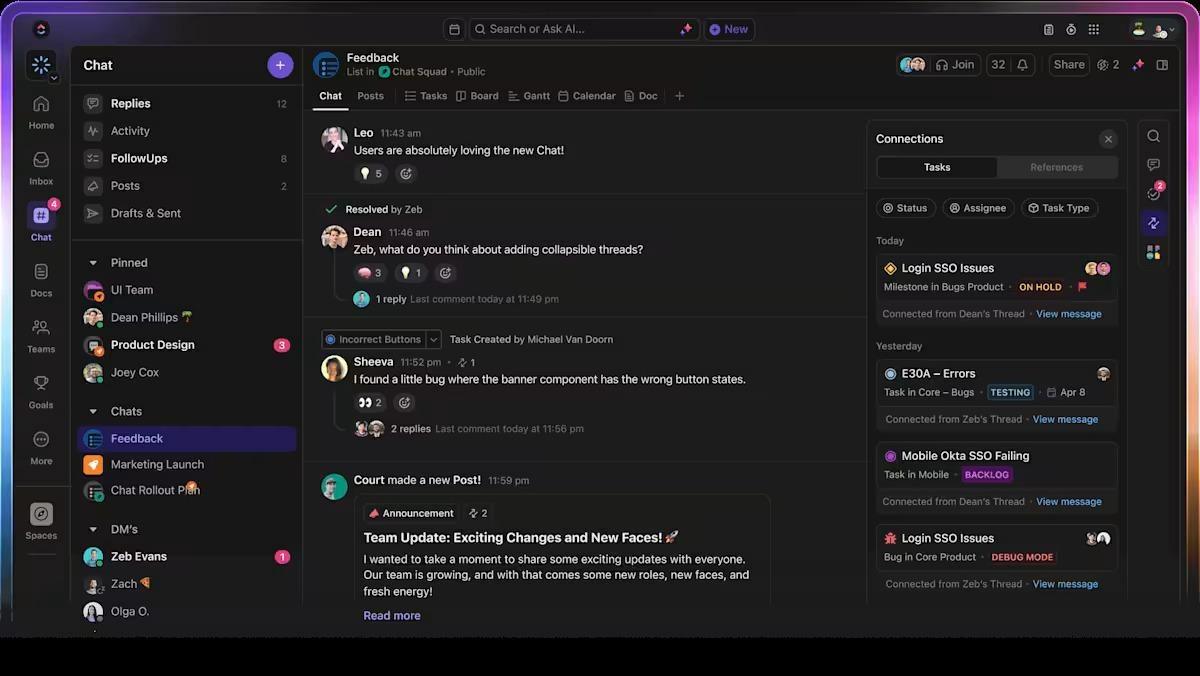
Centralize all your client conversations by using ClickUp Email Integration to send and receive emails directly from within a task. This keeps all communication tied to the relevant work, eliminating the need to search through a separate inbox. Keep internal and external discussion threads organized in one place with ClickUp Chat.
Send quick, personal updates by recording your screen and voice with ClickUp Clips instead of writing long emails.
The “final_v2_FINAL_revised.docx” file name is a classic sign of a broken document workflow. When your team is constantly asking “where’s the latest version?” you’re wasting time and risking rework. Outdated attachments floating in email threads and conflicting edits that overwrite good work are direct results of not having a system for version control.
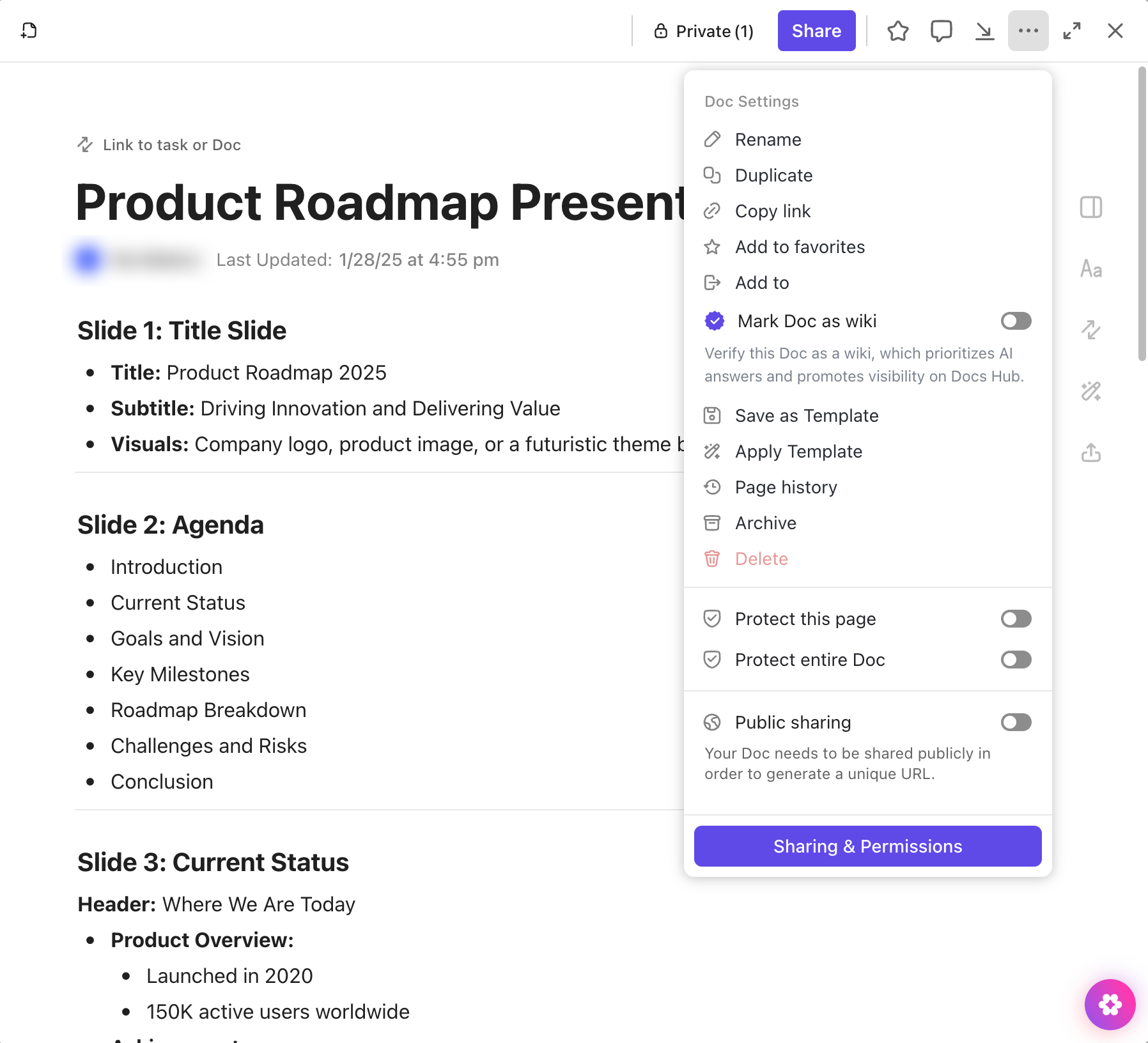
A document version control workflow ensures everyone is always working from the correct, current version of any document or asset. It requires a single source of truth.
Stop the file-hunting for good with ClickUp Docs. Because it allows for real-time collaboration, the Doc itself is always the latest version, with a full version history to track every change. Attach assets directly to their related tasks so important files never get lost in disconnected cloud storage folders with ClickUp File Management.
Ensure the right people have the right access and control who can view, comment on, or edit sensitive documents with ClickUp Permissions.
When you’re managing too many competing priorities, nothing is. Without a clear framework for prioritization, your team either works on whatever is loudest or freezes from decision paralysis. This leads to important, long-term strategic projects getting pushed aside for urgent, low-impact fires.
A task prioritization framework is a workflow that determines what gets done first. It removes subjectivity and aligns the entire team on what matters most.
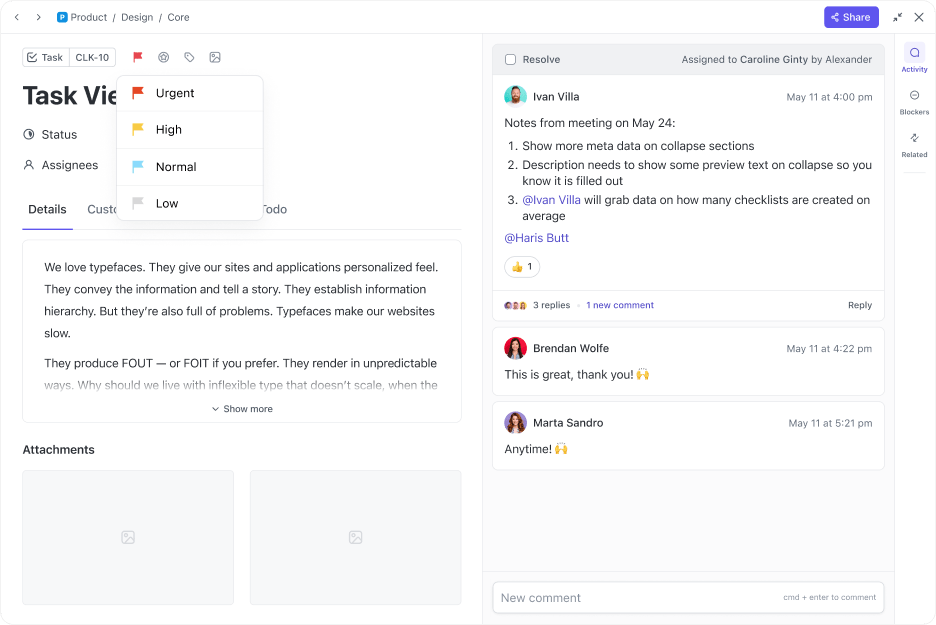
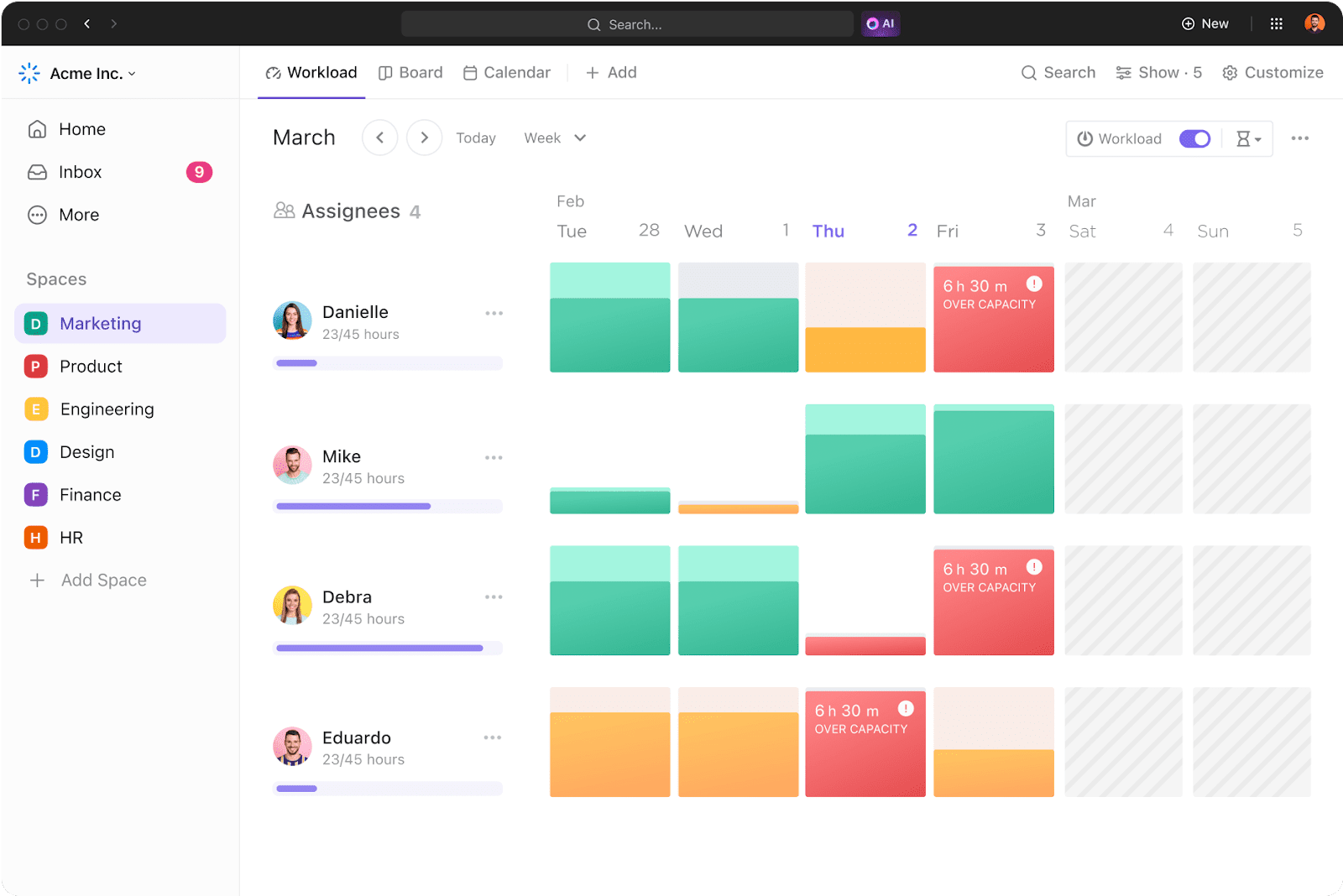
Add visual priority flags (Urgent, High, Normal, Low) to every task with ClickUp Priorities to build your framework. Create a priority matrix that weighs tasks against your specific criteria with ClickUp Custom Fields for more advanced scoring. Before assigning work, check ClickUp Workload View to see who has the capacity to take it on. For a structured way to manage and track these priorities, try the List Template.
Get AI-suggested task priorities based on due dates, dependencies, and team capacity with ClickUp Brain. 🤩
📮ClickUp Insight: Think your to-do list is working? Think again. Our survey shows that 76% of professionals use their own prioritization system for task management. However, recent research confirms that 65% of workers tend to focus on easy wins over high-value tasks without effective prioritization.
ClickUp’s Task Priorities transform how you visualize and tackle complex projects, highlighting critical tasks easily. With ClickUp’s AI-powered workflows and custom priority flags, you’ll always know what to tackle first.
Building and maintaining these seven workflows has traditionally been a manual, time-consuming effort. You document a process, and it’s outdated a month later. AI changes this equation by embedding intelligence directly into the workflows themselves—saving over 40% of typical workday through automation of routine tasks.
The goal isn’t to add another AI tool to your stack—that just creates AI sprawl—the unplanned proliferation of AI tools and platforms with no oversight, leading to wasted subscriptions, duplicated effort, and security risks. The meaningful change happens when AI is native to your workspace and has context on your tasks, docs, and team communication.
This is where ClickUp Brain delivers real value. As an AI layer that sits across all your work, it can provide context-aware assistance that standalone AI tools can’t match.
This is the power of a Converged AI Workspace—a single platform where your projects, documents, conversations, and analytics live together, with contextual AI embedded as the intelligence layer that moves work forward.
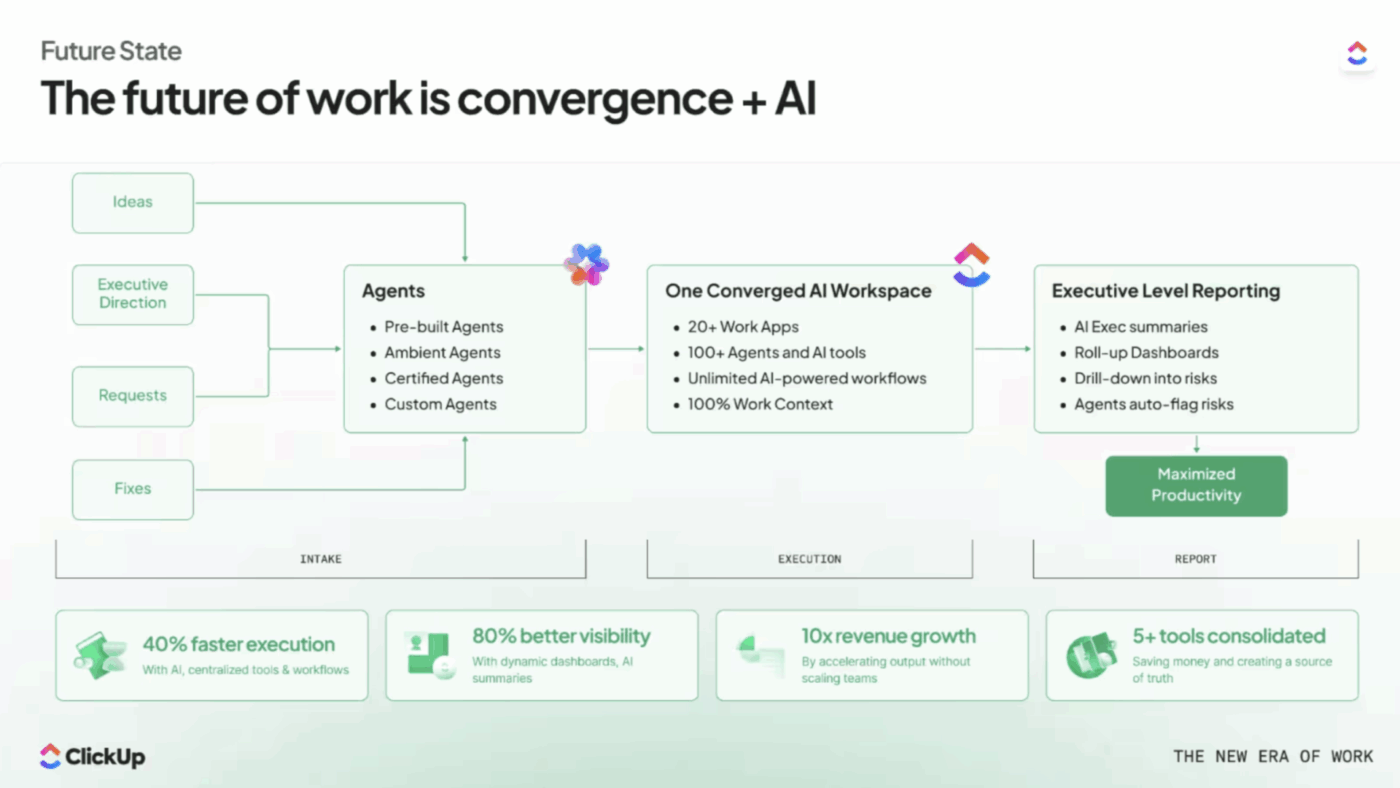
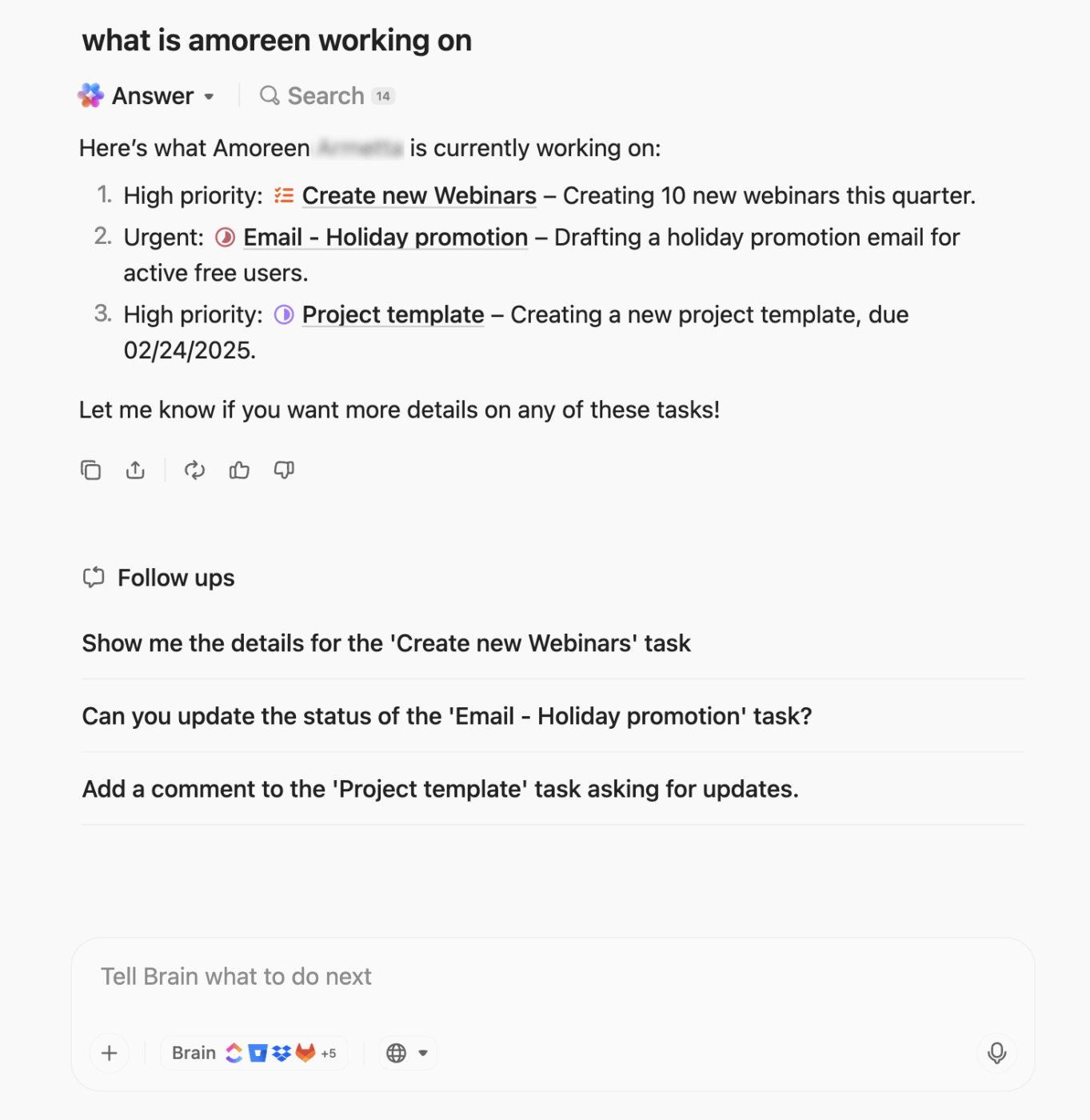
You can interact with your operating system using natural language, asking questions like “Summarize the key decisions from the Q3 planning doc” or “Draft a status update for the Acme project.” For an even more seamless experience,
ClickUp Brain MAX acts as a standalone desktop companion, giving you an always-on AI assistant to help with workflow questions and task creation without ever having to switch contexts.
Knowing you need systems is one thing; building them is another. Don’t try to do everything at once. 🛠️
Accelerate this process by browsing pre-built workflows you can customize for your business in the Quick Start Template. Create workflows from a simple natural language description with ClickUp Brain. Because you’re building in a Converged Workspace, each new workflow will automatically connect to your existing ones—no complex integrations required.
A small business operating system isn’t about adding bureaucracy. It’s about creating freedom—freeing your team from reinventing the wheel and freeing you from being the bottleneck. The seven workflows we’ve covered are the foundation for scalable growth.
Teams that systematize their work early can scale faster and with significantly less chaos. Those who wait accumulate operational debt that becomes more difficult and expensive to fix with every new hire. Building this system takes effort upfront, but it pays compounding dividends in efficiency and peace of mind.
Ready to build your small business operating system? Get started for free with ClickUp and bring all seven workflows into one workspace.
A workflow is a specific, repeatable sequence of tasks that moves a piece of work from start to finish, while a business process is a broader collection of related workflows. For example, your “client management” process would include workflows for onboarding, communication, and project delivery.
Common signals include the same questions being asked repeatedly, new hires taking weeks to ramp up, projects stalling when a key person is out of office, and your team spending more time coordinating work than actually doing it.
A Converged Workspace like ClickUp is designed to handle all seven core workflows in one place. This eliminates the context-switching, data silos, and integration maintenance that come with trying to stitch together multiple specialized tools.
Using templates, you can systematize a single workflow in just a few hours. Building out all seven foundational workflows typically takes a few weeks of focused effort, with ongoing refinement as your business grows and your processes mature.

Praburam Srinivasan
Max 22min read

Holly Peck
Max 12min read
Praburam Srinivasan
Max 31min read

© 2026 ClickUp




