






Still downloading templates?
There’s an easier way. Try a free AI Agent in ClickUp that actually does the work for you—set up in minutes, save hours every week.
Sorry, there were no results found for “”
Sorry, there were no results found for “”
Sorry, there were no results found for “”
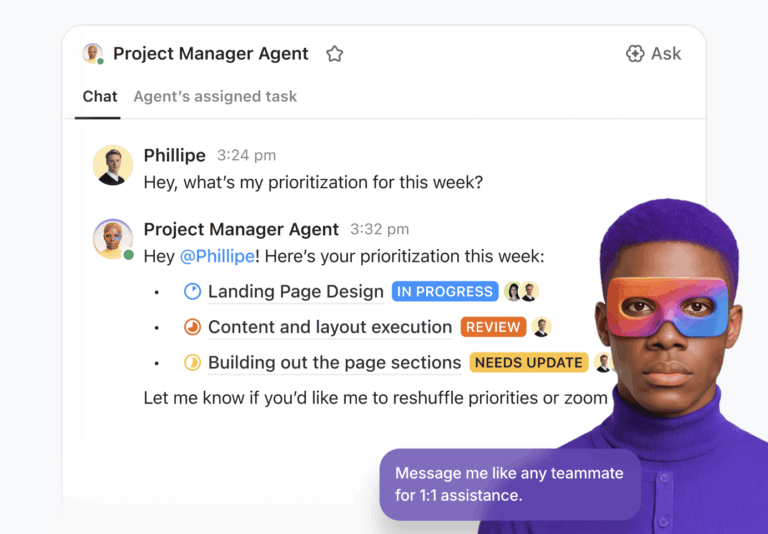
The new rallying cry is “Let’s get an AI agent to do it,” but the operational calculations must align for this to work.
Analyst predictions are optimistic for embedded agents, with Gartner estimating that as many as 40% of enterprise applications will include task-specific AI helpers by the end of this year.
In this Sintra AI vs. ChatGPT guide, we’ll keep the evaluation grounded in outcomes: context handling, integration depth, governance, and measurable time-to-value.
We’ll walk through where ChatGPT’s general interface shines and where Sintra’s helper- and automation-centric approach fits, so you can make a confident, business-ready decision on which platform aligns with your roadmap.
| Capability | Sintra AI | ChatGPT | ClickUp |
|---|---|---|---|
| Core approach | AI platform built around 12 specialized “Helpers” representing business roles like copywriter, recruiter, or SEO specialist | General-purpose conversational AI built on large language models designed for research, writing, analysis, and coding | Converged AI workspace for work execution, combining tasks, docs, chat, automation, and AI in one platform |
| Primary use case | Guided AI assistance for marketing, social media, and lightweight business workflows | Broad AI assistant for ideation, research, drafting, coding, and analysis | Operational hub where AI outputs turn into tasks, projects, and workflows |
| AI model flexibility | Fixed internal helpers with predefined roles and workflows | Powerful general model with custom GPTs and GPT Store for specialized assistants | Multiple AI models through ClickUp Brain, accessible inside work tasks and docs |
| Context & knowledge management | Brain AI stores brand guidelines, links, and files so helpers share consistent context | Long-context reasoning and Projects to organize instructions, files, and conversations | Workspace-native knowledge—AI can reference tasks, docs, chats, and historical work for contextual answers |
| Automation & integrations | Basic integrations (Google Calendar, Gmail, Notion, Facebook) for scheduling and simple automations | Tool calling and integrations through custom GPTs and enterprise tooling | Deep workflow automation with triggers, actions, and no-code automation across tasks and teams |
| Collaboration & team workflows | Primarily designed for individual users or small teams using helpers | Team and Enterprise plans with governance, SSO, and admin controls | Built for team collaboration with project management, dashboards, chat, docs, and AI working together |
| Creative content generation | Strong for social media and role-based content creation with built-in image generation | Strong for research, long-form writing, and cross-domain prompts | AI assists with drafting content directly in docs, tasks, and comments tied to project workflows |
| Execution & task management | Limited task tracking beyond helper outputs | Requires external tools to turn outputs into actionable workflows | Native task and project management, turning AI suggestions directly into assignable work |
| Scalability for organizations | Best suited for freelancers or small teams | Highly scalable with enterprise governance and custom assistants | Scales across departments with work management + AI in a single system |
| Best fit for | Solopreneurs or marketers wanting a guided AI “team” experience | Individuals or teams needing a flexible AI assistant for diverse tasks | Organizations wanting to centralize AI, collaboration, and project execution in one workspace |
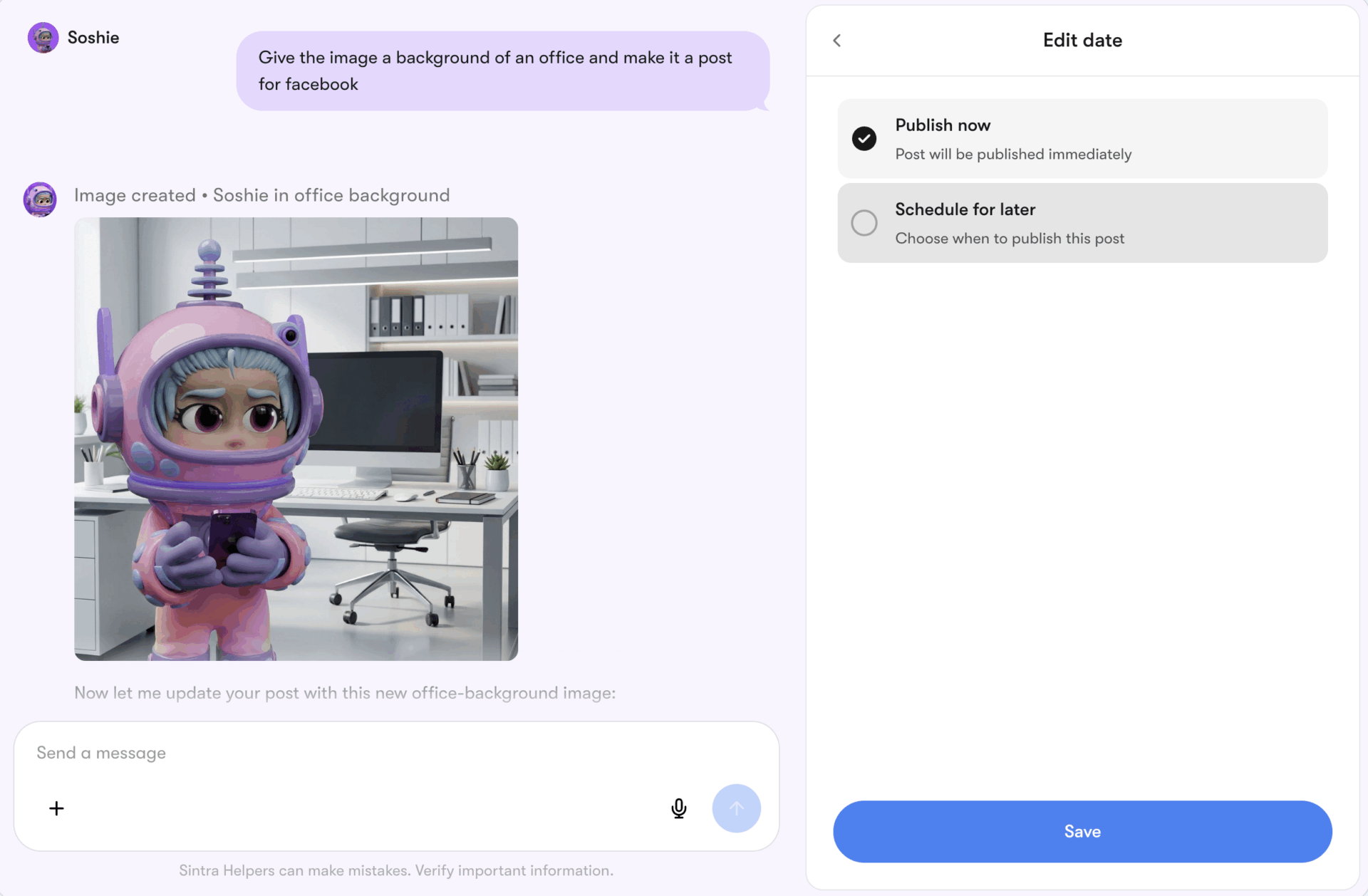
Sintra AI is essentially a productivity platform that redefines artificial intelligence as more than just a single, all-encompassing tool. Instead, it presents a collection of 12 specialized AI assistants, called “Helpers.”
Rather than opening a blank prompt, users see a lineup of digital employees, each tailored to a specific business role: Penn the Copywriter, Soshie the Social Media Manager, Dexter the Data Analyst, and others.
This “team versus tool” approach is Sintra’s key distinction in a market mostly filled with generalist models like ChatGPT.
To truly grasp Sintra, we should examine the core features that enable its functionality.
Sintra’s primary highlight is its collection of pre-trained AI “Helpers.” Each Helper is tailored for a specific function, equipped with inherent context and expertise. It helps to reduce the need for you to craft detailed prompts to define roles.
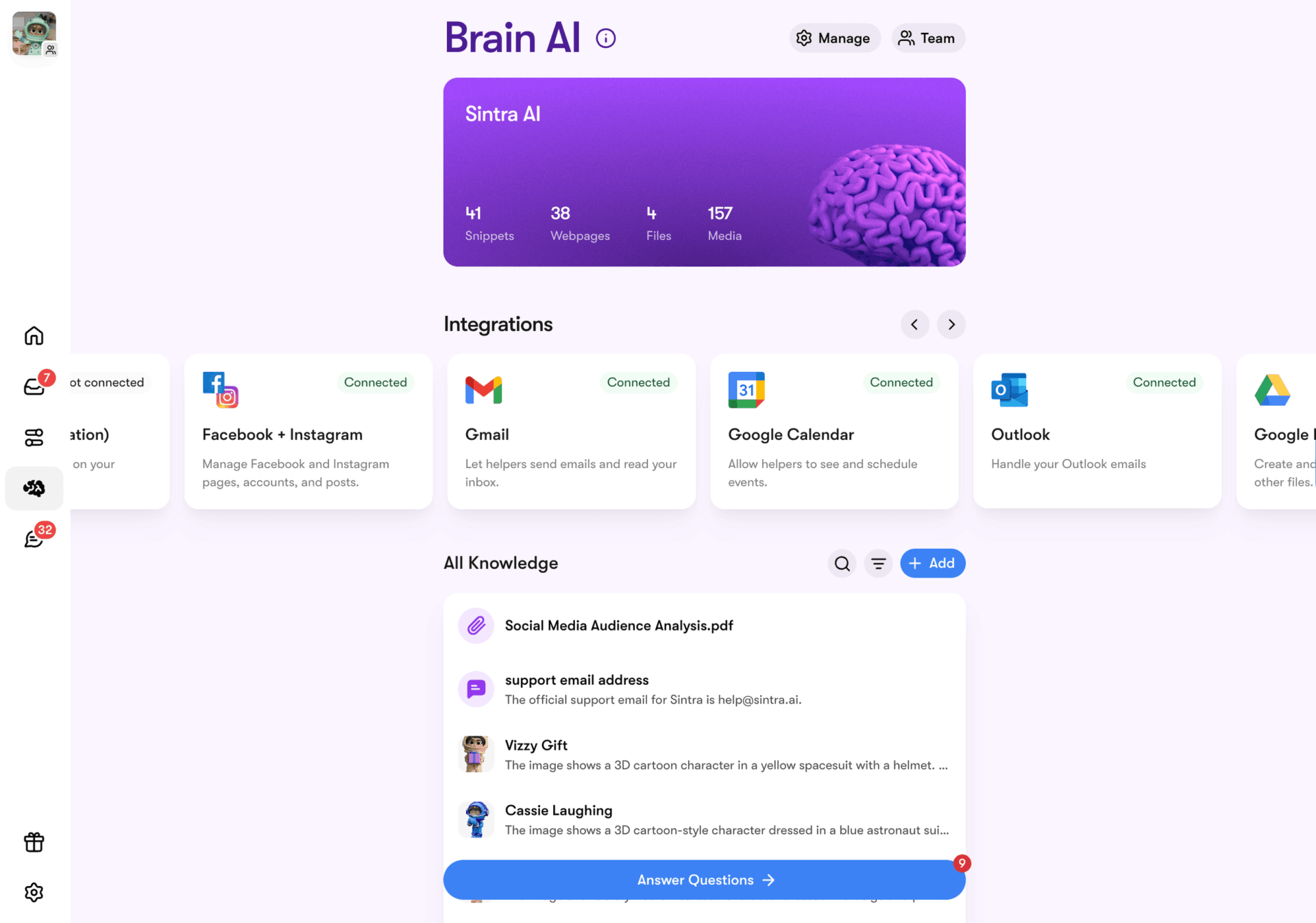
Think of Brain AI as the shared knowledge base that powers Sintra’s AI assistants. You load it with brand guidelines, FAQs, links, and files so every helper works from the same playbook—no repeated prompting, fewer handoffs.
Agencies and freelancers can spin up separate profiles to isolate client context, which keeps outputs clean across accounts and campaigns. As you add material, the system adapts, improving copy, data analysis notes, and task suggestions over time.
This central memory is what lets Sintra’s AI helpers generate consistent proposals, briefs, and replies without losing nuance. In practice, Brain AI becomes the connective tissue that aligns business processes, cuts rework, and accelerates content creation where context really matters.
🧩 Fun Fact: The global AI presentation software market is projected to grow by over 22% annually through 2030, as more teams replace traditional slide-making with AI-powered tools that automate design and content creation.
Sintra connects your workspace to everyday tools so agents can act, not just chat. With ties to Google Calendar, Gmail, Notion, and Facebook, helpers can schedule social media posts, summarize inboxes, and log action items—keeping work flowing with seamless integration across apps you already use.
While it’s not a full-blown iPaaS, it’s enough to automate simple, high-leverage moments without juggling extra AI tools. For visuals, native image generation lets you create images and make light edits—handy for quick campaign variants, covers, or story assets.
It won’t replace a dedicated design stack, but for fast iterations inside one platform, the combination of integrations plus images meaningfully reduces switching and helps automate tasks end to end.
Please note that Sintra AI often applies promotions, so it’s best to check their site for updated pricing and any ongoing deals.
📖 Also Read: Best Workflow Automation Software Tools
🎥 Not sure if you’re making the best use of AI at work? Watch this video!
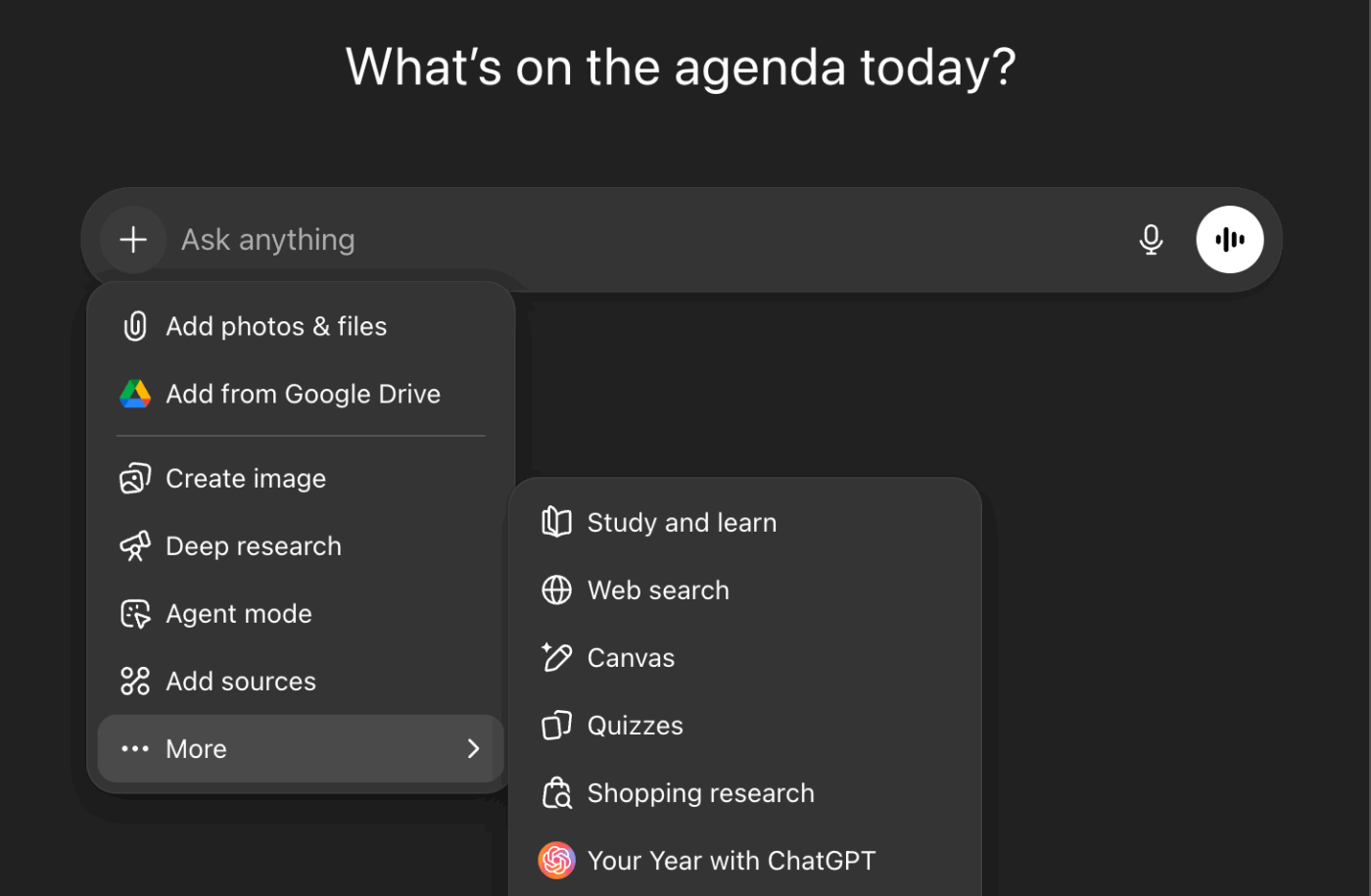
ChatGPT is an AI chatbot developed by OpenAI that allows users to engage in conversations that resemble natural dialog. You can ask questions or make requests through prompts, and ChatGPT responds accordingly.
This user-friendly platform became popular as an alternative to traditional search engines and as a resource for AI writing, among other uses such as research and strategy building.
🔍 Did You Know? According to Deloitte’s 2025 Gen Z and Millennial Survey, 57% and 56%, respectively, already use GenAI for their work tasks. Content creation is a popular use case for both groups.
ChatGPT is an exciting breakthrough in generative AI, offering features that can help speed up specific tasks when used carefully.
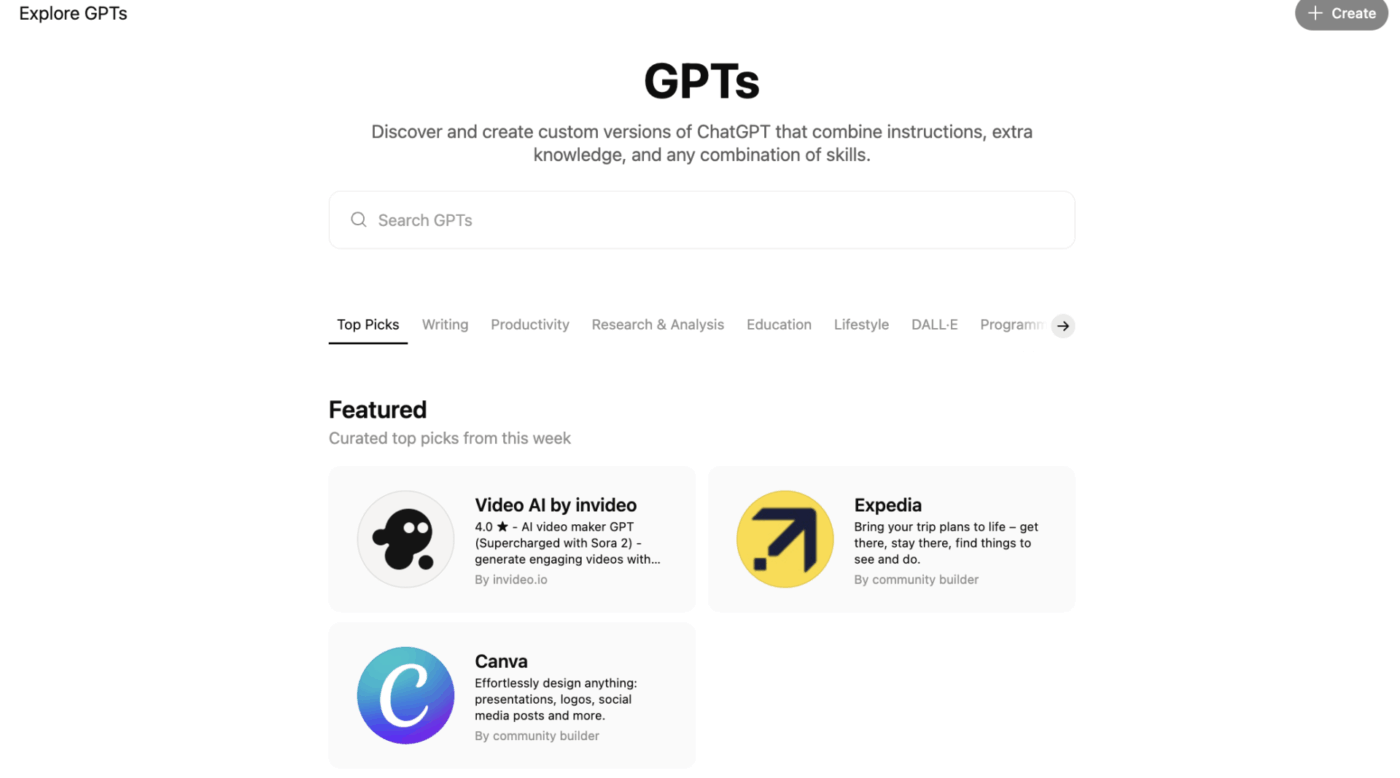
ChatGPT lets you build task-specific AI assistants (called GPTs) without code. You can tailor instructions, upload files, and plug in tools so a GPT drafts proposals, QA’s specs, or handles workflow automation for a team.
You can keep these private, share them internally, or publish them in the GPT Store for broader use, giving your organization a governed way to scale repeatable AI tools.
With GPT-5.2, ChatGPT handles deeper reasoning, longer contexts, and more reliable multi-step execution. It’s built for complex workflows—planning, analysis, and agentic tool-calling that turns prompts into completed steps, not just suggestions.
In practice, that means fewer handoffs and faster workflow automation, even when inputs span big specs, meeting notes, and screenshots. Teams get clearer chains of thought in outputs and higher success rates on end-to-end tasks.
It’s useful for everything from PMO updates to ops runbooks where accuracy and follow-through matter.
ChatGPT Team and Enterprise add admin controls, SSO, domain verification, usage analytics, and data-handling guarantees (your chats aren’t used to train models). It’s designed for secure rollouts across a large AI team, so you can deploy assistants to different departments while meeting compliance and collaboration needs.
📮ClickUp Insight: Low-performing teams are 4 times more likely to juggle 15+ tools, while high-performing teams maintain efficiency by limiting their toolkit to 9 or fewer platforms. But how about using one platform?
As the everything app for work, ClickUp brings your tasks, projects, docs, wikis, chat, and calls under a single platform, complete with AI-powered workflows. Ready to work smarter? ClickUp works for every team, makes your work visible, and allows you to focus on what matters while AI handles the rest.
You’ve seen how Sintra AI organizes work around role-based helpers and Brain AI, while OpenAI’s ChatGPT focuses on a powerful general model, Projects, and enterprise controls. Here’s a head-to-head on the three capabilities that matter most for teams deciding between the two.
Sintra’s Brain AI lets you create up to five isolated “profiles” so helpers share the right brand docs, links, and files without cross-contamination—great for agencies juggling clients.
ChatGPT counters with long-context reasoning in GPT-5.2 and Projects to keep instructions, files, and chats scoped for persistent context.
🏆 Winner: Call it a draw based on need. If you need strict workspace separation out of the box, Sintra shines; if your priority is reasoning over very large inputs and multi-step tasks, ChatGPT takes the lead.
Sintra offers built-in automations and app ties (Google Calendar, Gmail, Notion, Facebook) so helpers can schedule posts, summarize inboxes, and run recurring tasks.
ChatGPT pairs tool calling and multimodal reasoning with Team/Enterprise controls, letting orgs standardize custom assistants (via GPTs) and govern usage at scale.
🏆 Winner: ChatGPT typically wins for broader workflow coverage and rollout at company scale
Sintra bakes in image creation/editing and role-specific helpers (Copywriter, Social Media Manager) that turn briefs into social media posts and visuals quickly.
ChatGPT remains stronger for varied research, long-form drafting, and cross-domain prompts, with Projects helping teams keep outputs consistent.
🏆 Winner: Sintra AI for its specializations, especially when your workload is social-first with repeatable patterns.
Here’s the quick lay of the land before we compare: both Sintra AI and ChatGPT are powerful AI agents, but they solve different pains. Below is a balanced look at strengths and trade-offs to guide your Sintra AI vs. ChatGPT decision.
📖 Also Read: How to Optimize Project Management with Automation
To learn how to use ChatGPT Projects, watch the tips in this video 👇
If you want an AI assistant that can automate tasks around social media and lightweight workflow automation, Sintra works well. This is especially for users who value a guided, “hands-on” helper model.
On the other hand, if you need broader coverage with research, long-form content, varied AI tools, plus tighter control and prompt engineering, ChatGPT (Plus/Projects) tends to win on flexibility. You’ll still need to invest time in the process and editing.
We scanned recent Reddit threads to see how real users compare Sintra AI vs. ChatGPT for everyday marketing and ops work.
From SEO + social posting thread:
With ChatGPT Plus (I’m using the 4o model), you can whip up blog outlines, keyword-rich intros and meta descriptions in seconds. It’s super flexible, but you do end up tweaking prompts and adjusting the output to get the tone and structure you want. But It’s somewhat manageable.
From automation + social content thread:
I tried other alternatives but they came short or i just didn’t like using the interface. Sintra’s fun!
📖 Also Read: How to Use AI for Productivity (Use Cases & Tools)
At ClickUp, we solved the recurring challenge you face: work sprawl.
Work sprawl is the fragmentation of work activities across multiple disconnected tools, platforms, and systems that don’t communicate with each other. This creates inefficiencies, information silos, and a productivity drain throughout an organization.
Teams today are increasingly disconnected despite the surfeit of tools. With tasks spread across multiple projects, team members in different time zones, and extensive historical data stored in many apps (data that could be valuable if you only knew how to interpret it), there isn’t a single source of truth.
ClickUp’s converged AI workspace brings all your tasks, chat, files, and team members together in one AI-powered platform to end work sprawl for good.
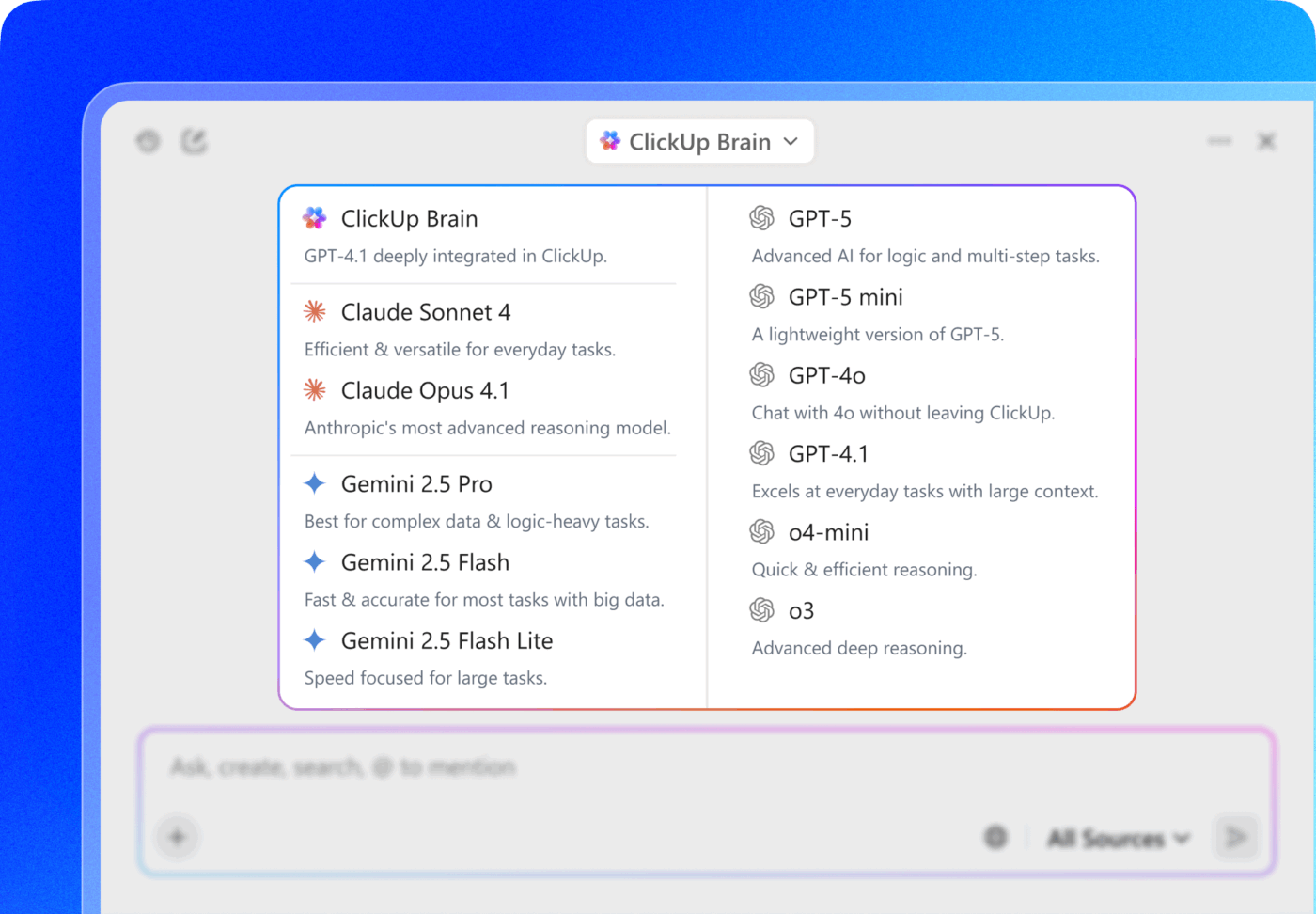
ClickUp Brain is an AI-powered assistant integrated into ClickUp that helps you work more efficiently and quickly. You can use ClickUp Brain by mentioning @Brain in task comments or chat, similar to mentioning a team member. Here’s what it can do:
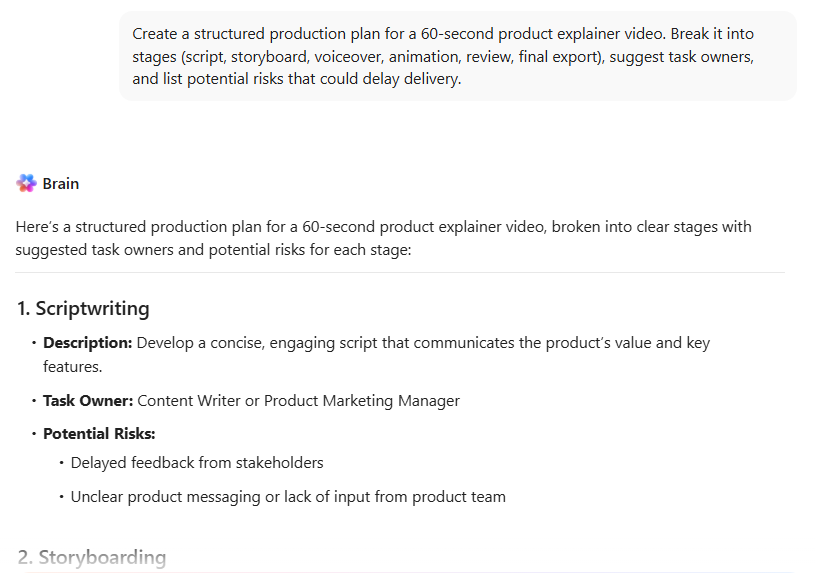
This Reddit review really says it all:
“I was on the fence about ClickUp Brain at first, just seemed like another AI gimmick. But it’s saved me from some tedious writing tasks, especially when I need to summarize lengthy client emails or get a draft started.”
For added efficiency, ClickUp Brain MAX, your desktop AI assistant, integrates AI-powered productivity across your entire workflow, beyond just inside ClickUp.
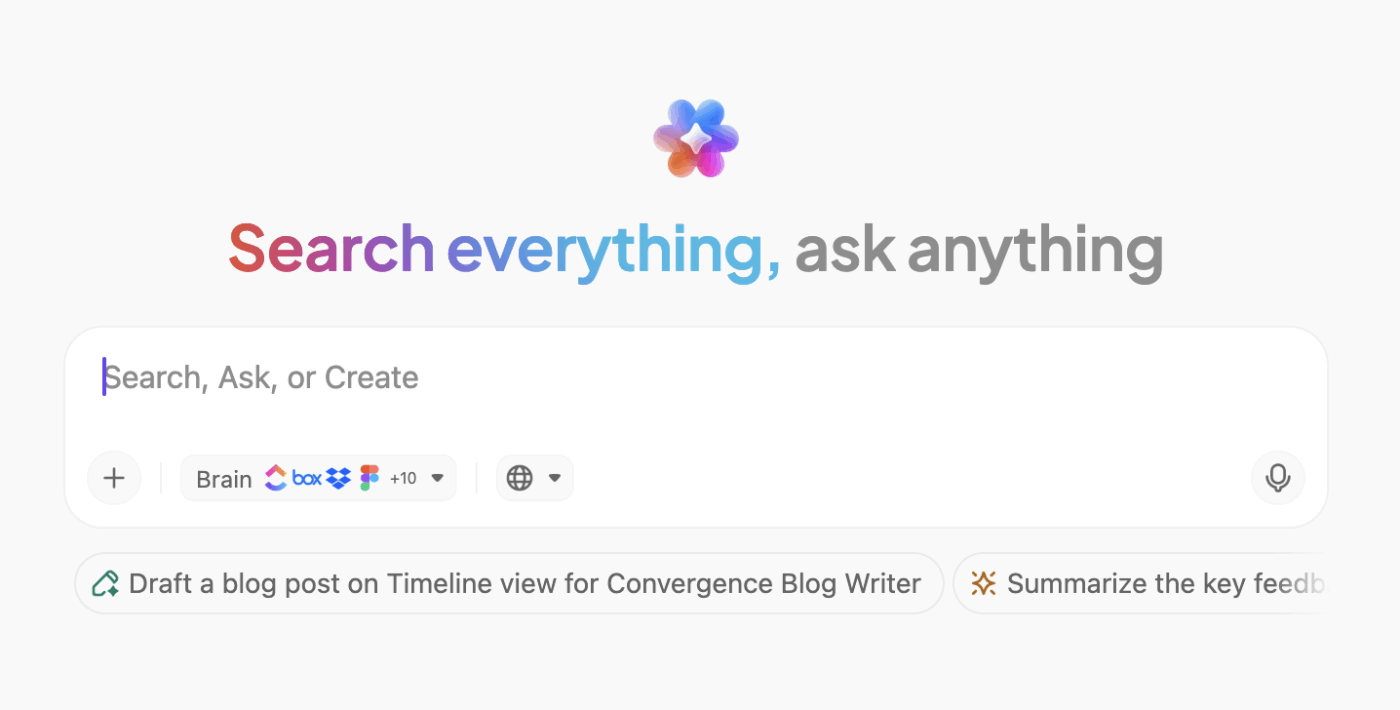
Brain MAX eliminates AI sprawl by centralizing all your AI tools and workflows in one place. You can search, create, and take action across ClickUp, your connected work apps (like Figma, GitHub, Google Drive, SharePoint), and the web, all from a single unified interface.
And with Talk-to-Text, you can even turn your spoken words into clear and structured notes, messages, or comments in ClickUp.
Just like ClickUp Brain inside ClickUp, ClickUp Brain MAX also gives you access to all the leading paid LLM models like OpenAI, Gemini, Claude, and more, in one place. Why use anything else?
It’s one AI for all your work.
Think of ClickUp Super Agents as always-on teammates inside ClickUp—you can @mention them, assign work, and message them just like a person.
These human-style agents with infinite memory are designed to adapt to your workflows and tools. They run 24/7, remember context, and act across tasks and timelines to push projects forward.
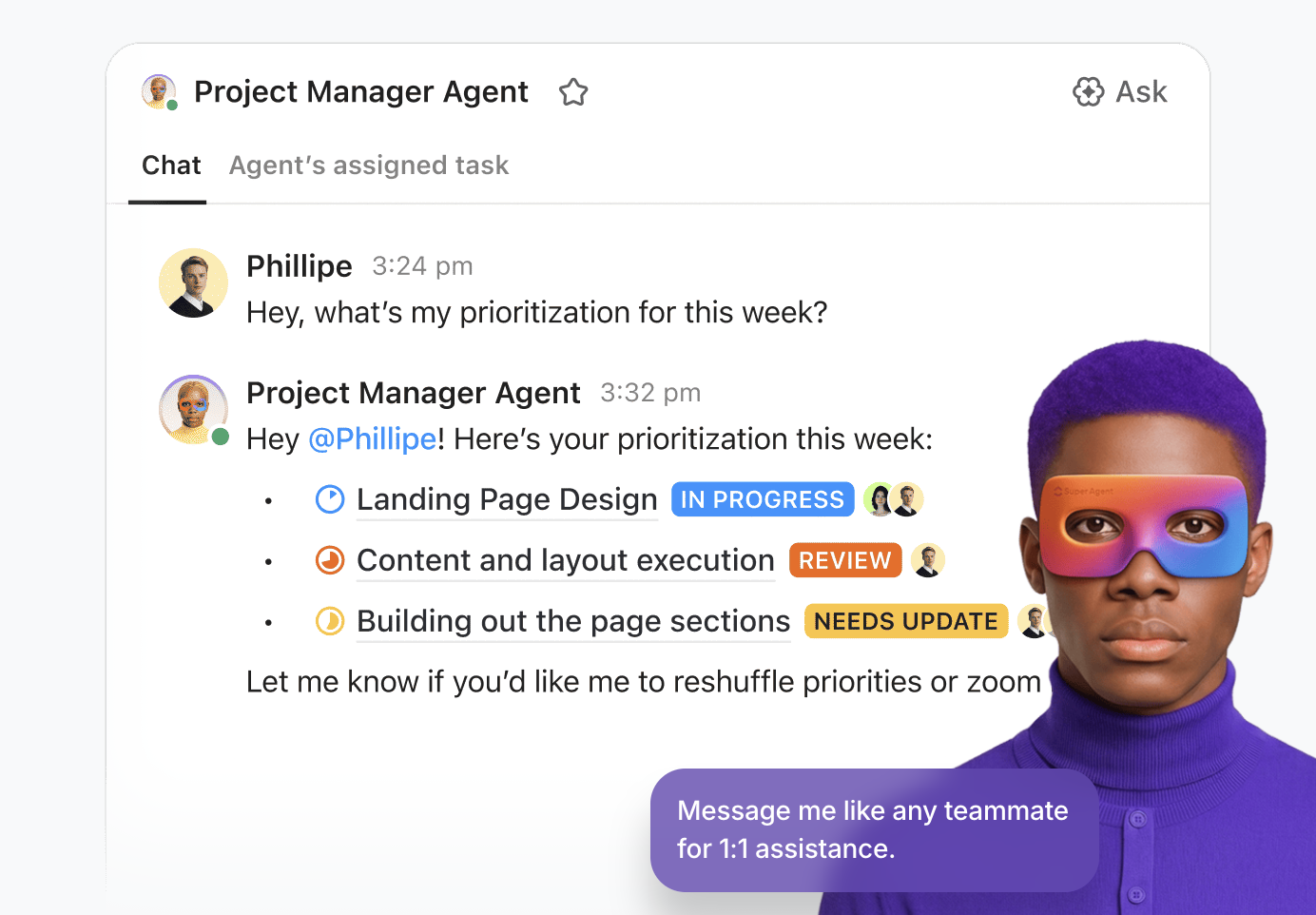
Agents work alongside people: you manage them, set scope, and they execute “ambiently” in the background—triaging bugs, preparing decks, tracking keywords, drafting updates, and more—then report back in the same workspace where decisions live.
Pick from a growing catalog of ready agents—PM, Sales, Coding, Designer, and more—or create custom agents for your stack.
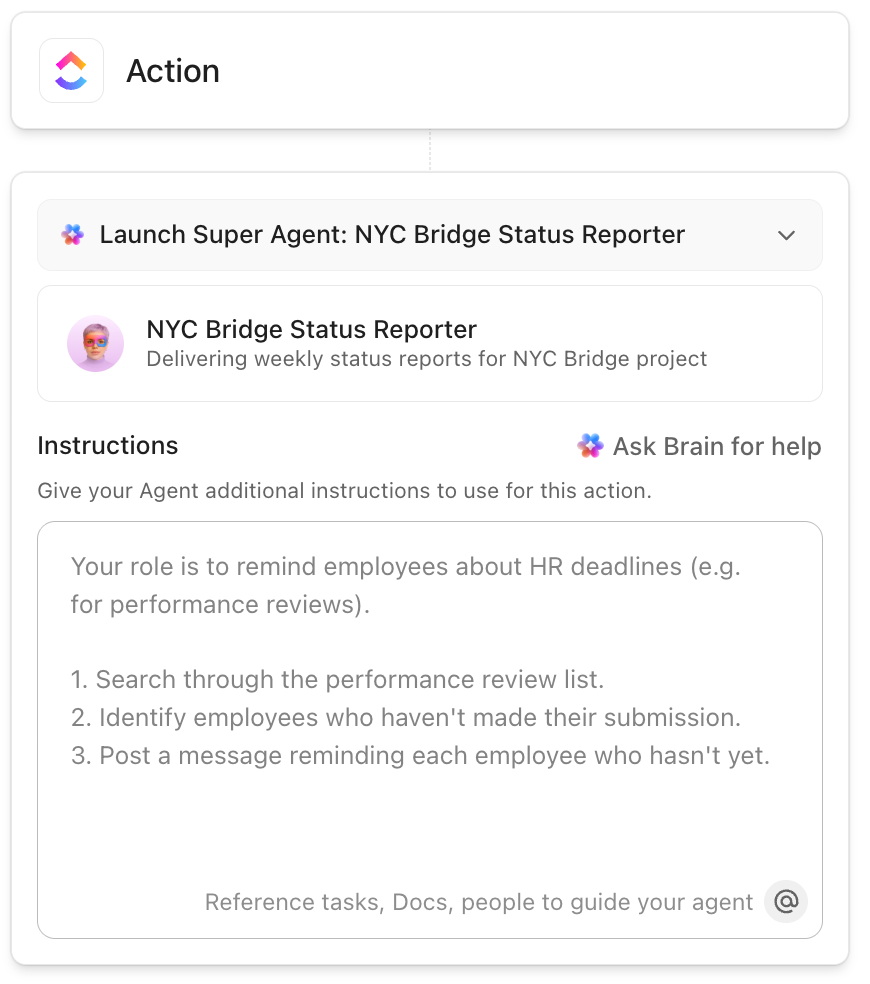
Agents are ideal for:
Teams use them to save two days every week by automating the busywork while maintaining human oversight.
Want to try creating your first Super Agent? It’s super easy, and this video shows you how:
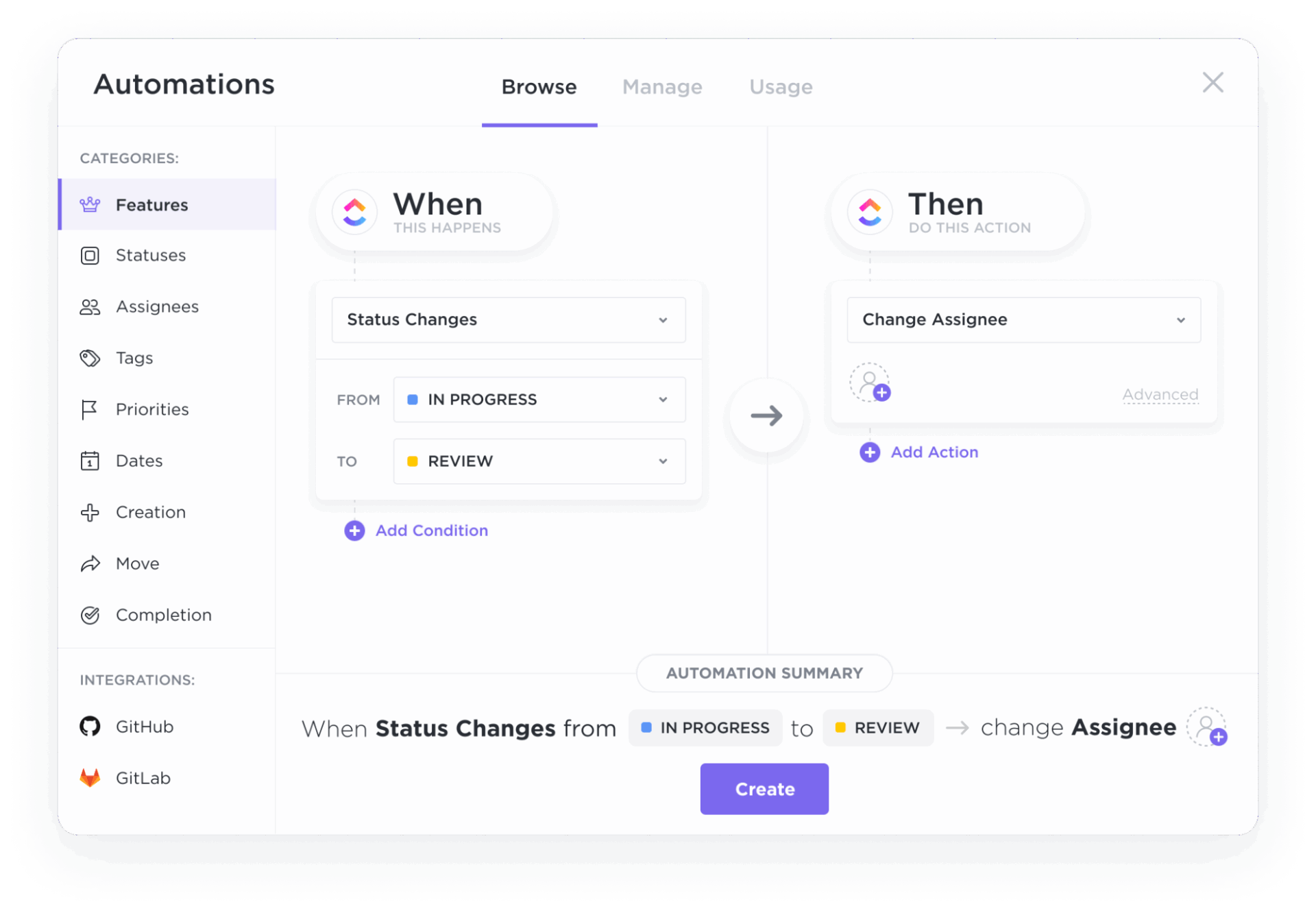
Create no-code automations in natural language with ClickUp Automations to take care of the day-to-day repetitive tasks that take up so much of your team’s time. Status changes, assignments, or due-date rules can be automated, so your team focuses on bigger problems.
📖 Also Read: AI Task Managers That Actually Do the Work for You
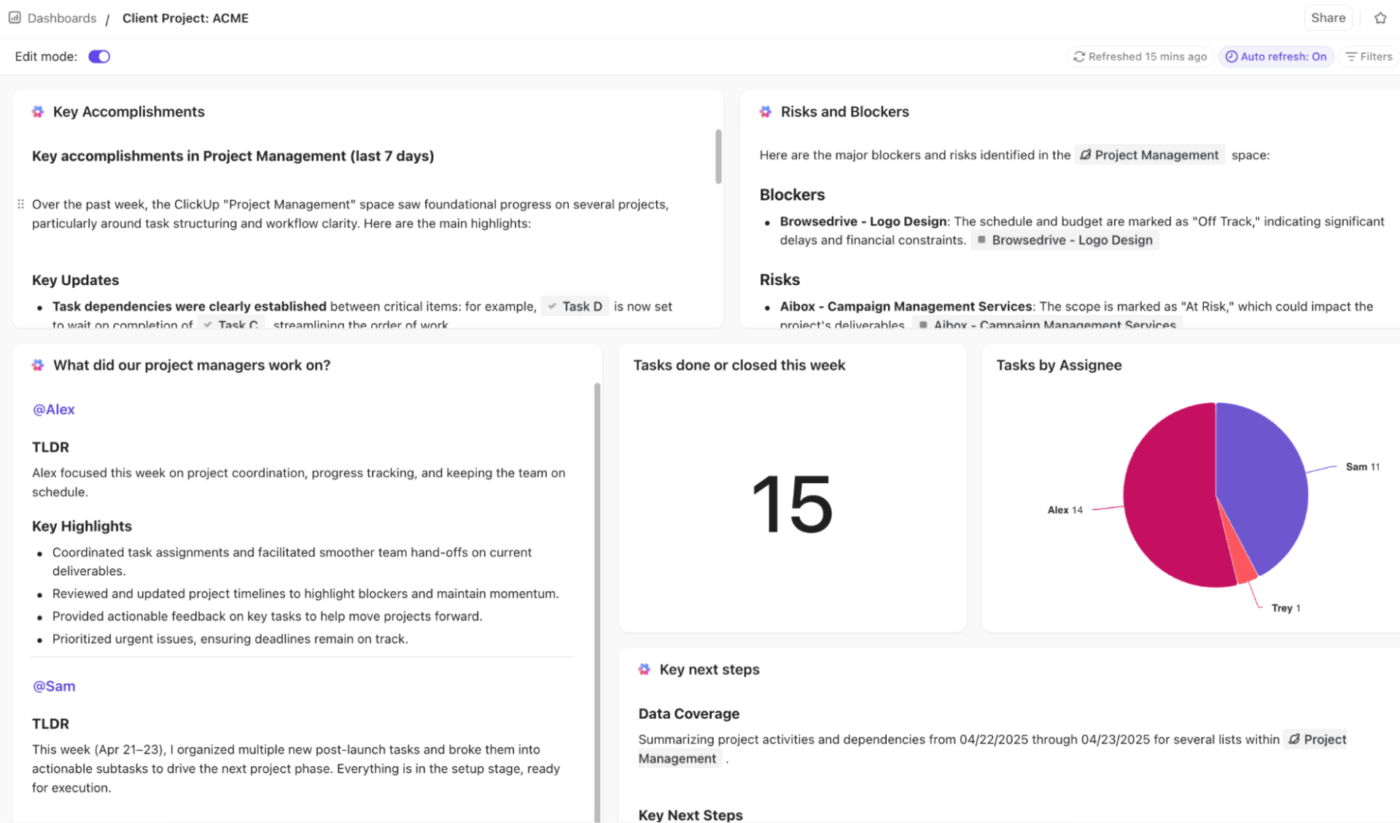
ClickUp’s Project Management platform transforms how teams plan, document, and execute projects. Here are just some other ways ClickUp makes teams more productive:
If you’re weighing Sintra AI vs. ChatGPT, here’s the short take: pick the tool that fits your near-term outcomes, then anchor execution in a single workspace.
Sintra’s role-based helpers can speed up repeatable marketing and social work; ChatGPT’s general model and Projects suit research, long-form drafting, and multi-step reasoning.
Either way, the real gains show up when you plug outputs into one place for workflow automation, handoffs, and reporting. That’s where ClickUp helps teams boost productivity—keeping briefs, tasks, and decisions connected so work moves, not just chats.
Sintra AI and ChatGPT primarily help you generate ideas and content, but ClickUp helps teams turn those outputs into coordinated work with automation, visibility, and accountability.
Ready to centralize your AI work and keep momentum across projects? Try ClickUp for free and turn today’s experiments into reliable delivery.

© 2026 ClickUp

There’s an easier way. Try a free AI Agent in ClickUp that actually does the work for you—set up in minutes, save hours every week.