






Still downloading templates?
There’s an easier way. Try a free AI Agent in ClickUp that actually does the work for you—set up in minutes, save hours every week.
Sorry, there were no results found for “”
Sorry, there were no results found for “”
Sorry, there were no results found for “”

You need help with a tricky API integration. Do you reach for the AI tool that searches current documentation or the one that can read your entire codebase?
This is the decision developers face daily. Perplexity and Claude have become two of the most talked-about AI assistants in programming circles, but they work in fundamentally different ways.
Perplexity searches the web in real time and surfaces current answers. Claude reads through thousands of lines of code and reasons about architecture.
In this blog post, we’ll compare Perplexity vs. Claude for coding based on what matters when you’re trying to ship: code quality, debugging help, and whether they understand what you’re building.
Here’s a quick summary table for the two tools, with a bonus tool:
| Criteria | Perplexity | Claude | ⭐️ Bonus: ClickUp |
| Primary functionality | Answer engine with fast, web-backed coding responses | Reasoning-first model for complex coding tasks | All-in-one work platform with contextual AI for code, Docs, and project management |
| Coding assistance | Quick snippets and fixes from real-time sources | Strong multi-step coding helps across languages | Context-aware code suggestions, code block generation, and engineering workflow support |
| Code generation | Good for short scripts and examples | More consistent, structured generation for full features | Writes code that matches your team’s conventions and project structure using workspace context |
| Debugging | Great for finding known fixes via search | Deep error analysis and root-cause reasoning | Surfaces relevant docs, past bug reports, and code snippets for in-context troubleshooting |
| Context handling | Search-focused; limited long-code context | Large context window suited for multi-file projects | Deep context from tasks, docs, and codebase; links code to project history and documentation |
| Customization | Basic prompt control | Strong style, persona, and system prompt tuning | Multi-model support (Claude, ChatGPT, Gemini, ClickUp AI); adapts to team’s workflow and style |
| Collaboration | Best for quick shared answers | Better for pair programming and iterative reviews | Real-time collaboration on code, docs, and tasks; AI suggestions linked to team discussions |
| Use cases | Library lookups, quick debugging, API examples | Feature building, refactoring, and documentation | End-to-end software development: planning, coding, documenting, reviewing, and shipping |
| Integrations | Browser/extension-based | API and IDE-friendly via third-party tools | Native integration with project management, docs, chat, and dashboards in one workspace |
Our editorial team follows a transparent, research-backed, and vendor-neutral process, so you can trust that our recommendations are based on real product value.
Here’s a detailed rundown of how we review software at ClickUp.
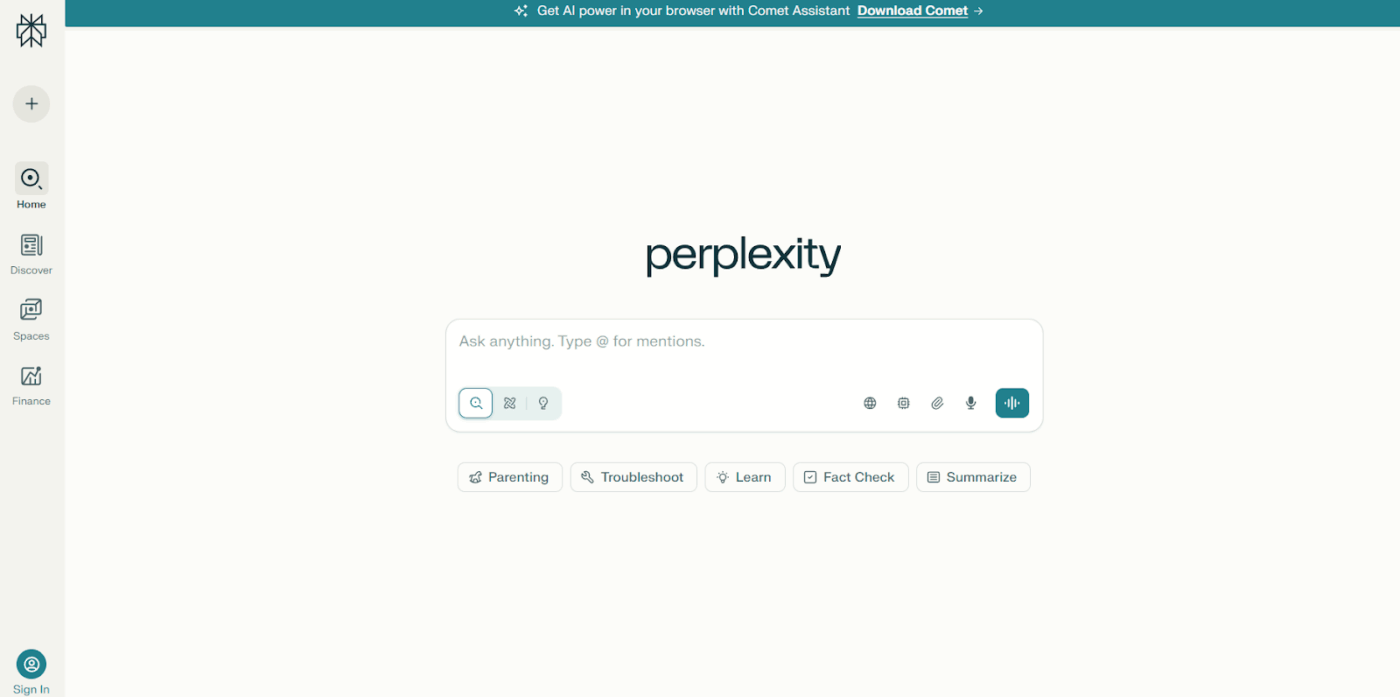
Perplexity is an answer engine that searches the web in real time to provide responses backed by current sources. It synthesizes information from multiple sources and presents direct answers with citations.
For developers, this means obtaining up-to-date documentation, framework release notes, and the latest API changes, all of which are pulled directly into your workflow.
When troubleshooting an error message or learning a new technology, Perplexity AI connects you with the most current information available online, making it particularly valuable for ecosystems where documentation updates are frequent.
🧠 Fun Fact: In a Stack Overflow Developer Survey, 81% of developers said that increasing productivity was the biggest benefit they hoped to achieve by using AI coding tools.
Perplexity combines search with AI tools to deliver sourced answers for technical questions. Here are the key features developers rely on:
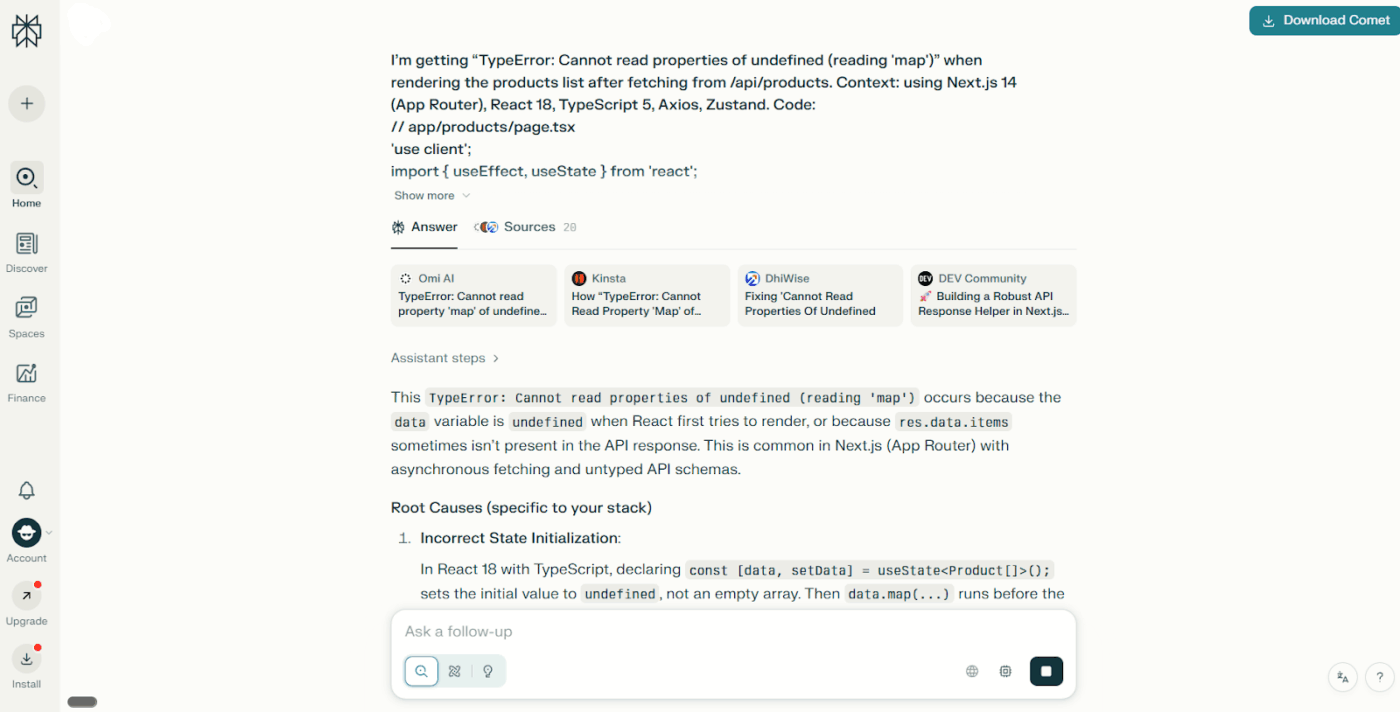
Perplexity searches the internet as you ask questions, surfacing current documentation, API references, GitHub issues, and community discussions. Every answer includes direct citations linking back to the original sources, whether that’s official docs, Stack Overflow threads, or recent blog posts.
📖 Also Read: How to Become a Better Programmer
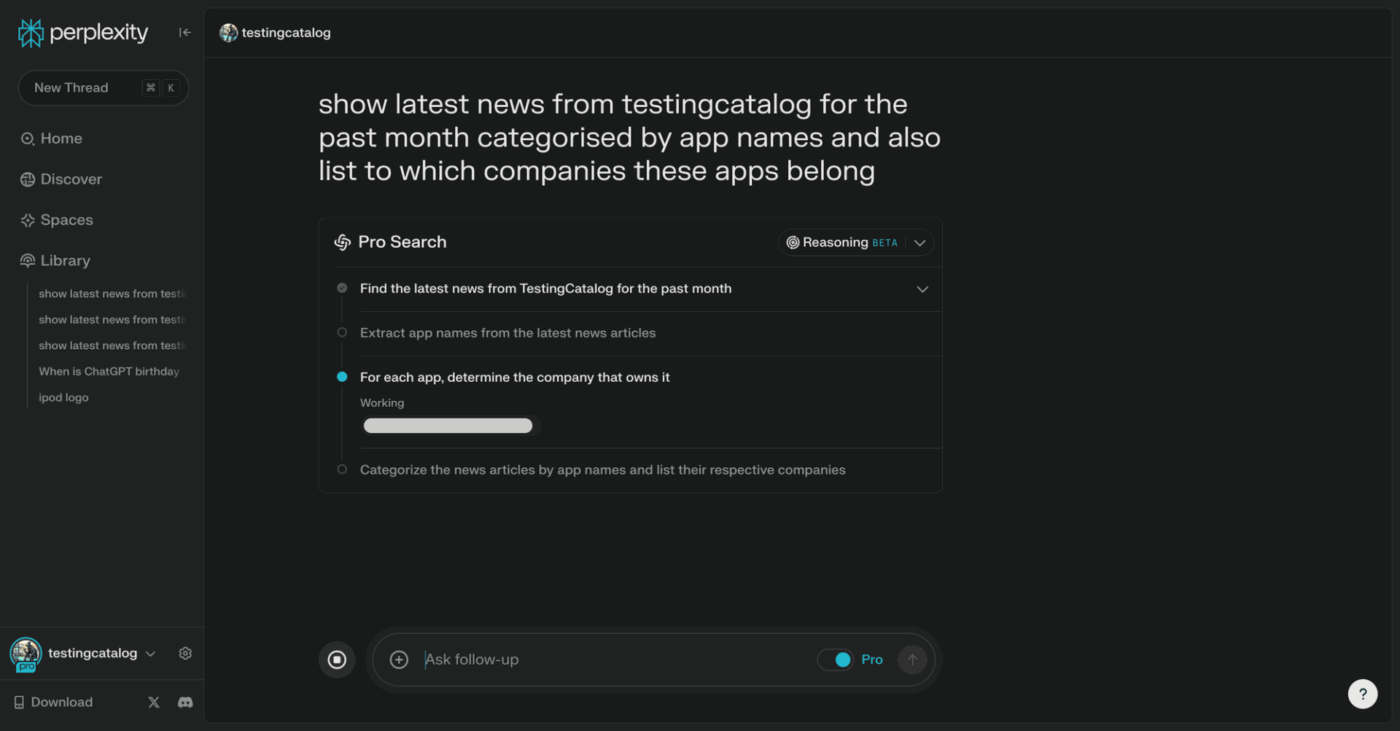
Pro Search is Perplexity’s advanced reasoning mode, which performs a deeper analysis before answering. It takes longer to respond, but conducts more thorough research across sources, evaluates the quality of information, and provides detailed technical explanations.
For complex questions about system architecture, performance optimization, or comparing multiple approaches to solve a problem, Pro Search examines nuances that basic search might miss.
🔍 Did You Know? Major companies, such as Google and Microsoft, report using AI-generated code for approximately 30% of new code in certain projects, with some firms stating that developers complete tasks up to 83% faster when using AI coding tools.
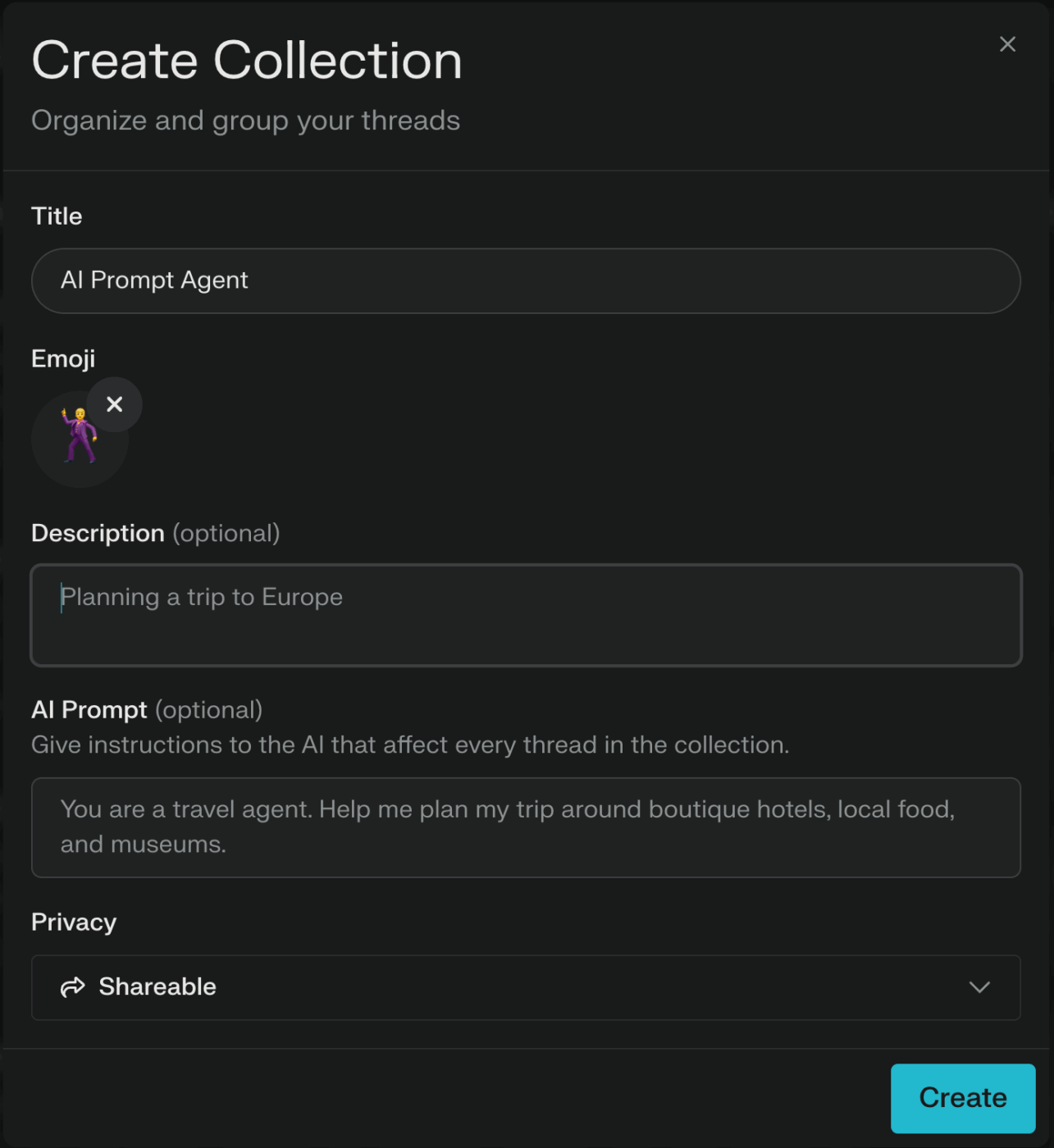
Collections let you organize searches, sources, and conversations around specific projects or research topics.
If you’re evaluating authentication libraries, researching database migration strategies, or gathering resources for a new framework, you can save relevant searches to write technical documentation for code and build a knowledge base.
Collections support collaboration, allowing team members to contribute findings and share research within a centralized space.
📮 ClickUp Insight: 33% of our respondents point to skill development as one of the AI use cases they’re most interested in. For example, non-technical workers may want to learn to build code snippets for a web page using an AI tool.
In such cases, the more context the AI has about your work, the better its responses will be. As the everything app for work, ClickUp’s AI excels at this. It knows which project you are working on and can recommend specific steps or even perform tasks like creating code snippets with ease.
* Please check the tool’s website for the latest pricing
🎥 Watch: In this video, we discover the best AI agents for coding—tools that generate code, catch bugs, propose improvements, and let you build with focus.
What you’ll find inside:
✔ The best AI coding assistants, from code generators to bug fixers
✔ Comparison: GitHub Copilot vs. ClickUp vs. Tabnine vs. others
✔ How to embed AI coding agents into your IDE and workflow
✔ Tips for avoiding pitfalls and keeping your codebase healthy
Use this as a starting point to level up your dev workflow and let your AI agent handle the grunt—while you stay in control.
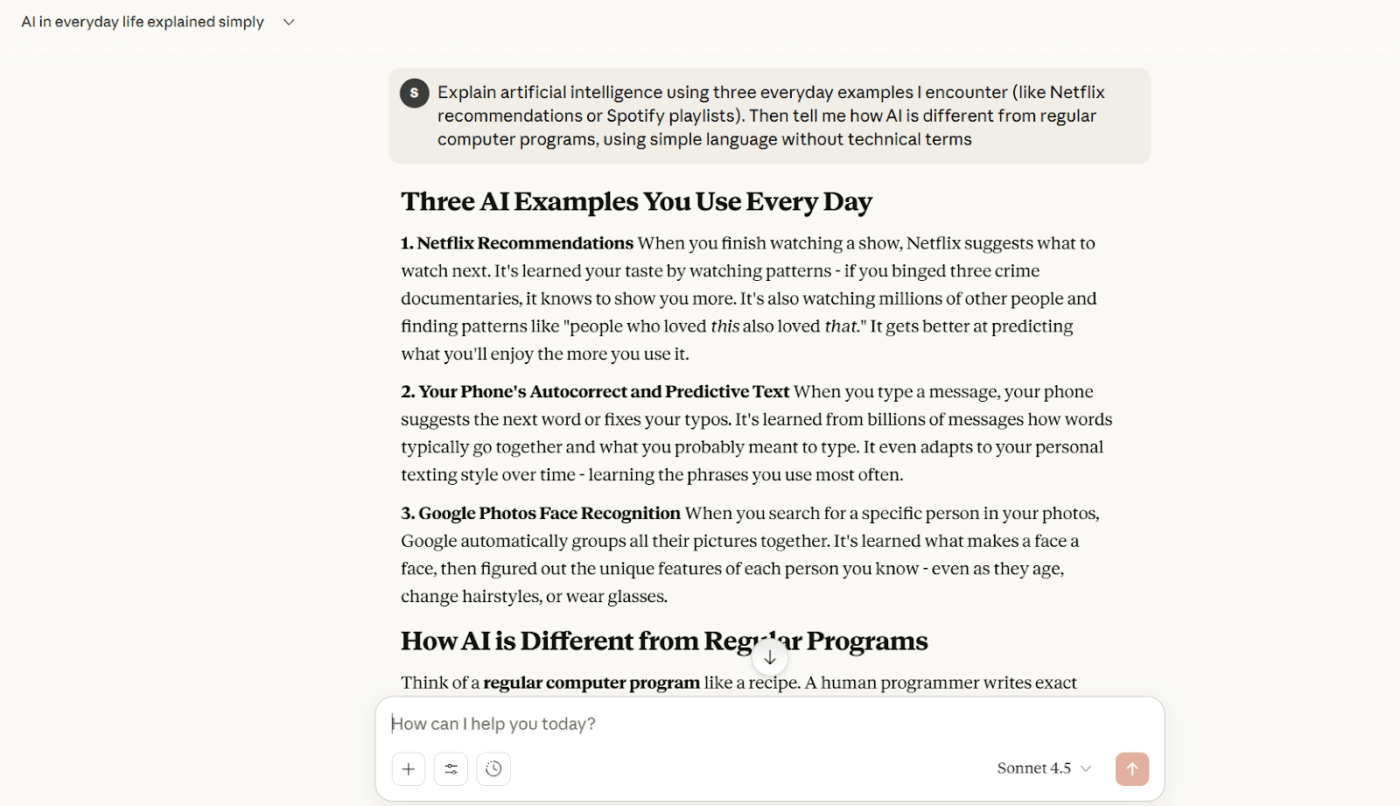
Claude is an AI assistant built by Anthropic that specializes in understanding and generating code through extended, context-aware conversations.
What sets Claude apart as an AI coding tool is its huge context window—capable of processing hundreds of thousands of tokens in a single conversation. This means Claude can read entire codebases, review multiple related files simultaneously, analyze lengthy error logs, and maintain understanding across complex technical discussions.
Claude also reasons through technical problems, explains complex concepts, and helps you think through design decisions with a detailed trade-off analysis.
🔍 Did You Know? A study of 96 full-time engineers found that AI assistance reduced task completion time by around 21%, showing there’s measurable speed as well as hype.
When you use Claude for coding, you get access to capabilities designed for deep technical work and sustained collaboration. Here’s what makes it valuable for development tasks:
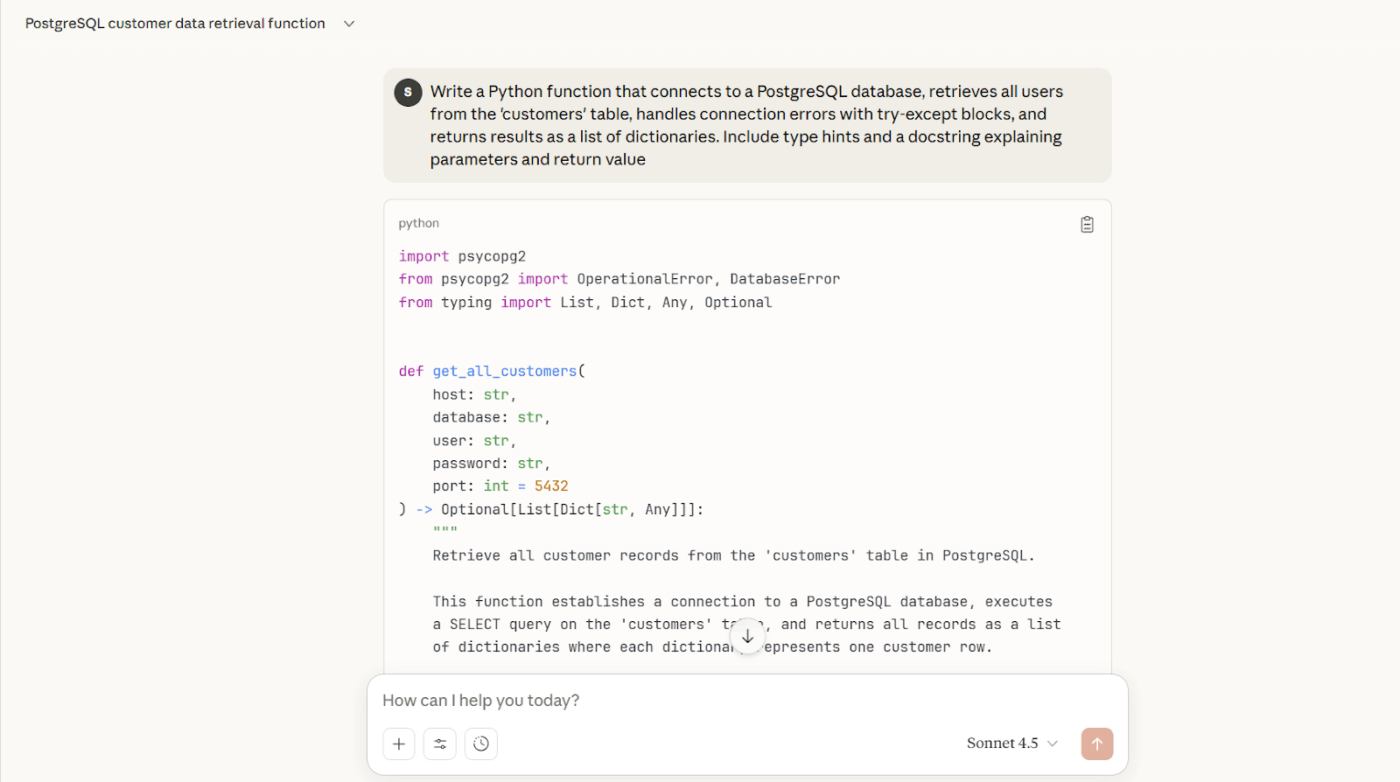
Claude Sonnet reads and writes code across dozens of programming languages, including Python, JavaScript, TypeScript, Java, C++, Go, Rust, and more. Beyond syntax, Claude understands design patterns, architectural principles, and framework-specific conventions.
It can generate complete functions with proper error handling, refactor code to improve readability and performance, write comprehensive test suites with edge cases, and explain complex algorithms step-by-step.
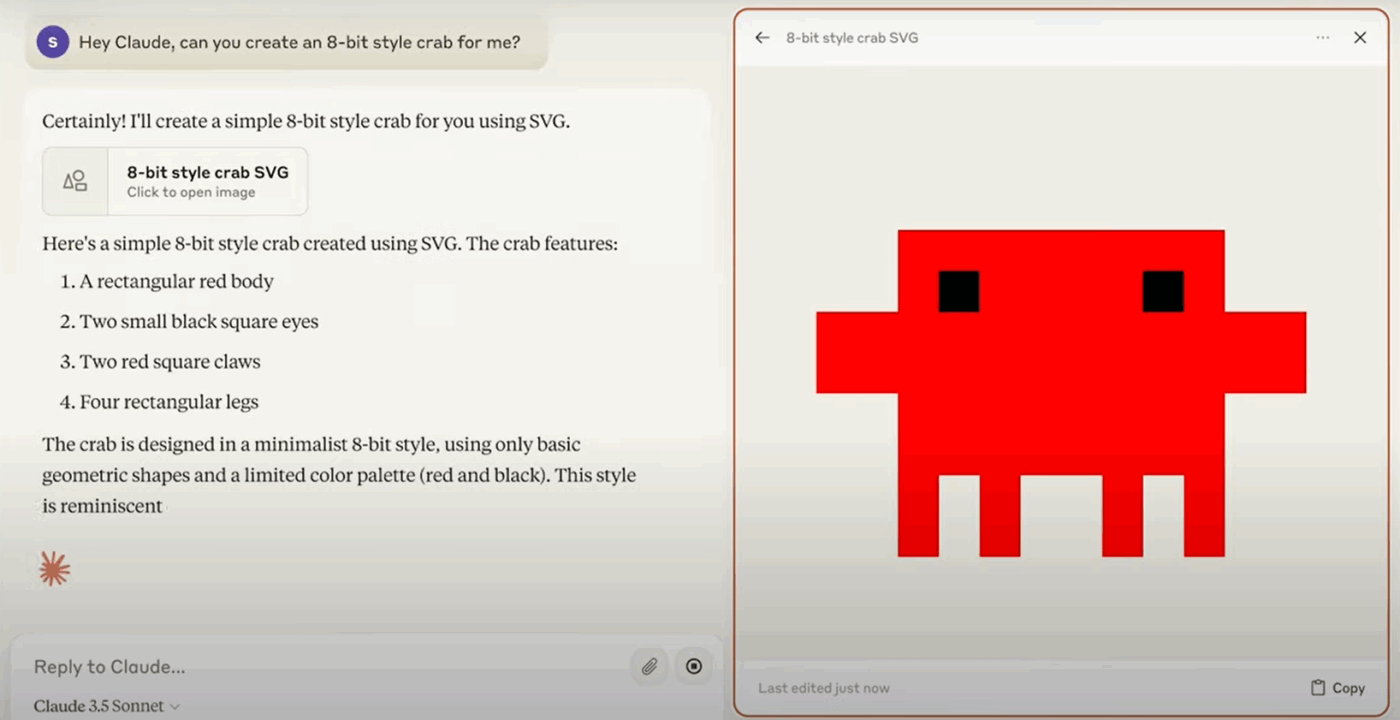
When Claude generates substantial code, it creates Artifacts, which are interactive panels where you can view formatted code with syntax highlighting, copy implementations directly into your code editor, and iterate through versions.
If you ask Claude to modify an approach or try a different pattern, the Artifact updates while preserving conversation history.
📖 Also Read: Best LLM for Coding: Top AI Models for Developers
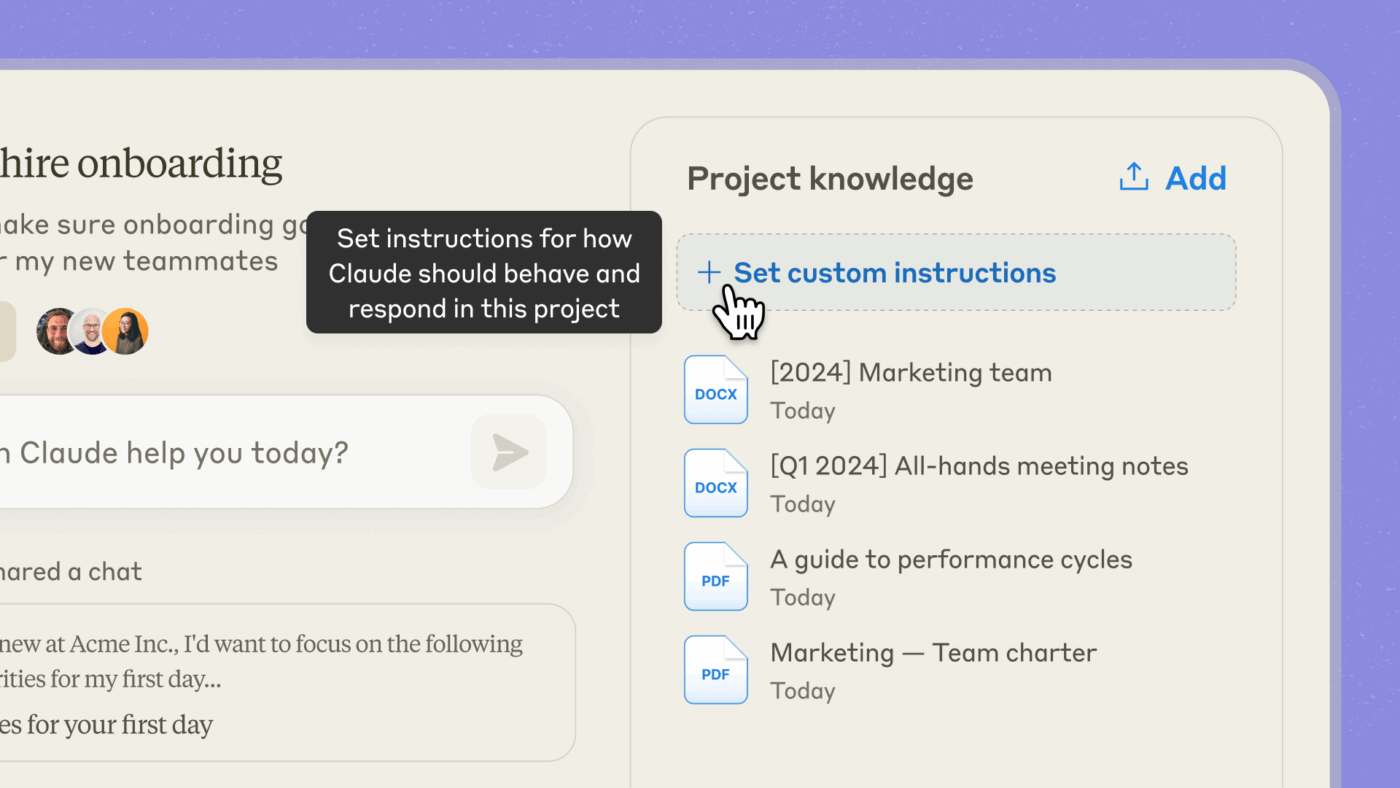
Claude can process and reference your Project’s README files, contribution guidelines, style guides, and existing documentation throughout a conversation. This means responses align with your team’s conventions, architectural decisions, and coding standards, without requiring you to repeat requirements.
Upload your documentation once in a Project, and Claude’s suggestions will respect your established patterns.
🔍 Did You Know? JPMorgan Chase’s engineers improved efficiency by 10-20% after adopting an internal AI coding assistant.
Individual
Team
Enterprise
Education
* Please check the tool’s website for the latest pricing
💡 Pro Tip: Use prompt chaining to guide AI coding tools through complex tasks step by step:
Both Claude and Perplexity bring valuable capabilities to developers, but they approach coding assistance from different angles. Perplexity excels at connecting you with current web resources and documentation, while Claude specializes in deep code analysis and reasoning with massive context.
Let’s compare how they stack up. 🧑💻
When you’re dealing with software development challenges that involve rapidly evolving frameworks or recently discovered bugs, access to current information becomes critical.
Perplexity searches the web in real time with every query, pulling information from current documentation, recent Stack Overflow discussions, GitHub issues, and developer blogs.
Citations show you exactly where information comes from, letting you click through to read the full context or verify technical details.
Claude’s training data extends through January 2025, which covers a substantial amount of programming knowledge and established best practices.
For questions about mature technologies, language fundamentals, or stable frameworks, Claude can answer directly from its training without needing external sources. It also has web search capability, but it doesn’t search by default for every coding question.
🏆 Winner: Perplexity wins this round! It’s ideal for developers who frequently need to verify that solutions reflect current best practices.
📖 Also Read: Unlocking the Power of ClickUp AI for Software Teams
Understanding how different parts of a project connect requires seeing the bigger picture. Let’s see how well Perplexity vs. Claude for coding fare against each other:
Perplexity handles conversations with context retention across follow-up questions, which helps when drilling down into a specific topic. You can upload files on the Pro plan for analysis. However, there are practical limits to the amount of code Perplexity can process simultaneously.
Claude’s 200,000-token context window is ideal for boosting developer productivity. You can paste 10-15 substantial code files, and Claude will analyze how they interact, spot inconsistencies across files, suggest architectural improvements, and understand the full scope of a refactoring task.
🏆 Winner: Claude wins! It has a major advantage in this category. The ability to process entire project structures and maintain deep context makes Claude substantially more effective.
Generating working code that follows best practices and handles edge cases properly determines whether an AI tool for developers saves time or creates more work.
Perplexity generates code examples pulled from documentation, tutorials, and community resources. Since it searches current sources, the code often reflects modern syntax and recent API changes. Nevertheless, code generation isn’t Perplexity’s primary focus. Its focus is on connecting you with relevant examples and explanations from the web.
Claude generates comprehensive, production-ready code with detailed attention to error handling, edge cases, and maintainability. It writes tests, adds appropriate documentation, and considers security implications. The code quality consistently reflects a deep understanding of language idioms, framework conventions, and software engineering principles.
🏆 Winner: Choose Claude! It generates code with better reasoning, more comprehensive error handling, and deeper consideration of architectural implications.
📖 Also Read: Best Claude AI Alternatives to Try
We turned to Reddit to see how users talk about Perplexity vs. Claude for coding. Here’s a look at what they have to say.
One user described how Perplexity supports broader creation tasks:
I use Perplexity Pro Labs for creating website pages, creating images, coding some styling effects… It gives me all the steps with a detailed explanation… Go with what works best for you and understands your prompts.
Another user pointed out its technical strengths and limits:
Perplexity has a solid RAG system… however, its context window is limited to around 60k.
When it comes to coding depth, one Redditor shared:
Best are sonnet 3.5 and o1 but dont use perplexity for coding unless you are doing very simple stuff; it’s just not meant for that use. […] Perplexity shines only in research tasks where(almost up to date) information is crucial (eg asking informations about some new library) [sic]
And another Reddit user shared a Claude AI review, explaining why it’s preferred:
Perplexity isn’t really the best option if coding is your primary use case. Claude… with dedicated features such as GitHub integration are more ideal.
Perplexity and Claude might help you generate or refine code, but hopping between them (and the rest of your tooling) feeds straight into AI Sprawl. You lose time, context, and momentum (and pay multiple subscription fees!) hopping between AI tools. You need one place where coding, planning, and collaboration stay connected.
ClickUp is the world’s first Converged AI Workspace, bringing together all work apps, data, and workflows.
With ClickUp, your code documentation, sprint tasks, technical specs, and team discussions live in one workspace where AI can actually understand your entire development context—not just the isolated question you’re asking.
ClickUp was built to reduce context switching. When you get 100% context and a single place for humans and agents to code together (and share dev memes), you eliminate Work Sprawl, that silent productivity killer!
Here’s how. 👀
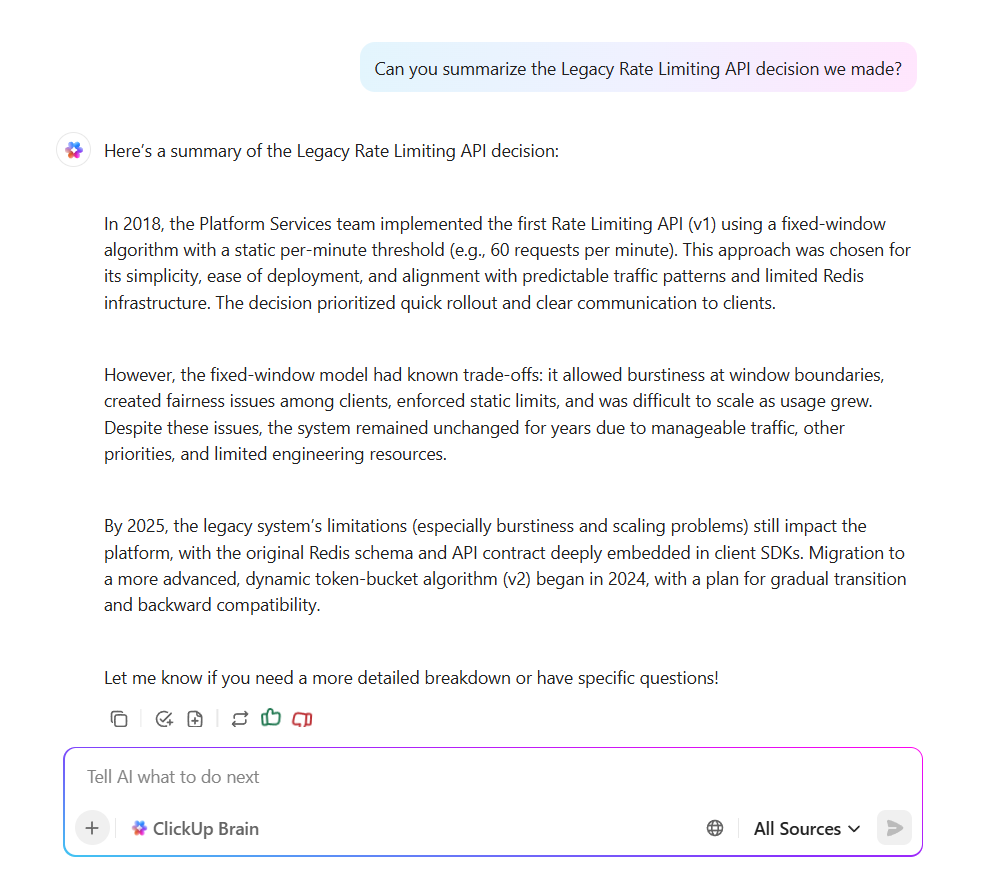
ClickUp Brain gives software teams a single AI system that replaces scattered tools and keeps context inside one workspace. It consolidates the intelligence and capabilities you typically spread across multiple AI tools, such as Claude, ChatGPT, and Gemini.
Let’s say you already track tasks, documentation, and system knowledge in ClickUp. ClickUp Brain uses that context automatically. You don’t copy and paste code blocks, upload files again, or restate background information.
It uses this context to give accurate suggestions during coding sessions. For example, you might request a brief summary of an old API decision. It pulls the relevant ClickUp Docs, extracts the reasoning, and delivers a clear explanation that helps you continue your current work.
💡 Pro Tip: Use ClickUp Chat to debate implementation approaches, review code snippets, or troubleshoot bugs directly within task threads, rather than scattering technical discussions across Slack and email. Tag teammates to weigh in on architectural decisions and keep all technical conversations connected to the specific features they relate to.
ClickUp’s Ambient Agents are deeply integrated with your entire workspace, allowing them to act on real tasks, automate workflows, and collaborate directly within your project management environment.
Unlike standalone AI models, ClickUp’s agents (including specialized ones like ClickUp Codegen) can be assigned tasks, generate production-ready code, answer code questions, and even create or update tasks based on your coding needs—all while referencing your actual project data, comments, and documentation.
This seamless connection between coding assistance and real project execution makes ClickUp’s AI agents uniquely powerful for developers working within a team or managing complex projects.
What’s more, ClickUp Brain offers multiple LLMs under one roof.
You can choose between Claude, ChatGPT, Gemini, or ClickUp’s own specialized model depending on the task. This approach provides accurate answers for research, structured reasoning for refactoring, and clear explanations for debugging.
You stay inside one system and still access the strengths of different AI models without switching platforms.
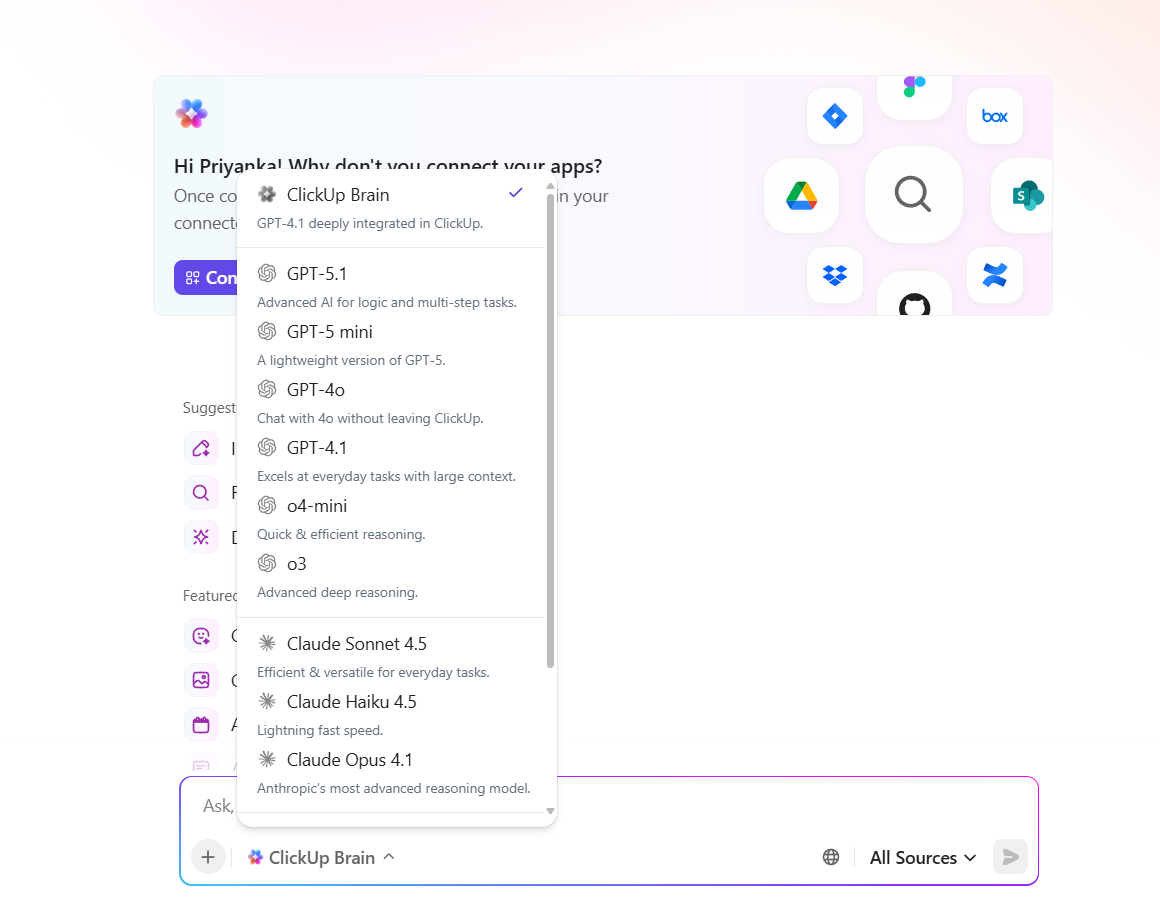
Further, ClickUp Brain writes code that aligns with your existing framework.
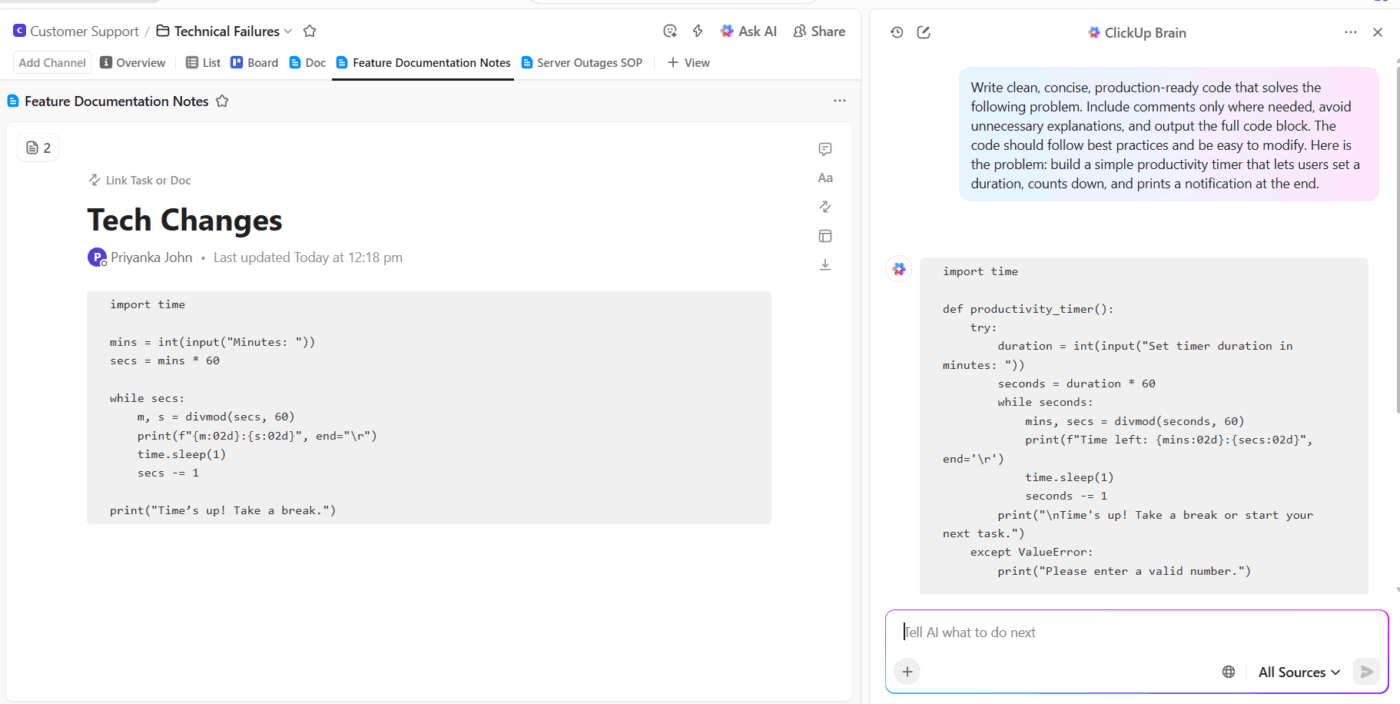
Suppose your team uses a specific naming convention or follows a strict module pattern. ClickUp Brain learns those patterns from your tasks and docs, then produces suggestions that respect them. This approach eliminates guesswork and enables you to transition from request to implementation more efficiently.
📌 Try this prompt: Write clean, concise, production-ready code that solves the following problem. Include comments only where needed, avoid unnecessary explanations, and output the full code block. The code should adhere to best practices and be easily modifiable.
Here is the problem: Build a simple productivity timer that lets users set a duration, count down, and print a notification at the end.
💡 Pro Tip: Create ClickUp Clips with voiceover to show exactly how a feature works or walk through tricky logic, then embed these clips directly into technical documentation or task comments.
Most AI coding tools only see the code snippet or question you give them at the moment. ClickUp BrainGPT is different because it has access to your entire development workspace.
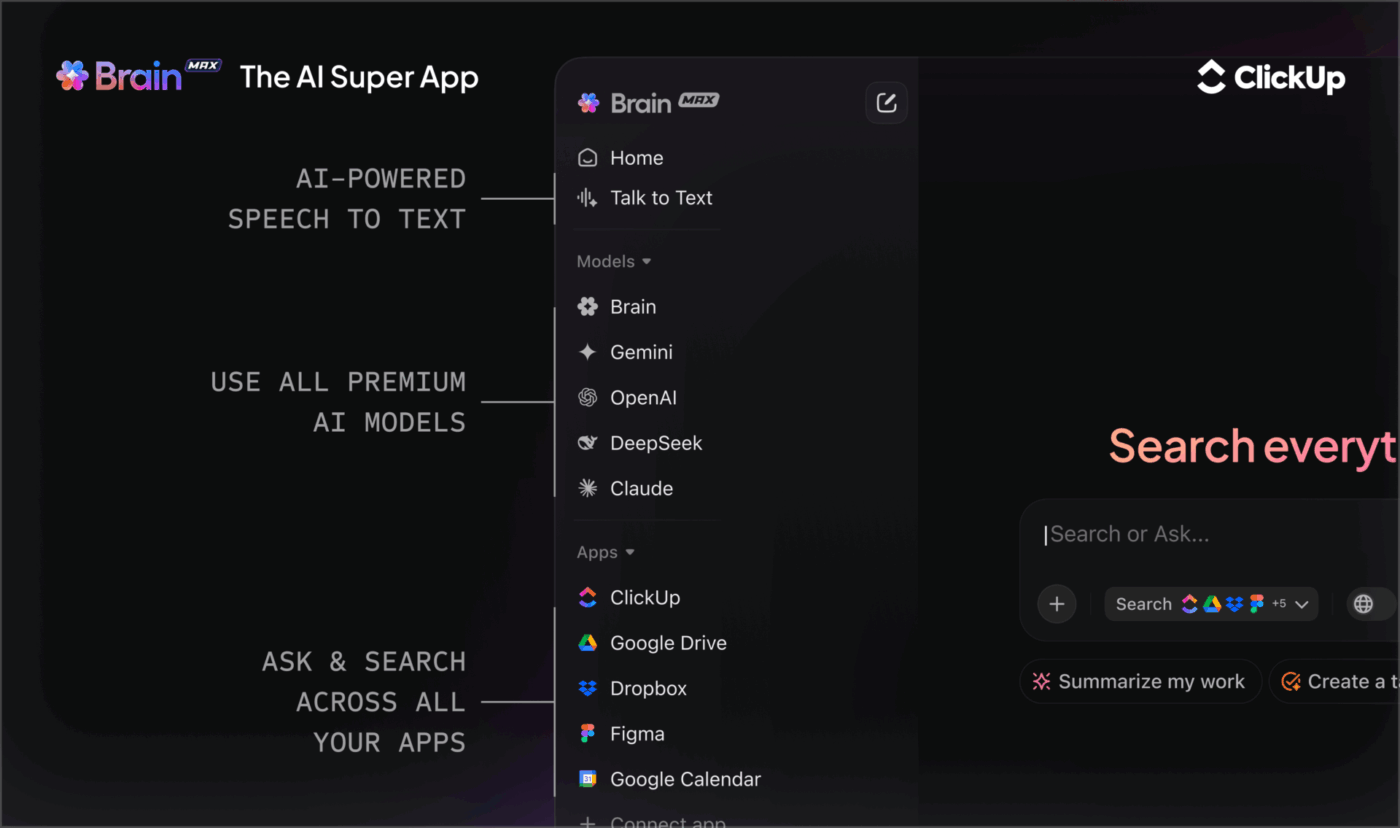
It is aware of your sprint tasks, technical specs, API documentation, past code review discussions, and team decisions.
This means BrainGPT can suggest implementations that align with your existing codebase patterns, reference the actual acceptance criteria from your user stories, and understand dependencies between features you’re building.
It acts as a coding assistant that understands your specific project context.
All that, and BrainGPT also offers:
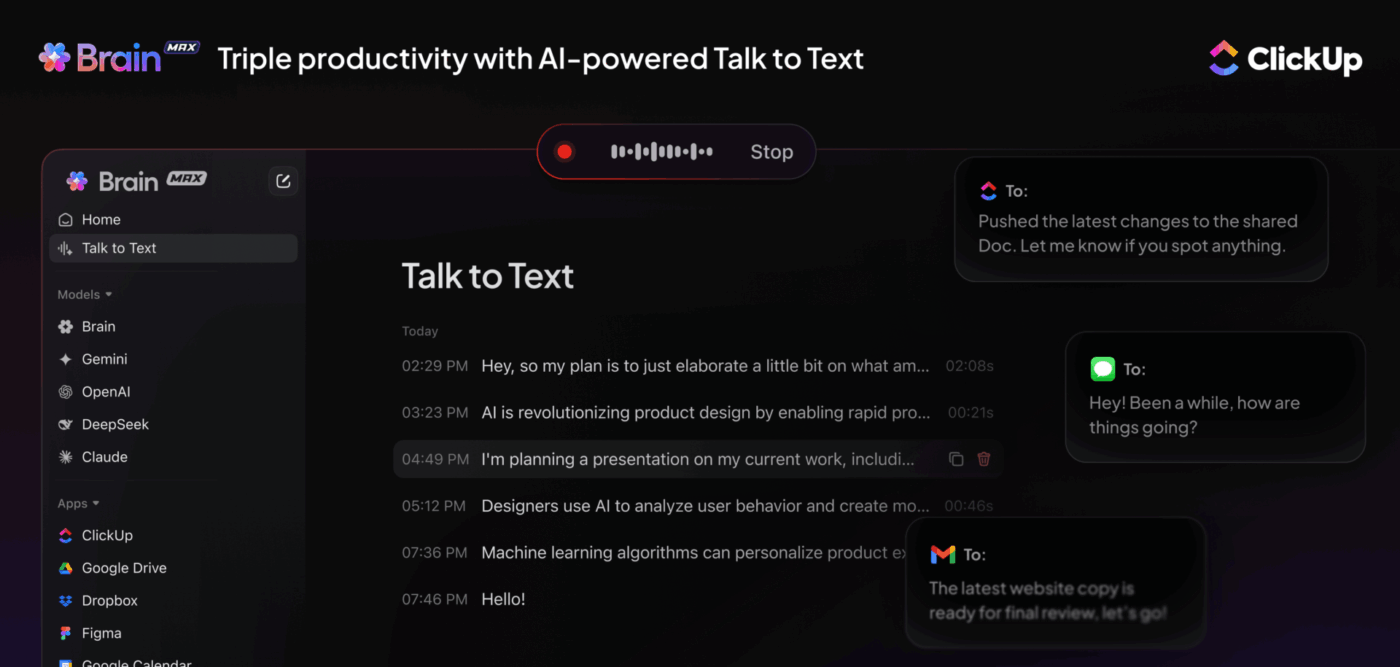
💡 Pro Tip: Host ClickUp SyncUps for daily standups or sprint planning and let ClickUp Brain automatically extract blockers, action items, and technical decisions into tracked tasks.
ClickUp Docs sit next to your tasks, sprints, and discussions, so documentation always stays linked to the work it describes.
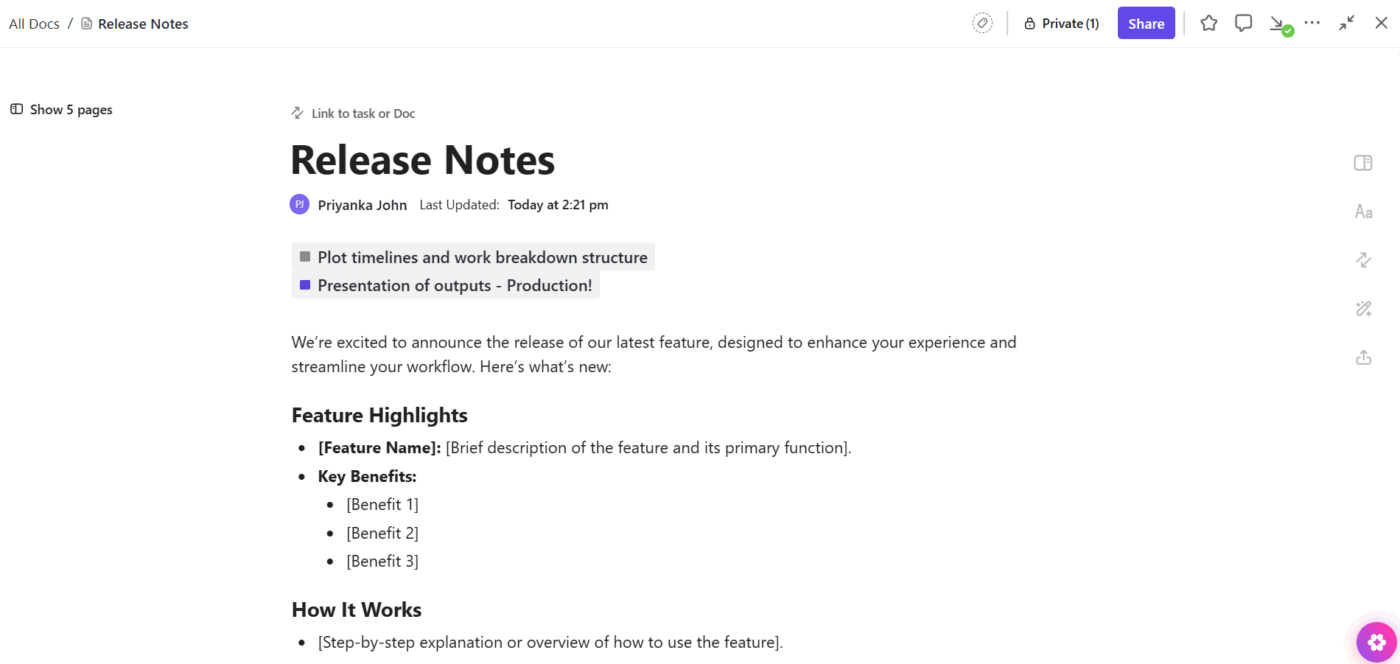
Suppose you document a new messaging service. You can connect the Doc to the related ClickUp Tasks, tie it to your backlog, and keep the history clear for future work. This setup provides engineers with full context and eliminates the need to search through scattered systems.
And let’s say your team defines a shared error-handling pattern.
You can create a clean code block with a slash command, drop the snippet, and give the team a reliable reference point that never gets lost in chat threads or screenshots.
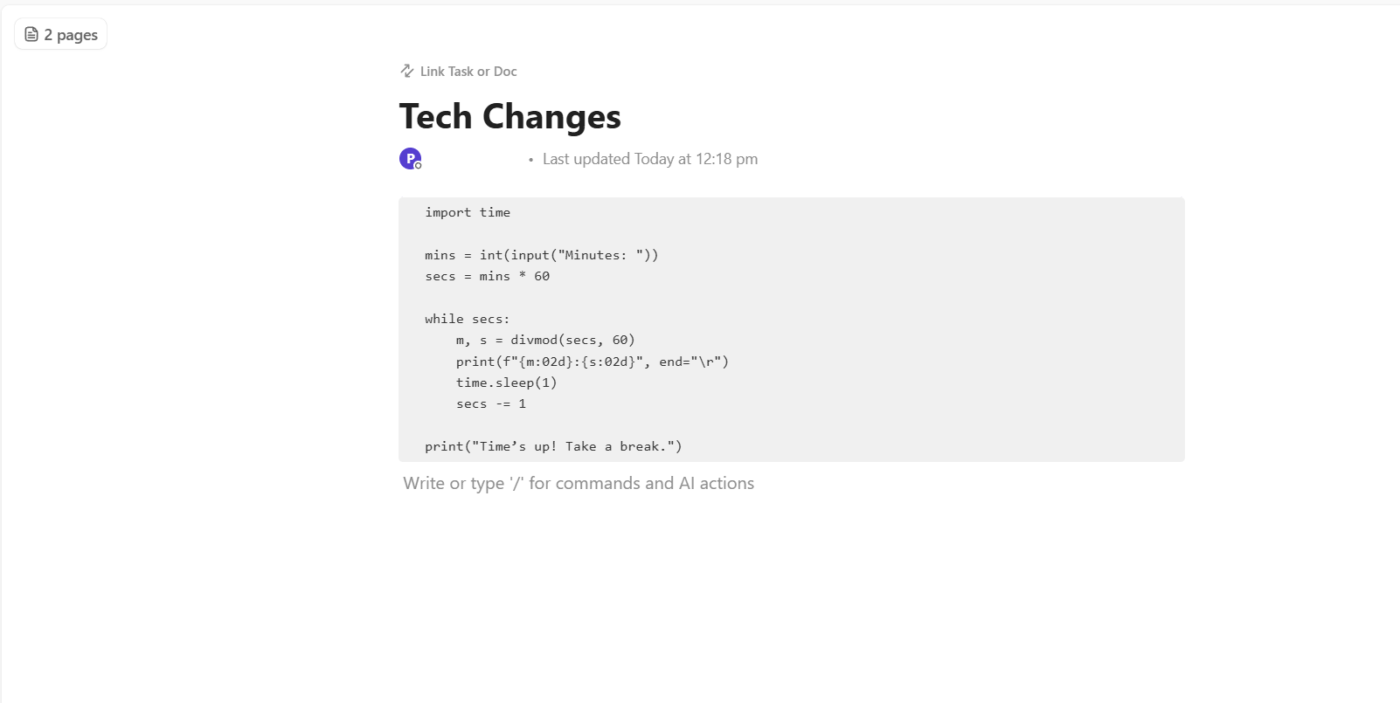
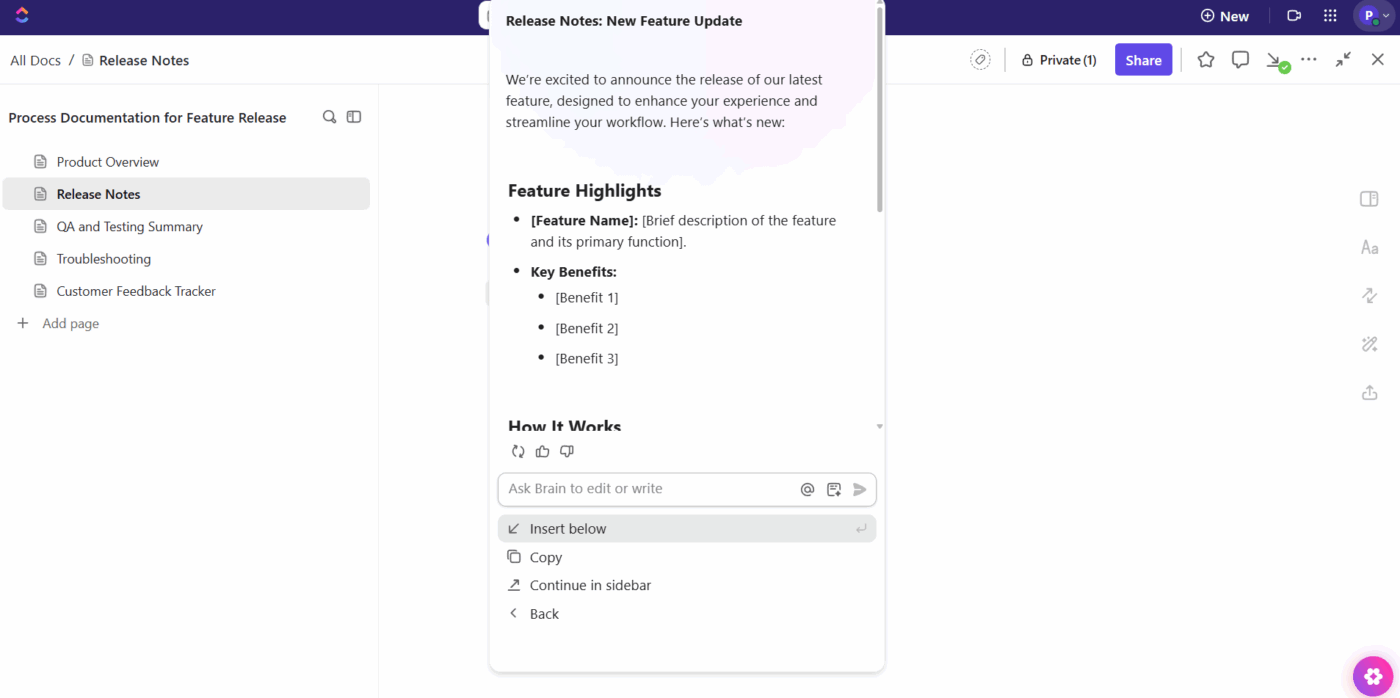
Plus, ClickUp Brain strengthens Docs even further. It scans your tasks, comments, and existing pages, then formats clear sections that keep every technical detail accurate.
Suppose your team updates a deployment script or introduces a new integration. ClickUp Brain reviews the connected work and produces a structured explanation that fits directly into the Doc. This approach keeps documentation current and removes the effort of rewriting the same updates across multiple tools.
🚀 The ClickUp Advantage: Automate routine actions during active development with ClickUp Agents.
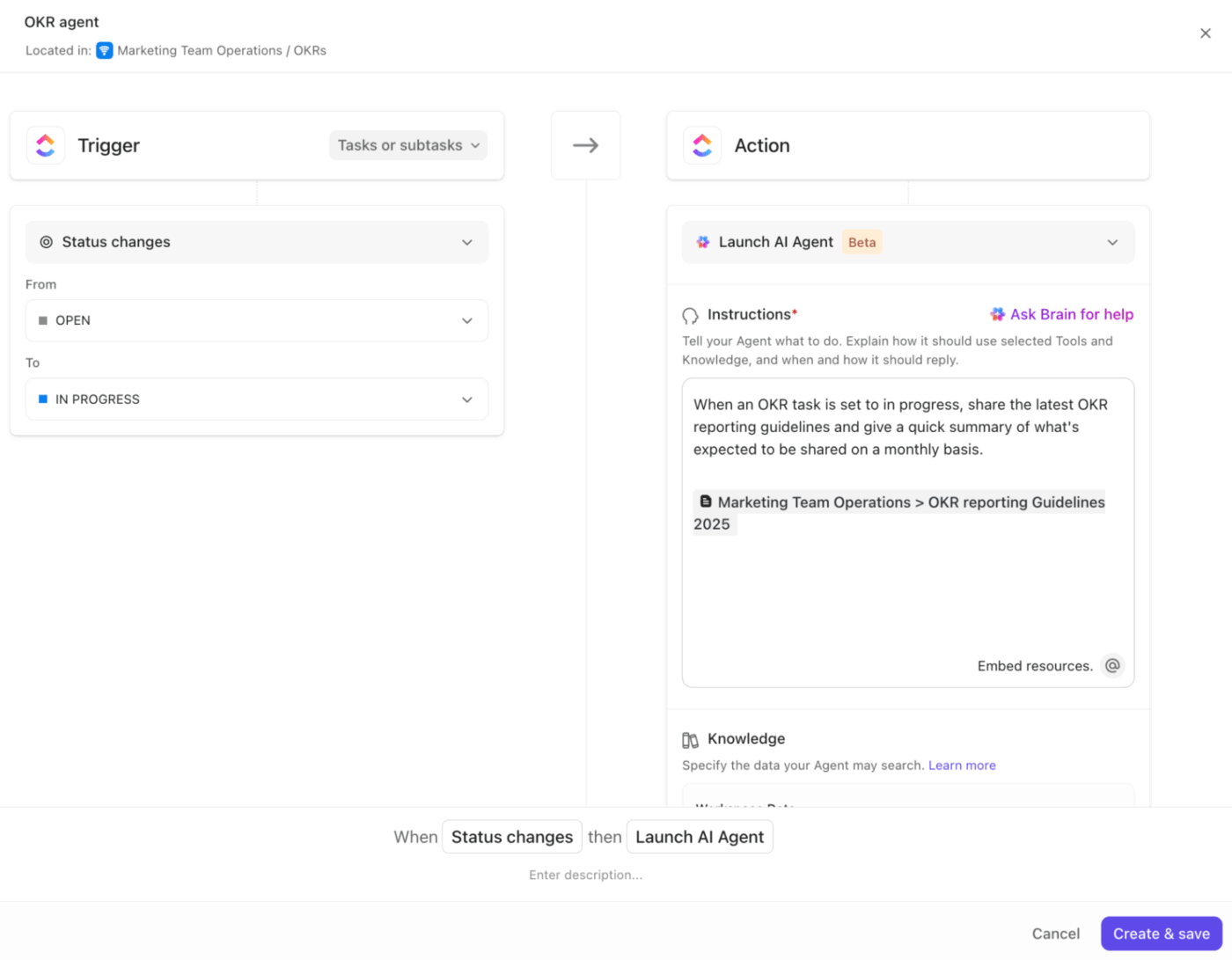
Let’s say you finish a feature task and move it into code review.
An Agent updates related subtasks, assigns the reviewer, posts a summary in the team chat, and attaches the latest Doc created through ClickUp Brain. This flow maintains high momentum and eliminates the scattered effort of switching tools to complete the same set of actions every day.
Give engineering teams a fast setup with ClickUp’s Agile PM Solution.
Try the ClickUp Software Development Template to organize sprints, backlogs, features, bugs, and releases in a structure that fits the way software teams build and ship. Suppose you set up a new service or start a fresh cycle.
You load the template, drop in your priorities, and move straight into planning without designing a system from scratch. Some of the key elements in this software dev template are:
💡 Pro Tip: Use ClickUp Sprints to break development work into timeboxed iterations with clear goals and velocity tracking. Plan sprint capacity, drag tasks into active sprints, and monitor the burndown chart to see if your team is on track to complete the committed work before the sprint ends.
A user shares their experience with using ClickUp:
We use ClickUp to track our software development projects in-house; managing multiple projects and teams makes things easier for me, this is one of the best tools I have used so far for handling my scrum and modern agile projects.
To add to this, ClickUp Dashboards give software teams a real-time command center that shows the state of their entire product cycle. You control what you want to track, how you want to view it, and which data sources matter most for your team.
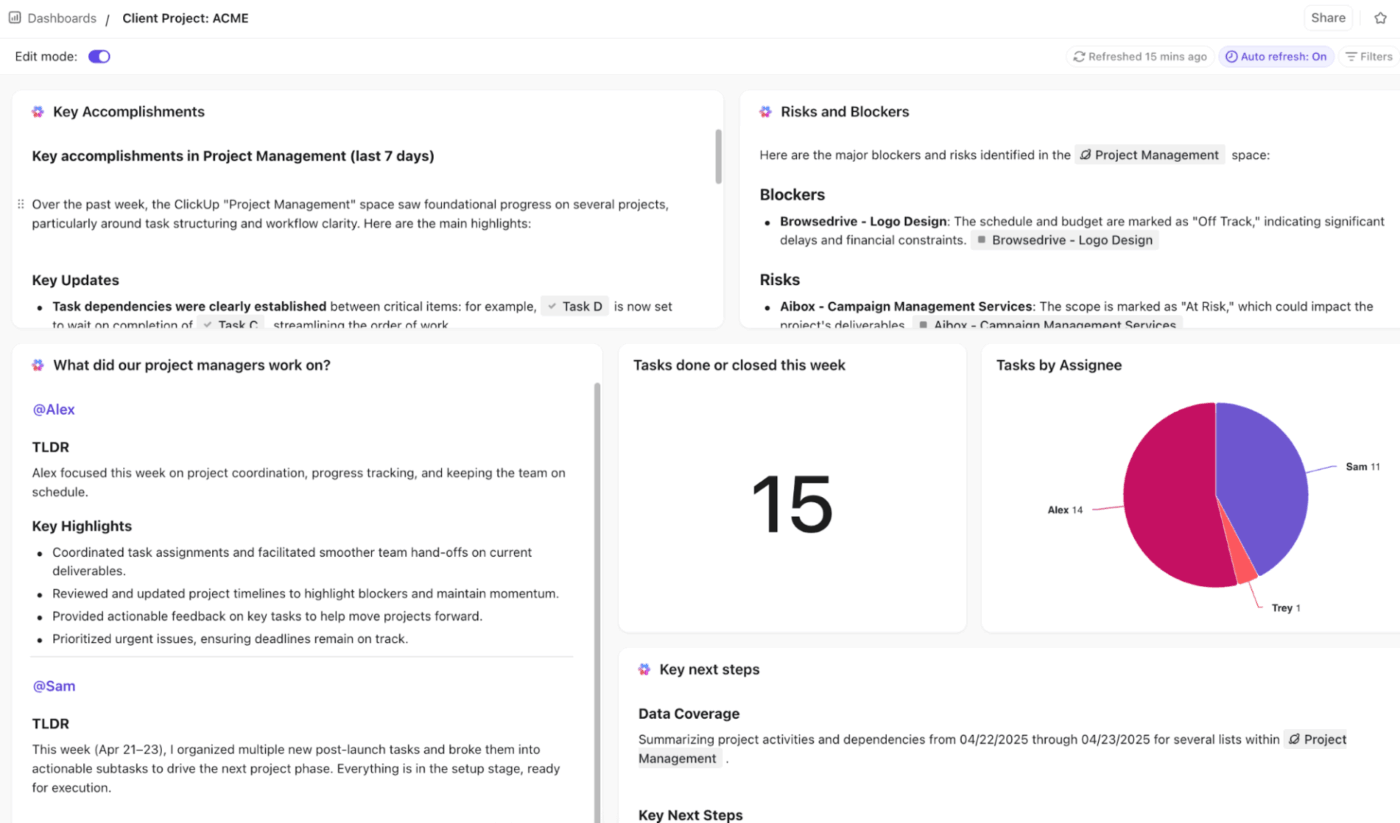
Suppose your developers move through Sprint 14, and QA pushes fixes toward release. You open the Dashboard and see everything in one place: completed tasks, blocked items, active bugs, velocity, team workload, and releases that need attention.
AI Cards inside Dashboards add another layer of clarity. They read sprint activity and task movement, then surface insights that help your team spot risks early.
Use Dashboards to track these KPIs:
Perplexity gives you fast research and current answers.
Claude provides you with in-depth reasoning and strong support during complex refactorings. Both solve real problems for developers, yet neither sits within the place where your team ships work.
ClickUp takes a different route. It holds your sprints, docs, tasks, conversations, and AI in the same workspace.
ClickUp Brain understands your technical context, formats your engineering notes, updates Docs, writes structured code, and supports every part of your development cycle without pushing you into AI Sprawl.
Sign up for ClickUp today and build smarter from your first sprint onward! ✅

© 2026 ClickUp

There’s an easier way. Try a free AI Agent in ClickUp that actually does the work for you—set up in minutes, save hours every week.