Sorry, there were no results found for “”
Sorry, there were no results found for “”
Sorry, there were no results found for “”
Meetings have the potential to move work forward fast. But when notes are scattered, vague, or missing altogether, that momentum stalls. It’s a common challenge that even the best teams face. But thankfully, it’s easy to fix.
With the right meeting notes template, an app like Notion helps you transform every meeting discussion into something clear, actionable, and worth revisiting.
In this article, we’ll introduce the best Notion meeting templates. And if you’re looking for a place to manage your meetings—with a built-in calendar, an AI notetaker, and yes, trusted templates, we’ve got a more powerful alternative to suggest, too. Yep, that’ll be ClickUp! 😎
🔎 Did You Know? Globally, there are approximately 55 million meetings held each day. However, at least half of them are considered unproductive, leading to significant time and resource wastage.
Here are the things you should look for in a good Notion template for recording meeting notes:
Let’s be honest—most meeting notes end up as scattered scribbles, forgotten docs, or that one sticky note you swore you’d never lose. If your current system is more chaos than clarity, it’s time for an upgrade.
These Notion meeting notes templates are here to rescue your brain (and your team) from the post-meeting “what did we just decide?” fog.
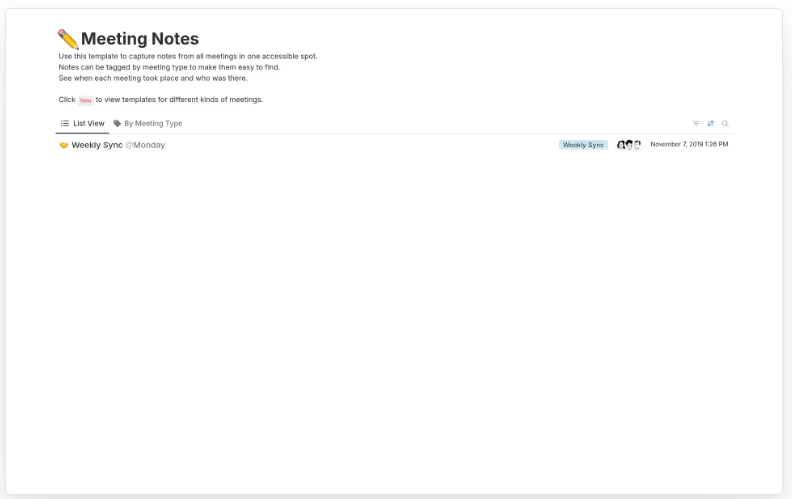
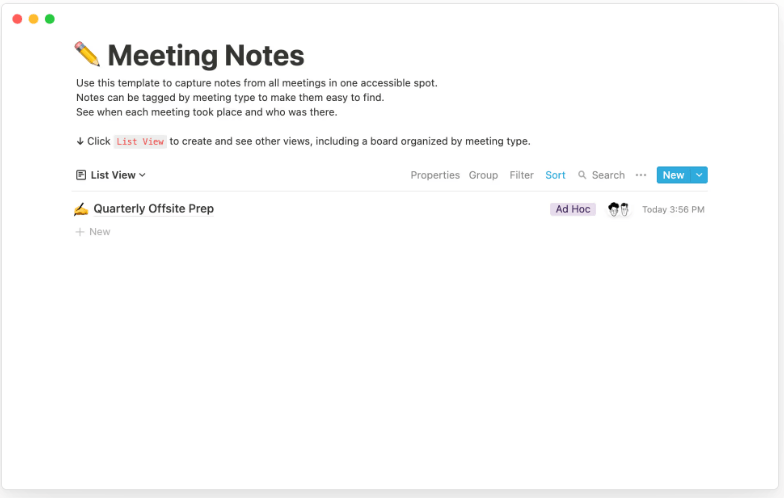
Notion’s Meeting Notes Template offers a centralized space to capture notes from all meetings, making it easier to stay organized and aligned. Use it when you want to tag notes by meeting type, track discussion dates, and see meeting attendees at a glance. Plus, with the ability to create checklists, your action items stay clear and your team accountable.
🔑 Ideal for: Startup teams seeking a more efficient way to document meetings
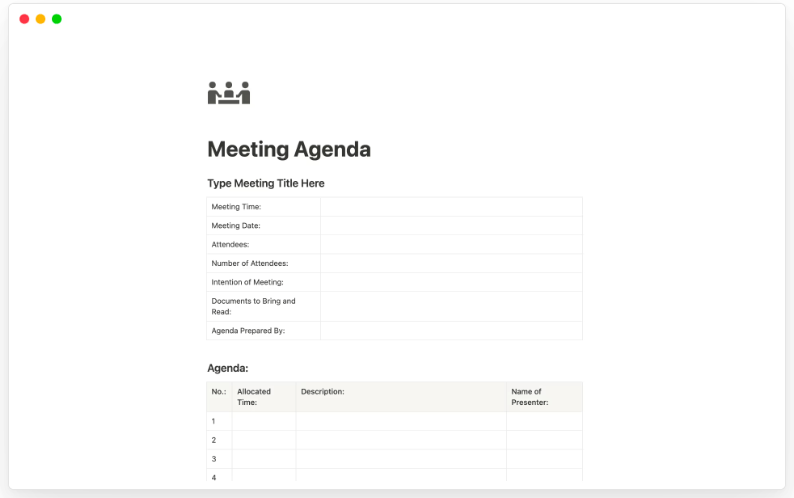
Want to have shorter meetings? Start investing some time in creating specific agendas before the meeting to keep discussions on track.
Notion’s Meeting Agenda Template is a solid tool to start with, like a personal assistant that never forgets. It keeps your meetings on track, your agenda tight, and your team from wandering off into “just one quick thing” territory.
This template keeps meetings focused and productive by outlining topics and dedicating fixed time slots to them so you and your team don’t wander off into unrelated territory. It works for all kinds of meetings—whether you’re in a team sync, client call, or project kickoff.
🔑 Ideal for: Teams looking to plan, conduct, and follow up on meetings efficiently
📮 ClickUp Insight: Our meeting effectiveness survey data shows that 25% of meetings involve eight or more participants. While large meetings can be valuable for alignment and decision-making, they often create challenges.
In fact, another ClickUp survey revealed that 64% of people struggle with unclear next steps in nearly half their meetings. As the everything app for work, we address this gap with an end-to-end meeting management solution.
ClickUp Meetings transforms how teams collaborate with dynamic agendas, while AI Notetaker captures every valuable insight—eliminating follow-up confusion and keeping everyone aligned! 💫
Real Results: Teams using ClickUp’s meeting management features report a whopping 50% reduction in unnecessary conversations and meetings!
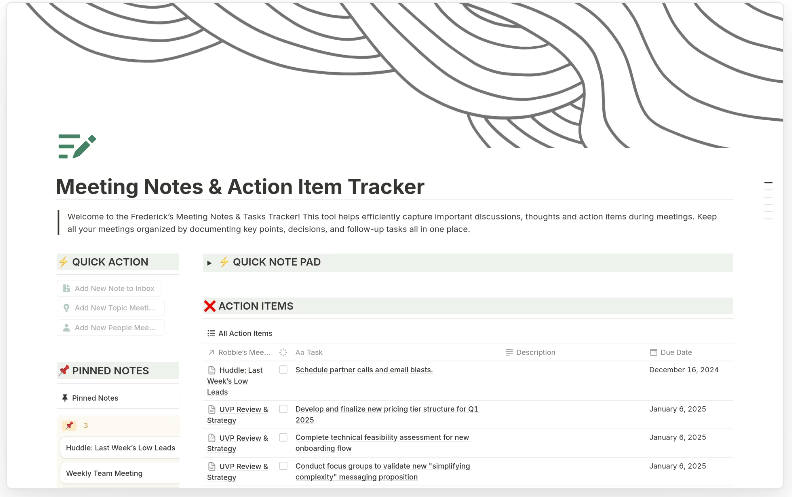
Notion’s Meeting Notes & Action Item Tracker turns messy meeting chats into organized follow-ups and clear responsibilities. The layout is simple but smart—track who said what, what needs to be done, and when it’s due. It’s a practical go-to for teams that like to move fast and stay organized without overcomplicating things.
🔑 Ideal for: Specific individuals and teams seeking a reliable method to document meetings, assign tasks, and track progress
💡 Pro Tip: 37% of workers send follow-up notes or meeting minutes to track action items, but 36% still rely on other, fragmented methods. Without a unified system for capturing decisions, key insights you need may get buried in chats, emails, or spreadsheets. ClickUp’s advanced search, powered by its Connected AI and ClickUp Brain, helps you find any note, action item, or meeting transcript within ClickUp in seconds.
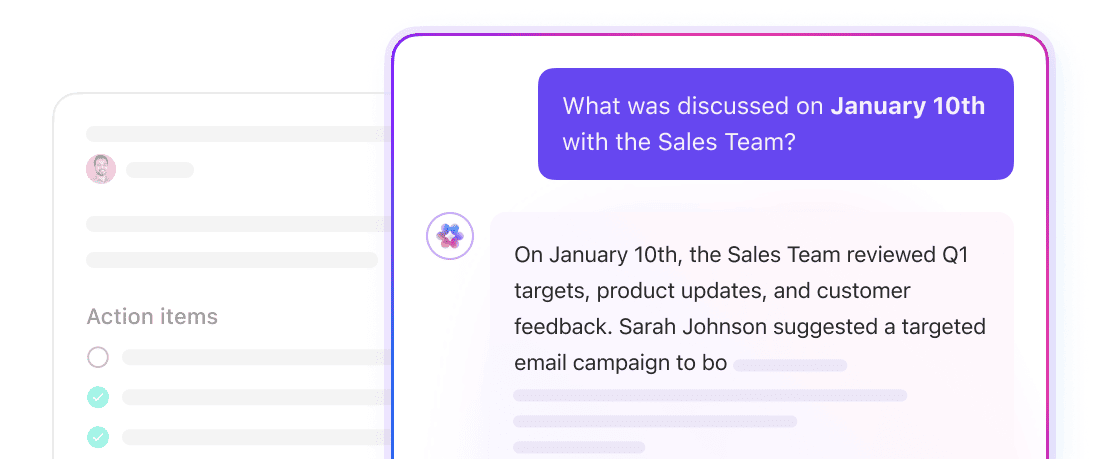
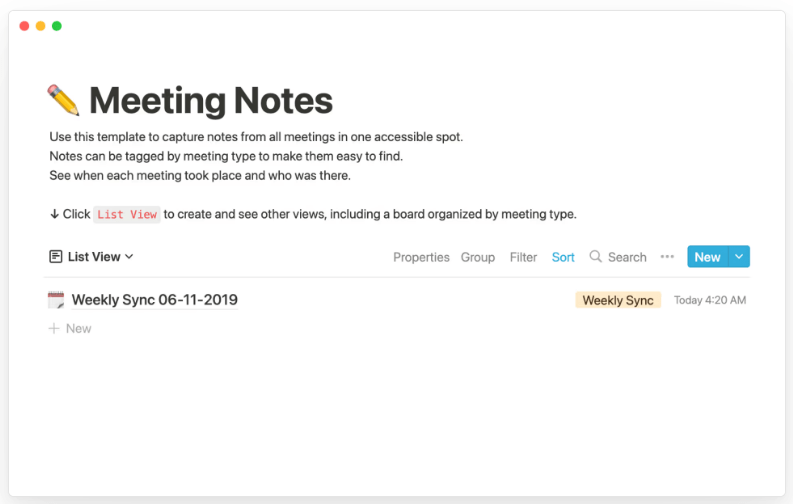
Marketing meetings are often a flurry of updates, ideas, experiments, and decisions. Notion’s Marketing Meeting Notes Template makes it easy to capture all of it, from decisions to action items.
By consolidating all relevant information in one place, it enhances team alignment and ensures that nothing is missed. Tagging the notes by meeting type further helps you find what you’re looking for quickly.
🔑 Ideal for: Marketing teams looking to document meetings and maintain alignment across various campaigns
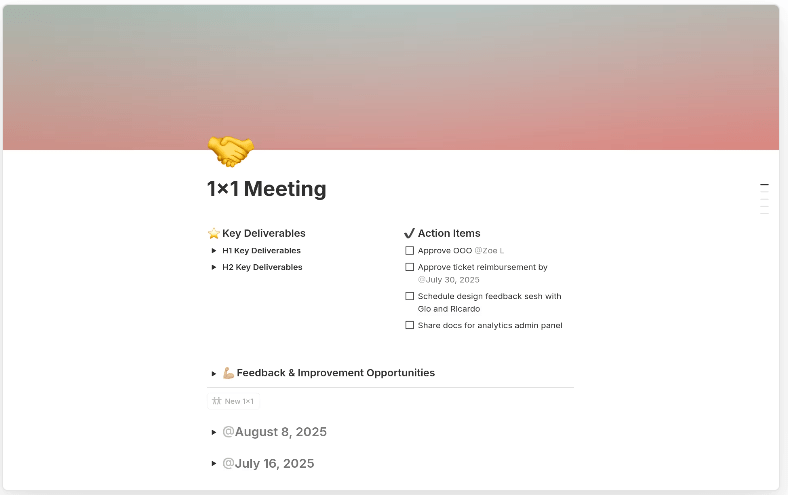
The 1×1 Meeting Template by Notion helps managers and team members make the most of their discussions together. Instead of a freeform doc that can make it daunting to record key takeaways, you get organized sections to prep ahead, set goals, jot down updates, and reflect on outcomes.
Its recurring table tracks weekly meetings with prompts for wins, blockers, and feedback—a simple yet powerful way to keep every check-in intentional.
🔑 Ideal for: Managers and team members who want 1:1s to feel more intentional and less like rushed calendar fillers
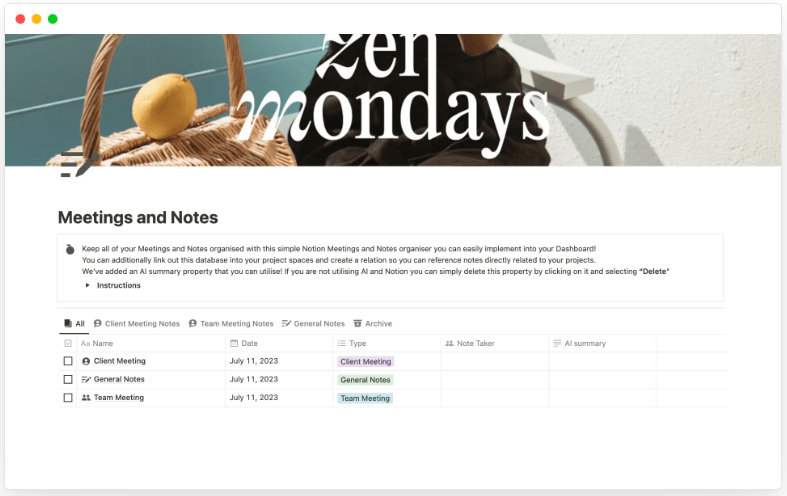
Drowning in meeting notes that are full of umms and ahs, with valuable nuggets buried beneath corporate jargon? Notion’s Meeting Notes + AI Summaries Template pairs clear docs with AI-generated summaries, so you don’t just note down what was said—you also get the heart of it, instantly.
Each meeting entry lets you log participants, set goals, take structured notes, and track outcomes, while AI helps auto-summarize notes for quick reviews later.
🔑 Ideal for: Teams and individuals seeking an efficient way to document meetings and generate quick summaries
➡️ Read More: Best AI Note-Taking Apps & Tools
Design teams thrive on collaboration, creativity, and clarity. That’s why Notion’s Design Meeting Notes Template offers structure with flexibility to keep every meeting both inspired and productive.
With sections for capturing brainstorming discussions, feedback, and next steps, every idea gets recorded and turned into action. Plus, the clean layout makes it super easy to use.
🔑 Ideal for: Design teams and professionals seeking an efficient way to track decisions across projects
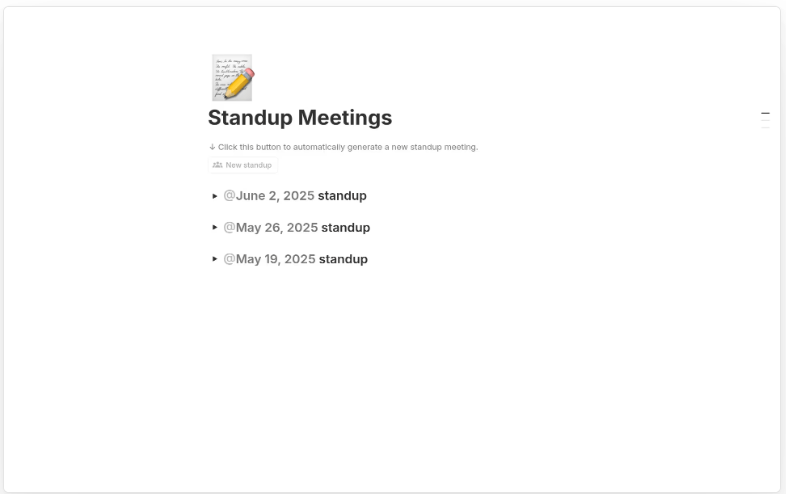
Daily standups keep agile teams moving, and Notion’s Standup Meeting Template makes them quick and focused. It helps you track tasks, spot roadblocks, and plan the next steps—without breaking your flow.
With all updates in one place, your team stays synced and issues get caught early. The best part? It’s flexible enough for remote, hybrid, or office setups, making daily meetings hassle-free.
🔑 Ideal for: Teams who want to make daily standups quicker, clearer, and more effectively without extra fuss
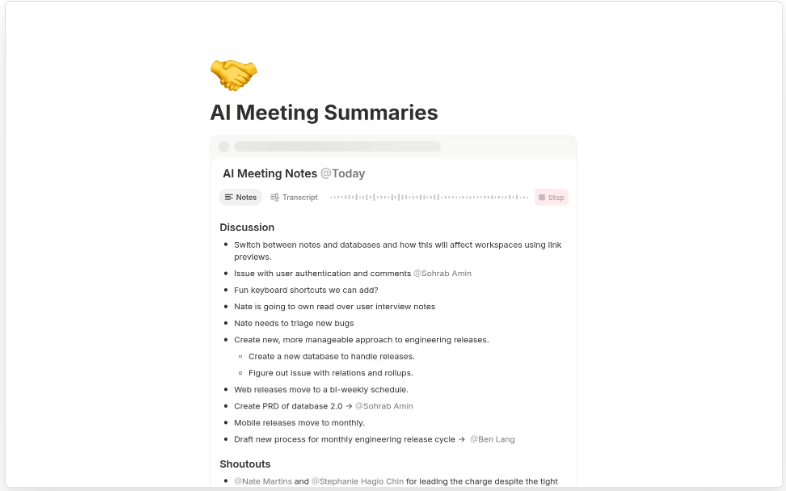
Notion’s AI Meeting Summaries Template makes meetings effortless by adding smart, built-in summaries to your notes. It captures key decisions and action items in one place, so everyone’s aligned.
When you want to, skip the long recaps, just scan the highlights and get back to work faster with this Notion template.
🔑 Ideal for: Teams seeking to generate quick, accurate, an and effective meeting summaries
🧠 Fun Fact: The Meeting Hangover Effect is real! According to Harvard Business Review, over 90% of employees feel that post-meeting brain fog—like a productivity slump that sneaks up after a long, unproductive meeting at least occasionally. It’s basically the workday equivalent of a hangover, but luckily, better notes and smarter meetings can help manage it!
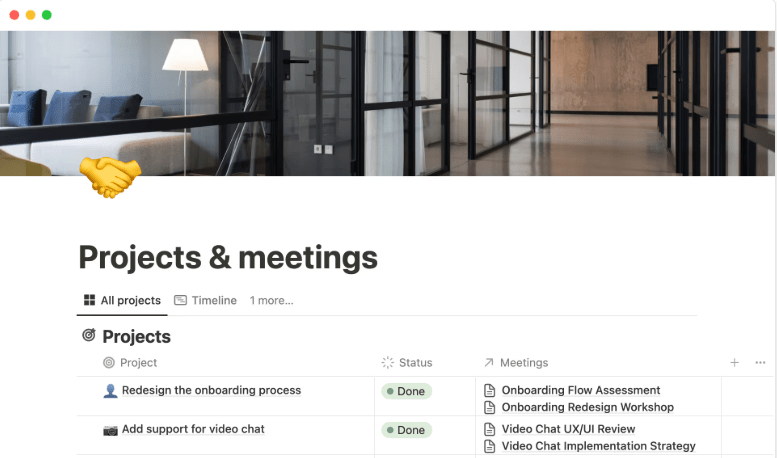
Juggling tasks, chats, and meetings in different places? Notion’s Projects & Meetings Template brings everything together. It lets you plan projects, assign tasks, and keep notes from related meetings side by side.
With timeline and calendar views plus a database for monitoring deliverables, everything stays on track.
🔑 Ideal for: Teams working on multiple projects and looking to align their meeting discussions
While Notion has its strengths as a note-taking tool, it’s not without its quirks. From performance issues to limited offline access, a few roadblocks can hinder your perfect workflow. Here’s a quick look at where Notion might fall short.
If you’re looking for something more reliable, suitable for big and small projects alike, and easy to navigate even for beginners, ClickUp, the everything app for work, is the perfect Notion alternative!
ClickUp Meetings transform how teams collaborate with dynamic agendas, while ClickUp’s AI Notetaker captures every valuable insight—eliminating follow-up confusion and keeping everyone aligned!
Teams using ClickUp’s meeting management features report a whopping 50% reduction in unnecessary conversations and meetings! 🤩
And these meeting notes templates in ClickUp have a huge role to play. The best part? They’re suitable for all teams and purposes:
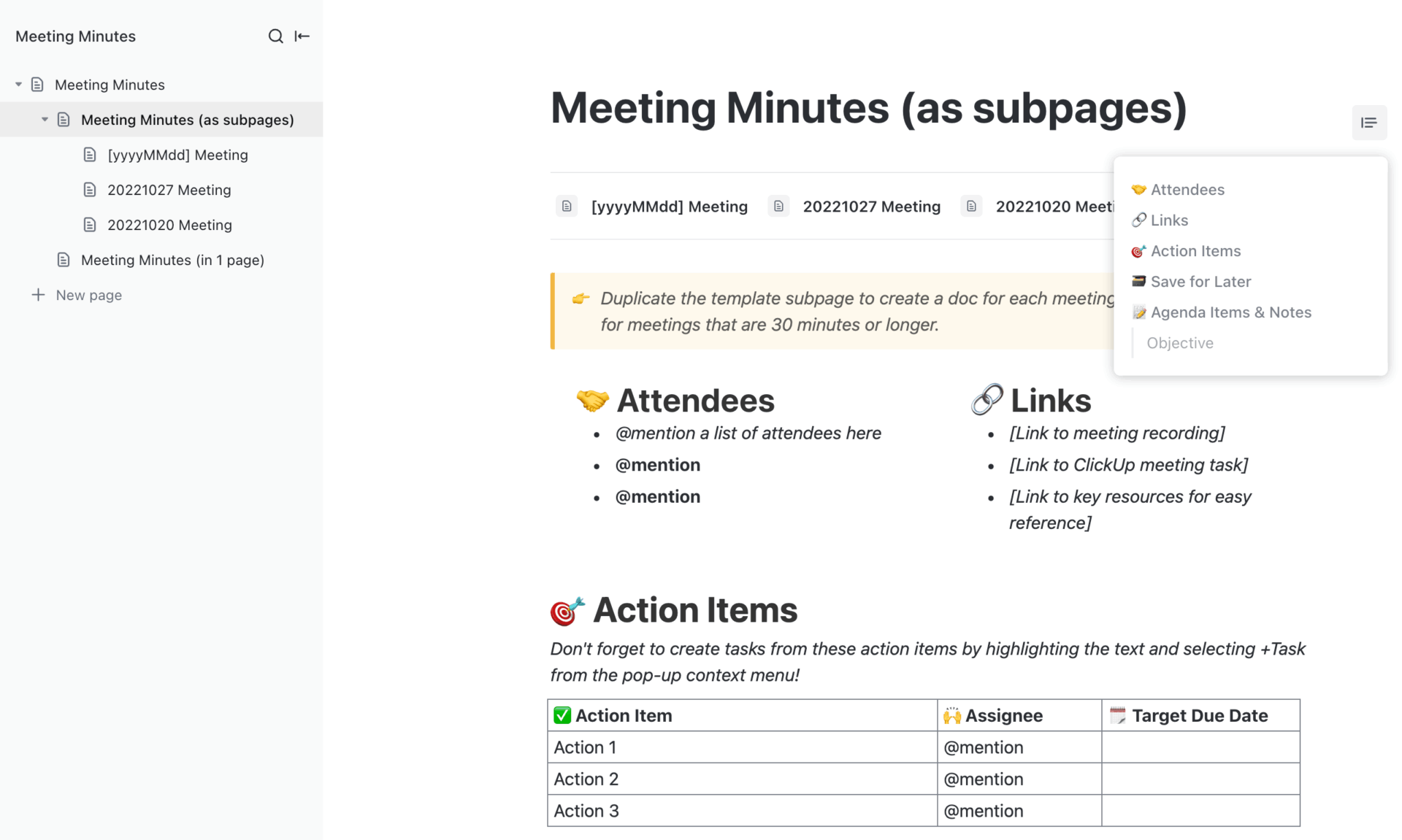
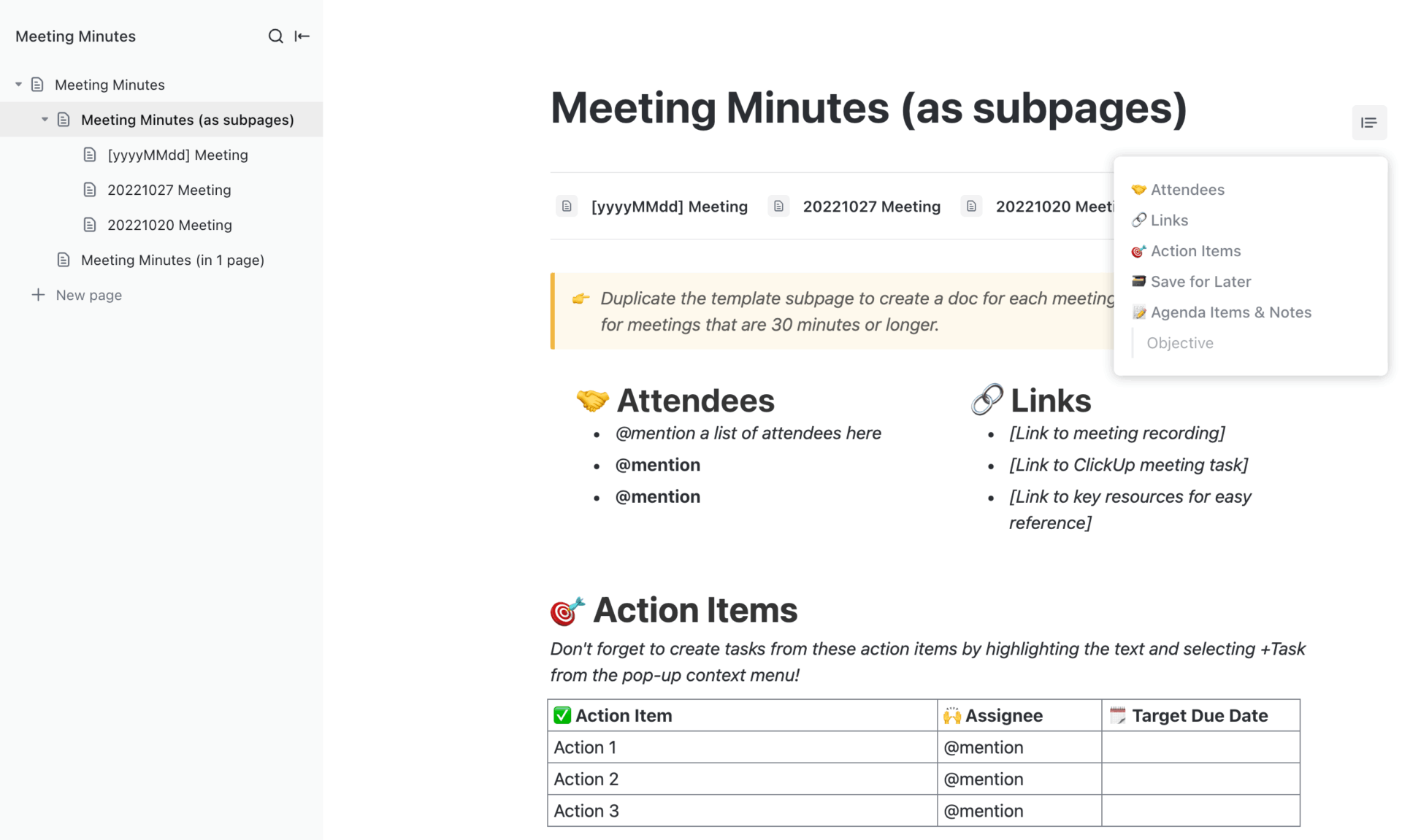
The ClickUp Meeting Minutes Template is your go-to for noting down attendees, agendas, action items, and key takeaways—all in one place. It makes it easy to keep track of what was said, what needs to be done, and who’s doing it.
Designed for collaboration, this template ensures everyone stays on the same page and knows their responsibilities. Plus, with pre-built pages, you can quickly set it up for all kinds of meetings and start documenting what matters.
🔑 Ideal for: Teams seeking a simple way to document meetings and ensure follow-through on action items
📮 ClickUp Insight: According to our meeting effectiveness survey, nearly 40% of respondents attend between 4 and 8+ meetings per week, with each meeting lasting up to an hour. This translates to a staggering amount of collective time dedicated to meetings across your organization.
What if you could reclaim that time? ClickUp’s integrated AI Notetaker helps you boost productivity by up to 30% through instant meeting summaries—while ClickUp Brain helps with automated task creation and streamlined workflows—turning hours of meetings into actionable insights.
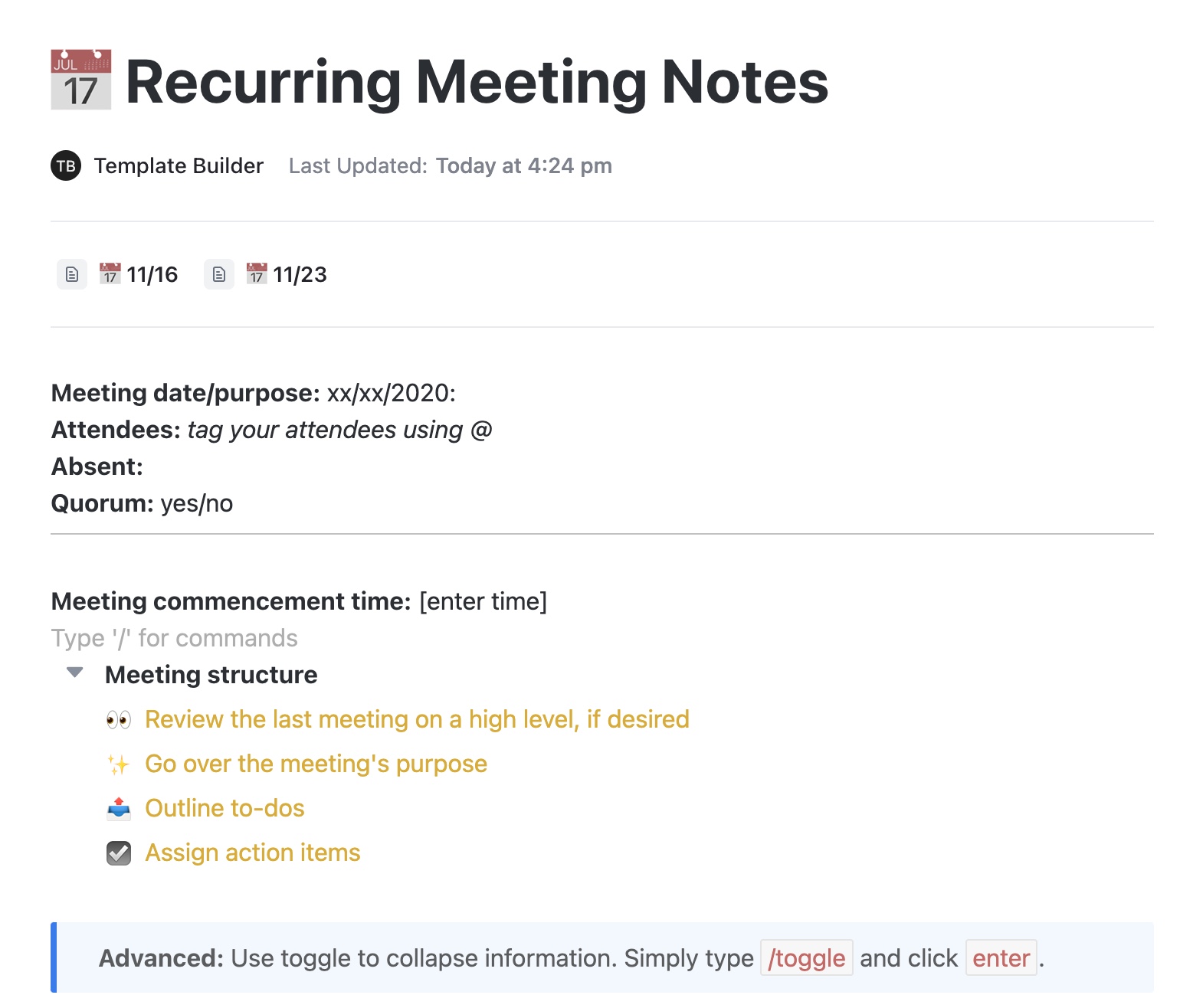
Tired of repeating the same note-taking routine every week with a new doc generated from scratch? ClickUp’s Recurring Meeting Notes Template eliminates the hassle.
Use it to capture essential details to streamline your recurring meetings—daily standups, weekly team check-ins, and more. With built-in task linking and Custom Statuses, action items are easily tracked and assigned right from your notes.
You get a familiar layout for every session, so you focus more on the conversation and less on formatting your notes document. Plus, the consistent format builds a reliable log of past meetings for quick reference and accountability.
🔑 Ideal for: Teams who meet regularly and want an easy-to-follow record of updates, action items, and decisions
💡 Pro Tip: Boost productivity with ClickUp’s AI Calendar. Optimize your day with intelligent scheduling suggestions and auto-time-blocking for your priorities.
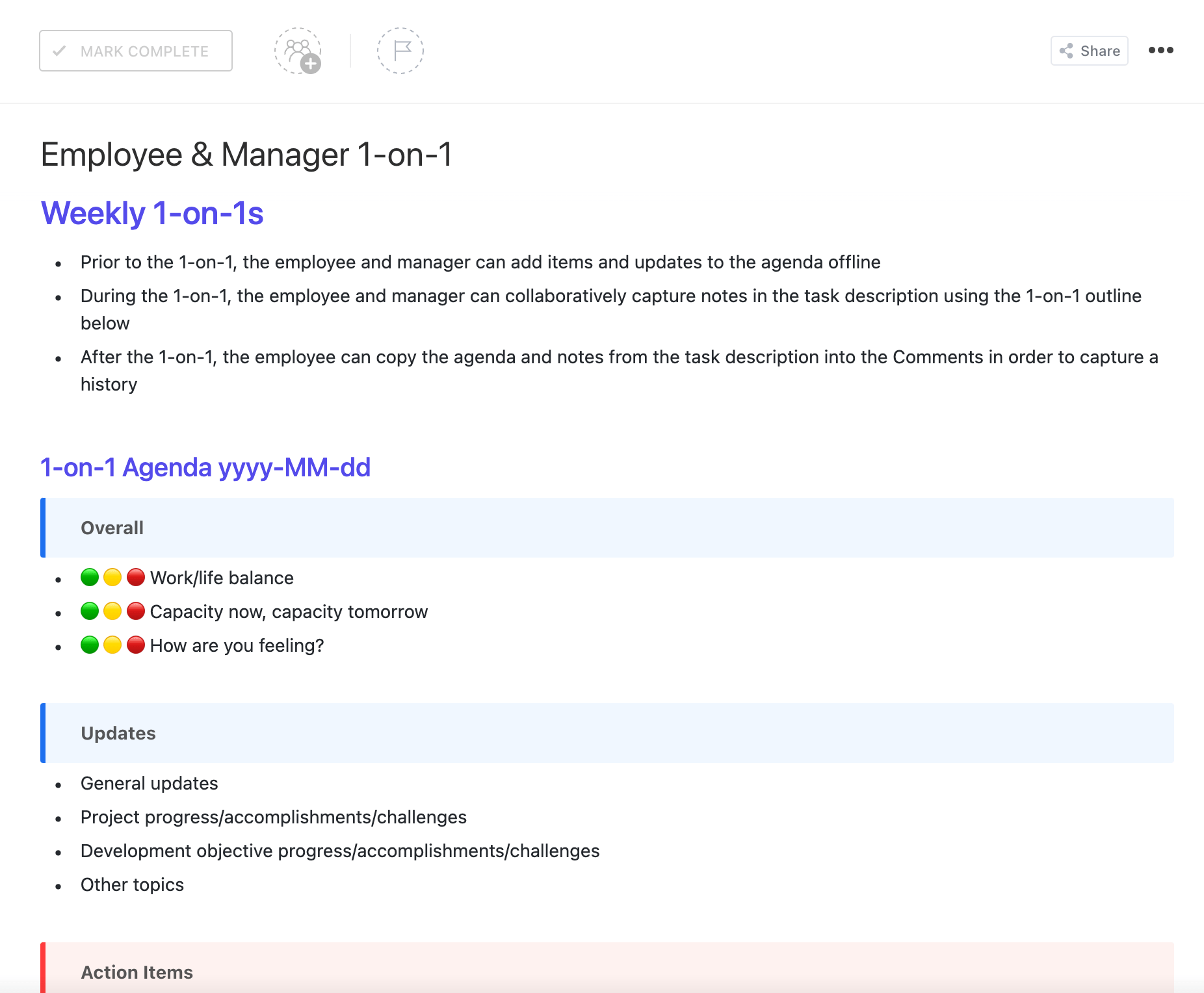
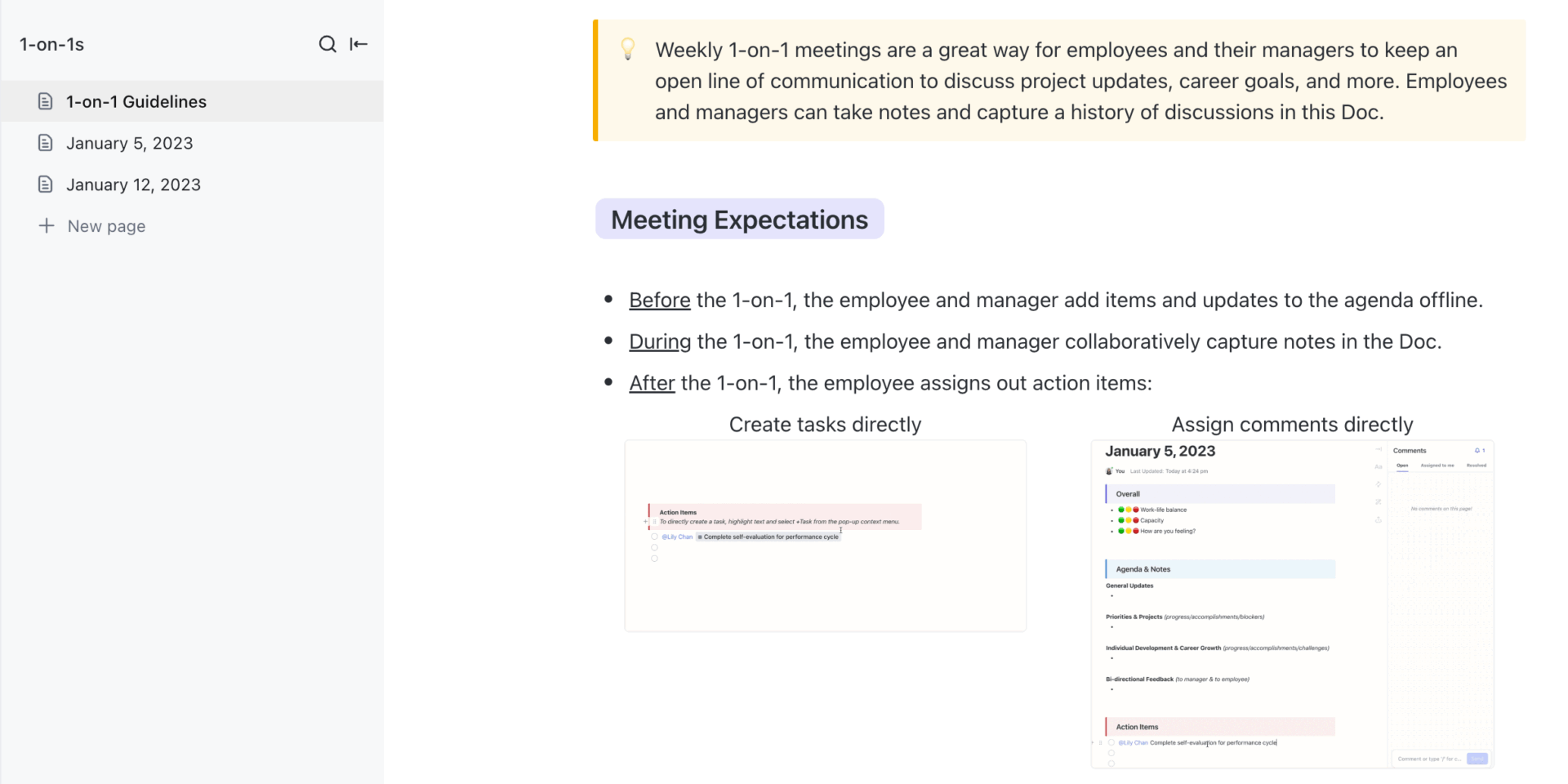
Regular one-on-one meetings between employees and managers are essential for open communication and continuous growth. The ClickUp Employee & Manager 1-on-1 Template is perfect for managing these discussions, tracking progress, and setting actionable goals.
It ensures that both parties are aligned on objectives, responsibilities, and expectations. With customizable fields and views, you can tailor each meeting to address specific topics, such as career development, project updates, or feedback sessions.
🔑 Ideal for: Managers and employees aiming to enhance the quality and productivity of their one-on-one meetings
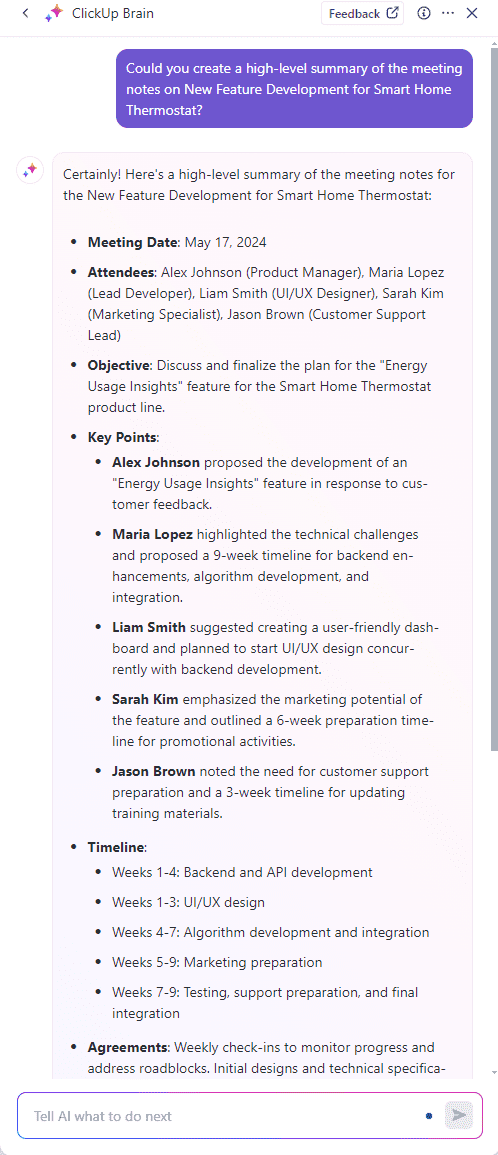
💡 Pro Tip: Why add a separate extension for summarizing your MoMs? Let ClickUp Brain do the heavy lifting—summarizing meeting notes, highlighting decisions, and pulling out action items using natural language commands—so you save time and never miss a beat.
The ClickUp Client Meeting Notes Template helps you organize every detail of client interactions, from shared goals to the steps for their implementation. It makes it easy to prepare for effective meetings, list takeaways, and turn those notes into real outcomes.
You’ll be able to see what’s been discussed, what’s still pending, and who’s accountable for what. Plus, with multiple views, you can track meetings in a format that suits your style—be it a calendar, board, or list.
🔑 Ideal for: Professionals seeking an organized and efficient way to document client meetings
➡️ Read More: Best Free Online Sticky Notes Apps
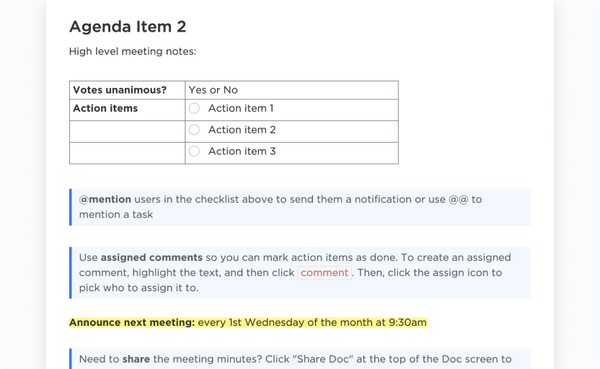
ClickUp’s Nonprofit Board Meeting Minutes Template delivers a smart, no‑code doc setup built to capture key discussions, decisions, votes, and action items—from attendance to outcomes—in one centralized place.
Its real‑time collaborative editing, task assignment, and automations simplify follow‑up, ensuring nothing slips through the cracks post‑meeting.
🔑 Ideal for: Nonprofit organizations seeking an organized way to document meetings, ensuring clarity and follow-through on action items
Want to simplify team collaboration so you can action meetings effortlessly? Watch this video to learn how ClickUp can help:
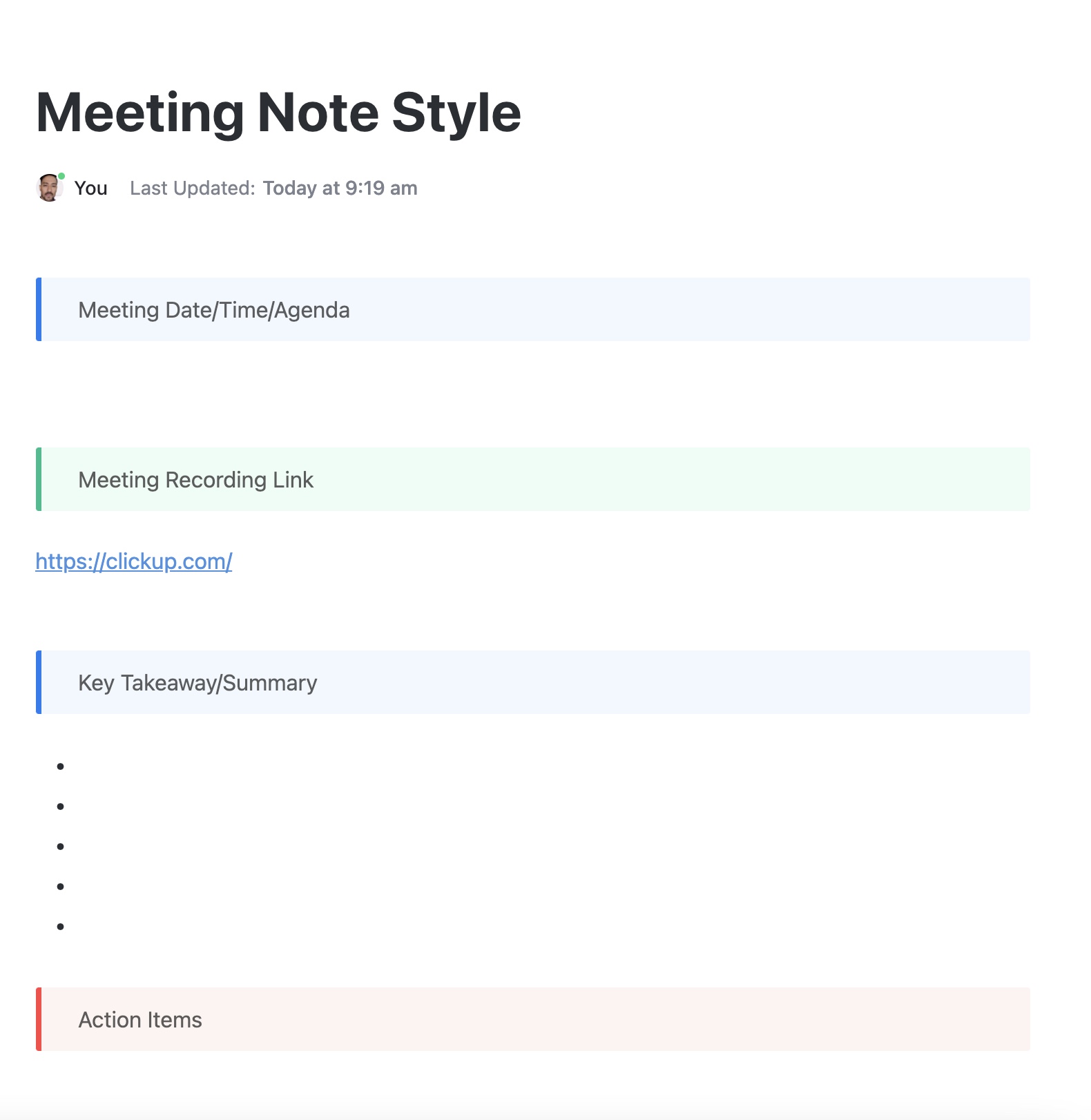
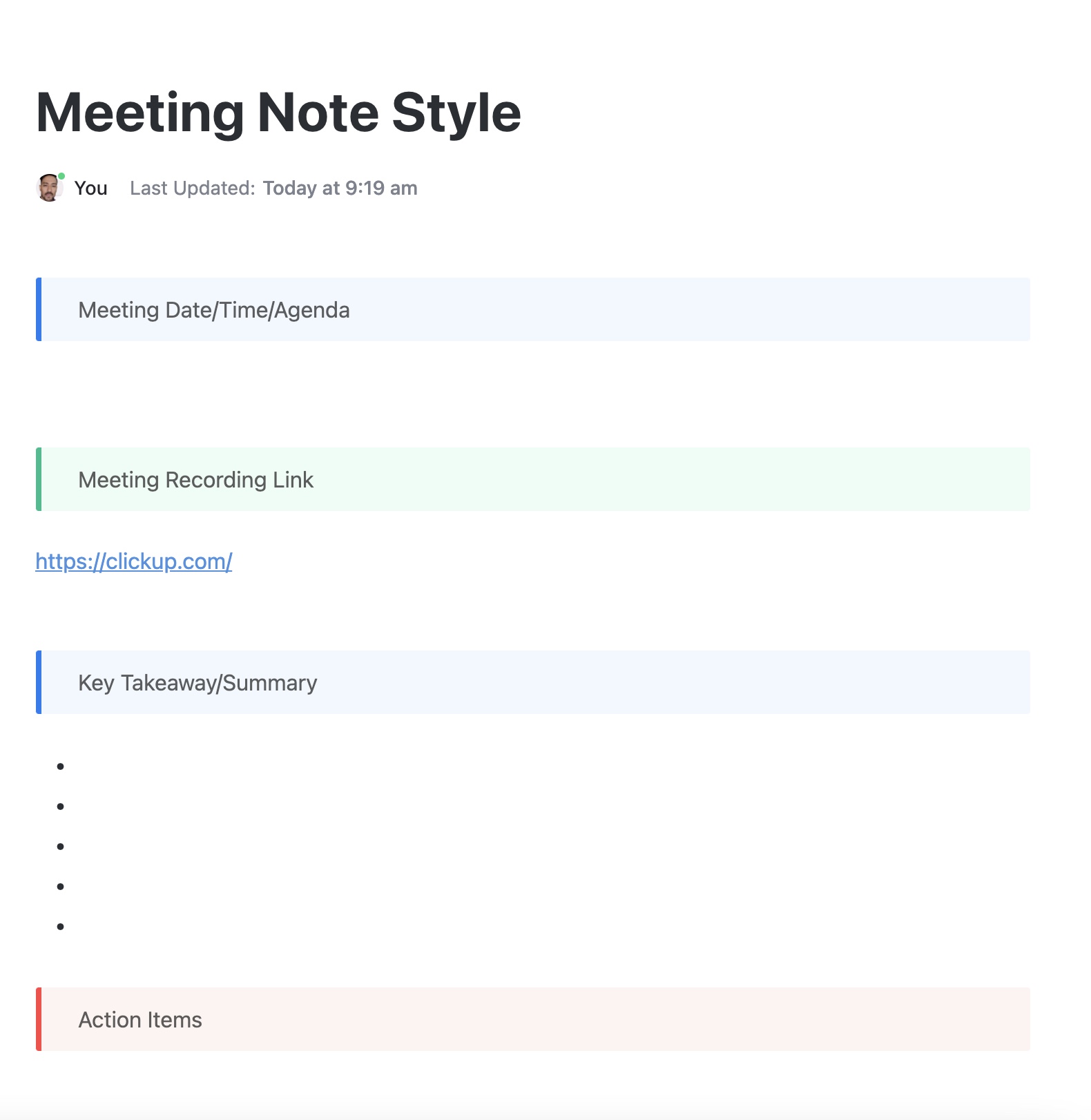
Need a reliable way to organize client calls or internal reviews? This Meeting Note Style Template by ClickUp gives you a consistent layout to log agendas, participants, discussion points, and outcomes—all in one place.
It’s built for teams who juggle multiple meetings and want searchable, shareable records without the manual formatting. You can create action items directly from your notes, assign them, and track follow-ups effortlessly. Perfect for recurring meetings or one-offs, it makes sure no follow-up is forgotten.
🔑 Ideal for: Teams that want cleaner, clearer meetings and a simple way to keep everyone on the same page after they end
💡 Pro Tip: Streamline your meeting workflow with ClickUp Automations. Automatically assign tasks to the right person, send reminders, and update task statuses based on defined conditions, so your meeting notes instantly turn into action without lifting a finger.
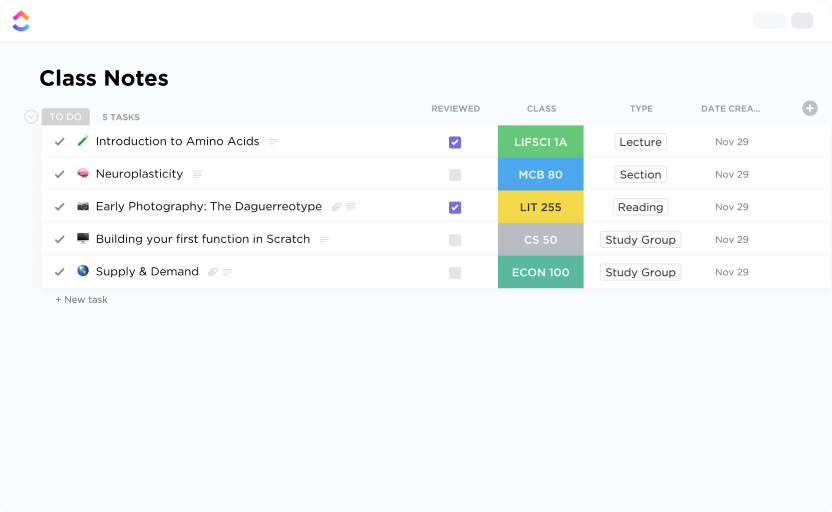
Ever find yourself flipping through notebooks trying to remember what your professor said two weeks ago? The Class Notes Template by ClickUp gives you a smarter and neater way to stay on top of your lectures, readings, and assignments.
The best part? This template features a pre-built table of contents for easy navigation, customizable formatting options, and the ability to add comments to specific sections.
🔑 Ideal for: Students seeking an efficient and customizable way to manage their class notes and academic materials
🔍 Did You Know? Students who actively take notes tend to perform better academically. This is because the way they write down and organize information plays a big role in how well they understand and retain it.
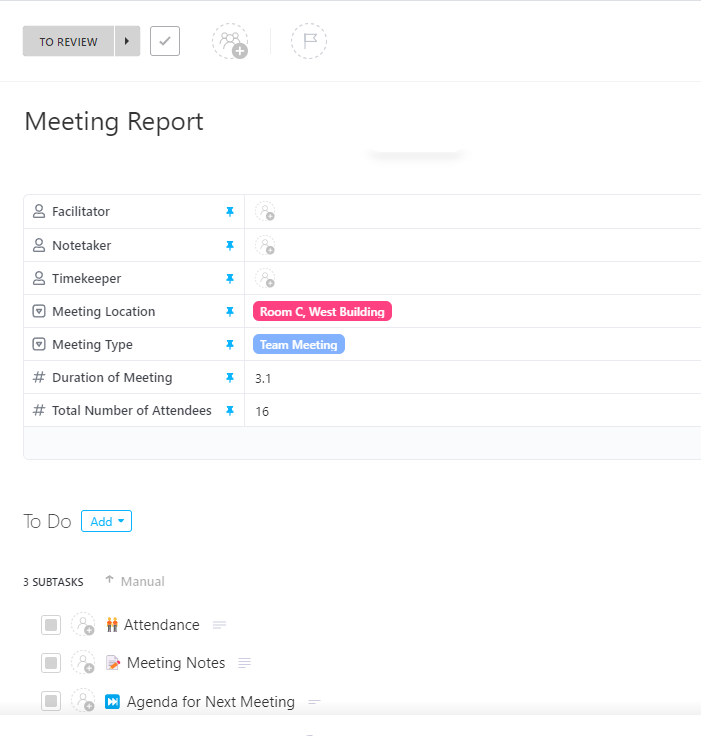
ClickUp’s Meeting Report Template captures agendas, decisions, and tasks for your meetings in one spot. After a client call or leadership check‑in, you fill in the template to clearly communicate outcomes to customers, teammates, and leadership. By doing so, you close the loop and ensure no detail gets overlooked when converting discussions into action.
It uses seven Custom Fields (like Meeting Type, Timekeeper, Location, and Attendee Count) to standardize reports and make them easy to filter, sort, and analyze. It’s perfect for account managers, project leads, or C‑suite liaisons who need a repeatable, professional way to summarize meetings and ensure everyone stays aligned.
🔑 Ideal for: Managers and teams aiming to enhance meeting productivity during customer meetings
➡️ Read More: How to Use AI for Meeting Notes? (Use Cases & Tools)
ClickUp’s 1-on-1s Template gives you a central space to plan, run, and reflect on every 1-on-1, with a separate page for each team member.
With this template, you can jot down goals, revisit the last meeting’s talking points, assign action items, and make progress visible over time. Plus, it lets you keep every check-in meaningful and ensure you don’t miss anything.
🔑 Ideal for: Managers and team leads who want a reliable, organized way to run 1-on-1s that actually drive progress
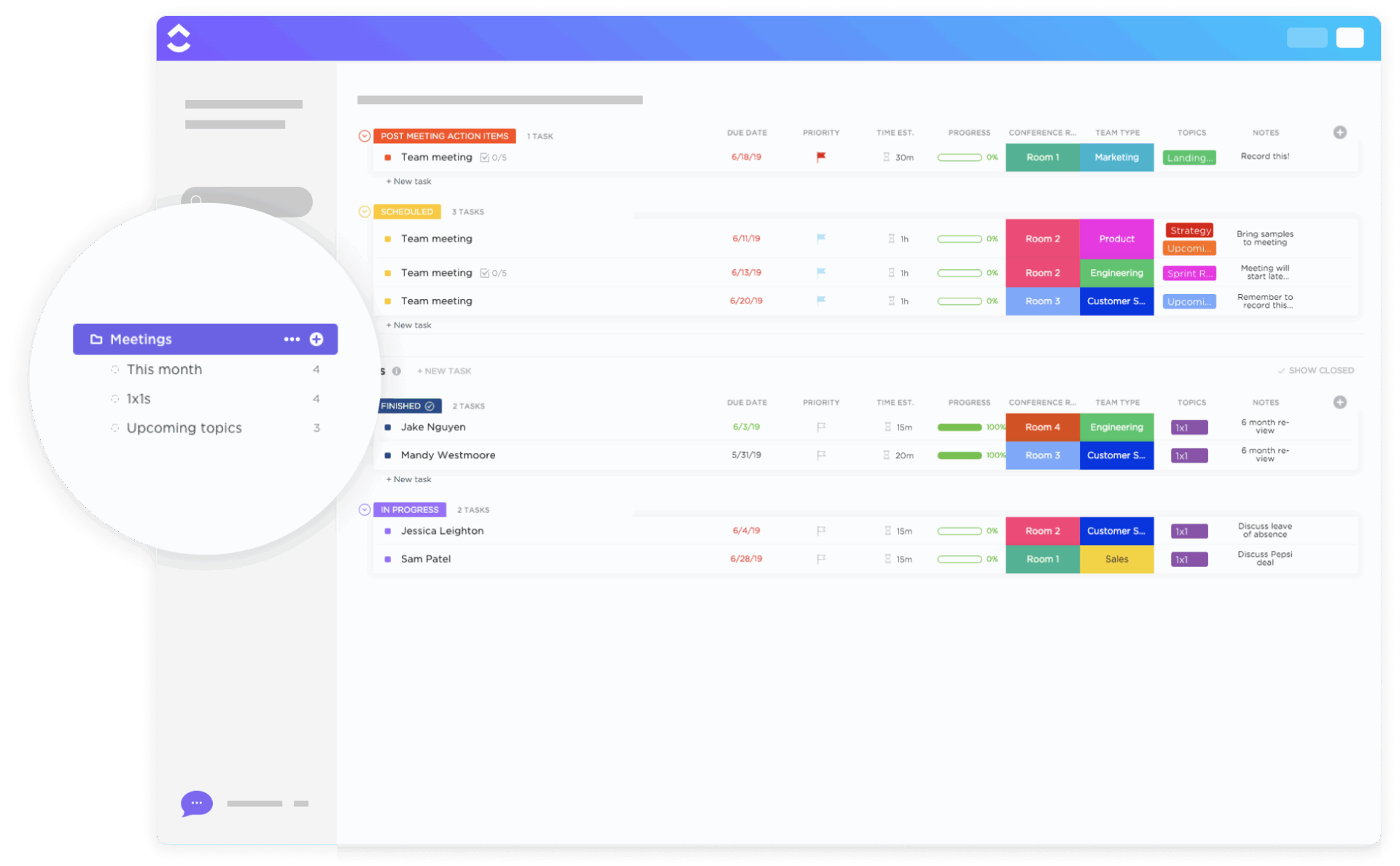
Every team holds many different kinds of meetings, from quick syncs and deep dives to one-on-ones. And with so many meetings, it’s easy for details to slip through. ClickUp’s Meetings Template helps you stay on top of them all with dedicated views for every step.
Its sections are fully customizable: add or reorder agenda items, attach docs or visuals, and prep the team by sharing before you even start. During the meeting, record discussion points and assign action items to teammates instantly—no tab-switching needed. And afterward, follow-up easily with your notes, tasks, and deadlines in one place.
🔑 Ideal for: Teams who want to simplify meeting management with an all-in-one space for planning, presenting, and staying connected
Meeting notes templates are essential tools that help teams capture discussions clearly, keep track of decisions, and follow through on action items. Notion templates are a great way to bring consistency to your documentation.
They help you organize agendas, jot down key points, and keep follow-ups visible. But while Notion helps you record what’s happening, it stops short of helping you act on it.
That’s where ClickUp shines! Its templates are built to connect meeting insights with action, helping you manage tasks, timelines, and team accountability—all in one place. Sign up for ClickUp for free today!

© 2026 ClickUp