






Still downloading templates?
There’s an easier way. Try a free AI Agent in ClickUp that actually does the work for you—set up in minutes, save hours every week.
Sorry, there were no results found for “”
Sorry, there were no results found for “”
Sorry, there were no results found for “”

Moxie works well for solo freelancers and micro-businesses. It covers the basics, including contracts, invoices, and simple client communication.
But as your business grows, those basics are not enough. You need better tools for managing projects, collaborating with others, and scaling without patching things together.
After hitting a ceiling with Moxie, many small business owners are switching to tools that adapt to how they actually work—whether that’s faster invoicing, deeper task tracking, or team collaboration in one place.
Let’s check out 10 smart Moxie alternatives that help you save time on admin work, stay on top of client tasks, and run your business without extra tools.
| Tool | Key features | Best for | Pricing* |
| ClickUp | Docs, CRM, Forms, Invoices, Time Tracking, Automations | Best for individuals, solopreneurs, and growing teams who want to centralize client work, billing, and communication in one place | Free forever plan; Customizations available for enterprises |
| Agency Handy | Dashboards, approval workflows, file management, and branded portals | Best for creative agencies managing multiple client deliverables and revisions | Paid plans start at $19/month |
| Dubsado | Custom forms, scheduler, workflows, contract management and automation | Best for coaches, consultants, and service providers who need fully automated, branded client journeys | Paid plans start at $20/month |
| HoneyBook | Proposals, contracts, payments, reminders | Best for freelancers and creatives who want a clean, client-friendly booking and billing flow | Paid plans start at $36/month |
| Bonsai | Proposals, time tracking, freelance banking, tax tools | Best for freelancers who want to manage work, finances, and taxes in one dashboard | Paid plans start at $15/month |
| Moxo | Branded portals, messaging, file sharing, mobile-first UX | Best for consultants, legal firms, and financial pros offering white-labeled client portals | Custom pricing |
| Plutio | Inbox, multilingual support, time tracking, client portals | Best for solopreneurs managing multiple services and global clients from one app | Paid plans start at $19/month |
| 17hats | Workflow templates, schedulers, contracts, automation | Best for photographers, event planners, and creative pros running service-based businesses | Paid plans start at $60/month |
| SuiteCRM | Open-source CRM, modular dashboard, self-hosted | Best for small tech-savvy teams that want complete control over their CRM and workflows | Free (open source); Paid support plans available |
| Capsule CRM | Contact timelines, task tracking, pipeline views, mobile app | Best for small teams wanting a lightweight CRM without the complexity | Paid plans start at $21/month |
Our editorial team follows a transparent, research-backed, and vendor-neutral process, so you can trust that our recommendations are based on real product value.
Here’s a detailed rundown of how we review software at ClickUp.
Outgrowing a tool like Moxie doesn’t happen overnight; it creeps up on you. You’re handling more client projects, sending more invoices, coordinating across email, Slack, and spreadsheets.
Suddenly, you’re not just freelancing, you’re running a business.
That shift brings new demands: automation, visibility, project collaboration, and the ability to manage everything in one place. And that’s where many Moxie users start looking elsewhere.
Here’s what to look for when switching to a more capable, comprehensive platform:
Modern business tools should give you control, clarity, and growth space. These Moxie alternatives go further. They combine project management, invoicing, CRM, and collaboration to help you stop stitching systems together and start running your business in one place.
ClickUp is the everything app for work that combines project management, knowledge management, and chat—all powered by AI that helps you work faster and smarter.
As a Moxie Alternative, it helps you manage the behind-the-scenes work your clients don’t see—quotes, timelines, updates, and payments—all from one dashboard. You can plan events, track custom orders, and share progress without chasing files or messages across apps.
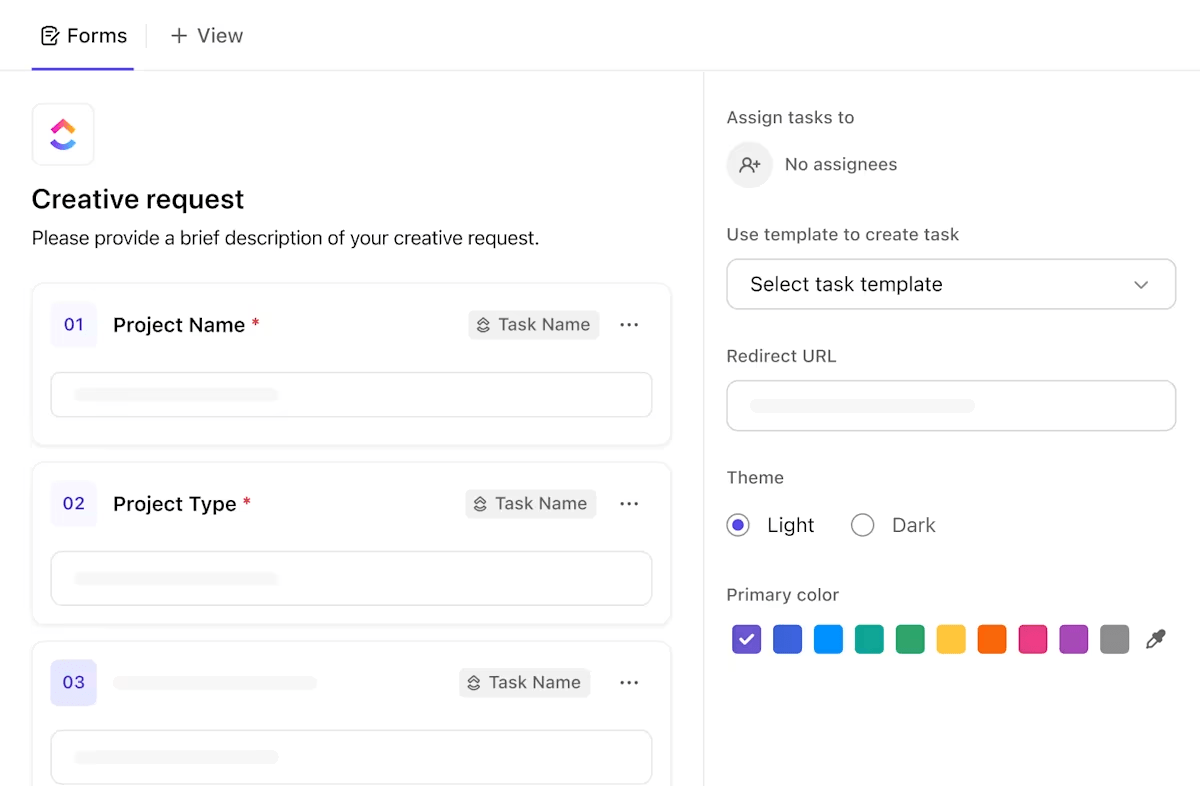
To kick off customer onboarding or client requests immediately, use ClickUp Forms. These dynamic forms turn each submission into a detailed task, ideal for tracking new projects, service requests, or feedback submissions. Instead of manually copying details from emails or spreadsheets, you can centralize and streamline your onboarding or inquiry process.
Want to see all your client information in one unified view? ClickUp CRM lets you manage leads, track conversations, and see project status in a clean, customizable view. You can sort by deal stage, schedule follow-ups, and assign tasks to team members without jumping to a separate CRM tool.
It’s ideal for solo founders and small teams that don’t need a bloated sales tool—just a simple way to manage every client relationship.

Need to send a brief to your client? Generate a draft instantly on ClickUp Docs using AI. Want feedback? Add a comment and assign it as an action item to your colleague instantly. Whether designing bouquets for a wedding or planning a photoshoot, ClickUp connects your updates, tasks, and files so nothing gets lost between inboxes.
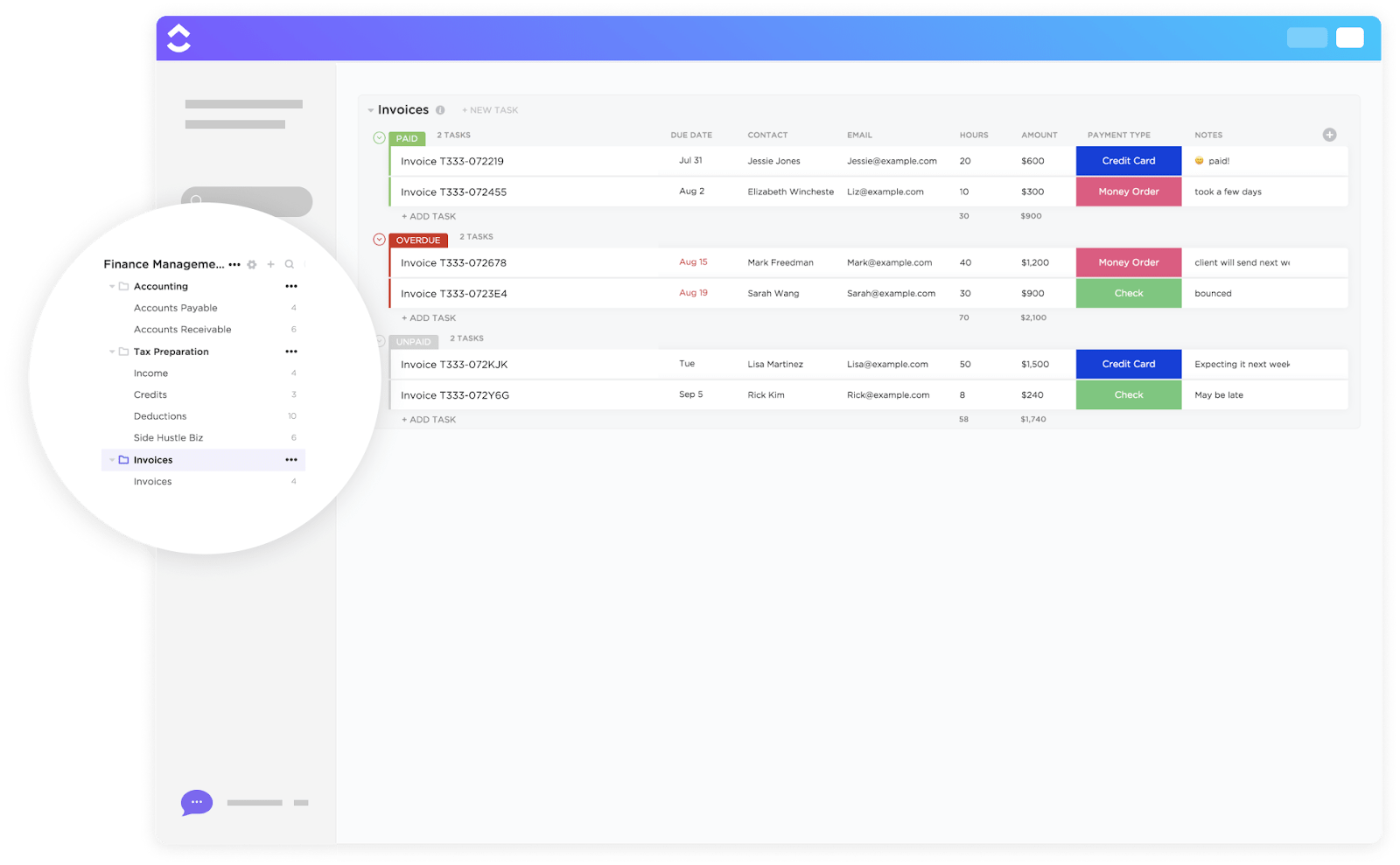
Moving on to billable hours and invoices, the ClickUp Time Tracking feature helps you log billable hours directly on tasks or projects. You can track time in real time or manually enter it, then generate reports or invoices based on the hours worked.
If you send the same invoice every month or repeat client onboarding steps, ClickUp saves you from doing it twice. Build your templates once, automate reminders or approvals, and keep your process moving—while you focus on the work your clients pay you for.
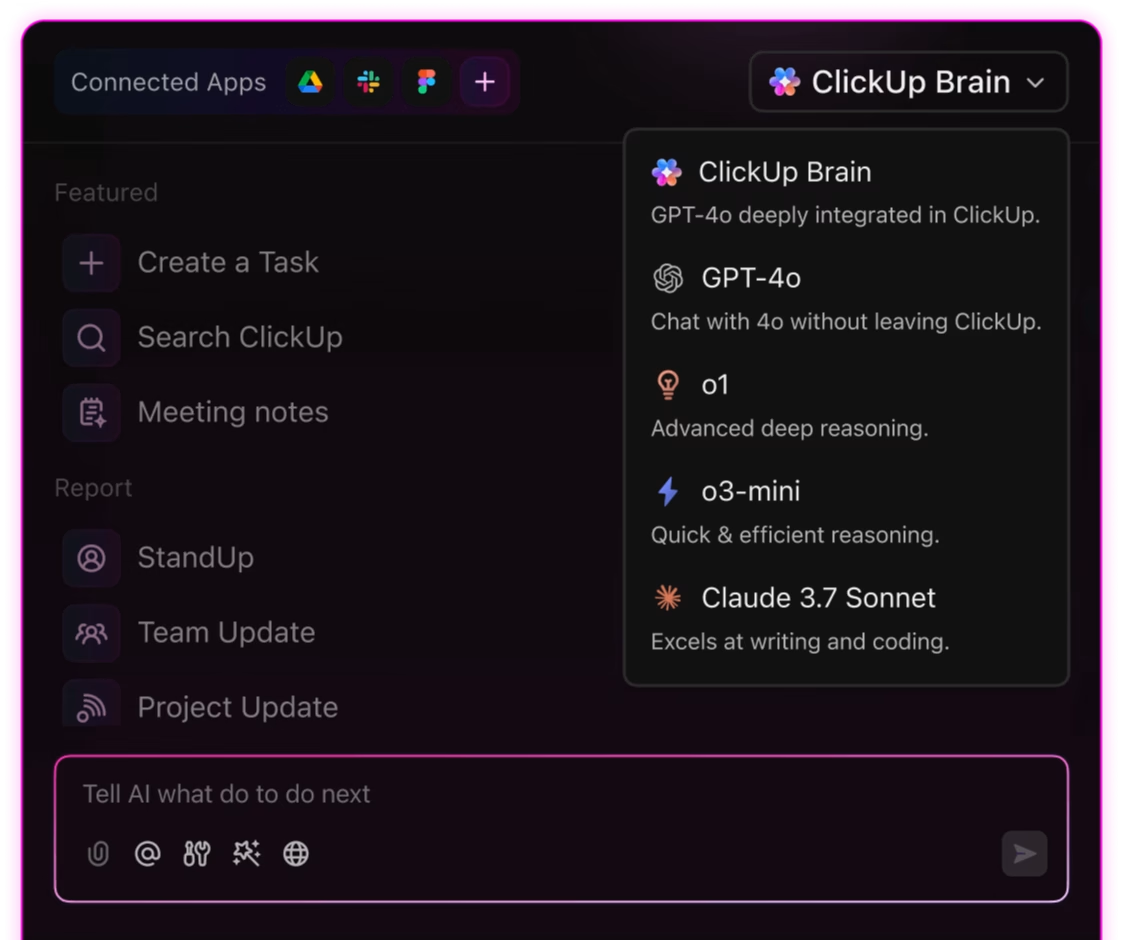
Finally, the best part about ClickUp as a Moxie Alternative? ClickUp Brain can handle your entire workflow. For example, when new tasks come in, AI Prioritize will set the urgency of each task, so you always know what to tackle first. Autopilot Agents can watch for overdue or stuck tasks and take action, like sending reminders or updating statuses.
You can also use AI to quickly summarize long docs or threads, draft updates, or create new tasks and docs with a prompt. This way, you spend less time on admin and more time getting work done!
ClickUp templates are customizable, reusable, and easy to attach to your project tasks or CRM records.
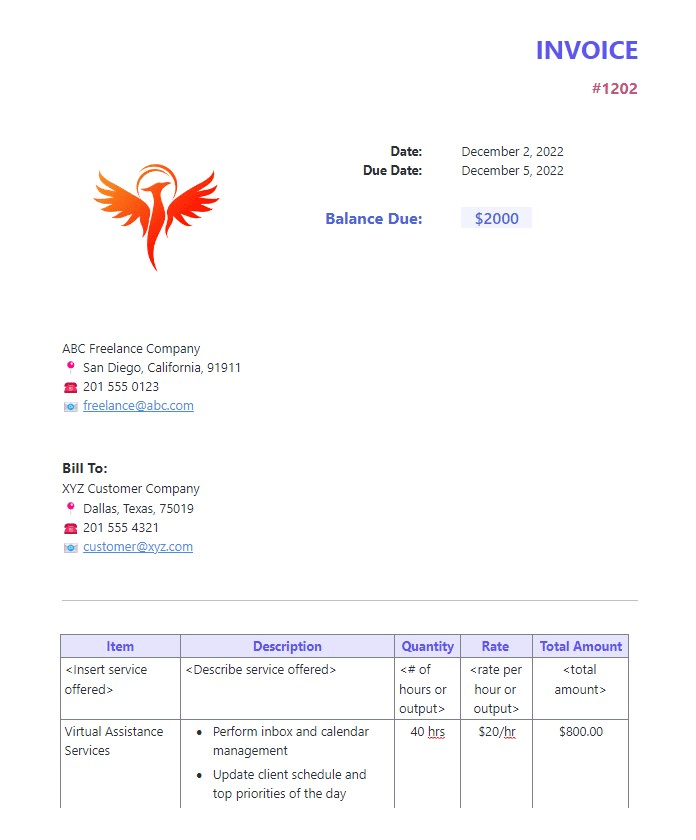
✅ ClickUp Freelance Invoice Template: Best for solo service providers billing by the hour or project. Add service breakdowns, time logs, and client info—then send it directly through ClickUp or export as a PDF
✅ ClickUp Invoice Template: Designed for recurring projects or small teams. Add line items, tax details, payment terms, and branding elements—so you don’t have to recreate the same format every month
Celine R., a UX/UI Design Lead, says:
I’ve been using ClickUp since its early days, and it’s been remarkable to witness its evolution into a comprehensive productivity powerhouse. The continuous rollout of new features and updates demonstrates the team’s commitment to enhancing the user experience.
💡Pro Tip: Want to 10X your workflows? Try Brain MAX, the AI desktop companion from ClickUp. It brings powerful enterprise search and voice-first commands to your workflow, letting you find any document, chat, or project update across all your connected apps with a single search or spoken request.
Whether you’re brainstorming ideas, capturing client feedback, or managing deadlines, Brain MAX keeps everything at your fingertips—so you can focus on growing your business, not managing your tools.
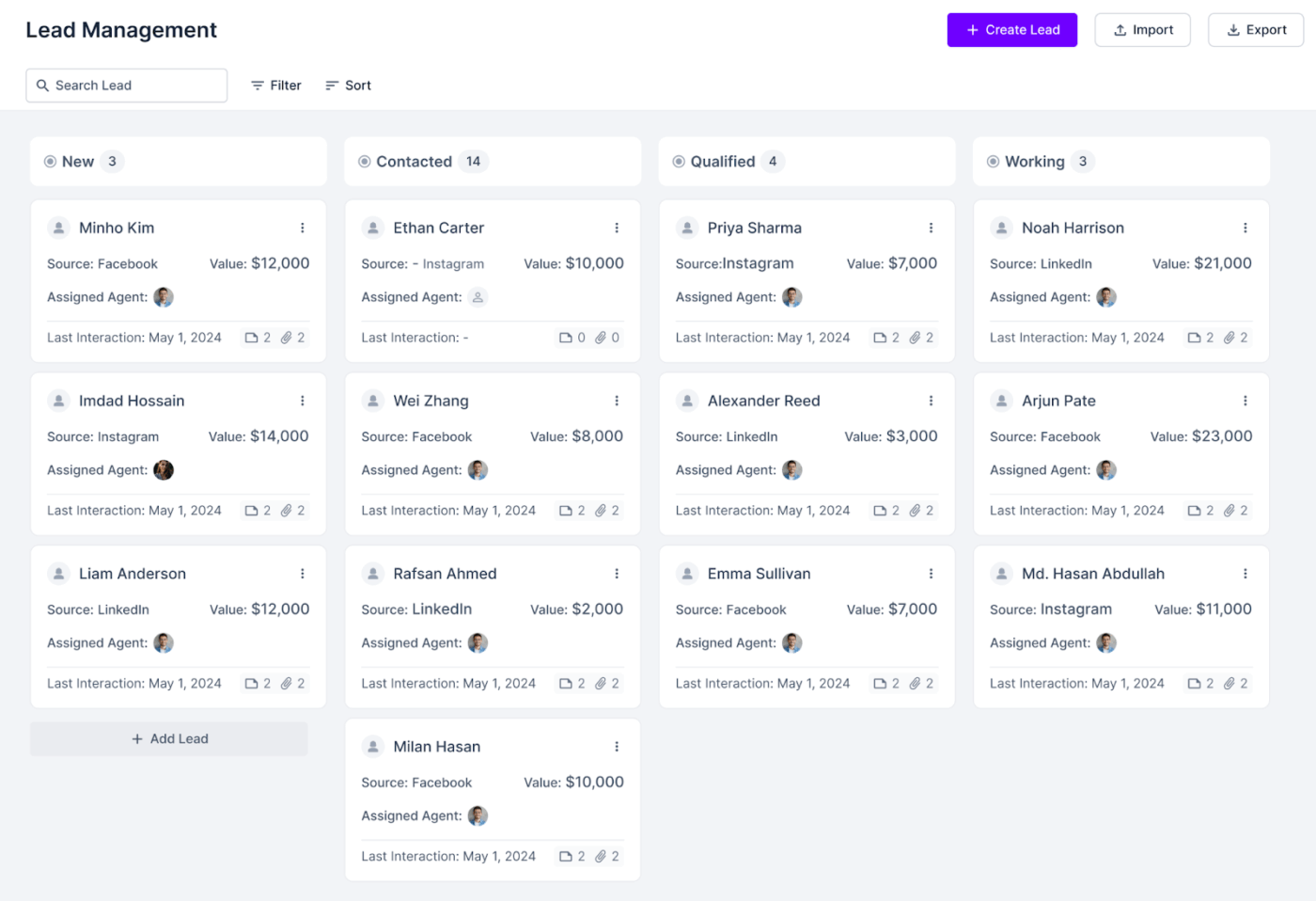
Agency Handy is built for creative teams that live in feedback loops. It lets you organize client work into structured dashboards, assign tasks, and manage file revisions without the messy email back-and-forth. Everything is visible, trackable, and deadline-driven.
Every aspect of your work, from initial concepts to final approvals, becomes transparent, trackable, and meticulously tied to deadlines. What truly distinguishes Agency Handy is its sophisticated client approval workflows.
Whether you’re presenting a new logo concept, a multi-page brochure, or any other creative asset, you can seamlessly share it, solicit specific feedback, and formally request sign-off directly within the platform. This ensures your work maintains momentum, avoiding the pitfalls of being stalled indefinitely in an overflowing email inbox.
A G2 user says:
Handy is a fantastic client portal tool for agencies due to its user-friendly interface, making it easy for clients to access and navigate through the platform.
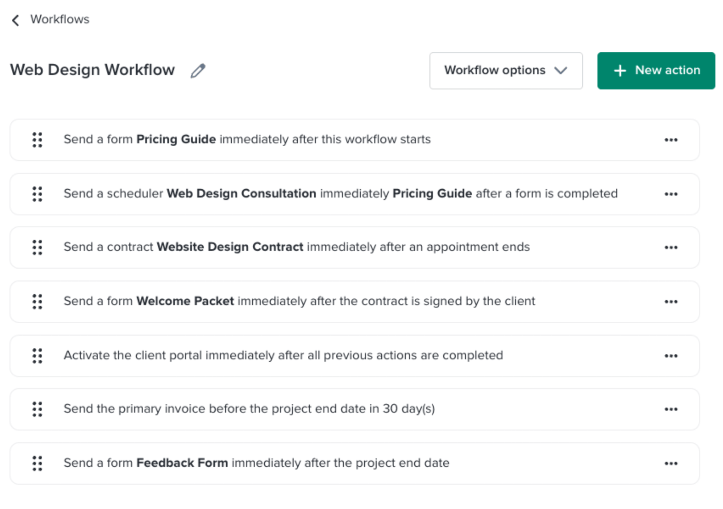
Dubsado is designed for service-based businesses that want more control over how clients move through the pipeline. From onboarding to offboarding, it gives you the tools to build custom forms, automate contracts, and streamline scheduling—all under your brand.
The platform’s core strength lies in its ability to facilitate the creation of highly detailed and intelligent workflows. You can configure automated follow-ups, assign specific tasks, trigger personalized emails, and update client statuses dynamically based on specific client actions or project milestones.
For solo consultants or teams managing a high volume of clients, this sophisticated automation dramatically reduces administrative overhead without compromising the personalized touch crucial for client relationships.
A Capterra user says:
It definitely got the job done, it was the best platform out there for what we needed, but it could have been so much better.
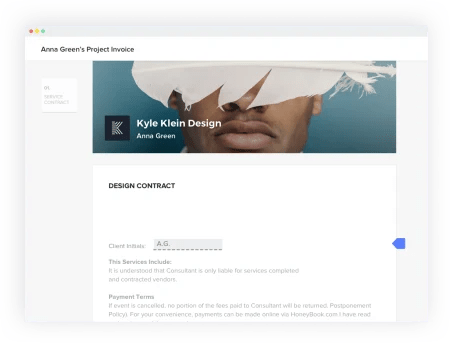
HoneyBook is built for freelancers and solo creatives who want to keep things simple. It bundles proposals, contracts, and payments into one clean flow, so clients can sign and pay in minutes, not days. No tech skills or backend setup are required.
Its standout feature is the exceptional client-facing experience it provides. With minimal effort, you can effortlessly send professionally branded proposals, establish clear payment schedules, and automate payment reminders.
If you’re constantly struggling with chasing down overdue invoices or manually managing client onboarding, HoneyBook provides a streamlined and intuitive solution that keeps your financial and administrative tasks tightly organized.
A G2 user says:
I like that I can access pretty much all that I need in one place. It’s taken my business up a notch professionally as well.
📮 ClickUp Insight: Low-performing teams are 4 times more likely to juggle 15+ tools, while high-performing teams maintain efficiency by limiting their toolkit to 9 or fewer platforms. But how about using one platform?
As the everything app for work, ClickUp brings your tasks, projects, docs, wikis, chat, and calls under a single platform, complete with AI-powered workflows. Ready to work smarter? ClickUp works for every team, makes work visible, and allows you to focus on what matters while AI handles the rest.
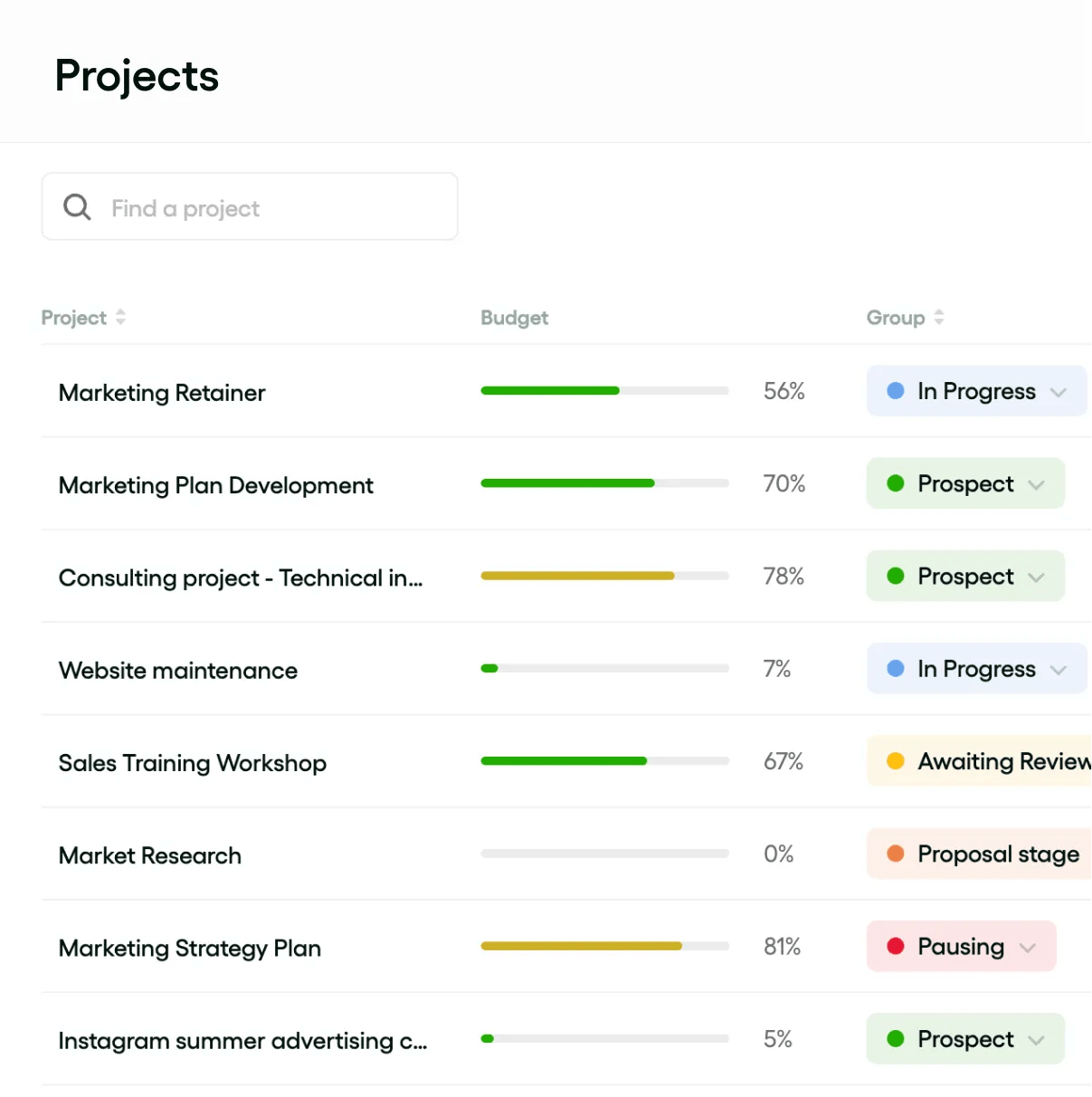
Bonsai lets you handle proposals, contracts, invoices, and taxes without leaving one platform. It’s sleek and minimal, and it packs enough admin firepower to run your business solo without feeling overwhelmed.
Beyond the fundamental business necessities, Bonsai distinguishes itself by including a built-in business account, automated tax tracking features, fully customizable contracts, and streamlined client onboarding workflows.
If you’ve grown tired of manually stitching together services like Stripe for payments, QuickBooks for accounting, and Google Docs for documentation, Bonsai provides a cohesive, clean setup that consolidates all these functions into one efficient workspace.
A G2 user says:
It’s incredible to send contracts, proposals, invoices, and forms to clients all in the same platform. I love that Bonsai is a one-stop shop for freelancers and small businesses.
👀 Did You Know? In 2023, freelancers earned a collective $1.27 trillion, enough to rival the GDP of countries like South Korea.
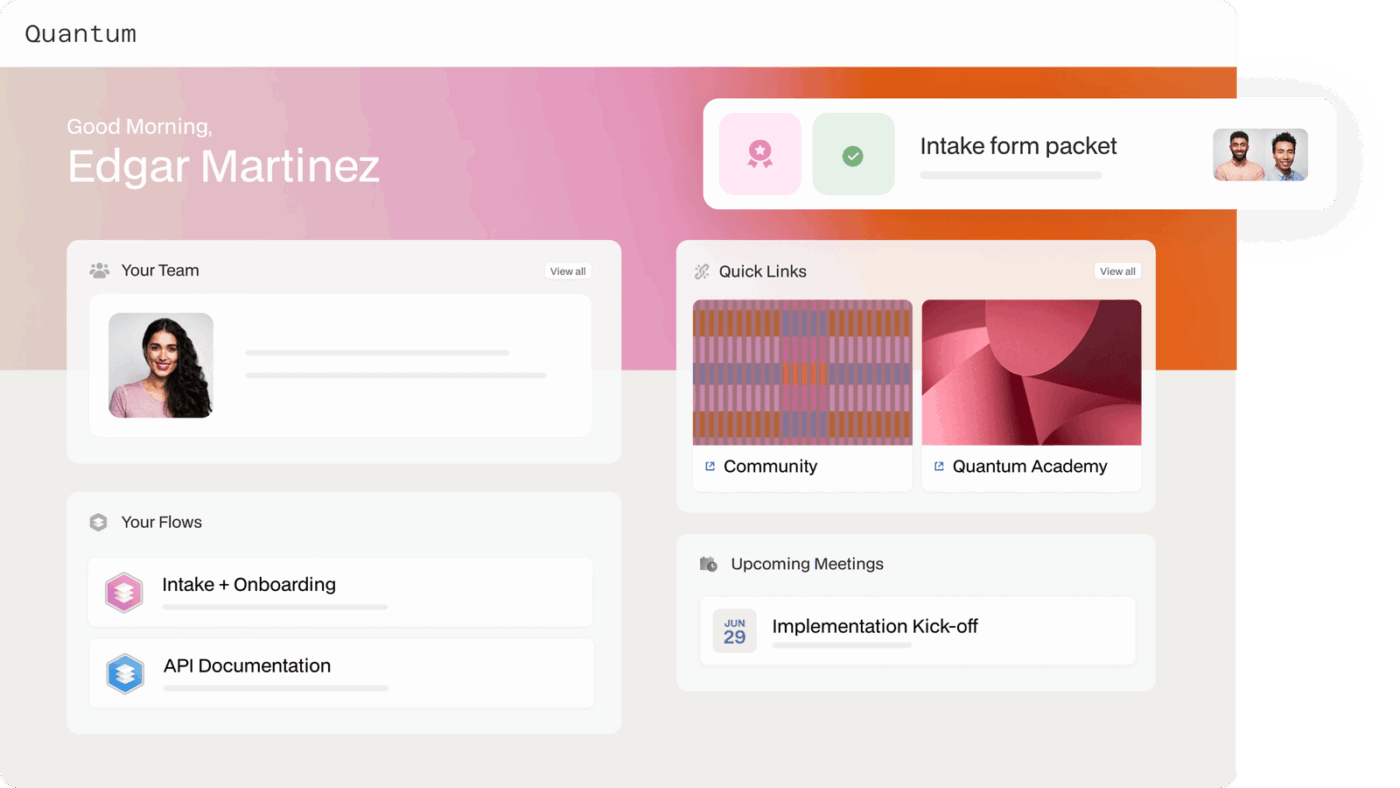
If you want to deliver a high-touch, client-first experience, Moxo gives you the tools to do it. From secure document sharing to real-time messaging and branded workspaces, it’s built for firms that want to look polished and stay protected.
Moxo truly shines with its robust white-label capabilities, which means your clients will never see any third-party interface; instead, the entire experience is seamlessly integrated with your brand.
Whether you’re a legal consultant managing sensitive information or a financial advisor providing personalized guidance, you can effortlessly launch a professional, mobile-ready client hub that feels entirely your own, reinforcing your brand identity at every touchpoint.
A Capterra user says:
Moxo has been so helpful in streamlining our client communications and correspondence. We love being able to communicate with them in one designated location (vs text message, whatsapp, etc) and share files back and forth.
💡 Pro Tip: Use Moxo’s co-branded onboarding to send clients a welcome experience that looks like it came from your firm, not a software vendor.
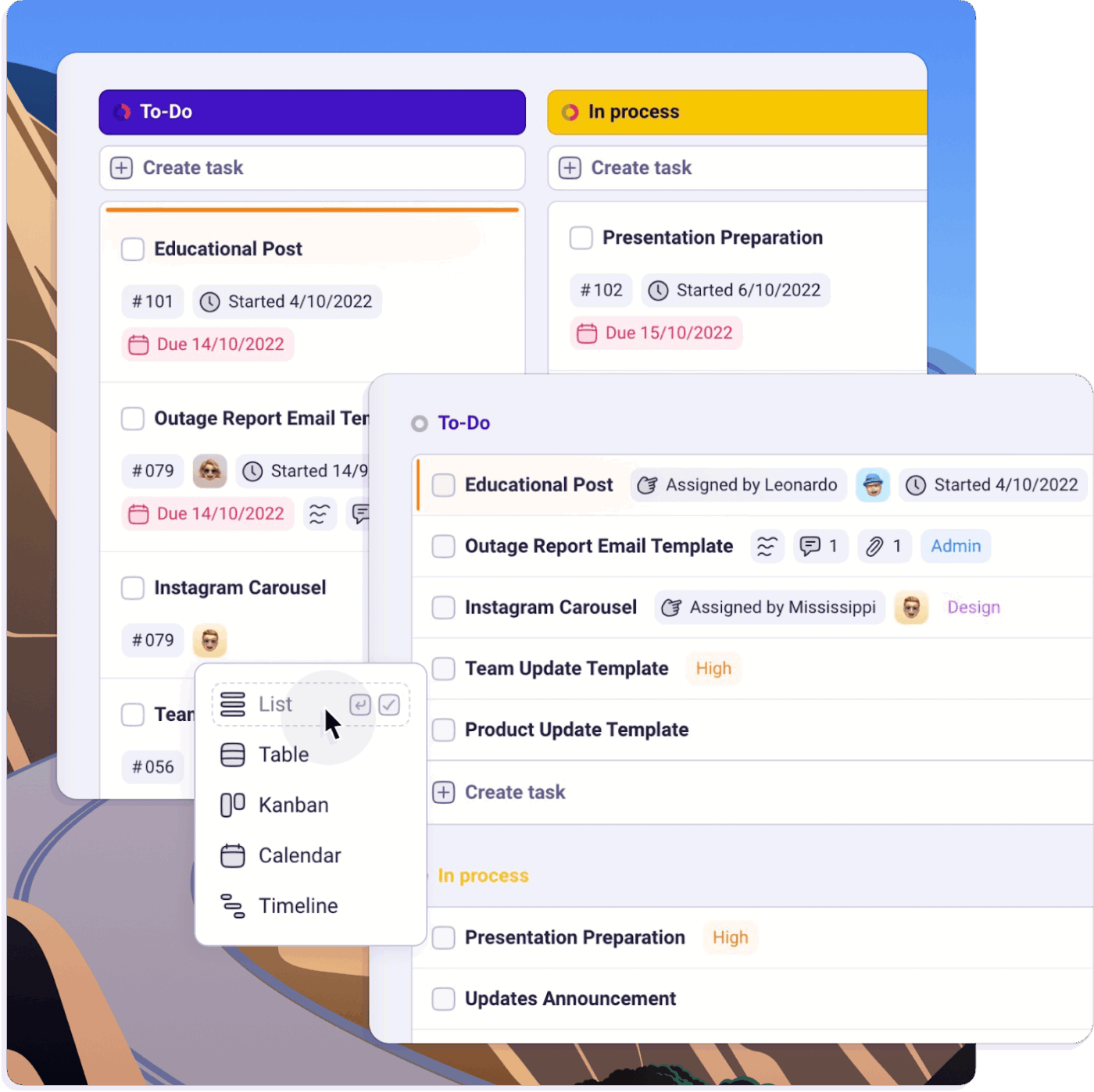
Running a one-person business often means constantly switching hats—project manager, client handler, marketer, and more. Plutio brings it all into one clean dashboard, where you can manage clients, send proposals, track time, and chat—all without leaving the app.
Plutio’s distinct features include a collaborative inbox, multilingual client portals, and a built-in CRM. It’s designed to simplify scattered solo operations into a focused workflow that feels doable, even when you’re playing multiple roles.
A G2 user says:
I can do all my business management tasks in one place. E.g. proposals, invoices and receipts, timetracking, task management etc.
📖 Also Read: Optimize Your Workflow with Agile Time Tracking
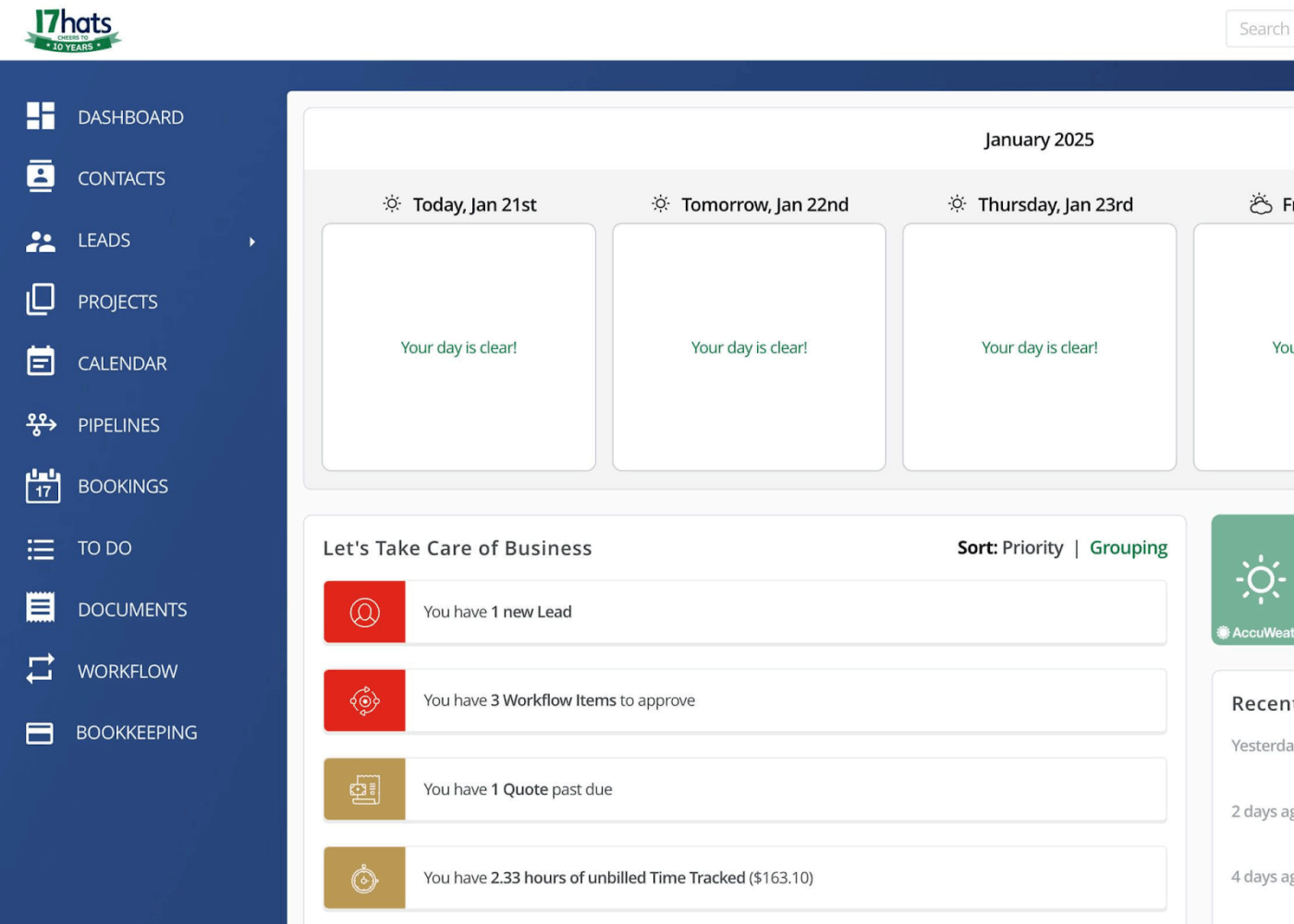
If your business thrives on a series of repeatable steps—such as initial consultation, detailed quoting, contract signing, execution of services (like a photoshoot or event), and final invoicing—17hats is designed to help you systemize every aspect.
It’s tailored for professionals in creative and event-based service industries, including photographers, event planners, and designers, who require structured workflows without the burden of building them from the ground up.
Everything within 17hats operates on highly customizable templates, from branded quotes and contracts to automated follow-ups and thank-you notes. This systematic approach significantly reduces the time spent on tedious back-and-forth emails, allowing you to allocate more time to directly serving your clients or preparing for your next engagement.
A G2 user says:
17hats allows me to have all my business administrative tasks and all records and documents related to each client in one place. The best part is that most of the tasks are automated, eliminating the need to hire an assistant for those tasks.
📖 Also Read: Free Google Sheets Invoice Templates
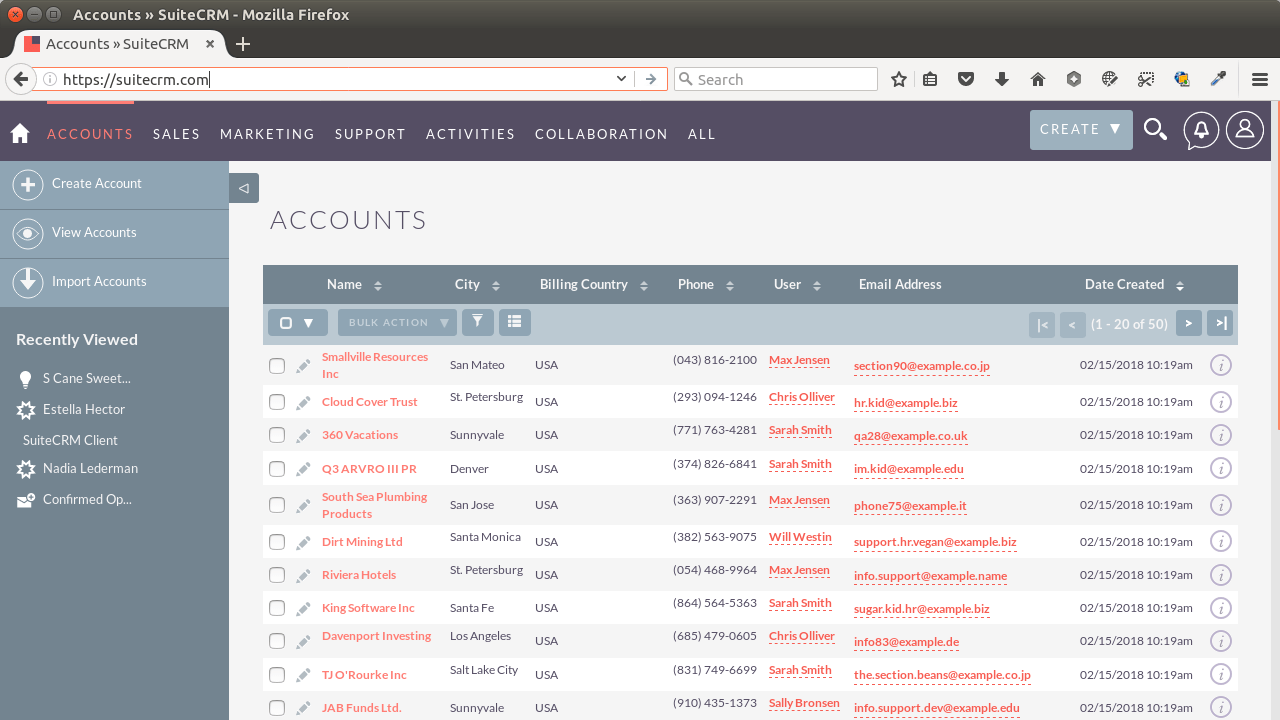
SuiteCRM gives you total control over your CRM system—no vendor lock-in, no forced upgrades. It’s open-source, so small teams with technical resources can customize workflows, fields, and dashboards to fit their operations.
Every module within SuiteCRM, from comprehensive contact management and lead tracking to efficient case resolution, is adaptable. This makes it a solid choice for IT-savvy teams seeking a cost-effective, highly flexible CRM solution that offers ample room for growth, provided they are willing to invest some effort into its initial setup and ongoing management.
A Capterra user says:
We use SuiteCRM as the central repository for Customer Care. We keep track of all contacts we have with them, planned and complete. This is an essential hub for our team to make sure that any contacts with customers are well-informed.
🧠 Fun Fact: The term “open source” was coined in 1998 to make free software more business-friendly—before that, most companies avoided it entirely.
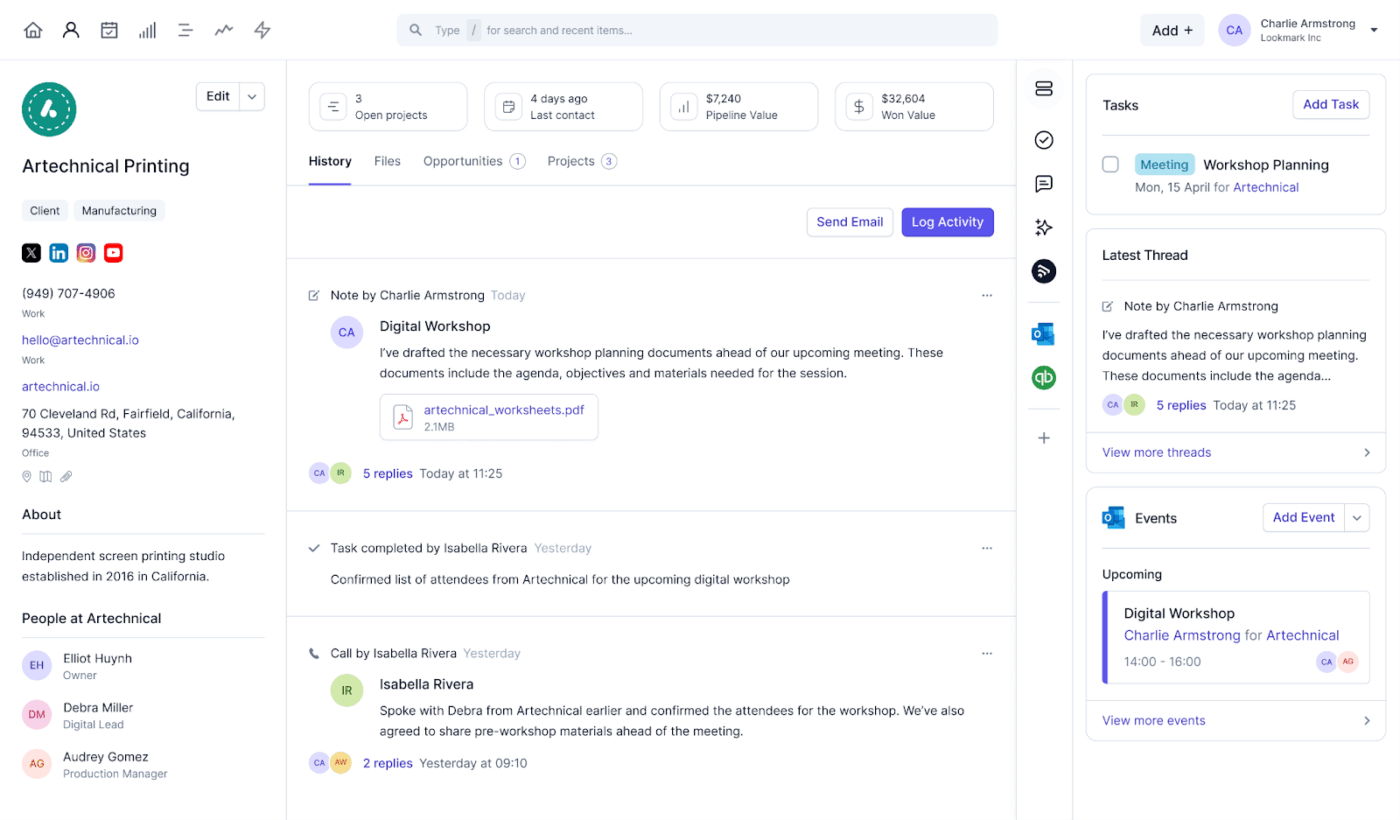
Capsule CRM provides a clean, focused experience without clutter. It’s ideal for small teams that want to track sales, manage relationships, and follow up on tasks—all from a centralized, no-fuss dashboard.
All these essential functions are centralized within a single, no-fuss dashboard, ensuring simplicity and ease of use. Its mobile-friendly design, combined with automated reminders and comprehensive contact histories, helps you stay on top of your business priorities.
A G2 user says:
The features in Capsule CRM are basic. I really do miss HubSpot for how much I could do with it. But what Capsule does do it does very well and simply, and it checks the boxes we really needed without the complexity that larger options bring.
Outgrowing a tool like Moxie is a good sign—your business is evolving. But it also means your systems need to evolve. More clients, deliverables, and moving parts require a platform that keeps pace without adding complexity.
ClickUp gives you that control. Everything is kept in sync, from client forms to contracts, docs to dashboards, so you can scale without stitching tools together. Whether managing solo work or leading a team, you get clarity, customization, and real collaboration—all in one place.
Sign up for ClickUp and take control of every client project from day one.

© 2026 ClickUp

There’s an easier way. Try a free AI Agent in ClickUp that actually does the work for you—set up in minutes, save hours every week.