








Still downloading templates?
There’s an easier way. Try a free AI Agent in ClickUp that actually does the work for you—set up in minutes, save hours every week.
Sorry, there were no results found for “”
Sorry, there were no results found for “”
Sorry, there were no results found for “”
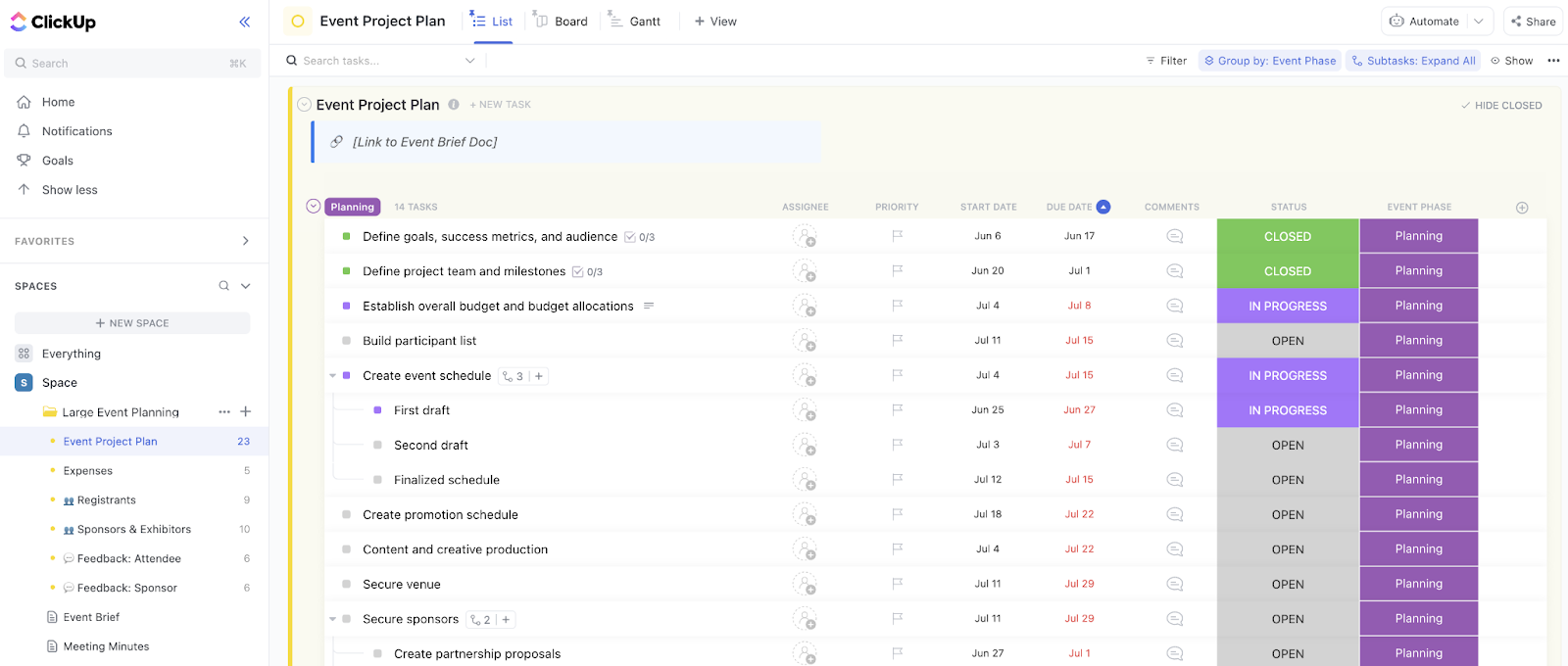

Event planning is all about timing. Vendor bookings, rehearsals, and guest communications all need to run like clockwork. One missed date can trigger a chain reaction of delays across the entire event.
And, the bigger the event, the bigger the mess. Especially if you’re still handling it through disconnected spreadsheets and email threads.
To help manage events better, monday.com event planning templates give you a ready-made system to organize your tasks, track progress, and keep every event detail in check.
And if you want even more flexibility and automation, we’ll also show you how ClickUp can take your planning workflow to the next level.
👀 Did You Know? Event planning ranks among the third most stressful jobs, right up there with brain surgeons and air traffic controllers. The twist? Planners are expected to deliver it all with a smile, style, and zero room for error.
| Template name | Template link | Ideal for | Best features | Visual format |
| Event Management Template | Download this template | Teams running multi-stage events | RSVP forms, task assignments, budget tracking, dashboards | Board/Timeline |
| Event Planning Checklist Template | Download this template | Event planners, small businesses | Timeline/calendar view, real-time updates, doc storage | Checklist/ Calendar |
| Cross Company Event Planning Template | Download this template | HR, ops, company leaders | File attachments, reminders, integrations, Gantt/Kanban | Board/Gantt/Kanban |
| Post Event Opportunities Template | Download this template | Marketing, sales, and event managers | Lead segmentation, follow-up tracking, and event ROI dashboards | Board/Dashboard |
| Content Calendar Template | Download this template | Planners, marketing teams | Calendar View, task assignment, budget/audience tracking | Calendar/Board |
| Work Calendar Template | Download this template | Ops, planners, marketing | Multi-view calendar, notifications, collaborator assignment | Calendar/Timeline/Kanban |
| Contacts Template | Download this template | Event managers, coordinators | Contact tracking, segmentation, and follow-up management | List/Board |
| Marketing Campaign Template | Download this template | Marketing, event managers | Campaign timelines, budget tracking, and integrations | Board/Timeline |
| Marketing Activities Template | Download this template | Event coordinators, ops, vendor managers | Forms, timeline/Kanban, activity tracking | Board/Timeline/ Kanban |
| Marketing Team Planning Template | Download this template | Event managers, cross-functional teams | Goal/task separation, dashboards, automation | Board/Dashboard |
| ClickUp Event Project Brief Template | Get free template | Event coordinators, managers | Stakeholder input, milestones, budget mapping, post-event insights | Doc/List |
| ClickUp Large Event Planning Template | Get free template | Planners of large events | Sectioned planning, Gantt/Kanban/List views, budget tracking | List/Gantt/Kanban |
| ClickUp Event Budget Template | Get free template | Planners managing finances | Budget/expense tracking, planned vs. actual, custom fields | List/Board/ Calendar |
| ClickUp Event Management Template | Get free template | Managers of multiple events | Multi-event tracking, financial status, time/expense logging | Budget/expense tracking, planned vs. actual, Custom Fields |
| ClickUp Events Planning Document Template | Get free template | Planners needing documentation | Contract/invoice tracking, setup checklists, centralized comms | Doc/List |
| ClickUp Event Marketing Plan Template | Get free template | Planners, marketing teams | ROI dashboards, phase boards, timeline/calendar views | Board/Calendar |
| ClickUp Event Promotion Template | Get free template | Marketers, PR, social teams | Promo timelines, real-time collaboration, campaign tracking | Board/List |
| ClickUp Event Project Plan Template | Get free template | Agencies, corporate teams | Gantt/calendar/progress boards, automation, budget tracking | Gantt/Calendar/ Board |
| ClickUp Simple Event Plan Template | Get free template | Planners of mid-sized events | Pre-saved lists, easy customization, and task dependencies | List/Board/ Calendar |
| ClickUp Advanced Event Plan Template | Get free template | Agencies, corporate planners | Multi-phase workflows, cross-team assignment, and advanced dashboards | Board/List/ Dashboard |
Before choosing any template, ensure it actually simplifies your event planning. Here’s what to look for in any monday.com event planning template 👇
Watch this video to learn how to use AI for event planning ⬇️
To save you the trouble of sorting through them all, we’ve rounded up the best monday.com event planning templates with a breakdown of what each does, their standout features, and when you should use them.
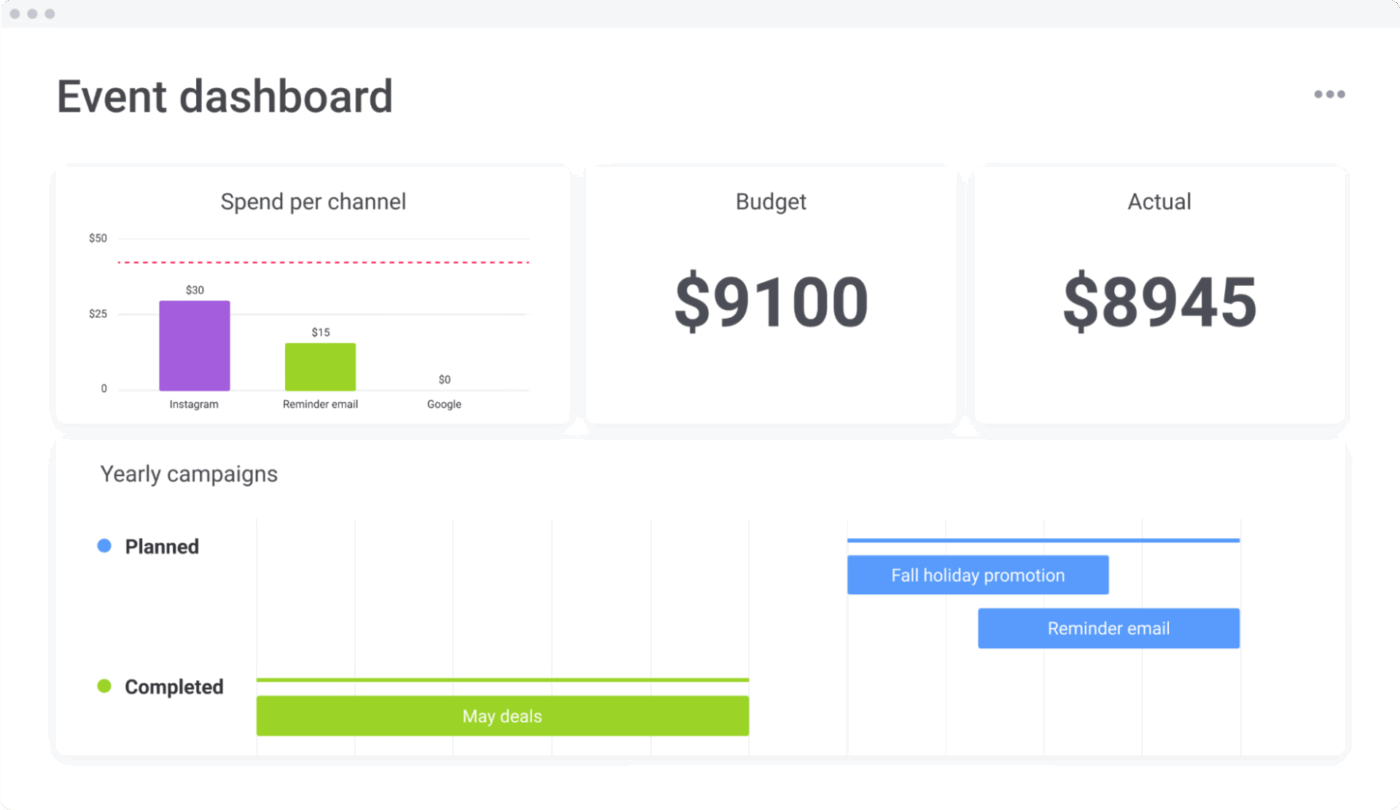
The Event Management Template by monday gives you complete control over your event planning process by bringing together everything, including task assignments, RSVPs, budgets, and timelines, into one central workspace.
With this template, you can easily assign tasks to your teammates, monitor your event campaign progress, and also compare the actual vs. planned budgets of your campaign. The built-in dashboards and visual views make it simple to track your event performance easily and pivot if required.
Why you’ll love this template:
✅ Ideal for: Teams running multi-stage events, like product launches, conferences, or marketing campaigns, who need one workspace to keep everything aligned
🎉 Fun Fact: The first known professional event planner was Mrs. Flora Whitney Miller, who hosted high-society parties in New York back in the early 1900s.
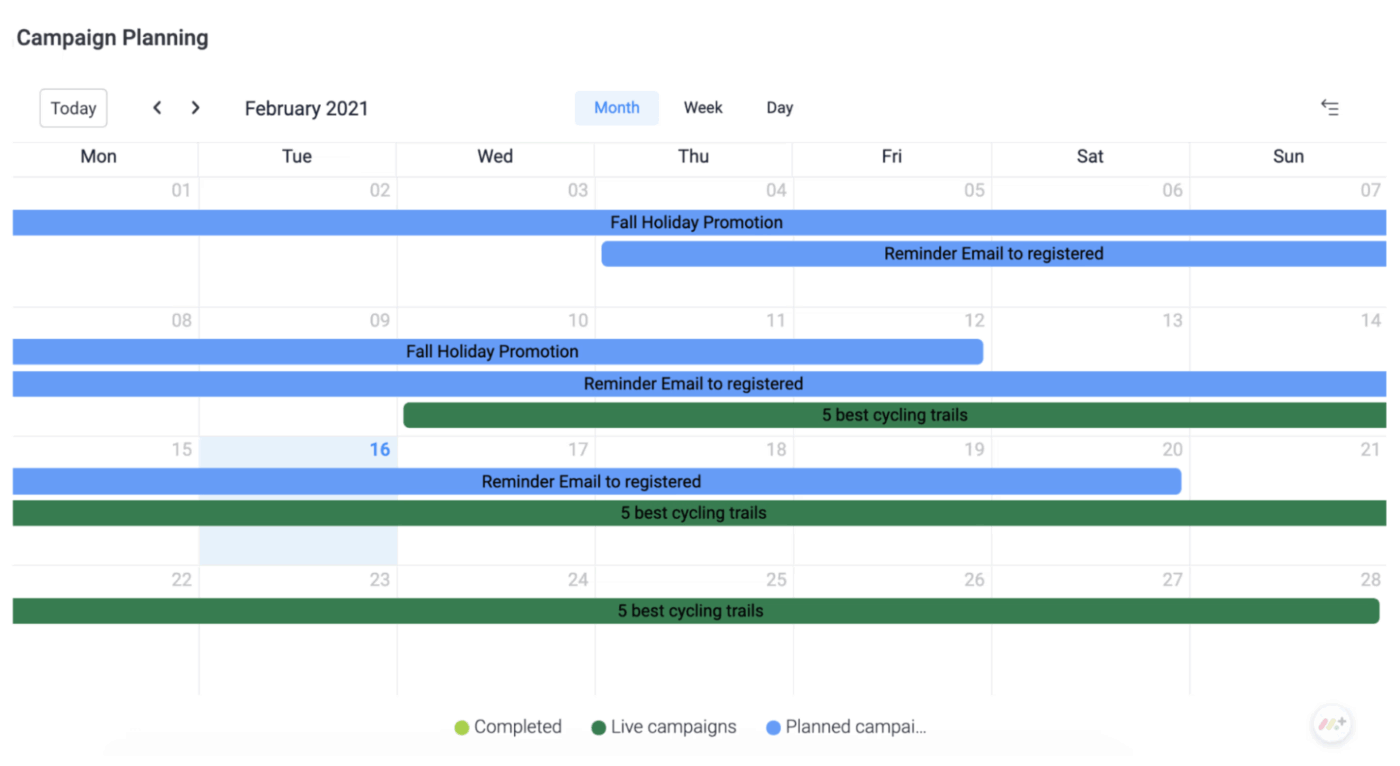
If you need a step-by-step checklist to plan your event, then this Event Planning Checklist Template by monday is what you need. From sending invites and confirming vendors to budgeting and follow-ups, it makes sure nothing is left to your memory and everything is clearly laid out.
It’s great for you if you love ticking off tasks one by one and feel the relief of knowing every single detail has been handled.
Why you’ll love this template:
✅ Ideal for: Event planners, small business owners, and marketing teams who want a step-by-step, foolproof checklist to plan their event
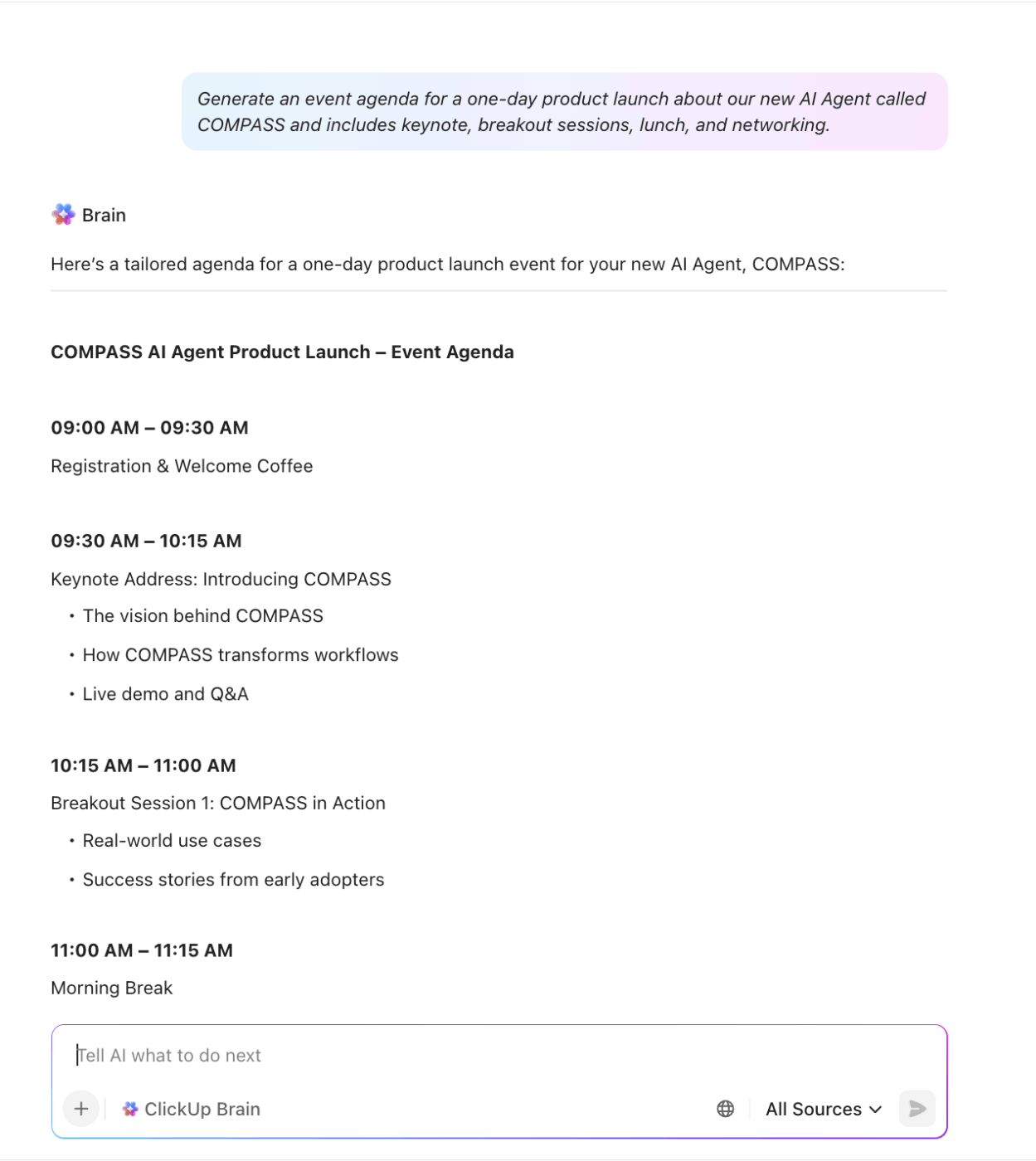
🎯 Friendly Tip: Planning an event is about bringing together people, vendors, timelines, and budgets without losing sight of the overall context. That’s where ClickUp Brain comes in.
Use it to:
For example, prompt Brain to ‘Generate an event agenda for a one-day product launch that includes keynote, breakout sessions, lunch, and networking’

The Cross-Company Event Planning Template is for organizations that need to coordinate their internal events across multiple teams or departments. It pulls everything together, from pre-planning and scheduling sessions to running activities and follow-ups. It also makes collaboration easy by assigning clear ownership for tasks and tracking progress with Gantt and Kanban views.
Why you’ll love this template:
✅ Ideal for: HR teams, operations managers, and company leaders who run cross-department events like offsites, workshops, training programs, or company-wide town halls

After your event ends, follow-ups, feedback, and future opportunities take centre stage. This is where the monday Post-Event Opportunities Template helps you capture attendee feedback, evaluate the event’s success, and identify new business opportunities that emerged from it.
Instead of letting valuable connections and insights slip away, you can also organize leads by priority, assign owners for follow-ups, and measure overall success with dashboards.
Why you’ll love this template:
✅ Ideal for: Marketing teams, sales reps, and event managers who want to capture event ROI, follow up with leads, and continuously improve events based on real attendee insights
💡 Pro Tip: Don’t just ask attendees if they ‘liked’ the event; instead, dig deeper. Use event feedback survey questions to uncover what worked, what fell flat, and what they’d love to see next time. The more specific your questions, the more actionable your insights will be.
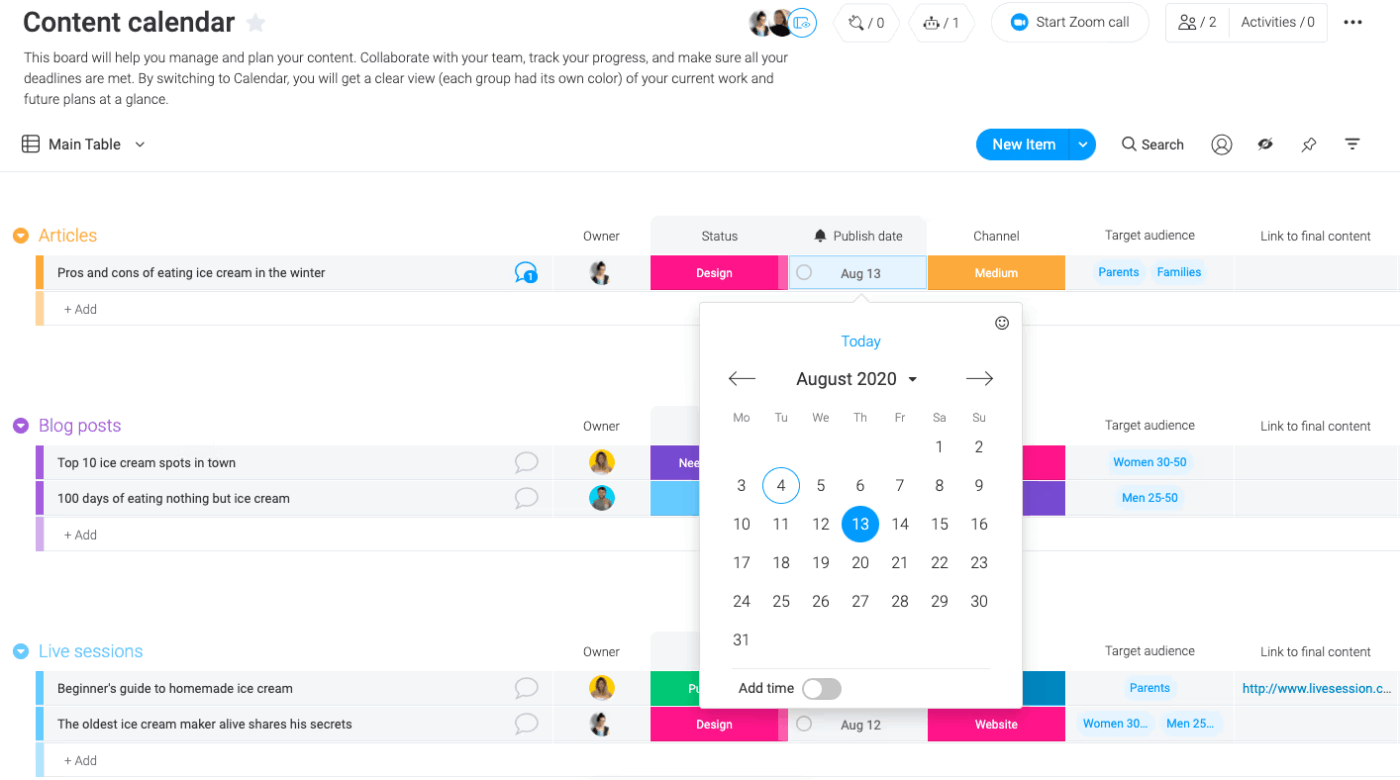
You can repurpose this Content Calendar Template by monday for event planning. It helps you map out your event deadlines, promotional campaigns, RSVPs, and task ownership in one visual space. Also, with built-in automation and reminders, this template ensures your event timeline stays tight. It’s especially useful for events that involve multiple stakeholders or span over several days.
Why you’ll love this template:
✅ Ideal for: Event planners, marketing teams, or organizers who want a clear calendar-style system to manage event timelines and promotions
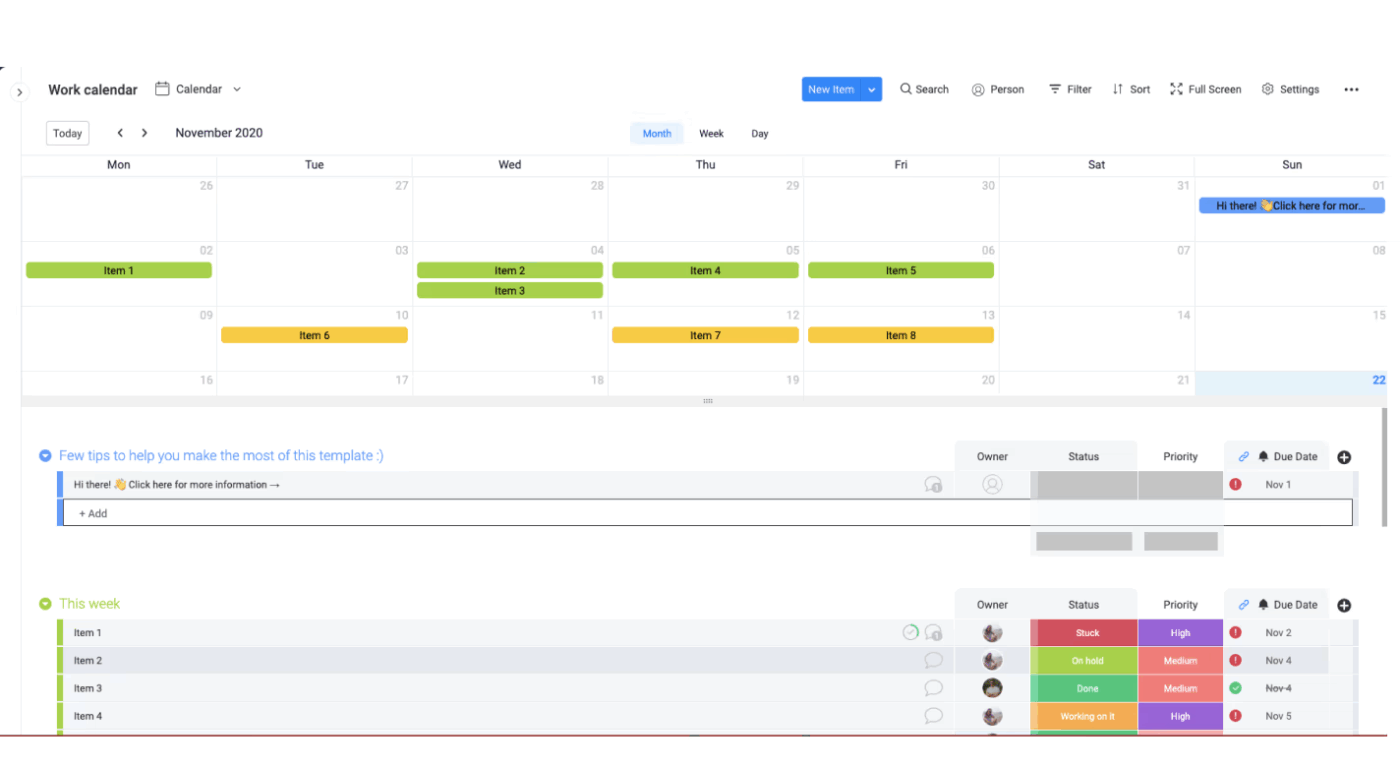
The Work Calendar Template by monday gives you a shared calendar where every single event detail of yours, big or small, sits in one place. You can assign tasks to vendors, add due dates for approvals, and even track venue preparations in real time.
Moreover, you can sync it with tools like Google Calendar or Zoom to share updates instantly with your team and manage everything from pre-event setup to post-event wrap-up.
Why you’ll love this template:
✅ Ideal for: Event planners, operations managers, and marketing teams managing multiple deadlines, vendor timelines, and team schedules across large-scale events
🌟 Trending Insight: According to Eventbrite TRNDS, 65% of consumers now want events that deliver transformative experiences.
What this means for you:
Infuse your agenda with at least one “aha” experience, like a hands-on challenge, a guided reflection, or a surprise performance. This single moment can turn a good event into a transformative memory.

Managing hundreds of attendees, vendors, and sponsors during an event gets difficult with spreadsheets. The Contacts Template by monday helps you store and track every contact connected to your event, like speakers, vendors, volunteers, or sponsors.
You can add details like company names, roles, last interactions, and even custom fields like sponsorship levels or their dietary preferences. This helps keep everything organized—it eliminates duplicate records, reduces communication gaps, and ensures timely follow-ups before, during, and after the event.
Why you’ll love this template:
✅ Ideal for: Event managers and coordinators who want to streamline contact management for smooth communication before, during, and after events
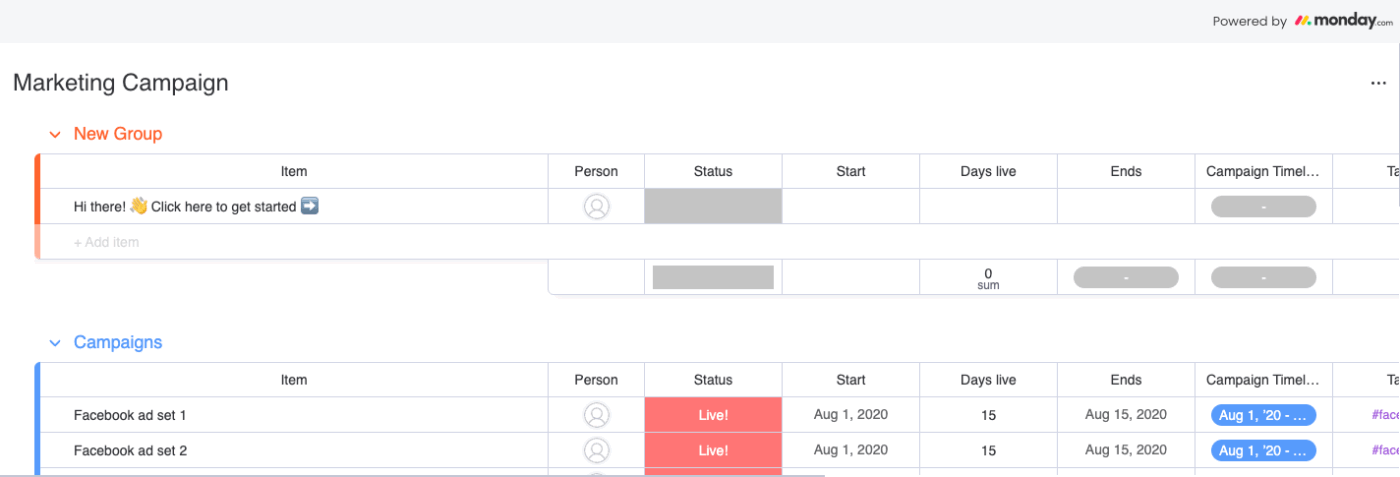
Getting the word out about your event is just as important as planning the event itself. The Marketing Campaign Template helps you map your campaign timelines for social posts, email blasts, ad spend, and sponsor promotions.
You’ll know exactly what’s going live, when it’s happening, and how much you have spent so far. Plus, integrations with tools like Mailchimp, Facebook Ads, and LinkedIn make it easier to centralize your outreach efforts and measure ROI across channels.
Why you’ll love this template:
✅ Ideal for: Marketing teams, event managers, and operations leads looking to streamline campaign tracking and maximize event visibility
💡 Pro Tip: Keeping track of dates across vendors, campaigns, and event milestones can get confusing fast. Use ClickUp Calendar to drag and drop tasks to reschedule deadlines, see your full event schedule at a glance, and even sync it with Google or Outlook calendars for seamless coordination.
You can also:
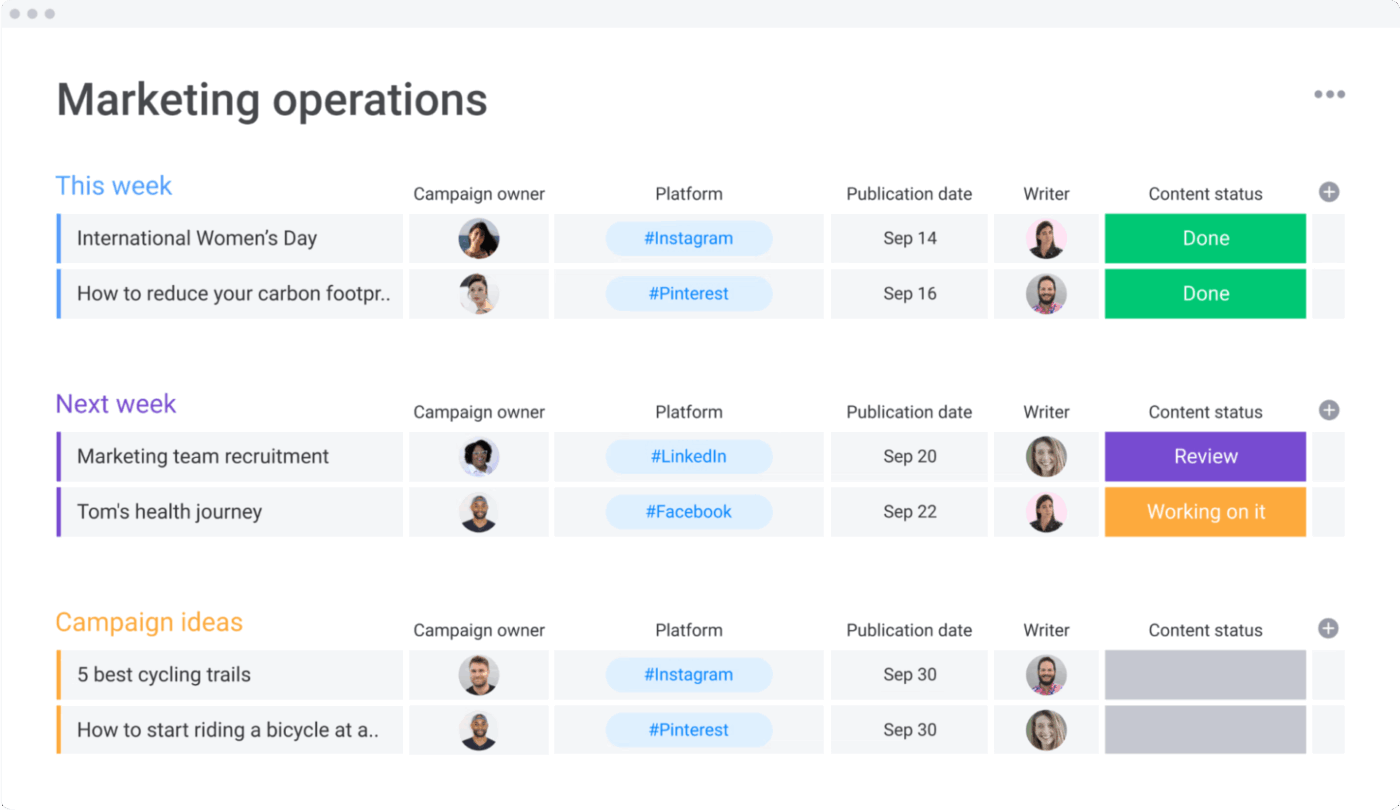
This Marketing Activities Template by monday helps break down your event into specific activities. Everything from speaker sessions and sponsor activations to catering schedules, entertainment slots, and volunteer shifts lives on this editable framework.
With this, your team, vendors, and volunteers stay in sync, and you get a live view of what’s done, what’s stuck, and what needs follow-up. Also, with built-in automations and visual views, you will always know which activities are running smoothly and which ones need urgent attention.
Why you’ll love this template:
✅ Ideal for: Event coordinators, operations teams, vendor managers, and anyone handling the execution side of events rather than the high-level planning
This monday Marketing Team Planning Template is like your personal event HQ, i.e, it keeps everyone organized, motivated, and on the same page. You get a smart to-do list that covers both your long-term event goals (like finalizing the venue or securing sponsors) and your day-to-day tasks (like approving invites or scheduling rehearsals).
Event coordinators can also assign tasks to teammates, check who’s doing what, and ensure that nothing is left for the last minute.
Why you’ll love this template:
✅ Ideal for: Event managers, coordinators, and cross-functional teams running medium-to-large events
🎯 Stat Spotlight: The average daily cost per event attendee was $155 in 2024 and was expected to rise to $169 in 2025. This upward trend reflects the events as an important growth lever for businesses and an increasing appetite for larger and more complex in-person events.
monday is a versatile and visually appealing project management software for events, but it’s not without its drawbacks. Users frequently point to areas where the tool could improve, particularly around accessibility and mobile usability.
Here are the most commonly cited software limitations:
Ever noticed how the smoothest events make it look effortless—while behind the scenes, someone’s frantically checking if the AV team confirmed, the caterer got the headcount update, and the keynote speaker has the right address?
The secret of success lies in having one source of truth instead of juggling lists across five different tools. ClickUp is the world’s first Converged AI Workspace that brings all your event planning chaos into one place. No more hunting through email threads to find the photographer’s contract or wondering if your team saw the venue’s last-minute restrictions.
ClickUp eliminates Work Sprawl so every detail, from initial brainstorm to post-event debrief, lives where your team can actually act on it. Plus, it offers 1000+ templates to choose from.
Here, we have highlighted ClickUp templates you can use as smarter, more versatile alternatives to monday.com event planning templates:
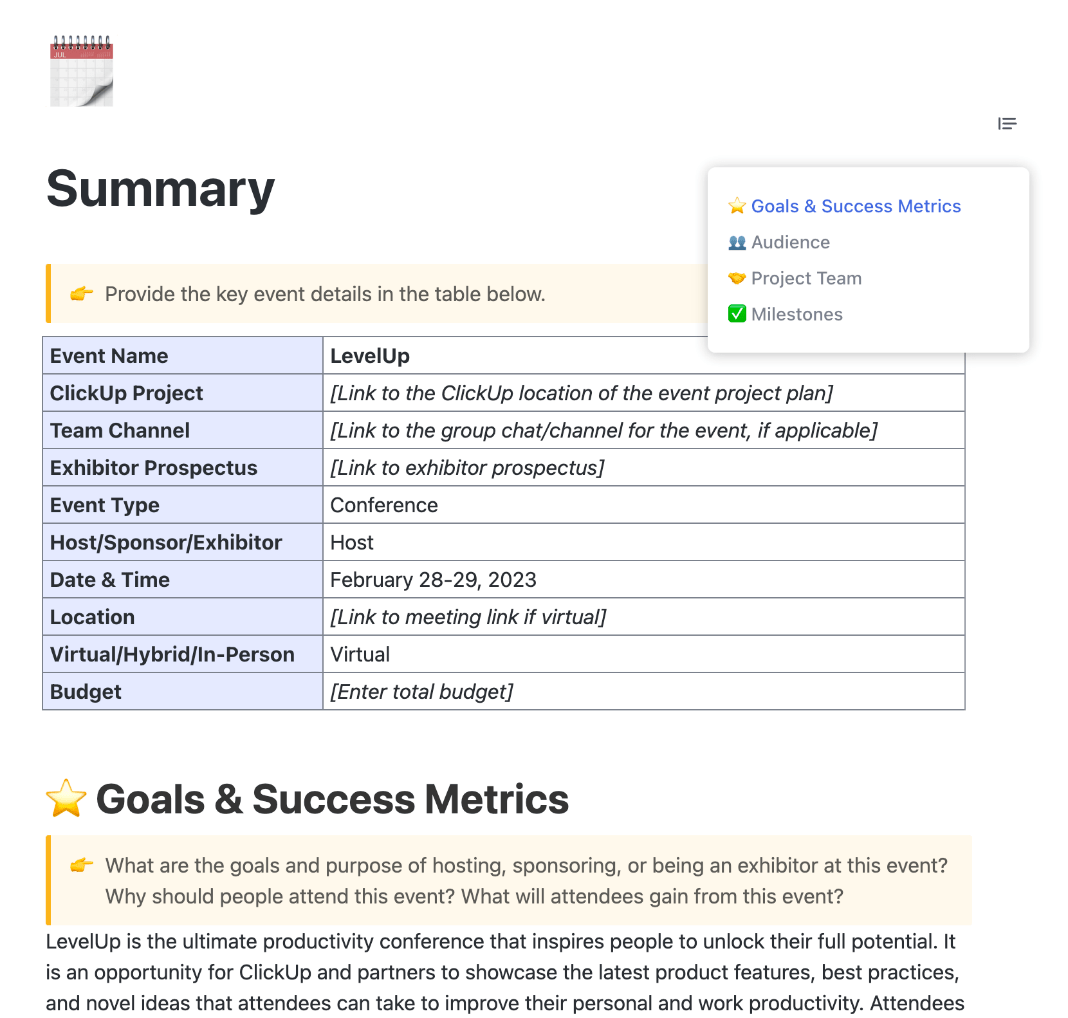
The ClickUp Event Project Brief Template gives you a crystal-clear starting point for any event. It centralizes your goals, audience, schedule, and responsibilities in one well-structured doc.
From pre-planning to post-event evaluation, this template ensures everyone on your team has the same vision of success. This helps you reduce confusion, avoid costly mistakes, and keep your event marketing strategy sharp from day one.
Why you’ll love this template:
✅ Ideal for: Event coordinators and managers who want a reliable, repeatable process for planning and aligning on every event
📮 ClickUp Insight: 83% of knowledge workers rely primarily on email and chat for team communication. However, nearly 60% of their workday is lost switching between these tools and searching for information.
With an everything app for work like ClickUp, your project management, messaging, emails, and chats all converge in one place! It’s time to centralize and energize!
Big events like conferences, weddings, or music festivals involve countless things like vendors, RSVPs, logistics, and budgeting. The ClickUp Large Event Planning Template breaks down tasks into clear sections, ensuring every part of your planning process is well-organized and trackable.
With multiple views, automated progress tracking, and space for all event-related details, this template becomes your command center for running large-scale events with confidence.
Why you’ll love this template:
✅ Ideal for: Event planners handling multi-day conferences, festivals, or corporate events with layered logistics and large guest counts
Want a closer look at how the ClickUp Large Event Planning Template works in real life? Check out the video below:
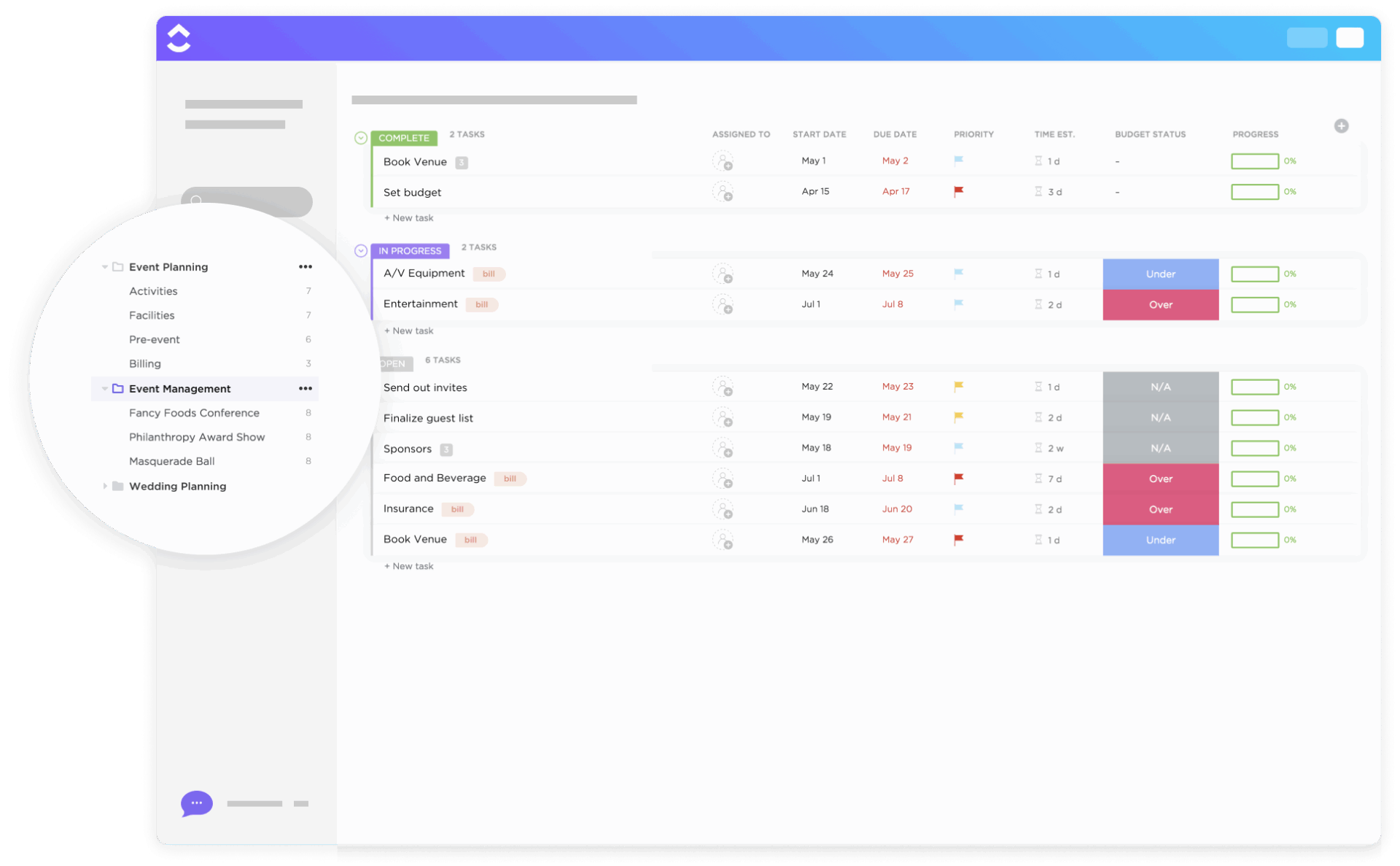
Keeping an event on budget is just as important as keeping it on schedule. The ClickUp Event Budget Template gives you a dedicated hub to plan, track, and analyze every cost of your event, including venue deposits, vendor payments, and any last-minute add-ons. You can also switch between List, Board, and Calendar views to see budgets from different angles.
Why you’ll love this template:
✅ Ideal for: Event planners who need to keep tight control over finances while coordinating vendors, venues, and services for small to large events
📌 Did You Know? 53% of event teams expect bigger budgets this year. It means:
💡 Pro Tip: When planning an event, endless email threads or scattered DMs can slow you down. ClickUp Chat keeps your team aligned by bringing conversations and action items into the same workspace.
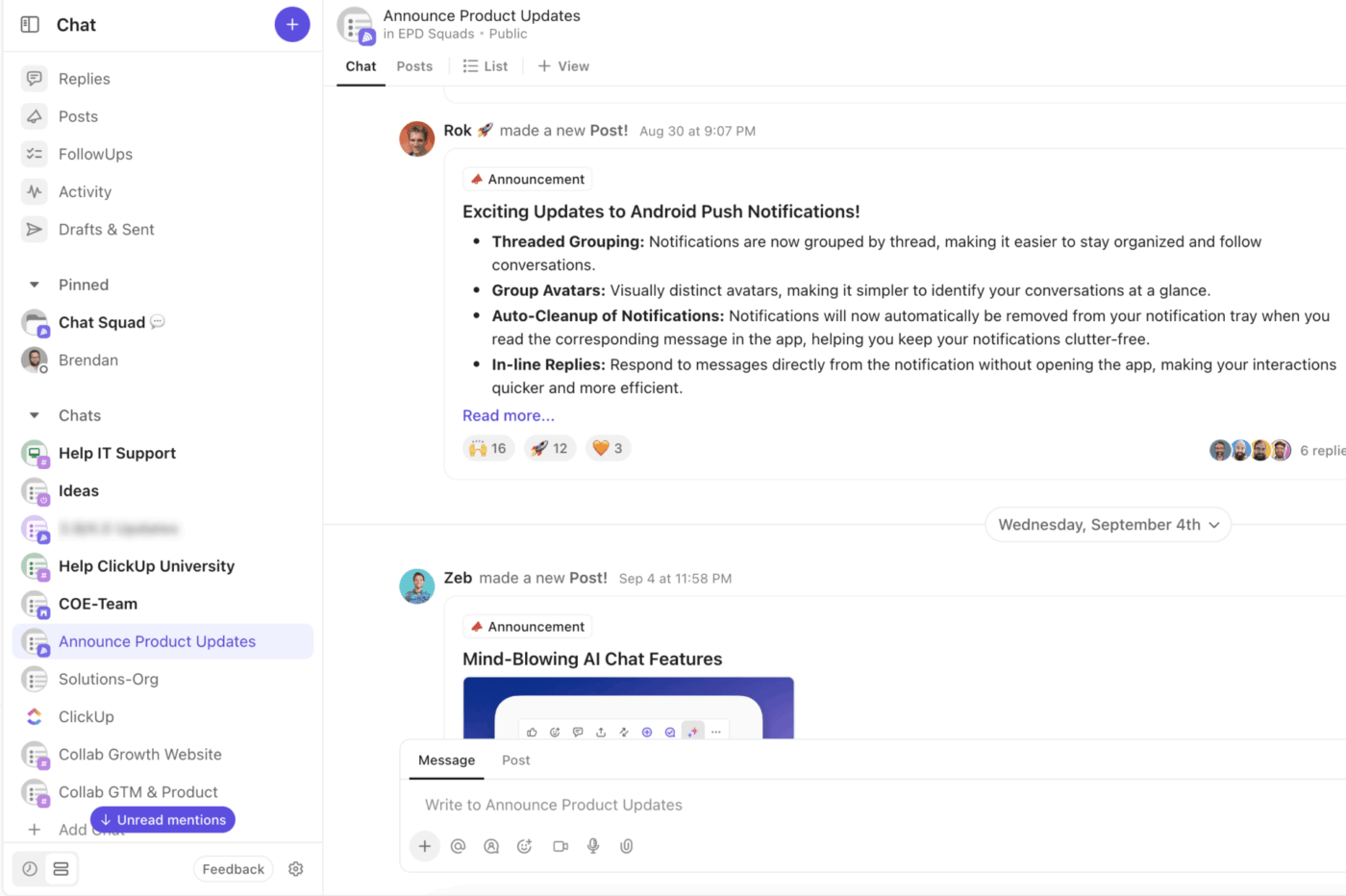
With ClickUp Chat, you can:
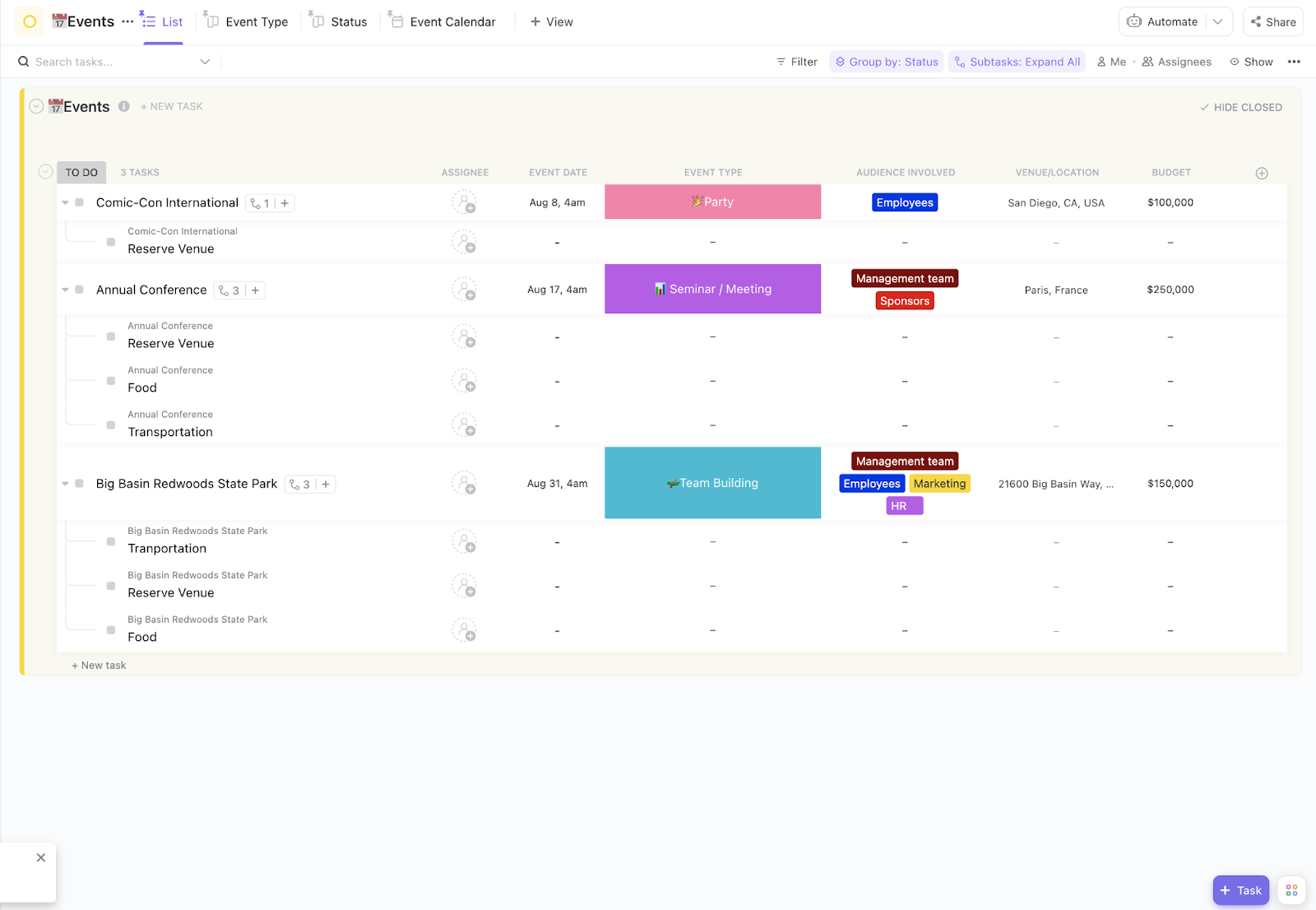
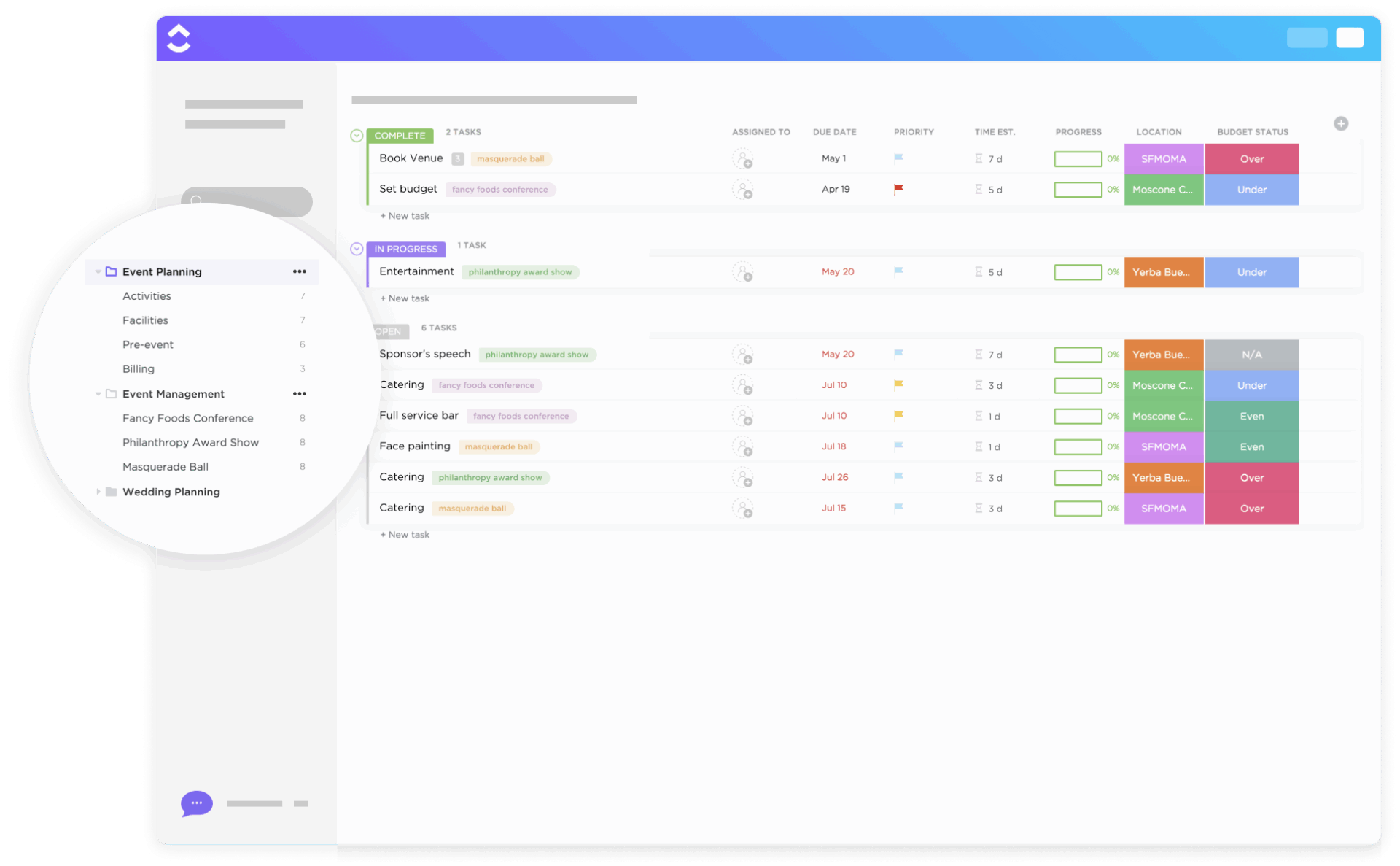
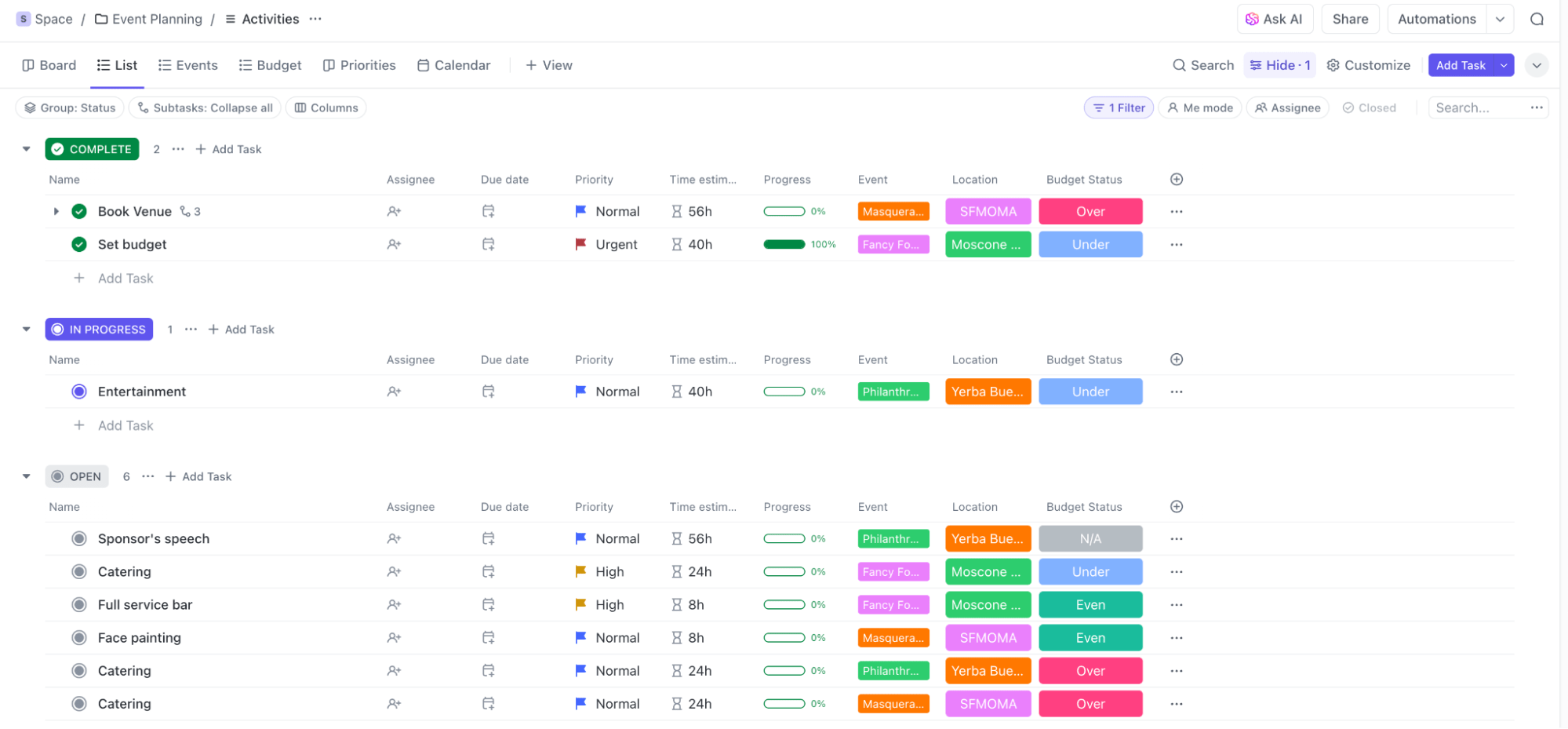
The ClickUp Event Management Template helps oversee every critical part of your event for everything from a product launch to a webinar series to several corporate functions in one quarter. Also, with advanced Custom Fields, you can track payment status, remaining budget, and progress percentages for each event in real time.
Why you’ll love this template:
✅ Ideal for: Event managers, marketing leads, and corporate teams who need to oversee multiple high-stakes events without sacrificing detail or accountability
💡 Pro Tip: Don’t just manage tasks. Instead, visualize your entire event with ClickUp Dashboards. Dashboards give you the big picture without losing sight of the details, perfect for keeping even the busiest events on track.
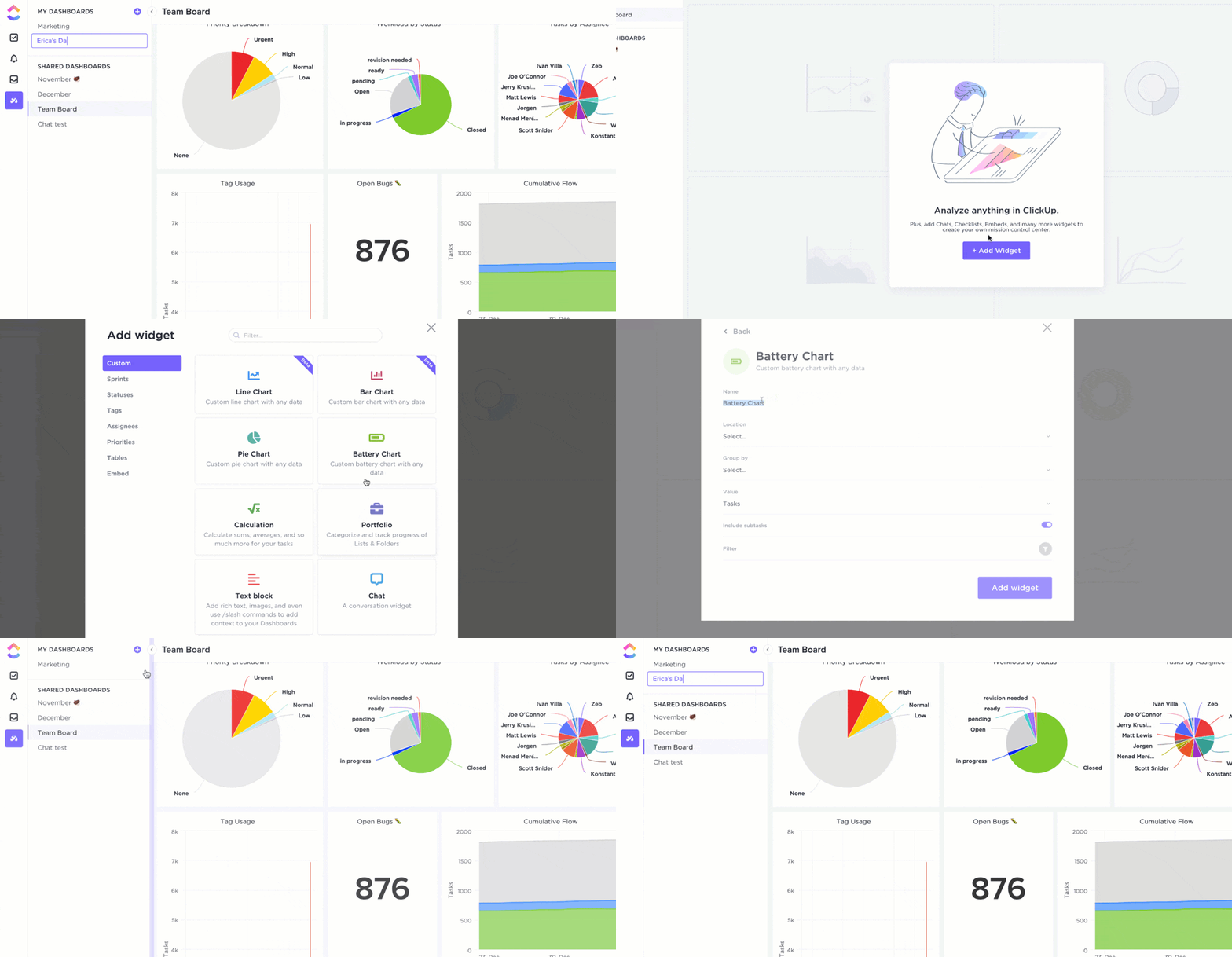
With Dashboards, you can:
Unlike broader event project management templates, the ClickUp Events Planning Document Template is your single source of truth for event information. It captures all the critical details that make or break an event, from vendor contacts and catering requirements to guest RSVPs and setup instructions.
You can even log dietary restrictions, vendor agreements, contracts, venue addresses, seating arrangements, and more in neatly organized pages.
Why you’ll love this template:
✅ Ideal for: Event planners and coordinators who need a comprehensive documentation hub to plan conferences or large gatherings where accuracy and detail tracking are non-negotiable
💡 Pro Tip: 75% of attendees say hands-on demos and activities are the best way to learn at in-person events. Swap one long presentation block with a live demo, workshop, or interactive booth. Even a 15-minute hands-on session can double retention and boost attendee feedback scores.
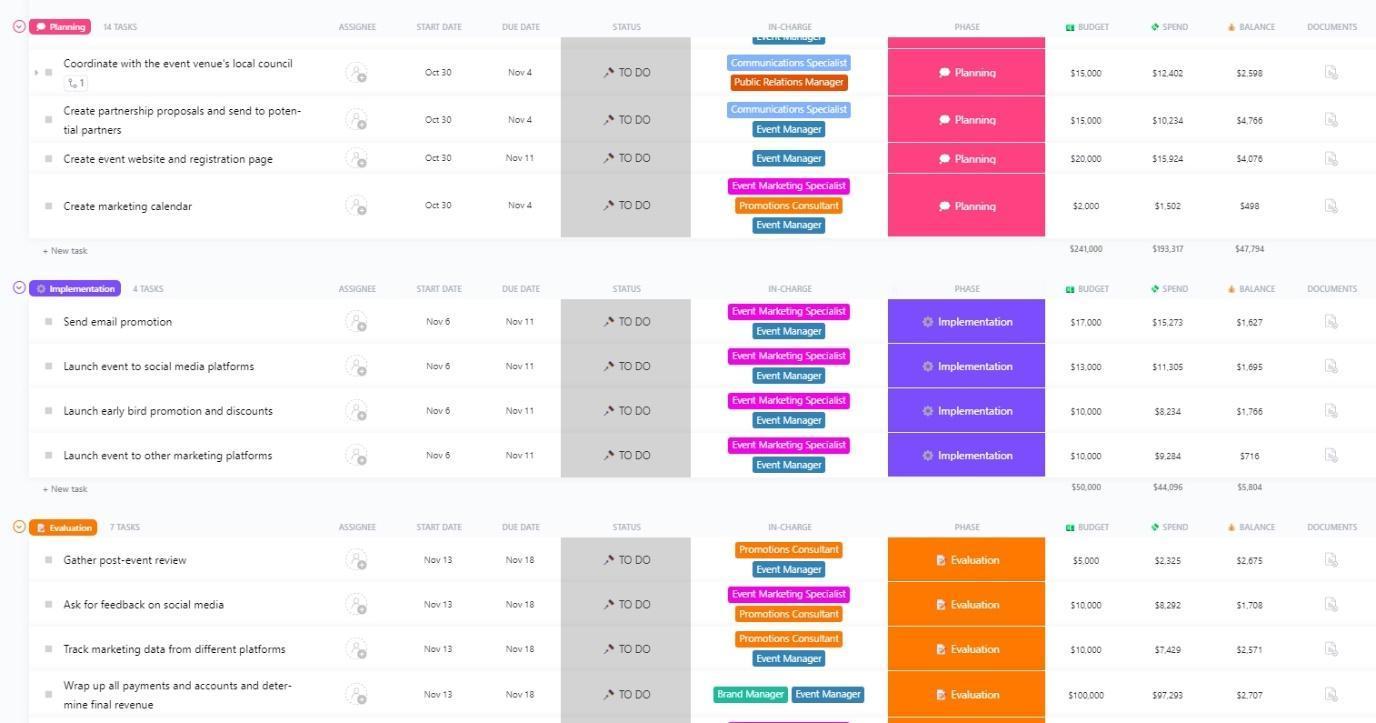
Pulling off a show-stopping event is all about the buzz you create before, during, and after it happens, and that’s where the ClickUp Event Marketing Plan Template comes in.
With dedicated views like Marketing Tasks and Phase Board, you can map out every stage of the promotion process. Think all steps from securing media partnerships and managing social campaigns, to monitoring RSVPs and post-event feedback.
Why you’ll love this template:
✅ Ideal for: Event planners, marketing teams, and businesses that want to maximize attendance and impact with a structured, ROI-driven event marketing plan
🎁 Bonus: Looking for inspiration beyond templates? These event marketing examples show how top brands drive buzz before, during, and after events. Borrow ideas, adapt them to your niche, and give your campaigns the creative spark they need.
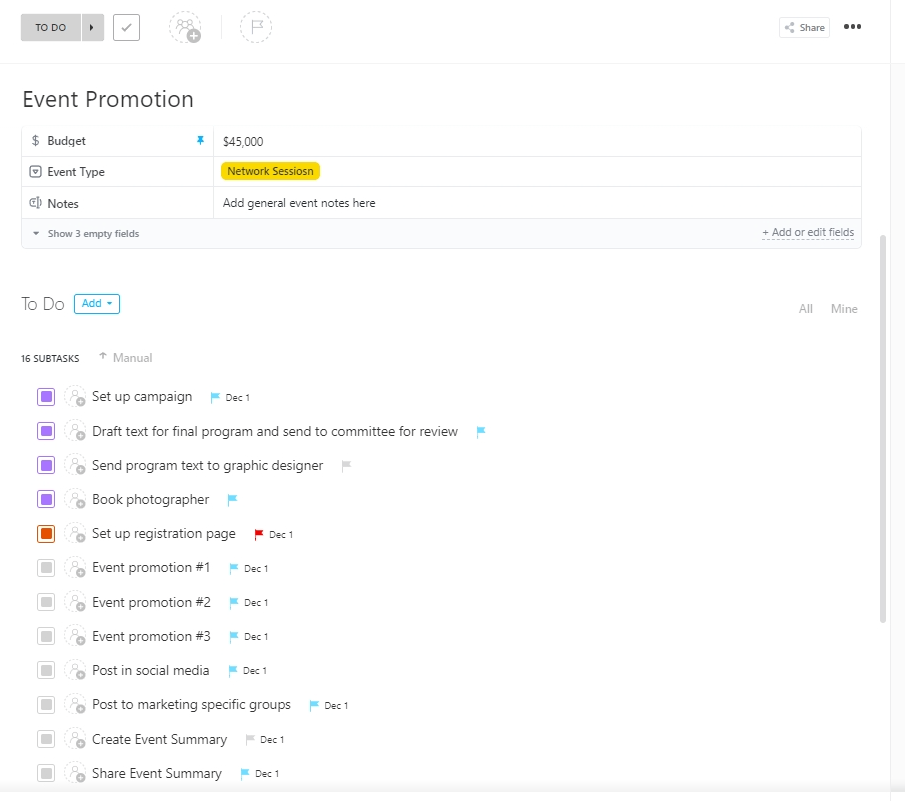
The ClickUp Event Promotion Template is built to supercharge your outreach efforts, from crafting social campaigns and sending email invites to managing influencer partnerships. Unlike general event templates, this one focuses specifically on marketing momentum and audience engagement, ensuring your event isn’t just well-planned but also well-promoted.
Why you’ll love this template:
✅ Ideal for: Event marketers, social media managers, and PR professionals who want to streamline promotion campaigns and ensure maximum event visibility
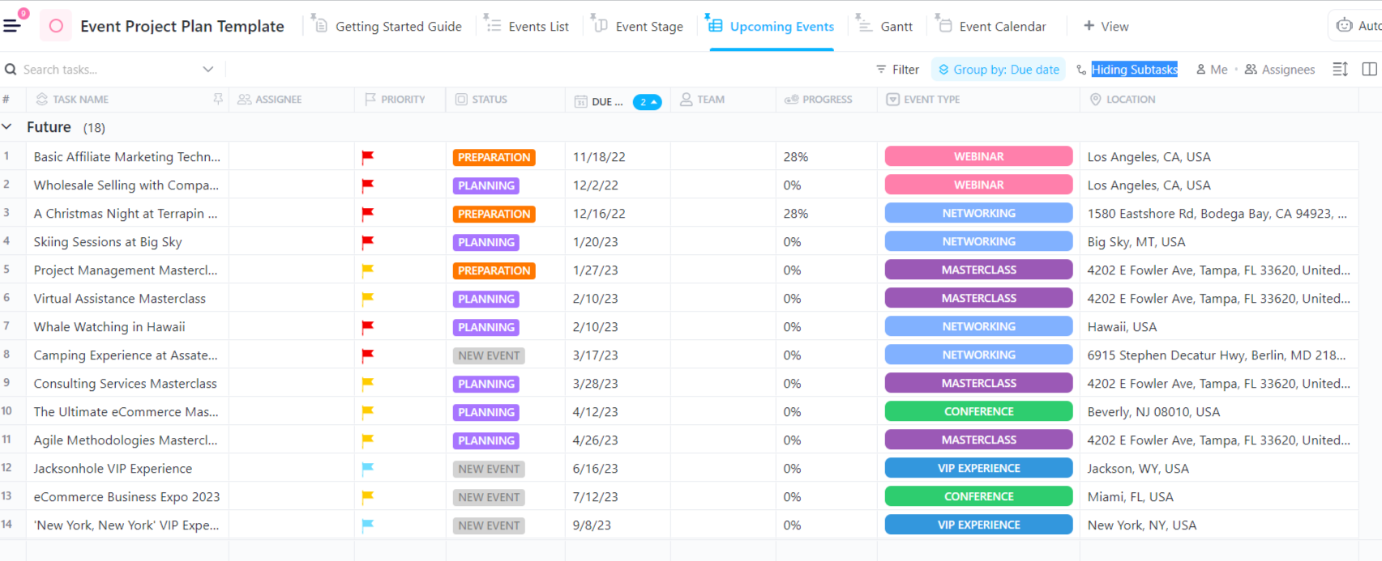
The ClickUp Event Project Plan Template is for managing events of any scale or complexity. It gives you a bird’s-eye view of every moving part, across multiple events, timelines, and stakeholders, while also letting you zoom into the smallest details when needed.
Custom Fields enable you to log everything from venue details to budget allocations, while ClickUp Automations take repetitive follow-ups off your plate, allowing you to focus on delivering standout events.
Why you’ll love this template:
✅ Ideal for: Event management agencies, corporate teams, or marketing departments planning large-scale, multi-location, or recurring events
⚡ Template Archive: Ever had an event run late because one session dragged on? The run of show templates give you a minute-by-minute schedule so everyone, including speakers, vendors, and staff, knows exactly what happens when.
For event planners seeking clarity without overcomplication, the ClickUp Simple Event Plan Template is ideal. It helps you zero in on the essentials, like budgets, vendors, and timelines, so you can keep every event moving smoothly.
With built-in List, Board, and Calendar views, you can switch between big-picture planning and nitty-gritty details in seconds. Plus, its adaptability makes it ideal for mid-sized events where you need enough structure to stay organized but still want the flexibility to adjust plans on the go.
Why you’ll love this template:
✅ Ideal for: Event planners organizing medium-sized events who want a streamlined tool that balances simplicity with smart features
Managing complex events can feel overwhelming, but the ClickUp Advanced Event Plan Template gives you the control and clarity you need. It is built to handle high-volume, multi-team collaboration events like international conferences, multi-day expos, or high-profile corporate events.
With its 29 Custom Task Statuses, you can track every moving element of your event, be it bookings, catering, sponsorships, vendor logistics, and more, without missing out on anything.
Why you’ll love this template:
✅ Ideal for: Event agencies, corporate planners, and organizations hosting multi-day conferences or large-scale events that demand precision and visibility at every step
Planning events doesn’t always have to feel stressful or complicated. With ClickUp’s event planning templates, you get ready-made systems to organize every detail, big or small.
From budgeting and vendor management to promotions and post-event reporting, there’s a template that fits your needs. They’re customizable, easy to use, and give you multiple views to plan the way that works best for your team.
So, if you’re ready to move beyond the basics, ClickUp gives you the confidence and structure to deliver events that are stellar, stress-free, and impactful.
Sign up for ClickUp today!

© 2026 ClickUp

There’s an easier way. Try a free AI Agent in ClickUp that actually does the work for you—set up in minutes, save hours every week.