






Still downloading templates?
There’s an easier way. Try a free AI Agent in ClickUp that actually does the work for you—set up in minutes, save hours every week.
Sorry, there were no results found for “”
Sorry, there were no results found for “”
Sorry, there were no results found for “”
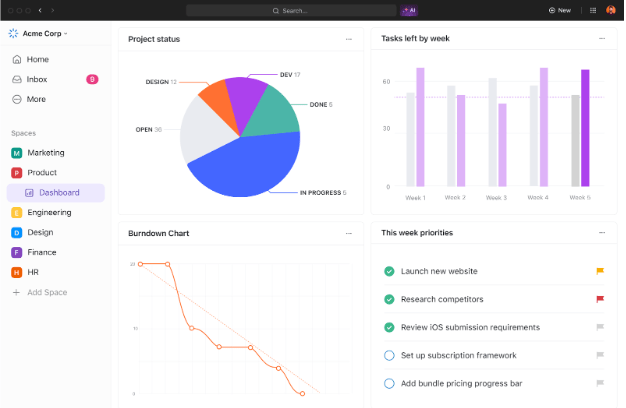
Starting a new project without a clear plan can feel like trying to build a house without blueprints, often leading to frustration and delays.
🔎 Did You Know: A recent study indicates that 39% of projects fail due to poor planning, outdated tools, or a lack of clear task management.
For teams already deeply entrenched in the Microsoft 365 ecosystem, Microsoft Planner is an intuitive way to manage tasks. It comes with pre-built templates to give you a solid head start, simplifying setup and promoting consistent workflows.
So, read on to find the top Microsoft Planner templates for project management. However, if you’re seeking even more power and flexibility, consider exploring alternative templates from platforms like ClickUp, the everything app for work.
A good Microsoft Planner template helps you cut through the clutter and gives your team a systematic framework for real progress on every task and project.
Here are the five characteristics of the best Microsoft Planner templates for task management:
➡️ Also Read: How to Use Microsoft Planner in Teams to Organize Work
🔎 Did You Know? The idea of a preset daily planner layout isn’t new. Robert Aitken designed one as far back as 1773, setting the stage for the modern planners we rely on today.
Now, thanks to digital planner apps and tools, project managers, students, and teams can skip the setup and start strong with ready-to-use planner templates available for free.
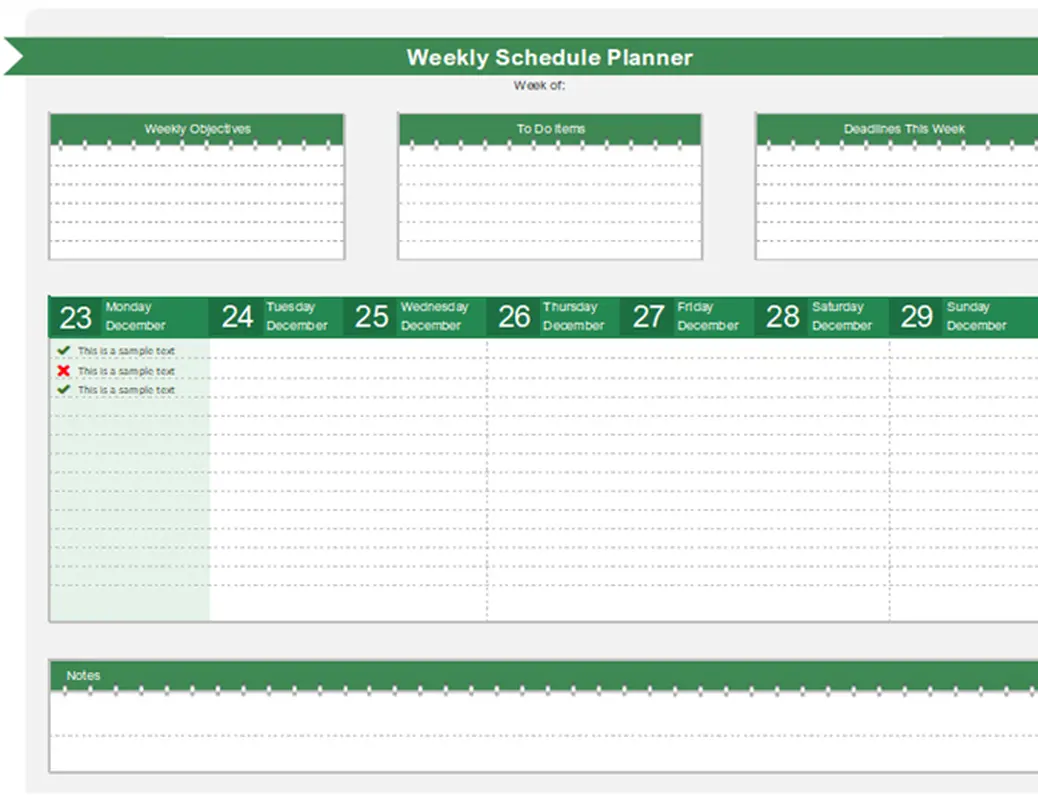
Take control of your week with the simple yet effective Weekly Schedule Planner Template from Microsoft. It blends the framework of a calendar with the flexibility of a task list, making it easy to stay focused and meet weekly deadlines.
This is a very simple Microsoft Planner template for beginners. It includes dedicated space for weekly objectives, to-do lists, and due dates, helping you break down your workload without feeling overwhelmed.
Organizing your week just got a whole lot easier, whether you’re managing classes, client tasks, or team deliverables.
Why you’ll like it:
Ideal for: Students, freelancers, and project managers balancing weekly goals and deadlines.
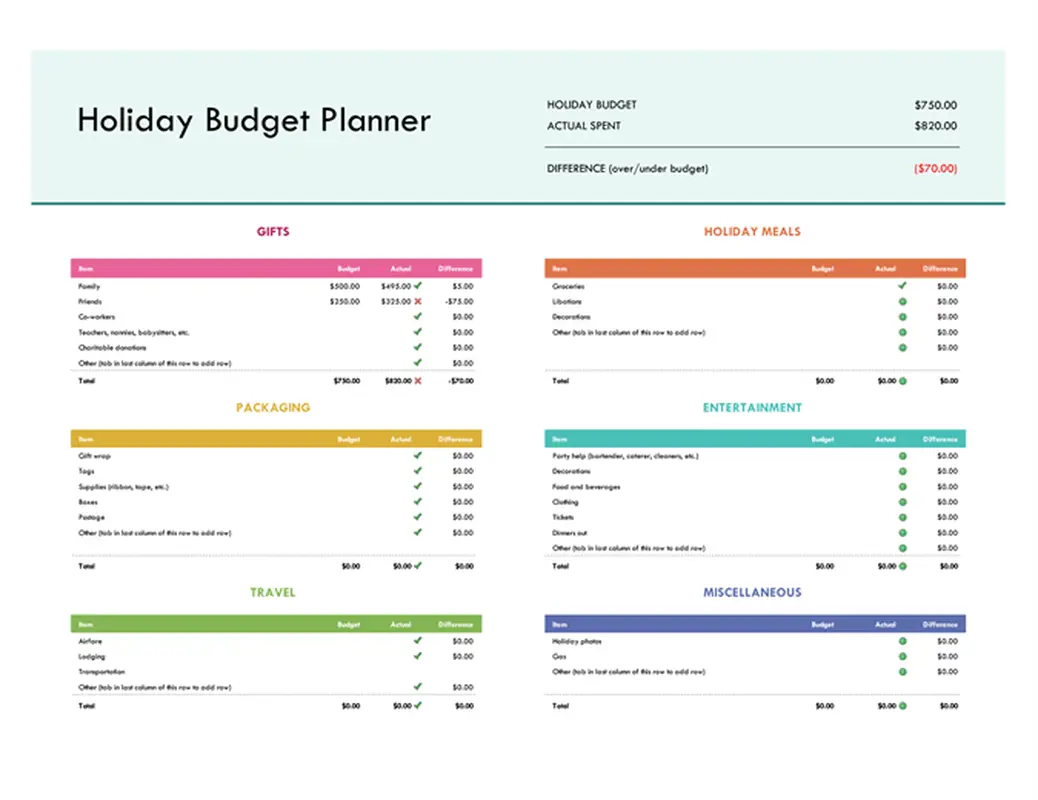
Make holiday spending stress-free with the Holiday Budget Planner Template from Microsoft. Built in Excel, it helps you stay in control of your finances without giving up the fun. This template helps keep your numbers in check and your holidays on track while you plan for holiday gifts, events, and travel.
With built-in formulas that calculate budget vs. actual spending, you can focus more on celebrating and less on overspending. It’s a smart way to manage tasks and track purchases.
Why you’ll like it:
Ideal for: Budget-conscious planners managing holiday projects at work or home.
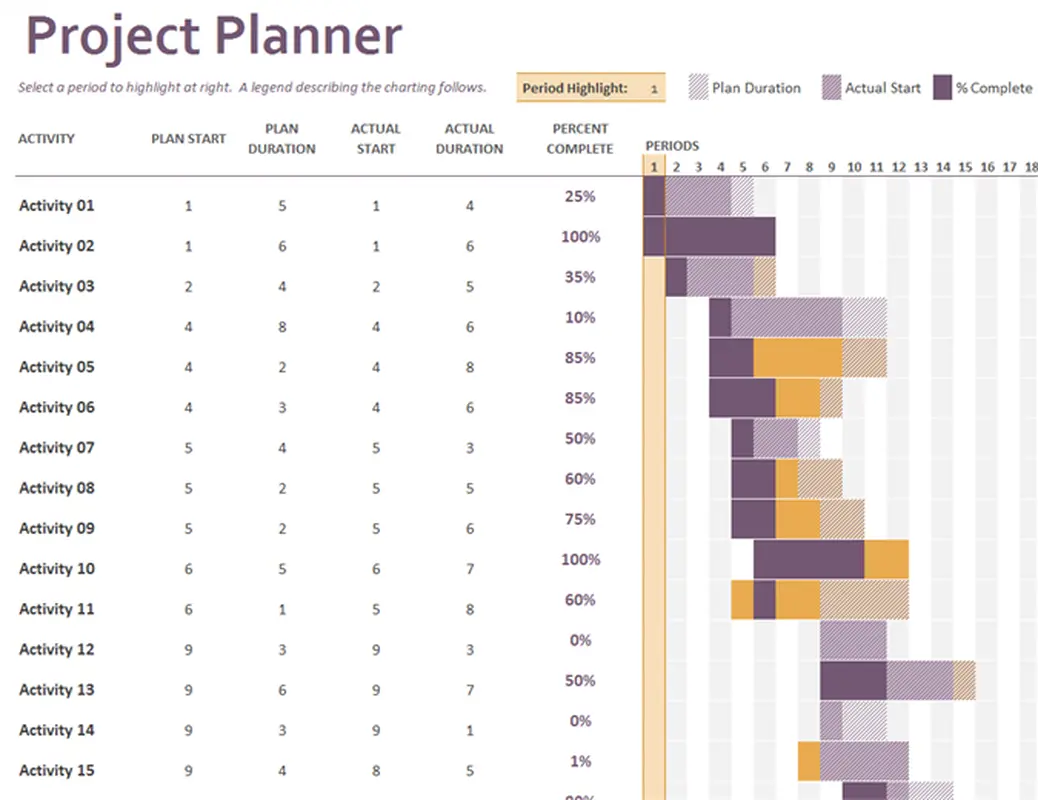
Looking for Microsoft Planner templates for agile project management? Stay in sync from kickoff to completion with the Gantt Project Planner Template from Microsoft.
Built on the trusted Gantt chart model, this template simplifies project management by providing a clear visual timeline of every task and team member assignment.
Track start dates, durations, and real-time progress while keeping your project organized from day one. This Excel-based planner adapts to your project size and schedule, whether you’re launching a new product or managing ongoing tasks.
Why you’ll like it:
Ideal for: Project managers overseeing complex timelines, task owners, and cross-functional teams.
💡 Pro Tip: A well-crafted project plan isn’t just paperwork; it’s your team’s North Star. This dynamic document clearly outlines objectives, ensuring everyone aligns their efforts toward a collective goal. By defining the project’s scope—what’s in and what’s out—you effectively prevent scope creep and keep target deadlines firmly in sight.
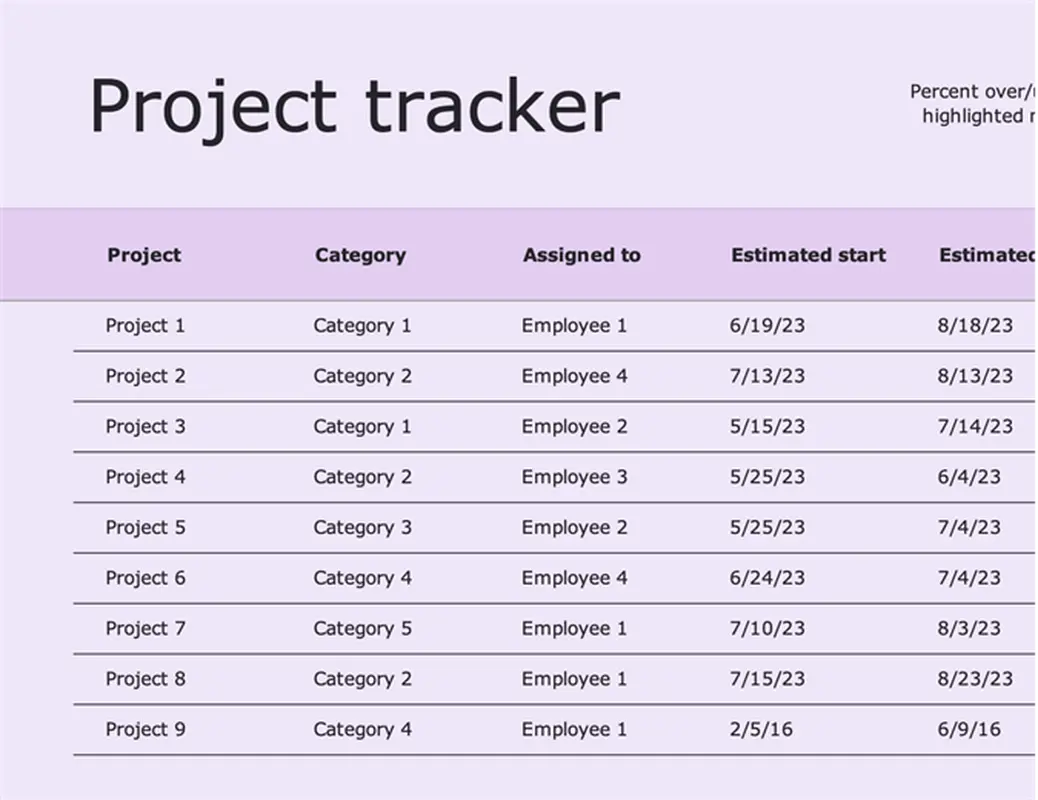
Keep your projects on schedule and within scope with the Project Tracker Template from Microsoft. This comprehensive Excel-based planning template serves as a centralized hub for monitoring all aspects of your project, from individual tasks and deadlines to overall progress and potential roadblocks.
It’s designed to give you a clear, real-time overview, helping you make informed decisions and keep your team aligned from start to finish.
Why you’ll like it:
Ideal for: Project managers, team leads, and anyone overseeing multifaceted projects requiring detailed tracking.
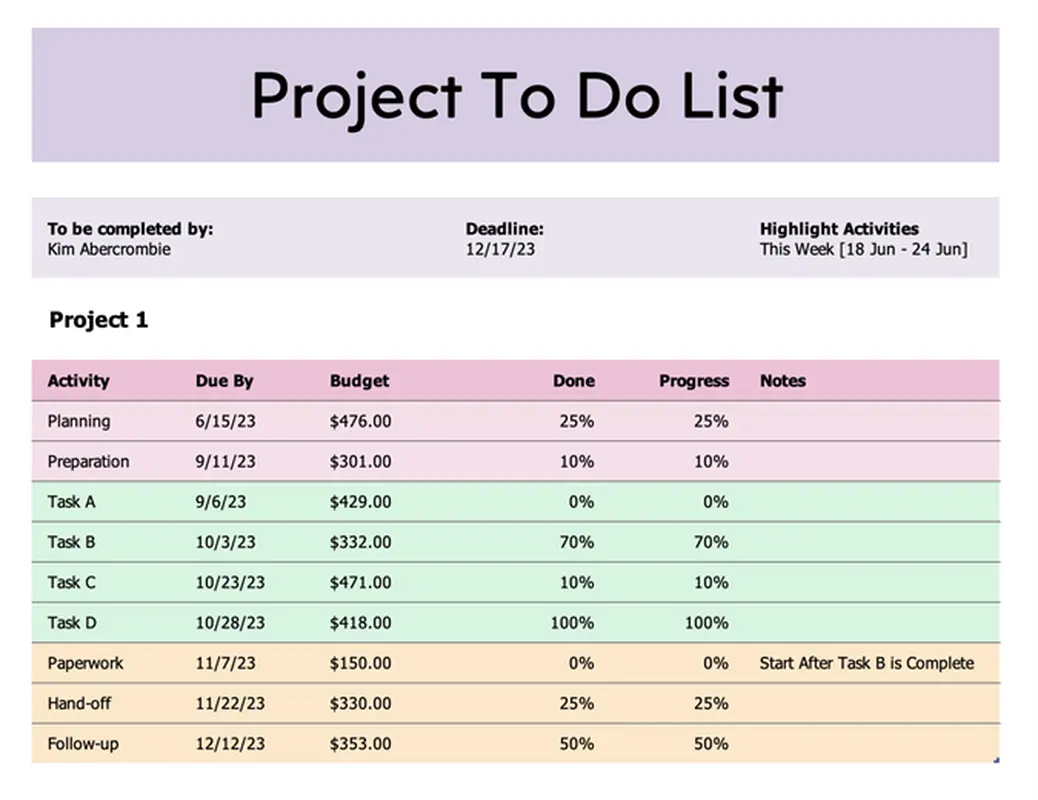
The straightforward Project To Do List Template from Microsoft breaks large projects down into manageable action items, ensuring clarity and accountability for every team member.
It’s one of the best free Microsoft Planner templates for teams to quickly assign tasks, set priorities, and track completion to stay focused and productive.
Why you’ll like it:
Ideal for: Project contributors, team members, and anyone needing a clear and actionable list of project responsibilities.
➡️ Read More: Free Daily Planner Templates in Word, Excel, & ClickUp
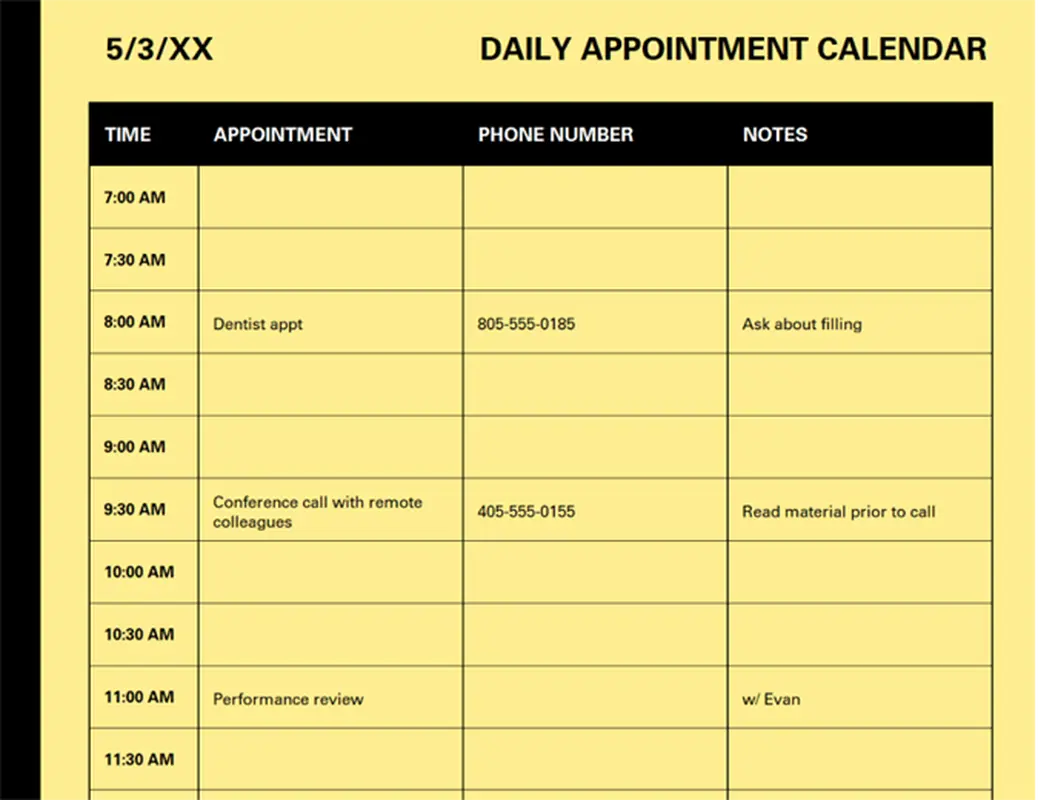
Keep your day on track with the Daily Appointment Calendar Template from Microsoft. This Excel-based planner is perfect for mapping out meetings, appointments, and important tasks by the hour—giving you full control over your daily schedule.
It offers a simple time-blocking structure with columns for start time, end time, and notes, helping you minimize double-bookings and maximize productivity.
Whether you’re working from home or running a busy office, this template keeps your day structured and stress-free.
Why you’ll like it:
Ideal for: Busy professionals, administrative staff, and anyone who thrives on structure and punctuality
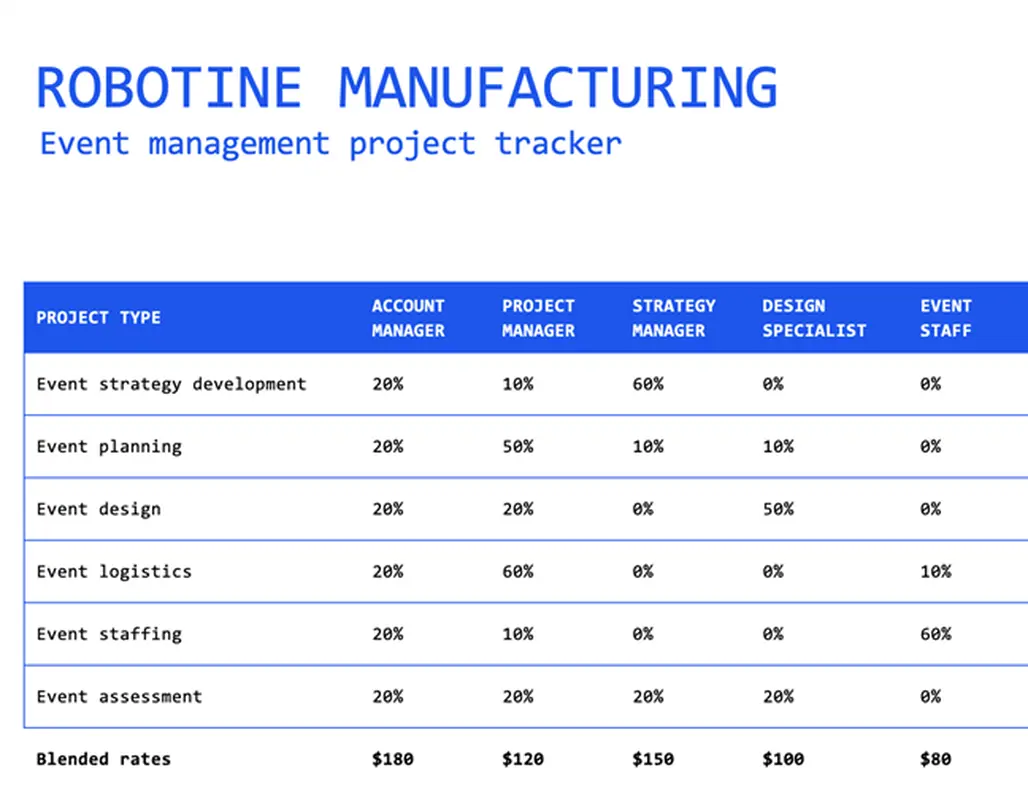
Make event planning a breeze with the Event Planning Tracker Template from Microsoft. Designed in Excel, this all-in-one tracker helps you manage every stage of event coordination—from brainstorming and vendor sourcing to guest tracking and budgeting.
This MS Planner template for event planning is structured with customizable tables that let you assign tasks, monitor deadlines, and track spending all in one place.
Whether you’re organizing a corporate seminar, wedding, or community fundraiser, it brings clarity to the chaos.
Why you’ll like it:
Ideal for: Event planners, office admins, and anyone managing multi-step events with moving parts
While Microsoft Planner templates offer structure and convenience, they come with a few limitations that users should consider:
Pro Tip: Looking for a way to create custom templates in Microsoft Planner? While Planner does not give you that capability, here’s a workaround.
Alternatively, opt for truly customizable templates from ClickUp 😎
🧠 Fun Fact: 20% of the average workday goes toward ‘crucial’ and ‘important’ tasks, while the remaining is spent on activities that bring ‘little’ or ‘no value.’
It’s surprisingly easy to get caught up in the busywork and lose sight of what matters. That’s why we’ve pulled together some of the more advanced and effective planner templates to help you stay focused and make the most of your day.
While the new Microsoft Planner is great for basics, ClickUp delivers a wider array of templates and a more versatile platform. ClickUp’s templates are deeply customizable, with advanced features such as dynamic views, pre-built automation, and wide-scale reporting, making it an incredibly flexible choice for any project.
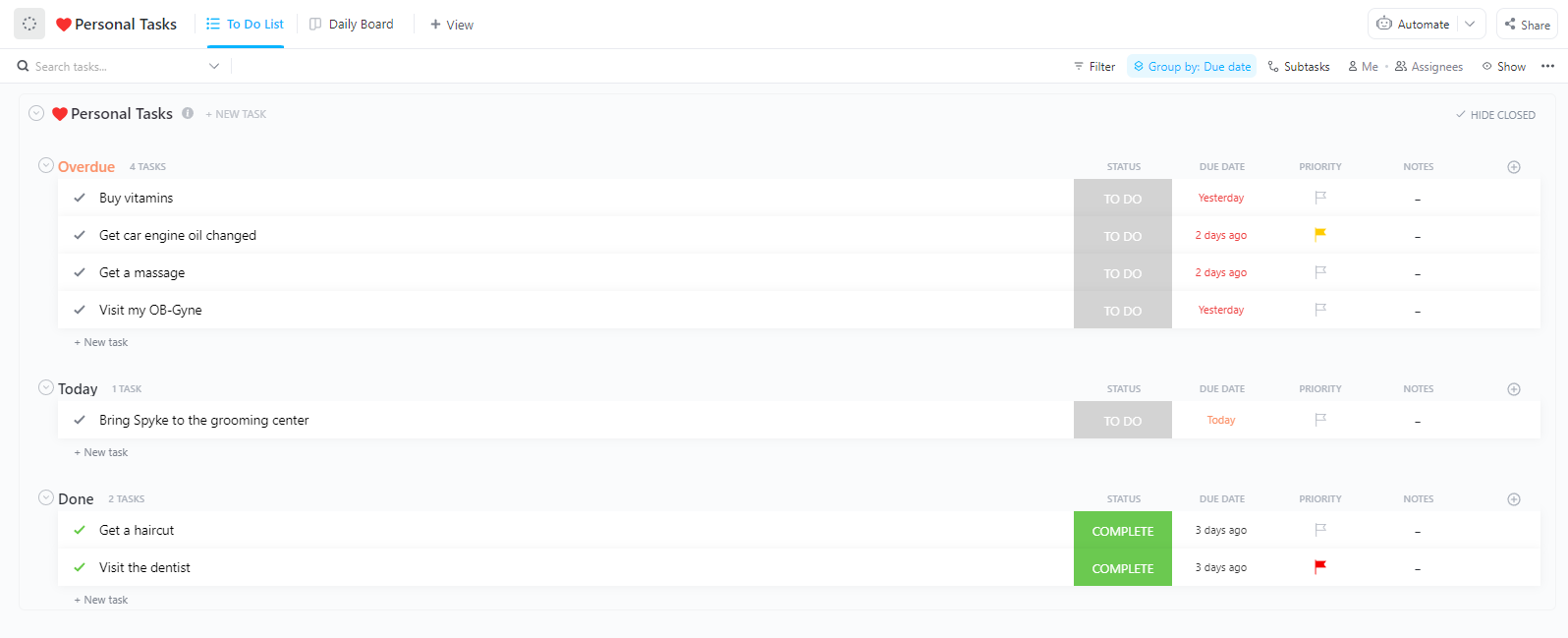
The ClickUp Daily Planner Template helps you structure your day with clarity and intention. From time-blocking meetings and tasks to organizing personal errands, this template transforms your daily chaos into a manageable routine.
Its flexible design includes built-in fields for task priority, deadlines, notes, and time estimates, enabling detailed planning without the clutter.
Paired with automation and reminders, this planner becomes a powerful tool for anyone seeking to stay on top of both recurring and one-time responsibilities.
Why you’ll love it:
Ideal for: Professionals, students, or anyone juggling multiple tasks throughout the day.
Here’s what Karthik Itharajula, Lead Annotations at Carscan.AI, had to say about using ClickUp:
With the help of ClickUp, we are monitoring daily progress of the tasks regarding productivity, and it is also capable of addressing all our status-related issues, like moving from in progress to complete and then to in review, so that the top management can have an idea about the status.
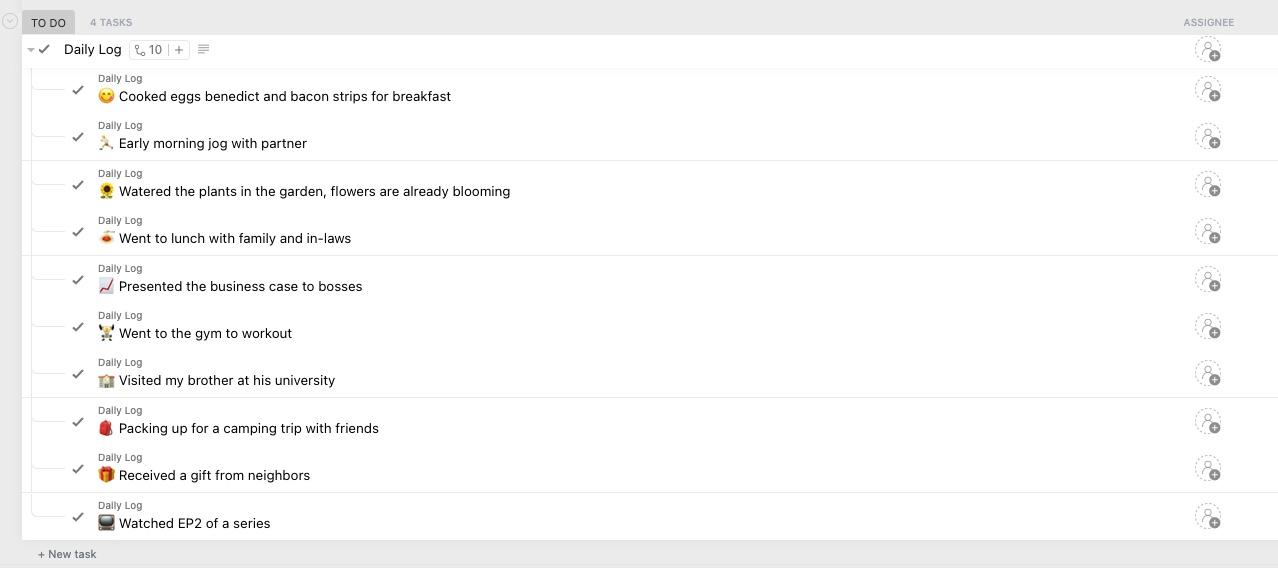
The ClickUp Daily Log Template provides a reliable space to record everything from project updates to personal reflections. Designed for consistency and ease of use, it includes timestamped entry fields, tags for categorization, and rich text blocks for detailed notes.
Whether you’re maintaining a work diary, tracking habits, or logging key activities for performance reviews, this template enables organized retrospection with powerful filtering and search functionality.
Why you’ll love it:
Ideal for: Project managers, knowledge workers, team leads, or individuals building a reflective habit.
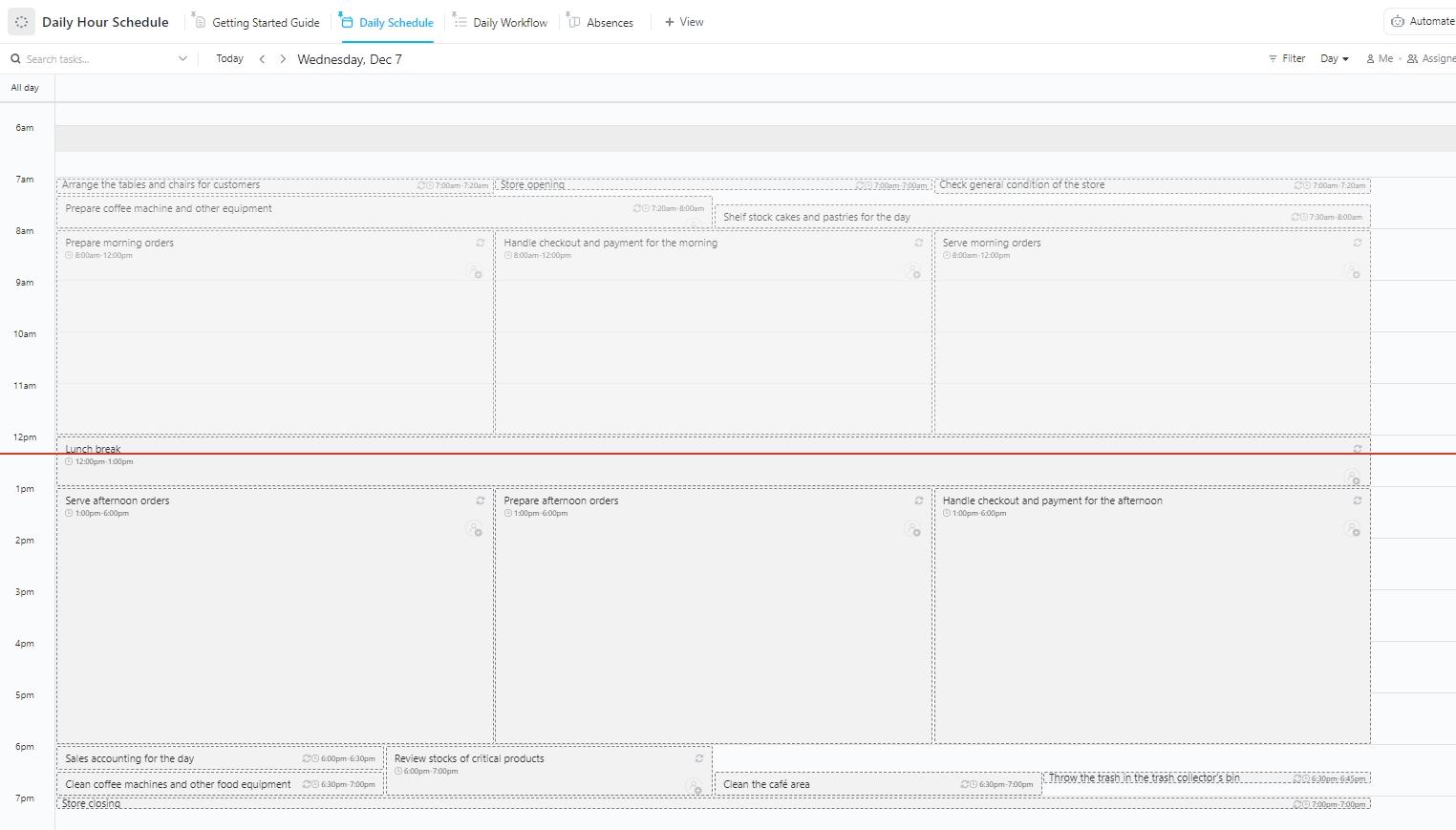
If you’ve ever wondered where your day went, the ClickUp Daily Hour Schedule Template brings structure to your day, hour by hour. Ideal for professionals with packed calendars, it includes preset hourly blocks that you can customize for meetings, focus sessions, breaks, and errands.
Task descriptions, time estimates, and color-coded categories help you allocate time wisely. Moreover, recurring task support, calendar syncing, and drag-and-drop scheduling optimize your daily flow while avoiding overlap or missed appointments.
Why you’ll love it:
Ideal for: Professionals managing structured workdays or routines that shift frequently.
📮 ClickUp Insight: 21% of people say more than 80% of their workday is spent on repetitive tasks. And another 20% say repetitive tasks consume at least 40% of their day.
That’s nearly half of the workweek (41%) devoted to tasks that don’t require much strategic thinking or creativity (like follow-up emails 👀).
ClickUp AI Agents help eliminate this grind. Think task creation, reminders, updates, meeting notes, drafting emails, and even creating end-to-end workflows! All of that (and more) can be automated in a jiffy with ClickUp, your everything app for work.
💫 Real Results: Lulu Press saves 1 hour per day, per employee, using ClickUp Automations—leading to a 12% increase in work efficiency.
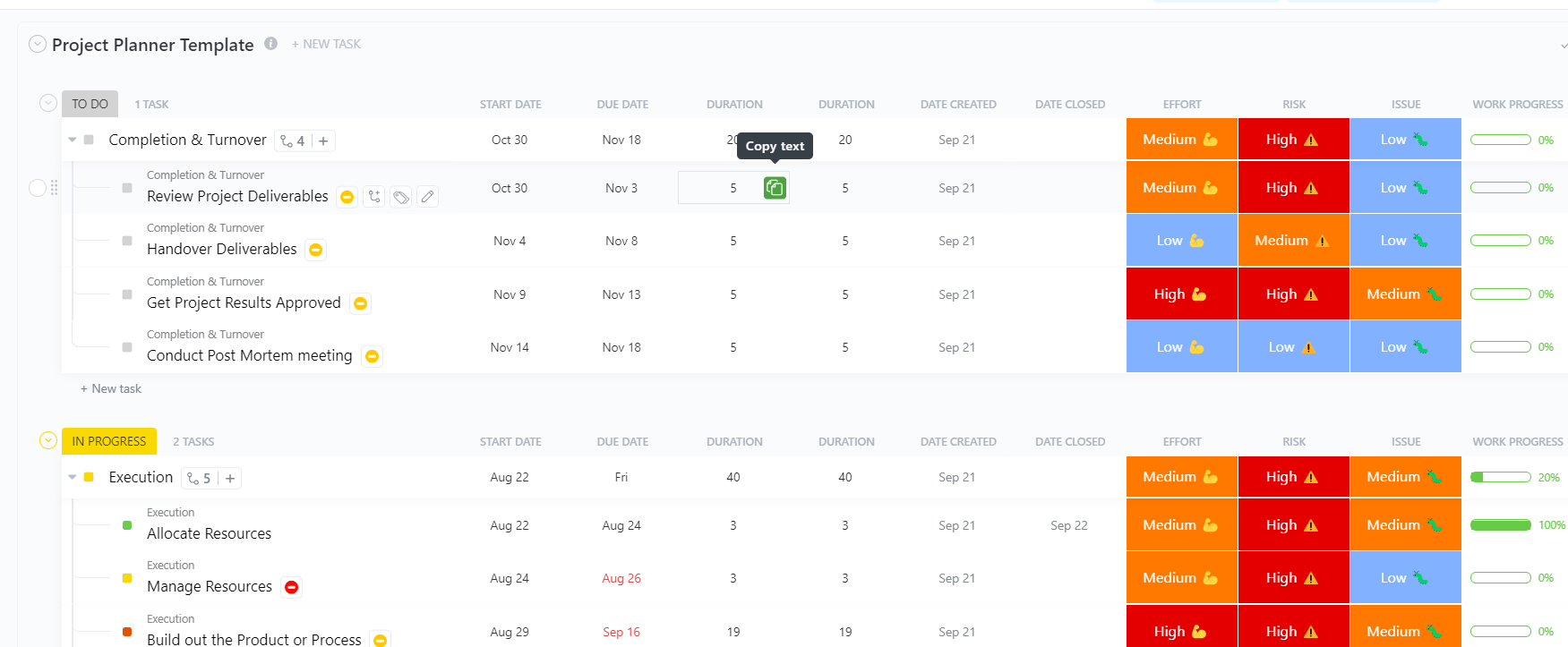
From deadlines and budgets to team roles and task dependencies, project planning gets messy fast without the right system in place. The ClickUp Project Planner Template helps you organize and manage everything.
Designed to clarify any project, this template includes ready-to-use sections for defining objectives, deliverables, task lists, and key milestones. Additionally, smart widgets, automation, and custom fields enable you to plan across phases, allocate resources, and track progress.
Why you’ll love it:
Ideal for: Project managers, entrepreneurs, and collaborative teams launching initiatives.
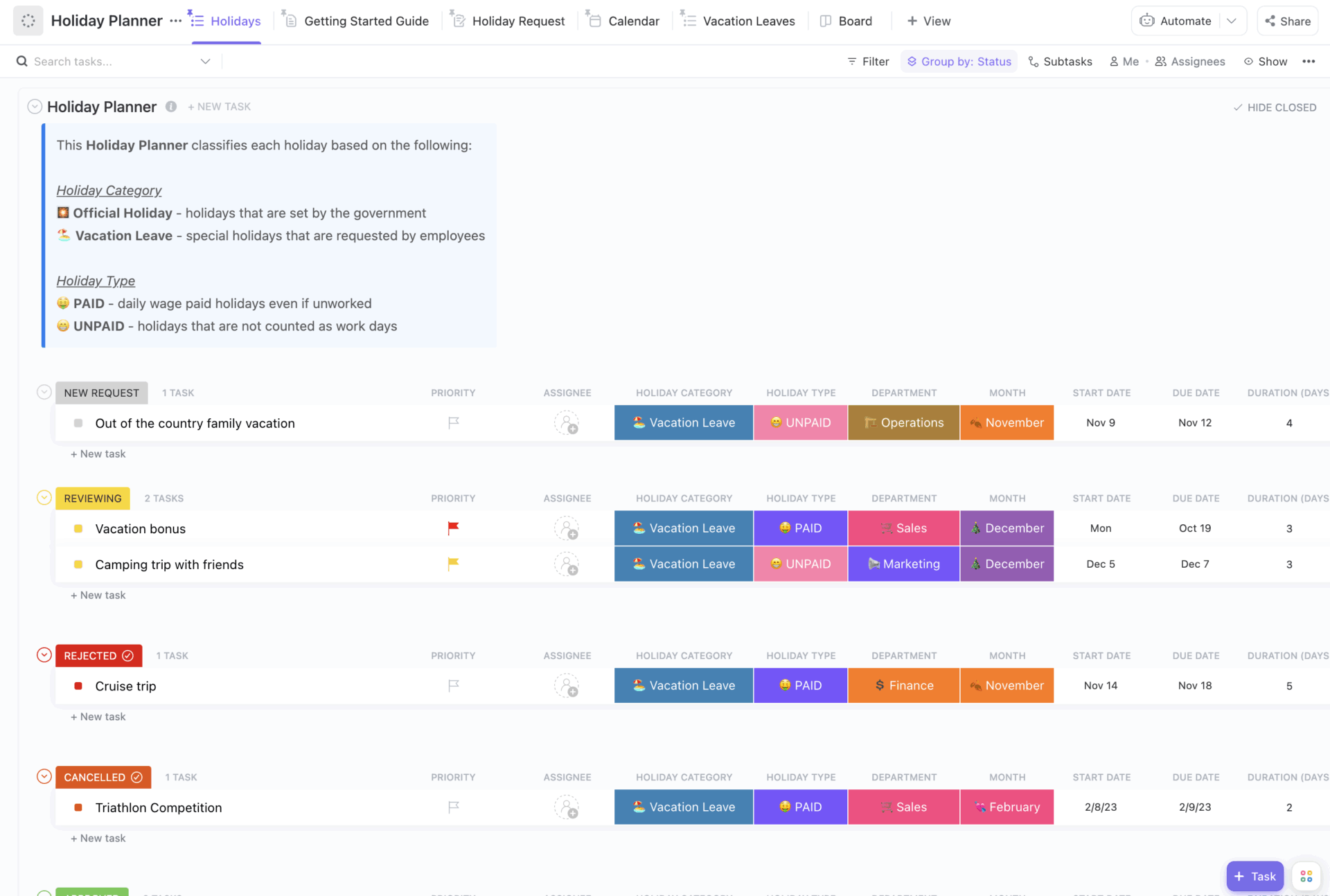
The logistics of holiday planning can quickly add up when you’re organizing a family trip or a company break. Flight times, hotel bookings, shared itineraries, budget tracking… and let’s not forget syncing everyone’s calendars.
The ClickUp Holiday Planner Template centralizes everything you need for organizing a getaway or festive break.
It includes fields for destinations, travel bookings, packing lists, gift ideas, and budget tracking. Timeline and Calendar Views make it easy to coordinate with friends or family, while task checklists keep things tidy.
Why you’ll love it:
Ideal for: Families, solo travelers, or group vacation coordinators.
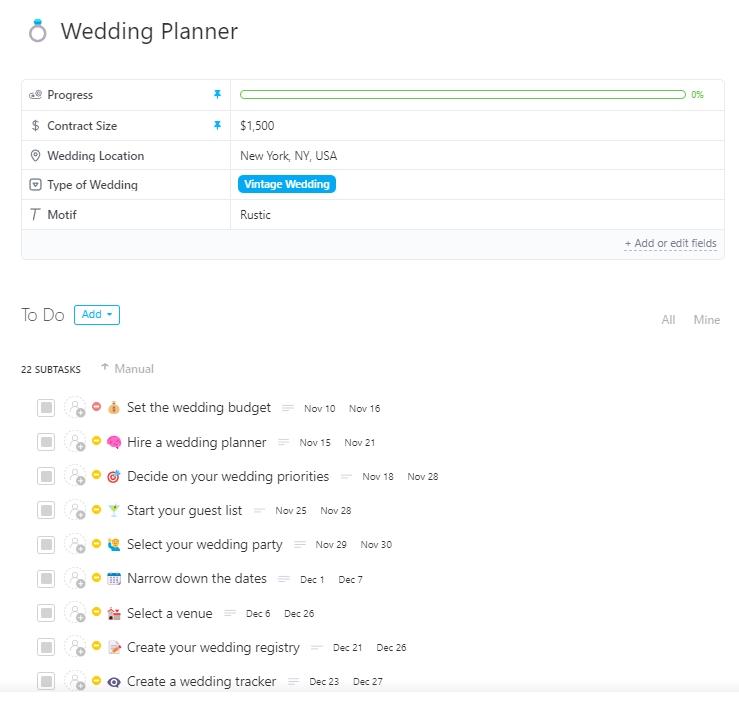
Planning a wedding? The ClickUp Wedding Planner Template is an all-inclusive workspace for managing the intricate details of a wedding. It comes preloaded with categories for budgeting, vendor management, guest lists, design boards, and timelines.
You can break your plan down into phases such as engagement, preparation, ceremony, and reception. Its dynamic task structure supports collaborative planning, while forms and automation can streamline RSVP collection, vendor approvals, and deadline tracking.
Why you’ll love it:
Ideal for: Couples or professional wedding planners managing detailed logistics.
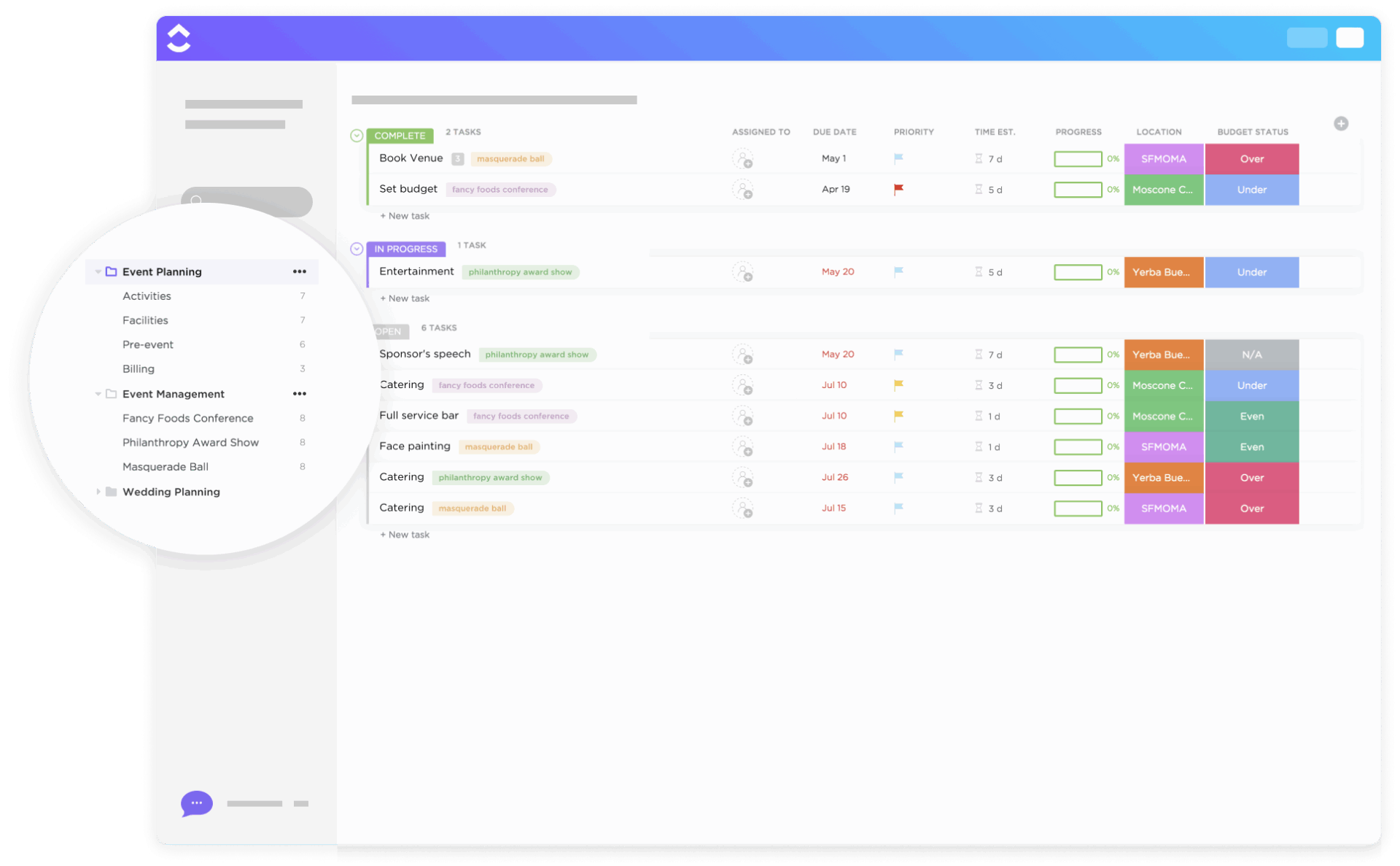
The ClickUp Event Planning Template gives you everything you need to organize a corporate seminar, team outing, or any other event.
Use pre-built lists for Activities, Billing, and Facilities, switch between Calendar, Board, or Timeline views, and monitor progress with budget status and payment tracking fields. You can also assign roles, automate reminders, and monitor progress via dashboards.
Why you’ll love it:
Ideal for: Event managers, freelance planners, wedding coordinators, busy couples, or even small teams planning internal events.
Here’s what Alaina Maracotta, Event Marketing Head at Vida Health, has to say about ClickUp:
It’s been phenomenal to see how much time we’ve saved in meetings since moving to ClickUp. What used to take us three hours per week for event planning and updates now takes us just over an hour. The teams involved now have more time to focus on more important marketing priorities.
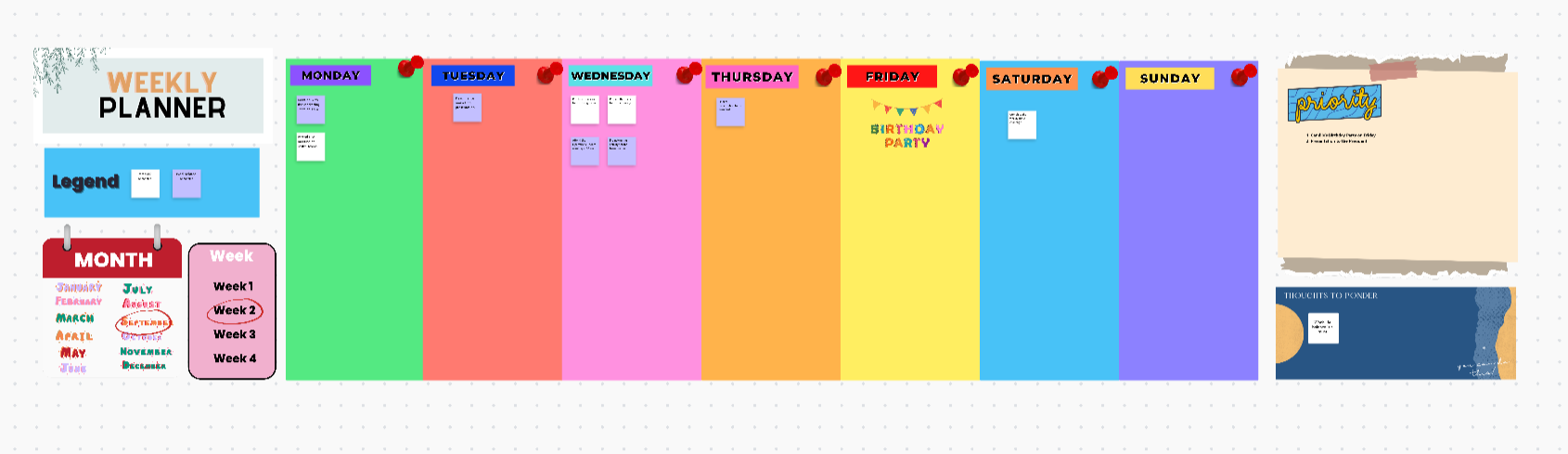
The ClickUp Weekly Planner Template is designed for individuals and teams who need a broad yet detailed view of their week. It provides segmented spaces for daily objectives, key outcomes, and time-blocked tasks.
With drag-and-drop rescheduling and integration with time tracking, it’s easy to balance workloads across days and avoid overcommitting. The template works especially well for sprints, recurring planning rituals, or weekly performance reviews.
Why you’ll love it:
Ideal for: Professionals, agile teams, and freelancers managing weekly deliverables or personal goals.
Planning ahead doesn’t have to be overwhelming, especially when you’ve got a smart monthly planner to guide the way.
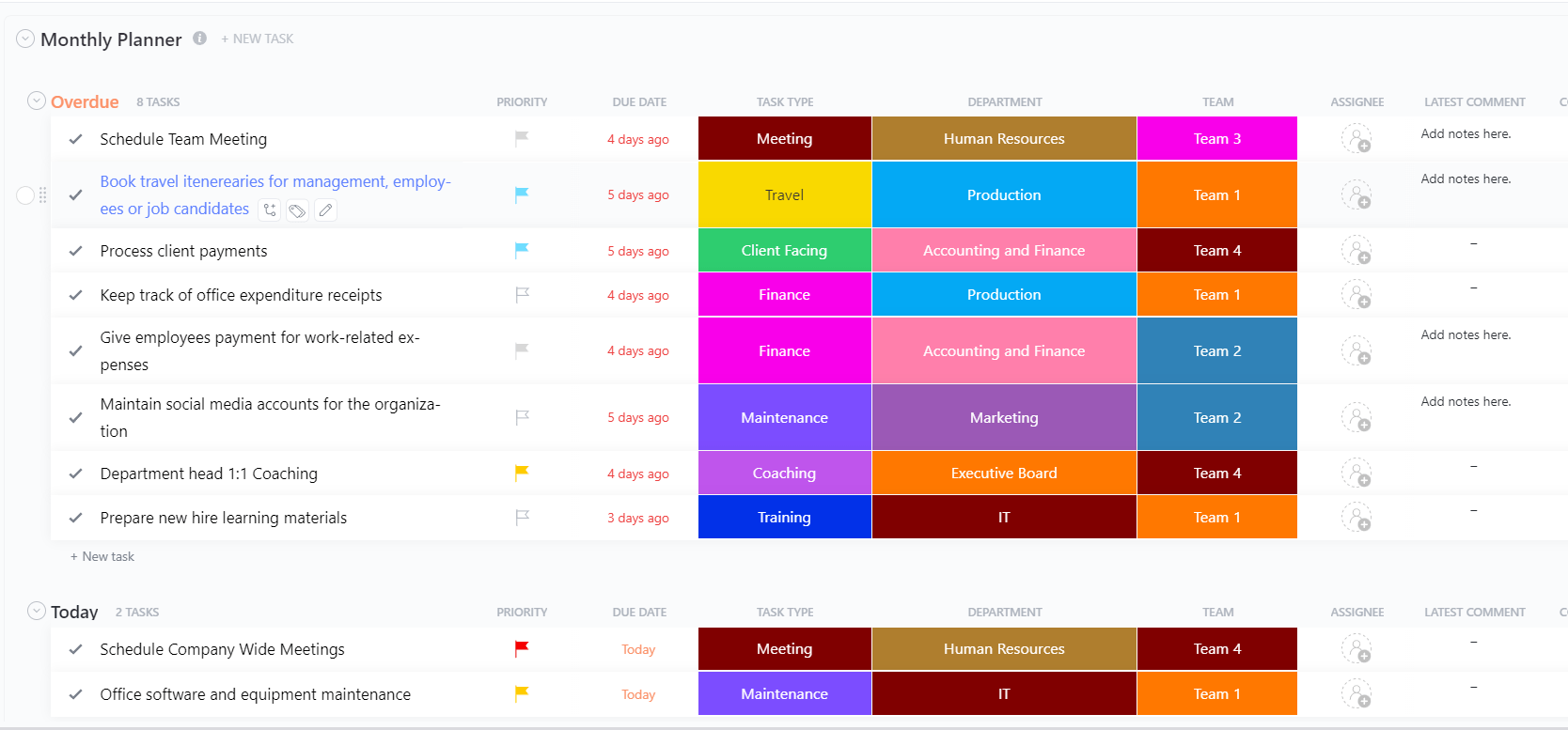
The ClickUp Monthly Planner Template offers a macro-level overview for managing goals, deadlines, and priorities over a 30-day span. It provides a color-coded space for monthly focus areas, milestone tracking, and capacity planning.
Track monthly client deliverables and prepare for recurring team meetings to ensure effective project management and timely progress. Each week can be divided into action categories, such as strategic, tactical, or creative work.
Why you’ll love it:
Ideal for: Teams running monthly campaigns, solopreneurs with long-term vision, or managers overseeing multiple workflows.
➡️ Read More: Free Monthly Calendar Templates to Organize Your Time
Planning shouldn’t feel like a full-time job. You need a system that doesn’t just list tasks but shows you exactly when to do them.
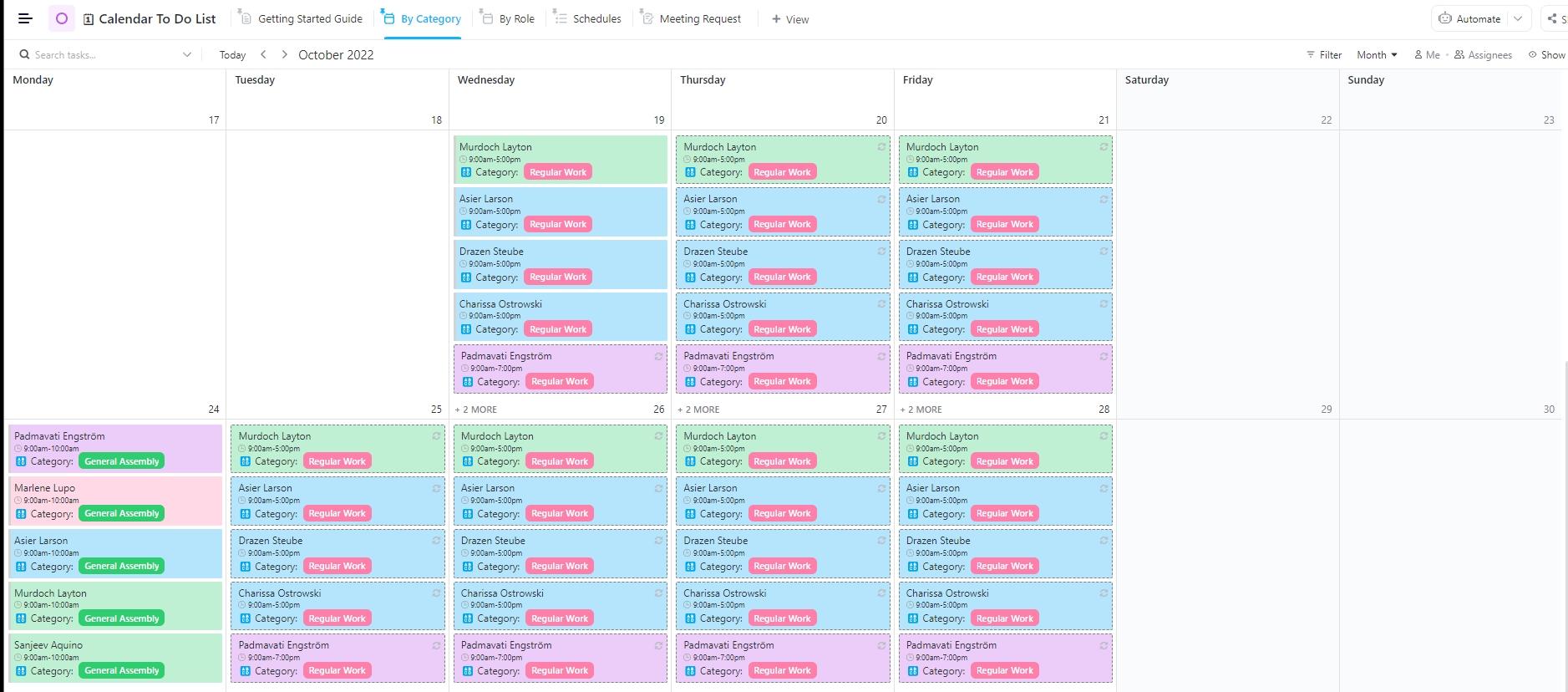
The ClickUp Calendar To-Do List Template provides a visual timeline for your daily tasks, allowing you to plan with purpose and stay on track. It merges to-do task clarity with the power of time-based planning.
Map your to-do items across a calendar, adjust deadlines visually, and group items by priority or project. Plus, useful filters and custom views let you sort tasks by day, week, or month without losing important details.
Why you’ll love it:
Ideal for: Busy professionals and multitaskers balancing personal and work tasks.
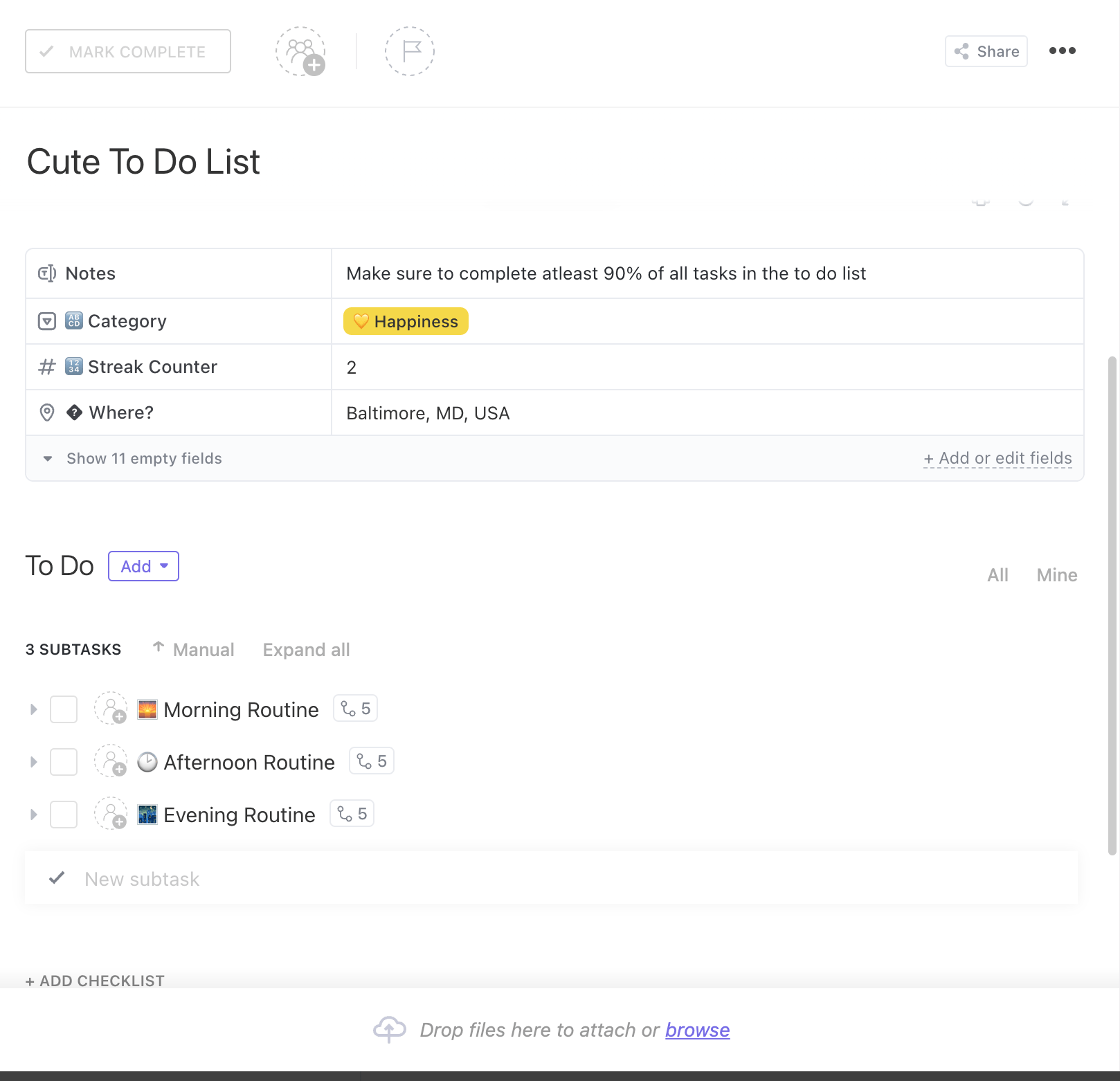
Some days, even remembering where to start feels like a task in itself. That’s where the ClickUp Daily To-Do List Template quietly shines. It gives your day structure, so you can see what’s due and move forward without second-guessing.
With its intuitive layout and smart automation, you can easily organize, prioritize, and schedule your day without feeling overwhelmed.
It features clear headers for task names, statuses, due dates, and notes—all in one scrollable list. Smart filters and tags further let you highlight time-sensitive or high-priority actions.
Why you’ll love it:
Ideal for: Task-oriented individuals, assistants, or team members focused on daily execution.
Starting a new week can feel like a huge task, especially when you’re not sure where to begin.
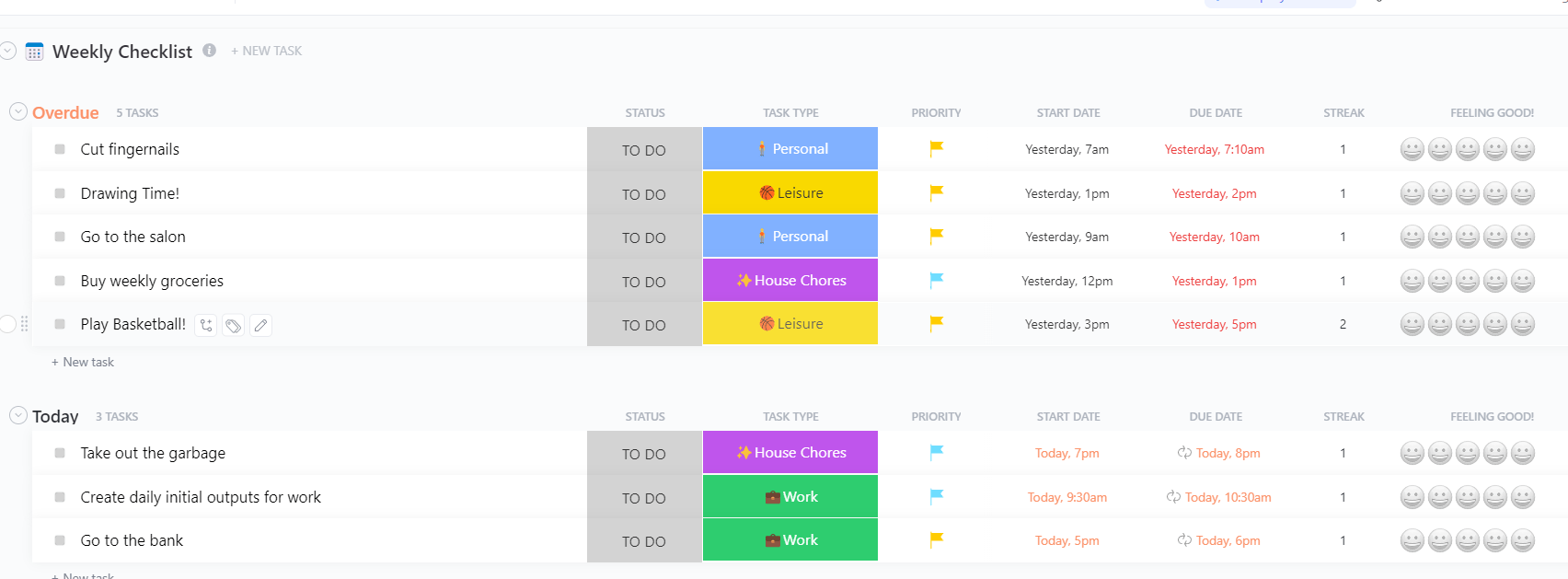
The ClickUp Weekly Checklist Template is ideal for professionals or anyone who enjoys the satisfaction of crossing items off the list. It comes pre-built with checklist rows for each day, making it perfect for routines, habit tracking, or operational processes.
This ready-to-use subcategory template comes with a simple yet intuitive layout. Use it to set realistic weekly goals and stay focused on your tasks. Categorize tasks by type, such as personal, leisure, work, house chores, etc., and assign start and due dates for better time control.
Why you’ll love it:
Ideal for: Remote workers and anyone who wants to organize their week by category or focus area to maximize their time and energy.
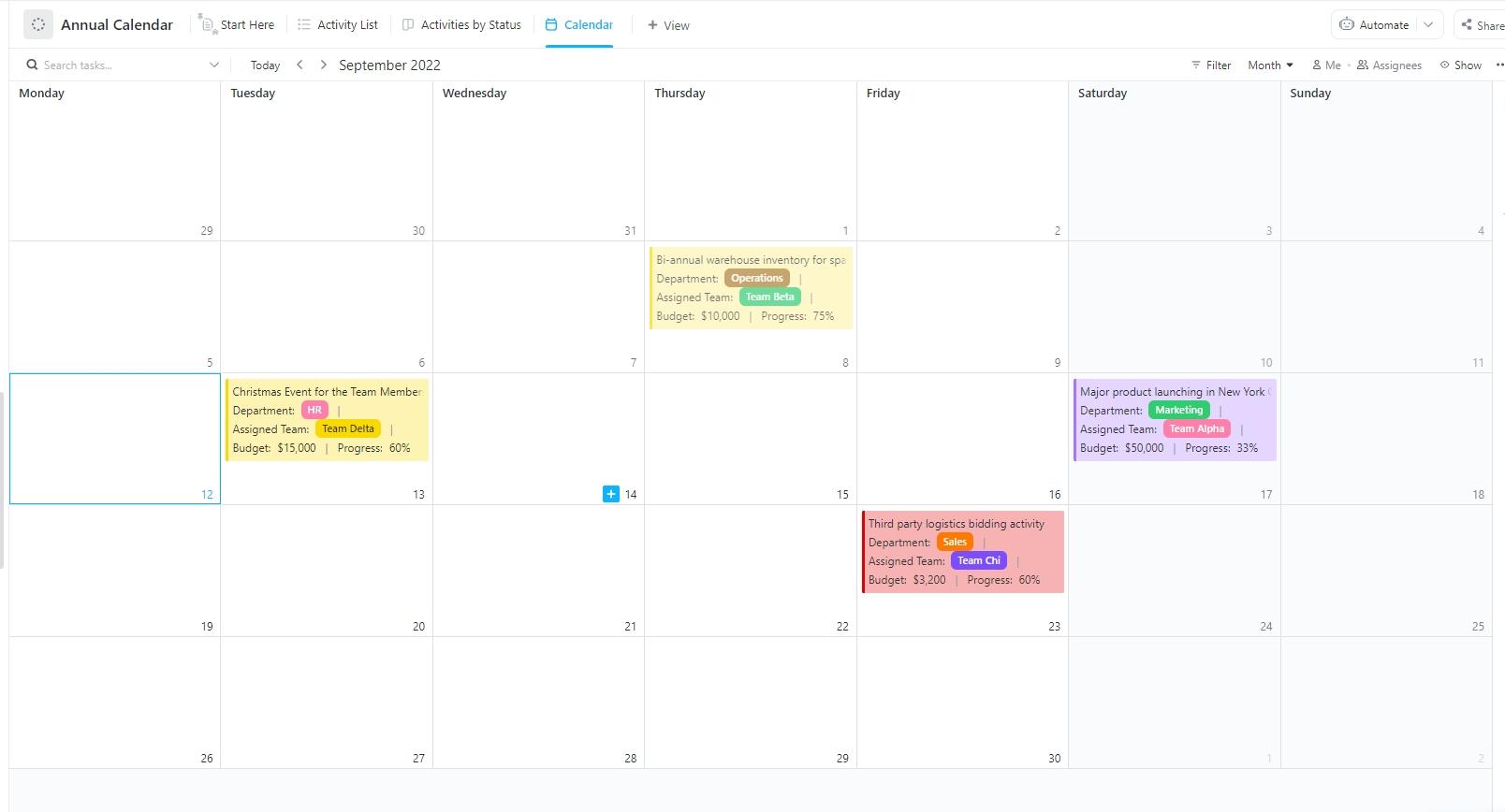
The ClickUp Annual Calendar Template outlines the roadmap by providing a month-by-month system to maintain steady progress. It helps you plan events, campaigns, holidays, and milestones over 12 months with a visual structure that helps anticipate workload bottlenecks and distribute goals seasonally.
Use color coding to differentiate between types of work—financial deadlines, team initiatives, content calendars, or hiring rounds. Integrations with goals and reporting allow for real-time progress tracking.
Why you’ll love it:
Ideal for: Executives, team leads, or anyone managing long-term plans.
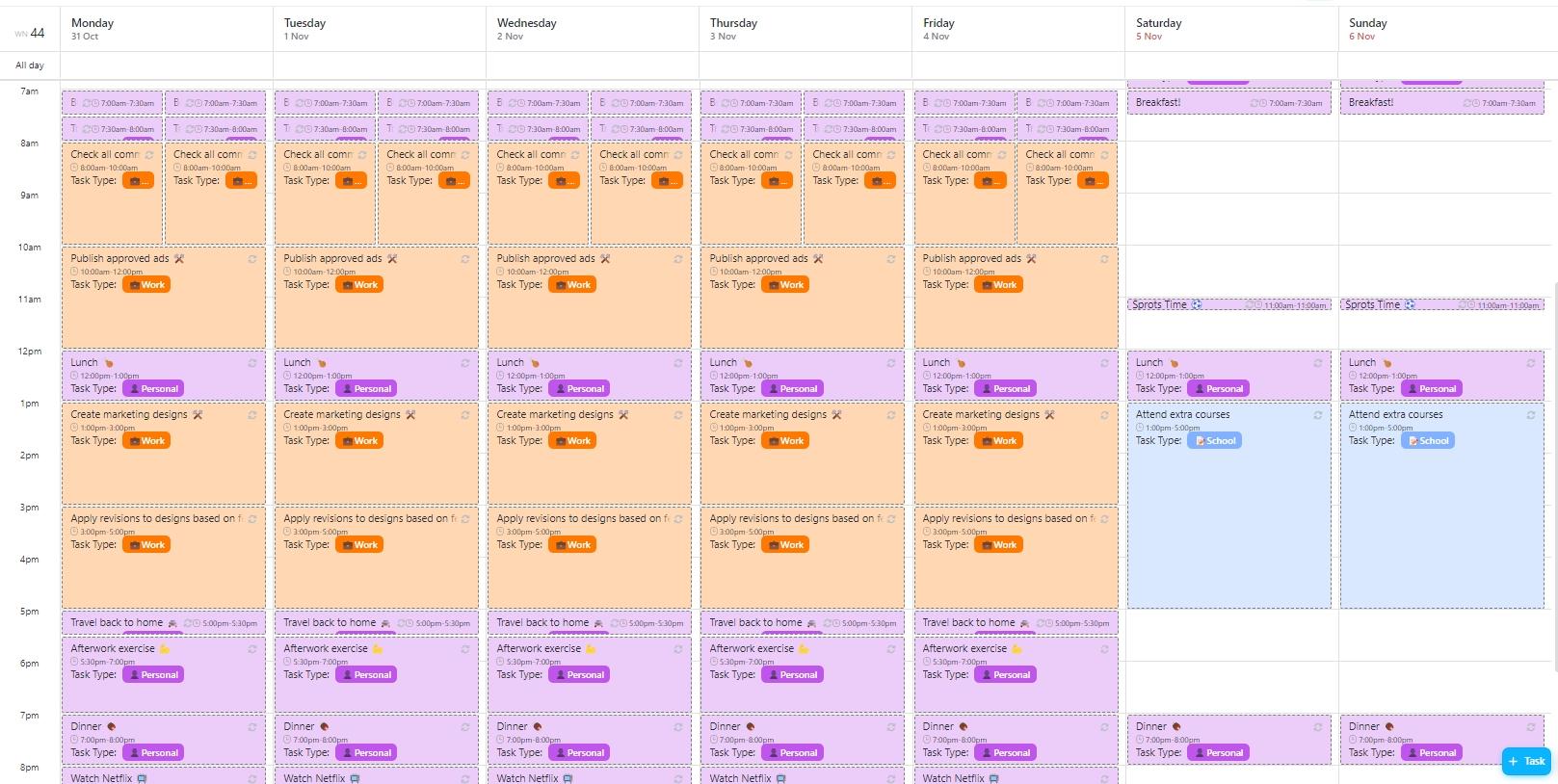
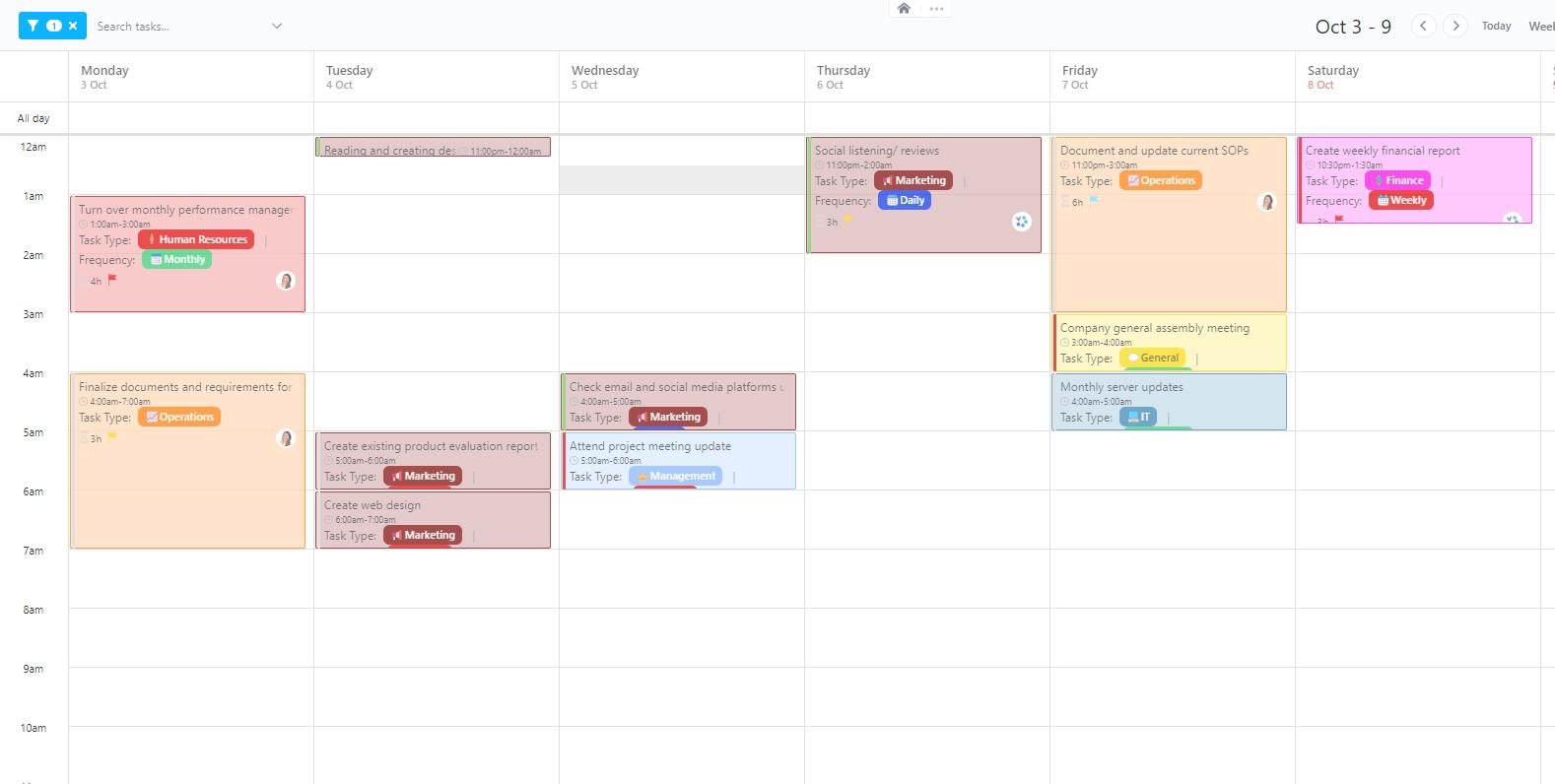
The ClickUp Weekly Calendar Template allows users to segment their workweek into manageable time slots. Unlike traditional to-do lists, this layout focuses on time-blocking task schedules, and availability visualization.
You can embed this into your workspace and pair it with real-time syncing to personal calendars. It’s ideal for reducing daily decision fatigue.
Why you’ll love it:
Ideal for: Knowledge workers, remote professionals, or hybrid team members.
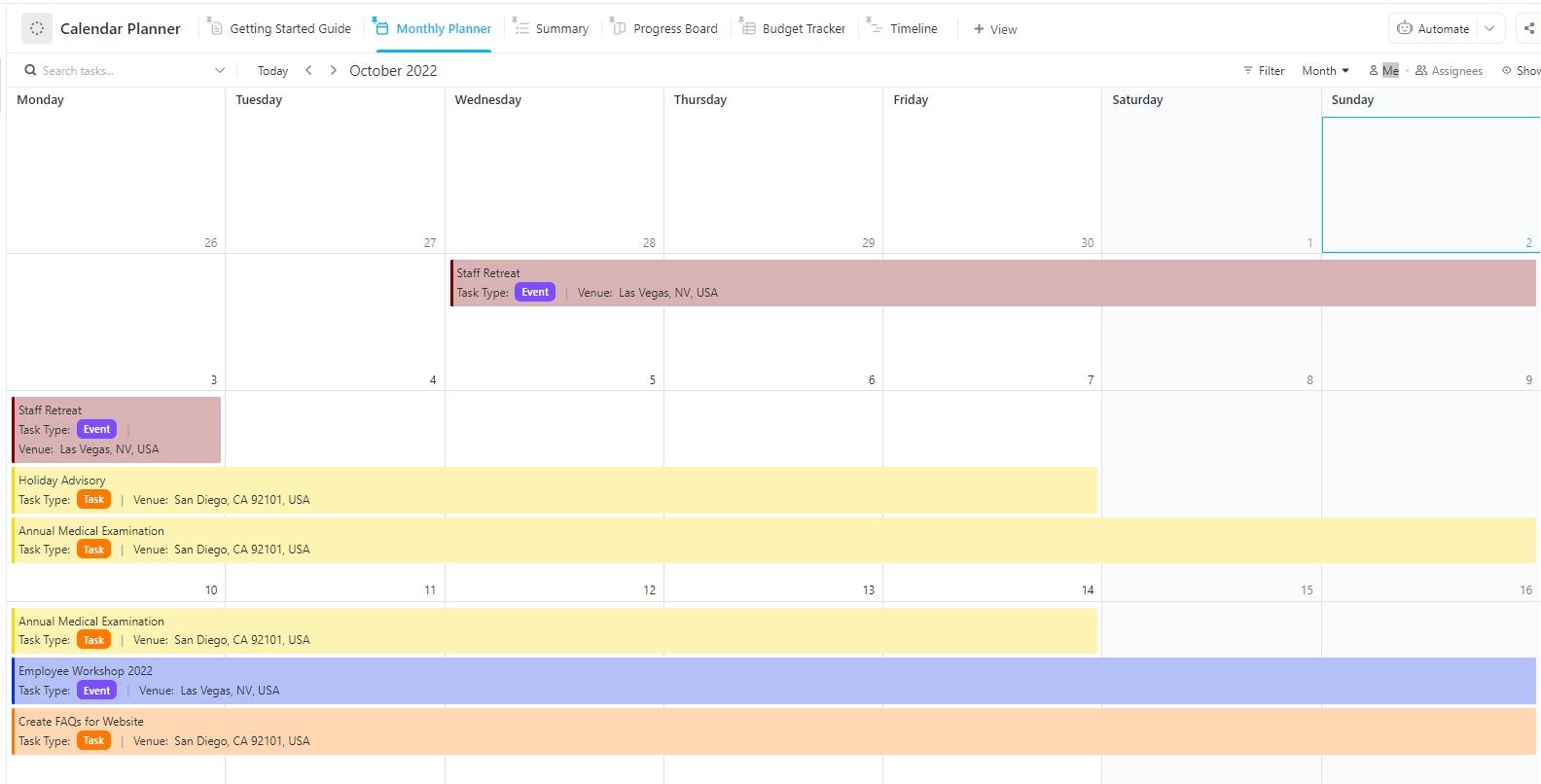
The ClickUp Calendar Planner Template is designed to gain a broader perspective and see the big picture. This planning template transforms your weekly or monthly disarray into a streamlined calendar for organizing projects, events, or deliverables across days, weeks, or months.
You can pair this with dashboards or forms to build request queues, plan resources, or manage editorial or production calendars. It simplifies assigning, shifting, and visualizing work in a flexible calendar interface.
Why you’ll love it:
Ideal for: Cross-functional teams, content managers, and product teams.
➡️ Read More: Free Work Plan Templates & Examples
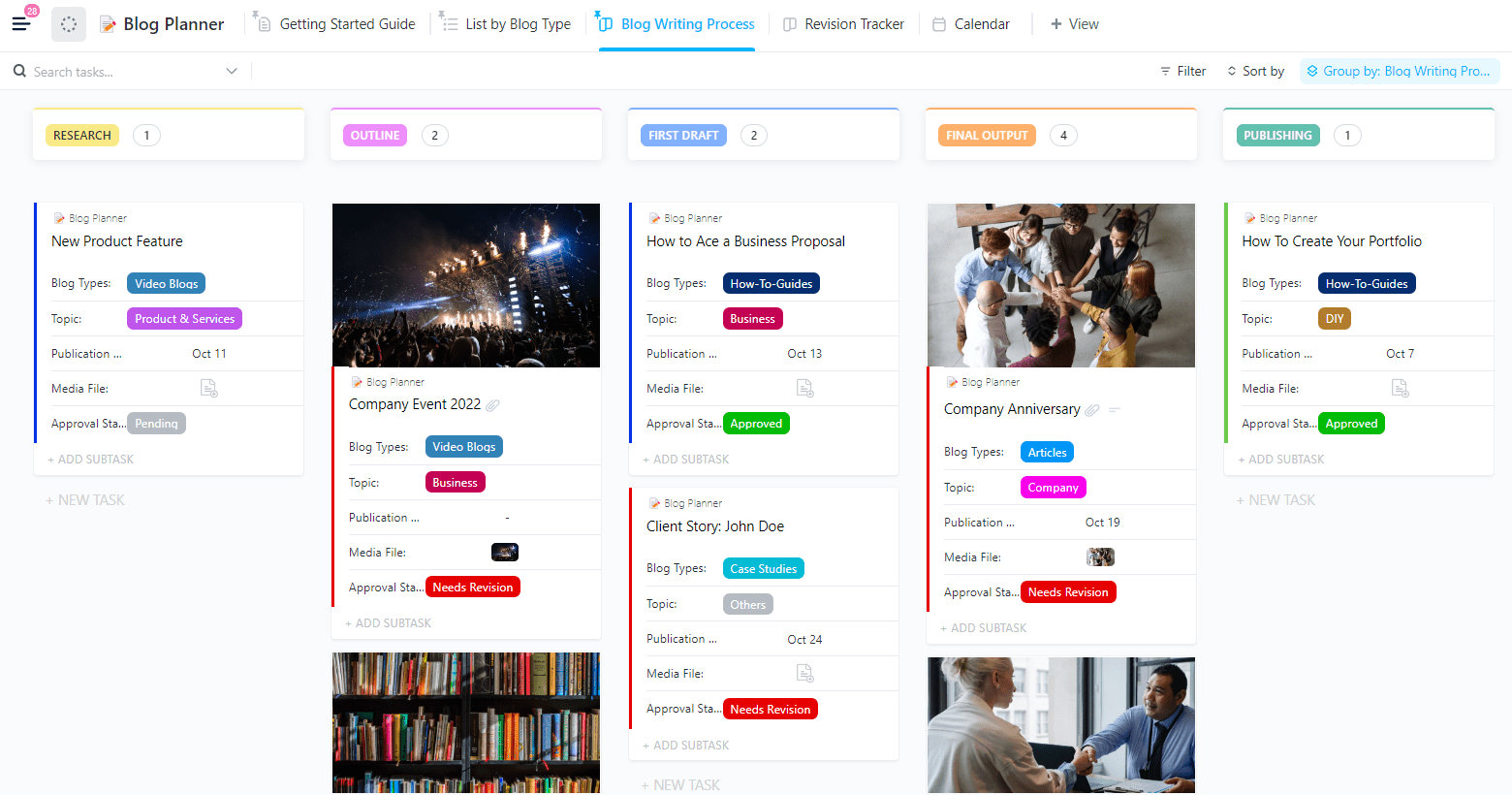
The ClickUp Blog Planner Template is built for serious bloggers and content teams who need a centralized space to manage every stage of their editorial process. It features structured categories for topic ideation, keyword research, content briefs, deadlines, and publishing statuses.
With status fields such as Topic, Publication Date, Media File, Blog Types, Blog Writing Process, and more, the entire content production lifecycle becomes traceable. You can also store metadata, update article versions, and leave feedback using collaborative comment threads.
Why you’ll love it:
Ideal for: Content marketing teams, solo bloggers, and agencies managing multiple client blogs and aiming for editorial consistency.
➡️ Also Read: How to Create an Effective Work Plan (+Templates)
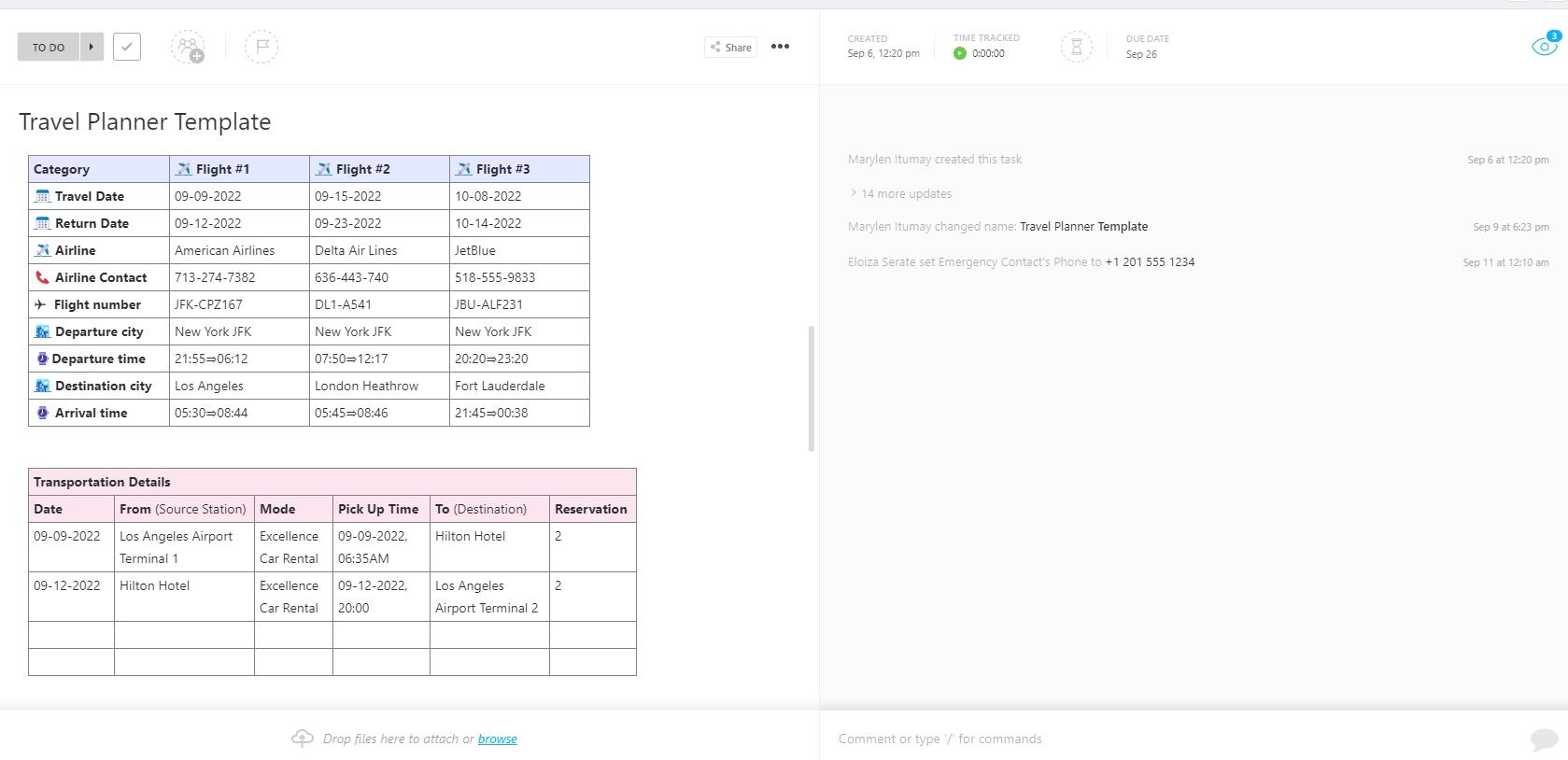
The ClickUp Travel Planner Template is your command center for organizing trip logistics, itinerary details, and travel documents. Each trip can be mapped with dedicated tasks for accommodation, transit, budget, and activity planning.
Use custom fields to sort by departure dates, trip stages, or group size. Attach tickets, confirmations, or maps directly within task descriptions to keep everything easily accessible while on the move.
Why you’ll love it:
Ideal for: Travel enthusiasts, business travelers, or anyone planning multi-leg journeys.
💡 Pro Tip: Create a shared checklist of pre-travel essentials (like passport renewals or pet-sitter bookings) and reuse it for future holidays. It’ll save you hours and headaches next time around.
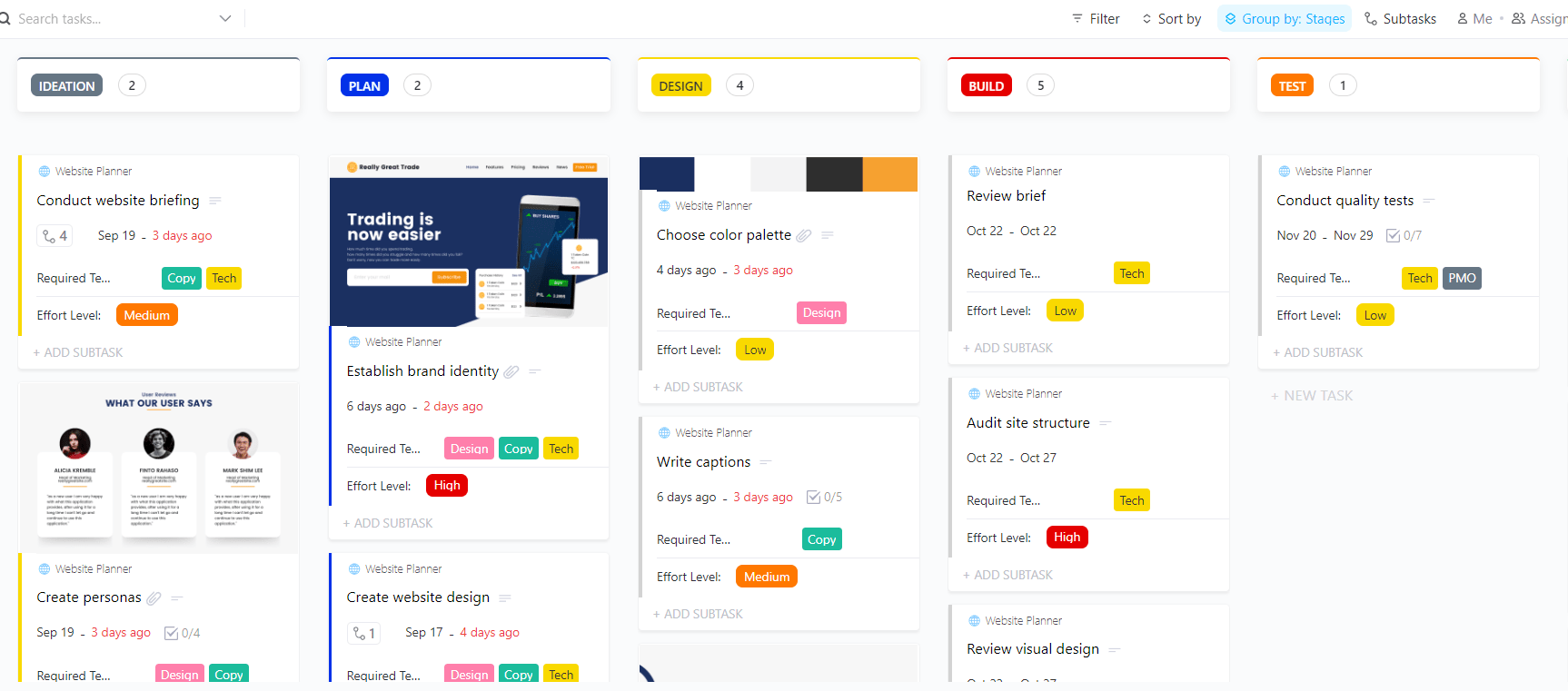
Designing a website involves more than just picking fonts and colors. The ClickUp Website Planner Template helps you map out every step of your site build, from early research to launch day.
Plan your layout, track feedback, organize content, and keep your project on schedule with multiple ClickUp views tailored for web projects.
The template supports tracking user testing feedback, SEO setup, and launch checklists. Integrated timelines help teams align development and content updates efficiently.
Why you’ll love it:
Ideal for: Freelance designers, creative agencies, product teams, or business owners launching a site from scratch or revamping an existing one.
True to its name, the ClickUp Hourly Schedule Template takes it a step further by helping project managers, employees, and freelancers plan their day, assign tasks, and monitor shift timings. It’s structured with a vertical timeline format that outlines each hour from morning to evening.
Whether managing meetings, appointments, or focused work sessions, this template promotes clarity through color-coded segments and task duration fields. Hour-by-hour task planning helps identify time gaps or overbooked schedules at a glance.
Besides scheduling, this template also helps track wage payouts.
Why you’ll love it:
Ideal for: Freelancers, remote workers, or shift-based employees who need an hour-by-hour breakdown to track, manage, and complete daily tasks efficiently.
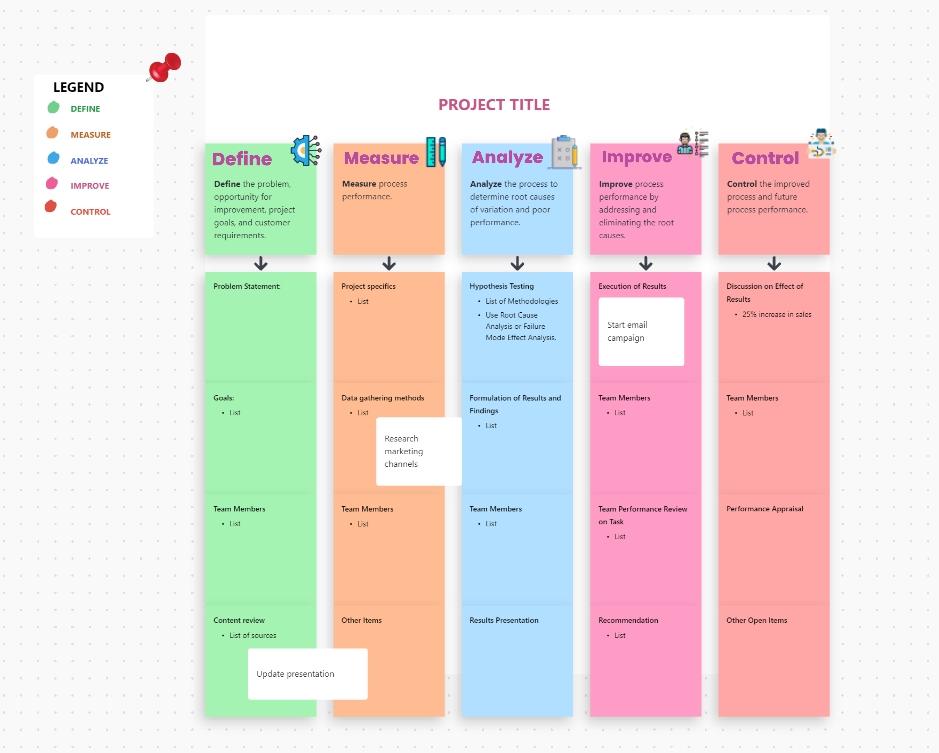
The ClickUp Work Plan Whiteboard Template provides a dynamic and visual way to map out goals, resources, and deliverables. Unlike traditional list-based templates, this version utilizes ClickUp Whiteboards to lay out interconnected tasks and dependencies visually.
Use shapes, lines, and sticky notes to visualize projects or workflows. It’s great for brainstorming work streams or aligning teams during kickoff meetings and agile sprint planning.
Why you’ll love it:
Ideal for: Project managers and cross-functional teams who want a visual and collaborative approach to work planning.
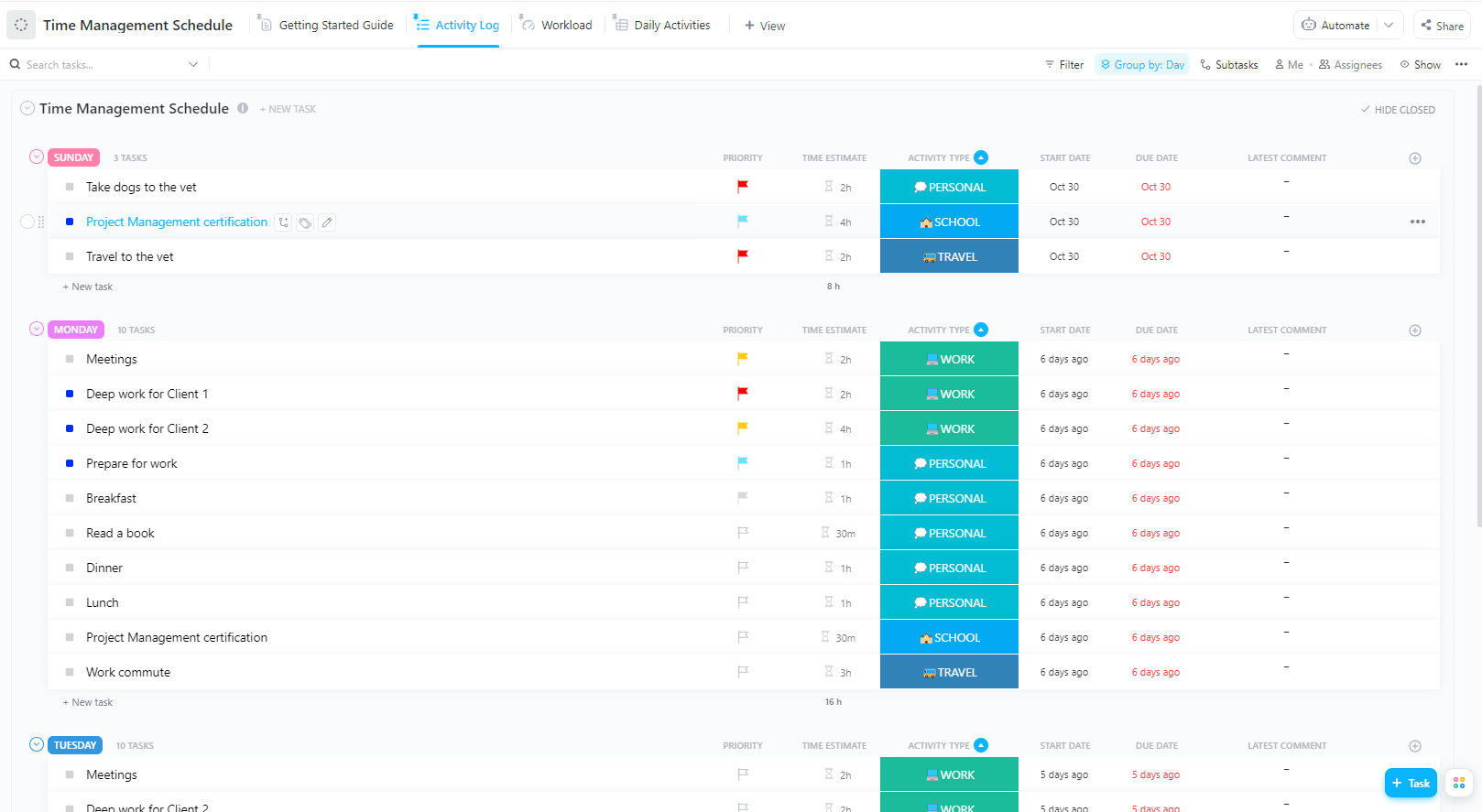
The ClickUp Time Management Schedule Template is designed to track time allocation across various roles and projects. It includes priority levels, estimated time per task, time spent fields, and a daily breakdown of activities.
This template’s performance-focused layout helps you optimize your routines by tracking recurring time drains or bottlenecks. Weekly analytics and cumulative reporting options provide deeper visibility into productivity patterns.
Why you’ll love it:
Ideal for: Freelancers, consultants, and busy professionals refining their productivity habits.
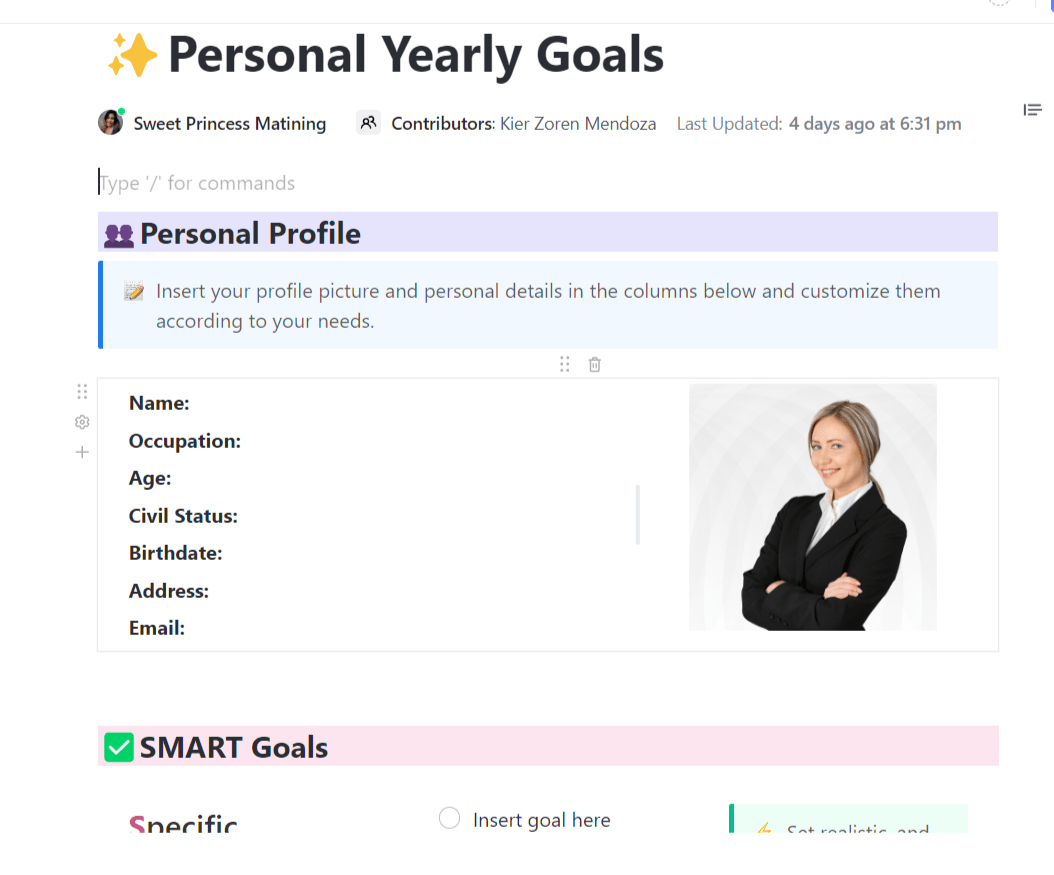
Setting goals is only half the battle; staying committed and aligned is where real success happens. ClickUp’s Yearly Goals Template helps you define and track ambitious targets with clarity, so your team knows exactly what to aim for.
Define goal categories—such as health, finance, or career—and assign key performance indicators (KPIs) or success metrics for each. Progress bars and the ClickUp Goals feature help monitor how close you are to hitting your targets. You can also connect tasks, subtasks, and ClickUp Docs directly to each goal entry.
Why you’ll love it:
Ideal for: Organizations, project managers, and teams seeking project planning and seamless calendar-based scheduling throughout the year.
📚 Also Read: How to Make a Life Plan (with Templates!)
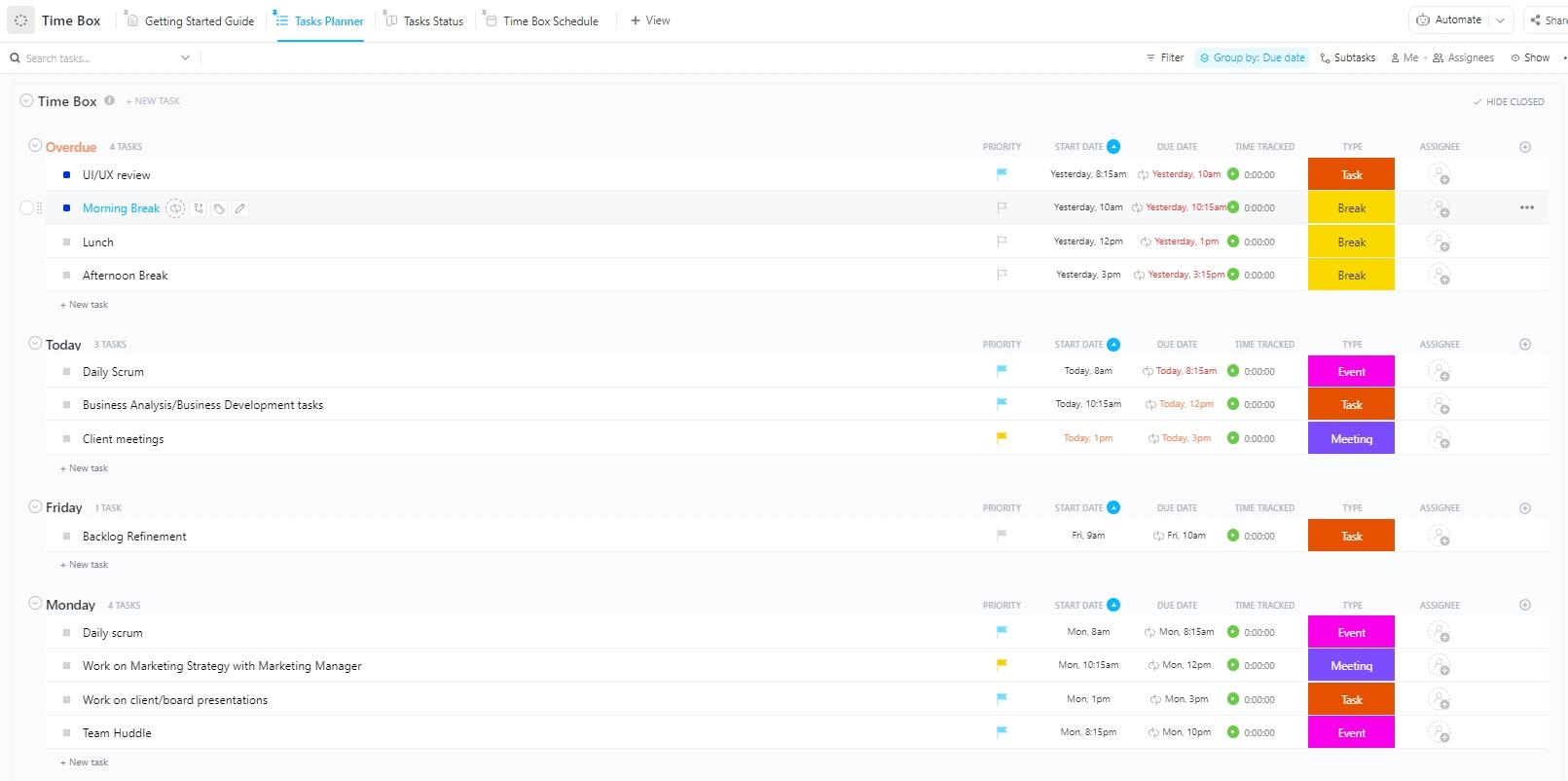
The ClickUp Time Box Template enables focused, distraction-free work by pre-allocating fixed time slots to specific tasks. Inspired by the timeboxing technique, this layout allows you to designate start and end times, task objectives, and time limits.
The template encourages mindfulness and prevents perfectionism by constraining the time available for each effort.
Why you’ll love it:
Ideal for: Creators, developers, or anyone seeking to improve focus through structured time chunks.
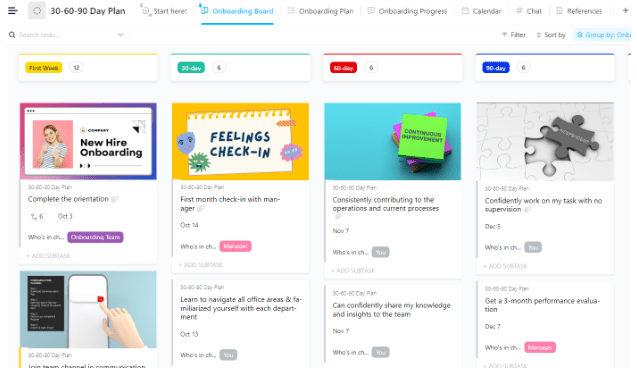
Starting a new role is exciting and a bit overwhelming. In the first 90 days, expectations are high, and the learning curve can feel steep. The ClickUp 30-60-90 Day Plan Template gives you a dedicated space to set goals for your first month, build momentum in your second, and start delivering real impact by day 90.
Use this template to track your progress, document wins and roadblocks, and align your work with team and business priorities.
Why you’ll love it:
Ideal for: New hires, newly promoted managers, HR teams streamlining onboarding, and team leaders mentoring new team members.
💡 Pro Tip: As a new employee, don’t hesitate to make a clear request when collaborating, whether it’s for feedback, resources, or support. Open communication is crucial for maintaining quality and enabling your team to achieve its goals efficiently.
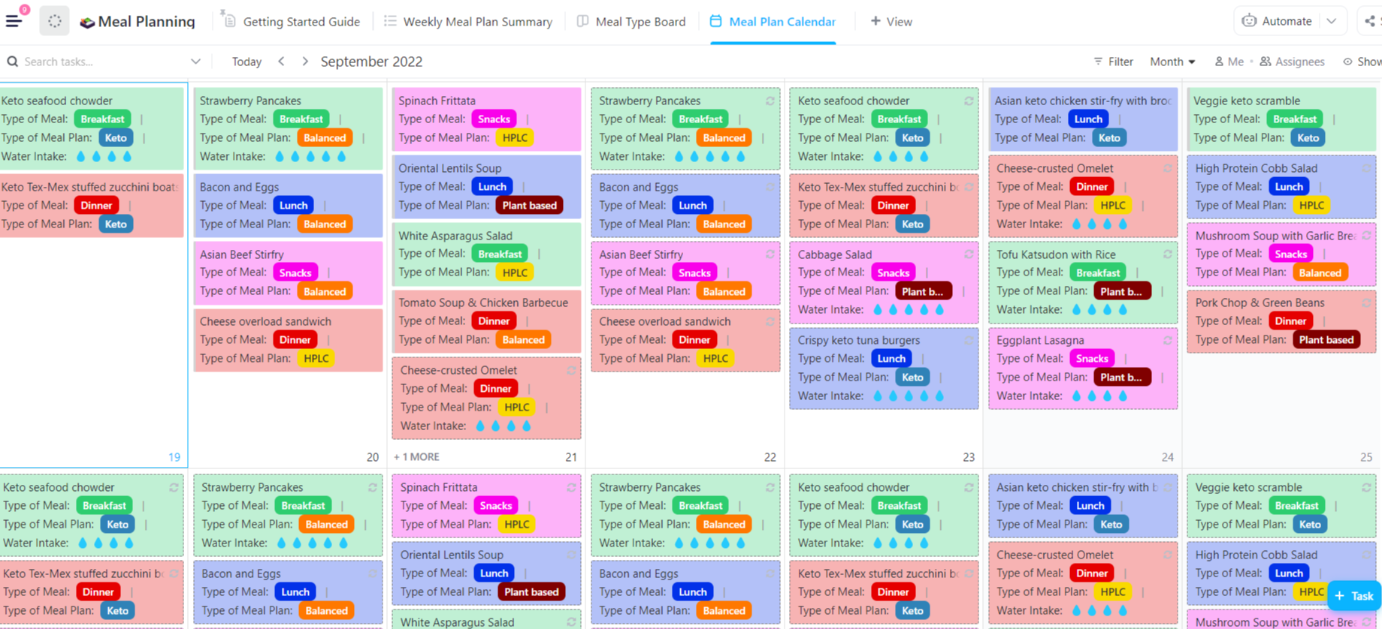
Meal planning often feels like a daily puzzle: what to cook, what to buy, and how to make it all fit your schedule. The ClickUp Meal Planning Template clears the chaos and provides a clear system to plan your meals, store recipes, track ingredients, and prepare for the week ahead.
This template also supports recurring planning, allowing you to build reusable food calendars, assign prep dates, and track shopping lists with subtasks and tags.
Why you’ll love it:
Ideal for: Families, meal preppers, or anyone managing a dietary routine on a schedule.
No matter your goals—meal prepping, planning a wedding, or launching a website—having the right tools makes all the difference. ClickUp’s planner templates go beyond simple checklists; they help you manage your time and bring order to both new and existing plans, resulting in more efficient and effective outcomes.
These Microsoft Planner template alternatives come packed with advanced features, including automation capabilities, collaboration tools, custom fields, and more.
Take control of your to-dos and timelines by signing up for ClickUp today.

© 2026 ClickUp

There’s an easier way. Try a free AI Agent in ClickUp that actually does the work for you—set up in minutes, save hours every week.