



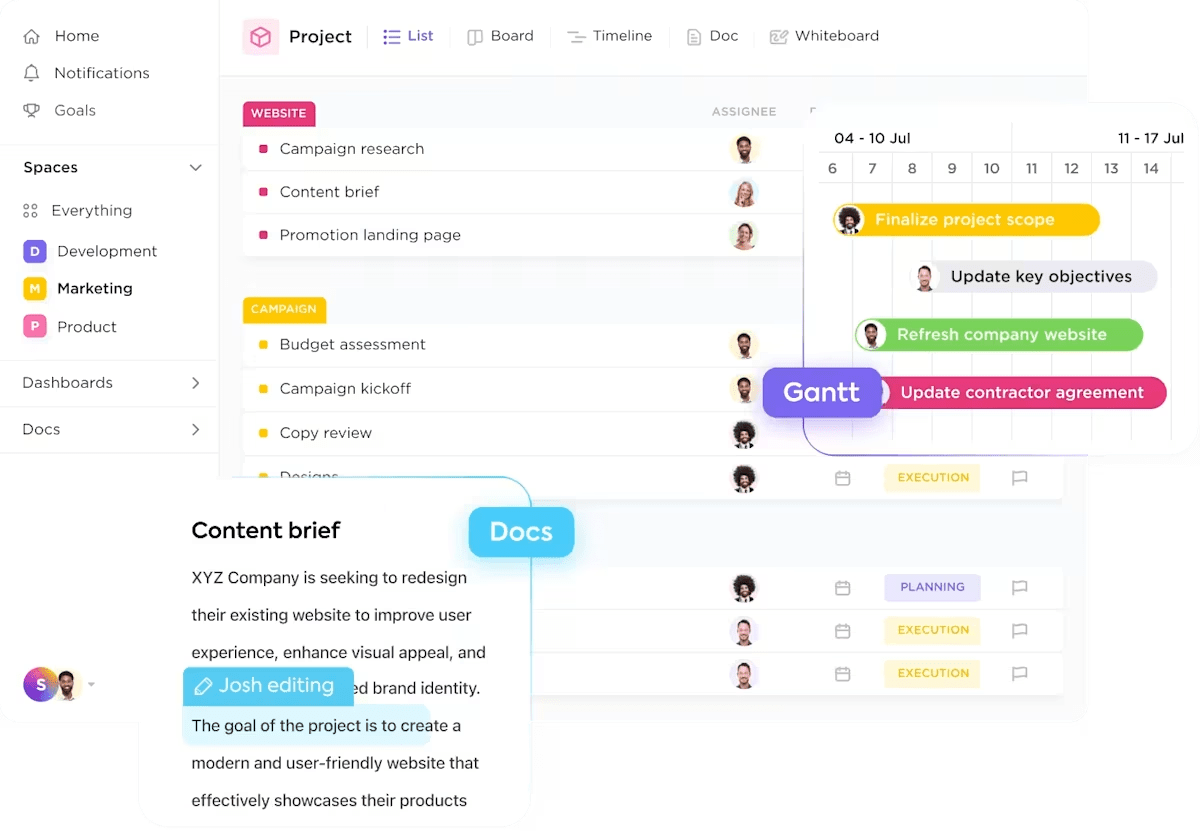



Still downloading templates?
There’s an easier way. Try a free AI Agent in ClickUp that actually does the work for you—set up in minutes, save hours every week.
Sorry, there were no results found for “”
Sorry, there were no results found for “”
Sorry, there were no results found for “”

Loomly has carved out a solid name among social media marketers with its scheduling tools, intuitive content calendars, and built-in team collaboration features. It’s sleek, has a clean interface, and makes it relatively easy to keep your content pipeline flowing.
However, it’s not perfect. The analytics feature isn’t always as in-depth as you would like. Plus, if you need more advanced automation, deeper integrations, and AI-powered insights, Loomly might start to feel a little… basic.
And let’s not even talk about how quickly the pricing can climb as your team grows.
If that sounds like your experience with Loomly, it’s time to start looking for better options. In this blog, we have listed some solid Loomly alternatives that offer impressive social media marketing features, more advanced analytics, and everything in between within your budget.
Here is a quick rundown of how the best Loomly alternatives compare based on social media management features, structure, and pricing.
| Tools | Best for | Key features | Pricing |
| ClickUp | All team sizes (individuals, small businesses, mid-market companies, and enterprises) | Built-in AI for automatic report generation, shared calendar, content planning templates, collaboration tools, and workflow automation | Free plan available; Paid plans starting from $7/month per user |
| Buffer | Small and medium businesses and creators | Automated publishing, social media templates, and in-depth analytics | Free; Paid plans starting from $6/month |
| Hootsuite | Mid-sized businesses and enterprises | Trend monitoring, performance tracking, and built-in AI | Paid plans starting from $149/month per user |
| CoSchedule | Small and mid-sized businesses | Workflow automation and AI-powered scheduling | Free; Paid plans starting from $29/month per user |
| Planable | Large-scale marketing agencies | AI content generation, version history, and post preview | Free; Paid plans from $39/month per workspace |
| Sprout Social | Mid to large-scale businesses | Sentiment analysis, social listening, and content scheduling | Paid plans starting from $199/month per user |
| Agorapulse | Enterprises | Engagement reporting for multiple channels, shared inbox, and AI social media tools | Free; Paid plans starting from $99/month per user |
| SocialPilot | Startups and small businesses | AI-generated content ideas, unified inbox, and ad management | Paid plans starting from $30/month |
| Later | Mid to large-scale companies running influencer campaigns | Influencer tracking, hashtag suggestions, Linkin.bio | Paid plans starting from $25/month |
| Sendible | Enterprises and marketing agencies | UTM tracking, analytics, and content suggestions | Paid plans starting from $29/month |
| SocialBee | Startups and creators | AI-powered content ideas, content recycling, and post scheduling | Paid plans starting from $29/month |
Loomly is a solid starting point for content planning, social media scheduling, and collaboration, especially for smaller teams. However, as your social media strategy expands, you may face some limitations.
Loomly works well for simple scheduling and teamwork. However, switching to more advanced campaign management software may be the better move. Especially if you aim for broader reach, deeper insights, and more intelligent workflows.
🧠 Fun fact: The infamous Facebook “Like” button was almost called the Awesome button.
Our editorial team follows a transparent, research-backed, and vendor-neutral process, so you can trust that our recommendations are based on real product value.
Here’s a detailed rundown of how we review software at ClickUp.
Now that you know Loomly is quite limiting for advanced social media and content marketing management, let’s explore alternatives that better suit your needs.
ClickUp is the everything app for work that combines project management, knowledge management, and chat—all powered by AI that helps you work faster and smarter.
It goes beyond content scheduling to manage all your social media tasks in one place. Think in-depth, real-time analytics, built-in AI, workflow automation, content writing templates for social media campaigns, and more!
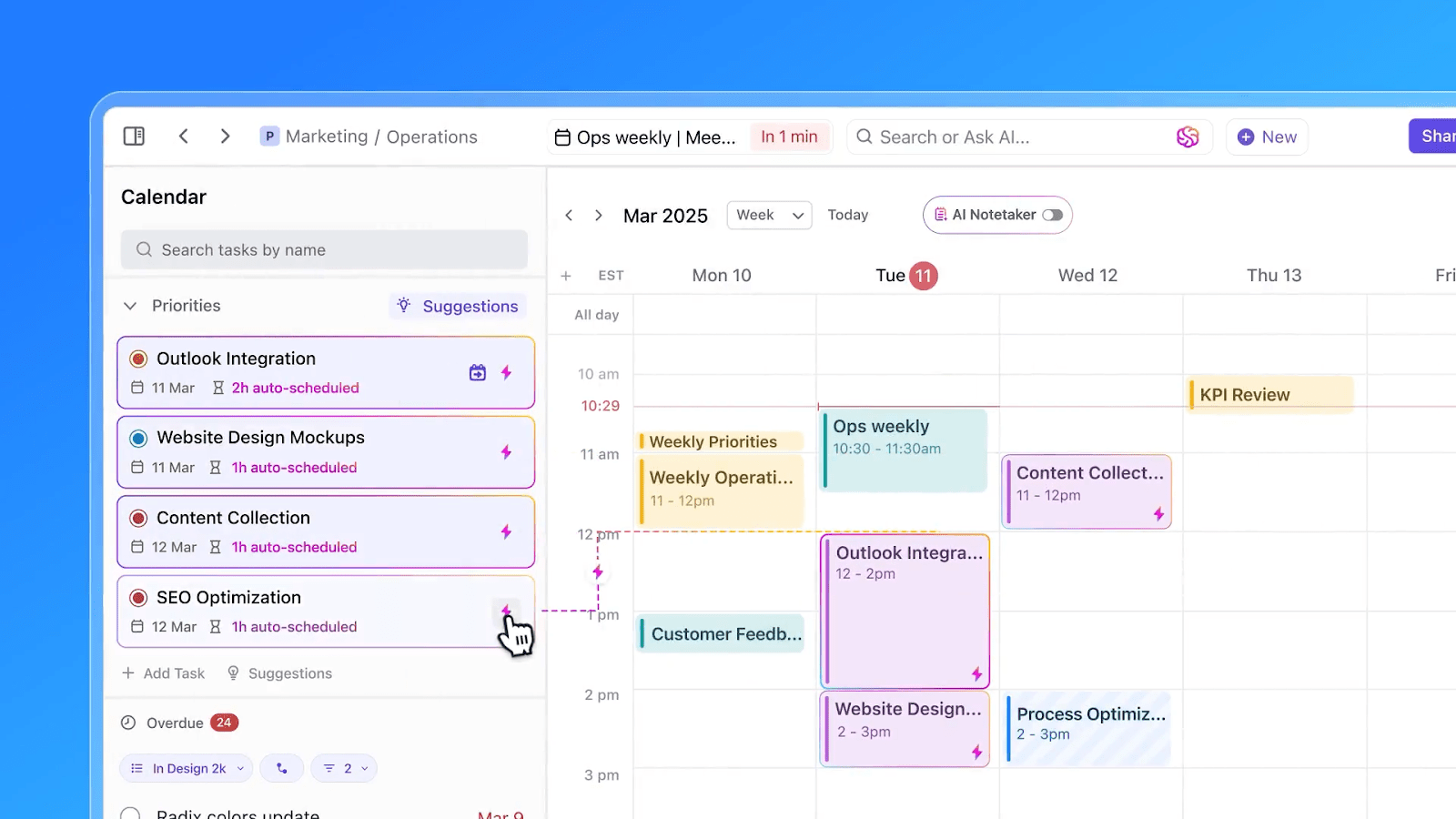
To start with, ClickUp Calendar helps you schedule social media posts, assign marketing tasks, and plan meetings from one unified interface. It updates in real time, ensuring your whole team stays aligned.
You can customize your view (daily, weekly, monthly) and connect it with Google, Outlook, or Apple Calendar to manage all events in one place—no more juggling multiple apps.
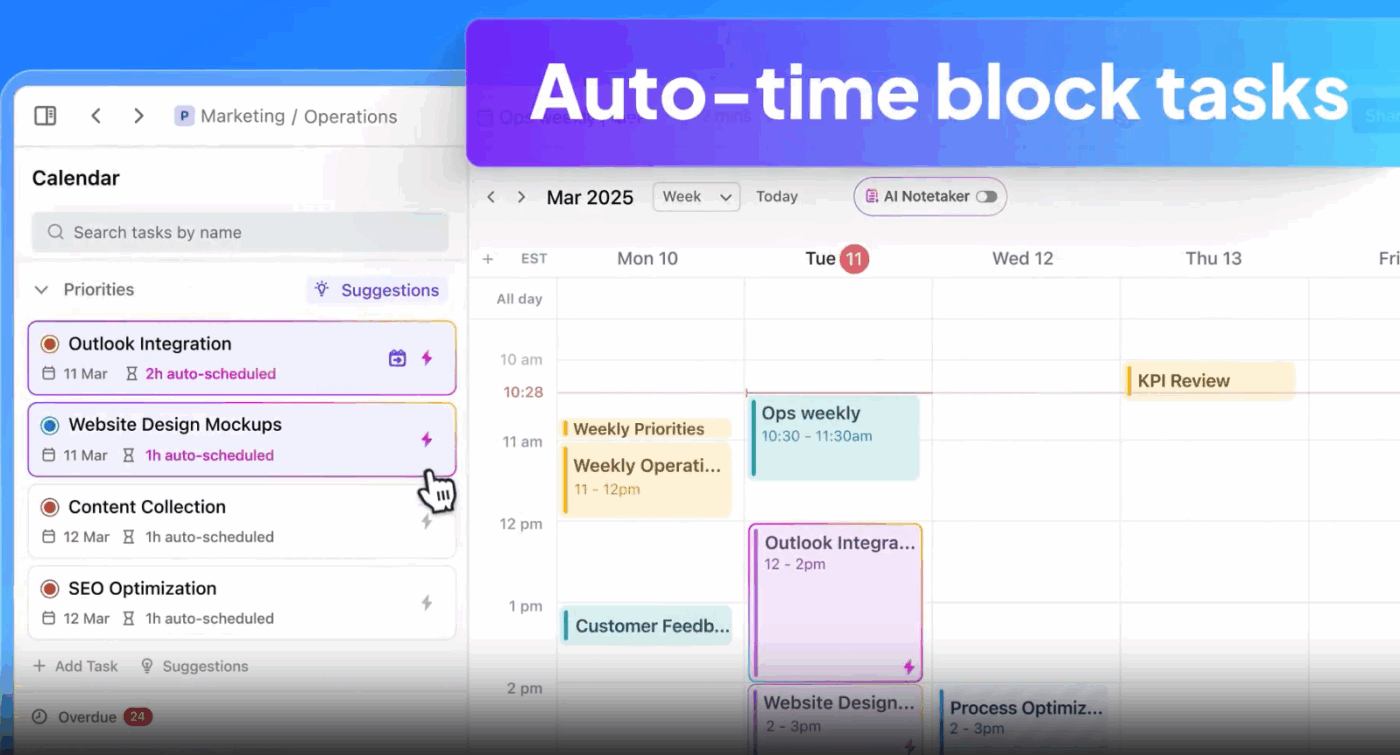
It lets you visually manage your content pipeline by dragging tasks from your Backlog or Overdue sections into your Priorities, ensuring that the most important posts are always front and center. Each task can be assigned a priority, making it easy to focus on high-impact campaigns.
The Backlog section helps you keep track of unscheduled content ideas, so you can quickly fill gaps in your calendar as needed. Best part? ClickUp Calendar is powered by AI. It can recommend ideal posting times based on your workflow, helping you easily optimize your content strategy.
Speaking of AI, ClickUp Brain helps you spot gaps in your social media strategy, summarize progress, and generate content ideas, captions, and posts.
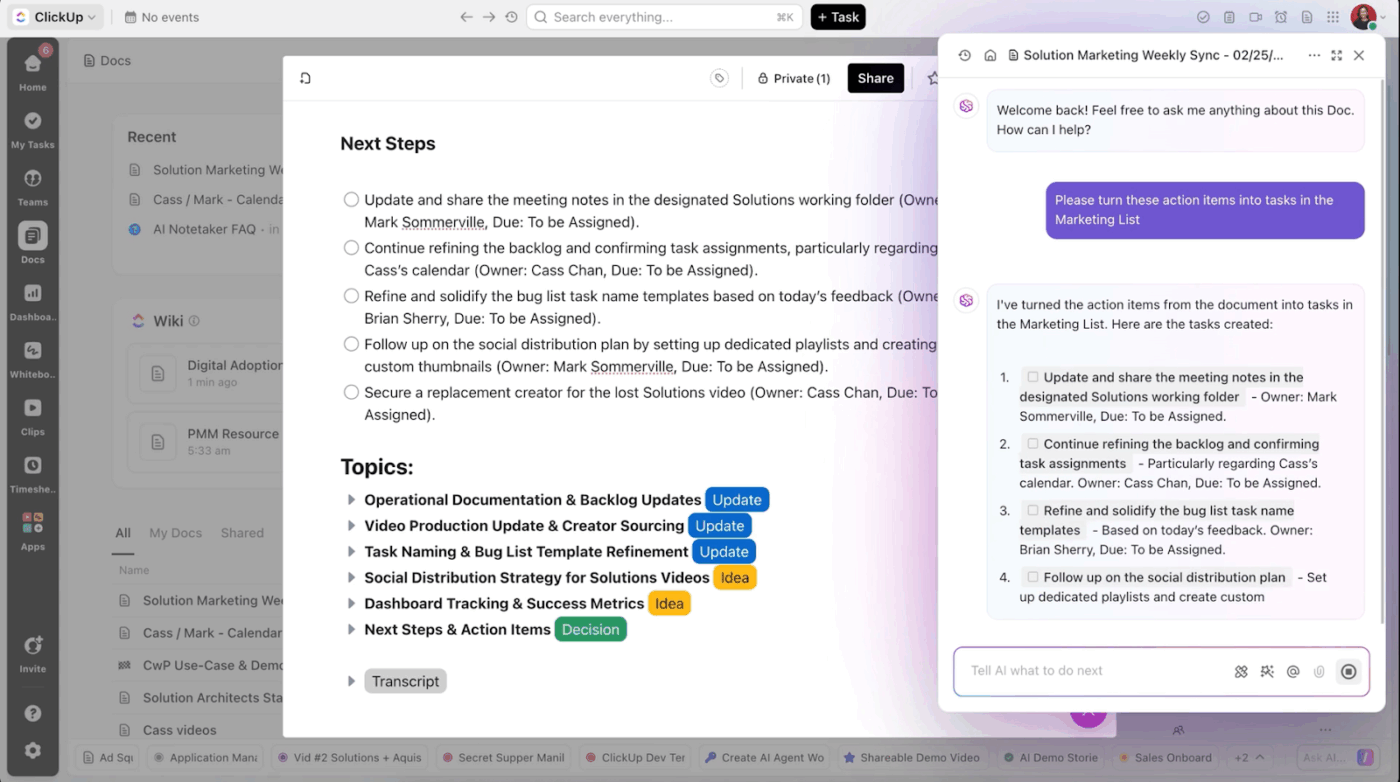
Your content team can bulk-create Instagram captions around a product theme, adapt them for different platforms, and even draft full campaign briefs and content marketing roadmaps within minutes. Need canned responses for frequent comments or copy for paid ads? Brain can do that, too!
In short, ClickUp for Marketing teams makes it easy to brainstorm, strategize, and execute social media campaigns from one place. Assign design tasks to the creative team and track post approvals using Custom Statuses like ‘Draft,’ ‘Ready for Review,’ and ‘Scheduled, ’ and manage everything from content to feedback in a single workspace.
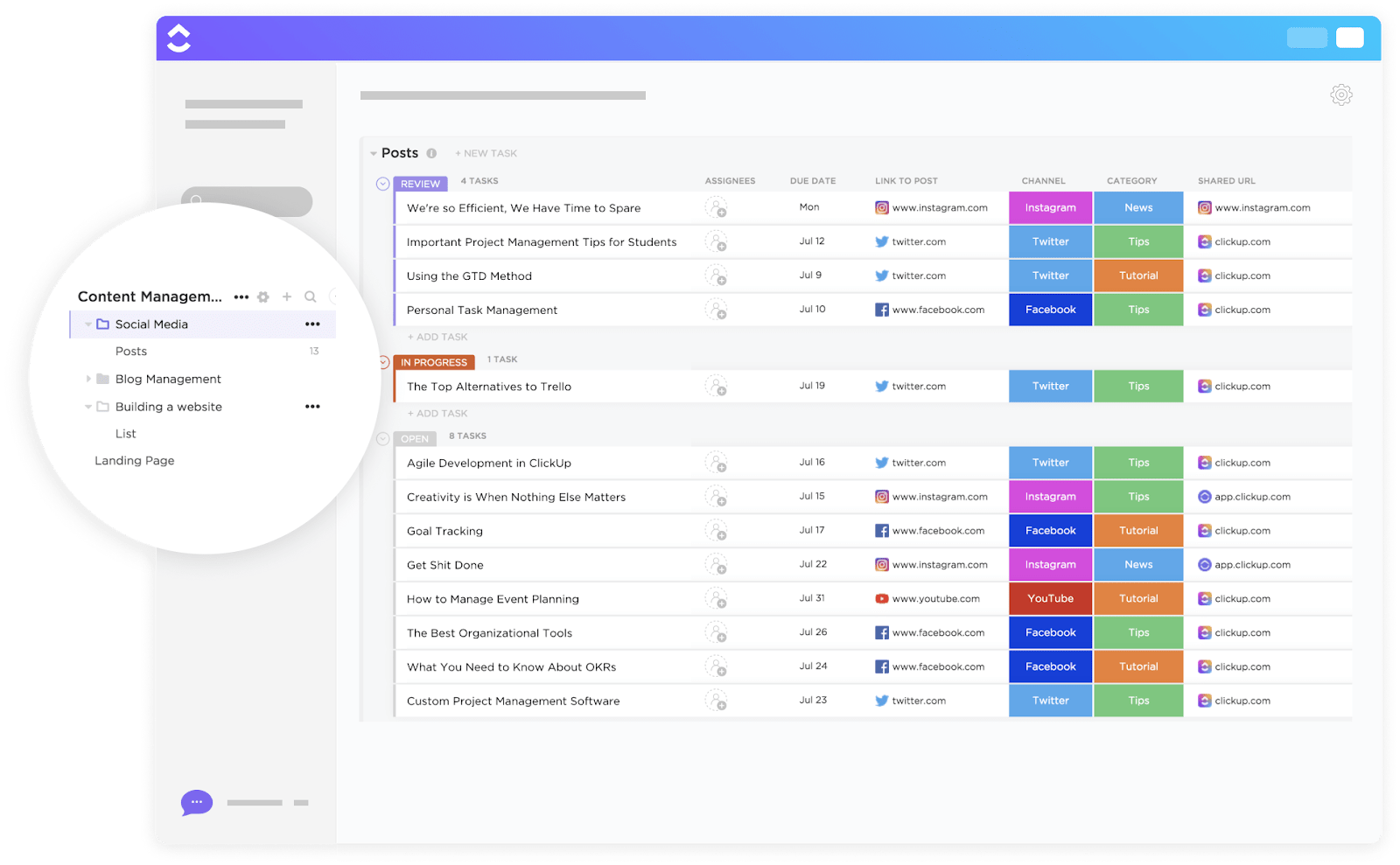
Not sure where to begin with social media marketing? ClickUp’s social media planning templates are a great place to start.
The ClickUp Social Media Advanced Template, for example, lets you organize posts by channels, publishing status, and partnership. Plan upcoming content, track brand collaborations, and brainstorm new ideas based on emerging trends—all in one customizable board.
A TrustRadius review reads:
We use ClickUp to manage and track our social and digital media content creation pipeline. This allows us to see the status of each content piece (in progress, needs edits, scheduled, etc.) along with who is the lead designer. It also eliminates all the back-and-forth email communication as the comments section for each task can be used to deliberate and delegate tasks/next steps (serving the need for tracking and following up on our content creation cycle).
💡 Pro Tip: Hover over your task on the ClickUp Calendar and click Plan. Available times will be displayed in the calendar according to the task time estimate. Next, hover over the day and time you want to schedule the task, click Block Time, and add details to create an event.
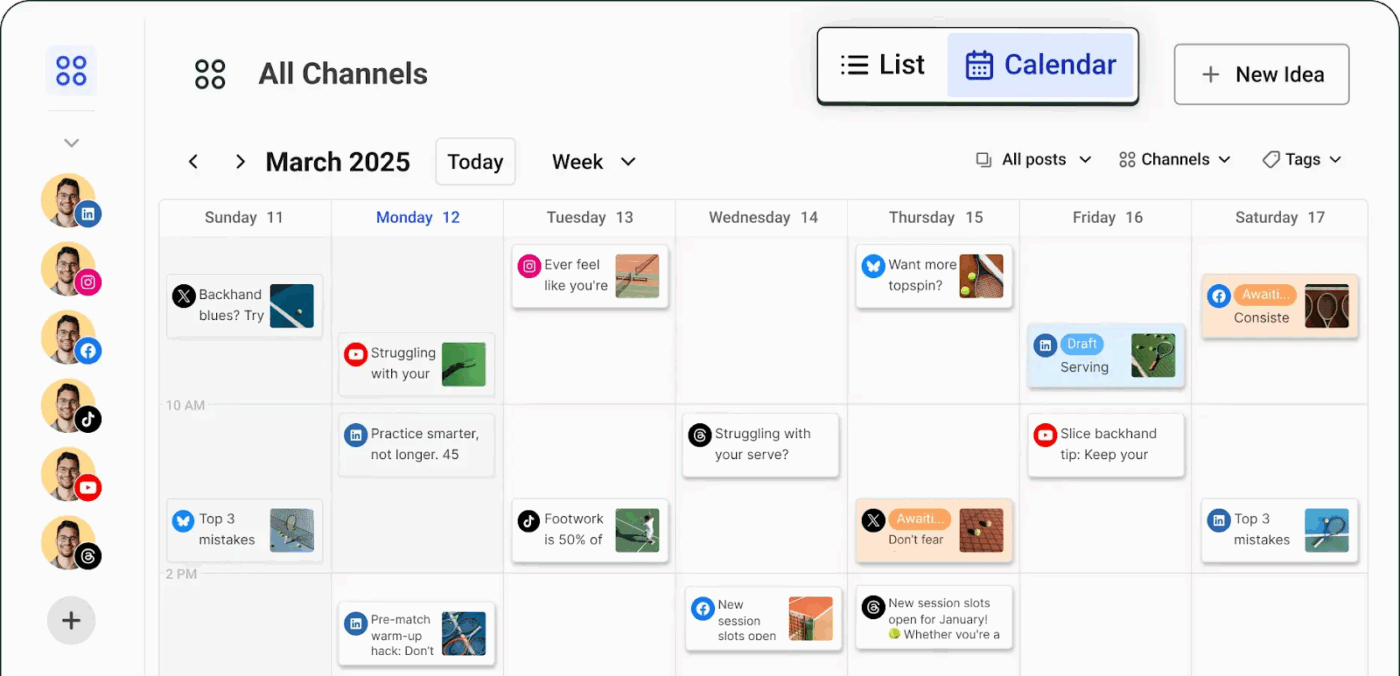
While Loomly is intuitive and has a clean interface, it leans heavily toward structured workflows and approval systems, ideal for rigid processes. Buffer, on the other hand, offers a more flexible experience for individual creators, small businesses, and agile teams.
It has a minimal learning curve, faster post-scheduling features, social media templates, and transparent pricing. This makes it a more accessible social media management platform for users who want to get started quickly without navigating complex collaboration layers or permission settings.
Buffer’s standout features include cross-platform scheduling, comprehensive analytics, and a built-in AI Assistant for caption writing—all available even on its lower-tier plans. Plus, the Start Page feature lets users create a customizable landing page to drive traffic from social bios.
A Capterra review reads:
Love that you can manage 3 channels for free – this has been a great cost-effective resource for clients who want a platform outside of Meta Business for content planning/scheduling! Buffer has limited LinkedIn Personal analytics! However, you can connect a personal LinkedIn account if you are managing personal accounts.
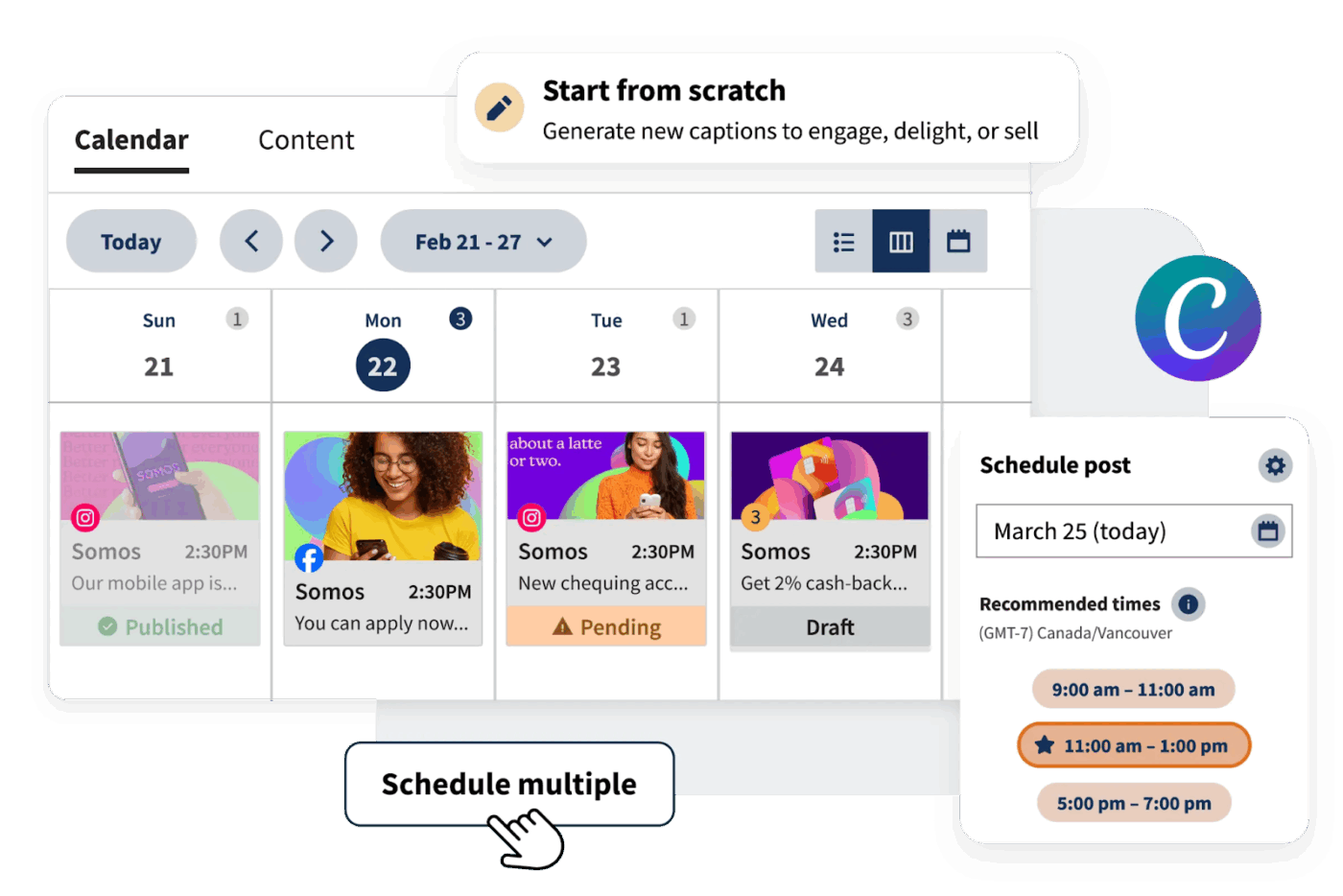
Nearly 9 out of 10 customers turn to social media to stay on top of trends and cultural moments. That’s why brands must track and engage with emerging topics to boost visibility and connect with their audience.
Hootsuite blends social media scheduling with trend-tracking capabilities—something Loomly doesn’t offer. Its biggest strengths lie in enterprise-level social media management. You get a unified dashboard for scheduling, publishing, social listening, and detailed social media analytics across major platforms.
Hootsuite also offers AI-powered content marketing support, strong team collaboration features, and built-in integrations with tools like Canva, Google Drive, and Adobe.
A G2 review says:
I enjoy the ability to write and modify captions for multiple social media platforms in the “Create Post” interface. I also like that I can post directly to my organization’s social media platforms from Hootsuite. I use Hootsuite 4-5 times a week, depending on my work schedule, so I use it a fair amount, I would say. It is also fairly easy to reconnect accounts when they get disconnected (for whatever reason.)
👀 Did you know? Companies that deliver exceptional customer experiences achieve gross margins over 26% higher than their competitors. So, use your social media channels to identify and resolve customer complaints.
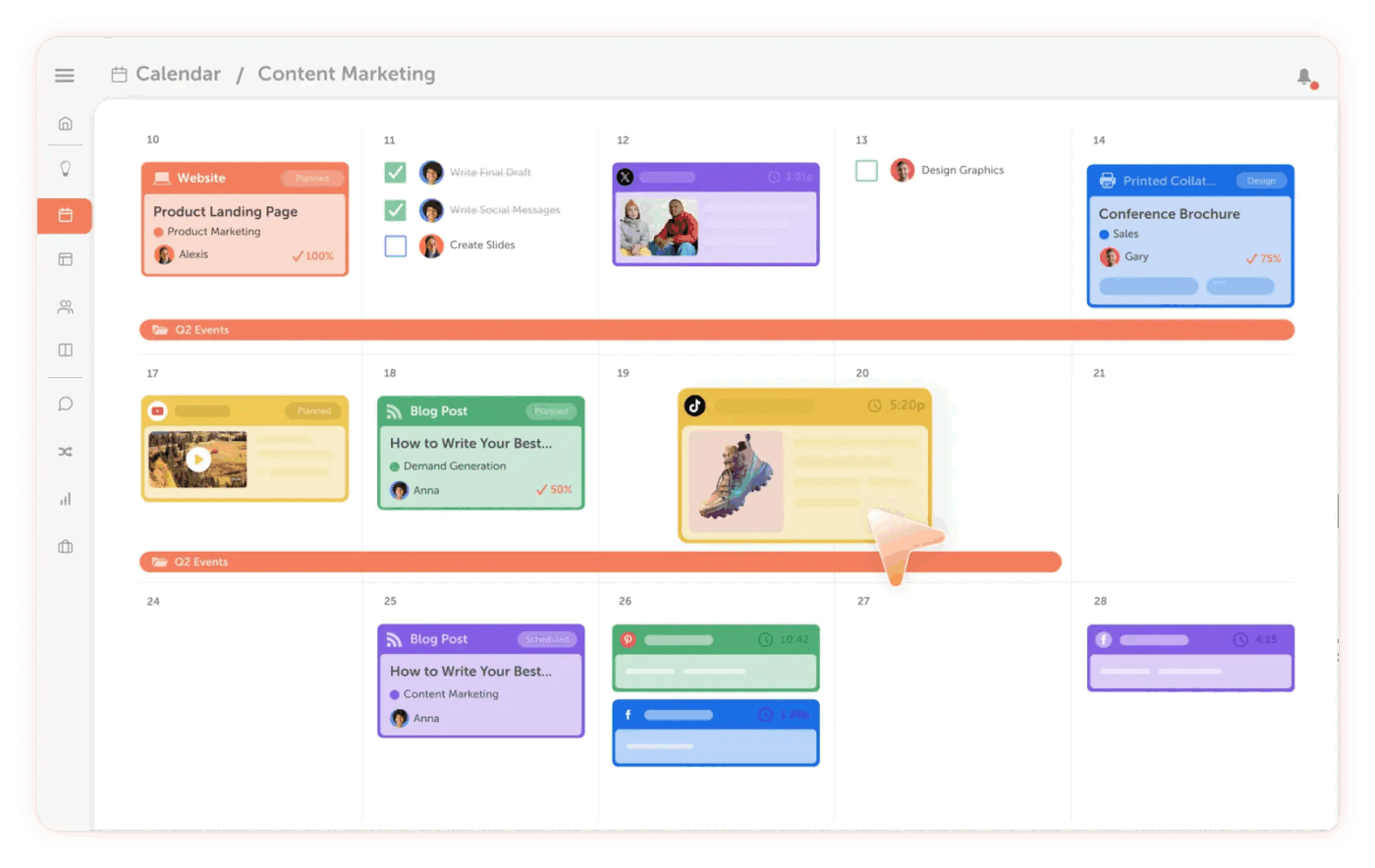
Loomly handles scheduling and content management well, but CoSchedule takes it further with AI-powered tools that help you spot gaps and easily adjust priorities using drag-and-drop rescheduling.
With reusable tasks, content calendar templates, and built-in approval workflows, CoSchedule streamlines your process and saves time. It also offers detailed insights into publishing performance to see what’s working and where to improve.
For brands looking to stay organized and strategic and maintain a consistent online presence, CoSchedule delivers better flexibility than Loomly.
A Capterra review says:
CoSchedule has workflow processing down to an art form! As the leader of a writing team, I can’t tell you how much time I’ve saved with this application. It’s easy to schedule, assign, and monitor – all the way through sharing the content on a variety of social media platforms. A little pricey but, it is a virtual assistant and that makes it a lot cheaper than a full-time employee!
📖 Also read: How ClickUp’s Marketing Team Uses ClickUp
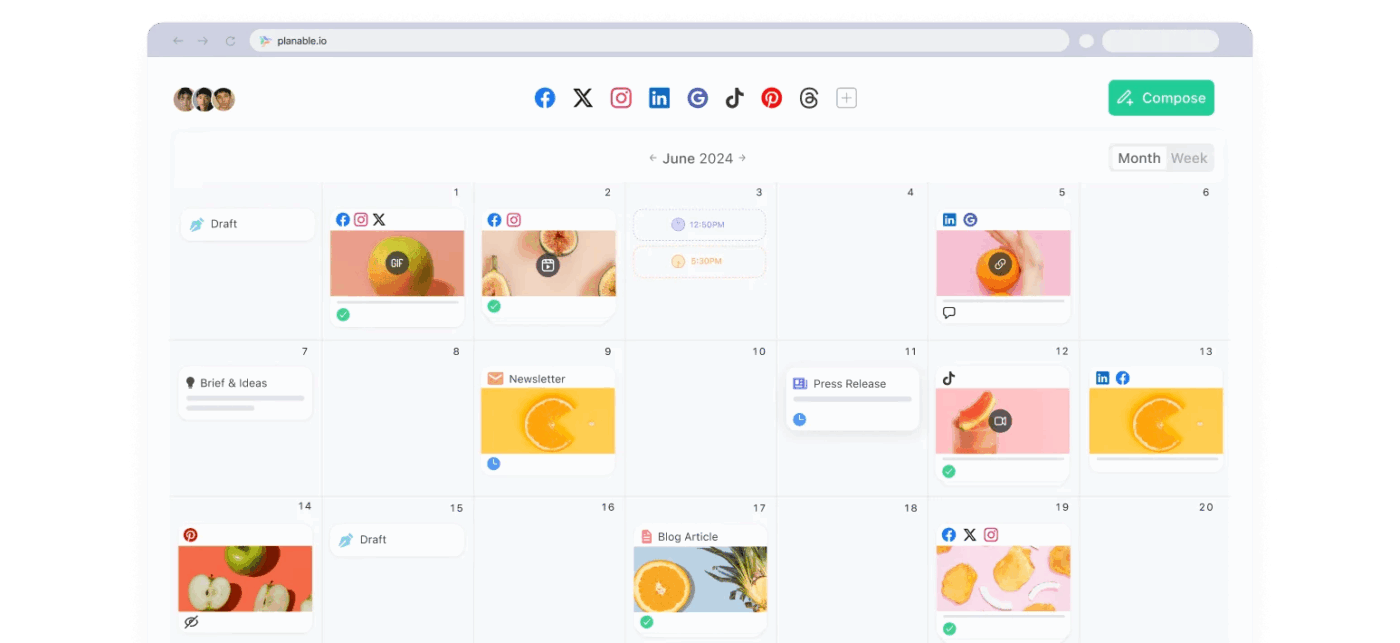
Around 84% of marketers say AI helps them create high-quality content faster. With Loomly, though, you’ll need external plugins to integrate AI into your social media management.
Planable, on the other hand, lets you generate captions, brainstorm ideas, and rewrite content for different tones or platforms—all directly within its workflows.
It really stands out with advanced collaboration tools and a live, visual interface. It supports multiple content formats and offers a pixel-perfect preview of how posts will look once published.
In short, it offers everything Loomly does—but faster, more collaboratively, and AI-powered. These qualities make it one of the best social media management tools for agencies and enterprises.
A G2 reviewer says:
I like the easiness of collaboration, client approval, the app, keeping comments organized under each post, and much more! I like how affordable it is and how clear they are with their billing structures. The customer support is a 10/1 0 and is such a personable experience.
📮 ClickUp Insight: A typical knowledge worker has to connect with six people on average to get work done. This means reaching out to six core connections on a daily basis to gather essential context, align on priorities, and move projects forward.
The struggle is real—constant follow-ups, version confusion, and visibility black holes erode team productivity. A centralized platform like ClickUp tackles this with Brain MAX, making context instantly available at your fingertips!
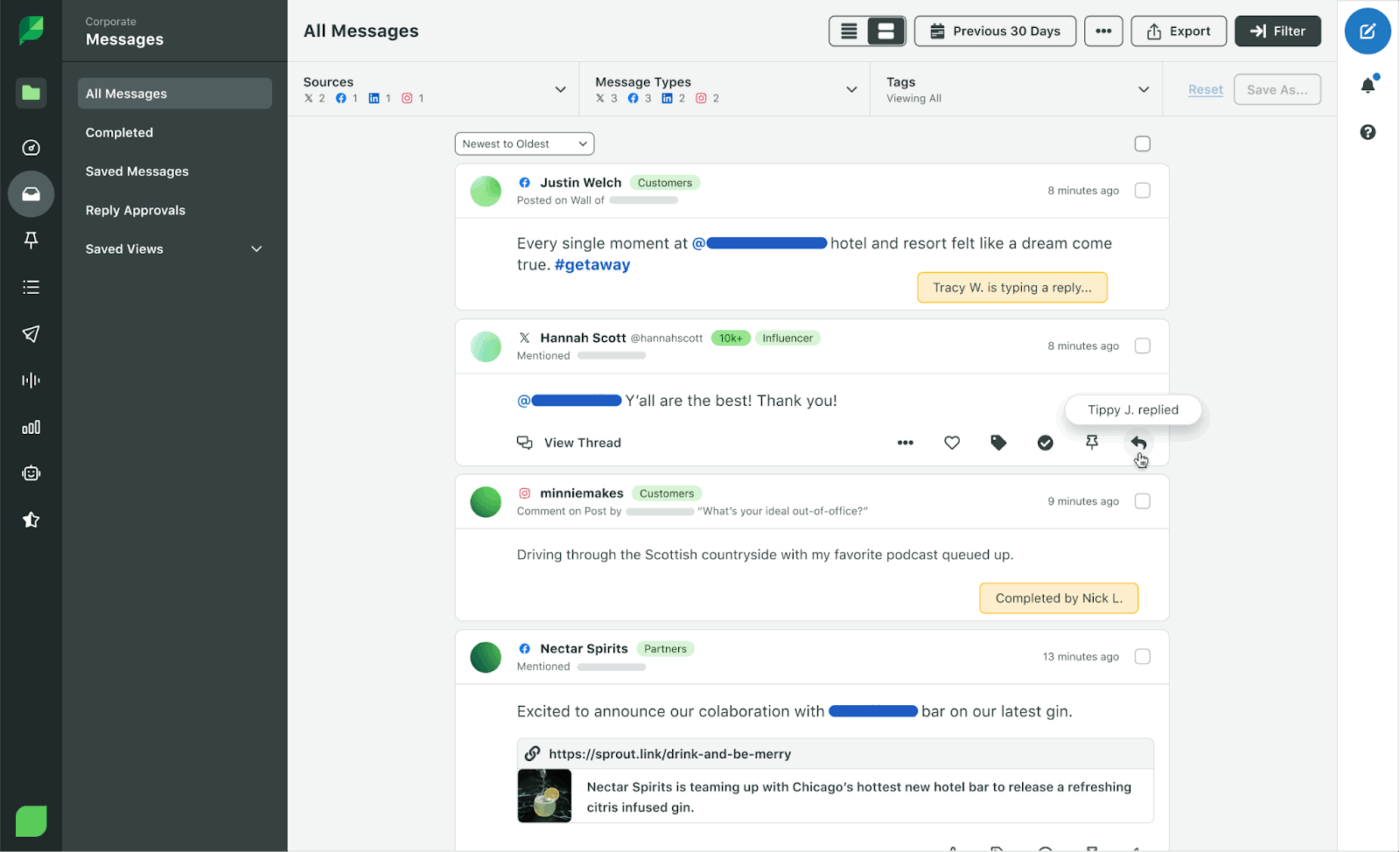
About 61% of businesses use social listening to boost their social media efforts, and 82% see it as essential to their social media strategy. But you won’t get that with Loomly, and who wants to juggle yet another separate monitoring tool?
Sprout Social is a platform that offers advanced social listening, real-time engagement tools, and analytics. It tracks brand mentions, keyword trends, and competitor discussions across channels—even when your brand isn’t directly tagged. With its Smart Inbox, customizable reports, and AI-powered sentiment analysis, your marketing team can respond faster to trends and stay ahead.
A Capterra reviewer writes:
I love the ability to have unlimited # of accounts along with the competition reports and AI integration. I don’t love the cost but find it semi-reasonable for the features.
🧠 Fun fact: The most liked photo on Instagram is a simple egg. Yep, an egg! It was posted by @world_record_egg to break the record for most likes.
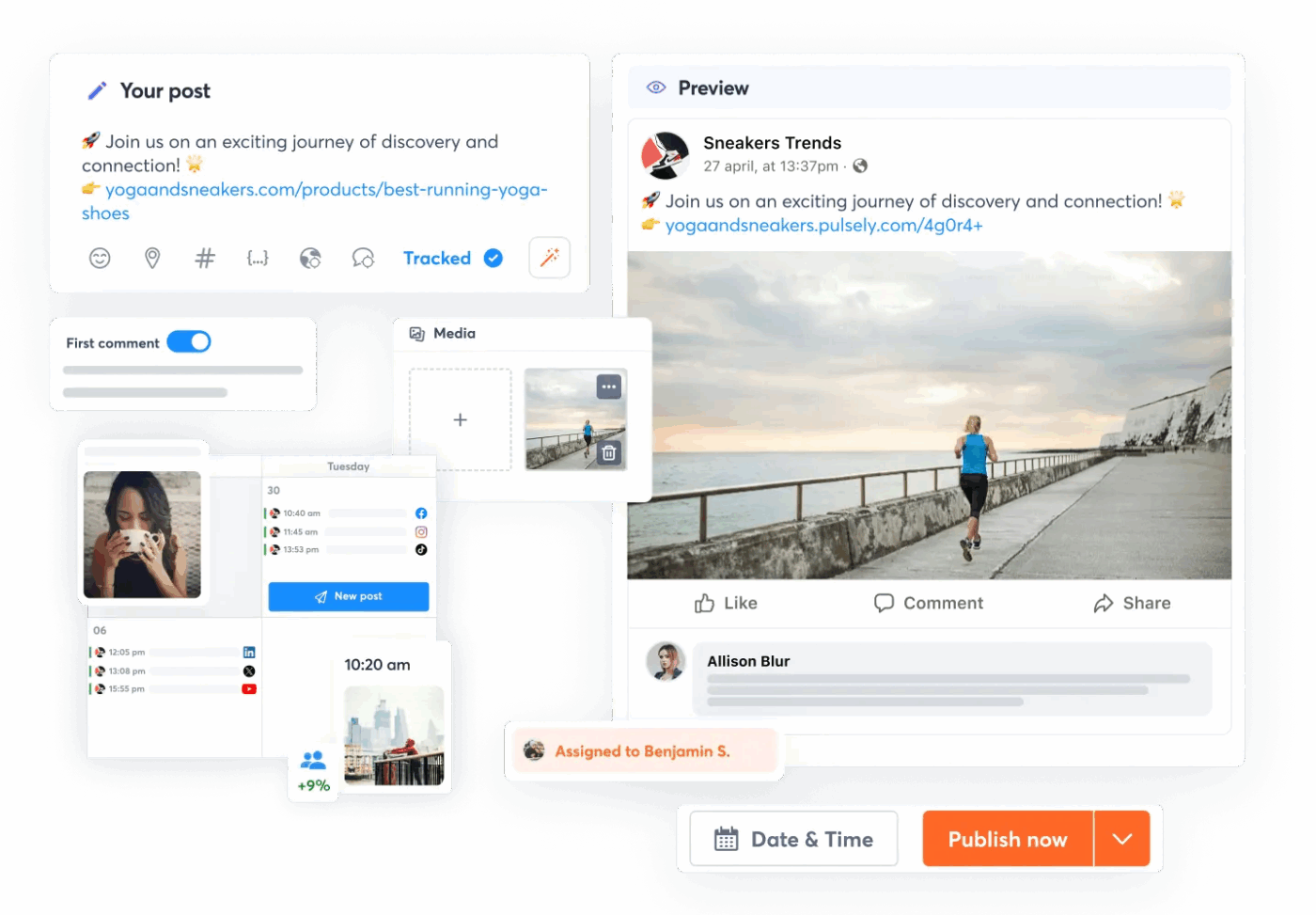
Unlike Loomly, Agorapulse comes with an inbox assignment and labeling system. It lets you route incoming messages to the right teammates, add labels for context, and track every response. It can better fit brands handling high volumes of social engagement and busy customer service teams.
In addition to streamlined inbox management, Agorapulse offers bulk content scheduling, post queuing, and detailed, exportable performance tracking reports. It also includes built-in competitor analysis, advanced team collaboration tools, and a unified content calendar.
A G2 review says:
Agorapulse is an incredibly intuitive tool that simplifies social media management. I love how easy it is to organise my content calendar and stay on top of my posting schedule, which saves me a significant amount of time each week. Another standout feature is their excellent help desk team, who are always friendly, available, and quick to resolve any issues.
📖 Also read: Content Marketing KPIs to Track
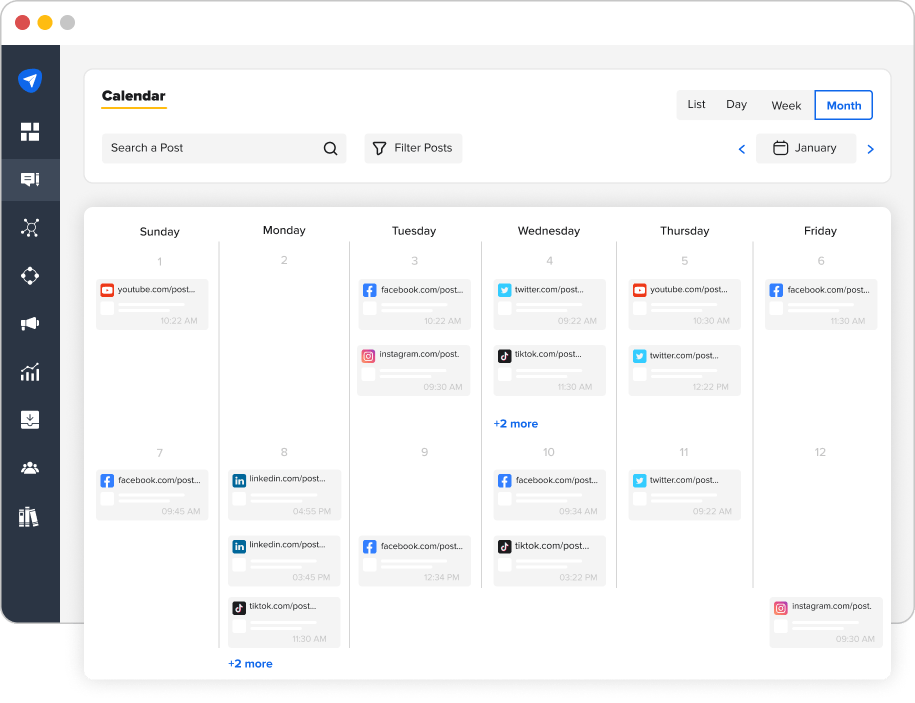
While Loomly primarily focuses on post scheduling and content planning, SocialPilot takes it a step further. It lets users manage social media comments, messages, and even reviews from third-party platforms through a single unified inbox.
This makes it easier for brands to stay responsive, build trust, and never miss an opportunity to engage with their audience.
Besides that, this social media management tool also offers powerful features like bulk scheduling, content calendar, team collaboration tools, and detailed analytics. It supports multiple social channels, helps manage client accounts, and offers white-label reporting.
SocialPilot
A Capterra review reads:
I like its dashboard, simplified and uncluttered. It allows easy handling, even when you are a beginner. Despite this small user-friendly interface, SocialPilot has many features. scheduling publications, performance analysis, team collaboration, ad management, etc., everything is there. [But] Sometimes, some page loading problems. Price a little higher than some competitors.
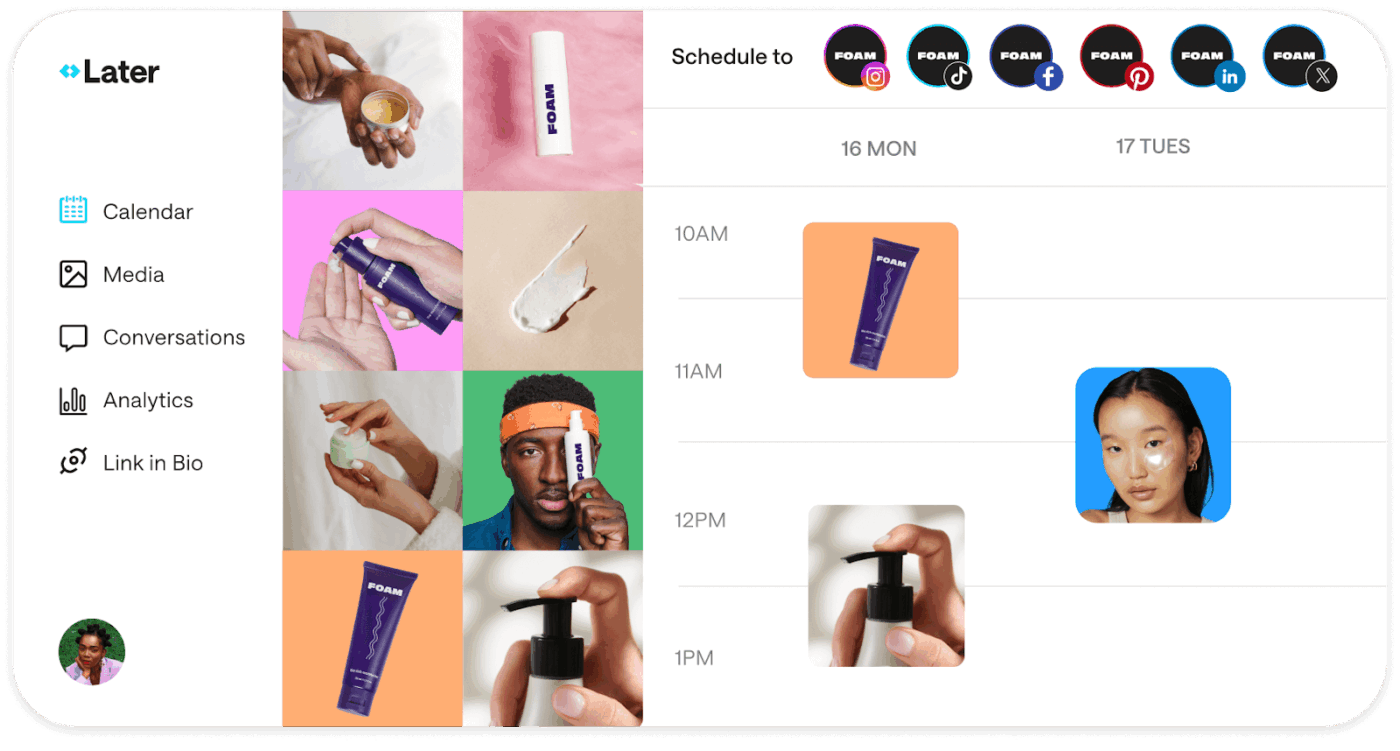
Nearly half of buyers make monthly purchases based on influencer posts, and 86% do so at least once a year. If influencer marketing is part of your strategy, Loomly might fall short—it doesn’t offer dedicated tools for managing creator partnerships.
Layer, on the other hand, lets social media managers connect with creators, manage influencer campaigns, and track their performance in one place. It includes a collaboration tool for brands and creators, a media library, hashtag suggestions, and detailed analytics to help fine-tune your social media management strategy.
A G2 review reads:
I love how Later Influence keeps everything organized, making it easy to manage collaborations, track deadlines, and communicate seamlessly with brands. The intuitive interface streamlines the entire process, from discovering opportunities to analyzing campaign performance. It helps me stay on top of my partnerships without feeling overwhelmed.
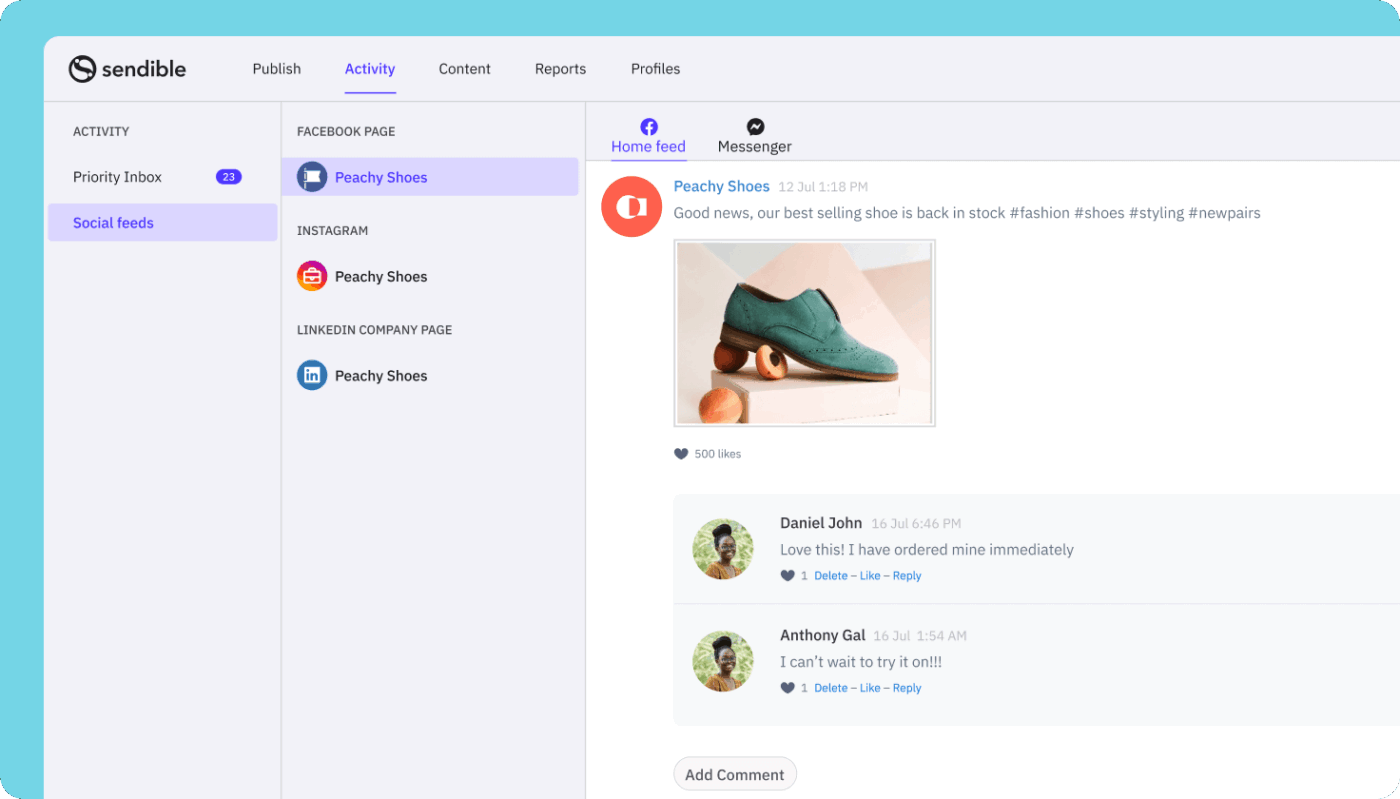
Sendible integrates client management tools that allow agencies and teams to manage multiple clients’ accounts from one dashboard efficiently. It also offers branded reports and collaboration features tailored for agencies.
Key features include built-in UTM tracking, which automatically adds tracking codes for better campaign measurement. There’s also a unified inbox for managing comments, advanced analytics and reporting, social listening, and content suggestions.
A Capterra reviewer says:
It’s easy to schedule content on many platforms including Instagram, Pinterest, Google my Business (yes, you should be posting there!). There’s a Canva integration which makes creating graphics much easier and efficient. Also, very easy to curate new content and add RSS feeds. I would say their app – I am on the go a lot and to be able to post content via the app would be ideal. It’s not as intuitive as the desktop platform. Hopefully, it’s in the works and it more than likely is.
👀 Did you know? Marketers who use AI are 25% more likely to report successful outcomes compared to those who don’t.
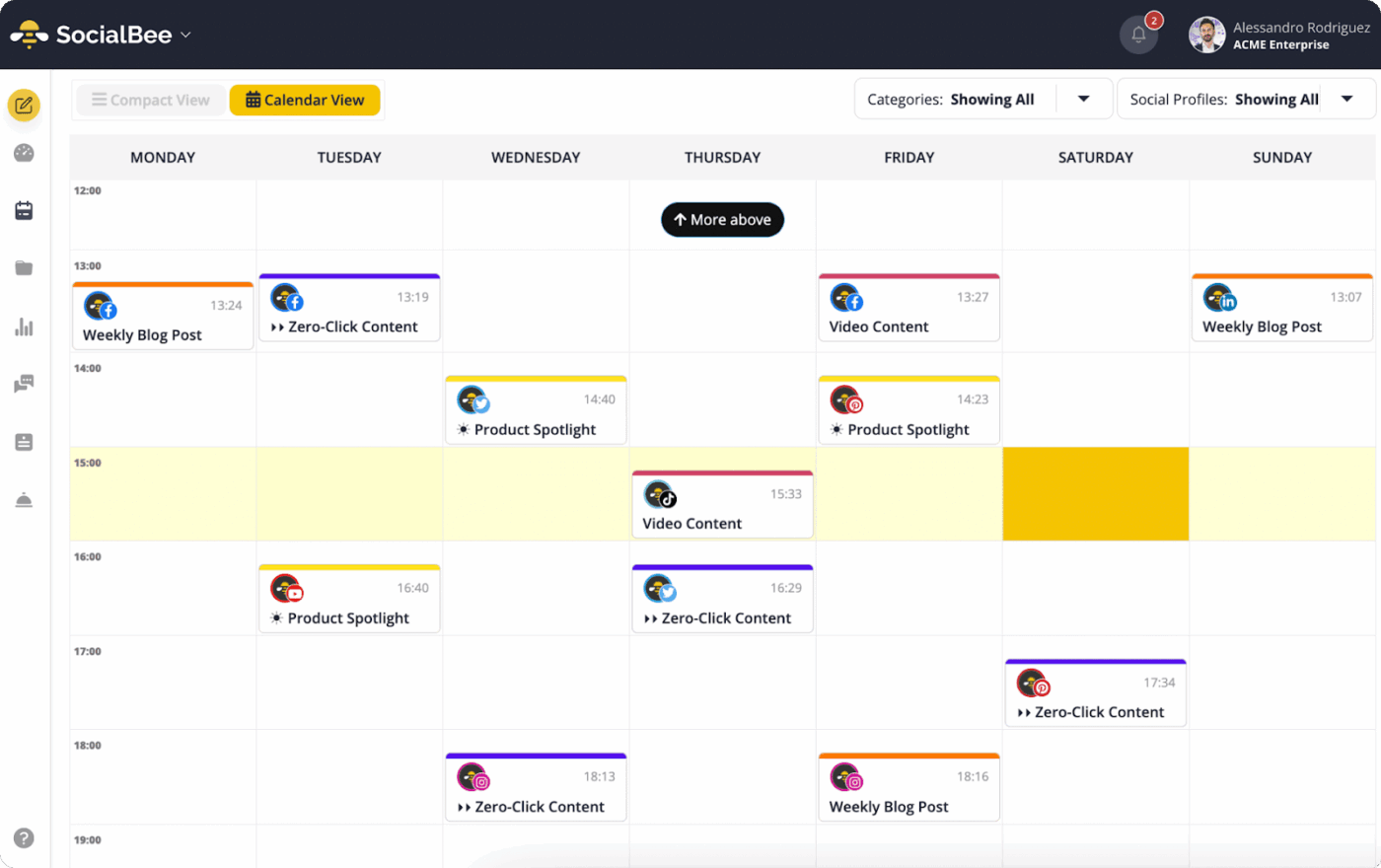
SocialBee helps you create content efficiently, analyze audience data, and optimize posting strategies.
SocialBee also features easy scheduling, content categorization, and audience engagement tools that help maintain a consistent social presence. The user-friendly interface is a bonus that helps everyone use the features easily.
A G2 review reads:
SocialBee makes organizing my content easier with its hashtag collections and category-based scheduling, which helps me make sure my posts align with my content pillars. One of the features I appreciate is how it automatically determines whether a YouTube video should be a Short or a full-length video based on the length and orientation of the video—saving me time.
Loomly works for basic scheduling, but it falls short when scaling your social media marketing efforts. For visual planners, Planable offers a more intuitive setup. Want AI-generated captions and scheduling? SocialBee and Predis.ai are great picks. Need enterprise-level workflows? CoSchedule and Sprout Social deliver.
Or skip the guesswork and go with ClickUp—a powerful Loomly alternative. You get team collaboration tools, an AI-powered calendar, built-in AI assistants, automations, and customizable dashboards for in-depth analytics and reporting. Free social media management templates help simplify campaign management.
Ready to level up? Try ClickUp for free and manage social media campaigns that boost visibility and connect you to your audience.

© 2026 ClickUp

There’s an easier way. Try a free AI Agent in ClickUp that actually does the work for you—set up in minutes, save hours every week.